
 4.9 (400+
reviews)
4.9 (400+
reviews)
Introduction
Faxing still plays a vital role in regulated industries such as healthcare, legal, and finance, where secure document exchange and compliance cannot be compromised. Despite the rise of digital communication, faxing remains a trusted method for transmitting sensitive information.
However, many traditional fax solutions were built for a different era and often fail to align with today’s fast-moving, automation-driven business environments. Limited functionality, manual workflows, outdated interfaces, and high costs have pushed organizations to look for more modern and flexible alternatives.
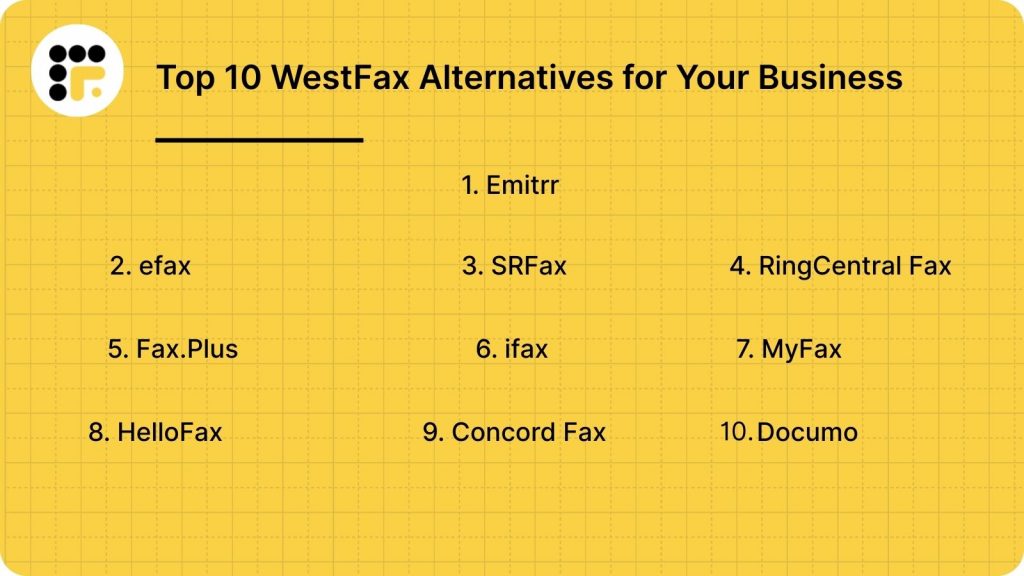
As a result, businesses are increasingly searching for a WestFax alternative that goes beyond basic cloud faxing. This listicle explores the top 10 WestFax alternative software options available, highlighting tools that offer automation, better integrations, and multi-channel communication.
What Is WestFax?
WestFax is a cloud-based fax service that enables businesses to send and receive faxes digitally without relying on traditional fax machines or phone lines. It replaces physical hardware with a secure online platform, allowing users to manage fax communications through email, desktop, or integrated systems.
The primary purpose of WestFax is to provide reliable, compliant cloud faxing for organizations operating in regulated industries. It is widely adopted by healthcare organizations, dental practices, and legal firms that require secure data exchange.
WestFax Features
- Send and receive faxes online: WestFax allows businesses to send and receive faxes digitally through a secure cloud-based platform. Users can manage inbound and outbound faxes without physical machines, enabling faster document exchange, improved accessibility, and simplified fax management across teams and departments.
- Email-to-fax and fax-to-email: With email-to-fax and fax-to-email functionality, WestFax lets users send faxes directly from their email inbox and receive incoming faxes as email attachments. This feature streamlines workflows by eliminating manual steps and keeping fax HIPAA-compliant communication within familiar email systems.
- Dedicated fax numbers: WestFax provides dedicated fax numbers for businesses, ensuring reliable fax delivery and consistent identification. These numbers support high fax volumes, maintain professional communication, and allow organizations to manage fax traffic efficiently without sharing lines or hardware resources.
- HIPAA-compliant faxing: WestFax is designed to meet HIPAA compliance requirements, making it suitable for healthcare and other regulated industries. It protects sensitive data through secure handling, controlled access, and compliance-focused processes that help organizations meet regulatory standards confidently.
- Secure data transmission: The platform uses secure data transmission methods to protect faxed information from unauthorized access. Encryption and controlled access mechanisms ensure that documents remain confidential during transmission, reducing the risk of data breaches and compliance violations.
WestFax Pros
- HIPAA-compliant cloud faxing: WestFax offers HIPAA-compliant cloud faxing, making it a dependable choice for healthcare and other regulated industries. It ensures sensitive information is transmitted securely while helping organizations meet compliance requirements without relying on traditional fax infrastructure.
- Reliable fax delivery: The platform is known for consistent and reliable fax delivery, even at higher volumes. Businesses can depend on WestFax for timely transmission of critical documents, reducing failed faxes and minimizing disruptions in communication workflows.
- Industry-specific integrations: WestFax supports integrations with industry-specific systems, particularly in healthcare. These integrations allow organizations to embed faxing into existing workflows, improving efficiency and reducing the need for manual document handling across departments.
WestFax Cons
- Limited features beyond faxing: WestFax focuses primarily on faxing and offers few additional communication features. Businesses that require SMS, voice, email, or unified communication capabilities often need separate tools, increasing operational complexity and software costs.
- No built-in automation tools: The platform lacks native automation and workflow management features. As a result, users must rely on manual processes for routing, handling, and tracking faxes, which can slow operations and increase the risk of human error.
- Outdated interface: WestFax has an interface that feels outdated compared to modern cloud platforms. The user experience may require additional training, and navigation can be less intuitive for teams accustomed to contemporary, user-friendly software designs.
- Higher pricing for small teams: WestFax pricing can be expensive for small businesses and growing teams. Usage-based costs and limited feature flexibility may not justify the investment for organizations with lower fax volumes or tighter budgets.
WestFax Pricing
WestFax uses a tiered, usage-based pricing model that scales with fax volume and users. The Basic plan starts at $8.99/month for 500 pages and one user. The FAX 1500 plan costs $29.95/month for small offices, while FAX 3K is priced at $59.95/month for larger teams. Custom Enterprise plans offer advanced security, integrations, and 24/7 support. Costs can increase quickly for small and mid-sized businesses as usage grows.
WestFax Integrations
WestFax integrates with EHR and EMR systems, enabling healthcare organizations to securely send and receive patient documents within their existing workflows. It also connects with select healthcare platforms, though CRM integration is limited, which may require additional tools for broader business communication needs.
WestFax Customer Support Channels
WestFax offers support primarily through email and a self-service knowledge base, providing guidance on setup and troubleshooting. Real-time support options are limited, which may slow resolution for urgent issues, especially for businesses that require immediate assistance or high-volume fax operations.
WestFax Ratings

Why Do Businesses Seek a WestFax Alternative?
While WestFax provides reliable cloud faxing, many businesses seek alternatives due to limited features, high costs, and scalability challenges. Organizations now need modern solutions offering automation, multi-channel communication, and an intuitive user experience for efficient workflows.
Limited Features Beyond Faxing
WestFax focuses solely on faxing and lacks support for SMS, voice, or email communication. Businesses requiring multi-channel outreach must use separate tools, increasing operational complexity and inefficiency. Organizations are looking for alternatives that consolidate all communication into a single, streamlined platform.
High Pricing Structure
WestFax pricing can be restrictive, especially for small businesses or teams with moderate fax volumes. Usage-based costs and limited flexibility make budgeting difficult, prompting companies to explore more cost-effective WestFax alternatives that offer similar or additional features at better value.
Outdated User Interface
The platform’s interface feels dated and less intuitive compared to modern cloud applications. Users may experience slower navigation, longer onboarding, and a steeper learning curve, which impacts productivity and overall user satisfaction.
Lack of Automation and Workflow Tools
WestFax requires manual handling of faxes, with no built-in workflow automation. Businesses looking to streamline operations face inefficiencies and higher risk of human error, driving demand for alternatives with automated fax routing and workflow management.
No Unified Communication Platform
WestFax cannot combine faxing with other communication channels, forcing businesses to rely on multiple tools. This fragmentation complicates workflows, increases costs, and reduces efficiency, making unified platforms a preferred WestFax replacement for modern business communication.
What Features To Look For In A WestFax Alternative?
When searching for a WestFax alternative, businesses should prioritize solutions that combine secure faxing with automation, multi-channel communication, seamless integrations, and strong support. The right platform enhances efficiency, compliance, and scalability while reducing manual workflows and operational costs.
HIPAA-Compliant Cloud Faxing
A robust alternative should offer HIPAA-compliant cloud faxing to protect sensitive data. Compliance ensures that healthcare, legal, and regulated businesses meet strict regulatory standards, safeguard confidential documents, and reduce the risk of data breaches during digital fax transmissions.
Want to learn all the essentials of HIPAA and why it matters?
This insightful video explains everything you need to know. Watch now:
Automation and Workflow Management
Automation features streamline fax handling, routing, and notifications, reducing manual intervention and operational errors. Workflow management tools help teams save time, improve accuracy, and maintain consistency across communications, ensuring documents reach the right recipients efficiently.
Multi-Channel Communication
Modern platforms combine faxing with SMS, voice, and email capabilities, allowing businesses to manage all communications from a single system. Multi-channel support improves reach, responsiveness, and customer experience while minimizing the need for multiple disconnected tools.
Integration Capabilities
Seamless integration with EHR, EMR, CRM, and other business applications ensures faxing fits naturally into existing workflows. This reduces duplication, enhances data accuracy, and allows automated document handling across multiple systems.
Ease of Use
A WestFax alternative should feature an intuitive interface and simple onboarding process. Users can quickly learn the system, access key features, and manage communication efficiently without extensive training or technical support.
Transparent Pricing
Clear, predictable pricing without hidden fees allows businesses to budget effectively. Subscription models or usage-based plans should reflect actual business needs, ensuring cost efficiency while providing access to all essential features.
Security and Compliance Standards
Encryption, audit logs, and certification compliance are critical for secure document handling. These features protect sensitive data, support regulatory adherence, and provide traceability in case of audits or internal reviews.
Top 10 WestFax Alternatives
If you’re looking for a WestFax alternative, several modern platforms offer secure cloud faxing, automation, and multi-channel communication. This list covers the top 10 WestFax competitors that combine efficiency, compliance, and scalability for businesses of all sizes.
Emitrr
What Is Emitrr?
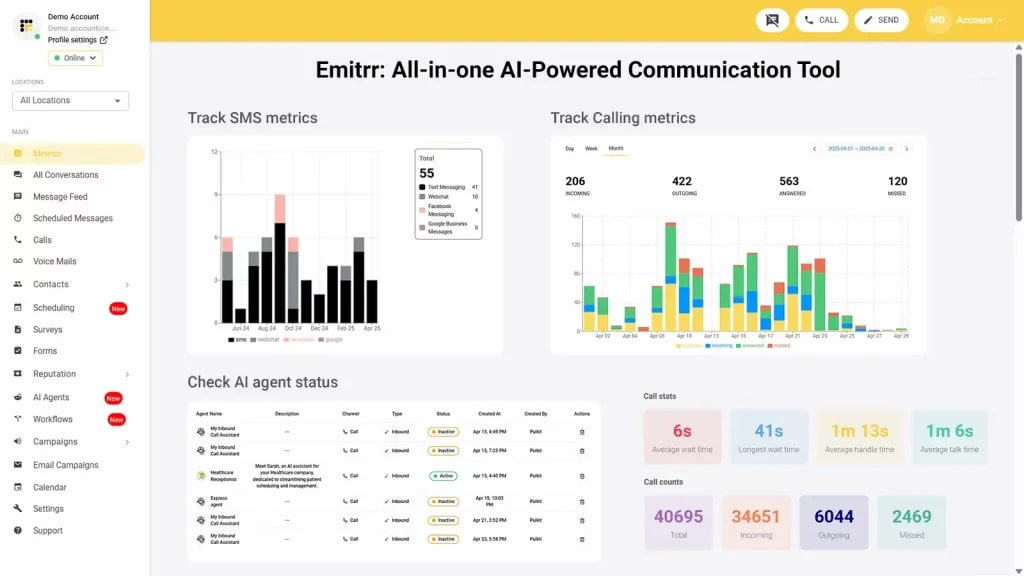
Emitrr is a cloud-based fax and communication automation platform for healthcare, legal, finance, and enterprise teams. It combines HIPAA-compliant faxing, SMS, voice calls, reminders, and workflow automation in one platform. By eliminating servers, modems, and complex setups, Emitrr makes faxing simple, secure, fully remote-accessible, and ideal for regulated industries requiring streamlined, automated communication.
Key Features
- HIPAA-Compliant Faxing: Encrypts fax transmissions, stores documents securely, and supports BAA execution, ensuring safe handling of sensitive patient or business information.
- All-in-One Communication Suite: Combines fax, SMS, voice calls, reminders, chat automation, and surveys, reducing reliance on multiple tools.
- Cloud-Based Faxing: Sends and receives faxes instantly without hardware or software setup, accessible on desktops and mobile devices.
- Workflow Automation: Automates routing, tagging, notifications, and failed-fax alerts, saving hours of manual effort.
- Integrations: Connects with CRMs, EHR/EMR systems, dental PMS, and scheduling platforms for seamless document routing.
Pros
- Complete communication and fax automation in one platform.
- True HIPAA compliance with encryption and secure storage.
- Fully cloud-based, eliminating server maintenance.
Cons
- Advanced features are continuously being added, which may require onboarding to leverage fully.
Pricing
- Standard Plan ($20/user/month): Best for small to mid-sized practices; includes HIPAA-compliant faxing, automated reminders, secure messaging, and essential integrations.
- Professional Plan ($35/user/month): Ideal for larger or multi-location organizations; adds advanced analytics, AI-powered automation, and deeper CRM/EHR integrations.
Ratings
Support Channels
- 24/7 chat, phone, email, and onboarding assistance.
eFax
What Is eFax?
eFax is a top online fax service that allows users to send and receive faxes via email, web, or mobile devices. It serves individuals, small businesses, and enterprises, providing a secure, paperless faxing solution with cloud storage, electronic signature support, and mobile access, making document management convenient, compliant, and accessible anytime, anywhere.
Key Features
- Email-to-Fax and Fax-to-Email: Send and receive faxes directly via email attachments, supporting multiple file formats with secure delivery.
- Cloud Storage: Automatically stores sent and received faxes in the cloud for easy access, search, and download anytime.
- Electronic Signatures: Add legally binding e-signatures to documents before sending, reducing the need for manual signing and scanning.
- Mobile App Access: Manage faxing tasks on iOS and Android devices for flexible, remote business communication.
- Large File Sharing: Send files up to 3GB securely without third-party storage or email limits.
Pros
- Easy-to-use platform with reliable cloud storage.
- Secure, legally binding electronic signatures.
- Mobile-friendly, suitable for remote or hybrid teams.
- Flexible for both individuals and enterprise users.
Cons
- Pricing is slightly higher compared to newer competitors.
- Limited automation and integration options.
- Fax transmission may experience delays during peak times.
- Customer support can vary across regions.
Pricing
- eFax Plus ($18.99/month for up to 5 users): 150 pages sent and received, ideal for small teams.
- eFax Pro ($24.99/month): 200 pages each way, cloud storage, and electronic signatures for growing businesses.
- eFax Protect ($50/month for 5 users): Encrypted faxing, advanced privacy protection, and compliance-ready handling for security-focused organizations.
Ratings
Support Channels
- Live chat, phone, email, and a detailed help center with guides, tutorials, and troubleshooting resources.
SRFax
What Is SRFax?
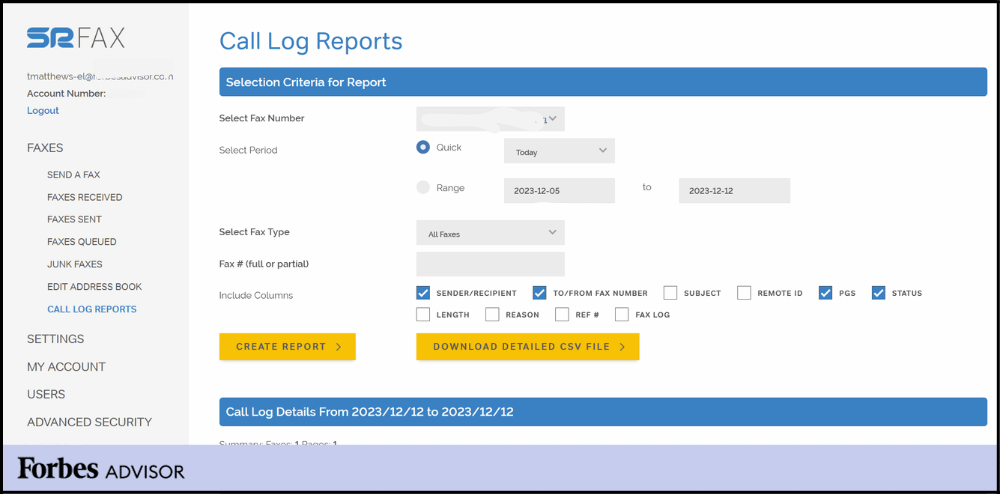
SRFax is a secure, cloud-based fax solution designed for businesses and healthcare organizations that require HIPAA-compliant document exchange. It supports email-to-fax, fax-to-email, encrypted storage, and multi-user access, making it ideal for regulated industries. Known for affordability and reliability, SRFax simplifies digital faxing while maintaining high security standards.
Key Features
- HIPAA-Compliant Faxing: Provides fully encrypted, compliant fax transmission, perfect for healthcare, legal, and finance organizations handling sensitive data.
- Email-to-Fax / Fax-to-Email: Send and receive faxes directly through email, enabling fast, simple, and paperless workflows.
- Encrypted Cloud Storage: Stores fax documents securely in the cloud, ensuring safe access from any authorized device.
- Custom Cover Pages: Offers professional, HIPAA-compliant fax cover sheet for proper identification and secure transmission.
Pros
- Strong HIPAA compliance for healthcare and regulated industries.
- Reliable uptime with secure, encrypted fax delivery.
- Affordable plans with high page limits and low overage fees.
- Simple email-based faxing streamlines team workflows.
Cons
- Outdated interface compared to modern platforms.
- Limited third-party integrations restrict automation.
- Basic mobile functionality lacks advanced features.
- International faxing options are less extensive than competitors.
Pricing
- Lite ($12.60/month): 200 pages, multi-user access, $0.05/additional page.
- Basic ($16.05/month): 500 pages, multiple users, $0.05/additional page, 15% annual savings.
- Basic Plus ($22.95/month): 800 pages, unlimited authorized emails, $0.05/additional page.
- Standard Plus ($68.95/month): 2,500 pages, mid-sized teams, consolidated billing, $0.05/additional page.
- Professional ($137.90/month): 5,000 pages, scalable for high-volume use.
- Professional Plus ($275.75/month): 10,000 pages, enterprise-ready, $0.045/additional page.
Ratings
- Rating unavailable on major review platforms.
Support Channels
- Email, phone, live chat during business hours, and online knowledge base.
RingCentral Fax
What Is RingCentral Fax?
RingCentral Fax is a cloud-based faxing solution that enables businesses to send and receive faxes via email, web, or mobile apps, eliminating the need for traditional fax machines. It supports secure transmission, integrates with cloud storage platforms, and offers dedicated fax numbers, making it ideal for remote or hybrid teams.
Key Features
- Multi-Device Faxing: Send and receive faxes from desktops, mobile devices, or email, enabling flexible and remote-friendly communication.
- Cloud & Storage Integrations: Attach documents directly from Google Drive, Dropbox, Box, and other cloud platforms for streamlined workflows.
- Custom Fax Numbers: Choose local, toll-free, or vanity fax numbers for professional branding and department-level routing.
- Secure Transmission & Compliance: Encrypted faxing supports regulated industry standards, ensuring safe and compliant document handling.
Pros
- Multi-device access enables smooth faxing across web, mobile, and email.
- Seamlessly integrates with major cloud storage platforms.
- Secure and compliant transmission suitable for regulated industries.
- Scalable as part of RingCentral’s complete communication suite.
Cons
- Pricing can be higher than standalone fax services.
- Number setup and porting may take time for some users.
- Fax-only needs may feel limited compared to full UCaaS features.
- Occasional billing and support challenges have been reported.
Pricing
- Core ($20/month): Business SMS/MMS, unlimited domestic calling, AI transcription assistant, multiple device support, essential communication tools for small teams.
- Advanced ($25/month): Adds auto call recording, enhanced summaries, multi-site support, and advanced collaboration features.
- Ultra ($35/month): Includes deeper analytics, 12 months reporting history, HD video meetings, AI-powered SMS tools, device insights, and extended cloud storage.
Ratings
Support Channels
- Live chat, phone, email, plus a comprehensive knowledge base with tutorials and troubleshooting guides.
Fax.Plus
What Is Fax.Plus?
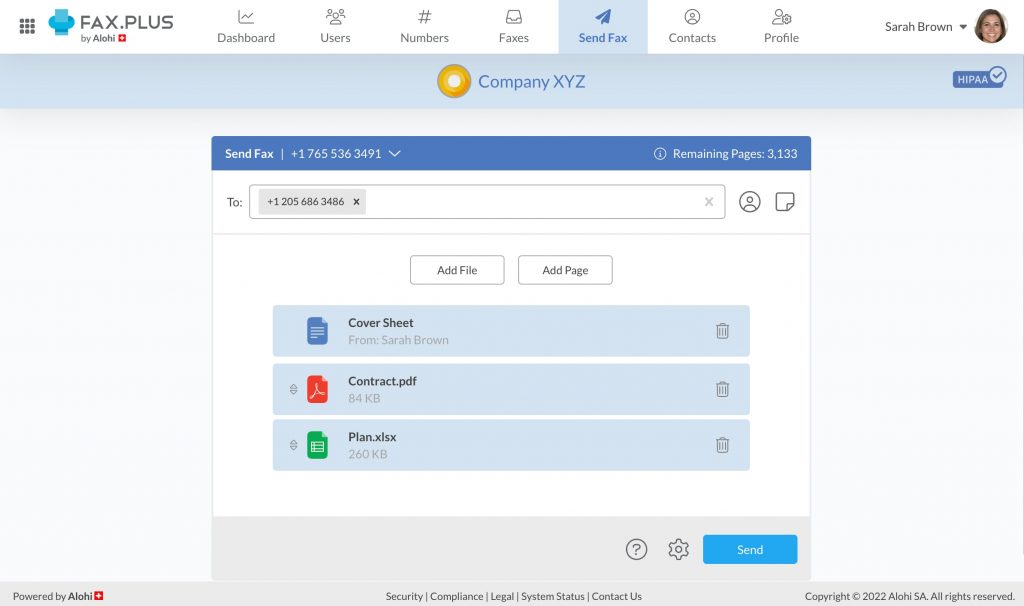
Fax.Plus is a secure, cloud-based online fax service for individuals, small businesses, and enterprises. It allows users to send and receive faxes via web, email, or mobile apps without physical fax machines. With HIPAA, ISO 27001, and SOC 2 compliance, Fax.Plus is ideal for healthcare, legal, and finance industries.
Key Features
- Email-to-Fax & Fax-to-Email: Send and receive faxes directly from your email inbox, compatible with Gmail, Outlook, and other major providers.
- Mobile App Access: Manage faxes on iOS and Android apps, allowing sending, receiving, and signing documents remotely.
- Cloud Storage Integration: Connect with Google Drive, Dropbox, and OneDrive for secure storage and easy access to faxed documents.
- Team Collaboration: Assign multiple users and manage permissions, ideal for businesses with departments or team workflows.
Pros
- User-friendly interface for individuals and businesses.
- Supports international faxing without extra fees.
- Offers a free plan with up to 10 pages per month.
- Provides strong security for sensitive documents.
Cons
- Additional pages beyond the plan limit incur extra charges.
- Some advanced features available only in higher-tier plans.
- Custom fax numbers may require a one-time fee.
Pricing
- Basic Plan ($6.99/month): 200 free pages, 1 fax number, 1 member, unlimited storage; extra pages $0.10 each.
- Premium Plan ($13.99/month): 500 free pages, toll-free numbers, porting, CSV export, up to 90 pages per fax; extra $0.07/page.
- Business Plan ($27.99/month): 1,000 free pages, multiple numbers, 5 members, admin console, Slack integration; extra $0.05/page.
- Enterprise Plan ($79.99/month): 4,000 free pages, unlimited members, SSO, HIPAA compliance with BAA, API, data residency, Zapier; extra $0.03/page.
Ratings
Support Channels
- Email, live chat, help center, and community forum for all users.
iFax
What Is iFax?
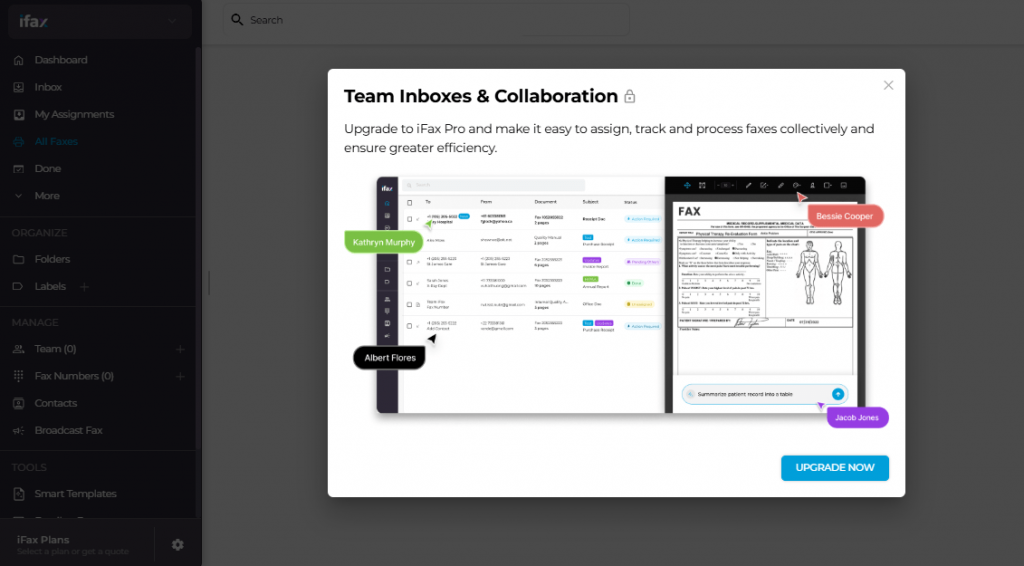
iFax is a cloud-based fax software that allows users to send and receive faxes via mobile apps, desktop platforms, or email, eliminating the need for traditional fax machines or servers. It supports HIPAA-compliant encrypted faxing, dedicated fax numbers, and device-wide accessibility, making it a reliable solution for modern teams in regulated industries.
Key Features
- Multi-Device Faxing: Send and receive faxes through iOS, Android, Windows, Mac, or email for flexible, remote-friendly workflows.
- Dedicated Fax Numbers: Choose local, toll-free, or vanity numbers to enhance branding and professional communication.
- Cloud & Storage Integrations: Connect with Google Drive, Dropbox, Box, and other platforms to attach and manage fax documents seamlessly.
- Secure Transmission & Compliance: Encrypted faxing with HIPAA support ensures safe handling of sensitive medical, legal, and financial documents.
Pros
- Works smoothly across mobile, desktop, and email for anytime fax access.
- Integrates with leading cloud storage tools for easy document management.
- HIPAA-compliant secure faxing suitable for regulated industries.
- Flexible pricing plans accommodate both low- and high-volume needs.
Cons
- High-volume plans cost more compared to some competitors.
- Limited advanced communication features outside fax functionality.
- Occasional app or email integration inconsistencies reported by users.
Pricing
- Basic ($12.49/month): 200 pages, mobile/desktop access, HIPAA compliance; ideal for low-volume secure faxing.
- Plus ($24.99/month): Includes Basic, dedicated fax number, cross-platform apps, secure transmission, and priority features.
- Pro ($33.33/month): Adds SOC 2 + ISO 27001 compliance, templates, scheduled faxing, team inbox, WebFax, EHR integrations, OCR, AI tools, and 24/7 support.
- Enterprise (Custom Pricing): Includes Pro features plus enterprise admin controls, advanced automation, multi-site support, SSO, and 99.95% uptime SLA.
Ratings
Support Channels
- Live chat, email, phone support, and a comprehensive knowledge base and help center.
MyFax
What Is MyFax?
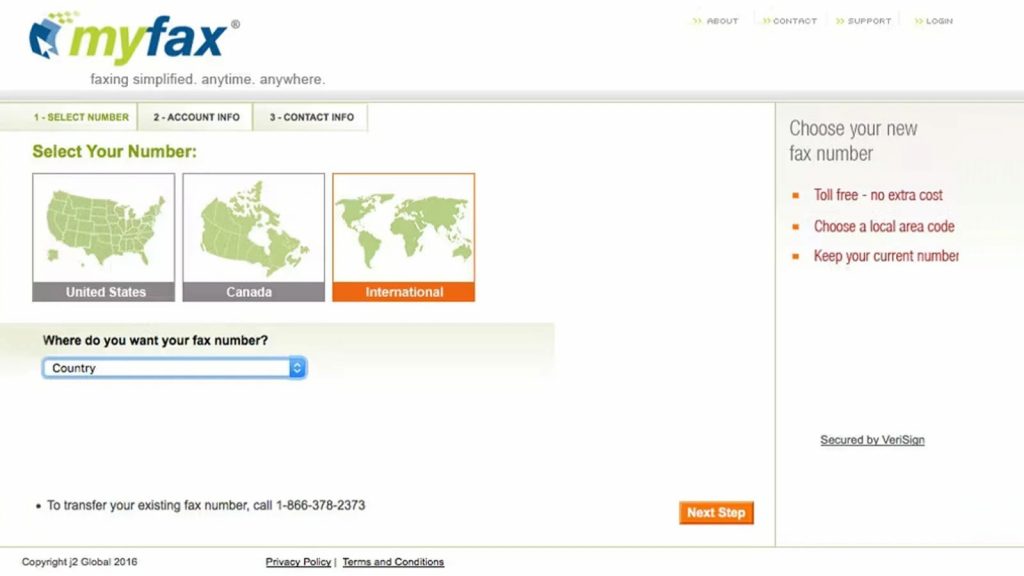
MyFax is an online faxing software that allows businesses to send and receive faxes through email, mobile apps, or a web dashboard, eliminating traditional fax machines and phone lines. It supports cloud storage, digital records, dedicated fax numbers, and simple workflows, making it ideal for small businesses and remote teams requiring secure fax communication.
Key Features
- Online Faxing: Send and receive faxes through a secure online portal, reducing paper usage and eliminating hardware or phone lines.
- Email-to-Fax / Fax-to-Email: Fax documents by attaching files to an email, while incoming faxes arrive as PDFs for easy access and sharing.
- Mobile App Access: Android and iOS apps allow users to send, receive, and manage faxes on the go.
- Document Storage: Cloud storage keeps all faxed documents organized, backed up, and easily retrievable for workflow continuity and compliance.
Pros
- Intuitive interface simplifies faxing and reduces training needs.
- Mobile apps support flexible, on-the-go faxing for remote teams.
- Fully paperless workflow reduces costs and streamlines document management.
- Multiple plans cater to varied business sizes and usage requirements.
- Reliable delivery ensures secure, consistent fax transmission every time.
Cons
- Pricing is higher compared to newer, more advanced fax solutions.
- Limited integrations restrict workflow automation and data syncing.
- Interface feels outdated compared to modern platforms.
- Customer support response times may be slow or inconsistent.
- Lacks advanced compliance features for regulated industries.
Pricing
- Home Office Plan ($12/month): 100 sent/received pages, cloud faxing, email-to-fax, dedicated fax number; first month $5.
- Small Business Plan ($25/month): 300 sent/received pages, online fax management, mobile app access; first month $10.
- Power User Plan ($45/month): 600 sent/received pages, expanded storage, priority fax handling; first month $15.
Ratings
- Rating unavailable on major review platforms.
Support Channels
- Email, live chat, and online knowledge base; some users report delayed responses and limited real-time troubleshooting.
HelloFax
What Is HelloFax?
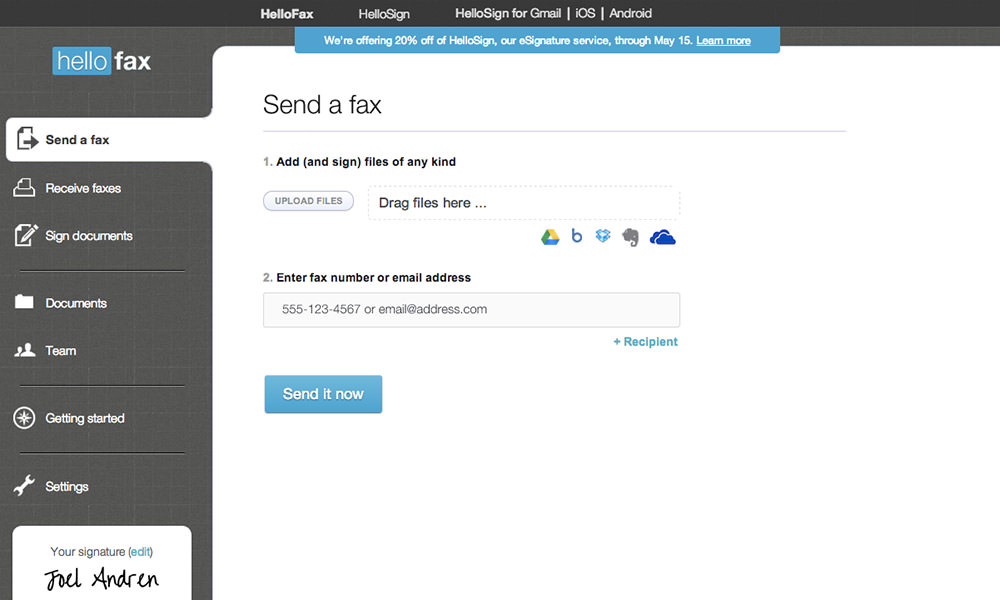
HelloFax is a cloud-based digital faxing tool that enables users to send, receive, and sign documents online without traditional fax machines. It integrates with Google Drive, Dropbox, OneDrive, and Box, making it ideal for small and medium businesses seeking paperless workflows, secure transmission, and simple team collaboration.
Key Features
- Cloud Integration: Connects with Google Drive, Dropbox, OneDrive, and Box for seamless document access, storage, and direct faxing from cloud folders.
- Electronic Signatures: Allows users to digitally sign documents before sending, eliminating printing/scanning while ensuring legal compliance.
- Team Management: Supports multi-user accounts, activity tracking, and role-based permissions for streamlined workflows.
- Secure Faxing: Encrypted transmission and secure storage protect sensitive information and ensure data privacy.
Pros
- Simple, modern interface with strong usability.
- Deep cloud storage integrations improve workflow efficiency.
- Supports legally binding digital signatures.
- Multi-user access and team management features enhance collaboration.
Cons
- Mobile app offers limited functionality.
- Not ideal for very high-volume faxing.
- Lacks advanced automation features in newer fax tools.
- Pricing increases quickly for heavy fax users.
Pricing
- Free Plan: 5+ free fax pages, 1 sender, cloud integrations, edit & sign, secure storage.
- Home Office ($9.99/month): 300+ pages, up to 5 senders, email-to-fax, fax receiving, multiple recipients, cloud integration.
- Professional ($19.99/month): 500+ pages, 10 senders, cloud storage integration, fax number porting, email-to-fax, secure storage.
- Small Business ($39.99/month): 1,000+ pages, up to 20 senders, full cloud integrations, multi-user access, fax receiving, number porting.
Ratings
Support Channels
- Email, live chat, and online help center with guides, tutorials, and troubleshooting resources.
Concord Fax
What Is Concord Fax?
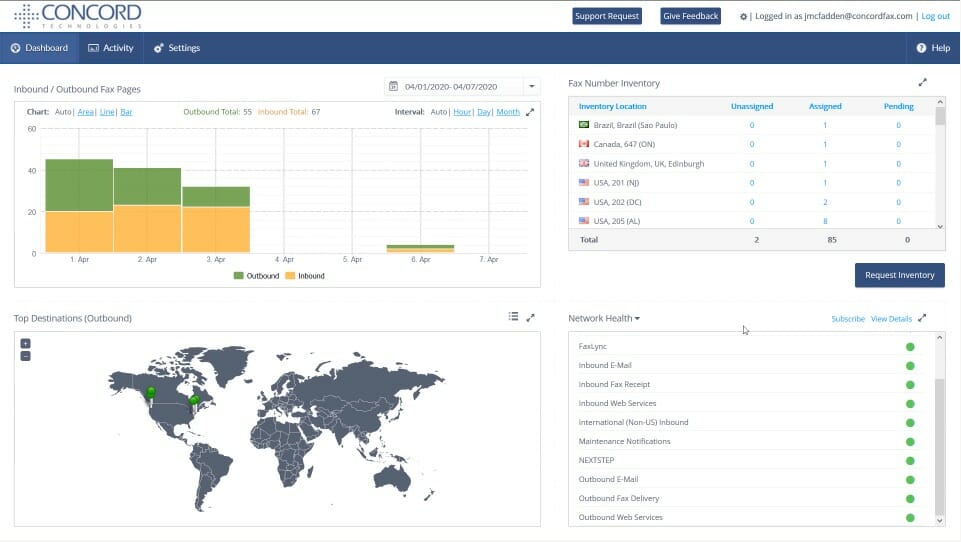
Concord Fax is a cloud-based online faxing solution that allows businesses to send and receive faxes digitally without using traditional fax machines. It provides secure, HIPAA-compliant faxing, easy access from desktop or mobile, and simplified workflows, making it suitable for healthcare, legal, and small to mid-sized businesses.
Key Features
- Email-to-Fax / Fax-to-Email: Send and receive faxes directly through email for fast, paperless workflows.
- Cloud-Based Faxing: Access and send faxes from any device without hardware or server setup.
- Dedicated Fax Numbers: Choose local or toll-free numbers for professional branding and reliable fax delivery.
- Secure Transmission & Compliance: Uses encrypted faxing and compliance features suitable for regulated industries.
Pros
- Provides reliable, secure cloud faxing for businesses of all sizes.
- Easy-to-use interface minimizes onboarding time.
- Supports HIPAA-compliant faxing for healthcare and other regulated sectors.
- Works across desktop, mobile, and email for flexible access.
Cons
- Limited integrations with third-party tools and CRM platforms.
- Lacks advanced workflow automation features for complex business processes.
- May not be ideal for high-volume fax users.
- Customer support can be slower compared to competitors.
Pricing
- Essentials Plan ($399/month): Up to 5 users, unlimited e-signatures and templates.
- Business Plan ($699/month): Adds advanced workflows, integrations, and analytics for growing teams.
- Enterprise Plan (Custom Pricing): Includes API access, clause library, subsidiary management, and tailored solutions for large organizations.
- Annual Billing: Yearly commitment required; 14-day free trial typically available.
- Ideal Users: Best for mid-sized firms managing multiple contracts monthly.
Ratings
Support Channels
- Email, live chat, phone support, and an online knowledge base with FAQs and troubleshooting resources.
Documo
What Is Documo?
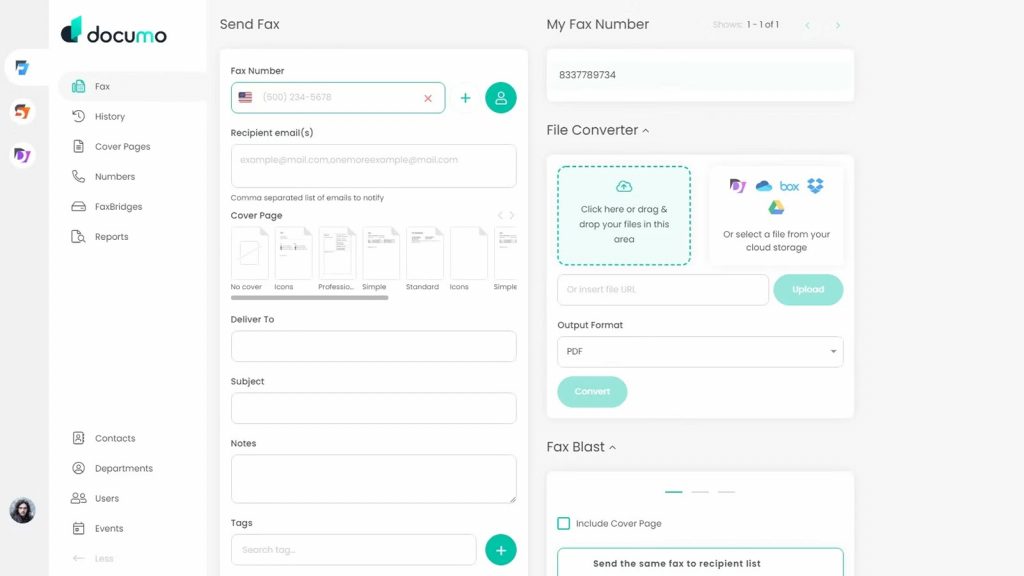
Documo is a cloud-based faxing and document automation platform designed for businesses that need secure, HIPAA-compliant faxing combined with workflow automation. It allows users to send and receive faxes digitally, manage e-signatures, and integrate with other business tools, making it ideal for healthcare, legal, and financial teams.
Key Features
- Cloud Faxing: Send and receive faxes online without physical fax machines or servers, accessible from any device.
- Document Automation: Automate workflows, document routing, notifications, and e-signature requests to save time and reduce errors.
- HIPAA-Compliant Faxing: Ensures encrypted, secure handling of sensitive data for healthcare and regulated industries.
- Integrations: Connects with EHR, CRM, and other business platforms for seamless document management.
Pros
- Combines secure faxing with advanced document automation.
- Simplifies workflows with e-signatures and automated routing.
- HIPAA-compliant and secure for sensitive industries.
- Cloud-based access ensures flexibility and remote work support.
Cons
- May have a steeper learning curve for new users.
- Advanced features may require higher-tier plans.
- Integration setup can be complex for smaller teams.
- Pricing may be higher compared to standalone fax solutions.
Pricing
- Solo ($25/month, billed annually): 300 pages/month, 1 user, 1 fax number, HIPAA compliance, $3/additional user, $3/additional number, $0.15/additional page.
- Professional ($62.50/month, billed annually): 800 pages/month, 3 users, 1 fax number, HIPAA compliance, $3/additional user, $3/additional number, $0.09/additional page.
- Business ($125/month, billed annually): 2,500 pages/month, 10 users, 5 fax numbers, HIPAA compliance, $3/additional user, $3/additional number, $0.08/additional page, API access, reseller tools.
- Enterprise ($250/month, billed annually): 6,000 pages/month, 50 users, 10 fax numbers, HIPAA compliance, $3/additional user, $3/additional number, $0.07/additional page, SSO, advanced automation.
- Custom Plan: For enterprise volumes, AI-enabled document processing, unlimited users/fax numbers, volume discounts, and dedicated account management.
Ratings
Support Channels
- Email, live chat, phone support, and an online knowledge base with tutorials, FAQs, and troubleshooting resources.
What Makes Emitrr The Best WestFax Alternative?
Emitrr is a modern, all-in-one communication platform designed to replace traditional fax solutions. It combines secure cloud faxing with automation, multi-channel communication, and integrations, delivering better value, enhanced efficiency, and scalability for businesses of all sizes and industries.
All-in-One Communication Platform
Emitrr unifies fax, SMS, voice, and email communication within a single platform. This eliminates the need for multiple tools, streamlines workflows, and allows teams to manage all interactions efficiently, improving productivity and reducing operational complexity across departments.
Automation-First Capabilities
Emitrr offers automated workflows for fax routing, notifications, and document management. By reducing manual handling, businesses save time, minimize errors, and maintain consistent, efficient communication across their operations.
Strong Compliance and Security
Emitrr is HIPAA-compliant and ensures secure data handling with encryption, audit logs, and advanced security protocols. This makes it suitable for regulated industries, protecting sensitive information while maintaining compliance with industry standards.
Better Value Compared to WestFax
Emitrr provides more features at a competitive price, offering faxing, automation, and multi-channel communication without the high costs associated with traditional fax platforms. Businesses gain advanced functionality without overspending.
Built for Modern Businesses
Emitrr scales with growing teams and evolving business needs. Its flexible architecture and integrations support expansion, making it ideal for small, mid-sized, and large enterprises seeking a future-ready communication solution.
Watch how Emitrr’s AI Agent Sarah makes client communication, bookings, and follow-ups effortless with smart, automated texting and multi-channel engagement.
Which Industries Are Catered By Emitrr?
Emitrr serves a wide range of industries that require secure, efficient, and compliant communication solutions. Its features are tailored to meet the unique needs of regulated sectors, SMBs, and growing organizations.
Healthcare
Emitrr supports hospitals, clinics, and medical practices with HIPAA-compliant faxing, secure document exchange, and multi-channel communication. Automation reduces manual workflows, ensuring patient records, prescriptions, and other sensitive documents are transmitted safely and efficiently.
Dental Practices
Dental offices benefit from Emitrr’s secure faxing, appointment reminders, via SMS, and document automation. The platform helps manage patient records, insurance forms, and internal communication, improving office efficiency and patient experience.
Legal Firms
Law firms can securely send contracts, legal notices, and confidential documents using Emitrr. Its compliance features, audit logs, and automated workflows streamline case management while maintaining client confidentiality and regulatory adherence.
Home Healthcare
Home healthcare providers use Emitrr to share patient records, care plans, and schedules securely. Automation and multi-channel communication ensure timely updates, improved coordination, and better patient care across remote teams.
Small and Mid-Sized Businesses
SMBs gain a cost-effective, scalable communication platform with Emitrr. It combines fax, email, SMS, and workflow automation, reducing operational overhead and enabling teams to manage communications efficiently without investing in multiple tools.
Frequently Asked Questions
Cloud faxing integrated with digital workflows has largely replaced traditional fax machines. It allows businesses to send and receive documents securely online, improving efficiency, accessibility, and compliance without relying on physical fax hardware.
The most reliable online fax service depends on security, compliance, automation, and support capabilities. A dependable platform ensures timely document delivery, integrates with existing workflows, maintains data protection standards, and offers responsive customer service for business continuity.
eFax is a digital solution that allows sending and receiving faxes via email or cloud platforms, while traditional fax relies on physical machines and phone lines. eFax is faster, more accessible, and integrates with modern workflows.
The two types of faxes are traditional faxing, which uses physical machines and phone lines, and cloud-based faxing, which transmits documents digitally. Cloud faxing offers more flexibility, automation, and security for modern business needs.
Yes, cloud faxing is secure and compliant when platforms implement encryption, HIPAA or relevant regulatory standards, audit logs, and access controls. This ensures confidential information remains protected during transmission and storage.
Conclusion
Businesses seeking a WestFax replacement should focus on solutions that combine automation, compliance, scalability, and unified communication. Traditional faxing alone no longer meets the demands of modern organizations, especially those in healthcare, legal, and regulated industries.
While many tools offer cloud faxing, they often lack workflow automation, multi-channel communication, or robust integrations. Emitrr stands out as a comprehensive solution, providing secure HIPAA-compliant faxing, automated workflows, and SMS, voice, and email communication in one platform. Designed for growing businesses, it improves efficiency, reduces manual work, and ensures data security.
Streamline your communications and schedule a demo today to see Emitrr in action.