
If you’ve ever felt like scheduling patients is eating up too much of your day, you’re not alone. Calls back and forth, reschedules, no-shows; it’s a lot to juggle. That’s where patient self-scheduling software can help.
These tools let your patients pick the appointment times that work best for them, often in just a few clicks. For your staff, it means fewer phone calls and less time stuck on hold, freeing everyone up to focus on actual patient care.
But with so many options out there, how do you pick the right one? That’s why we’ve put together this list of the top 10 patient self-scheduling software platforms. Each one is broken down with features, pros and cons, support, pricing, and integrations, so you can find the best fit for your practice.
Ready to simplify scheduling? Let’s dive in.
What is Patient Self-Scheduling Software
Patient self-scheduling software is a tool that lets patients book, reschedule, or cancel their own appointments online without needing to call your office. It’s like giving them a digital front desk that’s open 24/7.
This software is typically accessible through a website, patient portal, or mobile app. Patients can choose the time that works best for them, often with just a few clicks. Many systems also sync with your practice’s calendar so that your staff always see the most up-to-date schedule.
Beyond just booking, this kind of software often comes with features like automatic reminders, waitlist management, and even integration with your EHR or practice management system. That means fewer phone calls for your staff to handle, fewer no-shows to worry about, and a better overall experience for patients.
Let’s look at some key stats:
- 88% of healthcare leaders report that their organization uses automated reminders.
- Self-scheduling tools have cut no-shows by 50%, helping providers fill last-minute openings.
- Almost 30% more patients turned to self-scheduling tools in 2024, as more healthcare organizations rolled out better, more user-friendly online scheduling options.
In short, patient self-scheduling software helps you run a more efficient, patient-friendly practice by putting appointment management right at your patients’ fingertips.
Why do you need patient self-scheduling software?
You’ve probably seen firsthand how chaotic it can get with appointment scheduling. The constant calls, last-minute changes, and juggling your staff’s workload can leave everyone feeling stretched thin. That’s where patient self-scheduling software comes in—it’s like giving your team an extra set of hands to manage the daily grind.
This kind of software lets your patients book, reschedule, or cancel their own appointments without having to wait on hold or chase down an available time. They get to pick a slot that works for them, which not only makes them happier but also keeps them coming back.
For your team, it’s a huge time saver. Fewer phone calls, fewer manual reminders, and fewer headaches trying to patch together a schedule that actually works. They can focus on giving patients the attention they deserve rather than getting bogged down with repetitive tasks.
And let’s talk about those no-shows. Self-scheduling tools usually come with automated reminders, so patients are much less likely to forget. Plus, if someone cancels, you can easily fill that spot with another patient who’s been waiting.
At the end of the day, it’s about giving your practice a smoother workflow and giving patients the kind of modern, flexible experience they’ve come to expect. It’s a simple way to make life easier for everyone involved.
Who needs patient self-scheduling software?
Who Needs Patient Self-Scheduling Software?
Patient self-scheduling software is one of those tools that make running a practice smoother and more patient-friendly.
At its core, it benefits three main groups:

Healthcare Providers
Doctors’ offices, clinics, and hospitals, irrespective of their size, are under constant pressure to do more with limited time and staff. When teams spend hours on the phone trying to keep up with appointments, it’s easy for things to slip through the cracks. Self-scheduling software steps in to automate much of that busywork, giving staff more time to focus on caring for patients instead of managing calendars.
Administrative Teams
Receptionists and front-desk staff play a crucial role in keeping the office running smoothly, but managing appointments, waitlists, and reminders can be a real time drain. Plus, mistakes happen when the workload piles up. Self-scheduling software takes care of confirmations, cancellations, and reminders automatically, which means fewer no-shows and less stress for the team.
Patients
These days, people expect to handle just about everything online, from ordering groceries to booking a haircut. Scheduling a doctor’s appointment is no different. Patients want the freedom to book or reschedule at any time that works for them, whether that’s on their phone during lunch break or from the couch at night. Self-scheduling software gives them that freedom, making their experience smoother and more convenient, which in turn makes them more likely to stick with your practice.
It’s not just for general practitioners. From family doctors to dental practices, mental health clinics, urgent care centers, and even labs and imaging centers, having an easy way to book online has become the norm. Whether you’re a solo practitioner or part of a larger health system, this software is a simple way to keep patients happy while making life easier for staff.
Patient self-scheduling software is for any healthcare organization that wants to meet the expectations of today’s digital-first patients while streamlining its own operations. It’s an investment that benefits everyone: providers, staff, and patients alike.

Features to Look for in a Patient Self-Scheduling Software
When you’re picking a patient self-scheduling software, it’s easy to get lost in the multiple options. Let’s break it down and talk about what actually matters when you’re sitting there trying to run a smooth operation.

Real-Time Appointment Booking and Calendar Sync
Nobody wants to deal with double bookings or calls from frustrated patients. A good system lets patients see what’s actually available and book it on the spot. Real-time syncing makes sure your calendar updates instantly so everyone’s on the same page—no surprises, no overbooking headaches.
Automated Reminders and Patient Notifications
You know the pain of no-shows and last-minute cancellations. Automated reminders can help you cut down on that, sending patients a heads-up via text, email, or app notifications. This small change can make a big difference in keeping your day running smoothly and your revenue steady.
Looking for ready-to-use HIPAA-compliant SMS templates for healthcare scheduling and reminders? Then here are the best ones, Download the templates now!
Waitlist and Cancellation Management
Cancellations happen, but that doesn’t mean you have to accept an empty slot. Look for a tool that automatically offers those openings to other patients who want them. It’s like filling in the gaps without lifting a finger, and it keeps your schedule full.
Multi-Channel Patient Access (Web and Mobile)
These days, people expect to book appointments like they order takeout. That means they want to do it on their phone, tablet, or laptop—whenever it’s convenient for them. A good system should make it easy for them to book from wherever they are, not force them into a desktop-only process.
EHR and Practice Management System Integration
If you’re manually copying info from one system to another, that’s a recipe for mistakes—and wasted time. The best scheduling tools plug right into your EHR and practice management system. That means all your data, including appointments, patient details, and billing, stays in sync.
AI-Powered Recommendations and Smart Scheduling
Tools like Emitrr use AI to suggest the best times for appointments, flag conflicts, and even predict when you might get a rush of bookings. It’s like having a smart assistant that helps you avoid bottlenecks and keeps things running smoothly.
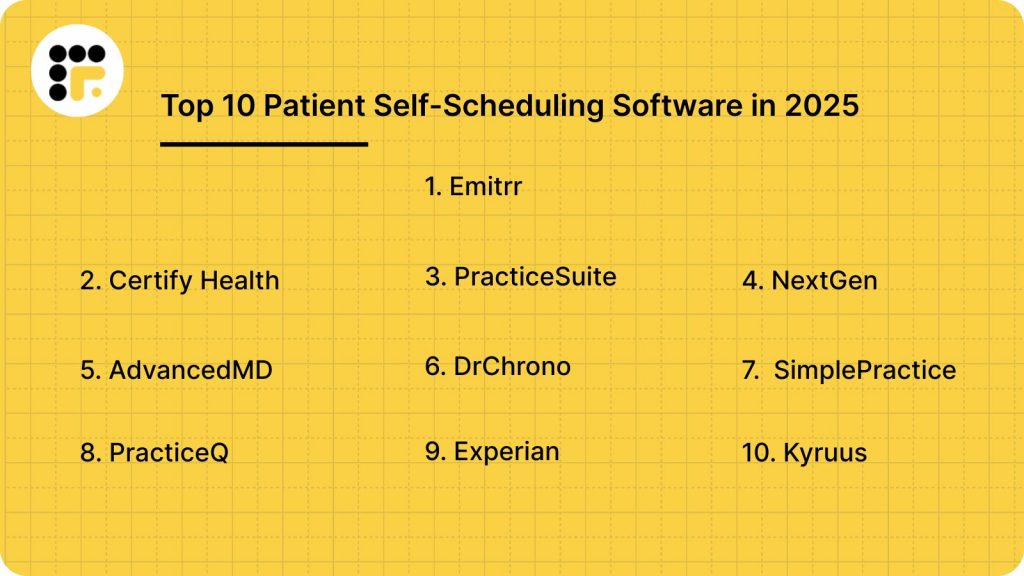
Top 10 Patient Self-Scheduling Software in 2025
Here are the top 10 patient self-scheduling software that are standing out in 2025:
- Emitrr
- Certify Health
- PracticeSuite
- NextGen
- AdvancedMD
- DrChrono
- SimplePractice
- PracticeQ
- Experian
- Kyruus
1. Emitrr
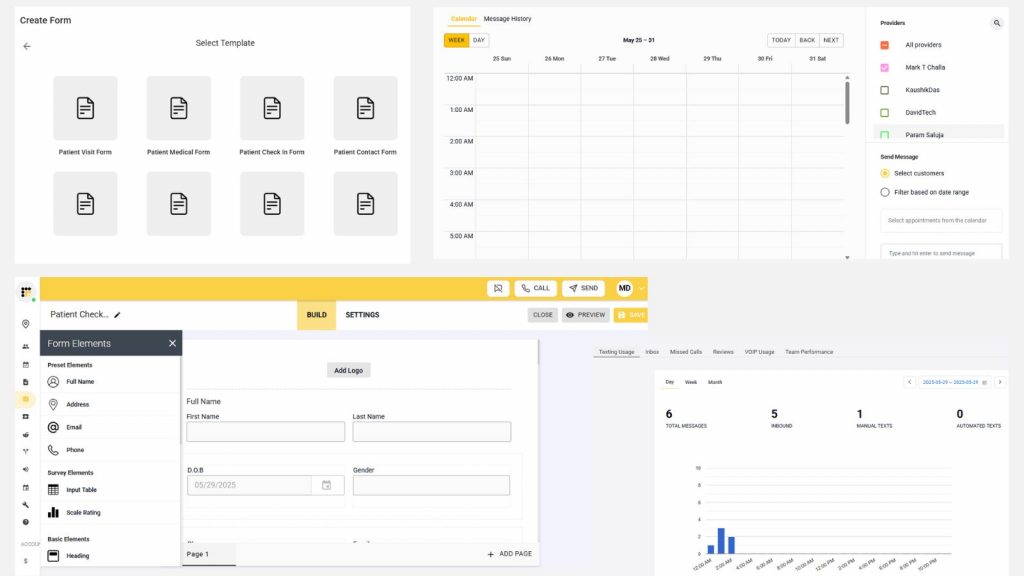
Emitrr is a conversational AI platform built to simplify and enhance patient engagement for healthcare practices. It offers features like automated appointment scheduling, reminders, and two-way messaging, all designed to streamline front-office workflows and reduce administrative burdens. With its intuitive design, Emitrr empowers patients to engage with their care providers quickly and conveniently.
Emitrr Features
- Automated Appointment Scheduling and Reminders: Enables patients to book appointments anytime, while automated reminders help reduce no-shows.
- Two-Way SMS and Voice Communication: Facilitates real-time communication between staff and patients, supporting efficient problem resolution and improved satisfaction.
- Digital Intake Forms: Allows patients to complete paperwork before arriving, saving time and reducing front-desk bottlenecks.
- Integration with Google Calendar: Keeps all schedules in sync and prevents double-bookings.
- HIPAA-Compliant Communication: Ensures patient data privacy and security.
Emitrr Pros
- User-friendly interface that’s easy to navigate for staff and patients alike.
- Significantly reduces no-shows thanks to automated reminders and confirmations.
- Enhances patient engagement by offering communication on patients’ preferred channels.
Emitrr Cons
- Pricing details are not publicly available, making it harder to compare costs upfront.
- Limited integrations with EHR systems compared to some competitors.
Emitrr Support Channels
- Email support
- Knowledge base with helpful articles and resources
Emitrr Pricing
Custom pricing: contact Emitrr directly for a personalized quote based on practice size and feature needs.
Reviews
Users appreciate Emitrr’s ease of use and effective communication tools that improve patient engagement and simplify staff workflows.
Integrations
- Google Calendar
- Limited EHR integrations available (contact Emitrr for specific details)
2. Certify Health
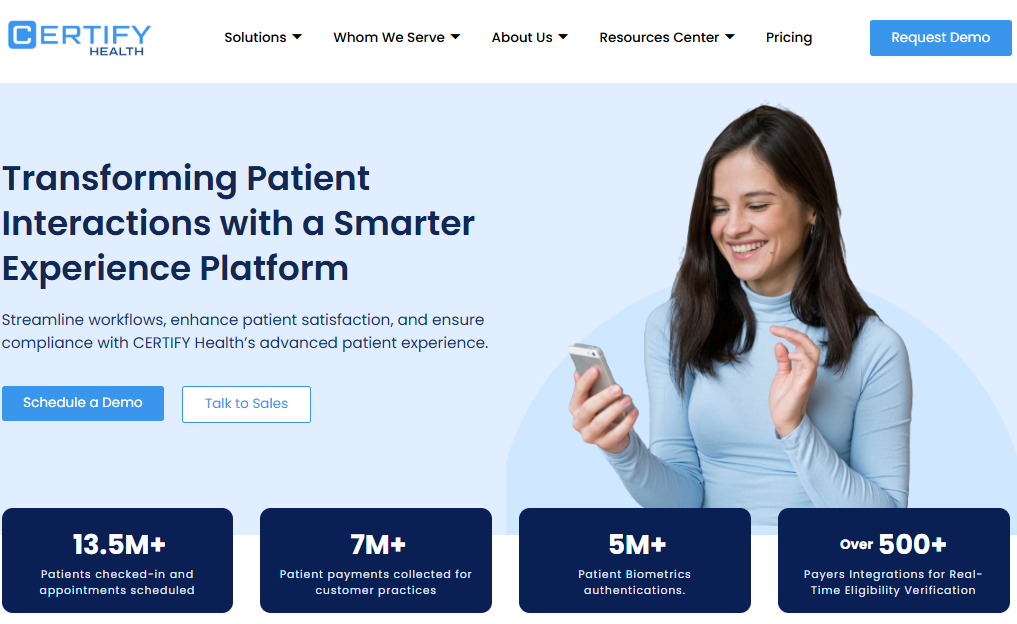
Certify Health offers a robust patient scheduling platform designed to automate appointment management, reduce no-shows, and enhance the overall patient experience. Built for healthcare organizations of all sizes, it helps practices modernize their front office by enabling patients to book, reschedule, and check in on their own time, anytime, anywhere.
Certify Features
- Real-Time Provider Availability Sync: Keeps your appointment schedule accurate by syncing directly with provider calendars, ensuring patients see only up-to-date slots.
- Automated Reminders via SMS, Email, or Voice: Reduces no-shows by sending customizable reminders in the patient’s preferred communication channel.
- Self-Service Rescheduling: Empowers patients to reschedule their appointments online, freeing up front-desk staff.
- Digital Intake and Check-In: Allows patients to complete forms before their visit, reducing paperwork and wait times.
- Integration with Major EHR Systems: Connects seamlessly with popular EHR platforms like Emitrr, Epic, AdvancedMD, and MEDITECH.
Certify Pros
- Improves patient engagement by giving them control over their scheduling and check-in experience.
- Reduces administrative workload for staff by automating scheduling tasks.
- Enhances scheduling accuracy with real-time provider availability.
Certify Cons
- May require staff training and onboarding to fully utilize all features.
- Initial setup can be complex depending on existing workflows and systems.
Certify Support Channels
- Phone support
- Email support
- Knowledge base and training resources are available
Certify Pricing
Custom pricing based on practice size, complexity, and integration requirements. Contact Certify Health directly for details.
Certify Reviews
Users give positive feedback for its ability to reduce no-shows, enhance scheduling efficiency, and improve the overall patient experience.
Certify Integrations
Compatible with major EHR systems, including Epic, AdvancedMD, MEDITECH, and others, ensuring smooth data flow and operational consistency.
3. PracticeSuite
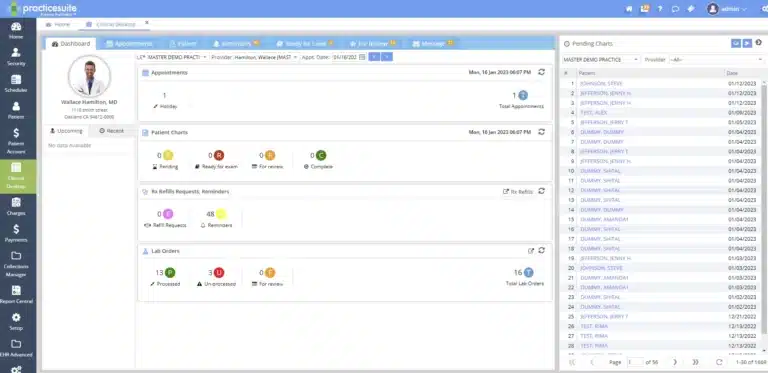
PracticeSuite is a comprehensive, cloud-based practice management platform designed to streamline scheduling, billing, and EHR functions in one solution. Whether you’re managing a solo practice or a multi-speciality group, PracticeSuite offers the flexibility and depth you need to handle patient scheduling efficiently and maintain a smooth front office.
PracticeSuite Features
- Drag-and-Drop Appointment Scheduling: Easily manage and adjust appointments with an intuitive drag-and-drop interface.
- Automated Patient Reminders: Reduce no-shows with customizable reminders via email or text.
- Multi-Provider and Multi-Location Support: Coordinate complex schedules across multiple providers and locations.
- Customizable Appointment Statuses: Tailor appointment types, statuses, and workflows to fit your specific needs.
- Integration with Billing and EHR Systems: Seamlessly connects patient scheduling with billing and clinical documentation, ensuring all systems stay in sync.
PracticeSuite Pros
- All-in-one solution that covers scheduling, billing, and EHR.
- Highly customizable to suit the unique needs of different specialties and practice sizes.
- Supports complex scheduling needs, making it ideal for larger practices or clinics with multiple specialties.
PracticeSuite Cons
- The interface may feel dated compared to some newer platforms, though functionality remains strong.
- May require additional training or onboarding to fully utilize all features.
PracticeSuite Support Channels
- Phone support
- Email support
- Live chat with a support representative
- Extensive help center with documentation and tutorials
PracticeSuite Pricing
Custom pricing based on the size of the practice and selected modules. Contact PracticeSuite directly for a detailed quote.
PracticeSuite Reviews
- Users appreciate its comprehensive feature set, noting that it simplifies workflows and reduces administrative overhead.
- Commended for its responsive support and ongoing updates to keep up with practice needs.
PracticeSuite Integrations
Integrates with a variety of EHR and billing systems, making it easier to coordinate care and manage financial processes.
4. NextGen

NextGen Healthcare offers a comprehensive patient self-scheduling solution integrated seamlessly with its electronic health record (EHR) and practice management systems. Designed to enhance patient access and streamline workflows, this solution is built for practices looking to modernize their operations and provide patients with a more convenient scheduling experience.
NextGen Features
- Online Appointment Scheduling: Allows patients to book, reschedule, or cancel appointments online, reducing call volume and administrative tasks for staff.
- Automated Reminders and Confirmations: Sends SMS or email reminders to patients to reduce no-shows and last-minute cancellations.
- Waitlist Management: Automatically fills open slots by inviting patients on the waitlist, ensuring maximum schedule utilization.
- Integration with NextGen’s EHR: Provides real-time access to appointment slots and clinical workflows, ensuring accuracy and reducing double bookings.
NextGen Pros
- Fully integrated with NextGen’s suite of EHR and practice management tools, reducing the need for multiple systems.
- Improves patient experience by offering a modern, convenient way to manage appointments.
- Enhances practice efficiency with real-time updates and automated reminders.
NextGen Cons
- It may be less suitable for practices that do not already use NextGen’s EHR, as integration with third-party systems is limited.
- Some advanced features may require additional modules or fees.
NextGen Support Channels
- Phone support
- Email support
- Onboarding and training resources
NextGen Pricing
Starts at $300/month; additional modules for advanced features may be priced separately. Contact NextGen for a personalized quote.
NextGen Reviews
Users appreciate its comprehensive features, seamless integration, and the way it improves patient scheduling efficiency.
NextGen Integrations
Integrates directly with NextGen’s EHR and practice management systems, ensuring real-time scheduling and a cohesive workflow.
5. AdvancedMD
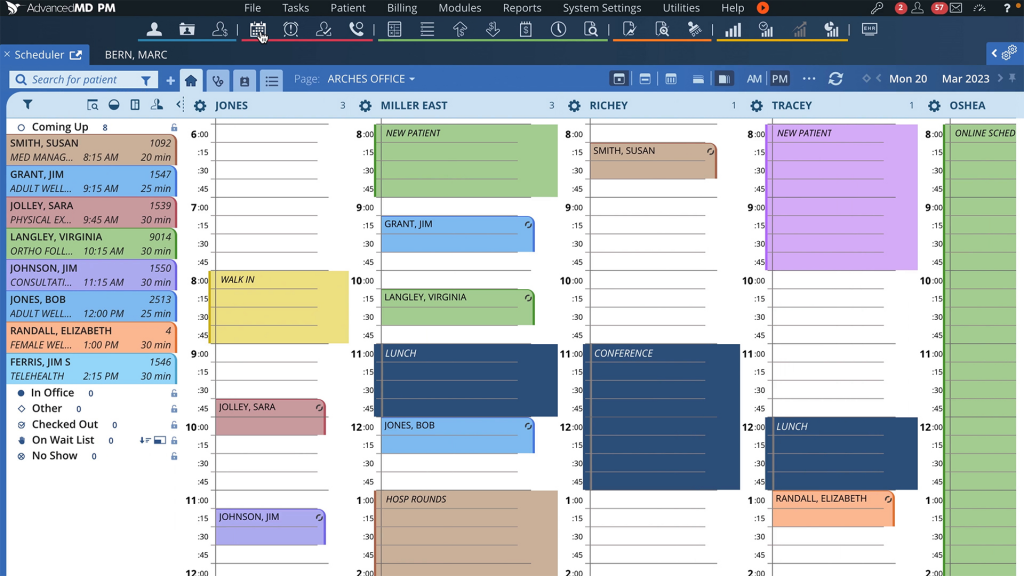
AdvancedMD is a comprehensive cloud-based platform that offers EHR, practice management, and patient engagement tools, including a robust self-scheduling solution. Built for practices of all sizes, AdvancedMD helps streamline daily operations, improve patient access to care, and integrate critical administrative workflows.
AdvancedMD Features
- Online Patient Self-Scheduling: Patients can book, reschedule, or cancel their own appointments online, providing 24/7 access and reducing the burden on front-desk staff.
- Automated Appointment Reminders: Sends reminders via email or text to reduce no-shows and last-minute cancellations.
- Integration with Billing and EHR Modules: Ensures that all appointments, clinical documentation, and billing workflows are connected for a seamless experience.
- Customizable Scheduling Templates: Practices can tailor appointment types, durations, and availability to fit their needs.
AdvancedMD Pros
- Comprehensive suite of tools that centralize patient scheduling, billing, and clinical management in one platform.
- Scalable for small to large practices, with features that grow with your organization.
- Streamlines the patient experience, making it easy to manage appointments and receive care.
AdvancedMD Cons
- Some users find the initial learning curve steep, especially for staff new to integrated platforms.
- Certain advanced features may require additional training or configuration to use effectively.
AdvancedMD Support Channels
- Phone support
- Email support
- Live chat
- Training resources and onboarding support
AdvancedMD Pricing
Custom pricing based on practice size, specialty, and selected features. Contact AdvancedMD directly for a personalized quote.
AdvancedMD Reviews
Users appreciate the robust feature set and scalability, highlighting how it supports growth and modernizes patient scheduling workflows.
AdvancedMD Integrations
Integrates seamlessly with AdvancedMD’s EHR and billing systems, ensuring all data is updated in real-time and eliminating the need for manual data entry.
6. DrChrono
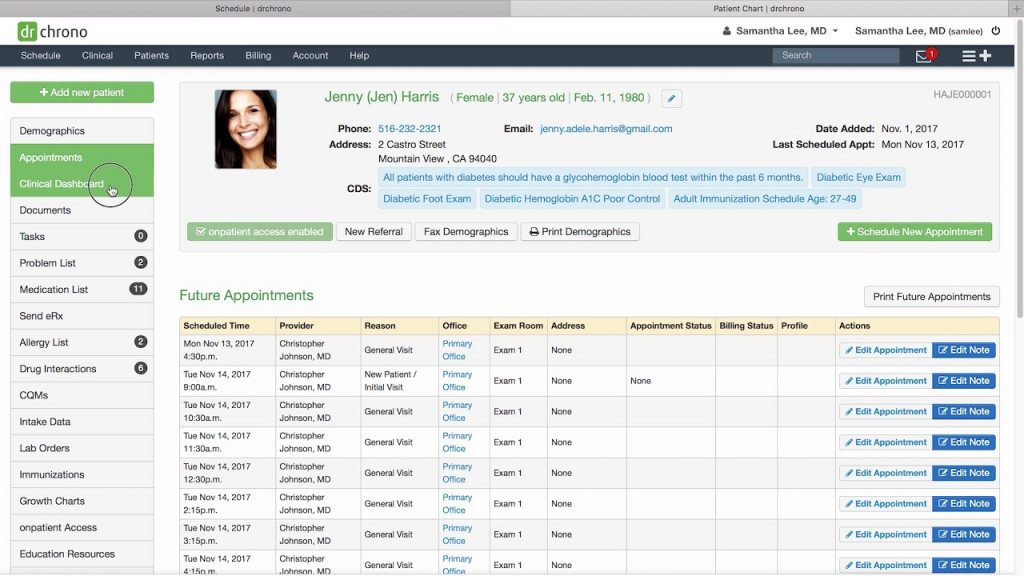
DrChrono is an all-in-one EHR, practice management, and billing platform with robust patient self-scheduling capabilities. Designed with mobility in mind, it supports healthcare providers across specialties who want to offer seamless scheduling alongside integrated clinical workflows.
DrChrono Features
- Online Appointment Scheduling: Patients can book appointments at their convenience through the secure patient portal, reducing call volume for your staff.
- Automated Reminders: Send appointment confirmations and reminders via email or text to reduce no-shows and keep your schedule full.
- Telehealth Integration: Conduct video visits directly within the platform, supporting hybrid care delivery.
- Mobile App for iOS Devices: Allows providers to manage schedules, clinical notes, and billing on the go, using iPhone, iPad, and even Apple Watch.
DrChrono Pros
- User-friendly interface designed for seamless scheduling and documentation.
- Comprehensive mobile support, making it easy to manage your practice from anywhere.
- Integrates clinical, administrative, and billing features in one system.
DrChrono Cons
- Customization options can be limited, especially for highly specialized practices.
- Some advanced features may require additional fees or upgrades.
DrChrono Support Channels
- Phone support
- Email support
- Implementation support during onboarding
DrChrono Pricing
Starts at $249/month per provider, with tiered plans available for different practice sizes and needs.
DrChrono Reviews
Users give positive feedback on the platform’s mobile functionality, ease of use, and integrated features that simplify daily operations.
DrChrono Integrations
Compatible with a variety of third-party applications and billing systems, ensuring smooth data exchange and workflow continuity.
7. SimplePractice

SimplePractice is a leading practice management software tailored to the needs of behavioral health professionals and solo or small group practices. It offers an intuitive, user-friendly platform that combines appointment scheduling, billing, telehealth, and documentation, all in one place.
SimplePractice Features
- Online Appointment Requests: Clients can easily request sessions at their convenience, directly from your website or client portal.
- Automated Reminders: Send customizable reminders via email or text to help reduce no-shows.
- Telehealth Integration: Conduct virtual sessions securely within the platform, supporting flexible care delivery.
- Client Portal: Offers patients a secure space to complete forms, review documentation, and handle billing tasks.
SimplePractice Pros
- Intuitive interface that’s easy to navigate, even for non-technical users.
- Specifically designed for solo practitioners and small group practices, making it an excellent choice for behavioral health and wellness providers.
SimplePractice Cons
- Some advanced features, like insurance billing or advanced reporting, are only available in higher-tier plans.
- May require add-ons or integrations for more complex practices.
SimplePractice Support Channels
- Email support
- Extensive help center with articles, guides, and video tutorials
SimplePractice Pricing
Plans start at $29/month, with higher tiers offering additional features like insurance billing, telehealth, and enhanced reporting.
SimplePractice Reviews
Users praise its straightforward setup and all-in-one functionality, especially for smaller practices. The software’s simplicity and focus on mental health and wellness make it a favorite in the behavioral health space.
SimplePractice Integrations
Google Calendar, Stripe, and other third-party tools for billing and calendar management.
8. PracticeQ
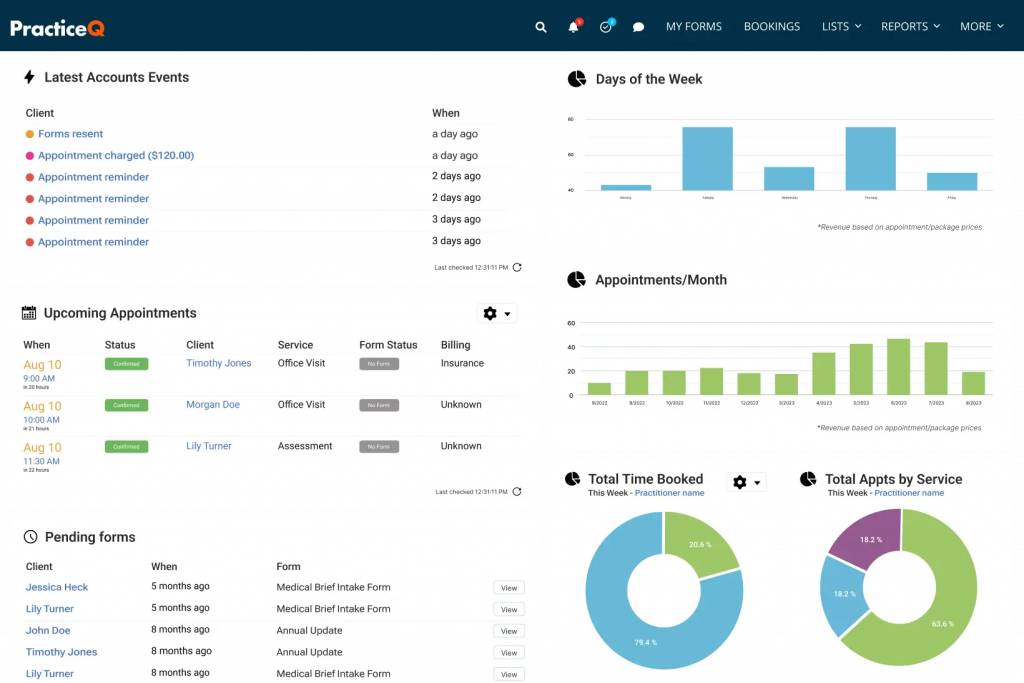
PracticeQ is a comprehensive practice management platform that simplifies daily operations for healthcare providers. It offers an all-in-one solution that includes online appointment scheduling, billing, EHR functionalities, and more, designed to help practices of all sizes operate more efficiently and provide a seamless experience for patients.
PracticeQ Features
- 24/7 Online Appointment Booking: Patients can schedule their own appointments anytime, boosting accessibility and reducing administrative tasks.
- Automated Reminders: Keeps patients on track with SMS, email, or voice reminders to reduce no-shows.
- Digital Intake Forms: Simplifies the onboarding process, letting patients fill out forms before their visit.
- Integration with Billing and EHR Systems: Ensures all data stays connected, minimizing errors and manual work.
PracticeQ Pros
- Comprehensive feature set covering scheduling, billing, and EHR management
- Highly customizable workflows to suit different practice types and sizes
- User-friendly interface that supports patient engagement
PracticeQ Cons
- Initial setup and configuration can be complex, especially for practices with multiple locations or specialties
- May require training for staff unfamiliar with integrated systems
PracticeQ Support Channels
- Email support
- Knowledge base with step-by-step guides and FAQs
PracticeQ Pricing
Custom pricing based on practice size and feature requirements. Contact PracticeQ directly for a personalized quote.
PracticeQ Reviews
Users highlight the platform’s versatility and robust feature set, noting that it streamlines operations and improves patient communication.
PracticeQ Integrations
Integrates seamlessly with Google Calendar and a variety of EHR and billing systems, making it easier to manage scheduling alongside other practice management tasks.
9. Experian
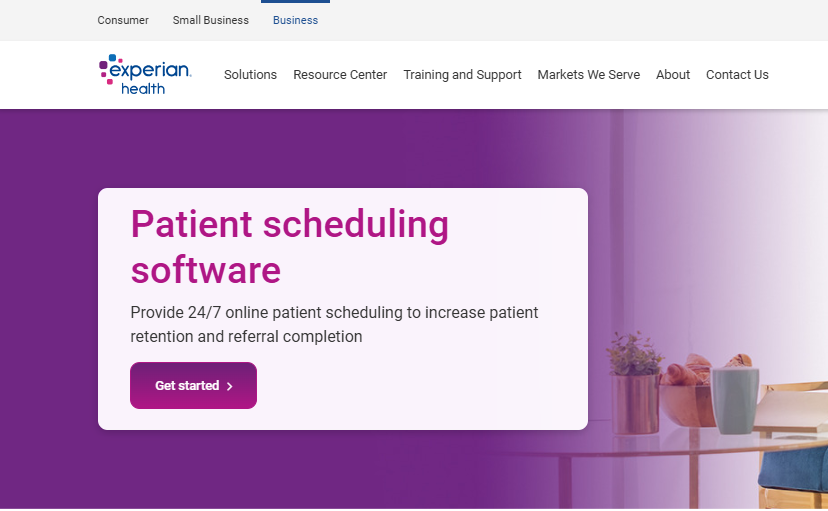
Experian Health offers a digital patient scheduling platform designed to streamline the appointment booking process, enhance patient access to care, and improve operational efficiency. The platform caters to health systems, large physician groups, and call centers seeking a seamless scheduling experience that aligns with modern patient expectations.
Experian Features
- Online Patient Self-Scheduling: Patients can book appointments anytime, anywhere, reducing phone calls and freeing up staff.
- Automated Reminders: Sends reminders via IVR, SMS, or email to reduce no-shows and keep schedules full.
- Integration with Call Center Workflows: Helps staff quickly find and book appointments, ensuring a consistent experience whether patients schedule online or by phone.
- Real-Time Provider Availability: Keeps appointment slots up-to-date, avoiding double-bookings and ensuring accuracy.
Experian Pros
- Enhances patient engagement by giving them more control over scheduling.
- Streamlines appointment management for staff, improving workflow efficiency.
- Supports large-scale implementations, ideal for health systems with multiple departments and providers.
Experian Cons
- It may be better suited for larger organizations rather than small independent practices.
- Implementation and configuration can require more time and resources.
Experian Support Channels
- Phone support
- Email support
- Implementation and training resources are available for onboarding
Experian Pricing
Custom pricing based on organization size and specific requirements. Contact Experian Health for a detailed quote.
Experian Reviews
Users appreciate its efficiency in managing high appointment volumes and its positive impact on patient show rates.
Experian Integrations
Supports integration with a wide range of EHR and practice management systems, ensuring smooth data exchange and operational harmony.
10. Kyruus
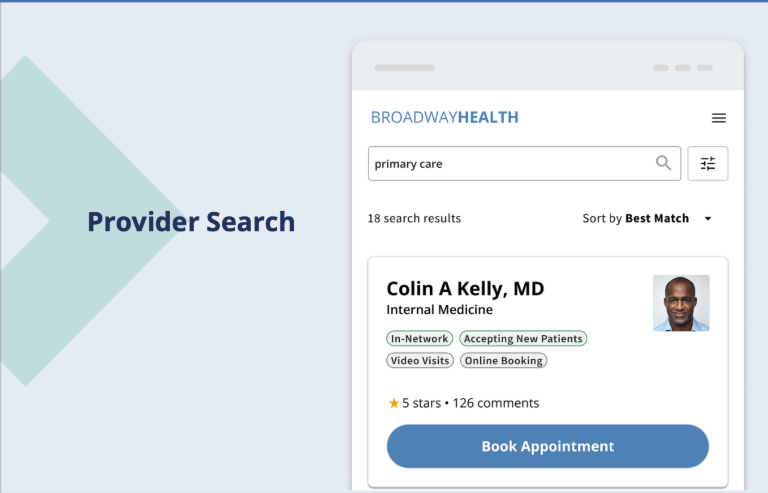
Kyruus Health offers an advanced patient self-scheduling solution designed to simplify the scheduling process for patients and staff alike. Tailored for large health systems and complex medical networks, Kyruus connects patients with the right providers at the right time.
Kyruus Features
- Online Appointment Scheduling: Patients can book appointments online, at their convenience, without having to call the front desk.
- Real-Time Provider Availability: Seamless syncing with your EHR ensures that patients only see open appointment slots, reducing errors and double bookings.
- EHR Integration: Supports leading systems like Epic, MEDITECH, Oracle Health, and athenahealth, allowing for easy adoption into existing workflows.
- Patient-Provider Matching: Utilizes clinically validated algorithms to pair patients with the right provider based on their care needs, specialty, and availability.
Kyruus Pros
- Improves patient access and convenience, helping fill appointment slots and reduce care gaps.
- Enhances scheduling accuracy by ensuring data is always up-to-date.
- Supports health systems in attracting new patients and retaining existing ones.
Kyruus Cons
- Implementation can be complex, especially in larger health systems with multiple EHR integrations.
- May require time and resources for staff training and configuration.
Kyruus Support Channels
- Phone support
- Email support
- Dedicated account managers for larger organizations
Kyruus Pricing
Custom pricing based on organization size, complexity, and integration needs. Contact Kyruus Health directly for details.
Kyruus Reviews
Users praise its ability to modernize the scheduling process, increase appointment volume, and create a more seamless patient and staff experience.
Kyruus Integrations
Epic, MEDITECH, Oracle Health, athenahealth, and other major EHR platforms, ensuring smooth workflows across the entire care continuum.
Note: Pricing and feature availability may vary based on specific practice needs and configurations. It’s recommended to contact each provider directly for the most accurate and up-to-date information.
Each of these platforms offers unique features tailored to different practice sizes and specialties. When choosing the right patient self-scheduling software, consider factors like integration capabilities, user experience, support options, and pricing to find the best fit for your organization.
Why Emitrr Is The Best Patient Self-Scheduling Software
At Emitrr, we make patient scheduling simple, intuitive, and reliable. Our easy-to-use platform lets patients book, reschedule, and get reminders without tying up your phone lines.
Emitrr stands out because it focuses on building trust through two-way communication, helping reduce no-shows with automated reminders, and keeping everything HIPAA-compliant. It’s designed to grow with your practice, no matter the size.
We don’t list one-size-fits-all prices because every practice is different. But our team is ready to build a plan that fits your needs and budget. Emitrr helps you spend less time on admin work and more time on patient care. That’s why we believe it’s the best choice for patient self-scheduling.
Conclusion
Scheduling can be one of the most time-consuming and unpredictable parts of running a practice. Between back-and-forth calls, last-minute changes, and the inevitable no-shows, it’s easy for your team to feel stretched thin. That’s why investing in patient self-scheduling software lets you take back control of your day and gives patients the kind of access they expect.
The right software is the one that fits seamlessly into your workflow without creating more headaches. It should make it easier for your patients to book their own appointments, reduce the burden on your staff, and integrate smoothly with the tools you’re already using.
You must take the time to explore the options we’ve outlined here in this blog. You must assess the features that matter most to your practice, like reminders, EHR integration, or two-way communication, and prioritize what will make a real difference for your team.
Remember, there’s no one-size-fits-all solution. A quick demo or call with a vendor can help you get a feel for how each system works in real life. When you find the right fit, it can pay off in a big way: fewer no-shows, a less stressed team, and a better overall experience for your patients.
That’s the kind of upgrade every practice deserves.
Frequently Asked Questions (FAQs)
The answer depends on your practice size and needs, but Emitrr is a favorite among many healthcare teams for its user-friendly interface, two-way communication, and smart reminders. Larger health systems often choose Kyruus Health or Experian Health because they handle complex setups and integrate easily with major EHRs.
Most hospitals in the US use integrated systems like Epic, Cerner (Oracle Health), and MEDITECH. These often include scheduling tools or work with patient self-scheduling platforms to let patients book online.
It takes the pressure off your staff, reduces no-shows, and gives patients the freedom to book whenever they want, keeping everyone happier and your schedule fuller.
It syncs with your EHR so appointments update in real time. Staff and patients always see the latest schedule.
Yes! They can pick anything from a new patient visit to a follow-up or even a telehealth appointment, depending on how you set it up.
Definitely. Top platforms like Emitrr are HIPAA compliant and built with security in mind. Always check to be sure.
They keep patients in the loop with texts, emails, or calls. It’s a small step that makes a big difference; patients show up more consistently.
You must look for real-time calendar sync, automated reminders, EHR integration, and easy online access for patients. Some tools even use AI to suggest the best times for bookings.

 4.9 (400+
reviews)
4.9 (400+
reviews)