
 4.9 (400+
reviews)
4.9 (400+
reviews)
Introduction
Ever wished you had an assistant at your podiatry clinic who never takes a break? Someone who answers patient questions at midnight, books appointments while you’re grabbing lunch, and follows up automatically without ever forgetting? That’s exactly what an AI chatbot does!
Imagine this: A new patient visits your website at 10 PM. Your staff’s gone home, but the chatbot is wide awake – ready to schedule their appointment, answer common questions, and even send them a pre-visit form. No voicemails. No missed chances.
For busy podiatrists juggling patient care and admin tasks, AI chatbots are like an extra set of hands, digital and always available. So, let’s walk through exactly what AI chatbots are, who the top players are, and why they’re game-changers for podiatry clinics.
What Is an AI Chatbot for a Podiatrist Clinic?
So, what exactly is an AI chatbot in a podiatry clinic? Think of it as your always-on digital assistant, like a receptionist that never takes a break, never forgets a task, and doesn’t mind answering the same question 50 times a day.
It lives on your website, SMS, or even in your DMs, and it chats with patients in real time. They can answer questions like, “Do you accept my insurance?” or “When’s your next opening?” instantly. No hold music, no voicemails, no back-and-forth emails. It handles all the non-clinical stuff: appointment bookings, reminders, paperwork follow-ups, FAQs, and even things like new patient intake forms.
And because it’s powered by AI, it gets smarter over time. The more it chats, the better it understands what your patients are asking. It’s like giving your front desk superpowers, without adding to payroll!
Why Podiatrists Need an AI Chatbot
If you’re wondering how exactly an AI chatbot makes life easier at your clinic, here’s what it can take off your plate:
Handles After-Hours Calls and Messages
Ever had a patient text your Facebook page at 11 PM asking if their post-surgery swelling is normal? Or someone calls after hours and leaves a panicked voicemail about their appointment? A chatbot makes sure those late-night messages don’t get missed. It can respond instantly with helpful info, reassure worried patients, or guide them to seek urgent care if needed. And if it’s something that needs a human touch, it flags it for your team to follow up. No more returning 15 voicemails on Monday morning – your chatbot has already handled the easy stuff.
Reduces No-Shows with Appointment Reminders
Empty slots from forgotten appointments can throw off your whole day. A chatbot can automatically send friendly reminders via text or email that say, “Hey! You’ve got an appointment tomorrow, still good to come in?” Patients can confirm or reschedule with just a tap. No awkward phone tag. No last-minute chaos. Clinics using chatbots often see no-show rates drop big time because it keeps everyone on the same page, and the calendar is full.
Improves Patient Communication and Education
Patients always have questions. Instead of waiting on hold or trying to remember what the post-op sheet said, your chatbot can instantly answer FAQs like “What shoes should I wear after surgery?” or “How do I care for my orthotics?” It can even send follow-up tips after an appointment, like how to stretch properly or clean a wound. That’s not just helpful, it’s comforting. Your patients feel looked after even when they’re not in your clinic.
Simplifies Insurance Queries
We’ve all heard it: “Do you take my insurance?” about a hundred times a week. A chatbot can answer that in seconds with a simple yes or no based on your list of accepted plans. It can even collect insurance details from patients ahead of time – like snapping a photo of their card, so your team doesn’t have to chase them later. Less confusion for patients, fewer phone calls for staff, and smoother check-ins all around. Everyone wins!
Reduces Front Desk Workload
Your front desk has a lot going on – calls, check-ins, and last-minute changes. It’s nonstop. That’s where your chatbot can quietly step in and help out. It can handle things like booking appointments, sending patient intake forms, answering those same five questions everyone asks, and following up with reminders. All on its own. That means your team gets to breathe a little, focus more on the people right in front of them, and stress a whole lot less.
Types of AI Chatbots for Podiatrist Clinics
In a podiatry clinic, having the right bot for the right task makes everything smoother. Let’s meet the key types you might want on your team.
AI Appointment Scheduling Chatbot
Wish your calendar could just manage itself? Smart scheduling is one of the best capabilities of an AI-powered chatbot. Instead of your staff going back and forth with patients about availability, this chatbot handles the entire scheduling process, right from booking and confirming to rescheduling and cancelling. Patients can simply send a message like, “Can I come in next Thursday?” and the bot will instantly respond with open slots. It’s synced with your practice’s calendar and can consider different provider schedules and appointment types. Bonus? It works 24/7. So while you sleep, it’s still filling up your schedule.
AI Symptom Triage Chatbot
This one’s like your clinic’s first responder, without doing any actual diagnosing. It chats with patients about their symptoms and figures out how urgent the issue is. Got someone saying, “I’ve got a weird pain in my arch”? The bot asks a few smart follow-up questions and helps determine if it’s a routine issue or something that needs quicker attention. It’s not replacing your medical brain, but it’s super handy for filtering out what’s urgent and what can wait, so your team doesn’t get overwhelmed.
AI Patient Communication Chatbot
Patients have a lot of questions, and they usually want answers ASAP. This chatbot is your clinic’s round-the-clock communicator. It answers FAQs, sends pre-visit instructions, shares recovery tips, and even helps patients find the clinic location. Say someone texts, “Do I need to fast before my appointment?” – the bot’s got it covered. It’s always polite, always clear, and never gets tired of repeating the same answers. And if someone needs a human, it can always escalate the convo to your staff.
AI Insurance and Billing Chatbot
Insurance and billing can feel like a never-ending game of phone tag. This chatbot is like a medical billing virtual assistant that handles the financial FAQs for you. It answers stuff like, “Do you accept my plan?” or “How much will this visit cost?” instantly using your clinic’s own accepted providers and fee info. Some versions even pull up real-time eligibility checks. Patients get clarity without delays, and your front desk team doesn’t have to field the same 20 money questions every day.
AI New Patient Lead Chatbot
This chatbot plays the role of a warm, friendly greeter for people visiting your website or messaging you on social. When someone’s browsing your site late at night with heel pain, it pops up: “Want to book a consultation?” It collects their details, answers basic questions, and even schedules the first visit if they’re ready. It’s how you turn casual website visitors into booked patients, without waiting until office hours. The result? Fewer missed opportunities and more filled appointment slots.
AI Chatbot for Multi-Location Clinics
If you have more than one office, this chatbot is a lifesaver. It knows which clinic the patient is asking about and responds with the right info – like hours, directions, or which podiatrist is available at that branch. It’s like having one unified voice for your entire group practice. No more confusion like, “Wait, which location offers orthotics?” The bot keeps it all sorted and ensures patients always get accurate, location-specific info. It even routes messages to the right team when needed.
Key Features to Look for in a Podiatry AI Chatbot
Picking the right AI chatbot isn’t about fancy tech, it’s about making life easier for your team and patients. Here’s a checklist of features that actually make a difference.
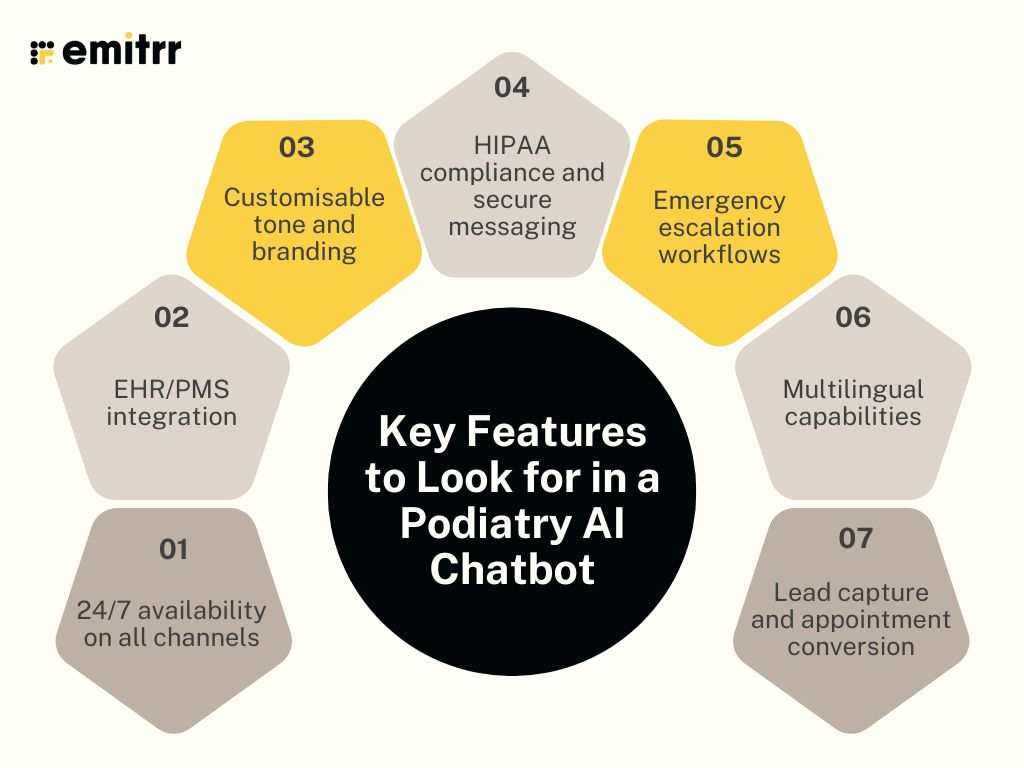
24/7 availability on all channels
The best chatbot won’t keep office hours, it’ll be there whenever your patients need help. Whether someone’s texting at 8 PM or visiting your website at breakfast, the bot should be ready to chat. Bonus points if it works across channels like web, SMS, and even social media, without skipping a beat. That way, patients can reach out however they’re comfortable, and they’ll always get a response. It’s like having a super-reliable AI-powered receptionist who never takes a break. You stay connected, even when your office is closed.
EHR/PMS integration
The last thing your team needs is more copy-pasting between systems. A good chatbot should talk to your scheduling and health record tools, so everything updates in real-time. When a patient books or reschedules through the chatbot, it should land directly in your calendar, no extra clicks. It saves your staff loads of time and keeps everything accurate behind the scenes. Plus, it helps avoid double-booking and those “Oops, we didn’t get that message” moments.
Customisable tone and branding
The good ones will let you tweak their voice, tone, and look so it feels like you. Whether your practice is casual and upbeat or professional and polished, your chatbot should speak the same language. You should be able to change its intro messages, FAQs, and even its name if you want. A little personalisation goes a long way in building trust. When patients feel like they’re talking to your team, they’re way more likely to engage.
HIPAA compliance and secure messaging
We’re in healthcare, so privacy isn’t optional, it’s the rule. Your chatbot should handle patient conversations with the same level of care as your medical records. That means encrypted chats, safe storage, and clear boundaries about what can be shared. If it’s HIPAA-compliant, that means your platform plays by healthcare’s privacy policies, which also gives your patients peace of mind when messaging your clinic. Bottom line: you want a chatbot that’s smart and secure.
Emergency escalation workflows
Chatbots are smart, but they shouldn’t handle everything. When a patient brings up something urgent or if the bot just isn’t sure what to do, it needs to know when to step back. A solid chatbot will flag those moments and loop in a human, whether that’s alerting your team or offering a direct number to call. It’s like a built-in safety switch. Your clinic stays responsive without relying on the bot to guess what’s an emergency. That way, real patients still get real human help when it matters most.
Multilingual capabilities
Got patients who speak different languages? Then your chatbot should, too. It’s all about making everyone feel comfortable. A multilingual chatbot can say hello in their language, help them book appointments, and answer their questions, no awkward Google Translate moments. It’s a small thing, but it shows people you care. And when patients feel seen and understood, they’re way more likely to stick around.
Lead capture and appointment conversion
Great chatbots don’t just answer questions, they drive action. This means asking for the patient’s name, contact info, and then nudging them to book that appointment. Whether someone’s browsing your site late at night or asking about services via chat, the bot can turn interest into real bookings. It’s like having a proactive front desk assistant always ready to help new patients take the next step. More conversions, fewer missed opportunities!
Integration and Compliance Requirements
Your chatbot should play nice with your current systems and follow all the healthcare rules, no exceptions. Here’s what you should look out for:
Seamless integration with your existing systems
Your chatbot shouldn’t be doing its own thing on the side. It needs to work hand-in-hand with the systems you already use. Whether it’s your EHR or practice management software, everything should sync up smoothly. That way, when a patient books an appointment or updates their details, it’s all logged automatically, no manual copying, no extra admin. It keeps your schedule clean, your records tidy, and your team a lot less stressed.
Works with your imaging and diagnostic workflows
Even if your chatbot isn’t analyzing X-rays, it should still support the steps around diagnostics. For example, it can remind patients to bring previous reports or schedule imaging appointments. It might even notify patients when results are in and prompt them to book a follow-up. If your clinic uses digital imaging systems, check if the chatbot can help send prep instructions or follow-up care tips.
Built on HIPAA-safe foundations
Privacy’s a big deal. No one wants patient info floating around where it shouldn’t be. Your chatbot needs to be HIPAA-compliant, full stop. That means chats are encrypted, stored safely, and only seen by the right people. Always ask the vendor if they’ll sign a BAA. If they dodge the question, run. A solid chatbot should keep your patient data locked down tight, so you can focus on care, not compliance worries.
Handles consent for texts, emails, and calls
Texting patients sounds simple, but there are rules. Your chatbot should automatically get opt-ins for texts, include unsubscribe options, and only send messages at appropriate times. The same goes for email and voice reminders. It’s about more than following the law, it’s about respecting your patients’ preferences. A chatbot that manages consent properly keeps you compliant and builds trust with every message it sends.
Grows with you – without breaking the bank
Planning to expand your practice? Your chatbot should scale right alongside you. Whether you’re adding a second location or a whole network of clinics, it should handle multiple calendars, different addresses, and still offer one clean dashboard. It should also let you customize responses for each site without setting up everything from scratch. A well-priced, scalable chatbot means your tech won’t hold you back or burn a hole in your pocket as your clinic grows.
How to Choose the Right AI Chatbot for Podiatry Clinics
There are a ton of chatbot options out there, but the key is to focus on what you need, not just what looks shiny on paper. Here’s a step-by-step way to pick the right chatbot for your podiatry clinic:
Step 1: Spot Your Daily Headaches
Think about what slows your team down the most. Is the phone constantly ringing? Are no-shows messing with your schedule? Make a short list of the top tasks you wish someone else could handle, those are your chatbot’s must-haves. Once you’re clear on that, you’ll know which features to focus on and which ones to ignore.
Step 2: Check for Healthcare Compliance
This one’s non-negotiable. Your chatbot has to be HIPAA-compliant and built for healthcare, full stop. Ask vendors if they’ll sign a BAA, and look for signs they actually understand medical rules, not just say they do. Choosing a chatbot designed for clinics like yours means less risk and more peace of mind.
Step 3: Make Sure It Plays Nice with Your Tools
The chatbot should work with what you already use, whether that’s your EHR, patient portal, or calendar system. It should slot right into your setup, not create more work. Ask if it integrates with your systems, and test how well it syncs up. If it can’t talk to your tools, it won’t be much help.
Step 4: Match It to Your Clinic Style
Your practice is unique, and your chatbot should fit how you work. A solo clinic has different needs than a multi-location one. Think about your patient base, too – do they prefer texts, calls, or emails? Prioritise features that suit your day-to-day workflow, not just whatever’s trending.
Step 5: Balance the Price with Real Value
Don’t just look at the monthly price, think about what the bot will save you. Will it reduce no-shows? Free up staff hours? Bring in new appointments? If it can, it might pay for itself fast. Just be sure you’re not paying for bells and whistles you won’t use.
Step 6: Try Before You Buy
Always ask for a free trial or live demo. Play around with it. Ask questions, try booking a visit, and see how it holds up. Get your team involved! See if they feel it’s helpful. If it’s clunky or confusing, better to find out now than later.
Top 10 AI Chatbots for Podiatrists
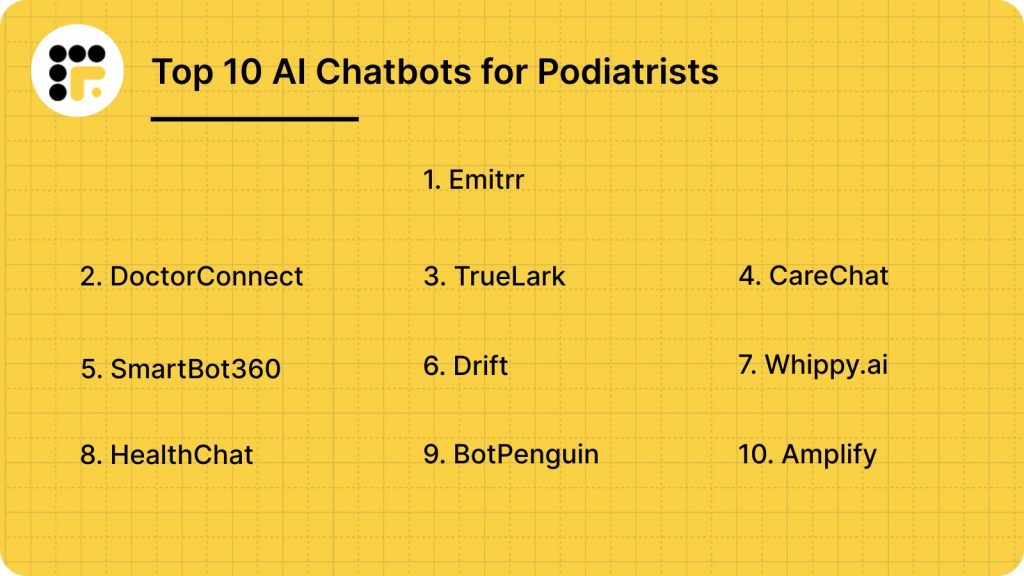
Looking for the perfect digital assistant for your podiatry clinic? These 10 AI chatbots lead the pack:
Let’s deep dive into what each chatbot has to offer.
1. Emitrr
What is Emitrr?
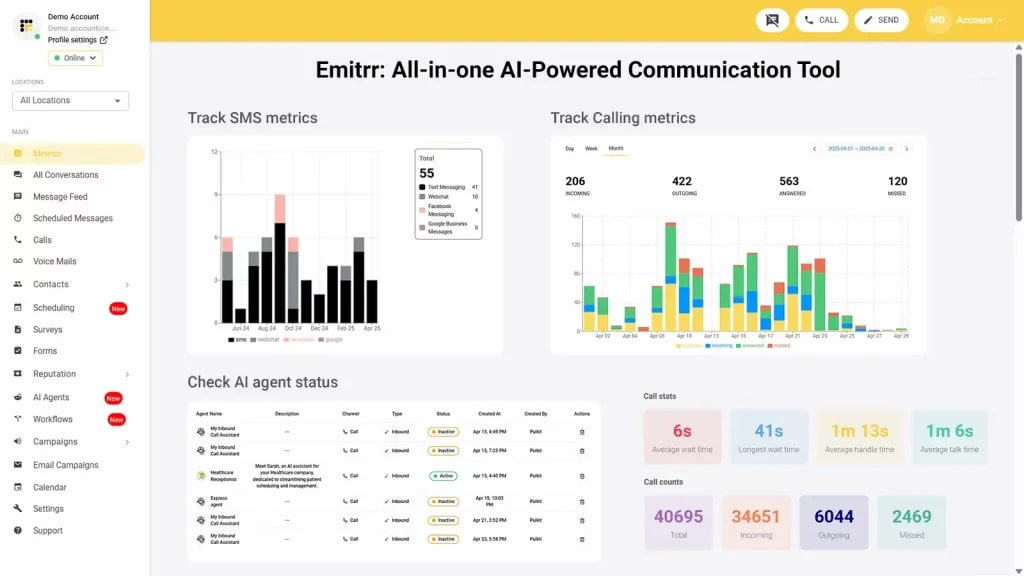
Emitrr is an AI-powered chatbot and communication platform designed specifically for healthcare and service-based businesses. For podiatry clinics, it acts as a smart virtual receptionist, handling SMS, calls, web chats, and patient reminders in real time. Whether you’re a solo podiatrist or a multi-location practice, Emitrr helps streamline communication, reduce missed appointments, and free up your front desk without compromising on patient care.
Key Features of Emitrr
- Missed-call text automation: If a patient calls and no one answers, Emitrr sends a follow-up text so the conversation doesn’t end at voicemail.
- Online intake and forms: Lets patients fill out medical history and consent forms digitally before they arrive, no clipboards at check-in.
- Broadcast messaging: Send foot health tips, seasonal clinic updates, or targeted recall messages to specific patient groups in seconds.
- Two-way texting via clinic number: Patients can text your main line with questions or updates, and either your team or the chatbot can reply.
- Call routing and smart voicemail: Directs incoming calls to the right place and even transcribes voicemails so your team can follow up faster.
- Customisable tone and templates: Adjust the bot’s responses, branding, and language to match your clinic’s personality and patient base.
- Real-time reporting: Tracks chat volume, confirmation rates, and patient satisfaction to give you clear insights into clinic performance.
Emitrr Pros
- Built for Healthcare: Designed specifically for clinics.
- Quick to Set Up: Easy onboarding and minimal learning curve for your staff.
- Scalable for Growth: Works for solo practitioners or large multi-site groups.
- Time-Saving Automation: Offloads repetitive tasks so your team can focus on care.
- Reliable Features: Does what it promises, without glitches.
Emitrr Cons
- Some advanced AI automation modules are still being rolled out.
Emitrr Integrations
- eClinicalWorks: Direct integration for appointments and messaging.
- DrChrono: Syncs bookings, forms, and reminders.
- Athenahealth: Connects to manage scheduling and patient info.
- Zapier: Automate actions across 5,000+ third-party apps.
- Salesforce: CRM integration for streamlined communication.
- Google Calendar: Appointment syncing made simple.
- Twilio: Powers SMS and phone automation.
- Stripe: Send payment links and manage billing follow-ups.
- Facebook Messenger: Handle patient messages directly from your social inbox and more!
Emitrr Pricing
Emitrr’s AI chatbot plans start at around $30/month.
Emitrr Ratings
- Capterra: 4.9/5
- G2: 4.7/5
Emitrr Customer Reviews
“its user-friendly interface and comprehensive features. And ability to streamline communication through various channels like email, SMS, and social media.”
“The customer service team is truly top notch, the product has been very well received by our team members, and its very easy and quick to use. Overall its been a perfect experience.“
Source: Capterra
Emitrr Support Channels
- Email: support@emitrr.com
- Phone: +1 (210) 941-4696
- Live Chat: Available on the Emitrr website
- Help Center: Articles and FAQs for easy self-service
- SMS Support: Unique option to get help directly by text

2. DoctorConnect
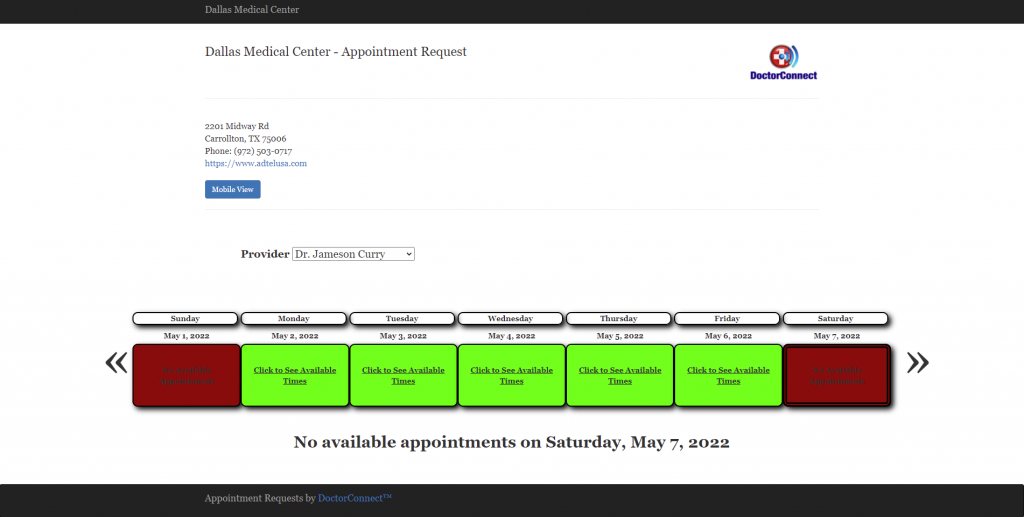
What is DoctorConnect?
DoctorConnect is a patient engagement and communication platform designed for busy healthcare clinics. Think of it as your front desk’s reliable sidekick – sending reminders, following up with patients, collecting reviews, and even filling in missed calls automatically. It’s especially popular with smaller to mid-sized practices that want to improve scheduling efficiency and reduce no-shows without overwhelming staff.
Key Features of DoctorConnect
- Appointment reminders & confirmations: Sends SMS, email, and voice reminders with easy reply options for rescheduling or confirming.
- Patient recall system: Automatically follows up with patients who haven’t visited in a while to encourage rebooking.
- Two-way texting: Allows patients to text your office number and receive responses, just like texting a friend.
- Online scheduling: Enables patients to book appointments directly from messages or your website.
DoctorConnect Pros
- Reduces no-shows effectively: Automated appointment reminders keep your schedule intact.
- Simple to use: Easy for staff to learn and manage day-to-day communications.
- Boosts patient engagement: Patients love the quick, friendly communication style.
- Strong review tools: Helps improve your online ratings with minimal effort.
DoctorConnect Cons
- Dated UI design: The interface isn’t as modern as newer platforms.
- Limited advanced integrations: Fewer native EHR/PMS integrations than some competitors.
DoctorConnect Integrations
- Dentrix: Syncs appointments and communications in real time.
- Eaglesoft: Links patient messages and scheduling data.
- OpenDental: Enables real-time scheduling and reminders.
- Outlook Calendar: Allows appointment syncing and visibility.
- QuickBooks: Basic integration for billing coordination and reminders.
DoctorConnect Pricing
Plans start at $210, which varies based on practice size and usage.
DoctorConnect Ratings
- Capterra: 4.7/5
- G2: 4.6/5
DoctorConnect Customer Reviews
“When I went to cancel as we were changing software systems which had a “built-in” reminder system, I sent the 90 day notification AS PER OUR CONTRACT to cancel and was told it doesn’t matter and we would be billed until the end of the contract. So why put a cancellation clause in the contract? Very unhappy with the customer service account representative. Would not recommend this system.”
Source: Capterra
DoctorConnect Support Channels
- Email and phone support
- Live chat
- Help center with FAQs
- Onboarding support for new clinics
3. TrueLark
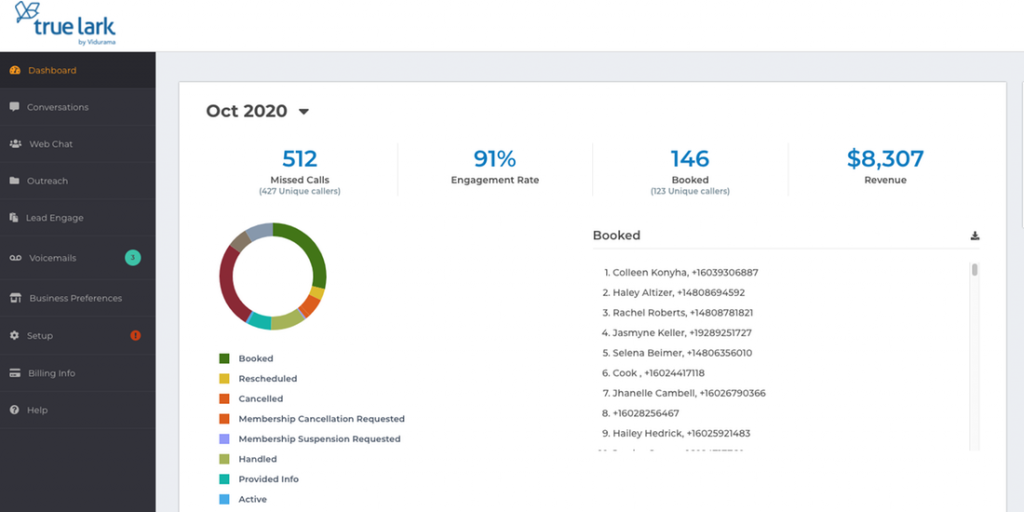
What is TrueLark?
TrueLark is an AI-powered virtual receptionist that helps healthcare practices stay responsive 24/7. Instead of patients hitting voicemail after hours, TrueLark’s voice and chat AI steps in by scheduling appointments, answering questions, or routing urgent cases. It’s especially useful for multi-location clinics that want to deliver consistent, always-available service across the board.
Key Features of TrueLark
- Multi-location support: Routes calls and messages to the correct location, doctor, or department.
- 24/7 AI call handling: Answers patient calls around the clock, capturing intent and taking action without staff.
- Instant scheduling: Books, reschedules, or cancels appointments based on real-time availability.
- Follow-up automation: Sends reminders, thank-you texts, or post-visit care instructions automatically.
TrueLark Pros
- Always-on service: Keeps your front desk “open” even after hours, weekends, and holidays.
- Realistic AI voice: Conversations feel natural and friendly – not robotic.
- Reliable follow-through: Confirms, reschedules, and reminds without staff involvement.
- Great for larger groups: Handles high call volume and multi-office setups seamlessly.
TrueLark Cons
- Higher price tag: Pricing can be a little steep for smaller setups.
- Limited visual interface customisation: Less flexibility in tweaking how it looks or sounds.
- Best for US/Canada: International clinics may face support or compatibility limits.
TrueLark Integrations
- Dentrix: Syncs scheduling and updates in real time.
- Eaglesoft: Links appointment and messaging flows.
- Google Calendar: Supports scheduling across providers or offices.
- Weave: Basic integration for phone and communication tools.
TrueLark Pricing
Starts at about $345 per month per provider or location. Pricing scales with usage and number of locations.
TrueLark Ratings
- Capterra: 4.7/5
- G2: 4.6/5
TrueLark Customer Reviews
“They have no communication, their system does NOT do as promised, like cancel apts, reschedule apts, doesn’t take credit card, doesn’t offer other services, only main service and they do not answer emails or phone. In fact, the phone hangs up on you when you call. Their AI sucks, why would their AI service be any better?”
“No way to note actions taken on texts or voicemails from staff, or to designate a call had been handled”
Source: Capterra
TrueLark Support Channels
- Email support
- Phone support
- Help centre
4. CareChat

What is CareChat?
CareChat is a healthcare-focused live chat and messaging platform designed to help clinics connect with patients across multiple digital channels. Unlike AI-only bots, CareChat blends real-time human chat with automation, making it a solid choice for practices that want control over patient interactions while still saving time. It’s used by dental, medical, and wellness clinics to manage everything from new patient inquiries to post-visit engagement.
Key Features of CareChat
- Live chat with automation: Combine human responses and auto-replies for fast, flexible communication.
- Multi-channel messaging: Manage texts, web chat, Facebook, and more in one dashboard.
- HIPAA-compliant chat: All messages are encrypted and safe for patient conversations.
- Web-to-text widget: Turn website visits into two-way SMS conversations.
- Team inbox: Staff can collaborate, assign chats, and leave internal notes.
CareChat Pros
- Great human + bot mix: Ideal for practices that want some automation but still prefer real-time chat.
- Easy channel management: One platform for web, SMS, and social messages.
- Privacy-first: Fully HIPAA-compliant and secure.
- Improves conversions: Helps turn website traffic into booked patients.
CareChat Cons
- Limited AI: Not as advanced in automation compared to AI-first platforms.
- More hands-on: Requires staff availability to respond if no automation is set up.
- Fewer deep integrations: Not as connected with EHRs/PMS as some competitors.
CareChat Integrations
- Facebook Messenger: Reply to messages from your business page in the dashboard.
- Google Business Messages: Chat with patients directly from Google search results.
- Zapier: Create workflows with 5,000+ other apps.
- Simple calendar tools: Basic scheduling link support (not deep EHR integration).
CareChat Pricing
Pricing increases based on volume and channels. Basic pricing details are not available on public rating platforms.
CareChat Ratings
Ratings not widely available on major public review platforms like Capterra and G2
CareChat Customer Reviews
No public reviews on major platforms like Capterra and G2
CareChat Support Channels
- Email support
- Live chat on their website
- Help docs for setup and troubleshooting
5. SmartBot360
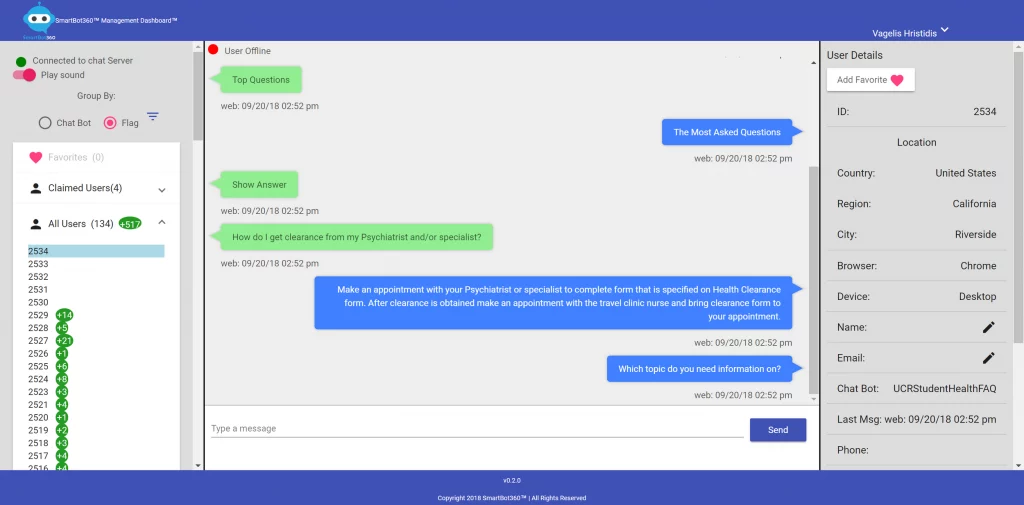
What is SmartBot360?
SmartBot360 is a HIPAA-compliant chatbot platform designed for healthcare providers who want a no-code way to build conversational flows. Unlike many chatbot builders that require technical skills, SmartBot360 makes it easy for podiatrists and other clinicians to launch intelligent bots that handle patient communication. It’s popular among small-to-mid-sized practices that want custom automation without hiring developers.
Key Features of SmartBot360
- Drag-and-drop bot builder: Create chatbot flows without writing a single line of code.
- HIPAA-compliant messaging: Securely handle patient info with encryption and audit trails.
- Website and SMS support: Engage patients via live chat or text messages from one platform.
- Pre-built healthcare templates: Start quickly with ready-to-go flows for FAQs, bookings, and more.
- Live agent takeover: Let staff jump into bot conversations if human help is needed.
SmartBot360 Pros
- No coding needed: Very easy for non-technical staff to customise.
- Quick setup: Launch in hours, not weeks, using templates and visual tools.
- Strong compliance: Fully HIPAA-compliant and built for healthcare privacy.
- Flexible pricing: Tiered plans for practices of all sizes.
SmartBot360 Cons
- Limited AI depth: Less natural conversation handling compared to larger AI-first platforms.
- Manual integrations: Connecting to EHRs or PMS often requires workarounds or third-party tools.
- Not ideal for multi-location: Lacks robust features for large or growing clinic groups.
SmartBot360 Integrations
- Zapier: Connects with thousands of apps for workflows and alerts.
- Google Sheets: Log patient data or chat summaries easily.
- SMS gateways: Works with Twilio and similar tools for text delivery.
- Facebook Messenger: Optional setup for social media chat.
SmartBot360 Pricing
No fixed public pricing. It’s often custom quoted.
SmartBot360 Ratings
Not widely available on G2 or Capterra, but often mentioned in healthcare tech comparisons as a leading HIPAA-compliant chatbot.
SmartBot360 Customer Reviews
Reviews are not widely available on G2 or Capterra, though early user feedback highlights its natural conversation style and time-saving benefits for dental front desks.
SmartBot360 Support Channels
- Live chat
- Knowledge base
6. Drift

What is Drift?
Drift is a popular conversational AI platform originally designed for B2B sales teams. But it’s increasingly being adopted by healthcare clinics for real-time patient engagement. While not built exclusively for medical practices, Drift’s robust chatbot and live chat features help podiatry clinics connect with patients online, capture leads, and route conversations to the right staff quickly.
Key Features of Drift
- AI chatbot for lead capture: Automatically greets visitors, asks qualifying questions, and collects contact details.
- Live chat routing: Connects patients to the right team member based on their inquiry.
- Appointment handoff: Directs potential patients to your scheduling page or booking assistant.
- Custom playbooks: Build specific chat flows for different services, providers, or FAQs.
- Visitor intelligence: See who’s on your site and what pages they’re viewing in real time.
Drift Pros
- Sleek interface: Polished, user-friendly design that impresses patients.
- Fast response automation: Engages visitors instantly with intelligent replies.
- Sales-style lead tracking: Great for converting website traffic into bookings.
- Strong analytics: Tracks conversation success, drop-off points, and engagement.
Drift Cons
- Not HIPAA-compliant by default: You’ll need to upgrade or customise for healthcare use.
- Pricier than other options: Costs can climb quickly with add-ons or advanced features.
- Not healthcare-specific: Needs configuration to suit medical workflows.
Drift Integrations
- Calendly: Direct booking through chat.
- Zapier: Trigger actions across 5,000+ other tools.
- Salesforce & HubSpot: Syncs contact data for lead management.
- Google Calendar: Appointment scheduling integration.
Drift Pricing
No basic free plan available. And a premium plan for larger enterprises can reach $2,500/month.
Drift Ratings
- Capterra: 4.5/5
- G2: 4.5/5
Drift Customer Reviews
“Their customer support is not great. They do not really offer any assistance when it comes to setup, or help with any of the technical processes or procedures. When we first started using this application we were unfamiliar with the targeting, and it would have been beneficial to have someone assist us with that.”
“The other features aren’t explained well, and not sure where to look if I wanted them explained. The image that can be placed with the pop-up message is very limited in customization.”
Source: Capterra
Drift Support Channels
- Live chat
- Community forum
- Help center
7. Whippy.ai
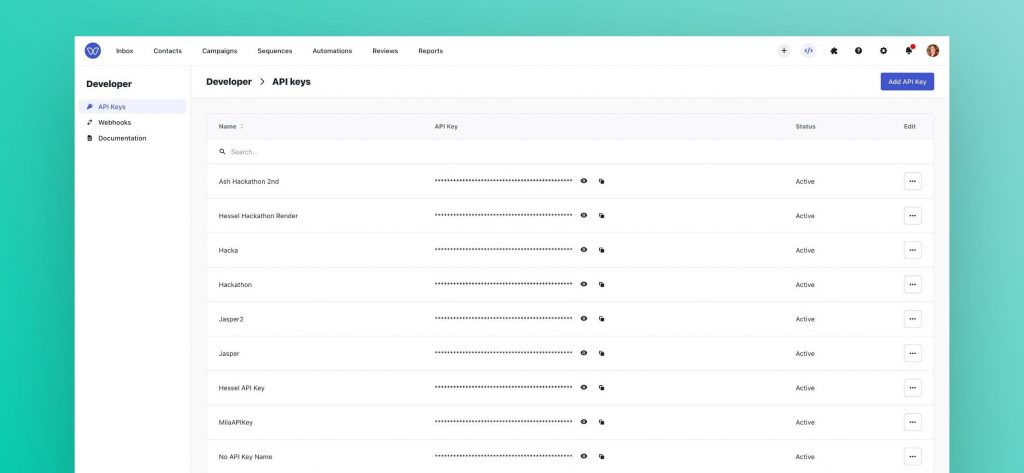
What is Whippy.ai?
Whippy.ai is a healthcare-focused communication and automation platform built to streamline patient engagement through AI-powered texting, reminders, and smart automations. Designed with medical practices in mind, including podiatry clinics, it’s especially strong in automating two-way SMS conversations, reducing phone tag, and simplifying appointment workflows – all while staying HIPAA-compliant.
Key Features of Whippy.ai
- Two-way texting on your clinic number: Chat with patients via SMS while keeping message history organised.
- Automated appointment reminders: Send texts or emails to confirm, remind, or reschedule visits.
- Missed call follow-up: Instantly sends a message to anyone who calls and doesn’t reach your staff.
- Broadcast texting campaigns: Easily send health updates, event invites, or seasonal check-ups.
- Shared team inbox: Collaborate internally by assigning, tagging, and commenting on conversations.
Whippy.ai Pros
- Built for healthcare: Designed with HIPAA compliance and clinic workflows in mind.
- Great for texting: Patients love quick SMS replies, and staff reduce phone stress.
- Flexible automations: Easily customise reminders, follow-ups, and more.
- Collaborative tools: Helps front desk teams work more efficiently together.
Whippy.ai Cons
- Limited voice call features: Best suited for practices that prioritise SMS over calls.
- Learning curve for complex automation: Setting up more advanced flows takes time.
- Fewer integrations than broader platforms: May require workarounds for niche systems.
Whippy.ai Integrations
- Google Calendar: Syncs appointments with your calendar.
- Zapier: Automate tasks with thousands of apps.
- EHR system API access: Custom integrations available via API.
- Stripe: Enables payment links via text.
Whippy.ai Pricing
Plans start at $99 per month per user. No free version available.
Whippy.ai Ratings
- Capterra: 4.8/5
- G2: 4.7/5
Whippy.ai Customer Reviews
“The platform could be laid out a little better for back end usage. Sometimes things are a bit hard to find.”
“search function barely works. easier to ‘search’ by creating a new profile and spotting a duplicate than using the search function”
Source: Capterra
Whippy.ai Support Channels
- Live chat
- Email support
- Phone support
- Knowledge base
8. HealthChat

What is HealthChat?
HealthChat is an AI-powered messaging platform built specifically for healthcare providers, including podiatry clinics. It focuses on real-time patient conversations via web chat and SMS, helping clinics stay responsive while reducing phone volume. Designed for ease of use, HealthChat helps practices handle everything from appointment requests to basic FAQs – all while staying compliant with healthcare privacy laws.
Key Features of HealthChat
- Live and AI hybrid chat: Lets you automate common responses but jump in for personal messages anytime.
- Real-time SMS and website chat: Patients can reach you on their terms, no hold music involved.
- Instant appointment requests: Let’s patients request or reschedule visits directly through chat.
- Custom chatbot flows: Tailor your bot’s tone and behaviour based on your clinic’s workflow.
HealthChat Pros
- Healthcare focus: Designed from the ground up for clinics and practices.
- Smooth chat experience: Simple, mobile-friendly, and intuitive for all users.
- Flexible setup: Offers live-agent options alongside automation.
- Fast response times: Reduces patient wait time and boosts satisfaction.
HealthChat Cons
- Limited voice features: Does not support AI-powered call handling.
- Fewer integrations than enterprise tools: May need manual workarounds for some systems.
- No mass texting tools: Better for 1:1 conversations than large-scale broadcasts.
HealthChat Integrations
- Zapier: Connect with 5,000+ apps for automation.
- Google Calendar: Syncs scheduling with your practice calendar.
- EHR systems (basic API access): Custom integration possible via developer support.
HealthChat Pricing
Tiered plans based on feature access and users.
HealthChat Ratings
Ratings are not widely available on major public review platforms like Capterra and G2
HealthChat Customer Reviews
No public reviews on major platforms like Capterra and G2
HealthChat Support Channels
- Email support
- Live chat
- Help Center with guides and setup tips
9. BotPenguin
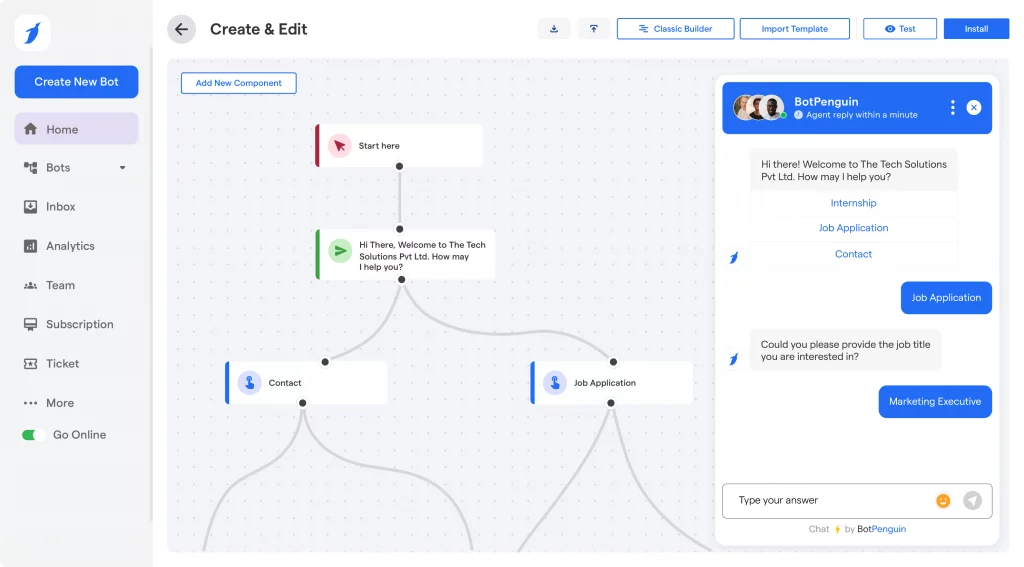
What is BotPenguin?
BotPenguin is a flexible, budget-friendly AI chatbot platform that supports healthcare practices with multi-channel automation. While not built exclusively for podiatry or healthcare, it allows clinics to create customised bots for appointment booking, FAQs, and lead capture across SMS, web chat, WhatsApp, and more. Its drag-and-drop builder makes it appealing to clinics looking for a do-it-yourself solution without heavy coding.
Key Features of BotPenguin
- Multi-platform chatbot builder: Deploy bots on your website, WhatsApp, Facebook Messenger, and SMS.
- Drag-and-drop setup: No coding required – easily customise chatflows and responses.
- Automated appointment booking: Patients can schedule, reschedule, or cancel with ease.
- AI response training: Train bots on your FAQs for more accurate, human-like replies.
- Lead generation forms: Capture patient contact info from web chats for follow-up.
BotPenguin Pros
- Affordable for small practices: One of the lowest-cost chatbot builders available.
- Highly customisable: Great for clinics with unique workflows or messaging tone.
- Omnichannel support: Lets you be where your patients already are.
BotPenguin Cons
- Not healthcare-specific: Lacks built-in HIPAA tools or healthcare templates.
- Manual compliance effort: You’ll need to handle consent and privacy controls yourself.
- Limited EHR integrations: Works better as a standalone or lead-gen tool.
BotPenguin Integrations
- Google Calendar: Sync bot appointments with your practice calendar.
- WhatsApp Business API: Set up automated replies and appointment flows.
- Zapier: Automate tasks between 5,000+ apps.
- Facebook Messenger: Manage social media inquiries directly through the chatbot.
BotPenguin Pricing
The free plan has basic features. Paid plans start around $15/month and scale with volume and features.
BotPenguin Ratings
- Capterra: 4.8/5
- G2: 4.7/5
BotPenguin Customer Reviews
“The chatbot occasionally had trouble understanding messages, and the overall title for our content could have been better.”
Source: Capterra
BotPenguin Support Channels
- Live chat
- Knowledge base
10. Amplify
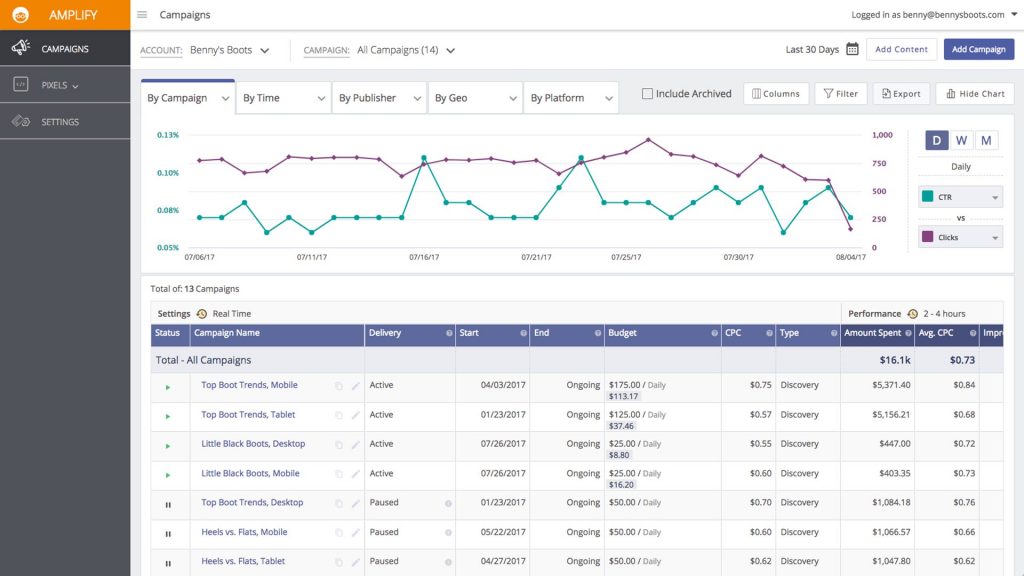
What is Amplify?
Amplify is an AI-powered healthcare chatbot and patient engagement platform designed specifically for medical practices, including podiatry clinics. It blends conversational AI with workflow automation, helping practices manage scheduling, reminders, intake forms, and patient communication across web, SMS, and email. Its healthcare-specific design makes it easy to stay compliant while improving accessibility and response times.
Key Features of Amplify
- Healthcare-trained chatbot: Responds to patient queries, books appointments, and handles follow-ups.
- Digital patient intake: Sends and collects forms digitally before the visit, reducing in-office wait times.
- Two-way texting: Patients can ask questions and get updates directly via SMS.
- Recall and reactivation campaigns: Automatically follows up with patients due for checkups.
- Patient review requests: Automatically collects feedback after appointments to improve ratings.
Amplify Pros
- Built for healthcare: HIPAA compliance, secure messaging, and healthcare-friendly features.
- Smooth patient experience: Makes booking, form-filling, and reminders feel effortless.
- Engagement automation: Great for practices that want to bring patients back regularly.
- Helpful onboarding team: Known for personalised setup support.
Amplify Cons
- Higher-tier pricing: May be less budget-friendly for solo practices.
- Limited non-medical templates: Not ideal for use outside healthcare environments.
- Some integrations may need setup help: Custom workflows may require vendor assistance.
Amplify Integrations
- Athenahealth: For appointments and patient messaging.
- eClinicalWorks: Syncs visit data, reminders, and intake forms.
- Zapier: Connects Amplify with 5,000+ third-party apps.
- Google Calendar: Ensures appointments sync across staff calendars.
Amplify Pricing
Pricing typically ranges from $300–$400/month. May include per-lead or per-appointment fees depending on plan.
Amplify Ratings
- Capterra: 4.7/5
- G2: 4.5/5
Amplify Customer Reviews
“Limited customization option for particular features, which can be really important for the business with more customizton needs. it would be lovely if there can be more integartion options with third party tools”
Source: G2
Amplify Support Channels
- Phone
- Live chat
- Knowledge base
Why Emitrr Is the Best AI Chatbot for Podiatrists
If you’re wondering what makes Emitrr’s AI chatbot stand out, you’re not alone. Here’s why so many podiatry clinics swear by it, and why your front desk will probably breathe a big sigh of relief:
- 24/7 AI Chat: Always-on support that answers patient questions, books appointments, and sends updates – even after hours.
- Automated Reminders: Cuts no-shows with friendly SMS and email nudges that help patients easily reschedule.
- EHR/PMS Sync: Connects with systems like eClinicalWorks or DrChrono, no extra data entry needed.
- HIPAA-Safe Messaging: Enjoy encrypted texting and full HIPAA compliance, so patient info stays protected.
- Custom Look & Feel: Match the bot’s tone and branding to your clinic, plus support for multiple languages.
- Smart Call Handling: Answers calls, shares info, takes voicemails, and escalates urgent issues when needed.
- Online Scheduling: Lets patients book appointments and fill forms anytime, no phone tag required.
- Review Requests: Sends automated follow-ups asking for reviews while catching any negative feedback early.
- Two-Way Texting: Patients can text your main number and get replies from your team or the AI.
- Team Collaboration: Assign chats, leave internal notes, and tag teammates so nothing gets missed.
- Built-In Analytics: See what’s working with easy tracking of confirmations, chat volume, and patient satisfaction.
- Bulk Texting: Easily send mass texts, recalls, or event invites with built-in opt-out tools.
- Easy to Use: Intuitive dashboard and quick-reply tools that your staff can learn in minutes.
- Prompt Human Support: Friendly setup and responsive help from the Emitrr team when you need it.
- Regular Upgrades: New features roll out often based on what real clinics request most.
- High ROI: Saves staff time, fills more appointments, and boosts retention, often paying for itself fast.
Frequently Asked Questions
Yes! They’re built for healthcare, so all chats and texts are encrypted, secure, and fully HIPAA-compliant. No stress about privacy.
Totally! It handles the repetitive stuff – like scheduling and reminders, so your staff can focus on patients, not phone calls.
Absolutely. Patients can get quick answers to everyday questions, anytime – no more waiting on hold for simple stuff.
Yes! Good chatbots can juggle multiple locations with ease, directing patients to the right clinic and calendar without missing a beat.
Most likely, yes. Chatbots like Emitrr connect with over 500+ popular tools, so appointments and info flow right into your existing setup.
Yes! It sends out appointment reminders, lets patients confirm or reschedule by text, and even chats on your office number.
Conclusion
Bringing an AI chatbot into your podiatry clinic isn’t just about keeping up with tech trends. It’s about giving your patients faster, friendlier access to care while taking pressure off your team. From reducing no-shows and phone tag to answering questions after hours, a chatbot acts like a reliable digital assistant that never clocks out. It keeps the front desk calmer, your schedule fuller, and your patients feeling heard and supported at every step.
Whether you run a single practice or a growing group of clinics, a smart, healthcare-ready chatbot like Emitrr can slot right into your daily workflow. It’s built with real-life podiatry needs in mind – secure, responsive, and genuinely helpful. Ready to see what it could do for your clinic? Book a demo with Emitrr and take the first step toward smoother operations and happier patients.