
 4.9 (400+
reviews)
4.9 (400+
reviews)
Introduction
Businesses in today’s time are becoming more and more modern as well as technologically advanced, with a strong inclination towards automating the manual and time-consuming tasks to improve efficiency. Whether you are handling clients or running a small business with a lean team, you must have gone through the struggle of scheduling. From appointment booking to back-and-forth emails, follow-up, double bookings, and calendar conflicts very often become overwhelming.
That’s where AI scheduling software comes in, which is smart, efficient, and can handle the entire scheduling process to save your time. In this comprehensive article, we are going to talk about why you need AI scheduling software, how it can actually benefit your business, what are the best AI scheduling software is available, and why Emitrr is going to be the best choice for you.
So let’s get started!!
What is an AI Scheduling Assistant?
An AI scheduling software is a smart and technologically advanced tool that is specifically designed to automate and streamline the scheduling process. The best appointment scheduling software with AI receptionist harnesses the power of AI to manage appointments, send reminders, and coordinate availability across calendars to ensure seamless scheduling without any manual effort. Automotive AI scheduling software is also capable of integrating with your calendar and working across platforms like email, SMS, phone, and websites, making booking effortless for both businesses and customers.
How AI Scheduling Assistants Work?
AI scheduling assistants are mostly trained and rely on your content, whether it is your website, documentation, or anything that you choose to provide. The best appointment scheduling software with AI receptionist is also capable of integrating with your calendar availability and the different types of meetings you offer. Some of the AI scheduling software goes beyond basic scheduling and also acts as a schedule generator, which can automatically create a schedule on the basis of your preferences.
Why Should You Use AI Scheduling Software?
Smarter Meeting Coordination
Intelligent time slot selection based on preferences and history
As we already discussed, AI-powered employee scheduling software learn from your past scheduling patterns, preferences to suggest the most suitable time, which eliminates the guesswork and makes sure that the appointments are booked when you are available.
Real-time updates on team availability
AI scheduling software removes the hassle of back-and-forth communication and constantly updates and checks the availability across calendars, which prevents the chances of overlaps or double appointment scheduling.
Effortless timezone management
The best appointment scheduling software with an AI receptionist also has the capability to automatically detect as well as adjust for different time zones, which makes the coordination across the world smooth and error-free. With AI-powered employee scheduling software, there is no need for manual conversations or confusion if you are dealing with international clients.
Boosted Productivity
Minimizes repetitive manual tasks
When it comes to automating routine manual tasks, AI scheduling software excels. With the best AI interview scheduling software, tasks like sending booking confirmations, reminders, and follow-ups are done automatically with a few clicks, which frees up your time and your staff’s time to concentrate on what truly matters.
Accelerates the booking process
AI scheduling software also offers quick suggestions and automates workflows, which reduces the time taken to appointment booking, along helps you respond to your customers comparatively faster.
Better Customer Experience
Gives clients control with a self-booking option
AI scheduling software also allows your clients to book appointments at their own convenience with an intuitive and easy-to-use self-booking tool. They do not need to wait for the reply; they can check the slots available and book quickly.
Enables round-the-clock scheduling access
AI-powered employee scheduling software works around the clock, which allows customers to book appointments anytime they want, even after your working hours and holidays.
Sends timely reminders to reduce no-shows
No shows are the biggest concern for any business, but not anymore, as AI scheduling software sends automated reminders to make sure that the clients do not miss their appointments, which drastically reduces no-shows.
Offers personalized interactions through AI-powered logic
AI scheduling software also tailors communication based on the client’s behavior, preferences, and past bookings, which creates a more personalized experience and ensures an engaging booking journey for them.
Actionable Insights
Access reports on booking trends and efficiency
With automotive AI scheduling software, you can also get access to detailed analytics on booking types, patterns, volume, and team efficiency to make a data-driven decision for front desk operations.
Measure performance to continually improve processes
With built-in analytics and scheduling data provided by AI scheduling software, you can track what is working for you, identify issues like high cancellation rates, and improve your scheduling process accordingly.
Customized Scheduling Experiences
Multi-channel scheduling
The best AI interview scheduling software can operate through different platforms such as SMS, voice calls, email, your website, and even social media, meeting customers where they are most active.
Multi-language scheduling
The best AI employee scheduling software is ideal for global businesses as these tools can communicate with users in their preferred language, removing language barriers and improving the overall experience.
What to look for in an AI scheduling Assistant
Calendar Integration
Calendar integration is something that is the most necessary feature an AI scheduling software should have. This not only makes sure that your and your team members’ availability is updated in real time, which also helps in minimizing scheduling conflicts and keeping everyone on the same page.
Customization & Branding
While opting for an AI scheduling software, you need to look for an AI interview scheduling software that offers you the capability to customize the booking experience. From using your company’s logo and colors to creating branded booking pages and personalized forms, customization helps build trust and gives clients a consistent, professional impression of your brand.
Automatically Suggests Available Times
AI scheduling software means minimal manual scheduling efforts; hence, while opting for an AI scheduling assistant, you need to ensure that the AI employee scheduling software is capable of recommending the best available time slots by analyzing existing schedules, preferences, and meeting history. This feature, offered by AI appointment scheduling software, not only saves time but also reduces the friction for both the business and its clients.
Analytics Dashboard
Another feature you need to consider while selecting the best AI employee scheduling software is access to important insights, including appointment volume, booking frequency, cancellation rates, and staff availability, as these analytics help you to identify trends and improve your overall scheduling process.
Intelligent time blocking
This feature offered by the AI scheduling assistant allows you to set aside dedicated blocks of time for focused work, breaks, or specific types of meetings. This feature is necessary for avoiding any chances of overbooking and reducing burnout, and also helps maintain productivity.
Multi-Time Zone and Multi-Language Support
This feature is important if you’re dealing with international clients or collaborating with team members across different regions. The AI employee scheduling software
you are opting for should be capable of adjusting to different time zones and support multiple languages to offer a smooth and inclusive scheduling experience.
Top 10 AI Scheduling Software
1. Emitrr
Emitrr Overview
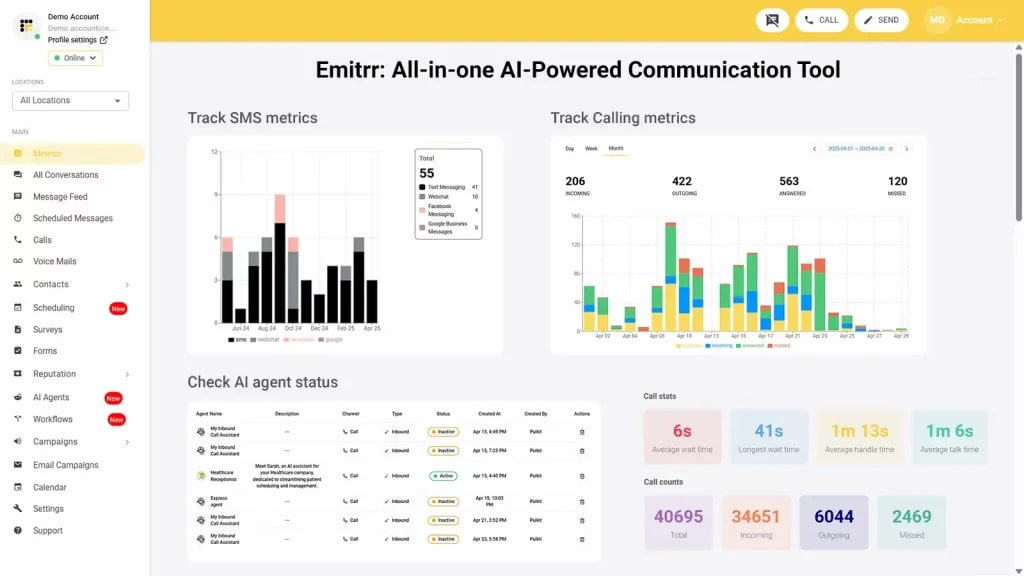
Emitrr AI is an all-in-one AI scheduling software, and our top choice as it is not only limited to basic scheduling but goes beyond a booking platform. Emitrr, the best AI scheduling software capable of handling multi-channel appointment scheduling, integrates with your calendar, sends reminders automatically, and even answers scheduling calls after hours, which helps reduce no-shows, along with reducing backlogs. This AI-powered employee scheduling software is a complete solution in itself and offers an AI phone system, an AI SMS agent that helps businesses save 100+ hours.
Emitrr, the best AI employee scheduling software, is also fully compliant with industry standards such as TCPA and HIPAA and is rated 5/5 for offering unparalleled customer service. Here is more information about the features and capabilities it offers to its customers:
Emitrr Features
- AI-Powered Scheduling Link Generation – Auto-generates personalized booking links after provider setup, tailored to appointment type and availability.
- Smart Availability Detection & Slot Management – With this best AI interview scheduling software, you can dynamically adjust available booking slots based on working hours, buffer time, and daily booking limits.
- AI Time-Zone Handling – Displays booking slots based on the local time zone of the selected location, ensuring accurate scheduling globally.
- Auto-Sync with Calendar Dashboard – All scheduled appointments automatically sync and appear on the provider’s scheduling dashboard in real time.
- AI-Driven Booking Type Detection & Color Coding – Automatically distinguishes appointment types and displays them with color codes for easy identification.
- AI Smart Filters on Dashboard – Intelligently filters bookings by provider and service type with real-time calendar updates.
- Drag-and-Drop AI Rescheduling – Supports smart drag-and-drop functionality for appointments with instant updates to availability and backend records.
- AI-Based Slot Blocking – Auto-adjusts availability when time blocks are manually placed on the calendar, reflected in the end-user booking flow.
- AI-Powered Booking Form Field Logic – Custom booking fields adapt based on the service type and provider, enabling personalized data collection per booking.
- Self-Service Booking with Intelligent Slot Matching – End users are guided to the most relevant providers and time slots based on service and location.
- AI-Powered Confirmation and No-Login Booking -With this best AI interview scheduling software, you can offer streamlined, authentication-free booking with instant AI-triggered confirmation and calendar sync.
- Service-Based Smart Location Filters – Booking pages display only the services available at the selected location, ensuring relevance and reducing confusion.
- AI-Managed Group vs. 1:1 Booking Visibility – Booking details dynamically adjust based on appointment type, hiding or showing attendee details accordingly.
- AI Calendar Personalization Based on Service Rules – Custom rules such as max daily bookings, buffer time, and provider-specific availability are enforced automatically.
Emitrr Pros
- Reduces staff workload significantly – By automating repetitive tasks like answering FAQs and managing appointments, staff can focus on higher-priority patient/customer interactions.
- Prevents double bookings and manual errors – Real-time slot adjustments based on provider availability and buffer rules eliminate scheduling conflicts.
- Improves booking experience for customers – Instant, no-login booking links allow users to book without waiting on hold or calling the front desk.
- Ensures after-hours coverage without extra staffing – The AI agent works 24/7, handling inquiries and bookings even outside business hours, ensuring no lead is missed.
- Reduces call abandonment during peak hours – By communicating wait times and offering SMS as an option, callers are less likely to hang up.
- Delivers a personalized experience for every caller – New callers are guided to provide necessary info, while returning ones are routed intelligentl
- Respond better with self-evolving AI: Emitrr’s SMS AI agent self-evolves with every conversation it has. Over time, your AI will start drafting better, contextually aware responses.
Emitrr Pricing
Emitrr’s AI pricing starts at $99 a month. You can get in touch with Emitrr’s team to get a custom quote and to pay for only the features you require.

Emitrr Integration
The best appointment scheduling software with AI receptionist offers seamless integration with 500+ tools, including:
- Healthcare tools (Athenahealth, Dentrix, Eaglesoft, and more)
- CRM tools (Hubspot, Mailchimp, Salesforce, Zapier, and more)
- Calendar tools (Google calendar, Microsoft calendar, and more)
Emitrr Reviews & Ratings
Emitrr has a rating of 4.8/5 on Capterra, and here’s what users are saying about it:
“I LOVE Emitrr. The support you get is wonderful, the app is easy to use and they have been incredibly responsive. As a small business, we needed a messaging platform that wouldn’t break the bank and this meets all our needs (and then some) without making us feel overwhelmed. We came from Podium (had a terrible experience with them) and feel so valued at Emitrr!”
Source: Capterra
Emitrr Support Channels
- Email: support@emitrr.com
- Live chat: Chat with a representative
- Phone: +1 (210) 941-4696
- FAQs/forum: Browse FAQs or forum
- SMS: Text for help
- Knowledge base: Access helpful guides
2. Clara AI
Clara AI Overview
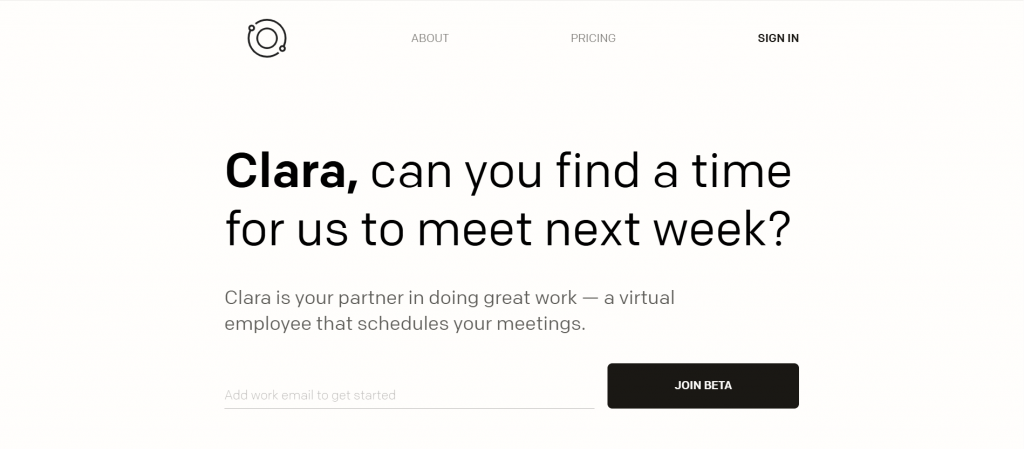
Clara AI is another AI scheduling software that uses natural language to help clients feel like human email assistants. This AI-driven employee scheduling software also communicates directly with the contacts in scheduling on your behalf, whether it is reading threads, checking your availability, and confirming meeting times. It does appointment scheduling tasks seamlessly. This AI appointment scheduling software
is an ideal solution for executives or consultants who rely heavily on email for communication and want to automate appointment scheduling discreetly. Here is a quick look at the features, pros, and cons of this automated AI scheduling software:
Clara AI Features
- Email-Based Virtual Assistant: Just CC Clara in your emails, and it takes over coordinating meeting times, reading, and replying like a human assistant.
- Natural Language Understanding: This best appointment scheduling software with AI receptionist interprets conversational language with advanced NLP, arranging meetings contextually rather than via a rigid format.
- Automated Follow-Ups & Reminders: If invitees don’t respond, Clara sends polite nudges to keep scheduling moving forward.
- Smart Time Zone Handling: This AI-powered employee scheduling software automatically adjusts for multiple time zones, simplifying scheduling for global teams.
- Calendar Synchronization: This AI employee scheduling software integrates with Google Calendar and Outlook, ensuring seamless updates and conflict-free scheduling.
- Conflict Resolution Logic: When conflicts arise, this interview scheduling software AI proactively suggests alternate slots to all participants.
- User Preferences & Custom Settings: Users can set preferences such as preferred meeting times, buffer periods, duration, and response style with this interview scheduling software AI.
- Multi-Participant Coordination: Capable of organizing meetings involving multiple people by identifying availability windows for everyone.
- Hybrid AI + Human Oversight: This AI-driven employee scheduling software employs a human-in-the-loop model: AI attempts scheduling, but humans review and step in when needed to maintain quality.
Clara AI Pros
- Hands-Off Scheduling Efficiency: Clara autonomously handles the back-and-forth of meeting coordination, allowing you to focus on more important tasks.
- Effortlessly Natural Communication: Responses from Clara come across as polished and professional, making recipients think they’re dealing with a real assistant.
- Global-Friendly Scheduling: Automatic time zone adjustments and round-the-clock availability make Clara ideal for coordinating with international clients or teams.
- Seamless Email Integration: Since this AI physician scheduling software works via email, there’s no need to learn new interfaces—just include it on your threads.
- Reliable Back-Up via Human Touch: The human oversight ensures high-quality interactions, mitigating mistakes that pure AI could make.
Clara Cons
- Not Ideal for Instant Scheduling: This AI appointment scheduling software doesn’t generate instant booking links or embed codes, making it less suitable for quick self-service booking.
- Costlier Than Basic Tools: Due to its human-supported model, Clara’s pricing is on the higher side compared to simpler scheduling platforms.
- Limited to Scheduling Scope: It lacks broader administrative tools like payment collection, polls, or task/project management.
- Setup Required for Custom Use: Users may need time to configure preferences and learn best practices to get the most out of Clara.
- Delays Possible for Short-Notice Meetings: Since it relies partly on human review, some appointments, particularly last-minute ones, might take longer to confirm.
Clara AI Pricing
This automated AI scheduling software offers four pricing plans for its scheduling and AI-powered assistant services:
- Essential: $99/month
- Professional: $199/month
- Executive: $399/month
- Enterprise: custom pricing
Clara AI Integrations
Integration options offered by this AI physician scheduling software are:
- Google Calendar
- Microsoft Office 365
- Microsoft Outlook
- Zoom
- Google Meet
- Microsoft Teams
Clara AI Ratings
Product Hunt: 5/5
Clara AI Reviews
“Using Clara felt like working in the future — not kidding. Most “AI-drive” tools that have recently come out feel too gimmicky or 70% of the way to the ideal outcome. Clara feels 100% of the way there. It consistently works and yields results. Clara is expensive for most people, but if you’re scheduling meetings every single day, which can be time-consuming, you should be offloading that task to Clara.”
Source: Product Hunt
Clara AI Support Channels
- Help Center
- Knowledge Base
3. Calendly
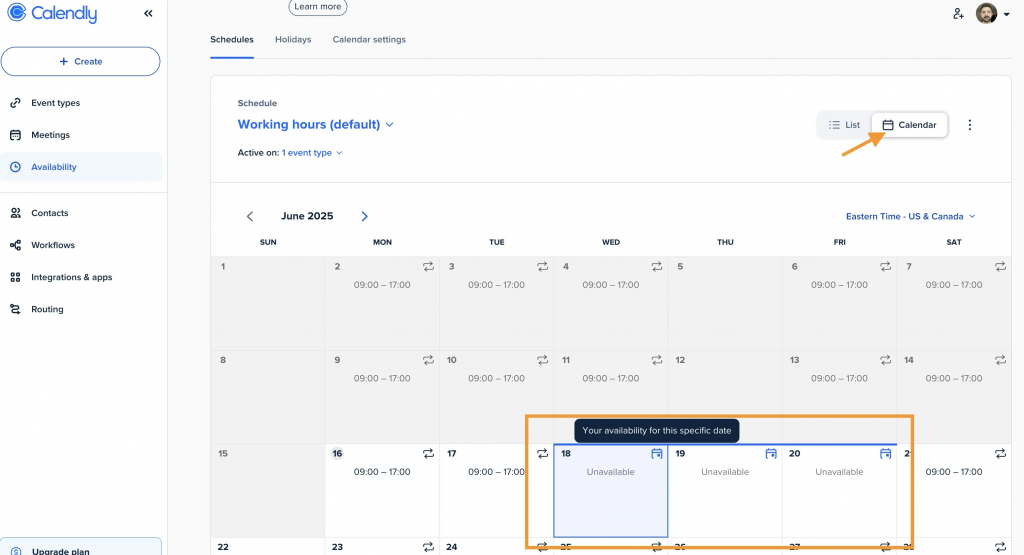
Calendly Overview
Calendly is another AI appointment scheduling software that makes scheduling seamless and easy. While it is not completely AI-driven, but helps in automating meeting coordination, avoids double bookings, and allows custom rules for availability. Here is a quick overview of this scheduling AI software:
Calendly Features
- AI Time Suggestions – This AI employee scheduling software for restaurants analyzes availability across calendars to recommend the best time slots automatically.
- Multiple Event Types – Create one-on-one, group, round-robin, and collective events to suit different meeting needs.
- Automated Reminders & Follow-ups – Send AI-personalized reminders and post-meeting emails to reduce no-shows with this AI dental appointment scheduling software.
- Time Zone Detection – With this AI medical scheduling software, you can automatically adjust meeting times for invitees in different locations.
- Calendar Integrations – This AI-powered employee scheduling software syncs with Google, Outlook, Office 365, and iCloud calendars in real time.
- Workflow Automation – Allows creation of automated actions like sending follow-up messages or triggering CRM updates.
- Custom Branding – Add company logo, brand colors, and personalized URLs to booking pages.
- Round-Robin Scheduling – This AI-powered employee scheduling software balances meeting distribution across team members.
- Team Scheduling Pages – You can also share a single link to let clients choose available slots for the whole team with this AI dental appointment scheduling software.
- Integration with 100+ Apps – This AI scheduling assistant software works with Zoom, Microsoft Teams, Salesforce, HubSpot, and more.
Calendly Pros
- User-Friendly Interface – Easy setup and intuitive for both hosts and invitees.
- Saves Time – Eliminates back-and-forth communication for scheduling.
- Highly Customizable – Flexible event types and branding options are also offered by this AI medical scheduling software.
- AI-Enhanced Efficiency – Smart time suggestions and automated reminders reduce missed meetings.
- Strong Integrations – This AI scheduling assistant software works with major calendars, conferencing tools, and CRMs.
- Scalable for Teams – Supports solo professionals to enterprise-level teams.
Calendly Pricing
This AI-driven employee scheduling software offers 4 pricing plans:
- Free
- Standard: $10/seat/mo
- Teams: $16/seat/mo
- Enterprise: starts at $15k/yr
Calendly Integrations
The integration offered by this AI employee scheduling software for restaurants are:
- Greenhouse
- HubSpot
- Intercom
- Zapier
- Typeform
- Stripe
Calendly Ratings
Capterra: 4.7
Calendly Reviews
“I use Calendly to help facilitate screening calls for my employment business. It’s pretty easy to use and I can set aside how many slots I want that day, the times I’m on lunch and the days where I just can’t take calls. I use calendly to also set up zoom meetings as it has the function as well!”
Source: Capterra
Calendly Customer Support Channels
- Live Chat
- Help Center
4. Motion AI
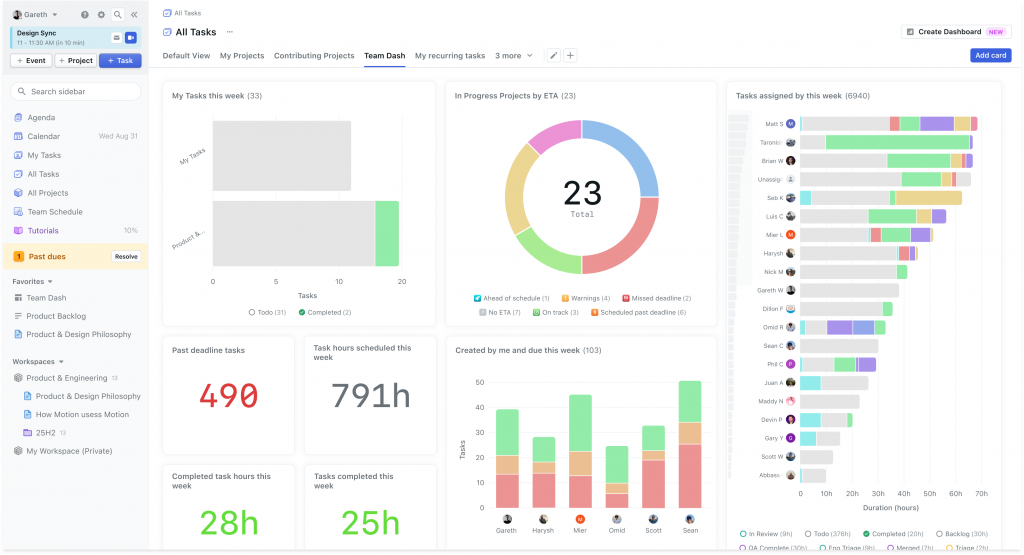
Motion AI Overview
Motion AI is a comprehensive AI scheduling software that is not limited to scheduling but goes beyond it and reorganizes your calendar based on task urgency and importance. This AI scheduling assistant software is ideal for busy professionals who juggle meetings with deep work. Let’s have a quick look at this AI scheduling software:
Motion AI Features
- AI Daily Planning – This AI-powered employee scheduling software automatically creates a personalized daily schedule based on your tasks, meetings, and priorities.
- Real-Time Rescheduling – This AI-powered employee scheduling software adjusts your calendar instantly if meetings change or urgent tasks come up.
- Task Prioritization – This appointment scheduling software with AI receptionist determines the most important tasks and schedules them at the best times.
- Automated Meeting Scheduling – Finds open slots in your schedule and sends invites without conflicts.
- Calendar Integration – Works with Google Calendar and Outlook for seamless syncing.
- Project Management Tools – Organize, assign, and track projects directly within Motion.
- Time Blocking Automation – Automatically allocates uninterrupted focus time for deep work.
- Team Scheduling – Helps coordinate multiple people’s calendars for team projects and meetings.
- Deadline Tracking – AI-powered shift scheduling software for hospitality
ensures that all tasks and projects are scheduled to be completed on time.
- Focus Mode – Minimizes distractions by locking your schedule and muting notifications during work blocks.
Motion AI Pros
- Hands-Free Scheduling – AI-powered shift scheduling software for hospitality
completely automates task and meeting planning.
- Dynamic & Adaptive – Updates your day automatically when priorities shift.
- Time Management Boost – Improves productivity through optimized time-blocking.
- All-in-One Tool – This AI-powered retail scheduling software
combines scheduling and project management in a single platform.
- Deadline Protection – This AI dental appointment scheduling software ensures you never miss a deadline.
- Ideal for Teams – Great for collaborative project scheduling and resource management.
Motion AI Cons
- Steeper Learning Curve – Takes time to get used to AI-driven scheduling.
- Limited Integrations – Fewer third-party app connections compared to competitors.
- Pricing – This AI dental appointment scheduling software has higher cost than basic scheduling tools.
- Over-Automation Risk – Some users may prefer more manual control over scheduling.
- Occasional AI Misplacement – This AI interview scheduling software may not always perfectly predict task duration or priority.
Motion AI Pricing
This AI interview scheduling software solution offers 3 pricing plans:
- AI workplace: $ 19 per seat per month, billed annually
- AI Employee: $29 per seat per month, billed annually
- Enterprise: Custom Pricing
Motion AI Integrations
The integrations offered by this AI physician scheduling software are:
- Google Calendar
- Zoom
- Zapier
- Microsoft Teams
- Siri
Motion AI Ratings
G2: 4.1
Motion AI Reviews
“Great integration between Kanban task planning and Automatic Calendar management. However this combination is useful for a small minority of our tech team. For most this became a very expensive Kanban tool.”
Source: G2
Motion AI Customer Support Channels
- Self Serve
- Help Center
- Live Chat
5. Clockwise
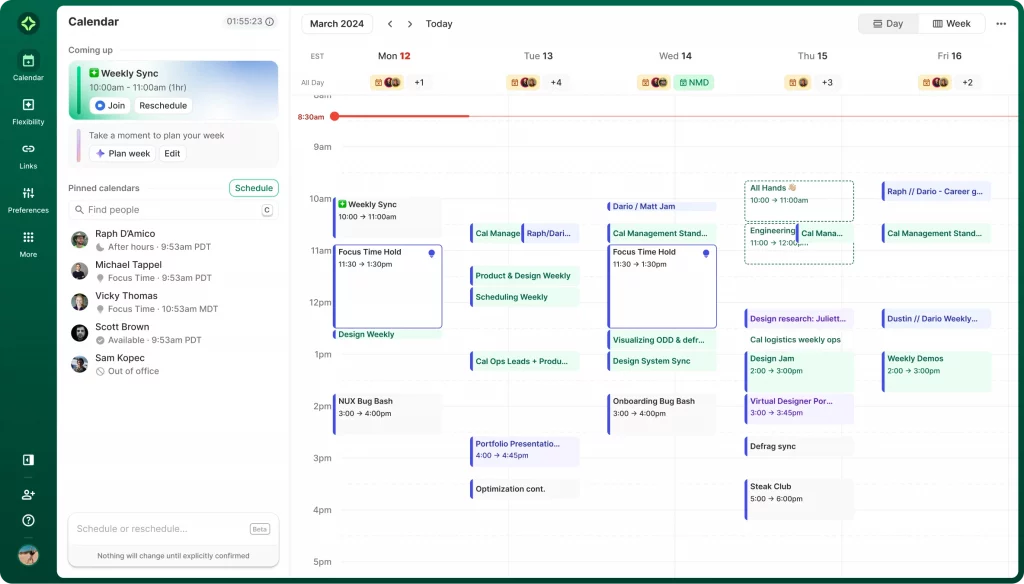
Clockwise Overview
Clockwise is an AI-based platform that helps in optimizing a calendar by automatically moving meetings, blocking out focus time, and aligning team availability. This automated AI scheduling software is a robust platform when it comes to a large team, where scheduling overload is a very critical issue. Here’s a quick look at this scheduling AI software:
Clockwise Features
- AI Calendar Optimization – Automatically rearranges events to maximize uninterrupted focus time.
- Focus Time Protection – Blocks dedicated work hours and reduces context switching.
- Smart Meeting Scheduling – This AI-powered employee scheduling software finds optimal times for meetings with minimal disruption.
- Team Calendar Syncing – Aligns schedules across teams for easier collaboration.
- Flexible Meeting Times – Automatically shifts meetings within set preferences to free up focus blocks.
- Calendar Integration – This AI physician scheduling software works with Google Calendar and integrates with tools like Slack, Asana, and Trello.
- Meeting Conflict Resolution – Detects and reschedules overlapping or conflicting events.
- Time Zone Coordination – This AI medical scheduling software automatically adjusts scheduling for distributed teams.
- Analytics & Insights – Tracks time spent in meetings vs. focused work for productivity reporting.
- Personalized Workday Setup – Lets you define ideal working hours, meeting hours, and focus periods.
Clockwise Pros
- AI-Driven Optimization – This AI dental appointment scheduling software
maximizes deep work time with minimal manual changes.
- Great for Teams – Makes coordination easier across multiple calendars.
- Flexible Rescheduling – Dynamically adjusts meetings to protect focus times.
- Integrations with Work Tools – Connects with Slack, Asana, Trello, and Google Calendar.
- Time Zone Friendly – Ideal for remote and global teams.
- Data-Backed Insights – This AI medical scheduling software also helps track and improve productivity patterns.
Clockwise Cons
- Google Calendar Only – AI physician scheduling software has no native Outlook integration (limits some users).
- Limited Free Plan – Many AI features offered by this AI-driven employee scheduling software are behind the paid plan.
- Learning Curve for Teams – This interview scheduling software AI requires some setup to get preferences right.
- Over-Reliance on AI – May rearrange meetings in ways that don’t always align with personal priorities.
- Privacy Concerns – Requires access to detailed calendar data, which may worry some organizations.
Clockwise Pricing
This AI-driven employee scheduling software offers 4 pricing options:
- Free: $0 per user, per month
- Teams: $6.75 per month billed annually
- Business: $11.50 per month billed annually
- Enterprise: Contact Support
Clockwise Integrations
The integration options offered by this AI-powered retail scheduling software are:
- Slack
- Google Calendar
- Microsoft Outlook
- Zoom
Clockwise Ratings
Capterra: 4.7
Clockwise Reviews
“In general I have a good experience with Clockwise, since I integrated it with Slack, however I just saw that it can also connect to Asana, it would be interesting to check what other functionalities it can offer me from there. It is a good tool, it works properly to manage your agenda and also generates weekly reports that can be useful to visualize your productivity in that period of time.”
Source: Capterra
Clockwise Customer Support Channels
- Knowledge Base
- In-app chat
6. Reclaim AI
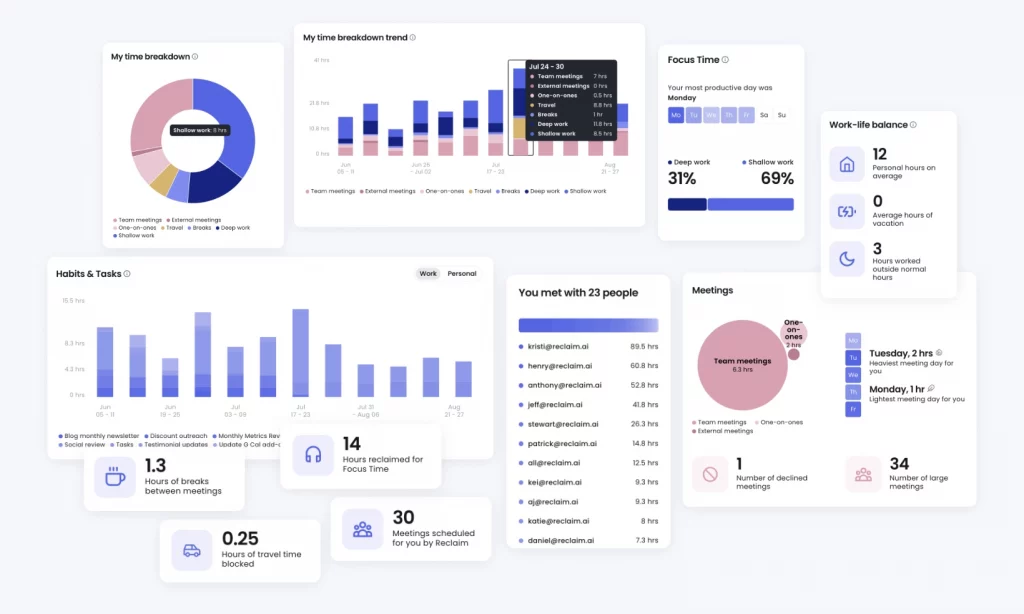
Reclaim AI Overview
Reclaim AI offers a unique solution by integrating personal tasks, habits, and routines into your work calendar. This AI-driven employee scheduling software helps in automatically scheduling tasks such as lunch breaks or deep work blocks around your existing meetings. Take a look at more details on AI employee scheduling software:
Reclaim AI Features
- AI-Powered Smart Scheduling – This AI appointment scheduling software utomatically schedules and reschedules tasks based on priorities and deadlines.
- Time Blocking – AI medical scheduling software creates protected focus time on your calendar for deep work.
- Task & Meeting Sync – Integrates with tools like Asana, Trello, ClickUp, and Todoist to schedule tasks.
- Habit Scheduling – Blocks recurring time for habits like workouts, reading, or planning.
- Calendar Integration – Works with Google Calendar to update schedules in real time.
- Priority-Based Rescheduling – This AI scheduling assistant software automatically rearranges tasks when meetings change.
- Buffer Time Management – Inserts breaks and travel time between events.
- Team Scheduling – Finds mutual availability across multiple calendars for faster coordination.
- Time Analytics – This AI construction scheduling software provides insights into how your time is spent across meetings, tasks, and habits.
- Flexible Working Hours – Lets you define ideal work hours and personal time boundaries.
Reclaim AI Pros
- Fully Automated Scheduling – Reduces manual calendar management.
- Great for Task Integration – Syncs with popular task management platforms.
- Supports Work-Life Balance – Allocates time for personal activities alongside work.
- Real-Time Calendar Updates – This interview scheduling software AI excels when it comes to adapting instantly when meetings or priorities change.
- Team-Friendly – This AI interview scheduling software solution helps align schedules without endless back-and-forth.
- Detailed Time Analytics – This AI construction scheduling software helps users improve productivity and time allocation.
Reclaim AI Cons
- Google Calendar Only – This AI-powered retail scheduling software has no Outlook or Apple Calendar integration yet.
- No Built-in Video Conferencing – This AI interview scheduling software solution relies on external tools for meeting links.
- Limited Free Plan – AI-powered features are more robust in paid tiers.
- Steep Learning Curve – This AI construction scheduling software requires setup to get full benefit from automation.
- Privacy Concerns – This AI interview scheduling software solution needs full calendar and task data access for AI optimization.
Reclaim AI Pricing
This automated AI scheduling software offers 3 pricing plans:
- Lite: Free
- Starter: $8 per seat/month
- Business: $12 per seat/month
Reclaim AI Integrations
The integration options offered by this automotive AI scheduling software are:
- Slack
- Asana
- Zoom
- Raycast
- Linear
- Todoist
Reclaim AI Ratings
Capterra: 4.8
Reclaim AI Reviews
“It’s been really great, there are a few integrations I would like to see but I understand how these things go and that sometimes it’s better to use the tool as directed.”
Source: Capterra
Reclaim AI Customer Support Channels
- Live Chat
- Help Center
7. Scheduler AI
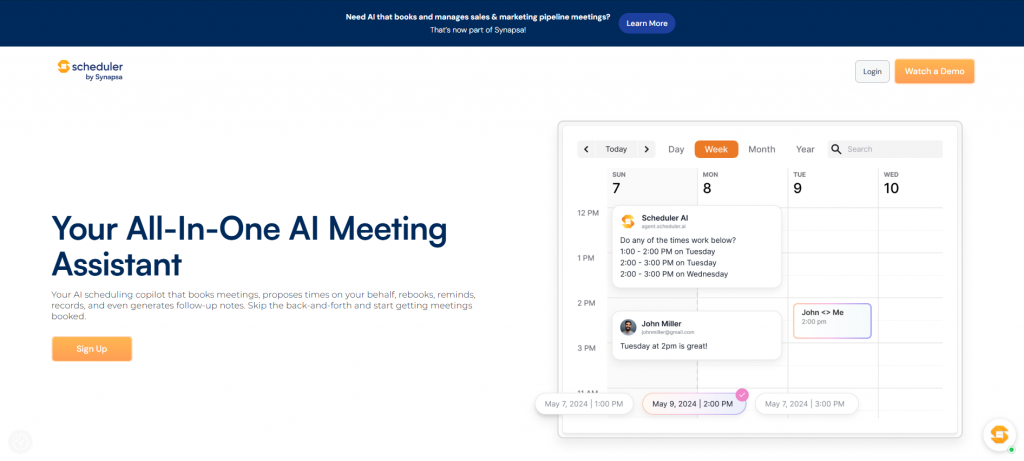
Scheduler AI Overview
Scheduler AI excels when it comes to seamless scheduling. This AI employee scheduling software uses AI to help and guide customers to the right person or time, helping sales reps save hours every week. This AI scheduling software ensures follow-up, reminders, and availability checks that are completely automated. Let’s have a look at other aspects of this AI-driven employee scheduling software:
Scheduler AI Features
- Conversational Scheduling: Schedule meetings using natural language across email, webchat, or SMS, and let AI interpret and act.
- Context-Aware Booking: This automotive AI scheduling software proposes tailored meeting times based on advanced routing rules and participants’ availability.
- Automatic Rescheduling & Reminder Flow: This AI scheduling assistant software handles cancellations, reschedules by prompting new slots, and sends meeting reminders to boost attendance.
- Multi-Channel Engagement: Engages leads and schedules meetings via integrated webchat, email, and SMS touchpoints.
- Meeting Type by Keyword: With this AI dental appointment scheduling software users can create meeting templates tied to keywords (e.g., “coffee chat”) to streamline booking phrasing.
- CRM & Website Integration with Call Routing: Seamlessly integrates into CRM pipelines and webforms, qualifying and routing leads before scheduling.
- Custom Branding and Domain Hosting: This AI physician scheduling software offers branded AI agents with personalized domains and naming for pro and enterprise plans.
- Call Summaries & CRM Updates: This AI medical scheduling software is also capable of recording and summarizing meetings, then pushing event data back into CRM or ATS systems automatically.
- Priority Engagement & Lead Qualification: This automated AI scheduling software can prioritize scheduling with high-intent leads, speeding the speed-to-lead response.
Scheduler AI Pros
- Fully Autonomous Scheduling: With this automated AI scheduling software no more manual back-and-forth: AI handles meeting qualification, routing, and booking entirely.
- Seamless Multi-Channel Engagement: This AI interview scheduling software solutions engage prospects where they are, email, SMS, or your website, without needing forms.
- Lead Prioritization Built In: Automatically engages and schedules with hot leads first using intent-based logic.
- Enhances Show-Rate and Reduces No-Shows: Sends reminders and automatically reschedules meetings when necessary.
- Enterprise-Level Security, Integrations & Branding: Custom domains, CRM integration, and compliance considerations make it suitable for serious teams.
Scheduler AI Cons
- Learning Curve for Workflow Setup: Customizing AI agents, routing logic, and keyword-based meetings may require detailed configuration.
- High Price Tag for Advanced Plans: Enterprise-grade functionality and branding options come with significant cost.
- Dependency on Integrations: The performance of this AI-powered retail scheduling software relies heavily on calendar, CRM, and channel integrations being properly configured.
- Less Control Over Scheduling: This AI scheduling assistant software is fully automated conversations may feel impersonal or may not allow nuanced manual adjustments as they arise.
- Relatively New Product with Limited Reviews: As a newer entrant, there may be fewer user experiences and community feedback available.
Scheduler AI Pricing
This AI-driven employee scheduling software offers 3 pricing options:
- Basic plan: $50/month
- Team plan: $500/month
- Custom Pricing
Scheduler AI Integrations
The integration options offered by this AI-powered retail scheduling software are:
- HubSpot
- Google Calendar
- Zapier
- Zoom
Scheduler AI Ratings
Capterra: 4.7
Scheduler AI Reviews
“It is a cheaper option for calendar applications for me. And I think it serves like other applications.”
Scheduler AI Customer Support Channels
- Phone
- Webchat
8. Trevor AI
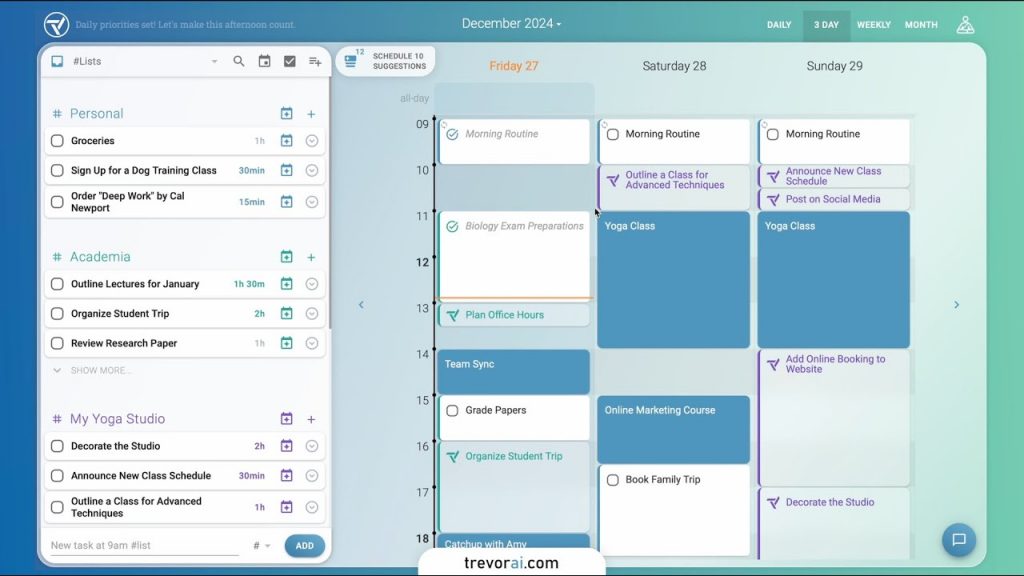
Trevor AI Overview
Trevor AI is another robust AI scheduling software that is capable of linking platforms such as Todoist or Google Tasks and converting them into calendar events. Here is a quick look at the features, pros, and cons of this AI appointment scheduling software:
Trevor AI Features
- AI Task Scheduling & Auto Rescheduling: This AI-driven employee scheduling software automatically assigns tasks to available time slots and suggests rescheduling when priorities shift.
- Unified Task Hub: Centralizes all tasks in one dashboard—color-coded, neatly organized, and easy to navigate.
- Calendar Sync (Google & Outlook): This AI scheduling assistant software offers seamlessly integrates with Google Calendar and Microsoft Outlook for live updates and conflict-free planning.
- Time Blocking + Focus Mode: This AI interview scheduling software solution blocks dedicated work periods and supports deep work with built-in timers and actionable steps
- Drag-and-Drop Task Management: Intuitively move tasks into your calendar with a simple drag-and-drop interface.
- AI Coaching & Daily Insights: Receive personalized planning advice, missed task alerts, and performance insights via daily summaries.
Trevor AI Pros
- Strong Personal Workflow Support: This AI scheduling assistant software is ideal for individuals or solo professionals needing streamlined task and calendar management.
- Clean, User-Friendly Interface: Minimalistic design and easy navigation make it accessible even for non-tech-savvy users.
- Cost-Effective AI Scheduling: This AI-powered shift scheduling software for hospitality offers useful features in a freemium model, with Pro starting around $4–$6/month.
- Boosts Focus with Smart Planning: Helps users stay on task using automation, structured schedules, and focus-focused modes.
Adaptive AI Learning: Learns your habits over time, delivering increasingly personalized scheduling suggestions.
Trevor AI Cons
- Limited Team Collaboration: Designed for solo use—lacks features such as shared calendars or team planning.
- Customization & Control Gaps: Some users find scheduling suggestions need manual tweaking, particularly if AI models don’t match personal styles.
- Internet-Dependent Functionality: Full access requires an active internet connection—offline use is not supported.
- Sync Limitations: Occasional syncing glitches—from task managers or calendars—can impact planning reliability.
- Feature Constraints in Free Plan: Many advanced tools like multi-calendar support and AI coaching offered by this AI-powered shift scheduling software for hospitality are reserved for paid tiers.
Trevor AI Pricing
This AI appointment scheduling software offers a free plan with essential task scheduling and management tools. It’s Pro plan, priced at $3.99 per month, adds features like multiple calendar integrations, personalized AI recommendations, and priority support.
Trevor AI Integrations
The integration options offered by this AI-powered shift scheduling software for hospitality are:
- Google Calendar
- Microsoft Calendar (Outlook & Office365)
- Google Tasks
- Microsoft To-Do
- Todoist
Trevor AI Ratings
G2: 4.5
Trevor AI Customer Support Channels
- Live Chat
- In-app Chat
9. Kalendar AI
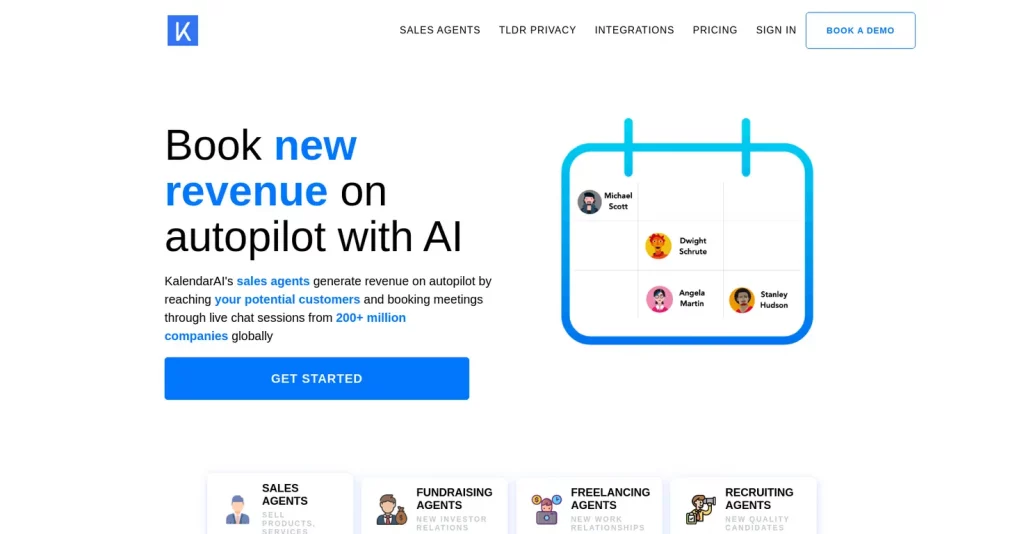
Kalendar AI Overview
Kalendar AI is an all-in-one AI scheduling software. This AI appointment scheduling software is capable of connecting with your email and CRM, identifying prospects, and uses AI to send personalized meeting requests at scale. Here is a quick look at this AI scheduling software:
Kalendar AI Features
- Automated AI Lead Generation: This AI scheduling assistant software scans over 300 million company profiles to identify high-potential prospects tailored to your criteria.
- Personalized Outreach Campaigns: AI crafts highly customized email invitations, landing pages, and sales materials automatically.
- Seamless Calendar Integration: Syncs with Google Calendar, Outlook, Zoom, and Calendly to automatically book and manage meetings.
- Analytics & Reporting Dashboard: Tracks conversions, email engagement, and meeting performance for optimized targeting with this AI employee scheduling software for restaurants.
- Dedicated Growth Support: This AI scheduling assistant software offers onboarding assistance via a dedicated account manager for smoother setup.
Kalendar AI Pros
- Huge Time Savings on Outreach & Lead Generation: This scheduling AI software atomates prospect discovery and outreach, freeing up valuable strategic bandwidth.
- High-Quality, Relevant Leads: Precision in targeting leads aligned with your ideal customer profile boosts conversion efficiency.
- Integrated Workflow Enhances Productivity: Syncing with calendars and conferencing tools like Zoom and Calendly ensures a tight, streamlined process.
- Insightful Performance Metrics: This scheduling AI software offers robust analytics give you a clear view of outreach effectiveness and campaign outcomes.
Kalendar AI Cons
- Steeper Learning Curve: This AI interview scheduling software solution is rich in features, but it can take time to fully understand settings, campaign setup, and AI workflows.
- Limited Customization in Messaging: Outreach patterns and templates can feel rigid, less ideal for brands needing deep personalization.
- Reliance on AI Accuracy: Effective campaigns hinge on how well the AI is trained; poor calibration can lead to mismatches or awkward messaging.
- Privacy & Reputation Risks: With this scheduling AI software automated outreach could trigger privacy concerns or brand damage if messages are perceived as spammy.
Kalendar AI Pricing
This AI interview scheduling software solution offers subscription plans:
- Cruising Climb: $200/month (up to 100 AI agents)
- Rocket Rise: $150/month (up to 200 agents),
- For 400 Agents: $120/month
Kalendar AI Integrations
- Salesflare
- HubSpot
- Salesforce
- Zoho
- Google Calendar
- Outlook
Kalendar AI Ratings
G2: 4.1
Kalendar AI Reviews
“I have paid KalendarAI for about 2 years now. I have gotten 1 client.”
Source: G2
Kalendar AI Customer Support Channels
- Phone
- Knowledge Base
10. Lemcal
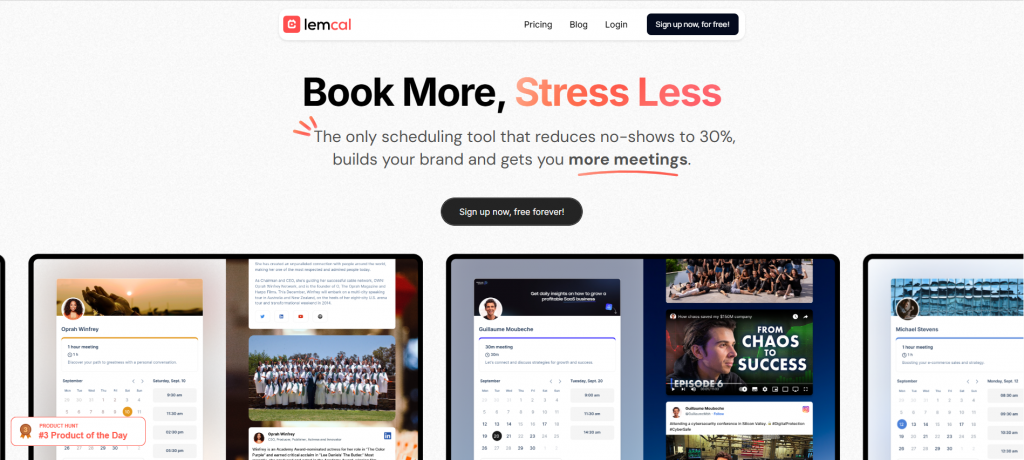
Lemcal Overview
Lemcal is a modern, customizable AI scheduling software that focuses on client privacy as well as simplicity. This AI interview scheduling software solution gives you control over your availability, offers branding options, and integrates well with calendar tools. Here are more details about this AI scheduling tool:
Lemcal Features
- Ultra Customization: This automated AI scheduling software can personalize booking pages with brand colors, logo, layout designs, and multiple meeting templates.
- Calendar & Video Tool Sync: Seamlessly integrates with Google Calendar, Microsoft platforms, Zoom, and more for real-time scheduling updates.
- Smart Poll-Like Scheduling: This AI construction scheduling software offers advanced alternatives to Doodle polls, simplifying group availability coordination.
- Multiple Calendars & Meeting Types (Pro): Sync up to five calendars, create unlimited meeting types, and set advanced scheduling rules in the Pro plan.
- Team Coordination Tools: This AI construction scheduling software includes Round Robin assignment and team scheduling workflows to balance bookings among staff.
- Customizable Booking Flows: This AI employee scheduling software for restaurants customizes pre-meeting questions, reminders, paid booking options, custom redirects, and removes Lemcal branding (Pro only).
- Workflow Automation via Webhooks and Embeds: Embed scheduling on your website and connect workflows through webhooks for automated actions.
Lemcal Pros
- Highly Customizable Booking Experience: This automated AI scheduling software offers unmatched personalization from branding to booking rules, enhancing professional appeal.
- Great Features in Free Plan: This automotive AI scheduling software
- Includes advanced tools like customized questions, reminders, and integrations without a paid tier.
- Built for Teams: Round Robin routing, multiple calendars, and team coordination make it ideal for multi-person workflows.
- Strong Automation & Embedding Options: Simplifies scheduling within your existing tech stack using webhooks and embeddable pages.
- Effective Across Industries: Adaptable to various contexts, from healthcare and consulting to service-based businesses.
Lemcal Cons
- Advanced Features Require Paid Plan: Access to key upgrades like unlimited meeting types, branding removal, and paid bookings requires the Pro tier.
- Pro Plan Still Limited in Analytics: While robust in scheduling, reporting, and analytics tools appear to be less emphasized or not included.
- No CRM Integration Yet: Native CRM connectivity is noted as “coming soon,” so users needing direct CRM syncing may need to wait.
- Learning Curve for Customization: The ultra-customizable nature of this AI employee scheduling software for restaurants may overwhelm users seeking prepackaged simplicity.
Lemcal Pricing
This automated AI scheduling software offers two pricing options:
- Starter: $0 /user/month
- Pro: $9 /user/month
Lemcal Integrations
The integrations offered by this interview scheduling software AI are:
- Zoom
- Zapier
- Zoho
- Brevo
- Lemlist
Lemcal Ratings
G2: 4.7
Lemcal Reviews
“Fantastic free tool for meeting scheduling help”
Source: G2
Lemcal Customer Support Channels
- Help Center
- In-app Support
Overcoming Common Challenges of AI Scheduling
Ensuring AI Accuracy
AI scheduling software relies mostly on algorithms and data that are provided to it for scheduling, assigning resources, and handling availability. If the data used by businesses in any case is incomplete or outdated, then there is a chance that an error can occur, which can also lead to double booking, missed deadlines, or scheduling at an inconsistent time. Accuracy improves when the automated AI scheduling software you are using is regularly updated, integrates with all relevant tools, and is trained to understand context.
Addressing Privacy and Data Security
There are chances that the AI scheduling software you are using needs to have access to sensitive personal or business information, such as calendars, contact lists, and communication history, and data protection is critical when it comes to AI scheduling tools. You need to have strong safeguards to ensure that there are no security breaches or the misuse of the personal information of customers.
Managing Technical Glitches
Just like any other software, AI scheduling software can also encounter bugs, outages, or compatibility issues; hence, there are chances that, in case of a sudden glitch, scheduling conflicts, failed reminders, or incorrect updates can occur. So it becomes important that you choose a reliable provider to ensure regular software maintenance.
Coordinating Complex Events
Scheduling becomes trickier when it comes to handling multiple participants or time zones involved. Hence, to handle this, the scheduling AI software needs advanced configuration options, real-time syncing, and the ability to prioritize tasks or participants based on rules set by the user.
Best practices for using an AI scheduling assistant
Start with Clean Data
Scheduling AI software works efficiently when the data provided to it is accurate and regularly updated. This also includes everything from contact details to working hours and staff availability. Inconsistent or outdated data can also lead to scheduling errors, missed appointments, or double booking.
Train Your Team
The best appointment scheduling software with AI receptionist works for making the scheduling workflow smooth, and hence staff should know how to use it efficiently. So you need to provide training sessions to them so they are capable of dealing with the tool, adjusting settings, and troubleshooting common issues.
Define KPIs
To track the efficiency of AI scheduling software, you need to set key performance indicators that include reduced no-shows, faster booking times, and improved customer satisfaction. Having measurable goals helps you track progress and make adjustments when needed.
Run Pilots First
Before implementing the AI scheduling software across the organization is not a great idea; instead, what you can do is start with a small scale. This helps you in identifying any flaws, adapting workflows, and ensuring integration into your current best appointment scheduling software with AI receptionist without any major hurdles.
Keep Humans in the Loop
AI is not built to replace humans but to cater to them; hence, it becomes vital for you to keep your staff in the loop. Maintaining human oversight ensures flexibility, avoids misunderstandings, and provides a safety net for critical decisions.
Why is Emitrr the Best AI Scheduling Software?
Omnichannel Booking
Emitrr is the best appointment scheduling software with AI receptionist that helps customers book appointments through various channels such as phone calls, text messages, or web forms, so they have the option to choose through which platform they want to schedule appointments.

Real-Time AI Availability Matching
Emitrr AI is capable of instantly checking staff schedules, their availability, and service duration to suggest the best slot in real time. This not only reduces the back-and-forth communication but also ensures faster and more accurate booking.
HIPAA-Compliant Scheduling
When it comes to healthcare practices, ensuring privacy and confidentiality becomes paramount, and Emitrr, the best appointment scheduling software with AI receptionist, knows this and ensures that it adheres to industry standards such as HIPAA compliance and TCPA compliance, which makes it a top choice for healthcare professionals.
Automated Reminders & Follow-Ups
Emitrr AI is also capable of sending timely appointment reminders, confirmations, and follow-up texts to patients, which helps in reducing no-shows along with keeping clients engaged without any extra effort from the team. This AI employee scheduling software ensures seamless automation.
Customizable Workflows
The best AI scheduling software is also capable of adapting the scheduling process that best fit your business needs. From specific booking rules to service types, it works exactly the way your business works.
AI-Powered Phone Answering
Emitrr AI is also capable of answering calls, handling booking requests, and responding to common queries and FAQs without any human intervention, which makes sure that no call goes unanswered and staff time is freed up for other important tasks.
Real-Time Booking Insights & Alerts
Emitrr AI can also track booking trends, cancellations, and no-shows to offer actionable insights to help you streamline day-to-day booking. This AI-driven employee scheduling software also sends quick notifications and real-time alerts for new bookings, changes, or cancellations.
24/7 Availability
AI works around the clock, which can handle bookings, cancellations, and rescheduling without any need for human interaction, even outside business hours, and offers accurate real-time slot availability to customers.
Automated Service & Provider Management
Emitrr AI also assists in managing multiple services and providers by segregating bookings, color-coding them, and providing quick editing or deletion options. This AI appointment scheduling software can also suggest adjustments to service durations or slot allocation based on demand trends.
FAQs
AI scheduling software like Emitrr automates the entire scheduling process from appointment scheduling to confirmation and reminders that help in reducing manual tasks, which increases staff time and productivity.
Yes, most advanced AI scheduling software like Emitrr can manage scheduling for multiple locations, departments, and service providers from one single dashboard.
Emitrr is a robust omnichannel scheduling platform that is equipped with AI to match availability, HIPAA-compliant scheduling, AI-powered phone answering, which also means that customers can schedule appointments from any channel, from phone to tex,t without any extra effort.
Yes, Emitrr works well with other third party platforms, major calendars, CRMs, and practice management systems, which keeps your schedule in sync and eliminates the chances of double booking.
Yes, Emitrr adheres to all industry standards, such as HIPAA which makes it a secure and reliable choice for healthcare professionals.
Emitrr helps reduce no shows by sending timely automated reminders and follow-ups to ensure that customers never forget their appointments and show up on time.
Not necessarily, Emitrr is built for simplicity and can be up and running quickly. The intuitive design of this platform does not require any complex configurations.
Conclusion
By now, you must have understood how important it is to have an AI scheduling system, as it streamlines the whole appointment booking process. With the growing market of AI scheduling software, it becomes difficult to choose the best one that suits your business needs. We have talked about the best AI appointment scheduling software out there that is suitable for each and every business, but when you look closely, you will find out that Emitrr stands out the best among the rest. As Emitrr, the best AI scheduling assistant software is not only for booking appointments but also for creating a seamless, intelligent, and always-on scheduling experience for both providers and customers. If you are wondering how you can simply schedule and focus on what truly matters, then Emitrr is the smart choice. Book a demo now!!