
 4.9 (400+
reviews)
4.9 (400+
reviews)
Introduction
Tired of paying too much for appointment booking features that are limited, and looking for a Bookedin alternative for your business? We got you!
Users often switch from Bookedein because of a number of reasons, poor value for money being the most common. A great appointment booking and management tool should offer you automation, AI-driven appointment management, and more to get the best out of your investment.
Keeping this in mind, we have collated a list of the top Bookedin competitors and compared them on the basis of price, features, pros, cons, and support. Keep reading to know more.
What is Bookedin?
Bookedin is a popular appointment scheduling and booking software designed for small businesses and individual service providers, including beauty salons, nail technicians, cleaning services, gym owners, and more. The software highlights features such as recurring bookings, custom booking forms, text and email reminders, marketing tools, and payment options. The software allows clients to book appointments and classes online with ease, and allows the business owner to manage their schedule, confirmations, reminders, etc., with ease. However, some issues with Bookedin make users want to look for options similar to Bookedin.
Bookedin Features
- Recurring bookings: Set appointments, workshops, or classes to repeat daily, weekly, monthly, or choose a custom time frame in your calendar. Bookedin even checks for conflicts, so you don’t have to.
- Custom booking forms: Get details of your clients ahead of time by requesting specific information when they book online.
- Custom text message reminders: Send customizable and perfectly-timed text messages to your client’s mobile phone. Send a custom message for each service, and clients can reply to confirm their booking automatically.
- Custom email reminders: Send automatic email confirmations and reminders to your clients. Adjust the timing, write a custom message for each service, include attachments, add a cancellation policy, etc.
- Ad tracking: Integrate tracking pixels with your booking page to gain in-depth insights about your customers to help you adjust your advertising.
- Facebook & Instagram integration: Target your customers by integrating your Facebook and Instagram accounts.
- Payment integration: Collect payments or deposits automatically when clients book appointments, classes, or workshops online.
- Client profiles: Create new contacts, import an external client list, and let your list expand as clients book online.
- Client history and notes: Build a custom profile for each client with tailor-made fields unique to your business.
- Bookedin app: Allow clients to book your service using the Bookedin app or directly via your website.
Bookedin Pros
- Ease of use: Many users find Bookedin’s interface to be user-friendly and appreciate how easy it is for the staff and clients to navigate through.
- Helps in reducing no-shows: Bookedin allows you to send appointment reminders to your clients via SMS or email, which has the highest open rate. Users have reported a reduction in the no-show rate because of this feature.
- Reliable customer support: Many users on Capterra and G2 have praised Bookedin’s customer service for their timely response and willingness to help.
- Free trial & free plan: One of the best things about Bookedin is that it offers a free 14-day trial and even a free plan with basic features. So if you business or individual service provider who gets less than 20 bookings a month, then you can opt for this option.
- Seamless integrations: Another highlight of Bookedin is that it integrates seamlessly with your calendar, social media, website, etc., that too with flexible slot duration.
Bookedin Cons
- Not value for money: Many user reviews highlight that Bookedin’s pricing is a bit steep for the features that they offer. For example, to access their text reminder and automated appointment confirmation feature, you have to choose their pro plan, which costs $48 if billed monthly.
- Many missing features: Bookedin offers very basic features, and users want more advanced features, such as access to multilingual reminders, user access control, advanced texting and messaging features, among others.
- Clunky mobile app: Many users also say that Bookedin’s app is a bit complex to use compared to their desktop version. Users expect more modern UI and smoother functionality.
- Sync inconsistencies: A few users report that appointments made in the mobile app sometimes don’t immediately reflect on the desktop/website view, causing confusion.
Bookedin Pricing
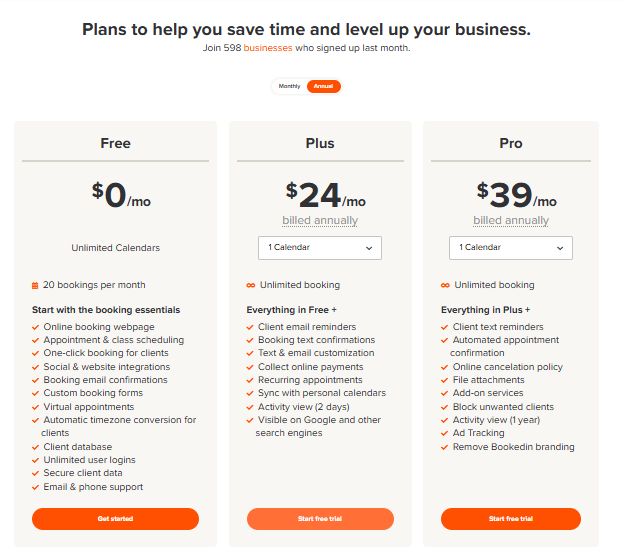
Bookedin offers a 14-day free trial and three pricing plans:
- Free: Free to use for less than 20 bookings a month with access to basic features.
- Plus: $28 if billed monthly and $24 if billed annually for one calendar.
- Pro: Costs $47 if billed monthly and $39 if billed annually for one calendar.
Take a look at the image below to see what features are included in the plans:
Bookedin Integrations
- Google calendar
- Zoom
- Skype
- WordPress
- Weebly
- And more..
Bookedin Customer Support Channels
- Phone
- Help Center
Bookedin Ratings
Bookedin Reviews
Here’s what users are saying about Bookedin:
“I love how I am able to customize my schedule to what fits my business hours best.”
“Not having an option for reminders to be in Spanish for non-English speaking clients.”
Why Do Businesses Seek a Bookedin Alternative?
In spite of having a decent set of features, here are the top reasons why users look for an appointment booking software that is better than Bookedin:
Poor Value for Money
There are a number of user reviews that state Bookedin is quite pricey for the limited features it offers. Also, some must-have features, such as automated appointment confirmation and the option to add file attachments, are only available with their highest plan costing $39/month, which leaves no option for users to buy their lower plans. There are definitely more affordable Bookedin alternatives that you can get.
Many Missing Features
Bookedin is not only expensive, but also does not offer many must-have features in an appointment booking software. For example, with Bookedin, you cannot make multiple appointments at once; you have to book each person separately. Users don’t have the option to view their past appointments, and there is no AI automation. Bookedin competitors like Emitrr offer AI that can manage bookings on your behalf that to 24/7.
Lack of Multi-Language Communication
Users who have customers from different regions and language preferences tend to look for tools that are better than Bookedin. Bookedin can send appointment reminders in only English; it does not have a Spanish or multilingual communication feature yet, making it hard to communicate with non-English language clients.
Limited integration and scaling scope
Bookedin may be good for individuals or very small businesses. However, growing businesses that require deep CRM integrations, scaling, or access to AI-driven features, the ability to book multiple appointments, etc, cannot rely on this appointment booking software and need to invest in a better tool.
What To Look For In A Bookedin Alternative?
Here are the top features that you must look for when analyzing top Bookedin competitors:
- 24/7 online booking: Clients should be able to book appointments 24/7 online without needing to call.
- AI integration: Modern appointment booking tools now offer AI that makes and manages appointments on your behalf, and you should look for tools that offer AI integration to improve efficiency and reduce cost.
- Calendar sync: To enable real-time sync with major calendars (Google Calendar, Outlook, etc.) so you don’t get double-bookings.
- Automated notifications, reminders & communication: The best Bookedin alternative should allow you to send automated text or emails for reminders, confirmations, etc., and to reduce no-shows.
- Customisable booking rules: Look for customisable booking rules that allow you to set buffer times, advance notice requirements, cancellations, etc.
- Mobile accessibility: The best bookedin replacement should offer a mobile-friendly front end (for clients) and ideally a mobile app or responsive site for your team.
- Multi-language support: If you have non-English speaking clients, then your online booking software should offer multi-language support.
- Multi-location management: If you have multiple locations or team members, the tool should handle location/staff/service mapping cleanly.
- Integration and payment: Look for built-in or easily integratable payment processing, so clients can pay at booking if needed.
- Embedded booking page: If you have a business website and want to take appointments right from your website.
- Compliance and security: If you belong to industries like healthcare or legal, then you should also look for compliance and security features.
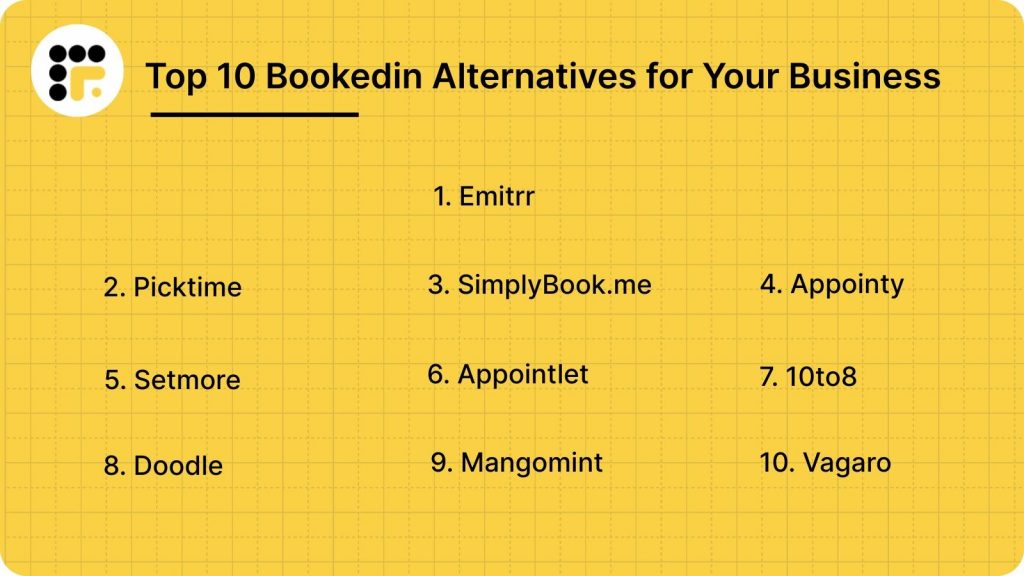
10 Best Bookedin Alternatives
1. Emitrr: Best Bookedin Replacement
Emitrr Overview
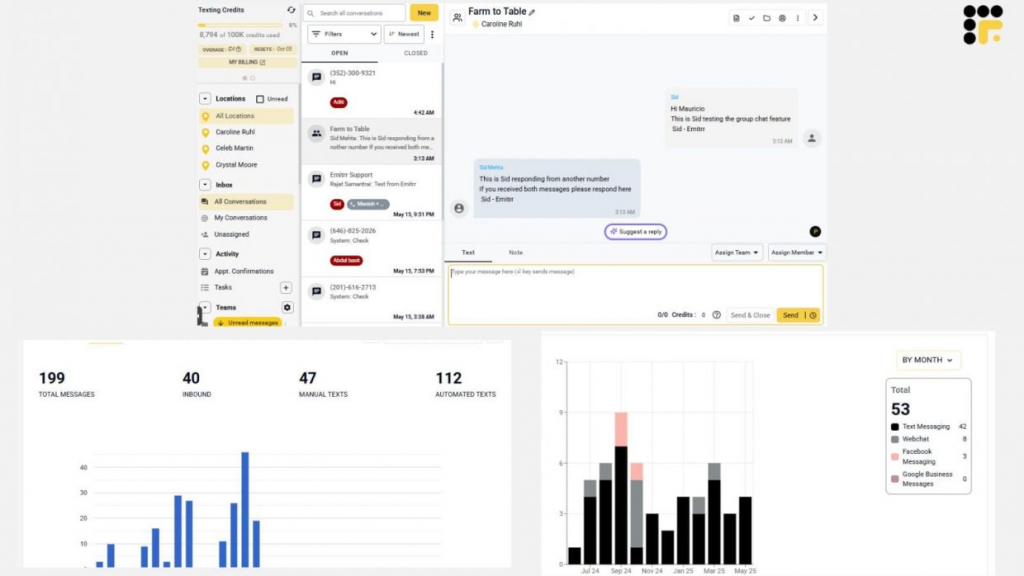
Emitrr is the best Bookedin alternative and a robust AI-driven appointment scheduling platform. It is designed to make appointment management and communication effortless. It’s more like your digital front desk. It can answer calls, book appointments, send reminders, and even follow up automatically. Whether you’re running a clinic, spa, or salon, Emitrr helps you manage bookings and client conversations from one simple, user-friendly place. Plus, it’s fully HIPAA-compliant, which means client data stays safe.
Emitrr Features
- AI-powered appointment scheduling: Automatically books appointments, fills empty slots, and handles reschedules without manual effort.
- Two-way texting: Let you text with clients directly from your business number, perfect for confirmations or quick questions.
- Automated reminders: Send SMS, email, or voice reminders to reduce missed appointments.
- Smart waitlist management: Automatically fills cancelled slots with clients waiting for earlier appointments.
- Call and voicemail management: Routes calls to the right person, transcribes voicemails, and even texts clients back if you miss a call.
- Online booking page: Creates a branded booking page that clients can use anytime to schedule appointments.
- Calendar sync: Syncs with Google Calendar, Outlook, and Apple Calendar to avoid double-booking.
- AI voicemail assistant: Answers calls after hours, triages urgent cases, and books appointments while you’re away.
- Bulk messaging: Send updates, promotions, or reminders to multiple clients at once.
- Review generation: Sends automatic review requests after appointments to boost your online reputation.
- Internal team chat: Keeps your staff connected for coordination on daily schedules and client updates.
- Detailed analytics: Tracks appointments, cancellations, and response rates so you know what’s working best.

Emitrr Pros
- Truly all-in-one: Combines scheduling, texting, calling, and reminders in one place, no need for extra tools.
- Super easy setup: Most users get up and running in a few minutes without tech help.
- Fewer no-shows: Automated reminders and confirmations keep your schedule full and on time.
- Perfect for healthcare: Built to handle the privacy and workflow needs of medical and dental practices.
- Smart communication: Two-way texting and AI voicemail mean you never lose a lead or miss a message.
- Time-saving automation: Frees up staff from repetitive scheduling tasks so they can focus on clients.
Curious how AI stacks up against humans when it comes to scheduling? Let’s find out.
Emitrr Cons
Emitrr keeps getting smarter with every update, adding new AI-powered tools and features all the time!
Emitrr Pricing
Plans start at around $30/month.
Emitrr Integrations
Emitrr offers 500+ integrations across:
- EHR/EMR Systems: Integrates with popular systems like Dentrix, Eaglesoft, DrChrono, and AdvancedMD.
- Calendar Tools: Works with Google, Outlook, and iCal for seamless sync.
- CRM Platforms: Connects with HubSpot, Salesforce, and other customer management tools.
- Payment Gateways: Supports Stripe and Square for easy invoice links.
- Review Sites: Connects with Google Reviews, Facebook, and Healthgrades for automated review requests.
Emitrr Customer Support Channels
- Email: support@emitrr.com
- Phone: +1 (210) 941-4696
- Live chat: Available on the Emitrr website
- Knowledge base: Includes guides, FAQs, and walkthroughs
- SMS support: Text the support number for help anytime
Emitrr Ratings
- Capterra: 4.9/5
- G2: 4.7/5
Emitrr Reviews
“Very convenient, easy to navigate the platform, connected to my phone app and email for notifications.”
“We’ve been using Emitrr for both businesses for over a year now – it’s AMAZING!! Was super easy to setup, the few times we’ve needed customer support were quickly addressed!!”
Source: Capterra
2. Picktime
Picktime Overview
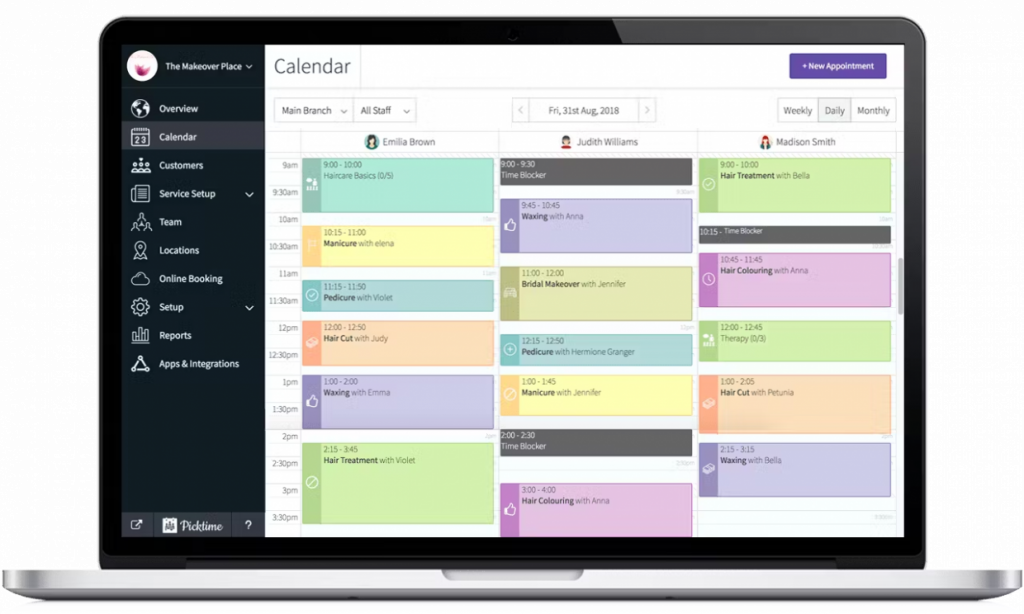
Picktime is a free, user-friendly scheduling platform built for businesses that want simplicity with a dash of automation. This Bookedin competitor is especially popular with salons, gyms, tutors, and small service providers who want an easy way to manage bookings without spending a lot. Here are more details on Picktime:
Picktime Features
- Online Booking Page: Let clients book appointments through your website, social media, or a custom booking link.
- Recurring Bookings: Perfect for clients who book weekly or monthly sessions.
- Automated Reminders: Sends SMS or email alerts before appointments.
- Calendar Management: Displays all staff and resource availability in one view.
- Payments Integration: Accept payments via PayPal, Stripe, or Square.
Picktime Pros
- The free plan includes most features small businesses need.
- Has a very simple setup. You can get started within minutes without tutorials.
- Interface is clean, visual, and easy to understand.
- Offers good automation. Reminders and scheduling happen quietly in the background.
Picktime Cons
- Booking pages could use more branding flexibility.
- Offers basic integrations.
- No dedicated mobile app.
Picktime Pricing
Plans start at $9.99/month with advanced reporting and integrations.
Picktime Integrations
- Mailchimp
- Constant Contact
- Google Calendar
- Outlook
- iCal
Picktime Customer Support Channels
- Email Support
- Live Chat
- Help Centre
- Community Forum
Picktime Ratings
- Capterra: 4.8/5
- G2: 4.7/5
Picktime Reviews
“At the time, there were not enough features for me to integrate all client management through the platform: forms, notes, etc.”
“Would like different colors for employees for easier view.”
Source: Capterra
3. SimplyBook.me
SimplyBook.me Overview
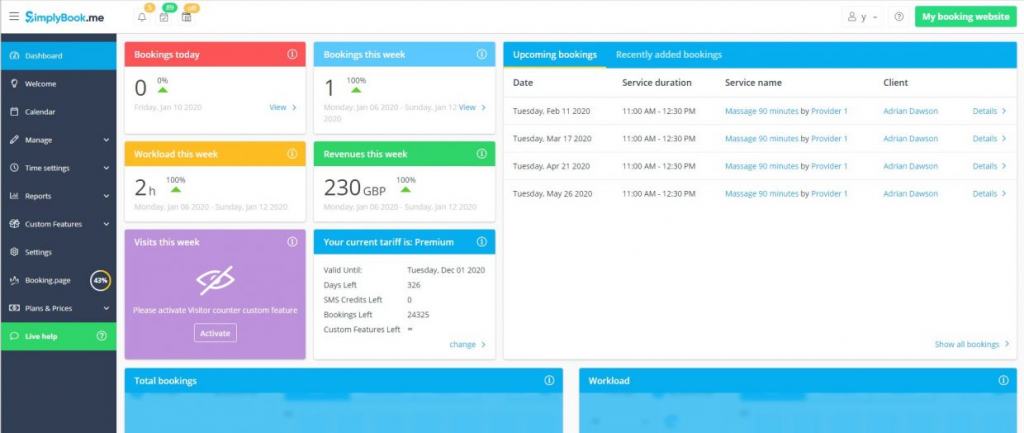
SimplyBook.me is an easy-to-use online scheduling tool that helps businesses manage appointments. This Bookedin alternative provides features like automated reminders, customizable booking pages, and payment integrations. With SimplyBook.me, you can streamline your scheduling and improve your client experience. Here are more details on SimplyBook.me.
SimplyBook.me Features
- Tailored features: Offers 60+ tailor-made features such as coupons, gift cards, waiting lists, & membership.
- Professional Booking Website: Allows you to create a professional and customizable booking website for businesses that may not have their own site.
- Client Login/Portal: Keep your clients’ swipe details with repeat booking by logging in to view history and connect to it on the move.
- POS System Integration: Accept payments and track sales through your Point of Sale.
- 30+ Language Support: Perfect for businesses serving an international or multilingual clientele.
SimplyBook.me Pros
- Custom features let you fine-tune the system to your specific niche easily.
- Offers a highly customizable booking page.
- Offers multilingual support which is for international businesses.
SimplyBook.me Cons
- It has too many features that may not be of use and overwhelm small businesses.
- Custom setup will require you to spend a lot of money.
SimplyBook.me Pricing
SimplyBook.me offers a free plan with basic features and three paid pricing options:
- Basic: €8.25/month
- Standard: €24.9/month
- Premium: €49.9/month
SimplyBook.me Integrations
- Salesforce
- Google Calendar
- Zapier
- API integrations
- And more..
SimplyBook.me Customer Support Channels
- Phone Support
- Email/Help Desk
- Chat
- FAQs/Forum
- Knowledge Base
SimplyBook.me Ratings
- Capterra: 4.6/5
- G2: 4.4/5
SimplyBook.me Reviews
“The design and navigation features are a bit complicated on the admin panel compared to its landing page. In addition, since it does not have its inbuilt meeting software, though it allows integration with some of the meeting software, it is still constrained.”
“First, setting up a booking page is relatively straightforward and does not require any technical or coding skills. The second thing is that you can seamlessly share booking links with your customers and followers to choose the time slot that best fits them.”
Source: G2
4. Appointy
Appointy Overview
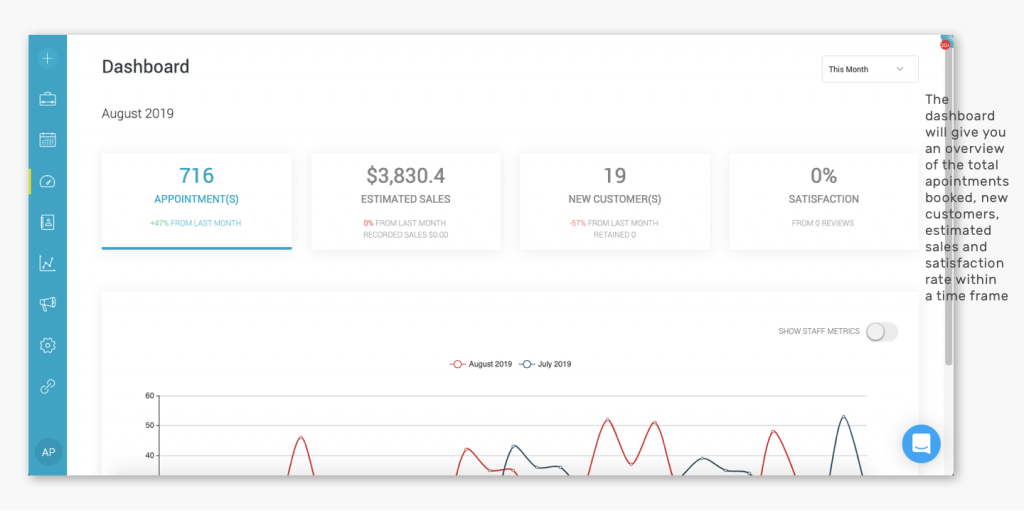
Appointy is a popular appointment scheduling software solution that can be used in a variety of industries. The platform offers great customization options for the booking page to meet your brand tone and style. It offers options for individual and group bookings as well. However, all these advanced appointment booking features are available with their highest tiered plan. Here’s more about this Bookedin alternative:
Appointy Features
- 24/7 Online Booking: Allows clients to book, reschedule, or cancel whenever they want via an online booking portal.
- Payment Integration: Take payments online via several processors, including Stripe, PayPal, Square, etc.
- Automated Reminders: Send email and SMS confirmations and notifications (SMS is typically only in paid tiers).
- Group & Class Booking: Manage individual or group bookings with ease.
- Custom Branding & Booking Page: Modify the booking page to match the look and feel of your brand.
- Multi-location & Staff Management: Manage multiple locations or branches as well as staff calendars, based on the plan you are signed up for.
Appointy Pros
- It has an affordable free plan and relatively low-cost growth tiers.
- Supports multiple payment gateways.
- Offers options for booking pages and custom fields for personalization of the booking experience.
Appointy Cons
- The most useful features are tied to the highest plan.
- Does not offer an advanced two-way texting feature as part of the solution.
- Several users report that even for basic functions in the back end, it was a bit challenging to learn in terms of completing workflows, etc.
- Users point out that the mobile application is less stable or polished than the desktop client.
Appointy Pricing
Appointy offers four pricing plans:
- Free: $0
- Growth: $19.99/month
- Professional: $49.99/month
- Enterprise: $79.99/month
Appointy Integrations
- Google Calendar, iCal, and Outlook
- Zoom meeting links for virtual visits
- Payment gateways (Stripe, PayPal, Square)
- Zapier (which connects to thousands of apps)
Appointy Customer Support Channels
- Email support (all tiers)
- Live chat (paid tiers)
- Phone support
Appointy Ratings
4.6 / 5
Appointy Reviews
“Easy to use and very efficient … the software makes it super easy for my clients and me to use.”
“We were able to simply create reminders, prevent calendar conflicts, and schedule and change appointments because of its user-friendly design.”
Source: Capterra
5. Setmore
Setmore Overview
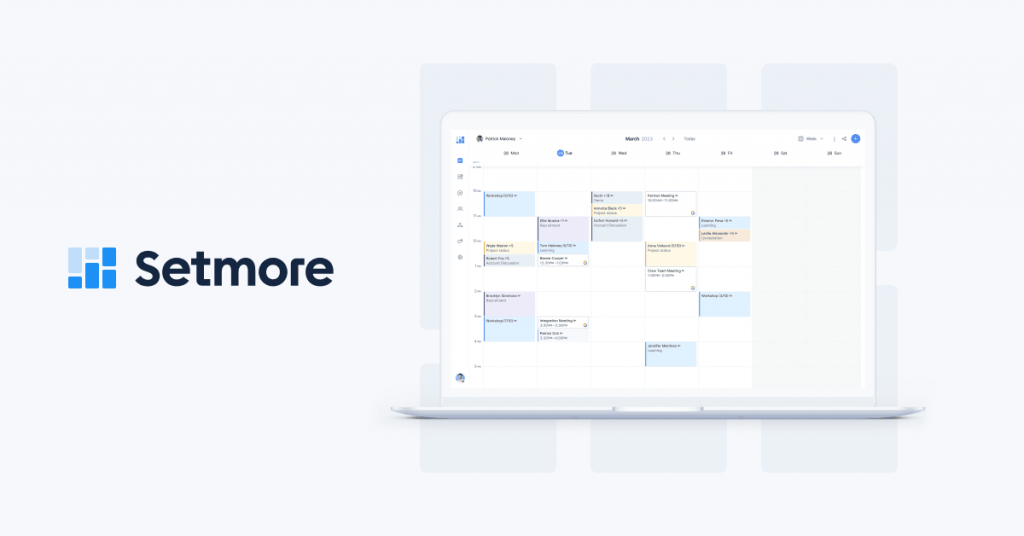
Setmore is a very powerful and well-rounded small business online scheduling alternative to Bookedin, and it’s perfect for solo practitioners or smaller businesses. This one is a budget-friendly online scheduling software and boasts an unlimited appointment time on the free plan, something that most software doesn’t offer. Here are more details on this Bookedin competitor:
Setmore Features
- Unlimited Appointments (Free Plan): Allows you to schedule unlimited appointments even with the free plan.
- Personalised Booking Page: Create a branded, free booking page to send to clients.
- Up to 4 Staff Accounts (Free Plan): Great for small teams who want to use basic scheduling tool for free.
- Review Management (Paid): Enables you to gather and display client reviews on your booking page.
Setmore Pros
- Offers one of the best free plans.
- Easy and intuitive dashboard; excellent for non-tech users.
- Well known for its good support with other calendars.
Setmore Cons
- SMS reminders and payment collection service are available only with paid options.
- Its simplicity means fewer options for more complex services or deep branding than competitors like Bookedin.
Setmore Pricing
Setmore offers three pricing plans:
- Free: $0.00 (You get Unlimited appointments up to 4 staff).
- Team: $9.00/user/month (Staff unlimited, 2-way sync, SMS reminders).
- Pro: $12.00/user/month (Includes recurring appointments, payment integrations).
Setmore Integrations
- Google Calendar
- Office 365
- Zoom
- Stripe/Square/PayPal
Setmore Customer Support Channels
- Live Cha
- Phone (on the Pro plan)
Setmore Ratings
- G2: 4.5/5
Setmore Reviews
“Setmore is an excellent appointment scheduling platform… intuitive, easy to use, with excellent technical support.”
“Great booking system… the free tier works great for my solo business; easy website booking page.”
Source: G2
6. Appointlet
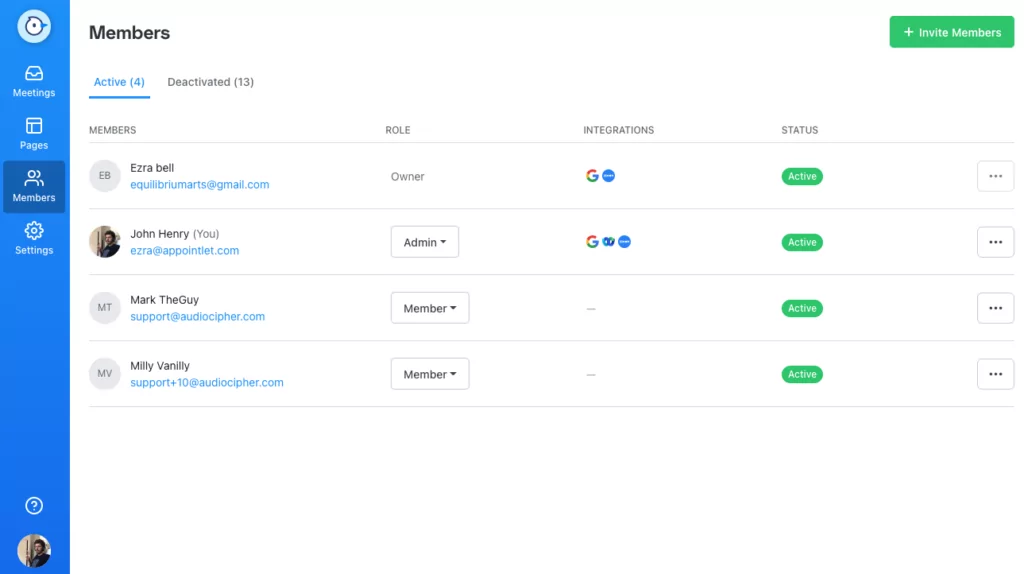
Appointlet Overview
Appointlet is a simple scheduling tool and a good alternative to Bookedin that allows sales and consultancy teams to schedule appointments on the web in an easy way. It is a simple solution to replace Bookedin if your requirements are limited to lead conversion and internal team scheduling optimization. Here’s more details on Appointlet.
Appointlet Features
- Clean Booking Links: Copy and paste directly into websites, landing pages, and email signatures.
- Custom Forms & Workflows: Create pre-meeting screening questions and custom confirmation pages.
- Video Conference Integration: Can integrate with Zoom, GoToMeeting, and Join.
- Team Scheduling: Pool-based Availability and Round Robin Scheduling for teams.
- Automated Email Reminders: Confirmation and reminder emails are sent automatically.
Appointlet Pros
- Ideal for rapid booking of demos, consults, and sales calls.
- Easy-to-use interface.
- This replacement of Bookedin is priced straightforwardly and is affordable.
Appointlet Cons
- Does not have advanced features set for resource, inventory, or complex service pricing.
- Doesn’t have built-in SMS reminders, which is a huge negative for cutting down on no-shows in service-based businesses.
Appointlet Pricing
- Free: $0/ 0/month
- Premium: $10/user/month
Appointlet Integrations
- Google Calendar
- Office 365
- Stripe
- PayPal
- Zoom
- Zapier
Appointlet Customer Support Channels
- Live Chat
Appointlet Ratings
- Capterra: 4.4/5
Appointlet Reviews
“Very easy to use and does a ton… set invites and reminders; integrates with other calendars.”
“I left Acuity because Appointlet costs less… support is absolutely excellent—super quick and clear”
Source: Capterra
7. 10to8
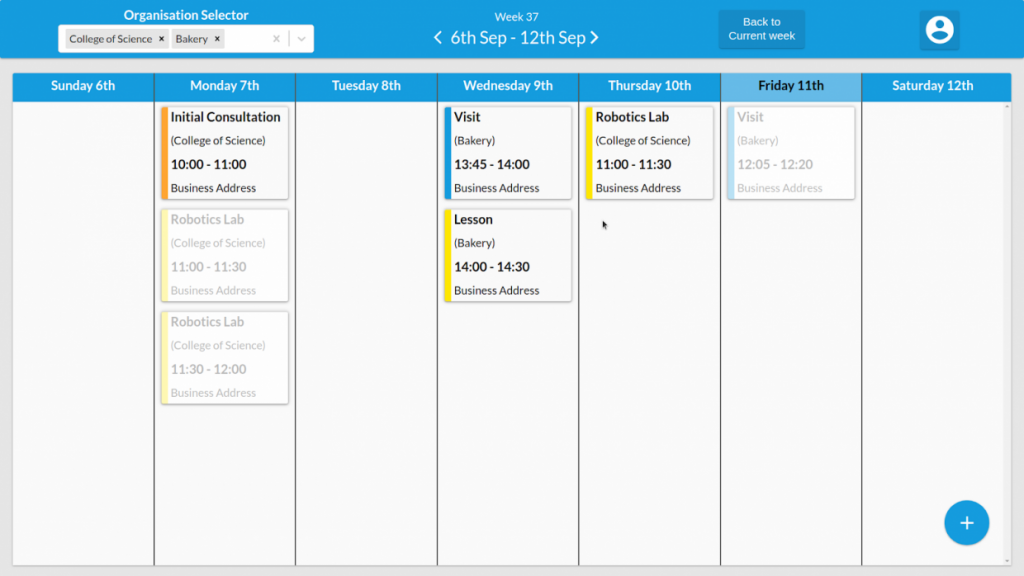
10to8 Overview
10to8 (formerly rebranded as Sign In Scheduling) is a booking and appointment reminder software that comes with a strong emphasis on reducing no-shows through intelligent, automated communication. It is a good fit for businesses or organizations in educational, therapeutic, or service-oriented industries that require dependable attendance and rich historical client information.
10to8 Features
- Smart Connector Alerts: Automated communications that are tailored based on the user’s past behavior to boost attendance.
- Flexible Calendar Configuration: Advanced recurring appointments and multiple staff availability are supported.
- Customized Surveys: Collect critical information at the time of booking.
- Reporting: Monitors key metrics like no-show rates and staff utilization.
- Two-Way Chat: Enables customers to respond to reminders for easy cancellation and rescheduling (restricted on lower tiers).
10to8 Pros
- One of the most powerful ways to reduce no-shows through intelligent, on-time reminders.
- Offers a free plan with a lot of features.
- Comes with rich customization capabilities.
10to8 Cons
- A few users mention that the interface is not as up-to-date as other products.
- Free tier limits on staff and SMS usage aren’t enough.
10to8 Pricing
- Free: $0
- Basic: Approx. $12/month
- Grow: Approx. $25/month
- Bespoke: Custom pricing for enterprises.
10to8 Integrations
- Zoom
- Microsoft Teams
- Salesforce
10to8 Customer Support Channels
- Help Center
10to8 Ratings
- G2: 4.6/5
10to8 Reviews
“10to8 helps me schedule new and recurring appointments with a few clicks… reminders go out so I don’t have to.”
“Feature-rich and generally easy for me and my clients; I’ve used it for years to schedule tutoring.”
Source: G2
8. Doodle
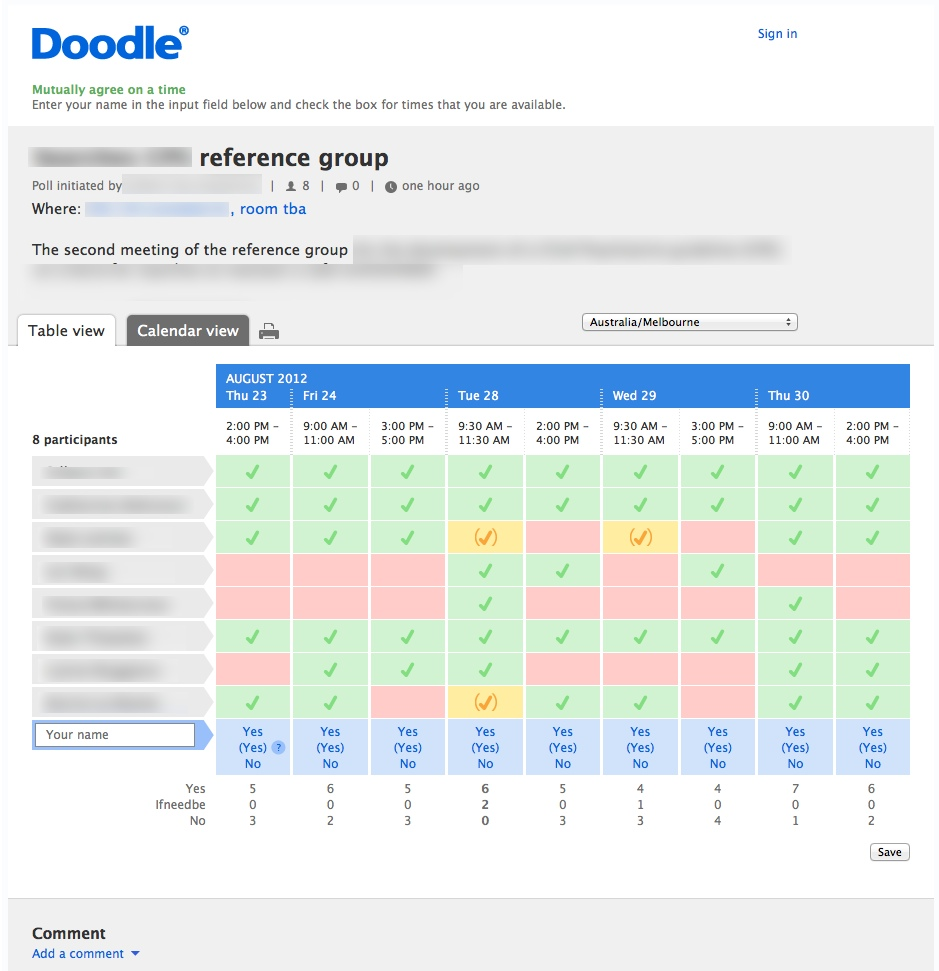
Doodle Overview
Doodle is another great Bookedin alternative and is widely used for meetings, interviews, and collaborative events where multiple people need to agree on one slot. Compared to Bookedin, Doodle is less about managing clients and more about simplifying scheduling for teams and internal collaboration. It’s ideal for companies, educators, and HR departments.
Doodle Features
- Group Polls: Create polls so participants can vote on available time slots.
- Calendar Integration: Syncs with Google, Outlook, and Apple calendars.
- Booking Page: Share your personal booking link for one-on-one scheduling.
- Meeting Reminders: Sends notifications to all participants once a slot is chosen.
- Availability View: Shows who’s free and when, eliminating email chains.
- Team Scheduling: Allows shared team pages for collaborative meeting management.
Doodle Pros
- Perfect for group scheduling.
- Works with major calendar and meeting tools.
- Time zone adjustments happen automatically, so it is ideal for remote teams
- Cuts out endless back-and-forth messages about availability.
Doodle Cons
- Not designed for client bookings and is better suited for internal team use.
- Comes with limited payment features.
- Branding options are basic, you can’t fully customise the booking experience.
Doodle Pricing
- Free Plan: Basic polls and calendar integration.
- Pro Plan: $6.95/month with custom branding and booking pages.
- Team Plan: $8.95/month per user with shared team calendars and analytics.
- Enterprise Plan: Custom pricing for larger organisations.
Doodle Integrations
- Google Calendar
- Outlook
- Office 365
- Microsoft Teams
- Google Meet
- Webex
- Slack
- Trello
Doodle Customer Support Channels
- Email Support
- Help Centre
- Community Forum
- Chat Support
Doodle Ratings
- Capterra: 4.6/5
- G2: 4.5/5
Doodle Reviews
“Sometimes the application has a delays and theres a time that viewing results are very difficult.”
“Sometimes it missed an event on my calendar.”
Source: Capterra
9. Mangomint
Mangomint Overview
Mangomint is a premium salon and spa management software that is known for automation, modern user experience, and operational efficiency. This alternative to Bookedin consolidates scheduling, payments, marketing, and client management, helping automate repetitive business tasks. However, high price and few integrations are two biggest cons of this software.
Mangomint Features
- Comprehensive features: Offers automated confirmations, reminders, intake forms, and follow-up marketing flows.
- Customizable: Smart management of memberships, packages, and gift cards with customizable options for recurring revenue streams.
- Good communication feature: Offers two-way texting, phone, and web chat via Mangomint Connect add-on.
- Management: Real-time waitlists, resource and inventory tracking, calendar, and multi-location management.
- Secure: Offers HIPAA compliance for med spas
Mangomint Pros
- Highly rated user experience and intuitive design.
- Robust support channels praised for speed.
- Excellent for multi-location businesses needing centralized control.
- Transparent pricing with all advanced features included; no contracts and straightforward cost structure.
- Workflow automation saves significant time on daily operations.
- Strong client communication suite with phone, web chat, and SMS.
Mangomint Cons
- Higher starting price than most competitors.
- Some premium add-ons (e.g., two-way texting, payroll integration) incur extra charges.
- Requires onboarding for full feature set, can be complex for small solo establishments.
- Fewer third-party integrations than some legacy competitors.
Mangomint Pricing
Mangomint offers three pricing plan:
- Essentials: $165/month
- Standard: $2455/month
- Limited: $375/month
Mangomint Integrations
- Mailchimp
- WaiverForever
- Birdeye
- Stripe
- Shopify
Mangomint Customer Support Channels
- In-app live chat
- Help center
- Video tutorials
Mangomint Ratings
- Capterra: 4.9/5
- G2: 4.9/5
Mangomint Reviews
“The cost. I wish the cost was just a little bit cheaper. I understand it’s more for salons with more than one employee, but I like the software so I will pay it.”
“It’s very user-friendly. The customer service is top-notch. Every Mangomint employee I’ve dealt with has been super helpful and extremely friendly.”
Source: Capterra
10. Vagaro
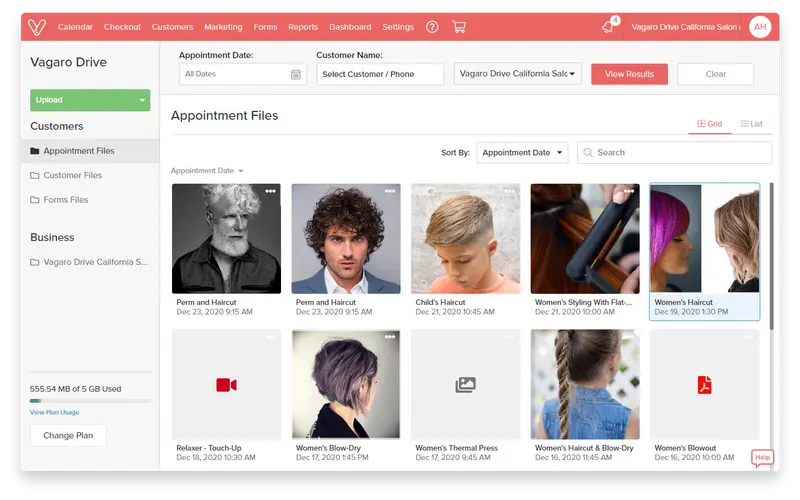
Overview
Vagaro is a leading business management and appointment software designed for salons, spas, wellness centers, and fitness businesses. This Bookedin competitor provides scheduling, payment processing, marketing, inventory, payroll, and client management tools through web and mobile platforms, and is quite intuitive and easy to use. However, it can be expensive and is also not the best for those looking for in-depth integration with their other business management systems.
Features
- Web and mobile access: Appointment scheduling, calendar sync, and online booking are accessible across web and mobile.
- Integrated payments: Connects with (credit/debit card, ACH), invoicing, and billing.
- Multi-channel: Offers Email/SMS reminders, confirmations, and customizable communication tools.
- Targeted campaigns: Marketing and loyalty tools, including deposits, branded customer apps, and targeted campaigns powered by AI.
- Reporting and analytics: Offers analytics and reports for before/after photos, consent management, and advanced forms.
- Integration: Offers integration with business tools, accounting platforms, and custom branding
Pros
- Intuitive interface and robust automation.
- 24/7 live support and onboarding resources available for users.
- Flexible pricing options and scalability for businesses of all sizes.
- Highly rated by users for value for money and reliability.
- AI-driven marketing features and branded app options help increase customer engagement.
Cons
- Pricing can escalate quickly with premium add-ons and multiple locations.
- Some users note hidden costs (e.g., texting, advanced features).
- Limited payment customizations
- Occasional bugs affect reminders or charges.
- Support response times may lag during peak demand and for complex issues.
- Advanced integrations sometimes require technical setup or extra fees.
Pricing
- Solo plan: Starts at $23.99 – $25 per month for single users.
- Scaling up: Pricing increases based on team size, reaching about $85/month for 7+ users.
Integrations
- Xero
- Power BI
- Tableau
- API
Customer Support Channels
- Phone
- Chat
- Help Center
Ratings
- Capterra: 4.7/5
Reviews
“The cost of adding more features. You get a lot for your money, but I had to add on a lot of extra features I felt should be accessible with a basic account.”
“The features were great with Vagaro. It helped save a lot of time with the back end of scheduling and managing appointments.”
Source: Capterra
What Makes Emitrr The Best Bookedin Alternative?
Emitrr stands out because it’s not just a booking tool, it’s your complete scheduling sidekick. Every feature is designed for people who want to save time, stay organised, and keep communication simple. Here’s what makes it a better Bookedin replacement:
Smart Automation for Bookings and Reminders
Emitrr sends confirmations, reminders, and even follow-ups without you lifting a finger. If someone cancels, it can automatically offer the slot to the next person on your waitlist. It’s the kind of “set it and forget it” feature that saves hours every week and keeps your schedule full. Clients appreciate the reminders, and you get fewer no-shows. Everyone wins.
Open and Close Appointment Threads Easily
With Emitrr, every client interaction stays tidy and trackable. Once an appointment’s done, you can close that conversation thread so it doesn’t clutter your shared SMS inbox. If the client messages again later, their thread reopens with full history, super handy when you need context fast.
Centralized Scheduling Dashboard
Emitrr keeps everything in one place. No more flipping through tabs or searching emails just to confirm a slot. You can see every appointment, who it’s with, and what’s next at a glance. It’s like your daily schedule got an upgrade, clear and calm instead of messy and scattered. Once you get used to it, you’ll wonder how you ever managed without it!
24/7 Support When You Need It
When something goes wrong, you shouldn’t have to wait until morning to fix it. Emitrr’s support team is always there, literally day or night. You can reach them through chat, email, or phone.
Two-Way and Group Messaging for Clients
Emitrr lets you have real conversations, not just notifications. You can text back and forth directly from your business number. Whether it’s a question about timing, parking, or rescheduling. You can also send group messages for updates or announcements. It feels personal, easy, and quick, just the way communication should be.
In-Chat Booking and Quick Replies
Using Emitrr, clients can book directly through chat without leaving the conversation. You can also respond instantly using quick reply SMS templates for common questions like “What’s your availability?” or “Can I reschedule?” It keeps things smooth and natural, like chatting with a friend, but still professional.
Bulk Notifications for Updates and Campaigns
Need to let everyone know about a schedule change, holiday closure, or new offer? Instead of sending dozens of texts manually, Emitrr lets you send one message to everyone at once. You can filter who receives it, say, clients with appointments this week or everyone in a certain category.
Schedule-Based Texting for Timely Reminders
Emitrr lets you schedule texts to go out exactly when you want, not too early, not too late. Maybe you want to remind someone the day before their appointment or send a thank-you note right after. You can plan it all ahead so clients get the right message at the perfect time. It’s a small touch that makes your business look polished and dependable.
Real-Time Metrics and Booking Insights
Emitrr gives you clear, real-time data about how your scheduling is going. You can see how many appointments were booked, rescheduled, or missed, and even which reminders worked best. These insights help you spot patterns, like busy days or common cancellations. It’s simple but powerful, helping you make better decisions without spreadsheets or guesswork.
Organize Appointments with Folders
If you handle multiple services or team members, this feature is a lifesaver. You can create folders to separate different types of appointments, say, consultations, follow-ups, or group sessions. It keeps everything neat so you don’t mix up clients or time slots.
Seamless Integrations with Calendars and CRMs
Emitrr connects smoothly with your Google Calendar, Outlook, or CRM tools like Salesforce or HubSpot. Once it’s linked, every update happens automatically, no double entries or missed syncs.
Mobile Access for On-the-Go Scheduling
You don’t need to be tied to your desk to stay on top of things. The Emitrr mobile app lets you manage bookings, reply to messages, and see your schedule from anywhere. Whether you’re between appointments or heading home, you can still stay connected and in control.
Which Industries Are Catered By Emitrr?
Emitrr isn’t built for just one type of business. Whether you’re in finance, healthcare, or even home services, it adapts to how you work and helps you stay connected with your clients. Here’s how different industries can make their daily tasks a breeze with Emitrr:
Healthcare
Emitrr really shines in healthcare. Clinics, dental offices, and therapy centers use it to manage appointments, send reminders, and handle patient communication without constant phone calls. The AI voicemail feature can even book appointments after hours. Everything’s HIPAA-compliant, so privacy is never a concern. From automated recall messages to post-visit feedback texts, it helps providers stay efficient while keeping patients happy.
Education
Emitrr for schools, colleges, and training centers can be used to simplify communication with students and parents. It’s perfect for scheduling counselling sessions, online classes, or parent-teacher meetings. Reminders go out automatically, attendance can be tracked, and last-minute updates, like class changes or holiday notices, reach everyone instantly. For educators, it’s one less thing to worry about in an already busy day.
Financial Services
If you’re in banking, lending, or financial consulting, you know how many calls and follow-ups it takes to manage clients. Emitrr makes that process smoother. It automates appointment scheduling, sends reminders for meetings, and even follows up after consultations. You can text clients securely about loan updates or upcoming renewals, and everything stays compliant. No more juggling between spreadsheets and email threads, it’s all in one clean dashboard.
Legal Services
Law firms and solo attorneys use Emitrr to schedule client consultations, court appearances, and case updates without endless back-and-forth emails. You can confirm meetings, send reminders, and securely share links or documents through text. For busy legal teams, this means fewer missed appointments and a more organised calendar. Plus, clients love the convenience of quick, direct communication.
Retail
Retailers use Emitrr to engage customers beyond the store. Whether it’s appointment-based shopping, product demos, or service bookings, the platform keeps everything organised. You can send text campaigns, updates about orders, promotions, or new arrivals, all from one place. It’s an easy way to stay connected with customers and keep them coming back, no clunky email campaigns needed.
Real Estate
For realtors and property managers, communication is everything. Emitrr helps schedule property showings, follow-ups, and client meetings with ease. Automated reminders cut down on missed viewings, and you can text prospects directly about new listings or open houses. It keeps every conversation from initial contact to closing in one thread, so you always know where things stand.
Wellness
From spas and yoga studios to personal trainers, the wellness industry runs on punctuality and consistency. Emitrr helps you manage bookings, fill cancelled slots, and send reminders automatically. You can even set up thank-you messages or promotional texts for regular clients. It keeps your schedule full, your clients informed, and your day running stress-free, which, let’s be honest, is what wellness is all about!
Automotive
Car dealerships and auto service centers use Emitrr to manage test drives, service bookings, and maintenance reminders. If a customer’s car is ready for pickup or needs attention, you can text them right away. The scheduling system keeps bays full, technicians on track, and clients informed. It’s quick, simple, and way more personal than old-school phone calls.
Insurance
Insurance agents use Emitrr to keep client communication effortless from policy renewals to claim updates. Automated reminders make sure clients never miss a renewal date, and two-way texting lets you answer questions fast. It’s also great for onboarding new clients and sending follow-ups after meetings. Everything stays documented, professional, and secure, without the email clutter.
Home Services
For electricians, plumbers, and cleaning companies, staying organised is half the battle. Emitrr for home services helps book jobs, confirm visits, and send reminders automatically. You can even message clients with ETA updates or quick “we’re on our way” texts. It saves time, keeps customers in the loop, and helps you handle more jobs without extra admin work.
FAQs
Yes, Bookedin’s limited features work for solos and small teams. But if you need two-way texting, review requests, or HIPAA-grade workflows, consider alternatives like Emitrr (engagement + compliance), Setmore (great free plan), or Calendly (simple 1:1 scheduling).
Emitrr stands out as the best Bookedin alternative with features like two-way SMS, AI assistant, reviews, and HIPAA readiness. For lightweight meeting booking, Calendly excels. For deep customization & packages, Acuity (Squarespace Scheduling) is strong. For POS-centric salons/spas, Square Appointments wins.
Setmore and Calendly offer free plans. For the lowest paid tiers, Bookafy Pro and Zoho Bookings Starter are budget-friendly. If you want engagement + automation value, Emitrr Standard is competitively priced.
Conclusion
Emitrr stands out as one of the best Bookedin alternatives with basic to advanced features, including AI appointment booking, 24/7 booking, website integration, compliance, etc.
If you are a growing business looking for an appointment management tool that offers the best value for money and do not want to switch providers again and again as you scale, then Emitrr is the best for you. Book a free demo to learn more.