
 4.9 (400+
reviews)
4.9 (400+
reviews)
Introduction
Faxing may sound old-fashioned, but it still plays a big role in how many businesses share official documents securely. What’s changed is how we fax. Instead of bulky machines, busy phone lines, and piles of paper, companies now rely on cloud fax solutions that let them send and receive faxes instantly online. Among the most trusted names in this space are CocoFax and iFax, both of which are known for offering secure online faxing, ease of use, and cross-platform compatibility.
While CocoFax and iFax deliver solid digital faxing tools, businesses today need more flexibility and connectivity. That’s where Emitrr Faxing stands out, offering faxing, VoIP phone, and bulk messaging all in one place, making communication faster and more efficient.
In this guide, we’ll explore CocoFax vs iFax in detail and see why Emitrr Faxing is emerging as the best online fax service for modern teams that want simplicity, security, and seamless integration.
What is CocoFax?
CocoFax is a digital fax service that lets you send and receive faxes online without a fax machine or phone line. It works through your computer, smartphone, or email, making faxing as easy as sending an email. With secure encryption and HIPAA compliance, CocoFax is ideal for businesses that need to share sensitive documents safely. It also integrates with tools like Google Drive and Outlook, offering a simple, paperless, and affordable way to manage faxes anywhere.
What is iFax?
iFax is an online fax service that allows you to send and receive faxes digitally from any device, computer, smartphone, or tablet, without needing a fax machine or phone line. It’s known for its easy-to-use app, secure online faxing, and support across multiple platforms like iOS, Android, Windows, and Mac. iFax also includes built-in features such as eSignatures, document editing, and cloud storage integration, making it convenient for both individuals and businesses. With HIPAA-compliant security and flexible iFax pricing plans, it’s a trusted choice for professionals who need reliable, paperless faxing in healthcare, legal, and business environments.
Key Differences Between CocoFax and iFax
When choosing between CocoFax and iFax, understanding their key differences can help you determine the best online fax service for your personal or business needs. While both offer secure and reliable cloud fax solutions, their features, pricing, and overall user experience vary in ways that can make one better suited for you than the other.
| Features | CocoFax | iFax |
| Starting Price | CocoFax pricing plan starts at $7.99/month | iFax pricing plans starts $8–$9.99/month |
| Page Limit | 60 pages | Varies by plan |
| Overage fees | $0.06/page | Often lower per-page rates |
| Integrations | Cloud-based | Advanced API + cloud |
| User Rating | 4.6/5 | 4.5/5 |
| Best for | Individuals/small teams | Businesses/professionals |
Streamline your hiring process and corporate communications with these templates designed for executives, interviews, and information requests:
Key Similarities Between CocoFax and iFax
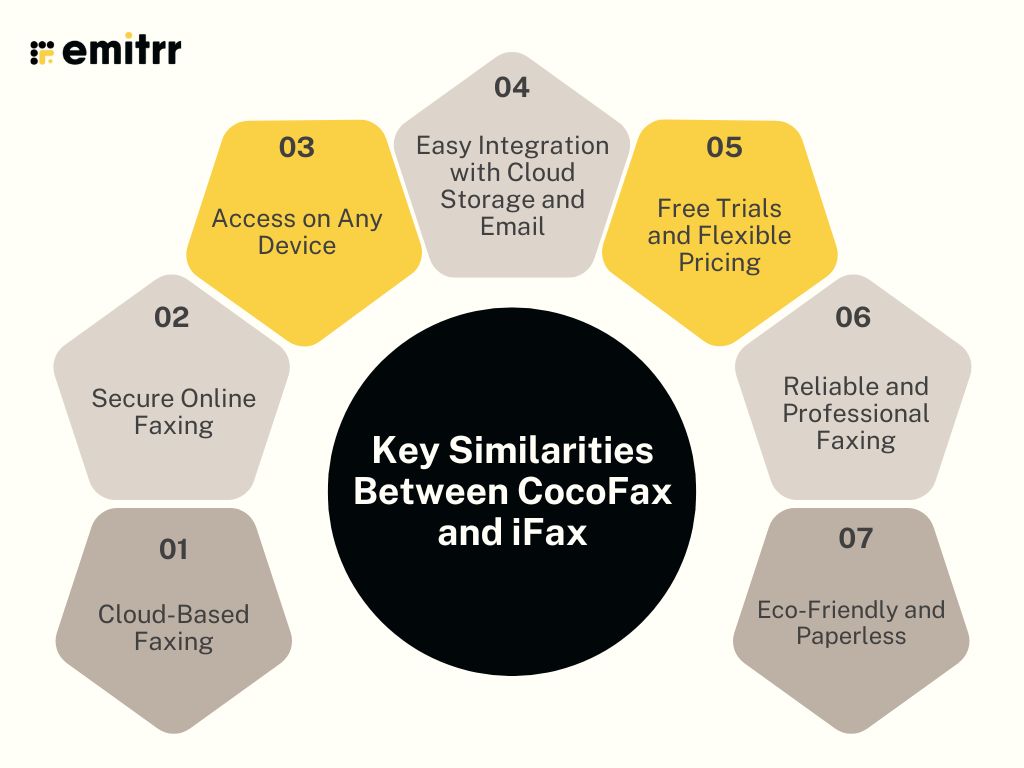
When you look at Cocofax vs iFax, it’s easy to see why both are popular choices for anyone who wants a simple and reliable way to fax online. They share a lot of core features that make faxing faster, safer, and more convenient, without the need for paper, phone lines, or bulky fax machines. Let’s understand some of the similarities between the two fax alternatives:
Cloud-Based Faxing
Both Cocofax and iFax work entirely in the cloud, meaning you can send and receive faxes online without any special equipment. All you need is an internet connection and a device like a laptop, phone, or tablet. This makes it easy to fax from home, the office, or even while traveling. You can upload your documents, enter a fax number, and send it instantly. Everything is stored digitally, so you don’t have to worry about paper copies or manual filing. This is a big plus for people and businesses looking to modernize their communication and reduce clutter.
Secure Online Faxing
Both services take privacy and data protection seriously, especially for industries like healthcare where following HIPAA-compliant virtual faxing standards is essential. Cocofax and iFax use encryption and other security measures to keep your faxes safe from unauthorized access. They also comply with important standards like HIPAA and GDPR, which makes them trusted options for industries that deal with sensitive information, such as healthcare, legal, and finance.
Access on Any Device
One of the best things about both Cocofax and iFax is how easy they make it to fax from anywhere. You can access your account through a web browser or a mobile app. You can use iFax for Mac or iFax for Windows and Android, while Cocofax is easily accessible through the web and Android. This flexibility is great for people who are often on the move and don’t want to be tied to a desk. It’s especially useful for business owners and professionals who need to send faxes quickly while managing other tasks on the go.
Easy Integration with Cloud Storage and Email
Both Cocofax and iFax account connect smoothly with popular cloud platforms like Google Drive, Dropbox, and OneDrive. You can pull documents directly from these services, attach them to your fax, and send them right away. They also work with email, so you can send a fax just by attaching a file and entering the recipient’s fax number. These integrations make faxing feel like part of your regular workflow instead of a separate, time-consuming process.
Free Trials and Flexible Pricing
Both services let you test their platforms before committing to a paid plan, which is perfect if you’re new to online faxing. Cocofax and iFax offer flexible pricing models that fit different needs, whether you send just a few faxes a month or handle a high volume of documents daily. If you’re comparing Cocofax pricing vs iFax pricing, you’ll find that both offer affordable options with clear terms, so you can choose what works best for your usage and budget.
Reliable and Professional Faxing
Both Cocofax and iFax focus on providing fast, reliable fax delivery. When you send a fax, you’ll receive a delivery confirmation or status update right away, so you know your document reached the recipient successfully. You can also keep track of all your sent and received faxes in one place, making it easy to stay organized. For businesses, this level of reliability and record-keeping adds a layer of professionalism to every fax you send.
Eco-Friendly and Paperless
A big similarity between Cocofax and iFax is their shared goal of helping users move toward paperless communication. Since both are cloud-based fax solutions, there’s no printing, scanning, or waste involved. It’s not just convenient, it’s also a more sustainable way to handle business communication. By using digital faxing instead of traditional machines, both services help reduce paper use and contribute to a greener, more efficient office environment.
CocoFax Vs iFax: Compared
Now let’s have a CocoFax vs iFax full comparison test:
Features
CocoFax Features
- Send and receive faxes instantly from any device using secure online faxing.
- Fax directly through your email with easy email-to-fax and fax-to-email options.
- Access your account anywhere with browser and mobile app support.
- Integrate seamlessly with Google Drive, Dropbox, Outlook, and other cloud tools.
- Choose from local, toll-free, or international fax numbers.
- Manage teams, users, and permissions with built-in business management tools.
- Protect your documents with encryption and HIPAA-compliant security.
- Store, search, and organize faxes digitally for quick access anytime.
- Schedule fax deliveries and get instant confirmation receipts.
- Enjoy flexible, transparent CocoFax price suitable for all users.
iFax Features
- Send and receive faxes online from any device, such as a computer, tablet, or phone, with the iFax app.
- Use email, mobile, or web; no traditional fax machine or phone line needed.
- Upload documents from cloud tools like Google Drive or Dropbox and fax them instantly.
- Get built-in annotation, e-signing, and form-filling tools so you can complete documents before you fax.
- Choose local, toll-free, or international fax numbers, or port your existing number into iFax.
- Track delivery with real-time status updates and audit trails to see exactly when your fax arrived in your iFax account.
- Benefit from enterprise-grade security, 256-bit encryption, HIPAA, and GLBA compliance for sensitive data.
- Send high-volume broadcasts with personalization (mail-merge) and automatic retry of failed faxes.
- Manage team usage easily with shared inboxes, multiple numbers, user permissions, and cloud archiving.
- Enjoy flexible iFax pricing plans with no long-term contracts and clear page limits, good for both individuals and businesses.
Plans & Pricing
CocoFax Pricing
- Lite Plan: $12.99/month (60 pages included).
- Best Plan: $19.99/month (includes 200 pages).
iFax Pricing
- Plus Plan: iFax costs $8.33/month (annual billing, with 200 faxes sent and no receiving).
- Pro Plan: $16.66/month (billed annually, with 500 total pages plus receiving).
Integrations
CocoFax Integrations
- Google Drive, Google Docs, Slack, Microsoft Word or PowerPoint (or Outlook every two years), Gmail.
iFax Integrations
- Google Drive, Dropbox, Box, and API for your own solution.
Pros & Cons
CocoFax Pros
- Modern Web App: Features a sleek, intuitive, and easy-to-use interface for smooth fax management.
- Seamless Google & Slack Integrations: Works effortlessly within Google and Slack environments for better productivity.
- Global Faxing Capability: Perfect for businesses needing international fax number options and worldwide communication.
- Affordable and transparent plans: With its cocofax price points and flexible monthly options, it works well for occasional fax users who don’t want large upfront costs or hardware investments.
CocoFax Cons
- High Overage Fees: CocoFax cost per-page can increase costs quickly on lower-tier plans during periods of high fax volume.
- App Stability Issues: Mobile apps may experience occasional instability or lag compared to the more reliable web interface.
- Feature gaps for advanced users: For users needing built-in eSignature, highly advanced integrations, or enterprise-level control.
iFax Pros
- Simple and intuitive to use: The iFax app makes faxing feel effortless, just upload, enter the number, and send in seconds.
- Secure and compliant: It provides secure online faxing with encryption and meets HIPAA and GLBA standards, ideal for industries like healthcare and law.
- Works on all platforms: iFax runs smoothly on iOS, Android, Windows, Mac, and web, making it convenient for mobile and remote users.
- Strong integrations and tracking: It connects easily with email and cloud tools while offering delivery tracking, status updates, and team collaboration options.
- Great for professional use: iFax is built for regulated industries that need privacy and compliance without sacrificing convenience.
iFax Cons
- Higher pricing for heavy users: While flexible, iFax pricing can get expensive if you send large volumes or need premium features.
- Limited free plan: The free tier allows only a few pages per month and doesn’t include all core functions.
- Billing and cancellation issues: Some users mention that billing details and cancellation terms could be more transparent.
- Occasional app limitations: A few users note that editing tools and inbox management could be more refined.
- Basic plan may not fit business users: The entry-level plan lacks some advanced options needed for high-volume or enterprise faxing.
Reviews & Ratings
CocoFax Reviews & Ratings
CocoFax has an overall rating of 4.5/5 on G2.
Here’s are CocoFax reviews:
“Quick and easy way to send a fax online.”
“Easy to use; employees love it; HIPAA compliance is great.”
Source: G2
iFax Reviews & Ratings
iFax has an overall rating of 4.6/5 on G2.
Here are some of the reviews of iFax:
“Secure, reliable, and incredibly easy to use.”
“Simple to use and the product actually works.”
Source: G2
When to Use CocoFax?
Use CocoFax when you want a simple, reliable, and affordable way to send and receive faxes digitally. It’s perfect for individuals, freelancers, and small businesses that only need to fax occasionally but still value privacy and convenience. If your goal is to replace a physical fax machine, reduce paper use, and manage faxes through a web browser or email, CocoFax fits the bill. It’s ideal when:
- You want basic, secure online faxing without complex setup.
- You’re on a budget and looking for flexible CocoFax price plans.
- You prefer email-to-fax and web-based faxing over installing software.
- You manage light to moderate fax volumes and need reliable delivery.
- You want to integrate faxing with your existing cloud tools like Google Drive or Outlook.
When to Use iFax?
Choose iFax if you need a more advanced, feature-rich, and business-grade faxing solution. It’s built for organizations, enterprises, and professionals that require strong security, automation, and multi-user management. iFax excels when you handle large volumes of faxes or need specialized compliance like HIPAA or GDPR for healthcare or legal use. It’s best suited when:
- You need multi-platform support on iOS, Android, Windows, and macOS.
- You want built-in eSignature, annotation, and workflow automation tools.
- You handle high-volume faxing or manage multiple fax numbers and users.
- You require enterprise-grade security and compliance for sensitive data.
- You’re comparing CocoFax vs iFax and value advanced features over basic affordability.
Emitrr: The Better Alternative to CocoFax & iFax
Emitrr Overview
Emitrr Faxing is an advanced, VoIP-enabled fax solution that transforms how businesses handle document communication. It allows users to send and receive faxes digitally through the same platform they already use for calls and messaging, eliminating the need for outdated fax machines or third-party tools. Users can easily assign a new or existing fax number directly from Emitrr’s internal dashboard and manage all faxes alongside calls, texts, and voicemails.
Every interaction is securely stored and logged in one centralized space for better compliance and transparency. As a modern alternative to online faxing platforms like CocoFax and iFax, Emitrr offers simplicity, speed, and seamless integration.
Emitrr Features
- Multi-Recipient Faxing: Send a single fax to several recipients at once, saving time and boosting efficiency for group communications.
- Broadcast Faxing: Quickly distribute one fax to your entire contact list, making it perfect for business updates, announcements, or promotional messages.
- Large File Support: Effortlessly send high-resolution images and large documents up to 30 MB without compression or quality loss.
- Custom Fax Covers: Create personalized or HIPAA fax cover sheets with recipient details, branding, and professional notes to enhance your business image.
- Inbound and Outbound Faxing: Send and receive faxes directly through Emitrr’s platform, no fax machine, phone line, or extra hardware needed.
- Fax-to-Email and SMS Notifications: Automatically forward received faxes to your email for easy access and get instant SMS alerts whenever a new fax arrives.
- Scheduled Faxing: Schedule your faxes to be sent at a specific date and time, ideal for bulk messaging or time-sensitive communication.
Emitrr Pros
- Unified Communication Platform: Combines fax, texting, calling, and review management in one powerful solution.
- Built for Regulated Industries: Features AI automation and robust HIPAA-compliant faxing, makes it perfect for healthcare, legal, and financial sectors.
- Intuitive Mobile Dashboard: A user-friendly, mobile-first interface accessible to your entire team.
- Transparent and Scalable Pricing: Designed to fit both SMB and enterprise budgets with clear, usage-based plans.
- Round-the-Clock Support: Offers 24/7 proactive customer assistance and personalized onboarding for a smooth setup experience.
Emitrr Cons
- Some advanced features are under process and will be live shortly.
Emitrr Pricing
- Standard: $25/month
- Professional: $35/month
- Pricing is typically bundle-based, and often doesn’t include per-page overages.
Emitrr Integrations
- Salesforce, HubSpot, AthenaHealth, Denticon, Mailchimp, Zapier, QuickBooks, and many EMR/EHR systems.
Emitrr Customer Support Channels
- Live chat, email, phone, and choices in the knowledge base with a focus on getting in touch.
Emitrr Ratings
4.8/5
Emitrr Reviews
“You have it all integrated into one platform, the signatures, the amount of characters, you can attach files, send photos. You are able to create and send forms. Unlimited amount of things we can use and take advantage of.”
“I LOVE Emitrr. The support you get is wonderful, the app is easy to use and they have been incredibly responsive. As a small business, we needed a messaging platform that wouldn’t break the bank and this meets all our needs (and then some) without making us feel overwhelmed.”
Source: Capterra
Key Benefits of Emitrr Online Faxing
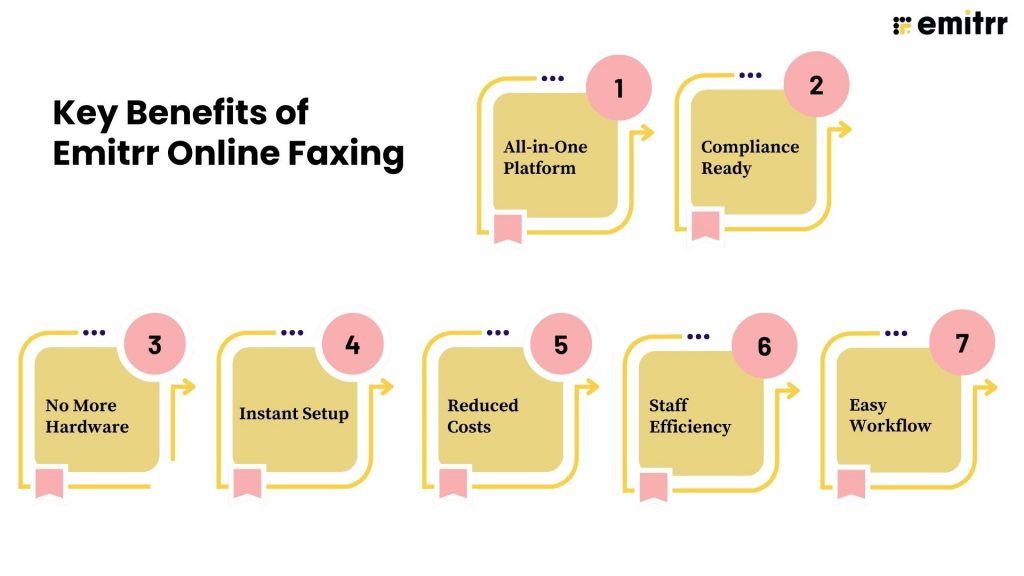
All-in-One Platform
Emitrr brings calls, texts, and faxes together in one unified platform, so your team can handle every type of communication without switching between different apps. This integration ensures consistency, saves time, and simplifies how your business connects with clients and partners.
Compliance Ready
Built with security and privacy in mind, Emitrr Faxing is HIPAA-compliant, making it ideal for healthcare, legal, and financial industries that require secure data transmission. Every fax, message, and call is encrypted and stored safely, ensuring compliance with the highest industry standards.
No More Hardware
Forget bulky fax machines, maintenance, and paper jams. Emitrr completely replaces traditional fax hardware with a cloud-based system that lets you fax digitally from your computer or mobile device, saving both money and office space.
Instant Setup
Getting started with Emitrr is quick and seamless. You can add a new fax number or port your existing one directly through the dashboard in just a few minutes. There’s no complicated setup or waiting period, so your team can start faxing immediately.
Reduced Costs
Emitrr helps cut down on operational expenses by eliminating the need for third-party fax subscriptions, dedicated phone lines, or paper supplies. With digital faxing built into your communication platform, you’ll save money while also reducing paper waste and your company’s carbon footprint.
Staff Efficiency
By consolidating calls, texts, and faxes into one interface, Emitrr allows staff to work more efficiently. No more switching tabs or logging into multiple systems, your team can send, receive, and track everything from a single dashboard, boosting productivity and reducing errors.
Easy Workflow
Emitrr Faxing follows the same conversation-style flow as texting, making it intuitive and easy to use. You can assign teams or members to specific fax threads, add internal notes, create follow-up tasks, and track every fax in the same space as your calls and messages. It keeps communication organized, collaborative, and transparent.
Frequently Asked Questions
CocoFax and iFax are dedicated online fax services, while Emitrr Faxing is a VoIP-enabled, all-in-one communication platform that combines calls, texts, and faxes in one place. If you prefer a unified workflow where faxing happens alongside phone and messaging, Emitrr is the smarter, more integrated option.
It depends on your needs. CocoFax is affordable and great for small teams that need simple, secure online faxing. iFax offers advanced tools like eSignatures and automation for larger organizations. However, if you want to manage faxes directly within your communication system, without switching apps, Emitrr offers the best of both worlds.
Yes, CocoFax uses strong encryption and is HIPAA and GDPR-compliant. It’s a solid choice for industries that need secure online faxing, such as healthcare and finance. That said, Emitrr Faxing also provides HIPAA-compliant faxing built directly into its communication suite, making it even easier to manage secure documents alongside calls and messages.
Yes, iFax is fully HIPAA-compliant and protects sensitive data with end-to-end encryption. For businesses in regulated sectors, both iFax and Emitrr ensure compliance, but Emitrr goes a step further by combining secure faxing with VoIP calling and messaging, streamlining how healthcare and service teams communicate.
Yes, iFax is a legitimate and functional online fax solution. The platform offers global fax support, has desktop and mobile apps, and can send/receive faxes reliably. However, the platform is not perfect; some users report problems with billing, subscription cancellation, or iFax customer service.
Yes, CocoFax is a legit and established online fax provider. It’s rated on G2 and Capterra, and has a clear website with security and HIPAA details. That said, there are mixed reviews for CocoFax; while some praise its simplicity and security, others cite customer service or billing concerns.
No, iFax is a digital/cloud-based fax service, not a physical fax machine. It lets you send and receive faxes over the internet using email, web, or apps, without a fax machine.
Yes, CocoFax supports HIPAA compliance. They provide a Business Associate Agreement (BAA) for customers who need it.
No, iFax is not totally free. While they may offer a trial period, users on Trustpilot and other review sites frequently report being charged after a “free trial” and difficulties canceling.
Not entirely, but CocoFax does offer a limited free plan or trial.
You can reach iFax customer service through their online help center, where they also list the official iFax phone number for account or billing-related issues.
The iFax customer service number is available on their support page.
Conclusion
Both CocoFax and iFax are great for secure and reliable online faxing, CocoFax for its simplicity and price, and iFax for its advanced features and integrations. But when it comes to true convenience, Emitrr Faxing takes it a step further.
By combining faxing, calling, and messaging in one unified platform, Emitrr eliminates the need for multiple tools and subscriptions. It’s secure, HIPAA-compliant, easy to use, and built for modern businesses that value speed and connection.
Simply put, Emitrr is the best online fax service for teams that want to manage all their communication in one place.