
 4.9 (400+
reviews)
4.9 (400+
reviews)
Introduction
Pain management practices deal with complex clinical workflows that involve chronic condition monitoring, multi-modal treatment planning, strict compliance requirements, and continuous patient follow-ups. Traditional documentation methods or generic EMR systems often fail to address the unique needs of pain clinics, especially when handling long-term treatment plans, opioid management regulations, and patient engagement.
An EMR for pain management helps clinics streamline clinical documentation, track treatment outcomes, manage compliance, and improve patient communication. These specialized systems allow providers to document pain scores, procedure outcomes, and medication tracking efficiently while improving coordination between care teams.
In this guide, we will explain how pain management EMR systems work, their benefits, essential features, and the best EMR for pain management practices.
What Is an EMR for Pain Management?
An EMR for pain management is an electronic medical record system specifically designed to help pain specialists manage chronic pain treatment workflows, clinical documentation, and regulatory compliance.
Unlike general EMRs, a pain EMR includes tools tailored for pain clinics, such as pain assessment tracking, treatment planning documentation, controlled substance monitoring, and procedure management.
How Pain Management EMR Differs From General EMRs
Chronic Pain Tracking
Pain medicine requires long-term monitoring of patient progress, treatment responses, and functional improvements. Pain management EMRs include structured tracking systems for monitoring chronic conditions.
Pain Scales and Functional Assessments
Specialized EMRs allow providers to record standardized pain scores like VAS, PEG, and numeric pain scales. These tools help measure treatment effectiveness and clinical outcomes.
Multi-Modal Treatment Documentation
Pain clinics use multiple treatment methods such as medications, physical therapy, injections, and behavioral therapy. Pain medicine EMRs allow documentation of these combined treatment approaches.
Why Should Pain Management Practices Use an EMR?
Pain management practices require efficient documentation, compliance tracking, and patient monitoring. A specialized pain management EMR helps providers handle these complex workflows effectively while improving operational efficiency and patient outcomes.
Clinical Documentation Improvement in Pain Management
EMRs improve documentation by offering structured procedure templates, standardized pain assessment tools, and comprehensive patient history tracking. These features reduce manual errors, ensure consistent clinical records, and help providers monitor treatment effectiveness while simplifying documentation for procedures, medication management, and chronic pain care planning.
Patient Communication and Follow-Up Support
EMRs enhance patient communication by automating appointment reminders, follow-up scheduling, and care plan notifications. When integrated with Emitrr, clinics can enable two-way texting, automated messaging, and recall campaigns, improving patient engagement, treatment adherence, and continuity of care while reducing missed appointments and administrative workload.
Compliance and Controlled Substance Management Support
EMRs support compliance by enabling prescription monitoring, automated reporting, and PDMP integrations. These tools help providers track medication usage, monitor refill patterns, and maintain regulatory compliance, reducing risks associated with controlled substance prescribing while ensuring safe, accurate, and transparent medication management practices.
What Are the Benefits of Using EMR for Pain Management?
Pain management practices require precise documentation, continuous patient monitoring, and efficient communication. Here are some key benefits of using a specialized EMR that improves compliance, engagement, coordinated care and efficiency.
Improved Documentation
Structured clinical templates help providers capture consistent and accurate patient data during visits. EMRs reduce manual entry errors, standardize procedure documentation, and simplify record management, allowing clinicians to focus more on patient care while maintaining reliable and organized medical records.
Chronic Pain Monitoring
Pain EMRs enable providers to track patient pain levels, treatment responses, and functional progress over time. This structured tracking helps clinicians evaluate therapy effectiveness, adjust treatment plans efficiently, and ensure better long-term chronic pain management outcomes for patients.
Better Care Coordination
Pain management often involves multiple specialists, therapists, and support staff. EMRs centralize patient data, enabling seamless collaboration among care teams. Shared records improve communication, reduce duplicate treatments, and support coordinated treatment planning for comprehensive patient care.
Operational Efficiency
EMRs automate scheduling, clinical documentation, billing integration, and reporting tasks. These automated workflows reduce administrative workload, improve staff productivity, and help clinics manage patient volume effectively while ensuring smoother daily operations and faster documentation processes.
Reduced Errors and Compliance Risks
Standardized documentation, automated alerts, and compliance tracking tools help reduce prescription errors and regulatory risks. EMRs support accurate reporting, ensure adherence to clinical guidelines, and help providers manage controlled substance prescribing safely and responsibly.
Improved Patient Engagement
EMRs support automated reminders, follow-ups, and patient communication tools that improve appointment adherence and treatment participation. Better communication helps patients stay informed about their care plans, resulting in higher satisfaction, stronger provider relationships, and improved treatment outcomes.
Scalable Communication With Emitrr
Integrating EMR with Emitrr enables clinics to manage patient communication through SMS, email, and voice automation. This scalable communication improves appointment reminders, recall campaigns, and follow-ups, helping practices enhance patient experience while reducing manual administrative communication efforts.

What Are the Key Features to Look for in Pain Management EMR?
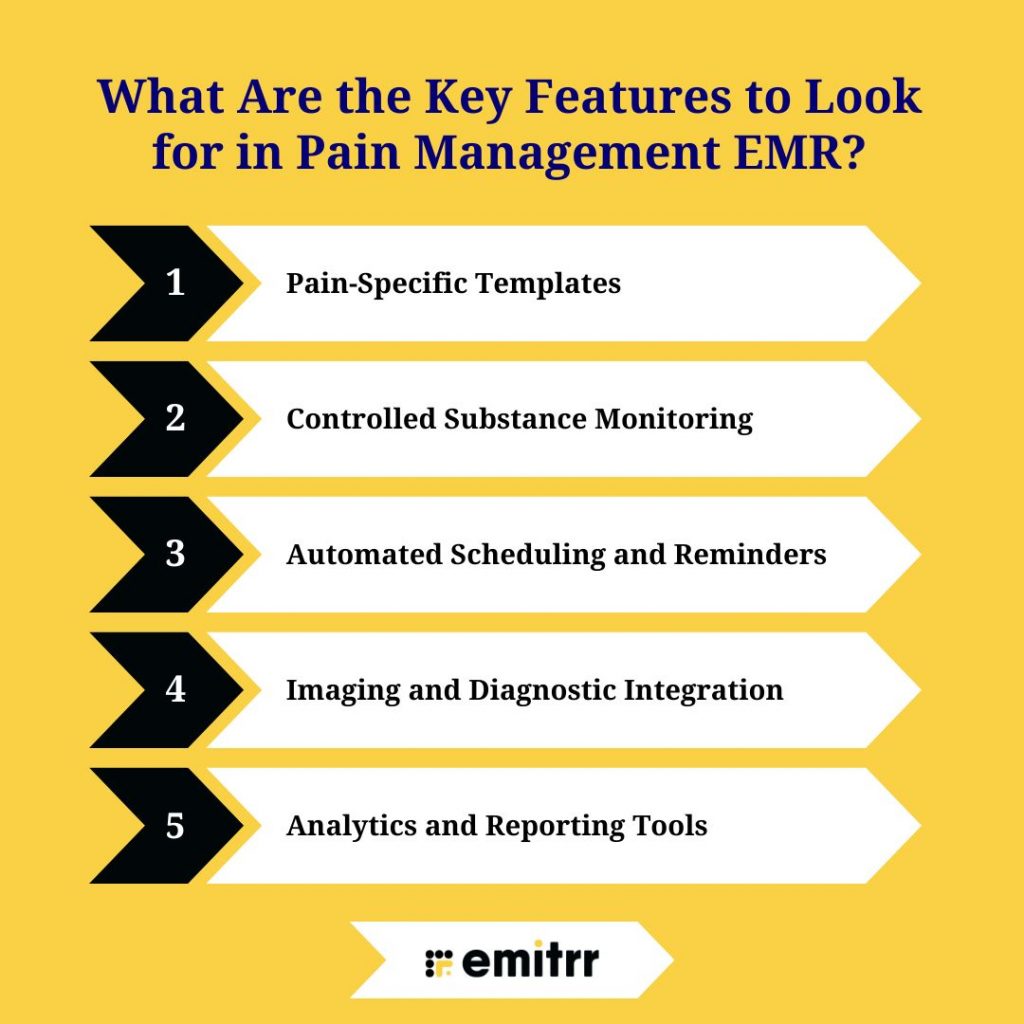
Choosing the right pain management EMR requires evaluating features that support clinical accuracy, compliance, patient communication, and workflow efficiency. Below are essential capabilities that help pain practices manage chronic care, streamline operations, and improve treatment outcomes.
Pain-Specific Templates
Pain management EMRs should include specialized clinical templates supporting pain scales, functional assessments, and structured treatment pathways. These templates help providers document chronic pain conditions accurately, standardize evaluations, and monitor patient progress, ensuring consistent and efficient clinical documentation.
Controlled Substance Monitoring
An effective EMR should support secure e-prescribing, PDMP integration, and medication refill tracking. These features help providers monitor prescription usage, maintain regulatory compliance, reduce misuse risks, and ensure safe medication management within pain treatment workflows.
Automated Scheduling and Reminders
Pain EMRs should automate appointment scheduling, reminders, and patient follow-ups. Integration with Emitrr enables SMS and email reminders, improving appointment attendance, reducing no-shows, and ensuring patients remain engaged throughout their chronic pain treatment plans.
Imaging and Diagnostic Integration
Pain management requires frequent imaging support. EMRs should integrate with X-ray, MRI, and ultrasound systems, allowing providers to access diagnostic reports easily, improve treatment planning, and maintain centralized patient records for efficient clinical decision-making.
Analytics and Reporting Tools
Pain EMRs should provide analytics dashboards and reporting capabilities that track clinical outcomes, treatment effectiveness, and key performance indicators. These insights help providers evaluate care quality, monitor patient progress, and support data-driven decision-making within pain management practices.
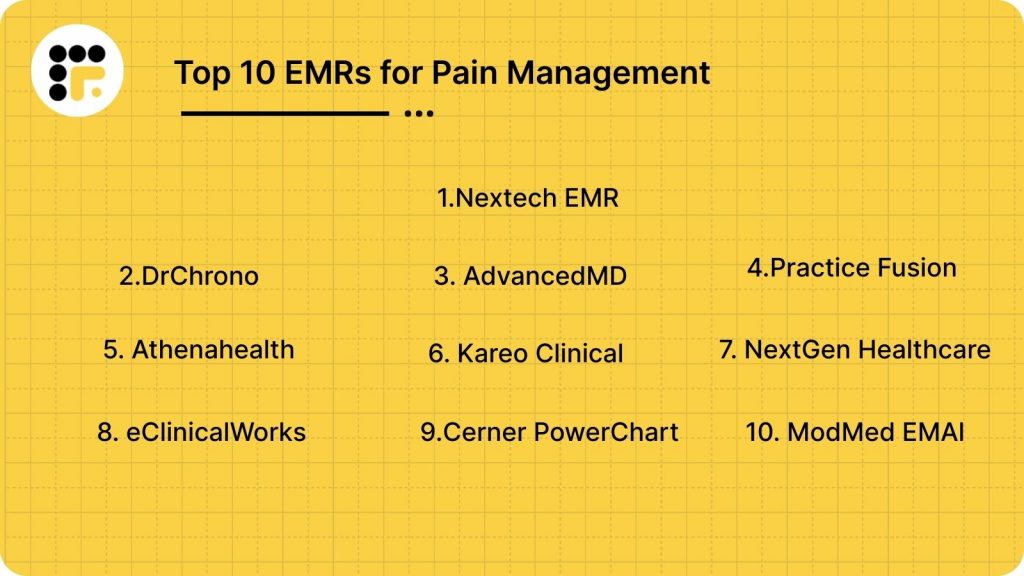
Which Are the Top 10 EMRs for Pain Management?
Below are the leading EMR platforms that support pain management workflows, documentation accuracy, scheduling, compliance tracking, and integration capabilities that help clinics streamline care, improve communication, and manage clinical operations efficiently.
- Nextech EMR
- DrChrono
- AdvancedMD
- Practice Fusion
- Athenahealth
- Kareo Clinical
- NextGen Healthcare
- eClinicalWorks
- Cerner PowerChart
- ModMed EMA
1. Nextech EMR
What is Nextech EMR?
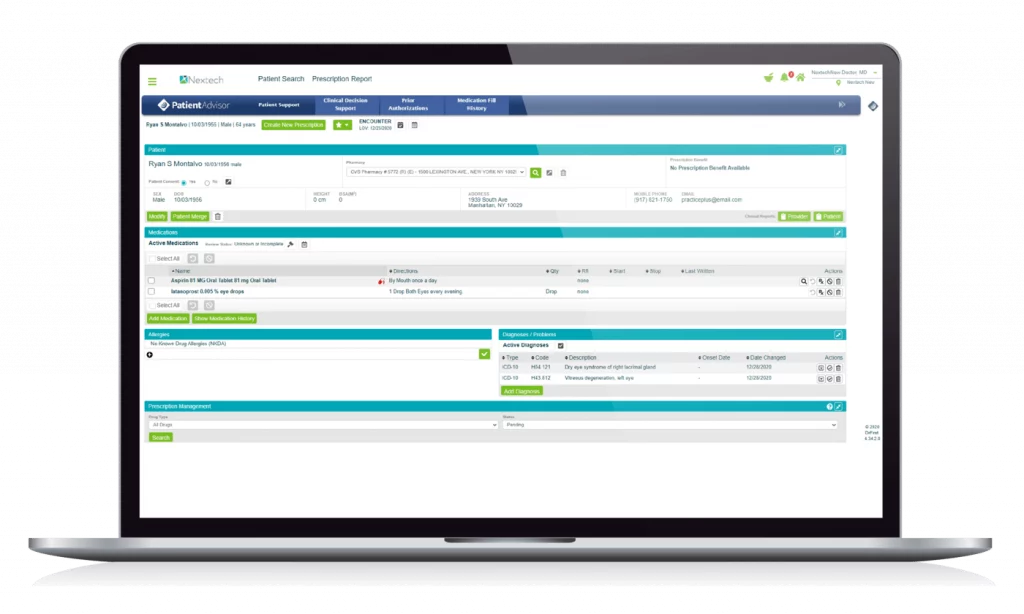
Nextech EMR is a robust pain management EMR software designed for specialty practices. It combines clinical documentation, chronic pain tracking, compliance tools, scheduling, and analytics, helping clinics improve workflow efficiency, patient monitoring, and treatment outcomes.
Key Features
- Pain-Specific Clinical Templates: Customizable templates for pain assessments, functional scoring, treatment plans, and procedure documentation to enhance accuracy.
- Controlled Substance Management: E-prescribing, PDMP integration, and refill tracking for safe medication management and regulatory compliance.
- Scheduling & Patient Reminders: Centralized scheduling and automated SMS/email reminders via Emitrr to reduce no-shows and improve engagement.
- Imaging & Diagnostics Integration: Interfaces with X-ray, MRI, and ultrasound systems for comprehensive patient data access.
- Analytics & Reporting: Tracks patient outcomes, clinical KPIs, and operational performance to optimize chronic pain care.
Pros
- Tailored templates and workflows for pain management clinics
- Integrated controlled substance monitoring and compliance tools
- Automated reminders and scheduling to reduce no-shows
- Reporting dashboards for clinical and operational insights
Cons
- Advanced features may require training
- Customization can increase implementation time
- Pricing can vary based on modules and clinic size
Pricing
- Nextech EMR pricing varies by practice size, selected modules, and customization; contact Nextech for a detailed quote.
Ratings
Support Channels
- Phone Support, Email Support, Live Chat, Knowledge Base, Training Webinars, and Dedicated Account Support
2. DrChrono
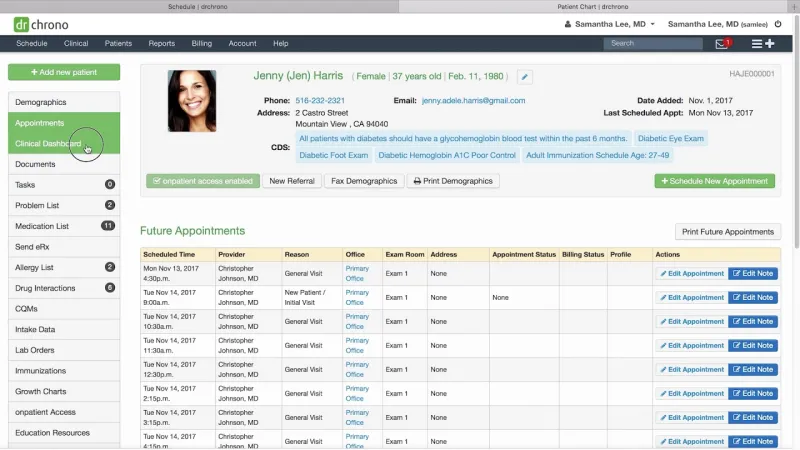
What is DrChrono?
DrChrono is a flexible, cloud-based pain management EMR designed for specialty practices. It combines clinical documentation, chronic pain tracking, scheduling, telehealth, patient communication, and billing into one platform, supporting customizable workflows and mobile access for efficient clinic operations.
Key Features
- Customizable Clinical Templates: Includes pain assessment forms, treatment plans, and procedure documentation tailored to each clinic’s workflows.
- Mobile EMR Access: Secure iPad and iPhone access enables clinicians to manage patient charts, notes, and schedules remotely.
- Scheduling & Reminders: Calendar views, appointment booking, and automated SMS/email reminders via Emitrr reduce no-shows and streamline patient flow.
- Telehealth Support: Facilitates virtual consultations and follow-ups, improving accessibility and convenience for chronic pain patients.
- Billing & Revenue Cycle Management: Integrated billing, coding assistance, claims submission, and payment tracking streamline financial operations.
Pros
- Highly customizable and mobile-friendly
- Supports telehealth and remote patient monitoring
- Combined scheduling, reminders, and billing workflows
- Secure patient portal improves engagement and adherence
Cons
- Advanced features may require training
- Customization complexity can extend initial setup
- Some integrations may require additional configuration
Pricing
- DrChrono offers tiered pricing based on provider count, selected modules, and features; contact DrChrono for a detailed quote.
Ratings
Support Channels
- Phone Support, Email Support, Live Chat, Help Center, Knowledge Base, Training Webinars, and Onboarding Assistance
3. AdvancedMD
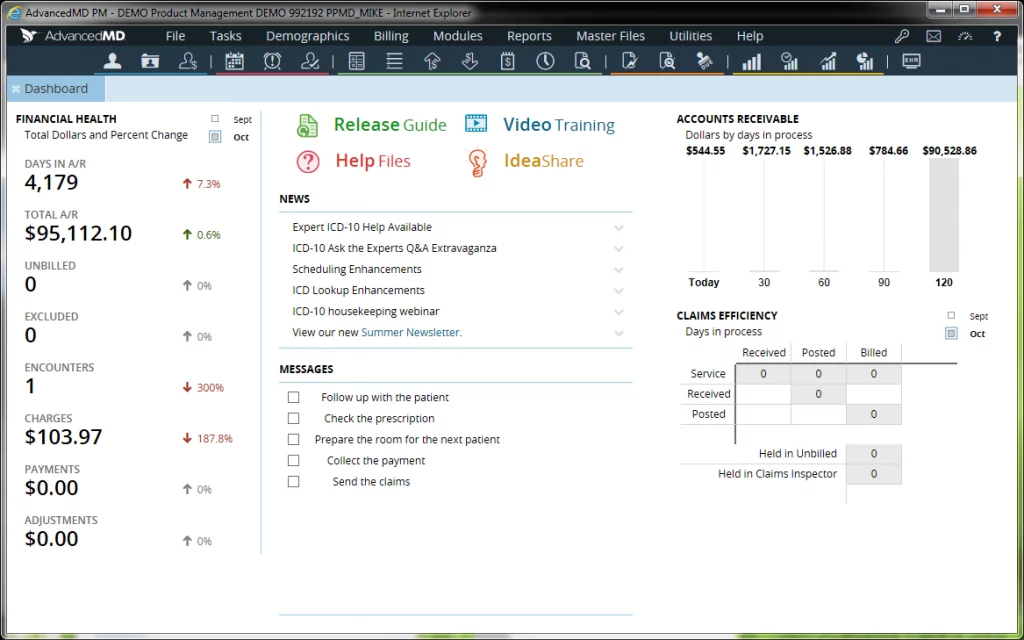
What is AdvancedMD?
AdvancedMD is a comprehensive cloud-based pain management EMR designed for specialty clinics. It integrates clinical documentation, chronic pain tracking, scheduling, billing, and patient communication, providing flexible workflows that improve efficiency, care coordination, and patient engagement.
Key Features
- Cloud-Based EMR & Practice Management: Secure online access to patient charts, scheduling, and clinical workflows from anywhere, enhancing team collaboration and operational flexibility.
- Customizable Clinical Templates: Includes pain assessment forms, treatment planning templates, and progress tracking to streamline documentation and support chronic pain management.
- Patient Scheduling & Calendar Tools: Centralized scheduling, waitlists, and calendar views optimize patient flow and reduce appointment conflicts.
- Automated Reminders & Alerts: SMS/email reminders, appointment notifications, and alerts help reduce no-shows and keep patients informed about upcoming visits.
- Billing & Revenue Cycle Management: Integrated billing features, invoicing, claims submission, payment posting, and reporting support efficient financial operations.
Pros
- Comprehensive clinical and administrative tools for pain management
- Cloud-based access allows remote and flexible usage
- Strong billing and revenue cycle management
- Telehealth support and patient portal enhance patient engagement
Cons
- Learning curve for new users
- Customization may require professional setup
- Advanced reporting or integrations may need extra configuration
Pricing
- AdvancedMD pricing is customized based on practice size, selected modules, and features; contact AdvancedMD for a detailed quote.
Ratings
Support Channels
- Phone Support, Email Support, Live Chat, Help Center, Knowledge Base, Video Tutorials, and Dedicated Onboarding Support
4.Practice Fusion
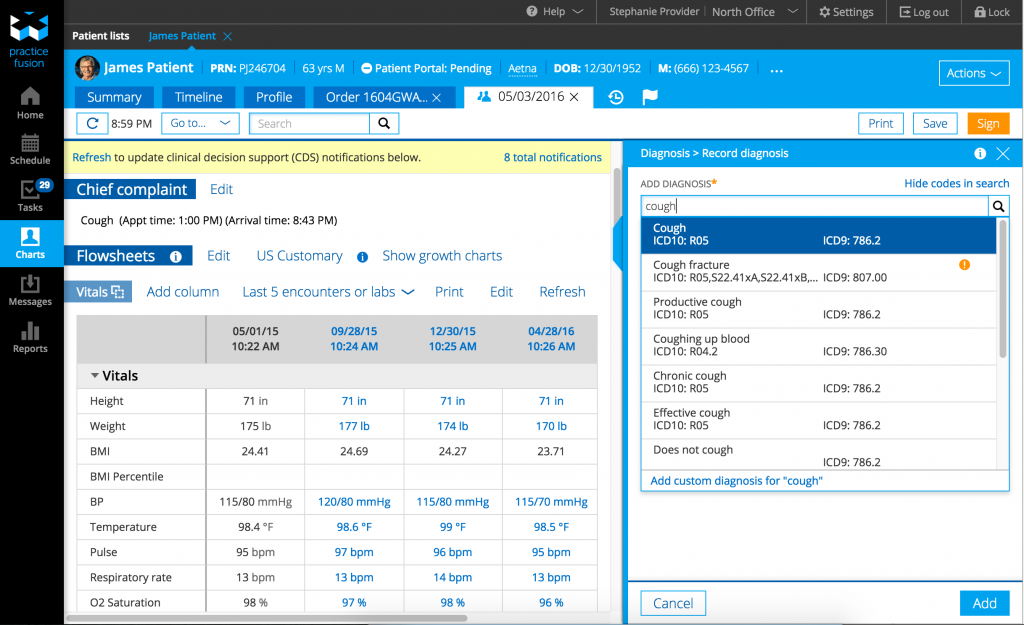
What is Practice Fusion?
Practice Fusion is a cloud-based pain management EMR designed for small to mid-sized clinics. It offers intuitive clinical documentation, scheduling, patient communication, and reporting tools that help practices streamline workflows, improve patient care, and enhance operational efficiency.
Key Features
- Cloud-Based EMR: Secure online access to patient charts, clinical notes, and scheduling from any device, improving team collaboration and flexibility.
- Customizable Clinical Templates: Pain assessment forms, treatment documentation, and progress notes help standardize clinical workflows and improve documentation accuracy.
- Scheduling & Appointment Tools: Built-in calendar views, appointment booking, and tracking help manage patient flow and reduce scheduling conflicts.
- Automated Reminders: Supports SMS/email reminders and appointment notifications to improve attendance and reduce no-shows.
- Reporting & Analytics: Offers dashboards and reporting tools to monitor clinical outcomes, operational performance, and patient trends.
Pros
- User-friendly interface with minimal training required
- Cloud-based system accessible from multiple devices
- Built-in appointment reminders improve patient engagement
- Strong reporting tools help monitor practice performance
Cons
- Lacks some advanced specialty-specific templates
- Limited customization compared to larger EMR systems
- Fewer integrations with third-party tools
Pricing
- Practice Fusion is billed monthly, starting at $199/month per provider with a required annual commitment, making it convenient and cost-effective for small to mid-sized clinics.
Ratings
Support Channels
- Phone Support, Email Support, Live Chat, Help Center, Knowledge Base, and Online Tutorials
5. Athenahealth
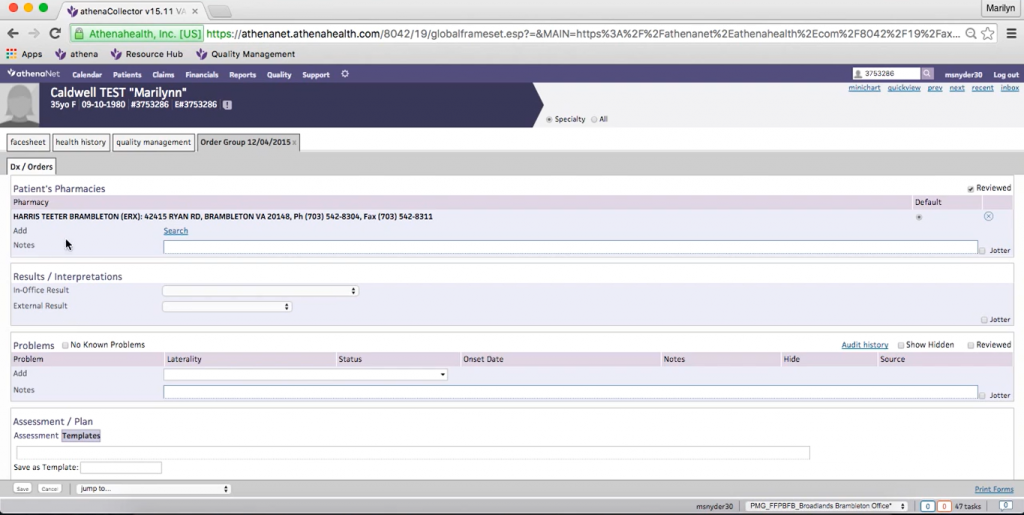
What is Athenahealth?
Athenahealth is a comprehensive, cloud-based pain management EMR that combines EHR, billing, and patient engagement tools. It supports multi-specialty practices with customizable workflows, real-time analytics, automated processes, and compliance features, enabling efficient and coordinated care.
Key Features
- Revenue Cycle Management: Handles charge capture, billing, and collections with automated rules to reduce denials and speed reimbursements.
- Scheduling & Patient Engagement: Intuitive appointment scheduling, reminders, and two-way communication improve patient retention and reduce no-shows.
- Clinical Workflows & Documentation: Customizable templates, e-prescribing, and order sets streamline documentation and maintain clinical consistency.
- Insurance Claim Follow-Up: Automates claim tracking and payer follow-ups to improve approval rates and reduce manual intervention.
- Compliance & Reporting: Supports MACRA/MIPS reporting, HIPAA Compliance, and real-time dashboards to help practices stay audit-ready and performance-driven.
Pros
- Deep integration across clinical, administrative, and billing workflows
- Scalable for large, multi-location pain clinics with advanced reporting
- Robust analytics for patient outcomes and financial performance
- Supports multi-specialty operations efficiently
Cons
- High setup and subscription costs for solo or small practices
- Complex onboarding and training required, especially for teams transitioning from simpler EMRs
- Some features may require additional customization
Pricing
- Athenahealth offers personalized pricing based on practice size, specialty, and selected modules; contact their sales team for a tailored quote.
Ratings
Support Channels
- Email Support, Phone Support, Training Portal, Knowledge Base, and Onboarding Assistance
6. Kareo Clinical
What is Kareo Clinical?
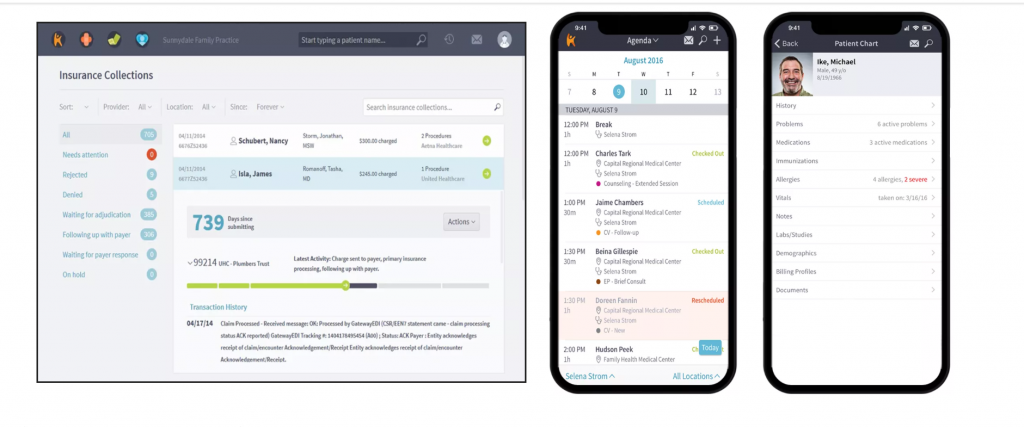
Kareo Clinical is a cloud-based pain management EMR designed for small to mid-sized practices. It combines clinical documentation, scheduling, patient communication, and billing tools in a single platform, helping clinics streamline workflows, enhance patient care, and maintain compliance.
Key Features
- Cloud-Based EMR: Secure access to patient charts, notes, and schedules from any device, enabling flexible and collaborative care.
- Customizable Clinical Templates: Includes pain assessments, treatment plans, and procedure documentation to standardize workflows and improve accuracy.
- Scheduling & Appointment Management: Centralized calendar views, appointment booking, and automated SMS/email reminders via Emitrr reduce no-shows.
- Billing & Revenue Cycle Management: Integrated billing, claims submission, and payment posting streamline financial operations for small to mid-sized practices.
- Reporting & Analytics: Dashboards provide insights into patient outcomes, operational performance, and key clinical metrics.
Pros
- User-friendly interface with minimal learning curve
- Cloud-based access allows work from any location
- Integrated billing and scheduling tools improve efficiency
- Automated reminders enhance patient adherence and engagement
Cons
- Limited specialty-specific templates compared to larger EMRs
- Some advanced features require training or additional setup
- Fewer third-party integrations than enterprise-grade systems
Pricing
- Kareo Clinical pricing is subscription-based and depends on practice size and selected modules; contact Kareo for a detailed quote.
Ratings
Support Channels
- Phone Support, Email Support, Live Chat, Knowledge Base, Training Webinars, and Onboarding Assistance
7.NextGen Healthcare
What is NextGen Healthcare?
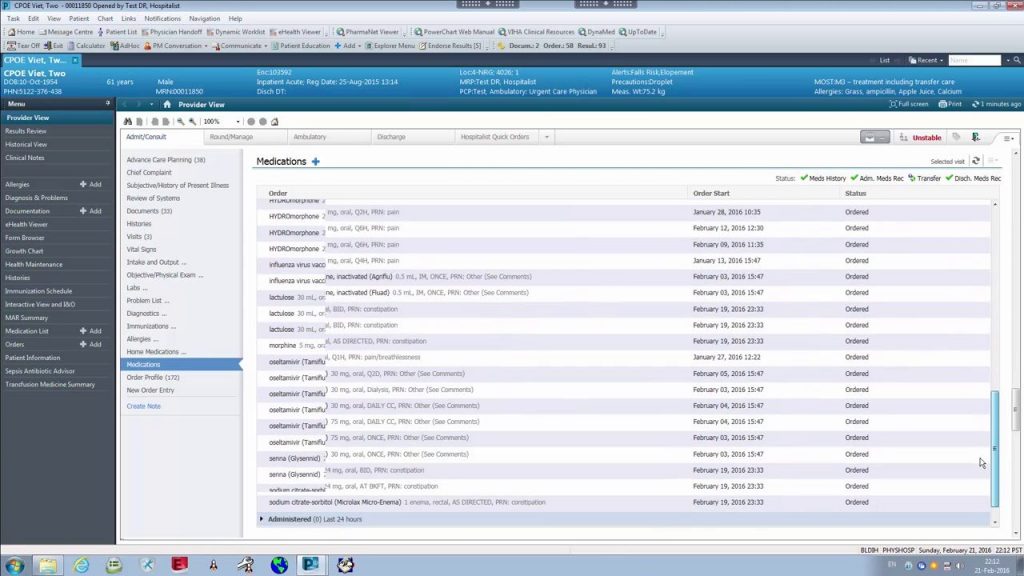
NextGen Healthcare is a robust pain management EMR and practice management platform designed for clinics of all sizes. It integrates clinical workflows, chronic pain documentation, billing, telehealth, and patient communication, helping practices improve efficiency, engagement, and patient-centered care.
Key Features
- EHR + Practice Management: Combines electronic health records with practice management tools to manage patient data, appointments, and billing seamlessly while improving operational efficiency.
- Patient Communication: Automated reminders, secure messaging, and notifications help reduce no-shows and improve engagement across multiple channels.
- Telehealth: Supports HIPAA-compliant virtual consultations, enabling remote care delivery and expanding patient access.
- Billing & Revenue Cycle Management: Integrated tools streamline claims processing, payments, and financial reporting, reducing administrative workload.
- Reporting & Analytics: Dashboards provide insights into patient outcomes, operational performance, and practice KPIs.
Pros
- Comprehensive platform suitable for large and multi-location pain management clinics
- Effectively streamlines clinical, billing, and communication workflows
- Telehealth and automated reminders enhance patient care and engagement
Cons
- Complex setup and training required for smaller practices
- Limited customization for unique workflows compared to newer platforms
- Advanced features may require additional configuration
Pricing
- Pricing is available on request. Contact the NextGen team for a tailored plan based on practice size and selected modules.
Ratings
Support Channels
- Email Support, Phone Support, and Live Chat
8 .eClinicalWorks
What is eClinicalWorks?
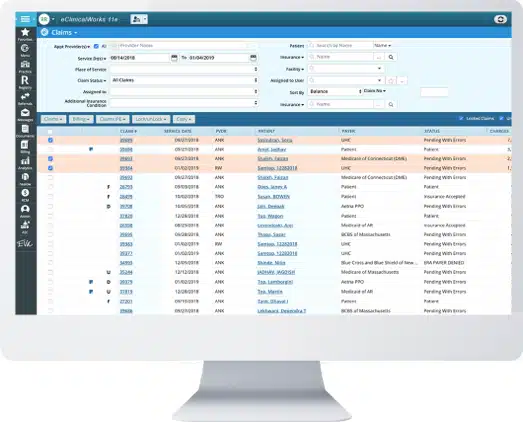
eClinicalWorks is a comprehensive pain management EMR and practice management system designed to streamline clinical workflows, patient communication, scheduling, and billing. It centralizes patient records, enhances care coordination, and reduces administrative burden for pain clinics.
Key Features
- Seamless EHR Integration: Fully integrated platform eliminates data duplication and ensures unified patient record workflows across clinical and administrative tasks.
- Patient Intake & Routing: Captures patient data efficiently and routes cases to the appropriate care team or provider within the system.
- Real-Time Status Updates: Tracks patient progress, appointments, and treatment milestones, helping staff monitor workflows and improve care coordination.
- Messaging & Collaboration Tools: Secure communication between providers, staff, and patients within the EMR environment improves engagement and operational efficiency.
- Reporting & Analytics: Provides dashboards and reporting tools to monitor clinical outcomes, operational performance, and key practice metrics.
Pros
- Fully integrated EMR improves workflow efficiency and reduces duplicate data entry
- Real-time updates and secure communication tools enhance care coordination
- Centralized documentation simplifies compliance and reporting
- Mobile access and cloud hosting improve flexibility and accessibility
Cons
- Requires full adoption of eClinicalWorks EMR system
- Advanced reporting features may need additional configuration or training
- Some workflows may require customization depending on clinic needs
Pricing
- EHR Only: $449/month per provider (includes EMR, patient portal, document management, ePrescribing, reporting dashboards, secure messaging, cloud hosting, maintenance, and 24×7 training).
- EHR with Practice Management: $599/month per provider (adds PM, billing implementation, scheduling, financial management tools, and integrated reporting).
- RCM as a Service: 2.9% of practice collections (includes claim processing, denial management, automated billing, and full revenue cycle support).
Ratings
Support Channels
- Phone Support, Email Support, Live Chat, Help Center/Knowledge Base, Training Resources, Implementation Assistance, and Customer Success Support
9. Cerner PowerChart
What is Cerner PowerChart?
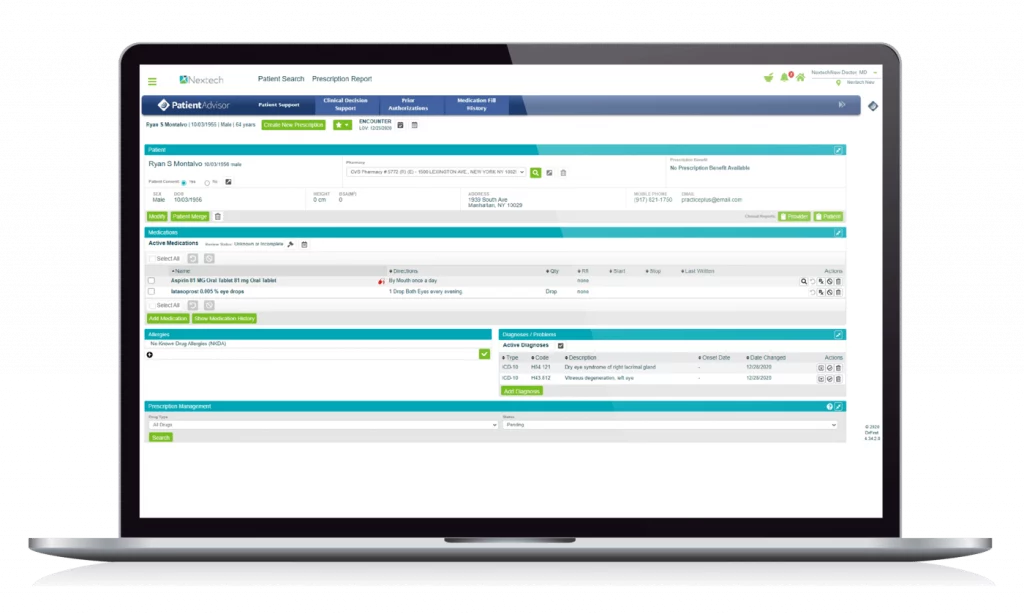
Cerner PowerChart is a comprehensive pain management EMR and clinical workflow platform designed for hospitals and large specialty practices. It centralizes patient data, streamlines chronic pain documentation, scheduling, billing, and communication, helping clinicians deliver coordinated, patient-focused care.
Key Features
- Integrated Clinical Workflows: Combines EHR, patient documentation, and clinical tools in a single platform to improve efficiency and reduce manual tasks.
- Patient Communication: Supports automated reminders, secure messaging, and notifications to enhance engagement and reduce no-shows.
- Telehealth & Remote Care: Enables HIPAA-compliant virtual consultations, allowing providers to monitor patients remotely and expand access to care.
- Billing & Revenue Cycle Management: Streamlines claims processing, payment posting, and financial reporting to optimize practice revenue.
- Analytics & Reporting: Offers real-time dashboards and reporting tools to track patient outcomes, clinical performance, and operational metrics.
Pros
- Highly scalable, ideal for large hospitals or multi-location practices
- Centralized documentation enhances workflow efficiency and care coordination
- Telehealth and automated reminders improve patient adherence and satisfaction
- Comprehensive reporting tools support data-driven decision-making
Cons
- Complex setup and onboarding may require extensive training
- Costly for smaller practices or independent clinics
- Customization may be required to align with unique workflows
Pricing
- Cerner PowerChart pricing is customized based on practice size, modules, and deployment requirements; contact Cerner for a personalized quote.
Ratings
Support Channels
- Phone Support, Email Support, Live Chat, Knowledge Base, Training Programs, and Dedicated Customer Support
10. ModMed EMA
What is ModMed EMA?
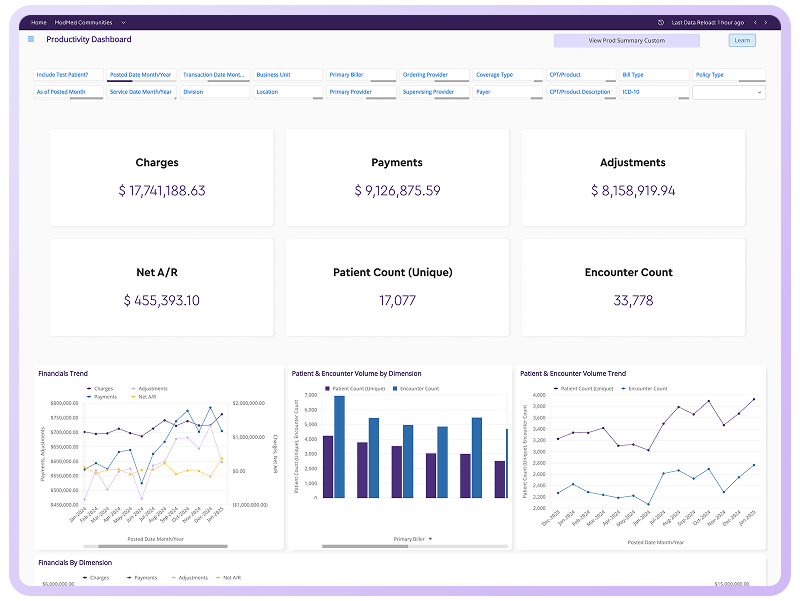
ModMed EMA is a specialty-focused pain management EMR designed to streamline clinical documentation, chronic pain tracking, scheduling, billing, and patient workflows. Its intuitive interface and adaptive technology improve efficiency and coordination for pain clinics.
Key Features
- Specialty-Specific Templates: Customizable templates for pain assessments, treatment plans, procedure documentation, and follow-up workflows improve accuracy and standardization.
- Adaptive Documentation Technology: Learns provider preferences to speed up documentation, reduce repetitive data entry, and enhance clinical workflow efficiency.
- Integrated Imaging & Media Management: Secure storage and organization of diagnostic images, scans, and patient media supports treatment evaluation and longitudinal tracking.
- Practice Management & Scheduling Tools: Centralized appointment booking, calendar management, and resource allocation optimize patient flow and clinic operations.
- Revenue Cycle & Billing Management: Supports billing workflows, claims processing, payment tracking, and reporting to streamline financial operations.
Pros
- Highly specialized templates for pain management and procedure documentation
- Adaptive documentation improves provider efficiency and reduces manual workload
- Strong imaging and media management capabilities
- Integrated scheduling, practice management, and billing tools
Cons
- Learning curve for users unfamiliar with adaptive EMR systems
- Pricing transparency requires direct vendor consultation
- Advanced customization may need additional setup
Pricing
- ModMed EMA offers customized pricing based on practice size, provider count, and selected features; contact the vendor for a detailed quote.
Ratings
Support Channels
- Phone Support, Email Support, Live Chat, Help Center, Knowledge Base, Training Resources, and Implementation Support
How Can Integrating Your EMR With Emitrr Elevate Pain Management Workflows?
Integrating a pain management EMR with Emitrr helps clinics streamline patient communication, improve scheduling efficiency, and enhance care coordination. This integration automates routine interactions, reduces administrative workload, and supports better patient engagement throughout long-term pain treatment journeys.
Better Patient Engagement
Emitrr enables automated texting, appointment reminders, and treatment follow-ups that keep patients informed and connected with providers. Continuous communication improves adherence to care plans, ensures timely patient responses, and helps clinics maintain stronger relationships with chronic pain patients.
Fewer No-Shows
Automated appointment reminders and confirmations reduce missed visits and scheduling gaps. Emitrr helps clinics send timely notifications through SMS and email, ensuring patients remember appointments, improving clinic productivity, and maintaining consistent treatment schedules for better pain management outcomes.
Improved Patient Experience
Patients receive timely updates, reminders, and follow-up messages that simplify their care journey. Easy communication improves treatment adherence, builds trust between patients and providers, and increases overall satisfaction with pain management services and clinical support.
Stronger Patient Retention
Emitrr supports recall campaigns, patient outreach, and re-engagement messaging. These tools help clinics maintain long-term relationships with patients, encourage follow-up visits, and support marketing initiatives that improve retention and increase recurring patient appointments.
Centralized Communication
Emitrr stores all patient conversations in a unified communication dashboard accessible to staff and providers. Centralized messaging improves care coordination, reduces communication gaps, and ensures teams can track patient interactions, appointment history, and follow-up requirements efficiently.
Why Should Practices Integrate Emitrr With Their EMR?
Pain clinics manage frequent patient interactions, Online appointment scheduling, and follow-up communication. Integrating Emitrr with an EMR automates these workflows, improves operational efficiency, strengthens patient engagement, and helps clinics deliver consistent, timely communication throughout chronic pain treatment.
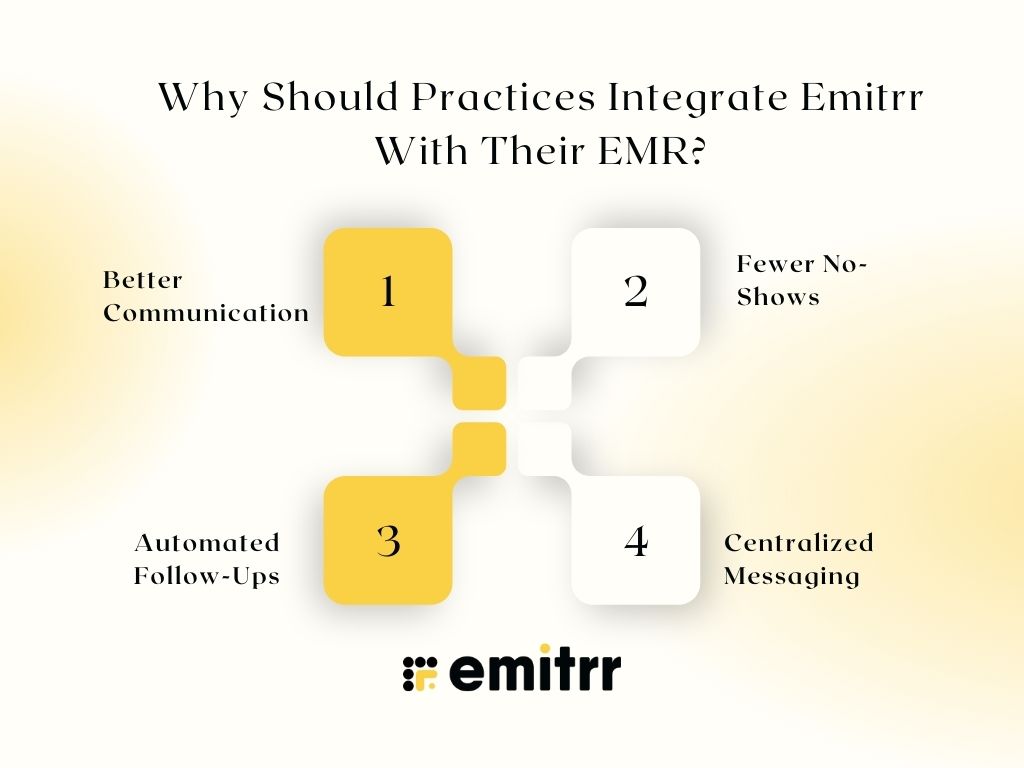
Better Communication
Emitrr enables two-way texting and automated follow-ups, allowing clinics to communicate with patients quickly and efficiently. This real-time communication helps answer patient queries, share care updates, and maintain consistent engagement throughout ongoing pain treatment plans.
Fewer No-Shows
Automated appointment reminders and confirmations help reduce missed visits and scheduling gaps. Emitrr sends timely notifications through SMS and email, helping clinics improve patient attendance rates, optimize scheduling efficiency, and increase overall practice revenue and productivity.
Automated Follow-Ups
Emitrr automates care plan reminders, recall scheduling, and post-treatment follow-ups. These automated workflows ensure patients stay informed about upcoming appointments, treatment milestones, and required check-ins, improving adherence to chronic pain treatment plans and clinical outcomes.
Centralized Messaging
Emitrr provides a unified communication platform where all patient conversations are stored and accessible. Centralized messaging reduces manual administrative tasks, improves staff collaboration, and ensures providers can track patient communication history efficiently across multiple channels.
How Does Emitrr Work With EMR Systems?
Emitrr integrates with most EMR platforms to streamline patient communication, automate administrative workflows, and improve patient engagement. By connecting communication tools directly with clinical data, Emitrr helps practices manage appointments, follow-ups, and patient interactions efficiently while reducing manual workload and improving care coordination.
Two-Way Texting
Emitrr enables real-time two-way messaging between providers and patients, allowing clinics to answer questions, share updates, and coordinate care quickly while improving accessibility and communication efficiency.
SMS and Email Automation
Emitrr automates appointment reminders, confirmations, and follow-up messages through SMS and email, helping clinics maintain consistent communication, improve patient adherence, and reduce missed appointments.
Review Management
Emitrr helps clinics request patient feedback and online reviews automatically, improving practice online reputation, increasing patient trust, and supporting practice growth through positive online presence.
Digital Intake
Emitrr digitizes patient forms and intake workflows, reducing paperwork, improving data accuracy, speeding registration processes, and simplifying administrative tasks for staff and patients.
Recall and Confirmations
Emitrr automates appointment confirmations and recall scheduling, helping clinics maintain consistent patient follow-ups, reduce scheduling gaps, and improve continuity of care for long-term pain treatment.
Watch how Emitrr’s AI agent Sarah makes texting effortless:
Key Takeaways
- Pain management practices benefit significantly from specialized EMR systems.
- Pain tracking, compliance reporting, and multi-modal documentation are essential features.
- Integrating EMR with communication automation tools like Emitrr improves patient engagement and efficiency.
- Selecting the right pain management EMR depends on clinic size, workflows, and patient communication goals.
Frequently Asked Questions (FAQs)
The best EMR depends on clinic size, specialty workflows, and integration requirements. Nextech, DrChrono, and Athenahealth are popular options.
Can Pain Management EMR Integrate With Other Software?
Yes, most pain medicine EMRs integrate with billing platforms, imaging systems, and communication tools.
Most modern EMR systems follow HIPAA compliance standards and include secure data encryption.
Pricing varies based on provider count, features, and customization needs. Costs typically range from monthly subscription-based pricing to enterprise solutions.
Yes, most pain EMRs include PDMP integrations, e-prescribing, and medication monitoring tools.
Emitrr automates reminders, enables two-way texting, and centralizes patient communication, improving patient engagement and reducing missed appointments.