
 4.9 (400+
reviews)
4.9 (400+
reviews)
Introduction
Healthcare practices in today’s time need efficiency, responsiveness, quick communication, and automated workflows as it directly affects the patient experience, revenue as well and quality care. Front desk teams manage various tasks, from managing appointments to handling billing and follow ups and at times simultaneously. Athenahealth for managing all these efficiently came up with “Athenahealth tickers,” but without proper automation, it also results in becoming a manual burden, so here we are going to discuss the same how to automate Athenahealth tickers the right way, as using it efficiently transforms them from passive reminders into active, outcome-driven workflows that reduce staff workload, improve patient engagement, and minimize missed opportunities.
So let’s get started!!
How to Automate Athenahealth Ticklers the Right Way?
- Identify Ticklers That Can Be Automated
- Set the Trigger That Creates Each Tickler
- Define When the Tickler Should Be Marked as Complete
- Choose How Patients Will Receive Communication (Text, Call, or Email)
- Enable Two-Way Messaging for Patient Responses
- Set Up Follow-Up and Escalation Rules for Unresolved Ticklers
- Sync Task Updates and Outcomes Back to Athenahealth
- Apply Security and Compliance Settings
- Test the Automation Before Using It Fully
What Are Ticklers in Athenahealth?
Understanding Athenahealth Ticklers
Athenahealth tickers are a kind of task-based alters that are created when a particular event or timelines occur within the system. What these alerts do is notify front desk staff that an action needs to be taken, such as confirming an appointment, following up on lab results, reaching out for preventive care recall, or more!! Yes, automating Athenahealth tickers provides visibility into pending work; they do not execute actions themselves, and without proper automation in place, staff need to initiate communication manually, track responses, and more, which is time-consuming and limits scalability.
How Ticklers Are Commonly Used
Tickers offered by Athenahealth are generally used for various workflows, including appointment follow-up automation, referral tracking, prescription renewals, lab result outreach, billing-related tasks, patient recall automation, and more. As these are processes that are repetitive as well as time sensitive, they play a very important role in healthcare workflow automation.
Who Relies on Ticklers Daily
Tickers are not limited to one role or department; the healthcare front desk team depends on them for administrative tasks, nurses use tickers for clinical follow-ups, billing department tracks documentation and payments. As it is already clear that tickler helps in comprehensive workflow, any inefficiencies can affect the entire organization, impacting healthcare workflow efficiency at every level.
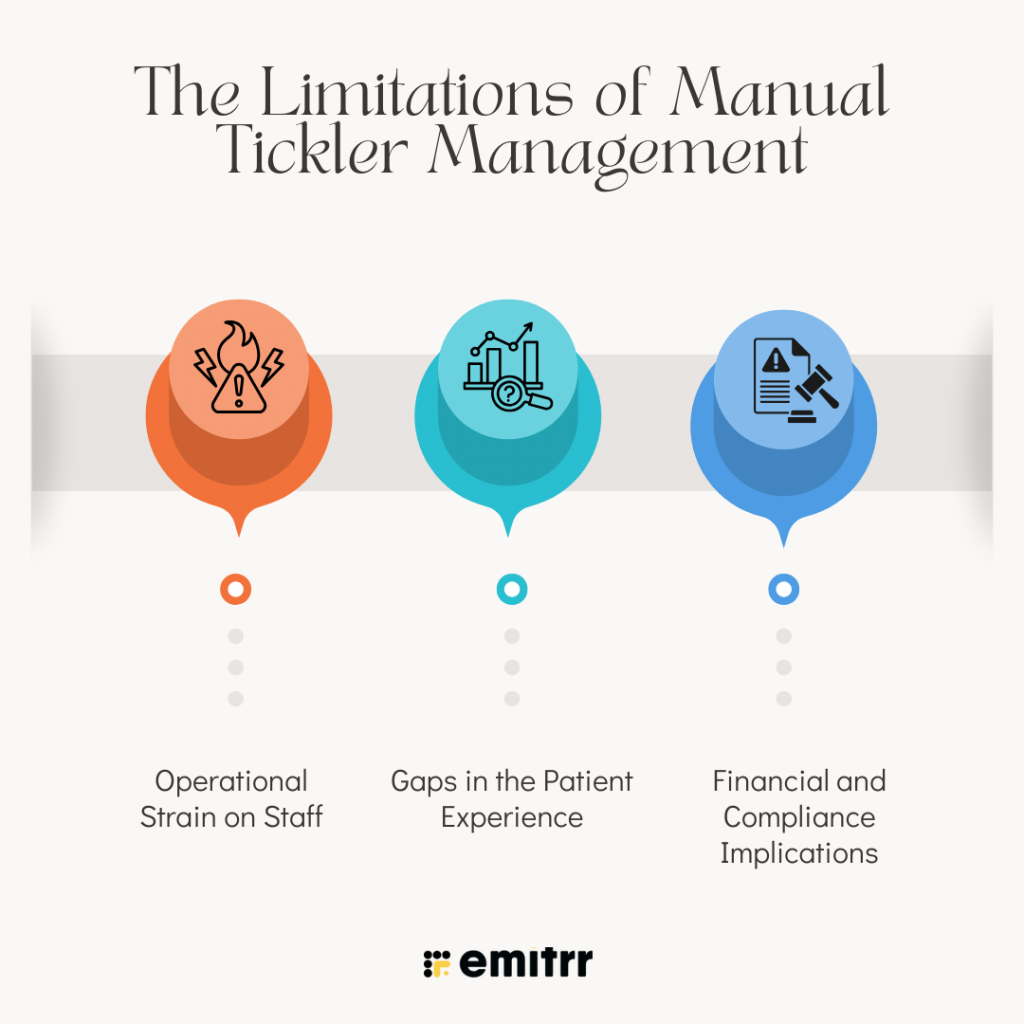
The Limitations of Manual Tickler Management
Operational Strain on Staff
Manual ticker management needs staff to make calls, leave voicemails, document outcomes, schedule follow-ups, and manually close tasks. But when patient volume grows, this becomes overwhelming, which results in unresolved tasks, and teams shift from proactive workflow management to reactive firefighting.
Gaps in the Patient Experience
From a patient’s perspective, manual workflows often feel fragmented. Unanswered calls, late calls, and irregular follow-through make the patient experience inconsistent care, which results in mistrust and disengagement. There is an increased expectation to communicate within healthcare via accessible mediums such as text messaging or automated calling.
Financial and Compliance Implications
Unresolved Athenahealth tickers are more than just administrative inconsistencies; missed appointment leads to increased no-shows, incomplete recalls impact quality care, and delayed billing follow-ups slow revenue collection. In some cases, unresolved tasks can also introduce compliance risks. Over a long period of time, poor tickler management can also lead to both financial performance and regulatory standing.
How to Automate Athenahealth Ticklers: The Right Way
Here’s the best way to automate Athenahealth ticklers
Step 1: Identify Ticklers That Are Suitable for Automation
Not all ticklers should be automated. The first step towards automating Athenahealth ticklers is to identify high-volume, repeatable ticklers that follow a predictable workflow.
- Review existing tickler types in Athenahealth.
- Identify ticklers tied to:
- Appointment confirmations and reminders
- Post-visit follow-ups
- Lab result notifications
- Referral tracking
- Preventive care recalls
- Billing or insurance follow-ups
- Exclude automating ticklers that require complex clinical judgment or sensitive conversations.
Step 2: Define the Trigger That Creates Each Tickler
Automating Athenahealth ticklers begins with a clear and reliable trigger.
- Identify what event creates the tickler, such as:
- Appointment scheduled or rescheduled
- Visit completed
- Lab result posted or signed
- Recall due date reached
- Case or task created
- Ensure the trigger occurs consistently in Athenahealth.
- Confirm the trigger timing aligns with when outreach should begin.
Step 3: Define the Completion Criteria for the Tickler
Before automating, clearly define what “completed” means for each tickler.
- Determine the outcome that closes the tickler.
- Document when automation should stop and when escalation is required.
Step 4: Decide the Patient Communication Channel
Select the most effective channel for each tickler type.
- Use SMS for quick confirmations and reminders.
- Use automated voice calls for patients who do not respond to texts.
- Use secure messaging or email when required.
- Ensure all communication methods are HIPAA compliant.
- Respect patient communication preferences where possible.
Step 5: Enable Two-Way Communication
Athenahealth tickler automation must allow patients to respond and interact.
- Allow patients to:
- Confirm or cancel appointments
- Request rescheduling
- Ask patient follow-up questions
- Ensure responses are captured in real time.
- Define how different responses trigger different outcomes.
Step 6: Configure Follow-Up and Escalation Rules
Athenahealth tickler automation should not stop after the first message.
- Define follow-up timing if the patient does not respond.
- Set limits on the number of automated attempts.
- Configure escalation rules for:
- No response after multiple attempts
- Patient responses that require staff intervention
- Route escalated ticklers to the appropriate staff role.
Step 7: Sync Outcomes Back to Athenahealth
Closing the loop inside Athenahealth is critical.
- Automatically update appointment statuses based on patient responses.
- Close ticklers when completion criteria are met.
- Create tasks or cases in Athenahealth when escalation is needed.
- Ensure staff can see the full communication history.
Step 8: Apply Compliance and Security Controls
Athenahealth tickler automation must meet healthcare compliance requirements.
- Ensure all messages avoid unnecessary clinical details.
- Maintain secure storage of communication logs.
- Respect patient consent for messaging.
- Ensure role-based access to Athenahealth workflow automation.
Step 9: Test Automation Before Full Rollout
Testing Athenahealth tickler automation prevents errors and patient confusion.
- Run test scenarios for each tickler type.
- Validate message timing, wording, and response handling.
- Confirm ticklers close correctly or escalate as expected.
- Involve staff in validation before go-live.
How Integrating Emitrr AI Simplifies Ticklers in Athenahealth
No doubt that Athenahealth tickers are efficient when it comes to identifying tasks that are time-sensitive and need attention, but one drawback is that they are heavily dependent on manual effort if you need to move the process forward. When a tickler triggers, the front desk staff need to notice the tickler, understand the context, decide the next step, and then manually reach out to the patient or another team.
As the volume of patients increases, this becomes difficult to handle and inefficient. Tickers pile up, responses slow down, and critical follow-ups such as appointment confirmations, prescription refills, and referral tracking are delayed. The tickler exists, but the outcome it was meant to drive often doesn’t happen on time.
Emitrr AI solves this gap by turning ticklers into execution points rather than just notifications.
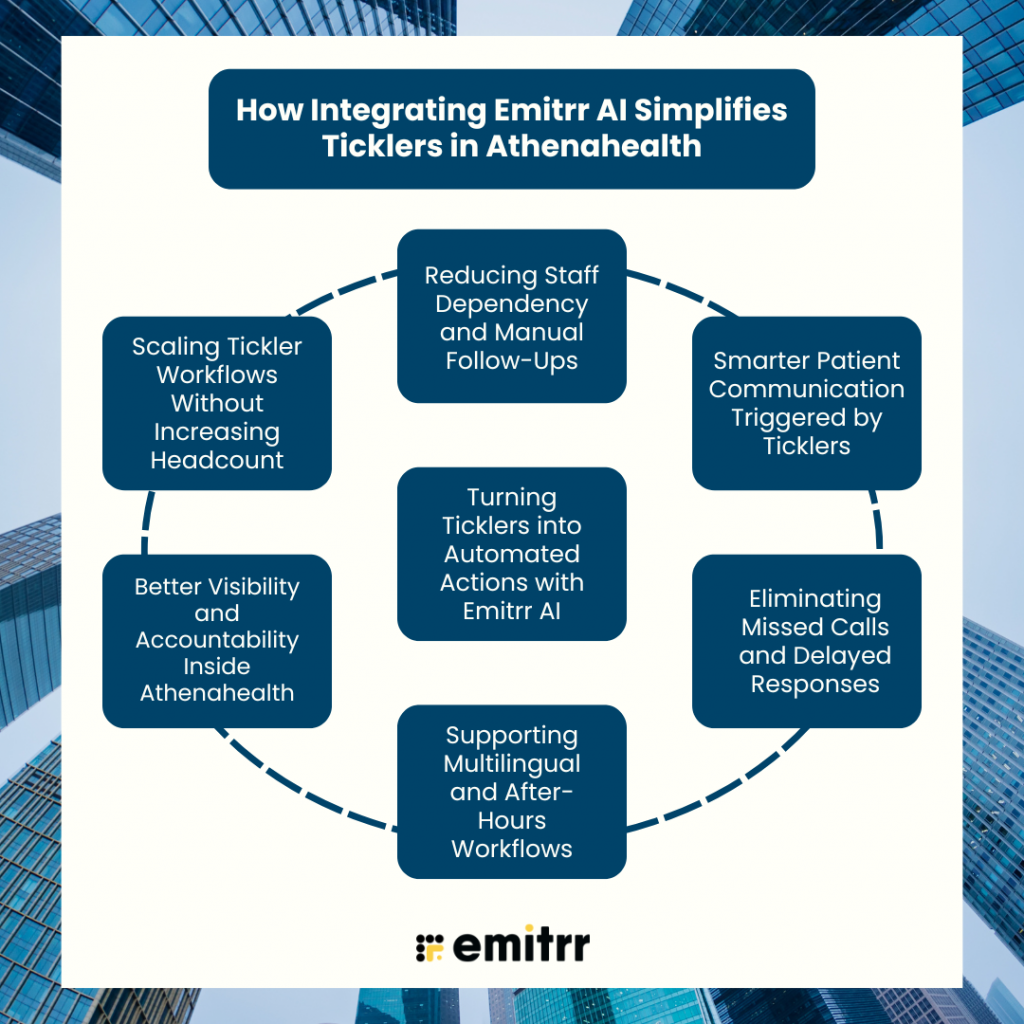
Turning Ticklers into Automated Actions with Emitrr AI
When practices integrate Emitrr with Athenahealth, they not only show a task that needs to be they also trigger predefined, intelligent actions automatically. For example, when a tickler is created for an unconfirmed appointment, Emitrr AI can immediately send a confirmation text, place an AI-driven call, or offer self-scheduling options to the patient. If the patient responds, the status is updated without staff involvement. The tickler effectively resolves itself.
This shift from reminder-based Athenahealth workflow automation to action-based workflows is what truly simplifies tickler management.
Reducing Staff Dependency and Manual Follow-Ups
One of the major benefits of integrating Emitrr AI with Athenahealth is that it significantly helps in reducing the manual work, where front desk staff do not need to continuously monitor tickler lists or chase patients for routine follow-ups. Emitrr handles repetitive and manual tasks such as appointment reminders, missed-call follow-ups, prescription refill intake, and basic patient queries.
Smarter Patient Communication Triggered by Ticklers
Athenahealth tickers are no doubt a very efficient tool, but limited in how responsive they can be. Emitrr AI, on the other hand, enhances the capabilities of tickers by enabling two-way, intelligent communication.
Eliminating Missed Calls and Delayed Responses
Missed calls are one of the very common triggers for tickers, but manually handling them and following up on them is time-consuming and inconsistent as well. Here, Emitrr offers its automation, where it can automatically send a follow-up message, offer appointment booking, or initiate an AI voice agent to handle the request.
Supporting Multilingual and After-Hours Workflows
As we already know that Athenahealth does not offer multilingual support, but when you integrate it with Emitrr is capable of serving multiple languages, which helps in serving a different customer base. Not only does this it also support after-hour workflow, where it handles communication such as appointment management, answering FAQs, prescription refills, and more on its own even outside working hours.
Better Visibility and Accountability Inside Athenahealth
Another challenge with manual ticklers is the lack of clarity around outcomes. A tickler may be marked complete, but it’s often unclear whether the patient was contacted successfully or the issue was truly resolved. Emitrr AI improves visibility by tying ticklers to measurable outcomes. Actions taken through Emitrr, such as messages sent, calls completed, or patient responses, are logged and aligned with the tickler workflow. This creates a clearer picture of what happened, when it happened, and whether follow-up is still needed.
Scaling Tickler Workflows Without Increasing Headcount
As practices grow, tickler volume increases rapidly. Without automation, this growth usually requires hiring more administrative staff. By integrating Emitrr AI, practices can scale their tickler and Athenahealth workflow automation without adding headcount. AI-driven communication, intelligent call routing, and automated task resolution handle the increased workload efficiently, allowing teams to grow without operational bottlenecks.
Frequently Asked Questions
Automating tickers the right way means connecting each ticker to a clear trigger, which will be an automated action and an outcome. Instead of just reminding staff that something needs attention, the tickler actively initiates workflows like sending reminders, collecting patient responses, or escalating issues when needed.
Tickers that are mostly used for repetitive and time-sensitive tasks, such as appointment confirmations, missed-call follow-ups, referral status checks, preventive care reminders, and prescription refill intake, are ideal for automation.
When it comes to tickers replacing the front desk staff, the answer is no. Automation is specially designed to handle routine tasks. Complicated tasks and decisions, or even sensitive patient issues, should always be escalated to the staff. Automation is meant for reducing the workload, not for replacing the human workforce.
If a patient does not respond, the Athenahealth workflow automation can automatically escalate the tickler to staff after a defined time. This ensures that automation handles first attempts while humans step in only when necessary.
Athenahealth offers basic reminder and notification capabilities, but it has limitations when it comes to advanced workflows.
Emitrr integrates deeply with Athenahealth to turn ticklers into intelligent, action-driven workflows. When a tickler is created, Emitrr can automatically send personalized texts, initiate AI-powered calls, recover missed calls, collect patient responses, and route tasks to the appropriate team.
Yes. When a call is missed, Emitrr can instantly trigger a follow-up text acknowledging the call and offering next steps such as appointment booking or assistance ensuring no patient inquiry is lost.
Conclusion
By now, it is clear that automating Athenahealth tickers the right way means not just “automation,” it also means moving beyond reminders, handling administrative tasks, and creating a workflow that helps in driving real outcomes. When ticklers trigger actions instead of waiting for attention, practices become more responsive, efficient, and patient-centric.
You can also boost the power of Athenahealth tickers and make it even more robust if you integrate it with the advanced automation and communication platform Emitrr, which offers deep integration with Athena and works in cohesion, not in isolation. With Emitrr, tickers stop being to-do lists and start becoming engines of operational excellence. Want to know more? Book a demo now!!