
 4.9 (400+
reviews)
4.9 (400+
reviews)

Introduction
Have you ever stood in a queue at a pharmacy and wondered why it takes so long just to pick up your prescription? Or maybe you have called to book a flu shot and got stuck with unattended calls? If you ever felt any such feelings, then you are not alone. Pharmacy scheduling used to be a background task, but today, it has become a vital piece of the patient experience puzzle. As pharmacies have evolved into more integrated parts of the healthcare system, efficient scheduling is no longer optional; it’s essential.
Let’s take a step back and understand the basics of how pharmacy management has evolved. Not long ago, scheduling in healthcare was all about pen, paper, and a whole lot of phone calls. Patients had to visit or call their healthcare provider for appointments, and pharmacies were no exception. This manual system was not only time-consuming but also prone to errors like double bookings, missed appointments, and lost records.
The push for digital transformation started with hospitals and clinics, and pharmacies, needless to say, followed suit. Initially, it was basic, like Excel spreadsheets or internal calendar tools. But with the rise of telehealth and consumer expectations for convenience, a more robust digital scheduling model emerged.
It is obvious that with the rise of digital tools, the move from manual to digital was inevitable. Patients today are more tech-savvy and expect seamless experiences. Pharmacies, recognizing the demand, began adopting online scheduling platforms. This shift not only improved pharmacies’ efficiency but also opened new opportunities for engagement, service, and patient satisfaction.
Role of Online Scheduling in Modern Pharmacies
Modern pharmacies are no longer just simple medication dispensaries. The current pharmacies offer more than just over-the-counter medicines. They offer vaccinations, health screenings, consultations, and even chronic disease management. Online scheduling makes it easier to manage all these services. With a few clicks, patients can easily choose their desired services, set appointments, and receive confirmations, and everything without disrupting pharmacy workflow. And the result is better service delivery and happier customers.
Importance of Scheduling for Pharmacy
In this tech-savvy world, convenience is the foundation of most businesses out there. And pharmacies are no exception. With growing demands and expanding services, a well-structured scheduling system can make all the difference. Let’s explore why online scheduling is now a must-have for every pharmacy.
Enhancing Patient Experience and Reducing Wait Times
No one likes to wait, especially when they are patients who need treatment. Online scheduling gives patients the power to book appointments at their convenience, which significantly cuts down on long queues and unpredictable waiting times. Pharmacies can prepare in advance for each visit, reducing bottlenecks and ensuring faster, smoother service.
Improving Operational Efficiency
Online scheduling isn’t just for patients; it is a game-changer for pharmacy operations. By automating appointment management, staff can better allocate time and resources, preventing overbooking and last-minute chaos. Automated reminders, real-time updates, and a centralized calendar help keep the workflow running efficiently even during peak hours.
Boosting Revenue Through Optimized Appointments
More appointments can mean more revenue, but only when managed strategically. Online scheduling helps fill open slots, reduce no-shows with timely reminders, and prioritize high-value services like consultations and vaccination scheduling software. This allows pharmacies to serve more patients and improve their bottom line.
Types of Scheduling for Pharmacy
Online scheduling is not a one-size-fits-all kind of setup. Modern pharmacies that provide diverse services need suitable online scheduling softwares. Here is a breakdown of the main types of scheduling.
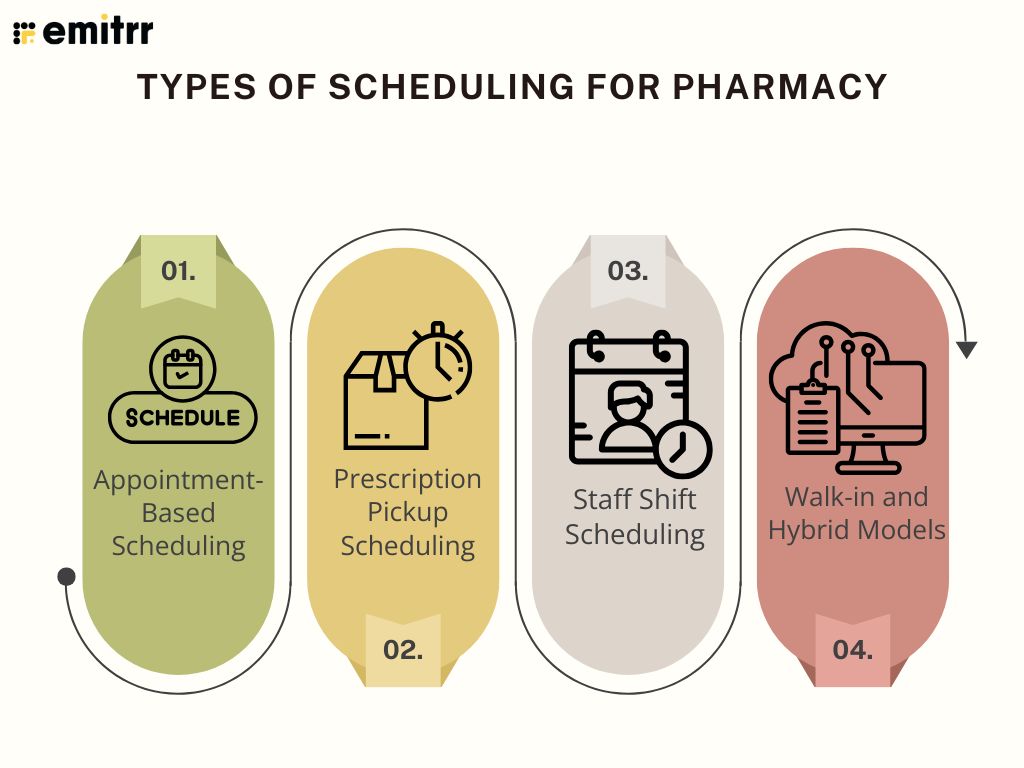
Appointment-Based Scheduling
Appointment-based scheduling is perfect for structured services such as flu shots, travel vaccinations, or even in-depth health consultations. Patients choose a specific time, and the pharmacy staff is prepared in advance. This reduces waiting, prevents last-minute rushes, and ensures a professional, organized service experience.
Prescription Pickup Scheduling
With this type of scheduling tool, you can select a convenient pickup time for their medication. This way, the patient does not have to wait in line for the house. This type of scheduling tool is best for elderly patients or those with compromised immunity who prefer minimal contact. It also helps pharmacies manage the crowd flow and improve daily planning.
Staff Shift Scheduling
Behind every smooth pharmacy visit is a well-scheduled team. Staff scheduling ensures that the right number of pharmacists and technicians are on duty at the right times. This setup prevents overstaffing during slow hours and understaffing during rush hours, enhancing operational efficiency.
Walk-in and Hybrid Models
Some pharmacies cater to planned and spontaneous visits. A hybrid scheduling model allows patients to walk in while also maintaining a structured schedule for appointments. It is the best of both worlds combined in one single model. It is ideal for balancing service quality with accessibility.
Use Cases of Hospital Scheduling
Hospitals are busy places where timing and punctuality matter and are non-negotiable. From coordinating departments to managing medication flow, scheduling plays a key role in keeping things efficient and patient-friendly. Let’s explore some real-world scenarios where online scheduling appears to be a necessity.
- Streamlining Interdepartmental Coordination: In a hospital, the pharmacy doesn’t work in a bubble. Scheduling software ensures smooth collaboration with departments like radiology, surgery, and discharge units, preventing delays and improving overall care.
- Handling High-Demand Vaccine Clinics: During flu season or COVID-19 rollouts, appointments pile up fast. A competent online scheduler helps organize patient visits, avoid crowding, and ensures each patient gets the right dose at the right time.
- Scheduling Medication Pickups for Discharge: Admitting and discharging a patient can be equally challenging. But with smart scheduling, the pharmacy can prep medications in advance, reducing wait times and enabling much faster and more efficient transitions from hospital to home.
- Coordinating Inpatient Medication Reviews: Clinical pharmacists often face situations where they have to review patient medications daily. Scheduling these reviews ensures they happen on time and don’t conflict with other procedures or rounds.
- Reducing Administrative Burden: Pharmacy staff can function better with an effective scheduling tool. Instead of juggling phone calls and scribbling notes, pharmacy staff can use digital tools to schedule, confirm, and track appointments. This will reduce paperwork and free up time for patient care.
Best Practices for Pharmacy Scheduling
Let’s be honest, as impressive as pharmacy scheduling may sound, utilizing it to its fullest extent can be challenging. But a few smart practices can go a long way in keeping your pharmacy efficient, your patients happy, and your staff stress-free.
- Automating Reminders and Confirmations: With scheduling tools, you can use automated SMS, email, or phone reminders to keep patients in the loop. Confirming appointments not only reduces no-shows but also gives patients peace of mind.
- Offering Easy Rescheduling and Cancellation Options: Patients might change plans or timings of their visits. That should not be a matter of inconvenience for the patient or the pharmacy. To tackle such situations, patients can easily reschedule or cancel with a few clicks. This shows that you respect their time, and they will respect yours in turn.
- Collecting and Acting on Patient Feedback: One of the best ways to upgrade pharmacy service is to ask the patients. A quick post-appointment survey can reveal scheduling gaps and inefficiencies. Use that feedback to upgrade your system for a more effective and seamless service.
- Creating Time Buffers Between Appointments: Even though on a busy day, back-to-back slots might seem like an efficient and smart choice, they can cause delays. Therefore, it is important to have some buffer time between two appointments. The time can be utilized by sanitizing or handling walk-ins without disrupting the schedule.
- Training Staff to Handle Scheduling Tools Effectively: Even the best tech can fall flat without proper usage. Hence, it is important to make sure your team is trained to navigate the scheduling system confidently, as this keeps things running smoothly behind the scenes.
Challenges in Scheduling for Pharmacy
When it comes to any tech, even the most well-designed scheduling system isn’t immune to a few bumps in the road. From tech hiccups to human inefficiency, let’s list some of the common hurdles pharmacies face. Being aware of the challenges will only make it easier for you to upgrade the pharmacy.
- Managing No-Shows and Last-Minute Cancellations: Cases of no-shows are extremely common at any pharmacy, but you can’t let that disrupt the whole day. Hence, you need to have a clear policy and a slight overbooking strategy to help you balance the calendar.
- Integrating Scheduling Tools with Existing Systems: You need to figure out what kind of scheduling tool suits your pharmacy the best. Ensuring your scheduling tool works seamlessly with your pharmacy management software and EHRs can save a lot of chaos.
- Adapting to Peak Hours and Unexpected Rushes: Even with a high staff count, it is important to manage the rush hours efficiently. Such an approach will keep the staff well-prepared even during rushed mornings, lunch breaks, or sudden prescription surges. Smart scheduling software should let you make real-time adjustments and flag high-traffic windows in advance.
- Ensuring Staff Buy-In and Proper Usage: Any new system, no matter how effective, can face resistance if the staff isn’t on board. Providing proper training and showing how the tool makes their work easier can encourage adoption and consistency.
- Balancing Walk-ins with Appointments: Sudden walk-ins can throw a wrench into a tight schedule. Hence, a hybrid model, where a few slots are left open for unscheduled visits, can help maintain order without turning things into a chaotic situation.
How To Set Up Scheduling for Pharmacy Using Emitrr
Getting started with scheduling doesn’t have to be overwhelming, especially when you’ve got a tool like Emitrr on your side. Here’s a step-by-step guide to help you launch a smooth, automated appointment system for your pharmacy.
- Sign up and choose the pharmacy template: Start by creating an account on Emitrr and selecting the pharmacy-specific setup. This layout is already tailored to services like vaccinations, consultations, and prescription pickups.
- Add services (e.g., flu shots, consultations): For the next step, you can list the services you offer, whether 5-minute prescription pickups or 30-minute wellness consultations. Each service can have its time slot and preparation notes.
- Set availability and staff roles: You need to define your operating hours and assign specific roles to your staff. You can even allocate different time blocks to different team members, depending on their expertise.
- Integrate communication tools (SMS, email): Emitrr lets you integrate SMS and email tools into the system. This way, appointment reminders and confirmations go out automatically without your team lifting a finger.
- Launch your scheduling portal: Once everything’s set, publish your scheduling portal on your website or social media. Patients can now book appointments directly, and you can sit back and manage everything from one dashboard.
Overview of Pharmacy Scheduling Software
Have you ever wondered why modern pharmacies are shifting from pen-and-paper scheduling to digital tools? The answer is quite simple. Pharmacy scheduling software eliminates chaos, reduces staff stress, and makes life easier for both your team and your patients, with so many tasks, such as appointments, staff shifts, and patient calls. And automating these processes just makes the modern pharmacy work seamlessly.
Pharmacy scheduling software is a digital solution that automates and manages key pharmacy operations, such as appointment booking, staff scheduling, and communication. The goal is to minimize human error, improve workflow efficiency, and enhance the overall patient experience.
Instead of juggling multiple calls or scribbling appointments on paper, everything is managed through an easy-to-use platform that’s accessible to both patients and staff. This ensures everyone stays on the same page and no task slips through the cracks.
Core Functionalities and Tools
Pharmacy scheduling software isn’t just about booking appointments. It’s a complete toolkit to optimize your daily operations:
- Calendar Integration: You can sync your pharmacy’s schedule with popular calendars like Google Calendar or Outlook. This prevents double-booking, reduces confusion, and gives real-time visibility to all team members.
- Automated Reminders: With automated scheduling services, you can simply set it and forget it. The software sends automated SMS or email reminders to patients ahead of time, drastically reducing no-shows and last-minute cancellations.
- Online Booking Portal: With this feature, you can eliminate the series of phone calls. Patients can book their appointments 24/7 through a user-friendly portal, directly from your website or a mobile link.
- Staff Management: You can manage staff easily with scheduling softwares such as Emitrr. You can assign shifts, track staff availability, and handle role-specific bookings (like assigning flu shots to certified technicians). This ensures balanced workloads and avoids overstaffing.
- Real-Time Availability: One of the best features for a pharmacy is real-time availability. This feature keeps both patients and staff informed and ensures your appointment schedule remains accurate and up to date.
Features To Look For in a Hospital Scheduling Software
Choosing the right scheduling software for a hospital or large-scale pharmacy is a big decision. You need a system that’s not only functional but also secure, scalable, and simple to use. These 7 must-have pharmacy scheduling features will ensure you get the most out of your investment:
- User-Friendly Interface: The software must be user-friendly. The software should be intuitive and easy to use for both staff and patients. Look for clean dashboards, drag-and-drop functionality, and simple navigation. If your team needs a manual to understand it, it’s probably too complex.
- HIPAA-Compliant Communication: Healthcare data is sensitive, so the system must comply with HIPAA standards. This includes secure patient messaging, encrypted records, and safe data transmission protocols.
- Real-Time Updates and Notifications: Whether it’s a last-minute cancellation or an urgent change in staffing, real-time alerts keep everyone in the loop. The ability to send push notifications, emails, or texts is crucial for timely communication.
- Mobile Accessibility: Staff should be able to access the platform from tablets or smartphones. This is especially useful for on-the-go schedule adjustments, shift swaps, or patient lookups during a busy day.
- Customizable Appointment Types and Durations: You should be able to define services (like vaccinations, consultations, or medication reviews), assign specific durations, and set rules for each. Customization means the system adapts to your workflow, not the other way around.
- Integrated Reporting and Analytics: A good system doesn’t just manage tasks—it helps improve them. Look for built-in reports that show no-show rates, busiest time slots, staff utilization, and appointment trends to help you make data-driven decisions.
- Multi-Channel Integration (SMS, Email, VoIP): Whether you’re sending a reminder or a follow-up message, the platform should seamlessly connect with your communication tools. SMS and email integrations help automate touchpoints, reducing manual work and increasing engagement.

Integrations Required for Pharmacy Scheduling Software
Scheduling software doesn’t work in a vacuum; it needs to plug into your existing tech stack. Look for platforms that integrate easily with:
- Pharmacy Management Systems like PioneerRx or McKesson for inventory and billing sync.
- EHR/EMR Platforms to access patient histories and align appointment records with treatments.
- Calendar Apps such as Google or Outlook to keep your team in sync.
- Communication Tools (SMS, email, VoIP) for seamless patient updates.
How Scheduling Software Helps Pharmacies
If you’re still wondering whether it’s worth the switch, then let’s take a step further and understand how scheduling software is a game-changer. Here’s how scheduling software helps pharmacy operations run smoother and smarter.
- Streamlining Operations and Staffing: A clear schedule allows you to assign staff more effectively and avoid being over- or understaffed.
- Reducing Human Errors in Booking: Say goodbye to double bookings and missed appointments. Automation keeps things accurate.
- Increasing Customer Retention Through Convenience: When patients can easily book, reschedule, and get reminders, they’re more likely to return.
How To Choose the Right Scheduling Software for Pharmacy
Choosing the right software doesn’t have to be a shot in the dark. Here’s how you can narrow it down:
- Factors to Consider: Look at cost, ease of use, level of support, and whether the software can grow with you.
- Comparing Features Based on Pharmacy Size: A single-location setup has different needs than a multi-branch chain. Choose accordingly.
- Demo Testing and Feedback Evaluation: Always take a test drive before committing. Involve your staff and listen to their feedback.
Top 10 Scheduling Software for Pharmacy
1. Emitrr

If you’re a pharmacy looking for a smart, all-in-one scheduling solution that doesn’t overwhelm your team, Emitrr might just be your perfect match. It’s built specifically for small to mid-sized healthcare providers, with pharmacies being a major focus. What makes Emitrr stand out is its simplicity wrapped in powerful automation. It’s not just about booking slots, it’s about making your day-to-day smoother, keeping your patients happy, and giving your staff fewer reasons to stress. Whether you’re managing flu shot appointments, medication consultations, or staff shifts, Emitrr gives you the tools to handle it all without breaking a sweat. It’s especially great if you want something that “just works” right out of the box.
Emitrr Key Features
- Automated Appointment Reminders: It allows sending text, email, or voice reminders to patients, significantly reducing no-shows. You can customize timing and content, keeping communication consistent and professional.
- Two-Way Texting: This allows patients to reply directly to reminders or ask questions via SMS. It’s a simple way to boost engagement and reduce phone calls.
- Custom Appointment Types: Set up specific services like flu shots, prescription pickups, or wellness consults. Each can have its time slots, durations, and instructions.
- Smart Rescheduling and Cancellations: Patients can reschedule or cancel without calling in. The system adjusts availability in real time, helping you fill canceled slots faster.
- Multi-Location Management: If you need software to operate more than one pharmacy? Emitrr lets you manage all locations from one dashboard, streamlining scheduling across your business.
- Role-Based Access Control: You can control who sees and edits what. This is great for assigning different permissions to pharmacists, techs, or admin staff.
- Real-Time Calendar Sync: It easily syncs with Google Calendar and Outlook so you never double-book. You’ll always know who’s available and when.
- Review Requests After Visits: Emitrr can automatically send out review requests after appointments. This helps boost your online reputation and gather helpful patient feedback.
- HIPAA-Compliant Communication: Patient privacy is built in from the ground up. All data is encrypted and handled in a compliant manner so that you can focus on care, not legal concerns.
- No App Required for Patients
Patients can book, reschedule, and interact with your pharmacy straight from their phone’s browser or text, no apps, no logins, no hassle.
Emitrr Pros
- Easy for both staff and patients to use, even those who aren’t tech-savvy.
- Affordable pricing that works well for independent and mid-sized pharmacies.
Emitrr Cons
- Limited support for pharmacies operating outside the U.S. or Canada.
- Advanced reporting tools may be less robust than larger enterprise platforms.
Emitrr Pricing
- It starts at $149 per month per user.
Emitrr Ratings and Reviews
- G2: 4.7/5
- Capterra: 4.8/5
“Working with Emitrr has been a pleasure. Love the features it offers and how easy it is to use.”
“Overall the communication has been awesome and everyone is super helpful. The app I’m on the fence about.”
2. Tebra
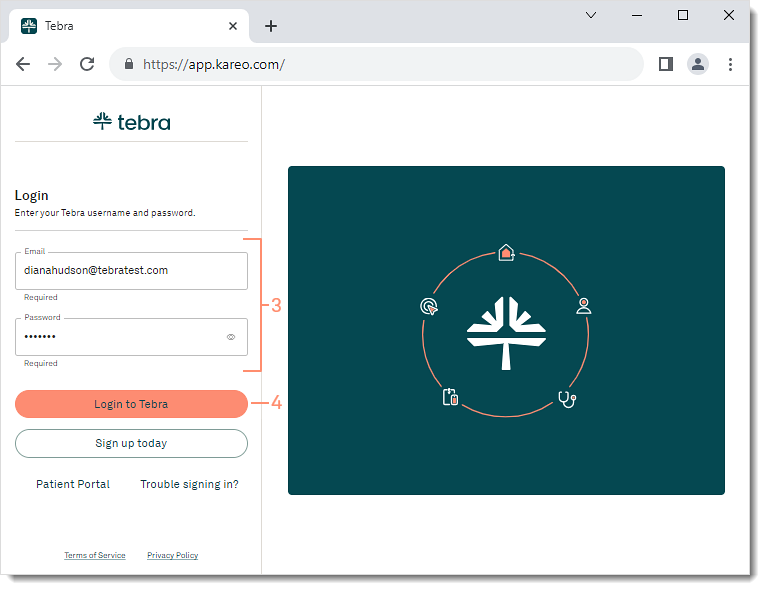
Tebra is a healthcare-focused software platform offering comprehensive scheduling and practice management tools for medical clinics and pharmacies.
Tebra Key Features
- EMR Integration: It seamlessly connects with electronic medical records for efficient patient management.
- Telehealth Services: With this tool, you can easily conduct virtual appointments directly within the platform.
- Insurance Eligibility Checks: It also verifies patient coverage before appointments.
- Patient Portal Access: This tool enables self-service scheduling and access to visit summaries.
- Billing and Coding Support: It simplifies claims and reimbursement processing.
Tebra Pros
- Best suited for practices with up to ten practitioners.
- The format is easy to train the staff.
Tebra Cons
- Enrolling providers can be a cumbersome process.
- The system can be slow, especially when uploading documents.
Tebra Pricing
- Pricing available on request.
Tebra Ratings and Reviews
- G2: 4.1/5
- Capterra: 3.9/5
“They trap you into a 12-month contract, which would sound reasonable given the amount of work necessary to increase online visibility. After you realize that enough time has passed and the can’t perform, when you try to terminate the contract, no one will help you.”
“The software is not compatible with MAC. When I had problems that recurred, they couldn’t help, and I was literally on the phone for hours with them.”
3. SimplePractice
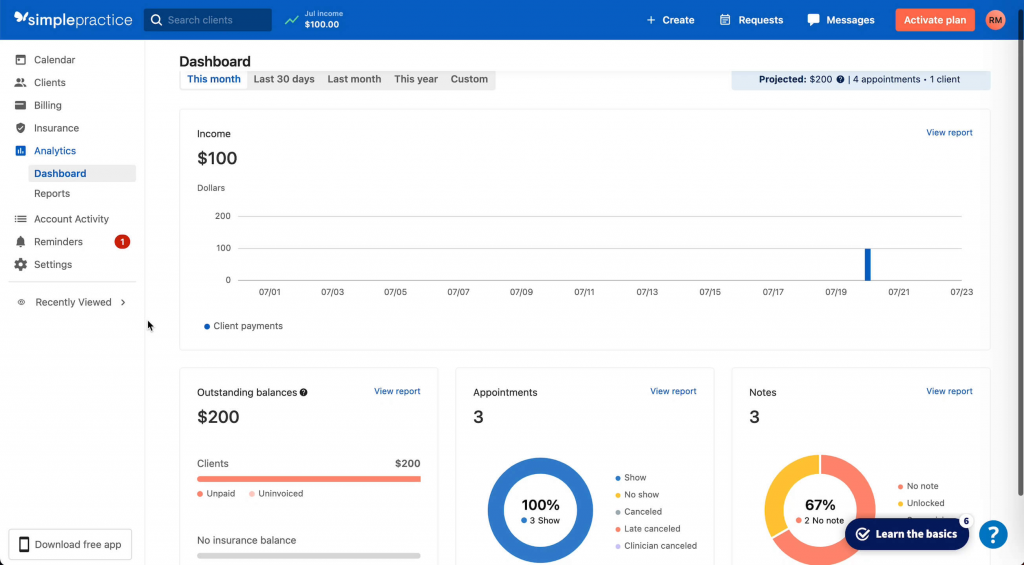
SimplePractice is a robust practice management solution tailored for solo practitioners and small healthcare teams, including pharmacies offering consultation services.
SimplePractice Key Features
- Calendar and Scheduling: It has a centralized dashboard to manage and view appointments.
- Secure Video Appointments: It is ideal for virtual consultations and follow-ups.
- Client Portal: With this tool, patients can schedule, cancel, and fill out forms online.
- Automated Billing and Invoicing: It sends payment reminders and tracks transactions.
- Document Storage: It also keeps prescriptions, forms, and files in one secure place.
SimplePractice Pros
- It is great for virtual consultations.
- It has an intuitive design.
SimplePractice Cons
- It is more focused on therapy practices.
- It is not pharmacy-specific.
SimplePractice Pricing
- The pricing starts at $49 per month per user.
SimplePractice Ratings and Reviews
- G2: 4.1/5
- Capterra: 4.6/5
“We had many issues with reports processing correctly, were losing information, and there were inefficiencies in the way that claims and payments were processed and posted.”
“There is no direct contact so you have to wait to be contacted by e-mail which can take 5-7 days at times.”
4. Zocdoc
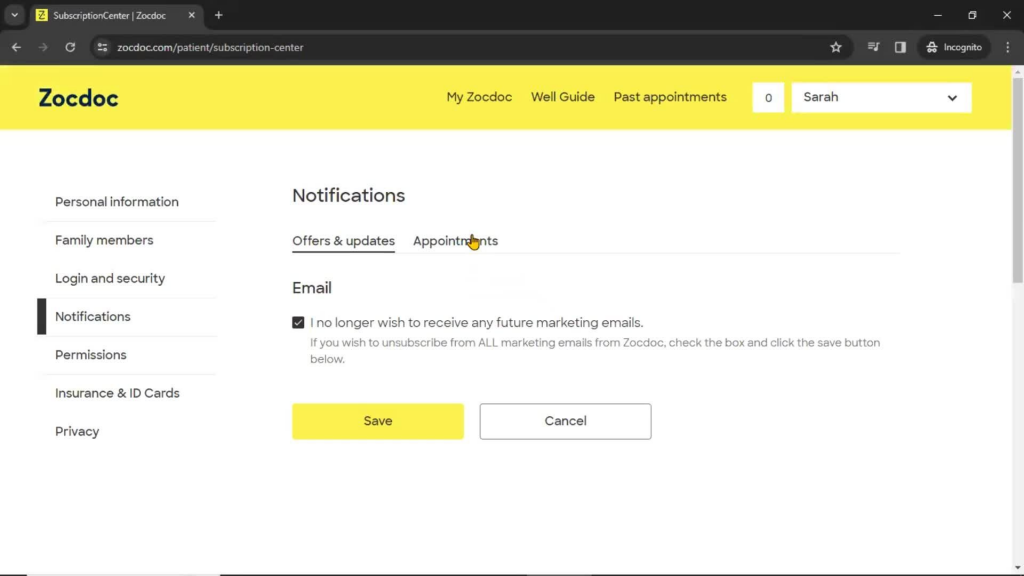
Zocdoc is a patient-first platform where users can search for healthcare providers and book appointments. It helps pharmacies improve discoverability and accessibility.
Zocdoc Key Features
- Appointment Search Function: With this tool, patients can find open slots based on availability and service type.
- Verified Patient Reviews: It serves as a way to build trust by showcasing real patient feedback.
- Insurance Filtering: It helps users find providers covered under their plan.
- Instant Booking: It also simplifies the patient scheduling process.
- Profile Customization: Pharmacies can add service descriptions and availability.
Zocdoc Pros
- It has a high visibility.
- It is easy for patients to use.
Zocdoc Cons
- It has a commission-based pricing.
- It also has limited backend controls.
Zocdoc Pricing
- The pricing is available on request.
Zocdoc Ratings and Reviews
- G2: 4.8/5
- Glassdoor: 4.0/5
“They will send you referrals that don’t meet your requirements and individuals who they know don’t have an insurance that you take. You will still be charged $70 per referral and it doesn’t matter if you even talk to the client or if you cancel the appointment.”
“It’s a huge scam. You also cannot close your account without going through a bunch of hoops and contacting their representatives directly. Stay away.”
5. Calendly
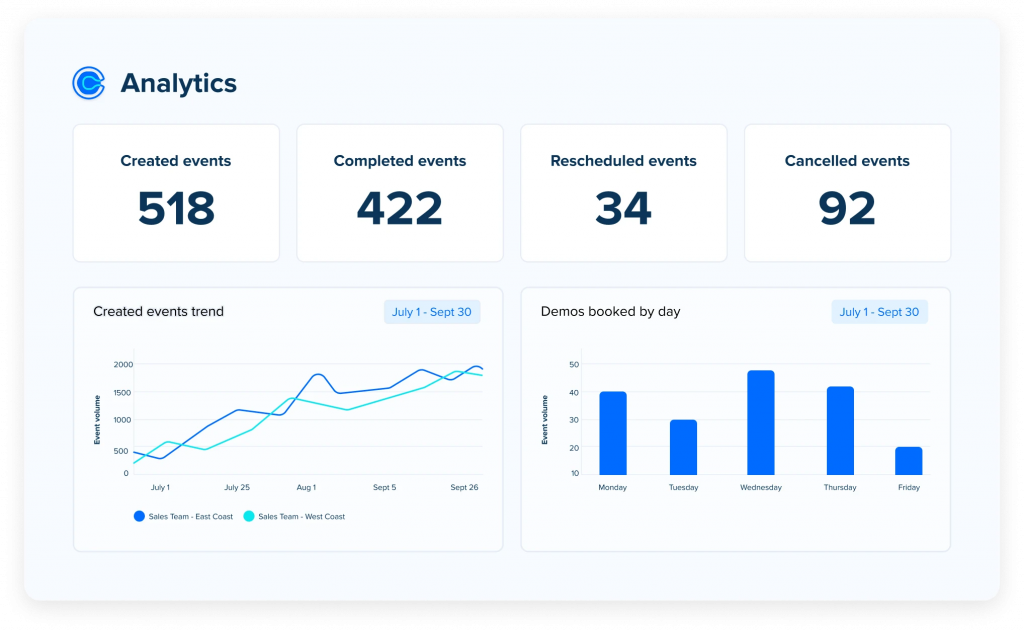
Calendly is a versatile scheduling tool that’s not specific to healthcare but can be adapted for pharmacy use, particularly for booking non-clinical services.
Calendly Key Features
- Time Slot Selection: With this tool, patients can choose from pre-set time blocks.
- Calendar Integration: This tool easily syncs with Google, Outlook, and other calendar tools.
- Team Scheduling: It assigns availability across multiple staff members.
- Workflow Automation: This tool can also send reminders, confirmations, and follow-ups.
- Buffer Times: This software automatically includes breaks between appointments.
Calendly Pros
- It has a simple UI.
- It is quite flexible.
Calendly Cons
- It is not healthcare-specific.
- It lacks built-in compliance.
Calendly Pricing
- It starts at $10 per month per user.
Calendly Ratings and Reviews
- G2: 4.7/5
- Capterra: 4.7/5
“The online booking functionality in Calendly is essential for simplifying scheduling, saving time, and providing an efficient and convenient scheduling experience for organizers and attendees.”
“It is surprisingly just as expensive as its competitors but it does not offer quite as many integrations of customizable tables as, say, Acuity Scheduling.”
6. Mend
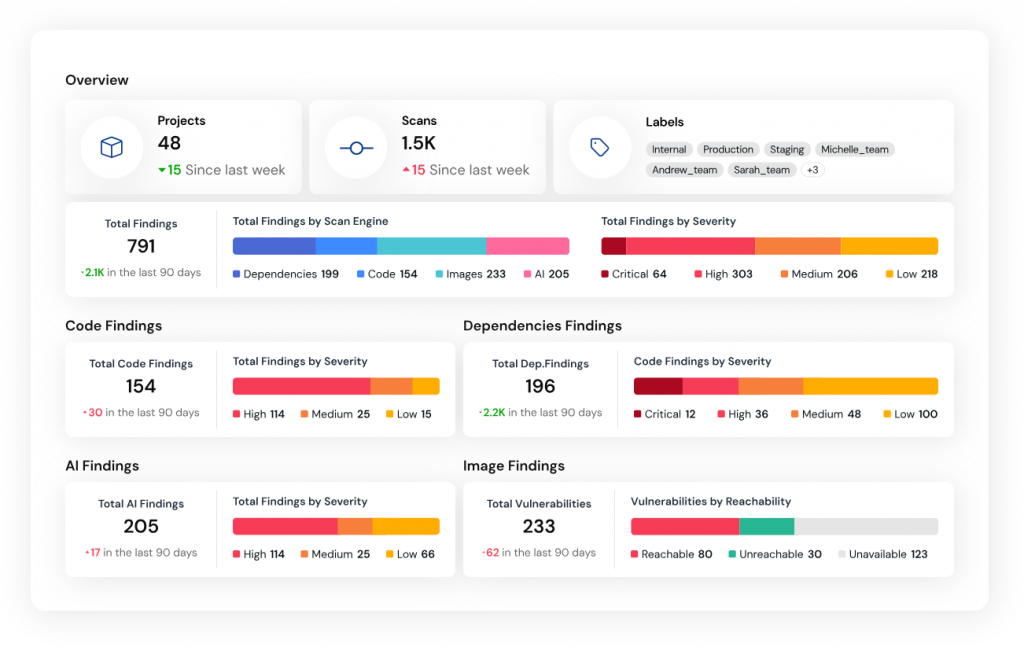
Mend combines telehealth capabilities with robust appointment scheduling, offering pharmacies a high-tech platform for digital patient interactions.
Mend Key Features
- HD Virtual Visits: Conduct clear, reliable telehealth sessions.
- Smart Patient Intake: In this tool, digital forms streamline pre-visit data collection.
- Appointment Analytics: Get insights on no-show rates and average durations.
- Two-Way Messaging: Through this tool, you can chat with patients securely.
- Automated Follow-Ups: With this tool, you can schedule post-appointment check-ins automatically.
Mend Pros
- It has advanced telehealth features.
- It is highly scalable.
Mend Cons
- This tool has a higher cost.
- It may be overkill for small practices.
Mend Pricing
- Pricing is available on ask.
Mend Ratings and Reviews
- G2: 4.7/5
- Capterra: 4.6/5
“Mend has easy-to-use scheduling options to open up my online availability for clients to book appointments.”
“I couldn’t use background apps, because the app wouldn’t allow that.”
7. RXNT
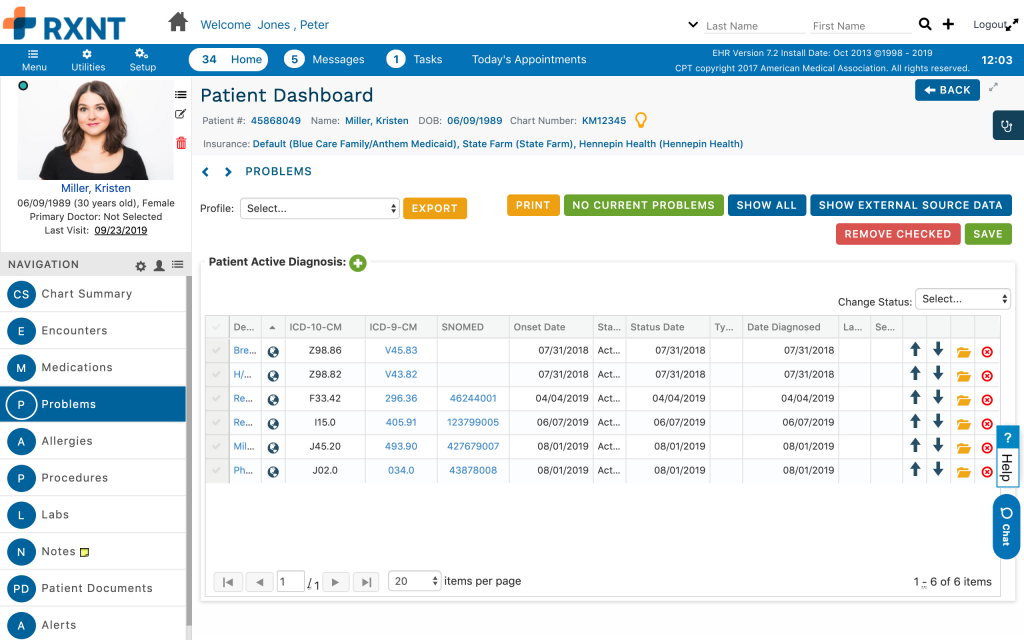
RXNT is a complete healthcare software suite offering e-prescribing and practice management tools, including appointment scheduling for pharmacies.
RXNT Key Features
- E-Prescribing Integration: This tool combines prescription and scheduling workflows.
- Mobile Accessibility: It can manage your schedule on the go.
- Custom Appointment Types: It helps tailor services based on type and duration.
- Patient Communication Tools: You can send appointment details directly to patients.
- Multi-Location Support: You can also manage multiple pharmacy branches efficiently.
RXNT Pros
- Excellent for Rx workflows.
- It has a feature for detailed reporting.
RXNT Cons
- Dated user interface.
- It has slower updates.
RXNT Pricing
- The pricing starts from $139 per month per user.
RXNT Ratings and Reviews
- G2: 4.2/5
- Capterra: 4.3/5
“The web interface could be better, as well as the process to add and administer users.”
“Sometimes Apriss doesn’t work, and even though it says é-script sent successfully it doesn’t show if the pharmacy actually received or approved the script.
8. Acuity Scheduling
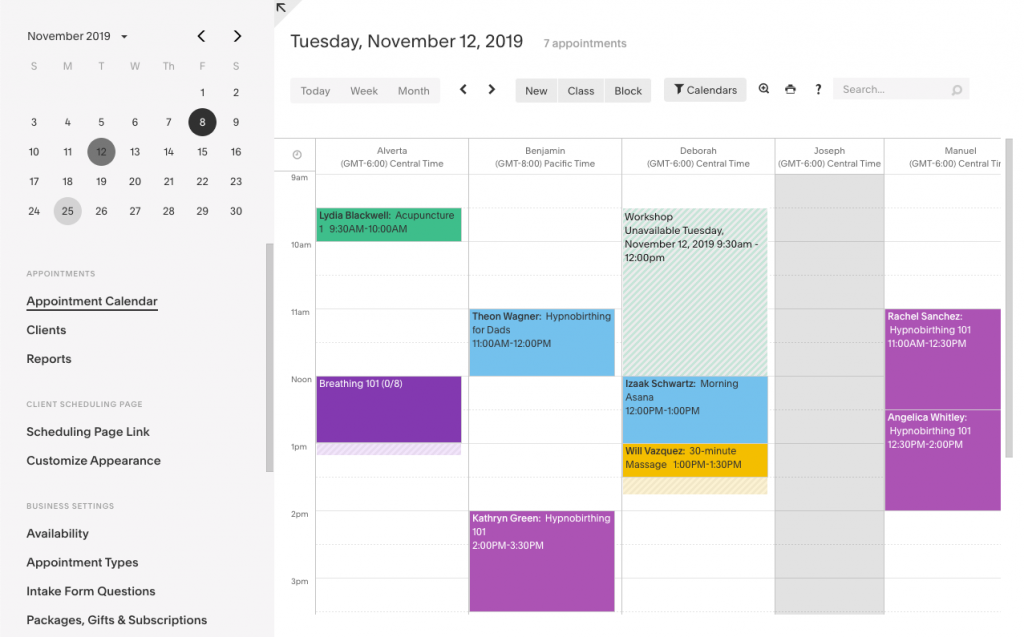
Acuity Scheduling is a highly customizable and easy-to-integrate tool for pharmacies that want a clean, professional appointment system.
Acuity Scheduling Features
- Branded Booking Pages: This tool helps you match your pharmacy’s identity.
- Automated Confirmation Emails: It also comes with an automated feature that instantly notifies patients.
- Time Zone Detection: It ensures correct appointment times for remote patients.
- Client Self-Scheduling: With this tool, patients have full control over their bookings.
- Follow-Up Reminders: It keeps patients coming back.
Acuity Scheduling Pros
- It is user-friendly.
- It also has a series of great integrations.
Acuity Scheduling Cons
- It comes with basic reporting tools.
- It also lacks a deep healthcare focus.
Acuity Scheduling Pricing
- The pricing starts are $20 per month per user.
Acuity Scheduling Ratings and Review
- G2: 4.7/5
- Capterra: 4.8/5
“Acuity does not make using it easy to learn, navigate or figure out. Their help features really stink. They have all this writing you can put into your availability type.”
“Not ideal for larger companies who want to do subscription memberships, it’s very limiting and messy. They only do POS with Square or Stripe, which have super high CC processing fees.”
9. Bookafy
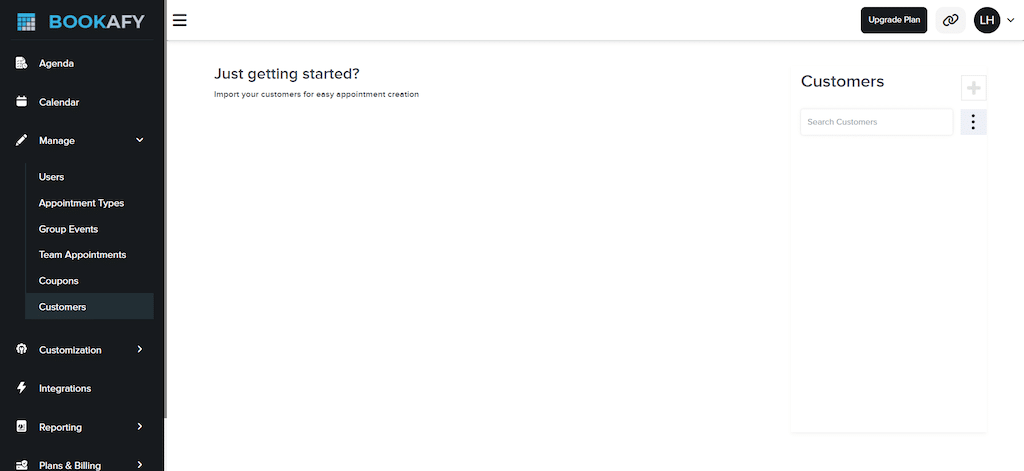
Bookafy is a flexible appointment system that supports CRM integrations and multi-location businesses, ideal for pharmacy chains.
Bookafy Key Features
- Multi-Location Scheduling: This tool handles different branches and teams.
- CRM Integration: In this tool, you can keep patient details organized.
- API Access: This tool can be used for custom software workflows.
- Multi-Language Support: It also accommodates diverse patient bases.
- Group Appointments: This tool allows you to book sessions for more than one patient.
Bookafy Pros
- It is scalable and perfect for growing pharmacies.
- It comes with affordable tiers.
Bookafy Cons
- The interface can be inconsistent.
- You can expect some minor bugs.
Bookafy Pricing
- The pricing is quoted at a flat rate of $9 per month per user.
Bookafy Ratings and Reviews
- G2: 4.4/5
- Capterra: 4.7/5
“They do not integrate with PayPal–they work with Stripe and Authorize.net.”
“The reporting and analytics features could be more advanced.”
10. AppointmentPlus
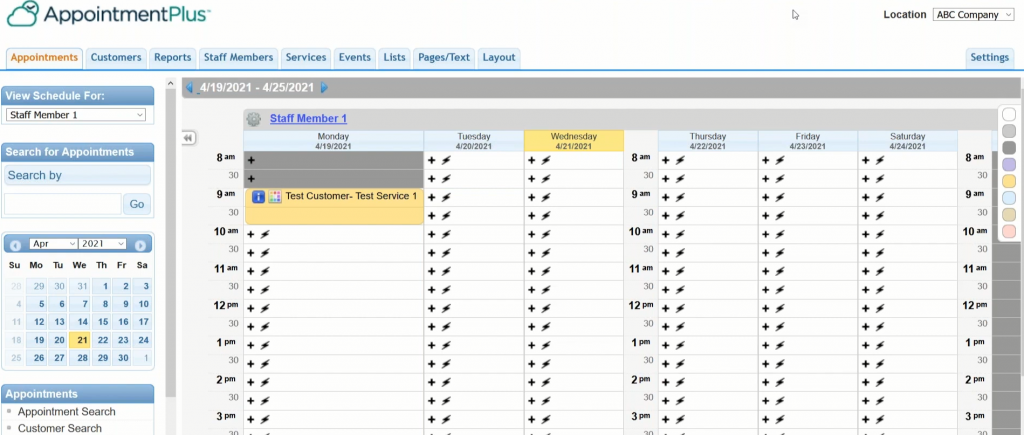
AppointmentPlus is a powerful enterprise scheduler suitable for larger pharmacies or healthcare networks needing robust tools and scalability.
AppointmentPlus Features
- Enterprise-Level Staff Management: It allows assigning shifts and roles easily.
- Advanced Booking Rules: You can also custom logic for each appointment type.
- Chain Store Integration: It works well with multi-branch setups.
- Detailed User Permissions: You can control access levels by staff roles.
- Waitlist Management: This feature automatically fills cancellations.
AppointmentPlus Pros
- It is ideal for large pharmacies.
- It is highly configurable.
AppointmentPlus Cons
- It comes with a complex setup.
- It is certainly not ideal for small practices.
AppointmentPlus Pricing
- The pricing starts at $49 per month per user.
AppointmentPlus Ratings and Reviews
- G2: 4.7/5
- Capterra: 4.5/5
“The user interface, particularly on the administrative side, to be outdated or lacking visual cues, potentially impacting ease of use.”
“While generally stable, some users have reported occasional glitches during setup, though these typically resolve themselves.“
Why Emitrr Is the Best Scheduling Software for Pharmacy
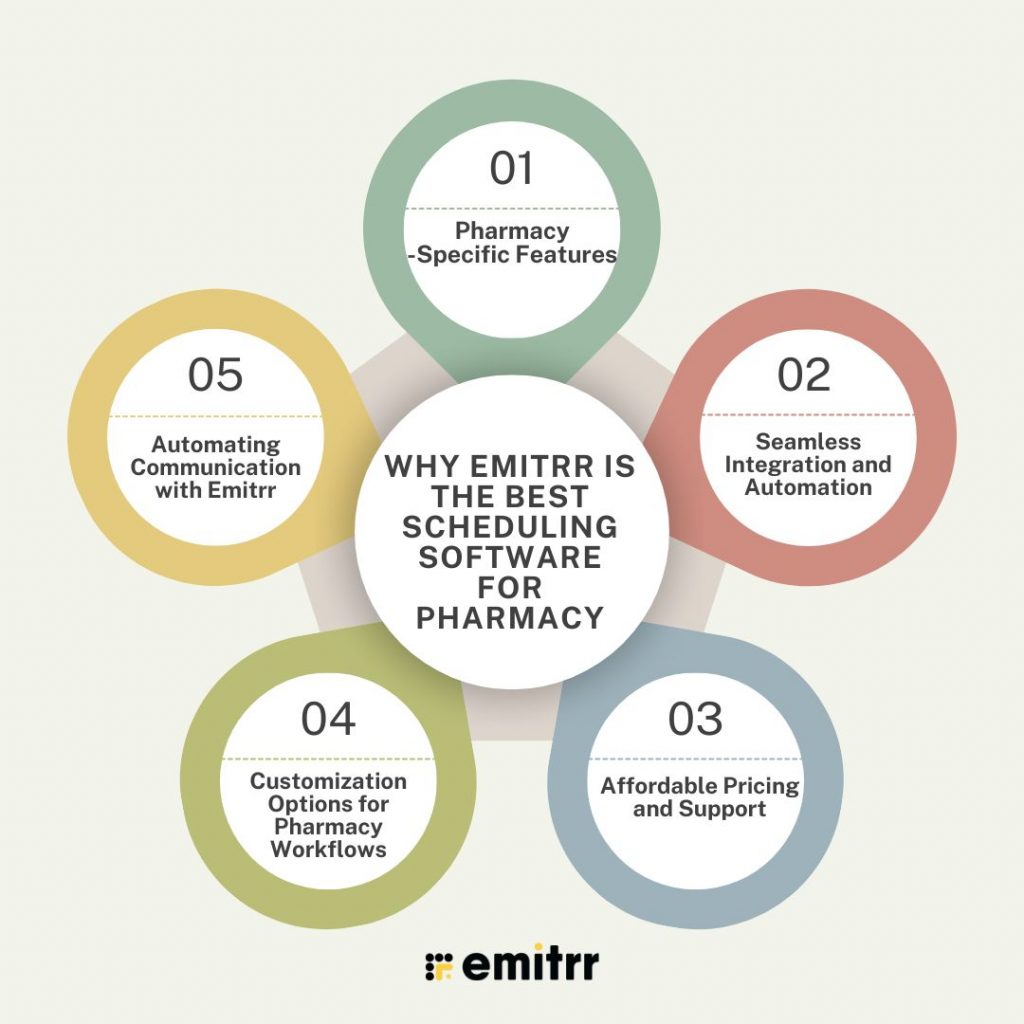
When it comes to choosing patient scheduling software for your pharmacy, you want something that doesn’t just work; you want something built with your specific needs in mind. That’s where Emitrr shines. It’s not a generic scheduling tool trying to fit into the healthcare world. It’s a smart, pharmacy-friendly solution that actually understands how pharmacies operate day in and day out. Let’s look at some of the top reasons why Emitrr is your best choice.
Pharmacy-Specific Features
Emitrr doesn’t just offer scheduling; rather, it offers pharmacy scheduling. That means it’s built to handle common use cases like managing prescription pickups, setting staff schedules, and booking patient consultations. Whether you need to block off 5-minute slots for quick pickups or 30-minute blocks for in-depth consultations, Emitrr gives you the flexibility to do it all without the mess. It’s designed to make pharmacy operations smoother and more efficient, which means there will be no more awkward workarounds or manual fixes.
Seamless Integration and Automation
Emitrr is designed to work well with your existing systems. It syncs effortlessly with major pharmacy management platforms and communication tools. Once you’re set up, most of your routine scheduling tasks, such as appointment reminders, rescheduling requests, and even post-visit follow-ups, are handled automatically. That means fewer missed appointments and way less admin stress for your team.
Affordable Pricing and Support
Great software shouldn’t break the bank, especially for independent and mid-sized pharmacies. Emitrr keeps pricing competitive so you get premium features without a premium price tag. Plus, their 24/7 customer support ensures help is always just a message away. Whether you’re launching your first digital scheduler or scaling across locations, Emitrr offers the kind of hands-on support that gives you peace of mind.
Customization Options for Pharmacy Workflows
Every pharmacy works slightly differently, and that’s why they all need customized softwares that suits the services of the pharmacy. And that is why Emitrr is the best solution, because Emitrr knows that one size doesn’t fit all, so it comes packed with customization features to fit your workflow like a glove.
Tailor appointment types based on the services you offer, from a quick 5-minute refills to 30-minute consultations. You can also adjust time slots, buffer times, and maximum bookings per slot to avoid crowding or wait times.
Emitrr also allows customizing workflows like patient intake forms, consent checklists, and pre-visit questions.
Automating Communication with Emitrr
Manual reminders and follow-ups are time-consuming and prone to slip-ups. Emitrr takes that worry away by providing features like automating the entire communication chain. With Emitrr, you can automatically send appointment confirmations via SMS or email as soon as a booking is made. You can also schedule reminders a day before the appointment to reduce no-shows.
It also enables you to send follow-up messages after the appointment, encouraging feedback or suggesting next steps.
Watch how easy communication becomes with Emitrr’s AI agent Sarah:
FAQs
Absolutely! It helps manage limited resources better and improves customer satisfaction.
Yes, most platforms support multi-location management.
Prices range from $10 to $100/month, depending on features.
Look for HIPAA-compliant solutions that offer encryption and role-based access.
Yes. Emitrr offers flexible customization for services, workflows, and staff roles.
Conclusion
Pharmacy scheduling isn’t just about filling time slots on a calendar. It’s about creating a smoother, more reliable experience for both patients and staff. In today’s fast-paced world, people expect convenience and clarity when it comes to healthcare. And pharmacies are no longer just a place to pick up prescriptions. They are evolving into vital hubs for wellness services like consultations, vaccinations, and health screenings.
That’s why having the right scheduling software matters more than ever. With smart tools like Emitrr, pharmacies can do so much more than just book appointments. They can cut down on no-shows, keep workflows organized, and communicate with patients in real time and even manage to free up staff to focus on what truly matters, which is care and connection.