
Introduction
Patients increasingly expect the convenience of booking appointments online, but every online scheduling request also involves protected health information. Not every scheduling platform is equipped to meet HIPAA requirements, even if it’s widely used by other businesses. This guide compares the best HIPAA-compliant online scheduling software, explains the security features to look for, and helps you choose a solution that improves patient access without compromising compliance.
AI Summary
- Scheduling software that captures a patient name, provider, and appointment type is handling PHI from the first click, Calendly and Booksy offer no BAA, making them legally unsuitable for healthcare.
- The guide clearly separates tools that can be configured for compliance with significant effort from platforms where compliance is native, and explains what that difference means for your risk exposure.
- Each platform is assessed on self-booking, EHR integration, BAA availability, encrypted data handling, audit logging, and automated reminder accuracy.
- The scheduling workflow is covered end to end, from booking through confirmation, reminder, and chart update, showing exactly where each platform creates or closes compliance gaps.
- Emitrr syncs scheduling directly with EHR data, automates HIPAA-compliant reminders, and reduces no-shows by up to 90% without adding a separate scheduling tool to your stack.
- By the end you will know which platforms are worth a compliance review, which are disqualified immediately, and what realistic no-show and call volume savings look like after switching.
What is a HIPAA-Compliant Online Scheduling Software?
A HIPAA-compliant online scheduling software is a digital tool that performs the job of scheduling appointments while remaining in compliance with guidelines provided by the Health Insurance Portability and Accountability Act (HIPAA).
Under HIPAA requirements, all Protected Health Information (PHI), any demographics, medical, or financial evidence that can be tied to an actual person, must be protected. When a patient schedules an appointment online, they usually provide their name, contact information, date of birth, and reason for the appointment. Immediately, that information is PHI.
A software program is only HIPAA compliant if the vendor (the Business Associate/BA) signs a Business Associate Agreement (BAA) with the Covered Entity (the healthcare provider). The BAA will legally obligate the vendor to establish certain safeguards:
- Administrative Safeguards: Policies or procedures to manage security and behavior.
- Physical Safeguards: Protecting electronic information systems, equipment, and facilities from unauthorized access.
- Technical Safeguards: Technology controls like data encryption, access controls, and audit logs.
Therefore, a HIPAA-compliant system for scheduling appointments provides a secure, legal, digital environment to capture patient intake and assist with appointment scheduling.
Which Traditional Scheduling Isn’t HIPAA Compliant?
Many generic, non-healthcare specific scheduling systems we see being used in doctor and hospital offices do not comply with HIPAA compliant online scheduling checklist, creating compliance risk for healthcare practices.
- Free or Generic Calendar Tools (for instance, regular Google Calendars or Calendly’s basic level): These systems may be easy and simple to use, but will generally lack necessary data encryption, and a signed BAA is not possible. This may seem inconsequential, but simply scheduling in a patient’s name for a “therapy appointment” without even putting in medical information is still considered exposure to PHI.
- Standard Email and SMS: Communicating appointment information (especially the reason the patient is visiting) via unencrypted email or SMS text is a clear violation of HIPAA, as the information is not secure in transit and not secure at rest.
- Non-Secure Online Forms: These include generic website forms or survey-style tools that collect PHI data without the use of secure patient scheduling software that adheres to standards such as encryption and a BAA.
To replace non-secure forms with compliant options, here are free downloadable medical form templates that help document authorization and protect patient data:
Using non-compliant technology to schedule appointments is an obvious huge risk where money can be easily and excessively spent on fines, thereby reiterating that a dedicated HIPAA-compliant scheduling software is critical, and not an option.
What Are the Benefits of Using a HIPAA-Compliant Online Scheduling Software?
The transition to a HIPAA-compliant online scheduling software has multiple, higher-value benefits, above and beyond just checking a compliance box.
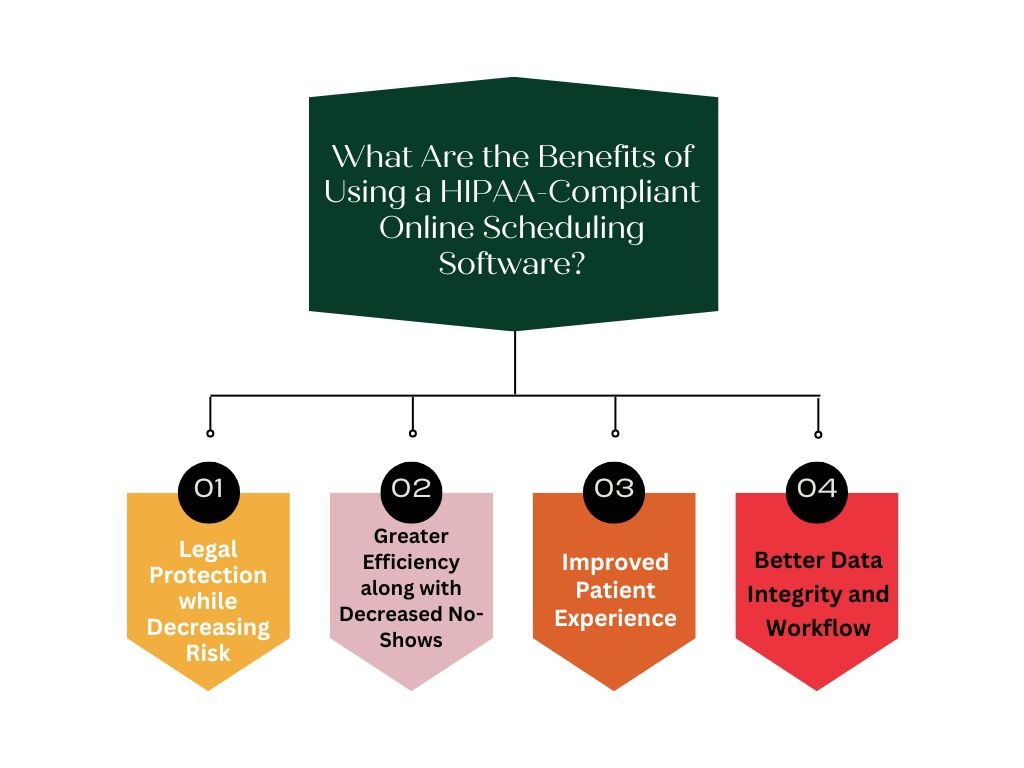
Legal Protection while Decreasing Risk
The most important benefit is avoiding significant fines and legal battles as a consequence of PHI breaches. A signed BAA with your vendor shifts some of the compliance responsibility to a trusted partner.
Greater Efficiency along with Decreased No-Shows
Capabilities such as patient self-scheduling and HIPAA-compliant automated scheduling, along with HIPAA-compliant automated appointment reminders, greatly relieve the administrative burden on your staff. Patients can book at any time, and automated reminders substantially decrease all missed appointments.
Need a faster way to send scheduling and reminder texts?
Use HIPAA-compliant SMS templates built for healthcare practices.
Improved Patient Experience
Modern-day patients want convenience. Providing patient self-scheduling software at your practice offers a professional, secure online booking system that improves the experience and satisfies the demand for ease of access to care.
Better Data Integrity and Workflow
Many of the major vendors of HIPAA-compliant scheduling software include the capability of EHR integration in their software, which allows all appointment information to be transferred into the patient record seamlessly and minimizes data entry errors.
What to Look for in a HIPAA Compliant Scheduling Software
When conducting your own evaluation, you should ensure the following features:
Encryption (in transit & at rest): This protects patient information during transmission and when it is being stored through the use of industry-standard encryption to deter confidentiality breaches and unauthorized access.
Role-Based Access Control / User Permissions
Allowing access to only those users who are authorized per their role, to limit the potential risk of data exposure and maintain strict control over who can access PHI.
Audit Logs & Reporting
Audit logs document each action taken by the user, e.g., status, edits, or deletions, to ensure accountability and compliance with HIPAA audit requirements.
Secure Intake Forms / Questionnaires
Providing the ability for patients to send secure pre-visit information using encrypted, HIPAA-compliant, secure digital forms.
Reminder System That Avoids PHI Leakage
Sending appointment reminders and updates without exposing sensitive health information in emails or text messages.
Integration with EHR / EMR / CRM
The ability to sync scheduling data with any other healthcare or business system – without extra data entry – to ensure patient records are accurate and up-to-date.
BAA / Legal Compliance Documentation
Commitment to having a Business Associate Agreement signed by the software vendor to affirm shared liability with the vendor for the protection of patient PHI.
Scalable Multi-Location & Multi-Provider Scheduling
A Solution that supports multiple offices and multiple providers, but still manages on a single platform, with consistency (of scheduling) and centralized control.
Group/Class Scheduling Support
Ability to book for a group session, class, or family appointment while maintaining individual privacy.
Analytics and Utilization Reporting
Ability to provide metrics such as cancellations, “no-shows,” booking history, etc., to improve staffing effectiveness and patient flow.
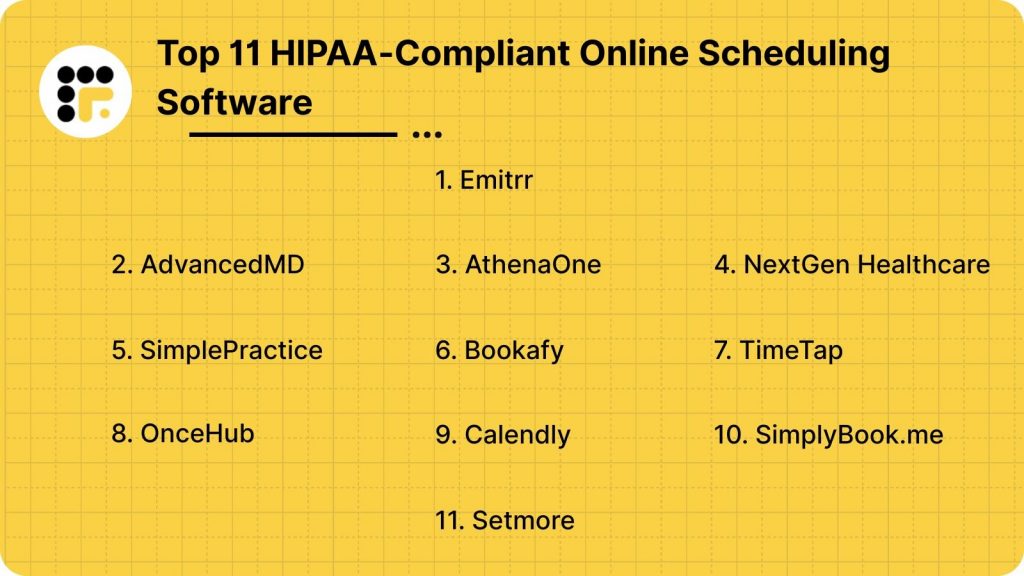
Top 11 HIPAA-Compliant Online Scheduling Software
To help you find the right fit, we’ve divided the top 10 HIPAA-compliant online scheduling software into three core categories based on practice size and use case:
- Emitrr
- AdvancedMD
- AthenaOne (AthenaHealth)
- NextGen Healthcare
- SimplePractice
- Bookafy
- TimeTap
- OnceHub (ScheduleOnce)
- Calendly (Enterprise HIPAA-Compliant Edition)
- SimplyBook.me
- Setmore (with HIPAA Compliance Add-on)
1. Emitrr: Best Overall HIPAA-Compliant Scheduling Software
Overview:
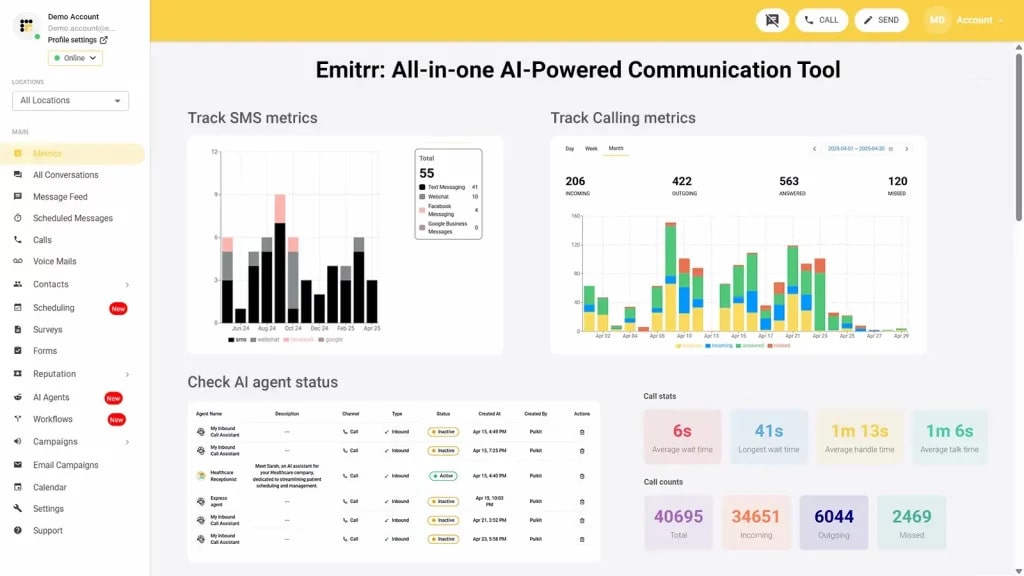
Emitrr is a HIPAA-compliant scheduling and engagement platform for health and service businesses. It brings together voicemail, messaging, and appointment processes into a secure environment. With capabilities such as Self-Booking, AI-Powered Scheduling Assistant, Two-Way Business Texting, and Automated Recall & Follow-up, Emitrr turns scheduling into smart engagement. The platform features Group Appointments, Multi-location scheduling (web-only), Online Intake Forms, Branded Booking Pages, as well as Metrics & Reporting on a HIPAA-compliant Platform.
Emitrr Features:
- Self-Booking (Online Appointments & Schedule Booking): Clients book directly into your calendar with no back and forth!
- AI-Powered Scheduling Assistant: A bot takes care of booking, rescheduling, and listing appointments around the clock.
- Two-Way Business Texting: Safe, private instant texting messages to clients (not one-way reminders only).
- Automated Recall & Follow-Up: Reminds old clients to rebook, sends surveys or feedback after visit.
- HIPAA Compliant Platform: Designed for compliance with healthcare; BAA available.
- Online Intake Forms: Request and receive patient information, signed waivers, and pre-appointment questionnaires.
- Group bookings/class Booking: Deal with group classes or workshops.
- Multi-site / Site-Agnostic Scheduling: Manage appointments from more than one location in a single app.
- Metrics & Reporting: Dashboard views for no-shows, utilization, cancellations, and ROI.
- Branded Booking Pages / Custom Scheduling Links: Pages you can customize with your logo and service flows.
Emitrr Pros:
- All-in-one communication + scheduling platform
- HIPAA-Compliant reminders and forms
- Smooth integrations with medical systems
- Excellent customer support and onboarding
Emitrr Cons:
- Its premium features are ideal for practices that are looking to scale
Emitrr Pricing:
- Standard – $25/month
- Professional – $35/month
Emitrr Support Channels:
Chat, Phone, Email, FAQ, SMS Live
Emitrr Ratings:
4.8/5

2. AdvancedMD
Overview:
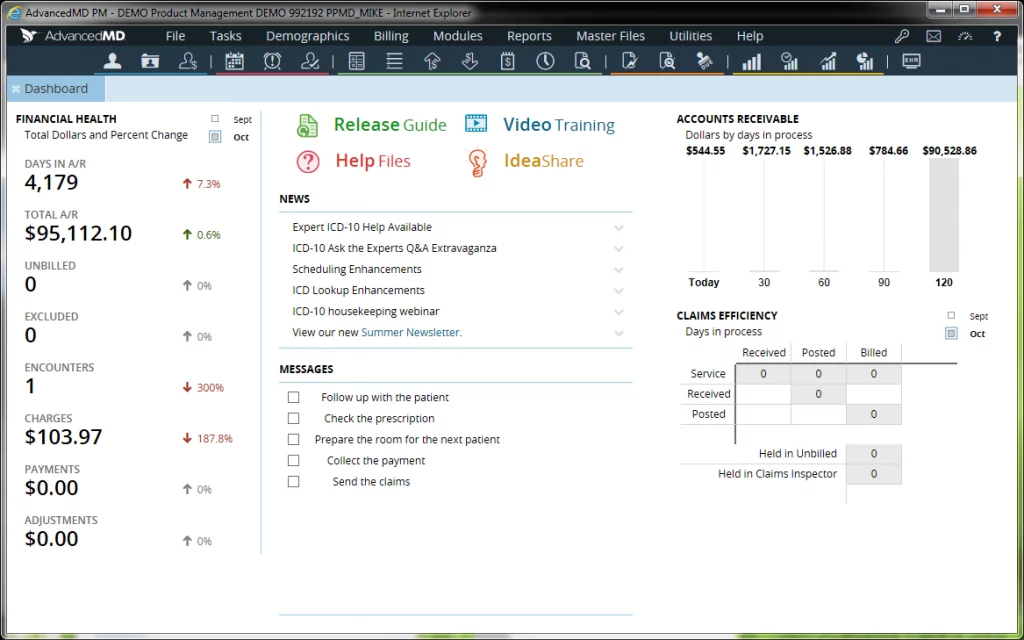
AdvancedMD is a secure HIPAA cloud scheduling software built for hospitals, large specialty clinics, and large healthcare networks. It combines clinical workflows, billing, telehealth, and patient engagement into a secure platform. Organizations can now scale to thousands of appointments with an efficient scheduling module that includes automation, analytics, and compliance.
AdvancedMD Features:
- Self-Booking (Patient Portal): A system that allows patients to schedule or request appointments online themselves.
- AI-Enabled Scheduling Assistant: Automatically schedules appointments to the appropriate provider or department according to availability, specialty, and priority.
- Two-Way Messaging: HIPAA-compliant patient messaging for confirmations, reminders, and follow-up.
- Automated Recall & Follow-Up: Automatically reach out to inactive patients for follow-up care.
- HIPAA-Compliant Hosting: Data encryption 256-bit, secure audit trail, and BAA.
- Intelligent Scheduling Rules: Automated management of provider scheduling, room usage, and double booking.
AdvancedMD Pros:
- Comprehensive EHR + scheduling solution
- Enhanced health compliance and workflow automation
- Quality hospitals and clinics rely on them for all their needs
AdvancedMD Cons:
Complex system for small offices
Higher cost and longer onboarding
AdvancedMD Pricing:
Tailored quotes for modules and the number of users
AdvancedMD Support Channels:
Phone, Email, Training, Customer Portal
AdvancedMD Ratings:
4.6/5
3. AthenaOne (AthenaHealth)

Overview:
AthenaOne from AthenaHealth brings your business-class secure calendaring for healthcare in this enterprise-grade HIPAA-compliant appointment scheduling system, bringing together scheduling, billing, EHR, and telehealth under one platform. It is cloud-based and has superlative automation, so it is perfect for larger health systems that handle many patients.
AthenaOne Features:
- Self-Booking: Patients can self-schedule through branded portals or mobile apps.
- Scheduling Made Easy & Intelligent: Automatically find the best time to meet and get rid of double-booking.
- Two-Way Texting & Email Reminders: Let patients know and eliminate no-shows.
- Automated Recall & Outreach: AI finds opportunities for follow-up for chronic care or missed visits.
- Secure Sharing via HIPAA-Compliant Platform: By design, ours is secure with audit logs and role-based access.
- Multi-Location Centralized Scheduling: Consistent scheduling for multi-clinic organizations.
- Real-Time Insurance Verification: Check for failures up front by verifying eligibility and coverage at the time of scheduling.
- Intelligent Workflows: Manages constant visits and care plans with ease.
- Analytics Dashboard: Monitors operational KPIs, cancellations, and staff efficiency.
- Integration: Built-in connectivity to Athena EHR, billing, and population health modules.
AthenaOne Pros:
- Comprehensive EHR + scheduling solution
- Intuitive healthcare compliance and workflow automation
- Used with confidence by hospitals and clinics around the world
- Strong analytics and reporting tools
- Integrated insurance and billing checks
AthenaOne Cons:
- Complex system for small offices
- Higher cost and longer onboarding
- Limited customization without IT assistance
AthenaOne Pricing:
Personalized pricing depending on modules, number of users, and company size. Pricing usually comes with EHR, billing, and scheduling bundles.
AthenaOne Support Channels:
Phone, Email, Live Chat, Training Portal, Customer Success Manager
AthenaOne Ratings:
4.6 / 5
4. NextGen Healthcare

Overview:
NextGen Healthcare offers an all-in-one HIPAA-compliant medical scheduling software for large outpatient and multi-specialty practices. Its scheduling engine is operationally efficient, patient access-driven, and compliance-focused with tight system integration to clinical and financial systems.
NextGen Features:
- Self-booking: Patients can schedule appointment windows through portals or web apps.
- Scheduling powered by AI: Smart matching driven by provider load, specialty, and patient urgency.
- Two-Way Messaging: Encrypted p2p chat with patients and front-desk teams.
- Follow-Up Automation: Workflows for reminders about post-visit tasks and reappointments.
- HIPAA-Ready Infrastructure: Data encryption, separation, and BAA.
- Online Intake Forms: Get pre-visit patient information in EMR.
- Multi-Clinic Scheduling: Schedule across sites and regions with central control.
- Wait List Management: Automatically fills cancellations with the next patients due.
- Sophisticated Reporting: Business data around utilization, appointment types, and no-show trends.
- Telehealth Scheduling: Seamlessly connects with virtual visit modules.
NextGen Pros:
- It comes with a full-fledged EHR and an online scheduling solution
- Powerful health compliance and workflow automation
- Used in hospitals and clinics around the world
NextGen Cons:
- Complex system for small offices
- Higher cost and longer onboarding
NextGen Pricing:
Custom quote per module and users’ size
NextGen Support Channels:
Phone, Email, Training, Customer Portal
NextGen Ratings:
4.6/5
5. SimplePractice

Overview:
SimplePractice is a modern HIPAA-compliant practice management software for scheduling clients and managing accounts in private therapy practices and small mental health-oriented groups. It’s a one-stop shop for client scheduling, telehealth, documentation, and billing all rolled into an easy-to-use interface, ideal for solo practitioners looking for secure simplicity.
SimplePractice Features:
- Self-Scheduling: You can allow clients to schedule therapy appointments on their own via a branded link.
- Scheduling Simplified: An AI scheduling assistant that helps you find time and shares your availability.
- Two-Way Secure Messaging Clinician: Client chat with complete encryption.
- Automatic Follow-Ups: Reminds and encourages next appointments.
- HIPAA Secure Platform: BAA included end-to-end encryption.
- Upload Current Forms: Digital Intake Forms (consent, insurance, pre-session questionnaires).
- Group Therapy Session Scheduling: Schedule sessions for more than one client together.
- Calendar Sync: Sync with Google, iCal, or Outlook for a true up-to-date experience.
- Metrics & Reports: Basic reporting of revenue, active sessions, and cancellations.
- Telehealth Enabled: In-app video sessions as per HIPAA guidelines.
SimplePractice Pros:
- Perfect for solo practitioners
- Clean, intuitive interface
- Built-in telehealth features
SimplePractice Cons:
- Limited enterprise capabilities
- Slightly higher cost per user
SimplePractice Pricing:
Starts at $29/month
SimplePractice Support Channels:
Email, Help Center, Live Chat
SimplePractice Ratings:
4.7/5
6. Bookafy
Overview:
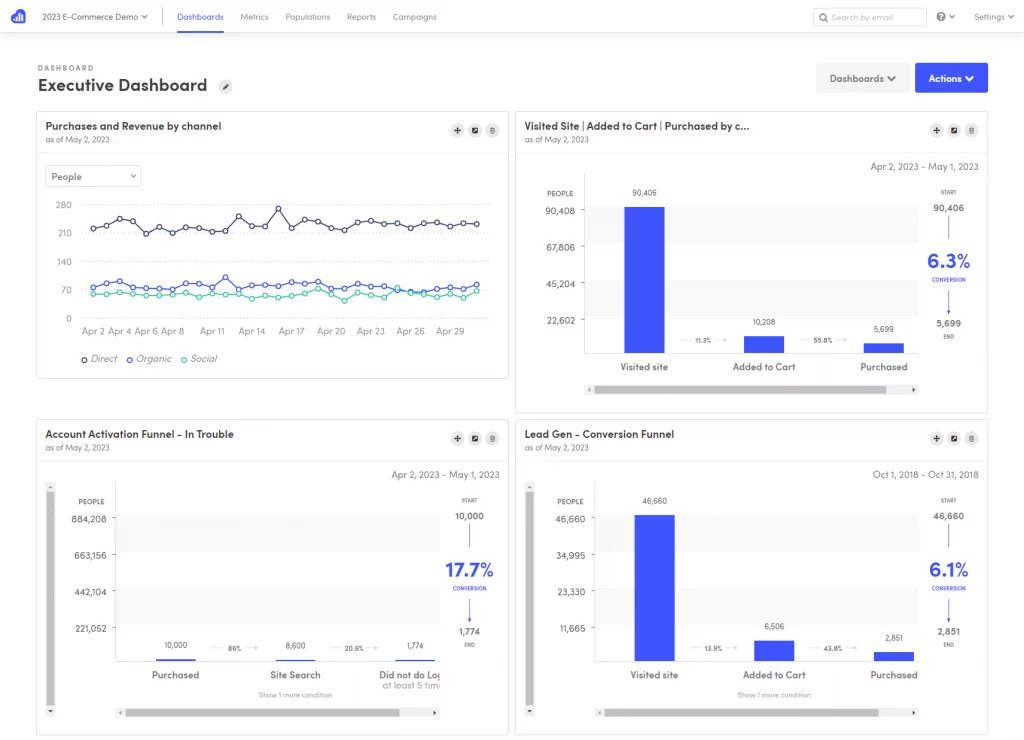
Bookafy is an inexpensive HIPAA-Cloud booking software for small healthcare clinics, dental practices, and wellness centers. It makes scheduling easy with real-time availability, automation, and secure data storage, but still keeps setup simple.
Bookafy Features:
- Self-Service Booking: Clients book their own time slots in a mobile-responsive interface.
- AI-Powered Matching: Automatically assigns appointments to the most suited staff.
- Two-Way Text Reminders: Automated confirmations, rescheduling.
- Automatic Recalls: Reminds former patients to return for future appointments.
- Secure With HIPAA: 256-bit SSL encryption as well as an optional BAA.
- Personalized Intake Forms: Collect clients or customers’ information safely.
- Multi-Therapist Scheduling: Schedule with ease, no matter how many more practitioners you have on staff.
- Quadruple Appointments: Perfect for dental camps or fitness classes.
- Analytics Dashboard: Monitors attendance, booking habits, and growth.
- Website Integration: Add a widget to your website for booking appointments.
Bookafy Pros:
- Very affordable for small teams
- Quick setup and intuitive interface
- HIPAA-capable with encryption and BAA
Bookafy Cons:
- Limited analytics
- Not as full-featured as enterprise software
Bookafy Pricing:
- Pro: $9/ 9/month
- Enterprise: Custom
Bookafy Support Channels:
Chat, Email, Knowledge Base
Bookafy Ratings:
4.6/5
7. TimeTap
Overview:
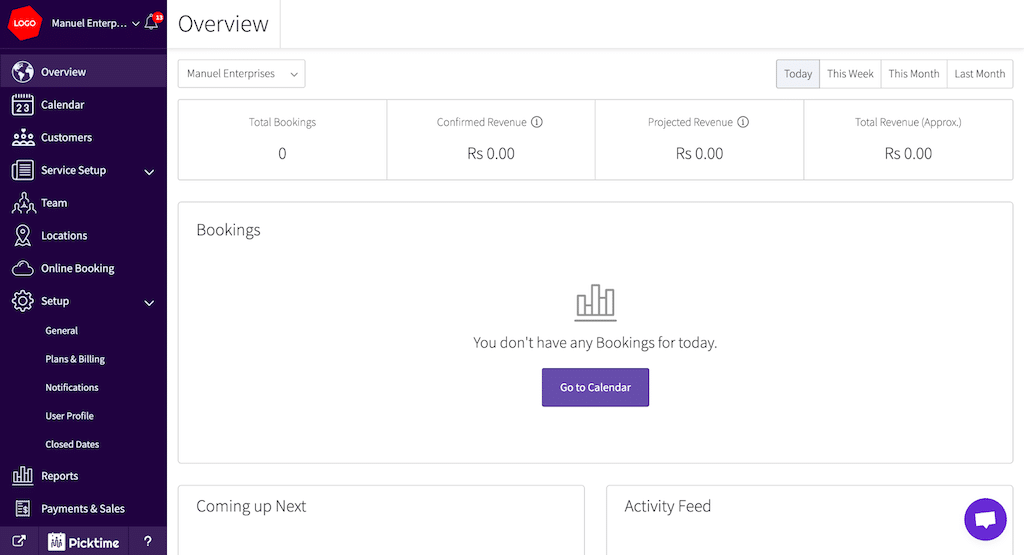
TimeTap is the web’s most powerful HIPAA-secure scheduling software, helping you manage multiple locations, employees, and equipment. Its power comes in the form of its configuration options, be it for clinics and universities or professional services firms that require secure online booking.
TimeTap Features:
- Self-Booking: Patients book directly online with available times.
- AI Scheduler: Assigns automatically depending on the load of resources and the type of service.
- Two-Way SMS & Email: Automated confirmations and reschedule system.
- Automation for Follow-Ups: Keeps patients involved between visits.
- HIPAA-Ready Setup: Encryption, isolated data, and BAA help.
- Online Intake Forms: Design pre-visit or consent forms specific to your needs.
- Group Appointment Configuration: To assist with workshops or multi-patient consultations.
- Multi-Branch Management: Manage multiple stores with one account.
- All-Inclusive Reporting: Monitor employee performance and cancellations.
- Custom Branded Pages: Your own personal white-labeled booking portal.
TimeTap Pros:
- Great scalability for clinics
- Excellent customer support
- Solid audit trail and permissions
TimeTap Cons:
Interface is less modern than its rivals
TimeTap Pricing:
Starts at $25/month
TimeTap Support Channels:
Email, Phone, Support Portal
TimeTap Ratings:
4.6/5
8. OnceHub (ScheduleOnce)
Overview:
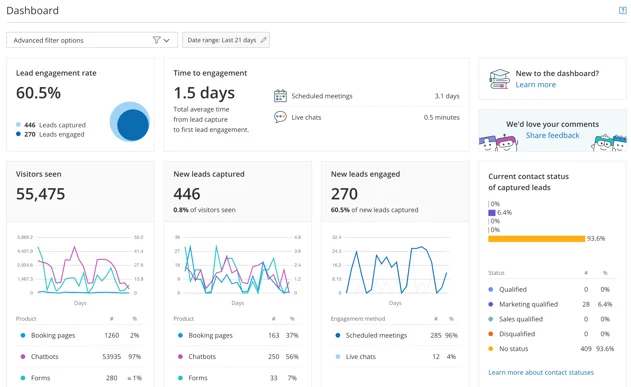
OnceHub is a powerful HIPAA-compliant scheduling system that is widely used by teams handling complex workflows, sales demos, and consultations. Thanks to its smart booking logic and round-robin-style assignment, team booking is the perfect solution for those decentralized companies that need to be able to distribute availability in a way that all can manage.
OnceHub Features:
- Self-Booking: Clients or colleagues can book themselves into protected booking pages.
- AI-powered Scheduling Assistant: Smart meeting allocation and automation.
- Two-Way Communication: Email and SMS alert confirmation with security choices.
- Follow-Ups: Automated reminder and post-meeting surveys.
- High Configuration: Configured in HIPAA-compliant mode with encryption, BAA, and strict data access controls.
- Multi-User Schedule: Ideal for booking appointments amongst staff.
- Calendar Integrations: Syncs with Outlook, Google, or Office 365.
OnceHub Pros:
- Excellent for multi-department, enterprise scheduling
- Advanced reporting and customization options
- Robust automation tools
OnceHub Cons:
- Complex setup for small teams
- Enterprise pricing only
OnceHub Pricing:
Custom enterprise solutions for volume sites and integrations
OnceHub Support Channels:
Email, Chat, Help Center, Dedicated Account Manager
OnceHub Ratings:
4.7/5
9. Calendly (HIPAA-Compliant Version)
Overview:
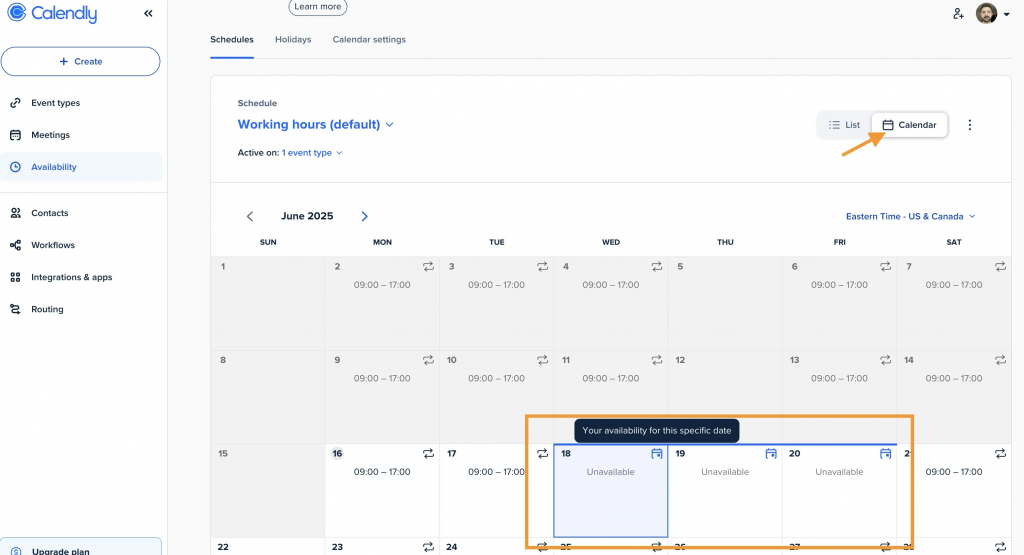
Calendly now offers an enterprise version, which can be set up as a HIPAA-compliant scheduling app for enterprises that require internal and external shot coordination. Thanks to its user-friendly and intuitive interface, along with easy automation of many tasks, the service is manageable for both users and administrators.) It integrates 24/7 Support just like Office 365.
Calendly Features:
- Self-Booking: Visitors choose from open slots at the push of a button.
- AI-Based Routing: Automatically schedules meetings by topic or department.
- Two-Way Communications: It sends automatic emails and SMS to notify users of changes to the schedule.
- Workflows on Auto: Set reminders, follow-ups, and integrations.
- HIPAA-Compliant Business Installation: Secure data processing and access controlled with BAA.
- Group Event Scheduling: Schedule group meetings or syncs.
- Multi-Calendar Sync: Synchronize your personal, work, and family calendars with shared calendars inside the portal
- Metrics Dashboard: Track volume of meetings and speed of response.
- Ecosystem Integration: Slack, Salesforce, Zoom, and CRMs are integrated.
- White Label: Professional booking pages without third-party branding.
Calendly Pros:
- Simple interface that is easy for patients and staff to use
- Best in class ecosystem integrations (Zoom, Salesforce, Slack)
- Lets you manage users with ease, and each user group can be managed by admins with greater or fewer restrictions.
Calendly Cons:
- HIPAA-capable functionality is only available on enterprise plans with additional setup.
- Doesn’t have any deep, baked-in healthcare workflows or medical features
- Pricing and setup overhead may be too high for smaller practices
Calendly Pricing:
Enterprise plan (quote-based) includes support for HIPAA and additional features.
Calendly Support Channels:
Phone (enterprise) Email Dedicated account manager Knowledge base
Calendly Ratings:
4.6 / 5
10. SimplyBook.me
Overview:
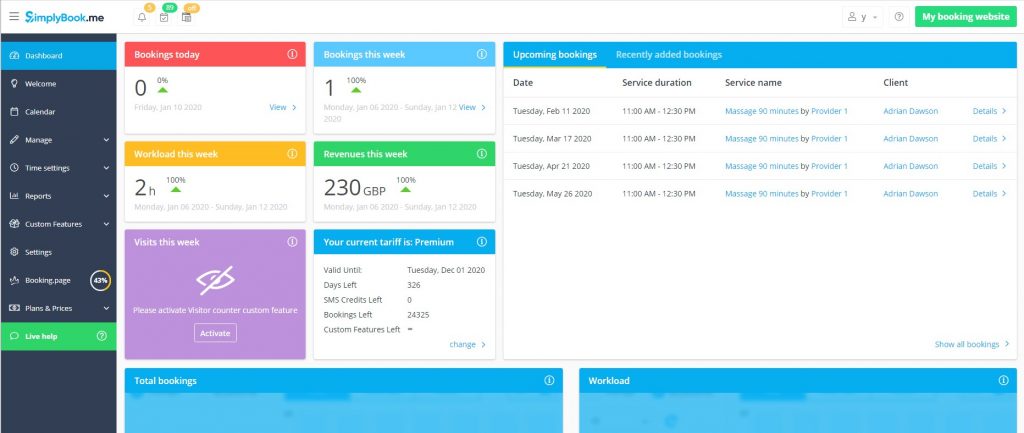
SimplyBook. Me is an easy-to-use HIPAA-compliant scheduling software trusted by internal medical teams and administrative staff. With its modular plugin system and configurable security options, it is easy to adapt the reporting tool for use in a variety of industries, from HR health checkups to clinical departments.
SimplyBook.me Features:
- Self-Booking: Employees or clients can securely self-book online.
- AI-Powered Booking Logic: Makes sure slots have the most availability and reduces conflicts.
- Two-way Messaging: SMS or email confirmation.
- Auto Recalls: Initiates periodic or follow-up visits.
- HIPAA Compliance Mode: Data encryption and audit logs.
- Web Forms: Create your own online forms and questionnaires with free pre-booking forms.
- Group Bookings: Department or multi-employee scheduling available.
- Multi-Department Configuration: Handle all your internal departments at once.
- Advanced Reporting: Live monitoring and downloadable logs.
- Custom Branding & Website Widget: Branded booking portal or integration with your website.
SimplyBook.me Pros:
- Powerful, plugin-customizable architecture that is flexible
- Supports HIPAA-compliant workflows and encrypted booking forms
- Good value for in-house health and wellness teams
SimplyBook.me Cons:
- The interface may seem complicated for beginners
- Some features are only available with paid add-ons
SimplyBook.me Pricing:
Begins at $9.90/month; HIPAA compliance add-on option in higher plans
SimplyBook.me Support Channels:
Live Chat, Email, Help Center, How to use tutorials
SimplyBook.me Ratings:
4.6/5
11. Setmore (with HIPAA Compliance Add-on)
Overview:
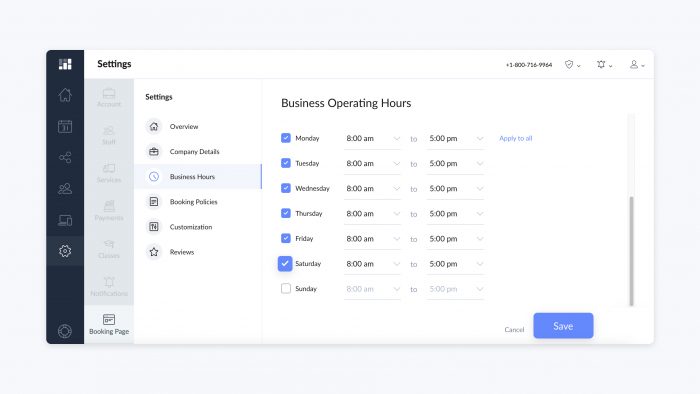
Setmore is a beautiful, simple, and accessible HIPAA-compliant scheduling tool that’s ideally suited for healthcare practices, facilities, or even wellness teams within larger organizations. It is easy to schedule appointments with integrations, automation, and affordability while still offering strong security.
Setmore Features:
- Recalls Auto Campaigns: Encourages patients to return for regular care.
- HIPAA Environment: Available in premium plans with encryption & BAA.
- Group Booking Support: Book group lessons or internal team meetings.
- Multi-User Access: Role-based permissions and up to 50 users.
- Analytics Dashboard: Graphical representation of staff pocket time and client load.
- Personalized Booking Page: Brand-matching, white-label pages.
Setmore Pros:
- Premium Features for small clinics and teams looking to go HIPAA-ready with Scheduling at just a few dollars a month.
- Seamless setup including Zoom, Teleport, and CRM plugins
- Good automation for reminders and recurring bookings
Setmore Cons:
- Limited enterprise-grade reporting
- HIPAA compliance is a paid add-on to set up
Setmore Pricing:
Basic plan is free; pro plan starts at $12/user/month (HIPAA add-on costs extra.
Setmore Support Channels:
Chat, Email, Help Center, Setup Guides
Setmore Ratings:
4.5/5
Guidelines for Selecting the Ideal HIPAA Compliant Online Scheduling Software
The software you choose will, of course, vary depending on the size of your practice, as well as its specialty and tech stack.
- Confirming the BAA: Your vendor must sign a BAA. You cannot have HIPAA compliance software without a BAA.
- Specialty Considerations: You should select a scheduling tool that’s made specifically for your specialty. For instance, a therapist would find specific value with a HIPAA-compliant mental health scheduling solution, and a dental office obviously would find value in a system with dental modules, etc.
- Think Automation: Self-scheduling, automated reminders, intake forms, etc., reduce staff workload, time spent on the phone confirming appointments, and the use of paper. For reminder workflows, many practices use pre-written, HIPAA-compliant SMS templates to keep scheduling and follow-up messages consistent.
- Check Integrations: If you have an existing EHR, you will want a HIPAA-compliant scheduling software that will integrate with your EHR so you are not duplicating data entry, while also ensuring your records stay in sync.
- Consider Scalability: Depending on your needs, you want a scheduler for HIPAA compliance that allows for multi-provider, multi-location scheduling, as you grow your practice.
- Evaluation of Security Controls: Make sure the software you use has data encryption, MFA, and audit trails to protect PHI at all levels.
Why Emitrr Is the Best HIPAA-Compliant Online Scheduling Software
- HIPAA Compliant Scheduling & Intake: Fully encrypted HIPAA-compliant scheduling with signed BAA.
- Online Scheduling (Self-service): Patient self-scheduling software that is user-friendly and reduces staff involvement.
- AI-Backed Scheduling: A chat-based AI booking and scheduling assistant, scripting coordinator to automate bookings++, Script List Booking App.
- Group / Class Sessions: Perfect for scheduling multi-patient groups, wellness classes, or therapy groups.
- Multi-Location Scheduling: Control ALL offices with a HIPAA-compliant scheduling tool.
- Slot Management: Set the hours, availability, and buffer times to manage your workflow.
- Appointment Reminders & Auto Responders: HIPAA-compliant automated reminders and confirmations to help reduce no-shows.
- Automatic Recall & Feedback: Bring back customers and automatically gather post-visit feedback.
- CRM/EMR/EHR Integration: Can be linked with Epic, Athenahealth, or eClinicalWorks for streamline office processes.
- Branded Booking Pages: Customized pages with your logo and services.
- Client Portal: Patients can securely manage appointments and communication.
- Online Intake Forms: Pre-appointment questionnaires are available in a HIPAA-compliant online booking software that can be used for forms.
- Analytics & Reporting: Monitor no-shows, cancellations, and performance metrics to make sound decisions.
Frequently Asked Questions
Ans: No, compliance is a function of setup, encryption, a vendor being willing to sign off that you’re following HIPAA, and staff using things properly.
Ans: Generally, no, they do not support a BAA, do not offer strong encryption of PHI, and do not offer audit logging. Therefore, this makes them unsuitable for a regulated environment.
Ans: Not necessarily, although telehealth is integrated into many practices for virtual visits, so it could be a bonus aspect for the practice.
Ans: They should not include any medical details, but rather a generic alert or perform a patient login to a secure portal.
Ans: This varies; often HIPAA-compliant tools charge more for hosting on the backend, more encryption, as well as security and support. Be sure to compare total pricing, including setup, BAA, and compliance verification.
Key Takeaways
- Calendly and Booksy do not offer BAAs: making them legally unsuitable for any healthcare scheduling use case involving identifiable patient information.
- Self-booking reduces front-desk inbound call volume by up to 40%: freeing staff from routine scheduling calls so they can focus on in-office patient interactions that require human attention.
- EHR sync eliminates the compliance gap created by manual appointment re-entry: when staff manually transfer booking data into the EHR, each transfer is an opportunity for a data handling error.
- Automated reminders tied directly to scheduling data reduce no-shows by up to 90%: reminders that fire from live EHR appointment data are more accurate and timely than manually scheduled messages.
- Scheduling software with no audit log fails the HIPAA Security Rule: practices must be able to demonstrate who accessed, modified, or cancelled a patient appointment and when.
- Why Emitrr: Emitrr combines secure online scheduling, EHR integration, automated reminders, and HIPAA compliance in one platform designed for healthcare practices.
Conclusion
Choosing an appropriate HIPAA-compliant online scheduling software is not just a matter of convenience; it is about protecting patient data, achieving compliance, and streamlining overall efficiency. As healthcare moves to automation and a patient-centered initiative, secure scheduling has laid the framework for trust between providers and patients. From encryption and audit trails to self-scheduling and automated reminders powered by AI, there are many features in place to maintain compliance and improve the experience for all parties involved.
Emitrr is unique in combining extensive scheduling features with intelligent automation and security built for enterprise-level practice size. It can accommodate the workload of schedulers in a single clinic or multiple clinics, with all appointments, messages, and forms managed precisely, securely, and simply.
Made for modern healthcare, Emitrr’s end-to-end encryption, AI-powered scheduling, and EHR integration make it the provider’s most trusted and comprehensive solution to modernize scheduling workflow, improve efficiency, and maintain compliance. Book a demo today.

 4.9 (400+
reviews)
4.9 (400+
reviews)