
Introduction
Effective communication is one of the most substantial investments and is the backbone of any successful business or organization. Whether you’re coordinating with employees or clients, having mighty phone trees makes a practical difference.
In this article, we will learn about a phone tree by understanding the basics, configuring it, and optimizing it for seamless communication. Whether you’re a seasoned professional or just starting the company, the phone tree is everything you need to understand. Let’s get started without wasting time.
What is a phone tree?
A phone tree is a call routing system that directs incoming calls to the right person or department using a structured menu. It can be manual or automated, and is commonly used by businesses to manage inbound calls efficiently.
Understand the Basics of a Phone Tree
A phone tree is a structured system designed to streamline communication by distributing information quickly and systematically among a group of people. Think of it as a communication “chain reaction”—one person makes a call, then passes the message along to others, and so on, until everyone in the group has received the information. This simple yet effective tool is widely used in businesses, organizations, and communities to ensure critical messages are delivered efficiently.
How Does a Phone Tree Work?
A phone tree works by creating a structured call flow.
When someone calls your business:
- They hear a greeting
- They select an option (Press 1, Press 2, etc.)
- The system routes the call automatically
Example:
“Thank you for calling ABC Clinic.
Press 1 for Appointments.
Press 2 for Billing.
Press 3 for Prescription Refills.
Press 0 to speak with reception.”
This type of automated phone tree system improves inbound call routing and reduces receptionist workload.
Types of Phone Trees
Not all phone tree systems are the same. Here are the main types:
Traditional Emergency Phone Tree
A traditional emergency phone tree is a manual call tree system used mainly for urgent internal communication. In this setup, one person calls two people, and those two call others. The message spreads step by step.
In a manual phone tree, calls are made individually by group members. For example, one person might call three others, and those three people each call another three, and so on. While this method is straightforward and cost-effective, it can be time-consuming and prone to human error, particularly in urgent situations where delays can occur.
It works for small teams, schools, or community groups. However, it is not ideal for customer-facing communication because it depends entirely on people making calls manually.
Automated IVR Phone Tree
Automated phone trees rely on software or systems to handle the calling process. Automation can record and deliver a message to all recipients simultaneously or in a specific order. Automated phone trees are faster, more reliable, and have advanced features like voicemail, call routing, and menu options.
For example:
Thank you for calling ABC Dental Clinic.
Press 1 for Appointments.
Press 2 for Billing and Insurance.
Press 3 for Prescription Refills.
Press 0 to speak with a representative.
This type of phone tree system is ideal for small businesses, healthcare practices, customer support teams, and service providers.
This type of phone tree system improves inbound call routing and reduces receptionist workload. It is perfect for small businesses, healthcare practices, and customer support teams.
Cloud-Based Phone Tree System
A cloud-based phone tree system is hosted online instead of using office hardware.
This also means easy setup, remote access, no heavy infrastructure, and simple scalability. Cloud phone tree systems are ideal for growing businesses that want flexible inbound call management.
AI-Powered Smart Routing Phone Tree
Advanced systems that use intelligent routing based on caller behavior or CRM data. Most modern businesses prefer cloud-based or automated phone tree systems for flexibility and scalability. For example, repeat customers can be routed directly to their assigned agent. This approach is ideal for businesses and organizations that need consistent and efficient communication.
Everyday Use Cases for Phone Trees
Phone trees are versatile and can be adapted to a variety of purposes, including:
- Emergency Notifications: Quickly disseminate urgent information during emergencies, such as weather alerts, power outages, or security incidents.
- Employee Communication: Notify team members of schedule changes, important updates, or meeting reminders in real time.
- Client and Customer Outreach: Deliver appointment reminders, payment updates, or service announcements to customers promptly.
- Community and Organizational Updates: Keep members of community groups, schools, religious organizations, or nonprofits informed about upcoming events, changes, or announcements.
Understanding these basics lays the foundation for creating a phone tree system tailored to your unique communication needs. Whether you choose a manual or automated system, a well-designed phone tree ensures that information flows smoothly and reaches everyone effectively.
Phone Tree vs IVR vs Auto Attendant
Many people confuse these terms. Here’s a simple breakdown:
| Feature | Phone Tree | IVR | Auto Attendant |
| Menu-based routing | Yes | Yes | Yes |
| Voice recognition | Limited | Yes | Sometimes |
| Automation level | Basic to Medium | High | Medium |
| Best for | Small to mid-sized businesses | Larger businesses | SMBs |
Prepare for Setting Up Your Phone Tree
Setting up a phone tree requires thoughtful planning that meets the organization’s communication goals. Before diving into technical setup, laying a solid foundation that identifies the user needs, selects the right software, and organizes the contact list is essential.
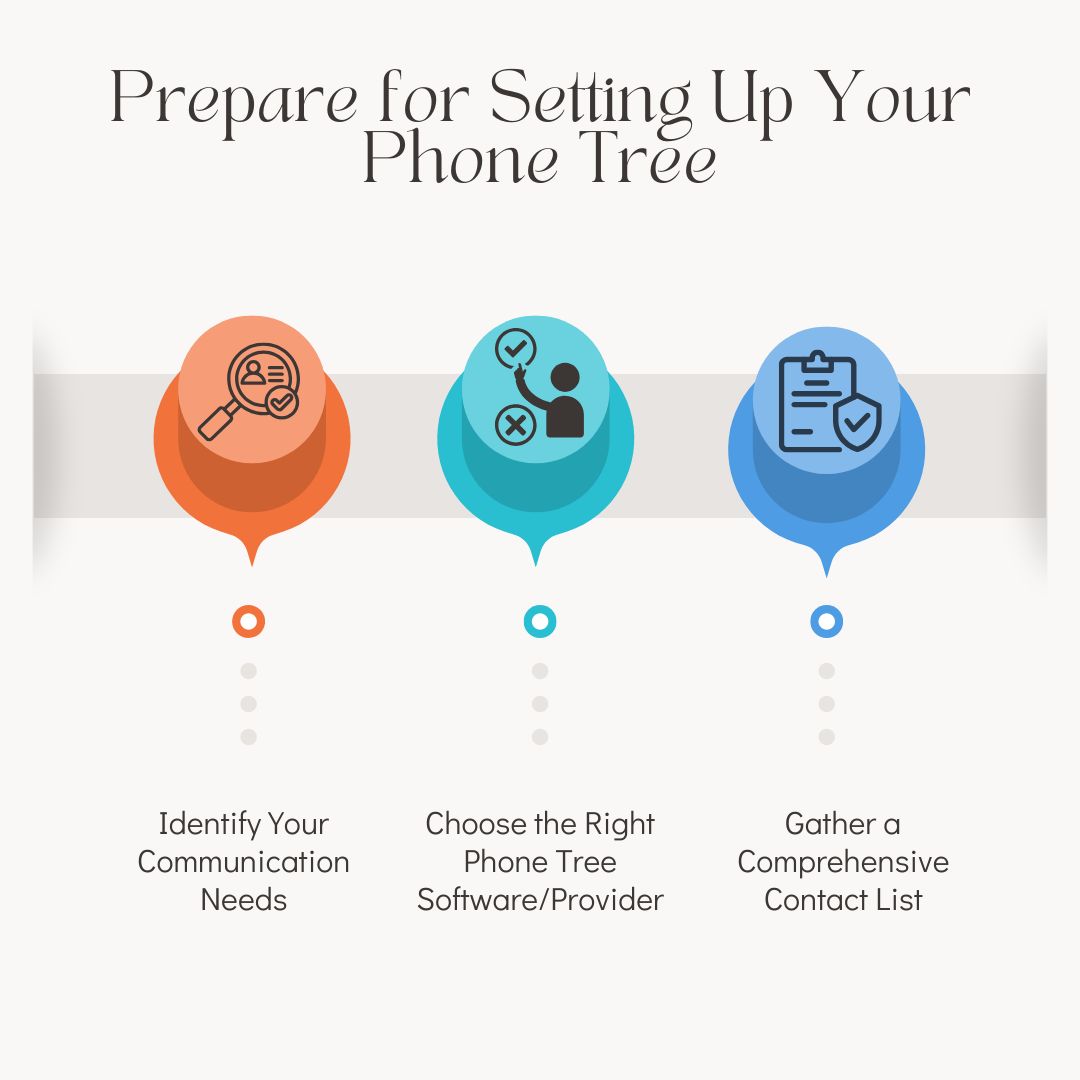
1. Identify Your Communication Needs
Start by determining the purpose of your phone tree and the type of communication it will handle. Ask yourself:
- What kind of messages will be shared? (e.g., emergency alerts, reminders, announcements)
- Who needs to receive these messages? (e.g., employees, customers, volunteers)
- How quickly must the information be delivered?
Understanding your specific communication needs will guide your decisions about your phone tree’s structure, size, and functionality. For example, a small business may require a simple call flow for appointment reminders, while a larger organization may need an advanced system with multiple routing layers.
2. Choose the Right Phone Tree Software/Provider
The right software or provider is critical to building an efficient and reliable phone tree. Look for a solution that aligns with your communication goals and offers the features you need, such as:
- User-friendly setup and management tools
- Automation for faster message delivery
- Scalability to grow with your organization
- Integration with other communication channels, like SMS or email
- Real-time reporting and analytics for tracking performance
Additionally, compare pricing models, customer support options, and reviews to ensure the provider meets your expectations. A good provider will also offer training resources or support to help you get started.
3. Gather a Comprehensive Contact List
Your phone tree is only as effective as the contact list it relies on. Take the time to compile and organize a detailed and up-to-date list of everyone who needs to be included in the phone tree. Here’s how:
- Verify Accuracy: Double-check phone numbers and ensure contact information is current.
- Segment Contacts: Group contacts by categories such as departments, regions, or priority levels. This will make call routing more efficient.
- Collect Additional Details: Include information like email addresses or alternate phone numbers for backup communication.
- Secure Permissions: Ensure all contacts have agreed to be part of the phone tree and are aware of its purpose.
A well-organized contact list ensures smooth communication and minimizes delays or errors when activated by the phone tree.
By taking these preparatory steps, you’ll be well-positioned to design a phone tree system that is efficient, reliable, and tailored to your organization’s unique needs.
Design the Structure of Your Phone Tree
A well-structured phone tree is one of the ways to ensure effective, seamless communication. The mapping out of call flows, assigning roles, and setting priorities helps efficiently eliminate confusion.
A well-structured phone tree is key to ensuring effective and seamless communication. By mapping out call flows, assigning roles, and setting priorities, you can create a system that works efficiently and eliminates confusion.
1. Map Out Call Flows and Hierarchies
The first step in designing your phone tree is to create a clear and logical flow of communication.
- Start with the Source: Identify who will initiate the calls or messages, such as a manager or automated system.
- Define the Branches: Determine how the message will flow from the source to the following levels, breaking it into groups, departments, or individuals.
- Plan for Multiple Scenarios: Account for different messages, such as urgent alerts versus routine updates, and design separate call flows if needed. A visual diagram can help you understand how calls travel through the phone tree and reveal potential bottlenecks or inefficiencies.
2. Assign Roles and Responsibilities to Call Participants
Assign clear roles to everyone involved in the phone tree to ensure smooth execution.
- Initiators: Those who trigger the phone tree and start the communication process.
- Receivers: Individuals responsible for passing the message to the next set of contacts.
- Supervisors: Team members who monitor the phone tree’s performance and handle escalations if necessary.
Communicating these roles in advance prevents confusion and ensures everyone knows their responsibilities.
3. Set Priorities: Who Should Be Reached First?
Not all recipients may need to be contacted simultaneously or with the same urgency.
- Critical Contacts: Identify key individuals or departments that must receive the message first (e.g., leadership, emergency teams).
- Secondary Contacts: Define who should be contacted next, such as general staff or external stakeholders.
Setting priorities helps your phone tree handle urgent situations more effectively.
Configure Your Phone Tree System
Once the structure is designed, the next step is configuring the phone tree system. Proper setup ensures smooth operation and an optimal user experience.
Step-by-Step Process for Setting Up
1. Recording Professional Greetings
- Create a clear and concise welcome message that reflects your organization’s tone.
- Include helpful information, such as instructions for navigating menu options.
2. Adding Extensions for Departments or Individuals
- Assign unique extensions to key departments or staff members to streamline routing.
- Ensure extensions are easy to remember and correspond to your organization’s structure.
3. Setting Up Automated Menu Options (Press 1, Press 2, etc.)
Use menu options to guide callers to the right destination. For example:
- “Press 1 for Customer Support”
- “Press 2 for Billing”
- Limit the number of options to keep navigation simple and user-friendly.
4. Test the Configuration
- Test calls to ensure the system functions as intended.
- Verify that greetings, extensions, and menu options work seamlessly.

Integrate Features for Better Functionality
Enhance your phone tree system by incorporating features that improve functionality and user experience.
1. Adding Voicemail Options
- Enable voicemail for departments or individuals to ensure missed calls are documented.
- Customise voicemail greetings to match the purpose of each extension.
2. Utilizing Call Forwarding and Routing
- Set up call forwarding to redirect unanswered calls to backup contacts or departments.
- Use intelligent call routing to prioritize urgent calls or distribute workload evenly.
3. Incorporating IVR (Interactive Voice Response) Technology
- Leverage IVR to allow callers to interact with the system using voice commands or keypad inputs.
- Use IVR to automate everyday tasks like appointment scheduling or account inquiries.
Test and Optimize Your Phone Tree
Regular testing and optimization are critical to maintaining an efficient phone tree system.
1. Conduct Test Runs with Team Members
- Simulate real-life scenarios to ensure the system works as expected.
- Test each branch of the phone tree for speed, accuracy, and reliability.
2. Collect Feedback from Users
- Gather input from employees and customers about their experience with the phone tree.
- Identify pain points, such as confusing menu options or long response times.
3. Refine Call Flows Based on Efficiency and User Experience
- Adjust call flows to eliminate bottlenecks or redundancies.
- Ensure the system remains intuitive and easy to use.
Train Your Team
Proper training ensures employees understand how to use the phone tree effectively and handle any issues.
1. Educating Employees on How the Phone Tree Works
- Provide an overview of the phone tree structure and features.
- Demonstrate how to navigate, use extensions, and escalate calls.
2. Handling Call Escalations and Common Issues
- Train staff on managing escalations or resolving common problems, such as dropped calls or incorrect routing.
- Ensure employees know who to contact for technical support.
3. Providing a Guide or Reference Material
- Distribute a detailed guide or FAQ to help employees troubleshoot issues independently.
- Keep the guide accessible and regularly updated.
Monitor and Update Your Phone Tree Regularly
A phone tree isn’t a one-and-done system. Regular monitoring and updates keep it practical and relevant.
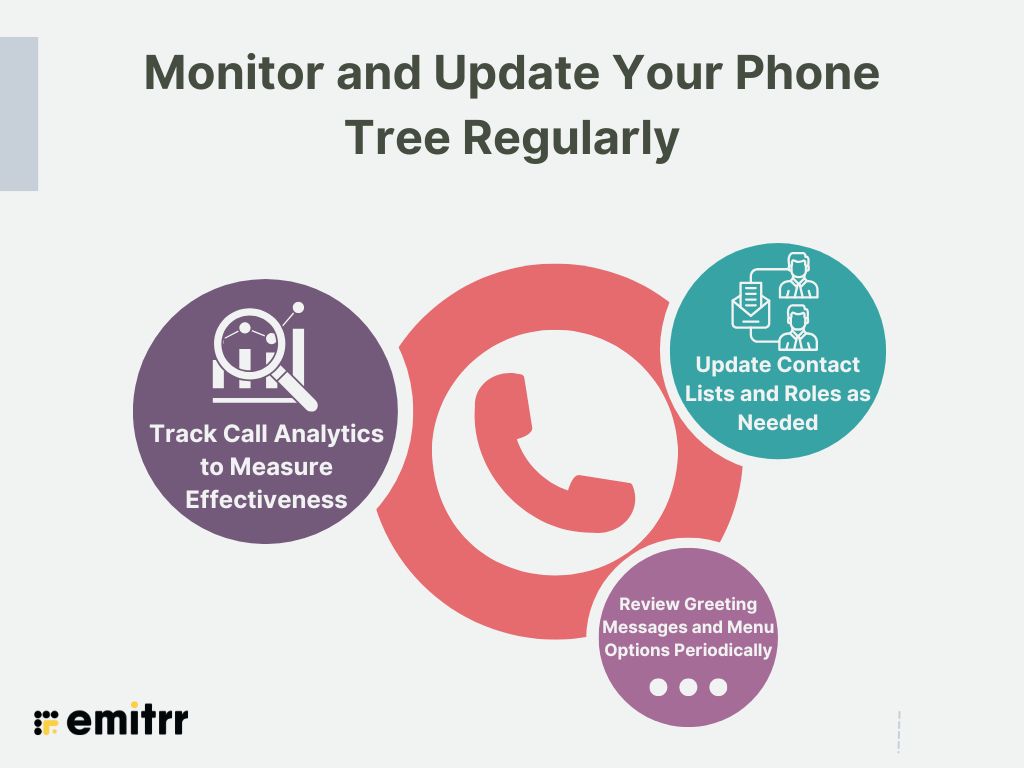
1. Track Call Analytics to Measure Effectiveness
- Use call analytics tools to monitor call success rates, response times, and system usage.
- Identify areas for improvement based on the data.
2. Update Contact Lists and Roles as Needed
- Regularly review and update your contact list to ensure accuracy.
- Adjust roles or priorities as your organization evolves.
3. Review Greeting Messages and Menu Options Periodically
- Refresh greetings and menu options to reflect changes in your organization or services.
- Test updates to confirm everything functions smoothly.
By consistently monitoring and refining your phone tree, you can ensure it remains a valuable communication tool for your organization.
Benefits of Using a Phone Tree for Business
Faster Call Routing
A structured phone tree ensures callers reach the right department without unnecessary transfers.
Instead of one person manually redirecting calls, the call routing system automatically sends customers to Sales, Support, Billing, or any relevant team. This reduces wait times and improves overall inbound call management.
Improved Customer Experience
When customers call a business, they expect quick and clear guidance. An organized automated phone tree system provides simple menu options, reducing confusion and frustration. Clear call routing builds trust and shows that your business values efficiency. A well-planned phone tree setup directly improves customer satisfaction.
Reduced Workload for Staff
Without a phone tree system, receptionists spend a lot of time transferring calls manually. An automated phone tree removes repetitive tasks and allows your team to focus on meaningful work. This increases productivity and reduces internal communication stress.
24/7 Call Handling
One major benefit of a modern cloud-based phone tree system is availability. Even after business hours, calls can be routed to voicemail, emergency lines, or on-call staff. This ensures continuous inbound call routing without needing full-time staff present. For healthcare practices and service-based businesses, this feature is especially valuable.
Professional Brand Image
A structured phone tree system for a small business creates a more professional first impression. Instead of calls going unanswered or being handled informally, customers experience a clear and organized call routing system. This builds credibility and strengthens your brand image.
Scalability as You Grow
As your business expands, your communication needs grow too. A flexible automated phone tree system can easily add new departments, locations, or menu options. This makes it ideal for growing companies that need scalable inbound call management without changing infrastructure.
How Much Does a Phone Tree System Cost?
The cost of a phone tree system depends on:
- Whether it is cloud-based
- Number of users
- Advanced IVR features
- CRM integrations
- Analytics capabilities
Basic systems may start at $20–$40 per user per month, while advanced solutions cost more depending on customization and automation level. Cloud-based phone tree software is typically more affordable and scalable compared to hardware-based systems.
Features To Look For In A Phone Tree Software
When choosing phone tree software, looking for features that enhance efficiency, reliability, and ease of use is essential.
Here are the key features to consider:
- Ease of Setup
A user-friendly interface that allows for quick and hassle-free configuration of call flows and menus. - Customizable Call Flows
Flexibility to design call hierarchies and workflows that suit your organization’s unique communication needs. - Automated Messaging
Ability to send pre-recorded messages to a large group simultaneously or in a specific sequence. - Interactive Voice Response (IVR)
A menu-driven system that enables callers to choose options (e.g., “Press 1 for Support”), streamlining communication. - Call Routing and Forwarding
Options to route calls to the appropriate departments or individuals, minimizing delays and miscommunication. - Voicemail Integration
Built-in voicemail capabilities to ensure no message goes unanswered, even during non-working hours. - Real-Time Reporting and Analytics
Tools to track call success rates, delivery status, and user engagement for performance insights. - Contact Management
A centralized database for managing and updating contact lists quickly and efficiently. - Multi-Channel Communication
Support for additional communication methods like SMS or email for added versatility. - Scalability
Ability to handle communication needs as your organization grows, accommodating more users or call flows. - Mobile Accessibility
Compatibility with mobile apps for managing and monitoring the phone tree on the go. - Call Recording
Record calls for training, compliance, or quality assurance purposes. - Multi-Language Support
Provide support for multiple languages to cater to diverse user bases. - Cost-Effectiveness
Transparent pricing with features that provide value without unnecessary costs.
Common Phone Tree Mistakes to Avoid
Even a good system can fail if designed poorly. Avoid these mistakes:
- Too many menu options
- No option to speak to a live person
- Long or unclear voice prompts
- Complicated routing paths
- No regular testing or updates
Phone Tree Examples by Industry
Here are practical phone tree examples you can adapt:
Healthcare Clinic Phone Tree
“Thank you for calling ABC Health Clinic.
Press 1 for Appointments.
Press 2 for Billing.
Press 3 for Prescription Refills.
Press 4 for Medical Records.
Press 0 for Reception.”
Small Business Phone Tree
“Welcome to XYZ Marketing Agency.
Press 1 for Sales.
Press 2 for Client Support.
Press 3 for Accounts.
Press 0 to speak with our team.”
Home Services Business
“Thank you for calling ABC Plumbing Services.
Press 1 for New Bookings.
Press 2 for Emergency Repairs.
Press 3 for Billing.
Press 0 for Customer Service.”
How does Emitr provide the best phone tree software for businesses?
Smooth Integration With Other CRM Tools
Everything should be under one roof, and Emitrr exactly does that. It can integrate CRMs and other tools that your business frequently uses. Not only this, but it also allows us to route calls based on customers. The information can be gathered from the CRM with the help of a call pop-up option available. This helps users reduce their manual efforts to review the client’s history before making a call! It’s as simple as that.
Advanced Features and Customization
Emitrr has some outstanding advanced features that include;
- Multi-Level IVR That Actually Makes Sense: Emitrr lets you build a structured automated phone tree with multi-level IVR menus that guide callers clearly. Instead of confusing options, your callers quickly reach the right department, improving both efficiency and customer satisfaction.
- Smart Call Routing That Reduces Missed Calls: With intelligent call routing rules, calls automatically go to the right team, extension, or ring group. This minimizes transfers, shortens wait times, and ensures your inbound call management runs smoothly.
- Professional Auto Attendant: Every call is answered instantly with a branded greeting using Emitrr’s auto attendant phone system. It creates a polished first impression while reducing receptionist workload.
- Cloud-Based Phone Tree System: Emitrr is a fully cloud-based phone system, meaning no hardware, no technical headaches, and full flexibility. Whether your team works in-office or remotely, your business phone system stays connected and scalable.
- Call Queues and Ring Groups: Handle high call volumes easily with structured call queues and ring groups. Distribute incoming calls evenly and avoid overwhelming any single team member.
- CRM Integration for Personalized Conversations: Emitrr integrates with popular CRM tools, allowing your phone tree software to display caller information instantly. This helps your team deliver faster, more personalized customer support.
- Voicemail with Transcription: Missed calls turn into readable messages with automatic voicemail transcription. You stay informed without dialing into voicemail systems.
- Call Analytics and Performance Insights: Track call volume, response times, missed calls, and team performance through detailed reporting. Use real data from your business phone system analytics to improve operations.
- Built for Small Businesses, Clinics, and Service Teams: Unlike enterprise-heavy solutions, Emitrr is designed as a phone tree system for small businesses, healthcare practices, home service providers, and customer support teams.
- Simultaneous Calling: Emitrr supports simultaneous calling, meaning multiple team members can receive the same incoming call at once. This reduces missed calls and ensures customers connect with the first available representative instantly.
- Ring Groups: Create structured ring groups to distribute calls evenly across departments like sales, support, or billing. This improves call handling efficiency and prevents any single team member from being overwhelmed.
- Smart Call Forwarding: With advanced call forwarding, you can redirect calls to mobile numbers, alternate teams, or backup staff. This ensures your business phone system stays responsive even after hours or during peak times.
- Intelligent Call Routing: Emitrr’s call routing system automatically directs callers based on menu input, department selection, or predefined rules. This improves inbound call management and reduces unnecessary transfers.
- Easy Extension Management: Quickly add and edit extensions as your team grows. This makes your phone tree system scalable and perfect for small businesses expanding operations.
- Accurate Analytics and Insights: Track call volume, missed calls, response times, and team performance through detailed call analytics and reporting dashboards.
- All-in-One Dashboard: Manage calls, SMS, voicemail, automation, and reporting from a single all-in-one business communication dashboard.
- More Than Just a Phone Tree: Emitrr combines calling, SMS, automation, and CRM integration into one platform. So instead of using separate tools for communication, you manage everything from one centralized business communication system.
It consists of features that simplify the repeated tasks efforts in small businesses, making communication smoother and better along with providing the best customer experience
24/7 Superior Customer Support
Emitrr has the best customer support, and we do not expect you to believe our words, but you can look at yourself on Capterra, where users have rated us 5/5 for it. Customer support is open 24/7, and users can connect through chat, email, phone calls, and our knowledge base!
Cost-effective pricing
Small businesses will always look at the pricing and then the features. Emitrr provides affordable pricing, and the VoIP plan starts from $30/user/month. This can be customized according to the business needs and feature requirements. Surely, it makes great money for small businesses.
Hidden Additional Capabilities
You are wrong if you think Emitrr is just about VoIP phone systems. As a business grows, it needs to cater to various aspects that fall. Emitrr is here to fulfill additional needs such as fetching customer reviews, customer engagement and communication, product promotion through SMS, and more!
What All Industries Does Emitrr Cater To?
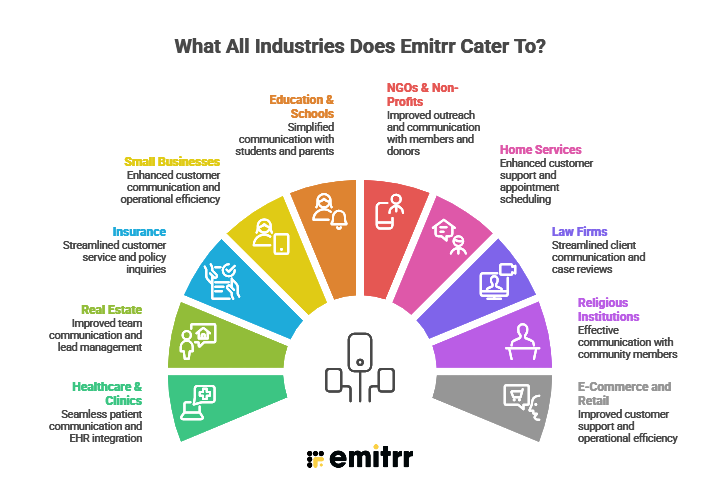
Healthcare & Clinics
Healthcare professionals, including dentists, surgeons, and clinic owners, can utilize Emitrr’s VoIP system for seamless patient communication. Features such as call routing, voicemail transcription, and conference calls enable better handling of patient inquiries and appointment coordination. The system’s integration with EHR/PMS software ensures efficient workflow management while maintaining HIPAA compliance.
Real Estate
Real estate businesses can leverage Emitrr’s VoIP system for improved team communication and lead management. Features like call forwarding, IVR, and conference calling allow agents to stay connected with clients and team members, ensuring no sales opportunity is missed.
Insurance
Emitrr’s VoIP system helps insurance companies manage high call volumes and multiple office locations. Features like automatic call distribution, voicemail-to-email, and call recording to streamline customer service, policy inquiries, and claim management.
Small Businesses
Small businesses benefit from Emitrr’s VoIP by enhancing customer communication and streamlining operations. Features such as scalable call handling, IVR for customer self-service, and call analytics enable better resource management and improved customer satisfaction.
Education & Schools
Educational institutions can use Emitrr’s VoIP system to simplify communication with students and parents. Features like broadcast calling, call scheduling, and voicemail transcription save time while ensuring the timely delivery of important updates and announcements.
NGOs & Non-Profits
Non-profits can use Emitrr’s VoIP to improve outreach and communication with members and donors. Features such as call automation, conference calling, and voicemail management help organizations efficiently manage event updates, donation requests, and community engagement.
Home Services
Home service businesses can enhance customer support with Emitrr’s VoIP system. Features like call forwarding, automated reminders, and call tracking to simplify appointment scheduling, service follow-ups, and feedback collection.
Law Firms
Law firms can streamline client communication using Emitrr’s VoIP features, such as secure call handling, call recording for case reviews, and voicemail transcription. Internal team collaboration has also been improved with conference calling and call routing features.
Religious Institutions
Churches and other religious institutions can use Emitrr’s VoIP to connect with their communities through automated call broadcasts, event announcements, and voicemail management, ensuring effective communication with members.
E-Commerce and Retail
E-commerce and retail businesses can improve customer support and operational efficiency with Emitrr’s VoIP system. Features like call center integration, IVR for order tracking, and call analytics enable better management of customer inquiries and promotional campaigns.
Emitrr’s VoIP phone system is a versatile tool tailored to meet the unique communication needs of various industries, ensuring streamlined workflows and exceptional customer experiences.
Frequently Asked Questions
A phone tree system routes incoming calls efficiently to the correct department or person.
No. A phone tree is a structured routing model, while IVR is a more advanced interactive system.
Ideally, a phone tree should have 3–5 options to keep navigation simple.
Yes. Modern automated phone tree systems remain essential for managing inbound calls efficiently.
Costs vary depending on features, integrations, and whether it is cloud-based.
The purpose of a phone tree system is to automatically route incoming calls to the right department. It improves call routing, reduces wait time, and helps businesses manage high call volumes without manual transfers.
A phone tree is also known as an IVR system (Interactive Voice Response), auto attendant, call tree system, or automated call routing system.
To create a phone tree system, define your departments, design a simple menu, record a professional greeting, and set it up using phone tree software or an automated IVR system.
Emitrr is the best phone tree software that offers cloud-based setup, automated IVR, smart call routing, CRM integration, and scalability.
Conclusion
A well-designed phone tree system transforms your organization and the communication department, ensuring that messages are delivered quickly and on time. Whether in-house employee communication or with clients, it makes it much smoother.
You will be able to easily integrate it by following a simple guide. Your search ends here, and a well-designed phone tree can transform your organization’s communication, ensuring messages are delivered quickly, efficiently, and to the right people. Following this step-by-step guide, you can set up a system that meets your needs and keeps your team connected.
Looking for the perfect solution to simplify the process? Emitrr’s phone tree software offers everything you need: automation, scalability, and advanced features to streamline your communication. Get started today and experience the difference with Emitrr!

 4.9 (400+
reviews)
4.9 (400+
reviews)