
 4.9 (400+
reviews)
4.9 (400+
reviews)
Introduction
Running a chiropractic practice means wearing many hats. You’re treating patients, answering phones, managing schedules, and following up on appointments, often all at once. No matter how efficient your team is, some calls go unanswered and some patients slip through the cracks.
The challenge is that patients today don’t want to wait. They expect fast responses, simple booking, and reassurance that your clinic is available whenever they need it. If that expectation isn’t met, they’ll quickly move on to another practice.
This is where an AI chatbot for chiropractic practices makes all the difference. Acting as a digital assistant, it’s available 24/7 to handle routine tasks, answer questions, schedule appointments, send reminders, and follow up with patients, while freeing up your staff to focus on care.
For patients, it’s easy and convenient. For your practice, it reduces no-shows, improves satisfaction, and keeps operations running smoothly. In today’s fast-paced, digital-first world, an AI chatbot isn’t just a helpful tool; it’s becoming essential for growth, reputation, and patient trust.
In this blog, we’ll explore how an AI chatbot can transform chiropractic practices, the features that matter most, and why adopting this technology now can give your clinic a lasting edge.
What is an AI Chatbot for Chiropractic Practices?
An AI chatbot for chiropractic practices is like a virtual assistant that’s always available. Unlike a generic chat tool, a chiropractic clinic chatbot is designed for chiropractors, it can answer questions, book or reschedule visits, send automated reminders, handle billing queries, and even share health tips.
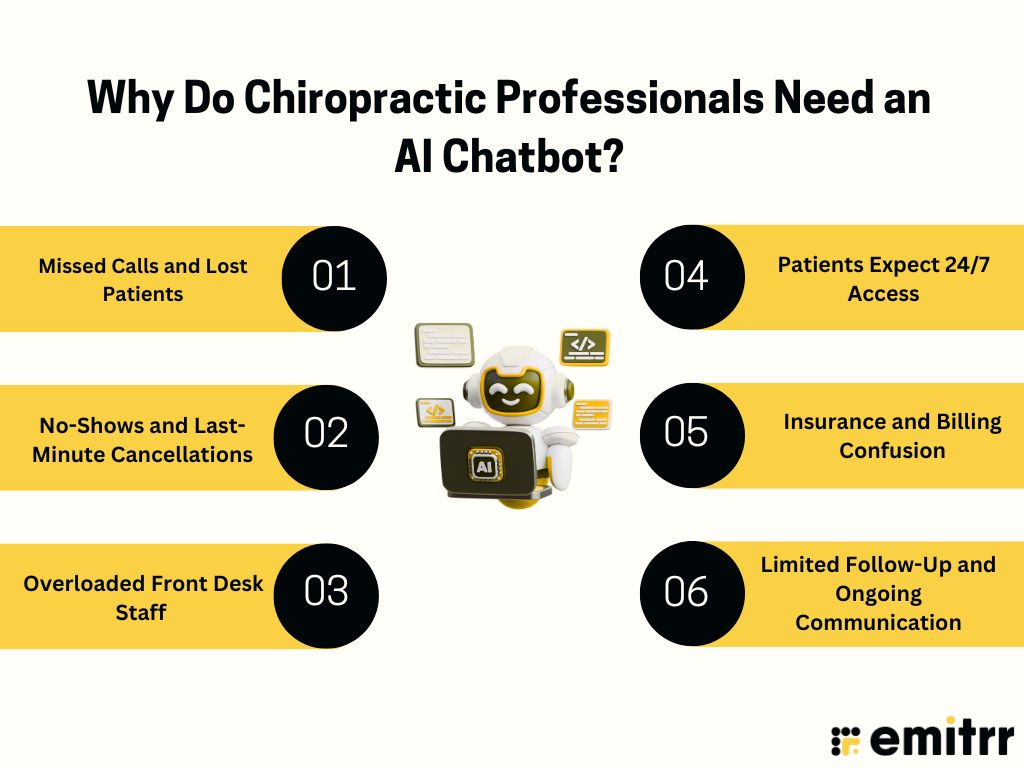
Why Do Chiropractic Professionals Need an AI Chatbot?
Let’s understand the major challenges that Chiropacters face and their solutions using AI Chatbot for Chiropractic Practices:
Challenge 1: Missed Calls and Lost Patients
Many clinics receive a constant flow of phone calls throughout the day. Patients call to ask about services, confirm if insurance is accepted, or schedule an appointment. The reality is that front desk staff can only handle so much at once. When phones go unanswered, potential patients may give up and call another clinic. This not only leads to lost revenue but also creates a poor first impression.
Solution:
An AI chatbot for chiropractors ensures every inquiry is addressed quickly. Patients can get the information they need or even book an appointment without waiting for a call back. It saves staff time by handling routine questions automatically, reducing phone traffic at the front desk. Plus, it improves patient satisfaction by offering instant, 24/7 support.
Challenge 2: No-Shows and Last-Minute Cancellations
Appointments that are missed or canceled last minute waste valuable time that could have been used to help another patient. Over time, this creates gaps in the schedule and lost income.
Solution:
An AI appointment scheduling chatbot sends reminders, confirmations, and easy rescheduling options. By making the process simple for patients, the number of no-shows drops and the clinic schedule stays consistent.
Improve appointment show-up rates with plug-and-play SMS templates for chiropractors.
Challenge 3: Overloaded Front Desk Staff
Front desk teams are often stretched thin. Between greeting patients, handling paperwork, processing billing, and answering phones, they are asked the same questions repeatedly: “Do you accept my insurance?” “What are your office hours?” “How much does a session cost?” This repetitive work eats up time and can make the patient experience feel rushed.
Solution:
A chiropractic chatbot can handle routine questions, share clinic details, and provide directions or pricing information automatically. This reduces the workload on staff and allows them to focus on delivering a warmer, more personal experience to patients in the office.
Challenge 4: Patients Expect 24/7 Access
Many people look for chiropractic care outside of office hours. If they cannot reach the clinic, they often move on to the next option, meaning lost opportunities to bring in new patients.
Solution:
A virtual assistant for chiropractors provides around-the-clock support. Patients can get answers, request information, or book an appointment at any time of day, ensuring the clinic never misses a chance to connect.
Challenge 5: Insurance and Billing Confusion
Patients are often unsure about what their insurance covers, what their copay will be, or how billing works. This confusion delays care and can leave patients frustrated.
Solution:
An AI chiropractic assistant or AI insurance and billing chatbot gives patients clear, accurate information right away. This builds trust and makes payments easier to manage.
Challenge 6: Limited Follow-Up and Ongoing Communication
Chiropractors want to support patients beyond the appointment, but following up consistently takes time and resources. Reminders about posture, stretches, or progress updates often get pushed aside when the clinic is busy.
Solution:
With chiropractic marketing automation, chatbots can send follow-up reminders, posture tips, and wellness messages automatically. Patients feel cared for between visits, which strengthens relationships and improves outcomes.

Types of AI Chatbots for Chiropractic Practices
AI chatbots are changing the way chiropractors run their clinics. Instead of being generic tools, these smart assistants are built to handle the unique needs of chiropractic practices. Here are the main types of AI chatbots for chiropractors, along with their real-world use cases and benefits:
AI Appointment Scheduling Chatbot
An AI appointment scheduling chatbot helps patients easily book, reschedule, or cancel appointments without calling the office. It connects directly with the clinic’s calendar and practice management system software, making scheduling simple and accurate.
Use Cases
- A new patient visits your website and books an adjustment instantly through the chatbot.
- Existing patients reschedule or cancel appointments on their own, even after hours.
- Automated reminders reduce missed appointments and keep patients on track.
Benefits
- Saves time for front desk staff.
- Reduces no-shows with reminders and confirmations.
- Keeps the clinic’s schedule full and organized.
- Offers 24/7 scheduling, so patients can book anytime.
AI Triage Chatbot
An AI triage chatbot asks patients simple questions about their symptoms and helps guide them to the right level of care. It can identify whether the issue is urgent, needs an appointment soon, or can wait until the next available slot.
Use Cases
- A patient describes back pain, and the chatbot asks about severity, numbness, or recent injuries.
- If symptoms are serious, the chatbot suggests urgent care or connects the patient with staff.
- For routine issues, it books an appointment directly.
Benefits
- Improves patient safety by flagging serious conditions.
- Helps chiropractors see the right patients at the right time.
- Reduces unnecessary calls and saves staff time.
- Builds trust by giving patients clear guidance right away.
AI Patient Communication Chatbot
An AI patient communication chatbot keeps patients engaged before, during, and after their visits. It can answer FAQs, send reminders, provide exercise instructions, and check in on progress.
Use Cases
- After an adjustment, the chatbot sends stretch reminders or posture tips.
- Patients ask questions like “What should I expect after my first session?” and get instant answers.
- The clinic collects feedback and reviews through automated follow-ups.
Benefits
- Keeps patients informed and supported.
- Encourages better treatment outcomes through reminders and education.
- Improves patient satisfaction and loyalty.
- Reduces repetitive calls to the front desk.
AI Insurance and Billing Chatbot
An AI insurance and billing chatbot helps patients understand their coverage, copays, and payment options. It also guides them through billing questions and claim-related concerns.
Use Cases
- A patient asks, “Do you accept my insurance?” and gets an instant answer.
- The chatbot explains estimated out-of-pocket costs for a session.
- Patients can get billing details or payment reminders without calling the office.
Benefits
- Provides clarity around insurance and billing, reducing confusion.
- Cuts down on billing-related calls to the clinic.
- Improves payment speed and accuracy.
- Builds patient trust by being transparent with costs.
Key features to look for in an AI Chatbot for Chiropractic Practices
When choosing an AI chatbot for chiropractic practices, it’s important to look at the features that will make the biggest impact on your clinic’s daily operations, patient experience, and long-term growth:
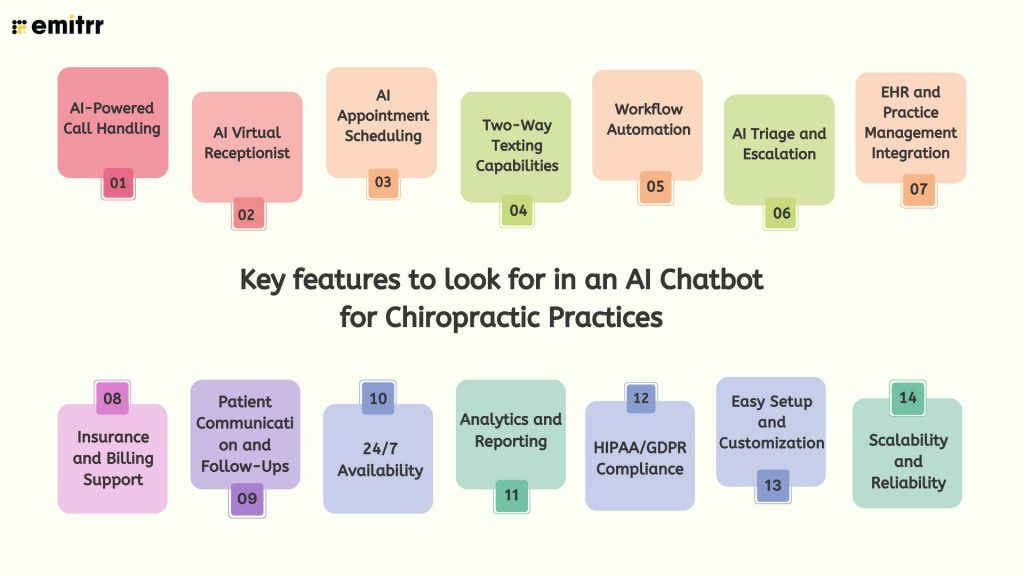
AI-Powered Call Handling
AI-Powered Call Handling means the chatbot can answer patient calls just like a front desk staff member. An AI chatbot for chiropractors handles simple queries such as office hours, directions, or services, while recording more complex requests for staff, reducing wait times and missed calls.
AI Virtual Receptionist
AI Virtual Receptionist acts as a virtual assistant for chiropractors, keeping the clinic “open” 24/7. It can answer calls, capture patient information, and even schedule appointments after hours or on weekends.
AI Appointment Scheduling
AI Appointment Scheduling allows patients to book, reschedule, or cancel appointments anytime. A chiropractic chatbot with this feature also sends automated reminders to reduce no-shows and keep schedules organized.
YouTube Video:
Two-Way Texting Capabilities
Two-Way Texting Capabilities make it easy for patients to confirm or reschedule adjustments, ask questions, or request billing details through text. A chiropractic clinic chatbot with this feature improves communication and convenience.
Workflow Automation
Workflow Automation helps clinics save time by automating repetitive tasks like reminders, voicemail processing, and routing patient requests. With chiropractic AI software, staff can focus more on patient care instead of admin work.
AI Triage and Escalation
AI Triage and Escalation ensures patient calls and messages are sorted by urgency. A healthcare chatbot for chiropractors can answer routine questions instantly while flagging urgent cases, such as severe back pain, for staff.
EHR and Practice Management Integration
EHR and Practice Management software Integration makes an AI chiropractic assistant far more valuable. It syncs appointments, notes, and patient data directly into existing systems, eliminating manual data entry and errors.
Insurance and Billing Support
Insurance and Billing Support is essential for reducing confusion. A chiropractic clinic chatbot can answer questions about coverage, copays, and claims, helping patients feel informed and confident.
Patient Communication and Follow-Ups
Patient Communication and Follow-Ups are made easy with an AI chatbot for chiropractic practices. It can send post-visit reminders, exercise tips, and progress check-ins, improving outcomes and strengthening patient loyalty.
24/7 Availability
24/7 Availability means patients can always connect with your clinic. A chiropractic answering service powered by AI ensures patients get answers or book appointments at any time of day, including nights and weekends.
Analytics and Reporting
Analytics and Reporting provide insights into clinic performance. With chiropractic AI software, you can track how many calls were answered, how many appointments were booked, and how much time was saved.
HIPAA/GDPR Compliance
HIPAA/GDPR Compliance is non-negotiable. A healthcare chatbot for chiropractors must protect patient data with encryption and follow privacy laws, ensuring security and building trust.
Easy Setup and Customization
Easy Setup and Customization let clinics quickly configure their chatbot for chiropractic practice. You can add FAQs, adjust workflows, and personalize responses to match your clinic’s style.
Scalability and Reliability
Scalability and Reliability ensure that a chiropractic chatbot grows with your practice. It can handle more patient calls as your clinic expands, stay reliable under heavy use, and deliver consistent results.
Integration & Compliance Requirements in AI Chatbot for Chiropractic Practices
Here is the list of integration and compliance requirements for chiropractic AI software:
Integration Requirements
- EHR Integration
- Practice Management Software Integration
- Appointment Scheduling Sync
- Billing and Insurance System Integration
Compliance Requirements
- HIPAA Compliance
- GDPR Compliance
- Data Encryption
- User Access Controls
- Audit Trails
- Patient Consent Management
How to choose the right AI Chatbot for Chiropractic Practices?
Choosing the right AI chatbot for chiropractic practices can feel overwhelming with so many options available. To make the decision easier, here are the key things to look for when selecting a solution that truly fits your clinic’s needs:
Identify Your Clinic’s Needs First
Before choosing a chatbot, outline your practice’s main pain points, like missed calls, no-shows, or staff burnout from admin tasks. Knowing your priorities helps you select a chatbot that directly addresses those problems. This ensures you get real value instead of just extra tech.
Look for Healthcare-Specific Features
Generic chatbots often miss the mark in healthcare. A chiropractic-focused AI tool is better equipped to answer patient FAQs, send reminders, and manage follow-ups. This saves your staff time while giving patients a smoother, more professional experience.
Check for EHR and Practice Management Integration
Integration with your EHR or scheduling software is key. It keeps records accurate, eliminates double data entry, and reduces errors. This way, both your staff and patients benefit from a seamless, connected system.
Evaluate Appointment Scheduling and Automation Capabilities
An AI chatbot should do more than answer questions; it should book, reschedule, and send reminders automatically. This reduces no-shows and frees staff from repetitive scheduling tasks. Patients appreciate the convenience of quick, hassle-free booking.
Consider AI Call Handling and Answering Service Functions
After-hours calls are often missed opportunities. A strong chiropractic chatbot can act as a 24/7 answering service, handling simple queries and scheduling requests. This makes your practice more responsive while reducing missed patient interactions.
Assess Two-Way Texting and Patient Communication Option
Patients prefer texting because it’s quick and easy. A good chatbot should let them confirm, cancel, or ask questions via SMS. This keeps communication simple, personal, and effective.
And if you like to send customized SMS to your patients, then use these ready-to-use SMS scripts for chiropractors—quick to copy, easy to send.
Review AI Triage and Escalation Features
Not all patient concerns are equal, some need urgent attention. AI triage helps identify critical issues and routes them to staff immediately. Routine questions, however, can be handled automatically, saving time and ensuring safety.
Ensure Compliance and Data Security (HIPAA/GDPR)
Patient trust is non-negotiable. Any AI chatbot you choose must be HIPAA or GDPR compliant to protect sensitive data. This ensures secure communication and keeps your practice aligned with healthcare regulations.
Look at Analytics and Reporting Tools
Numbers matter. Analytics show how many calls were answered, how many appointments were booked, and the time saved by automation. These insights help measure ROI and guide future improvements.
Test Ease of Setup and Customization
The best chatbot won’t take weeks to set up. Look for one that’s easy to configure, adapts to your clinic’s workflow, and lets you update FAQs as your practice evolves. This ensures it stays relevant long-term.
Review Cost, ROI, and Scalability
A good AI chatbot should fit your budget while delivering measurable savings. Look for solutions that reduce staffing costs, increase bookings, and can scale as your practice grows. Scalability ensures you don’t outgrow the system.
Ask for a Demo
Never commit blindly, request a demo to see the chatbot in action. Test real patient scenarios and make sure it feels natural for your clinic. A hands-on trial shows whether it’s the right fit for your team and patients.
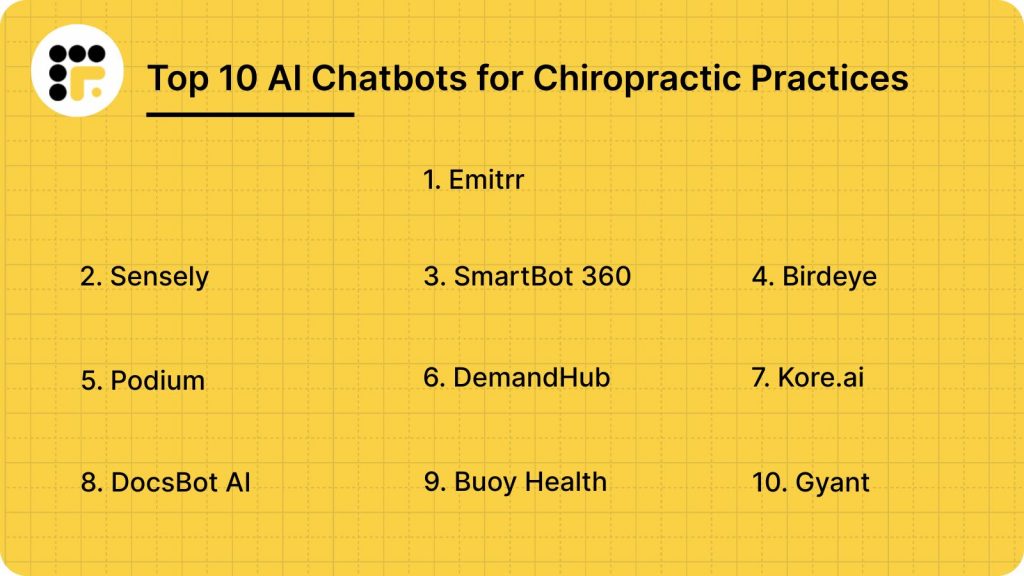
Top 10 AI Chatbots for Chiropractic Practices
1. Emitrr
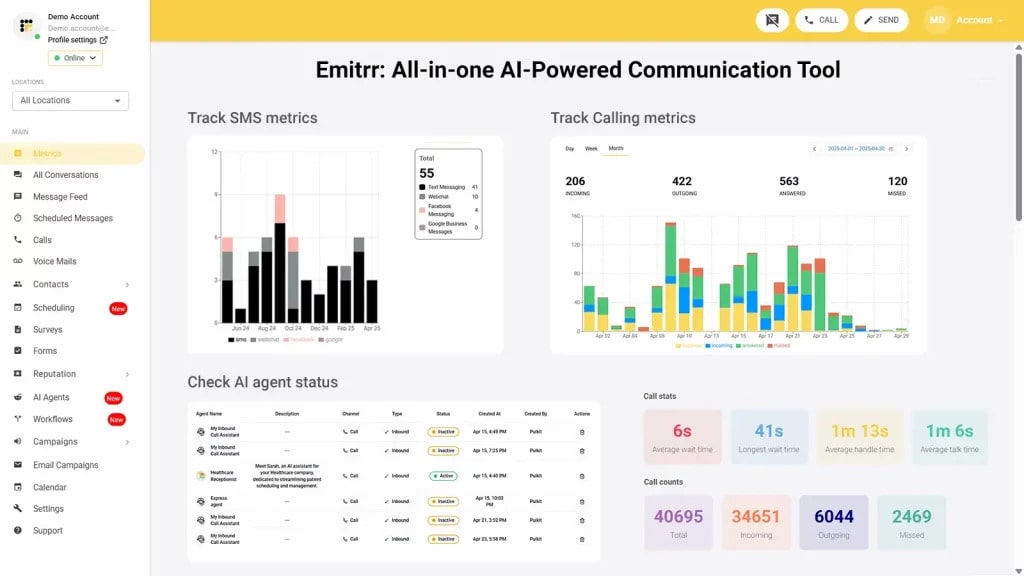
Emitrr Overview
Emitrr offers an all-in-one AI platform that makes communication in healthcare faster and easier. It automates patient and provider interactions across voice, chat, and two-way texting, covering everything from appointment scheduling to triage and analytics in one connected system. Chiropractors trust Emitrr because it improves efficiency, streamlines daily tasks, and keeps patients engaged with minimal effort. With its simple and unified tools, Emitrr helps clinics stay connected with patients across multiple channels while saving time and resources.
Emitrr AI Chatbot Features
- Custom Chat Flows for Healthcare: Build tailored chat pathways designed specifically for healthcare to boost patient engagement and enhance overall experiences.
- Voice-Enabled Scheduling & Symptom Intake: Allow patients to book appointments or share symptoms through an easy, voice-enabled interface.
- AI-Powered Front Desk Assistant: Acts as a smart virtual receptionist, handling inquiries and calls efficiently.
- Two-Way Texting & Virtual Receptionist: Engage patients with personalized SMS conversations while automating reminders and follow-ups.
- Automated Symptom Triage: Streamline patient assessments and direct them appropriately within workflows using intelligent automation.
- Scalable Analytics: Gain insights into communication patterns and chat activity through detailed reporting.
- 500+ EHR Integrations: Connect seamlessly with major healthcare systems to keep processes unified and efficient.
Emitrr Pros
- Automated Workflows: Handles scheduling, follow-ups, and reminders with little to no manual effort.
- Better Patient Engagement: Keeps patients engaged while reducing the admin load for your staff.
- Easy Integration: Fits quickly into your existing tech stack without complications.
- Trusted Platform: Already used by 1,000+ healthcare practices with proven results.
- Excellent Support: Backed by friendly, 5-star-rated customer support.
Emitrr Cons
- Some advanced features are still in process and will be available within a few days.
Emitrr Pricing
- Standard Plan ($20/user/month): Basic HIPAA-compliant scheduling, reminders, secure texting, ideal for small to mid-sized clinics.
- Professional Plan ($35/user/month): Adds advanced analytics, AI triage, and deeper workflow integrations for larger clinics.
Emitrr Integrations
- MailChimp
- Denticon
- Zapier
- Salesforce
- HubSpot
- HouseCall Pro
- And many more
Emitrr Customer Support Channels
- Live chat: Chat with Emitrr’s live representatives
- Phone: Call Emitrr at +1 (210) 941-4696
- Email: Send email to Emitrr’s support team at support@emitrr.com
- Knowledge base
- FAQs/forum
- SMS
Emitrr Ratings
Emitrr Reviews
Watch this video on customer reviews about Emitrr:
2. Sensely
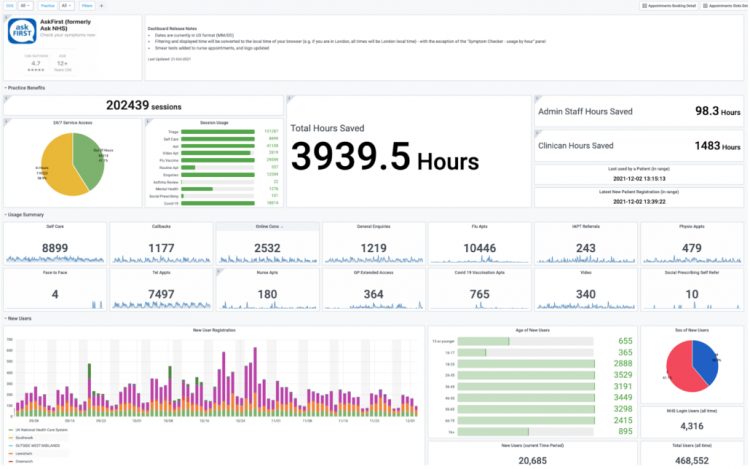
Sensely Overview
Sensely is an AI chatbot for chiropractors that works like a virtual assistant to support patients and clinics. This chiropractic clinic chatbot helps with symptom assessment, appointment scheduling, and patient guidance. By acting as an AI chiropractic assistant, Sensely makes communication easier, reduces admin work, and keeps patients engaged.
Sensely Features
- Virtual Nurse Avatar: Empathy-driven digital assistant for guided conversations.
- Remote Patient Monitoring: Collects and tracks patient data for ongoing care.
- Medication and Appointment Reminders: Sends automated nudges to keep patients on track.
- Custom Education and Symptom Checks: Provides tailored education and guided assessments.
- Video and Voice Communication: Enables real-time interactive support.
- EHR Connectivity: Syncs patient data directly into records.
- HIPAA-Compliant Secure Messaging: Ensures private and secure patient communication.
Sensely Pros
- High Patient Engagement: Builds strong connections with patients and increases usage.
- Support for Long-Term Programs: Effective for remote patient monitoring and longitudinal care.
- Standardized Education: Delivers consistent patient education and structured follow-ups.
Sensely Cons
- Not a Full Contact Center Replacement: Cannot entirely replace front desk staff or call center functions.
Sensely Pricing
- Pricing of this AI chatbot for chiropractors is customized based on clinic size, feature requirements, and integration needs. Interested healthcare providers should contact Sensely for a personalized quote.
Sensely Support Channels
- Help Desk
- Knowledge base
- FAQs
Sensely Integartions
- Chat Support
- Web Conversational SDK
- Facebook Messenger
- SMS
- Mobile App Integration
- Front Door Navigator
- AskFirst (GP system integration)
- ChatGPT
Sensely Ratings
- Ratings of this AI chatbot for chiropractor is unavailable on G2.
Sensely Reviews
- Reviews are not available.
3. SmartBot 360
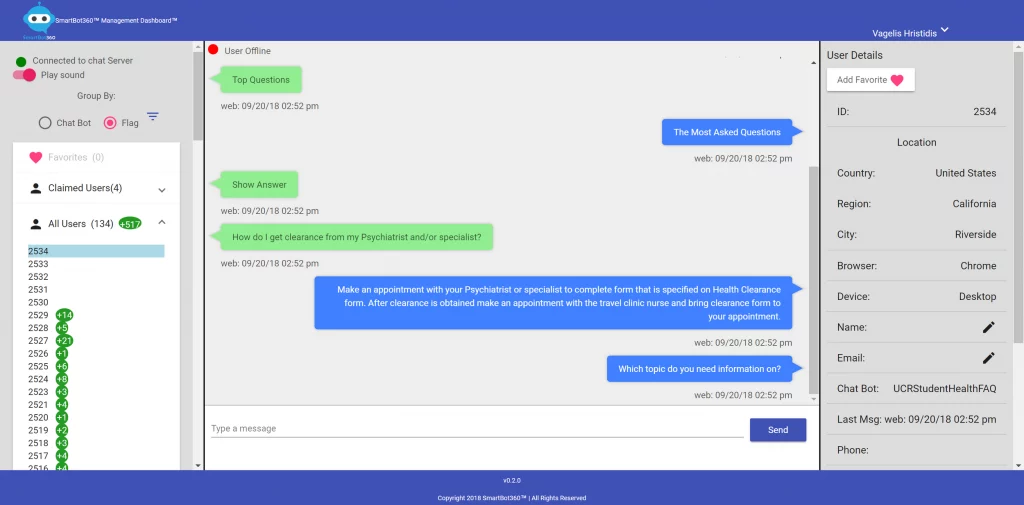
SmartBot 360 Overview
SmartBot 360 is a HIPAA-compliant AI chatbot platform designed for healthcare. It helps clinics generate leads, engage patients, and book appointments with ease. This no-code, customizable chatbot can be tailored to fit the needs of a medical practice, a medical device company, or even adapted as an AI chatbot for chiropractors to improve patient communication and streamline scheduling.
SmartBot 360 Features
- HIPAA-Compliant Platform: Fully supports BAA to ensure regulatory compliance.
- No-Code Chatbot Builder: Design chatbots easily with a drag-and-drop interface.
- Automated Appointment Scheduling: Let patients book visits and receive appointment reminders.
- Secure Data Collection Forms: Gather patient and medical details through encrypted forms.
- Extensive Integrations: Connect seamlessly with EHR, CRM, and other key systems.
SmartBot 360 Pros
- HIPAA Compliance: Strong focus on HIPAA compliance makes it a comfortable, compliant solution for the healthcare industry.
- Ease of Use: Easy to build, and the no-code builder gives you the power to deploy anything fast!
- End-to-End Flow: Provides a wide-ranging flow from lead capture to customer support.
- Affordable Pricing: Reasonably priced for small to medium companies.
SmartBot 360 Cons
- Limited Enterprise Options: May not have the same degree of robust, enterprise-grade features as larger platforms, such as voice assistance.
- Clinically Focused: More centered on clinical features and patient needs, rather than advanced technical support across devices
SmartBot 360 Pricing
They offer tiered pricing by usage and features. To know more, contact support.
SmartBot 360 Integrations
- Salesforce (Leads & Cases)
- Google Sheets
- APIs & Webhooks (Enterprise Plan)
- CRM systems & productivity apps for healthcare workflows
- EHR / patient portals (via custom integrations)
SmartBot 360 Support Channels
- Email Support
- Live Chat
- Documentation / Knowledge Base
- Integration Support
- Free Consultation / Customization Support
SmartBot 360 Reviews
No reviews available on Capterra
SmartBot 360 Ratings
No ratings available on Capterra
4. Birdeye

Birdeye Overview
Birdeye is an online reputation management and customer experience platform with AI-driven messaging features. While not a traditional chatbot, it helps manage patient conversations, appointment scheduling, and review requests. For clinics and practices, including chiropractors, this chiropractic clinic chatbot alternative can be valuable for building trust through positive reviews and consistent patient feedback.
Birdeye Features
- AI Messaging for Patients: Automate patient engagement with smart, AI-powered messaging.
- Reviews and Surveys: Automatically send feedback and review requests after each visit.
- Unified Inbox: Keep all messages and chat history organized in one shared SMS inbox.
- Practice Management Integration: Connect seamlessly with EMR/PMS and other tools to streamline workflows.
Birdeye Pros
- Reputation Management: Outstanding means to build and manage a positive online reputation.
- Review Generation: Great ability to increase review volume and positive feedback.
- Ease of Use: Straightforward to use and implement quickly.
Birdeye Cons
- Limited AI Capabilities: Not quite the same sophisticated AI capabilities as platforms dedicated to chatbots.
- Narrow Focus: Less focused on complex triage or advanced technical support.
Birdeye Pricing
Birdeye has the following pricing plans:
- Basic Plan – $99/month
- Growth Plan – $199/month
- Advanced Plan – $299/month
Birdeye Integrations
- Quickbooks
- Mailchimp
- Xero
- Zapier and more!
Birdeye Support Channels
- Phone Support
- Email Support
- Ticket / Case Submission
- Support Center / Knowledge Base
- Contact / Contact Us (Sales & Support)
Birdeye Rating
This software has a 4.7-star rating on Capterra.
Birdeye Reviews
“Great system for online review management, highly recommend utilizing the integrations and auto responses for a seamless online presence!”
“Overall, they are super responsive- until you try to cancel your contract.”
Source: Capterra
5. Podium
Podium Overview
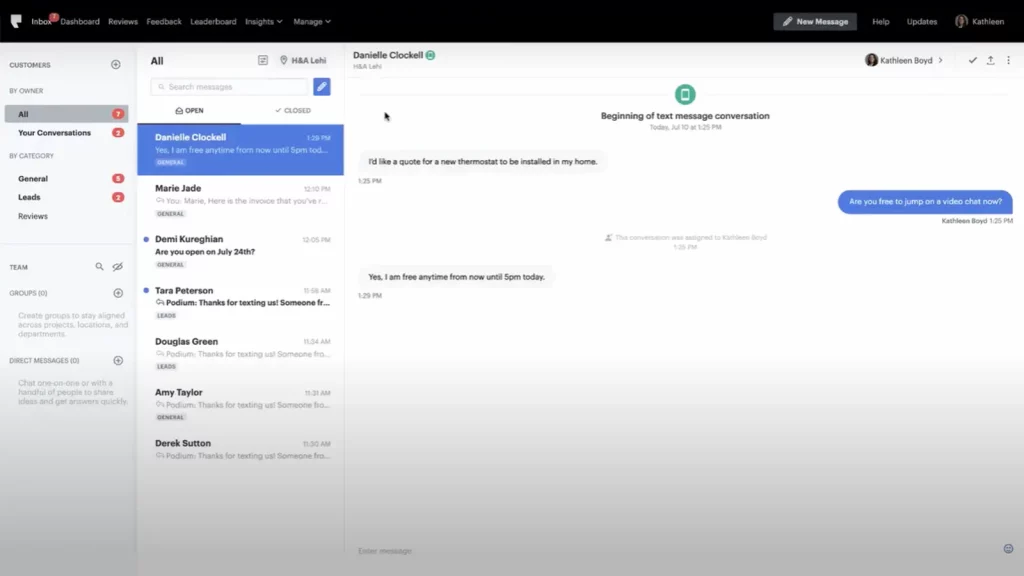
Podium is a customer communication and marketing platform that helps businesses improve interactions and manage online reputation. Its AI-powered messaging system allows clinics and healthcare providers, including chiropractors, to handle patient inquiries, capture leads, and even process payments in a single, easy-to-use inbox. This makes Podium a useful option as a chiropractic chatbot for managing both communication and reputation management in one place.
Podium Features
- AI-Driven Messaging: Designed to support patients and improve lead conversion.
- Unified Inbox: Brings all your communication channels together in one place.
- Payment Collection & Invoicing: Simplifies billing with secure digital payment options.
- Review & Feedback Tools: Automates review requests and streamlines reputation management.
- Website Chat Widget: Connects with website visitors instantly through real-time chat.
- CRM & PMS Integrations: Works seamlessly with customer and practice management system software.
Podium Pros
- User-Friendly Platform: Easy-to-understand platform for all customer interactions.
- Lead Conversions & Revenue: Strong emphasis on lead conversions and collecting revenues.
- Easy Setup: Simple to set up and simple to use.
Podium Cons
- Limited AI Scope: Not a full-service AI chatbot for more complex tasks.
- Marketing-Focused: Geared more toward marketing and sales rather than deep clinical support.
Podium Pricing
Here’s what Podium’s pricing looks like:
- Core: $399 a month
- Pro: $599 a month
- Signature: Custom pricing
Podium Integrations
Podium integrates with over 1000 third-party apps and software including:
- BigCommerce
- AthenaHealth
- AroFlow
- Airtabele
- AdvancedMD
- ADF Leads
- AMS Pro
Podium Support channels
- Help Center / Knowledge Base
- AI Chat Tool
- Contact / Contact Us (Support)
- Phone Support (Sales & Support)
Podium Ratings
Customer rating of this software on Capterra is 4.3/5 and on g2 is 4.6/5.
Podium Reviews
“It is extremely expensive for what it is. The personnel also don’t coordinate very well so often you will get a marketing solicitation call and email even though you already use the product.”
“The product is easy to use and the UX is top notch. While I wish there was a few more customizable options from team management it is easy to use even for people who aren’t tech savvy”
Source: Capterra
6. DemandHub

DemandHub Overview
DemandHub is an AI-driven communication platform designed for healthcare, including chiropractic clinics. It provides a smart AI chatbot for chiropractors that can answer patient questions, book appointments, and capture leads 24/7. By automating these tasks, DemandHub works like a chiropractic clinic chatbot, helping practices save time, reduce admin work, and improve patient communication.
DemandHub Features
- AI Agent (24/7 Chat): Provides instant responses on your website, answering patient questions even after hours.
- AI Front Desk Management: Handles missed calls, voicemail transcription, and patient follow-ups automatically.
- AI Patient Reactivation: Runs recall campaigns to re-engage inactive or lapsed patients.
- Automated Review Collection: Sends review requests after appointments to boost your online reputation.
- Unified Messaging / One Inbox: Combines all patient communications (SMS, email, chat) in a single place.
- Web Chat Integration: Lets patients chat with your clinic directly from your website.
DemandHub Pros
- Easy to Use: Simple, intuitive interface that staff can manage without technical expertise.
- 24/7 Patient Engagement: AI chatbot and web chat keep your practice available at
- Improved Patient Retention: AI recall campaigns re-engage inactive patients and reduce churn.
- Reduced No-Shows: Automated reminders and confirmations keep your schedule full.
- All-in-One Platform: Combines reviews, communication, payments, and scheduling in one dashboard.
DemandHub Cons
- Pricing Transparency: Costs may vary by practice size, and detailed pricing isn’t always clear upfront.
- Integration Limitations: Not all EHR or practice management systems are supported directly.
- Over-Reliance on Automation: Some patients may prefer more personal, human interaction over automated chatbots.
- Feature Overload for Small Clinics: Smaller practices may not use all features, making the platform feel more complex.
DemandHub Pricing
- Starter: from $29/month
- Professional / Growth: $79/month
- Ultimate: Custom pricing based on business size and needs
- AI Suite: Custom pricing
- AI Re-engagements: Custom pricing
DemandHub Integrations
- Abeldent Dental
- Booker (Chiropractic, Wellness)
- ClinicMaster
- Cliniko
- DaySmart
- Dentrix
- DrChrono
- eClinicalWorks
- Juvonno and more!
DemandHub Support Channels
- Email Support
- Live Chat (“Chat Now”)
- Contact / Contact Us Form
- FAQ / Help Center
DemandHub Ratings
DemandHub has an impressive rating of 4.9/5 on Capterra.
DemandHub Reviews
“Integrates Perfectly with JaneApp, Great Customer Experience”
“ Easy to Use”
Source: Capterra
7. Kore.ai

Kore.ai Overview
Kore.ai is an enterprise-grade, no-code conversational AI platform that can be scaled to build advanced virtual assistants. It supports a wide range of business processes, including patient assistance, sales enablement, and knowledge management. For healthcare providers, it can function as a chiropractic clinic chatbot, helping automate patient interactions, streamline scheduling, and improve communication across the practice.
Kore.ai Features
- No/Low-Code Assistant Designer: Build advanced healthcare AI assistants without heavy coding.
- Omnichannel Engagement: Communicate with patients via chat, voice, email, and SMS.
- NLU & Machine Learning: Understands medical terminology and patient context for precise responses.
- Analytics & Reporting: Track performance with ready-to-use dashboards and detailed reports.
Kore.ai Pros
- Highly Configurable for Regulated Use Cases: The software is adaptable, allowing practices to tailor workflows while staying compliant with healthcare regulations like HIPAA.
- Mature Security, Governance, and Observability Capabilities: It offers advanced security features, strict governance controls, and strong monitoring tools to ensure data privacy and reliability.
- Can Scale Across Products and Regions: The platform supports multi-location practices and can expand easily across different services or regions as your clinic grows.
Kore.ai Cons
- Complex for Teams Using Enterprise Platforms for the First Time: New users may find the system challenging initially, especially if they have never worked with enterprise-grade software before.
- Enterprise Pricing with Enterprise Implementation Effort: The platform comes with higher costs and requires significant setup and onboarding, making it better suited for established practices.
Kore.ai Pricing
Kore.ai has the following pricing plans:
- Standard Plan: $0.20 per session
- Essential Plan: $50/month
- Advanced Plan: $150/month
Kore.ai Integrations
- Salesforce
- Zendesk
- HubSpot CRM
- JIRA
- Freshdesk
- ServiceNow
- Stripe
- Genesys
Kore.ai Support Channels
- Support Portal
- Email Support
- Phone Support (Toll-free numbers)
- Documentation / Help Center
- Community Support
- Video Conference Support (for paid tiers)
Kore.ai Ratings
This software has a rating of 4.7/5 on g2.
Kore.ai Reviews
“Kore.AI stands out for its highly intuitive and AI-driven conversational platform. I like how it enables seamless automation across multiple channels, integrates smoothly with enterprise systems, and provides low-code/no-code tools for building intelligent virtual assistants.”
“I really like the flexibility and scalability of Kore.AI’s platform. The no-code/low-code interface helps speed up bot development, while still allowing deep customization for complex use cases. The platform integrates seamlessly with multiple channels, and the analytics features provide great visibility into bot performance.”
Source: g2
8. DocsBot AI
DocsBot AI Overview
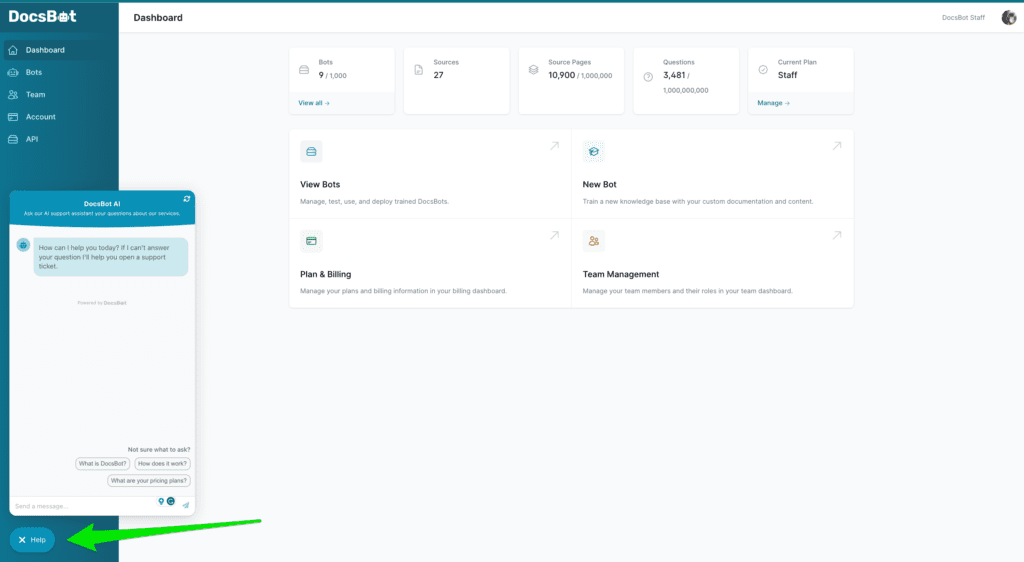
DocsBot AI is a customizable chatbot platform that uses your own documents, FAQs, and knowledge base to deliver accurate, real-time answers. For clinics, it can be adapted as an AI chatbot for chiropractors, helping patients get reliable information, reducing repetitive questions, and supporting staff with instant access to the right content.
DocsBot AI Features
- Real-Time Q&A Bot: Provides instant, accurate answers to user questions.
- Internal Knowledge Retrieval: Helps teams quickly access company or practice information.
- Automated Support Replies: Reduces manual workload by responding to common queries.
- Embeddable Widgets: Easily add bots to websites, portals, or apps.
- API & Zapier Integration: Connects with thousands of third-party apps and systems.
DocsBot AI Pros
- Easy Customization: Build chatbots without deep technical expertise.
- Time-Saving Automation: Handles repetitive support queries instantly.
- Multi-Source Training: Learn from websites, PDFs, and documents for accurate responses.
- Improved Knowledge Access: Helps teams find information quickly and efficiently.
- Scalable for Growth: Works for small teams and large enterprises alike.
DocsBot AI Cons
- Dependent on Input Quality: Accuracy relies heavily on the quality of uploaded content.
- Limited Industry Specialization: Not built specifically for healthcare or podiatry needs.
- Cost at Scale: Pricing may increase for larger teams or heavy usage.
- Occasional Response Gaps: May struggle with highly complex or niche questions.
- Requires Regular Updates: Needs ongoing content updates to stay accurate.
DocsBot AI Pricing
DocsBot AI pricing are as follows:
- Free Plan: $0/month
- Personal Plan: $49/month
- Standard Plan: $149/month
- Business Plan: $499/month
- Enterprise Plan: Custom pricing
DocsBot AI Integrations
- Zapier
- Slack
- WordPress
- Gmail
- Intercom
- Freshdesk
- Zendesk
- Pipedream
- n8n
- Beam AI
DocsBot Support Channels
- Email Support
- Contact Form / “Contact Us”
- Help & Support Page / Knowledge Base / Documentation
- Refund / Billing Support
DocsBot AI Ratings
This AI Chatbot software has a 4/5 rating on g2.
DocsBot AI Reviews
“It’s an outstanding AI tool”
“Amazing AI Tool”
Source: g2
9. Buoy Health
Buoy Health Overview
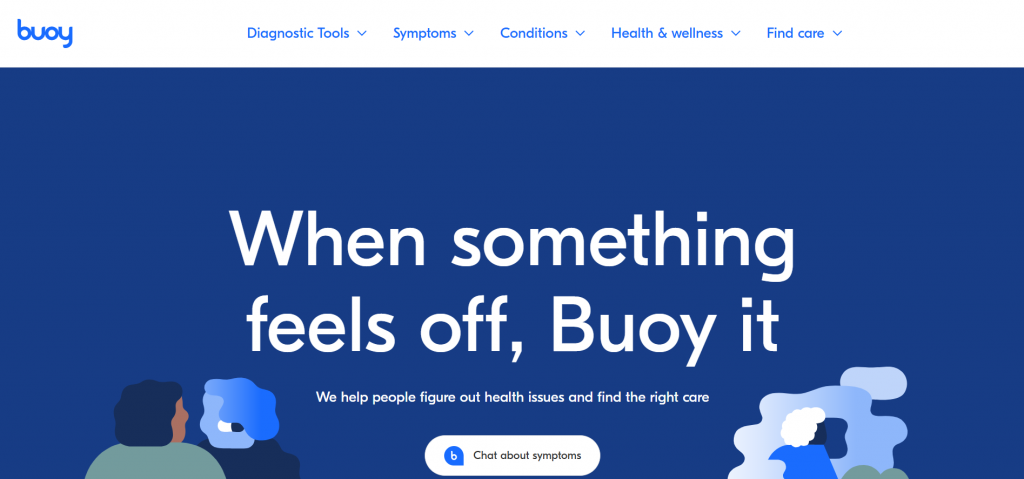
Buoy Health is an AI-powered medical chatbot designed for healthcare. It allows patients to self-assess symptoms, get personalized guidance, and connect with the right care quickly. As a healthcare chatbot for chiropractors, it can support clinics by handling symptom triage, providing tailored recommendations, and guiding patients toward chiropractic care when appropriate. This reduces unnecessary visits, improves decision-making, and enhances access to chiropractic services.
Buoy Health Features
- Symptom Checker AI: Patients can describe their symptoms, and the chatbot suggests possible conditions along with recommended next steps.
- Personalized Care Recommendations: Provides advice tailored to each patient’s input, following medical best practices.
- Virtual Health Assistant: Directs patients to the right healthcare services, including help with booking appointments.
- Two-Way Communication: Allows patients to ask follow-up questions for clarity and better understanding.
- Data Analytics: Monitors interactions, tracks symptom patterns, and measures engagement for clinics and healthcare providers.
Buoy Health Pros
- Quick Symptom Guidance: Patients get instant insights about their symptoms without waiting for a doctor’s call.
- Personalized Advice: Recommendations feel tailored to each patient, building trust and confidence.
- Better Access to Care: The virtual assistant makes it easier to find the right service and book appointments.
Buoy Health Cons
- Limited EMR/EHR Integration: Direct connections with electronic health record systems may be restricted.
- Narrow Focus: Primarily designed for patient self-assessment rather than full practice automation.
Buoy Health Pricing
- Contact Buoy Health for enterprise-level pricing based on usage and integration needs.
Buoy Health Integrations
- Buoy API
- ScribeHealth AI
- CirrusMD
- Healthcare Bluebook
- Hinge Health
- LetsGetChecked
- Workit Health
Buoy Health Support Channels
- Chat Support
- Email Support
- 24/7 Availability
Buoy Health Ratings
- Ratings are unavailable on G2.
Buoy Health Reviews
- Reviews are unavailable on G2.
10. Gyant
Gyant Overview
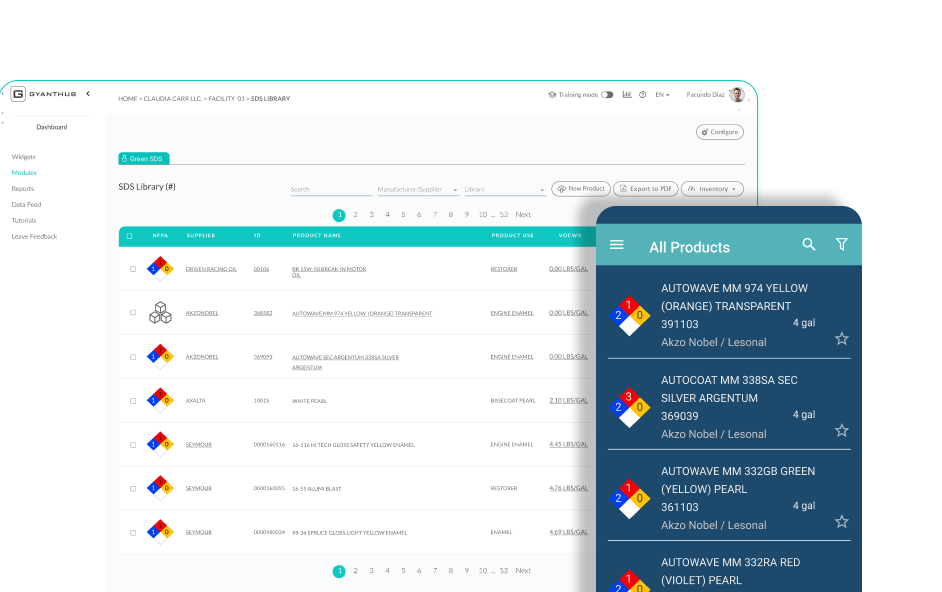
Gyant is an AI-powered medical chatbot built for healthcare providers. It guides patients through symptom assessment, care navigation, and appointment scheduling. As a chiropractic clinic chatbot, Gyant can streamline triage, enhance patient engagement, and provide personalized care guidance. Automating these tasks helps chiropractors improve workflows, save staff time, and deliver better patient outcomes.
Gyant Features
- Symptom Checker AI: Evaluates patient-reported symptoms and delivers tailored recommendations.
- Virtual Health Assistant: Guides patients through care pathways and connects them with the right services.
- Appointment Scheduling: Supports booking, rescheduling, and cancellations to streamline clinic operations.
- Two-Way Communication: Allows patients to ask follow-up questions and get clear answers.
- Analytics & Reporting: Monitors patient interactions, identifies symptom trends, and provides actionable insights for providers.
Gyant Pros
- Improved Patient Engagement: Enhances patient involvement and health literacy.
- Accurate Symptom Triage: Provides reliable guidance for care decisions.
- Greater Efficiency: Reduces unnecessary clinic visits and streamlines workflow.
Gyant Cons
- Integration Setup Required: Connecting with existing EMR/EHR systems may take additional configuration.
- Training Needs: Advanced features might require staff training to use effectively.
Gyant Pricing
- Available upon request based on clinic size, usage, and feature requirements.
Gyant Integrations
- Kyruus
- Android SDK
Gyant Support Channels
- Email Support
- Help / Documentation / Knowledge Base
- Customer Success / Account Manager
- Contact / “Contact Us” form
Gyant Ratings
This software has 4.5 out of 5 stars on G2.
Gyant Reviews
“Reduce support staff workload”
“Connecting Doctors and AI”
Source: G2
Why is Emitrr the best AI Chatbot for Chiropractic Practices?
Chiropractic clinics handle a lot every day: answering calls, scheduling appointments, helping patients with questions, managing billing, and making sure nothing gets missed. This is where Emitrr stands out as the best AI chatbot for chiropractors. Unlike generic tools, it works as a chiropractic clinic chatbot designed specifically for the needs of chiropractors, acting like a real team member. Let’s understand why:
AI-Powered Call Handling
Emitrr works as an answering service for chiropractors, answering patient calls just like a front desk staff member. It handles simple questions like office hours and directions, while recording more complex requests for the staff to review. This reduces wait times and makes sure every patient gets a response.
AI Virtual Receptionist
Chiropractors can use Emitrr as an AI chiropractic assistant or virtual assistant for chiropractors that works 24/7. It answers calls after hours and on weekends, books visits, and captures important patient details. This keeps the clinic “open” all the time, even when staff are away.
AI-Driven Texting Capabilities
Patients prefer texting, and Emitrr makes it easy. This chatbot for chiropractic practice enables two-way texting so clinics can confirm appointments, answer quick questions, and send follow-ups automatically.
Workflow Automation
With chiropractic AI software, Emitrr automates repetitive tasks like scheduling, reminders, voicemail processing, and routing requests. This saves staff hours every day so they can focus on patient care.
Two-Way Texting with Patients
Emitrr also works as a chiropractic chatbot that lets patients text directly to reschedule an adjustment, ask about insurance, or request billing details. The AI handles these conversations without front desk involvement.
AI Triage
As a healthcare chatbot for chiropractors, Emitrr sorts calls and messages based on urgency. If a patient reports severe back pain or new symptoms, it alerts staff, while routine questions are answered automatically.
Analytics and Insights
Emitrr tracks how many calls are answered, how many appointments are booked, and how much time is saved. This makes it more powerful than a standard chiropractic answering service, giving clinics clear insights to improve communication.
The Emitrr Advantage for Chiropractors:
Emitrr is more than just a chiropractic clinic chatbot; it’s a complete AI chiropractic assistant. It reduces call volume, keeps the schedule full, and makes sure patients always feel supported, whether it’s through calls, texts, or after-hours engagement.
For chiropractic practices, that means:
- No more missed calls.
- Faster appointment scheduling.
- Clearer communication with patients.
- Happier staff and patients.
Frequently Asked Questions
An AI chatbot for chiropractors is a virtual assistant that helps manage patient interactions. It can answer questions, schedule appointments, handle insurance queries, and provide support 24/7, just like an extra team member.
A chiropractic chatbot reduces missed calls, automates scheduling, cuts down on no-shows, and improves patient communication. It also saves staff time by handling repetitive questions and tasks.
Yes, a chiropractic clinic chatbot is available 24/7. It answers patient calls and messages at night, on weekends, and even during holidays, ensuring no opportunity is missed.
A good AI chiropractic assistant follows HIPAA (or GDPR) compliance standards. This means patient data is encrypted, secure, and handled with full privacy protection.
Yes, most chiropractic AI software integrates with EHRs and practice management systems. This keeps appointments, patient records, and billing information updated automatically.
A healthcare chatbot for chiropractors is designed specifically for clinics. Unlike generic chatbots, it understands chiropractic workflows, patient needs, and healthcare compliance requirements.
Conclusion
Managing a chiropractic practice is demanding, and patients expect quick, seamless communication. An AI chatbot for chiropractic practices helps reduce no-shows, improve patient satisfaction, and keep your clinic running smoothly.
Emitrr is the best choice because it goes beyond basic chat. It’s HIPAA-compliant, integrates with practice software, automates reviews, and supports your team like a 24/7 digital assistant. For chiropractors who want to grow and stay competitive, Emitrr is the smartest solution.