
 4.9 (400+
reviews)
4.9 (400+
reviews)
Introduction
“Do you remember when fax machines were the clunky backbone of office communication? Those days are in the past. ” In an era of cloud-based workflows and mobile connectivity, replacing old-fashioned fax machine services with online fax services has become inevitable. Businesses want reliable, secure, and cost-efficient options that allow documents to travel electronically, without hardware, without landlines, and without a bottleneck created by old-fashioned systems.
Choosing the best online fax service is more than picking a vendor; it is about enabling seamless communication, regulatory compliance (if you operate in healthcare or professional services), and budget-friendly options that scale with you. Out of all the options, FAX.PLUS and iFax stand out as two popular contenders tailored for modern enterprises.
In this blog, we are going to do a deep dive comparison of FAX.PLUS vs iFax (2025) with all the features, pricing, purchases, integrations, and usability components. While we deep dive into the two services, I am also going to introduce you to something better: Emitrr, the unified communications platform that surpasses both services in terms of versatility, automation, and integrations.
Key Takeaways of FaxPlus vs iFax
The following is a summary of what you’ll learn. Later, each point is explained below in a proper way:
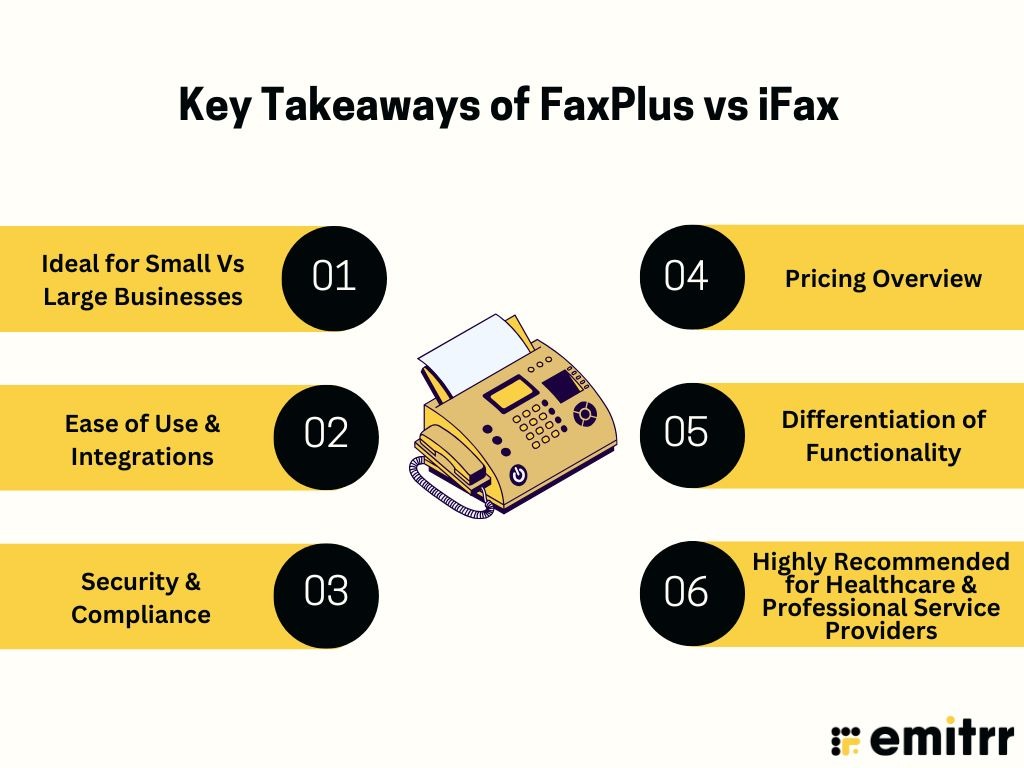
Ideal for Small Vs Large Businesses
iFax is more appropriate for small-to-mid-sized and mobile-first use; FAX.PLUS is more of a fit for teams and enterprise use.
Ease of Use & Integrations
The iFax has some basic mobile-first experience; FAX.PLUS is stronger with integrations (like Google Workspace, Microsoft, Slack, Zapier).
Security & Compliance
Both are HIPAA compliant; however, FAX.PLUS has a more mature audit trail and enterprise-grade controls.
Pricing Overview
The iFax’s pay-as-you-go and overall lower barrier to entry are good for a lighter use case; FAX.PLUS has free and tiered options; however, it could become pricey at an enterprise level.
Differentiation of Functionality
FAX.PLUS can schedule faxing, team roles, porting a fax number, and multiple users; iFax is strong with mobile apps, integrations with cloud storage, and basic broadcast functionality. It neither matches a full communications platform, but Emitrr does.
Highly Recommended for Healthcare & Professional Service Providers
All are viable options, and your choice depends on the faxing volume, how complex the workflow is, and the system integrations needed beyond faxing.
What is FAX PLUS?
Overview:
FAX.PLUS (sometimes being styled as FAX.PLUS) is a cloud-based online faxing service that aims to make faxing fully digital while replacing traditional fax machines. It was established around 2016 in Geneva, Switzerland (via its parent company Alohi SA). FAX.PLUS functions as an online faxing service focused on individuals, teams, healthcare practices, enterprises, and anyone who sends and receives sensitive documents and information via web, email, and mobile.
It can be particularly useful for large documents, sending the document through email instead of a fax machine, using mobile apps to fax from anywhere, and allowing departments within an organization to fax documents without requiring hardware. FAX.PLUS also includes additional features, for example, secure storage, audit trails, and compliance-ready options, making it ideal for regulated industries.
FAX.PLUS Features:
FAX.PLUS features are aimed at both convenience and management for enterprises:
- Cloud Faxing: FAX.PLUS allows you to send and receive faxes via the web interface, email-to-fax, and a standalone mobile application.
- Scheduled Faxing: You can schedule your fax transmissions in advance for a specific date and time, which is useful for international faxes.
- E-Signatures: You can easily sign documents within the app using its built-in integration with Sign. Plus, and send them.
- User Management and Roles: You can set granular user roles, permissions, or allow the use of specific shared fax numbers.
- Porting Fax Numbers: This allows companies to maintain their existing fax numbers when changing to the cloud service.
- Multi-User Support: All enterprise plans support unlimited team members, and are a great option for larger organizations because of the scalable level of service.
- Secure Storage and Audit Trails: Transmitted faxes are stored in an encrypted archive, with detailed audit logs for each fax’s transmission status for compliance.
FAX.PLUS Pros:
- Simple to Set Up and User-Friendly Interface: FAX.PLUS user experience perceived by reviewers as very good due to clean, modern, and well-organized layout. The newer style offers an easy way for the non-technical user to access the service.
- HIPAA Compliant: Offers a Business Associate Agreement (BAA) for enterprise plans, which makes it an ideal fit for medical facilities that require FAX.PLUS to be HIPAA compliant.
- Mobile App Available: A solid option for a FAX.PLUS mobile app on both Android and iOS devices, and provides maximum flexibility.
- Flexible Plans: There are multiple tiers available; a free plan is available to fully customize Enterprise offerings to meet volumes of faxing.
- Strong Integration Ecosystem: Tight integrations exist for major productivity suites such as Google Workspace and Microsoft Office.
FAX.PLUS Cons:
- Restricted Advanced Automation: It does not offer deep AI automation capabilities and multi-channel communications as seen in modern competitors like Emitrr.
- Costly Enterprise Tier: For extremely high-volume business faxing, the enterprise tier may become more expensive than dedicated high-volume services.
- No Customer Engagement Features: This platform is a faxing platform only and lacks any features for integrated review management, two-way SMS, or voice calling to ensure full customer engagement.
FAX.PLUS Pricing:
- Free Plan: limited pages per month.
- Basic: ~$6.99/month.
- Premium: ~$13.99/month. (Some sources list $11.99 for 300 pages/month)
- Business: ~$27.99/month (or ~US $19.99 for 800 pages per month in some guides)
- Enterprise: Custom pricing based on volume and user count.
FAX.PLUS Integrations:
Google Workspace (Docs/Sheets) and Google Drive, Microsoft Outlook / Microsoft 365, Slack for notifications, Dropbox and OneDrive for document storage, and Zapier for automation and connecting with other apps.
FAX.PLUS Ratings:
4.6/5
FAX.PLUS Reviews:
“Quick and easy to use interface! … I was able to continue to the next steps to finalise my move, thank you!”
“Secure E-Faxing But Sharing Needs Improvement” – “I found a couple spots where I would get an error code returned, but no error text.”
Source: G2
What is iFax?
Overview:
iFax is a contemporary online fax service that is mobile-focused. Users can send and receive faxes using web, email, and mobile apps. This service is commonly used by small businesses, healthcare practices, and financial professionals. iFax is intended to be HIPAA compliant, available on a mobile device, and available to be connected to other platforms. iFax asserts to be user-friendly, quick, and suitable for remote workflows.
iFax Features:
- Send/Receive Faxes: Users can easily fax documents through the user-friendly web portal, attach an email, or use the highly optimized iFax mobile app for faxing from anywhere.
- Electronic Signatures: Users can sign documents or files directly from within the app before sending them.
- Cloud Storage Integrations: Users can all gain access to documents stored within common cloud applications.
- Team Collaboration Tools: Similar to creating group chats, iFax provides the ability to add multiple users, assign roles, and share fax folders.
- Custom Cover Pages: Users are free to choose the way they feel professionally about their incoming and outgoing faxes, as iFax can create and allow you to save branded fax templates.
- Fax Scheduling and Delivery Confirmation: Users know that time-sensitive faxes have been sent exactly when the user wanted them to be sent, including updates/reports.
- Branded Fax Templates: This seems to be a unique feature that allows users to stay on-brand for their business’s fax communication.
iFax Pros:
- Easy To Use & Mobile Optimized: The iFax user experience is digital-first and places a focus on an incredibly simple, fast, and mobile-friendly interface.
- HIPAA-Compliant & Secure: Offers the necessary security protocols for healthcare transmission, and BAA to ensure strong iFax security.
- Pay-as-you-go Pricing: Allows customers tremendous flexibility in pricing, especially when volumes are either very low or sporadic.
- Supports Fax Broadcasting: Great for sending a single document to a large number of recipients all at once via fax.
- Responsive Customer Support: Generally well-regarded for providing helpful and timely assistance.
iFax Cons:
- Occasional Sync Issues: There is feedback from users indicating that, with some cloud storage services, minor issues occasionally occur with regard to syncing.
- Limited Customization for Enterprise Workflows: While great for SMBs, it may not offer the deep, granular customization and advanced admin controls that FAX.PLUS or specialized enterprise tools provide.
- Lacks Deep Integrations: The integrations of iFax are fewer compared to FAX.PLUS or a unified platform like Emitrr, which can be inhibitive for businesses running complex CRM or EHR systems.
iFax Pricing:
- Basic: ~$8.33/month (when billed annually).
- Plus: ~$16.67/month.
- Professional: ~$25/month.
- Enterprise: Custom pricing based on volume.
iFax Integrations:
Google Drive, Dropbox, iCloud, OneDrive, and Email clients (Outlook, Gmail).
iFax Ratings:
4.7/5
iFax Reviews:
“User-friendly and perfect for remote workflows; it just works flawlessly.”
“Pricing is reasonable, and the app is intuitive even for non-tech users.”
Source: Trustpilot
Key Differences Between FAX.PLUS and iFax
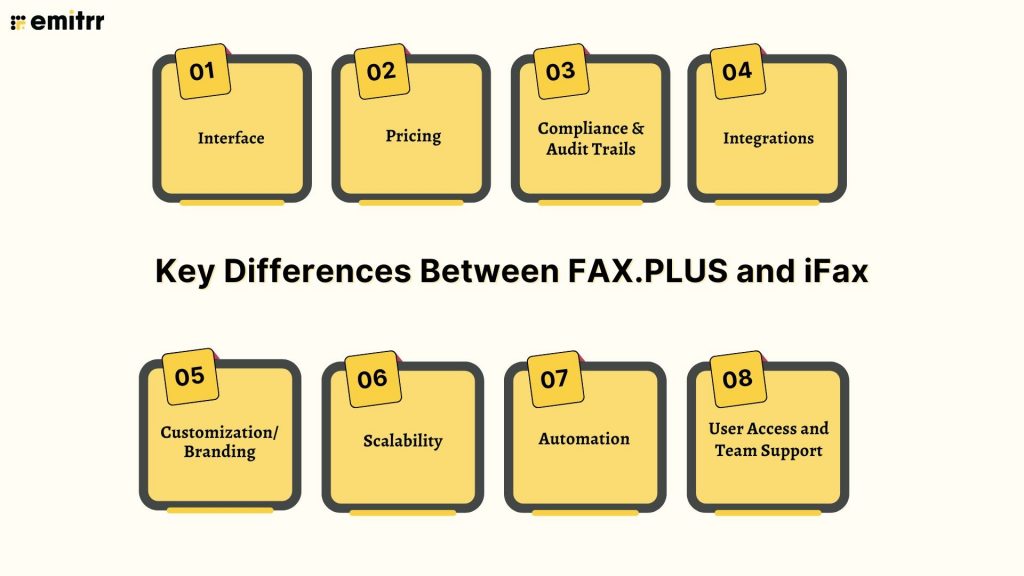
The following is a comprehensive comparison across the major axes:
Interface
FAX.PLUS is more web-focused and integrates more heavily with desktop workflows; iFax really leans into mobile UX and a simplified user experience for when the user works on the go.
Pricing
FAX.PLUS has a free plan as well as fixed tiers; iFax also has various pay-as-you-go and subscription tier options, and significantly less cost for entry for lower volume users.
Compliance & Audit Trails
Both platforms support HIPAA compliance; however, FAX.PLUS has enterprise-grade audit trails and verification, with encryption for storage and the ability to port fax numbers.
Integrations
FAX.PLUS has deeper third-party integrations (i.e., Zapier, Slack, Google Workspace, and Microsoft 365) and the ability to integrate even more; iFax provides the core integrations but has fewer connectors and extensions.
Customization/Branding
iFax provides custom cover pages, templates, and branding for FAX.PLUS has enterprise templates and administrative control features, after a slower implementation on mobile.
Scalability
FAX.PLUS is better suited for remote teams with multiple users, roles, volume, and team management; iFax is better for a very small business, remote workers, or solo professional use.
Automation
FAX.PLUS has been positioned to have scheduled faxing, roles for the team, as well as APIs to manage workflow; iFax has scheduling and broadcasting ability, but has even less automation functionality compared to FAX.PLUS, and certainly much less compared to more complex platforms.
User Access and Team Support
iFax has less advanced team features and is less designed for intricate team structures, whereas FAX.PLUS supports multi-user roles, team dashboards, and user provisioning.
Key Similarities Between FAX.PLUS and iFax
Despite the different emphases of each, both platforms contain key foundational abilities:
Cloud-Based Faxing Solutions
Both are 100% digital, eliminating the need for a physical fax machine, paper, and dedicated phone lines for business faxing.
Both are HIPAA-compliant
It is HIPAA-compliant and provides secure transmission of data (notable for areas such as healthcare, legal, and financial settings).
Electronic Signature
Both offer electronic signature and cover page capabilities as part of their faxing service.
Mobile and Web Accessibility
Both provide a web interface, email-to-fax, and a dedicated mobile application for cross-platform access.
Document Storage and Delivery Confirmations
Both have document storage, delivery confirmation/receipt notifications, and locking capabilities.
Pricing Structure
Both offer tiered subscriptions or pay-as-you-go pricing models, resulting in a give-and-take outcome with your revenue scaling.
FaxPlus vs iFax vs Emitrr: Compared
| Feature | FAX.PLUS | iFax | Emitrr |
| Entry Pricing | Free plan available; Basic ~$6.99/month | Basic ~$8.33/month (annual billing) | Standard ~$25/month |
| Integrations | Google Workspace, Microsoft 365, Slack, Zapier | Google Drive, Dropbox, iCloud, OneDrive | Salesforce, HubSpot, Zapier, QuickBooks, AthenaHealth |
| HIPAA Compliance | Yes; enterprise grade | Yes; mobile-first solution | Yes; full platform for fax + SMS + voice |
| Team Collaboration / Roles | Multi-user support, roles, permissions | Basic team/team-lite support | Full customer communication + team features |
| File Size / Volume Limits | Varies by tier | Varies by plan (e.g., up to 20MB+ in Pro) | Up to 30MB, multi-recipient and broadcast faxing |
| Automation Level | Scheduled faxing, API integrations | Some scheduling, less advanced automation | Fax + SMS + voice automation, AI workflows |
| Ratings | 4.6/5 | 4.8/5 | 4.8/5 |
When to Consider FAX.PLUS?
You might consider FAX.PLUS if:
Collaboration & Scale
You are a large company or collaborate in a big team and need advanced working together features, multi-users, roles, audit, and enterprise-scale expectations.
Integrations
You like nice integrations with Google Workspace, Microsoft 365, Slack, Zapier, and want your faxing to just be part of those experiences.
Compliance & Controls
You are within a regulated industry (healthcare, legal, financial) and require strong audit trails, port numbers, secure storage, and advanced options.
Growth & Administration
You expect to massively grow volume or believe you have and plan to need advanced features, such as API capability and team administrative.
When to Use iFax?
iFax is well-suited if:
Mobility & Accessibility
You are a small business, freelance worker, or mobile-first user looking for an intuitive, low-cost fax solution.
Ease of Use
You care about being mobile – send and receive faxes from anywhere on your phone with no real setup.
Workflow Simplicity
You are getting faxes on a moderate basis and with basic workflow needs, and don’t require complicated integrations or team usage, etc.
Cost and Convinience
You care about the cost for light use, and you want to get started literally within minutes.
Emitrr: The Best Alternative to FAX.PLUS and iFax
Overview:
Emitrr is a customer communication and cloud faxing platform that does much more than just send and receive faxes. It combines fax, SMS, voice calls, automation, and AI-based workflows all within one dashboard. For healthcare practices, legal firms, professional services, and small businesses looking for secure, HIPAA-compliant communication, Emitrr offers a comprehensive solution that combines document sharing, client communication, and workflow automation, instead of managing multiple platforms.
Emitrr Features:
- Inbound/Outbound Faxing: Send/receive faxes with Emitrr – no fax machine necessary.
- Incoming Fax to Email: Automatically direct inbound faxes to email for quick archive and easy access.
- Scheduled Faxing: Scheduled faxes to be sent at a later date.
- Multi-Recipients & Broadcast Fax: Send the same fax to multiple recipients and/or broadcast faxes to multiple contacts.
- File Sharing in Bulk: High-resolution documents and big attachments are supported.
- Cover Sheet Support: Attach a professional HIPAA-compliant fax cover sheet with sender/recipient comments.
- Easy Communication: Two-way texting, marketing automation, review management, and engagement tools.
- Secure Messaging: HIPAA-Compliant threads, with signed BAA for Healthcare, as well as automated reminders, and an AI agent for messaging.
- Call Management: It offers features such as Auto-attendant, voice mail transcription, and call analytics.
- AI Automation: Workflows can be triggered from customer messages for appointment reminders, automated patient intake, and follow-ups.
- HIPAA-Compliant Data Security: Security protocols have been built from inception to satisfy the stringent HIPAA compliance regulations for sending HIPAA-compliant faxing.
Emitrr Pros:
- All-in-One Growth Platform: All-in-one growth experience unifies communication, engagement, and marketing, not just basic faxing.
- User-Friendly Interface: Client-friendly, easy-to-use interface and very comfortable for staff.
- Industry-Specific Compliance: Healthcare/dental/multi-location service-based business built in compliance.
- Proactive Support: Proactive service, fast and helpful responses to customers.
Emitrr Cons:
- Advanced Features Underway: Some of the advanced analytics features are still in beta as the platform continues to expand its value proposition.
Emitrr Pricing:
- Standard: ~$25/month.
- Professional: ~$35/month.
- Custom enterprise bundles available for high-volume users.
Emitrr Integrations:
Salesforce, HubSpot, Zapier, QuickBooks, AthenaHealth, Denticon, and more.
Emitrr Ratings:
4.8/5
Emitrr Reviews:
“Emitrr is intuitive and reliable. The support team is incredible, and it fits perfectly in our healthcare workflow.”
“We switched to Emitrr after trying multiple platforms. It’s seamless, efficient, and secure.”
Source: Caperra
Watch how texting becomes effortless with Emitrr AI agent Sarah –
Frequently Asked Questions
The answer to choosing between the two services depends on the size of the business, volume, and workflow. If you are looking to use the service as a team or enterprise, FAX.PLUS is the stronger option here. If you are looking for a smaller, mobile-based use, iFax is your best option.
Yes, Emitrr features data security compliant with HIPAA and was designed for regulated industries to use, such as healthcare.
Yes, you can send and receive faxes, SMS, and calls on the mobile-friendly Emitrr dashboard.
For light use, iFax has a lower cost to start. FAX.PLUS has a free plan for infrequent users or light use. For businesses using fax to communicate more broadly, Emitrr may provide the best value overall.
Yes, for businesses ready to move forward with faxing, as well as using SMS, voice, automation, and integrations, Emitrr will serve as a unifying replacement.
Yes, Emitrr integrates with platforms such as Salesforce, HubSpot, AthenaHealth, and more.
Conclusion
In the battle between FAX.PLUS and iFax both offer solid cloud-fax with secure, mobile options. FAX.PLUS excels for enterprises with extensive integrations, team management, and complex compliance needs, while iFax is more appealing because of its affordability, simplicity, and mobile-first workflows. However, for businesses that want more than just faxing, businesses that want client communication, automation, SMS, voice, and fax combined, Emitrr is the better option.
If you’re ready to move beyond faxing and start using a unified, secure, automated communications platform built for scale, Emitrr is here to change how you connect, share, and engage. Learn how our solution fits within your workflow and let us take you through a demo today.