
 4.9 (400+
reviews)
4.9 (400+
reviews)
Introduction
How to send a patient message in Athena is one of the most common questions clinics ask as they explore the capabilities of the Athena Patient Portal. AthenaHealth offers tools for patient messaging, but the workflow is not always obvious the first time you look for it.
This step-by-step guide lays out how to send a patient message in Athena in a simple way. It gives you a clear view of where you can find the messaging inside the EHR, how patients receive those messages, and what the portal allows them to do. Let’s get straight to it!
How To Send A Patient Message In Athena?
- Step 1: Log In to Your athenaNet Portal
- Create a New Patient Case
- Select the Patient and Message Recipient
- Assign the Message to the Appropriate Provider
- Write the Message You Want to Send
- Save the Message and Send It to the Patient
Understanding Patient Messaging in AthenaHealth
The Athena Patient Portal serves as the central space for patient communication, supported by tools inside Athena Communicator that help clinics send updates and receive replies. Any message sent through the EHR routes to the patient’s portal account, where they can read the update, respond to the clinic, and access visit details. The portal supports secure messaging, visit summaries, lab results, and basic follow-up instructions.
Within the patient chart, Athena messaging appears as a communication option. Providers that use Athena can create a new message, attach documents, send instructions, or follow up after a visit. All communication is logged in the chart, giving the team a complete record of what was sent and when the patient viewed it.
Because AthenaHealth relies on portal access for patient communication, the patient must log in to read and respond. This approach makes Athena messaging secure, organized, and tied directly to the patient record.

How to Send a Patient Message in Athena (Step-by-Step Guide)
Before you start, make sure the patient is enrolled in the Athena Patient Portal. If the patient is not registered for the portal, the message option will not appear.
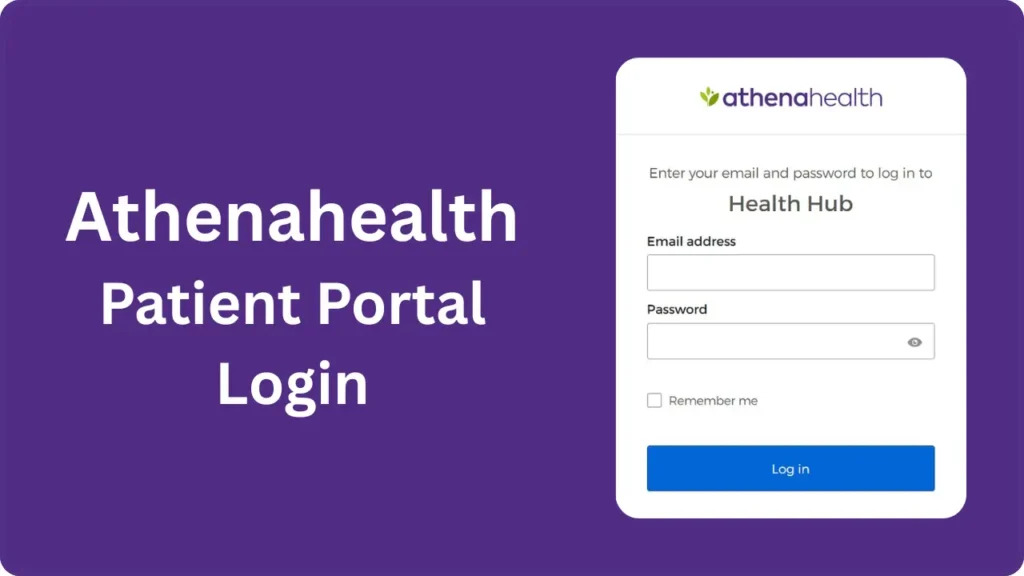
Step 1: Log in to Your athenaNet Portal
Open your browser, go to the AthenaHealth login page, enter your credentials, and access the EHR.
Step 2: Create a Patient Case
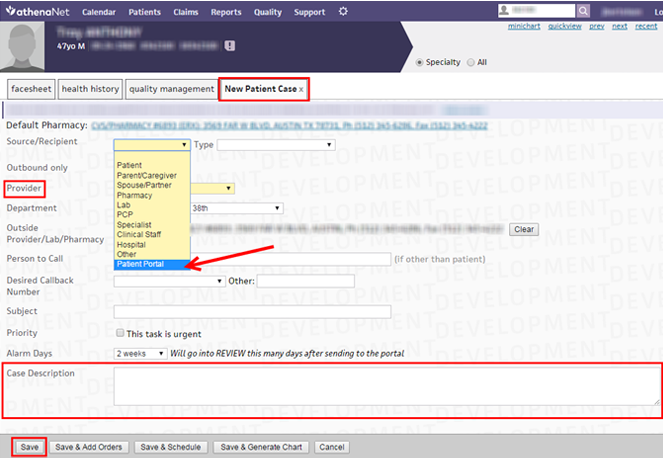
To send a message, begin by creating a patient case.
- On the Classic Interface, open the patient’s Facesheet or Minichart and select ‘New Patient Case’ at the top.
- On the Streamlined Interface, open the patient chart, click the Actions menu, and select ‘Create Patient Case’.
Step 3: Select Source/Recipient
In the patient case screen, use the Source/Recipient dropdown and choose ‘Patient Portal’ as the delivery method. If the portal option is not visible, check that the patient has an active portal account.
Step 4: Assign the Provider
In the Provider field, choose your name from the list. This links the message to your profile and makes follow-up easier to track.
Step 5: Compose Your Message
Enter the content of your message in the description or message field. Be clear and concise, and include all necessary details.
Step 6: Save and Send
Review the message for accuracy and then click ‘Save’. The system sends the message to the patient through the portal, where they can view it securely.
Once sent, the message appears in the patient’s portal inbox. The patient logs in to read and reply. This keeps Athena messaging secure and connected directly to the record.
How Patients Receive Messages Through the Athena Patient Portal
When a provider sends a message through AthenaHealth, it goes directly to the patient’s Athena Patient Portal account. The patient receives an email notification that a new message is available. The email does not include the message content for security reasons. Instead, it prompts the patient to log in to the portal, which also supports a smoother patient experience.
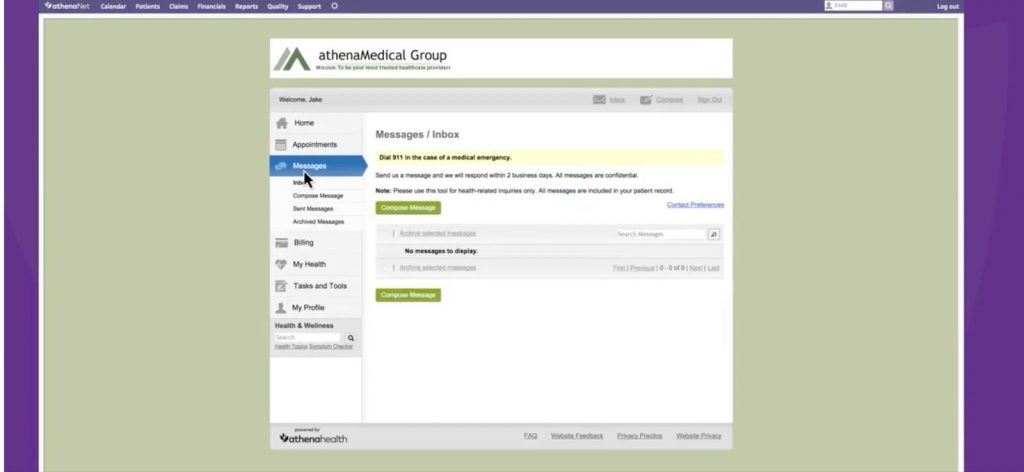
Once inside the portal, the patient can:
- View the message in their secure inbox
- Reply to the provider
- Review attachments such as visit summaries or instructions
- Check lab results or care plans tied to the message
- Access upcoming appointment details
All replies from the patient route back into the provider’s Athena inbox, where staff can read and respond. This creates a secure, closed-loop communication path between the clinic and the patient.
Limitations of Athena’s Messaging Tools
AthenaHealth gives clinics a secure way to communicate with patients, but Athena messaging still comes with limits that affect speed and convenience. These gaps often show up in daily tasks and add extra pressure on staff who need faster and simpler ways to reach patients through patient texting and other modern channels.
- Portal-dependent communication: Patients must log into the Athena Patient Portal before they can view or respond to messages.
- No direct texting: Athena messaging does not allow two-way SMS from the EHR, so staff rely on calls or manual outreach for quick updates.
- Lower patient response rates: Many patients do not check the portal often, which leads to delayed replies.
- Limited automation: Follow-ups, SMS appointment reminders, and routine updates require extra manual steps from staff.
- Heavier front-desk workload: Staff spend more time tracking responses and sending instructions that could flow more efficiently through another channel.
Integrate Athena with Emitrr for Smarter Patient Messaging
EHR systems hold patient data, clinical notes, schedules, and the essentials of daily care, but they rarely offer the kind of fast, flexible communication tools that today’s clinics require. AthenaHealth is no exception. Its portal-based messaging works for secure updates, yet most clinics need quicker outreach, easier follow-ups, and a way to contact patients who never log into the portal. This is where a dedicated patient communication solution, such as Emitrr, delivers real value.
Emitrr adds that missing communication layer on top of AthenaHealth. It gives teams an efficient way to reach patients by text, automate routine message flows, and strengthen HIPAA-compliant communication across every touchpoint. With Emitrr healthcare automation, clinics handle replies with far less effort and maintain steady, reliable communication throughout the patient journey. The result is a smoother experience for staff and a better line of communication for every patient.
Now let’s look at the specific features that make Emitrr a strong companion to AthenaHealth.
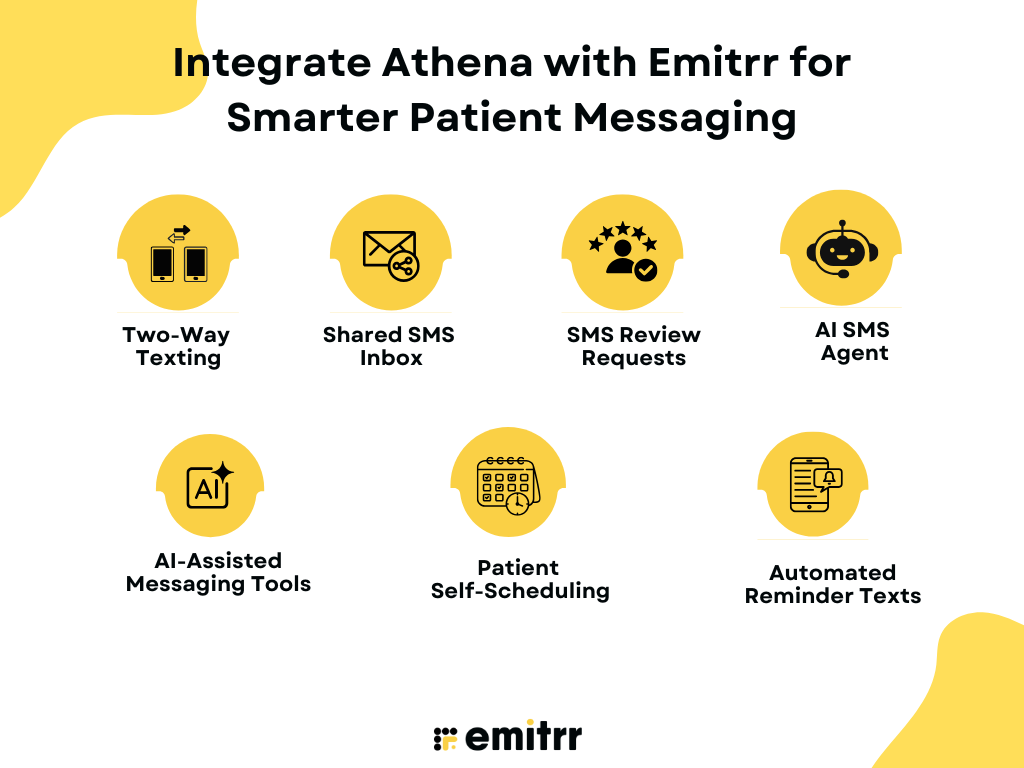
Two-Way Texting
Emitrr gives clinics a direct channel to reach patients through two-way texting. Patients reply through regular SMS, and staff see every message in one place. This creates quick, natural conversations and removes the delay caused by portal logins.
Shared SMS Inbox
Your entire team can view and respond to patient messages from a shared SMS inbox. This avoids missed messages, removes siloed communication, and ensures every patient receives timely support. Since Emitrr is an official partner integration with AthenaHealth, staff do not have to switch between platforms and can send texts directly through Emitrr as part of the Athena workflow.
SMS Review Requests
Emitrr sends automated SMS review requests or short surveys after appointments. Clinics gather feedback faster, boost online reputation, and understand patient sentiment with minimal staff involvement.
AI SMS Agent
Emitrr’s AI SMS Agent handles common patient questions, appointment actions, and basic triage. It responds instantly and reduces the load on front-desk teams that would otherwise spend hours on routine messaging. When a patient delays a reply, the AI chatbot for healthcare sends gentle, context-aware nudges that prompt action.
AI-Assisted Messaging Tools
Emitrr offers a suite of AI features that help clinics craft better messages with less effort. AI-generated replies create patient-ready responses in one click, and the AI Message Enhancer refines tone, clarity, and professionalism. With AI conversational tools, teams can ask the system to write a full reply, suggest the best response, shorten or tune a message, or add empathy for sensitive situations. These tools support fast, accurate patient communication and reduce the workload on staff handling active patient threads.
Patient Self-Scheduling
Emitrr gives patients the ability to schedule, confirm, or adjust appointments directly through text. This patient self-scheduling feature removes the need for phone calls and cuts the back-and-forth that slows down staff. With AI scheduling, the system recommends the best time slots, routes requests correctly, and fills openings quickly.
Automated Reminder Texts
Emitrr automates reminders for upcoming visits, preparation instructions, follow-ups, and overdue appointments. These reminders adapt to patient type, visit type, or appointment status and reduce no-shows across the clinic.
Check out this video to discover the easiest way to text patients directly from AthenaHealth –
FAQs
You can send a message through the Athena Patient Portal by logging in, selecting the “Messages” tab, choosing the provider or department, and typing your note. Patients receive secure messages inside the portal, and providers see replies in their Athena inbox.
Inside Athena, open the patient chart, select “Patient Communication,” choose “Send Patient Message,” and type your message. You can attach documents, share instructions, or send follow-up details as needed.
Go to the patient’s chart, click “Tasks” or “Messages,” choose the message type, and send it directly. Athena routes the message to the patient’s portal, where they can log in to view and respond.
Open the patient chart and choose the communication option that suits your purpose: secure message, follow-up message, or appointment instruction. Write your note and send it through the portal. Patients must log in to access the conversation.
Conclusion
If you want a clearer path for how to send a patient message in the Athena app, you now have the essentials. Many practices reach a point where the portal alone cannot match their pace or communication needs. Integrating Emitrr with AthenaHealth offers instant text support, AI-driven assistance, and a smoother flow of patient communication. To learn more, schedule a demo with Emitrr right away!