
 4.9 (400+
reviews)
4.9 (400+
reviews)
Introduction
Let’s face it, every business needs a solid way to talk to customers. Whether it’s phone calls, texts, or quick follow-ups, smooth communication is what keeps everything running. That’s exactly why VoIP systems have become such a big deal. They help you stay connected from anywhere, without the hassle of landlines or clunky desk phones.
MightyCall is one of those tools that’s made a name for itself. It provides small businesses with the tools they need to manage calls, route them to the right person, and present a professional image, all without breaking the bank. But as your business grows, so do your needs. Maybe you want more automation, better integrations, or just a system that feels a bit more modern and flexible.
That’s where exploring MightyCall alternatives makes a lot of sense. Whether you’re looking for better value, more features, or simply something that fits your team better, this list will walk you through some of the best options out there.

So, if you’re ready to upgrade your phone game, let’s jump in.
What is MightyCall?
MightyCall is an easy-to-use virtual phone system designed for small and growing businesses. It helps you handle calls, voicemails, and texts all in one place. With features like call routing, voicemail transcription, call recording, and team collaboration tools, it keeps your communication organized without needing any fancy hardware. It’s a simple, reliable solution for businesses that want to stay connected and look professional.
MightyCall Key Features
- Business Phone Numbers: Choose a local, toll-free number or a custom vanity phone number so your business sounds professional and trustworthy right from the first call.
- VoIP Calling: Make clear, reliable calls over the internet using any device, no need for traditional phone lines.
- Call Forwarding: Route incoming calls to your mobile, landline, or a teammate so you’re always reachable, even when you’re away from your desk.
- Auto-Attendant (Virtual Receptionist): Set up a friendly voice menu that greets callers and helps them reach the right person without manual effort.
- Call Queues: If multiple people call at once, they’ll be placed in line with a hold message until someone is free to talk.
- Voicemail to Email: When you miss a call, the voicemail lands straight in your inbox so you can listen and respond anytime.
- Call Recording: Easily record calls for training, legal, or quality purposes, either automatically or whenever needed.
- Text Messaging (SMS & MMS): Communicate with customers via regular texts or send images and documents directly from your business number.
- Click-to-Call Widget: Add a simple “Call Us” button to your website so visitors can reach you instantly with one click.
- Call Notes & Tags: Add quick notes or labels to calls so your team stays organized and follows up effectively.
- Call History: See a full log of all calls, missed, answered, and made, so nothing slips through the cracks.
- Mobile & Desktop Apps: Use MightyCall on the go or at your desk with apps that work across devices and platforms.
- Team Collaboration Tools: Share call responsibilities, call transfer between team members, and manage customer conversations together.
- Custom Greetings: Record personalized greetings or voicemails that reflect your brand’s tone and make your business sound more polished.
- Business Hours & Time-Based Routing: Set rules so calls are handled differently during working hours, after hours, or on weekends.
- Spam Call Protection: Block unwanted spam and robocalls before they even ring your line.
- CRM Integrations: Connect with tools like HubSpot, Salesforce, or Zoho so you can manage customer interactions all in one place.
- Analytics Dashboard: Get real-time insights on your call activity, like how many calls you’re handling and how your team is performing.
MightyCall Pros
- Super Easy to Set Up: No IT team needed. You can get started in minutes and manage everything yourself.
- Perfect for Small Teams: It’s built for small businesses, so it doesn’t overwhelm you with unnecessary features.
- Affordable Pricing: Great value for the price, especially if you need unlimited calls and texts.
- Works from Anywhere: Whether you’re remote, hybrid, or on the move, it’s fully cloud-based and mobile-friendly.
- Good Support: You get fast help when you need it, through chat, email, or their help center.
MightyCall Cons
- Not for Big Call Centers: It’s great for small businesses, but not meant for large customer service teams or call centers.
- No Built-In Video Meetings: If you need video calls or conferencing, you’ll have to use another tool (like Zoom).
- Basic Integrations: It works with CRMs like HubSpot and Salesforce, but it doesn’t integrate as deeply as some bigger platforms.
- Advanced Features Are Missing: It doesn’t have features like predictive dialers or whisper coaching that larger platforms might offer.
- Extra Charges for International Calls: If you’re calling customers outside your country often, check their pricing first.
MightyCall Pricing
MightyCall Pricing has 4 pricing plans:
- Core: $15
- Pro: $23
- Power: $30
- Enterprise: Custom-made plans
MightyCall Integrations
- HubSpot
- Salesforce
- Zoho CRM
- Zapier
- Google Contacts
- Microsoft Outlook
MightyCall Reviews
“Missing important call center functionality, and poor support”
“Pleased With MightyCall”
Source: Capterra
MightyCall Support Channels
- Live Chat Support
- Email Support
- Help Center / Knowledge Base
- Support Ticket System
- Onboarding Assistance (for new users)
Reasons to look for MightyCall alternatives

While MightyCall is a decent VoIP phone system for many businesses, it may not be the perfect fit for everyone. If you’ve been exploring MightyCall alternatives, here’s why you’re not alone:
Might Be Too Expensive for Small Teams
MightyCall isn’t exactly cheap, especially if you’re a small team trying to keep costs low. A lot of businesses start looking for MightyCall alternatives when they realize there are more affordable VoIP phone systems out there that offer just as much (and sometimes more) for a better price.
Doesn’t Offer Enough Customization Options
Every business works a little differently, and the tools you use should be flexible enough to adapt to that. With MightyCall, you might feel stuck with limited options for things like call routing or auto-attendants. That’s why people often switch to VoIP systems like MightyCall, but with more room to customize how everything works.
Doesn’t Scale Well for Growing Businesses
If your team is expanding, you’ll likely need a phone system that grows with you. MightyCall can feel a bit limited once you move beyond basic needs. Many businesses start exploring MightyCall alternatives that are built to support larger teams and more complex operations without the hassle.
Missing Key Features
These days, a good business phone system should offer more than just call handling. Things like AI call routing, voicemail-to-text, or CRM integrations can make a big difference. Unfortunately, MightyCall doesn’t offer everything out of the box, so many businesses turn to cloud-based calling software that’s more feature-rich.
The Interface Isn’t the Easiest to Use
Some users find MightyCall a little clunky when they first start using it. Whether it’s navigating menus or setting things up, the learning curve can slow you down. In contrast, many MightyCall alternatives are easier to get started with and feel a lot more user-friendly from the beginning.
Integration Takes Extra Work
If you use other tools like CRMs or email platforms, connecting them with MightyCall isn’t always smooth. You might need workarounds or extra setup time. That’s one reason people look for VoIP solutions that offer CRM integrations better than MightyCall, making daily workflows easier and more connected.
The Overall User Experience Could Be Better
Sometimes, it’s not just one big issue; it’s the overall feel. From call quality to how everything works together, the user experience with MightyCall could be smoother. That’s why a lot of teams start exploring top MightyCall competitors who focus more on design, speed, and reliable performance.
Features to look for in a MightyCall alternative
When you’re exploring MightyCall alternatives, it’s not just about switching tools, it’s about upgrading your entire communication experience. Whether you’re a small business or a fast-growing team, the right VoIP phone system should do more than just make calls. Here’s what to keep an eye out for when comparing the best options out there:
Unified Omnichannel Communication
A great alternative to MightyCall should let you manage calls, texts, emails, and even social messages in one place. You shouldn’t have to jump between apps just to talk to your customers.
AI Capabilities and Smart Automation
AI has completely changed the way businesses communicate. It can take care of calls, texts, voicemails, and even scheduling, without anyone needing to step in. It knows how to route calls, follow up with missed contacts, and answer simple questions on its own. Plus, it gives you real-time insights, works in multiple languages, and connects with your CRM, making it surprisingly helpful right from the start.
Flexible Pricing with No Long-Term Contracts
Look for affordable alternatives to MightyCall that don’t lock you into rigid contracts. Transparent pricing and monthly plans give you the flexibility to scale up or down as needed.
Scalable Solutions for Growing Teams
Your business might be small now, but what about next year? A strong MightyCall replacement should support team expansion, multiple users, and advanced roles without needing a complete platform switch.
Crystal-Clear VoIP and Reliable Uptime
Voice quality is everything. The best VoIP systems should guarantee crystal-clear calls and high uptime so your team can focus on conversations, not technical issues.
Personalized Branding Options
A more polished, professional presence matters. Whether it’s voicemail greetings, caller ID, or customizable local and toll-free numbers, branding tools help you stand out.
CRM Compatibility for Smarter Workflows
One major reason businesses switch to MightyCall alternatives is better CRM integration. Whether you use HubSpot, Salesforce, or Zoho, syncing your communication tools with your sales system is a game changer.

Bulk SMS and Text Messaging Support
If you’re in sales, healthcare, or customer service, bulk texting is essential. Many cloud-based phone systems now offer bulk SMS, group messaging, and automated follow-ups as standard features.
Built-In Video Conferencing
Need to hop on a quick face-to-face? Many VoIP solutions for startups not MightyCall include video meetings, screen sharing, and virtual conferencing so your team stays connected.
Advanced Analytics and Performance Insights
You can’t improve what you don’t measure. Look for platforms like Emitrr that offer real-time dashboards, call analytics, and performance tracking to help your team work smarter.
Strong Data Security and Compliance
Whether it’s HIPAA and GDPR, security is non-negotiable. Choose a MightyCall alternative that offers encrypted VoIP, secure storage, and strong compliance features to keep your business protected.
Global Calling and Multi-Language Support
If your audience is global, your phone system should be too. Some MightyCall competitors offer international calling, local number setup, and multi-language support to reach customers across borders.
Cross-Device Sync for Mobility
Your team isn’t always at their desk. Choose a solution that syncs seamlessly across desktop, mobile, and tablets so your business phone travels with you, anywhere, anytime.
Smart Call Routing and IVR Features
If you’ve ever used a “Press 1 for Support” system, that’s IVR. Look for MightyCall alternatives with advanced IVR menus and smart call routing to direct customers to the right person instantly.
Integration with Productivity Tools
You shouldn’t need to leave your workflow just to make a call. A solid VoIP phone service should connect easily with tools like Google Workspace, Microsoft 365, Slack, or Zapier for smooth day-to-day operations.
Real-Time Updates and 99.9% Uptime
Technology should never hold your team back. Choose a provider that rolls out regular updates and guarantees high uptime so your system stays fast, secure, and always up to date.
Onboarding and Team Training Support
Switching tools shouldn’t be stressful. Go for solutions that offer onboarding assistance, easy setup, and live training so your staff feels confident using the new system.
Built for Remote and Hybrid Teams
Whether you’re in the office or fully remote, the right MightyCall replacement should support your work style. That means full mobile access, remote management, and responsive customer service wherever you are.
24/7 Customer Support
When something goes wrong, support should be one call away. Choose MightyCall alternatives that offer 24/7 customer service, chat, or phone support so you’re never left hanging.
Contact Center Capabilities
If you’re running a support-heavy business, look for VoIP phone systems with built-in contact center tools, like queue management, call monitoring, and team analytics, to give your customers the best experience.
Top 10 MightyCall Alternatives
1. Emitrr : Best MightyCall Replacement

What is Emitrr?
Emitrr is an all-in-one communication platform designed for small and growing businesses. It helps you manage calls, texts, appointments, and follow-ups, all in one place. With features like voicemail transcription, smart call routing, SMS automation, and HIPAA-compliant messaging, Emitrr simplifies daily communication. It’s especially useful for healthcare, wellness, and service-based industries. Easy to set up and use, Emitrr saves time, reduces no-shows, and keeps your team connected, making it a powerful alternative to traditional phone systems. With top ratings on Capterra, GetApp, Software Advice, and Tekpon, Emitrr has earned the trust of businesses everywhere, for one clear reason: it works exactly as promised.
Emitrr Key Features
AI Agent – Tailored to Fit Your Business
This MightyCall competitor lets you create a fully customized AI agent designed specifically for how your business communicates. Whether you build it from scratch or use a ready-made industry template, you stay in control every step of the way.
You choose:
- How it interacts with customers: via SMS or phone
- What it says, using your own prompts and responses
- What knowledge it pulls from, like FAQs or service info
- What tasks it handles: such as booking appointments, sending texts, or replying to missed calls
Emitrr also offers:
AI SMS Generator – Let the Messages Write Themselves
With Emitrr’s AI-powered SMS Generator, crafting the perfect text takes seconds. Just give it a quick prompt, and it’ll instantly create clear, engaging messages, whether you’re sending a reminder, a follow-up, or a promo. No writing required, just fast, effective communication made easy.
It’s your always-on, always-ready virtual assistant that works around the clock.
See what more Emitrr AI can do:
Interactive Call Menus (IVR & Call Trees)
Emitrr makes it easy to set up smooth, professional call menus, like “Press 1 for Sales, Press 2 for Support”, to guide callers to the right place quickly. These IVR (Interactive Voice Response) systems and call trees help automate and streamline your call flow.
You can configure your call menu to:
- Forward calls to a specific number or team member
- Route callers to groups (like support or front desk)
- Ring all team members at once, so whoever’s available can answer first
- Guide callers through multi-level menu options for more specific routing
Whether your setup is simple or complex, Emitrr’s call tree builder gives you full control over how calls are handled, saving time and improving the caller experience.
Team-Based Call Management (Call Queue Groups)
Emitrr lets you organize your team into call queue groups and control exactly how incoming calls are distributed. It has the best call management feature as:
You can choose:
- Simultaneous Ringing: All team members’ phones ring at once, the first to pick up handles the call
- Sequential Ringing: Calls are routed one by one through the team, moving to the next person if someone is unavailable
If no one answers, you can:
- Forward the call to another teammate or backup number
- Send it directly to voicemail
- Route it to a different department or queue
This setup ensures every call is handled efficiently, no matter how your team is structured.
Custom Extensions for Every Team Member
Give each team member their own dedicated extension with fully personalized call settings. You can:
- Set specific working hours (e.g., 9 AM – 5 PM)
- Choose which days they’re available to take calls
- Enable call forwarding when they’re unavailable or off duty
This ensures calls are always routed to the right person at the right time, improving both team efficiency and customer experience.
Business Hours Configuration
With Emitrr, you can define exactly how calls should be handled during and after business hours. Set rules to:
- Route calls to a specific team member
- Activate an automated voice menu
- Direct callers to voicemail
- Enable or disable call recording based on the time of day
This setup helps ensure smooth call handling, even when your team is off the clock.
Advanced Call Routing
Make sure every call gets to the right person without delay. Emitrr uses:
- Smart routing based on the caller’s needs or inputs
- Real-time caller information that appears instantly, allowing your team to respond faster and more personally
This ensures smoother conversations and a better customer experience from the very first ring.
Flexible Call Forwarding Options
With Emitrr, you can set up custom call forwarding rules that fit your workflow.
- Forward missed calls to a backup number or voicemail
- Ring several phones at the same time to boost response chances
- Redirect calls to another team member or department when needed
This ensures no call goes unanswered and every customer reaches the right person quickly.
Call Recording Features
Emitrr lets you record calls for a variety of important uses, including:
- Training new team members and onboarding
- Monitoring quality and team performance
- Meeting compliance or legal documentation needs
You have full control, choose to record every call or only specific ones based on your preferences.
Instant Text Replies for Missed Calls
Don’t leave customers hanging, Emitrr automatically sends a text message when a call is missed, keeping the conversation going and showing customers you’re responsive, even when you can’t pick up.
Automated Text Reminders & Follow-Ups
Easily send appointment reminders via text, email, or voice, automatically. Give customers the ability to:
- Confirm, cancel, or reschedule with just a tap
- Get follow-up messages for no-shows or last-minute cancellations
Choose from pre-built templates or create your own. You can pause campaigns anytime or customize them for individual needs.
Bulk Text Messaging Made Simple
Need to reach a wide audience with announcements, promotions, or updates? Emitrr makes it easy. You can:
- Send thousands of messages in one go
- Schedule texts in advance for perfect timing
- Enable two-way texting for real conversations
- Achieve open rates as high as 98%
It’s a powerful, hassle-free way to engage customers at scale while keeping communication personal.
Your Always-On, AI-Powered Business Assistant
Emitrr’s AI Agent works like a reliable team member who’s always available. It responds to incoming texts instantly, adapts its tone to match your brand, and effortlessly handles SMS campaigns. It also ensures replies get routed to the right person or team, no manual sorting needed.
With calling and texting combined in one easy-to-use platform, your team stays focused and in control, without the chaos. Many businesses switching from tools like 8×8 find Emitrr to be a faster, smarter upgrade.
Emitrr Pros
- Reliable Uptime: Enjoy peace of mind with a 99.99% uptime guarantee that keeps your communication consistent and interruption-free.
- User-Friendly Interface: Navigate effortlessly with a simple, intuitive dashboard that’s easy for anyone to use, no steep learning curve.
- HD Call Quality: Make and receive calls with crisp, professional audio for a better customer experience.
- Fast & Easy Setup: Get started quickly with streamlined onboarding, minimal setup time, and helpful training.
- Seamless Integrations: Connect easily with your existing CRM, EHR, or PMS tools to keep workflows smooth and efficient.
- Affordable Pricing: Choose from flexible, cost-effective plans designed to fit the needs of small and growing businesses.
- All-in-One Communication: Manage calls, texts, and reviews in one unified platform, no need to juggle multiple tools.
Emitrr Cons
- Evolving VoIP Capabilities: Some advanced VoIP features are still being improved, so they might not be as polished yet.
Emitrr Pricing
Emitrr offers different pricing plans for different capabilities. For VoIP, there are 2 pricing plans – Standard and Professional.
| Name of the plan | Pricing if paid annually | Pricing if paid monthly |
| Standard | $20 per user per month | $25 per user per month |
| Professional | $25 per user per month | $30 per user per month |
Key features of Standard Plan:
- Calling (1000 mins/user)
- HD Voice
- Call Hold Music
- Call Recording
- Call Queue Groups
- Call Extensions
- Call Routing (During and After Hours)
- Call Transfer
- Call Forwarding
- Number Porting
- Contact Sync
- Set personal working hours
- Mobile App
Key features of Professional Plan:
Everything in Standard plus
- Call Transcription
- IVR (Interactive Voice Response) / Call Tree
- Call Recording (automated)
- Missed Call Auto Text
- Call Conference
- Voicemail Transcription
- HIPAA Compliance
- Access Management
Emitrr Integrations
Emitrr offers 500+ integrations across different industries such as dental, recruiting, real estate, etc. with tools like:
- MailChimp
- Denticon
- AthenaHealth
- Zapier
- Salesforce
- HubSpot
- HouseCall Pro
- And more!
Emitrr Reviews & Ratings
Emitrr has a solid 5/5 star rating on Capterra and here’s what customers are saying about it:
“You have it all integrated into one platform, the signatures, the amount of characters, you can attach files, send photos. You are able to create and send forms. Unlimited amount of things we can use and take advantage of.”
“I LOVE Emitrr. The support you get is wonderful, the app is easy to use and they have been incredibly responsive. As a small business, we needed a messaging platform that wouldn’t break the bank and this meets all our needs (and then some) without making us feel overwhelmed.”
Source: Capterra
Emitrr Support Channels
- Live chat: Chat with Emitrr’s live representatives
- Phone: Call Emitrr at +1 (210) 941-4696
- Email: Send email to Emitrr’s support team at support@emitrr.com
- Knowledge base
- FAQs/forum
- SMS
2. Ooma

What is Ooma?
Ooma is a cloud-based phone service that helps businesses stay connected with their customers through easy, reliable calling. It’s designed to simplify day-to-day communication with features like call routing, voicemail, and conference calling. This MightyCall competitor is especially great for smaller teams looking for a quick, budget-friendly solution. However, while Ooma covers the basics well, it may not offer enough flexibility or advanced tools for fast-growing businesses or larger teams.
Ooma Key Features
- Call Center Tools: Ooma supports basic call center needs with tools like smart call routing, queue management, and agent tracking, making it easier to manage customer interactions efficiently.
- Conference Calling: The platform allows multiple participants to join the same call, helping teams and clients collaborate without needing third-party apps.
- Call Recording: Calls can be recorded automatically or manually, which is helpful for training, quality checks, or keeping a record of important conversations.
- Caller ID: You can see who’s calling before picking up, helping you prioritize calls and avoid wasting time on unknown numbers.
Ooma Pros
- Low International Calling Rates: For businesses with international clients or teams, Ooma offers competitive rates that help reduce communication costs.
- Free Toll-Free Number: Business plans include a toll-free number, giving your company a more professional presence and making it easier for customers to reach you.
- Quick and Simple Setup: You don’t need any complex equipment; Ooma is easy to install and get up and running in no time.
Ooma Cons
- Unmet Expectations: Some users have reported that features promised during onboarding either didn’t work as expected or weren’t available at all.
- Limited Advanced Features: While Ooma covers the basics well, it lacks many of the advanced tools found in other VoIP systems, which could be a dealbreaker for growing or larger teams.
- No Call Hold or Transfer Options: Surprisingly, key features like placing a call on hold or transferring it to another team member are missing, something that can seriously disrupt workflows.
- Clunky Interface: Many users find the dashboard outdated and unintuitive, making it harder to access features quickly when time matters.
- Inconsistent Customer Support: Support is often described as slow or unhelpful, with users facing long wait times and unresolved technical issues.
Ooma Pricing
Ooma offers a few different pricing plans for its business phone solutions, catering to small and medium-sized businesses. Here’s a breakdown of the core Ooma pricing plans:
- Ooma Office – $19.95 per user/month
- Ooma Office Pro – $24.95 per user/month
- Ooma Office Pro Plus – $29.95 per user/month
Ooma Integrations
This MightyCall competitorcan be integrated with many third-party tools, including:
- Salesforce
- Intuit quickbooks
- HubSpot
- Zoho
- And more!
Ooma Reviews
“Sometimes the call quality is horrible or just flat out unable to connect and it seems they have a lot of outages.”
“I love the customer service the best!!!! They are always on top of their game, and willing to go above and beyond to help you out.”
Source: Capterra
Ooma Support Channels
- Chat
- Email/Help Desk,
- FAQs/Forum
- 24/7 (Live rep)
- Phone Support
3. Sideline
What is Sideline?
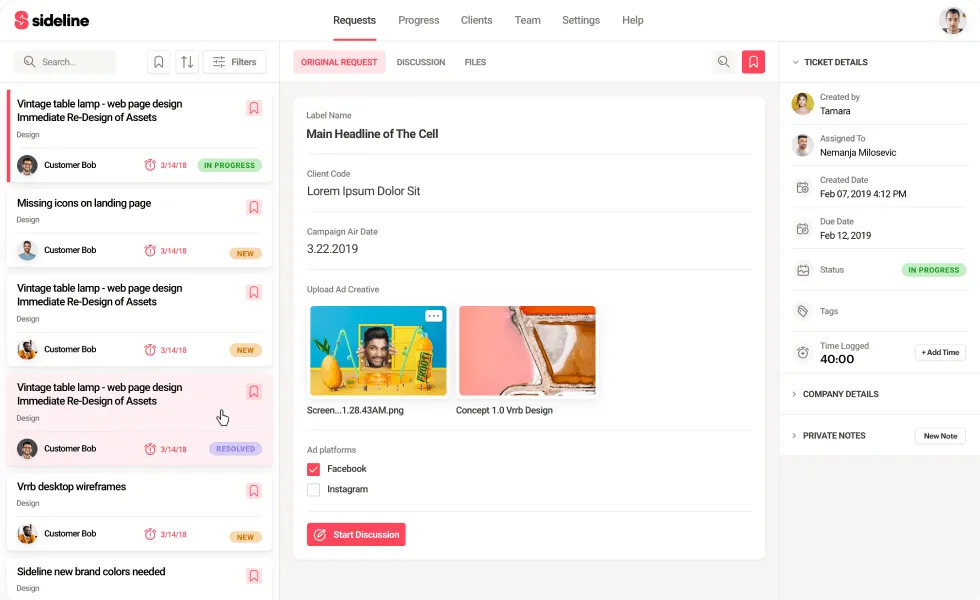
Sideline is a mobile app that gives you a second phone number right on your existing smartphone. This MightyCall competitor is a handy tool for professionals, freelancers, and small business owners who want to keep personal and business calls separate, without carrying two phones.
Sideline Key Features
- Second Business Number: Add a dedicated number for work calls and texts while keeping your personal number private.
- Text Messaging (SMS & MMS): Send texts, images, and videos from your business number, just like you do with your main line.
- Group Messaging: Chat with multiple clients or team members in one thread to make coordination easy.
- Auto-Reply: Set up automatic messages when you’re busy or away so customers still get a quick response.
- Team Number: Share one number across your team, allowing everyone to handle calls and messages from the same line.
Sideline Pros
- Keeps Things Simple and Professional: Sideline helps you draw a clear line between work and personal life, all from one phone.
- Stable Call Quality: Since it uses your carrier’s network, voice calls are more consistent than many internet-based apps.
- Solid Texting Tools: This MightyCall competitor covers all the basics, group messages, auto-replies, and tools to manage availability.
- Budget-Friendly for Individuals: It’s a great fit for solo entrepreneurs or freelancers who need a business number without spending too much.
- Team Number Option: Perfect for small teams that want to manage business communication together without the hassle of switching devices.
Sideline Cons
- Not a Full Business Phone System: Sideline doesn’t offer key tools like call routing, IVR menus, or CRM integrations that larger teams may need.
- No Built-In VoIP by Default: Because it runs on your mobile network, it doesn’t work over Wi-Fi unless you upgrade to Sideline Pro with VoIP.
- Limited Call Insights: You won’t get advanced reporting or analytics to track performance or usage.
- Not Ideal for Growing Teams: Best for individuals or very small teams, if your business is expanding, you might quickly outgrow what Sideline can offer.
Sideline Pricing
Sideline Pricing plans offer:
- Monthly (1 month): $14.49
- Half Yearly (6 months): $69.99
- Yearly(12 months): $129.99
Sideline Integrations
- Google Contacts
- iOS Contacts
- Apple CallKit
- Android Dialer
- Email-to-Text
Sideline Reviews
“Problems with usage and cancelling subscription”
“Excellent Business Number”
Source: Capterra
Sideline Customer Support
- Help Center
- Email Support
- FAQ Section
- Contact Form
(Note: No live chat, no phone support available)
4. Google Voice

What is Google Voice?
Google Voice is a cloud-based phone service that helps individuals, small teams, and businesses stay connected without the hassle of traditional phone lines. This MightyCall competitor works seamlessly with Google Workspace, allowing you to make calls, send texts, and check voicemails from your phone, laptop, or any device you use. This MightyCall replacement is especially useful for remote or hybrid teams looking for a lightweight, easy-to-manage communication tool.
Google Voice Key Features
- Voicemail Transcription: Voicemails are automatically turned into text, so you can quickly read messages without having to listen to them.
- Call Forwarding: You can route incoming calls to your mobile, desk phone, or any other number, ensuring you never miss an important call.
- Multi-Level Auto Attendant: Set up call menus to guide callers to the right department or team, saving time and improving customer experience.
- Ring Groups: Distribute incoming calls to multiple team members at once to speed up response time and reduce missed calls.
Google Voice Pros
- No Extra Hardware Required: There’s no need for physical phones or complex setups, just sign in on your browser or mobile app and start calling.
- Easy Number Porting: Already have a business number? Google Voice makes it easy to bring it with you without any service interruption.
- Built-in Spam Protection: Google’s AI does a solid job blocking spam calls automatically, helping your team stay focused on real conversations.
Google Voice Cons
- Not Built for Large Call Centers: While it works well for smaller teams, it lacks deeper call center tools like real-time analytics, agent performance tracking, or coaching features.
- Limited Call Transfer Options: You can forward calls, but transferring calls between teammates (like a warm transfer) isn’t as smooth or flexible as on some other platforms.
- Basic Texting Features: Text messaging is limited. there’s no support for automated replies, bulk texting, or SMS marketing workflows, which are available on tools like Emitrr.
- No Multi-Number Management: Users can only manage one number per account, which makes it tricky for people juggling multiple roles or business lines.
- Limited International Availability: Google Voice isn’t fully available outside the U.S., which can be a problem for international teams or global businesses.
- No Desktop Softphone Support: While it runs in your browser and mobile app, it doesn’t support integration with desktop softphone apps or third-party VoIP tools.
Google Voice Pricing
Google Voice pricing plans are as follows:
- Starter – $10/user/month
- Standard – $20/user/month
- Premier – $30/user/month
Google Voice Integrations
- Google Workspace (Gmail, Calendar, Meet)
- Google Contacts
- Google Admin Console
- Google BigQuery (for reporting)
- SIP Link (for third-party carrier connections)
- Polycom & other supported desk phones
- Android & iOS mobile apps
Google Voice Reviews
“Easy to use”
“Simple VOIP”
Source: Capterra
Google Voice Support Channels
- Help Center / Knowledge Base
- Email Support
- Live Chat Support (for Google Workspace users)
- Google Admin Console Support
- Community Forum
- 24/7 Priority Support (with higher-tier Google Workspace plans)
5. GoTo Connect

What is GoTo Connect?
GoTo Connect is a cloud-based phone system that brings together calling, messaging, and video meetings in one easy-to-use platform. This MightyCall replacement is designed for businesses that need flexible communication tools that work just as well remotely as they do in the office. As long as you’re connected to the internet, you can make and manage calls from anywhere—no physical phone lines required.
GoTo Connect Key Features
- HD VoIP Calling: Make crystal-clear voice calls over the internet, without needing traditional landlines or complex hardware setups.
- Local & Toll-Free Numbers: Set up new business numbers or transfer your existing ones, including toll-free options for a more professional customer experience.
- Call Routing & Auto-Attendant: Direct incoming calls to the right person or department automatically with easy-to-customize call menus and workflows.
- Call Forwarding & Transfers: Forward calls to colleagues or external numbers with just a few clicks, making sure no customer is left waiting.
- Call Queues & Hold Music: Manage high call volumes smoothly by placing callers in queues and keeping them engaged with music or custom messages.
GoTo Connect Pros
- All-in-One Communication Platform: With calling, messaging, and video meetings all in one place, there’s no need for separate tools or services.
- User-Friendly Interface: This MightyCall replacement is simple to navigate, whether you’re an admin setting things up or a team member using it daily.
- Reliable Call Quality: Even with a remote team or a large volume of calls, the platform delivers consistent and clear audio performance.
- Customizable Call Flows: A drag-and-drop call flow editor makes it easy to set up and adjust routing without needing IT support.
- Video Meetings Included: Full video conferencing comes built-in via GoTo Meeting, saving you from paying for tools like Zoom or Teams.
GoTo Connect Cons
- May Be Costly for Small Teams: If your business just needs basic calling, the pricing might feel a bit high compared to simpler alternatives.
- Limited SMS Functionality: While texting is available, it’s fairly basic and may not meet the needs of teams who rely on bulk messaging or SMS automation.
- App Performance Can Vary: Both the desktop and mobile apps are generally reliable but can lag or slow down when handling multiple tasks at once.
- Lacks Advanced Contact Center Features: GoTo Connect works well for standard business needs, but it doesn’t include deeper contact center tools like detailed agent analytics or performance dashboards.
GoTo Connect Pricing
GoTo Connect pricing plans offers:
- Connect Phone System – $26 per user/month
- Connect CX – $34 per user/month
- Connect Contact Center – $80 per user/month
GoTo Connect Integrations
- Microsoft Teams
- Salesforce
- Google Workspace
- Slack
- Zendesk
- Zoho CRM
- Zapier
- Microsoft Outlook
- Microsoft 365
- Google Calendar
- Google Contacts
GoTo Connect Reviews
“Perfect Product for All-in-out”
“Poor choice of phone system”
Source: Capterra
GoTo Connect Support Channels
- Help Center
- Live Chat Support
- Phone Support
- Email Support
- Community Forum
- Knowledge Base
- Ticket Submission System
6. Dialpad

What is Dialpad?
Dialpad is a cloud-based communication platform that combines calling, messaging, and video meetings in one streamlined system. This MightyCall replacement is designed for modern teams, whether in-office or remote, and comes packed with smart features like AI-powered transcription, real-time insights, and seamless integrations with popular business tools. The goal? To keep conversations productive, organized, and accessible from anywhere.
Dialpad Key Features
- AI-Powered Voice Intelligence: This MightyCall replacement automatically transcribes your calls and provides live insights during conversations, so you can stay engaged without needing to take notes manually.
- Unified Communication Tools: With voice, messaging, and video all in one place, Dialpad simplifies collaboration by letting teams communicate however they prefer, all from a single platform.
- Voicemail Transcription: Voicemails are converted into readable text, making it faster to catch up and respond without listening to every message.
- Smart Call Routing & Queues: Incoming calls are directed to the right person or department, with queue management tools to help minimize hold times and improve customer satisfaction.
Dialpad Pros
- Clean, Modern Interface: This alternative to MightyCall is easy to navigate, even for first-time users. It’s designed to work smoothly without requiring much training or setup.
- Accurate AI Transcription: Calls are automatically transcribed, helping teams track important details, follow up effectively, and review conversations when needed.
Dialpad Cons
- Limited Contact Center Features: While this alternative to MightyCall covers basic business needs, it lacks deeper call center capabilities like advanced agent dashboards or performance tracking tools.
- Not Ideal for Large Teams Out of the Box: Scaling Dialpad across large organizations may require additional setup and customization to meet complex needs.
- Call Quality Can Vary by Connection: Because it relies on internet strength, remote users with weak connections may experience dropped calls or poor audio quality.
- Restricted International Calling: Dialpad’s global calling options are somewhat limited, which might be a challenge for teams working across different countries.
- Can Get Expensive for Small Teams: Some of the more advanced features are only available on higher-tier plans, which may be a stretch for startups or small businesses on tighter budgets.
Dialpad Pricing
Dialpad pricing plans offer:
- Standard: $15/user/month
- Pro: $25/user/month
- Enterprise: Custom
Dialpad Integrations
Dialpad integrates with a bunch of CRM tools, including:
- Salesforce
- HubSpot
- Zendesk
- Pipedrive
- Zoho
Dialpad Reviews
“I do wish there were more permission settings to add a user (employee) in the field and only allow them to make outgoing or incoming phone calls. Also, I think pricing should be less for a user who is out in the field who only needs limited functions.”
“The Dialpad support team has always been very helpful and responsive. It is really nice to have a reasonably priced phone system that is very simple to use and robust.”
Source: Capterra
Dialpad Customer Support Channels
- Live chat
- Help Center
- Call
7. 8×8

What is 8×8?
8×8 is a cloud-based communication platform that brings together business calling, video meetings, team messaging, and contact center tools in one place. It’s designed for companies that need a secure, reliable way to keep their teams connected, no matter where they work. With strong global coverage and a feature-rich setup, this alternative to MightyCall helps simplify everyday business communication.
8×8 Key Features
- Auto Attendant: 8×8 automatically answers and routes incoming calls to the right person or department, helping customers get where they need to go quickly and improving overall response time.
- Call Center Management Tools: Support teams get real-time tools to monitor and manage performance, track calls, and improve service quality across the board.
- Call Conferencing: Easily host group calls with your team or clients, without the need for extra software or complicated setups.
8×8 Pros
- Easy Setup and Flexibility: Getting started with 8×8 is quick and straightforward. It’s ideal for small IT teams or businesses looking for a low-effort setup.
- Reliable Call Quality: Calls are consistently clear and stable, even during peak hours or across remote locations.
- Feature-Packed Platform: From built-in analytics and voicemail to chat and integrations, 8×8 offers a well-rounded set of tools to manage communications efficiently.
- Strong Mobile Access: The mobile app syncs smoothly with desktop tools and VoIP hardware, letting you stay connected from anywhere, whether you’re in the office or on the move.
8×8 Cons
- Billing Issues: Some users have reported unexpected charges or recurring billing problems that weren’t resolved in a timely manner.
- Unresolved Payment Disputes: In several cases, customers struggled to get unauthorized charges refunded, even after multiple support attempts.
- Frustrating Automated Responses: Automated replies often didn’t address the actual issue, leaving customers feeling ignored or misunderstood.
- Weak Technical Support: Support agents sometimes misdiagnosed problems or gave vague, unhelpful advice that didn’t fix the issue.
- Blame on User Devices: In some situations, support blamed the user’s device rather than thoroughly investigating the root cause.
- Overall Poor Support Experience: Many users described their support experience as slow, ineffective, and lacking real solutions, especially when things went wrong.
8X8 Pricing
- This cloud-based service offers several 8×8 pricing plans, with the entry-level package starting at $24 per month. However, this basic tier includes only a limited set of features, making it more suitable for smaller teams with simpler needs.
8X8 Integrations
This phone cloud system offers various integration options include:
- Slack
- Microsoft Teams
- HubSpot CRM
- Freshdesk
- Zendesk Suite
- ServiceNow
- Microsoft Outlook
- Copper
8X8 Ratings
- Capterra: 4.0 / 5
- G2: 4.0 / 5
8X8 Reviews
“Horribly unreliable, inconsistent and no one is responding to our emails. The system its self worked okay without the integration but the inaccurate billing is wild to me.”
“Good VOIP phone service, but support has turned to garbage and apps are laggy”
Source: Capterra
8×8 Support Channels
- Support Portal
- Live Chat
- Phone Support
- Community Forum
- Email Support
- Knowledge Base
- Social Media Support
8. JustCall
What is JustCall?
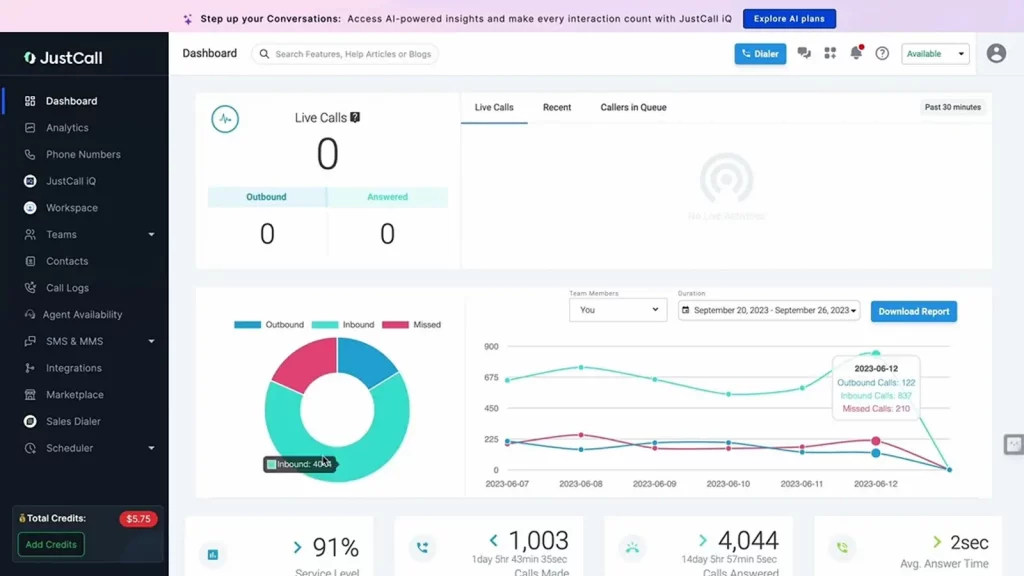
JustCall is a cloud-based phone system built with sales and support teams in mind. It helps businesses manage calls, send texts, and streamline their communication process—all from one easy-to-use platform. With strong CRM integrations, call analytics, and automation tools, this alternative to MightyCall especially helpful for remote teams aiming to boost productivity and improve customer engagement.
JustCall Key Features
- Call Routing: Automatically directs incoming calls to the right agent or department, reducing wait times and improving customer experience.
- Call Recording: Calls are recorded automatically, making it easier to review conversations for training, compliance, or quality assurance.
- IVR (Interactive Voice Response): This alternative to MightyCall ets callers navigate to the right place using keypad prompts, great for handling high call volumes.
- SMS Automation: Schedule texts or trigger automated messages for things like appointment reminders, follow-ups, or confirmations.
JustCall Pros
- Fast, Easy Setup: The platform is simple to use, and teams can get up and running quickly.
- Excellent CRM Integration: It connects easily with major CRM systems, helping teams work more efficiently.
- Budget-Friendly for Small Teams: With competitive pricing, it’s a solid choice for startups or growing businesses.
- Supports Global Reach: JustCall offers international numbers and SMS support, making it a good fit for businesses with global customers.
- Responsive Support Team: Users appreciate the helpful customer support available through chat, email, and phone.
JustCall Cons
- Basic Analytics Tools: The reporting features are fairly limited and may not meet the needs of larger or data-driven teams.
- Call Quality Can Vary: Some users experience occasional call drops or audio delays, especially on weaker internet connections.
- Limited SMS Features on Lower Plans: More advanced text automation tools are only available on higher-tier plans, which could be a limitation for smaller teams.
- No Free Version: There’s no free plan, which might make it less appealing for very small businesses or startups testing their options.
JustCall Pricing Plans
JustCall Pricing plans offer the following:
- Essentials: $29/user/month
- Team: $39/user/month
- Pro: $69/user/month
- Business: Custom pricing
JustCall Integrations
- HubSpot
- Salesforce
- Zoho CRM
- Pipedrive
- Slack
- Zapier
- Freshdesk
- Intercom
- Zendesk
JustCall Reviews
“Amazing telephony solution for small businesses”
“Excellent solution and excellent customer support”
JustCall Support Channels
- Live Chat
- Email Support
- Phone Support
- Help Center & Documentation
9. CloudTalk
What is CloudTalk?
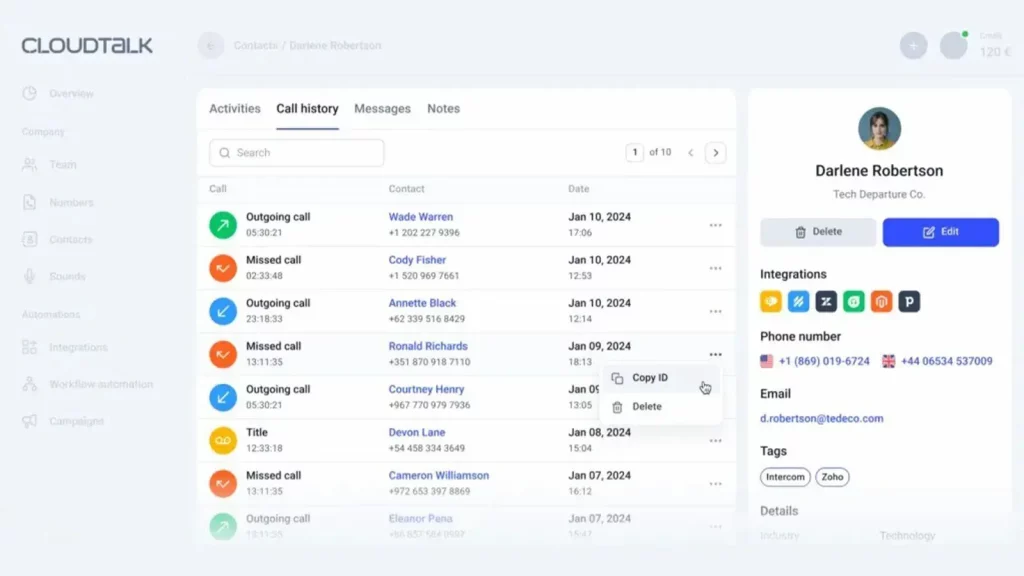
Similar to MightyCall, CloudTalk is a cloud-based phone system designed to make business calling simple and efficient. Built with sales and support teams in mind, it offers tools like smart call routing, call recording, and real-time analytics to help teams stay organized and responsive. Since it runs online, your team can handle calls from anywhere, whether they’re working from the office or remotely.
CloudTalk Key Features
- Cloud-Based Phone System: A flexible VoIP solution that allows businesses to make and receive calls over the internet, no traditional phone lines needed.
- Smart Call Routing: Automatically connects callers to the most suitable agent based on location, team availability, or customer needs, ensuring faster resolutions.
- Call Recording & Live Monitoring: All calls can be recorded for training or compliance purposes. Managers can also listen in on live calls and offer real-time coaching when needed.
- Interactive Voice Response (IVR): Customizable menus help guide callers to the right department, cutting down on wait times and improving the overall experience.
- Real-Time Analytics & Reporting: Track call volume, agent performance, and customer interactions with live dashboards and reports that support better decision-making.
CloudTalk Pros
- Easy to Use: The platform is clean, intuitive, and simple to navigate, even for those without a technical background.
- Scalable for Growing Teams: Whether you’re a startup or expanding quickly, CloudTalk has the flexibility to grow with your business.
- Rich Insights: Its advanced reporting tools help you keep an eye on team productivity and customer engagement in real time.
- Great for Remote Work: CloudTalk works across devices, making it a strong choice for hybrid and fully remote teams.
- Seamless Integrations: The system connects effortlessly with popular CRM and help desk platforms, streamlining your team’s workflow.
CloudTalk Cons
- Internet-Dependent Call Quality: Call performance may suffer in areas with poor internet connectivity, leading to occasional drops or delays.
- Limited Features on Lower Plans: Some of the more advanced tools and customization options are only available on premium plans, which may not fit smaller business budgets.
Cloudtalk Pricing
Cloudtalk Pricing has the following pricing plans:
- Lite – $19/user/month (billed annually)
- Essential – $29/user/month (billed annually)
- Expert – $49/user/month (billed annually)
- Custom Plan – Pricing available on request
Cloudtalk Integrations
This cloud-based telephony solution can be integrated with various third party solutions:
- Slack
- Salesforce Sales Cloud
- Shopify
- Hubspot CRM
- Zoho CRM
- Zapier
- Freshdesk
- Pipedrive
Cloudtalk Reviews
“The phone application needs more work. Doesn’t seem to “ring” unless the app is open. Would love to have more mobility since working remote.”
“The customer service was sometimes slow to respond or did not have answers for my questions. We have encountered some bugs with the service but they have not been critical and were fixed very quickly after giving information.”
Source: Capterra
Cloudtalk Support Channels
- 24/7 Live Chat Support
- Email Support
- Help Center & Knowledge Base
- Community Forum
- Phone Support (Available on Higher Plans)
- Video Tutorials & Webinars
10. RingCentral
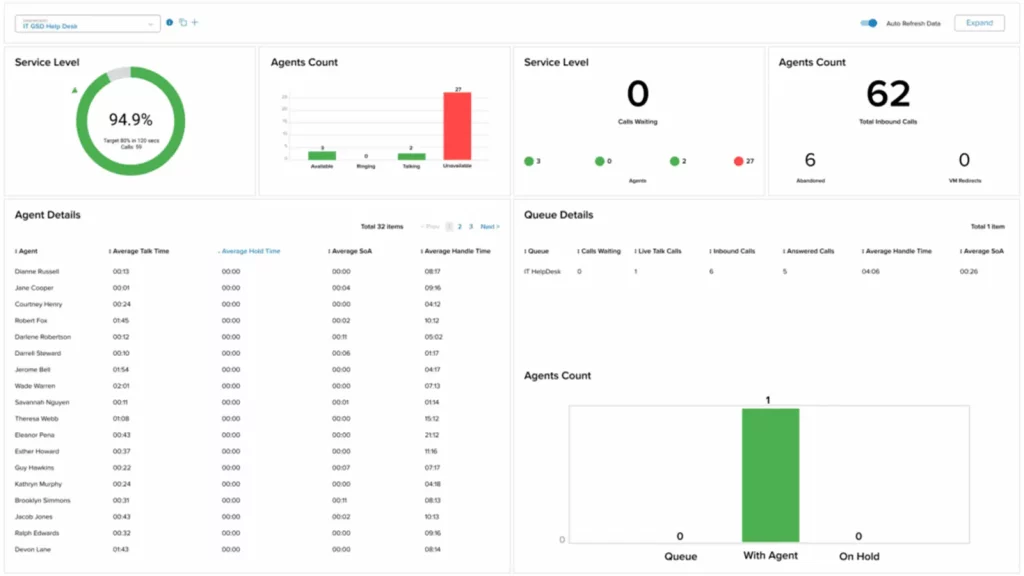
What is RingCentral?
RingCentral is a cloud-based communication tool that helps businesses make calls, send messages, and host video meetings, all from one easy platform. It’s built for teams that work from anywhere, whether in the office or remote. With smart features like AI call insights and built-in messaging, it keeps everyone connected, organized, and working efficiently. It’s a flexible solution that can grow with your business.
RingCentral Key Features
- VoIP Calling: A reliable internet-based phone system with features like call forwarding, smart routing, voicemail-to-email, and more, no desk phone required.
- HD Video Meetings: Host high-quality video calls with screen sharing, breakout rooms, and webinar options, perfect for internal meetings or client presentations.
- Team Messaging: Chat in real time, share files, assign tasks, and manage team conversations, all within one app.
- Call Flip & Live Monitoring: Transfer calls between devices mid-conversation, and allow supervisors to listen, coach, or join live calls when needed.
- Business SMS & MMS: Send and receive text and multimedia messages directly from the RingCentral platform, keeping everything in one place.
RingCentral Pros
- All-in-One Solution: RingCentral combines phones, messaging, video, and contact center features into one easy-to-manage system, no need for separate tools.
- Grows with Your Business: Whether you’re a solo entrepreneur or a global company, RingCentral scales to support your team’s needs.
- Extensive App Integrations: It works with over 200 apps like Salesforce, Microsoft Teams, HubSpot, and Slack, keeping your workflow seamless.
RingCentral Cons
- Tricky Initial Setup: The setup process can be complicated, especially for smaller businesses without in-house IT support.
- Limited Support for Niche Tool: While it integrates with major platforms, compatibility with less common or custom tools can be limited.
- Customer Support Complaints: Despite offering 24/7 support, users have reported delays in response times and unresolved issues.
- Occasional Call Quality Issues:Call audio can become unstable during peak times or with weaker internet connections.
- Basic Reporting Tools: Analytics are available, but might not be detailed enough for larger teams that rely heavily on data.
- Mobile App Usability: The mobile app is feature-rich but can be a bit clunky to use and may occasionally freeze or crash.
RingCentral Pricing
RingCentral offers a range of business communication plans, with pricing based on features and the number of users. Here’s a breakdown of the primary pricing plans for RingCentral MVP (Message, Video, Phone):
- Essentials – Starting at $19.99 per user/month (limited to 20 users)
- Standard – Starting at $27.99 per user/month
- Premium – Starting at $34.99 per user/month
- Ultimate – Starting at $49.99 per user/month
RingCentral Integrations
RingCentral offers API and also integrates with 300+ options, including:
- HubSpot
- Zendesk
- And others
RingCentral Reviews
“It could be operator error, but it sometimes does not alert me right away when I miss a call/receive a voicemail on my cell phone.”
“I love how you can forward your calls to another number within the app. I love how ring central has the ability to transcribe your voicemails into text emails.”
Source: Capterra
RingCentral Support Channels
- Knowledge Base
- Chat
- Email/Help Desk
- Phone Support
- 24/7 (Live rep)
- FAQs/Forum
Why is Emitrr the best MightyCall alternative?
If you’ve been browsing through MightyCall alternatives, Emitrr is one name you’ll keep coming across, and for good reason. It gives small businesses, growing teams, and service-based brands everything they need in a phone system, without the confusion or high cost. Let’s find out why.
Everything You Need in a VoIP System
Emitrr isn’t just about making calls; it’s a full-featured VoIP phone service that lets you handle calls, texts, and even AI-driven customer responses from one place. It’s built with simplicity in mind, but still packs the power businesses expect.
Texting Tools That Actually Work for You
Unlike some tools that treat texting as an afterthought, Emitrr puts bulk SMS and real-time messaging front and center. Whether it’s appointment reminders, feedback requests, or ongoing conversations, it’s fast, reliable, and integrated.
Manage Calls Smoothly, Without the Hassle
Smart call routing, IVR menus, and call queuing make it easy to keep things organized, even if you’re running a busy team. It’s a MightyCall replacement that helps you manage customer calls with zero confusion.
AI Features That Make Your Job Easier
Emitrr’s AI capabilities are a game-changer for modern businesses. It can handle calls, voicemails, texts, and scheduling automatically, routing calls smartly, following up with missed callers, and even responding to basic queries without human input. You also get real-time insights during conversations, multilingual support, and full CRM sync, making it one of the few AI-powered business phone systems that’s genuinely useful from day one.
Stay Connected with One Simple Platform
Whether you’re in the office or on the move, Emitrr works across devices and keeps everything synced. It’s ideal for remote teams, solo founders, or customer support teams that need flexibility without the chaos.
Great Value Without Breaking the Bank
One reason many businesses leave MightyCall is the cost. Emitrr offers affordable pricing, no long-term contracts, and a ton of built-in features. It’s a true MightyCall alternative for small businesses who need value and performance.
Quick Access with a Handy Chrome Extension
Emitrr makes it super easy to manage communication without switching tabs. Their Chrome extension lets you call, text, or check notifications directly from your browser, perfect for fast-paced workflows.
24/7 Dedicated Customer Support
If something goes wrong, help is always there. Emitrr offers round-the-clock customer support, whether you’re setting up for the first time or have a question months down the road. That’s one area where it consistently outshines other MightyCall competitors.
In short, Emitrr checks all the boxes: smart features, simple interface, fair pricing, and solid support. If you’re tired of patchy performance or missing features, it might just be the MightyCall alternative you’ve been looking for.
Which Industries are catered by Emitrr?

Emitrr is transforming how businesses communicate, making everyday interactions faster, easier, and more effective across multiple industries.
Healthcare
Emitrr is tailor-made for healthcare practices, offering HIPAA-compliant texting, calling, and appointment reminders in one unified platform. It integrates smoothly with systems like Denticon and Dentrix, helping providers manage billing, follow-ups, and patient reviews while keeping everything organized and compliant.
Wellness
Wellness businesses like Spas, salons, and fitness centers rely on Emitrr to automate bookings, send appointment reminders, and collect feedback through SMS and email. This helps reduce no-shows, keeps schedules full, and delivers personalized offers to loyal customers.
Education
Schools and educational institutions use Emitrr for bulk alerts, two-way messaging, and timely updates. Whether it’s schedule changes or event reminders, it ensures students, parents, and staff stay connected and informed.
Legal Services
Law firms rely on Emitrr for secure messaging, VoIP calls, and automated appointment reminders, helping them reduce manual tasks, maintain client confidentiality, and manage cases more efficiently with well-organised and dependable communication workflows.
Real Estate
Agents and property managers use Emitrr to automate appointment scheduling, send showing reminders, and follow up with leads. It helps improve response times and build stronger relationships in a fast-moving market.
Home Services
For businesses in plumbing, HVAC, cleaning, and repairs, Emitrr streamlines job scheduling, sends real-time reminders, and follows up with customers, keeping teams efficient and clients satisfied.
Retail
Emitrr helps retail businesses automate order confirmations, shipping updates, and promotional messages. It supports loyalty campaigns, drives sales, and simplifies daily communication with customers.
Automotive
Car Dealerships and service centers count on Emitrr to schedule test drives, send service reminders, and follow up with customers after appointments. This improves satisfaction, builds trust, and keeps operations running smoothly.
Insurance
Insurance agencies use Emitrr for sending automated policy reminders, claim status updates, and personalized messages. With two-way texting and mass outreach tools, they stay responsive and build stronger client relationships with ease.
What Will The Migration From MightyCall To Emitrr Look Like?
Switching to Emitrr is simple and hassle-free.
Moving from MightyCall? It’s easy, just export your contacts and messages, send us the file, and we’ll handle the rest. You’ll keep your existing business number and unlock powerful new communication features without missing a beat.
Switching from the MightCall app to Emitrr is a hassle-free journey that requires no extra effort on your part. Emitrr’s dedicated customer support team takes care of everything to ensure a smooth transition. Here’s how it works:
- Smooth Data Transition: Your existing automation setups and contacts smoothly transfer to Emitrr without any additional cost.
- Simple Number Porting: Our experts handle your current phone number, making it ready for texting without any complications.
- Continuity in Integrations: Your current integrations seamlessly integrate with the platform, preserving your workflow.
- Comprehensive Training: We provide your team with both in-person and online training to ensure a confident start with Emitrr.
- Reliable Support: Emitrr’s team is always there to guide and assist you every step of the way. Switching has never been easier or more reassuring.
With Emitrr, you can make the transition with confidence, knowing that our team will ensure a seamless switch from MightyCall, so you can continue providing excellent patient care without interruption.
Switching to Emitrr ensures a hassle-free experience and empowers your healthcare practice with enhanced communication capabilities.
Ready to make the move? Book your demo today.
Frequently Asked Questions
MightyCall is a cloud-based VoIP and call center system designed mainly for small to mid-sized businesses. It supports both inbound and outbound calls, IVR menus, dialers, and analytics, without requiring complex setups.
MightyCall integrates with popular CRM and productivity platforms like Salesforce, HubSpot, Zoho, Zapier, and others. These integrations help with features like click-to-call, call logging, and syncing contact data.
Definitely. MightyCall is simple to set up, with no hardware required. You can choose a plan, pick or port a number, configure your settings, and start calling within minutes. Free onboarding and customer support are available.
Yes. You can transfer your existing local or toll-free business number to MightyCall, making the transition smooth while keeping your current contact details.
Yes, alternatives like Emitrr, RingCentral, and OpenPhone offer 24/7 customer support via chat, phone, or email, making them great MightyCall alternatives for businesses that need reliable, around-the-clock assistance and quick issue resolution.
Top MightyCall alternatives in 2025 include Emitrr, JustCall, RingCentral, Google Voice, and JustCall. These offer better pricing, smarter automation, and stronger integrations, especially Emitrr, which stands out for its ease of use, AI features, and healthcare-friendly compliance.
Conclusion
While MightyCall works for some, businesses needing more automation, flexibility, and smarter tools often outgrow it. That’s where Emitrr comes in. It’s a modern, all-in-one communication platform built for growing teams. With features like AI-powered call handling, SMS automation, appointment reminders, and real-time insights, Emitrr helps you stay organized and responsive without extra effort. It’s simple, affordable, and designed to scale. If you’re ready to upgrade your business communication, Emitrr could be exactly what you’ve been looking for. Book a demo today!