
 4.9 (400+
reviews)
4.9 (400+
reviews)
Introduction
Online fax services continue to play a vital role in industries such as healthcare, legal, and professional services, where secure document sharing and compliance are essential. While the WiseFax app simplified faxing by eliminating the need for physical hardware, modern businesses now expect much more than basic send-and-receive functionality. As organizations grow, the lack of automation, integrations, and collaboration features in WiseFax becomes increasingly noticeable.
Many teams find that WiseFax works for occasional faxing but falls short for regular, business-critical use. This has encouraged businesses to explore WiseFax alternatives that offer smarter workflows, predictable pricing models, and multi-channel communication through fax, SMS, email, and voice.
In this blog, you’ll explore the top WiseFax alternatives, see how they compare, and understand which WiseFax replacement is best suited for scaling teams and evolving business requirements.
What is WiseFax?
WiseFax is an online faxing service that enables users to send and receive faxes through a web browser or email, eliminating the need for a physical fax machine. It was built to simplify HIPAA-compliant communication by offering a quick, on-demand solution without long-term contracts or complex setup.
The primary purpose of WiseFax is to support low-volume, occasional faxing. It is commonly used by freelancers, small businesses, and individuals who only need to send or receive faxes from time to time.
WiseFax Features
- Online Fax Sending and Receiving: WiseFax allows users to send and receive faxes directly through a web browser or email without installing software or using physical fax machines. This makes faxing accessible from anywhere while keeping the process simple and convenient for occasional use.
- Pay-As-You-Go Faxing Model: WiseFax operates on a credit-based, pay-as-you-go model where users buy fax credits instead of committing to monthly subscriptions. This approach works well for low-volume faxing but can become costly with frequent usage.
- International Fax Support: WiseFax supports international faxing, enabling users to send documents to recipients across multiple countries. This removes the need for local fax lines and helps businesses communicate globally without investing in additional fax infrastructure.
- Email-to-Fax and Fax-to-Email: With email-to-fax and fax-to-email functionality, WiseFax lets users send faxes directly from their email and receive incoming faxes in their inbox, improving accessibility and reducing the need to log into a separate platform.
WiseFax Pros
- No Monthly Subscription Required: WiseFax does not require users to sign up for a recurring monthly plan. Instead, users can purchase credits as needed, making it a flexible option for individuals or businesses that only send faxes occasionally and want to avoid ongoing commitments.
- Simple Setup and Easy to Use: WiseFax offers a straightforward setup process with a clean interface that requires minimal technical knowledge. Users can start sending or receiving faxes quickly through a browser or email without training or complex configuration.
- Suitable for Low-Volume Fax Users: WiseFax is well suited for freelancers and small teams with infrequent fax needs. Its pay-per-use model makes sense for users who only send a few faxes occasionally rather than handling high daily fax volumes.
WiseFax Cons
- Limited Advanced Business Features: WiseFax lacks many enterprise-grade capabilities such as detailed reporting, team collaboration tools, role-based access, and advanced security controls. This makes it less effective for businesses that require structured fax management and visibility across multiple users.
- No Automation or Workflow Tools: WiseFax does not support automated fax routing, workflow triggers, or integrations with business processes. As a result, teams must manually manage fax-related tasks, which can slow down operations and increase the risk of errors.
- Not Suitable for High-Volume Fax Usage: WiseFax’s credit-based pricing model becomes expensive and inefficient for organizations that send or receive faxes frequently, making it impractical for high-volume or business-scale fax requirements.
WiseFax Pricing
WiseFax offers pay-as-you-go faxing at $1 per page using fax tokens, with no account or monthly commitment required. Users can also subscribe for a dedicated fax number at $8 per month or $4.25 per week, including incoming pages and sending credits.
WiseFax Integrations
WiseFax primarily integrates with email platforms, allowing users to send and receive faxes directly through their inbox. However, it offers very limited third-party integrations, with no native support for CRMs, EHRs, or business tools, restricting its usability for workflow-driven organizations.
WiseFax Customer Support Channels
WiseFax provides customer support mainly through email, allowing users to submit queries or issues for assistance. It also offers online help documentation for basic guidance. However, there is no live chat or phone support, which may slow resolution times for urgent issues.
WiseFax Ratings
- Wisefax ratings information is not publicly available.
Why Do Businesses Seek a WiseFax Alternative?
Many businesses find that while WiseFax works for occasional faxing, it lacks the advanced features, scalability, and integrations needed for modern workflows. Teams seeking efficiency, automation, and multi-channel communication often look for better WiseFax alternatives.
Limited Business-Grade Features
WiseFax does not provide advanced business functionalities like reporting, analytics, role-based access, or team management. This makes it difficult for organizations to track fax activity, monitor usage, and optimize document workflows, limiting its usefulness for growing or data-driven teams.
Lack of Automation and Collaboration
WiseFax offers no workflow automation, shared inboxes, or team collaboration tools. Businesses must manage all faxes manually, which slows processes, increases errors, and reduces productivity compared to modern fax solutions that integrate seamlessly with team workflows.
Pay-Per-Use Becomes Costly
The credit-based, pay-as-you-go model is practical for occasional faxing but becomes expensive for businesses that send faxes frequently. Over time, costs accumulate, making it less cost-effective than subscription-based WiseFax alternatives designed for regular use.
No Unified Communication Platform
WiseFax supports only faxing, with no integration for SMS, voice calls, or emails. Organizations looking for a centralized communication hub must adopt multiple tools, which complicates workflows and reduces efficiency.
Minimal Integrations
WiseFax has very limited third-party integrations, lacking native support for CRMs, EHRs, or practice management software. This restricts automation, reporting, and seamless document flow across business systems, which is essential for growing teams.

What Features To Look For In A WiseFax Alternative?
When choosing a WiseFax alternative, businesses should prioritize platforms that go beyond basic faxing. Key considerations include cloud-based access, automation, multi-channel communication, seamless integrations, transparent pricing, strong security, ease of use, and reliable customer support to enhance efficiency.
Cloud-Based Faxing
A modern fax solution should operate entirely in the cloud, eliminating the need for physical fax machines or hardware. Cloud-based faxing ensures documents can be sent and received securely from anywhere, enabling teams to work remotely while maintaining consistent accessibility.
Automation & Workflow Capabilities
Automation features reduce manual handling of faxes, such as routing, online appointment scheduling, or notifications. Workflow capabilities streamline repetitive tasks, allowing teams to focus on higher-value work and maintain consistent document management without errors or delays.
Multi-Channel Communication
A strong WiseFax alternative integrates faxing with SMS, voice, and email. Combining multiple channels in one platform enables businesses to communicate efficiently, consolidate records, and improve overall responsiveness without relying on separate tools for each mode.
Integration Capabilities
The platform should seamlessly connect with CRMs, EHRs, and other business software. Integrations allow automatic syncing of documents, improved data accuracy, and a more streamlined workflow, helping businesses avoid manual duplication and maintain operational efficiency.
Transparent & Predictable Pricing
Subscription-based pricing provides clarity and predictability compared to per-page pay-as-you-go models. Businesses can budget easily without worrying about fluctuating costs, making high-volume faxing more economical and eliminating unexpected expenses.
Security & Compliance
A reliable fax solution must include encryption, secure access controls, and compliance with industry standards such as HIPAA. Strong security safeguards sensitive documents while ensuring regulatory requirements are met, critical for healthcare, legal, and financial industries.
See how AI is changing healthcare:
10 Best WiseFax Alternatives
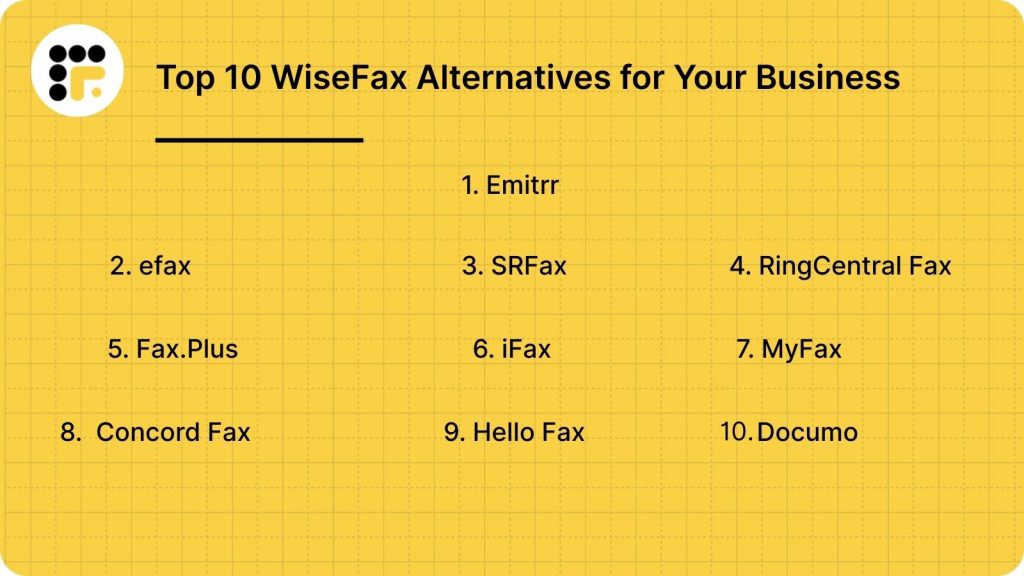
Businesses seeking more advanced features, automation, and multi-channel communication often look beyond WiseFax. The following ten platforms, including Emitrr, eFax, and RingCentral Fax, offer secure, scalable, and efficient faxing solutions for modern organizations.
Emitrr
What is Emitrr?
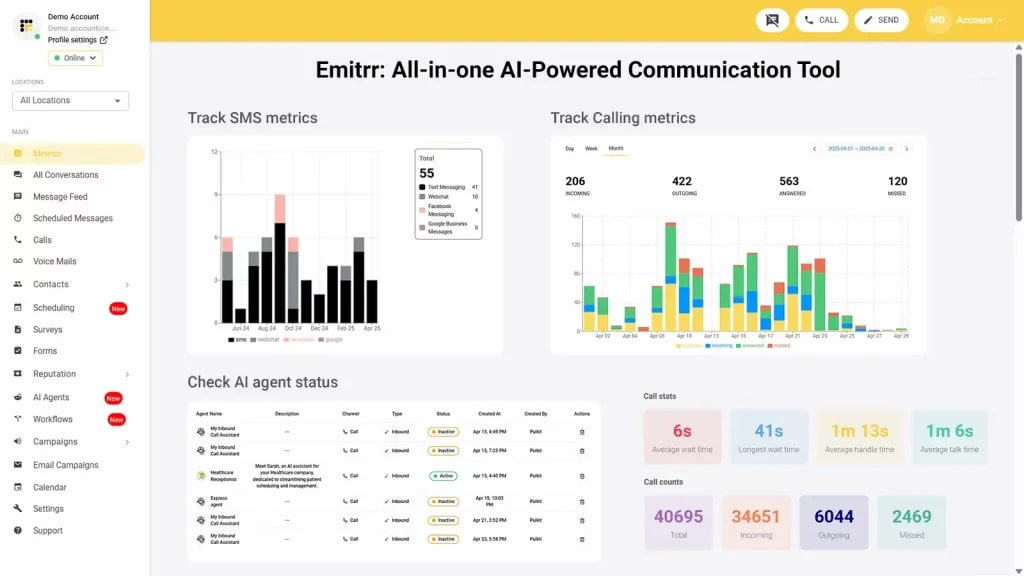
Emitrr is a cloud-based communication and automation platform designed for businesses seeking more than basic faxing. It serves healthcare, legal, finance, and enterprise teams by combining HIPAA-compliant faxing, SMS, voice, email, and workflow automation into one secure, scalable platform, making it a powerful and efficient WiseFax replacement for growing organizations.
Key Features
- Cloud Fax with Automation: Emitrr allows users to send and receive faxes securely through the cloud without any physical hardware. Automated routing, notifications, and alerts for failed faxes save time, reduce errors, and ensure that documents are delivered efficiently and reliably.
- HIPAA-Compliant Faxing: Emitrr provides HIPAA-compliant faxing to protect sensitive healthcare and business documents. Encryption, secure storage, and compliance features ensure that all transmitted information meets regulatory standards, making it ideal for healthcare providers, legal firms, and other regulated industries.
- SMS, Voice, and Email Communication: Emitrr centralizes communication by combining fax, SMS, voice calls, and email in one platform. Teams can manage multiple communication channels seamlessly, improving responsiveness, reducing tool overload, and maintaining secure messaging for sensitive or critical documents.
- Workflow Automation: Emitrr automates repetitive tasks like tagging, routing, and notifications. By reducing manual effort, teams save time, avoid errors, and maintain consistent workflows, enhancing productivity and ensuring compliance with industry regulations
Pros
- More than just faxing, combining communication and automation in one platform.
- Strong workflow and task automation capabilities.
- Predictable subscription-based pricing.
Cons
- Advanced features are continuously being added, which may require onboarding to leverage fully.
Pricing
- Standard Plan ($20/user/month): Best for small to mid-sized practices, offering HIPAA-compliant faxing, scheduling, automated reminders, secure messaging, and essential integrations for smooth communication.
- Professional Plan ($35/user/month): Ideal for larger or multi-location organizations, adding advanced analytics, AI-powered automation, and deeper CRM/EHR integrations for enhanced efficiency and compliance.
Ratings
Support Channels
- 24/7 chat, phone, email, and onboarding assistance.
eFax
What Is eFax?
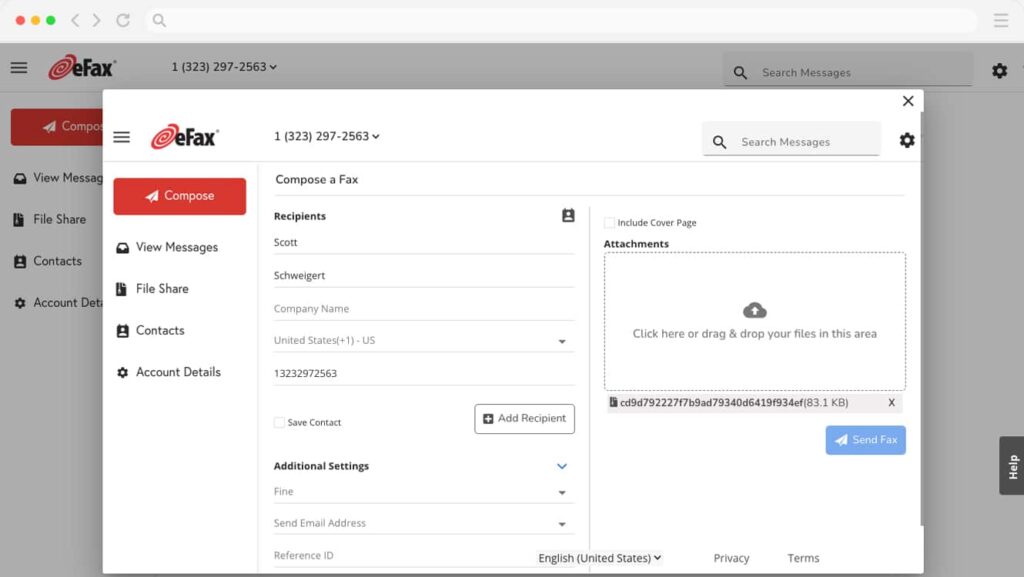
eFax is a widely used online fax service that enables users to send and receive faxes via email, web, or mobile devices. Trusted by individuals, small businesses, and enterprises, it offers secure, paperless faxing with cloud storage, electronic signatures, and mobile access for flexible, reliable communication.
Key Features
- Email-to-Fax and Fax-to-Email: Send and receive faxes directly through email attachments with secure delivery and support for multiple file formats.
- Cloud Storage: Automatically stores sent and received faxes in the cloud, allowing easy access, search, and download anytime.
- Electronic Signatures: Add legally binding e-signatures to documents before sending, eliminating manual signing and scanning.
- Mobile App Access: Manage faxing tasks on iOS and Android apps for convenient, on-the-go communication.
- Large File Sharing: Securely send files up to 3GB without relying on third-party storage tools or email limits.
Pros
- Easy to use with reliable cloud storage.
- Offers secure and legally binding electronic signatures.
- Mobile-friendly, ideal for remote and hybrid workers.
- Suitable for individuals and enterprises.
Cons
- Slightly higher pricing than newer competitors.
- Limited automation and integration options.
- Occasional delays in fax delivery during peak hours.
- Customer support may vary across regions.
Pricing
- eFax Plus ($18.99/month for up to 5 users): 150 pages sent and received, basic online faxing features.
- eFax Pro ($24.99/month): 200 pages each way, cloud storage, electronic signatures for growing businesses.
- eFax Protect ($50/month for 5 users): Encrypted faxing, advanced privacy, and compliance-ready document handling for security-focused organizations.
Ratings
Support Channels
- Live chat, phone, email, and a detailed help center with guides, tutorials, and troubleshooting resources.
SRFax
What Is SRFax?
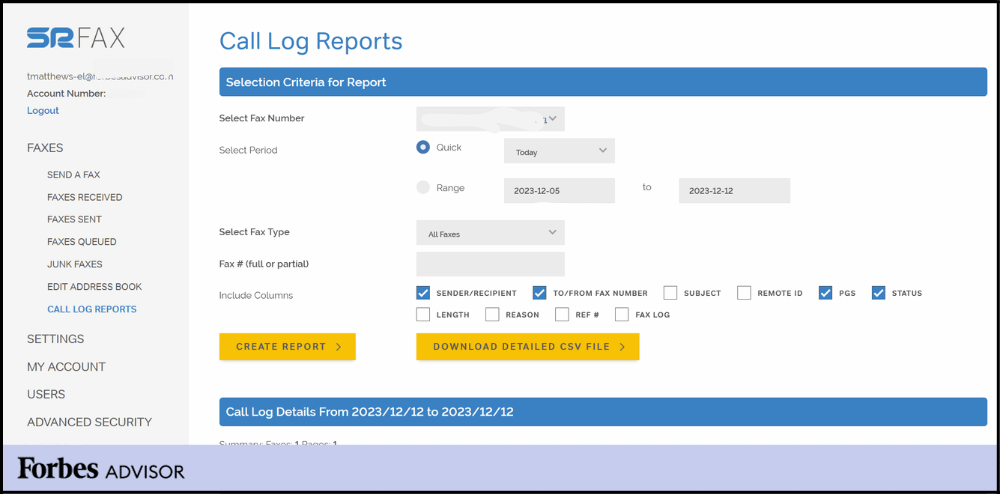
SRFax is a secure, cloud-based faxing solution designed for businesses and healthcare organizations that require HIPAA-compliant document exchange. It supports email-to-fax, fax-to-email, encrypted storage, and multi-user access, making it ideal for regulated industries seeking reliable, affordable, and secure digital faxing.
Key Features
- HIPAA-Compliant Faxing: Provides fully encrypted and compliant fax transmission, perfect for healthcare, legal, and finance teams handling sensitive or protected information.
- Email-to-Fax / Fax-to-Email: Enables sending and receiving faxes directly through email for fast, simple, and paperless workflows.
- Encrypted Cloud Storage: Stores all faxed documents securely in encrypted cloud storage, ensuring safe access from authorized devices.
- Custom Cover Pages: Offers professional, HIPAA-compliant fax cover sheet to ensure proper identification and secure transmission.
Pros
- Strong HIPAA compliance for healthcare and regulated sectors.
- Reliable uptime with secure, encrypted fax delivery.
- Affordable plans with high page limits and low extra usage fees.
- Email-based faxing streamlines workflow efficiency for teams.
Cons
- User interface is outdated compared to modern platforms.
- Limited third-party integrations restrict workflow automation.
- Mobile app lacks advanced functionality.
- International faxing is less extensive than competitors.
Pricing
- Lite ($12.60/month): 200 pages; multi-user access; $0.05/additional page.
- Basic ($16.05/month): 500 pages; multiple users; $0.05/additional page.
- Basic Plus ($22.95/month): 800 pages; unlimited authorized emails; $0.05/additional page.
- Standard Plus ($68.95/month): 2,500 pages; mid-sized teams; $0.05/additional page.
- Professional ($137.90/month): 5,000 pages; scalable for high-volume operations.
- Professional Plus ($275.75/month): 10,000 pages; enterprise-ready; $0.045/additional page.
Ratings
- Rating not available on major review platforms
Support Channels
- Email, phone, live chat during business hours, and an online knowledge base.
RingCentral Fax
What Is RingCentral Fax?
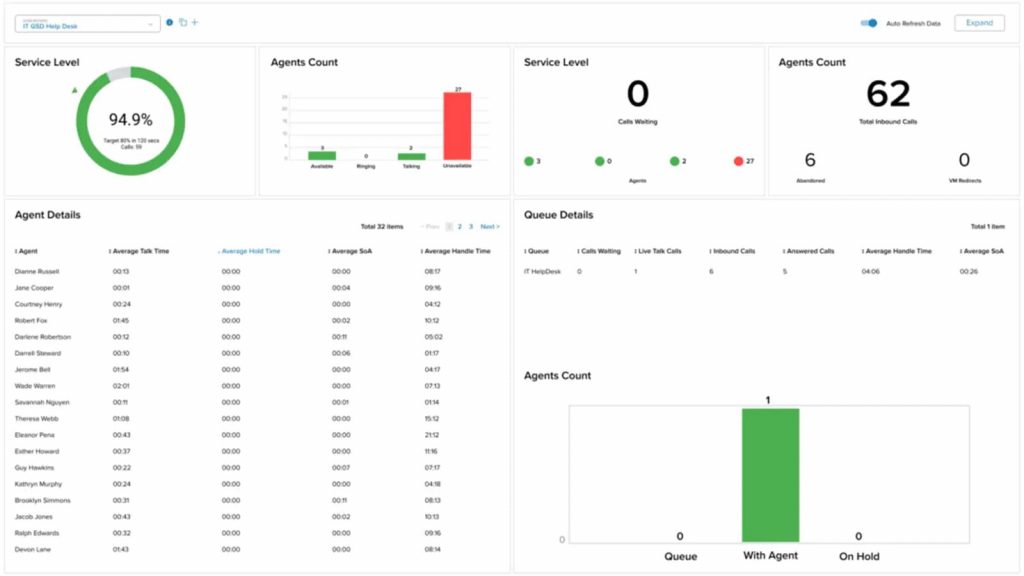
RingCentral Fax is a cloud-based faxing solution that allows businesses to send and receive faxes via email, web, or mobile apps, eliminating the need for traditional fax machines. It supports secure, HIPAA-compliant transmission, integrates with cloud storage, and offers dedicated fax numbers for remote or hybrid teams.
Key Features
- Multi-Device Faxing: Send and receive faxes from desktops, mobile apps, or email, enabling flexible, remote-friendly communication for teams of any size.
- Cloud & Storage Integrations: Attach documents directly from Google Drive, Dropbox, Box, and other cloud platforms to streamline workflows and improve efficiency.
- Custom Fax Numbers: Select local, toll-free, or vanity fax numbers to support professional branding and department-level routing.
- Secure Transmission & Compliance: Encrypted faxing meets security standards suitable for regulated industries, ensuring safe handling of sensitive documents.
Pros
- Multi-device access allows seamless faxing across web, mobile, and email.
- Easy integration with major cloud storage platforms.
- Secure, HIPAA-compliant transmission for regulated industries.
- Scalable as part of RingCentral’s broader communication suite.
Cons
- Pricing may be higher than standalone fax-only services.
- Number setup and porting can take time.
- Fax-only users may find UCaaS features unnecessary.
- Some users report occasional billing or support issues.
Pricing
- Core ($20/month): Business SMS/MMS, unlimited domestic calling, AI assistant, multi-device support, essential communication tools.
- Advanced ($25/month): Adds call recording, enhanced call summaries, multi-site support, and team collaboration features.
- Ultra ($35/month): Deep analytics, 12-month reporting history, HD video meetings, AI SMS tools, device insights, and extended cloud storage.
Ratings
Support Channels
- Live chat, phone, email, and a comprehensive knowledge base with tutorials and troubleshooting guides.
Fax.Plus
What Is Fax.Plus?
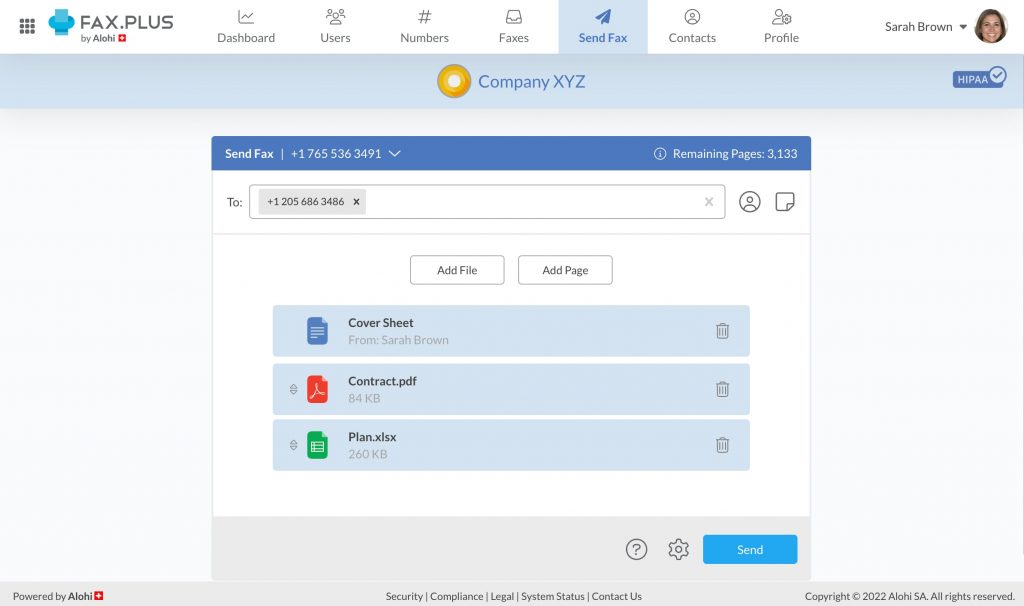
Fax.Plus is a secure, cloud-based online fax service for individuals, small businesses, and enterprises. It allows users to send and receive faxes via web, email, or mobile apps without a physical fax machine. Fully compliant with HIPAA, ISO 27001, and SOC 2, Fax.Plus is ideal for healthcare, legal, finance, and other regulated industries.
Key Features
- Email-to-Fax & Fax-to-Email: Send and receive faxes directly from your email inbox, compatible with Gmail, Outlook, and major providers.
- Mobile App Access: Manage faxes on the go using iOS and Android apps to send, receive, and sign documents remotely.
- Cloud Storage Integration: Connect with Google Drive, Dropbox, and OneDrive for secure access and storage of faxed documents.
- Team Collaboration: Assign multiple users, manage permissions, and streamline fax workflows for departments and teams.
Pros
- User-friendly interface suitable for individuals and businesses.
- Supports international faxing without extra fees.
- Free plan available with up to 10 pages per month.
- Strong security features for sensitive or regulated information.
Cons
- Extra pages beyond plan limits incur additional fees.
- Some advanced features are only available on higher-tier plans.
- Custom fax numbers may require a one-time setup fee.
Pricing
- Basic ($6.99/month): 200 pages, one fax number, unlimited storage; extra pages $0.10.
- Premium ($13.99/month): 500 pages, toll-free numbers, CSV export; extra pages $0.07.
- Business ($27.99/month): 1,000 pages, multiple numbers, team setup, Slack integration; extra pages $0.05.
- Enterprise ($79.99/month): 4,000 pages, unlimited members, SSO, HIPAA BAA, API, Zapier; extra pages $0.03.
Ratings
Support Channels
- Email, live chat, help centre, and community forum for all users.
iFax
What Is iFax?
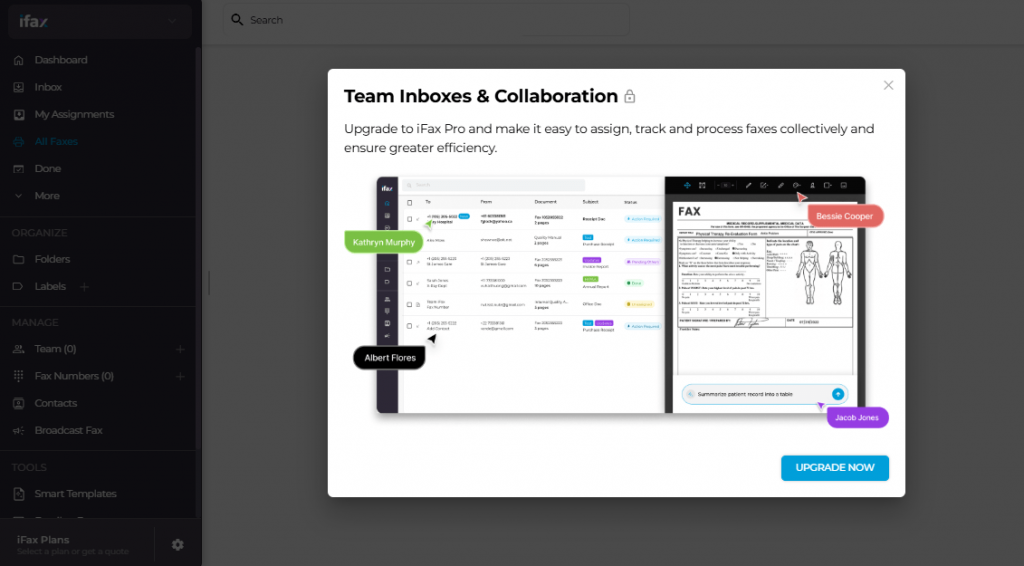
iFax is a cloud-based fax platform that enables users to send and receive faxes via mobile apps, desktop platforms, or email, eliminating the need for physical fax machines or servers. With HIPAA-compliant encrypted faxing, dedicated fax numbers, and multi-device accessibility, iFax is a reliable WiseFax alternative for modern teams.
Key Features
- Multi-Device Faxing: Send and receive faxes through iOS, Android, Windows, Mac, or email, enabling flexible, remote-friendly workflows for individuals and teams.
- Dedicated Fax Numbers: Choose local, toll-free, or vanity numbers to support professional communication and business branding needs.
- Cloud & Storage Integrations: Connect Google Drive, Dropbox, Box, and other storage platforms for easy attachment and management of fax documents.
- Secure Transmission & Compliance: Encrypted faxing with HIPAA support ensures safe handling of sensitive healthcare, legal, and financial documents.
Pros
- Works seamlessly across mobile, desktop, and email for complete anytime fax access.
- Integrates with major cloud storage tools for simplified document management.
- HIPAA-compliant, secure faxing suitable for regulated industries.
- Flexible pricing plans accommodate both low- and high-volume faxing needs.
Cons
- High-volume plans are more expensive than some competing solutions.
- Limited advanced communication features outside faxing.
- Occasional app or email integration inconsistencies reported by users.
Pricing
- Basic ($12.49/month): 200 pages per month, mobile/desktop access, HIPAA-compliant—ideal for low-volume secure faxing.
- Plus ($24.99/month): Basic features plus dedicated fax number, cross-platform apps, secure transmission, and priority features.
- Pro ($33.33/month): Adds SOC 2 & ISO 27001 compliance, templates, scheduled faxing, team inbox, WebFax, EHR integrations, OCR, AI tools, and 24/7 support.
- Enterprise (Custom Pricing): Includes Pro features with enterprise admin controls, advanced automation, multi-site support, SSO, and 99.95% uptime SLA.
Ratings
Support Channels
- Live chat, email, phone support, plus a comprehensive knowledge base and help center.
MyFax
What Is MyFax?
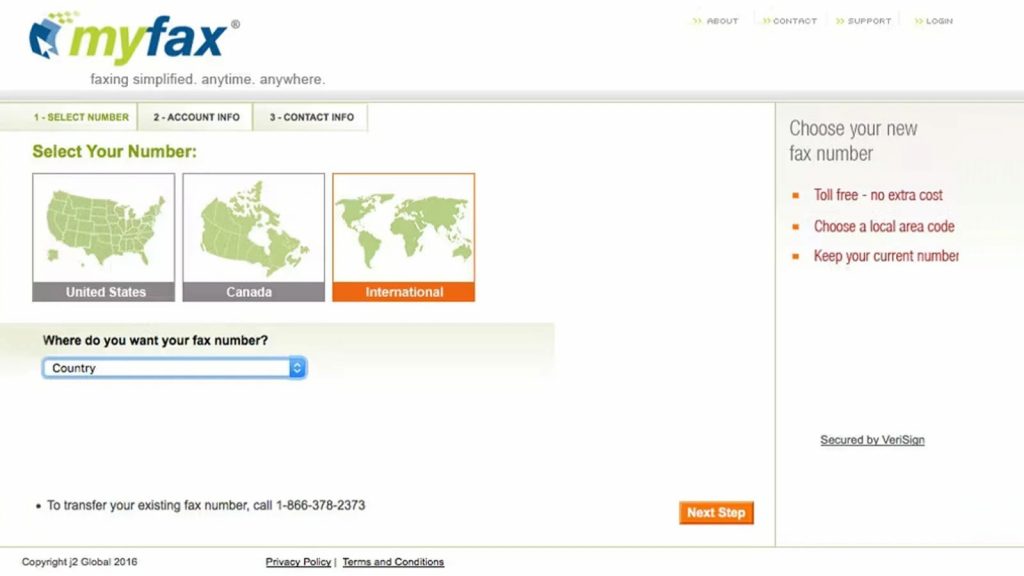
MyFax is an online faxing solution that enables businesses to send and receive faxes via email, mobile apps, or web dashboard, eliminating the need for traditional fax machines and phone lines. With cloud storage, dedicated fax numbers, and digital records, it’s suitable for small businesses and remote teams seeking secure, reliable fax communication.
Key Features
- Online Faxing: Send and receive faxes securely through a web portal, reducing paper use and eliminating hardware or phone line requirements.
- Email-to-Fax / Fax-to-Email: Fax documents by attaching files to an email; incoming faxes arrive as PDFs for quick access and sharing.
- Mobile App Access: iOS and Android apps allow users to send, receive, and manage faxes on the go, supporting remote teams.
- Document Storage: Cloud storage organizes and backs up all faxed documents for easy retrieval and workflow continuity.
Pros
- Intuitive interface simplifies faxing and reduces training time.
- Mobile apps enable flexible, on-the-go faxing for modern teams.
- Fully paperless workflows reduce costs and simplify document management.
- Multiple plans suit different business sizes and usage levels.
- Reliable delivery ensures secure, consistent fax transmission.
Cons
- Pricing is higher than some advanced and affordable alternatives.
- Limited integrations restrict workflow automation and data syncing.
- Interface feels outdated compared to modern platforms.
- Customer support can be slow or inconsistent at times.
- Lacks advanced compliance features for regulated industries.
Pricing
- Home Office ($12/month): 100 sent/received pages, cloud faxing, email-to-fax, dedicated fax number. First month $5.
- Small Business ($25/month): 300 sent/received pages, online fax management, mobile app access. First month $10.
- Power User ($45/month): 600 sent/received pages, expanded storage, priority fax handling. First month $15.
Ratings
- Rating unavailable on major platforms
Support Channels
- Email, live chat, and an online knowledge base, though real-time support may be limited.
HelloFax
What Is HelloFax?
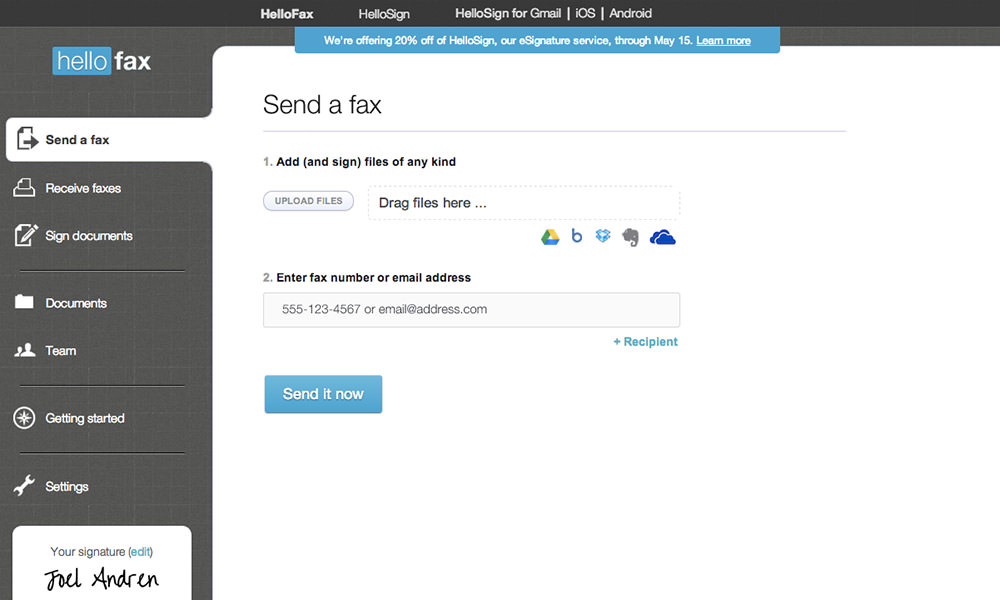
HelloFax is a cloud-based faxing solution that allows users to send, receive, and sign documents digitally, eliminating the need for traditional fax machines. With deep integration with Google Drive, Dropbox, OneDrive, and Box, it’s ideal for small to medium businesses seeking secure, paperless workflows, easy team collaboration, and efficient document management.
Key Features
- Cloud Integration: Connects with Google Drive, Dropbox, OneDrive, and Box to fax directly from cloud folders while keeping documents organized and accessible.
- Electronic Signatures: Digitally sign documents before sending, removing the need for printing or scanning while maintaining legal compliance.
- Team Management: Supports multi-user accounts, role-based permissions, and activity tracking for smooth team collaboration.
- Secure Faxing: Encrypted fax transmission and secure cloud storage ensure protection of sensitive business and healthcare information.
Pros
- Modern, user-friendly interface with strong usability.
- Deep cloud storage integrations improve workflow efficiency.
- Supports legally binding electronic signatures.
- Multi-user access and team management streamline collaboration.
Cons
- Mobile app functionality is limited.
- Not designed for very high-volume faxing.
- Advanced automation features are lacking.
- Pricing increases significantly for heavy fax users.
Pricing
- Free Plan: 5+ free fax pages, 1 sender, cloud integration, edit & sign features.
- Home Office ($9.99/month): 300+ pages, up to 5 senders, email-to-fax, fax receiving, cloud integrations.
- Professional ($19.99/month): 500+ pages, 10 senders, cloud storage integrations, fax number porting, secure storage.
- Small Business ($39.99/month): 1,000+ pages, up to 20 senders, full cloud integrations, multi-user access, fax receiving, number porting.
Ratings
Support Channels
- Email, live chat, and an online help center with guides, tutorials, and troubleshooting resources.
Concord Fax
What Is Concord Fax?
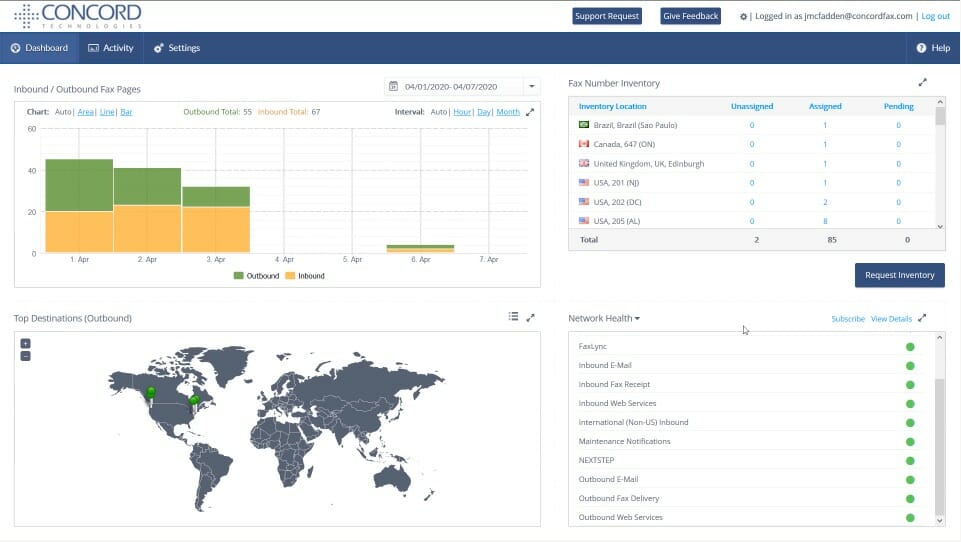
Concord Fax is a cloud-based faxing platform that allows businesses to send and receive faxes digitally, removing the need for traditional fax machines. With HIPAA-compliant faxing, secure transmission, and easy access via desktop or mobile, it’s ideal for healthcare, legal, and small to mid-sized businesses seeking reliable and efficient fax workflows.
Key Features
- Email-to-Fax / Fax-to-Email: Send and receive faxes directly through email for fast, paperless, and organized workflows.
- Cloud-Based Faxing: Access and send faxes from any device without the need for hardware or server setup.
- Dedicated Fax Numbers: Select local or toll-free numbers for professional branding and consistent fax delivery.
- Secure Transmission & Compliance: Encrypted faxing and compliance features ensure secure handling of sensitive healthcare, legal, and business documents.
Pros
- Provides secure, reliable cloud faxing for businesses of all sizes.
- Easy-to-use interface reduces onboarding and training time.
- HIPAA-compliant for healthcare and other regulated industries.
- Accessible via desktop, mobile, and email for flexible workflows.
Cons
- Limited third-party integrations and CRM compatibility.
- Lacks advanced workflow automation for complex processes.
- Not ideal for very high-volume faxing requirements.
- Customer support may be slower than other competitors.
Pricing
- Essentials ($399/month): Up to 5 users, unlimited e-signatures, templates included.
- Business ($699/month): Adds advanced workflows, analytics, and integrations for growing teams.
- Enterprise (Custom): API access, clause library, subsidiary management, and tailored solutions for large organizations.
- Annual Billing: Yearly commitment required; 14-day trial usually available.
Ratings
Support Channels
- Email, live chat, phone support, and online knowledge base with FAQs and troubleshooting guides.
Documo
What Is Documo?
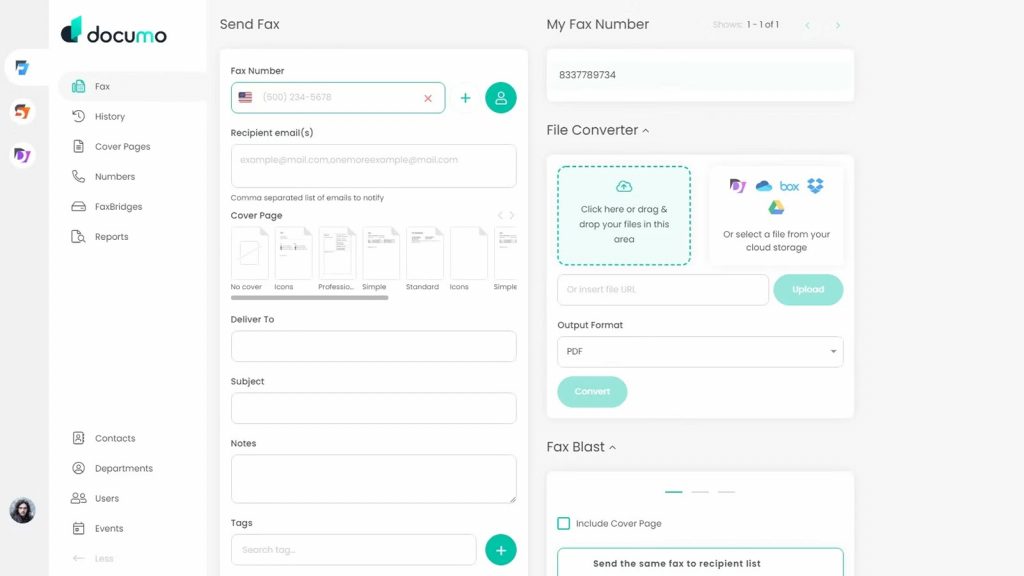
Documo is a cloud-based faxing and document automation platform built for businesses that require secure, HIPAA-compliant faxing alongside workflow automation. It allows users to send and receive faxes digitally, manage e-signatures, and integrate with business software, making it ideal for healthcare, legal, and financial teams needing streamlined, secure communication.
Key Features
- Cloud Faxing: Send and receive faxes online from any device without the need for physical fax machines or servers.
- Document Automation: Automates routing, notifications, e-signature requests, and workflows, reducing manual effort and errors.
- HIPAA-Compliant Faxing: Ensures encrypted and secure handling of sensitive data for healthcare, legal, and other regulated industries.
- Integrations: Connects with EHR, CRM, and business platforms for seamless document management and improved operational efficiency.
Pros
- Combines secure faxing with robust document automation features.
- Simplifies workflows with automated routing, notifications, and e-signatures.
- HIPAA-compliant and secure for regulated industries.
- Cloud-based platform supports flexible, remote work environments.
Cons
- May require onboarding for teams unfamiliar with advanced automation.
- Higher-tier plans needed for full feature access.
- Integration setup can be complex for smaller organizations.
- Pricing is higher than standalone fax services.
Pricing
- Solo ($25/month, billed annually): 300 pages, 1 user, 1 fax number, HIPAA compliance, $3/additional user or number, $0.15/additional page.
- Professional ($62.50/month, billed annually): 800 pages, 3 users, 1 fax number, HIPAA compliant, $3/additional user/number, $0.09/additional page.
- Business ($125/month, billed annually): 2,500 pages, 10 users, 5 fax numbers, HIPAA compliant, $3/additional user/number, $0.08/additional page, API access, reseller tools.
- Enterprise ($250/month, billed annually): 6,000 pages, 50 users, 10 fax numbers, HIPAA compliant, $3/additional user/number, $0.07/additional page, SSO, advanced automation.
- Custom Plan: For enterprise volumes, AI-enabled document processing, unlimited users/fax numbers, volume discounts, and dedicated account management.
Ratings
Support Channels
- Email, live chat, phone, and online knowledge base with tutorials, FAQs, and troubleshooting resources.
What Makes Emitrr the Best WiseFax Alternative?
Emitrr is more than just an online fax solution; it combines HIPAA-compliant faxing, multi-channel communication, and workflow automation in one platform. Unlike the WiseFax app, Emitrr helps healthcare, legal, and small businesses scale securely while reducing manual processes and operational costs.
No Pay-Per-Fax Limitations
Emitrr removes the cost and complexity of pay-per-page faxing. Users can send unlimited faxes within their subscription plan, making it cost-effective for high-volume use. Its HIPAA-compliant platform ensures sensitive healthcare and legal documents are securely transmitted.
Built-In Automation
Emitrr includes automated workflows that route faxes, trigger alerts, and manage document approvals. Automation reduces errors, saves time, and ensures compliance with HIPAA standards, making it ideal for healthcare practices and businesses with strict regulatory requirements.
Multi-Channel Communication
Beyond faxing, Emitrr integrates SMS, voice calls, and email into one platform. Teams can communicate securely across channels while maintaining HIPAA compliance for protected health information, improving patient engagement and operational efficiency.
Better Cost Efficiency
With subscription-based pricing, Emitrr eliminates unexpected costs associated with pay-per-use models. Businesses save on recurring faxing expenses, while HIPAA-compliant features reduce risks and potential fines, delivering both financial and operational benefits.
Designed for Scaling Teams
Emitrr supports growing teams with multi-user access, role-based permissions, and secure document management. Its HIPAA-compliant environment allows healthcare organizations and professional services to expand operations without compromising security or workflow efficiency.
See how Sarah automates client communication, bookings, reminders, and follow-ups with smart, HIPAA-compliant multi-channel texting making workflows faster and effortless.
Which Industries Are Catered By Emitrr?
Emitrr serves a variety of industries that require secure, efficient communication and document management. Its HIPAA-compliant platform and multi-channel capabilities make it ideal for healthcare, legal, and growing small to mid-sized businesses.
Healthcare
Emitrr streamlines the healthcare industry by providing HIPAA-compliant faxing, messaging, and workflow automation for hospitals, clinics, and medical offices. It ensures patient information is transmitted securely, reduces manual tasks, and integrates with EHR systems to streamline administrative and clinical processes.
Dental Practices
Dental practices benefit from Emitrr’s secure faxing and communication tools to manage patient records, insurance claims, and appointment reminders. Automation reduces administrative workload, ensuring compliance and improving office productivity without compromising sensitive patient data.
Legal Firms
Emitrr supports law firms with secure document transmission, multi-channel communication, and workflow automation. Confidential client files are protected under strict compliance standards, enabling legal teams to share contracts, court filings, and agreements efficiently and securely.
Home Healthcare
Home healthcare providers can use Emitrr to securely share patient records, treatment updates, and care instructions with hospitals and families. The platform’s automation and HIPAA-compliance features streamline communication while maintaining patient confidentiality.
Small & Mid-Sized Businesses
Small and mid-sized businesses (SMBs) across industries can leverage Emitrr for secure faxing, email, and messaging in one platform. Its automation, integration capabilities, and subscription-based pricing help growing businesses improve efficiency, reduce costs, and scale operations seamlessly.
FAQs
eFax operates on a subscription-based model with enterprise-grade features such as cloud storage, integrations, and team management. WiseFax, on the other hand, charges per fax page and lacks automation, collaboration, or advanced business tools.
For businesses seeking automation, multi-channel communication, and HIPAA-compliant workflows, Emitrr provides the most complete feature set. It combines secure faxing, messaging, and workflow automation, making it ideal for healthcare, legal, and growing organizations.
WiseFax uses a credit-based pricing system where each successfully sent fax typically costs 1 token per page, with each token priced at $1. Subscription plans for a dedicated fax number start at $8 per month.
Strong alternatives to WiseFax include Emitrr, eFax, and RingCentral Fax. These platforms provide advanced features such as workflow automation, multi-channel communication, integration with business systems, predictable pricing, and support for high-volume faxing.
Most free fax apps offer limited functionality, such as restricted pages per month or watermarked faxes. Full-featured online faxing generally requires a paid subscription to access unlimited pages, secure transmission, and advanced workflow capabilities.
Conclusion
WiseFax works for occasional faxing but lacks the automation, integrations, and scalability that modern businesses need. Its pay-per-use model, limited features, and minimal support make it unsuitable for teams that require workflow efficiency, multi-channel communication, or compliance with regulations like HIPAA.
Emitrr emerges as the most comprehensive WiseFax replacement, combining secure, HIPAA-compliant faxing with automation, messaging, and workflow management in one platform. It supports growing teams, integrates with business systems, and offers predictable pricing. By centralizing communication and document handling, Emitrr reduces manual work, ensures compliance, and enhances operational efficiency.
Book a demo with Emitrr to upgrade your fax workflows today.