
Introduction
Customers don’t just want quick replies anymore; they expect them. A question, a booking request, or a complaint can come in through chat, text, email, or phone, and businesses need to respond fast. If you don’t, the opportunity slips away.
Tools like Freshchat were built to help with this, offering live chat and some basic automation. However, as customer expectations keep rising, many businesses are finding that Freshchat doesn’t quite keep up. Missing features, lack of voice or SMS, and rising costs are pushing teams to search for tools that can do more, without making things more complicated.
That’s why businesses are actively switching to better alternatives. In this guide, we’ll break down the top 10 alternatives to Freshchat that companies are moving to, what makes each one different, where they shine, and why Emitrr is emerging as the go-to option for teams that want better conversations, fewer limitations, and a platform that’s built for the way people work today.
What is Freshchat?
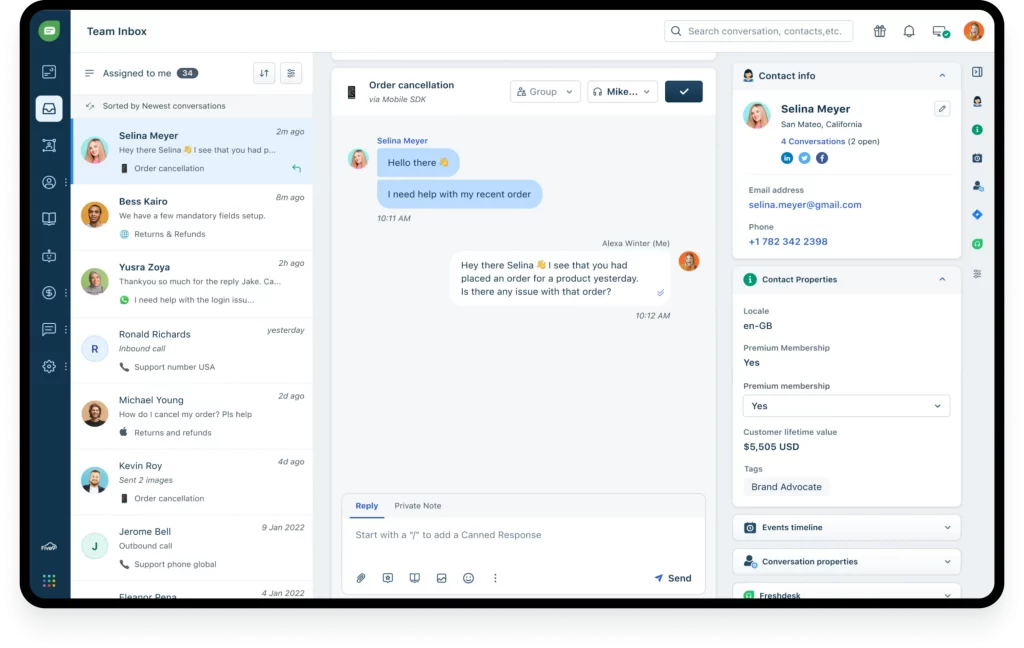
Freshchat is a messaging tool that helps businesses talk to customers across different channels, such as webchat, apps, and social platforms. It’s built by Freshworks and is meant to make support teams faster and more organized. You can use it to answer questions in real-time, send automated replies, and keep all your conversations in one place.
For small teams that need live chat without too much setup, it gets the job done. But for businesses that rely on voice or texting, or need more automation, it can feel limiting.
Freshchat Features
- Live Chat Across Platforms: Engage with customers in real-time on your website, mobile app, and social media platforms like Facebook Messenger and WhatsApp.
- Chatbot Automation: Utilize AI-powered bots to handle common inquiries, freeing up agents for more complex issues.
- Unified Inbox: Consolidate messages from multiple channels into a single, organized interface for your support team.
- Customizable Workflows: Set up rules and triggers to automate responses and route conversations to the appropriate team members.
- Analytics Dashboard: Monitor performance metrics, customer satisfaction scores, and agent productivity through built-in reporting tools.
Freshchat Pros
- Easy to Learn and Use: The interface is clean and approachable, which helps reduce training time for new agents. For small teams with limited bandwidth, this can be a huge advantage.
- Multi-Platform Compatibility: Freshchat works across web, mobile, and social messaging apps, giving businesses the ability to unify their communication strategy under one roof.
- Seamless Integrations with Popular Tools: Freshchat connects easily with platforms like Slack, Shopify, and Salesforce, as well as the wider Freshworks suite (like Freshdesk and Freshsales).
- Lightweight and Fast: Unlike some bloated helpdesk software, Freshchat runs smoothly in the browser and doesn’t slow down the user experience for visitors.
Freshchat Cons
- Limited Voice and SMS Support: If your business relies on phone calls or text messaging to connect with customers, you’ll need to use third-party tools. Freshchat doesn’t offer these natively, which adds cost and complexity.
- Customization Constraints: Teams looking to tailor the look, logic, or functionality of the chat experience may find Freshchat rigid. There’s little room to change core workflows without relying on developers.
- Pricing Structure: While Freshchat has a free tier, most of the essential features (like bots, reporting, and social channel support) are locked behind higher plans. As your needs grow, so does your bill.
- Learning Curve for Advanced Features: The core tools are easy to pick up, but anything beyond simple use cases takes time to learn. Teams often find themselves digging through help docs or depending on onboarding calls just to get the full picture.
- Dependence on Other Freshworks Tools: To use Freshchat at its full potential, you’ll likely need to plug it into other tools in the Freshworks ecosystem, like Freshdesk for ticketing or Freshsales for CRM. That creates added setup work and can limit flexibility if you’re already using something else.
- Support Response Times: User reviews frequently mention wait times and delays in getting issues resolved. While the experience may be smoother on higher-tier plans, teams on the entry plans often feel left hanging when they need help the most.
Freshchat Pricing
Freshchat pricing offers four tiers, each billed per agent. Here’s a snapshot of what to expect:
- Free Plan: $0/ month, which includes basic live chat for up to 10 agents with limited features.
- Growth Plan: $23/month, which includes integrations, real-time dashboards, and basic automation.
- Pro Plan: $59/month including advanced routing, reporting, and workflow tools.
- Enterprise Plan: $95/month
Freshchat Integrations
- Shopify
- Slack
- TeamViewer Remote
- Calendly
Freshchat Customer Support Channels
- Email/Help Desk
- FAQs/Forum
- Knowledge Base
- Phone Support
- 24/7 (Live rep)
Freshchat Ratings
Freshchat has a 4.1/5 star rating on Capterra.
Freshchat Reviews
“Abysmal Support, Had to push hard to get our money back.They have a nice suite of products with a competitive feature set. However, after-sales support was terrible and we could not confidently continue doing business with them.”
“Freshchat is a quality chat application with a confusing backend UI and an impossible login system”
“Unclear Documentation and Communication. Overall experience? Wasting time”
(Source: Capterra)
Freshchat Support Channels
- Help Desk
- FAQs/ Forum
- Knowledge Base
- Phone Support
- 24/7 (Live rep)
Why Do Businesses Seek a Freshchat Alternative?
Freshchat offers a decent starting point for digital conversations, but for many businesses, it doesn’t hold up as demands increase. Below are the most common frustrations shared by teams that made the switch and why exploring other tools became a necessity, not just a nice-to-have:
Limited Automation and AI Features
You can set up simple rules and auto-replies in Freshchat, but the moment you need more control, like branching workflows or logic-based responses, it starts to feel limiting. If your business handles a high volume of repetitive questions or needs to guide customers through complex steps, you’ll likely need more advanced tools.
Inconsistent Customer Service
Support is supposed to be a safety net. But with Freshchat, that net doesn’t always hold. Some users get quick answers. Others wait days, only to receive a link to an article that doesn’t solve the issue. This kind of unpredictability can be a real problem, especially when the software you rely on goes down.
No Built-In Voice or SMS
Many businesses still depend on phone calls and text messages, especially when quick coordination is involved. Freshchat doesn’t offer either out of the box. You’ll need to add other tools just to send a text or place a call, which adds cost and complexity that not every team has time to manage.
Expensive for Basic Features
The free plan sounds good on paper, but once you need features like automation, performance tracking, or social messaging, the price jumps. For a platform positioned at small and mid-sized teams, this can feel like a bait-and-switch. You end up paying more just to keep up with the basics.
Weak Multi-Channel Capabilities
Freshchat covers a few messaging channels well, but only a few. There’s no voice, no texting, and limited email functions. If your customers reach out on different platforms, you’ll struggle to respond in one place. That lack of channel flexibility forces teams to juggle multiple tools to do one job.
Poor Customization Options
If your business needs a specific chat flow or a branded look and feel, Freshchat only lets you go so far. Changing how things behave often requires help from developers. And if your team wants to move quickly, that added friction becomes a real hurdle.
Complex Onboarding Process
While the interface is clean, getting everything working the way you want takes time. Teams often need walkthroughs, back-and-forths with support, or outside help to get it all running. That kind of onboarding can take up days, sometimes weeks, before your team is confident using it.
Not Built For Industry-Specific Needs
Some businesses need more than just chat. Think healthcare appointment reminders, review requests for service-based businesses, or legal teams needing secure file exchange. Freshchat wasn’t built for these kinds of use cases, and it shows. If your industry has specialized needs, chances are you’ll outgrow it fast.
What To Look For In A Freshchat Alternative?
Switching from one platform to another isn’t just about trying something new; it’s about solving the problems that held you back. If Freshchat has been slowing you down, these are the features worth paying close attention to as you explore alternatives:
Unified Multi-Channel Communication
Customers reach out everywhere on your website, by text, through social media, sometimes even by email. The right tool makes it easy to respond from one screen. You save time, avoid mix-ups, and never miss a message.
AI-Powered Chat & Text Automation
Automated replies are only useful if they feel natural and solve real problems. A strong alternative should allow you to build helpful, flexible flows that feel personal, not robotic. It should step in when it makes sense, and know when to pass the conversation to a human.
Two-Way Texting Capabilities
It’s not enough to send reminders. People want to reply, ask follow-up questions, or confirm changes. Look for a platform that supports true two-way texting, just like any conversation you’d have in person or over the phone.
Call and Voicemail Options Built-In
Sometimes, you need to speak directly. A platform that lets you make calls or drop voicemails when no one answers can make your team faster and your outreach feel more personal. No switching tabs or juggling different apps.
Easy CRM & Calendar Integration
Your messaging tool should fit into your current setup, not fight against it. It should pull in customer details from your CRM and connect with your scheduling tool, so your team has the full picture without needing to copy and paste between systems.
Advanced Reporting & Analytics
If you can’t track what’s working, you can’t improve it. Choose a tool that shows you the data that matters: response times, open rates, missed conversations, and outcomes. Bonus if you don’t need an expert to make sense of the reports.
24/7 Customer Support Access
If your communication platform goes down, it shouldn’t take a day to get help. Choose a provider that gives fast, reliable support with real people, not endless tickets and vague replies. Round-the-clock help can make a huge difference when you’re dealing with time-sensitive issues.
User-Friendly Interface For Non-Tech Teams
Not everyone on your team is tech-savvy, and they shouldn’t have to be. The best tools don’t require an instruction manual. If your front desk, sales team, or customer support staff can use it without a training session, that’s a win. Look for clean layouts, clear buttons, and zero tech jargon.
Automated Review Requests & Feedback Collection
Your best advertising comes from happy customers. Pick a platform that can automatically send review invites after conversations, gather feedback, and track satisfaction, all without needing your team to follow up manually.
Transparent & Scalable Pricing
Complicated pricing makes planning harder. You want a platform that’s upfront about what it costs, includes the features you need from day one, and doesn’t surprise you with add-ons as you scale. The right tool should make growth easier, not more expensive.
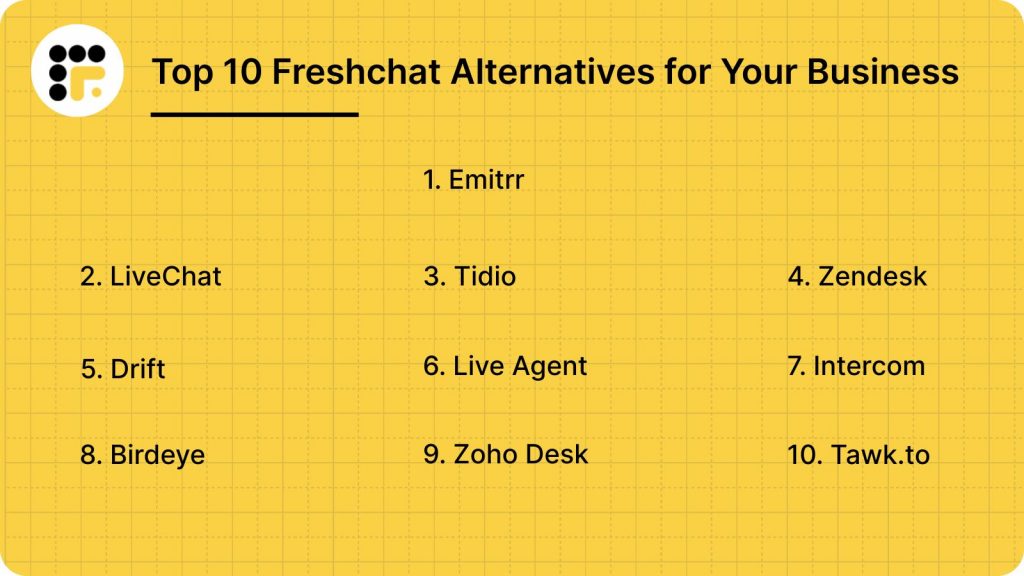
Top 10 Freshchat Alternatives in 2026
1. Emitrr: Best Freshchat Competitor
What is Emitrr?
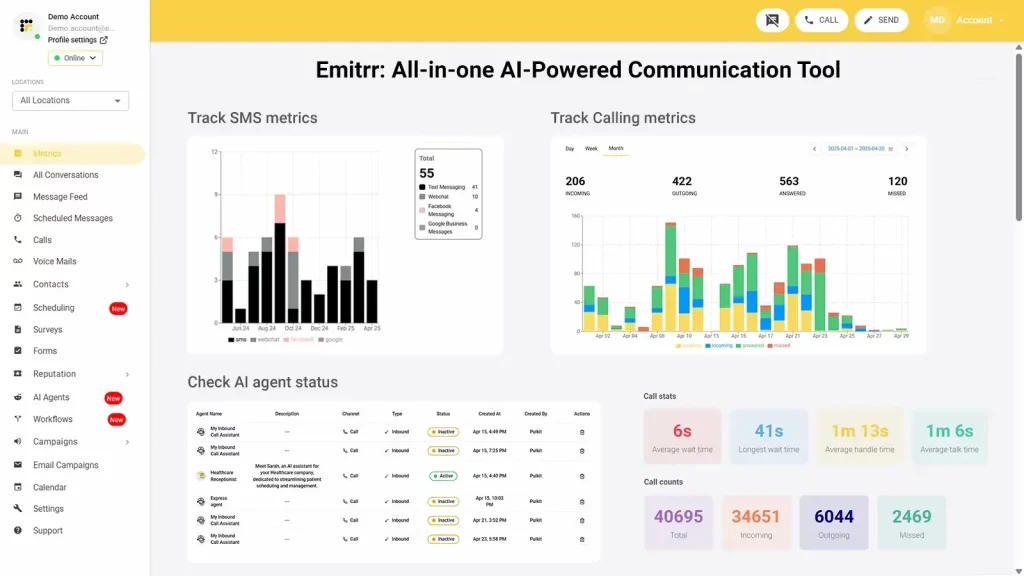
Emitrr is an AI-powered business communication platform built for businesses that can’t afford to miss a message. It combines SMS, VoIP, web chat, voicemail, and review and reputation management into one simple system. Unlike tools focusing only on live chat or one-way updates, Emitrr is built to handle full conversations across every channel customers use.
So, whether it’s confirming an appointment, answering a question, or following up on service, Emitrr ensures no lead gets lost and no customer feels ignored. All of this makes Emitrr the best Freshchat replacement for your business.
Emitrr Features
- Custom AI SMS agent: Create a custom AI SMS agent by setting up the name, image, function, description, and more, or choose from existing templates.
- Automate responses: Respond to texts automatically within seconds, keeping prospects engaged at all times.
- AI-generated replies: No need to type or think what to write, use Emitrr’s AI SMS generator to generate replies, keeping in mind the tone and context of the conversation.
- AI message enhancer: Enhance the tone or quality of your message by using the AI message enhancer feature.
- AI rule engine: Let AI filter messages and route replies from customers to the right person.
- AI-generated SMS campaigns: Type in a prompt and create SMS campaigns using AI within seconds.
- Train AI with knowledge base: Train your AI agent using existing data, knowledge bases, website links, and more.
- Self-evolving AI SMS agent: As it has more conversations and understands more context, this AI gets better and evolves itself.
- Dynamic IVR and Call Tree Setup: With Emitrr, businesses can build detailed call trees and IVR that guide callers through customized paths based on keypresses. Calls can be forwarded to numbers, extensions, call queue groups, or even other call trees. This makes it easy to route customers to the right person without manual intervention.
- Flexible Call Queue Groups: Emitrr allows teams to create call groups based on departments or specialties. Calls can be distributed among available members either simultaneously or sequentially, helping manage heavy call volumes without losing leads.
- Advanced Call Forwarding Options: Forward calls based on your team’s needs, whether that’s all at once, in a sequence, when a call goes unanswered, or after business hours. Emitrr ensures no call gets lost, no matter what.
- Extensions with Custom Rules: Each user or team member can have their own extension with defined availability hours, personalized call forwarding settings, and flexible daily schedules. Perfect for businesses with different shift patterns or remote staff.
- Unified Communication Management: Emitrr combines texting, calling, web chat, voicemail, and contact management under one roof. Teams manage everything from a single dashboard without switching between tools.
- Bulk and Group Text Messaging: Send mass texts to thousands of customers at once or set up group conversations within the same thread. This helps with promotions, appointment reminders, or important updates, all with high open rates.
- Web Chat to SMS Continuation: Start a conversation with a visitor on your website and continue it via SMS after they leave. Emitrr ensures you stay connected even after a potential customer closes the browser.
- Automated Appointment Reminders and Follow-Ups: Emitrr allows businesses to send personalized reminders by text, email, or voice. Customers can confirm, cancel, or reschedule appointments simply by replying to a text, reducing no-shows and saving staff time.
- Real-Time Caller Insights: During a live call, agents can see caller history and important customer details with the Call Pop feature, helping them respond faster and more personally.
- Call Recording and Business Hour Management: Record calls automatically or selectively for quality assurance, training, or compliance. Define business hours to automate call routing during and after office hours without needing constant manual changes.
Watch this video to learn how Emitrr’s AI agent Sarah makes texting effortless:
Emitrr Pros
- Reliable Platform Stability: Count on Emitrr’s 99.99% uptime to keep calls, texts, and chats running without interruption.
- Streamlined User Experience: Emitrr’s dashboard is designed to cut clicks and save time, helping teams handle conversations faster with fewer steps.
- High-Quality Voice Calls: Enjoy HD-quality voice calls that deliver a clear, professional experience on every customer interaction.
- Seamless Integration with Key Tools: Emitrr connects easily with CRM, EHR, and practice management systems, keeping customer records and conversations in sync.
- Cost-Effective for Growing Teams: Transparent pricing plans allow businesses to scale communication without surprise costs or feature lockouts.
- All-In-One Communication Suite: From texting to calling to voicemail drops and review management, everything runs through one unified platform.
- Smart Automation for Busy Teams: Automate appointment reminders, missed call follow-ups, and customer outreach without juggling multiple tools.
- Customizable Workflows and Call Routing: Set up flexible call trees, queue groups, and user-specific schedules to match your business’s real communication needs.
- Text-Enabled Landlines: Emitrr can turn your existing business phone number into a texting number, letting customers text your landline without any extra work.
Emitrr Cons
- Some amazing features are still under development and will be rolled out soon!
Emitrr Pricing
Emitrr offers three pricing plans for its users: Standard, Pro, and Enterprise. These Emitrr pricing plans also depend on the number of messages you wish to send.
Here’s a detailed breakdown of the Emitrr pricing plans:
| Number of message credits | Standard Price with 10 DLC | Pro Price with 10 DLC | Enterprise |
| 500 | $45.00 | $64.00 | Contact Sales for a customized quote. |
| 1000 | $64.00 | $94.00 |
Emitrr keeps things flexible; you only pay based on how many messages you send each month. So, whether you’re a small team or a growing business, you can scale as you need. Larger enterprises with specific requirements can reach out to the sales team for a customized quote.
For businesses in the healthcare sector, there is an additional $200 fee to unlock all the advanced automation tools you might need. And if you want to tap into Emitrr’s AI features, upgrading to the Pro plan is the way to go.
Emitrr Integrations
Emitrr offers 500+ integrations across different industries such as dental, recruiting, real estate, etc., with tools like:
Emitrr Customer Support Channels
- Live chat: Chat with Emitrr’s live representatives
- Phone: Call Emitrr at +1 (210) 941-4696
- Email: Send email to Emitrr’s support team at support@emitrr.com
- Knowledge base
- FAQs/forum
- SMS
Emitrr Rating
Emitrr has a solid 4.9/5 star rating on Capterra.
Emitrr Reviews
“You have it all integrated into one platform, the signatures, the amount of characters, you can attach files, send photos. You are able to create and send forms. Unlimited amount of things we can use and take advantage of.”
“I LOVE Emitrr. The support you get is wonderful, the app is easy to use and they have been incredibly responsive. As a small business, we needed a messaging platform that wouldn’t break the bank and this meets all our needs (and then some) without making us feel overwhelmed.”
(Source: Capterra)

2. LiveChat
What is LiveChat?
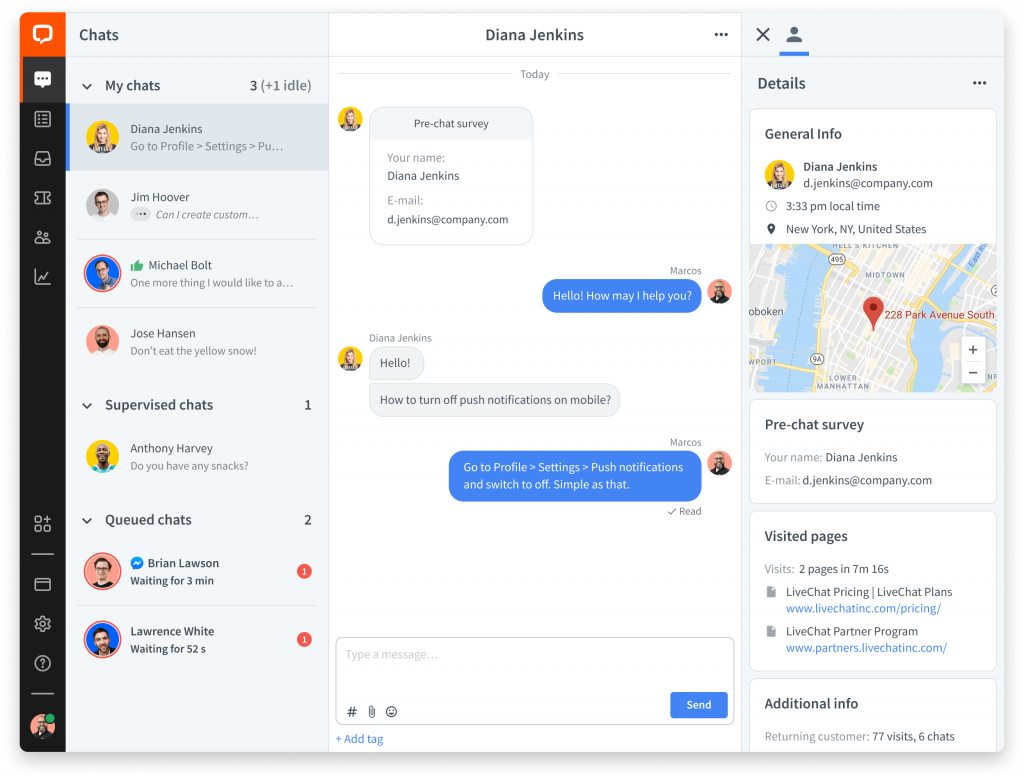
LiveChat is a customer service platform that facilitates real-time communication between businesses and their website visitors. It offers a suite of tools to enhance customer engagement and support efficiency. While LiveChat provides robust features for live interactions, it’s important to note that certain advanced functionalities, such as AI-driven automation and comprehensive SMS support, may require additional integrations or come at higher pricing tiers.
LiveChat Features
- Chat Widget: Add a customizable chat box to your website so visitors can easily start conversations with your team in real time.
- Message Sneak-Peek: See what a customer is typing before they hit send, helping agents prepare faster and respond more accurately.
- Canned Responses: Use pre-written replies for common questions, saving time and ensuring consistent answers across all agents.
- Chat Transfers: Move ongoing chats to another agent or department easily, without forcing the customer to start over or explain everything again.
- Reports and Analytics: Track chat volumes, response times, agent ratings, and customer satisfaction with built-in reporting dashboards.
LiveChat Pros
- User-Friendly Interface: Designed with simplicity in mind, making it accessible for teams without extensive technical expertise.
- Real-Time Customer Engagement: Facilitates immediate interaction with website visitors, potentially increasing conversion rates and customer satisfaction.
- Extensive Integration Options: Compatible with over 200 third-party applications, including CRM systems, e-commerce platforms, and marketing tools, enhancing workflow efficiency.
- Reliable Customer Support: Offers 24/7 assistance to address any technical issues or queries, ensuring minimal downtime and continuous service.
LiveChat Cons
- Pricing Structure: Charges are based on the number of agents, which can become costly for growing teams or businesses with fluctuating support needs.
- Limited Advanced Features in Lower Tiers: Some functionalities, such as AI automation and advanced reporting, are only available in higher-priced plans.
- Customization Constraints: While basic customization is available, more intricate design changes may require additional technical resources or are limited within the platform.
- Learning Curve for Advanced Tools: New users might need time to fully utilize all features, especially those related to integrations and analytics.
- Dependence on Internet Connectivity: As a cloud-based solution, any internet disruptions can affect access to the platform and ongoing customer interactions.
LiveChat Pricing
- Starter Plan: Priced at $20 per agent per month (billed annually)
- Team Plan: Costs $41 per agent per month (billed annually)
- Business Plan: For $59 per agent per month (billed annually)
- Enterprise Plan: Custom pricing
LiveChat Integrations
- Slack
- Trello
- Mailchimp
- Salesforce
- Jira and more
LiveChat Customer Support Channels
- Email/Help Desk
- FAQs/Forum
- Knowledge Base
- Phone Support
- 24/7 (Live rep)
- Chat
LiveChat Rating
LiveChat has a 4.6-star rating on Capterra.
LiveChat Reviews
“Not a hands on system. Nothing was very disappointing overall. The slow response to the end user .. causes more issues”
“Wow! Everything about Live chat is incredible.It is very easy to use and implement.You can ask questions and get answers one on one. We’ve had a tremendous experience.”
“It created significantly more problems than one would expect at such prices. The system was buggy, call members would drop frequently, and problems persisted in a variety of locations and atmospheres. As a service that charges what it does, there is almost no reason to pick this over free alternatives.”
(Source: Capterra)
3. Tidio
What is Tidio?
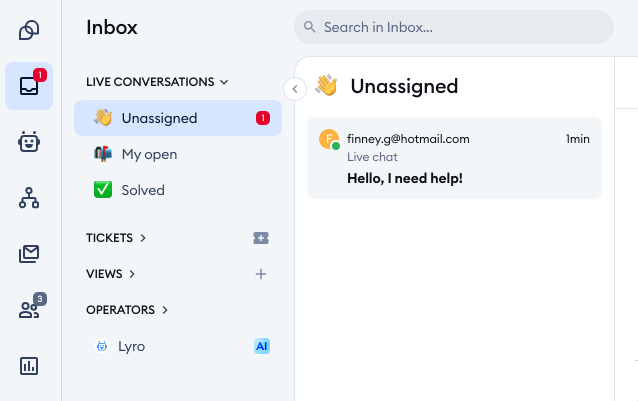
Tidio is a customer service platform that combines live chat, chatbots, and email marketing into a single interface. It’s designed to help businesses engage visitors, answer questions, and automate support tasks. While Tidio offers a range of features, some advanced functionalities, like AI-driven automation and comprehensive analytics, are only available in higher-tier plans or as add-ons.
Tidio Features
- Live Chat Widget: A customizable chat box that allows real-time communication with website visitors.
- Lyro AI Agent: An AI-powered chatbot that can handle common customer inquiries and tasks, reducing the workload on human agents.
- Chatbot Flows: Visual builder to create automated chat sequences for lead generation, FAQs, and more.
- Multichannel Integration: Connects with platforms like Facebook Messenger and Instagram to manage conversations from one place.
- Visitor Tracking: Provides real-time data on website visitors, enabling proactive engagement based on user behavior.
Tidio Pros
- User-Friendly Interface: Easy to set up and navigate, making it accessible for teams without technical expertise.
- Multilingual Support: Supports multiple languages, allowing businesses to cater to a diverse customer base.
- Integration Capabilities: Compatible with various platforms, including Shopify and WordPress, for seamless workflow integration.
Tidio Cons
- Limited Features in Free Plan: Advanced functionalities like AI automation and detailed analytics require paid plans.
- Separate Charges for Add-Ons: Features such as Lyro AI Agent are not included in base plans and incur additional costs.
- Conversation Limits: Each plan has a cap on the number of handled conversations, which may require upgrades as business needs grow.
- Integration Limitations: While Tidio integrates with many platforms, it lacks support for certain CRM and CMS systems, potentially hindering seamless workflow.
- Basic Analytics in Lower Tiers: Detailed reporting and analytics are only available in higher-priced plans.
Tidio Pricing
- Free Plan: $0/month
- Starter Plan: $24.17/month
- Growth Plan: $49.17/month
- Plus Plan: $749/month
- Premium Plan: $2,999/month
Tidio Integrations
- Mailchimp
- WordPress
- Shopify
- Zoho CRM and more
Tidio Customer Support Channels
- Email/Help Desk
- FAQs/Forum
- Knowledge Base
- 24/7 (Live rep)
- Chat
Tidio Rating
Tidio has a 4.7-star rating on Capterra.
Tidio Reviews
“Bad pricing, terrible mobile app and inhonest business practices”
“It’s definitely easy to use and the way a novice user can quickly learn how to setup a chat and even a chatbot it’s amazing. We just have to point our customers to Tidio and they do nearly everything themselves.”
“Very very confusing experience, from the pricing all the way to the support given by the support team. Over a period of two months of back and forth i was given different information from different team members.”
(Source: Capterra)
4. Zendesk
What is Zendesk?
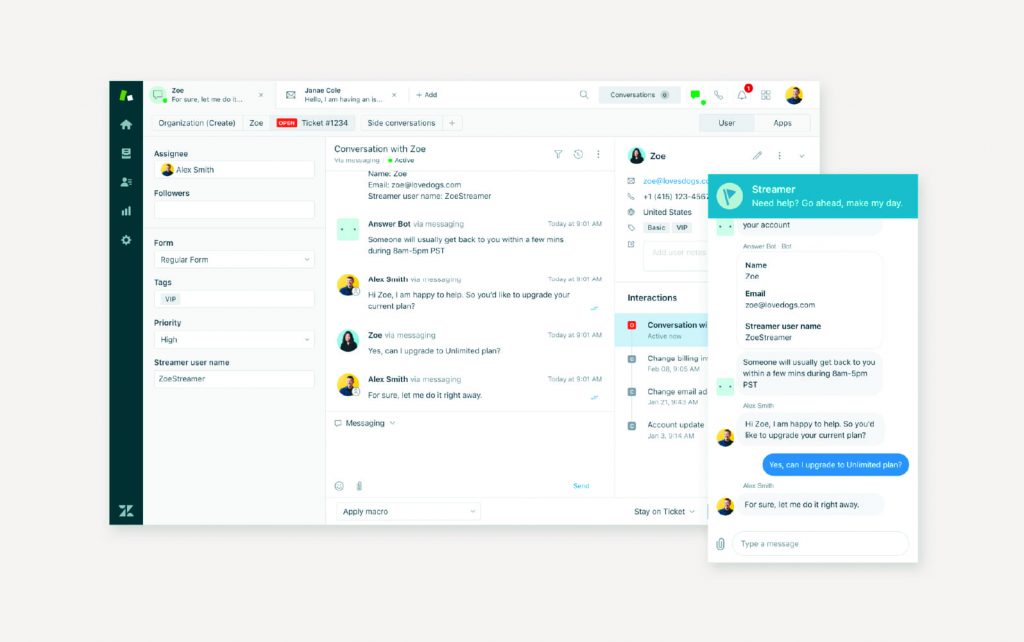
Zendesk is a full customer service platform that includes live chat, email, voice, and social messaging in one system. Through its Zendesk Messaging tool, businesses can manage real-time conversations across channels while also using ticketing and automation to stay organized.
While Zendesk’s chat features are powerful, it’s important to know they come as part of a larger customer service suite, not as a standalone live chat tool. For businesses looking for just simple chat support, Zendesk may feel heavier and more expensive than necessary.
Zendesk Features
- Live Messaging Widget: Chat with customers through a customizable web widget embedded on your site or app.
- Unified Agent Workspace: Agents manage chats, emails, and tickets from a single view without switching tabs.
- Proactive Chat Triggers: Send automated chat invitations based on customer actions, like time on page or cart abandonment.
- Bot and Automation Flows: Use bots to handle FAQs and triage chats before routing customers to live agents.
- Conversation History Across Channels: Keep full context from past chats, emails, or social DMs, no matter where the customer picks up the conversation.
Zendesk Pros
- Handles Real-Time and Ticketed Support Together: Chat doesn’t live separately; conversations can turn into tickets seamlessly if needed.
- Strong Automation and Bot Capabilities: Bots and workflows help automate repetitive answers and routing, saving agent time.
- Built-In Integration with Email, Voice, and Social: No need for extra plugins to expand from live chat to full omnichannel support.
- Advanced Reporting and Analytics: Track conversation outcomes, agent response times, and customer satisfaction metrics from one dashboard.
Zendesk Cons
- Higher Costs for Small Teams: Live chat is bundled into Suite plans, which may be overkill (and expensive) for basic needs.
- Heavier Setup for Pure Chat Users: Businesses looking for a simple chat tool may find Zendesk too complex for just messaging needs.
- Learning Curve for New Users: The platform’s full capabilities take time to learn if you only want chat and messaging.
- Customization Limited on Lower Plans: Advanced widget and bot customizations often require higher-tier plans or coding.
- Chat Feels Like an Add-On, Not a Standalone Focus: Zendesk’s chat functions are strong, but they’re designed to blend into broader customer service workflows, not to work in isolation.
Zendesk Pricing
Zendesk does not sell live chat separately. Live messaging is included in Zendesk Suite plans, starting at:
- Support Team: $19/agent/month
- Suite Team: $55/agent/month
- Suite Professional: $115/agent/month
- Suite Enterprise
Zendesk Integrations
- Slack
- Trello
- Microsoft Excel
- Salesforce
- Jira and more
Zendesk Customer Support Channels
- Email/Help Desk
- FAQs/Forum
- Knowledge Base
- Phone Support
- 24/7 (Live rep)
- Chat
Zendesk Rating
Zendesk has a 4.4-star rating on Capterra.
Zendesk Reviews
“Zendesk is nice and centralised way of sorting issues we get through live chats, or email tickets. The UI is clean and easy to steer and automation feature helps in saving time.”
“Extremely poor customer service and support. Payment methods and structure are convoluted and inflexible. Account managers are solely focused on making money rather than helping customers. Unresponsive and evasive support team, often citing vacations as a reason for delays.”
(Source: Capterra)
5. Drift
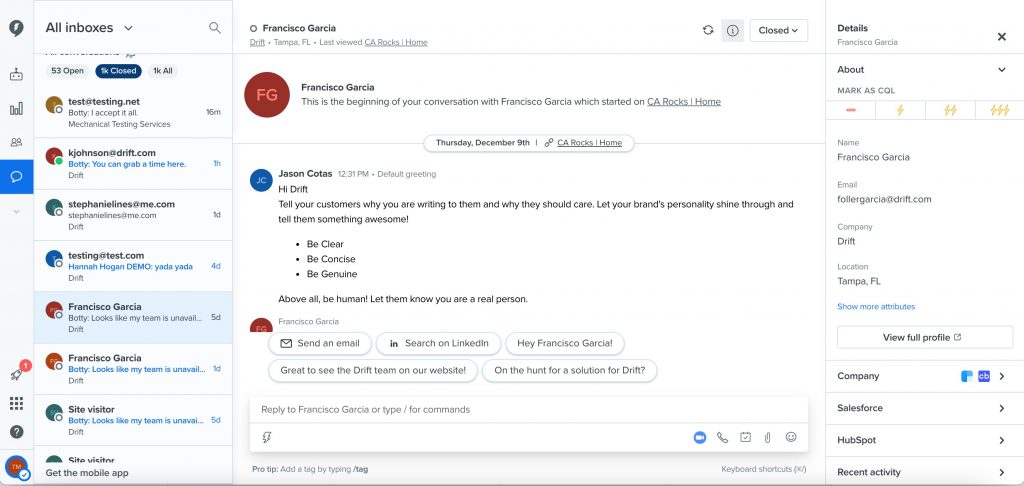
What is Drift?
Drift is a conversational platform built to help businesses connect with website visitors in real time. It focuses heavily on using live chat, chatbots, and automated workflows to drive sales conversations, not just customer support.
Unlike basic live chat tools, Drift positions itself as a “revenue acceleration” platform, designed more for marketing and sales teams than traditional support desks. That said, its advanced features come at a premium price, which may be more than some small businesses need.
Drift Features
- Live Chat Widget: Add a chat window to your website, allowing visitors to start conversations instantly with your team.
- AI-Powered Chatbots: Build bots that can qualify leads, book meetings, and answer common questions automatically.
- Routing and Lead Qualification: Use Drift Playbooks to route chats to the right team member based on who the visitor is and what they need.
- Meeting Scheduling Integration: Let prospects book meetings directly through chat, syncing automatically with your team’s calendar.
- Real-Time Conversation Analytics: Track engagement rates, bot performance, lead conversion, and meeting bookings, all from one dashboard.
Drift Pros
- Built for Sales and Marketing Teams: Drift is designed to capture leads, qualify prospects, and move conversations forward faster.
- Strong Automation and AI Capabilities: Bots do more than just answer questions—they drive real actions like booking meetings or qualifying leads.
- Personalized Chat Experiences: Drift can tailor chat greetings and flows based on visitor behavior, firmographic data, and CRM history.
- Calendar and CRM Integrations: Drift works seamlessly with tools like Salesforce, HubSpot, and Google Calendar for smooth lead handoffs.
Drift Cons
- High Pricing for Full Access: Core features like advanced routing, Playbooks, and meeting scheduling are only available on higher-priced plans.
- More Complex Than Simple Chat Tools: Drift’s workflows and automation setup can feel overwhelming for teams that just want basic live chat.
- Primarily Focused on B2B Sales: If you’re looking for a general-purpose support chat, Drift’s feature set may feel overly sales-driven.
- Customization Can Require Technical Help: Deep customization of bots and chat workflows may need developer support, especially at scale.
- Limited Value at Lower Tiers: Entry-level Drift plans are very restricted compared to the full product experience, limiting automation options.
Drift Pricing
- Advanced
- Premier
Drift Integrations
- Mailchimp
- Microsoft 365
- Google Analytics 360
- Shopify
- HubSpot CRM and more
Drift Customer Support Channels
- Email/Help Desk
- FAQs/Forum
- Knowledge Base
- 24/7 (Live rep)
- Chat
Drift Rating
Drift has a 4.5-star rating on Capterra.
Drift Reviews
“Very intuitive and easy to use, you don’t need to be an expert to implement your communication strategy with this tool.”
“Had issues with bugs in various areas several times and had to contact support and wait till they were resolved. Not very straightforward how to configure the tool in the best way and debug playbooks. Documentation could be better.”
(Source: Capterra)
6. LiveAgent
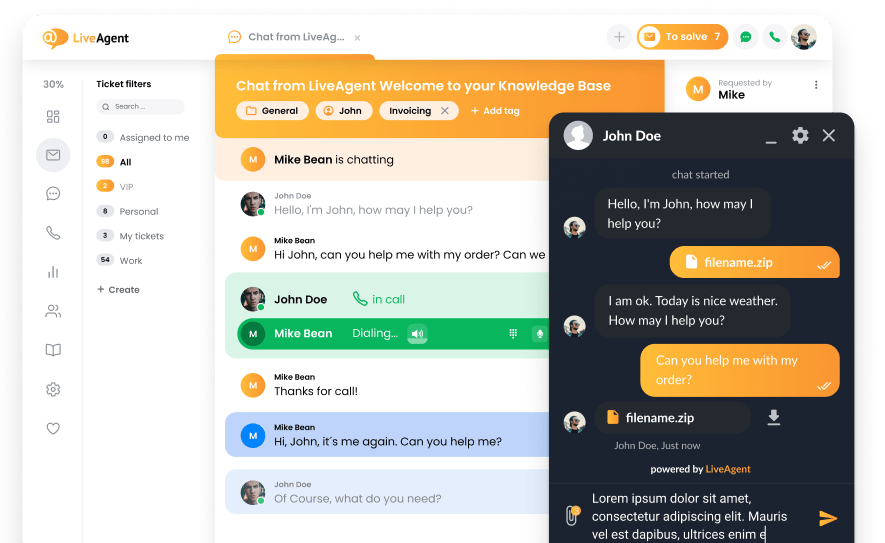
What is LiveAgent?
LiveAgent is a customer support platform that integrates live chat, ticketing, and call center functionalities into a single interface. Designed for businesses seeking to manage customer interactions across multiple channels, LiveAgent offers tools to streamline communication and improve response times. While it provides a comprehensive suite of features, some users may find the interface less intuitive compared to other platforms.
LiveAgent Features
- Live Chat Widget: Implement a customizable chat box on your website to engage visitors in real-time conversations.
- Ticketing System: Convert all customer inquiries from various channels into organized tickets for efficient management.
- Call Center Integration: Handle inbound and outbound calls directly from the platform, complete with call routing and recording.
- Social Media Integration: Manage messages from platforms like Facebook, Twitter, and Instagram within the LiveAgent dashboard.
- Knowledge Base: Create a self-service portal with FAQs and articles to assist customers in finding answers independently.
LiveAgent Pros
- Omnichannel Support: Manage emails, chats, calls, and social media messages from a unified interface.
- Customizable Workflows: Tailor automation rules, ticket routing, and templates to fit specific business needs.
- Robust Reporting Tools: Access detailed analytics on agent performance, ticket resolution times, and customer satisfaction.
- Affordable Entry-Level Pricing: Offers a free plan with basic features, making it accessible for small businesses.
LiveAgent Cons
- Interface Complexity: The platform’s extensive features may result in a steeper learning curve for new users.
- Limited Features in Free Plan: Advanced functionalities like call center integration and social media support require paid plans.
- Customization Limitations: Some customization options are restricted to higher-tier plans.
- Occasional Performance Issues: Users have reported occasional lags and delays in the system’s responsiveness.
- Mobile App Limitations: The mobile application may lack some features available on the desktop version.
LiveAgent Pricing
LiveAgent offers several pricing tiers to accommodate different business needs:
- Small
- Medium
- Large
- Enterprise
LiveAgent Integrations
- Mailchimp
- Trello
- Slack
- Asana and more
LiveAgent Customer Support Channels
- Email/Help Desk
- FAQs/Forum
- Knowledge Base
- Phone Support
- 24/7 (Live rep)
- Chat
LiveAgent Rating
LiveAgent has a 4.7-star rating on Capterra.
LiveAgent Reviews
“The UI is not always clear to me. It took some time for me to adjust to it. There are no other major problems. It took me a while to get everything set up, so there is a small learning curve.”
“It is self explanatory, easy to use, timely, fast and reliable. LiveAgent is a great choice if you are looking to enhance your customer support operations.”
(Source: Capterra)
7. Intercom
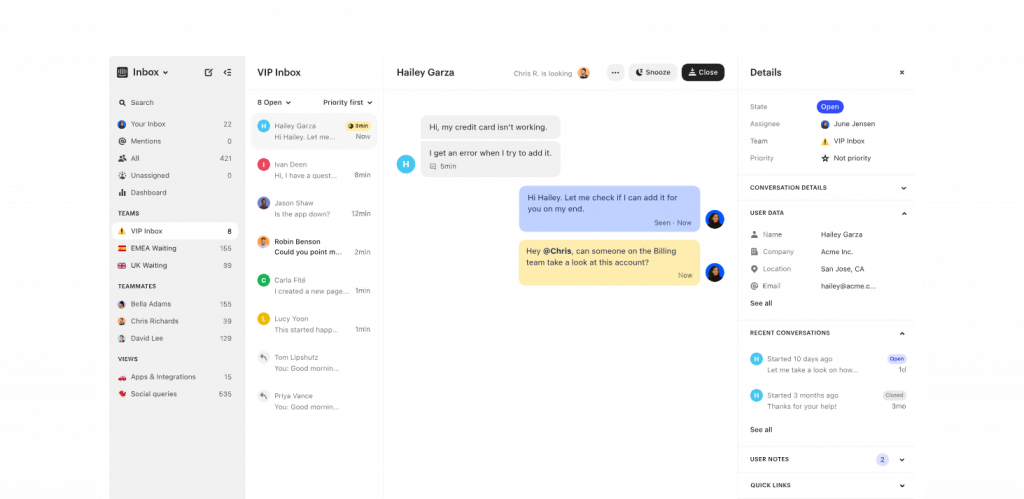
What is Intercom?
Intercom is a customer communication platform that blends live chat, chatbots, help center tools, and automation in one system. It’s built for businesses that want to deliver fast, personalized conversations at scale, whether for sales, onboarding, or customer support.
While Intercom offers strong live chat and messaging features, it’s worth noting that many of its advanced tools (like custom bots and workflow builders) are locked behind higher-priced plans, which might not suit every small team.
Intercom Features
- Business Messenger: A customizable live chat widget that lets businesses connect with customers on their website, inside apps, or by email.
- Custom Bots: Build no-code bots to capture leads, route conversations, and answer common customer questions automatically.
- Shared Inbox: Manage all conversations, whether they start through chat, email, or social media, from a single team inbox.
- Outbound Messaging: Send targeted messages to customers based on behavior, account status, or time triggers to improve engagement.
Intercom Pros
- Modern Chat Experience: Intercom’s messenger is fast, visually appealing, and feels natural for customers and agents.
- Powerful Automation and Routing: Set up bots, workflows, and conversation routing easily without needing a developer.
- Supports Multi-Channel Communication: Manage conversations across chat, email, mobile push, and social media in one platform.
- Extensive Integration Ecosystem: Intercom connects with CRMs, marketing tools, and product analytics platforms to fit into existing tech stacks.
Intercom Cons
- High Costs for Full Functionality: Essential features like advanced bots, reporting, or proactive messaging require moving to expensive plans.
- Steeper Learning Curve for Automation: Setting up custom workflows and bots can take time to master, especially for smaller teams.
- Pay Per Seat Pricing: Intercom charges by the number of team members (“seats”), which can quickly raise costs as your team grows.
- Not Just a Live Chat Tool: Intercom’s strength is its full platform approach, but businesses needing only simple live chat may find it more complex and costly than necessary.
- Limited Visibility on Self-Serve Pricing: Many plans require talking to sales to get full pricing transparency, making it harder to compare options upfront.
Intercom Pricing
Intercom pricing offers several tiers, structured around functionality and team size:
- Essential Plan: Starts around $29/seat/month
- Advanced Plan: Starts around $85/seat/month
- Expert Plan: Starts around $132/seat/month
Intercom Integrations
- Jira
- Trello
- Mailchimp
- Slack and more
Intercom Customer Support Channels
- Email/Help Desk
- FAQs/Forum
- Knowledge Base
- Chat
Intercom Rating
Intercom has a 4.5-star rating on Capterra.
Intercom Reviews
“Issues with basic customer management concepts such as merges. Development team seemed unresponsive to potential product issues, yet aware they existed.”
“Great software to use in the customer service section of businesses. It reduces time en resources spent. Easy to use and the options available makes sure you can cover everything”
(Source: Capterra)
8. Birdeye

What is Birdeye?
Birdeye is a customer experience platform that integrates live chat, messaging, and automation tools to help businesses engage with customers in real-time. Its Webchat feature allows website visitors to initiate conversations, which can be continued via text, ensuring seamless communication even after they leave your site. Designed for businesses aiming to enhance customer interactions, Birdeye offers tools that streamline communication and improve responsiveness.
Birdeye Features
- Webchat Integration: Embed a chat widget on your website, enabling visitors to start conversations that can transition to text messages for continued engagement.
- Smart Inbox: Consolidate messages from various channels into a single inbox, organized by location and date, for efficient management.
- Customizable Chat Widgets: Tailor the appearance and behavior of your chat widget, including branding elements, greetings, and away messages.
- Automated Responses: Set up auto-replies and response templates to address common inquiries promptly, ensuring customers receive timely information.
- Mobile App Access: Manage and respond to customer messages on the go using Birdeye’s mobile application, keeping you connected at all times.
Birdeye Pros
- Seamless Transition from Webchat to Text: Allows ongoing communication with customers even after they leave your website, enhancing engagement opportunities.
- User-Friendly Interface: Intuitive design makes it easy for teams to adopt and utilize the platform effectively.
- Efficient Message Management: Smart Inbox feature streamlines the handling of customer inquiries across multiple channels.
- Customizable Automation: Automated responses and templates can be tailored to fit specific business needs, improving response times.
Birdeye Cons
- Pricing Transparency: Detailed pricing information requires direct contact with the sales team, making it challenging to assess costs upfront.
- Limited Advanced Features in Basic Plans: Some advanced functionalities may only be available in higher-tier plans, potentially limiting options for smaller businesses.
- Customization Limitations: While customization is available, certain aspects may have constraints depending on the plan selected.
- Integration Complexity: Integrating Birdeye with existing systems might require additional setup and technical knowledge.
- Learning Curve for Advanced Features: Some users may need time to fully understand and utilize the platform’s more complex capabilities.
Birdeye Pricing
Birdeye pricing requires annual contracts and uses quote-based, modular pricing.
Birdeye Integrations
- PayPal
- Quickbooks
- Freshbooks
- Zoho CRM and more
Birdeye Customer Support Channels
- Email/Help Desk
- FAQs/Forum
- Knowledge Base
- Phone Support
- 24/7 (Live rep)
- Chat
Birdeye Rating
Birdeye has a 4.7-star rating on Capterra.
Birdeye Reviews
“Onboarding was a nightmare. Customer support sub-par. Most tools are not their own and they had to reach out to 3rd parties to get things resolved, which happened a lot.”
“It is so easy to send text messages to clients.”
(Source: Capterra)
9. Zoho Desk
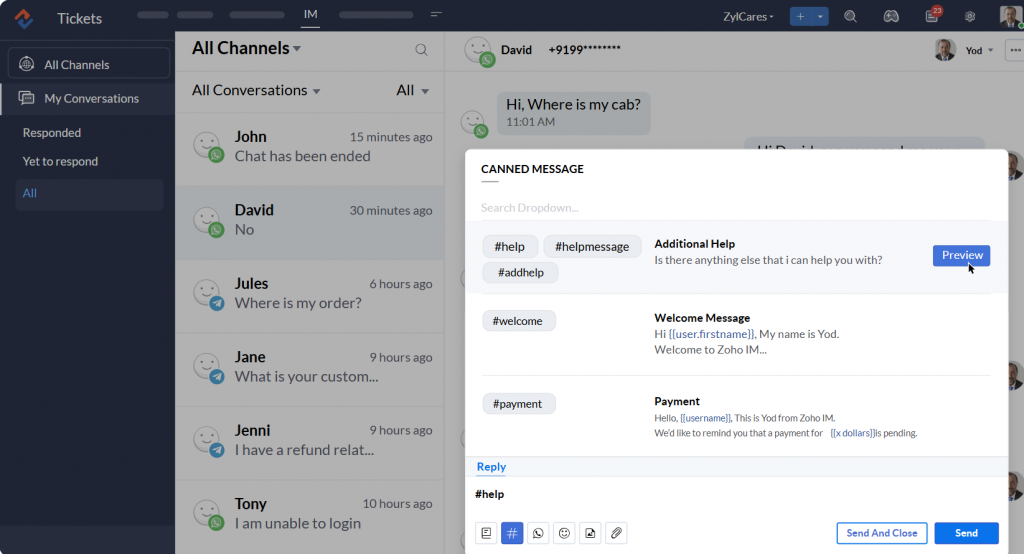
What is Zoho Desk?
Zoho Desk is a customer service platform that integrates live chat, ticketing, and automation tools to help businesses manage customer interactions efficiently. Its live chat feature, known as Business Messaging, allows real-time communication with customers across various channels, including websites, mobile apps, and social media platforms. Designed for businesses aiming to enhance customer support, Zoho Desk offers tools that streamline communication and improve responsiveness.
Zoho Desk Features
- Business Messaging: Engage with customers through live chat on websites, mobile apps, and social media platforms, ensuring real-time support.
- Omnichannel Agent Workspace: Manage customer interactions from multiple channels in a unified interface, allowing agents to respond efficiently.
- Customizable Chat Widgets: Tailor the appearance and behavior of chat widgets to align with your brand’s identity and customer engagement strategies.
- Automation Tools: Implement workflows, assignment rules, and auto-responders to streamline support processes and reduce manual tasks.
- Analytics and Reporting: Access detailed reports and dashboards to monitor agent performance, customer satisfaction, and support efficiency.
Zoho Desk Pros
- Integrated Communication Channels: Combine live chat, email, phone, and social media interactions within a single platform for cohesive customer support.
- Scalable Solutions: Offers various plans to accommodate businesses of different sizes, allowing for growth and expansion.
- User-Friendly Interface: Intuitive design makes it easy for support teams to navigate and utilize the platform effectively.
- Customizable Workflows: Adapt the system to fit specific business processes through customizable automation and assignment rules
Zoho Desk Cons
- Advanced Features in Higher Tiers: Some advanced functionalities, such as AI-powered tools and multi-brand support, are only available in premium plans.
- Learning Curve for Complex Features: Implementing and managing advanced automation and customization options may require additional training.
- Limited Customization in Lower Plans: Entry-level plans may have restrictions on customization and integration capabilities.
- Integration Complexity: Integrating Zoho Desk with other systems might require technical expertise, depending on the complexity of the setup.
- Mobile App Limitations: The mobile application may lack some features available on the desktop version, affecting on-the-go support capabilities.
Zoho Desk Pricing
Zoho Desk offers several pricing tiers to accommodate different business needs:
- Express
- Standard
- Professional
- Enterprise
Zoho Desk Integrations
- Salesforce
- Slack
- Trello
- Mailchimp and more
Zoho Desk Customer Support Channels
- Email/Help Desk
- FAQs/Forum
- Knowledge Base
- Phone Support
- 24/7 (Live rep)
- Chat
Zoho Desk Rating
Zoho Desk has a 4.5-star rating on Capterra.
Zoho Desk Reviews
“I love the ease of use! You can use the app on your desktop or your web browser! The reports are easy to set up and read!”
“It is not customizable to be used simultaneously in several languages and markets. Especially if one agent covers many markets.”
(Source: Capterra)
10. Tawk.to
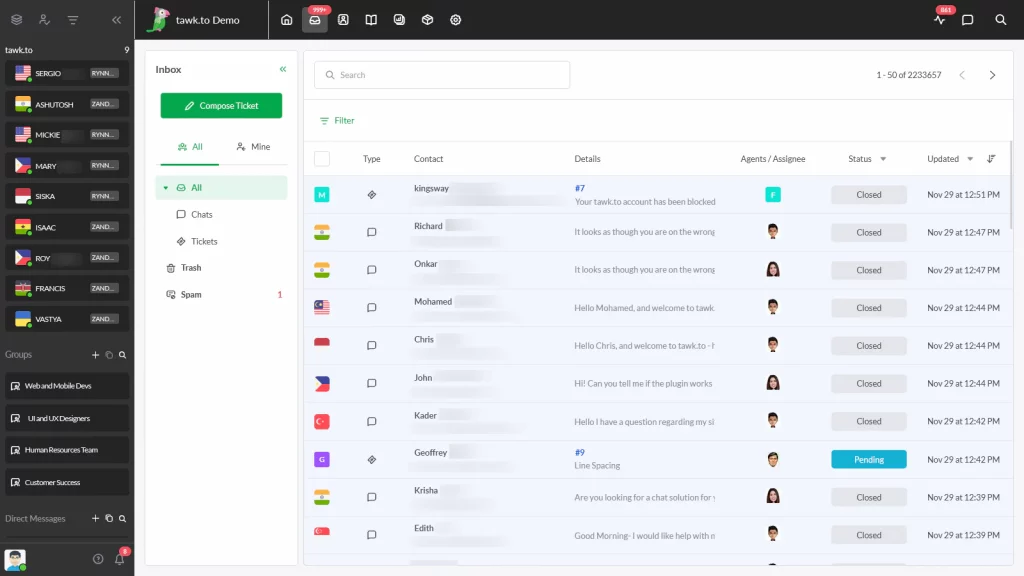
What is Tawk.to?
Tawk.to is a live chat and messaging platform that helps businesses communicate with website visitors in real time. It offers a solid set of features like visitor tracking, canned responses, and mobile apps at no cost, making it a popular choice for small businesses and startups.
While the platform provides strong value for free, it’s worth noting that the free version includes Tawk.to’s branding on the chat widget, and access to advanced features like voice or video calls requires paid add-ons.
Tawk.to Features
- Live Chat Widget: Embed a customizable chat widget on your website to interact with visitors instantly.
- Visitor Monitoring: Track real-time visitor activity, including page views and browsing behavior, to engage proactively.
- Automated Triggers: Set up predefined messages that automatically initiate chats based on visitor actions or time spent on a page.
- Canned Responses: Utilize predefined replies to answer common questions quickly and consistently.
- Mobile Applications: Manage and respond to chats on the go with Tawk.to’s mobile apps for iOS and Android devices.
Tawk.to Pros
- Cost-Effective Solution: Offers a comprehensive set of features at no cost, making it ideal for small businesses and startups.
- Unlimited Agents: Allows an unrestricted number of agents to use the platform simultaneously without additional charges.
- Easy Integration: Seamlessly integrates with various website platforms, including WordPress and Shopify, for quick deployment.
- Customizable Interface: Provides options to tailor the chat widget’s appearance to match your brand’s identity.
Tawk.to Cons
- Branding Presence: The free version includes Tawk.to branding on the chat widget, which can only be removed with a paid plan.
- Limited Advanced Features: Some functionalities, such as video and voice calls, are available only through paid add-ons.
- Notification Delays: Users have reported occasional delays in receiving chat notifications, potentially impacting response times.
- Basic Reporting Tools: The platform’s analytics and reporting capabilities are relatively limited compared to premium alternatives.
- No AI-Powered Chatbots: Lacks built-in AI chatbot functionality, which may be a drawback for businesses seeking automated support solutions.
Tawk.to Pricing
- Contact support
Tawk.to Integrations
- Shopify
- Weebly
- Drupal
- Google Ads and more
Tawk.to Customer Support Channels
- Email/Help Desk
- Knowledge Base
- Phone Support
- 24/7 (Live rep)
- Chat
Tawk.to Rating
Tawk.to has a 4.6-star rating on Capterra.
Tawk.to Reviews
“Very easy to register as a client of the tool, a simple integration process for mobile APP and maintenance tasks that allow detailed customization based on our needs and business rules.”
“Dashboard design is little complex even they have changed it now but still a new user need to spend a day to learn things.”
(Source: Capterra)
What Makes Emitrr The Best Freshchat Alternative?
When teams start looking for a Freshchat alternative, they’re usually after something better, not just different. They want a system that’s easier to manage, covers more ground, and doesn’t create hidden problems down the road. Emitrr was built with those exact needs in mind.
Instead of piecing together a dozen tools or paying extra every time you need a basic feature, Emitrr puts everything businesses need in one place and makes it simple to use from the start. Here’s where it stands apart:

AI Workflows Built for Real Conversations
Most bots follow a script. Emitrr’s AI workflows are different. They’re built to guide a conversation naturally, whether someone is booking an appointment, changing a time slot, or asking for help. The focus isn’t on replacing people. It’s about making your team faster without making customers feel like they’re talking to a machine.
Transparent Pricing Without Feature Lock-In
Emitrr keeps things simple: what you see is what you get. No paying extra just to unlock texting. No unexpected charges for adding a second phone line. From day one, you get full access to the platform, without worrying that the “real” version is locked behind another upgrade.
Full-Scale Texting Suite
For teams that run on conversations, not emails, Emitrr’s texting suite is a major step up. Two-way texting, mass updates, automated replies, and reminders are all built in. Customers can reply when it’s convenient for them, and your team can keep the conversation going without missing a beat.
Chrome Extension for Easy Access
Communication doesn’t always happen when you’re sitting in your inbox. Emitrr’s Chrome extension lets you reply to customers while you’re on your website, CRM, or even your calendar. No need to switch screens or dig through apps just to answer a simple question.
Dedicated Human Support on Every Plan
With Emitrr, if you have a question, you get a real person who knows how the platform works and who sticks with you until the problem is solved. It’s a big reason teams stay long after the first year: they know someone has their back when it counts.
Zero-Hassle Migration Setup
Worried about losing data or wasting time during a switch? You don’t have to be. Emitrr’s team handles moving your contacts, setting up your inboxes, and training your staff so there’s no rocky start. It’s a clean transition built for busy teams.
Unified Communications in One Platform
Chat, texting, voicemail, web leads, Emitrr brings it all together. Instead of bouncing between platforms and missing messages, your team can see everything in one clean, organized space. That means faster replies, fewer mistakes, and a better customer experience across the board.
Easy-to-Use Interface
Emitrr doesn’t assume you have a full-time tech expert on staff. The dashboard is easy to understand, even for people who’ve never used a messaging platform before. Most teams are fully comfortable in a matter of hours, not weeks.
Optimized for Appointment-Driven Businesses
Emitrr shines where timing matters. Industries like healthcare, home services, real estate, education, and law firms trust it to handle booking confirmations, appointment changes, reminders, and customer updates without needing three extra tools stitched together.
Seamless Review & Reputation Management
After a service is complete, Emitrr can automatically ask happy customers to leave a review. This is not a pushy follow-up, just a simple, well-timed request that helps build your online reputation steadily over time.
Built-In Compliance for Regulated Industries
Emitrr isn’t just about making communication easier; it’s about doing it the right way. Whether you need HIPAA compliance, TCPA safeguards, or simply strong data security, those protections are already built in. You don’t have to bolt them on after the fact.
Which Industries Are Catered By Emitrr?
Every business has its own way of communicating with customers. Some need quick appointment confirmations. Others need constant follow-ups or reminders. Emitrr isn’t built for one kind of company; it’s built for any team that depends on fast, reliable communication to keep things moving.
Here’s where Emitrr fits in best.

- Healthcare: When people miss appointments or forget follow-up care, clinics and practices lose more than just time; they lose trust. Emitrr AI for healthcare helps team stay connected with patients through appointment reminders, two-way texting for quick updates, and simple scheduling tools. Built-in HIPAA compliance means you don’t have to choose between speed and privacy.
- Education: Schools and education centers have dozens of things to manage every week. Classes change, events pop up, and parents need reminders. Emitrr AI for schools makes it easier to get messages out quickly and answer questions without relying on slow email chains or office voicemail tags.
- Legal Services: In law, timing and clarity are everything. Clients need updates on cases, reminders for court dates, and clear instructions about paperwork. Emitrr AI for lawyers helps legal teams keep those conversations organized, fast, and secure without making customers chase them down for answers.
- Real Estate: A missed call can mean a missed sale. Emitrr AI for real estate gives real estate agents and brokers the tools to follow up with leads, confirm showings, and stay top-of-mind with prospects. Fast replies and easy updates help keep deals moving, even when schedules change at the last minute.
- Home Services: For home service providers such as contractors, plumbers, electricians, and others, a full schedule is a good problem to have unless missed appointments and late updates start costing jobs. Emitrr AI for home services makes it simple to confirm times, send reminders, and follow up with customers before and after the work is done.
- Retail: Local retailers and service businesses use Emitrr AI for retail to stay in touch without being intrusive. Quick text updates about orders, new arrivals, or loyalty promotions help keep customers engaged and coming back without clogging their inboxes or missing the right moment.
- Automotive: Shops that sell, repair, or service vehicles rely on timely communication. Emitrr AI for automotive helps auto businesses confirm service appointments, send status updates, and follow up after a job is complete. Keeping customers informed shortens wait times and builds trust for the next visit.
- Insurance: Policy updates, renewal reminders, and claim communications all require fast, clear messaging. Emitrr AI for insurance agents helps insurance agencies and customer service teams respond faster, send important updates, and make sure clients stay informed, without having to depend only on email or paperwork-heavy systems.
FAQs
Some of the best Freshchat alternatives for small businesses include Emitrr, LiveChat, Tidio, Zendesk, and Intercom. These platforms offer stronger automation, better multi-channel communication, and more flexible pricing, especially for teams that need voice and texting support alongside live chat.
Businesses are moving away from Freshchat because of missing features like voice and SMS, limited automation capabilities, and rising costs for basic tools. Many also find that Freshchat doesn’t adapt well to industries that rely heavily on fast customer interaction, like healthcare, legal, or home services.
For very small teams with simple needs, Freshchat’s basic plans can work. However, as soon as you need automation, CRM integrations, texting, or more advanced reporting, the cost rises quickly. Many small businesses find that other platforms offer more value without forcing expensive upgrades.
Freshchat lacks built-in voice calling, SMS messaging, and advanced automation workflows that many competitors now offer as standard. It also limits customization and reporting unless you move to higher-tier plans, making it harder for teams to scale smoothly without extra costs.
Emitrr offers a more complete communication platform by combining live chat, two-way texting, voice calling, automated reminders, review collection, and CRM integrations all in one place. Unlike Freshchat, Emitrr includes essential features across all plans, without forcing businesses to pay extra as they grow.
Conclusion
The right communication platform can make all the difference. It’s not just about answering questions, it’s about how quickly you respond, how easily customers can reach you, and how smoothly your team can manage it all.
Freshchat offers a starting point, but for many growing businesses, the gaps become clear over time. Limited automation. No built-in voice or texting. Costs that climb quickly as needs grow. And a setup that often leaves industries like healthcare, home services, and real estate without the tools they really need.
That’s why more businesses are making the move to smarter, more flexible solutions.
Emitrr stands out because it doesn’t just patch the voids left by other platforms; it builds a stronger foundation from the start. With two-way texting, calling, easy automation, real human support, and pricing that stays predictable as you scale, it gives businesses exactly what they need to connect better and grow faster.
If your business has outgrown Freshchat or if you’re ready to set a stronger foundation from day one, Emitrr is ready to help you make the switch easy. Book a demo today.
| Criteria | Emitrr | Freshchat |
|---|---|---|
| Best Suited For |
• Businesses that manage high texting volume and need automation |
• Small to medium businesses needing live chat support without advanced SMS automation features |
| Integration |
Connects with 500+ CRM, EHR, and PMS systems |
• Limited integrations compared to Emitrr |
| Pricing |
• Starts at $45/month for 500 message credits, with Standard, Pro, and Enterprise tiers priced based on message volume. |
• Tiered pricing starting with a basic free plan, with limited messaging; advanced features cost more |
| Security & Compliance |
• HIPAA-compliant and secure platform |
• General data protection standards; not HIPAA-compliant |
| Support |
• Reliable business-hour support |
• Support primarily via chat and email during business hours |
| Texting Capabilities |
• AI-powered texting platform with two-way texting, bulk SMS, voicemail-to-text, shared inbox, group messaging, webchat, and missed-call-to-text |
• Messaging platform focused on live chat and basic SMS capabilities• Limited bulk SMS and group messaging features |


 4.9 (400+
reviews)
4.9 (400+
reviews)