
The rise of customer-first business models has made call center analytics software the nerve center of modern customer communication. It’s no longer enough to simply handle calls; brands are expected to understand customer intent, anticipate needs, and optimize team performance in real time. This is where powerful call center analytics software becomes essential.
From boosting first-call resolution to identifying skill gaps in agent training, this technology helps reshape both the customer experience and operational efficiency. For contact centers aiming to scale, reduce churn, or gain a competitive edge, analytics is no longer optional—it’s a strategic necessity.
In this guide, we’ll walk you through some of the best software tools available today. You’ll find key features, pros and cons, and everything you need to choose the right solution for your business. Let’s dive in.
What is Call Center Analytics Software?
Call center analytics software (also known as call centre analytics software) is a technology solution for capturing, processing, and analyzing customer interaction data. It converts raw data from calls, chats, emails, and SMS into actionable intelligence.
Whereas legacy tools can track call logs and durations, advanced contact center analytics software uses AI, NLP, and machine learning to dive much deeper, recognizing sentiment, tracking performance, and supporting more intelligent decision-making.
Some core features of a call center analytics software include:
- Data Collection: Always acquires real-time interactions on voice calls, emails, chats, and SMS. This provides an integrated view of all customer communications so that it can be analyzed accurately and service quality enhanced across all contact channels.
- Sentiment & Speech Analysis: Uses AI and voice analytics to identify emotions, tone, and intent on calls. Enables call centers to gauge customer mood, satisfaction levels, and issues prior to escalation.
- Dashboards & Reports: Sees performance metrics such as AHT, CSAT, FCR, and agent effectiveness through real-time dashboards. Supports fast, fact-based decision-making with reports that are customizable based on management, quality teams, or individual agent review.
- Real-Time Monitoring: Enables supervisors to listen, evaluate, and step in during live calls. Facilitates immediate coaching, enforces compliance, and sustains service standards, enhancing both agent responsibility and customer satisfaction in high-stakes situations.
- Predictive Analytics: Applies past data and artificial intelligence to predict call surges, customer churn, or agent burnout. Assists in maximizing staffing, tailoring outreach, and addressing service issues in advance of their effect on customer satisfaction.
Why Use Software Rather Than Manual Tracking?
Manual tracking results in lost insights, human error, and inefficiencies. Call center performance management software offers a scalable, automated, and centralized platform to achieve seamless improvements. With contact center reporting software, you don’t simply monitor activity — you detect trends, bottlenecks, and buried opportunities.
Key Features to Look for in Call Center Analytics Software
Choosing the right solution starts with understanding the core features that drive performance, customer satisfaction, and operational efficiency.
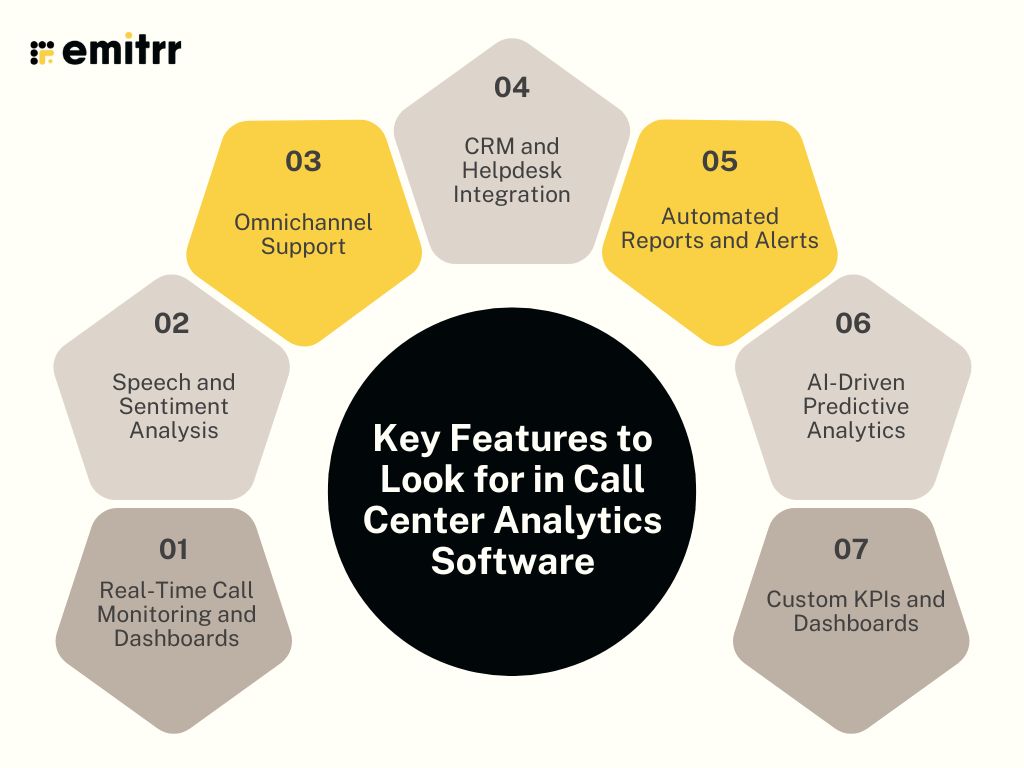
- Real-Time Call Monitoring and Dashboards: Get a live, granular view of your call center activity. Dashboards display key metrics while supervisors can monitor calls, provide feedback, and guide agents instantly, crucial for maintaining service quality and reducing escalations in the moment.
- Speech and Sentiment Analysis: Go beyond transcription with voice analytics. AI-powered tools decode tone, pace, and emotion, helping you identify frustration, satisfaction, or confusion—making it easier to coach agents and improve interactions proactively across all customer conversations.
- Omnichannel Support: Unify customer interactions across calls, chats, emails, and SMS. A comprehensive software contact center solution centralizes these touchpoints, offering seamless analysis of every customer journey regardless of where the conversation started or ended.
- CRM and Helpdesk Integration: Effortlessly sync customer data from tools like Salesforce or Zendesk. This ensures agents have context-rich information at their fingertips, reduces toggle fatigue, and enhances first-contact resolution with quicker, more informed responses.
- Automated Reports and Alerts: Stay updated with zero manual input. Custom reports can be scheduled or triggered by events like high wait times. Alerts notify managers immediately, allowing them to act on issues before they affect the customer experience.
- AI-Driven Predictive Analytics: Leverage machine learning to forecast call volume surges, spot performance dips, or predict churn. These insights enable proactive staffing and targeted coaching while improving long-term customer satisfaction and operational readiness.
- Custom KPIs and Dashboards: Every business measures success differently. The best contact center performance management software empowers users to define KPIs and build tailored dashboards that track what truly matters—from agent productivity to call resolution quality.
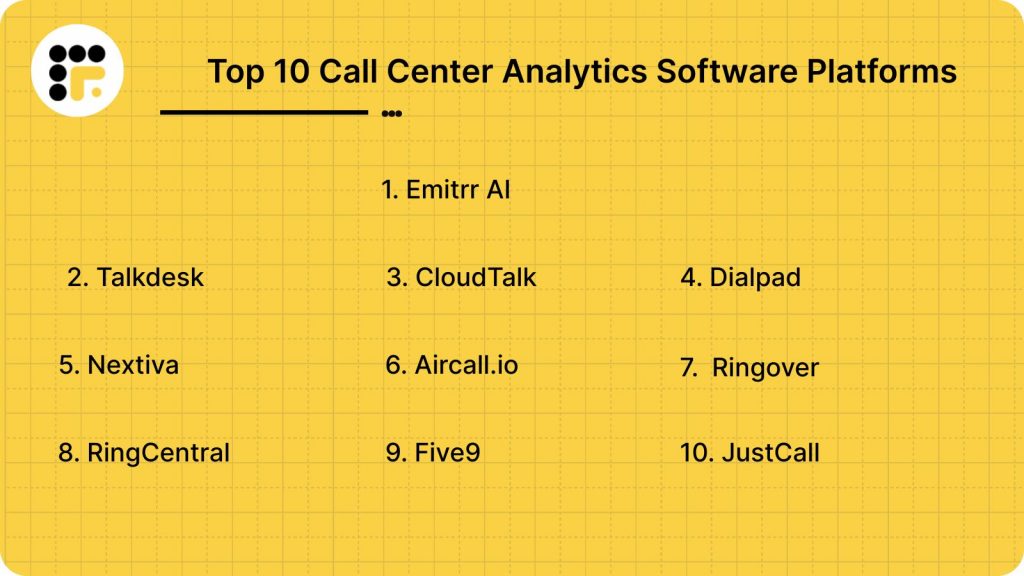
Top 10 Call Center Analytics Software Platforms
Here are the top 10 call center analytics platforms transforming customer service and operational performance:
1. Emitrr AI

Emitrr is a versatile call center analytics platform tailored for SMBs, combining AI-powered sentiment analysis with multi-channel communication tools, helping businesses automate follow-ups and improve customer engagement seamlessly.
Core Features
- AI-driven sentiment analysis detects emotions.
- Real-time dashboards display live call data.
- Two-way SMS and calls are enabled.
- CRM and EHR integrate seamlessly together.
- Missed-call text automation sends reminders.
Pros:
- Provides excellent and responsive customer support.
- Offers a simple and quick onboarding process.
- Highly customizable to fit varied needs.
Cons
- Lacks some advanced enterprise-level features currently.
- Focused mainly on English-speaking markets now.
Reviews
Pricing Plans
- Standard Plan ($20/user/month): Includes AI-powered call handling, multi-channel support (voice, SMS), call analytics dashboard, smart auto-reply system, and CRM integrations. Perfect for small to mid-sized teams seeking essential call center analytics software features.
- Professional Plan ($35/user/month): Adds real-time dashboards, sentiment analysis, automated reporting, AI-driven predictive analytics, and advanced CRM & app integrations. Ideal for growing businesses that require enhanced insights and automation for improved customer experience and operational efficiency.
Support Channels
- Email, live chat, phone, SMS, and a rich knowledge base.

2. Talkdesk

Talkdesk is a cloud-based call center solution that helps businesses improve customer satisfaction while simultaneously reducing customer support costs. It uses interactive voice response (IVR), automatic call distribution (ACD), and skills-based routing to ensure callers are directed to the most qualified agents.
Core Features
- AI-powered customer self-service tools.
- Real-time and historical reporting dashboards.
- Omnichannel support including voice, chat, and email.
- Integration with CRM systems like Salesforce and Zendesk.
- Workforce management and optimization tools.
Pros:
- Boosts team productivity through robust analytics and efficient call management.
- Intuitive and user-friendly interface.
Cons
- Some users report experiencing frequent call drops, affecting reliability.
Reviews
Pricing
- CX Cloud Digital Essentials ($85/user/month): Includes Talkdesk Ascend AI, digital engagement (email, chat, SMS, social), Studio & Routing, API access, real-time dashboards, and mobile app. Ideal for digital-first teams.
- CX Cloud Voice Essentials ($105/user/month): Adds voice engagement, quality management, feedback tools, and enhanced reporting. Suited for businesses needing a strong voice and digital capabilities.
- CX Cloud Elite ($165/user/month): All features from Essentials plus performance management, screen recording, workforce management, and proactive outbound tools. Designed for enterprise-scale operations.
- Industry Experience Cloud Editions ($225/user/month): Specialized solutions for banking, insurance, healthcare, retail, and government. Includes Elite capabilities, Talkdesk Ascend AI™, industry-specific integrations, and 99.999% uptime SLA.
Support Channels
- Email, phone, live chat, and a comprehensive knowledge base.
3. CloudTalk
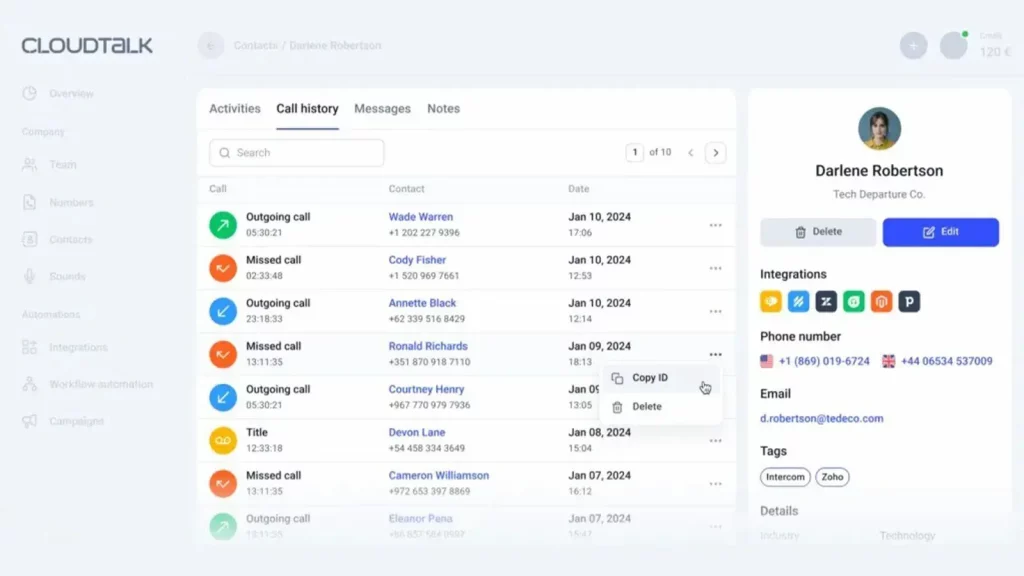
CloudTalk is a call center business intelligence software designed for sales and support teams to improve customer interactions. It offers advanced calling features and integrates seamlessly with various CRM systems.
Core Features
- Real-time analytics and call monitoring.
- Call recording and tagging.
- Smart call routing and queuing.
- Integration with CRMs like HubSpot and Salesforce.
- International numbers from over 160 countries.
Pros
- Reliable platform with easy navigation and seamless call quality.
- Supports seamless CRM integrations, enhancing sales efforts.
Cons
- Some users experience issues such as call drops and occasional bugs.
Reviews
Pricing
- Starter Plan – $25 per user/month (billed annually): The CloudTalk entry-level plan includes unlimited calls to the US and Canada or 500 outbound domestic calls across the EU, UK, Iceland, and Norway. It comes with 160+ international numbers, a softphone for desktop, iOS, and Android, and features like call recording, click-to-call, automated call distribution, and unlimited call queuing. Email and chat support are also included.
- Essential Plan – $29 per user/month (billed annually): The Essential plan builds on the Starter with unlimited domestic calling across EU, UK, Iceland, and Norway. It adds 24/7 live human support, advanced real-time analytics with unlimited history, system integrations and API access, IVR, skill-based routing, AI smart queueing, SMS/MMS messaging, unlimited concurrent calls, and workflow automation.
- Expert Plan – $49 per user/month (billed annually): The Expert plan includes everything from Essential, plus advanced support and sales features. It adds 24/7 live agent support (including phone), Salesforce integration, power and smart dialers, live call monitoring, wallboards, mandatory call tagging, WhatsApp integration, and SSO for secure access.
- Custom Plan – Contact for Pricing: This plan includes all Expert features and is designed for large teams needing custom solutions. It offers unlimited global call packages, personalized onboarding, priority support, custom reporting, enterprise-level security, developer support, and service-level agreements.
Support Channels
- Email, phone, live chat, and a detailed help center.
4. Dialpad
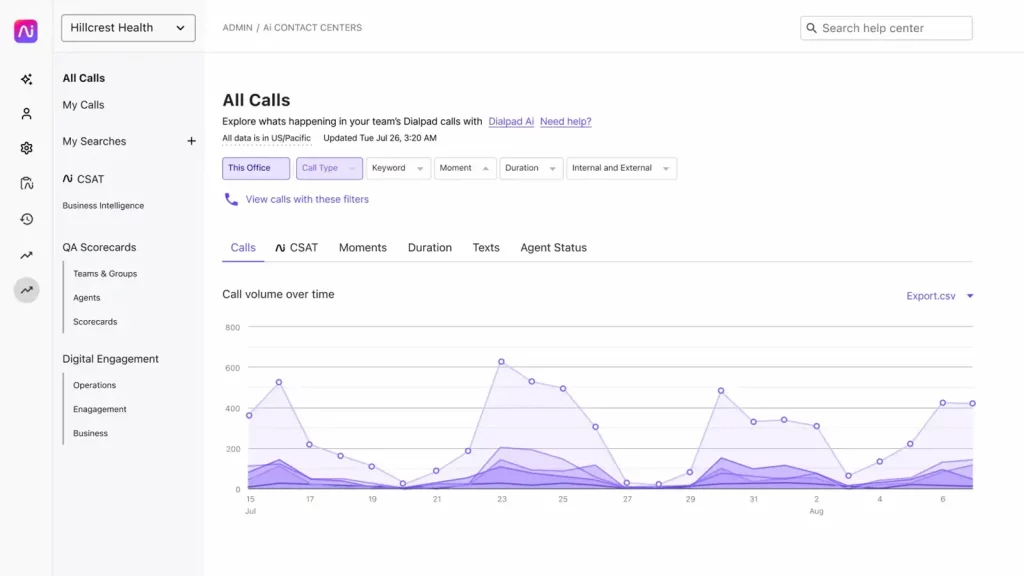
Dialpad is a business phone system offering voice, meeting, and messaging tools. It provides AI-powered voice intelligence features, making it an excellent call center performance management software.
Core Features
- AI-powered call and voicemail transcriptions.
- Real-time call analytics and reporting.
- Seamless integration with Google Workspace and Microsoft 365.
- Unlimited calling, SMS, and MMS.
- Built-in messaging and video conferencing tools.
Pros
- User-friendly interface with seamless integration capabilities.
- Cost-effective plans suitable for small teams.
Cons
- Some advanced features may require higher-tier plans.
Reviews
Pricing
- Standard $15/user/month: This Dialpad pricing plan is ideal for small teams ready to scale, offering seamless customer and team communication with unlimited calls, AI-powered meetings, built-in messaging, HD calls, real-time transcripts, and instant call summaries.
- Pro $25/user/month: Perfect for growing businesses needing flexibility. Includes everything in Standard plus key CRM integrations, 24/7 customer support, and multi-office management for improved productivity.
- Enterprise (Contact for pricing): Designed for organizations requiring enterprise-grade reliability with 99.9% uptime and unlimited scalability. Includes all Pro features plus secure access via SSO, user access controls, and unlimited office locations.
Support Channels
- Email, phone, live chat, and an extensive knowledge base.
5. Nextiva
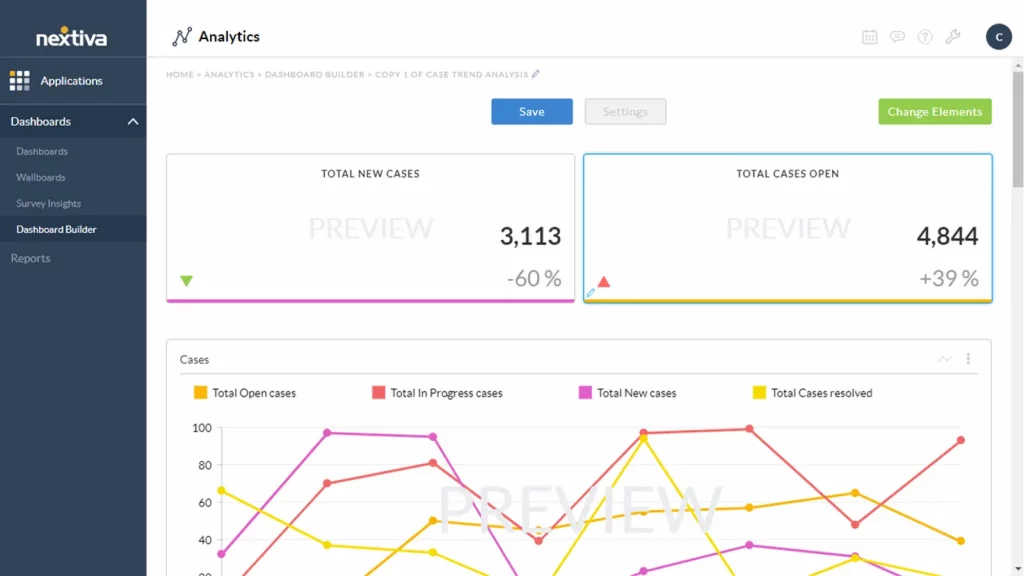
Nextiva is a contact center analytics software that uses AI to boost agent productivity, grow customer loyalty, and unify the customer experience. It offers real-time analytics, customizable dashboards, and intelligent routing.
Core Features
- AI-powered customer experience hub.
- Real-time analytics and reporting.
- Customizable dashboards and wallboards.
- Intelligent call routing and IVR.
- Integration with popular CRM systems.
Pros
- Comprehensive features with advanced analytics tools.
- User-friendly interface and easy setup.
Cons
- Some users report challenges with porting numbers and customer support.
Reviews
Pricing
- Digital – $20/user/month (billed annually $25 monthly): This is the entry-level Nextiva pricing plan, designed for startups. It offers omnichannel digital sales and service. Engage customers via preferred channels, track social engagement, manage reviews, and leverage messaging apps and digital helpdesk features.
- Core – $30/user/month (billed annually $36 monthly): Ideal for small teams, it includes everything in Digital plus inbound/outbound voice, business SMS, video meetings, screenshare, file sharing, and call routing with AI voicemail transcription and multi-device support.
- Engage – $40/user/month (billed annually $50 monthly): Perfect for growing teams delivering omnichannel customer experiences with live chat, chatbots, team messaging, toll-free numbers, advanced reporting, MS Teams integration, and web chat.
- Power Suite – $60/user/month (billed annually $75 monthly): Built for sales and service teams, this plan adds inbound call centers, priority routing, unified team interface, supervisor dashboard, and ACD callback, enabling high-volume call operations like a Fortune 500 company.
Support Channels
- Email, phone, live chat, and a comprehensive help center.
6. Aircall.io

Aircall is an AI-powered customer communications platform that unifies channels, automates tasks, and provides insights. It’s a call center voice analytics software that integrates seamlessly with CRMs and helpdesk tools.
Core Features
- Advanced analytics and live monitoring.
- Salesforce integration and mandatory call tagging.
- Queue callback and smart routing.
- Power Dialer and Voicemail Drop features.
- Seamless integration with CRMs and helpdesk tools.
Pros
- Intuitive call handling with seamless CRM integrations.
- Business-grade call center software with easy setup.
Cons
- Some advanced features are only available in higher-tier plans.
Reviews
Pricing
- Essentials ($30/license/month (billed annually $27/license/month): A flexible voice solution that’s easy to set up, integrate, and manage. Includes 100+ integrations, unlimited inbound calls (excluding toll-free), IVR, call recording, click-to-dial, SMS/MMS, and softphone for desktop & mobile.
- Professional ($50/license/month (billed annually $42.50/license/month): All Essentials features plus Salesforce integration, mandatory call tagging, advanced analytics, live monitoring, queue callback, smart routing, Power Dialer, and Voicemail Drop for boosting productivity and performance.
Support Channels
- Email, phone, live chat, and a detailed knowledge base.
7. Ringover
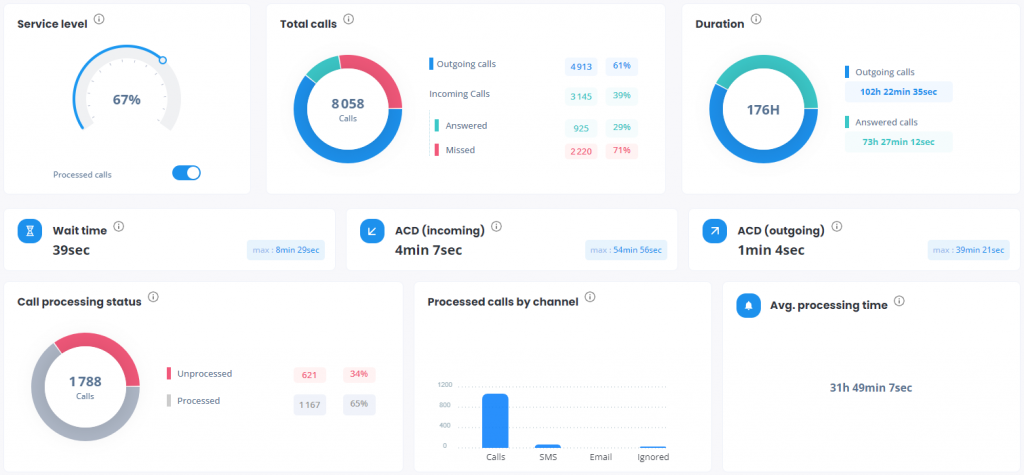
Ringover is an all-rounder call centre analytics software, providing access to performance indicators via a simple and practical dashboard. It offers real-time call monitoring tools and boosts phone productivity and user collaboration.
Core Features
- Real-time call monitoring and analytics.
- Click-to-call functionality.
- Integration with various CRM systems.
- Call recording and tagging.
- Customizable dashboards and reports.
Pros
- Intuitive platform with excellent call quality.
- Responsive and professional customer support.
Cons
- Some users experience issues like call drops and notification problems.
Reviews
Pricing
- SMART (£17/user/month (excl. taxes, £24 monthly): A friendly, flexible cloud phone system for everyday needs. Includes unlimited calls to 110 destinations, local numbers from 43 countries, mobile/web/desktop apps, IVR, call forwarding, call logs, recordings, transcriptions, click-to-call, video conferencing, messaging, and API access.
- BUSINESS (£29/user/month (excl. taxes, £44 monthly): A fully integrated cloud solution for team management and support. Includes all SMART features plus local numbers from 65 countries, advanced IVR with smart routing, 2 integrations, advanced analytics, coaching tools, text campaigns, and webhooks access.
- ADVANCED (Custom pricing): Advanced communication and productivity features tailored for your business. Includes all BUSINESS features plus call campaigns, power dialer, call scripts, voicemail drop, local presence dialing, 3 integrations, and Single Sign-On (SSO).
Support Channels
- Email, phone, live chat, and a comprehensive help center.
8. RingCentral

RingCentral Contact Center offers an omnichannel customer engagement solution with voice and 30+ digital channels, advanced AI options for self-service such as bots, proactive outreach tools, and Intelligent Virtual Agents that understand customer intent.
Core Features
- Omnichannel support across voice, email, chat, and social media.
- Advanced AI-driven self-service options.
- Integration with over 300 applications, including Salesforce, Zendesk, and HubSpot.
- Real-time analytics and performance dashboards.
- Workforce engagement management tools.
Pros
- Scalable solution suitable for mid-sized to large enterprises.
- Comprehensive features with deep integrations.
Cons
- Pricing can be higher compared to some competitors.
Reviews
Pricing
- Core – $20/user/month (billed annually $30 monthly): Reliable phone, messaging, and HD video for small teams. Includes unlimited domestic calls, SMS/MMS, IVR, Google/Microsoft integrations, shared voicemail, and AI transcription.
- Advanced – $25/user/month (billed annually $35 monthly): Adds automation and multi-site support with call recording, advanced monitoring, CRM integrations, fax, extended analytics, cloud backup, custom roles, plus AI-powered call notes and action capture.
- Ultra – $35/user/month (billed annually $45 monthly): For large teams needing advanced analytics, longer data history, bigger video meetings, unlimited storage, device alerts, and AI tools for drafting messages and translating chat content.
Support Channels
- Email, phone, live chat, and an extensive knowledge base.
9. Five9

Five9 is a cloud-based call center software that offers a comprehensive suite of tools to enhance customer service and sales. It provides intelligent routing, real-time analytics, and workforce optimization features.
Core Features
- Blended inbound and outbound calling.
- Real-time and historical reporting.
- Predictive dialing and intelligent routing.
- Integration with CRM systems.
- Workforce management and quality monitoring tools.
Pros
- Robust feature set suitable for large call centers.
- Scalable and customizable to fit various business needs.
Cons
- Higher pricing tiers may be cost-prohibitive for smaller businesses.
Reviews
Pricing
- Digital ($119/month (36-month contract): Digital-only contact center solution with essential tools for chat, voice, email, SMS/MMS*, and social messaging channels. Perfect for global digital teams.
- Core ($119/month (36-month contract): Voice-only contact center with essential features supporting chat, voice, email, SMS/MMS*, and social messaging. Designed for global voice-focused operations.
- Premium (Contact Sales for pricing): Includes all Core features plus chat, email, and essential quality management tools to improve service and agent performance.
- Optimum (Contact Sales for pricing): All Premium features with added Workforce Engagement Management (WEM) to optimize agent scheduling and performance.
- Ultimate (Contact Sales for pricing): Comprehensive solution with Digital, Voice, WEM, advanced analytics, and essential quality management for data-driven contact center insights.
Support Channels
- Email, phone, live chat, and a comprehensive support portal.
10. JustCall
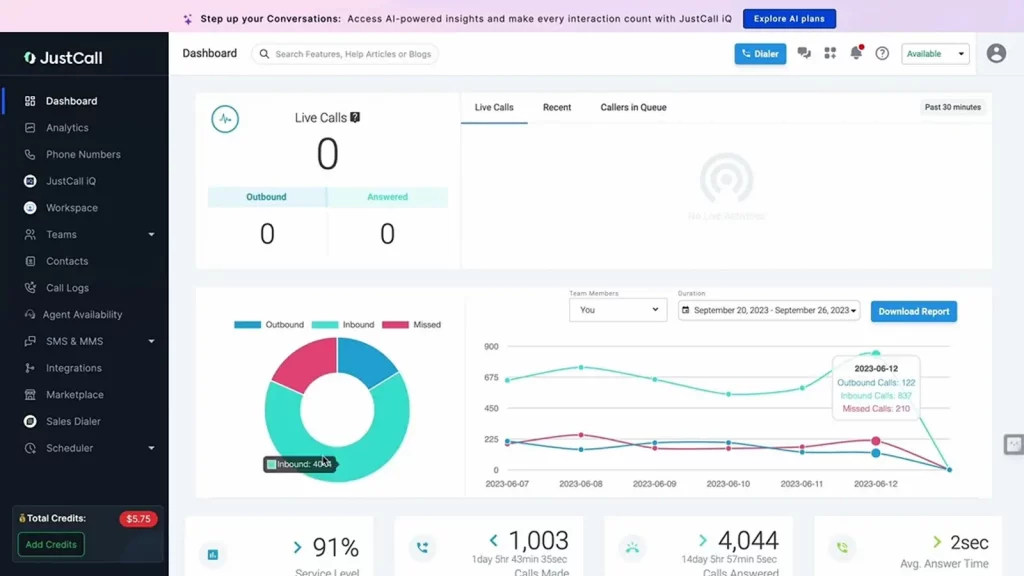
JustCall is a cloud-based phone system designed for sales and support teams. It offers call center analytics software features to help businesses monitor performance and improve customer interactions.
Core Features
- Real-time call monitoring and analytics.
- Integration with over 100 CRM and helpdesk tools.
- Automated call distribution and IVR.
- Call recording and voicemail transcription.
- SMS and email campaign management.
Pros
- User-friendly interface with easy setup.
- Affordable pricing plans suitable for small to medium businesses.
Cons
- Some advanced features may require higher-tier plans.
Reviews
Pricing
- Team ($29/user/month (billed annually, min 2 users): Business phone system with CRM integrations, local numbers, AI call transcription, messaging suite, IVR, team analytics, and API access.
- Pro ($49/user/month (billed annually, min 2 users): Includes Team features plus power dialer, bulk SMS, live call monitoring, queue callbacks, intelligent routing, Salesforce CTI, and advanced analytics.
- Pro Plus ($89/user/month (billed annually, min 2 users): Adds AI coaching, multi-channel AI notetaker, real-time agent assist, call scoring, sentiment analysis, and script compliance to Pro features.
- Business (Custom pricing): Enterprise-grade plan with unlimited calls/SMS, SSO, compliance (HIPAA, GDPR), real-time assist, dedicated support, maximum API limits, and AI voice agent add-on.
Support Channels
- Email, phone, live chat, and a detailed knowledge base.
How to Choose the Right Call Center Analytics Software
Choosing the right call center analytics software is essential for boosting efficiency, improving customer experience, and maximizing your investment. Here’s how to pick the perfect fit for your business needs.
- Assess Your Business Size and Volume: Small businesses benefit from intuitive, easy-to-use platforms like Emitrr that require minimal setup. Larger enterprises with high call volumes should prioritize scalable solutions such as Genesys, which can handle complex operations and growing customer demands.
- Define Must-Have Features: Identify the features essential to your operations, whether it’s voice analytics, sentiment analysis, or omnichannel support. Prioritize functionalities based on your unique customer engagement channels and operational goals to avoid paying for unused tools.
- Consider Existing Tech Stack: Compatibility with your current CRM, helpdesk, and communication tools is critical. Seamless integration ensures smooth data flow and unified workflows, preventing disruptions and reducing manual work for your teams.
- Evaluate Ease of Use: Even the most powerful software fails if your agents find it complicated. Look for platforms with user-friendly interfaces, comprehensive training resources, and responsive customer support to maximize adoption and productivity.
- Understand Pricing Models: Call center analytics software pricing varies between per-user, per-feature, or usage-based models. Carefully review all costs, including hidden fees, to choose a pricing plan that fits your budget and scales with your business.
- Research Vendor Reputation: Check reviews on platforms like G2 and Capterra, request case studies, and schedule demos. Understanding vendor reliability and customer satisfaction helps ensure you choose a partner committed to your success.
Benefits of Using Call Center Analytics Software

Implementing call center analytics software empowers businesses to improve service quality, streamline operations, and make smarter decisions using real-time data and actionable insights.
- Improved Customer Satisfaction: By providing faster resolutions and personalized interactions, the software enhances customer experience. Customers feel valued and heard, which boosts loyalty and trust while reducing churn and negative feedback.
- Increased Agent Productivity: Analytics help optimize staffing by tracking performance metrics and reducing idle time. Managers can identify high performers and areas for improvement, ensuring agents work efficiently and meet their targets consistently.
- Data-Driven Decisions: Leverage insights from call data to make informed decisions on hiring, training programs, and process improvements. This targeted approach helps improve overall call center effectiveness and aligns strategies with customer needs.
- Faster Issue Resolution: The software identifies common root causes of problems through call analysis. Addressing these quickly prevents escalation, reduces repeat calls, and enhances first-call resolution rates, saving time and resources.
- Better Workforce Management: Call center analytics support aligning staff schedules with call volume trends and agent performance. This reduces overstaffing or understaffing, leading to cost savings and improved customer service during peak times.
- Enhanced Forecasting: Advanced analytics enable accurate forecasting of call volumes and resource needs. Businesses can confidently plan goals, budgets, and staffing to meet future demands without guesswork or overcommitment.
Bonus Tips for Maximizing Your Call Center Analytics Software
To get the most from your call center analytics software, regularly refine your processes, empower your team, and combine data sources for richer insights that drive continuous improvement and superior customer experiences.
- Regularly Review and Update KPIs: Continuously revisit your key performance indicators to ensure they align with evolving business goals and customer expectations. Adjusting KPIs helps keep your team focused on what matters most and improves the relevance of your analytics insights.
- Train Agents to Understand and Act on Analytics: Equip your agents with the skills to interpret analytics reports and apply insights in their daily work. Training fosters data-driven decision making, enhances performance, and encourages proactive problem-solving across the team.
- Use Automation to Reduce Manual Tasks: Leverage the automation features within your software to handle repetitive workflows and reporting. This frees up time for your agents and managers to focus on strategic activities and customer interactions rather than administrative tasks.
- Blend Analytics with Customer Feedback for Deeper Insights: Combine quantitative call data with qualitative feedback from surveys or reviews. This holistic approach uncovers underlying issues and opportunities, enabling more effective improvements to service quality and customer satisfaction.
Frequently Asked Questions (FAQs)
Call tracking records call data like numbers and duration. Call center analytics software goes further by analyzing trends, providing insights, and offering tools to optimize performance and decision-making.
Definitely, solutions like Emitrr are designed for small and growing businesses, delivering powerful analytics and automation on a budget, helping improve customer service and operational efficiency without high costs.
Real-time analytics lets supervisors monitor live calls, intervene when needed, resolve issues quickly, reduce escalations, and enhance customer experience immediately by guiding agents during interactions.
Focus on metrics like Average Handle Time (AHT), Customer Satisfaction (CSAT), First Call Resolution (FCR), hold times, and agent performance. The right contact center reporting software simplifies tracking these KPIs.
Emitrr offers intuitive dashboards, sentiment analysis, and automation features that streamline data insights, boost agent productivity, and elevate customer satisfaction across multiple communication channels.
Conclusion
Choosing the right call center analytics software is crucial for improving customer experience, optimizing operations, and driving business success. With so many options available, it’s important to carefully evaluate each platform’s features, scalability, and integrations to find the best fit for your unique needs. We encourage you to take advantage of free trials or demos to truly understand how the software performs in real-world scenarios.
Emitrr stands out as an all-in-one solution, combining powerful analytics, AI-driven insights, and seamless communication tools to help your contact center thrive.
Looking for an easy, powerful call center analytics software? Schedule Your Free Emitrr Demo Here


 4.9 (400+
reviews)
4.9 (400+
reviews)