
Introduction
VoIPstudio alternatives are worth considering when a small business wants cloud VoIP at a budget price point but needs more than per-minute billing and a self-service setup process. VoIPstudio is a low-cost VoIP option with decent features, but it’s more of a DIY platform and customer support is limited on lower plans. These alternatives are in a similar price range with better-reviewed support and more automation features built in.
AI Summary
- VoIPstudio uses per-minute billing on its base plans and is largely self-service, which creates friction for non-technical teams.
- This blog covers alternatives with flat-rate pricing, guided onboarding, and better-reviewed support at a comparable monthly cost.
- Compares VoIPstudio’s calling features against alternatives that also include native two-way SMS alongside VoIP.
- Rates each tool on setup simplicity, support availability, HIPAA compliance, and what the base plan includes by default.
- Emitrr is highlighted for small teams wanting flat-rate calling and texting with onboarding support from day one.
Why Non-Technical Business Teams Find VoIPstudio’s Self-Service Model Frustrating
While VoIPstudio reviews often highlight its reliability, many businesses discover limitations once they start using it daily. From pricing concerns to missing features, these drawbacks make teams consider a VoIPstudio alternative that better fits their needs:
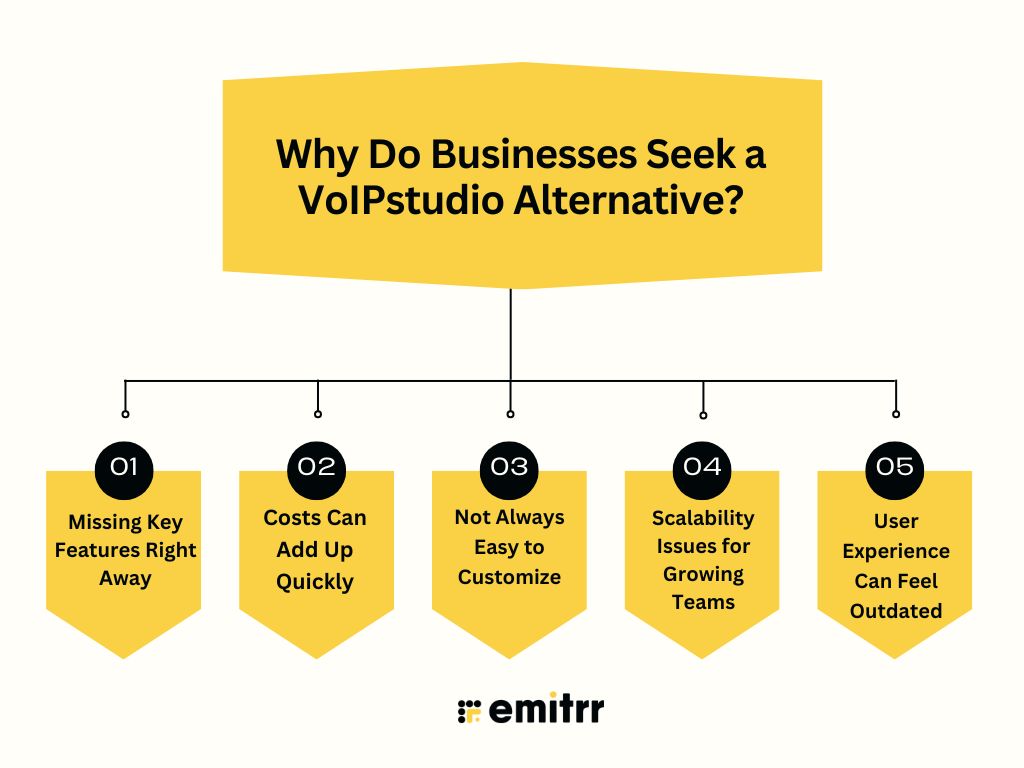
Missing Key Features Right Away
VoIPstudio covers basic calling but often lacks essentials like advanced analytics, SMS tools, or deeper integrations. Businesses expecting these built-in quickly get frustrated. That’s why many switch to the best VoIPstudio alternative that delivers everything out of the box.
Costs Can Add Up Quickly
At first glance, VoIPstudio pricing looks competitive, but adding the tools you actually need can push costs higher than expected. For startups and small businesses, this feels unsustainable, driving them to search for a more affordable VoIPstudio replacement.
Not Always Easy to Customize
VoIPstudio can feel restrictive when it comes to tailoring call flows, voicemail rules, or routing options. Since every business has unique needs, many teams look for an alternative to VoIPstudio that offers greater flexibility and smoother customization.
Scalability Issues for Growing Teams
VoIPstudio may work for small teams, but as businesses grow, it can struggle to keep up. Limited admin controls and less flexibility often become pain points. This pushes companies to explore VoIPstudio competitors built to handle scaling seamlessly.
User Experience Can Feel Outdated
While reliable, VoIPstudio isn’t always the most intuitive platform. Set up and daily use can feel dated compared to modern systems. That’s why businesses start exploring a VoIPstudio competitor with a cleaner, more user-friendly design that saves time and frustration.
What Budget Business VoIP Should Include Beyond Per-Minute Billing and DIY Setup
Let’s dive into the features one should definitely look for in a VoIPstudio Alternative:
Integrated AI Assistance
AI brings smarter communication by automating notes, offering real-time prompts, and even analyzing sentiment. A modern alternative to VoIPstudio should include AI tools. These features save time and improve the customer experience.
CRM Integration
A good VoIPstudio replacement connects directly with your CRM so every call comes with customer history and notes. This saves time, avoids repeated questions, and makes conversations smoother. Better context means stronger customer relationships and happier clients.
Mobile Application Access
A reliable VoIPstudio alternative should include a mobile app so teams can call, text, and manage voicemails on the go. This ensures no missed opportunities. Remote and hybrid teams stay connected wherever they’re working from.
Intelligent Call Routing & IVR
Unlike many VoIPstudio competitors, smart call routing and IVR help customers reach the right agent quickly. This reduces wait times and improves satisfaction. It also frees up your team to focus on complex issues instead of handling basic queries.
GDPR & HIPAA Compliance
A trustworthy VoIPstudio alternative must support GDPR and HIPAA standards to keep customer data secure. This protects sensitive information and ensures compliance. Businesses gain peace of mind knowing every interaction is fully safe.
Click-to-Call Functionality
While some VoIPstudio features cover basics, click-to-call makes dialing faster by launching calls directly from browsers or CRMs. It reduces manual errors and saves time. For sales and support, this speeds up workflows and boosts efficiency.
Comprehensive Call Analytics
A dependable VoIPstudio competitor provides call analytics with insights into volume, wait times, and team performance. These reports help managers spot trends and improve service. Data-driven decisions mean smarter strategies and happier customers.
Seamless Number Porting
A smooth replacement for VoIPstudio allows easy call porting, so businesses keep their existing phone identity when switching. This avoids customer confusion and downtime. You get better service without losing the brand recognition tied to your number.
Team Collaboration Tools
The best alternative to VoIPstudio goes beyond calling with text messaging, file sharing, and teamwork tools built in. This keeps employees connected in one platform. Fewer apps mean less distraction and more productive collaboration.
Voicemail-to-Text Transcription
One of the most common VoIPstudio cons is listening to long voicemails. Voicemail transcription software turns them into text for quick reading. This saves time, improves follow-ups, and makes it easier to share important details with teammates.
Real-Time Call Monitoring
A strong VoIPstudio alternative includes real-time call monitoring so managers can listen, coach with whispers, or join calls directly. This improves training and call quality. Teams perform better when guidance happens instantly instead of after the call.
Multi-Device Synchronization
The right VoIPstudio alternative keeps calls, texts, and voicemails synced across desktops, mobiles, and tablets. This ensures nothing slips through the cracks. Teams stay connected and efficient no matter which device they’re using.
Automated Power Dialing
Advanced VoIPstudio alternatives provide automated power dialing so sales reps can move through call lists faster. This saves time and increases outreach. With automation, teams can reach more leads without burning out.
Custom Caller ID
The best VoIPstudio alternative should allow setting a custom caller ID so customers instantly recognize your brand. This builds trust and improves answer rates. A professional caller ID makes every outreach look polished.
Call Queue Management
Unlike some VoIPstudio competitors, advanced call queue management organizes callers during busy hours. This reduces frustration and keeps wait times fair. It ensures every customer gets heard, even at peak times.
Call Tagging & Notation
A smart VoIPstudio replacement lets teams tag and add notes after calls to keep context. This avoids confusion during follow-ups. With better records, customer service feels seamless and consistent.
High-Definition VoIP Calling
A reliable VoIPstudio alternative ensures crystal-clear HD calls without static or drops. Clear sound reduces misunderstandings and keeps conversations professional. High-quality calls improve both internal teamwork and customer trust.
Advanced Call Recording
A dependable VoIPstudio replacement includes secure call recording for training, dispute resolution, and compliance. Easy access to recordings helps refine scripts and improve quality. It also gives managers valuable insights for coaching.
Developer API Access
A flexible VoIPstudio competitor should provide APIs so businesses can customize workflows and build integrations. This makes the system adaptable to unique needs. With open access, it grows alongside your business.
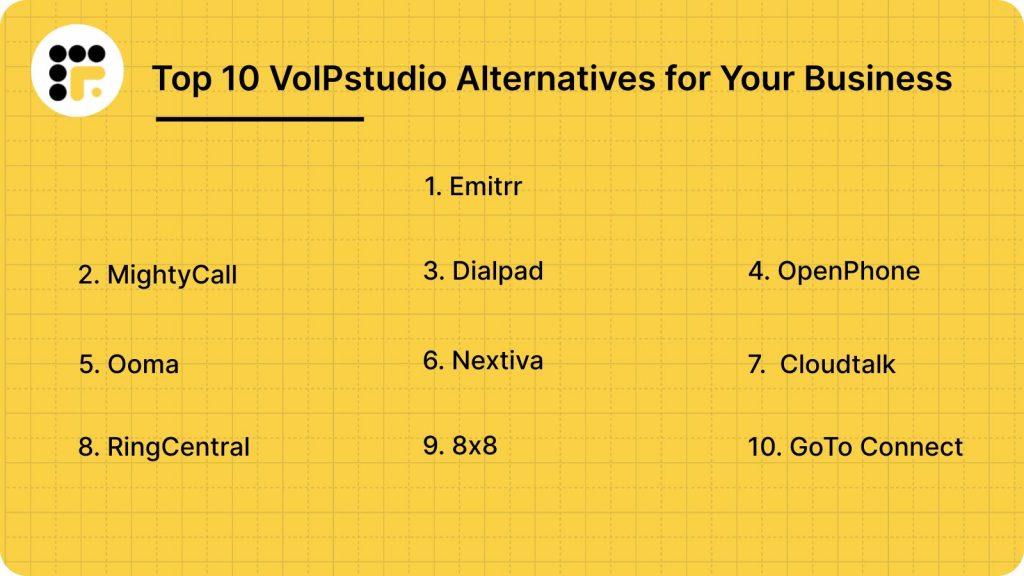
Top 10 VoIPstudio Alternatives
1. Emitrr: Best VoIPstudio Replacement
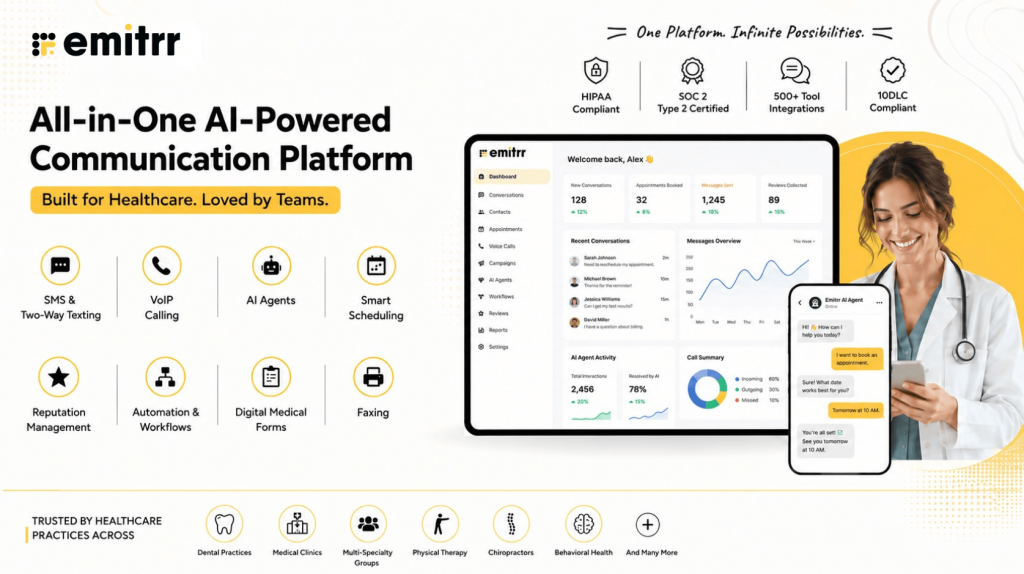
Emitrr Overview
Emitrr is a complete communication platform built for small and growing businesses, making it a Best VoIPstudio alternative for teams that want to simplify calls, texts, appointments, and follow-ups in one place. With tools like voicemail-to-text, smart call routing, automated text reminders, and HIPAA-compliant messaging, Emitrr takes the stress out of daily communication. It’s especially valuable for healthcare, wellness, and service-based businesses, easy to set up, reduces no-shows, saves time, and keeps teams connected. Highly rated on Capterra, GetApp, Software Advice, and Tekpon, Emitrr is trusted by businesses for delivering exactly what it says.
Emitrr Key Features
AI Agent – Built to Match Your Business Needs
With Emitrr, you can create a fully personalized AI agent that fits the way your business communicates. Whether you start from scratch or use a pre-built template for your industry, you’re always in control.
You decide:
- How it connects with customers – through SMS or phone calls
- What it says – using your own custom prompts and replies
- Where it gets its information – like your FAQs, services, or other resources
- What it does – from booking appointments and sending messages to following up on missed calls
AI VoIP Features
- AI Call Routing: AI call routing automatically identifies whether a caller is new or existing and connects them to the right person or department. No more manual transfers or wasted time.
- AI Call Handling: With AI call handling, routine calls like FAQs, appointments, or cancellations are managed instantly. It can also be customized to handle more complex conversations when needed.
- AI Call Forwarding: AI call forwarding uses context to decide where a call should go, routing VIPs to priority lines or escalating urgent calls without delay.
- AI Call Screening: Block out spam and robocalls with AI call screening, ensuring your team only answers genuine calls that matter.
- AI Call Recording: AI call recording stores every conversation, flags potential compliance issues, and creates a searchable library for training and quality checks.
- AI Call Queues: AI call queues reduce long hold times by solving simple requests automatically and sending updates if someone hangs up.
- AI Summaries & Transcripts: AI summaries and transcripts turn lengthy conversations into clear notes and accurate call records, saving your team time.
- AI Data Collection: AI data collection gathers details like demographics, insurance, or history before staff even answer, making calls faster and smoother.
- Dashboards & Reports: Dashboards and reports show answered, missed, or dropped calls at a glance, helping you spot issues and improve performance.
- Missed-Call-to-Text: If a call goes unanswered, missed-call-to-text sends an automatic SMS follow-up so patients never feel ignored.
- Call Pop: Call pop displays caller details instantly on screen, allowing staff to greet patients by name and work more efficiently.
- EHR/EMR/PMS Integrations: Integrations with EHR, EMR, and PMS systems connect your phone system with your existing software for seamless workflows.
- Auto Dialer: The auto dialer speeds up outreach by removing manual dialing, letting staff place calls instantly with one click.
- AI SMS Nudges: Instead of keeping callers waiting, AI SMS nudges give them the option to switch to text, keeping the conversation alive without long holds.
- Smart Phone Trees: Smart phone trees replace clunky button menus with intelligent guidance, smoothly directing callers to the right destination.
- Custom Extensions: Assign unique call extensions to team members, complete with personalized settings tailored to their schedules and roles.
Emitrr Pros
- Reliable Uptime: Enjoy peace of mind with a 99.99% uptime guarantee that keeps your communication consistent and interruption-free.
- User-Friendly Interface: Navigate effortlessly with a simple, intuitive dashboard that’s easy for anyone to use, no steep learning curve.
- HD Call Quality: Make and receive calls with crisp, professional audio for a better customer experience.
- Fast & Easy Setup: Get started quickly with streamlined onboarding, minimal setup time, and helpful training.
- Seamless Integrations: Connect easily with your existing CRM, EHR, or PMS tools to keep workflows smooth and efficient.
- Affordable Pricing: Choose from flexible, cost-effective plans designed to fit the needs of small and growing businesses.
- All-in-One Communication: Manage calls, texts, and reviews in one unified platform, no need to juggle multiple tools.
Emitrr Cons
- Evolving VoIP Capabilities: Some advanced VoIP features are still being improved, so they might not be as polished yet.
Emitrr Pricing
Emitrr offers different pricing plans for different capabilities. For VoIP, there are 2 pricing plans – Standard and Professional.
| Name of the plan | Pricing if paid annually | Pricing if paid monthly |
| Standard | $20 per user per month | $25 per user per month |
| Professional | $25 per user per month | $30 per user per month |
Key features of Standard Plan:
- Calling (1000 mins/user)
- HD Voice
- Call Hold Music
- Call Recording (manual)
- Call Queue Groups
- Call Extensions
- Call Routing (During and After Hours)
- Call Transfer
- Call Forwarding
- Number Porting
- Contact Sync
- Set personal working hours
- Mobile App
Key features of Professional Plan:
Everything in Standard plus
- Call Transcription
- IVR (Interactive Voice Response) / Call Tree
- Call Recording (automated)
- Missed Call Auto Text
- Call Conference
- Voicemail Transcription
- HIPAA Compliance
- Access Management
Emitrr Integrations
Emitrr offers 500+ integrations across different industries such as dental, recruiting, real estate, etc. with tools like:
- MailChimp
- Denticon
- AthenaHealth
- Zapier
- Salesforce
- HouseCall Pro
- And more!
Emitrr Reviews & Ratings
Emitrr has a solid 5/5 star rating on Capterra and here’s what customers are saying about it:
“You have it all integrated into one platform, the signatures, the amount of characters, you can attach files, send photos. You are able to create and send forms. Unlimited amount of things we can use and take advantage of.”
“I LOVE Emitrr. The support you get is wonderful, the app is easy to use and they have been incredibly responsive. As a small business, we needed a messaging platform that wouldn’t break the bank and this meets all our needs (and then some) without making us feel overwhelmed.”
Source: Capterra
Emitrr Support Channels
- Live chat: Chat with Emitrr’s live representatives
- Phone: Call Emitrr at +1 (210) 941-4696
- Email: Send email to Emitrr’s support team at support@emitrr.com
- Knowledge base
- FAQs/forum
- SMS
2. MightyCall

MightyCall Overview
MightyCall is a cloud-powered VoIP system tailored for small businesses that need reliable and straightforward communication. It lets you manage calls, texts, and voicemails from your smartphone, laptop, or desktop, no extra hardware required. With features like call routing, SMS, and auto-attendants, it’s a strong VoIPstudio alternative for growing teams.
MightyCall Key Features
- Business Phone Numbers: Choose from local, toll-free, or vanity numbers to establish a professional image and build trust with every call.
- VoIP Calling: Make crystal-clear calls over the internet on any device, eliminating the need for traditional phone lines.
- Call Forwarding: Seamlessly route calls to your mobile, landline, or team members, ensuring no important conversation is ever missed.
- Auto-Attendant (Virtual Receptionist): Set up personalized greetings and automated call menus that direct callers to the right department efficiently.
MightyCall Pros
- Quick & Easy Setup: Launch within minutes without technical expertise, and manage the system effortlessly.
- Tailored for Small Teams: Built with small businesses in mind, offering essential features without unnecessary complexity.
- Affordable Pricing Plans: Provides strong value with flexible options, including unlimited calling and texting.
- Work From Anywhere: A fully cloud-based, mobile-friendly system that keeps you connected across remote, hybrid, or on-site environments.
- Reliable Customer Support: Access prompt assistance through chat, email, or a comprehensive help center whenever needed.
MightyCall Cons
- Not Designed for Large Call Centers: Suitable for small businesses, but lacks the scalability needed for high-volume support teams.
- No Native Video Meetings: Video calls and conferencing require third-party platforms such as Zoom.
- Basic Integration Capabilities: Connects with CRMs like HubSpot and Salesforce, though integrations are less advanced compared to larger providers.
- Limited Advanced Features: Tools such as predictive dialers or whisper coaching are unavailable, making it less robust for enterprise use.
- Additional Costs for International Calls: Frequent overseas calling may raise expenses, so pricing should be reviewed carefully.
MightyCall Pricing
There are four MightyCall pricing options to choose from:
- Core: $15
- Pro: $23
- Power: $30
- Enterprise: Custom-made plans
MightyCall Integrations
- HubSpot
- Salesforce
- Zoho CRM
- Zapier
- Google Contacts
- Microsoft Outlook
MightyCall Reviews
“Missing important call center functionality, and poor support”
“Pleased With MightyCall”
Source: Capterra
MightyCall Support Channels
- Live Chat Support
- Email Support
- Help Center / Knowledge Base
- Support Ticket System
- Onboarding Assistance (for new users)
3. Dialpad
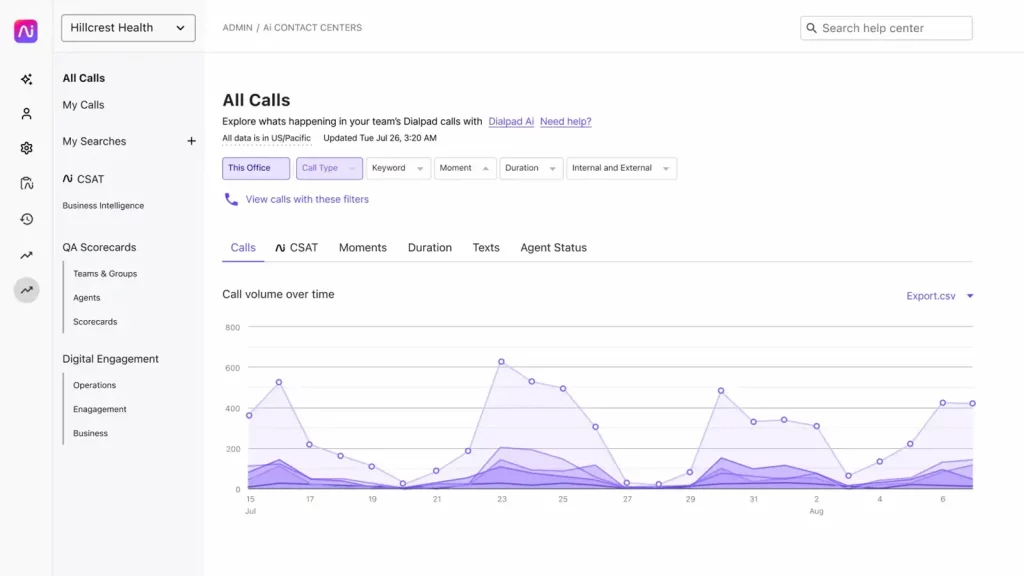
Dialpad Overview
Dialpad is a modern communication platform that unifies voice calls, video meetings, and team messaging in one place. With smart features like AI-powered transcriptions, live call analytics, and seamless integrations, it helps teams stay connected from anywhere. For businesses seeking a reliable VoIPstudio alternative, Dialpad delivers both flexibility and efficiency.
Dialpad Key Features
- AI-Powered Voice Intelligence: Transcribes calls in real time and provides actionable insights, allowing you to focus on the conversation instead of manual note-taking.
- Unified Communications Platform: Combines calling, messaging, and video meetings into one streamlined, user-friendly solution.
- Voicemail-to-Text Transcription: Converts voicemails into text for quick and convenient review on the go.
- Intelligent Call Routing & Queues: Automatically directs calls to the right person or department, minimizing delays and enhancing the customer experience.
Dialpad Pros
- User-Friendly Interface: A clean, intuitive dashboard that is simple to navigate, even for first-time users.
- AI-Powered Transcriptions: Automates note-taking and enhances post-call follow-ups, saving time and improving accuracy.
Dialpad Cons
- Limited for Call Centers: Lacks advanced capabilities like customizable dashboards and detailed queue management.
- Complex Setup for Large Teams: Scaling often requires manual configuration, which can delay implementation.
- Internet-Dependent Call Quality: Unstable networks may result in dropped calls or reduced audio clarity.
- Restricted International Capabilities: Limited global calling features can hinder businesses with international clients.
- Costly for Small Teams: Premium plans may be expensive for startups or smaller businesses with budget constraints..
Dialpad Pricing
Dialpad Pricing plans are as follows:
- Standard: $15/user/month
- Pro: $25/user/month
- Enterprise: Custom
Dialpad Integrations
Dialpad integrates with a bunch of CRM tools, including:
- Salesforce
- HubSpot
- Zendesk
- Pipedrive
- Zoho
Dialpad Reviews
“I do wish there were more permission settings to add a user (employee) in the field and only allow them to make outgoing or incoming phone calls. Also, I think pricing should be less for a user who is out in the field who only needs limited functions.”
“The Dialpad support team has always been very helpful and responsive. It is really nice to have a reasonably priced phone system that is very simple to use and robust.”
Source: Capterra
Dialpad Customer Support Channels
- Live chat
- Help Center
- Call
- FAQs
Curious about Dialpad and whether it fits your business needs? Watch our video for a detailed look:
4. OpenPhone
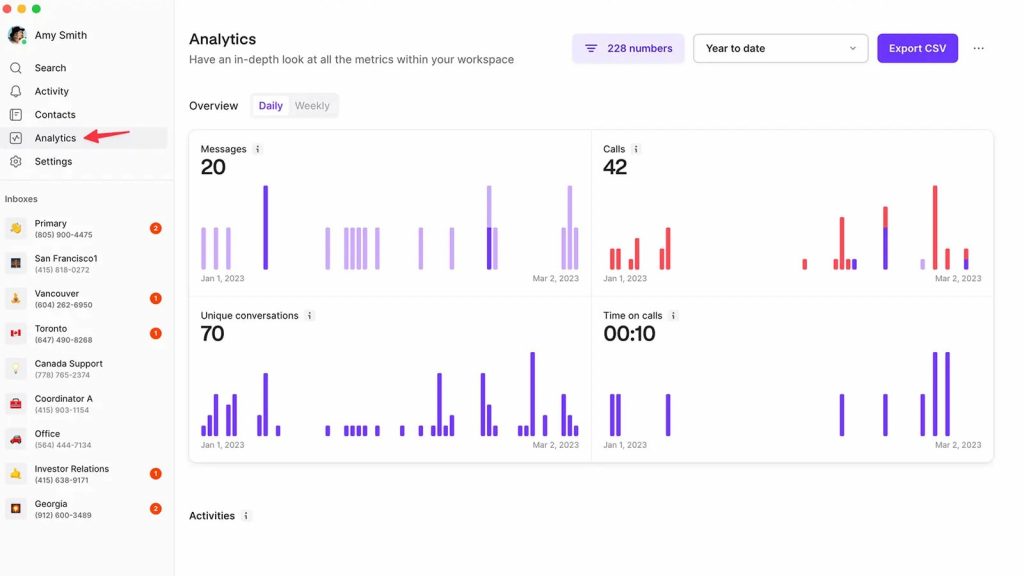
OpenPhone Overview
OpenPhone is a modern VoIP platform built for startups, small businesses, and remote teams. It combines voice calls, texting, and collaboration tools into a simple, easy-to-use interface available on desktop, mobile, and web. For growing companies looking for a flexible VoIPstudio replacement, OpenPhone makes communication seamless and efficient.
Key Features of OpenPhone
- Virtual Receptionist: Answers incoming calls automatically and directs them to the appropriate team or individual.
- Intelligent Call Routing: Distributes calls efficiently to the right department or staff member.
- Call Outcome Logging: Enables agents to capture call results for streamlined tracking and follow-ups.
- Comprehensive Call History: Maintains detailed records of call time, date, and duration.
- Live Call Monitoring: Allows managers to listen in on active calls to maintain quality and provide coaching.
- Call Recording: Securely stores conversations for compliance, training, and performance evaluation.
OpenPhone Pros
- Affordable & Comprehensive: Delivers robust features at a cost-effective price point.
- Streamlined Text Messaging: Provides reliable, easy-to-use business SMS capabilities.
- Simplified Number Management: Allows effortless organization and handling of multiple business lines.
- High-Quality Audio & Intuitive App: Ensures clear call quality with a smooth, user-friendly mobile experience.
OpenPhone Cons
- Complex Onboarding & Support: Users note difficulties during setup and occasional frustrations with customer assistance.
- Restrictive Service Policies: Cancellation terms and support policies may feel limiting for some businesses.
- Duplicate Notifications: Automated messages may be sent multiple times, leading to confusion.
- Verification Challenges: Some platforms do not accept OpenPhone numbers, requiring personal numbers for verification.
OpenPhone Pricing
OpenPhone pricing offers different options:
- Starter: $15 Per user/per month
- Business: $ 23 Per user/per month
- Enterprise: Custom Pricing
OpenPhone Integrations
OpenPhone integrates with other business software and apps which include, but are not limited to:
- Hubspot
- Gong
- Google Contacts
- Salesforce
- Slack
OpenPhone Reviews
“If you want a reliable long-term platform, this isn’t the one. They will shut you down in a heartbeat based on speculation. Customer service/retention means nothing to this company at all. I set it up for business use to contact and follow up with my customers however, that only lasted less than 2 days. Don’t be fooled by the price, you pay for what you get. I wouldn’t recommend this platform to my worst enemy…IT ABSOLUTELY SUCKS!!!!”
“Do NOT waste your time or business with OpenPhone – I’ve lost a lot of money“
Source: Capterra
OpenPhone Customer Support Channels
- Knowledge Base
- Phone Support
- Email Support
Want to know more about Quo (formerly OpenPhone)? Watch our video review for a quick breakdown:
5. Ooma
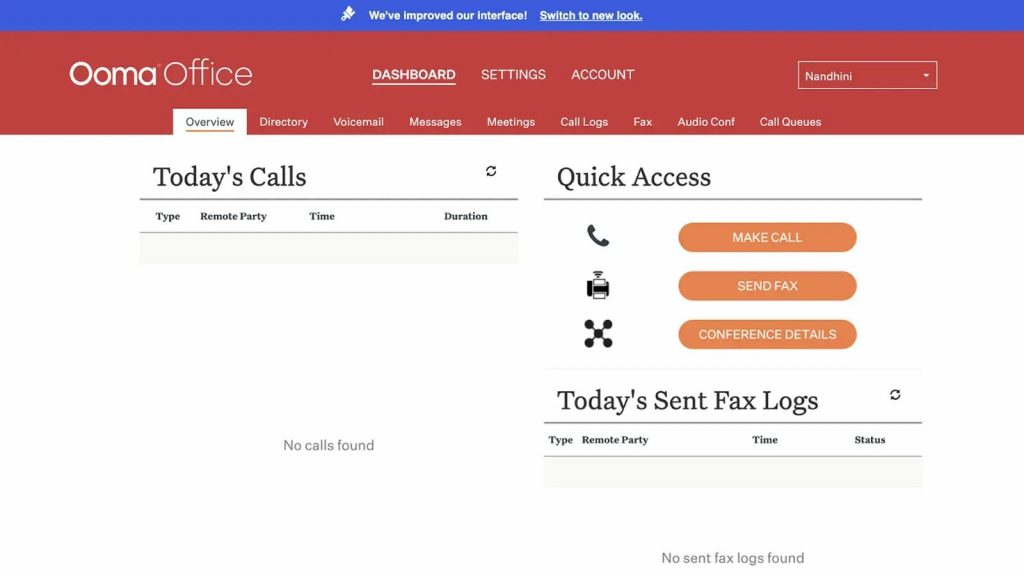
Ooma Overview
Ooma is a popular VoIPstudio alternative that offers a cloud-based VoIP phone system to streamline business communication and simplify daily operations. Designed for teams that want better collaboration and customer interactions, Ooma brings practical features to the table. Still, it’s important to weigh its strengths and limitations before deciding if it’s the right fit for your business.
Ooma Key Features
- Call Center Management: Offers intelligent routing, agent monitoring, and queue management to streamline call center operations and enhance customer support.
- Call Conferencing: Enables teams and clients to join real-time group discussions for better collaboration.
- Call Recording: Provides recording capabilities for training, compliance, and quality assurance, ensuring important conversations are well-documented.
- Caller ID: Displays caller information, helping teams prioritize, screen, and identify calls with ease.
Ooma Pros
- Cost-Effective International Calling: Offers low per-minute rates, making it well-suited for businesses with frequent cross-border communication.
- Included Toll-Free Number: Each Ooma business plan provides a complimentary toll-free 800 number, enhancing professional presence.
- Simple Deployment: Easy to set up, enabling businesses to get started quickly without complex installation.
Ooma Cons
- Limited Advanced Functionality: May not provide the sophisticated tools required by growing or high-demand teams compared to other VoIP solutions.
- Missing Call Hold & Transfer: The lack of basic features, such as hold or transfer, disrupts workflows and impacts customer service.
- Unintuitive User Interface: The dashboard and navigation can be difficult to use, limiting overall efficiency.
- Inconsistent Customer Support: Reported as slow, unhelpful, or unprofessional by several users.
Ooma Pricing
Ooma pricing offers a few different subscription plans for its business phone solutions, catering to small and medium-sized businesses. Here’s a breakdown of the main plans:
- Ooma Office – $19.95 per user/month
- Ooma Office Pro – $24.95 per user/month
- Ooma Office Pro Plus – $29.95 per user/month
Ooma Integrations
Ooma can be integrated with many third-party tools, including:
- Salesforce
- Intuit quickbooks
- HubSpot
- Zoho
- And more!
Ooma Reviews
“Sometimes the call quality is horrible or just flat out unable to connect and it seems they have a lot of outages.”
“I love the customer service the best!!!! They are always on top of their game, and willing to go above and beyond to help you out.”
Source: Capterra
Ooma Support Channels
- Chat
- Email/Help Desk,
- FAQs/Forum
- 24/7 (Live rep)
- Phone Support
6. Nextiva
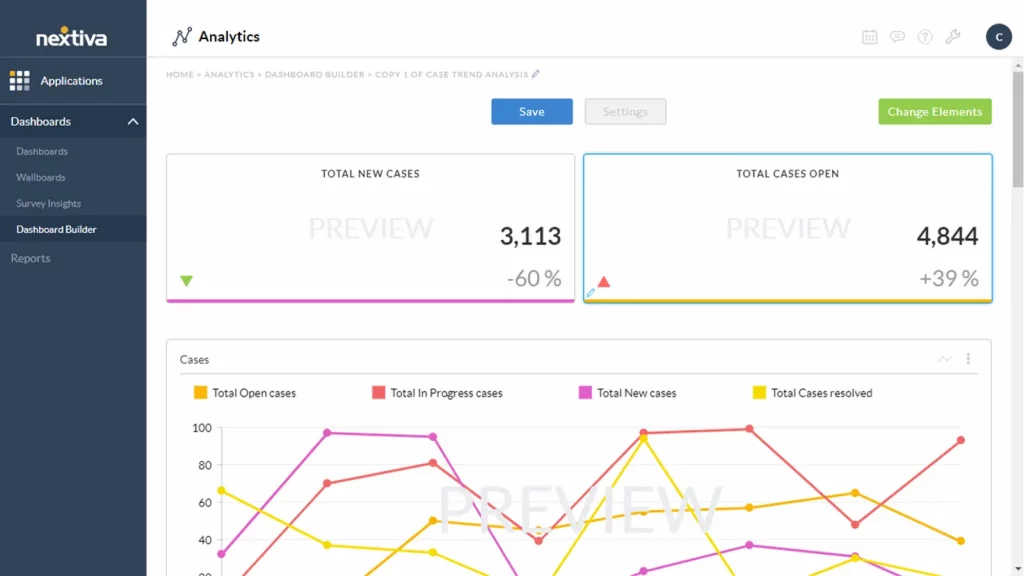
Nextiva Overview
Nextiva is a leading VoIPstudio replacement that combines voice, video, SMS, and reputation management tools into one powerful platform. It helps businesses stay connected with customers while keeping operations running smoothly. By unifying multiple communication channels, Nextiva enables teams to deliver professional, seamless experiences, making it an all-in-one solution for growing businesses.
Nextiva Key Features
- Auto Attendant (IVR): Delivers custom greetings and call menus to automatically route callers.
- Call Routing & Queues: Directs calls to the right team while efficiently managing high call volumes.
- Call Forwarding & Transfer: Seamlessly redirects calls to another device or team member.
- Voicemail-to-Email & Transcription: Sends voicemails directly to your inbox or converts them into text for quick review.
- Number Porting: Retain your existing phone numbers when transitioning to the system.
- Local & Toll-Free Numbers: Select numbers that strengthen your business’s professional presence.
Nextiva Pros
- Unified Communication Hub: Consolidates calls, texts, emails, and customer interactions within a single platform.
- Comprehensive Reputation Management: Simplifies the process of collecting and managing online reviews to strengthen brand credibility.
- Flexible & Customizable Features: Offers message templates, CRM integrations, and configuration options tailored to business needs.
- Dependable Customer Support: Delivers responsive assistance across multiple support channels to ensure smooth operations.
Nextiva Cons
- High Cost for Small Businesses: Pricing can be expensive for smaller teams that do not require advanced functionalities.
- Limited Automation Capabilities: Basic text automation may not support complex workflows effectively.
- Restricted Review Integrations: Compatible with only a few major review platforms, limiting reputation management options.
Nextiva Pricing
Nextiva pricing offers a few different VoIP and business communication plans, with pricing based on features and the number of users. Here’s an overview of their main plans:
- Essential – Starting at $23.95 per user/month (billed annually, for 20-99 users)
- Professional – Starting at $27.95 per user/month (billed annually, for 20-99 users)
- Enterprise – Starting at $37.95 per user/month (billed annually, for 20-99 users)
- Ultimate – Starting at $67.95 per user/month (for comprehensive needs, with custom features)
Nextiva Integrations
Nextiva integration options include:
- HubSpot
- Salesforce
- Zoho
- Workbooks
- Act!
- Goldmine
Nextiva Reviews
“Service is spotty, Calls get dropped, Phones disconnect from service, Voice Packets get lost. Forever ongoing contract auto-renewals without notifications to the client.”
“The phone system was with a lot of technical problems. Auto attendant not working, CRM not working, SMS not working.”
Source: Capterra
Nextiva Support Channels
- Phone Support
- Email/Help Desk
- FAQs/Forum
Want to see what Nextiva is really like for businesses? Watch our video review for a closer look:
7. JustCall
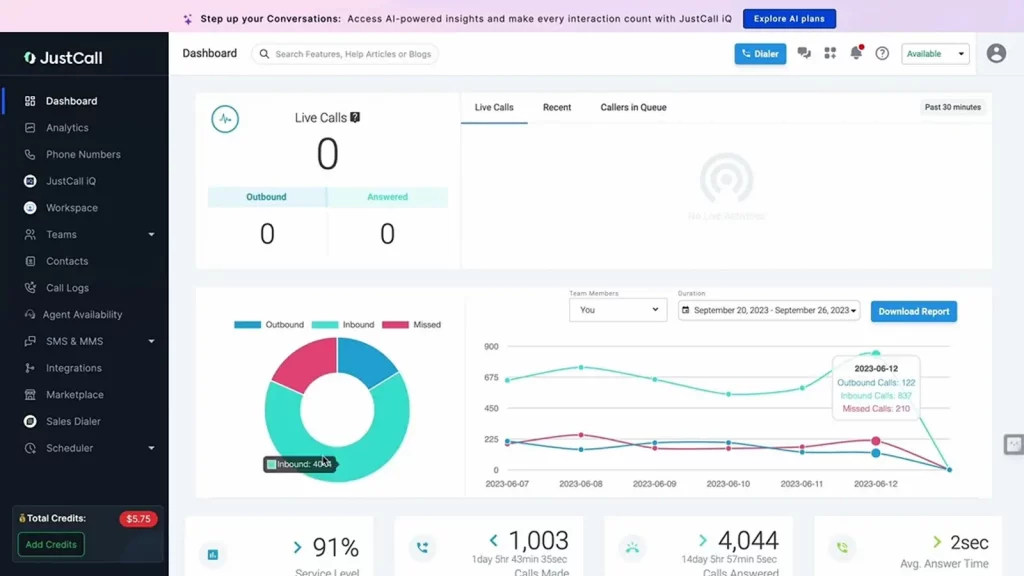
JustCall Overview
JustCall is a practical VoIPstudio alternative that gives sales and support teams the tools to communicate more effectively. This cloud-based VoIP phone system lets businesses manage calls, send text messages, and automate key workflows from one central platform. With CRM integrations, call tracking, and performance analytics, JustCall helps teams deliver excellent customer experiences while staying scalable in remote or hybrid environments.
JustCall Key Features
- Intelligent Call Routing: Automatically directs incoming calls to the appropriate person or department, minimizing wait times and enhancing response efficiency.
- Comprehensive Call Recording: Captures all calls for compliance, training, and review of customer interactions.
- Interactive Voice Response (IVR): Provides callers with a guided menu to reach the correct team or department, improving efficiency for both staff and customers.
- Automated SMS Messaging: Sends follow-ups, reminders, and updates automatically, reducing manual workload.
JustCall Pros
- Quick & Simple Setup: Fast onboarding with an intuitive interface that requires no technical expertise.
- Seamless CRM Integration: Integrates smoothly with leading CRMs, centralizing customer interactions in one place.
- Cost-Effective for Small Teams: Affordable pricing tailored for startups and growing businesses.
- Global Communication Support: Provides international phone numbers with voice and SMS capabilities across multiple countries.
- Reliable Customer Support: Delivers prompt assistance via phone, email, and live chat.
JustCall Cons
- Occasional Call Quality Issues: Dropped calls or minor delays may occur, particularly with slower internet connections.
- SMS Feature Limitations on Basic Plans: Advanced text automation is restricted to higher-tier packages.
- Lack of Free Plan: No complimentary version is available, which may be unsuitable for startups or budget-conscious users.
JustCall Pricing Plans
JustCall Pricing plans offers the following:
- Essentials: $29/user/month
- Team: $39/user/month
- Pro: $69/user/month
- Business: Custom pricing
JustCall Integrations
- HubSpot
- Salesforce
- Zoho CRM
- Pipedrive
- Slack
- Zapier
- Freshdesk
- Intercom
- Zendesk
JustCall Reviews
“Amazing telephony solution for small businesses”
“Excellent solution and excellent customer support”
JustCall Support Channels
- Live Chat
- Email Support
- Phone Support
- Help Center & Documentation
8. RingCentral
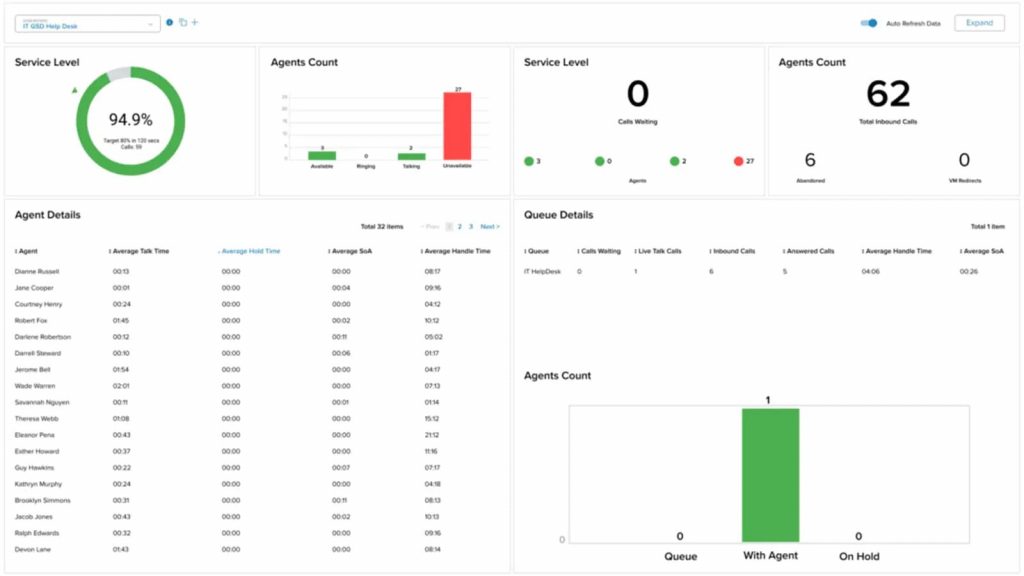
RingCentral Overview
RingCentral is a well-known replacement for VoIPstudio that brings calling, messaging, and video meetings together in one versatile cloud communication platform. With AI-powered call insights, team collaboration tools, and smooth app integrations, it’s built to keep both small teams and large enterprises connected and productive from anywhere.
RingCentral Key Features
- VoIP Calling: A comprehensive cloud phone system with capabilities such as smart routing, call forwarding, and voicemail-to-email.
- HD Video Conferencing: Enables high-quality video meetings with screen sharing, breakout rooms, and webinar tools.
- Team Messaging: Facilitates real-time collaboration through chat, file sharing, task assignments, and team alignment features.
- Call Flip & Live Monitoring: Seamlessly transfer calls across devices and monitor active calls for support or coaching.
- Business SMS & MMS: Send text and multimedia messages directly from the RingCentral application.
RingCentral Pros
- All-in-One Communication Platform: Consolidates calling, messaging, video meetings, and contact center tools into a unified solution.
- Scalable for Any Business Size: Built to support organizations ranging from small startups to large global enterprises.
- Extensive Integration Ecosystem: Seamlessly connects with 200+ applications, including Salesforce, Microsoft Teams, HubSpot, and Slack, to keep workflows efficient
RingCentral Cons
- Complex Setup for Non-Technical Teams: Initial configuration may be challenging without dedicated IT support.
- Limited Compatibility with Niche Tools: Integrations with less common or custom software may not function seamlessly.
- Customer Support Limitations: Despite 24/7 availability, some users report delays or unresolved issues.
- Inconsistent Call Quality: Dropped calls or audio glitches may occur, especially during peak usage.
- Basic Reporting & Analytics: Insights may lack the depth required by businesses needing detailed performance data.
- Mobile App Limitations: While feature-rich, the app can feel unintuitive and occasionally buggy.
RingCentral Pricing
RingCentral offers a range of business communication plans, with pricing based on features and the number of users. Here’s a breakdown of the primary pricing plans for RingCentral MVP (Message, Video, Phone):
- Essentials – Starting at $19.99 per user/month (limited to 20 users)
- Standard – Starting at $27.99 per user/month
- Premium – Starting at $34.99 per user/month
- Ultimate – Starting at $49.99 per user/month
RingCentral Integrations
RingCentral offers API and also integrates with 300+ options, including:
- HubSpot
- Zendesk
- And others
RingCentral Reviews
“It could be operator error, but it sometimes does not alert me right away when I miss a call/receive a voicemail on my cell phone.”
“I love how you can forward your calls to another number within the app. I love how ring central has the ability to transcribe your voicemails into text emails.”
Source: Capterra
RingCentral Support Channels
- Knowledge Base
- Chat
- Email/Help Desk
- Phone Support
- 24/7 (Live rep)
- FAQs/Forum
Looking for a quick overview of RingCentral? Watch our video to explore the top alternatives worth considering:
9. 8×8
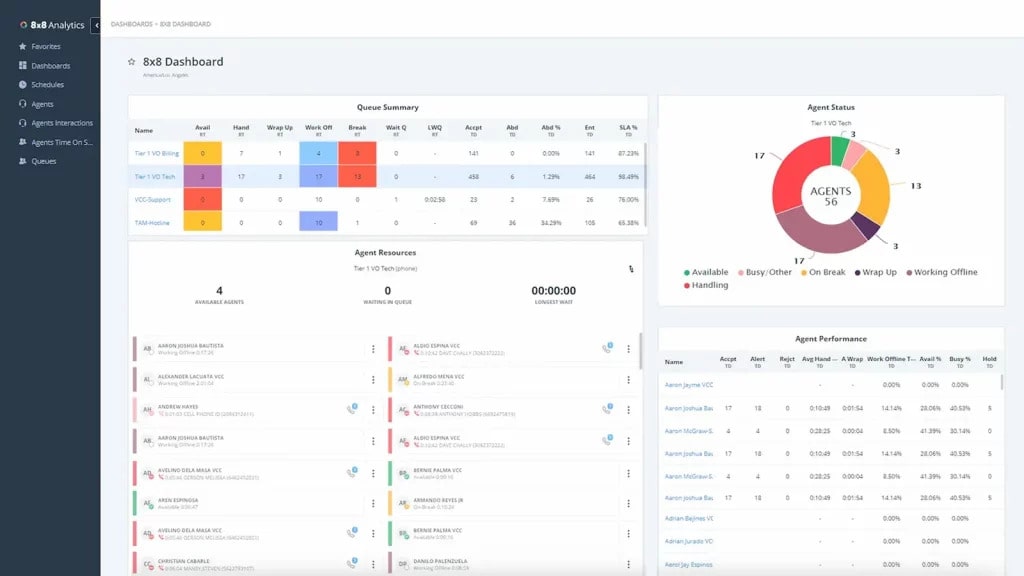
8×8 Overview
8×8 is a unified communications platform that brings together cloud-based phone services, video meetings, team messaging, and contact center tools in a single solution. With strong security, global coverage, and reliable call quality, it’s a trusted choice for businesses with multiple teams and a strong contender as a VoIPstudio replacement.
8×8 Key Features
- Auto Attendant: Automatically greets and routes callers to the correct person or department, reducing missed calls and improving efficiency.
- Call Center Management: Offers robust tools to monitor, analyze, and optimize call center operations, enhancing both agent productivity and customer experience.
- Call Conferencing: Enables fast, seamless group calls by connecting multiple participants for effective collaboration.
8×8 Pros
- Simple & Flexible Setup: Easy to implement and manage, making it suitable for businesses of any size.
- High-Quality Voice Calls: Provides clear and reliable audio, even across long distances, ensuring professional communication.
- Comprehensive Feature Suite: Includes tools such as team messaging, analytics, and more to support daily business operations.
- Seamless Mobile Connectivity: Ensures smooth integration between mobile apps and VoIP devices, keeping users connected anywhere.
8×8 Cons
- Billing Errors: Some users report incorrect charges or duplicate billing, leading to frustration.
- Unresolved Payment Disputes: Unauthorized charges have occasionally remained uncorrected despite repeated escalation.
- Unhelpful Automated Replies: Email responses are often generic, vague, or irrelevant to the reported issue.
- Customer Support Challenges: Support agents may misdiagnose problems or fail to provide effective resolutions.
- Incorrect Device Blame: Technical issues have sometimes been wrongly attributed to outdated customer hardware.
- Overall Negative Support Experience: Many users describe their support interactions as unhelpful and lacking resolution.
8X8 Pricing
- This phone cloud service offers different pricing packages. The basic 8X8 pricing package starts at $24 per month for limited features.
8X8 Integrations
This phone cloud system offers various integration options include:
- Slack
- Microsoft Teams
- HubSpot CRM
- Freshdesk
- Zendesk Suite
- ServiceNow
- Microsoft Outlook
- Copper
8X8 Ratings
- Capterra: 4.0 / 5
- G2: 4.0 / 5
8X8 Reviews
“Horribly unreliable, inconsistent and no one is responding to our emails. The system its self worked okay without the integration but the inaccurate billing is wild to me.”
“Good VOIP phone service, but support has turned to garbage and apps are laggy”
Source: Capterra
8×8 Support Channels
- Support Portal
- Live Chat
- Phone Support
- Community Forum
- Email Support
- Knowledge Base
- Social Media Support
10. GoTo Connect
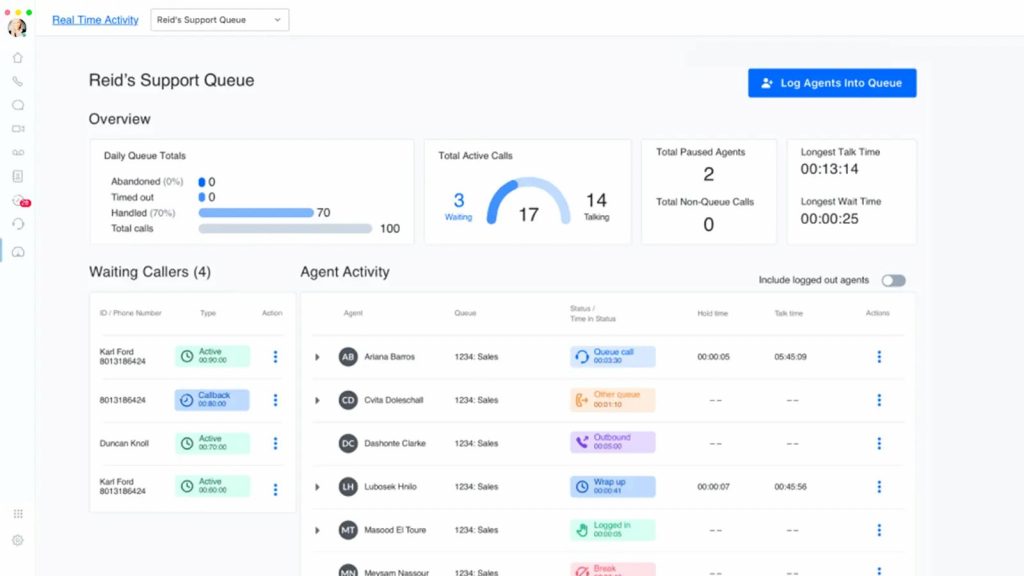
GoTo Connect Overview
GoTo Connect is a trusted VoIPstudio alternative that brings calling, video meetings, and team messaging into one simple platform. Designed for businesses that need flexible and reliable communication, it works seamlessly whether teams are in the office, working remotely, or on the move. With only an internet connection, GoTo Connect keeps everyone connected without the hassle.
GoTo Connect key features
- HD VoIP Calling: Provides crystal-clear voice quality over the internet, eliminating the need for traditional phone lines.
- Local & Toll-Free Numbers: Easily establish or port business numbers, including toll-free options, to enhance customer accessibility.
- Smart Call Routing & Auto-Attendant: Automatically directs callers with customizable call flows, ensuring they reach the correct team or department.
- Call Forwarding & Transfers: Seamlessly forward or transfer calls to colleagues or external numbers, ensuring no conversation is missed.
- Call Queues & Professional Hold Music: Manage peak call times efficiently with queues supported by professional hold music and announcements.
GoTo Connect Pros
- Unified Communication Hub: Integrates phone calls, video meetings, and messaging into a single platform, eliminating the need for multiple tools.
- User-Friendly for Teams & Admins: Features an intuitive interface that is easy for employees to adopt and simple for administrators to manage.
- Reliable Call Quality: Ensures stable, high-quality audio even during peak usage periods or in remote work environments.
GoTo Connect Cons
- High Cost for Small Businesses: Pricing can be expensive for smaller teams that only require basic calling features.
- Limited SMS Capabilities: Messaging features are basic and not equipped for advanced SMS campaigns or workflows.
- App Performance Issues: Mobile and desktop applications may occasionally lag or freeze during heavy multitasking.
- Restricted Contact Center Features: Missing advanced functionality typically available in dedicated contact center solutions.
GoTo Connect Pricing
GoTo Connect pricing plans offer:
- Connect Phone System – $26 per user/month
- Connect CX – $34 per user/month
- Connect Contact Center – $80 per user/month
GoToConnect Integrations
- Microsoft Teams
- Salesforce
- Google Workspace
- Slack
- Zendesk
- Zoho CRM
- Zapier
- Microsoft Outlook
- Microsoft 365
- Google Calendar
- Google Contacts
GoTo Connect Reviews
“Perfect Product for All-in-out”
“Poor choice of phone system”
Source: Capterra
GoTo Connect Support Channels
- Help Center
- Live Chat Support
- Phone Support
- Email Support
- Community Forum
- Knowledge Base
- Ticket Submission System
How Emitrr Compares to VoIPstudio for Small Teams That Want Guided Onboarding and Flat-Rate Pricing
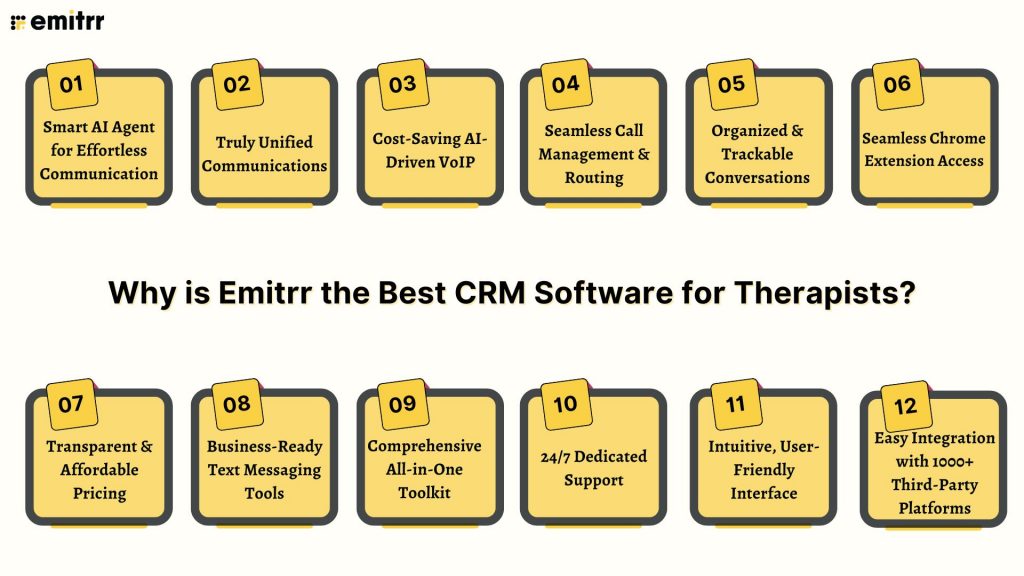
Searching for the best VoIPstudio alternative? Emitrr takes communication further with AI-driven tools, better call management, and built-in SMS. Here’s why businesses are choosing Emitrr over other VoIPstudio competitors:
Smart AI Agent for Effortless Communication
Here’s a reframe of the AI features Emitrr offers:
- Inbound Call Management – AI takes care of incoming calls, directing them to the right team and giving quick responses to help customers faster.
- Express Agent – A speedy AI assistant that provides fast and accurate answers to customer inquiries for quick support.
- Healthcare Receptionist – A smart AI designed for healthcare, helping with appointment scheduling, reminders, and answering patient queries securely.
Watch how Emitrr AI agent Sarah makes texting effortless for your business –
Truly Unified Communications
Emitrr keeps calls, texts, and chats in one place, making communication effortless for teams. This unified approach helps avoid the hassle of switching between tools. For businesses looking for a smooth VoIPstudio alternative, Emitrr offers simplicity, reliability, and better collaboration in daily operations.
Cost-Saving AI-Driven VoIP
AI-driven tools set Emitrr apart by reducing manual tasks and saving costs. From auto-routing calls to instant transcripts, it improves efficiency. Unlike basic VoIPstudio features, Emitrr gives AI driven VoIP features to growing businesses with smarter tools that work harder, making communication more effective without stretching budgets.
Seamless Call Management & Routing
Emitrr makes call management stress-free with intelligent routing that connects customers to the right person faster. This avoids frustration and saves time. Many VoIPstudio reviews mention call flow issues, but Emitrr turns it into a smooth experience for both customers and support teams.
Organized & Trackable Conversations
Every conversation, whether by call or SMS, is logged, trackable, and supported with built-in call tracking in Emitrr. That means no more missed follow-ups or confusion across teams. This resolves one of the most common VoIPstudio cons, giving businesses more clarity and accountability in managing customer communication.
Seamless Chrome Extension Access
Emitrr’s Chrome extension makes calling easier directly from the browser, with no need to switch platforms. It’s quick, convenient, and highly practical for busy teams. Few VoIPstudio competitors offer this level of accessibility, which makes Emitrr stand out as a more modern choice.
Transparent & Affordable Pricing
No hidden costs or confusing plans, Emitrr keeps everything clear and simple. Businesses know exactly what they’ll pay for. This addresses a major frustration with VoIPstudio pricing, where unexpected fees often arise. With Emitrr, companies can budget confidently and get more value.
Business-Ready Text Messaging Tools
Emitrr makes texting a core feature with tools for reminders, updates, and promotions. It helps businesses reach customers in the ways they prefer. This makes Emitrr not just another VoIPstudio replacement, but a platform that combines voice and SMS in one place.
Comprehensive All-in-One Toolkit
From calls and SMS to automation and integrations, Emitrr packs everything into one solution. This reduces the need for multiple apps and saves time. Businesses searching for an alternative to VoIPstudio will find Emitrr far more versatile in handling everyday communication needs.
24/7 Dedicated Support
Emitrr ensures help is available whenever you need it, with reliable round-the-clock service. That means fewer delays and less downtime for your team. In contrast, VoIPstudio customer support is often flagged as inconsistent, which makes Emitrr a more dependable choice for businesses.
Intuitive, User-Friendly Interface
Emitrr is easy to set up and use, even for teams new to VoIP systems. Its clean design saves time on training and makes adoption quick. While there are a few VoIPstudio pros, usability is where Emitrr clearly pulls ahead with its modern interface.
Easy Integration with 1000+ Third-Party Platforms
Emitrr easily connects with over 1000 apps like Salesforce, HubSpot, and more. This means you don’t have to worry about switching everything up, Emitrr works with the tools you already use, unlike some VoIPstudio alternatives that might need complicated setups.
Which Industries are catered by Emitrr?
Emitrr is redefining business communication, driving efficiency, enhancing customer experiences, and streamlining workflows across industries. Here’s how different sectors are leveraging Emitrr to stay connected and competitive:
Healthcare
Designed for healthcare providers, Emitrr ensures secure, HIPAA-compliant communication through texting and VoIP. Automated appointment reminders, seamless integration with tools like Denticon and Dentrix, and simplified follow-ups improve patient engagement while reducing admin overhead.
Wellness
Spas, salons, gyms, and wellness businesses use Emitrr to automate bookings, send reminders, and gather client feedback via SMS and email. This minimizes no-shows, strengthens client relationships, and keeps operations running smoothly.
Education
Schools and colleges rely on Emitrr for bulk messaging, two-way communication, and real-time alerts. It keeps students, parents, and staff informed about schedules, announcements, and events, fostering transparency and stronger community engagement.
Legal Services
Law firms trust Emitrr for secure messaging, VoIP calling, and automated appointment updates. It safeguards sensitive client data, streamlines interactions, and reduces administrative workload through smart automation.
Real Estate
Reak Estate Agents and brokers benefit from automated scheduling, reminders, and client feedback collection. Emitrr enhances communication and keeps processes organized, ensuring smoother experiences for buyers, sellers, and renters.
Home Services
Professionals such as plumbers, electricians, HVAC technicians, and cleaners use Emitrr for scheduling, reminders, and post-service follow-ups. This reduces no-shows, improves response times, and keeps customers informed every step of the way.
Retail
Retailers utilize Emitrr to automate order confirmations, delivery updates, and promotional campaigns. These tools boost loyalty, encourage repeat purchases, and create a seamless customer journey from checkout to delivery.
Automotive
Car dealerships and service centers streamline operations with Emitrr by automating test drive bookings, service reminders, and follow-ups. This strengthens retention, improves communication, and elevates the overall customer experience.
Insurance
Insurance providers leverage Emitrr for automated policy renewal reminders, claims updates, and two-way client communication. Bulk and personalized messaging save time while keeping policyholders informed and engaged.
Frequently Asked Questions
VoIPstudio is a cloud-based VoIP phone system that helps businesses make and manage calls over the internet. It includes features like call routing, voicemail, conferencing, and integrations, mainly suited for small to mid-sized teams.
Many businesses look for a VoIPstudio replacement because of its limited customization, scalability challenges, and pricing concerns. Alternatives often provide more advanced features, easier user management, and better value for growing teams.
Some of the best VoIPstudio alternatives include Emitrr, RingCentral, Nextiva and more. Each comes with unique strengths, but Emitrr often stands out for its all-in-one toolkit and transparent pricing.
VoIPstudio pricing is based on monthly subscriptions per user. While it starts competitively, costs can rise as you add advanced features or scale your team, which is why many small businesses look at cheaper or more flexible options.
Yes, for many businesses. Emitrr combines AI-powered call handling, text messaging, HIPAA-compliant security, and 24/7 support, all at transparent pricing. Unlike some VoIPstudio competitors, it’s easy to set up and scales smoothly as your business grows.
Conclusion
Choosing the right phone system can make all the difference in how your business communicates and grows. While VoIPstudio competitors bring something to the table, the key is finding a platform that’s reliable, flexible, and cost-effective.
That’s where Emitrr stands out. More than just another VoIPstudio replacement, it’s a true all-in-one communication platform with built-in text messaging, AI-driven call handling, smart routing, and HIPAA-compliant security. It’s simple to set up, easy to use, and designed to scale, whether you’re running a small clinic, a growing service business, or a remote team.
If you’re ready to move past the limits of VoIPstudio, Emitrr is the best VoIPstudio alternative to keep your team connected, your customers happy, and your operations running smoothly.


 4.9 (400+
reviews)
4.9 (400+
reviews)