

Introduction
The way your practice handles patient intake says everything about how efficiently you operate, and in today’s fast-moving healthcare environment, there’s no room for slow, paper-heavy processes. Patients expect speed, convenience, and a smooth digital experience. That’s exactly where IntakeQ rises above traditional tools. It doesn’t just digitize forms; it transforms your entire intake workflow into something faster, cleaner, and effortlessly organized.
Whether you’re dealing with long queues, scattered documentation, or endless follow-ups, IntakeQ brings everything into one streamlined system: smart online intake forms, automated reminders, secure communication, and powerful practice-management tools.
This blog dives deep into all of that. By the end, you’ll know exactly how IntakeQ can impact your efficiency, your patient experience, and even your bottom line, helping you make a confident, future-proof choice for your practice.
What is IntakeQ?
IntakeQ is a digital intake and practice-management software platform that helps healthcare providers collect patient information, schedule appointments, and manage forms with ease. It eliminates time-consuming paperwork by offering fully customizable online forms, automated workflows, and secure communication tools.
With built-in billing, reminders, and a client portal, IntakeQ simplifies the entire patient journey and makes daily operations smoother for both clinics and clients.
IntakeQ Features
- Customizable electronic patient intake forms with branding and e-signatures
- Secure document sharing and export (PDF/CSV)
- Appointment scheduling with online booking and SMS/email reminders
- Client portal allowing patients to complete forms and message securely
- Integrated payments and invoicing (including subscriptions)
- Automation and integrations through API, Zapier, Dropbox/Google Drive
- Practice-management tools such as treatment notes, multi-provider support, and secure messaging
IntakeQ Pros
- Easy-to-Use Interface: Very intuitive and simple to navigate, making onboarding quick.
- Advanced Form Customization: Lets you build detailed intake forms, e-signatures, questionnaires, and automated workflows.
- Improves Administrative Efficiency: Reduces manual paperwork through digital forms, reminders, and automated submissions.
- Good Value for Money: Offers strong features at a competitive price point.
- Responsive Customer Support: Users often highlight quick and helpful assistance from the team.
IntakeQ Cons
- Limited Integrations: Doesn’t integrate as deeply with some EHR and practice management systems.
- Mobile & Print Formatting Limitations: Some users face issues with printing layouts or certain mobile display elements.
- Not Ideal for Large Enterprises: Lacks some advanced features that large, complex organizations may need.
IntakeQ Pricing
Here are IntakeQ pricing plans:
- Forms Only: $49.90/month
- Practice Management: $79.90/month
- Forms Only Low Volume: $29.90/month
- Practice Management Low Volume: $54.90/month
IntakeQ Integrations
- AthenaHealth, RevolutionEHR, Reimbursify, Dropbox, Zapier, Google Analytics, Tarvent, Developer API / Webhooks
IntakeQ Customer Support Channels
- Help Center, Email Support, Live Chat, Community Forum, Documentation, Status Page
IntakeQ Ratings
4.7 stars out of 5.
IntakeQ Reviews
“Intake Q made our paperwork way more seemless”
“Easy, intuitive, and functional “
Source: Capterra
Why Do Businesses Seek an IntakeQ Alternative?
For many healthcare providers, the search for the best IntakeQ alternative begins not with dissatisfaction, but with the realization that their intake form platform no longer fits the demands of today’s digital workflows. Let’s understand why:
Costly for Smaller Practices
For solo providers, small clinics, and new practices, IntakeQ pricing can feel high compared to the value they’re getting. Many look for an IntakeQ competitor that offers more features at a lower price or a solution that scales better as they grow.
Limited Customization for Patient Forms
Healthcare organizations often want to customize forms deeply, adding conditional logic, advanced fields, automated workflows, and branding. Some users feel the IntakeQ features don’t give enough design or workflow flexibility, pushing them to find something better than IntakeQ.
Hard to Scale as Patient Volume Increases
As clinics grow or open multiple locations, they need a platform that can handle more staff, more patients, and more automation. Many practices report in IntakeQ reviews that the system becomes harder to manage at scale, so they start exploring the best IntakeQ alternative that can keep up with their workflow.
Missing or Restricted Modern Features
Some providers need features like advanced automation, deeper reporting, built-in telehealth, or smarter routing of patient forms. When these tools aren’t available or are limited, clinics begin looking for an IntakeQ replacement that fits their daily operations better.
Outdated Interface for Staff and Patients
A smooth user experience matters, especially when patients are filling out important health information. Some practices mention in IntakeQ pros and cons discussions that the interface feels outdated or unintuitive, which slows staff down and frustrates patients.
Limited Integrations With EHRs and Practice Software
Healthcare organizations rely on multiple tools, and when IntakeQ doesn’t integrate deeply with their EHR(Electronic Health Records), CRM, or billing systems, it creates extra manual work. This often leads users to search for something similar to IntakeQ that connects more seamlessly and reduces back-and-forth with IntakeQ customer support.
What Features To Look For In An IntakeQ Alternative?
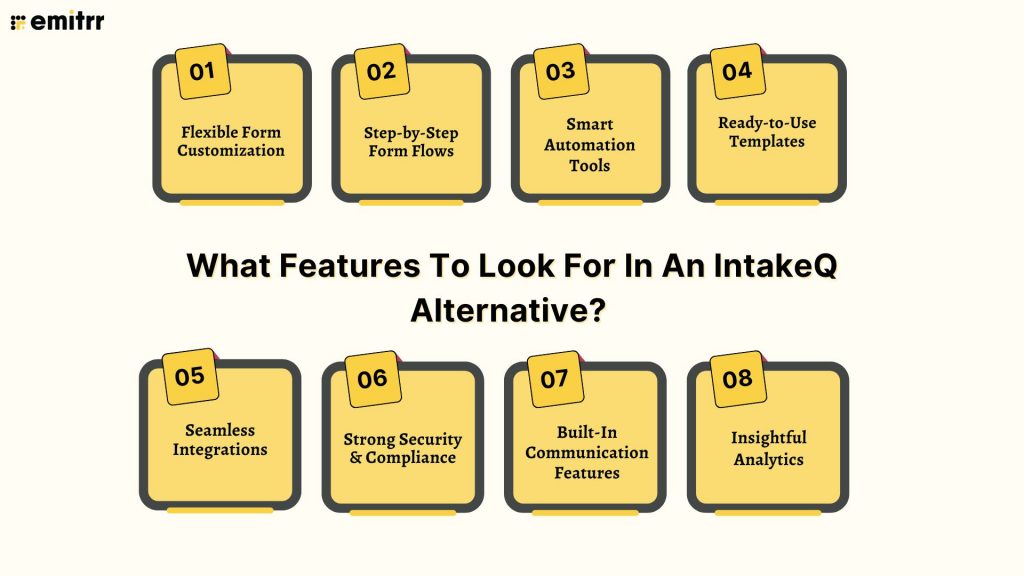
When comparing the best IntakeQ alternatives, it helps to know which features truly make a difference. Whether you want something more flexible, more automated, or simply better than IntakeQ, these are the key things to look for:
Flexible Form Customization
A strong IntakeQ alternative should let you build forms exactly the way you need. Customizing layout, branding, and fields makes the experience smoother for patients and helps your workflow feel more personal compared to many alternatives to IntakeQ.
Step-by-Step Form Flows
Multi-step forms make long intake processes easier to complete. Many teams switch to a better than IntakeQ option because they want simple, guided form flows that reduce drop-offs and improve patient completion rates.
Smart Automation Tools
A great IntakeQ competitor should automate the repetitive work, like reminders, confirmations, patient follow-ups, and notifications. This helps your staff save time and makes the platform a stronger replacement for IntakeQ.
Ready-to-Use Templates
Having industry-ready templates helps you get started quickly. The best IntakeQ alternative offers pre-built medical forms templates so you don’t have to create everything from scratch.
Seamless Integrations
Your IntakeQ replacement should connect smoothly with the tools you already use: EHRs, CRMs, scheduling systems, and payment apps. Strong integrations prevent manual data entry and improve workflow efficiency.
Strong Security & Compliance
Any platform similar to IntakeQ should protect patient data with HIPAA compliance, encryption, and strict privacy standards. This is a must for healthcare organizations handling sensitive information.
Built-In Communication Features
A good IntakeQ alternative includes communication tools like mass texting, calling, and email notifications. Having forms and follow-ups managed in one place reduces delays and improves patient engagement.
Insightful Analytics
Analytics help you understand form performance, where users drop off, what questions slow them down, and how patients engage overall. Many practices choose a better than IntakeQ solution for stronger reporting and clearer insights.
10 Best IntakeQ Alternatives
1. Emitrr
Emitrr Overview
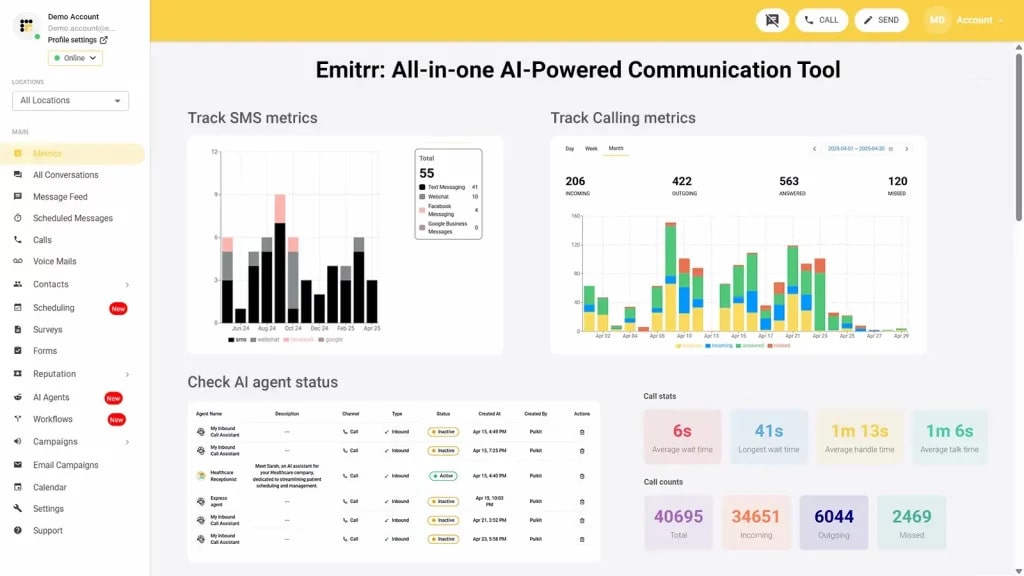
Emitrr is a HIPAA-compliant platform and one of the best InatakeQ alternatives, offering form creation, SMS, email, and voice communication all in one place. It’s a strong InatakeQ competitor for healthcare, real estate, and other service-driven businesses that need secure data collection and automated workflows. For teams looking for an InatakeQ replacement, Emitrr makes daily operations smoother, keeps communication organized, and helps everyone stay connected.
With automated alerts, customizable forms, and an easy all-in-one dashboard, Emitrr cuts down on busywork and ensures nothing gets missed, making it a smart choice for anyone seeking something similar to InatakeQ but more streamlined.
Emitrr Features
- Connect effortlessly with EHRs, CRMs, and scheduling tools for real-time data syncing and smoother workflows.
- Manage all your forms, SMS chats, calls, and emails from a single dashboard so your team isn’t switching between multiple platforms.
- Protect every patient communication with encrypted document signing, secure storage, and full HIPAA compliance.
- Save hours with 100+ ready-made medical form templates available in downloadable PDF formats.
- Automate routine tasks like appointment reminders, feedback requests, and follow-ups with smart, time-saving workflows.
- Stay in touch through text, HIPAA-compliant calls, and email for fast, reliable communication.
- Integrate seamlessly with EHRs, CRMs, and scheduling systems to share data instantly and streamline your entire operations.
Emitrr Pros
- Outstanding Customer Support: Consistently receives 5/5 stars on review platforms like Capterra.
- Wide Range of Features: Offers secure messaging, advanced campaign tools, and more.
- Affordable Pricing: Transparent, pay-as-you-go pricing with no hidden costs.
- Seamless Integration: Works smoothly with popular CRMs, EHRs, and productivity tools, ensuring uninterrupted workflows.
- Suitable for smaller teams: Designed with simplicity and scalability in mind, offering all essential features without unnecessary complexity.
Emitrr Cons
- Continuous Improvements: Emitrr regularly rolls out new features, and no major issues have been reported.
Emitrr Pricing
- Basic Plan ($20/user/month): Ideal for small practices, it includes customizable form creation, HIPAA-compliant electronic signatures, secure data storage, and automated email or SMS notifications for better communication and workflow management.
- Professional Plan ($35/user/month): Best suited for growing or multi-location organizations, it offers advanced workflow automation, AI-based data routing, analytics, and deep CRM/EHR integrations for enhanced scalability and efficiency.
Emitrr Integrations
Emitrr offers 500+ integrations across different industries, such as dental, recruiting, real estate, etc., with tools like:
- MailChimp, Denticon, AthenaHealth, Zapier, Salesforce, HubSpot, Facebook, HouseCall Pro, And more!
Emitrr Customer Support Channels
- Live chat, email, phone, and choices in the knowledge base with a focus on getting in touch.
Emitrr Ratings
Emitrr has a solid 5/5 star rating on Capterra.
Emitrr Reviews
“You have it all integrated into one platform, the signatures, the amount of characters, you can attach files, send photos. You are able to create and send forms. Unlimited amount of things we can use and take advantage of.”
“I LOVE Emitrr. The support you get is wonderful, the app is easy to use and they have been incredibly responsive. As a small business, we needed a messaging platform that wouldn’t break the bank and this meets all our needs (and then some) without making us feel overwhelmed.”
Source: Capterra
2. Phreesia
Phreesia Overview
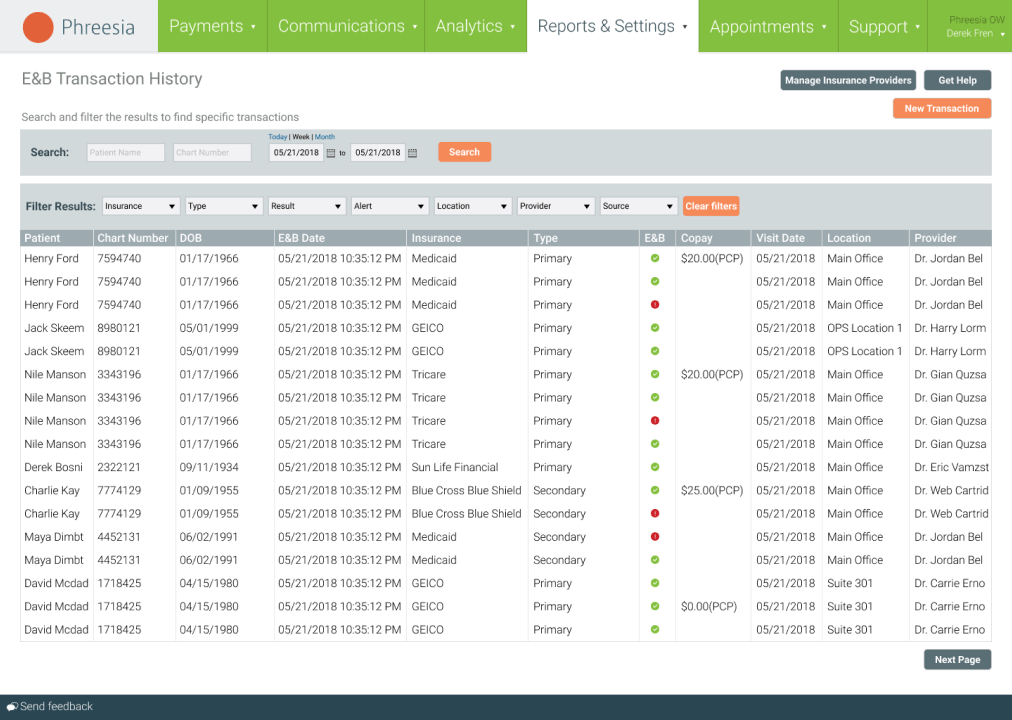
Phreesia is a patient intake platform that helps healthcare practices collect information from patients quickly and securely. It offers easy-to-use medical forms that patients can fill out on their phones, tablets, or at home before their appointment. Many clinics explore Phreesia when searching for an IntakeQ alternative, especially if they want a smoother check-in process and better integration with their existing systems.
Phreesia Features
- Digital medical forms for patient registration, consents, health history, and insurance data
- Self-check-in & kiosks allowing patients to complete intake on mobile or in-office devices
- Online scheduling & appointment management for staff and patients
- Insurance eligibility verification and payment collection at check-in
- Secure communications with patients via text, email, or mobile app
- Telehealth capabilities for virtual visits and remote engagement
Phreesia Pros
- Streamlined Patient Intake: Fast, mobile-friendly digital medical forms make onboarding easier.
- Strong EHR Integrations: Syncs smoothly with major EHR systems to reduce manual data entry.
- Robust Check-In Options: Patients can check in via mobile, tablet, or in-office kiosks.
- Great for Multi-Location Clinics: Handles complex workflows and higher patient volumes well.
Phreesia Cons
- Higher Pricing: Costs more than many other IntakeQ alternative options.
- Complex for Small Practices: Can feel overwhelming for solo providers or small clinics.
- Longer Setup: Requires time and training to configure properly.
- Less Personal Interface: Some patients find the experience too corporate or formal.
Phreesia Pricing
To get the full quote of Phreesia pricing, contact their support team.
Phreesia Integrations
- Allscripts, eMDs, NextGen, Athenahealth, Oracle Health, MEDITECH, HealOS (AI scribe via Phreesia)
Phreesia Support Channels
- Phone Support, Email Support, Contact Form, Help Center / Knowledge Base
Phreesia Ratings
4.3 stars out of 5
Phreesia Reviews
“Absolutely not recommend. Look like a good idea, implementation is bad”
“Phreesia is awesome:)”
Source: Capterra
3. Jotform
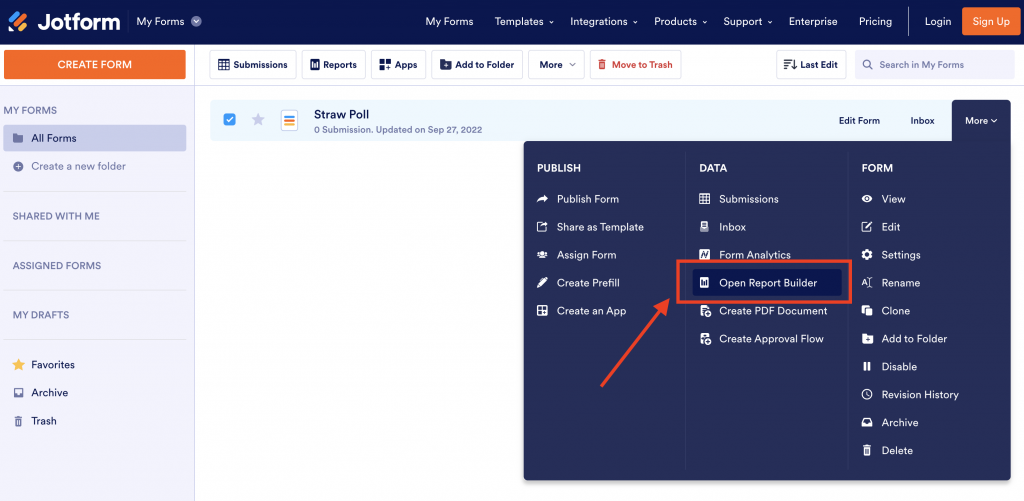
Jotform Overview
Jotform is a versatile online form-builder platform that many clinics consider when looking for an IntakeQ alternative. It supports customizable medical forms, including patient registration, consent capture, and health history questionnaires, and offers HIPAA-friendly features to help protect sensitive patient data.
Jotform Features
- Digital medical forms allow patients to fill out intake, consents, and health history online
- Drag-and-drop form builder enabling you to customize templates without coding
- Conditional logic to show or hide questions based on patient responses
- Secure HIPAA-compliant submissions and data storage for healthcare use
- Online scheduling integration is embedded directly within forms
Jotform Pros
- Highly customizable form builder: Drag-and-drop tools make it easy to build detailed medical intake forms.
- Large template library: Offers hundreds of healthcare and consent form templates to get started quickly.
- Strong conditional logic: Supports branching, calculations, and dynamic form fields for smarter workflows.
- Affordable pricing: Flexible plans, including a useful free tier for small practices.
Jotform Cons
- HIPAA compliance costs extra: Requires upgrading to specialized plans.
- Not a full practice system: Doesn’t include scheduling, telehealth, or EHR tools found in many IntakeQ alternatives.
- Can feel overwhelming: The many features and widgets may confuse beginner users.
- Storage limitations on lower plans: File uploads and submissions can run out quickly without upgrading.
- Advanced workflows are limited: More complex automation often requires integrations or third-party tools.
Jotform Pricing
Jotform has the following pricing plans:
- Starter: $0
- Bronze: $39/month
- Silver: $49/month
- Gold: $129/month
- Enterprise: Custom pricing
Jotform Integrations
- Google Sheets, Google Drive, Slack, Trello, Asana, Monday.com, Airtable, Notion, Dropbox, OneDrive, Salesforce, HubSpot.
Jotform Support Channels
- Help Center, Support Tickets, Community Forum, User Guides, Video Tutorials, Status Page
Jotform Ratings
4.7 stars out of 5
Jotform Reviews
“Love Jotform!!”
“Simple tool that provides more value than cost.”
Source: Capterra
4. SimplePractice

SimplePractice Overview
SimplePractice is an all-in-one practice management platform that many healthcare professionals consider when looking for an IntakeQ alternative. It makes it easy for patients to complete medical forms, schedule appointments, and join telehealth sessions, all from one secure place. Because it combines intake, billing, notes, and communication tools, many growing practices see SimplePractice as a smooth, user-friendly replacement for IntakeQ.
SimplePractice Features
- Digital medical forms for intake, consent, and health history
- Online scheduling with client self-booking and recurring appointments
- Secure client portal where patients can complete forms, pay, and message their provider
- Billing and insurance tools, including claims, invoices, and online payments
- Built-in telehealth for HIPAA-compliant video sessions
- Clinical documentation templates for notes, assessments, and treatment plans
- Reporting and analytics to track billing, appointments, and client progress
SimplePractice Pros
- All-in-one practice management: Combines intake, scheduling, billing, notes, and communication in one platform.
- Easy digital medical forms: Clients can complete intake packets, consent forms, and assessments online.
- User-friendly client portal: Clients can book appointments, message their provider, upload documents, and make payments.
- Built-in telehealth: HIPAA-compliant video sessions without needing separate software.
SimplePractice Cons
- Pricing increases as your practice grows: Costs rise with more providers or higher usage needs.
- Limited customization: Forms and workflows aren’t as flexible as some dedicated IntakeQ alternatives.
SimplePractice Pricing
Here are SimplePractice pricing plans:
- Starter: $49/month
- Essential: $79/month
- Plus: $99/month
SimplePractice Integrations
- Zoom, Google Calendar, Outlook Calendar, Stripe, Gmail, Google Drive, Dropbox, Office Ally, Claim.MD, Medi-Cal.
SimplePractice Support Channels
- Email Support, Live Chat, Phone Support, One-on-one Video Calls, Live Q&A Webinars, Ideas / Suggestions Board
SimplePractice Ratings
4.6 stars out of 5.
SimplePractice Reviews
“Too Expensive and Terrible Customer Service”
“Not Good at all, stay away from this company”
Source: Capterra
5. Vcita
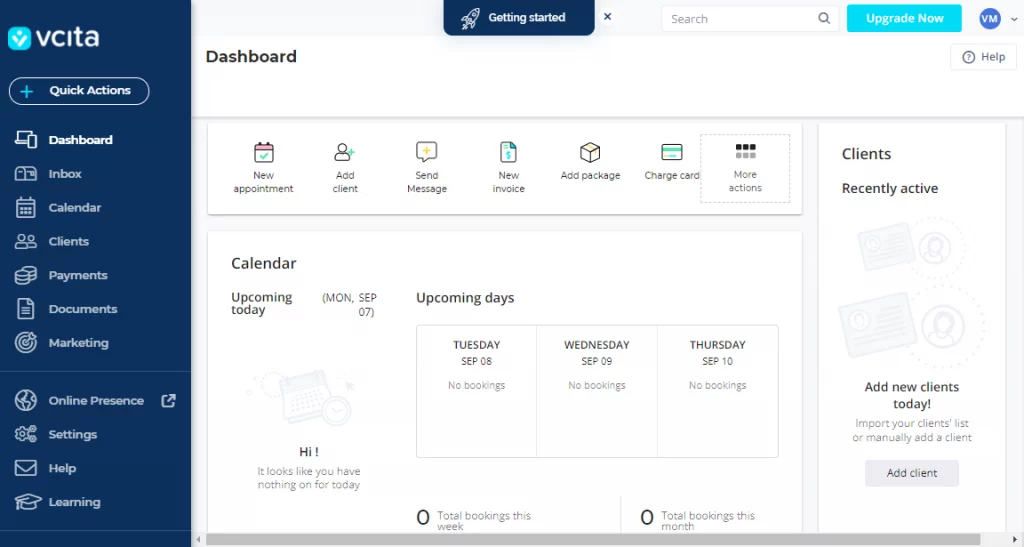
Vcita Overview
Vcita is a client management and scheduling tool that serves as a strong IntakeQ alternative for small healthcare and wellness practices. It enables patients to fill out digital medical forms online, book appointments, make payments, and receive automated reminders, all within one platform. Because it’s simple to set up and integrates easily with existing workflows, many clinics looking for a scalable yet affordable replacement for IntakeQ consider Vcita.
Vcita Features
- Digital forms & document storage, allowing clients to upload documents and complete forms pre-visit
- Client management (CRM) with detailed records and communication history
- Online scheduling & business calendar enabling clients to book 24/7 and practices to manage staff/day-to-day
- Client portal where patients/clients can book, pay, view documents, and interact
Vcita Pros
- Easy-to-use interface: Simple design that makes it easy for staff and clients to navigate.
- Convenient online booking: Clients can schedule appointments, pay, and update details through a self-service portal.
- Digital medical form support: Let’s clients complete intake forms and upload documents ahead of time.
- Strong communication tools: Built-in messaging, reminders, and email outreach to keep clients engaged.
Vcita Cons
- Not healthcare-specific: Lacks advanced medical features compared to dedicated IntakeQ alternatives.
- Limited form customization: Intake forms are functional but not as flexible or detailed as specialized form builders.
- No built-in telehealth: Requires third-party tools for virtual appointments.
- Can become pricey as you scale: Higher tiers are needed for more users or advanced functionality.
Vcita Pricing
Here are Vcita pricing plans:
- Kickstart: $35/month (or $29/month billed annually)
- Business: $65/month (or $54/month billed annually)
- Platinum: $110/month (or $93/month billed annually)
Vcita Integrations
- QuickBooks, Google Calendar, Outlook Calendar, Zoom, Mailchimp, Constant Contact, Zapier, Stripe, PayPal, Square, Wix, WordPress, Facebook Lead Ads, Google Analytics, Google Contacts
Vcita Support Channels
- Help Center, Email Support, Live Chat, Phone Support, Webinars, Community Forum, Status Page
Vcita Ratings
4.4 stars out of 5.
Vcita Reviews
“Great Product”
“Simple to use but pricey”
Source: Capterra
6. Zanda (Power Diary)
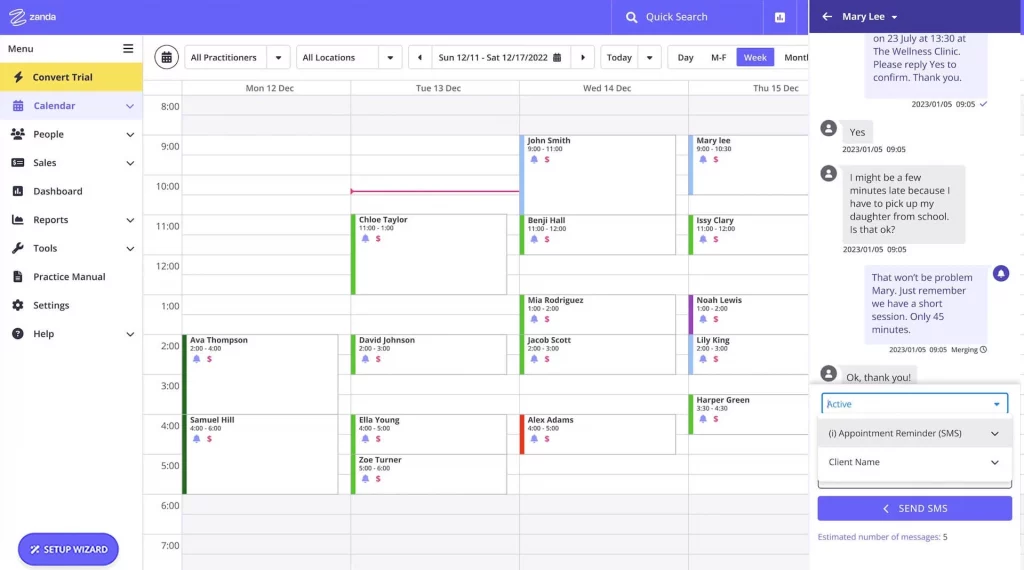
Zanda Overview
Zanda, formerly known as Power Diary, is a user-friendly practice management platform that many clinics consider when searching for an IntakeQ alternative. It lets providers create customizable medical forms, manage appointments, run telehealth sessions, and handle billing, all in one place. Because it’s simple to use and built for growing practices, Zanda is often seen as a practical and affordable replacement for IntakeQ.
Zanda Features
- Digital medical forms that clients can complete online, including intake, consent, and health questionnaires
- Easy appointment scheduling with drag-and-drop calendars, recurring visits, and multi-location support
- Online booking through a client portal so clients can book, pay, and fill out forms anytime
- Two-way SMS and email messaging for reminders, confirmations, and quick communication
Zanda Pros
- Easy-to-use interface: Simple, clean design that staff can learn quickly.
- Flexible digital medical forms: Customizable intake, consent, and clinical forms for different specialties.
- Smooth appointment scheduling: Drag-and-drop calendar, recurring sessions, and multi-location support.
- Convenient online booking: Clients can book, pay, and complete forms through a secure portal.
Zanda Cons
- Less suited for large enterprises: Best for small to mid-sized practices rather than massive organizations.
- Fewer advanced integrations: Doesn’t connect with as many third-party tools as some competitors.
- Documentation setup can take time: Customizing templates and workflows may require initial effort.
- Basic telehealth features: Functional but not as advanced as dedicated telehealth platforms.
- Limited automation: Fewer automated reminders and workflow tools compared to top IntakeQ alternatives.
Zanda Pricing
Zanda has the following pricing plans:
- Health Practice Starter Plan: US$19/month
- Health Practice Growth Plan: US$49/month
- Group Practice Growth Plan: Custom pricing
Zanda Integrations
- Stripe, Xero, Physitrack, Google Calendar, Mailchimp, Medicare, DVA, Tyro
Zanda Support Channels
- Email Support, Live Chat, Phone Call, Screenshare/Video Call, Knowledge Base, Training / Webinars
Zanda Ratings
4.7 stars out of 5
Zanda Reviews
“Easy Customisation & Great Support, But Needs More Automation”
“Saves hours of admin while keeping compliance simple”
Source: G2
7. TheraNest
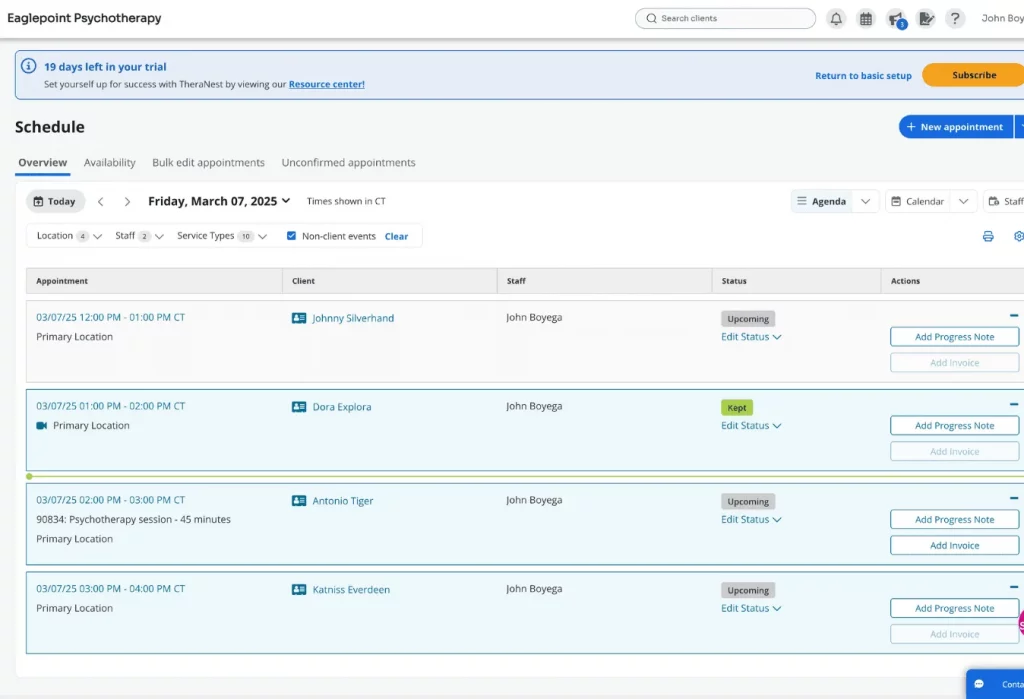
TheraNest Overview
TheraNest is a practice management and EHR tool designed for mental and behavioral health professionals. Many providers consider it when looking for an IntakeQ alternative because it makes it easy for clients to complete medical forms, access a secure client portal, and stay connected with their therapist. With built-in scheduling, billing, and documentation tools, TheraNest often becomes a reliable and well-rounded replacement for IntakeQ for growing practices.
TheraNest Features
- Digital medical forms that patients can fill out online, including intake packets, consent forms, and mental health assessments
- Easy scheduling tools for individual, group, and recurring appointments
- Secure client portal where clients can complete forms, message their provider, and manage appointments
- Integrated billing and insurance tools for claims, payments, and invoicing
- Built-in telehealth for HIPAA-compliant virtual sessions
TheraNest Pros
- Easy-to-use interface: Simple layout designed for therapists and behavioral health teams.
- Customizable digital medical forms: Intake forms, assessments, and consent documents built for mental health practices.
- Secure client portal: Clients can complete forms, pay bills, and message their provider in one place.
- Built-in telehealth: HIPAA-compliant video sessions without needing extra tools.
- Strong billing and insurance tools: Claims, payments, superbills, and invoicing all in one platform.
TheraNest Cons
- Limited customization for advanced workflows: Works well for therapists, but not as flexible for complex medical workflows.
- No advanced automation: Fewer automated reminders and smart workflows compared to top IntakeQ competitors.
- Telehealth features are basic: Functional but not as feature-rich as dedicated telehealth tools.
- Occasional performance slowdowns: Some users report lag during peak hours.
- Fewer integrations: Doesn’t connect with as many third-party apps as some other tools.
TheraNest Pricing
Here are TheraNest pricing plans:
- Essentials: $29
- Advanced: $59
- Premier: $89
TheraNest Integrations
- Zoom, Google Calendar, Outlook Calendar, TherapyNotes (billing export), Stripe, Bluefin, Claim.MD, Office Ally, Apex EDI, QuickBooks, PayPal, Google Drive
TheraNest Support Channels
- Live Chat, Email Support, Phone Support, Help Center / Knowledge Base, Webinars, Community Forum
TheraNest Ratings
4.4 stars out of 5
TheraNest Reviews
“Helpful for Private Practice “
“On Theranest, you can only access to next 60 days”
Source: Capterra
8. Weave
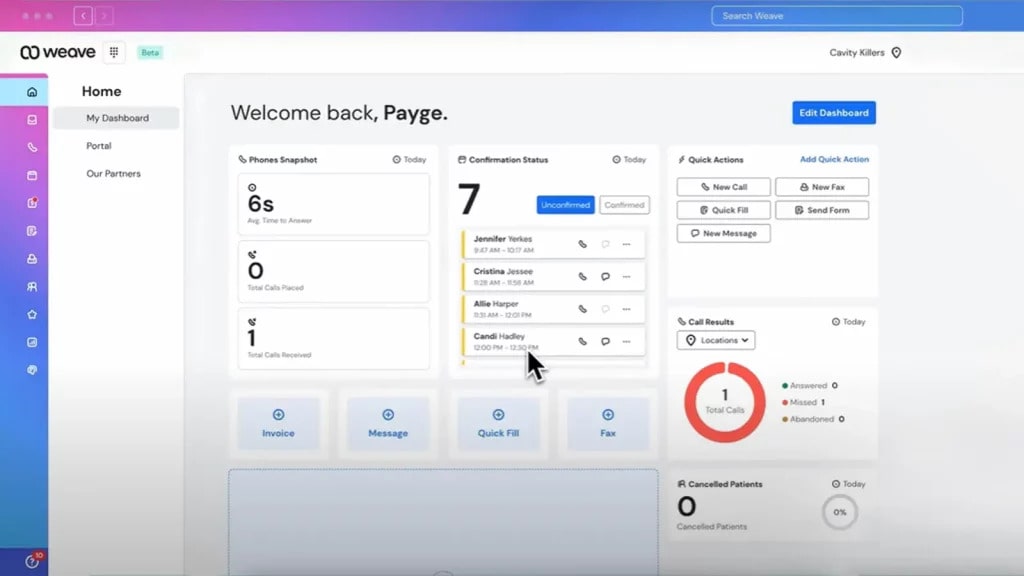
Weave Overview
Weave is a patient communication and practice management platform that many clinics turn to when they’re looking for an IntakeQ alternative. It offers easy, mobile-friendly medical forms that patients can complete before their appointment, helping reduce paperwork and improve workflow. Because Weave also brings together texting, scheduling, payments, and patient engagement tools, many practices see it as a simple, modern replacement for IntakeQ that keeps everything in one place.
Weave Features
- Digital medical forms that patients can complete before their appointment
- Online scheduling with 24/7 booking
- Two-way texting for fast, patient-friendly communication
- Smart phone system with call analytics and missed-call text replies
- Text-to-Pay and online payments for easy billing
- Automated review requests and reputation management
- AI-powered call handling and voicemail transcription software
- Multi-location support for practices with multiple offices
Weave Pros
- Strong patient communication tools: Two-way texting, reminders, and quick replies make communication effortless.
- Easy digital medical forms: Patients can complete intake forms online before their appointment.
- All-in-one phone system: Integrated VoIP phones with call analytics and missed-call text response.
- Text-to-Pay and online payments: Make collecting balances faster and more convenient.
- Boosts online reputation: Automated review requests help practices get more positive reviews.
Weave Cons
- Higher pricing than some IntakeQ alternatives: Can feel expensive for smaller practices.
- Not a full practice management system: Does not replace EHR, billing, or full scheduling systems.
- Limited customization for forms: Intake forms aren’t as flexible as dedicated form platforms.
- Relies heavily on internet connection: As a cloud-based phone and communication tool, downtime can impact usage.
Weave Pricing
Weave pricing plans start from $250 a month.
Weave Integrations
- Dentrix Ascend, Dolphin Cloud, Blue by Dolphin, 4th Dimension EMR, HVMS, Via
Weave Support Channels
- Help Docs, Submit a Ticket, Live Chat, Phone Support, Training / Webinars
Weave Ratings
4.3 stars out of 5
Weave Reviews
“Costly, and frustrating”
“Helpful Software, But Fell Short Over Time”
Source: Capterra
9. Luma Health

Luma Health Overview
Luma Health is a patient intake and engagement platform that many clinics explore when looking for an IntakeQ alternative. It lets patients complete digital medical forms before their visit, upload insurance details, and check in smoothly, all from their phone. With strong automation and EHR-friendly integrations, Luma Health often becomes a convenient and modern replacement for IntakeQ for practices that want a faster, more connected patient experience.
Luma Health Features
- Digital medical forms for patient intake, consents, health screenings, and insurance upload
- Online self-scheduling (web, text, chatbot) that connects directly with EHRs
- Automated appointment reminders and confirmations (SMS, email, voice)
- Smart waitlist and cancellation-fill logic to reduce empty slots
- Secure two-way messaging/chat between patients and staff (no portals or app downloads required)
Luma Health Pros
- Simple Patient Communication: Real-time two-way texting makes it easy to stay connected with patients.
- Automated Reminders: SMS, email, and phone reminders help significantly cut down no-shows.
- Streamlined Referral Workflow: Built-in referral tools make tracking and managing referrals more efficient.
Luma Health Cons
- Pricing Can Be High: Smaller practices may find the platform expensive.
- Extra Fees for Advanced Tools: Some premium features come at an additional cost.
- Limited Customization Options: Pre-built automation templates may feel restrictive for certain workflows.
- Inconsistent Support Response: Users report occasional delays in getting assistance.
Luma Health Pricing
Luma Health pricing has not been publicly disclosed. One needs to contact their team to learn more about it.
Luma Health Integrations
- Epic, Cerner, MEDITECH Expanse, eClinicalWorks, Athenahealth, Oracle Health, NextGen, Greenway Health
Luma Health Support Channels
- Phone Support, Email Support, Contact Form, Help Center / Knowledge Base
Luma Health Ratings
4.7 stars out of 5
Luma Health Reviews
“Luma Health – flexible and intuitive”
“Luma Health is A Gamechanger for Any Medical Practice”
Source: Capterra
10. NexHealth
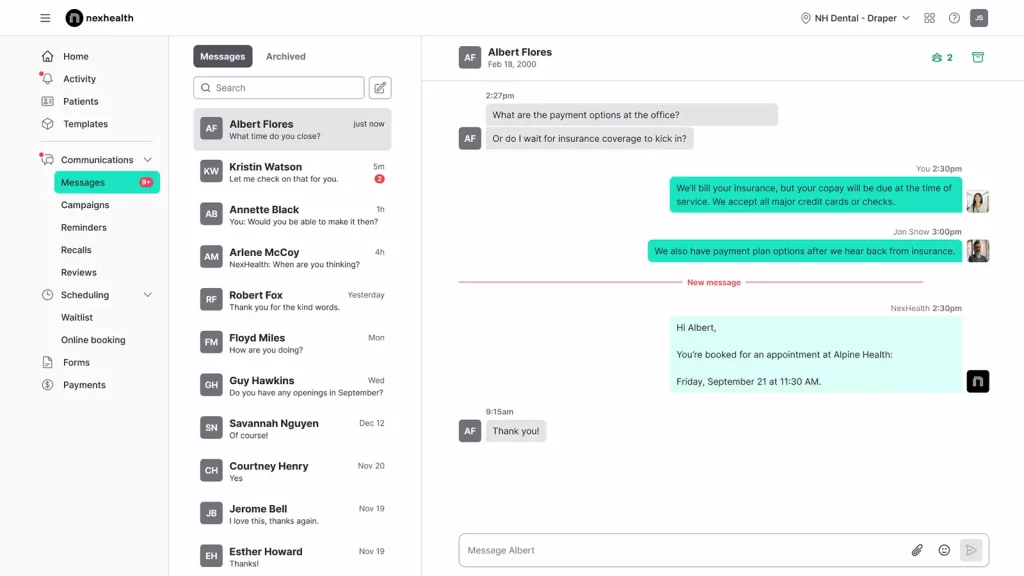
NexHealth Overview
NexHealth is a modern patient intake and engagement platform that many practices consider when searching for an IntakeQ alternative. It lets patients fill out digital medical forms, upload insurance info, and complete their intake before arriving, making check-ins much faster. With strong EHR integrations and automated workflows, NexHealth often becomes a smooth and efficient replacement for IntakeQ for clinics that want a more connected, tech-friendly experience.
NexHealth Features
- Digital medical forms for intake, consents, health history, and insurance upload
- Online scheduling with real-time appointment availability
- Automated reminders and messaging via text and email
- Online payments and text-to-pay options for faster checkout
- Strong EHR/EMR integrations that sync patient data automatically
- Reporting and analytics dashboards to track performance
- Mobile-friendly patient experience, including check-in and form completion
- Reputation management tools for collecting reviews and improving online presence
- Waitlist and cancellation management to reduce no-shows
- Two-way patient communication for easy follow-ups and updates
NexHealth Pros
- Responsive Customer Support: Many users highlight fast, knowledgeable assistance when they need help.
- User-Friendly Interface: Staff can learn the system quickly, making daily operations smoother.
- Robust EHR Integrations: Syncs well with major practice management tools, reducing duplicate work.
- Automated Patient Engagement: Online scheduling, reminders, and two-way messaging help cut no-shows and streamline communication.
NexHealth Cons
- Costly for Smaller Practices: Pricing can feel high for clinics with limited needs.
- Payment & Billing Constraints: Issues with partial payments or unexpected fees can create frustrations.
- Missing or Inconsistent Features: Some tools don’t perform as advertised, disrupting workflows.
- Occasional Sync Delays: Data may not always update instantly between NexHealth and connected EHRs.
- Support Drop-Off After Onboarding: Users note that onboarding is strong, but ongoing support can slow down.
NexHealth Pricing
To get the exact NexHealth pricing, contact their support team.
NexHealth Integrations
- ABELDent, AdvancedMD, AestheticsPro, CS OrthoTrac, CS WinOMS, CareCloud Charts, Carestack, Cerner PowerChart, ChARM EHR, ChiroTouch
NexHealth Support Channels
- Chat Support, Phone Support, Email Support, Help Center / Knowledge Base, API & Developer Support
NexHealth Ratings
4.7 stars out of 5
NexHealth Reviews
“NexHealth Has changed the game of dentisty forever”
“Easy to use & keeping up with the times”
Source: Capterra
What Makes Emitrr The Best IntakeQ Alternative?
Choosing the best IntakeQ alternative often comes down to finding a platform that does more, works faster, and simplifies daily operations. Emitrr stands out because it offers features that many don’t, making it a strong and practical replacement for IntakeQ. Here’s what sets Emitrr apart:
Unified Communication Hub
Emitrr brings all your forms, SMS conversations, emails, and VoIP calls into one simple dashboard. This gives teams a smoother, more organized way to work compared to many alternatives to IntakeQ. Instead of jumping between multiple apps, everything stays in one place, making Emitrr feel like a much cleaner and more efficient IntakeQ replacement.
Enterprise-Grade HIPAA Security
For any clinic or business that handles sensitive information, security matters. Emitrr offers full HIPAA compliance, encrypted data handling, and secure document workflows that many users expect from the best IntakeQ alternative. It gives you confidence knowing patient information is always protected.
Ready-to-Use Medical Templates Library
With 100+ ready-made medical forms, you can launch quickly without building every form from scratch. This is a huge advantage for teams choosing a better than IntakeQ solution that saves time. These templates help streamline onboarding and ensure consistent, professional documentation.
HIPAA Compliant Digital Intake Forms for Healthcare Practices | Save Time & Reduce Errors
Intelligent Workflow Automation
Emitrr automates reminders, follow-ups, confirmations, and repetitive communication tasks. Many teams switch from IntakeQ because they want deeper automation without extra setup. Emitrr’s smart workflows make it a powerful IntakeQ competitor for busy practices that want to work faster with less effort.
Multi-Channel Messaging
Patients can interact through text, email, or HIPAA-compliant calling, all from one tool. This makes Emitrr stand out among alternatives to IntakeQ, giving businesses a more flexible way to communicate. Customers receive messages in the channel they prefer, improving response times and engagement.
Seamless Practice Integrations
Emitrr connects smoothly with EHRs, CRMs, scheduling apps, and other essential tools. A strong IntakeQ competitor should eliminate manual data entry and keep systems in sync, and Emitrr does exactly that. These integrations help create a frictionless workflow across your entire practice.
Quick and Simple Onboarding
Teams can get started with Emitrr in minutes, not days. Its clean design and guided setup make adoption easy, even for non-technical staff. For many clinics looking for an IntakeQ replacement, ease of onboarding is a major deciding factor.
Easy-to-Use Interface
The platform is built with simplicity in mind, making it straightforward for teams to navigate forms, messages, and tasks. Compared to some similar to IntakeQ tools that feel cluttered or outdated, Emitrr offers a modern, intuitive experience that reduces training time.
Dedicated Support Team
Emitrr’s support team is known for being responsive, hands-on, and genuinely helpful. Many users choose it as the best IntakeQ alternative because they want real support, not chatbots or slow email threads.
Budget-Friendly Plans
Emitrr delivers advanced automation and communication tools at a price point that’s accessible for growing businesses. This makes it a strong IntakeQ competitor for teams wanting more features without high ongoing costs. You get enterprise-level capabilities without enterprise-level pricing.
Which Industries Are Catered By Emitrr?
Emitrr supports a wide variety of industries that depend on reliable communication, automation, and secure data handling. Its flexible no-code setup makes it easy for organizations to streamline workflows, improve engagement, and stay compliant, all within one HIPAA-secure platform. This versatility is a big reason many teams consider Emitrr the best InatakeQ alternative for real-world operations.
Healthcare
Healthcare practices use Emitrr to automate patient intake, scheduling, reminders, and post-visit feedback. Its HIPAA-compliant environment keeps sensitive data fully protected, making it a trustworthy InatakeQ replacement for clinics that want less manual work and a smoother patient experience. Many providers say it simply feels better than InatakeQ for everyday use.
Real Estate
In real estate, Emitrr helps agents manage leads with automated inquiry forms, instant text follow-ups, and streamlined document collection. Realtors can respond faster, stay connected with clients, and avoid missed opportunities, making it an appealing choice for teams comparing alternatives to InatakeQ for better lead management.
Automotive
Auto service centers rely on Emitrr to automate service reminders, quote requests, and follow-ups. This consistent communication improves appointment attendance and customer loyalty, offering a workflow that many businesses find better than InatakeQ when it comes to keeping customers engaged.
Legal
Law firms use Emitrr for secure client intake, consultation scheduling, and encrypted document exchange with built-in e-signatures. Its security and simplicity make it a strong InatakeQ competitor for firms looking for a tool tailored to legal workflows while still offering advanced automation.
Education
Schools and educational institutions use Emitrr to simplify student registration, collect feedback, and keep parents and staff informed. With fast communication and automated processes, it serves as a practical alternative to InatakeQ for creating a more organized and responsive learning environment.
Frequently Asked Questions
Common reasons include pricing, limited customization, missing features, outdated UI, or difficulty scaling as the practice grows. Clinics often look for an IntakeQ competitor that offers deeper automation, stronger integrations, or a cleaner user experience.
Many IntakeQ replacements, like Emitrr, offer more budget-friendly plans or include more features at similar pricing. Cost differences depend on automation needs, team size, and whether HIPAA compliance is required.
Some platforms, like Emitrr, Weave, offer significantly stronger automation, like auto reminders, follow-ups, workflow triggers, and multi-channel communication, making them feel better than IntakeQ for busy teams.
Growing clinics usually need advanced automation, multi-location support, strong integrations, and better analytics. Platforms like Emitrr, Jotform, and NexHealth are designed for enterprise-level workflows and often outperform IntakeQ in these areas.
Conclusion
IntakeQ is a strong tool for digital intake forms and basic practice-management needs, offering helpful features for clinics that want to simplify paperwork. But if your goal is to elevate the entire patient experience, from intake to reminders, texting, follow-ups, and reviews, Emitrr offers far more value.
With automation, two-way texting, missed-call-to-text, AI responses, and a complete communication suite, Emitrr delivers a smoother, more powerful, and more affordable solution. For practices that want more than just form software, Emitrr is simply the better choice.


 4.9 (400+
reviews)
4.9 (400+
reviews)