
 4.9 (400+
reviews)
4.9 (400+
reviews)
Introduction
Protecting patient information is a top priority in healthcare. Healthcare providers and businesses need secure communication methods that follow privacy rules. HIPAA-compliant VoIP phone system providers are the key to keeping patient data safe while making communication easier and more efficient.
HIPAA compliant phone systems for the healthcare industry are designed to protect patient information while allowing healthcare providers to connect with patients securely. These systems offer features like encrypted calls and safe storage of sensitive data, so there’s no risk of information being exposed.
According to a Healthcare IT News report, 63% of healthcare organizations have faced data breaches, which makes using secure systems even more important. Additionally, the 2019 Verizon Data Breach Investigations report revealed that 58% of healthcare data breaches involved unauthorized access. Using a HIPAA compliant phone system for the healthcare industry helps protect against these risks.
By using a HIPAA compliant phone system for healthcare industry can avoid penalties, protect patient privacy, and build trust with their patients.
In this article, we’ll understand what a HIPAA-Compliant VoIP phone system service is, it’s benefits, features and the Top 10 HIPAA-Compliant VoIP Phone System providers and more!

Benefits Of Using HIPAA-Compliant VoIP Phone System Services
Some of the most important benefits of HIPAA-Compliant VoIP phone system providers:
Connect with patients seamlessly
A HIPAA-compliant VoIP phone system lets you talk to patients from anywhere, your office, home, or even while travelling, without putting their privacy at risk. With a HIPAA-compliant virtual phone number or a full VoIP phone system for healthcare, you can have clear, reliable calls while keeping patient information safe. This makes it easy to stay in touch and provide care, even if you’re working remotely.
Grow your healthcare business securely
As your healthcare business grows, so can your phone system. A HIPAA-compliant VoIP service makes it simple to handle more calls, add new team members, and expand to new locations, all without worrying about security. The best HIPAA-compliant VoIP providers offer features that meet strict HIPAA call center requirements, so you can serve more patients while keeping every conversation private and protected.
Simplify your workflows
Instead of juggling different apps for calls, messages, and voicemails, a HIPAA-compliant phone system puts everything together in one secure platform. Whether you’re using VoIP for medical offices or a HIPAA-compliant phone service for multiple clinics, you’ll save time and make it easier for your team to stay organized. Some systems even include secure faxing and messaging, so all patient communications are in one safe spot.
Easily track calls and monitor conversations
A good HIPAA-compliant VoIP provider makes it easy to check call history and even monitor calls when needed, not just for compliance, but also to improve patient care. With a healthcare-grade secure VoIP phone service, you can review interactions, catch missed details, and make sure your patients are getting the best possible experience.
Keep patient information private
Privacy is everything in healthcare. A HIPAA-compliant VoIP service protects your calls with encryption and stores data in secure systems so sensitive details never fall into the wrong hands. Whether you choose the best HIPAA-compliant phone system or a HIPAA-compliant virtual phone system for clinics, you’ll know you’re meeting all HIPAA requirements, especially if your provider signs a Business Associate Agreement (BAA).
Watch this video to find out more in detail about HIPAA compliant phone systems:
Features to Look for in a HIPAA-Compliant VoIP Phone System Provider
Here are the most important features to look for when selecting a HIPAA-compliant phone system for your medical office, clinic, or healthcare practice.
End-to-End Encryption
If your phone system isn’t encrypted from start to finish, it’s not truly secure. A good HIPAA-compliant VoIP phone system should protect every call, voicemail, and message with end-to-end encryption, so no one can intercept patient information while it’s being sent. Whether you’re running a big hospital or using VoIP phone systems for healthcare in a small practice, this feature is a must-have.
Secure Call Recording
Look for a provider that offers secure call recording. With a HIPAA-compliant VoIP service, recordings are encrypted and stored safely, so you can review them later for staff training or audits without breaking HIPAA call center requirements.
Access Control and Authentication
Not everyone on your team needs to see or hear everything. That’s where customizable user permissions and strong authentication come in. A HIPAA-compliant VoIP provider should let you control exactly who can access patient data, so only authorized staff can view sensitive details.
Audit Logs and Monitoring
HIPAA-compliant VoIP systems should include audit logs and monitoring. These tools track all system activity and help ensure that you are meeting privacy and security regulations by providing detailed logs of calls, access, and changes to the system.
Secure Voicemail
Voicemail should be treated with the same care as live calls. A HIPAA-compliant phone service will encrypt messages and only allow authorized users to access them. If you’re using a HIPAA-compliant virtual phone number, secure voicemail should be included by default.
Looking for ready-to-use, HIPAA-compliant voicemail messages? Download HIPAA-compliant voicemail scripts built for healthcare practices.
Compliance Certifications
Make sure the provider has HIPAA compliance certifications. This guarantees that the phone system is fully compliant with healthcare privacy regulations and meets the necessary security standards for handling sensitive data.
Customizable User Permissions
HIPAA-compliant VoIP systems should allow customizable user permissions. This feature lets you assign different levels of access to employees, ensuring that sensitive patient data is only available to those who need it.
Automatic Data Backup
Look for a provider that offers automatic data backup. This feature ensures that your communications, including patient data, are securely backed up regularly, so you never risk losing important information.
Mobile and Remote Access
With mobile and remote access, healthcare providers can securely communicate with patients from any location. Ensure that the provider supports encrypted mobile access, allowing healthcare professionals to work securely on-the-go.
Integrated Messaging
Integrated messaging features, like SMS or chat, allow for seamless communication between healthcare providers and patients. These systems should be encrypted and comply with HIPAA regulations, ensuring that messages stay secure.
Compliance Monitoring Tools
A HIPAA-compliant VoIP provider should offer compliance monitoring tools. These help track and maintain ongoing adherence to privacy laws, giving you peace of mind that your communications are always secure.
Voicemail to Text
Voicemail to text is a helpful feature that transcribes voicemail messages into text, making it easier to track and manage patient communications. Ensure that this feature is secure and complies with HIPAA regulations.
Smart Call Routing
Smart call routing helps direct calls efficiently, reducing wait times and improving customer service. Make sure the VoIP system can route calls based on set rules while keeping sensitive patient data secure throughout the process.
Top 10 HIPAA-Compliant VoIP Phone System Providers
1. Emitrr
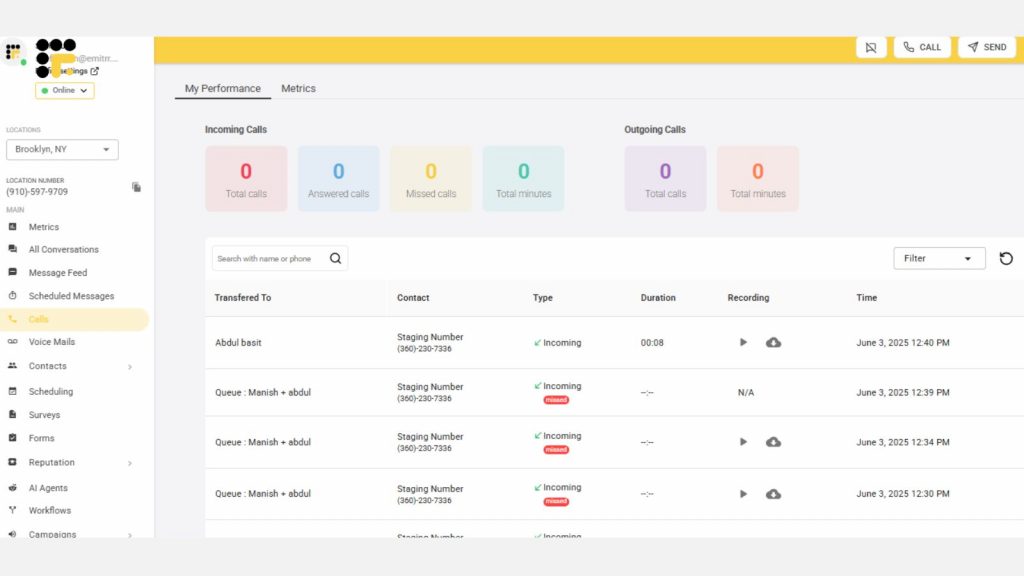
Emitrr is a secure and innovative HIPAA-compliant VoIP phone system tailored for healthcare providers. Designed to meet the stringent requirements of HIPAA and HITECH, Emitrr ensures the confidentiality, integrity, and availability of sensitive patient data. This platform empowers healthcare practices with secure communication, streamlined workflows, and seamless integration capabilities, making it a trusted solution for modern healthcare communication.
Emitrr Features
AI Agent – Built to Match Your Business Needs
With Emitrr, you can create a fully personalized AI agent that fits the way your business communicates. Whether you start from scratch or use a pre-built template for your industry, you’re always in control.
You decide:
- How it connects with customers – through SMS or phone calls
- What it says – using your own custom prompts and replies
- Where it gets its information – like your FAQs, services, or other resources
- What it does – from booking appointments and sending messages to following up on missed calls
Emitrr also offers:
AI SMS Generator: Texts That Practically Write Themselves
Emitrr’s AI SMS Generator makes it super easy to send the right message at the right time. Just tell it what you need, and it quickly creates clear, friendly texts, whether it’s for reminders, follow-ups, or promotions. No writing skills needed, just simple, smart communication made faster.
It’s your 24/7 virtual assistant that’s always available and ready to help, anytime you need it.
Interactive Call Menus (IVR & Call Trees)
With Emitrr, setting up clear, professional call menus like “Press 1 for Sales, Press 2 for Support” is quick and easy. These IVR (Interactive Voice Response) systems and call trees help automate your call flow and ensure callers reach the right person faster.
You can customize your call menu to:
- Forward calls to a specific number or team member
- Route callers to teams like support or the front desk
- Ring all available team members at once, so the first to answer takes the call
- Guide callers through multi-level options for more accurate routing
Whether your call structure is simple or complex, Emitrr’s flexible call tree builder puts you in full control, saving time and making the caller experience smoother.
Team-Based Call Management (Call Queue Groups)
Emitrr makes it easy to manage incoming calls by organizing your team into call queue groups and deciding exactly how calls are routed. With powerful call distribution options, you stay in control of who answers and when. It has the best call management feature from which you can choose:
- Simultaneous Ringing: All team members’ phones ring at the same time—whoever answers first takes the call.
- Sequential Ringing: Calls go through team members one by one, moving to the next person if the previous one doesn’t answer.
If no one answers, you can:
- Forward the call to another teammate or a backup number
- Send it directly to voicemail
- Route it to a different department or queue
This setup ensures every call is handled efficiently, no matter how your team is structured.
Custom Extensions for Each Team Member
Assign every team member their own unique call extension with personalized call settings tailored to their schedule. You can:
- Define custom working hours (e.g., 9 AM – 5 PM)
- Select specific days they’re available to take calls
- Turn on call forwarding when they’re unavailable or off-duty
This ensures calls are always directed to the right person at the right time, boosting both team productivity and customer satisfaction.
Business Hours Settings
With Emitrr, you’re in full control of how calls are handled during and outside business hours. Set custom rules to:
- Route calls to specific team members
- Trigger an automated voice menu
- Send callers straight to voicemail
- Turn call recording on or off based on the time of day
This helps keep everything running smoothly, even when your team’s off the clock.
Advanced Call Routing
Make sure every call lands in the right hands without delays. Emitrr uses smart call routing based on what the caller needs or presses on the keypad. Plus, real-time caller info pops up instantly, so your team can respond faster and more personally, starting every conversation on the right note.
Flexible Call Forwarding
Set up call forwarding that fits your business flow. You can:
- Send missed calls to a backup number or voicemail
- Ring multiple phones at once to boost the chances of answering
- Redirect calls to another teammate or department as needed
No matter the situation, your callers always reach someone who can help.
Call Recording Made Easy
Emitrr lets you record calls for important reasons like:
- Training and onboarding new hires
- Monitoring service quality and team performance
- Meeting legal or compliance needs
You’re in charge; record all calls or only the ones that matter most.
Instant Text Replies for Missed Calls
Never leave customers hanging. When a call goes unanswered, Emitrr can automatically send a text reply, letting customers know you’re on it, even if you can’t answer right away.
Automated Reminders & Follow-Ups
Send appointment reminders and follow-up messages by text, email, or voice, automatically. Customers can:
- Confirm, cancel, or reschedule with a single tap
- Get follow-ups if they miss or cancel an appointment
Choose from ready-to-use templates or write your own. You can pause or tweak campaigns anytime to fit your needs.
Bulk Text Messaging, Simplified
Need to send updates, offers, or announcements to a large group? Emitrr makes it effortless. You can:
- Send thousands of messages in one go
- Schedule messages for perfect timing
- Keep it like two-way texting so customers can reply and have real conversations
Enjoy up to 98% open rates and engage more people with less effort.
AI Agent: Your New Business Buddy!
Emitrr’s AI Agent is like having an extra team member who never sleeps. It helps you reply to texts instantly, adjust the tone of your messages to sound just right, and even run SMS campaigns without any hassle. You can also set it up to automatically sort and send replies to the right person or department. Plus, it combines calling and texting in one easy-to-use platform, so your team can stay on top of customer conversations without feeling overwhelmed. A lot of businesses using 8×8 have already switched to Emitrr, and they’re loving the smoother, smarter experience.
Emitrr Pros
- Ease of Use: The platform is user-friendly, enabling quick onboarding and adoption.
- Enhanced Security: With encryption, access controls, and 2FA, Emitrr provides robust safeguards for patient data.
- Seamless Integration: Supports integration with 500+ tools, making workflows efficient.
- Real-Time Support: Offers multiple support channels, including live chat and phone assistance.
- Versatile Communication: Advanced texting and call features like voicemail transcription and smart routing enhance engagement.
- Reliable Automation: Automates routine communications, saving time and reducing staff workload.
Emitrr Cons
- Evolving VoIP Capabilities: Some advanced VoIP features are still being improved, so they might not be as polished yet.
Emitrr Pricing
Emitrr offers different pricing plans for different capabilities. For VoIP, there are 2 pricing plans – Standard and Professional.
| Name of the plan | Pricing if paid annually | Pricing if paid monthly |
| Standard | $20 per user per month | $25 per user per month |
| Professional | $25 per user per month | $30 per user per month |
Key features of Standard Plan:
- Calling (1000 mins/user)
- HD Voice
- Call Hold Music
- Call Recording (manual)
- Call Queue Groups
- Call Extensions
- Call Routing (During and After Hours)
- Call Transfer
- Call Forwarding
- Number Porting
- Contact Sync
- Set personal working hours
- Mobile App
Key features of Professional Plan:
Everything in Standard plus
- Call Transcription
- IVR (Interactive Voice Response) / Call Tree
- Call Recording (automated)
- Missed Call Auto Text
- Call Conference
- Voicemail Transcription
- HIPAA Compliance
- Access Management
Emitrr Integrations
Emitrr offers 500+ integrations across different industries such as dental, recruiting, real estate, etc. with tools like:
- MailChimp
- Denticon
- AthenaHealth
- Zapier
- Salesforce
- HubSpot
- HouseCall Pro
- And more!
Emitrr Reviews & Ratings
Emitrr has a solid 5/5 star rating on Capterra and here’s what customers are saying about it:
“You have it all integrated into one platform, the signatures, the amount of characters, you can attached files, send photos. You are able to create and send forms. Unlimited amount of things we can use and take advantage of.”
“I LOVE Emitrr. The support you get is wonderful, the app is easy to use and they have been incredibly responsive. As a small business, we needed a messaging platform that wouldn’t break the bank and this meets all our needs (and then some) without making us feel overwhelmed.”
Source: Capterra
Emitrr Support Channels
- Live chat: Chat with Emitrr’s live representatives
- Phone: Call Emitrr at +1 (210) 941-4696
- Email: Send email to Emitrr’s support team at support@emitrr.com
- Knowledge base
- FAQs/forum
- SMS

2. Dialpad
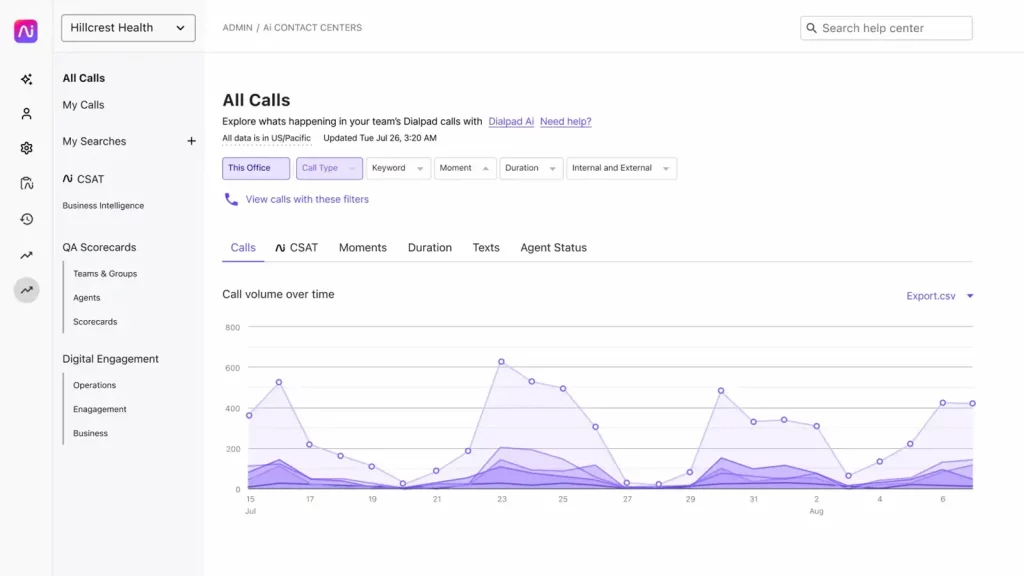
Dialpad is a cutting-edge cloud-based communication platform designed to provide seamless voice, video, and messaging solutions for businesses. With its intuitive interface and AI-driven capabilities, Dialpad enables teams to communicate effectively from anywhere, making it a popular choice for organizations seeking reliable and scalable VoIP phone systems.
Dialpad Features
- Unified Communications: Combines voice, video, messaging, and collaboration tools into one platform.
- AI-Powered Transcriptions: Offers real-time call transcriptions and post-call summaries powered by AI.
- Cloud-Based Operation: Fully cloud-hosted for easy access and management without physical infrastructure.
- CRM Integration: Connects seamlessly with popular CRMs like Salesforce, HubSpot, and Zendesk.
- Call Analytics: Provides insights into call volume, duration, and user activity.
Dialpad Pros
- Ease of Use: Intuitive interface suitable for non-technical users.
- AI Integration: Smart transcription and analysis features save time and improve accuracy.
- Scalability: Ideal for businesses of all sizes, from startups to enterprises.
- Flexibility:Supports mobile, desktop, and browser-based usage for on-the-go communication.
- Integration Options: Broad integration capabilities with CRMs and collaboration tools.
Dialpad Cons
- Limited Advanced Features: May lack some specialized functionalities required by larger enterprises.
- Pricing: Cost can be relatively high for small businesses with limited budgets.
- Learning Curve for AI Features: Some users may find AI features complex to utilize fully.
- Reliance on Internet: Requires a stable internet connection for optimal performance.
Dailpad Pricing
Dialpad Pricing plans are as follows:
- Standard: $15/user/month
- Pro: $25/user/month
- Enterprise: Custom
Dailpad Integrations
- Salesforce
- Zendesk
- HubSpot
- Microsoft Teams
- Slack
- Google Workspace
- ServiceNow
- Zoho CRM
Dialpad Ratings & Reviews
According to Capterra, Dialpad has 4.5/5 ratings out of 500 customer reviews.
“Dialpad, A Phone System You Must Try”
“Dialpad Delivers Seamless Communication”
Source: Capterra
Dailpad Support Channels
- 24/7 live chat
- Email support
- Knowledge base
- Community forums
- Dedicated account managers for premium users
3. Nextiva
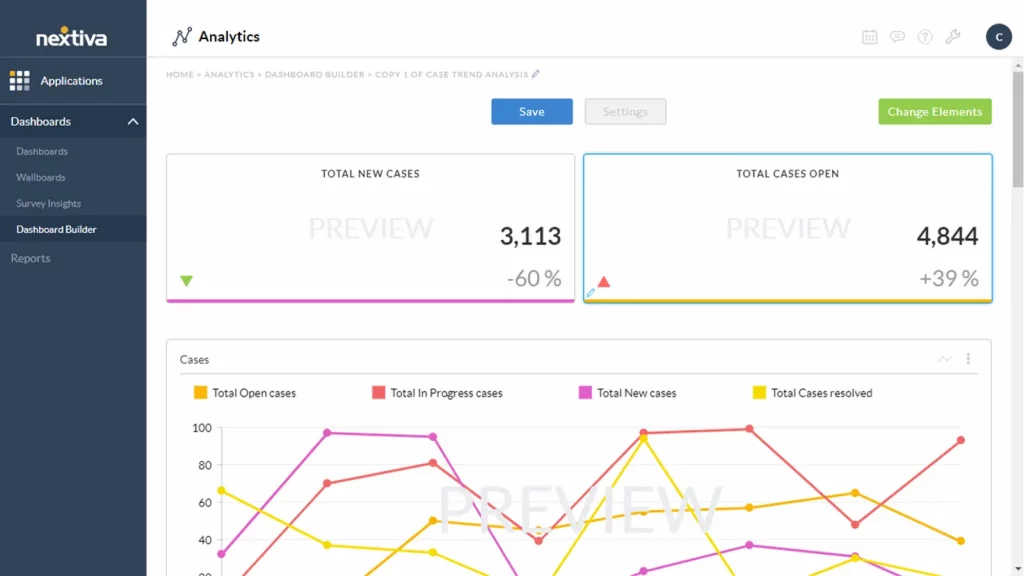
Nextiva is a HIPAA-compliant VoIP service provider offering a secure, cloud-based communication platform for healthcare organizations of all sizes. It unifies encrypted voice, video, and messaging into one compliant solution, making it easier for medical teams to communicate while safeguarding patient information.
Nextiva Features
- VoIP Phone Service: High-quality voice calling with unlimited local and long-distance calls.
- Unified Communications: Combines voice, video, SMS, and team messaging into one platform.
- Auto-Attendant and Call Routing: Provides automated call answering, routing, and voicemail management.
- Mobile and Desktop Apps: Full functionality across all devices, enabling flexible communication on the go.
- CRM Integration: Seamlessly integrates with popular CRMs like Salesforce and HubSpot.
Nextiva Pros
- Comprehensive Communication Solution: Combines VoIP, video, messaging, and more in one platform.
- User-Friendly Interface: Simple setup and easy-to-use features for all team members.
- Scalable Plans: Flexible pricing with options for businesses of all sizes.
- High Call Quality: Excellent voice quality for crystal-clear communication.
- Excellent Customer Support: 24/7 customer support through chat, email, and phone.
Nextiva Cons
- Price: Higher pricing compared to some competitors, especially for smaller businesses.
- Limited International Features: May not offer as many international calling features as some other VoIP providers.
- Setup Complexity for Larger Teams: Initial setup can be time-consuming for larger organizations with complex needs.
- Advanced Features Can Be Overwhelming: Some users may find the array of features complex to navigate at first.
Nextiva Pricing
- Nextiva offers several pricing plans starting at $18.95 per user/month.
Nextiva Integrations
- Salesforce
- HubSpot
- Zapier
- Google My Business
- Microsoft Teams
- Outlook
- QuickBooks
- Mailchimp
- Zendesk
Nextiva Ratings and Reviews
According to Capterra, Nextiva has 4.6/5 ratings out of 500 customer reviews.
“Overall its been pleasent, the documentation is throrough theyve been quick to help with any issues that aren’t arelady addressed.”
“Nextiva is a stable provider but app could be improved”
Source: Capterra
Nextiva Support Channels
- Phone Support
- Email Support
- Live Chat Support
- Help Center/Knowledge Base
- 24/7 Customer Support
4. RingCentral
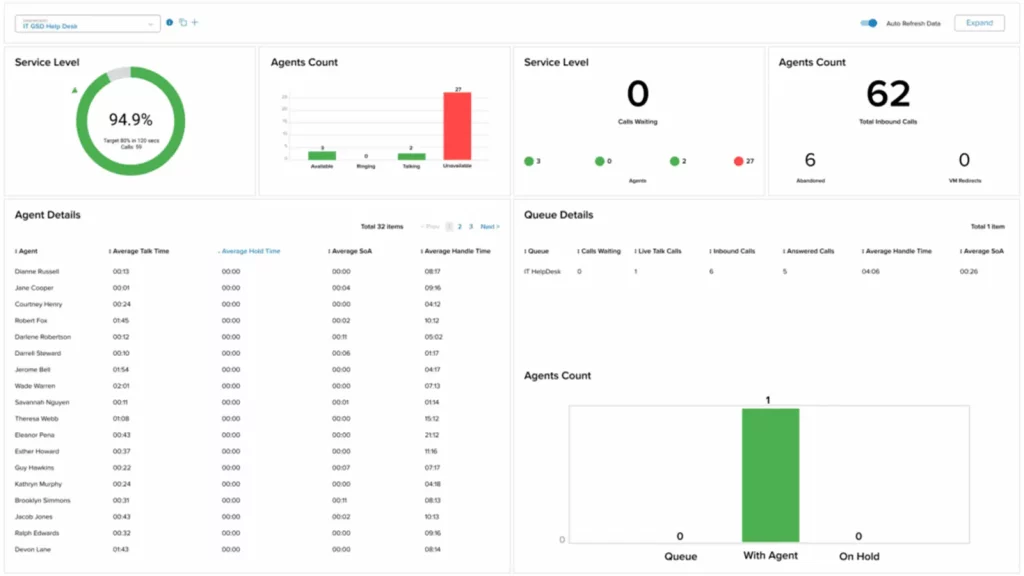
RingCentral is a HIPAA-compliant cloud-based communication platform designed for healthcare organizations of all sizes. It combines secure VoIP phone systems, encrypted video conferencing, HIPAA-safe team messaging, and other essential communication tools in one unified solution. Built for scalability and trusted for its robust security features, RingCentral helps medical teams streamline communication, protect patient data, and improve collaboration, all while meeting strict HIPAA privacy requirements.
RingCentral Features
- VoIP Phone Service: Provides reliable, high-quality voice calls with features like call forwarding and voicemail.
- Video Conferencing: HD video meetings with screen sharing, recording, and virtual backgrounds for professional communication.
- Team Messaging: Real-time team chat and collaboration with direct messaging and group conversations.
- Auto-Attendant: An automated system that answers calls, routes them to the correct extension, and handles voicemail.
- Call Management: Includes call forwarding, blocking, and advanced call routing features.
RingCentral Pros
- Comprehensive Communication Platform: Integrates voice, video, team messaging, and more into one platform for easy collaboration.
- Scalable for All Business Sizes: Flexible pricing and features that grow with your business.
- High-Quality Calls and Video: Excellent call and video quality for clear communication.
- Mobile Flexibility: Full functionality on mobile apps, ideal for remote and traveling teams.
- Integration with Business Tools: Integrates with CRMs, help desk software, and more for smooth workflow management.
RingCentral Cons
- Costly for Small Businesses: Pricing can be higher for small businesses, especially with premium features.
- Setup Complexity: Initial setup may be difficult for businesses without dedicated IT staff.
- Advanced Features Can Be Overwhelming: Some users may find the range of features difficult to navigate initially.
- Occasional Call Quality Issues: Some users report occasional drops in call quality during high-traffic periods.
RingCentral Pricing
RingCentral offers a range of business communication plans, with pricing based on features and the number of users. Here’s a breakdown of the primary pricing plans for RingCentral MVP (Message, Video, Phone):
- Essentials – Starting at $19.99 per user/month (limited to 20 users)
- Standard – Starting at $27.99 per user/month
- Premium – Starting at $34.99 per user/month
RingCentral Integrations
- Salesforce
- Microsoft Teams
- Google Workspace
- Slack
- Zendesk
- HubSpot
- Microsoft Outlook
- Zoho CRM
- Dropbox
- Trello
RingCentral Ratings & Reviews
According to Capterra, RingCentral has 4.4/5 ratings out of 500 customer reviews.
“Great Call Center Software, very reliable!”
“ring central vooice”
Source: Capterra
RingCentral Support Channels
- Phone Support
- Live Chat
- Email Support
- Help Center
- Community Forum
- Knowledge Base
- Customer Support Portal
- Social Media Support
5. Freshdesk

Freshdesk is a HIPAA-compliant VoIP platform designed to help healthcare providers manage patient interactions securely across multiple channels. It offers encrypted ticketing, workflow automation, team collaboration, and analytics, all within a unified, compliance-ready system. Built for medical practices and healthcare organizations of all sizes, Freshdesk streamlines support processes, protects patient data, and helps teams deliver fast, reliable, and HIPAA-safe communication.
Freshdesk Features
- Ticketing System: Organizes and tracks customer support requests across various channels (email, chat, phone, etc.).
- Automation: Automates repetitive tasks like ticket assignment, follow-ups, and notifications to improve efficiency.
- Multi-channel Support:Allows businesses to handle customer queries from email, chat, phone, social media, and more in one platform.
- Knowledge Base: A self-service portal where customers can find answers to common questions, reducing support load.
- Collaboration Tools: Features like team inbox and internal notes for seamless collaboration between team members.
Freshdesk Pros
- User-Friendly Interface: Easy-to-navigate platform with a simple setup process.
- Multi-Channel Support: Handles all customer inquiries in one place, reducing the need for multiple tools.
- Automated Workflows: Saves time and reduces human error with task automation.
- Customizable and Scalable: Offers flexibility to tailor features based on business needs and scales with growth.
- Comprehensive Reporting: Provides insights into team performance, customer satisfaction, and operational efficiency.
Freshdesk Cons
- Limited Advanced Features on Lower Plans: Some advanced features are only available on higher-tier pricing plans.
- Learning Curve for New Users: New users might find the range of features overwhelming at first.
- Integration Limitations: Some users report limitations when integrating with certain third-party apps.
- Occasional Performance Issues: Some users have experienced slow response times during peak periods.
Freshdesk Pricing
Freshdesk has following pricing plans:
- Free Plan – Free
- Growth Plan – $15 per agent/month
- Pro Plan – $49 per agent/month
- Enterprise Plan – $79 per agent/month
Freshdesk Integrations
- Salesforce
- Slack
- Google Workspace (G Suite)
- Microsoft Teams
- Zapier
- Mailchimp
- Shopify
Freshdesk Reviews and Ratings
According to Capterra, Freshdesk has 4.5/5 ratings out of 500 customer reviews.
“HelpDesk Support Specialist”
“Efficient Scalable Solutions for Customer Support Teams”
Source: Capterra
FreshDesk Support Channels
- Phone Support
- Live Chat
- Email Support
- Help Center
- Knowledge Base
- Community Forum
- Ticket Support
- Social Media Support
6. Vonage

Vonage is a HIPAA-compliant cloud-based communication platform that provides secure VoIP services for healthcare organizations of all sizes. With advanced call management features, it delivers encrypted voice, video, and messaging tools through an easy-to-use, compliance-ready platform.
Vonage Features
- VoIP Calling: Provides high-quality voice calling over the internet, eliminating the need for traditional landlines.
- Video Conferencing: Enables team meetings and client interactions through video calls, enhancing collaboration.
- Mobile App: Access and manage your Vonage account via the mobile app for communication on the go.
- Call Management: Includes features like call forwarding, voicemail, call blocking, and call routing.
Vonage Pros
- Flexible and Scalable: Vonage grows with your business and offers scalable solutions to meet evolving communication needs.
- Cost-Effective: Competitive pricing with flexible plans that allow businesses to pay only for the services they need.
- Reliable VoIP Service: High-quality voice and video calls with minimal downtime or disruptions.
- Wide Range of Features: Comprehensive call management, messaging, and reporting features that enhance business communication.
- Mobile Accessibility: The Vonage mobile app enables teams to stay connected and productive from anywhere.
Vonage Cons
- Complex Setup:Initial setup can be challenging for some users, especially for larger teams or organizations.
- Limited International Coverage: While Vonage offers global services, international calling can be expensive or limited in some regions.
- Customer Support: Some users report delays in customer support responses or issues with resolving problems promptly.
- Additional Costs for Some Features: Certain advanced features (like call center tools) may incur additional fees beyond the basic plans.
Vonage Pricing
Vonage has following pricing plans:
- Mobile Plans:
- Mobile Start: $19.99/month (per user)
- Mobile Premium: $29.99/month (per user)
- Business Phone Plans:
- Business Essentials: $19.99/month (per user)
- Business Plus: $29.99/month (per user)
- Business Premium: $39.99/month (per user)
- Add-ons:
- International Call Plans: Starting at $9.99/month
- Call Recording: $5/month
- Virtual Receptionist: $5/month
- Voicemail Transcription: $5/month
Vonage Integrations
- Salesforce
- Microsoft Teams
- Zendesk
- HubSpot
- Google Workspace
- Zoho CRM
- ServiceTitan
- Zapier
- Freshdesk
- NetSuite
Voange Ratings & Reviews
According to Capterra, Vonage has 4.0/5 ratings out of 500 customer reviews.
“Great product for small companies”
“Vonage Business Communications was just ok”
Source: Capterra
Vonage Support Channels
- 24/7 Phone Support
- Live Chat
- Email Support
- Help Center/Knowledge Base
- Community Forums
- Social Media Support (Twitter and Facebook)
7. 8×8

8×8 HIPAA-compliant cloud-based communication platform that offers secure VoIP phone services, encrypted video conferencing, HIPAA-safe team messaging, and contact center solutions for healthcare organizations of all sizes.
8×8 Features
- VoIP Calling: Provides high-quality voice calls over the internet, enabling businesses to stay connected without traditional phone lines.
- Video Conferencing: Offers HD video meetings for remote team collaboration and customer engagement.
- Team Messaging: A built-in team messaging tool that allows businesses to chat, share files, and collaborate in real time.
- Cloud Contact Center: A comprehensive solution for managing customer interactions across multiple channels, including voice, email, chat, and social media.
- Mobile App: Access 8×8 services on the go via its mobile app, ensuring seamless communication from anywhere.
8×8 Pros
- Unified Communication: Combines voice, video, messaging, and contact center solutions into a single platform, improving communication efficiency.
- Scalable Solutions: Offers flexible plans and can easily scale as your business grows, ensuring you only pay for what you need.
- High-Quality Voice and Video: Provides HD voice and video conferencing features that improve the clarity and quality of remote communication.
- Robust Analytics: Real-time call analytics and detailed reports help businesses optimize communication strategies and team performance.
- Seamless Integration: Easily integrates with CRM and collaboration tools, streamlining workflows and improving customer service.
8×8 Cons
- Complex Setup for Some Features: Advanced features, such as contact center solutions, can be difficult to configure for users without technical experience.
- Customer Support Issues: Some users report delays in response times and issues with resolving customer support tickets promptly.
- Pricing Complexity: The pricing structure can be complex, and some features may come at an additional cost, depending on the plan.
- Limited International Coverage: While 8×8 offers global coverage, international call rates can be higher compared to other VoIP providers.
8×8 Pricing
This phone cloud service offers different pricing packages. The basic 8X8 pricing package starts at $24 per month for limited features.
8×8 Integrations
- Microsoft Teams
- Salesforce
- Zendesk
- HubSpot
- Google Workspace
- Slack
- Zoho CRM
- Freshdesk
- ServiceNow
- NetSuite
8×8 Ratings & Reviews
According to Capterra, 8×8 has 4.0/5 ratings out of 500 customer reviews.
“8×8 has been great for us”
“No-Nonsense VOIP”
Source: Capterra
8×8 Support Channel
- 24/7 Live Support
- Phone Support
- Email/Help Desk
- Knowledge Base
8. CloudTalk
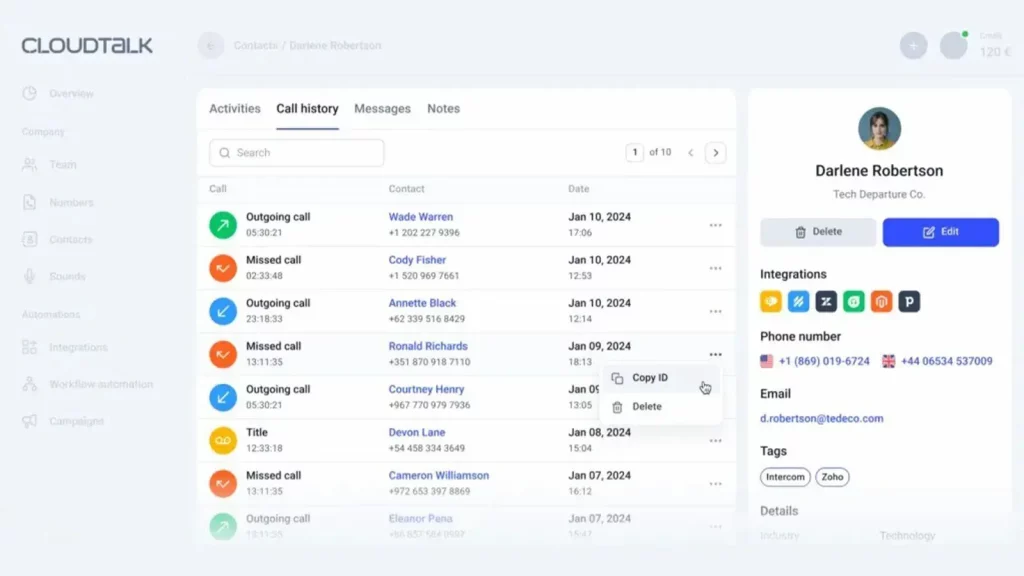
What is Cloudtalk?
CloudTalk is a HIPAA-compliant VoIP phone system designed to make communication secure and seamless for healthcare teams. With features like encrypted call routing, secure real-time analytics, and HIPAA-safe call recording, it helps medical practices stay organized, efficient, and compliant
CloudTalk Key Features
- Cloud-Based Phone System: A modern VoIP solution that enables calls over the internet, eliminating the need for traditional phone lines.
- Smart Call Routing: Automatically directs callers to the best-suited agent based on factors like location, team availability, or customer profile, reducing wait times and improving service.
- Call Recording & Live Monitoring: Record calls for training, compliance, or quality control. Managers can listen to live calls and provide real-time coaching.
- Interactive Voice Response (IVR): Customizable voice menus guide callers to the appropriate department, enhancing the caller experience.
- Real-Time Analytics & Reporting: Access live dashboards and detailed reports to monitor agent performance, call volumes, and customer interactions for data-driven decision-making.
CloudTalk Pros
- User-Friendly Interface: Simple, clean design makes it easy to use, even for teams with little technical experience.
- Highly Scalable: Built to support businesses at any stage, from startups to fast-growing teams.
- Insightful Analytics: Advanced reporting tools offer visibility into team performance and customer engagement.
- Remote-Ready: Works smoothly across devices, making it ideal for hybrid and remote teams.
- Smooth Integrations: Easily connects with popular CRMs and help desks, streamlining your team’s workflow.
CloudTalk Cons
- Dependent on Internet Quality: Call reliability can be affected in areas with unstable or weak internet connections.
- Feature Limitations on Basic Plans: Some advanced features and customization options are only available with higher-tier subscriptions, which may be restrictive for smaller businesses.
Cloudtalk Pricing
Cloudtalk Pricing has the following pricing plans:
- Lite – $19/user/month (billed annually)
- Essential – $29/user/month (billed annually)
- Expert – $49/user/month (billed annually)
- Custom Plan – Pricing available on request
Cloudtalk Integrations
This cloud-based telephony solution can be integrated with various third party solutions:
- Slack
- Salesforce Sales Cloud
- Shopify
- Hubspot CRM
- Zoho CRM
- Zapier
- Freshdesk
- Pipedrive
Cloudtalk Reviews
“The phone application needs more work. Doesn’t seem to “ring” unless the app is open. Would love to have more mobility since working remote.”
“The customer service was sometimes slow to respond or did not have answers for my questions. We have encountered some bugs with the service but they have not been critical and were fixed very quickly after giving information.”
Source: Capterra
Cloudtalk Support Channels
- 24/7 Live Chat Support
- Email Support
- Help Center & Knowledge Base
- Community Forum
- Phone Support (Available on Higher Plans)
- Video Tutorials & Webinars
9. MightyCall

What is MightyCall?
MightyCall is a HIPAA-compliant VoIP solution designed for healthcare providers who need a secure, reliable way to manage patient communications. Operating entirely online, it lets medical teams handle encrypted calls, HIPAA-safe texts, and secure voicemails from any device, whether in the clinic or working remotely.
MightyCall Key Features
- Business Phone Numbers: Choose from local, toll-free, or vanity numbers to give your business a polished and professional presence right from the start.
- VoIP Calling: Make and receive calls over the internet using any device, with consistently clear call quality and no need for physical phone lines.
- Call Forwarding: Automatically route incoming calls to your mobile, another device, or a teammate so you’re always reachable, even when away from your desk.
- Auto-Attendant (Virtual Receptionist): Greet callers with a customizable voice menu and direct them to the right department or person, saving time for both your team and your customers.
- Call Queues: Manage multiple incoming calls by placing them in a queue with hold music and automated messages until someone is available.
MightyCall Pros
- Quick and Easy Setup: Designed for simplicity, it doesn’t require an IT team—setup is fast, and the interface is intuitive.
- Perfect for Small Teams: Tailored to the needs of small businesses, it includes the essentials without overcomplicating things.
MightyCall Cons
- Not Built for Large Call Centers: Lacks the capacity and features required for handling high call volumes in large customer service operations.
- No Built-In Video Conferencing: Doesn’t support video meetings—external tools like Zoom or Microsoft Teams are needed for that.
- Limited Integration Depth: While it offers basic integrations with platforms like HubSpot and Salesforce, they may not be as robust or customizable as those offered by larger systems.
- Missing Advanced Features: Features such as predictive dialing, whisper coaching, or in-depth agent monitoring aren’t included, which might limit its use for sales-heavy or growing teams.
- International Calling Fees: While domestic calls are included, international calls incur extra charges, so businesses with global clients should review the rates carefully.
MightyCall Pricing
MightyCall Pricing has 4 pricing plans:
- Core: $15
- Pro: $23
- Power: $30
- Enterprise: Custom-made plans
MightyCall Integrations
- HubSpot
- Salesforce
- Zoho CRM
- Zapier
- Google Contacts
- Microsoft Outlook
MightyCall Reviews
“Missing important call center functionality, and poor support”
“Pleased With MightyCall”
Source: Capterra
MightyCall Support Channels
- Live Chat Support
- Email Support
- Help Center / Knowledge Base
- Support Ticket System
- Onboarding Assistance (for new users)
10. JustCall
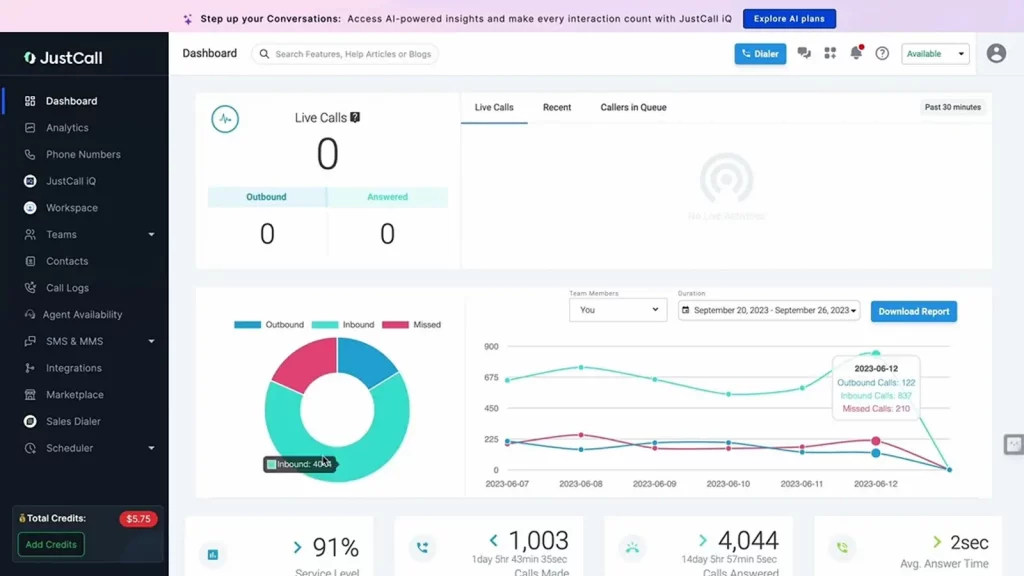
What is JustCall?
JustCall is a HIPAA-compliant VoIP phone system that helps healthcare teams communicate securely. From encrypted calls and texts to automated workflows, it keeps patient data protected while streamlining daily tasks. With secure integrations, call tracking, and audit logs, it’s ideal for clinics, hospitals, and remote care teams needing reliable, compliant communication.
JustCall Key Features
- Call Routing: Automatically directs calls to the appropriate team member or department to reduce hold times and improve responsiveness.
- Call Recording: Records all calls for training, compliance, and customer service review purposes.
- IVR (Interactive Voice Response): Allows callers to navigate a voice menu, helping them quickly connect with the right person or department.
- SMS Automation: Automates text messages for follow-ups, appointment reminders, and other updates, reducing manual workload.
- Call Monitoring & Whisper Coaching: Supervisors can listen to live calls and provide real-time coaching without the customer hearing.
- Predictive Dialer: Increases agent productivity by auto-dialing leads and minimizing idle time between calls.
- CRM Integrations: Seamlessly connects with platforms like HubSpot, Salesforce, and Zoho to keep all customer data and communication in sync.
- Voicemail Drop: Lets agents leave pre-recorded voicemails, speeding up follow-ups and improving efficiency.
JustCall Pros
- Easy Setup and Use: Quick onboarding and an intuitive interface make it accessible, even for non-technical users.
- Strong CRM Integration: Works well with most major CRMs, streamlining customer relationship management.
- Cost-Effective for Small Teams: Offers competitive pricing that’s ideal for startups and small businesses.
- Global Communication Support: Provides international numbers and supports calls and texts in multiple countries, great for distributed teams.
- Responsive Customer Support: Offers support via phone, email, and live chat, with positive feedback on responsiveness and service quality.
JustCall Cons
- Basic Reporting Features: The analytics tools offer standard insights but may not meet the needs of larger teams seeking deeper data.
- Call Quality Can Vary: Some users have experienced dropped calls or lag, particularly with weak internet connections.
- Limited SMS Features on Entry Plans: More advanced messaging automation tools are only available on higher-tier plans.
- No Free Plan Available: Lacks a free version, which may be a barrier for early-stage startups or individual users on a tight budget.
JustCall Pricing Plans
JustCall Pricing plans offer the following:
- Essentials: $29/user/month
- Team: $39/user/month
- Pro: $69/user/month
- Business: Custom pricing
JustCall Integrations
- HubSpot
- Salesforce
- Zoho CRM
- Pipedrive
- Slack
- Zapier
- Freshdesk
- Intercom
- Zendesk
JustCall Reviews
“Amazing telephony solution for small businesses”
“Excellent solution and excellent customer support”
JustCall Support Channels
- Live Chat
- Email Support
- Phone Support
- Help Center & Documentation
Why Emitrr is the best HIPAA-compliant VoIP Phone System Provider?

In healthcare, communication is everything. But it’s not just about making calls or sending messages; it’s about doing it securely, while protecting sensitive patient information. That’s where Emitrr shines. It’s more than a phone system. It’s a HIPAA-compliant VoIP service built to make patient communication simple, safe, and reliable.
Smart AI That Saves You Time
Emitrr’s smart AI handles a lot of the day-to-day work for you. It can instantly reply to texts, answer common questions, and even hold natural conversations with patients. You can set up automatic replies for missed calls, send appointment reminders, or manage follow-ups, all while staying HIPAA-compliant. It even routes calls and messages to the right team member, so nothing gets missed.
Advanced Call Handling
High call volume? No problem. Emitrr has features like call forwarding, warm transfers, call queuing, and custom call flows to make sure every patient gets through to the right person quickly. And because it’s a HIPAA-compliant phone system, every call is encrypted and protected from start to finish. When calls go unanswered, voicemail becomes part of the patient experience.
Use HIPAA-compliant voicemail scripts to keep messages clear, professional, and compliant.
One Platform for All Communication
Emitrr replaces multiple tools by putting calls, texts, voicemails, reminders, and patient contact details in one secure dashboard. No more switching between apps or losing track of conversations. Whether you’re running a small medical office or managing multiple locations, having everything in one place makes life easier.
Packed with Features for Healthcare Teams
Emitrr includes SMS automation, secure voicemail drop, online appointment scheduling, and two-way texting. It’s also perfect for sending HIPAA-compliant bulk texts or appointment reminders. If your team needs a healthcare-grade secure VoIP phone service, this platform delivers without the hassle of juggling multiple systems.
Transparent Pricing: No Surprises
With Emitrr, what you see is what you get. Pricing is simple, fair, and flexible for practices of all sizes. There are no hidden fees, no complicated tiers, just a plan that works for your budget.
Easy to Use from Day One
You don’t need to be a tech expert to use Emitrr. The interface is clean and simple, so your staff can start making HIPAA-compliant calls and sending secure messages right away. Onboarding is quick, and most clinics are up and running in no time.
Better Patient Management
Emitrr keeps all patient communication organized. You can see the entire message history, tag contacts, and schedule follow-ups with ease. This means you’ll never lose track of important conversations and can provide faster, more personal care.
Strong, Secure Texting Tools
Text messaging is one of the easiest ways to connect with patients, and Emitrr makes sure it’s done right. You can send bulk texts, set automated responses, and trigger messages based on events, all while keeping every message HIPAA-compliant.
Support You Can Count On
If you ever run into a problem, Emitrr’s support team is always available, day or night. Whether it’s chat, phone, or email, help is just a message away.
Chrome Extension Friendly
With Emitrr’s Chrome extension, you can make calls, send messages, and manage contacts directly from your browser. No need to switch tabs or log in elsewhere. It’s perfect for multitaskers who want to stay productive without disrupting their workflow.
Which Industries are catered by Emitrr?

Emitrr is changing the way businesses connect with their customers. It takes everyday communication and makes it faster, easier, and way more effective, no matter what industry you’re in. Here’s how different types of businesses are using Emitrr to stay ahead:
Healthcare
Emitrr is designed with healthcare providers in mind. It offers HIPAA-compliant texting, calling, and appointment reminders, all in one platform. It works seamlessly with tools like Denticon and Dentrix, making it easy to manage billing, follow-ups, and even patient reviews, all while keeping everything compliant and well-organized.
Wellness
Wellness Businesses like Spas, salons, and fitness studios love Emitrr because it takes care of the little things, like sending appointment reminders, booking confirmations, and feedback requests. It helps reduce no-shows, keeps the schedule full, and makes it easy to send special offers to returning customers.
Education
Schools and learning centers use Emitrr to keep students, parents, and staff in the loop. Whether it’s a last-minute schedule change, weather alert, or event reminder, you can send messages in bulk or one-on-one, fast and reliably.
Legal Services
Law firms rely on Emitrr for secure messaging and smooth appointment reminders. It helps reduce repetitive tasks, protect client info, and manage cases more efficiently with a communication setup that just makes sense.
Real Estate
For real estate agents and property managers, Emitrr takes care of scheduling showings, sending reminders, and following up with leads. It helps build trust, speed up response times, and keep things moving in a fast-paced market.
Home Services
Whether you run a plumbing business, HVAC company, or cleaning service, Emitrr helps keep everything on track. It automates scheduling, sends real-time job reminders, and follows up with customers to make sure no detail falls through the cracks.
Retail
Emitrr makes it easy for retailers to stay in touch with customers. From order updates and shipping alerts to promo messages and loyalty rewards, it’s all automated—and all handled in one place.
Automotive
Car dealerships and service centers use Emitrr to book test drives, send service reminders, and check in with customers after appointments. It keeps communication smooth and helps build strong, lasting customer relationships.
Insurance
Insurance agents use Emitrr to send quick policy updates, claims info, and personal reminders. The two-way texting feature makes it easy to answer questions and stay connected, without playing phone tag.
Frequently Asked Questions
A HIPAA-compliant VoIP phone system is a communication tool designed to meet HIPAA regulations. It ensures the secure transmission of patient data through encryption, access controls, and other safeguards, protecting patient privacy during calls and messaging.
Encryption ensures that all communication, including calls and messages, is securely transmitted. This prevents unauthorized access to sensitive patient information, a critical requirement for maintaining HIPAA compliance.
Yes, many HIPAA-compliant VoIP systems integrate seamlessly with healthcare tools such as electronic health records (EHR) and scheduling software, enabling smooth workflows and secure communication.
Look for features like end-to-end encryption, secure call recording, customizable user permissions, audit logs, compliance certifications, mobile access, and voicemail-to-text capabilities to ensure compliance and efficiency.
Yes, if a VoIP system is used to handle patient information, it must be HIPAA-compliant to ensure the confidentiality, integrity, and security of sensitive data.
A HIPAA-compliant phone system includes features like encryption, secure data storage, access controls, audit trails, and compliance certifications. It also ensures that all communication and data handling adhere to HIPAA standards.
Yes, any phone number used to communicate patient information must be part of a HIPAA-compliant system to ensure that sensitive data is protected during calls and messages.
Phone sessions can be HIPAA-compliant if conducted using a HIPAA-compliant VoIP system that includes encryption, access control, and secure recording features to protect patient privacy.
Conclusion
In a nutshell, every healthcare business needs HIPAA-compliant VoIP system services to run their business in a better and more efficient way. Emitrr serves to be one of the best HIPAA-compliant VoIP system providers. Book a demo now and leave the rest to the best.