
Introduction
Intermedia alternatives are relevant for mid-size businesses that want hosted UCaaS but want to understand pricing upfront rather than going through a reseller quote process. Intermedia sells primarily through channel partners, which means pricing often isn’t posted publicly and the experience of working with a reseller varies. Businesses that want to evaluate and purchase a business phone and messaging platform directly, with transparent pricing, will find these alternatives more straightforward.
AI Summary
- Intermedia sells primarily through channel partners and resellers, which means pricing is rarely listed publicly and varies by partner.
- This blog covers UCaaS alternatives with published pricing you can evaluate on your own without entering a reseller conversation.
- Compares feature sets for calling, SMS, meetings, and file sharing across alternatives at a comparable total monthly cost.
- Rates each tool on compliance credentials, pricing transparency, and whether you can purchase and manage the account directly.
- Emitrr is recommended for businesses that want VoIP and texting with clear monthly pricing and no reseller in the middle.
Why Businesses Tire of Not Being Able to Price Out Intermedia Without a Reseller Call
Why leave Intermedia VoIP? Here are some of the main reasons teams are looking to switch from Intermedia:
Clunky user interface for non-tech teams
Day-to-day users, especially those outside IT, often find Intermedia confusing to navigate. Simple tasks like forwarding calls or setting up voicemails take longer than they should.
Limited multi-channel support
Today’s customers expect more than just phone calls. They want to text, chat, and reach you in different ways. Intermedia falls short when it comes to managing conversations across multiple channels.
Poor mobile app experience
The mobile app feels slow and outdated. Dropped calls, glitches during meetings, and missed notifications are common complaints, especially for teams that work outside the office.
Higher entry-level pricing
At first glance, Intermedia’s pricing seems competitive. But once you start adding the tools you need, like analytics or extra storage, the costs creep up fast.
Minimal automation capabilities
A lot of tasks still have to be handled manually, from following up with missed calls to routing conversations. Businesses looking to save time with automation will find Intermedia limiting.
Hard to customize for industry-specific needs
Every industry has its own workflow. Intermedia’s options feel one-size-fits-all, leaving businesses in healthcare, real estate, and legal services piecing together workarounds.
Onboarding takes longer than expected
Getting started is not always smooth. Setting up users, integrating tools, and training staff often take more time than businesses expect, leading to delays and frustration.
Scalability limitations for growing teams
Intermedia works fine for smaller teams, but as businesses expand, it starts to feel restrictive. Features that growing teams need either cost extra or are too limited.
Lacks depth in analytics
There are call logs and basic reports, but if you want deeper insights like tracking how many leads are missed or how quickly your team responds, Intermedia leaves you guessing.
Performance issues on weak networks
If your internet connection is not strong, you will feel it. Call quality drops, meetings lag, and even basic operations slow down, hurting both customer and team experience.
Limited integration and customization
If you are using a CRM, an EHR, or other tools, getting them to sync smoothly with Intermedia can be a headache. Many integrations are either basic or need outside help to set up.
What Hosted UCaaS Should Look Like When You Can Evaluate and Buy It Directly
Making a switch from Intermedia is a big move, so it is important to know what to look for. If you are thinking about moving away from Intermedia, here are the features that should be on your checklist:
Multi-Channel Communication Suite
The right platform should let you call, text, and chat with customers from one place. No extra logins, no switching apps. Everything should flow together so your team can stay organized and fast.
Advanced Call Management Tools
Look for features like smart call routing, voicemail-to-text, call forwarding, and IVR menus. These tools help you manage incoming calls better without leaving customers waiting.
Strong Integration and API Support
The more your systems talk to each other, the less manual work your team has to do. A good Intermedia alternative will offer ready-made integrations and open APIs if you need something custom later.
User-Friendly Interface
Your team should be able to figure it out without a bunch of training videos. Simple dashboards, clear menus, and an easy setup process make a huge difference when you are busy.
Reliable Performance
It should just work. Calls, messages, and chats need to be smooth, even if your internet is not perfect. Look for providers known for stable uptime and consistent call quality.
Real-Time Analytics & Reporting
You should be able to track key numbers like missed calls, average response times, and message volume without needing a data analyst. Good reporting helps you catch problems early and see what is working.
Multi-Location Support
If you are running more than one office or location, your platform needs to keep up. Features like location-based routing, shared inboxes, and centralized reporting make life easier as you grow.
Transparent Pricing
No hidden fees. No sneaky add-ons. Look for a provider that gives you clear pricing that can grow with your team without doubling your costs.
24/7 Support
When something goes wrong, you should not have to wait days for help. Make sure your new provider offers real-time support that actually fixes problems quickly.
HIPAA Compliance
If you are in healthcare, insurance, or any industry dealing with private information, HIPAA compliance is non-negotiable. Choose a platform that makes it easy to stay compliant without extra effort. Make sure that your ideal Intermedia competitor offers HIPAA-compliant texting, HIPAA-compliant VoIP, and HIPAA-compliant scheduling as core capabilities.
Top 10 Intermedia Alternatives
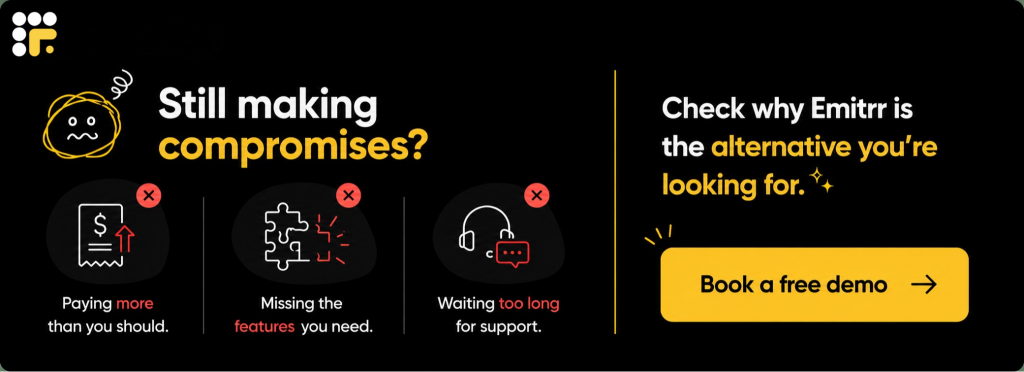
Now that you know what to look for in your ideal VoIP provider, here are 10 better options than Intermedia that you must compare and consider:
Let’s explore Intermedia vs other VoIP providers in detail:
1. Emitrr : Best Intermedia Competitor
What is Emitrr?
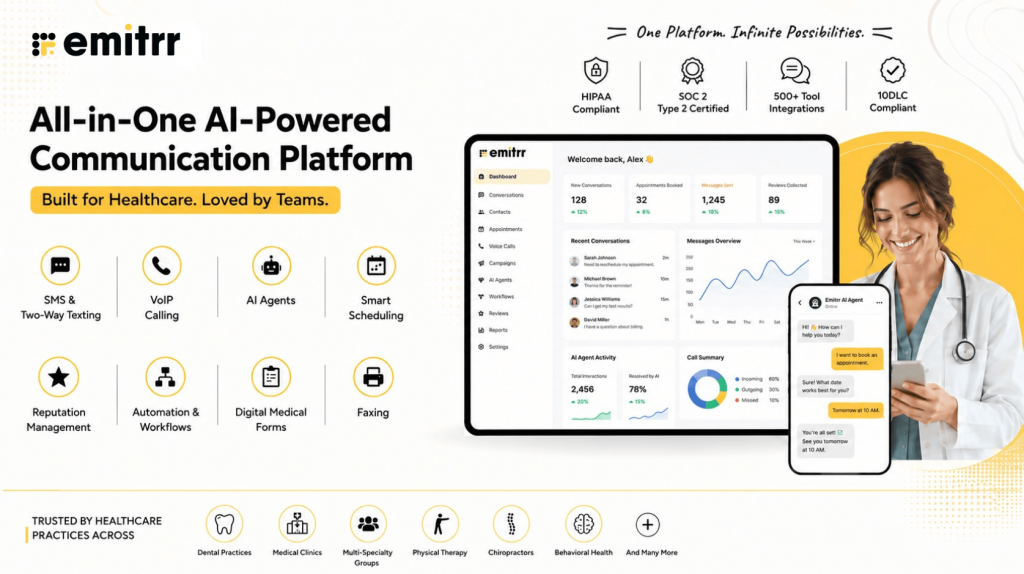
Emitrr is a modern, complete customer interaction and engagement platform built for both enterprises and small businesses, offering tailored VoIP solutions depending on your business’ growing needs. This Intermedia competitor is designed for teams that need real results over endless features. Emitrr brings together calling, texting, webchat, automation, and AI-powered workflows into one simple and easy-to-manage system.
What makes Emitrr different and the best Intermedia alternative is how it focuses on practical day-to-day communication needs. Instead of stacking unnecessary tools that teams rarely use, Emitrr simplifies operations by automating missed call responses, enabling two-way texting from a single dashboard, handling appointment reminders, and even offering an AI receptionist to capture leads and route calls after hours. For industries like healthcare, real estate, home services, and education, where every missed call can cost a customer, this Intermedia competitor ensures that no conversation is left hanging.
Emitrr Features
- Two-Way Business Texting: Send and receive texts from your business number, helping you stay connected with customers who prefer quick messaging over calls.
- Inbound and Outbound Calling: Manage all customer calls directly through Emitrr, with smart features like call forwarding and voicemail capture.
- Webchat-to-Text Widget: This Intermedia competitor can convert website visitors into text conversations automatically, making it easier to capture and engage leads in real time.
- Voicemail Drop: Send recorded voicemail messages instantly without ringing the customer’s phone, saving time for your team.
- Missed Call Text Automation: Automatically send a text message to any caller you miss, helping you recover leads even when you cannot answer right away.
- AI Receptionist: Let AI receptionist handle your calls when your team is busy or after hours, ensuring every customer still gets a prompt response.
- Appointment Scheduling and Reminders: Set up automated appointment reminders and confirmation texts to reduce no-shows and keep your calendar full.
- Review Request Automation: Send personalized SMS review requests after service or appointments to help grow your online reputation.
- Smart IVR System: Route incoming calls based on the caller’s needs without involving the front desk every time.
- Shared Team Inbox: View, manage, and respond to all conversations from one place with a shared SMS inbox, no matter how the customer reached out.
- Lead Capture Forms: Turn form submissions into active conversations through instant text responses and follow-ups.
- Customizable Auto-Replies: Set up different auto-responses for missed calls, off-hours inquiries, or first-time messages.
- Call Tracking and Reporting: Access detailed insights into call volume, response times, and customer engagement without needing extra software.
- HIPAA-Compliant Communication: Secure texting and messaging tools designed for industries like healthcare that need to meet privacy standards.
- CRM and Tool Integrations: Connect Emitrr easily with popular CRM systems, calendars, and industry software without complicated setups.
Emitrr Pros
- Fast and Easy Setup: Emitrr can be fully deployed in a matter of days, not weeks, with simple onboarding for your team.
- All-in-One Communication Hub: Manage calls, texts, and webchat from one dashboard, avoiding the need to juggle multiple apps.
- Reduces Missed Opportunities: Instant replies to missed calls and leads make sure you capture more business without extra manual work.
- Saves Staff Time: Automation of reminders, follow-ups, and first responses frees up your staff to focus on higher-value tasks.
- Easy to Use for Any Team Member: The interface is clean and simple, allowing even non-technical staff to start communicating effectively from day one.
- Flexible for Different Business Types: Emitrr adapts easily whether you are a healthcare practice, real estate agency, service company, or school.
- Reliable Customer Support: Live human support teams are available when you need help, with fast response times and real fixes.
- Improves Customer Satisfaction: Faster responses mean happier customers, better engagement, and more repeat business.
- Customizable to Your Workflow: Adjust call flows, auto-replies, and appointment settings to match how your business operates.
- Works Even with Limited Internet: Lightweight design ensures good performance even when your internet connection is not ideal.
Emitrr Cons
- Some amazing features are still under development and will be rolled out soon.
Emitrr Pricing
Emitrr keeps its pricing simple, offering two straightforward plans:
| Name of the plan | Pricing if paid annually | Pricing if paid monthly |
| Standard | $20 per user per month | $25 per user per month |
| Professional | $30 per user per month | $35 per user per month |
Emitrr Integrations
Emitrr offers 500+ integrations across different industries such as dental, recruiting, real estate, etc., with tools like:
- MailChimp
- Denticon
- AthenaHealth
- Zapier
- Salesforce
- HubSpot
- HouseCall Pro
- And more!
Emitrr Customer Support Channels
- Live chat: Chat with Emitrr’s live representatives
- Phone: Call Emitrr at +1 (210) 941-4696
- Email: Send email to Emitrr’s support team at support@emitrr.com
- Knowledge base
- FAQs/forum
- SMS
Emitrr Rating
Emitrr has a solid 4.8-star rating on Capterra.
Emitrr Reviews
“Emitrr customer service is unmatched! I don’t need help often but when I do, it is handled quickly. The system is very user friendly.”
“Glad we found Emitrr, we enjoy using Emitrr. This has given us the freedom to communicate with our customers where all our staff and lead field technician can see and communicate effectively with our consumers.”
“I like the willingness of Emitrr to take suggestions and quickly turn them around into product features. They are constantly evolving the product and making it better by the day.”
(Source: Capterra)
2. CloudTalk
What is CloudTalk?
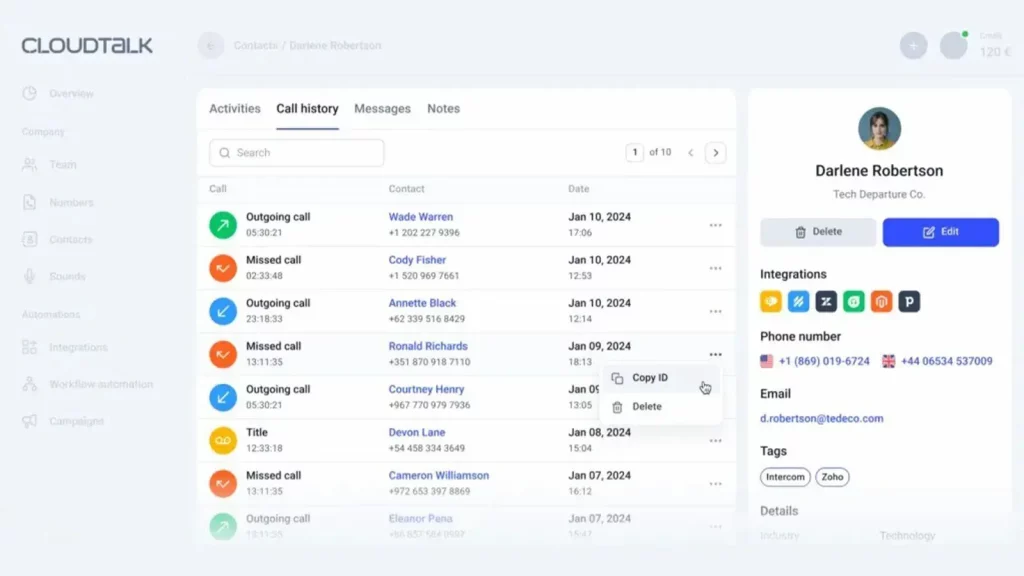
CloudTalk is a cloud-based calling platform and a popular Intermedia VoIP replacement built mainly for sales and customer support teams. This Intermedia competitor helps businesses manage inbound and outbound calls through a virtual phone system, with features like smart call routing, call recording, and performance tracking. This Intermedia replacement is a good fit for companies with remote or hybrid teams who need flexibility across devices. However, this alternative is similar to Intermedia and can feel limiting for businesses that also want strong multi-channel communication, like texting or webchat, alongside calls.
CloudTalk Features
- Smart Call Routing: Automatically direct incoming calls to the right agent based on rules like caller history, time of day, or skill set.
- Call Recording and Storage: Record customer conversations and store them securely for training, quality checks, or legal purposes.
- Voicemail with Transcription: Capture voicemails and convert them into written transcripts so agents can prioritize responses easily.
- Real-Time Call Monitoring: Supervisors can listen to live calls, whisper coaching tips to agents, or jump into calls if needed.
- Click-to-Call from CRM: Enable one-click calling directly from your CRM, speeding up outbound sales and support efforts.
CloudTalk Pros
- Built for Remote Teams: This Intermedia replacement works well across locations, letting remote agents connect easily without needing expensive hardware setups.
- Strong Call Analytics: The platform provides detailed insights into call volumes, wait times, and agent performance, helping managers fine-tune operations.
- Easy CRM Integrations: CloudTalk offers direct integrations with popular CRMs like HubSpot, Salesforce, and Zoho, streamlining workflows.
- Global Calling Options: Businesses can get international numbers and manage calls across different countries without complicated setups.
CloudTalk Cons
- Limited Multi-Channel Support: This alternative is similar to Intermedia and focuses heavily on voice. If your team relies on texting or webchat too, you will need extra tools.
- Higher Pricing at Scale: Costs can rise quickly as you add more agents or premium features like advanced analytics.
- Requires Strong Internet for Best Performance: Call quality can drop noticeably if the internet connection is not stable or fast.
- Basic Mobile App Experience: While it covers the basics, the mobile app lacks some of the functionality available on the desktop version.
- Less Flexibility for Non-Sales Teams: Most features are designed with sales or support call centers in mind, making it less customizable for other industries.
CloudTalk Pricing
Here’s a quick summary table of CloudTalk pricing plans:
| Name of the plan | Pricing if paid annually | Pricing if paid monthly |
| Lite | $19 per user per month | $27 per user per month |
| Essential | $29 per user per month | $39 per user per month |
| Expert | $49 per user per month | $69 per user per month |
| Custom | Contact Sales | Contact Sales |
CloudTalk Integrations
- Salesforce Sales Cloud
- Shopify
- HubSpot CRM
- Freshdesk
- Pipedrive
- Zapier and more
CloudTalk Customer Support Channels
- Email/Help Desk
- FAQs/Forum
- Knowledge Base
- Phone Support
- 24/7 (Live rep)
- Chat
CloudTalk Rating
This Intermedia replacement has a 4.4-star rating on Capterra.
CloudTalk Reviews
“It’s a really great app especially because you can do more things than just call a contact. Top point the dashboard they provide is perfect and it gives you the control you need in order to analyze better your calls and get better results.”
“1. Mobile app functionality is a bit outdated 2. Interface could be more intuitive 3. Outbound calls are expensive in our region (though this is typical for all products on the market)”
(Source: Capterra)
3. JustCall
What is JustCall?
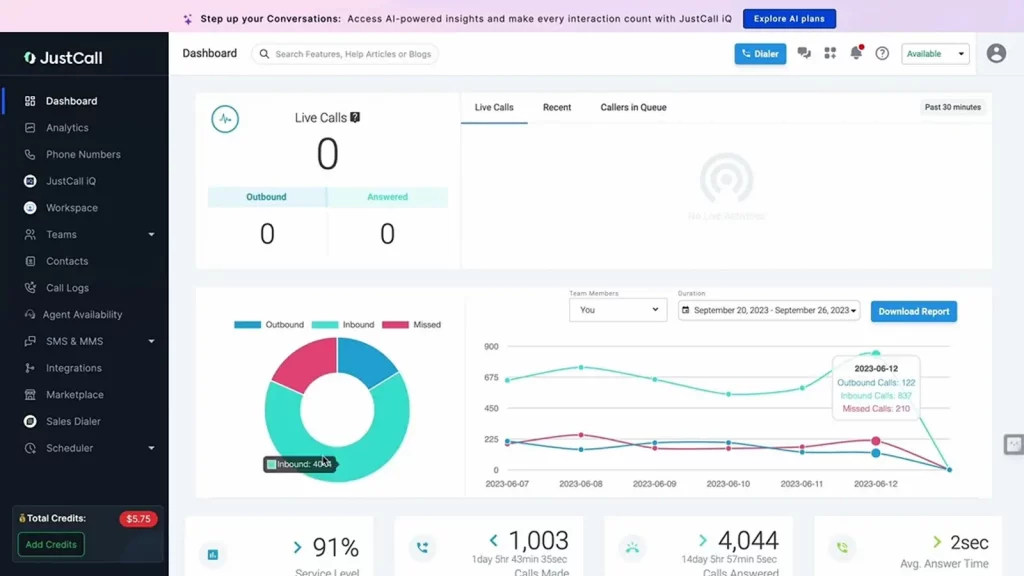
JustCall is a popular alternative to Intermedia and a cloud-based phone system designed mainly for customer service and sales teams. This Intermedia VoIP replacement offers tools like click-to-call, SMS automation, and call tracking to help teams manage customer conversations more efficiently. It fits well for businesses that want a simple calling setup integrated with their CRM. However, teams looking for deeper workflow automation or advanced customization may find JustCall’s feature set a little basic as they scale.
JustCall Features
- Click-to-Call Functionality: Call customers directly from your CRM or helpdesk with one click, saving time on outbound calling.
- SMS Campaigns: Send and automate text message campaigns for promotions, updates, or customer engagement.
- Call Recording and Analytics: Record calls automatically and access call analytics to review performance and customer interaction quality.
- Call Scheduling: Schedule calls with leads and customers inside the platform and automatically send calendar invites.
- Team Collaboration Tools: Use shared call logs, notes, and tags to keep everyone on the same page without switching between tools.
JustCall Pros
- Easy CRM and Helpdesk Integrations: This alternative to Intermedia connects easily with platforms like Salesforce, HubSpot, Zoho, and Freshdesk, simplifying workflows.
- Fast Setup and Deployment: Businesses can get up and running quickly without needing technical teams or major hardware investments.
- Multi-Channel Support: Besides voice, JustCall offers SMS features to support different customer communication preferences.
- Good for Small and Mid-Sized Teams: This simple setup and affordable plans make it attractive for growing teams with limited IT resources.
JustCall Cons
- Limited Advanced Automation: While it handles basic workflows well, more complex automation (like AI-based routing or smart follow-ups) is missing.
- Call Quality Depends on Internet Stability: A strong internet connection is essential for maintaining good call quality; weaker connections can cause drops or lags.
- Not Ideal for Large Enterprises: Features are geared towards small to mid-sized teams; scaling to enterprise-level operations may feel restrictive.
- Pricing Adds Up with Extras: Basic plans are affordable, but adding advanced features like bulk SMS, call monitoring, or extra integrations can increase monthly costs.
- Basic Reporting Features: Reporting covers essentials but lacks deeper insights that large support or sales teams might want for optimization.
JustCall Pricing
JustCall’s pricing starts at $29 per user per month when billed annually.
JustCall Integrations
- Dropbox Business
- Zoho CRM
- monday.com
- Apollo.io
- Appy Pie and more
JustCall Customer Support Channels
- Email/Help Desk
- FAQs/Forum
- Knowledge Base
- 24/7 (Live rep)
- Chat
JustCall Rating
This alternative is better than Intermedia and has has a 4.2-star rating on Capterra.
JustCall Reviews
“After searching for a phone system that would provide ease of use while on the go, connect with our CRM, and reliably work, we finally found JustCall. JustCall has a fair pricing structure and a responsive help team.”
“Price is a little high and sometimes it takes a day to get a response from support.”
(Source: Capterra)
4. Dialpad
What is Dialpad?
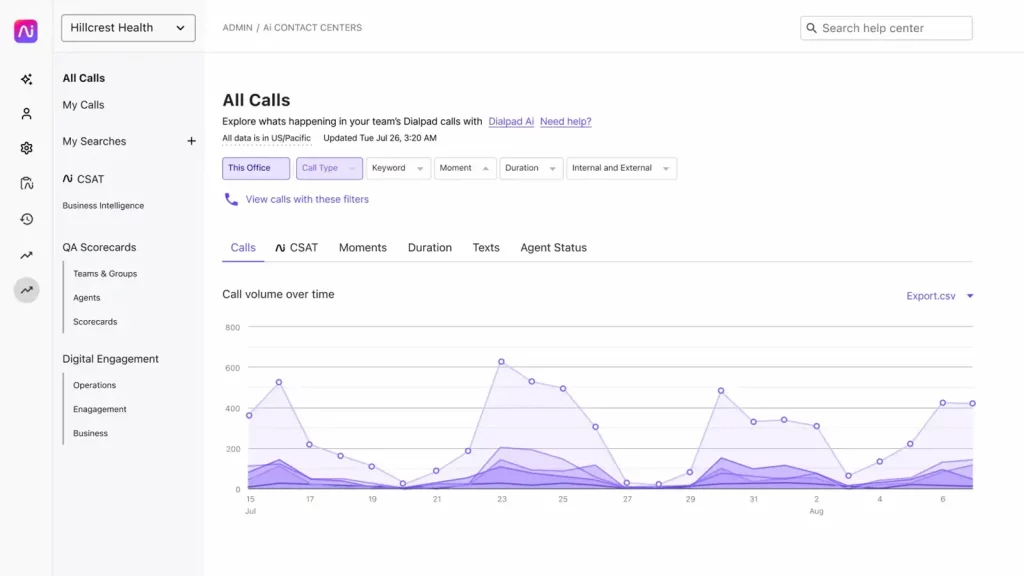
Dialpad is a cloud communication platform and similar to Intermedia that offers voice calls, video meetings, messaging, and AI-powered features like live transcription. This alternative to Intermedia is popular among businesses that want a flexible, remote-friendly phone system with built-in smart tools. This Intermedia replacement fits well for tech-savvy teams that value integration and automation. However, businesses that rely heavily on traditional calling workflows sometimes find the platform less intuitive compared to standard VoIP setups.
Dialpad Features
- Voice Calling and Messaging: Make and receive calls, send team messages, and manage customer conversations from one unified app.
- AI Call Transcription: Automatically transcribe calls in real time, making it easier to capture important details without manual note-taking.
- Call Routing and IVR: Create smart call flows that direct customers to the right department or agent without extra steps.
- Built-in Video Conferencing: Host video meetings directly within Dialpad without needing a separate platform.
- CRM Integration: Connect this alternative to Intermedia with popular CRM systems like Salesforce, HubSpot, and Zoho to sync customer interactions.
Dialpad Pros
- Strong AI Features: Real-time call transcription, sentiment analysis, and voice intelligence help teams work smarter without extra software.
- Good for Remote and Hybrid Teams: This Intermedia replacement is cloud-first, making it easy for teams to stay connected whether they are in the office or working remotely.
- Clean and User-Friendly Interface: The app is modern, easy to navigate, and works across desktop and mobile devices with minimal setup.
- Multiple Communication Channels: Besides calling, teams can use built-in messaging and video conferencing, reducing the need for extra tools.
Dialpad Cons
- Learning Curve for Traditional Teams: Teams used to standard VoIP systems may find the AI features overwhelming at first.
- Limited International Calling Options: Dialpad’s international call rates and number availability are not as strong as some competitors.
- Advanced Features Cost More: This is better than Intermedia and offers AI-powered features like advanced analytics are often locked behind higher-tier plans.
- Less Customization for IVR Menus: While setting up call routing is simple, businesses needing very detailed IVR structures may find it limited.
- Mobile App Can Lag on Older Devices: The mobile app works well overall but can feel sluggish on older smartphones or lower-end devices.
Dialpad Pricing
Instead of a single pricing structure, Dialpad pricing plans are divided into 4 main categories:
- Dialpad Connect
- Dialpad Meetings
- Dialpad Support
- Dialpad Sell
Dialpad Integrations
- Google Workspace
- Salesforce Sales Cloud
- Microsoft 365
- Jiminny
- KIZEN
- Kustomer and more
Dialpad Customer Support Channels
- Email/Help Desk
- FAQs/Forum
- Knowledge Base
- Phone Support
- 24/7 (Live rep)
- Chat
Dialpad Rating
This replacement for Intermedia has a 4.2-star rating on Capterra.
Dialpad Reviews
“There is a great intuitive interface, cloud-based accessibility, and robust features Calls made using the platform are clear and the video calls and AI-driven transcription services are stellar.”
“The pricing on their website is misleading. There were numerous hidden fees and my phones would not function for my business until I paid these unexpected costs.”
(Source: Capterra)
Curious about Dialpad and whether it fits your business needs? Watch our video for a detailed look:
5. 8X8

What is 8X8?
8×8 is a cloud-based communication platform that offers voice, video, messaging, and contact center solutions. This Intermedia replacement is often chosen by businesses looking for an all-in-one communication system that can support both internal teams and external customer service. This Intermedia replacement covers a wide range of features, but smaller businesses sometimes find the platform overwhelming with too many options and a more complicated setup compared to simpler VoIP solutions.
8X8 Features
- Voice over IP (VoIP) Calling: Handle all business calls through cloud-based VoIP with call forwarding, transfers, and voicemail included.
- Video Meetings: Host secure video meetings for internal teams and client calls without needing a third-party video tool.
- Team Messaging: Use internal messaging features to collaborate across departments, reducing the need for separate chat apps.
- Contact Center Features: Access tools for customer support like queue management, skill-based routing, and real-time analytics.
- Multi-Site and Global Support: This Intermedia replacement also manage communication across multiple office locations and international teams from a single platform.
8X8 Pros
- Comprehensive Communication Tools: Voice, video, messaging, and contact center tools all come together under one system.
- Good Scalability for Growing Teams: This replacement for alternative supports businesses that grow across locations, making it easy to expand communication infrastructure.
- Solid Global Reach: This alternative is better than Intermedia and is easier to get international numbers and global call coverage through 8×8 compared to many smaller VoIP providers.
- Reliable Uptime and Security: 8×8 is known for strong uptime guarantees and offers encryption and compliance for regulated industries.
8X8 Cons
- Complex Setup for Small Businesses: For smaller teams, the amount of features and options can feel unnecessary and harder to manage.
- Higher Learning Curve: New users may need more training to fully understand the system, especially for contact center features.
- Premium Features Come at a High Cost: More advanced features like analytics, call quality monitoring, or AI tools are only available on expensive plans.
- Mixed Mobile App Reviews: The mobile app works but tends to get average reviews for performance and user experience.
- Limited SMS and Texting Tools: While strong on voice and video, 8×8’s SMS and texting features are basic compared to platforms focused on two-way messaging.
8X8 Pricing
8×8 offers pricing plans based on business needs, ranging from basic voice solutions to advanced contact center packages. Each plan comes with its own set of features, allowing businesses to choose what fits their team size and communication needs best.
8X8 Integrations
- Freshdesk
- Microsoft Outlook
- Google Chrome
- Zendesk Suite and more
8X8 Customer Support Channels
- Email/Help Desk
- FAQs/Forum
- Knowledge Base
- Phone Support
- 24/7 (Live rep)
- Chat
8X8 Rating
This Intermedia replacement has a 4-star rating on Capterra.
8X8 Reviews
“Overall, when the system runs as designed, it is pretty good. The inconsistent performance is frustrating. The implementation team was helpful but regular setup is a bit clunky. Once figured out, it is ok.”
“Overall my organization is very happy with 8×8. It gets the job done at an affordable price, which is perfect for my small team.”
(Source: Capterra)
6. Nextiva
What is Nextiva?
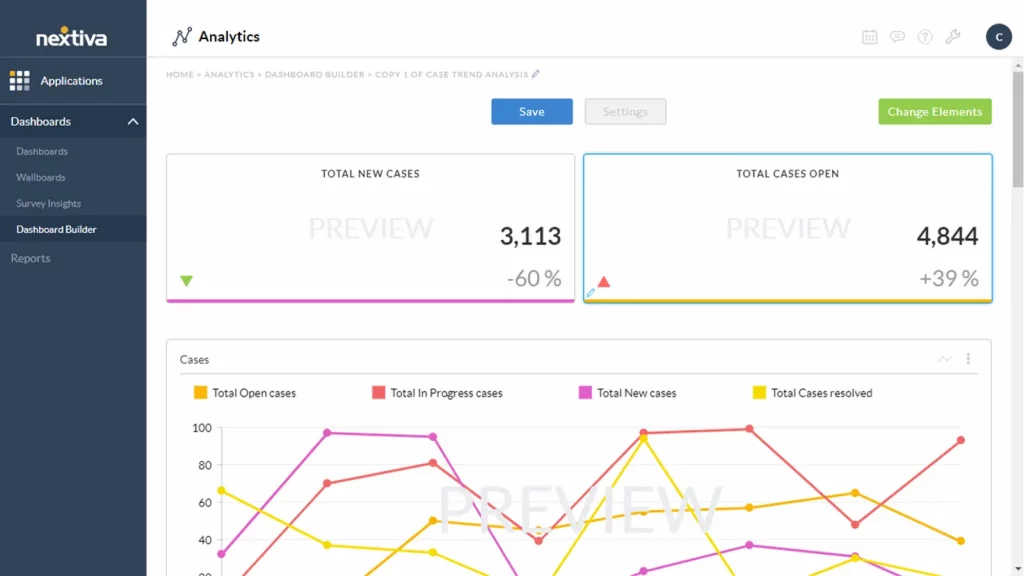
Nextiva is a cloud communication and collaboration platform that offers VoIP calling, team messaging, video meetings, and CRM tools under one roof. This Intermedia competitor is widely used by businesses that want a more traditional phone system feel combined with modern features like call analytics and workflow automation. While this Intermedia replacement offers strong reliability and customer service, some businesses find the platform’s interface a little dated compared to newer, more streamlined tools.
Nextiva Features
- VoIP Phone System: Make and receive calls through the cloud with call forwarding, auto-attendants, and voicemail services.
- Video Conferencing: Host HD video meetings with screen sharing and team collaboration tools built into the platform.
- Team Chat and Messaging: Keep internal teams connected with built-in messaging for faster communication.
- Call Analytics and Reporting: Track call volumes, response times, and agent performance with real-time analytics.
- CRM Integration and Built-In Tools: Manage customer relationships directly inside Nextiva or integrate with popular CRM systems like Salesforce.
Nextiva Pros
- Strong Uptime and Reliability: This Intermedia competitor is known for stable call quality and consistent uptime, even across multiple office locations.
- Good Customer Support: Their US-based support team offers fast responses and setup assistance for new users.
- All-in-One Communication Hub: Voice, video, messaging, and CRM tools come together on a single platform, reducing the need for extra software.
- Suitable for Larger Teams: Nextiva’s tools are built to scale, making it a good fit for businesses with multiple departments or locations.
Nextiva Cons
- Older User Interface Design: The dashboard and app can feel outdated compared to newer communication platforms.
- Limited Flexibility for Small Teams: Smaller businesses might find Nextiva’s full feature set heavier than what they actually need.
- Higher Pricing for Advanced Features: More sophisticated features like call analytics and CRM integration are often locked behind higher-tier plans.
- Mobile App Performance Issues: The mobile app works but sometimes experiences glitches and slower response times.
- Setup Can Be Time-Consuming: Getting everything customized to a business’s specific needs may require more initial setup and support calls.
Nextiva Pricing
Here’s a quick summary table of Nextiva pricing plans:
| Name of the plan | Price if billed monthly | Price if billed annually |
| Digital | $25 per user per month | $20 per user per month |
| Core | $36 per user per month | $30 per user per month |
| Engage | $50 per user per month | $40 per user per month |
| Power Suite | $75 per user per month | $60 per user per month |
Nextiva Integrations
- Google Workspace
- Zoho CRM
- Zendesk Suite
- NetSuite and more
Nextiva Customer Support Channels
- Email/Help Desk
- FAQs/Forum
- Phone Support
Nextiva Rating
This replacement for Intermedia has a 4.6-star rating on Capterra.
Nextiva Reviews
“The cost is very affordable! The application is very easy to use and always have new updates rolling out.”
“Not a very good one. We have been making it work but are very dissatisfied. It’s just not a fit for us and our practice.”
(Source: Capterra)
Want to see what Nextiva is really like for businesses? Watch our video review for a closer look:
7. Ooma

What is Ooma?
Ooma is a cloud-based VoIP service that caters mostly to small businesses looking for an easy and affordable phone system. This Intermedia VoIP replacement is known for its simplicity, quick setup, and basic communication features like virtual receptionists and mobile app calling. This Intermedia competitor is a good choice for businesses that mainly need voice services without too many extras. However, teams needing strong integration options or multi-channel communication may find Ooma’s offering too limited as they grow.
Ooma Features
- VoIP Calling with Virtual Receptionist: Handle incoming calls with automated voicemail greetings and call routing through a built-in virtual receptionist.
- Desktop and Mobile Apps: Make and receive business calls using apps on desktop computers and mobile devices.
- Call Forwarding and Routing: This replacement for Intermedia can forward calls to mobile numbers, different departments, or voicemail automatically based on custom rules.
- Voicemail Transcription: This alternative is better than Intermedia and can convert voicemail messages into text and get them delivered directly to your email inbox.
- Call Blocking and Spam Protection: Block unwanted calls and spam numbers to keep communication lines clear for real customers.
Ooma Pros
- Simple Setup for Small Businesses: This replacement for Intermedia is easy to install and configure without needing an IT team, making it a popular choice for new businesses.
- Competitive Pricing: The basic plan covers core calling needs at a lower price point compared to many other Intermedia competitors.
- Good Mobile Functionality: Ooma’s mobile app makes it easy for business owners and employees to handle calls while on the move.
- Built-In Call Management Tools: Features like call forwarding, call blocking, and voicemail transcription come standard without needing expensive add-ons.
Ooma Cons
- Limited Integrations: Ooma does not offer strong integrations with CRMs or other business software, making it harder to streamline workflows.
- No Advanced Analytics: Reporting is basic, with few tools for tracking detailed performance or customer behavior.
- Weak Multi-Channel Communication: The platform focuses mainly on voice; there is no built-in texting, webchat, or email support.
- Additional Features Cost Extra: Some useful features, like call recording and expanded international calling, require extra fees.
- Less Suitable for Larger Teams: Ooma is best for very small businesses; it may not scale well for companies with multiple offices or larger call volumes.
Ooma Pricing
Ooma Office offers 3 pricing plans to its customers:
- Essentials
- Pro
- Pro Plus
Ooma Customer Support Channels
- Email/Help Desk
- FAQs/Forum
- Phone Support
- 24/7 (Live rep)
- Chat
Ooma Rating
Ooma has a 4.5-star rating on Capterra.
Ooma Reviews
“Call quality is great and the system is easy to use. Have a lot of included options in the system and you can have both an ATA and desk phone on the same ext.”
“Difficult with mobile online platform. Wouldnt keep changes and crashed”
(Source: Capterra)
8. RingCentral
What is RingCentral?
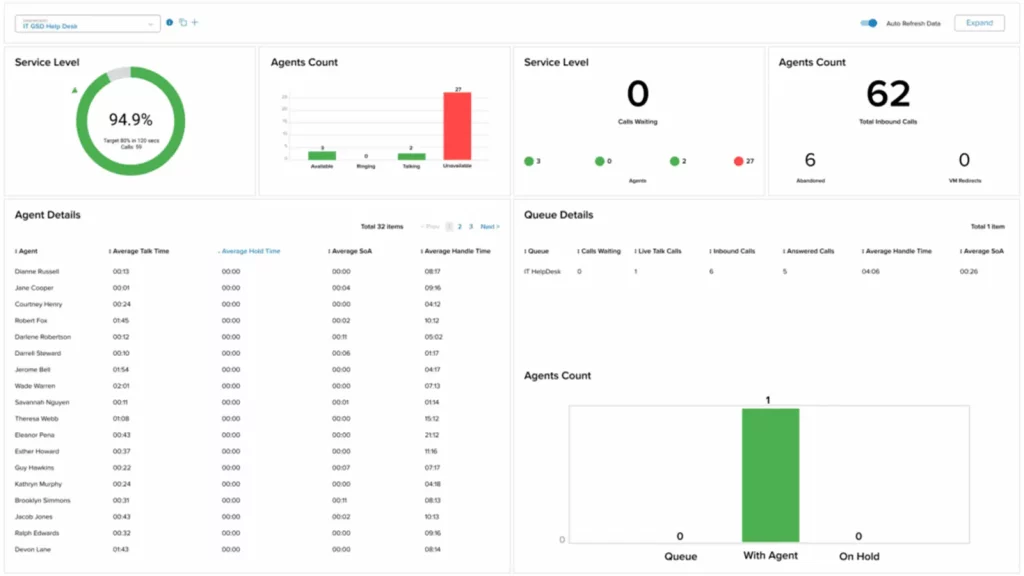
RingCentral is a well-known cloud communications platform offering voice calling, video meetings, messaging, and contact center solutions. It is often used by businesses that need an all-in-one system that can support both internal and external communications. While this replacement for Intermedia is packed with features and known for its reliability, many small businesses find the platform complex to navigate and more expensive than simpler Intermedia alternatives.
RingCentral Features
- VoIP Calling and Call Management: Manage inbound and outbound calls with features like call forwarding, voicemail-to-text, and call screening.
- Video Conferencing: Host high-quality video meetings with screen sharing, team collaboration tools, and webinar capabilities.
- Team Messaging and Collaboration: Use chat rooms, direct messages, and file sharing to keep internal communication organized.
- Advanced Call Analytics: Track call metrics, user activity, and communication trends through detailed analytics dashboards.
- Integrations with Popular Business Apps: Connect RingCentral easily with tools like Salesforce, Microsoft 365, Google Workspace, and Zendesk.
RingCentral Pros
- Comprehensive Communication Platform: Voice, video, messaging, and contact center solutions are all combined into a single system.
- Strong Reliability and Uptime: RingCentral offers high call quality and a reliable connection, even for distributed or remote teams.
- Wide Range of Integrations: Hundreds of app integrations make it easier to plug RingCentral into existing business workflows.
- Built for Large and Growing Teams: The platform scales easily for companies that are expanding across departments, locations, or even countries.
RingCentral Cons
- Steep Learning Curve: The platform can feel overwhelming for smaller teams who do not need all the available features.
- Higher Pricing Compared to Simpler Tools: RingCentral’s plans are priced higher, especially if you need advanced features or a large number of users.
- Extra Costs for Add-Ons: Many valuable features, like additional analytics or integrations, may cost extra depending on the plan.
- Mobile App Can Be: The mobile experience is functional but can feel crowded and less intuitive than the desktop version.
- Support Response Times Vary: While the platform itself is reliable, some users report slower support response times during busy periods.
RingCentral Pricing
RingCentral pricing plans are structured across five main categories:
- Business Phone,
- Contact Center,
- Video,
- Events, and
- Conversation Intelligence
RingCentral Integrations
- Trello
- Mailchimp
- Google Workspace
- Microsoft 365
- Jira and more
RingCentral Customer Support Channels
- Email/Help Desk
- FAQs/Forum
- Knowledge Base
- Phone Support
- 24/7 (Live rep)
- Chat
RingCentral Rating
This replacement for Intermedia has a 4.3-star rating on Capterra.
RingCentral Reviews
“I love the ease of use , it’s always clear – most importantly NO dropped or static in the calls . Easy to move through the program . Keeps records of all calls . We can call, transfer , text and leave voicemails”
“Setup was bit complicated and needed IT help.”
(Source: Capterra)
Looking for a quick overview of RingCentral? Watch our video to explore the top alternatives worth considering:
9. TalkDesk
What is TalkDesk?
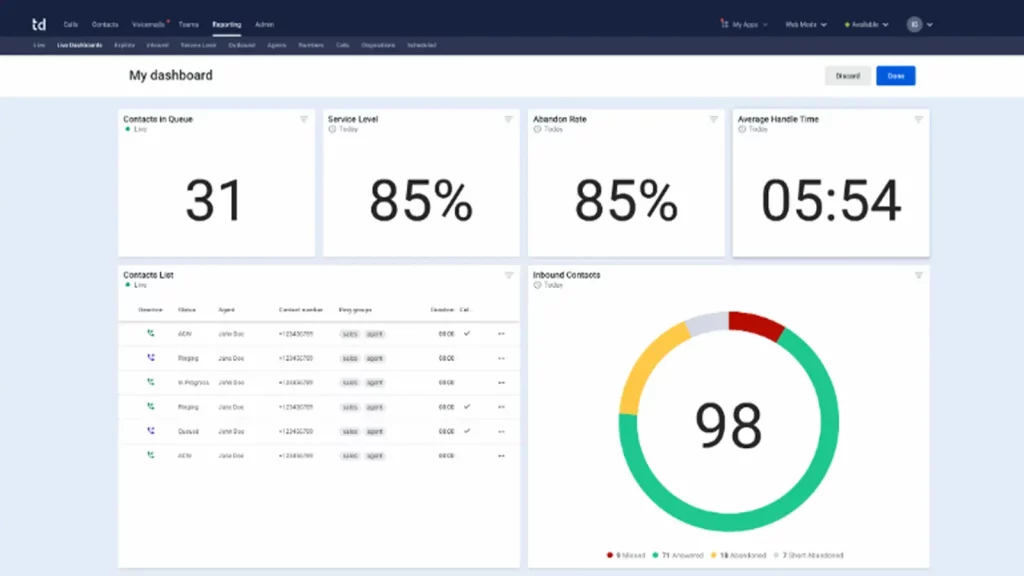
Talkdesk is a cloud-based contact center platform built primarily for businesses that want to deliver better customer support experiences. It offers voice calling, AI-powered automation, workforce management, and customer interaction analytics. Talkdesk is popular among larger teams that need a full contact center solution, but for smaller businesses or teams that mainly need basic calling and texting, the platform can feel too complex and heavy.
TalkDesk Features
- Cloud Contact Center: Manage customer interactions over calls, chat, SMS, and email all within one unified platform.
- AI-Powered Virtual Agent: Use AI SMS chatbots to handle routine customer inquiries, reducing the workload on live agents.
- Workforce Management Tools: Forecast staffing needs, schedule agents, and track performance with built-in management tools.
- Customer Journey Analytics: Analyze customer behavior and interaction patterns across different channels to improve service quality.
- Real-Time Agent Assistance: Offer agents live suggestions and prompts during calls to help them handle customer queries more effectively.
TalkDesk Pros
- Built for Customer Support Teams: Talkdesk is optimized for businesses that prioritize customer service, offering the tools needed for fast, consistent support.
- Strong Automation Capabilities: AI-driven features automate common tasks like call routing, basic inquiries, and follow-ups, saving agent time.
- Customizable Workflows: Businesses can create detailed call flows, escalation paths, and customer interaction rules based on their needs.
- Global Deployment Options: Talkdesk supports businesses with operations in multiple countries, offering tools for international teams.
TalkDesk Cons
- Complex for Small Businesses: The platform’s contact center focus makes it more complicated than what smaller teams might need.
- Higher Cost for Advanced Features: AI tools, detailed analytics, and workforce management features are available only at higher plan tiers.
- Setup Can Be Time-Consuming: Customizing workflows and integrations requires more time and often some technical support.
- Learning Curve for Non-Technical Users: Agents and supervisors may need extra training to use all the platform’s capabilities effectively.
- Limited Native CRM Features: Talkdesk integrates well with external CRMs but does not offer strong built-in CRM tools.
TalkDesk Pricing
Talkdesk pricing offers 3 plans:
- CX Cloud Essentials: $75 per month per user
- CX Cloud Elevate: $95 per month per user
- CX Cloud Elite: $125 per month per user
- Experience Cloud: Pricing available upon request
TalkDesk Integrations
- Salesforce
- HubSpot
- Marketo
- Mailchimp
- Trello
- Asana
- Slack and more
TalkDesk Customer Support Channels
- Email/Help Desk
- FAQs/Forum
- Knowledge Base
- Phone Support
- 24/7 (Live rep)
- Chat
TalkDesk Rating
This alternative to Intermedia has a 4.5-star rating on Capterra.
TalkDesk Reviews
“It has been an awesome experience using Talkdesk. This software has allowed us to grow and has supported us at every step. Additionally, their CX team is outstanding and very supportive.”
“there is some missing basic functionality (you can’t place a customer on hold and then make a transfer, there is a limit to the amount of external contacts you can have available in the callbar, etc.)”
(Source: Capterra)
10. Ringover
What is Ringover?
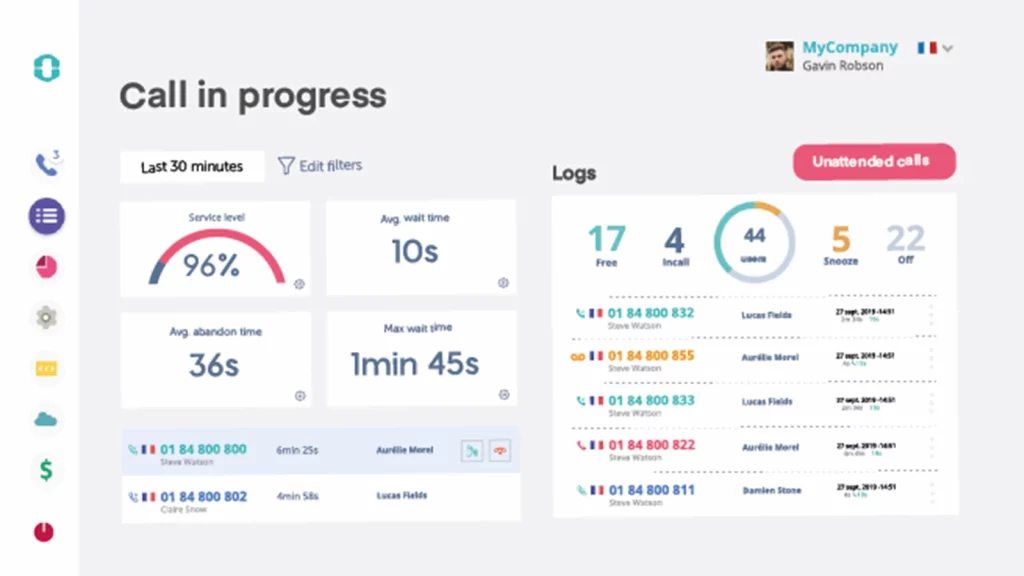
Ringover is a cloud-based phone system designed for businesses that need a simple, flexible way to manage calls, texts, and team communication. This alternative to Intermedia combines VoIP services with features like call recording, analytics, call management, and SMS messaging, making it a popular choice for sales teams, support centers, and remote workforces. While this Intermedia VoIP replacement offers a user-friendly experience, businesses looking for deeper CRM integrations or advanced AI tools may find its feature set more basic compared to larger platforms.
Ringover Features
- VoIP Calling with Call Management: Manage inbound and outbound calls with tools like call forwarding, call recording, and voicemail transcription.
- SMS and Text Messaging: Send and receive business text messages from the same platform used for calling.
- Video Conferencing and Team Messaging: Collaborate through video calls and internal team chats without switching between different apps.
- Call Analytics and Reporting: Track call performance, agent activity, and customer engagement through real-time dashboards.
- CRM Integrations: Connect Ringover easily with CRM systems like Salesforce, HubSpot, and Pipedrive to sync contact records and call logs.
Ringover Pros
- Simple Setup and User Experience: Ringover’s interface is clean and easy to navigate, making it quick for teams to get started.
- Built-in SMS Features: Unlike many calling platforms, Ringover includes SMS capabilities without needing extra tools.
- Scalable Pricing: Pricing and features are structured to be accessible for small to mid-sized businesses scaling their operations.
- Global Calling Options: This alternative to Intermedia supports international calling and virtual numbers across multiple countries, making it easier for global teams.
Ringover Cons
- Limited AI and Automation Tools: Compared to larger platforms, Ringover offers fewer AI-driven features like smart routing or automated responses.
- Basic Workforce Management: Scheduling, forecasting, and team management tools are less advanced than in dedicated contact center platforms.
- Fewer Advanced Analytics Options: Call tracking and reports cover the basics, but deeper behavioral analytics are limited.
- SMS Tools Have Restrictions: While SMS is included, bulk texting and complex automation workflows are more limited than standalone SMS platforms.
- Less Suitable for Large Enterprises: Ringover is best for small and mid-sized businesses; large enterprises may find its capabilities a little light.
Ringover Pricing
Ringover pricing offers three main plans:
- Smart Plan: $29 per user per month
- Business Plan: $54 per user per month
- Advanced Plan: Customised
Ringover Integrations
- Jira
- Google Meet
- Zoho CRM
- Zoom Events and Webinars
- monday.com
- HubSpot CRM and more
Ringover Customer Support Channels
- Email/Help Desk
- FAQs/Forum
- Knowledge Base
- Phone Support
- Chat
Ringover Rating
Ringover has a 4.7-star rating on Capterra.
Ringover Reviews
“My overall experience tells that with Ringover, I can get great call rates+evaluation tools for team performance.”
“The cunning cancellation policy and hopeless customer Support.”
(Source: Capterra)
How Emitrr Compares to Intermedia for Teams That Want Transparent Pricing and Direct Account Control
When businesses move away from Intermedia, they are usually looking for something simpler, faster, and better at handling real customer conversations. Emitrr checks all of those boxes without making things complicated.
Here is why more businesses are picking Emitrr as the best alternative to Intermedia:
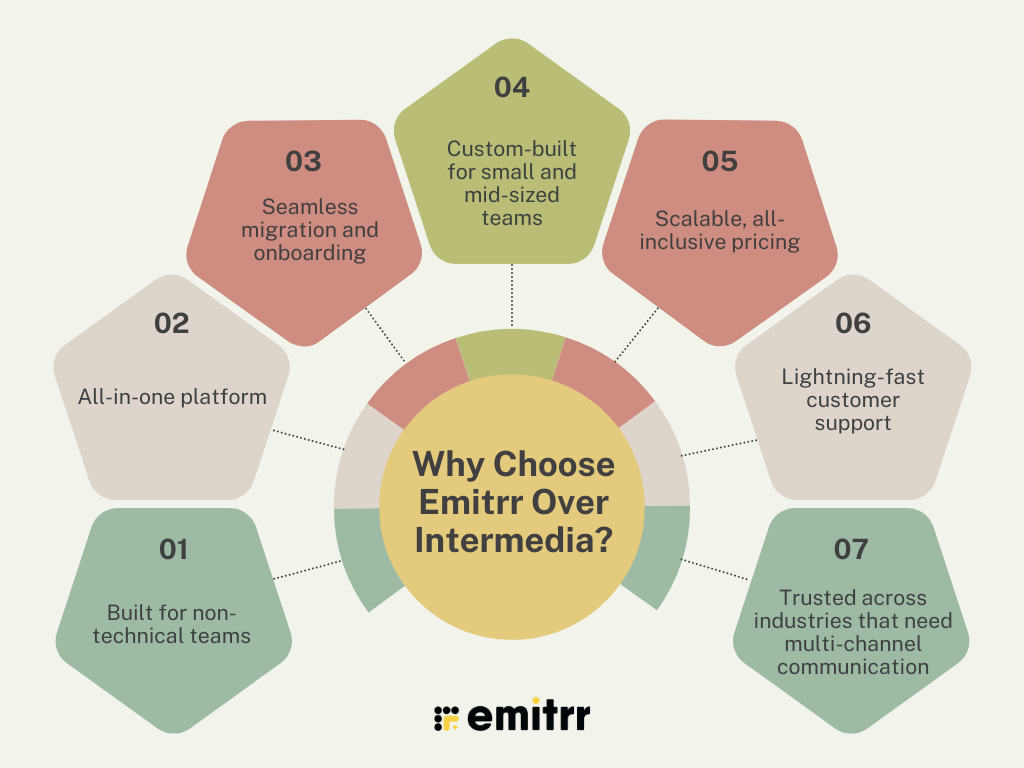
Built for non-technical teams
You do not need an IT background to set up or manage Emitrr. The dashboard is clean, easy to follow, and designed for people who want to get work done without a learning curve.
All-in-one platform
Emitrr goes beyond just handling calls. You can send and receive text messages, drop voicemails without ringing the phone, and even have an AI-powered receptionist that answers and routes calls when your team is busy or offline.
Seamless migration and onboarding
Switching over does not have to be stressful. Emitrr makes it easy to bring your contacts, call flows, and team settings with you. Their onboarding team walks you through every step so you can hit the ground running.
Custom-built for small and mid-sized teams
Emitrr is not trying to be everything for everyone. It is built specifically for businesses that need powerful communication tools without the complexity that enterprise-level systems often bring.
Scalable, all-inclusive pricing
The price you see is the price you pay. No hidden charges for basic features. No fine print that costs you more later. Emitrr’s pricing is simple, clear, and designed to grow with your team.
Lightning-fast customer support
When something goes wrong, Emitrr’s team is quick to jump in and fix it. Real people answer your support requests, often within minutes, so you are never left waiting.
Trusted across industries that need multi-channel communication
Emitrr is used by businesses in healthcare, real estate, home services, retail, legal, and more. Anywhere customers expect fast, reliable communication, Emitrr fits right in.
Which Industries are Catered by Emitrr?
Emitrr is not built for just one type of business. It works across a wide range of industries where fast, reliable communication is critical. Whether you are booking appointments, following up with leads, or handling service requests, Emitrr gives teams the tools to stay connected without the usual chaos.
Here are some of the industries where Emitrr fits right in:
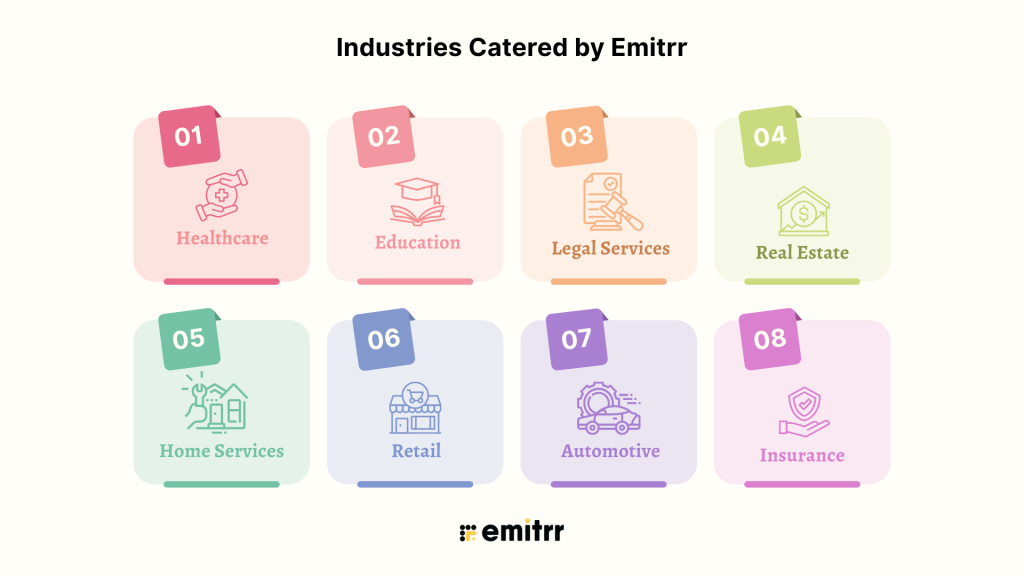
- Healthcare: Medical practices, dental offices, urgent care centers, Emitrr helps healthcare teams manage patient calls, reminders, intake forms, and follow-ups without missing a beat. Plus, it is HIPAA-compliant.
- Education: Schools, centers, and education services use Emitrr to send real-time updates to students and parents, manage inquiries, and keep communication organized across departments.
- Legal Services: Law firms and legal offices trust Emitrr to handle client calls, online appointment scheduling and secure messaging. With privacy and quick response times being critical, Emitrr makes it easier to stay professional and efficient.
- Real Estate: From handling buyer and seller inquiries to coordinating with vendors and inspectors, real estate agents use Emitrr to keep deals moving without missing messages or calls.
- Home Services: Plumbers, electricians, cleaning services, anyone who works in the home services field knows how easy it is to miss calls. Emitrr helps home service businesses stay on top of appointments, estimates, and customer questions.
- Retail: Retailers use Emitrr for customer support, curbside pickup coordination, and marketing campaigns. Fast replies and easy communication drive better customer loyalty.
- Automotive: Auto repair shops, car dealerships, and service centers rely on Emitrr to handle appointment reminders, service updates, and customer check-ins without overwhelming their front desk staff.
- Insurance: Agents and insurance offices use Emitrr to stay in touch with clients, handle claims communication, and send policy updates quickly and securely.
How To Switch From Intermedia To Emitrr?
Switching from Intermedia to Emitrr is a hassle-free journey that requires no extra effort on your part. Emitrr’s dedicated customer support team takes care of everything to ensure a smooth transition. Here’s how it works:
- Smooth Data Transition: Your existing automation setups and contacts smoothly transfer to Emitrr without any additional cost.
- Simple Number Porting: Our experts handle your current phone number, making it ready for texting without any complications.
- Continuity in Integrations: Your current integrations seamlessly integrate with the platform, preserving your workflow.
- Comprehensive Training: We provide your team with both in-person and online training to ensure a confident start with Emitrr.
- Reliable Support: Emitrr’s team is always there to guide and assist you every step of the way. Switching has never been easier or more reassuring.
With Emitrr, you can make the transition with confidence, knowing that our team will ensure a seamless switch from Intermedia, so you can continue providing excellent patient care without interruption.
Switching to Emitrr ensures a hassle-free experience and empowers your healthcare practice with enhanced communication capabilities.
FAQs
Emitrr is often ranked highest for customer support among Intermedia alternatives. Their team is known for fast responses, real human support agents, and helping businesses get problems solved quickly without long wait times.
Emitrr offers one of the most complete feature sets for small and mid-sized businesses. It combines calling, two-way texting, voicemail drops, AI receptionist services, and smart automation tools, all in one easy-to-use platform.
Yes. Emitrr is built to handle industry-specific needs. It supports HIPAA compliance for healthcare, quick communication for real estate teams, and secure client interactions for legal offices. Many businesses in these fields have already made the switch.
Most businesses can complete the migration from Intermedia to Emitrr in about one to two weeks. Emitrr’s team handles the heavy lifting, including data transfer, system setup, and team training, so the transition feels smooth.
No, your data stays safe. Emitrr’s migration process is designed to transfer your contact lists, call histories, and other essential information without any data loss. Their support team also double-checks everything during setup to make sure nothing is missed.
Conclusion
As we have discussed, Intermedia has helped a lot of businesses over the years, but it is not keeping pace with what growing teams need today. Slower workflows, missing features, and higher costs are pushing businesses to look elsewhere.
The good news is that better options are easy to find. Platforms like Emitrr offer simpler tools, faster support, and real flexibility without the extra complexity.
If it feels like your current system is slowing you down, it might be time for a change. Book a demo with Emitrr and see what a better communication platform looks like.


 4.9 (400+
reviews)
4.9 (400+
reviews)