
 4.9 (400+
reviews)
4.9 (400+
reviews)
Introduction
In today’s fast-paced work environment, effective communication is no longer optional; it is a competitive advantage. The tools you choose to communicate with your clients and employees can make a difference between completing sales and assisting customers, or even completing work on time with greater satisfaction.
In the last decade, VoIP, cloud calling, and omnichannel platforms have become the nexus of modern communication. Out of the crowd, Ringover has offered strong features that remain popular among sales and support teams. However, like all tools, it is not always the best option for every team or organization. Businesses typically have issues with Ringover’s pricing, scalability, support, or customization.
In 2025, many organizations are considering Ringover alternatives, tools that often offer more advanced features and global service at a better price point.
In this blog, you’ll find the 10 best Ringover alternatives for 2025, with breakdowns of features, pros, cons, pricing, and reviews of each, so you can find the best Ringover alternative for your business.
What is Ringover?
Ringover is a cloud-based communication service utilizing AI to create an integrated experience for its users. It has all the tools you need that you and your team can use for connecting through voice, video, and messaging. It’s geared toward sales, support, and client-facing roles with a focus on mobility, enabling your employees to make and receive calls anywhere and on any device.
Features of Ringover:
- AI Assistant and Analytics: Provides AI-generated call summaries, call transcriptions, and call analytics to help improve team performance and insights about your customers.
- Omnichannel Communication: All your calling, SMS, and WhatsApp messaging from one platform with one interface.
- Call Management: Includes call queues, IVR, call recording, call forwarding, and activity dashboards.
- Sales and Productivity Tools: Provides CTI pop-ups, click-to-dial, as well as automating abilities like having live monitoring and call whispers.
- Mobility: Available on web, mobile, and desktop applications to keep you connected anywhere.
- International Calling: Unlimited calls included to 110+ destinations in the world in many plans.
Ringover Pros:
- High Call Quality: Excellent and reliable connections, as highlighted by users.
- Broad Features: VoIP, AI tools, and sales functions are all key functions.
- User-Friendly: It was easy to set up and get everyone using it.
- Key CRM Integrations: Works seamlessly with Salesforce, Zendesk, etc.
Ringover Cons:
- High Cost: Becomes costly as your business grows or you require more advanced features.
- Regional Focused: Mostly robust in Europe, less optimized for global operations.
- Limited Customization: Power users may feel locked in because of its flexibility.
- Subscription Cost: There may be additional costs for certain features or geographic destinations.
Ringover Pricing:
Smart Plan: $21/user/month billed annually ($29 if monthly). Offers unlimited calling, AI transcription, and CRM integrations.
Business Plan: $44 per user per month billed annually ($55 monthly).
Advanced Plan: Pricing is customized and includes enterprise-level security and compliance.
Ringover Integrations:
Integrates with Salesforce, Pipedrive, HubSpot, Zoho, Zendesk, Microsoft Teams, and other services.
Ringover Customer Support Channels:
- Phone Support: Mon–Fri, 8 a.m.–8 p.m. ET.
- Email/Help Desk: For detailed inquiries.
- Customer Success Manager: Included in the more expensive plans.
- Knowledge Base: Self-service support.
Ringover Ratings:
4.6/5
Ringover Reviews:
“Easy to use, excellent call quality. Centralized calls, messages, and contacts for efficiency in everyday communications. Support is responsive and helpful.”
“Installation was a breeze, interface clean, integrated beautifully with CRM. It’s one of the best communication apps we’ve used.
Source: G2
Why Do Businesses Seek a Ringover Alternative?
Ringover has many strengths, but not all businesses need a solution that is built for the way it is positioned, priced, and designed. As businesses grow, they often want solutions that fit their business needs better.
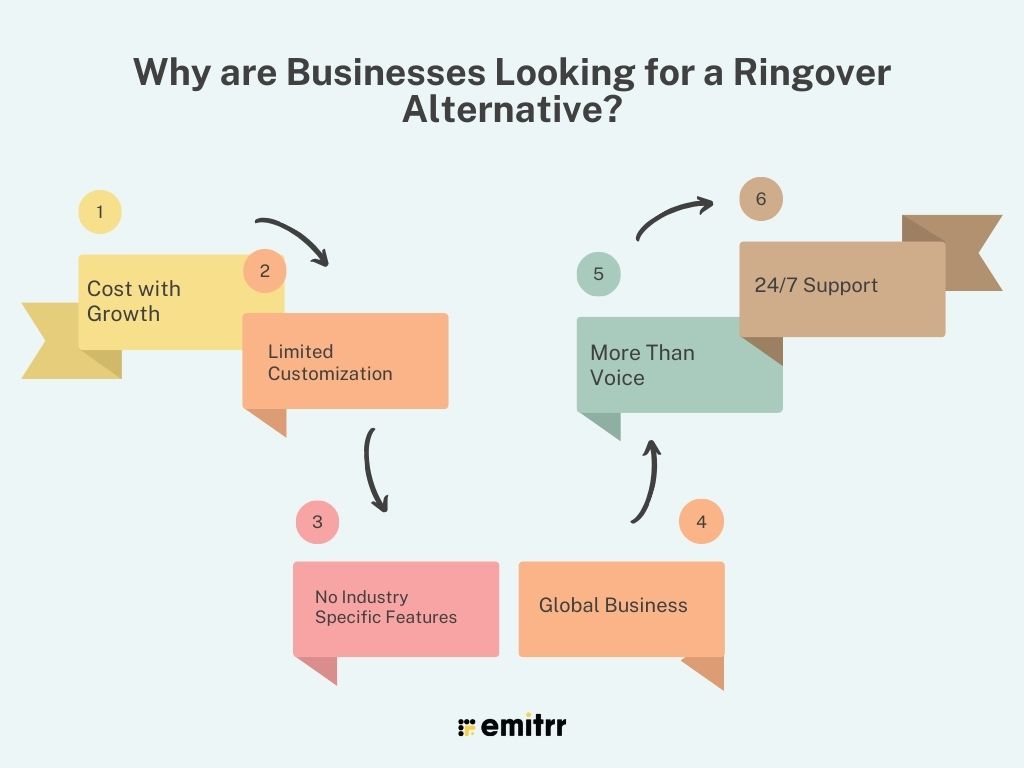
- Cost with Growth: Per-user pricing is going to become expensive for larger teams.
- Limited Customization: As users become more advanced, they will require more flexibility, like no-code or more customizable workflows.
- No Industry Specific Features: Compliance solutions in specialized industries such as healthcare or finance, are lacking.
- Global Business: Ringover’s focus on the European market resulted in limited support and long latency for businesses located elsewhere.
- More Than Voice: Some businesses are looking for a solution that has more than just voice, including marketing automation and reputation management.
- 24/7 Support: If you have a global, always on, support will not be sufficient when it is not 24/7.
What to Look for In a Ringover Alternative?
When assessing potential replacements for Ringover, consider these important factors:
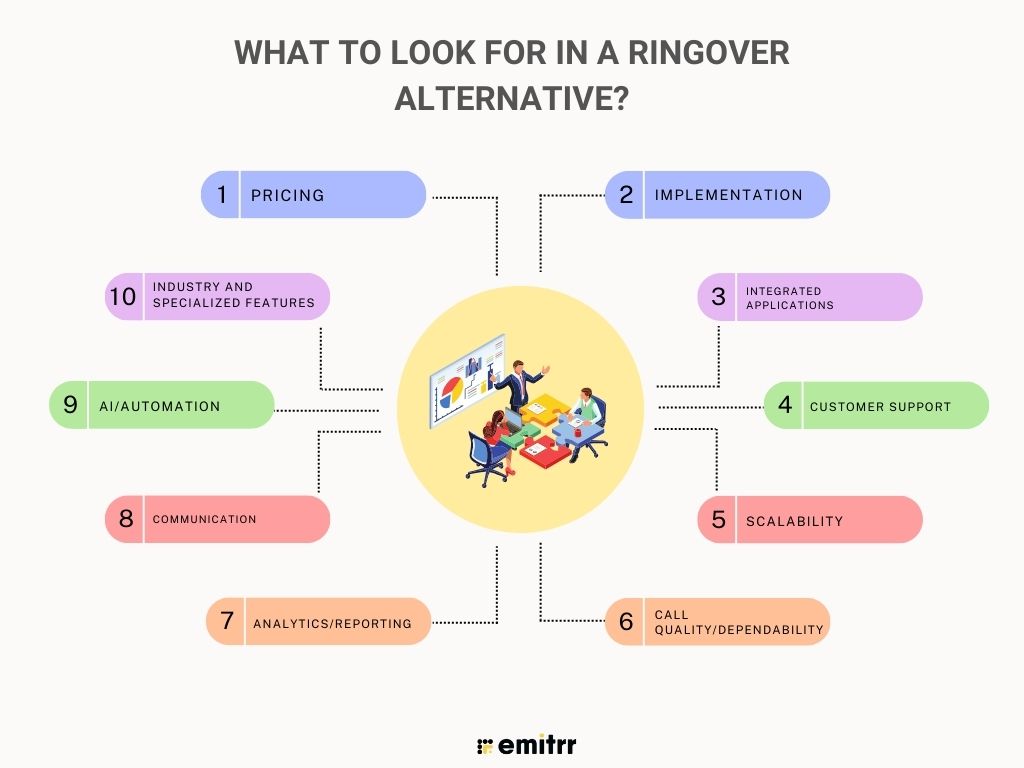
Pricing
Provide a clear billing plan that is scalable and priced appropriately.
Implementation
Provide simple onboarding with little disruption.
Integrated Applications
Needs to work with existing CRM, helpdesk, and applications you already use.
Customer Support
Availability of support via multiple channels with response times you can tolerate.
Scalability
Ability to add users or features as your business grows.
Call Quality/Dependability
High uptime regardless of call volume is critical.
Analytics/Reporting
There are ways to analyze performance, call volumes, and customer satisfaction.
Communication
It offers text/SMS, chat, or video in addition to phone calls.
AI/Automation
Tools to provide transcriptions, call summaries, create workflows, etc., can save business owners and their teams time.
Industry and Specialized Features
Look for compliance capabilities or industry-specific applications where required.
10 Best Ringover Alternatives
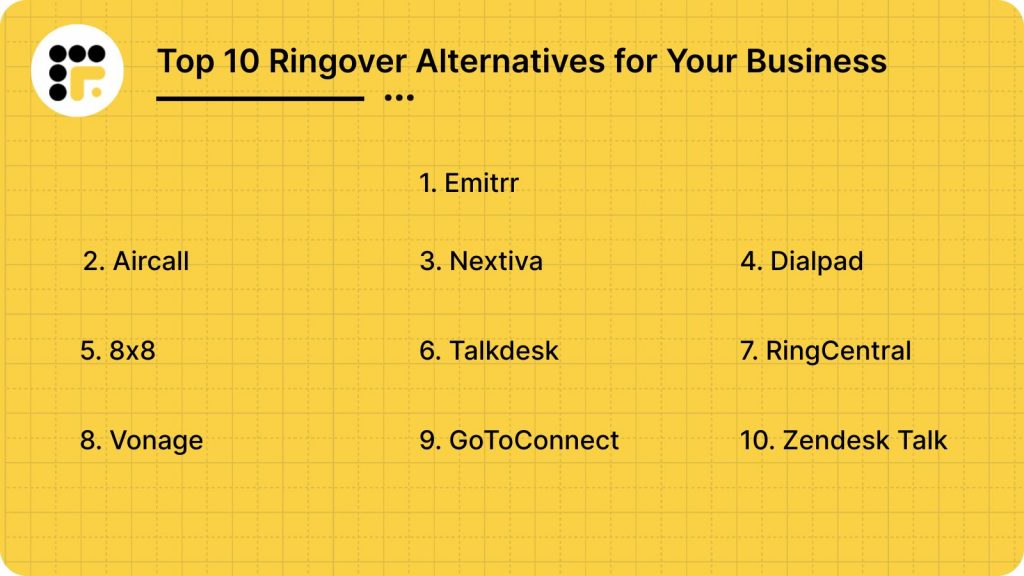
1. Emitrr: The Best Ringover Replacement
What is Emitrr?
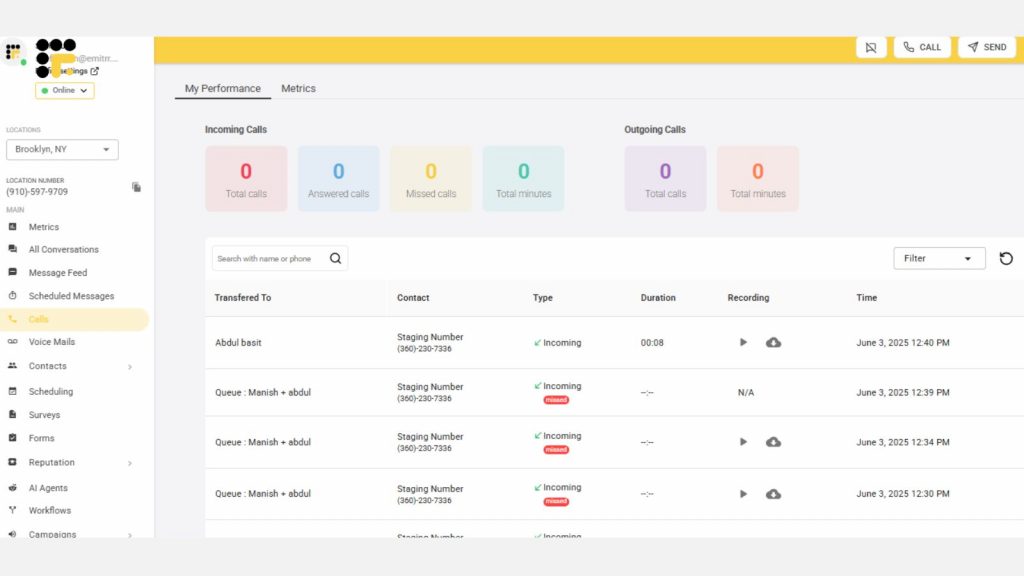
Emitrr is more than just a communication tool; it’s a complete engagement platform built for healthcare, local businesses, and multi-location teams that need more than basic calling. With powerful two-way texting, marketing automation, review management, and reputation-building tools, Emitrr goes far beyond what Ringover can offer. It delivers seamless integrations with 500+ apps, real-time 24/7 support, HIPAA-compliant messaging for healthcare, and automation features that save time while boosting revenue. Unlike one-size-fits-all VoIP providers, Emitrr adapts to your unique workflows, helping you manage calls, campaigns, reminders, and customer engagement all from one secure dashboard. For businesses looking for growth, better ROI, and simpler operations, Emitrr isn’t just a Ringover alternative, it’s the smarter choice.
Emitrr Features
- Automated Texting: Send missed-call responses, review requests, and scheduled SMS campaigns that keep customers engaged without manual effort.
- Customer Engagement: Strengthen relationships through bulk/group texts and real-time two-way conversations.
- Secure Messaging: HIPAA-compliant secure threads with signed BAA, ensuring sensitive information is always protected.
- Appointment Management: Simplify bookings with self-scheduling links and automated reminders that reduce no-shows.
- AI Agent: Smart virtual assistant that handles inquiries, automates responses, and ensures no message or call goes unanswered.
- Call Management: All-in-one call handling system to keep communication professional, efficient, and secure.
- Auto Attendant for Missed Calls: Automatically routes missed calls to the right department or sends follow-up texts.
- Voicemail Transcription: Converts voicemails into text so you can quickly read and respond without playing audio.
- Call Encryption: Protects every call with secure end-to-end encryption for data safety and compliance.
- Call Transfer: Seamlessly transfer ongoing calls between staff or departments for faster issue resolution.
- Call Forwarding: Redirect incoming calls to mobile or alternate numbers, ensuring you never miss important conversations.
- Call Analytics: Get actionable insights on call volume, duration, response rates, and agent performance.
Emitrr Pros
- Excellent call quality: Clear and stable call quality.
- Intuitive interface: Clean design and a very easy-to-use dashboard.
- Enhanced texting features: A more comprehensive messaging tool for everyone to use.
- Customer support: Quick and helpful replies from the customer support team
Emitrr Cons
- Advanced VoIP in progress: Complicated global routing is still evolving.
- Less than ideal pricing for texting: Not designed for high-call/low-text usage.
Emitrr Pricing
Emitrr offers 2 pricing plans for VoIP –
- Standard – $25 per month
- Professional – $35 per month
Emitrr Integrations
500+ integrations (MailChimp, Denticon, AthenaHealth, Zapier, Salesforce, HubSpot, and more).
Emitrr Customer Support Channels
Live chat, Phone, Email, Knowledge base, SMS.
Emitrr Ratings
4.8/5
Emitrr Reviews
“More improvement in our marketing; it’s extremely easy to use; their support is simply unmatched.”
“Implementation was seamless; their support is responsive; it perfectly fits our own workflow.”
Source: Capterra

2. Aircall

What is Aircall?
Aircall is a cloud-based phone system / call center software developed for sales and support teams. It is known for its extremely simple setup, good integration with CRM and helpdesk tools, and it is dedicated to providing crystal clear call quality. With a clean and simple interface, it also has solid analytics options, which makes it one of the top options if you need to get your teams set up quickly and gain some real insight into your calling performance.
Aircall Features
- Call Management: IVR, Queuing, Routing, Recording, everything is available here.
- Collaboration: Shared inbox, assignment, and comments with great collaboration.
- Productivity: Click to dial, power dialer, and tagging.
- Analytics: Live dashboard, reports, and detailed analytics.
- AI: Conversation intelligence, summaries, sentiment.
Aircall Pros
- Rapid Rollout: Online in hours and have a fast service module.
- Easy Integration: 100+ native apps used for integration.
- User-Friendly UI: Clean views for agents and managers, and an intuitive design layout.
- Scalability: Expands with teams and gives good scalability
Aircall Cons
- Costs Increase with Add-Ons: Add-ons can get costly so it can incur a high price.
- 3-User Minimum: It is not specifically designed for or for individual users.
- Lag in Support on ‘Edge-Cases’: A bit slower on complicated problems.
Aircall Pricing
There are 3 Aircall pricing options available:
- Essentials: $30/user/mo (annual).
- Professional: $50/user/mo (annual).
- Custom: Quote.
Aircall Integrations
Salesforce, HubSpot, Zendesk, Pipedrive, Intercom, Teams, Slack.
Aircall Customer Support Channels
Phone, email, knowledge base.
Aircall Ratings
4.3/5
Aircall Reviews
“Live in a day; CRM integrations are clutch.”
“Great UI; prices go up with more features.”
Source: G2
3. Nextiva

What is Nextiva?
Nextiva is an all-in-one unified communications platform that goes beyond just a business phone service. It provides an all-in-one suite covering voice, video, team messaging, and customer relationship management. Aimed at improving the customer experience for businesses of any size, Nextiva prides itself on a strong network infrastructure, reliability, and good customer service.
Nextiva Features
- UCaaS: Voice, video, messaging, files.
- CX Tools: Built-in CRM, journey maps, unified inbox.
- Call Management: Auto-attendant, call routing, call pop, analytics.
- Advanced: Record, monitor, whisper, barge.
- Reliability: It is reliable upto 99.999%.
Nextiva Pros
- Complete Platform: True all-in-one platform for everyone.
- High Reliability: Consistent functionality with high reliability.
- Excellent Support: 24/7, responsive all times.
- Scalability: Fits SMBs to enterprise.
Nextiva Cons
- Learning Curve: UI may be overwhelming.
- Feature Gating: A few of the higher-tier tools.
- Mobile App Variability: Occasional technical glitches
Nextiva Pricing
There are 3 Nextiva pricing options available:
- Core: starting at $15/user/mo (annual).
- Engage: starting at $25/user/mo (annual).
- Power Suite: starting at $75/user/mo (annual).
Nextiva Integrations
Salesforce, HubSpot, Zendesk, Outlook, Google Workspace.
Nextiva Customer Support Channels
24/7 Phone, Live Chat, Knowledge Base.
Nextiva Ratings:
4.6/5
Nextiva Reviews:
“Balances email, social, chat for support.”
“Onboarding and service have been great.”
Source:G2
4. Dialpad

What is Dialpad?
Dialpad is a modern cloud-based communications system that uses the power of AI and a modern UI to give you a phone system that is intuitive, smooth, and built to handle everything you need across voice, video, and messaging. Its most revolutionary feature, “Voice Intelligence,” provides real-time call transcription, analysis of sentiment, and actionable insights, which is of special value for sales and support teams who want to make the most of every call. Dialpad is known for its modern look and AI-based automation.
Dialpad Features
- Voice Intelligence: Transcripts, summaries, sentiment.
- Unified Comms: Voice, video (to 150), text.
- Call Management: Routing, IVR, recording, queues.
- Mobility: Full mobile/desktop parity.
- International: Over 70 local dial-in numbers available in 70+ countries.
Dialpad Pros
- AI-Powered Insights: Real-time coaching.
- User-Friendly: Modern, intuitive.
- Good Value: AI at the entry tier and offers a good value
- Native Integrations: Google Workspace, M365.
Dialpad Cons
- Mobile Connectivity: Occasional issues.
- Support Variability: Slower at times.
- Pure VPN Price: $9.63 per month. Advanced Features: Restricted to higher plans.
Dialpad Pricing
Here are the three Dialpad pricing options:
- Standard: $15/user/mo (annual).
- Pro: $25/user/mo (annual).
- Enterprise: Quote; 99.9% SLA.
Dialpad Integrations
Google Workspace, Salesforce, M365, Zendesk, HubSpot.
Dialpad Customer Support Channels
Live web/chat (Std), Phone (Pro/Ent), KB.
Dialpad Ratings
4.5
Dialpad Reviews
“Generative AI + filters = game changer for sales.”
“Set up is dead-simple; AI is just a bonus.”
Source: G2
5. 8×8

What is 8×8?
8×8 gives an all-in-one and global cloud communications platform with VoIP, Video Conferencing, Team Messaging, and Contact Center solutions. It’s geared for companies that need to create connections beyond geographical limitations and have high volumes of communications. 8×8 excels with unlimited international calling, and a guaranteed 99.999% uptime SLA – if your organization is global or has complex communication needs, you can use this software.
8×8 Features
- Unified Comms: VoIP, HD video, messaging.
- International Calling: Unlimited to 14–48 countries, depending on plan.
- Call Management: Multi-layer IVR, queues, Monitor/whisper/barge.
- Contact Center: Omnichannel voice/chat/email/SMS/social.
- Analytics: Advanced activity and supervisory views.
8×8 Pros
- Global Calls: Unmetered app – Huge savings.
- Reliability: 99.999% SLA.
- Scalable: Mix-and-match licenses.
- All-in-One: UC + CC capabilities combined.
8×8 Cons
- Opaque pricing: It almost always needs sales.
- User Interface learning curve: It can take time to adjust.
- Fewer integrations: Smaller catalog.
8×8 Pricing
There are 3 8×8 pricing plans available:
- X2: from $24/user/month – billed annually; in 14 countries.
- X4: from $44/user/month – billed annually; in 48 countries.
- CC: from $85/user/month.
8×8 Integrations
Teams, Salesforce, Google Workspace, Zendesk.
8×8 Customer Support Channels
24/7 phone, live chat, and knowledge base.
8×8 Ratings
4.4/5
8×8 Reviews
“Awesome for international & conference volumes.”
“Flexibility; strong voice + video + messaging.”
Source: G2
6. Talkdesk
What is Talkdesk?
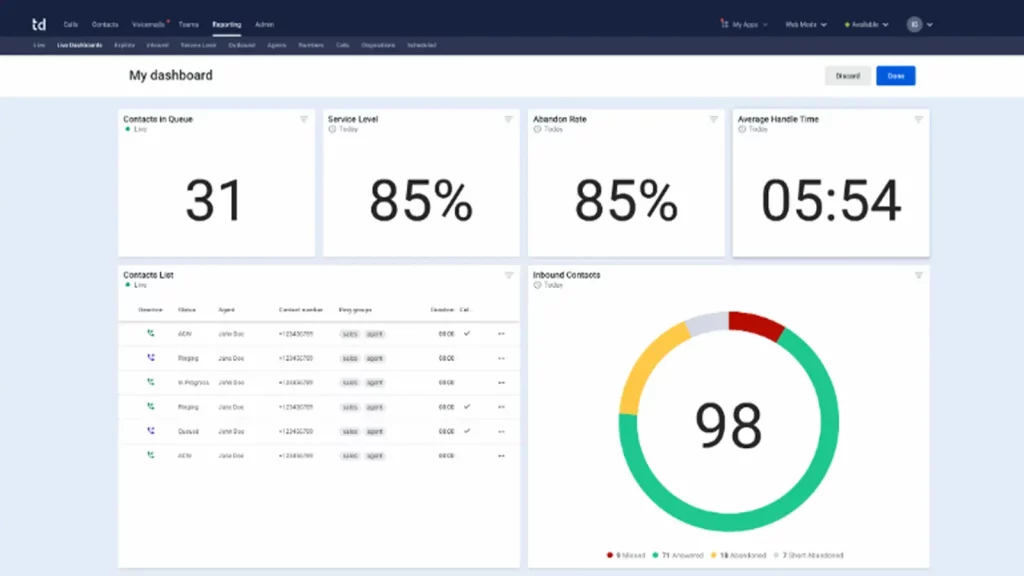
Talkdesk is a powerful cloud-based contact center platform for delivering incredible experiences to customers. Talkdesk is recognized for its AI automation, seamless omnichannel support, and broad integration capabilities. Although the Talkdesk platform goes beyond a basic business phone system, its primary functionality fits organizations needing advanced call routing, real-time analytics, and a completely customizable solution for their particular customer service workflows.
Talkdesk Features
- Contact Center: Voice, email, chat, social.
- Intelligent Routing: Skill/context-based matching.
- AI Automation: Summaries, transcription, real-time assist.
- WFM: Scheduling, staffing optimization. Integrations: Broad CRM/business app support.
Talkdesk Pros
- Fast Deployment: It has a loud-native speed.
- Strong Security: HIPAA/GDPR compliant.
- Good Analytics: Gives real-time and deep reports.
- Great Agent Experience: Scripts and unified UI are proving it to be a great agent
Talkdesk Cons
- Expensive: It has CC-grade pricing and can be expensive.
- Custom Quotes: You can’t expect transparency in Talkdesk’s pricing
- Complexity: Overkill for basic telephony.
Talkdesk Pricing
- Professional: starts at $65/user/mo (annual).
- Professional Plus: starts at $95/user/mo (annual).
- Enterprise: Custom. (May include per-minute usage).
Talkdesk Integrations
Salesforce, Dynamics, Zendesk, HubSpot, and more –
Talkdesk Customer Support Channels
Trial support, account management, and help center.
Talkdesk Ratings
4.6/5.
Talkdesk Reviews
“AI enables streamlined operations; agents can focus on complex work.”
“This is an intuitive UI; it is super configurable without needing heavy IT.”
Source: G2
7. RingCentral
What is RingCentral?
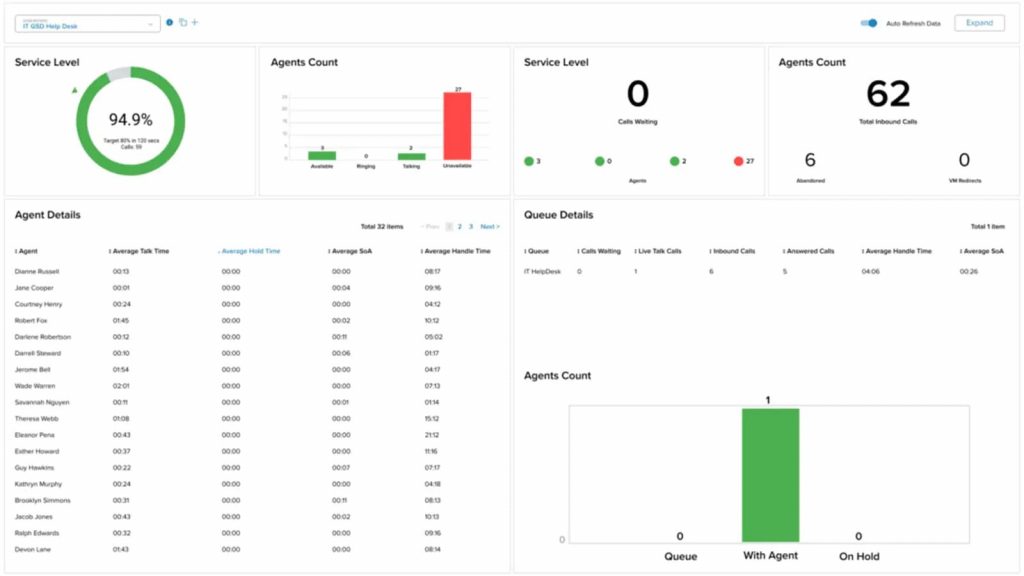
RingCentral is a leading provider of global enterprise cloud communications and collaboration solutions. It also provides a single system of engagement for voice, team messaging, video meetings, contact center, and file sharing. RingCentral is highly scalable and fine for getting an enterprise-level phone service for companies of any size, from start-ups on up to giant corporations that need an enterprise-class phone system to meet multiple requirements of all inside the business.
RingCentral Features
- UC: VoIP, unlimited US domestic, and eFax.
- Team Messaging: 1:1, group, file, and task messaging.
- Video Meetings: HD, screen share, A.I. notes.
- Call Center: Omnichannel, smart routing, analytics.
- Reliability: 99.999% uptime SLA, making it reliable
RingCentral Pros
- Rich Feature Stack: VoIP, AI, etc.
- Lots of Integrations: 500+ apps and counting.
- Extremely Reliable: Five-nines uptime.
- Scalable: Designed for global teams.
RingCentral Cons
- Can Be Overwhelming: probably too much for simple use cases.
- Limits on SMS: Some plans cap this.
- Add-On Costs: AI charges separately for add-ons.
RingCentral Pricing
There are 3 RingCentral pricing plans:
- Core: from $20/user/month.
- Advanced: from $30/user/month.
- Ultra: from $40/user/month.
RingCentral Integrations
Teams, Salesforce, Google Workspace, Zendesk, or HubSpot.
RingCentral Customer Support Channels
Phone, Live Chat, Knowledge Base: 24/7.
RingCentral Ratings
4.4/5
RingCentral Reviews
“Deep features + integrations are advantageous for remote teams.”
“Five-nines uptime; powerful, but a lot for initial users to digest.”
Source: G2
8. Vonage
What is Vonage?
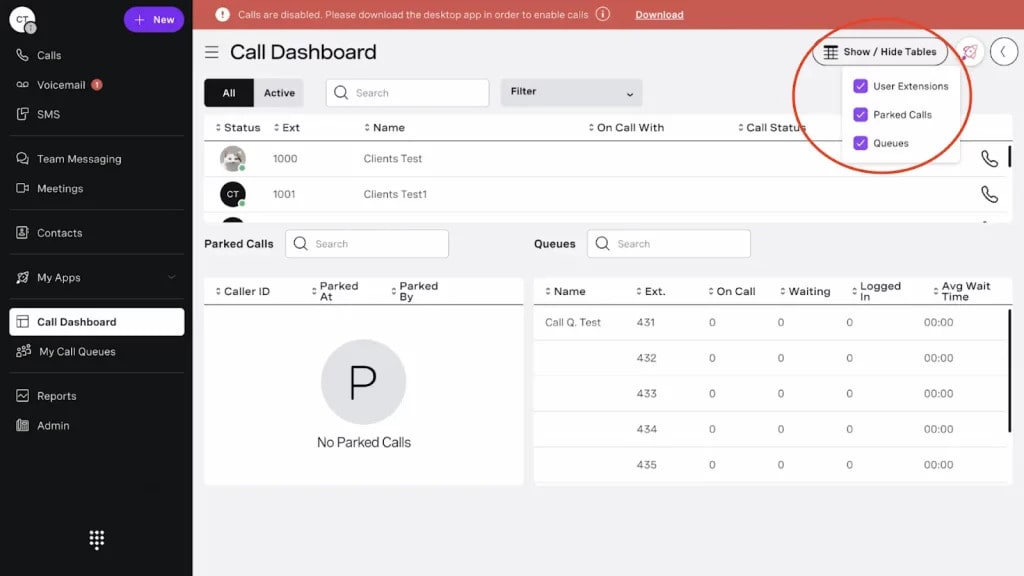
Vonage is the cloud communication platform that provides Voice over Internet Protocol (VoIP) and many other communications services for businesses and individuals. Their solutions include voice calls, video conferencing, messaging, and powerful APIs that can be integrated into your applications to add communication on top of them. Vonage is a versatile option, known for its ease of use and APIs that allow businesses to build very customized communication workflows based on their needs.
Vonage Features
- Call Management: Forwarding, routing, IVR, parking.
- Team Collaboration: Video calls to 200, chat, screen share.
- Messaging: SMS/MMS, groups, SMS-to-email.
- APIs: Voice/video/messaging for custom builds.
Vonage Pros
- Simple Setup: Fast and reliable.
- Key Features: It spans most use cases.
- APIs: Good for custom workflows.
- Mobility: Good desktop/mobile apps.
Vonage Cons
- Support Quality: Mixed feedback on support.
- Integrations: Some may need APIs.
- Stability: Some reports of instability.
- Contracts: Longer contracts.
Vonage Pricing
There are 3 Vonage pricing plans available:
- Mobile: $19.99/user/month.
- Premium: $29.99/user/month.
- Advanced: $39.99/user/month.
Vonage Integrations
Salesforce, HubSpot, Outlook, Google Contacts.
Vonage Customer Support Channels
Phone, Email/Help Desk, FAQ/Forum.
Vonage Ratings
4/5
Vonage Reviews
“Apps sometimes don’t work well, and dropped calls are inconvenient.”
“Good for the basic use case, but customer support resolution is slow.”
Source: G2
9. GoTo Connect
What is GoTo Connect?
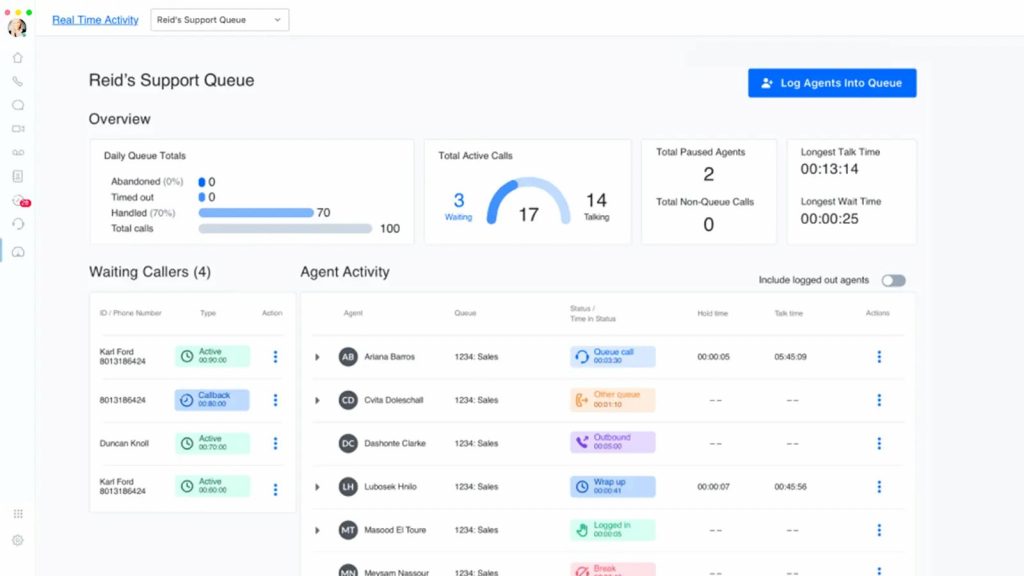
GoTo Connect is an all-in-one unified communications platform that combines a full-functioning business phone system with video conferencing and team chat capabilities. It has been designed to easily handle business communication and collaboration, especially for remote and multi-location teams. GoTo Connect is well-received for its ease of use and is a preferred choice of companies that want to be able to put their team members on one application to manage all communications in an effortless, seamless way.
GoTo Connect Features
- Unified Comms: VoIP, HD video, team chat.
- Call Management: Unlimited queues, processing, and multi-level IVR.
- Collaboration: Screen share, recordings, IM.
- Mobility: Desktop/mobile apps.
- Analytics: Call reports, historical views.
GoTo Connect Pros
- All-in-One Platform: Fewer tools needed.
- Ease of Use: Simple admin + UI.
- Reliability: Strong uptime/quality.
- Multi-Location Ready: Great for distributed teams.
GoTo Connect Cons
- SMS limits: Only on lower plans.
- Pricing complexity: Features assigned to higher plans
- Mobile glitches: Sometimes.
GoTo Connect Pricing
GoTo Connect pricing starts at $27/user/mo.
GoTo Connect Integrations
Salesforce, HubSpot, Zendesk, M365, Google Workspace.
GoTo Connect Support Channels
24/7 phone, live chat, knowledge base.
GoTo Connect Ratings
4.4/5
GoTo Connect Reviews
“Admin is easier across three US sites + Canada.”
“Unified phones across 11 offices; reliable.”
Source: G2
10. Zendesk Talk

What is Zendesk Talk?
Zendesk Talk: Empower your team with the right tools to add a headphones workflow with Talk. Your agents can execute calls with other programs, as it is an all-in-one contact center solution that now provides call management software as part of the wider customer service system. Although it isn’t created inherently for one specific industry, it integrates with the well-known Zendesk ticketing platform and also has the full-blown feature set that many hospitals or health systems groups will enjoy. It’s designed to deal with large numbers of contacts and provide a 360-degree view of each interaction they have.
Zendesk Talk Features
- Phones-Integrated: You can access phone calls from one dashboard.
- Multichannel: Voice, chat, email, social.
- Ticketing: Auto-creates trackable tickets.
- Call Routing: Advanced custom IVR, queues, smart paths.
- Analytics: In-depth reports on agents and CSAT.
Zendesk Talk Pros
- A Complete Platform: It has a phone with world-class ticketing.
- The System Is Highly Scalable: It’s really scalable and can deal with very high volumes.
- Powerful Reporting: Actionable performance data.
- Omnichannel: Unified customer view.
Zendesk Talk Cons
- Ecosystem Lock-in: Zendesk-centric.
- Cost Structure: Can be pricey/minute.
- Overkill for Small Teams: Too many features for a simple use.
Zendesk Talk Pricing
- Suite Team: from $69/user/mo (yearly).
- Suite Growth: from $115/user/mo (yearly).
- Suite Professional: from $149/user/mo (yearly). (Per-minute usage applies.)
Zendesk Talk Integrations
Thousands via marketplace + open API.
Zendesk Talk Customer Support Channels
Phone, Live Chat, Email, Help Center.
Zendesk Talk Ratings
4.5/5
Zendesk Talk Reviews
“Everything in one view – delivers service faster and better”
“Workflows + AI suggestions are increasing productivity”
Source: G2
What Makes Emitrr the Best Alternative to Ringover?
All-in-one business growth platform with measurable ROI and scaling.
It combines communication, engagement, and marketing in one secure unified hub.
- Better than Ringover for SMS, Review Automation, and Customer Engagement: Local businesses and multi-location teams benefit from bulk texting, automated review requests, and accelerated customer follow-up.
- HIPAA-Compliant Messaging for Healthcare: Secure, encrypted communication protects patient health information while eliminating liability and ensuring compliance.
- Automated Marketing Campaigns Without Third-Party Tools: Gain instant access to SMS and call campaigns through fully-formed templates, automated analytics, and automated systems, without ever needing external software.
- Simplifies Your Technology Stack: Reduce your calling, texting, reviews, and marketing campaigns into one platform, while diminishing costs, complexity, and subscriptions.
- Made for Revenue Growth: Increases bookings, drives reviews, improves retention and incremental ROI rather than only communication.
- AI Capabilities: Smart AI agent, intelligent automation, and powerful analytics that help streamline workflows, enhance engagement, and maximize the customer experience.
- Unlimited Calling with Incredible Clarity: Cut costs on phone bills and enjoy HD call quality on any device, whether you are at the office or working remotely.
- Smart Call Routing & Auto-Attendant: Get every customer call to the appropriate person or department instantly, enhancing first-call resolution.
- Voicemail-to-Text & Call Transcription: Save time by reading messages at a glance rather than taking time to replay all of the voicemails.
- CRM & Tool Integrations: Plug-and-play integrations with industry-leading CRMs and business tools to centralize your workflow and eliminate data silos.
- Mobile & Desktop VoIP Apps: Work and manage calls, texts, and campaigns from anywhere with feature-rich apps designed for flexibility and remote workforce.
- Enterprise-Focused 99.99% Uptime Guarantees & 24/7/Support: Enterprise-level reliability, combined with real-time support whenever you need it.
- Industry-Focused Features: Tailored specifically for healthcare, home service, staffing, real estate, and more, making Emitrr a much more versatile choice in comparison to generalists, like Ringover.
What Industries Are Catered By Emitrr?
- Real Estate: Receive SMS alerts for all your property sales and rental needs, automate follow-up on leads and texts for missed calls to help you convert faster. Use our bulk campaign tools to connect with prospects at scale.
- Education & Training: Utilize Emitrr’s texting for school to keep families informed from class notifications to emergency alerts at a moment’s notice and quickly through reliable two-way communication.
- Home Services (HVAC, Plumbing, Cleaning): Automate customer interactions with booking confirmations, automated reminders, ETA tracking, and feedback requests with VoIP for Home Services.
- Legal Services: Maintain compliance and professionalism with secure law firm texting, legally compliant call recordings, appointment scheduling, and updates on case statuses in a timely manner so your clients can stay informed.
- Staffing & Recruiting: Move candidates through your hiring pipeline faster by texting them, reminding them of interviews, and having automated follow-up procedures to keep your talent engaged.
- Healthcare & Dental: Make it easy for the front desk and your practice through HIPAA compliant calling, industry safe texting, automated reminders and review requests for patient onboarding and no-show reduction.
FAQs
Ans: An alternative to Ringover is a different VoIP or business communication solution or platform that has similar services like calling, texting, integrations, and more, often with different price points or fit for specific businesses.
Ans: Ringover is a strong platform, but you may find other opportunities with better pricing, more integrated and specific to your business, or simply some additional features, it really depends on your specific needs as a business.
Ans: The most important features are usually reliable call quality, CRM integrations, strong analytics, and customer support. Your best fit will depend on your business’s overall communication goals.
Ans: Most modern platforms have vast integrations with popular CRMs, helpdesk software, and other business tools. Always check the provider’s integration list to see if they integrate with your existing software.
Ans: Yes, many of the platforms listed offer very flexible per-user pricing and provide plans with tiers, which make them highly scalable and affordable for small and growing businesses.
Conclusion
Ringover has benefits, such as reliable quality and integrations with your CRM. However, it also has some drawbacks, including expense and less flexibility and customization. All businesses are different, and we hope we have pointed you toward some viable options.
If you want to find a replacement or alternative to Ringover, then you have many great options coming in 2025. Emitrr (best overall all-in-one engagement platform) and Ringover competitors, such as Dialpad, Nextiva, RingCentral, and Aircall, all offer their own unique strengths in terms of platforms.
Our suggestion is to determine the needs of your industry, ask questions about compatibility with software, integrations, and work within your budget. If you want a true all-in-one platform similar to Ringover but better, you should get started with Emitrr, which is the best Ringover alternative in 2025. Ready to explore what Emitrr has in store for you? Book a demo to learn more!