

Introduction
Time is of the essence in the healthcare industry, but scheduling appointments can be time-consuming for many physicians. Common scheduling issues occur with manual scheduling methods, from missed phone calls to double-booked appointments and “no-shows.” Nowadays, patients demand the ease and convenience of online self-scheduling.
With patients’ expectations rising in 2025, the need for smarter, mobile-responsive scheduling solutions is greater than ever. Whether you practice independently, within a group, between multiple groups, or with other health systems, leveraging the appropriate scheduling solution is essential to improving efficiency and patient experience.
This blog series will focus on the value of efficient physician scheduling software and highlight the 10 best scheduling software options to evaluate in 2025 so that your practice can survive and thrive in a modern healthcare environment.
Overview of Physician Scheduling Systems
Provider scheduling software ranges in applications that automate and simplify scheduling, booking, managing, and confirming patient appointments. All of these tools offer more than manual systems—they provide digital convenience for users, quality improvements of automation, and a better patient experience.
Highlights of its attributes are online booking, automatic reminders, calendar sync, and health system integration. It’s intended to make administrative tasks easier, minimize no-shows, maximize schedules, and improve patient flow. Some new features have been added to ensure compliance with HIPAA and provide data security and ease of use—these solutions are a must-have for medical practices today and efficient systems for healthcare scheduling.
Key Features to Consider in a Physician Scheduling Software
When comparing the best scheduling software for doctors, consider these two essential features:
- Patient-Friendly Interface: It’s a high priority to have an intuitive booking interface for your patients if they are to successfully self-schedule.
- Automated Appointment Reminders: To reduce no-shows and ensure a smooth schedule for providers, it is critical to have SMS, email, and, to some degree, voice call appointment reminders.
- Calendar Synchronization: Real-time updates with physician calendars and the systems internally used by the practice prevent overbooking while keeping an accurate physician schedule and giving patients up-to-date information.
- EHR/PMS Integration: Scheduling software is only as great as the data transfer and continuity of workflow with existing patient records. If booking a patient requires data entry or assumptions about what has already been captured, that’s where the real value falls apart.
- Customizable Appointment Options and Durations: Built-in providing many appointment types, with specific timeframes related to appointment type, to provide accurate appointment management.
- Physician-Specific Availability: Allows for defining individual physician schedules, blocked time, or vacations.
- Multi-location Support: Supports practices with more than one clinic in scheduling a complex health care occurrence.
- Waitlist Management: Automatically alerts patients if there is an earlier opening, so you can fill a call schedule gap at the last minute.
- Digital Intake Forms and Pre-Registration: The ability to have patients fill out and electronically send information before their appointment helps save time when patients check in and are seen for appointments.
- Virtual Care Integration: To book and link the same visit in the booking flow, whether in the office or as a virtual visit, keeping in mind that telehealth is part of modern-day care delivery.
- Payment Processing Integration: Take away the hassle of collecting co-pays or upfront payments through the scheduling management software itself.
- Reporting & Analytics: With reports on no-shows, booking trends, and peak hours, monitor what matters and improve your medical practice scheduling software.
- Auto Scheduling & Cancellation: Patients can reschedule or cancel appointments, saving your staff time.
- Communication Templates: For reminders, confirmations, and follow-ups for consistent outreach to your patients.
Download our ready-to-use SMS templates for online scheduling to simplify appointment booking and reduce no-shows.
Selecting the Best Online Scheduling Solution for Your Physicians
Getting the right physician scheduling software begins with understanding your practice-specific needs.

- Evaluate Your Practice’s Specific Needs: Think about your size, specialties, challenges with scheduling, and your budget.
- Look for Required Features: Understand your essentials vs. nice to have to find the best-fit scheduling option.
- Verify Compliance & Security:Make sure the vendor is HIPAA compliant and offers a BAA—that’s not negotiable for any healthcare scheduling systems.
- Evaluate Integration Capabilities:Identify whether the software integrates with your EHR / PMS – and how well it integrates so that you can avoid the time-consuming manual data entry.
- Assess Usability Payable: Many of your patients will interact with the payer’s interface, and staff will also if there are limited choices, the software must be easy.
- Verify Scalability: The system must keep pace with the changing needs of your expanding clinic.
- Assess Customer Support & Training: Look for organizations that have clear and accurate 24/7 support, and onboarding assistance, and ensure they have a good knowledge base.
- Read Reviews & Request Demos: Read reviews on G2 and Capterra, and some providers may offer the opportunity for demos of their scheduling software for doctors.
- Understand Pricing Models: Compare the subscription types (per user, per appointment, or tiered) and see what matches your needs and budget most closely.
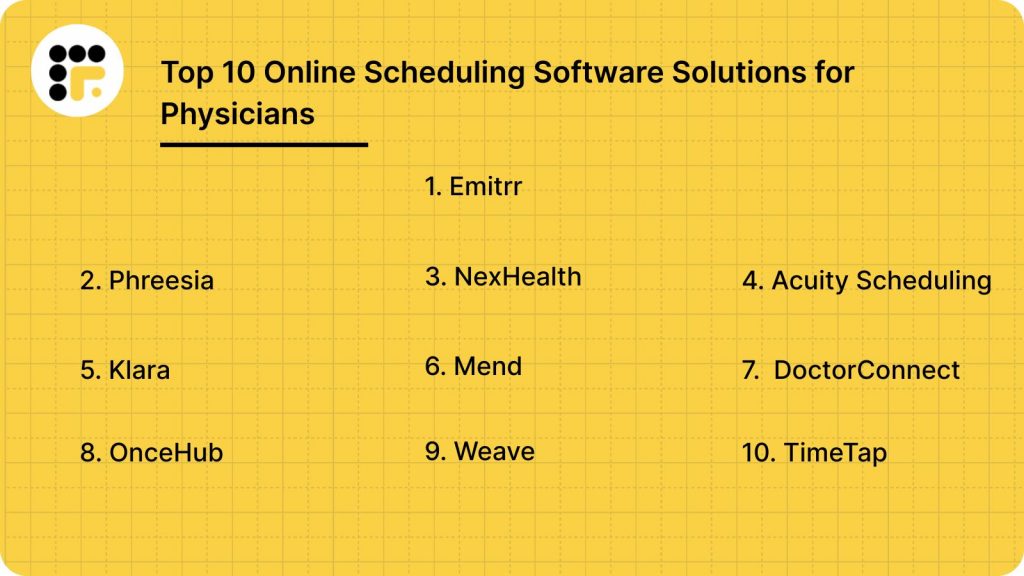
Best 10 Online Scheduling Tools for Doctors in 2025
Here is an overview of some of the top online scheduling software for doctors in 2025:
1. Emitrr

Overview:
Emitrr is a top-rated healthcare VoIP and communication solution designed specifically for doctors and practices, including powerful online scheduling with full patient engagement. It concentrates on a cohesive patient communication experience from beginning to end—scheduling to follow-up—all within a HIPAA-compliant workspace, and is also considered a robust scheduling tool.
Features:
- Appointment Reminders: Send automatic SMS, email, and voice notifications to minimize no-shows and fill your schedule of physicians.
- Self-scheduling Enabled: Patients can access open slots and schedule appointments 24/7 in the time zones they require
- Web chat to text: Integrate chat conversations in your unified inbox so you never miss a question.
- Digital Forms: SMS links to gather insurance, history, and intake information all securely.
- Scheduled Messages: Schedule text updates for reservations, promotions, or education.
- Drip Campaigns: Auto-send onboarding, welcome, or win-back emails.
- Integrations: Integrate with 500+ apps, as well as popular EHRs like Epic and Athena, for seamless workflows.
- Automation: Define trigger messages by actions such as missed calls or keywords.
- Missed-call-to-text: Auto-send SMS with booking links when you miss calls.
- End-to-End Encrypted: All messages are encrypted to ensure they are kept safe from being accessed.
- Access Controls: Restrict data access and securely log user activity.
- File Sharing: Securely share test results and documents through encrypted portals.
- Text-Enabled Number: Use the clinic number for texting and calling.
- Data Privacy: Adhere to rigid procedures and regulations when it comes to storing and transmitting patient data.
- Secure SMS: Route messages via secure gateways for safety.
- Real-time Alerts: Get SMS or emails immediately about changes to your schedule or service.
- Text Messaging: Communicate socially with one another by sending two-way, group, or mass texts.
- Book Online: Make it easy for patients to schedule with one click.
Pros:
- Outstanding Customer Service: 24/7 support and 5/5 Capterra rating.
- Customization: Pricing and texting packages are customized for each practice.
- 100% Transparency, No Hidden Fees: Straightforward pricing, no surprises.
- Secure Communication: Fully HIPAA and TCPA-compliant.
- Features for Every Stage of the Patient Journey: From intake forms to recalls and reviews.
- Cost-effective: Competitively priced with comprehensive tools.
- Phone Call to Text Conversion: Convert missed calls into text with Instant Reply.
- Advanced Reporting and Analytics: Monitor no-shows, trends, and performance.
Cons:
- More AI functionality is in development.
Pricing:
Custom pricing quote, depending on practice size and needs.
Rating:
4.5/5
Support Channels:
24/7 chat, email, phone, and extensive knowledge base.

2. Phreesia
Overview:
Phreesia is a comprehensive patient intake and engagement platform that delivers a modern, consistent, and convenient experience for patients, staff, and providers that consolidates the patient intake process. The software is designed to remove some of the admin burden, as well as improve the overall patient experience, combining common front office duties with health scheduling system tasks.
Features:
- Patient Self-Scheduling: Allows patients to book, reschedule, or cancel online without staff assistance.
- Online Check-in: Allows patients to fill out the forms and to take payments on mobile or in-office devices.
- Automatic Reminders: Sends personalized texts, emails, or voice reminders to minimize no-shows.
- Digital Intake Forms: Patients fill out forms before visiting to help reduce paperwork and wait time.
- Insurance Verification: AI-powered eligibility and co-pay verification in real-time.
- Referral Management: Easily organize and centralize your referrals all on one screen.
- Smart Scheduling: Fills any openings so you don’t have wait lists for appropriate patient types.
- Patient Payments: Provides flat-rate merchant processing and flexible patient payment options.
- Protected Messaging: Provides a standardized, secure method for patients and providers to send and receive health care messages.
- Analytics & Reporting: Monitor no-shows, attendance, and other bottom-line performance data.
- EHR/PM Integration: Integrate with leading systems such as Cerner, Epic, and NextGen.
Pros:
- Intuitive, fully integrated patient intake.
- Decreases staff administrative burden, freeing up focus on physician schedule.
- Enhances patient satisfaction through digital convenience.
- Emphasis on the revenue cycle.
- Good for practices in need of an all-in-one front-office scheduling software.
Cons:
- Costlier with its all-in-one nature.
- May require a bit of a learning curve for its full use.
- Some features could be overkill for very small practices.
- Follow implementation might be overwhelmed by features.
- For non-urgent matters, customer support may be slow.
Pricing:
Usually needs a custom quote.
Rating:
Excellent 4.5/5
Support Channels:
Live phone, email, online knowledge base, dedicated account managers.
3. NexHealth

Overview:
NexHealth is the patient experience platform that integrates with EHRs to transform the patient experience and long-term patient care journey for the medical community through digital means. It focuses on real-time integration with hospital scheduling systems.
Features:
- Rapid EHR integration: Integrates any EHR system in real-time.
- Online Patient Booking: Allows patients to book appointments 24/7, in a user-friendly web interface, for practices.
- Automated Appointment Reminder: Implements automated reminders via email and text to patients to decrease no-shows.
- Automated Recall Messages: Provides practices with automatic messages to ask patients to return for appointments.
- Two-way Messaging: Allows secure message communication between patients and practice staff, and staff and patients.
- Electronic Forms: Patients can complete the necessary policies and paperwork online, before their appointment, to streamline check-in for practices.
- Digital Payment Requests: Practices can send patients electronic payment request links for any outstanding balance.
- Campaigns: Create message campaigns for targeted messaging to groups of patients to advertise their products, health tips, or updates.
- Patient Reviews: NexHealth provides services and tools for practices to collect and manage their patient reviews.
- In-depth real-time EHR integration is very important to healthcare scheduling systems.
Pros:
- Streamlines every stage of the patient communication pathway.
- Increases accessibility and convenience to patients.
- Dramatically minimizes administrative tasks.
- Strong emphasis on patient retention and engagement.
Cons:
- Integration challenges can be EHR dependent.
- Prices may be increased for full features.
- Dashboard has a bit of a learning curve for beginners.
- Designed mainly for integration, so may not have standalone features for non-integrated practices.
- Some templates can be customized only to a certain extent.
Pricing:
Tiered pricing (contact to get a custom demo/quote).
Rating:
Very 4.6/5
Support Channels:
Phone, email, chat, help center.
4. Acuity Scheduling (by Squarespace)
Overview:
Acuity Scheduling is a multipurpose online scheduling software capable of being adapted for a number of different industries including healthcare. It provides an easy way for patients and clients to make an appointment and for a practice to manage their calendars so they are able to have adaptable and flexible scheduling software.
Features:
- Patient Self-Scheduling: Allows patients to see the provider’s availability and schedule or reschedule an appointment through an online appointment booking page at any time of the day from anywhere.
- Sync Calendars: Sync with common calendars such as Google, Outlook and iCloud to avoid double booking.
- Auto Reminders: Automatically send reminder emails and texts to cut no-shows.
- Forms that collect Patient information: The integrated form template collects the information you are going to need for an appointment before the appointment takes place.
- Group Sessions: Ability to schedule group appointments or group classes.
- Payment processing integration: Uses Stripe, Square, and PayPal to allow any type of upfront payment, deposit, or invoice.
- Time Zone Detection and Conversion: Automatically detects and converts appointment times for both clients and businesses.
- Branding: The booking interface is customizable to match your branding (logos, colors, and fonts).
- Customizable Scheduling Links: Can create personalized URLs to your booking settings.
- Recurring Appointments: Easily set up repeat appointments.
- HIPAA Compliant: Available on higher pricing tiers, important for healthcare practices.
Pros:
- Fully customizable booking page.
- Cost-effective for small to medium size practices.
- Easy to set up for patients, and staff.
- Automated communication is very easy to set up and flexible.
Cons:
- Not healthcare-specific: you would have to manually configure your environment to be compliant (sign a HIPAA BAA).
- Potentially not as integrated with the EHR/PMS, by default, as purpose-built medical scheduling systems.
- Fewer advanced capabilities for sophisticated medical workflows.
- There may be slower customer support in cases of more technical issues.
- May seem staid compared with specialized, health care solutions
Pricing:
Graduated plans (Emerging, Growing, Powerhouse) from ~$16/month.
Rating:
4.7/5
Support Channels:
Email, knowledge base, video tutorials.
5. Klara

Overview:
Klara is HIPAA-compliant patient communication software that provides two-way messaging, forms, and online scheduling features that help to eliminate communication barriers and improve workflow. Klara’s strength lies in unifying patient engagement through secure communication and a full scheduling solution.
Features:
- Secure Messaging: Secure two-way messaging between the providers and patients.
- Appointment Reminders: Automated reminders to minimize no-shows.
- Call to Text: It translates incoming calls into text messages providing an asynchronous communication method.
- Webchat: Includes chat on the website of the practice.
- Broadcast Messaging: Send messages in bulk to groups of patients (eg clinic updates).
- Voicemail Transcription: Gives transcriptions of voicemails.
- EHR Integrations: Integrates with Electronic Health Records, some users experience restrictions.
- Portal: A secure online login site for patients to view healthcare information and (if available) communicate with their providers.
- Digital Forms: This makes the patient intake and information gathering process more efficient.
Pros:
- Emphasis on secure, HIPAA-compliant patient communication.
- Provides a unified inbox where all patient communications can be located.
- Enhances efficiency of communication between provider and patient.
- Minimizes phone calls and faxes.
- Ideal for practices focused on secure messaging and efficient healthcare scheduling.
Cons:
- Some scheduling functionalities may not be as powerful as independent scheduling systems.
- The emphasis is on communication ability, not specifically purely on fast-track scheduling.
- Costs can be more expensive because of the unique features.
- Learning curve to use all features according to some users.
- EHR integrations may be restricted for smaller systems.
Pricing:
Quote-based, subscription.
Rating:
4.5/5
Support Channels:
Email, Phone, Online Help Centre.
6. Mend

Overview:
Mend is a treatment plan and patient engagement platform enabling healthcare practitioners to offer their services online including telehealth, scheduling, and digital forms intended to simplify provider workflow. Their product offerings, in particular, excel in the connecting of virtual care or telehealth to pre existing scheduling management systems.
Features:
- AI-Powered No-Show Reduction: Analyzes and forecasts no-shows and cancellations, leading to more efficient utilization of resources.
- Patient Self-Scheduling: Allows patients to schedule in-person, virtual, or phone appointments all the time.
- Appointment Reminders: SMS and email reminders are sent out automatically.
- HIPAA-Compliant Video Calls: Allows students to access telehealth for both individual and group video consultations with their provider.
- Online Intake Forms: Patients fill out forms on the internet prior to their appointment.
- Patient Messaging: Secure two-way messaging that allows for patient-to-provider messaging.
- Automated Patient Payments: Make it easy to collect outstanding payments.
- EHR/PMS Integrations: Integrates with the top EHR platforms, such as Netsmart, Qualifacts, and NextGen.
- Measurement-Based Care: Monitors outcomes and trends.
- AI Assistant (Emma): Scheduling and virtual visit support.
- Digital Patient Check-In: Accelerates check-in for virtual and in-person appointments.
Pros:
- Heavy emphasis on telehealth integration, is essential for contemporary healthcare scheduling.
- Tools for full patient engagement, not just scheduling.
- Aids in reducing no-shows and optimizing patient flow.
- Patient user-friendly interface.
- HIPAA compliant.
Cons:
- Greatly increases the cost for the full suite of features.
- It may center around telehealth, with scheduling as a significant add-on.
- A few users complain of occasional technical hiccups.
- Implementation can require a lot of effort
- It may take some time for customer support to reply.
Pricing:
Custom pricing, sometimes on a tiered system depending on the services.
Rating:
4.3/5
Support Channels:
Telephone, email, support center online.
7. DoctorConnect
Overview:
DoctorConnect provides automated messaging solutions to patients, such as appointment reminders, recall messages, and online scheduling to help engagement with patients and improve doctor office workflows. The system’s value proposition focuses on keeping patients aware and engaged throughout their care pathway to support the use of doctor office scheduling software.
Features:
- Two-Way SMS: SMS communicate directly with your patients.
- Automated Appointment Reminders: Minimize no-shows by sending appointment reminders via text, email, or voice.
- Web-Based Appointment Booking: Allow patients to schedule, reschedule, or cancel appointments on the web.
- Sync Your Calendar: Sync with calendar applications for hassle-free management.
- Digital Intake Forms: Enable patient intake by using an app to scan or upload patient forms
- Patient Surveys & Reputation Management: Capture feedback and oversee reviews.
- Waitlist Management: Keep your slots full!
- Telehealth: Support virtual consultations with built-in tools.
- Billing / Invoicing / Statements: Take control of billing, invoicing, and payments.
- Profiles and History of Client and Contact: Keep in-depth patient histories.
- Reporting and Analytics: Measure metrics such as attendance and no-show rates.
Pros:
- Good way to cut no-shows with strong reminders.
- Rejuvenates patient recall and reminders.
- Great for patient flow communication.
- Relatively easy to implement.
- Improve patient retention and optimize physician schedules.
Cons:
- Patients’ online scheduling capabilities can be more request-based than simply booking.
- Interface can be a bit old-fashioned when compared with more modern scheduling systems.
- Some advanced options might be missing.
- Integration depth can vary.
- Limited reporting capabilities
Pricing:
Subscription (usually need a demo for a quote).
Rating:
4.3+/5
Support Channels:
Phone, email, online resources.
8. OnceHub
Overview:
OnceHub (known as ScheduleOnce) is a flexible scheduling solution used in many different industries (including healthcare) to make it easier to schedule appointments for patients and clients. It is highly scalable to accommodate all kinds of scheduling requirements, thus making it a universal scheduling solution.
Features:
- Automated Scheduling: Syncs to calendars to display the availability of slots, eliminating manual work.
- Customizable Booking Pages: Companies can create a branded platform with client-specific questions.
- Calendar Integrations: Syncs as easily as Google Calendar or Outlook email, organization, and reputation space, etc., to prevent double-booking.
- Automated Reminders: Text message reminders for clients & email reminders can drastically eliminate no-shows.
- Advanced Team Roster: Round Robin team scheduling or teams of availability scheduling.
- Payment Choices: Accept payments like deposits or full fees.
- Branded Email Templates: Personalize email with your company logo and colors.
- Automatic Timezone-Friendly Booking Links: Adjusts the booking link depending on the time zone of the recipient.
- Data Privacy: Compliant with GDPR and other security standards.
- News & Automation: Provides scheduling recommendations and automatic follow-ups.
Pros:
- Very dynamic and playstyle adaptive.
- Great for handling multiple providers/services, helpful for provider scheduling software.
- Easy-to-use interface for the patient.
- Strong integrations for a wide range of business tools.
- Supports different types of schedules (one-to-one, group, round-robin).
Cons:
- Not designed for healthcare; needs to be carefully configured to be HIPAA-compliant (no BAA).
- May not have the kind of deep EHR/PMS integration designed for healthcare as in medical scheduling software.
- More focused on the patient’s full journey past schedule.
- Support can be tiered.
- A few of the more advanced capabilities need higher plans.
Pricing:
Free plan, paid plans from ~$10/user/month.
Rating:
4.6/5
Support Channels:
Email, help center, live chat (available only in paid plans).
9. Weave

Overview:
Weave is a digital communication system designed for small companies in the medical field that bundles all functions into a compact package that includes VOIP phones, text, and email. It seeks to centralize multiple communication systems within a single platform towards effective healthcare scheduling systems.
Features:
- Online Scheduling: Allows patients to book directly on the site, with calendar syncing.
- Automatic Reminders: Alerts via text or email help reduce no-shows.
- Two-Way Messaging: Allows you to send and receive direct messages from patients.
- VoIP Phone System: Call routing, pop-ups, and AI transcription.
- Email Marketing: Send professional emails with AI content and templates.
- Online Forms: Simplifies intake by eliminating paperwork.
- Patient Payments: Provides for digital payments and requests.
- Patient Reviews: Aids in gathering and controlling feedback online.
- Team Chat: Chatting with your coworkers.
- Call Intelligence: Analyzes calls to identify missed opportunities based on AI.
Pros:
- All-in-one communication platform.
- Great emphasis on the needs of health care in practice.
- Enhanced Communication with the Patient.
- Helps reduce admin time, easing the mind of a scheduling doctor.
- Good customer support.
Cons:
- The cost might be higher because of the all-inclusive suite.
- Some functions may be excessive for extremely small practices.
- EHR integration may be cumbersome or unavailable for some scheduling systems.
- The reporting system could be better.
- Busy-looking interface with a lot of features.
Pricing:
Custom quote, package-based.
Rating:
4.7/5
Support Channels:
Phone, chat, email, and online help center.
10. TimeTap
Overview:
TimeTap is an appointment scheduling software that is designed to serve organizations in the healthcare and other sectors. It provides an optimal solution for scheduling appointments more efficiently for both your staff and your clients. It offers flexible and scalable scheduling options for practices of all sizes.
Features:
- Online Booking Site: The client can book, reschedule, or cancel 24/7.
- Automatic Reminders: Provides SMS and email reminders to minimize no-shows.
- Calendar Sync: Integrates with Google, Outlook, and Apple to prevent double bookings.
- Intake Forms: Gather info about your clients at the time of the booking.
- Repeat Appointments: Schedule recurring sessions quickly and easily.
- Multi-Staff & Location Management: Work with multiple teams and locations.
- Resource Scheduling: Book rooms and resources in connection to staff.
- Payments Integrated: Get paid at the time of booking.
- Branded: Customize the booking page to fit your brand.
- Reports & Analytics: Analyse trends, activity, and revenue.
- Compliance HIPAA/GDPR/SOC2: Ensures the privacy and security of your data.
- Waitlist Management: Fill openings from cancellations.
- Discount & Coupon Tools: Offer promotions or various kinds of discount with the system.
Pros:
- Very adaptable and convenient to use for different practice types.
- Excellent in support of multi-locations and multi-staff, and supports complex healthcare scheduling.
- Good reminder and automation features.
- Provides a free plan for those with simple requirements.
- Scalable as the practice grows.
Cons:
- While not specific to healthcare, you have to set up explicit HIPAA compliance separately (BAA is available).
- EHRs have fewer integrations or require custom work (unlike medical scheduling solutions)
- The interface may not be as modern as some competitors.
- Non-enterprise plans may have slower customer support.
- Features may be difficult to set up at first.
Pricing:
Free plan, paid plans from ~$29/month.
Rating:
4.5/5
Support Channels:
Email, phone, and online knowledge base.
Access the complete PDF here and make scheduling faster and more convenient for your patients.
The Reasons Emitrr is the Leader in Scheduling Software for Physicians
When considering online scheduling for physicians, it is clear that Emitrr is the clear choice among top online scheduling software due to its intuitive yet sophisticated scheduling software for healthcare practices.

- One-click Scheduling: This feature simplifies the process for both patients and staff to book appointments.
- Easy Integrations: Connects with 500+ apps, including EHR/PMS systems that tie your medical scheduling systems together.
- Reasonably Priced: Offers tailored and flexible plans that allow you to pay only for what you need – perfect for any scheduling software for healthcare.
- Features for the Entire Patient Journey: Emitrr provides more than just scheduling software and includes features for reminders, secure digital intake forms, PMS syncing, post-visit reviews, and hygiene recalls.
- Calendar Filters: Easily view appointments by filtering by provider, visit type, patient, or date.
- Converting Calls to Texts: Automatically converts missed calls into texts to improve accessibility – a critical part of any modern scheduling software.
- HIPAA Compliant: All communication remains secure and regulation-compliant for all your healthcare scheduling systems.
- Advanced Reporting and Analytics: Provides tracking for trends and no-shows to better strategize your physician schedule.
- Great Customer Service: Offers 24/7 support with a 5/5 Capterra review and keeps your physician scheduler running smoothly.
FAQs: Frequently Asked Questions About Physician Online Scheduling
Ans: Self-scheduling allows patients to manage appointments 24/7 while decreasing calls and increasing satisfaction.
Ans: Yes, but only if the software is HIPAA compliant and a signed Business Associate Agreement exists with the vendor.
Ans: Yes. Emitrr allows for online scheduling with reminders (SMS, email, voice) that reduce no-shows!
Ans: Manage your schedule with reminders, waitlist, state cancellation policy, and every so often show up in the office.
Ans: Emitrr, TimeTap, and Phreesia allow for multi-location so centralize your healthcare scheduling as a clinic.
Ans: Yes. Scheduling tools like Emitrr, NexHealth, and Phreesia, connect to major EHR/PMS systems seamlessly to transfer required data.
Conclusion
In 2025, modern scheduling is necessary, not a luxury. Online, automated scheduling improves patient experience and the efficiency of your practice. By utilizing integrated and coordinated scheduling systems, you are better able to reduce no-shows, streamline your operations, and improve the care of your patients. Emitrr has the solutions modern physicians need that are full-featured and easy to use.
Are you ready to reinvent your scheduling process? Use Emitrr to improve your patient experience.


 4.9 (400+
reviews)
4.9 (400+
reviews)