
Introduction
What’s the point of having a sales team in the field, campaigns running across channels, and customer data pouring in, if none of it really works together?
That’s the everyday struggle for pharmaceutical companies. Conversations with doctors feel disconnected. Patient journeys lack continuity. Teams spend more time patching gaps than making progress. And when it’s time for compliance checks, everything turns chaotic.
The problem isn’t the strategy. It’s the systems; most weren’t built for how pharma actually operates today.
This blog is for teams ready to fix that. From better outreach and smoother operations to fewer compliance headaches, we’ll explore how the right CRM can make a real difference. You’ll learn everything you need to know about CRM for pharmaceutical industry, where it fits, what it solves, top 10 options, and more. By the end, you will get an understanding of what is best for your team.
Let’s dive in with the basics.
What is a Pharma CRM?
A pharmaceutical customer relationship management (CRM) is software that helps pharma companies manage their relationships with healthcare professionals, distributors, patients, and internal teams, all in one place. But it’s more than just a digital contact list.
Think of it as the central hub where your sales, marketing, compliance, and support teams stay on the same page. It tracks conversations, schedules visits, records samples, stores documents, logs consent, and keeps everything organized without the mess of spreadsheets or scattered notes.
It’s designed for how pharma companies actually work, including field visits, regulatory rules, long sales cycles, and strict privacy laws.
While many general-purpose CRMs exist, pharmaceutical companies typically need one of the following:
- Operational CRM: Handles everyday tasks like sales tracking, email automation, follow-ups, visit scheduling, and sample distribution. Ideal for teams that need speed and structure in the field.
- Analytical CRM: Focuses on turning raw data into insights. It helps identify prescribing patterns, segment HCPs, monitor campaign performance, and guide smarter targeting strategies.
- Collaborative CRM: Keeps sales, marketing, and support teams aligned. Especially useful when multiple departments engage with the same provider or patient across different touchpoints.
Most pharma CRMs today combine all three, bringing automation, analytics, and coordination into one tool.

Why Do Pharmaceutical Companies Need a CRM?
Now that we’ve covered what a pharmaceutical CRM does, the next question is, why does it matter so much?
Because without it, teams are constantly putting out fires instead of moving forward. Here’s what typically goes wrong:
Data Overload
Pharma teams deal with a flood of information, prescribers, visit logs, sample records, consent forms, campaign performance, and patient interactions. Without a CRM, this data ends up scattered across inboxes, Excel files, and disconnected tools. The result? Missed follow-ups, duplicated efforts, and no clear picture of what’s working.
Regulatory Compliance Challenges
From HIPAA and GDPR to industry-specific rules on drug promotion and patient privacy, pharma runs on compliance. But tracking consent, logging HCP communications, and maintaining audit trails manually is risky and time-consuming. A CRM can automate much of this, ensuring nothing is missed.
Customer Relationship Gaps
Doctors don’t want spammy emails or surprise drop-ins. Distributors expect timely communication. Patients need consistent follow-up. Without a centralized system, outreach often feels random or repetitive. A CRM helps personalize interactions, track history, and build trust over time.
Sales & Marketing Inefficiency
Sales and marketing teams often don’t have full visibility into each other’s work. The marketing team might be sending out emails or running ads, while the sales reps are out meeting doctors in person, and neither knows what the other is doing. This leads to confusion, mixed messages, or missed chances.
A CRM aligns both sides, making sure the right message reaches the right contact at the right time.
High Operational Costs
Manual tasks, duplicated work, missed opportunities, they all add up. Without automation or visibility, teams spend more just to keep things running. A CRM helps cut those costs by simplifying workflows and reducing back-and-forth.
Poor Data Quality and Integration
Even when companies do collect data, it’s often incomplete, outdated, or locked in systems that don’t talk to each other. That makes reporting unreliable and decision-making harder. A pharma CRM brings everything under one roof, and keeps it clean, updated, and connected.
CRM for the Pharma Industry Use Cases
We’ve seen why pharmaceutical companies struggle without a CRM, but how exactly does a CRM help in day-to-day operations?
Here’s a closer look at what teams actually do with a CRM in pharma setting:
Lead Generation and Qualification
Finding new healthcare professionals (HCPs) or partners is easy. Finding the right ones is harder. A CRM helps teams identify leads based on specialty, location, prescribing history, or previous interactions. It also tracks their level of interest, so reps don’t waste time on cold contacts. Leads can be scored, sorted, and routed to the right rep automatically, speeding up the path to conversion.
Sales & Marketing Automation
CRMs take the manual work out of follow-ups. Whether it’s sending a reminder after a visit, delivering educational content, or running drip campaigns, everything can be scheduled or triggered based on the contact’s behavior. Reps stay top-of-mind without having to manage dozens of tasks manually. Marketers get better targeting and tracking without needing separate tools.
Customer Engagement and Relationship Management
In pharma, it’s not just about making contact, it’s about staying relevant over time. A CRM creates a full history of interactions with each doctor, distributor, or clinic. That means every touchpoint is informed by what came before. Teams can log notes, track preferences, and personalize outreach without starting from scratch each time.
Regulatory Compliance and Documentation
Every interaction in pharma needs to be traceable. Who received what, when consent was given, what material was shared, all of it needs to be logged. A CRM makes compliance part of the workflow by recording visits, email history, sample distribution, and consent forms automatically. This reduces the risk of missed documentation during audits.
Sample Management
Pharma reps often carry and distribute product samples. A CRM helps reps track what they delivered, to whom, in what quantity, and when follow-ups are due. It can also sync with inventory systems to prevent overuse, duplicate handoffs, or compliance slips. This keeps everything transparent and ensures compliance with sample distribution rules.
Analytics & Reporting
CRMs turn day-to-day activity into insight. Managers can see which reps are most active, which doctors are most engaged, and which campaigns are performing. Reports can be customized by region, specialty, or product line, helping leadership spot trends, track targets, and fine-tune strategy quickly.
Patient Support and Experience
For teams involved in direct patient communication, such as education, support programs, or reimbursement help, a CRM helps track every step of the patient journey. You can log calls, monitor outreach, set reminders for follow-ups, and respond quickly to concerns. It ensures nothing gets missed and helps deliver care that feels consistent and personal.
Benefits of CRM for the Pharmaceutical Industry
A CRM isn’t just a tool, it becomes the system that holds your entire commercial and compliance operation together. When implemented well, it doesn’t just help teams work; it helps them work smarter, faster, and with fewer mistakes.
Here’s what you can actually expect when a pharmaceutical CRM software is put to work properly:
Efficient Lead and Contact Management
Pharma sales cycles can be long, with reps often managing hundreds of accounts across different territories. Without a CRM, leads get misplaced, contact history gets forgotten, and follow-ups become inconsistent.
A CRM keeps all HCP and distributor details in one place, including names, designations, specialties, communication history, product interest, and visit records. Reps can pick up where they left off without needing to dig through emails or notebooks. This leads to better prioritization, smoother handoffs, and less time wasted.
Automated Sales and Marketing Workflows
Manual outreach doesn’t scale, and pharma teams often find themselves repeating the same steps: sending educational material, reminding doctors of sample availability, or following up after a conference.
With CRM automation, these touchpoints can be scheduled and triggered based on specific actions, such as downloading a brochure, attending a webinar, or receiving a visit. Your reps and marketers stay top of mind without having to micromanage every task.
Improved Collaboration Across Departments
In many pharma companies, sales, marketing, medical affairs, and compliance teams work in silos, even though they all engage with the same doctors, researchers, and institutions.
A CRM gives everyone a shared view of the customer journey. A marketer can see if a doctor has already been contacted by a rep. A compliance officer can review a full log of what was shared and when. Teams don’t have to duplicate efforts or chase down status updates; everything is visible, trackable, and aligned.
Faster and Smarter HCP Engagement
Physicians are bombarded with outreach from multiple drug makers. If your team doesn’t show up prepared, with context, clarity, and relevance, you lose their attention.
CRMs help reps plan smarter visits by showing exactly what was discussed last, what materials were shared, and what concerns were raised. They can log post-visit notes in seconds, which helps personalize the next interaction and build real relationships over time.
Stronger Doctor and Distributor Retention
Inconsistent follow-ups are one of the biggest reasons doctors disengage or switch to competitors. Distributors also need timely coordination around stock, pricing, and sample needs.
CRMs enable scheduled touchpoints, flag inactive accounts, and allow teams to track satisfaction or complaints. This makes it easier to retain relationships, identify at-risk accounts, and build loyalty by being consistently reliable.
Streamlined Clinical Ops and Trial Management
For pharmaceutical companies involved in clinical research, managing trials is complex. Investigator recruitment, consent documentation, data collection, and compliance audits all require precision.
A CRM tailored for pharma can track every activity, from site readiness and trial status to communication with CROs and investigators. It provides a single source of truth, cuts delays, and helps meet deadlines with fewer surprises.
Seamless Regulatory Recordkeeping
Every pharma company is under pressure to meet stringent regulations, from HIPAA to global codes of practice. One missing consent form or undocumented email can lead to major fines or reputational damage.
A CRM automatically logs communications, stores documents with timestamps, and maintains detailed activity trails for every rep and contact. When a compliance audit happens, you’re not digging through files; you already have everything organized.
Lower Operational Costs and Fewer Errors
Reps are entering data manually. Marketers are tracking leads in spreadsheets. Support teams are repeating the same tasks. All of this adds time, cost, and error risk.
A CRM eliminates much of that friction by automating routine steps, reducing double entry, and flagging mistakes early. That means fewer costly fixes, more efficient resource use, and better output from the same team.
Enhanced Patient Engagement and Support
If your company engages directly with patients, for example, through support programs, education, or reimbursement assistance, keeping up with each case manually isn’t sustainable.
A CRM helps you track every interaction, tailor outreach to each patient’s situation, and proactively follow up with helpful information. It also ensures no one is missed and that the patient experience stays consistent, even across different team members or channels.
Best Practices Using CRM for the Pharmaceutical Industry
Investing in a CRM is a big step, but how you use it matters even more. Many companies install the software, load up contacts, and expect magic to happen. But like any tool, a CRM delivers results when it’s used the right way.
Here are 4 best practices that help pharmaceutical teams get the most out of their CRM:
Provide Comprehensive Training for Users
Even the best CRM fails if your team doesn’t know how to use it. Field reps, marketers, and support staff need more than just a one-time onboarding; they need hands-on training tailored to their daily workflows.
That means showing reps how to log visits on the go, helping marketers build campaigns inside the CRM, and ensuring compliance teams know how to audit records. The goal isn’t just technical understanding, it’s helping users see how the CRM saves them time and reduces errors.
Ongoing support, regular refreshers, and role-based training go a long way in building adoption and confidence.
Focus on Data Quality and Maintenance
Bad data leads to bad decisions. Outdated contacts, duplicate entries, missing fields, or inconsistent notes can slow down your team and weaken your reports.
Set clear rules for how data is entered. Make certain fields mandatory, like specialty, location, or last interaction date. Assign someone to monitor data hygiene regularly, merging duplicates and correcting errors before they spread.
The cleaner and complete your data is, the more useful your CRM becomes.
Leverage CRM Analytics for Insights
Most CRMs offer reporting dashboards, but many teams underuse them. Don’t just look at surface metrics like email opens or visit counts. Go deeper.
Track which HCP segments respond best to certain messages. Look at how long it takes reps to follow up after an inquiry. See which regions or reps are falling behind on compliance logging. These insights help you make smarter decisions and adjust tactics in real time.
Analytics can also help personalize your outreach by showing who prefers in-person visits vs. email, or which products spark the most interest.
Personalize Engagement and Lead Nurturing
Doctors and distributors can tell when they’re getting generic follow-ups. A CRM makes it easier to tailor your communication based on history, preferences, and timing.
Use the CRM to segment your audience by specialty, geography, or behavior. Customize messages accordingly, send research updates to one group, sample reminders to another. For new leads, create step-by-step nurture paths that guide them from first contact to long-term engagement.
The more personal your outreach feels, the more trust and loyalty you build.
Must-Have Features in a Pharma CRM Software
If you’re evaluating CRM tools for your pharma team, here are the features that matter most:
Customer Database Management
At the centre of any CRM is a clean, organized database. In pharma, this means storing detailed records for doctors, hospitals, clinics, distributors, and patients, complete with contact details, specialties, communication history, preferences, and compliance documents. The database should be easy to filter, update, and search.
Real-Time Reporting Dashboards
Your team shouldn’t have to wait days to understand what’s happening in the field. A good CRM provides live dashboards that show key metrics, rep performance, doctor engagement, campaign results, and territory coverage. This helps managers track progress and spot gaps before they become problems.
Consent Management
You can’t afford to mishandle consent in this industry. Whether it’s promotional emails, clinical trial communication, or patient support programs, your CRM should track who has given permission, when, and for what. It should also make it easy to update preferences or withdraw consent at any time.
Visits and Route Management
Pharma reps often manage multiple territories and clinics each week. The CRM should help them plan and log visits efficiently, suggesting routes, tracking time in the field, and ensuring no account gets neglected. It should also make visit notes easy to capture and retrieve.
Sample and Inventory Management
Distributing samples is a key part of many reps’ responsibilities, but it has to be done carefully. The CRM should record which HCPs received which samples, how much was delivered, and when to follow up. It should also help manage stock levels to prevent overuse or wastage.
Compliance and Regulatory Tracking
Your CRM should act like a digital paper trail. From logging every touchpoint to storing documentation, it must help your team stay audit-ready at all times. Look for features that support timestamping, permission logs, document storage, and built-in workflows that meet industry regulations.
Automation Campaign Management
Sending personalized, timely messages to dozens or hundreds of contacts can’t be done manually. A pharma CRM should offer automation tools for email, SMS, and follow-up sequences, triggered by specific actions or timeframes. This keeps outreach consistent without overwhelming your team.
Mobile Accessibility
Reps are rarely at their desks. Your CRM must work just as well on mobile as it does on desktop. Whether it’s checking appointments, updating visit notes, or logging samples, every core feature should be usable on the go, without lag, sync errors, or complicated menus.
EHR/EMR or PMS Integration Capability
To truly streamline workflows, your CRM should connect with the electronic health records (EHR), electronic medical records (EMR), or practice management systems (PMS) that your partners or clinics use. This makes data entry faster, avoids duplication, and gives a fuller picture of each HCP or patient relationship.
How to Choose the Right CRM for the Pharma Industry?
Even with the right features in mind, picking a CRM isn’t just about checking boxes. Every pharmaceutical company operates a little differently, some have large field forces, others manage multiple brands or clinical operations. The right CRM is the one that fits your team, not just the industry.
Here’s how to make a smart, realistic decision:
- Assess your team size and field force needs: A CRM that works for a 10-person team might fall short for a national salesforce, and vice versa. Think about how many users will need access, how many territories you’re covering, and how mobile your reps are. A good CRM should scale without becoming overly complex.
- Map CRM features to business workflows: Don’t buy software first and figure out how to use it later. Start by mapping out your actual processes, like how reps log visits, how samples are tracked, or how your compliance team reviews communication. Then look for a CRM that fits naturally into those workflows, not one that forces your team to work around it.
- Prioritize integrations with current tools: Your CRM doesn’t need to do everything, but it should play nicely with the tools you already use. Whether it’s an EHR system, marketing platform, or inventory tracker, make sure the CRM supports integrations that reduce manual entry and streamline data flow across departments.
- Check for regulatory compliance readiness: This one’s non-negotiable. Your CRM should support audit logs, consent tracking, document version control, and communication records. Bonus points if it’s already compliant with industry standards like HIPAA, GDPR, or 21 CFR Part 11.
- Compare pricing based on user volume and modules: CRM pricing can be tricky. Some platforms charge per user, some by feature bundle. Be clear about what’s included and what costs extra, like automation tools, mobile access, or integration support. Don’t just compare base prices, compare the real cost of the setup you’ll actually need.
- Ask about onboarding, training, and support: Even the best CRM won’t work if your team doesn’t use it. Ask how the vendor supports new users: Is onboarding guided? Do they offer pharma-specific training? What does support look like? Email only, or can you call someone when there’s a problem? These services make a huge difference in adoption and long-term success.
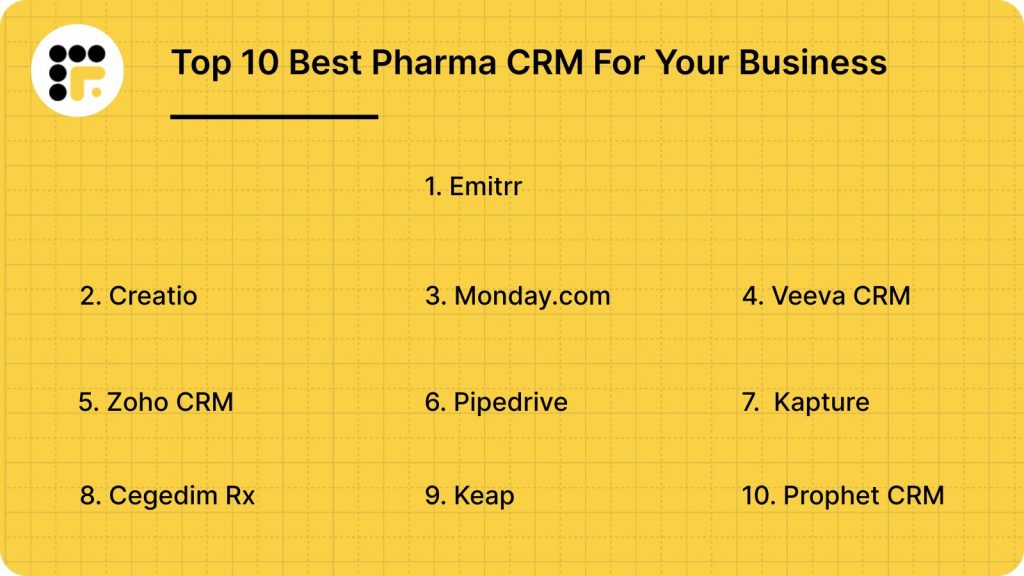
Popular CRM for Pharma Industry
1. Emitrr
What is Emitrr?
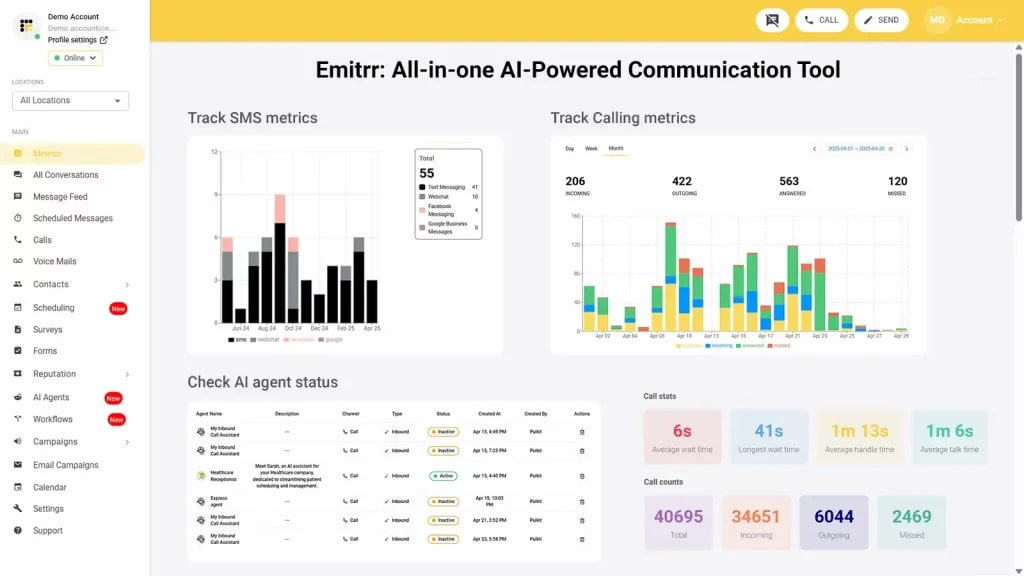
Emitrr is an all-in-one CRM and communication platform built specifically for healthcare and service-focused businesses, including pharmaceutical companies, clinics, and distributors. Unlike traditional CRMs that require workarounds for compliance or add-ons for communication, Emitrr comes fully equipped to handle everything from outreach and automation to document management and data security, out of the box.
What makes Emitrr especially effective in the pharma world is its ability to support both field and internal teams without overcomplicating things. Reps can log visits, send follow-ups, and manage sample records from their phones. Admin teams can track consent, automate campaigns, and integrate with EHRs and EMRs. All data stays centralized, searchable, and audit-ready.
Emitrr makes the process smoother, faster, and more compliant, without the high learning curve or high costs of legacy CRMs.
Emitrr Features
- Multi-Channel Communication: Send and receive messages via text, email, and voice from one platform, with every interaction logged for full visibility.
- Automated Follow-Ups: Set triggers to automatically send emails or texts after visits, form submissions, or specific time intervals, no manual reminders needed.
- Visit Tracking and Logging: Reps can log visits instantly from mobile, including location, time, notes, and outcomes, useful for compliance and performance tracking.
- Consent Management: Capture and store digital consent from doctors or patients with automatic timestamping and compliance-ready logs.
- Customizable Intake Forms: Build and send digital forms for documentation, onboarding, or feedback.
- Group Texting with Segmentation: Create audience groups based on specialty, geography, or interaction type.
- Sample and Inventory Management: Record product samples delivered, track usage, and set alerts.
- Real-Time Reporting Dashboards: Get insights into rep activity, outreach performance, and account health.
- EHR/EMR/PMS Integration: Syncs with practice management and medical record systems for seamless data flow.
- Call Routing and VoIP Support: Route incoming calls to the right person or department automatically.
- Mobile App with Offline Mode: Access core CRM features even when reps are in low-connectivity areas.
- Custom Field & Tag System: Add fields relevant to your products, regions, or compliance needs.
- AI-Based Engagement Suggestions: Smart alerts to follow up with inactive contacts or high-potential leads.
- Drag-and-Drop Campaign Builder: Create and launch multi-step campaigns without technical help, text, email, and reminders, all automated.
- Two-Way Texting with Templates: Send structured replies instantly using saved templates; ideal for high-volume outreach or patient reminders.
- Internal Team Chat & Notes: Reps, support teams, and managers can leave notes, share updates, and collaborate directly within the contact record.
- Missed Call Alerts & Voicemail Capture: Automatically notify reps of missed calls and log voicemails, so no opportunity slips away.
- Automated Review Requests: Ask for HCP or distributor feedback via email or SMS at the right time, track responses in real-time.
- Task Assignment & Team Collaboration: Assign tasks, set deadlines, and track completions within the CRM, ideal for multi-department coordination.
- Smart Reminders for Compliance Checks: Emitrr can flag accounts that need documentation updates, re-verification, or regulatory reviews.
Emitrr Pros
- Tailored for Healthcare and Pharma, Not Generic CRM Use: Emitrr isn’t a one-size-fits-all platform trying to fit the industry. It’s built with the unique needs of pharma workflows and regulations in mind.
- Fast Onboarding for New Teams: No long setup cycles or IT dependencies. Most pharma teams can get up and running within days, not weeks.
- Designed for Teams Without Dedicated Admins: Unlike CRMs that need full-time management, Emitrr runs lean. Smaller companies or departments can self-manage without extra hires.
- Doesn’t Require Custom Development to Be Useful: Many CRMs need costly customization before they’re usable. Emitrr works well out-of-the-box for sales reps, marketing teams, and compliance.
- Eliminates Tool Switching: Reps don’t have to juggle multiple apps for communication, tracking, forms, or reporting. Emitrr handles it all in one interface.
- Minimizes Missed Opportunities and Delays: With automations, alerts, and shared visibility, it’s harder for leads or tasks to slip through unnoticed.
- Helps Non-Tech Teams Work Like Tech-Enabled Ones: Even if your team isn’t tech-heavy, Emitrr helps them move faster, stay organized, and respond like a much larger operation.
- Supports Hybrid Teams: Perfect for companies with both in-office and on-the-road reps. Everyone stays synced in real time, without awkward handoffs.
- Built to Scale Gradually: You don’t need to commit to hundreds of licenses or full-scale deployment from day one. Emitrr grows with your needs.
- No Vendor Lock-In With Complex Contracts: Emitrr keeps things simple and transparent, no long lock-in periods, hidden fees, or enterprise commitments.
- Supports Both B2B and B2C Pharma Use Cases: Whether you’re selling to HCPs, engaging patients, or coordinating with distributors, Emitrr handles all relationship types cleanly.
- Enhances Visibility for Managers Without Micromanagement: Managers can see what’s happening without chasing reports or pinging the team constantly. The system keeps everyone in the loop.
- Strengthens Rep Accountability Without Extra Pressure: Activity logs and reminders help reps stay on track naturally, without micromanagement or after-hours admin work.
- Creates a Consistent Brand Experience Across Touchpoints: Outreach looks and feels professional, whether it’s one rep or twenty contacting your doctors or clinics.
- Gives You an Edge in a Highly Competitive Market: In industries where doctor attention is limited and outreach often overlaps, Emitrr helps your team stand out through speed, relevance, and follow-through.
Emitrr Cons
- Some advanced features are still being rolled out in phases.
Emitrr Pricing
- Emitrr pricing starts at $59 per month, with flexible plans so you only pay for what you use.
Emitrr Integrations
Emitrr offers 500+ integrations across industries, including dental, real estate, recruiting, and more, with platforms such as:
Emitrr Customer Support Channels
- Live chat: Chat with Emitrr’s live representatives
- Phone: Call Emitrr at +1 (210) 941-4696
- Email: Send email to Emitrr’s support team at support@emitrr.com
- Knowledge base
- FAQs/forum
- SMS
Emitrr Rating
Emitrr has a solid 4.8-star rating on Capterra.
Emitrr Reviews
“Emitrr has been a wonderful tool for our business. It has vastly improved our marketing efforts and is super easy to use/user friendly. The customer service is unmatched – anything I ask for help with is acknowledged quickly and usually resolved within a day or less. They also are quick to implement new ideas from clients. I don’t have one negative thing to say about Emitrr.”
“I so appreciate the Customer Service that is quick and helpful. If there is not an immediate answer, they are open to considering alternatives and resolve our needs. The Emitrr tools easily meet our needs for texting and web bots on our websites. Our staff find the interface easy to use, as do the community that access our services. Both the desktop and cell phone apps work well.”
(Source: Capterra)
2. Creatio
What is Creatio?
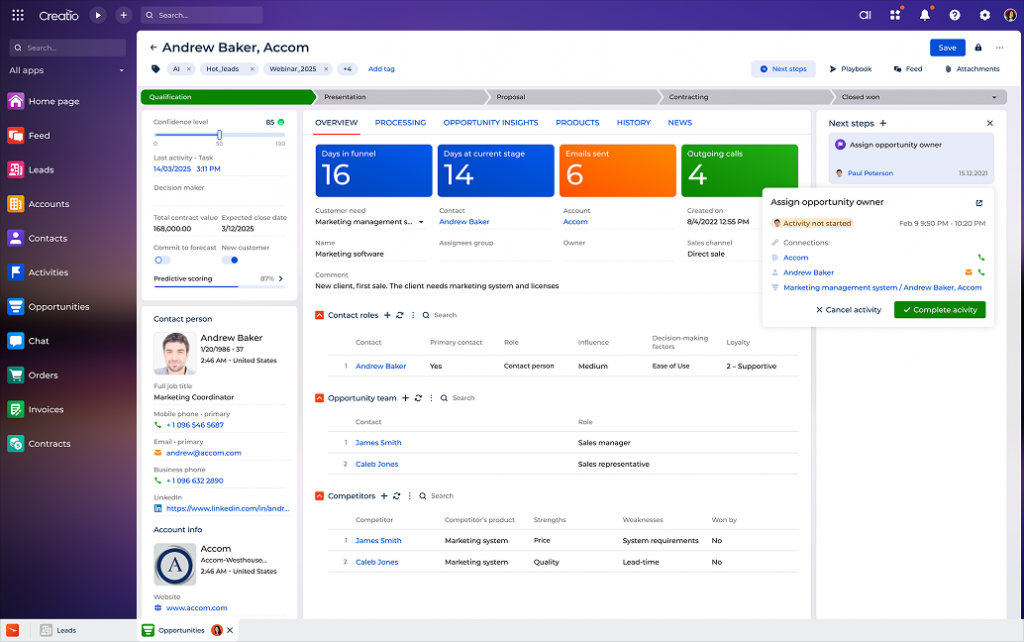
Creatio is a no-code AI-native CRM platform that combines sales, marketing, and service automation in one ecosystem. It’s known for its flexibility and customizability. It allows businesses to build and modify workflows with little to no coding, making it useful for enterprises that want more control over how their CRM behaves. However, this level of flexibility comes with a tradeoff, teams without in-house IT or process experts may find the setup and learning curve challenging.
For pharma, Creatio offers industry-specific modules, like field force automation, compliance tracking, and sample distribution, but most of these require configuration or are available only at the enterprise tier.
Creatio Features
- No-Code Workflow Builder: Design custom workflows, approval chains, and automation rules using a drag-and-drop interface.
- AI-Driven Automation: Enhance decision-making and productivity with built-in AI-based capabilities.
- Field Sales Management: Track rep visits, plan routes, and manage doctor engagement across territories.
- Omnichannel Communication Hub: Email, phone, chat, and social media managed in one system.
- Analytics and Dashboards: Built-in BI tools to monitor campaign performance, rep activity, and HCP engagement.
Creatio Pros
- Strong Field Rep Tools: Route planning, visit logs, and real-time activity tracking support large field teams.
- End-to-End Platform: Combines CRM, BPM, and case management, reducing the need for multiple vendors.
- Global Support and Localization: Supports multinational deployments with regional compliance settings and multi-language support.
Creatio Cons
- Complex Setup for Smaller Teams: Not ideal for lean organizations without dedicated CRM admins or IT support.
- Expensive for Full Feature Access: Many pharma-specific tools and modules are gated behind premium pricing tiers.
- Steep Learning Curve: Takes time to onboard teams and configure processes, especially without prior CRM experience.
- Slower User Experience on Older Devices: The platform can feel heavy on mobile or older hardware, impacting field usage.
Creatio Pricing
Creatio offers three pricing plans
- Growth: $25/user/month
- Enterprise: $55/user/month
- Unlimited: $85/user/month
Creatio Customer Support Channels
- Email/Help Desk
- FAQs/Forum
- Knowledge Base
- Phone Support
- 24/7 (Live rep)
- Chat
Creatio Rating
Creatio has a 4.7-star rating on Capterra.
Creatio Reviews
“We enjoy using Creatio, it has quite intuitive user interface and introduces a lot of possibilities to be customised according to the specific needs of your business.”
“My overall experience is okay. For the price, Creatio does get the job done, however, my team relies on other programs to supplement features that Creatio does not offer.”
(Source: Capterra)
3. Monday.com
What is Monday.com?
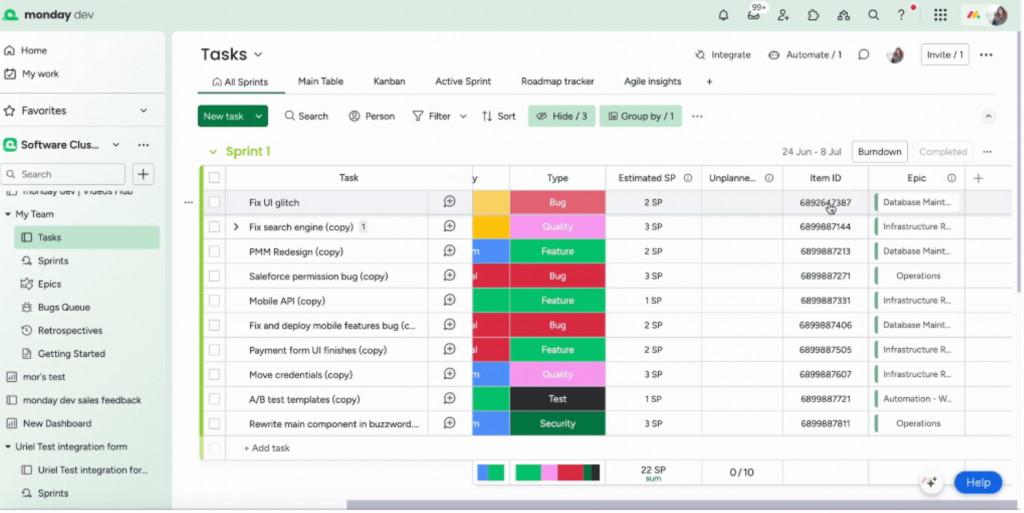
Monday.com CRM is a highly visual, customizable CRM built on the Monday.com Work OS platform. While it started as a project management tool, the CRM version adds features for contact management, deal tracking, and workflow automation. It’s often praised for its clean interface and drag-and-drop simplicity. Although some teams still explore a Monday alternative depending on their specific workflow needs.
For pharma teams, Monday.com can work if you’re primarily looking for a lightweight, user-friendly CRM to manage outreach, track rep activity, or organize sample schedules. However, it’s not built with pharma regulations or field force complexity in mind, so compliance features, consent tracking, and audit readiness need to be manually created or integrated using third-party tools.
It’s a good fit for smaller pharma or distributor teams that value visibility and flexibility over deep industry-specific functions.
Monday.com Features
- Customizable Dashboards & Pipelines: Tailor views for sales stages, rep territories, or campaign tracking using drag-and-drop boards.
- Workflow Automation Rules: Automate repetitive tasks like reminders, updates, or email sends with simple “if-then” logic.
- Team Collaboration & Commenting: Add notes, tag team members, and share updates directly within contact or task records.
- Email Sync & Activity Tracking: Connect Gmail or Outlook to manage emails and track communication history inside the platform.
Monday.com Pros
- User-Friendly Interface: Clean layout with color-coded boards makes it easy to onboard reps and support staff quickly.
- Highly Flexible Structure: You can customize fields, workflows, and views to fit your exact business process.
- Integrated Project + CRM Use: Manage both sales and operational tasks in the same platform, helpful for trial coordination or field event planning.
Monday.com Cons
- No Native Compliance Tools: HIPAA, GDPR, or consent tracking isn’t built in, needs custom work or external integrations.
- Limited Pharma-Specific Features: No built-in sample tracking, HCP segmentation, or audit trail functionality.
- Can Get Disorganized at Scale: Once your team or data volume grows, boards can become cluttered and harder to manage.
- Minimal Offline Support: Mobile access is decent but not optimized for offline use, limiting field reps in low-connectivity areas.
Monday.com Pricing
Monday CRM has four pricing plan options, which are
- Basic
- Standard
- Pro
- Enterprise
Monday.com Customer Support Channels
- Email/Help Desk
- FAQs/Forum
- Knowledge Base
- 24/7 (Live rep)
- Chat
Monday.com Rating
Monday CRM has a 4.7-star rating on Capterra.
Monday.com Reviews
“Workflow features was the main reason why i purchased this software but it didnot move on well for the time i used the software.”
“Great one, I like this better, better cost, easier for the things we wanted we don’t miss the things that it doesn’t do.”
(Source: Capterra)
4. Veeva CRM
What is Veeva CRM?
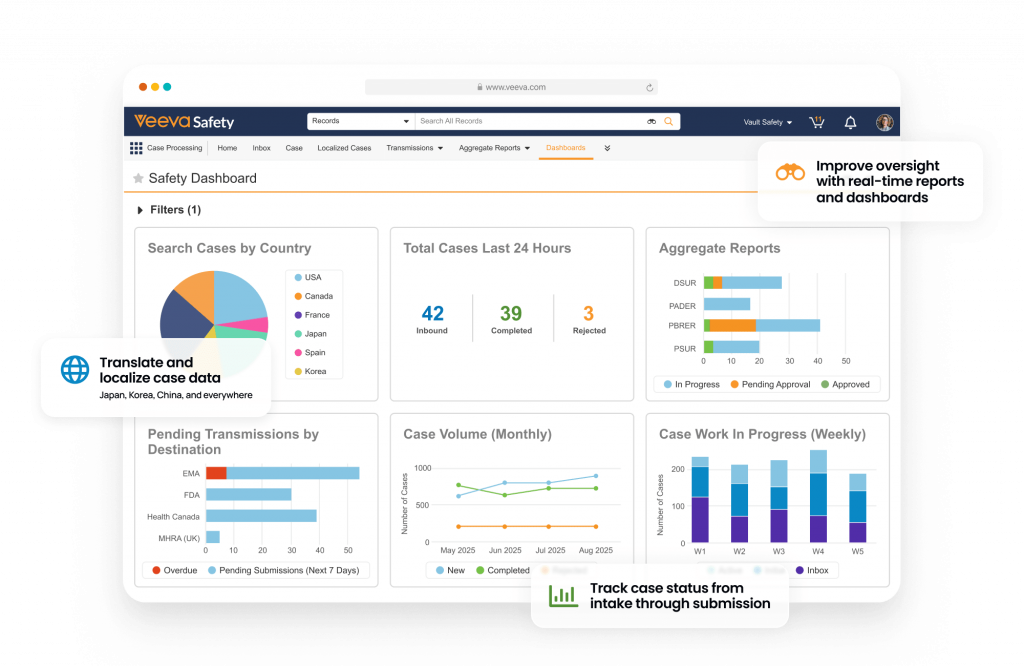
Veeva CRM is an enterprise-grade customer relationship management platform built specifically for the life sciences industry, including pharmaceuticals, biotechnology, and medical devices. Unlike general-purpose CRMs, Veeva is tailored to the regulatory, operational, and commercial needs of pharma teams.
It helps companies manage everything from HCP engagement and field force activity to regulatory compliance, sample tracking, and territory planning. Veeva is often the go-to choice for large pharmaceutical brands with global teams, complex reporting needs, and strict compliance requirements.
However, Veeva’s depth comes at a cost, both financially and operationally. It requires a longer setup cycle, specialized training, and a significant budget, making it better suited for enterprise-level pharma teams rather than leaner operations.
Veeva CRM Features
- Field Force Management: Tools for call planning, rep activity tracking, territory alignment, and sample delivery built into a mobile-friendly interface.
- Approved Email & Content: Share pre-approved promotional materials with HCPs through compliant channels, trackable and audit-ready.
- Multichannel Engagement Tracking: Manage and analyze interactions across in-person visits, email, webinars, and virtual calls.
- Vault Integration for Compliance: Native integration with Veeva Vault for streamlined regulatory document management and version control.
Veeva CRM Pros
- Excellent for Large Field Teams: Scales well across geographies and business units with robust role-based permissions and territory tools.
- Strong Regulatory Compliance Support: Designed to support 21 CFR Part 11, HIPAA, GDPR, and other global regulations.
- Comprehensive Reporting & Insights: Advanced analytics for performance monitoring, rep effectiveness, and cross-channel campaign results.
Veeva CRM Cons
- High Cost of Ownership: Licensing, implementation, and support are expensive, often out of reach for small to mid-sized teams.
- Complex Implementation: Requires specialist support, longer timelines, and dedicated IT/CRM teams for setup and maintenance.
- Overwhelming for Simple Workflows: Smaller teams may find the system too feature-heavy for their basic outreach and tracking needs.
Veeva CRM Pricing
- Contact support
Veeva CRM Customer Support Channels
- Email/Help Desk
- FAQs/Forum
- Knowledge Base
- Phone Support
- 24/7 (Live rep)
Veeva CRM Rating
Veeva CRM has a 4.5-star rating on Capterra.
Veeva CRM Reviews
“Veeva CRM Is an extremely simple, intuitive software that helps users with pre-call planning, capturing and recording transactions, and analyzing their daily sales activity. I also appreciate the customer support and involvement by our Veeva solutions consultants.”
“There are certain issues loading data and sometimes Veeva will just say that there is a limitation with it. And that’s it. No real help beyond that.”
(Source: Capterra)
5. Zoho CRM
What is Zoho CRM?
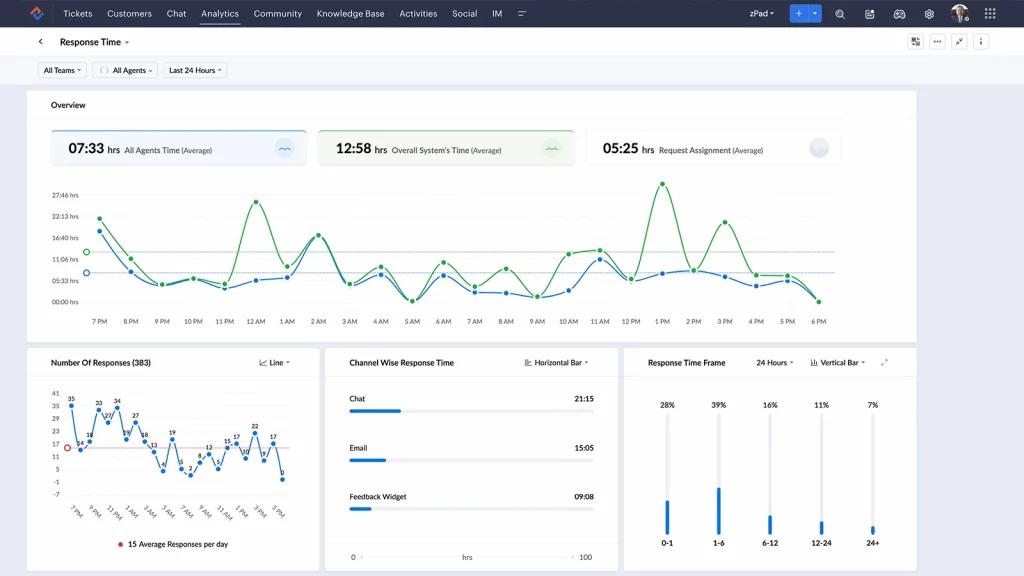
Zoho CRM is a widely used cloud-based customer relationship management platform designed for small to mid-sized businesses. It’s known for being user-friendly, highly customizable, and budget-friendly. While it isn’t built specifically for pharmaceuticals, many pharma teams use Zoho CRM as a flexible starting point, especially when looking for contact management, automation, and sales tracking without the high costs of industry-specific platforms.
That said, Zoho doesn’t offer pharma-specific features out of the box. Teams often need to build custom modules for things like sample tracking, consent logs, or regulatory compliance, which may require technical support or paid add-ons.
Zoho CRM Features
- Sales Pipeline Management: Track every stage of a deal or account, assign reps, and automate next steps using drag-and-drop pipelines.
- Workflow Automation: Automate tasks like follow-up emails, task reminders, or lead assignment based on rules and triggers.
- Custom Modules & Fields: Create pharma-specific fields (e.g., specialty, clinic type, product interest) and tailor modules for your team’s needs.
Zoho CRM Pros
- Affordable for Growing Teams: Offers powerful functionality at a fraction of the cost of enterprise-level CRMs.
- Flexible and Customizable: Adaptable to different use cases, industries, and sales models through low-code tools.
- Easy to Learn and Use: Clean interface and short onboarding curve make it accessible for non-technical users.
Zoho CRM Cons
- No Pharma-Specific Features by Default: Sample tracking, HCP compliance logging, and consent management must be built manually.
- Customization Can Get Technical: Some advanced needs may require Zoho’s scripting language (Deluge) or third-party developer help.
- Limited Offline Field Support: Mobile experience is decent, but not fully optimized for reps working in areas with low or no connectivity.
- Data Privacy Compliance Requires Configuration: Not fully HIPAA or GDPR-ready out of the box, requires careful setup and policy alignment.
Zoho CRM Pricing
- Zoho CRM pricing starts at $14 per user/month for the Standard plan.
Zoho CRM Customer Support Channels
- Phone Support
- 24/7 (Live rep)
- Chat
- Knowledge base
Zoho CRM Rating
Zoho CRM has a 4.3-star rating on Capterra.
Zoho CRM Reviews
“We are getting there customizing to our business model. I hope to someday have the smoothest possible flow without interruptions as there are so many situations to consider.”
“Overall experience is very good. Zoho CRM platform offers easy to use interface Which helps me to keep track of client interactions very easily also I can manage leads very simple way.”
(Source: Capterra)
6. Pipedrive
What is Pipedrive?
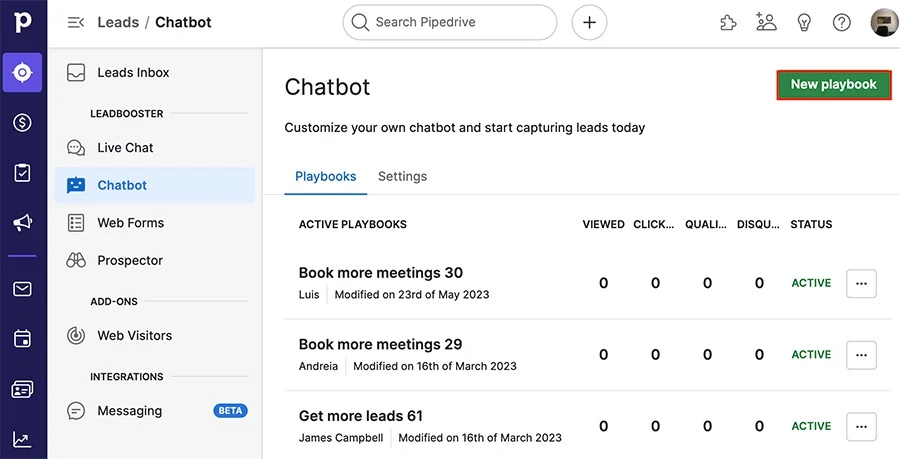
Pipedrive is a sales-focused CRM built to help teams track deals, manage pipelines, and automate follow-ups. It’s known for its simplicity, visual interface, and ease of use. For pharmaceutical sales teams, Pipedrive can work well if the main need is managing rep outreach, tracking doctor interactions, or visualizing deal stages. However, it lacks built-in features for compliance, sample tracking, or patient-facing support, which limits its use in regulated pharma settings. It’s a strong fit for distributor-heavy pharma models or over-the-counter product sales, but less ideal for clinical or regulated HCP engagement.
Pipedrive Features
- Visual Sales Pipeline: A drag-and-drop interface that helps teams manage accounts and deals across multiple stages.
- Workflow Automation: Automate emails, task assignments, and stage changes based on triggers or activity.
- Activity and Contact Tracking: Log calls, visits, and emails to keep a clear timeline of every interaction.
- Insights and Reporting: Real-time dashboards and custom reports to track rep performance, conversion rates, and sales trends.
Pipedrive Pros
- Extremely Easy to Use: Clean interface with fast onboarding, especially helpful for teams with minimal CRM experience.
- Great for Deal-Driven Sales Models: Ideal if you’re selling through distributors, wholesalers, or pharmacy chains.
- Wide Range of Integrations: Compatible with Gmail, Outlook, Zoom, Slack, and over 300+ apps through its marketplace.
Pipedrive Cons
- No Industry-Specific Pharma Features: Doesn’t support sample tracking, regulatory workflows, or compliance out of the box.
- Lacks Built-in Consent or Audit Tools: Risky for teams needing HIPAA or GDPR-level tracking unless heavily customized.
- Minimal Patient or Clinical Support Use: Not designed for patient outreach, documentation, or healthcare-specific intake.
- Mobile App Lacks Offline Depth: Mobile version is functional but limited, especially for field reps working in low-connectivity zones.
Pipedrive Pricing
- Pipedrive pricing starts at $14.90/user/month.
Pipedrive Customer Support Channels
- Live chat
- Help center
Pipedrive Rating
Pipedrive has a 4.5-star rating on Capterra.
Pipedrive Reviews
“A definitely leap in use cases from the previous CRM I was using. Being able to integrate with my Google Calendar for tasks/events, and entering in a number of custom fields that I can filter by is very useful.”
“Expensive for multiple users. Email interface not great.”
(Source: Capterra)
7. Kapture
What is Kapture?
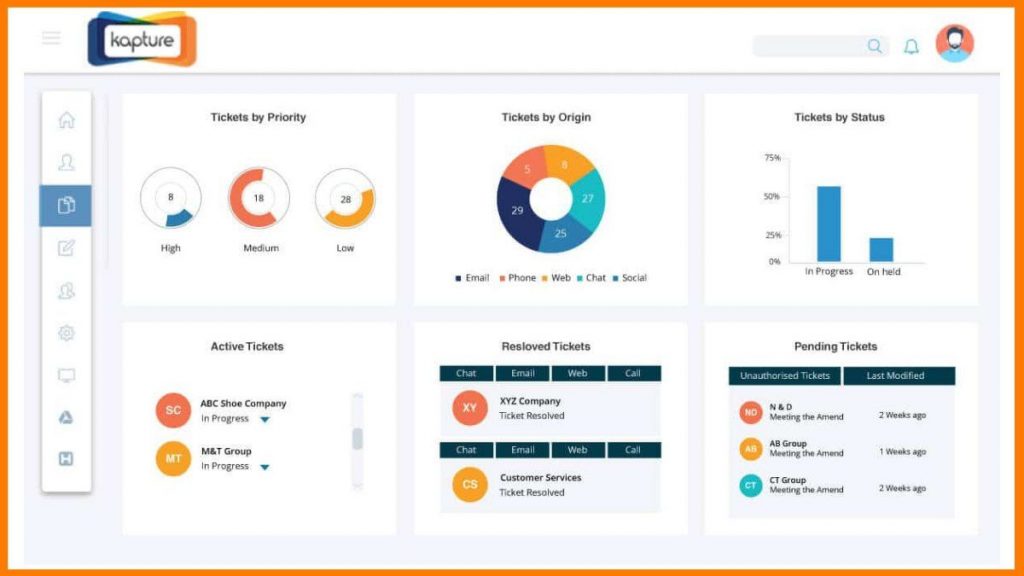
Kapture CRM is a customer service and sales automation platform designed primarily for B2B and B2C service businesses across industries like healthcare, hospitality, logistics, and retail. It offers configurable modules for lead management, ticketing, field service, and omnichannel communication.
In the pharmaceutical space, Kapture is sometimes used by companies managing large service operations, especially for handling distributor support, pharmacy onboarding, or customer queries across geographies. It’s not a life sciences-specific CRM, so features like regulatory compliance, sample tracking, or HCP segmentation have to be built manually.
Kapture Features
- Omnichannel Customer Support: Manage emails, chats, calls, and social media messages from one dashboard.
- Custom Workflow Builder: Set up tailored business processes and approval chains using a drag-and-drop interface.
- Field Force Tracking: Monitor on-ground reps through GPS check-ins, activity logs, and territory assignments.
- Ticketing & Service Management: Create, assign, and resolve internal or external service tickets across teams and departments.
Kapture Pros
- Excellent for Customer Service Ops: Ideal for pharma companies managing high volumes of distributor or pharmacy queries.
- Highly Customizable Modules: Build workflows around lead handling, support cases, or field visit tracking without coding.
- Strong Field Force Monitoring Tools: Built-in GPS tracking and check-in/check-out workflows help oversee rep activity.
Kapture Cons
- Not Designed Specifically for Pharma: Lacks native modules for sample tracking, consent, HCP segmentation, or compliance.
- Requires Heavy Customization: Most pharma use cases (e.g., compliance logs, regulatory workflows) need to be built from scratch.
- Limited Reporting for Clinical or Regulatory Needs: Out-of-the-box reports aren’t optimized for life sciences workflows.
- No Built-In EHR/EMR Integration: Doesn’t connect with clinical systems unless custom-developed.
Kapture Pricing
Kapture offers three different pricing options
- Essential
- Professional
- Enterprise
Kapture Customer Support Channels
- Email/Help Desk
- FAQs/Forum
- Knowledge Base
- Phone Support
- 24/7 (Live rep)
- Chat
Kapture Rating
Kapture has a 4.2-star rating on Capterra.
Kapture Reviews
“The initial phase was challenging, and it took about a month to fully understand everything. However, due to the absence of notification sounds, many emails are still exceeding the FRT.”
“Our overall experience is good. However, huge opportunities for the organisation to improve on the support levels Expect the product to get enhanced to serve the clients quickly.”
(Source: Capterra)
8. Cegedim Rx
What is Cegedim Rx?
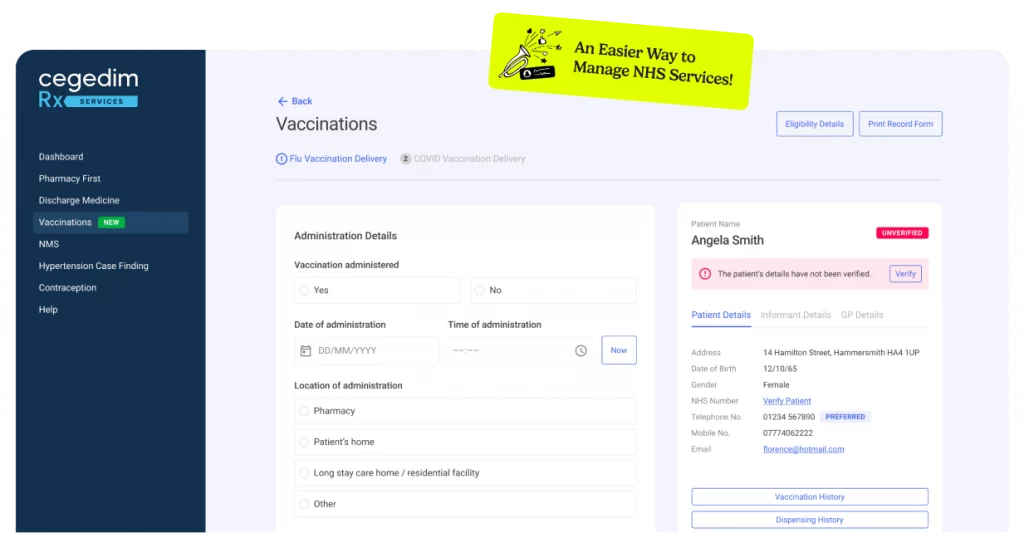
Cegedim Rx CRM is a specialized CRM solution designed for pharmacies and pharmaceutical organizations. It streamlines pharmacy operations, enhances patient services, and helps manage business growth by integrating clinical workflows, compliance, and business intelligence into a single platform. However, like many CRM systems, it can present challenges such as complexity, cost, and the need for staff training
Cegedim Rx Features
- Sample Management: Tracks and audits promotional sample distribution and returns, ensuring regulatory compliance.
- HCP Mapping & Segmentation: Integrates prescription and demographic data for targeted healthcare professional outreach.
- Compliance Workflows: Pre-configured processes for GDPR, ABPI, and other country-specific pharmaceutical codes.
- Data Integration: Links CRM data with claims, prescriptions, and market research datasets for comprehensive insights
Cegedim Rx Pros
- Purpose-built for Pharmacies: Specifically designed to address the unique needs of pharmacies and the pharmaceutical industry, ensuring relevant features and compliance.
- Enhanced Efficiency: Automates manual tasks, such as prescription tracking and reporting, saving time and reducing errors.
- Comprehensive Compliance: Built-in workflows help pharmacies stay compliant with complex healthcare regulations.
- Real-time Data and Insights: Provides live updates on stock, store performance, and patient care, supporting better business decisions
Cegedim Rx Cons
- Implementation Complexity: The system can be complex to set up and may require significant training for pharmacy staff.
- High Initial and Ongoing Costs: Purchasing, implementing, and maintaining the CRM can be expensive, especially for smaller pharmacies.
- Potential Resistance to Change: Staff may be hesitant to adopt new processes or technology, slowing down adoption and reducing effectiveness.
- Data Privacy and Security Risks: Centralized storage of sensitive patient and business data can be a target for cyberattacks, making robust security measures essential
Cegedim Rx Pricing
Cegedim Rx offers three pricing plan options
- Core
- Advanced
- Ultimate
Cegedim Rx Customer Support Channels
Not available
Cegedim Rx Rating
Not available
Cegedim Rx Reviews
Not available
9. Keap
What is Keap?
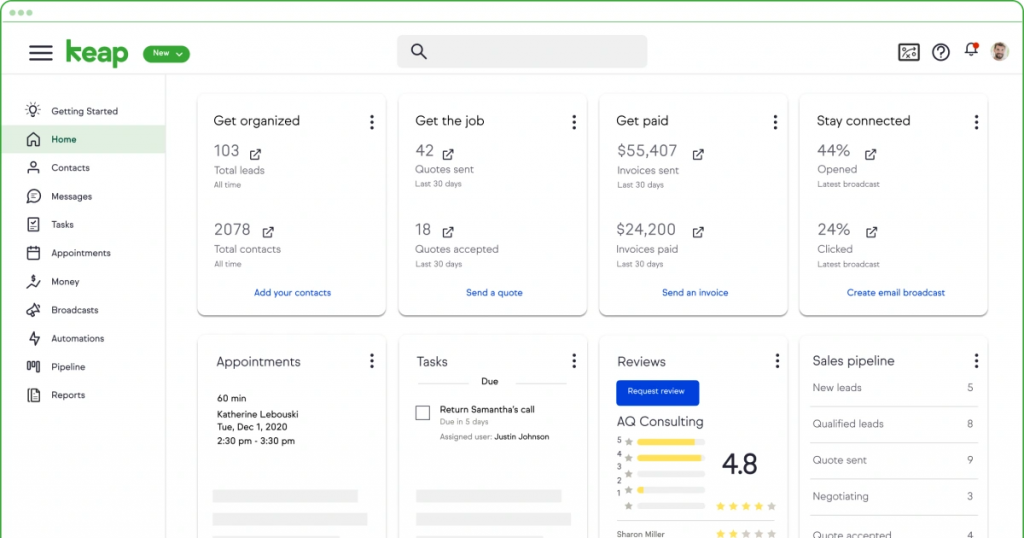
Keap (formerly Infusionsoft) is a small business CRM and marketing automation platform designed to help teams manage leads, automate follow-ups, and streamline client communication. It’s especially popular among solo professionals, small service businesses, and startups looking for an all-in-one sales and email marketing solution.
For pharmaceutical companies, Keap may be useful for basic outreach automation, lead capture, and email marketing, especially in OTC product sales or distributor support. However, it’s not designed for regulated environments and lacks the industry-specific tools pharma teams typically need, such as consent management, sample tracking, or audit-ready communication logs.
Keap Features
- Sales & Marketing Automation: Automate email sequences, task creation, and lead nurturing using drag-and-drop workflows.
- Contact & Deal Management: Organize contacts by pipeline stage, set reminders, and track follow-ups from one dashboard.
- Email & Text Campaigns: Run campaigns across email and SMS, with templates and performance tracking.
- Built-in Appointment Scheduling: Let contacts book meetings directly, with calendar sync and automated confirmations.
Keap Pros
- Great for Small Teams or Solo Reps: Combines CRM, scheduling, and marketing tools in one affordable platform.
- Easy to Use: Clean interface with strong onboarding and customer support, even for non-technical users.
- Good for Basic Pharma Distributors: OTC brands or pharma retailers with simple outreach needs may find it a fit.
Keap Cons
- Not Built for Regulated Pharma Use: No built-in HIPAA, GDPR, or 21 CFR Part 11 support, making it risky for clinical/HCP workflows.
- Lacks Sample Tracking or Compliance Logs: No support for core pharma features like rep visits, consent tracking, or regulatory audits.
- Basic Reporting Capabilities: Limited analytics and performance breakdowns compared to platforms like Emitrr, Veeva, or Zoho.
- Limited Customization for Complex Sales: Doesn’t support territory-based routing, HCP segmentation, or advanced form building.
Keap Pricing
Keap pricing starts at $299/month.
Keap Customer Support Channels
- Email/Help Desk
- FAQs/Forum
- Knowledge Base
- Phone Support
- 24/7 (Live rep)
- Chat
Keap Rating
Keap has a 4.1-star rating on Capterra.
Keap Reviews
“Overall an excellent experience with onboarding and setting the product up! Migration was seamless!”
“On top of being a little expensive, the support team is quite slow. Something should be done on the cost and reliability of the customer support team.”
(Source: Capterra)
10. Prophet CRM
What is Prophet CRM?
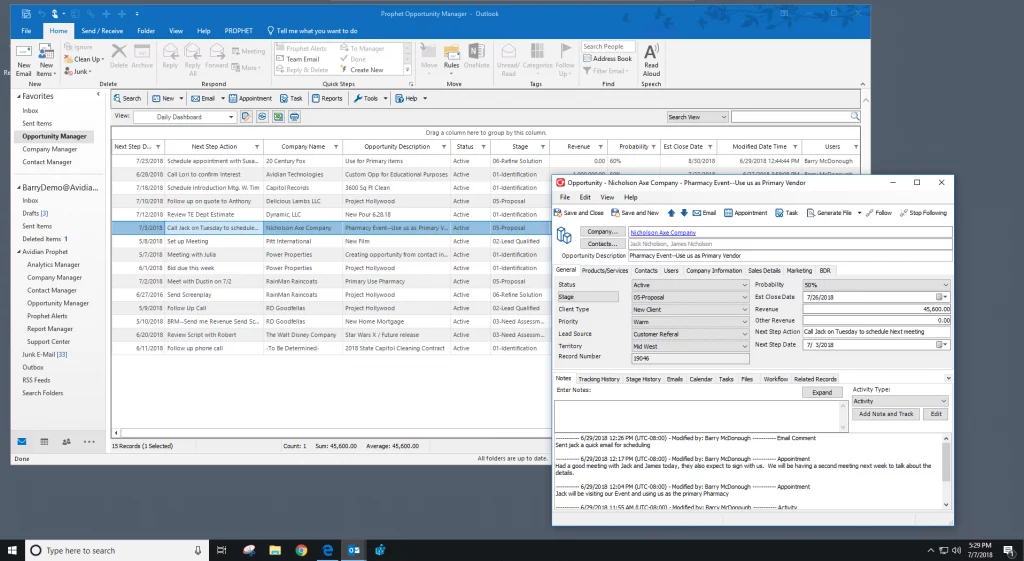
Prophet CRM is a Microsoft Outlook-based CRM designed for teams who spend most of their time inside Outlook and want CRM functionality without switching platforms. Rather than being a standalone tool, Prophet integrates directly into Outlook and adds contact management, pipeline tracking, and sales automation capabilities.
For pharmaceutical teams, Prophet CRM may appeal to smaller sales or distributor teams that already rely heavily on Outlook for communication and calendar management. However, it is not purpose-built for life sciences, and it lacks key industry features like consent tracking, regulatory audit logs, or field force tools.
Prophet CRM Features
- Outlook-Native CRM Interface: Use CRM functions like contact tracking, deal stages, and follow-ups directly inside Microsoft Outlook.
- Sales Pipeline Management: Create, view, and update sales opportunities and stages within your email workflow.
- Contact & Activity History Logging: Automatically track emails, calls, and meetings for each contact without leaving Outlook.
- Reporting & Forecasting Tools: Generate reports based on pipeline performance, rep activity, and contact engagement.
Prophet CRM Pros
- No New System to Learn: Works within Outlook, making adoption easier for teams already using Microsoft 365.
- Streamlined Contact Management: Automatically connects emails, calls, and appointments to relevant accounts.
- Low Overhead for Small Teams: Lightweight system with simple deployment, no major IT setup required.
- Good for Email-Centric Workflows: Ideal for reps who primarily work via email and don’t need mobile field access or complex automation.
Prophet CRM Cons
- Not Built for Pharma: No features for sample tracking, HCP segmentation, compliance, or field rep activity.
- Limited Mobile Access: Lacks strong mobile functionality for reps in the field.
- No Automation or Multichannel Campaigns: Doesn’t support SMS outreach, consent collection, or advanced workflow automation.
- Only Works with Microsoft Outlook: Not suitable for teams using Gmail, Mac, or other communication tools.
Prophet CRM Pricing
Prophet CRM has 3 pricing plan options
- Standard
- Professional
- Enterprise
Prophet CRM Customer Support Channels
- Email/Help Desk
- Knowledge Base
- Phone Support
Prophet CRM Rating
Prophet CRM has a 4.1-star rating on Capterra.
Prophet CRM Reviews
“It works. It’s slow on the refreshing, but it works.”
“Prophet requires the most up-to-date version of Microsoft Outlook to run, so there are additional software costs to consider in addition to the costs of Prophet. You must also have the most recent Microsoft Windows operating system.”
(Source: Capterra)
What Makes Emitrr Stand Out as CRM Software for the Pharma Industry?
Most CRMs offer contact management, reminders, and reports. But when you’re in pharma, you need more than just a place to store names. You need a system that understands the field complexities, the compliance landscape, and the day-to-day needs of both sales reps and support teams.
Emitrr was built with those realities in mind, and that’s what sets it apart. Here’s how:
Automated Workflows and Task Management
From follow-up reminders to document collection and consent tracking, Emitrr automates repetitive tasks so your team doesn’t have to chase them down. Reps and coordinators can focus on what actually needs their attention, while everything else runs in the background.
Easy to Use, No Learning Curve
One of the biggest hurdles to CRM adoption is clunky interfaces. Emitrr keeps things simple. Whether you’re in the field, behind a desk, or managing multiple brands, the platform is designed to be intuitive, with no technical background required.
Multi-Channel Communication Support
Not every doctor prefers the same mode of communication. With Emitrr, your team can reach out via text, email, or voice, all from one place. Everything gets logged automatically, so there’s always a clear communication trail.
Digital Intake and Document Management
Need to collect forms, update consent records, or manage patient documentation? Emitrr makes it easy to send, receive, and store documents digitally. No scanning, no paperwork trails, just clean, searchable records tied to each contact.
AI-Powered Follow-Ups and Smart Workflows
Emitrr can automatically suggest follow-ups based on the type of interaction. If a doctor is visited for a product demo, the CRM can schedule a tailored follow-up message a few days later. If samples were delivered, it can prompt the rep to check in at the right time. AI-driven workflows also handle routine queries, confirm appointments, and send reminders, even outside business hours, so your team stays responsive without staying online.
Watch how Emitrr’s AI agent, Sarah, makes this effortlessly smooth:
Group Texting and Segmented Communication
Want to update a group of doctors about a new product? Or remind a subset of patients about refills? Emitrr lets you create audience segments and send group messages without losing the personal touch. You can even schedule and automate these based on user behavior.
Seamless Integrations
Emitrr works well with your existing tech stack. Whether you use a practice management tool, inventory system, or third-party analytics platform, Emitrr connects smoothly, so there’s no need to start from scratch or patch together workflows manually.
Syncs with EHR/EMR/PMS Systems
Data entry doesn’t need to happen twice. Emitrr can sync with electronic health records (EHR), medical records (EMR), and practice management systems (PMS), helping teams pull or push data without switching tabs or tools.
HIPAA, HITECH, GDPR, SOC-2 Compliant
Emitrr takes compliance seriously. It’s built to meet healthcare-grade security standards, with features that support secure data handling, consent logging, access controls, and audit readiness across geographies.
AI-Based Predictive Insights for Patient Engagement
Beyond tracking activity, Emitrr helps forecast it. Using AI, the system can identify which patients or HCPs may need follow-up, which leads are most likely to convert, and where reps should focus next, all based on behavior and engagement patterns.
Affordable
While most pharma-ready CRMs come with steep pricing and add-on fees, Emitrr offers a transparent pricing model that works for small teams and growing companies. You get enterprise-grade features without enterprise-level costs.
Round-the-clock support
Emitrr offers 24/7 assistance to help your team whenever questions come up, whether it’s onboarding, troubleshooting, or customizing a workflow.
FAQs
A pharma-ready CRM supports HCP engagement, sample tracking, compliance documentation, rep activity logging, and segmentation by specialty or region. It also needs to support HIPAA, GDPR, and 21 CFR Part 11 standards.
Yes, if the CRM handles any patient data (even indirectly), HIPAA compliance is critical. This includes tracking communications, consent, or storing patient-related documents.
Only if it’s built for pharma. Platforms like Emitrr, Veeva, or Creatio allow you to log sample distribution, track rep activity, and set visit goals, all with time-stamped records for compliance.
Some CRMs, like Emitrr or Veeva, offer integrations with EHR, EMR, or PMS systems, allowing synced communication, patient updates, or prescription data where applicable.
It depends on complexity. Tools like Emitrr can be set up in days with minimal training. Platforms like Veeva may take weeks or months and need IT involvement.
Emitrr is hands down the best CRM for pharma teams because it’s affordable, simple to use, and doesn’t require full-time admins.
Conclusion
By now, it’s clear, choosing a CRM isn’t about checking boxes. It’s about finding a tool that fits the way your team actually works.
The right CRM can take the complexity out of pharma operations, managing reps, tracking samples, keeping communication on point, and staying compliant without the constant friction. And while many platforms offer pieces of the puzzle, Emitrr stands out for one reason: it fits into your workflow without getting in the way.
It doesn’t require you to change how you operate, instead supports how you already work. It doesn’t distract you with features you’ll never use, but focuses on what truly matters.
So, if you’re ready for a CRM that makes things easier, not harder, Emitrr is worth your time. Book a free demo today and see how it fits into your day.


 4.9 (400+
reviews)
4.9 (400+
reviews)