

Overview of Reputation & Review Management Software for Pediatric Practices
When was the last time you booked something without checking the reviews first? Probably never, right? Parents are the same, especially when it’s about their child’s health. They’ll head straight to Google, Facebook, or Healthgrades to see what other families are saying before choosing a pediatrician.
That’s why your online presence matters so much. But keeping up with reviews, replies, and ratings manually? That’s a lot. This is where a good online review management system comes in. It works quietly in the background, asking for feedback, sending review reminders, and flagging anything that needs your attention. No extra stress for your staff.
Following online reputation management best practices no longer means doing everything yourself. These tools act as an online review manager, making sure your happy families are heard while giving you a chance to fix concerns early. Plus, an online review management system can pull in reviews from different platforms, so your team isn’t checking 10 tabs every morning! Long story short? You get to focus on providing great care, while the software handles the reviews.
Features to Look For in Reputation & Review Management Software for Pediatricians
Not all review management tools are created equal. For pediatric practices, you’ll want a platform that checks certain key boxes. Here are some must-have features and capabilities to keep an eye out for:
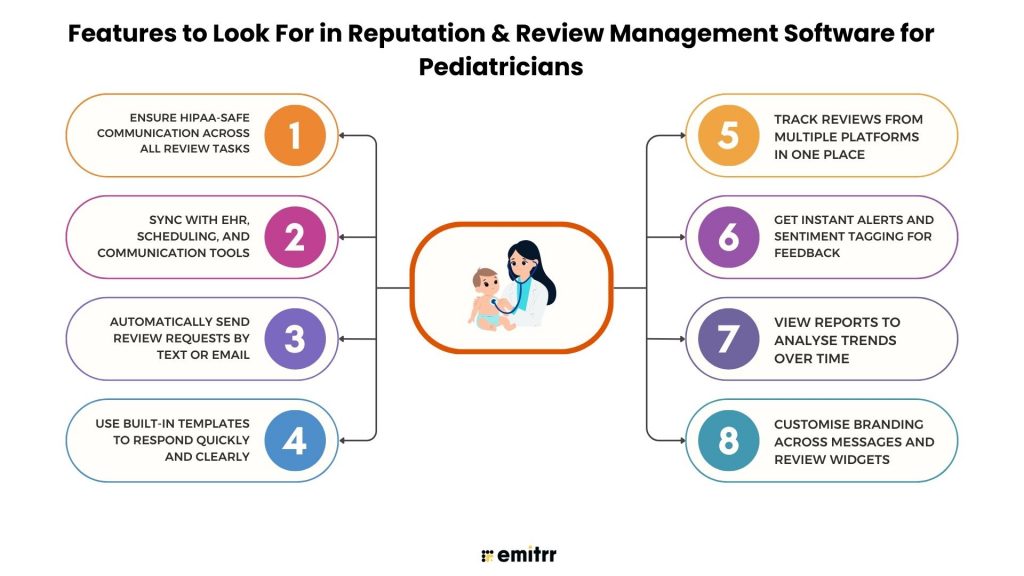
Ensure HIPAA-safe communication across all review tasks
You’re dealing with health info, so privacy has to come first. The software you choose should send all messages and review requests in a HIPAA-compliant way. That means no personal health details, secure messaging, and proper consent before sending anything out. This is extra important when you’re contacting parents about their child’s visit. A tool that’s built for safe, encrypted messaging gives you peace of mind.
Sync with EHR, scheduling, and communication tools
Your review tool should fit right into your current setup. It should connect with your EHR or scheduling software, so review requests can go out automatically after a visit, no extra steps needed. It’s even better if it syncs with your texting or phone system. That way, the moment a visit ends, a review request is sent out without anyone having to remember it. It just flows with your clinic’s routine.
Automatically send review requests by text or email
No need to remind your team to ask for reviews, let the system do it. Look for software that can send automated review requests to parents after appointments. You can choose how soon to send it, right after the visit or maybe later in the evening. Some parents prefer email, others prefer text, so having both options helps. This kind of automation helps you stay consistent and saves time every single day.
Use built-in templates to respond quickly and clearly
Responding to reviews can take time. Good software gives you pre-written templates that sound warm and professional. For example, if someone mentions a long wait time, there could be a ready-made response that says, “Thanks for your feedback, we’re working on improving our wait times.” You can tweak these messages or write your own, but having a starting point makes replies much faster.
Looking for ready-to-use healthcare SMS templates for reviews & reputation growth? Then here are the best ones, Download the templates now!
Track reviews from multiple platforms in one place
Parents leave reviews everywhere, on Google, Facebook, Healthgrades, and more. It’s hard to keep up if you’re checking each site separately. Your software should gather all reviews into one simple dashboard. You log in, and everything is there. New reviews show up with alerts so you can respond quickly. It keeps things organized and saves you from missing anything important.
Get instant alerts and sentiment tagging for feedback
You don’t want to miss a bad review. The best tools send you real-time alerts when new feedback comes in. Some even scan the text and highlight negative phrases like “rude” or “waited too long,” so you know what needs attention fast. These alerts help you jump in and fix issues quickly before they grow. It also shows parents you care and are paying attention.
View reports to analyse trends over time
Beyond daily reviews, it’s helpful to look at the bigger picture. Your software should give you simple reports that show trends, like which provider gets the most praise, or whether reviews go up after a policy change. These insights help you improve over time.
Customise branding across messages and review widgets
You want your communication to feel like it’s coming from your clinic, not a robot. Good software lets you add your logo, colours, and tone to all review request messages. If the tool includes a website widget to display reviews, you should be able to make it match your branding. That way, parents feel like they’re interacting with your clinic the whole time, not a third-party service.
In a nutshell, your review software should make life easier, not harder. If it helps you stay compliant, saves time, and keeps your reviews organized, it’s doing its job well.
Security & Compliance Requirements for Reputation Software in Pediatric Clinics
When it comes to managing reviews in a pediatric clinic, security and compliance aren’t optional, they’re a must.
Consent-based review triggers and opt-out options
You can’t just blast review requests to every parent in your system. Great software sends them only after a completed visit, so it’s timely and relevant. It also includes a clear opt-out link so families can choose not to get future messages. That’s how you stay respectful and compliant at the same time.
HIPAA and PHI-safe review handling workflows
You already know patient privacy is a big deal, and your review replies need to respect that, too. A HIPAA-compliant tool will stop you from sharing names, appointment times, or anything personal by accident. It acts like a second set of eyes, making sure you’re always within the lines when responding.
Business Associate Agreement (BAA) support included
If your software provider touches any patient data, you’ll want a BAA in place. It means they’re legally agreeing to follow the same HIPAA rules you do. Any platform that’s serious about healthcare will offer this automatically, no chasing, no stress.
Encrypted data collection and secure message storage
Encryption is like a lock on every message and review you send or receive. It keeps sensitive info safe whether it’s being stored or sent out. This helps avoid leaks and keeps your clinic’s communications secure without you lifting a finger.
Regular data backup and recovery protocol compliance
Tech fails sometimes. A good system automatically backs up your reviews, feedback, and messages so nothing important gets lost. If something crashes, you’ll still have access to everything you need without panicking.
Role-based staff access and audit log tracking
Not everyone on your team needs the same access. With role-based permissions, you control who can view or respond to reviews. Plus, audit logs track every action, so there’s a clear record if anything needs a second look.
Great reviews deserve great visibility. Our audit of 20 Pediatric practice website homepages shows how leading practices build trust before parents even read a review. See how your homepage compares with the checklist below.
Integrations Required for Use in Pediatric Clinics
Pediatric clinics rarely use reputation management software in isolation. It needs to fit into a broader ecosystem of healthcare IT and patient engagement tools. Here are some key integrations to look out for:
Works with EHR, EMR, and scheduling tools
Your EHR is where everything begins. So your review software should connect directly to EHR. That way, once a visit ends, a review request can go out without anyone on your team lifting a finger. It should also sync with your scheduling system, so no-shows and completed appointments are tracked. This keeps things smooth and saves your front desk a lot of time.
Syncs with health review platforms
Parents leave reviews all over the internet, not just on Google. Healthgrades, Zocdoc, Vitals… the list goes on. Your software should pull all these into one dashboard. Even better if it helps send reviews to those sites too! The goal is simple: make it easy to see what people are saying about you everywhere, without checking 10 different tabs.
Integrates with CRMs and patient messaging apps
If you’re using tools for reminders, recalls, or email campaigns, it helps if your review platform talks to them. Imagine sending a review request right after a check-up is done, it keeps the flow natural. This also means all your messages stay in one place. Whether it’s a text, a chat, or a review invite, you get a full picture of what’s going on with each family.
Links website forms to review collection
Have a “How did we do?” form on your site? Great. Your review tool should capture those responses too. Even better if it turns them into reviews automatically. This way, your website becomes more than just a contact point, it helps collect and manage parent feedback in real time.
Custom alerts for feedback spikes or trends
Let’s say you get three low-star reviews in one week. Wouldn’t it be great to get a heads-up? That’s where alert integrations come in. Some platforms can send alerts to your Slack, email, or even text you. Larger clinics can also set up deeper reports using tools like Microsoft Teams or BI dashboards. It’s all about knowing what’s happening, fast.
Analytics dashboards that integrate with local search tools
Your online reviews affect how easily new parents can find you. So, if you use tools to track your local SEO, your patient review software should connect with them too. Some platforms even show how your reviews impact your Google rankings. With these dashboards, you see the full picture, reviews, clicks, calls, and new patient inquiries, all in one place.
How Reputation Software Helps Pediatric Practices
Investing in reputation management can have real, tangible benefits for pediatric clinics. Let’s talk about how the right software can make a difference for your practice and the families you serve:
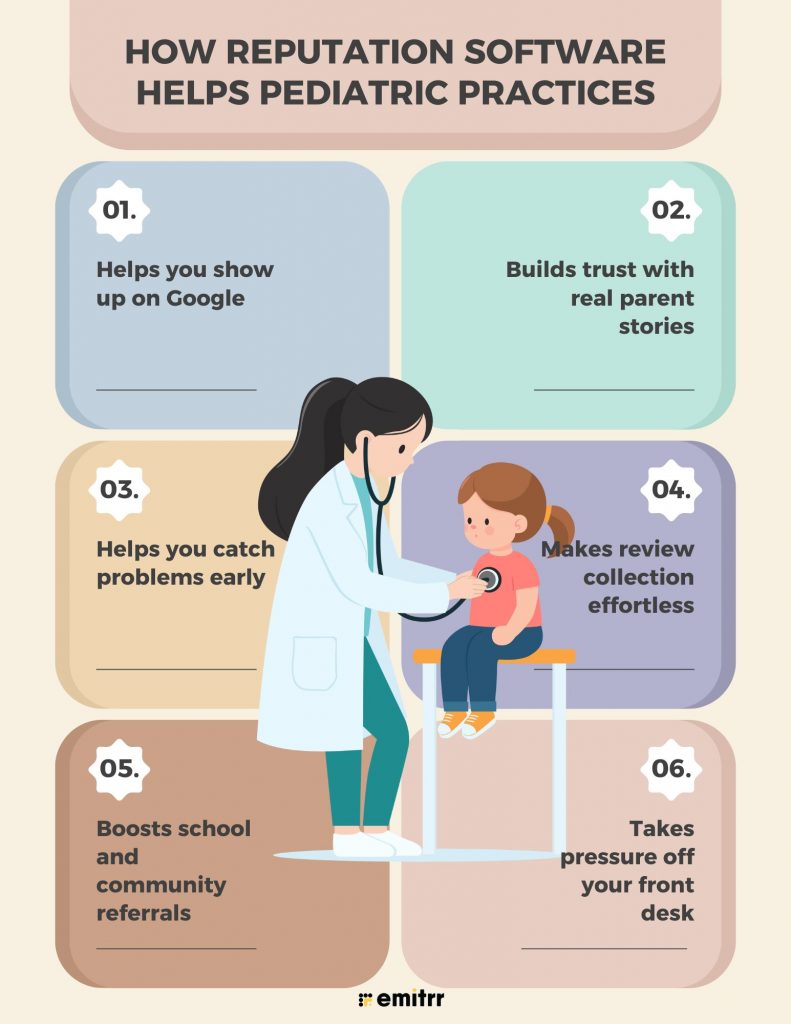
Helps you show up on Google
When parents search for “pediatrician near me,” you want to be at the top. Good reviews help with that. The right software makes sure you get a steady flow of fresh reviews. That tells Google you’re trusted. And when parents see your name with 5 stars, they’re more likely to click.
Builds trust with real parent stories
Parents want a doctor they can trust with their child. Reading honest stories from other parents helps build that trust fast. Reputation software collects these stories for you. Each review is like a friend telling someone, “This clinic really cares.” That matters when someone’s deciding where to go.
Helps you catch problems early
Have more than one clinic or a big team? It can be hard to know what’s going on everywhere. Review tools help you spot patterns. Maybe one office keeps getting complaints about wait times. Maybe a provider keeps getting praise. You’ll know what to fix and what to celebrate.
Makes review collection effortless
You don’t have to ask parents to leave reviews yourself. The software does it for you. After a visit, the parent gets a quick text or email. They tap the link and leave a review. Simple. No paper forms. No remembering who to ask. It just happens automatically.
Boosts school and community referrals
Parents talk. At schools, playdates, PTA meetings, word spreads fast. A strong online reputation supports those word-of-mouth referrals. If a parent hears about your clinic and then sees great reviews online, it seals the deal. Some tools even help you share reviews on social media or in newsletters.
Takes pressure off your front desk
Your front desk is already busy. Let the software handle reviews. It sends invites, tracks reviews, and even suggests replies. Your team won’t need to log into five different sites or chase parents for feedback. It’s like having an extra helper who’s always on top of things.
When you ask parents for feedback, they feel heard. When you act on it, they feel valued. That builds loyalty. Reviews aren’t just about new patients, they help you keep your current ones happy.
How to Choose the Right Reputation Software for Your Pediatric Clinic
With so many options out there, how do you pick the one that’s the best fit for your pediatric practice? Here’s a simple step-by-step approach to guide your decision:
Step 1: Think about your clinic size and goals
Are you running a solo clinic or managing multiple locations? The size of your practice affects which reputation software is the best fit. Smaller practices might want something easy and affordable. Larger ones may need advanced features like analytics and team permissions. Also, ask yourself questions like, do you want more reviews, better responses, or full messaging tools? Knowing your goals will help narrow the list.
Step 2: Pick something your team will actually use
Let’s be honest, no one wants clunky software. Choose a platform that’s simple and doesn’t need hours of training. If your front desk can pick it up quickly, you’re on the right track. Ask for a demo and let your staff try it too. If they find it easy, you’ve got a winner.
Step 3: Check if it works with your current tools
Do you use an EHR? A texting app? An online scheduler? Make a list and check which reputation management software connects with them. A good system will plug into what you already use and save your team time. If it doesn’t integrate, you might end up doing more manual work, exactly what you’re trying to avoid.
Step 4: Make sure it’s HIPAA-safe and secure
This is non-negotiable. The software must be HIPAA-compliant and agree to sign a BAA. Ask how they protect patient data, do they encrypt it? Do they restrict staff access? If a vendor avoids these questions, it’s a red flag. Only go with tools that take privacy seriously.
Step 5: Think long term, can it grow with you?
Your practice may expand in the next few years. Will the software keep up? Look for a tool that handles more users, more reviews, or more locations without needing to switch platforms. Bonus points if the company regularly adds features or integrations. You want something that evolves with your clinic.
Step 6: Look at pricing and what others are saying
Request full pricing details. Are there setup fees? Do they charge per doctor or per message? Make sure you know what’s included. Then, read reviews on sites like G2 or Capterra, especially from other pediatric practices. Many of them share how different online review services worked for their clinics. Their experiences can give you real insight into what works and what to avoid.

Top Reputation & Review Management Software for Pediatricians
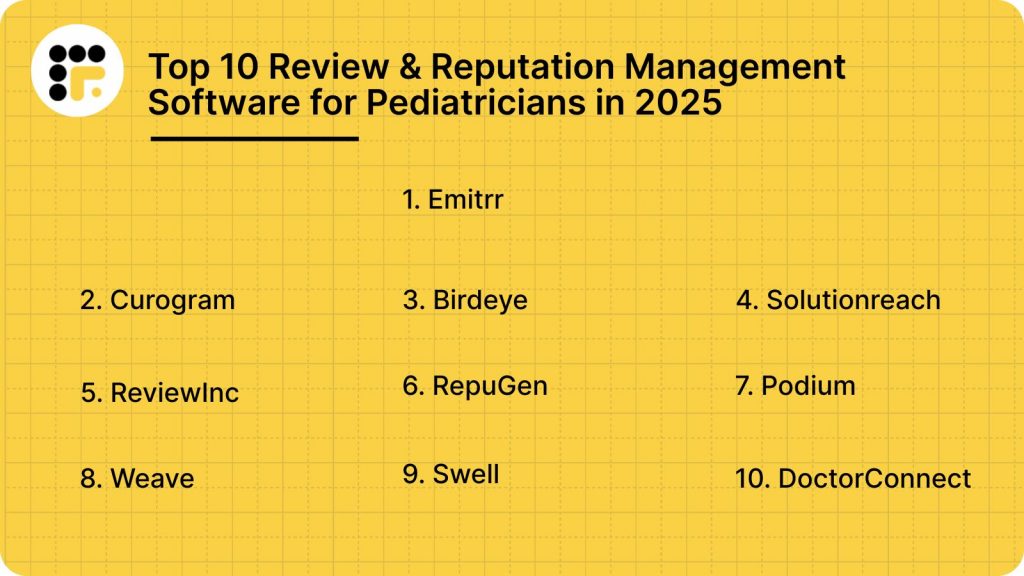
Now let’s dive into the top 10 review and reputation management software solutions that you should consider in 2025. Each of these platforms has something unique to offer for managing patient feedback and boosting your practice’s online presence.
Let’s discuss each option in detail:
1. Emitrr
What is Emitrr?
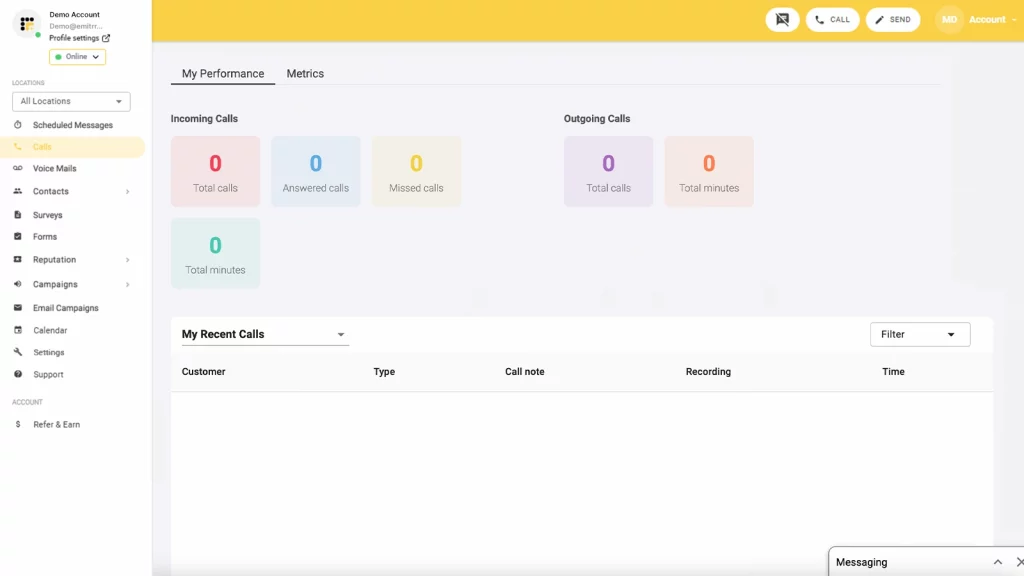
Emitrr is an all-in-one, HIPAA-compliant platform built specifically for healthcare practices. It helps pediatric clinics manage their online reputation, reviews, and patient communication from a single dashboard. Whether you’re running a solo clinic or a large team, Emitrr keeps things simple, secure, and efficient.
Key Features of Emitrr
- Automated review requests: Sends invites via text or email right after appointments to collect parent feedback.
- Unified review dashboard: Pulls in reviews from Google, Facebook, Healthgrades, and more.
- Two-way texting + missed call replies: Let’s your team chat with parents and follow up automatically on missed calls.
- Sentiment analysis: Tracks the tone of reviews and flags any negative ones.
- Review widget for websites: Displays top patient reviews on your clinic website to build trust fast.
- EHR and scheduling integrations: Syncs with tools like DrChrono, Dentrix, and Athenahealth for seamless automation.
Emitrr Pros
- Built for healthcare: Fully HIPAA-compliant with features that align with pediatric workflows.
- Boosts review volume: Many clinics see 2x–3x growth in 5-star reviews within months.
- Simple interface: Easy for front-desk teams to learn and use without training overload.
- Outstanding support: Quick response via chat, phone, or SMS with helpful onboarding.
- All-in-one system: Combines online review services, texting, reminders, and call handling in one platform.
Emitrr Cons
Some advanced AI tools are still evolving
Emitrr Integrations
Emitrr integrates with over 500 systems across EHR, communication, and scheduling platforms.
- Athenahealth: Seamless sync for appointments and patient details.
- DrChrono: Streamlined review requests post-visit from your EMR.
- Dentrix: Popular with pediatric dentists for patient flow and feedback.
- eClinicalWorks: Full two-way data sync to power automation.
- Google Calendar & Outlook: Pulls in appointments to trigger communication.
Emitrr Pricing
Emitrr starts around $59/month. Plans vary based on provider count and messaging volume. Month-to-month options are available, with no long-term lock-ins. Pricing is flexible and scales with your clinic’s needs. AI add-ons and high-volume texting may cost extra, but overall value remains strong.
Emitrr Pricing
Starts at $30/month
Emitrr Ratings
- Capterra: 4.9/5
- G2: 4.8/5
Emitrr Customer Reviews
“Overall the communication has been awesome and everyone is super helpful. The app I’m on the fence about.”
“Working with Emitrr has been a pleasure. Love the features it offers and how easy it is to use.”
Source: Capterra
Emitrr Support Channels
- Email: support@emitrr.com
- Phone: +1 (210) 941-4696
- Live chat: On the Emitrr website
- Knowledge base: Setup guides, training resources, FAQs
- SMS support: Yes, you can even text their team
2. Curogram
What is Curogram?
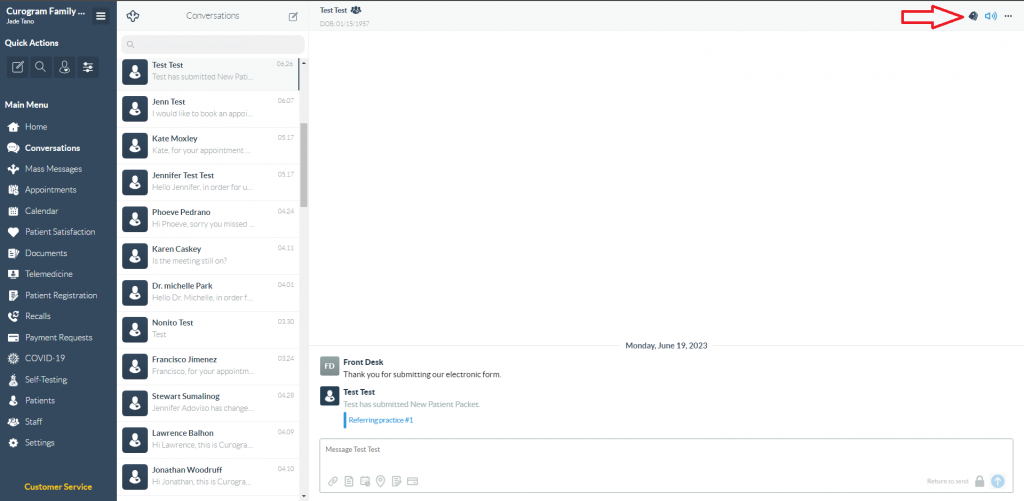
Curogram is a HIPAA-compliant patient messaging and reputation management software tailored for medical practices. It offers two-way texting, telehealth, review generation, appointment reminders, and front-desk automation, all in one place. Designed with healthcare in mind, Curogram helps streamline communication with patients while boosting your online presence.
Key Features of Curogram
- Two-way SMS texting with patients: Securely text patients and parents for scheduling, follow-ups, or quick queries, all HIPAA-compliant and logged in your system.
- Online review generation via text & email: Automatically request reviews post visit to drive feedback on Google and Facebook.
- Front desk automation: Lets patients text “I’m here” for appointments and automates waiting room status updates.
- Telehealth integrations: Offers secure video visit capabilities and links with your EHR or patient communication flow.
Curogram Pros
- Designed for medical offices: Built specifically for HIPAA-compliant, healthcare-grade messaging.
- All-in-one platform: Combines texting, telehealth, reviews, and reminders in one tool.
- Front desk workflow enhancer: Check-in automations make in-office operations smoother.
- Multi-location support: Great for practices with multiple providers or locations.
Curogram Cons
- UI can feel dated: Some users say the interface isn’t as modern as competitors.
- Learning curve for advanced features: New staff may need some onboarding time.
Curogram Integrations
Curogram integrates with multiple EHR and practice management systems. Popular integrations include:
- Athenahealth
- eClinicalWorks
- Epic
- DrChrono
- Kareo
- AdvancedMD
Curogram Pricing
Curogram basic plan starts at $125 per month. They offer customised pricing based on practice size and features needed.
Curogram Ratings
- Capterra: 4.7/5
- G2: 4.6/5
Curogram Customer Reviews
“There is a delay in syncing the calendars. When adding new patient appnt in the EMR.“
“Sometime the interaction between Azalea and Curogram lack communication.”
Source: Capterra
Curogram Support Channels
- Phone
- Live Chat
- Help Centre
- Webinar training
3. Birdeye

What is Birdeye?
Birdeye is a popular all-in-one reputation and customer experience platform. While not healthcare-exclusive, it offers robust tools for collecting reviews, messaging patients, and improving local SEO. Many medical practices, including pediatric clinics, use Birdeye to manage reviews across platforms and boost their online presence.
Key Features of Birdeye
- Automated review requests: Sends review invites via text and email after appointments, helping boost ratings on Google, Facebook, and more.
- Review monitoring and response tools: Tracks reviews from multiple sites in one place and lets you reply quickly.
- Patient messaging & chat: Offers two-way texting, missed call text-backs, and website chat integration.
- Web and social media publishing: Let’s you share reviews on your website and social pages to build credibility.
Birdeye Pros
- Very feature-rich: Covers everything from reviews to messaging, surveys, and listings.
- Strong SEO benefits: Helps improve search rankings through steady review generation and listing accuracy.
- Great analytics dashboard: Offers insights on trends, sentiment, and staff-specific reviews.
- Trusted by large networks: Works well for multi-location practices and healthcare groups.
Birdeye Cons
- Not built just for healthcare: HIPAA compliance is available, but it’s not their core focus.
- Higher price point: More expensive than many niche medical platforms, especially for small clinics.
Birdeye Integrations
Birdeye integrates with several EHRs and practice management systems via Zapier or custom APIs. Top integrations include:
- Dentrix
- Open Dental
- Athenahealth
- Eaglesoft
- DrChrono
- Google My Business & Facebook for reviews and messaging
Birdeye Pricing
Pricing is custom and typically starts around $299/month, depending on feature set and practice size.
Birdeye Ratings
- Capterra: 4.7/5
- G2: 4.6/5
Birdeye Customer Reviews
“When messaging a guest through the chat, pictures are slow to load.“
“Onboarding was a nightmare. Customer support sub-par. Most tools are not their own and they had to reach out to 3rd parties to get things resolved, which happened a lot.“
Source: Capterra
Birdeye Support Channels
- Email and ticket support
- Live chat on website
- Help centre with how-to guides
- Onboarding and training included
4. Solutionreach
What is Solutionreach?
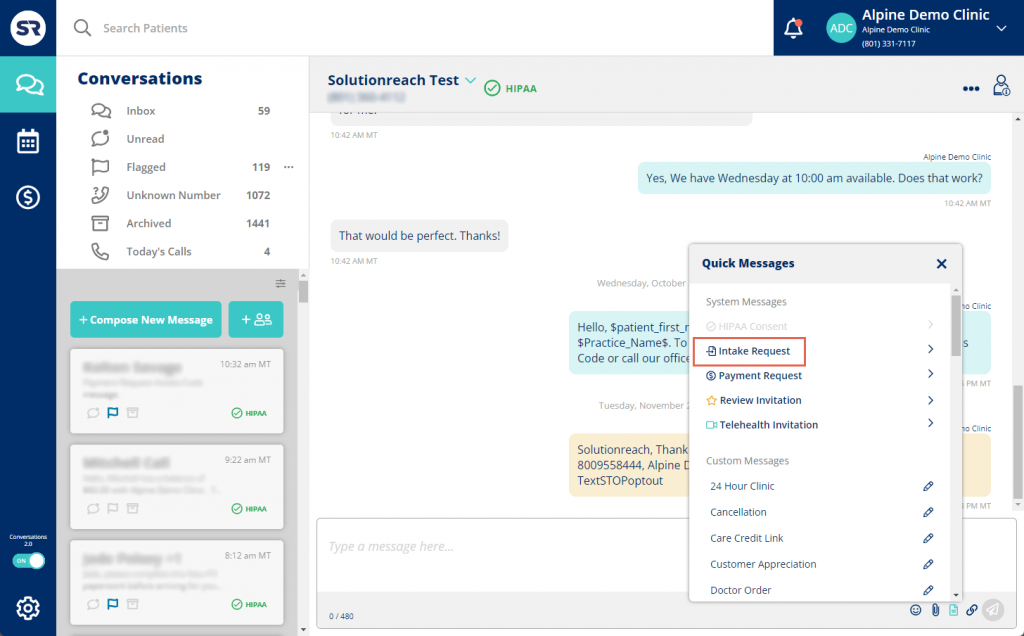
Solutionreach is a patient relationship management platform designed for medical practices. It helps you stay connected with patients through reminders, texting, surveys, and reputation tools. It’s particularly strong in appointment-related workflows, making it a good fit for busy pediatric practices focused on reducing no-shows and improving feedback.
Key Features of Solutionreach
- Patient reminder system: Sends appointment confirmations, recalls, and follow-ups via text, email, or voice.
- Automated review collection: Asks for reviews post-visit and directs satisfied patients to platforms like Google.
- Two-way text messaging: Lets staff have real-time text conversations with patients for quick coordination.
- Newsletter and email builder: Great for sending wellness tips, clinic updates, and seasonal reminders to families.
Solutionreach Pros
- Strong reminder system: Very effective at reducing no-shows and missed appointments.
- Parent-friendly texting: Lets parents ask questions, reschedule, or get updates without calling.
- Custom templates: Pre-built content for healthcare outreach (e.g., vaccine reminders).
- Reputation tools included: Helps collect and manage reviews, though not as advanced as some others.
Solutionreach Cons
- Interface can feel dated: Some users find the design less modern.
- Less advanced review tools: Doesn’t offer AI-based replies or deep sentiment analysis.
Solutionreach Integrations
Solutionreach connects with major EHRs and scheduling systems. It also offers API options for custom integration workflows. Popular integrations include:
- Dentrix
- Athenahealth
- Open Dental
- Nextech
- Allscripts
- Practice Fusion
Solutionreach Pricing
Plans start around $300/month. It scales based on features and clinic size.
Solutionreach Reviews Ratings
- Capterra: 3.8/5
- G2: 3.9/5
Solutionreach Reviews Customer Reviews
“The sync software needs to be running constantly on a computer that we never turn off. It took quite a bit of customization for it to do what we needed it to.”
“Sometimes we experience “glitches” where the communication software lags causing us to not receive messages from our patients.”
Source: Capterra
Solutionreach Reviews Support Channels
- Phone support
- Knowledge base
- Onboarding assistance
5. ReviewInc
What is ReviewInc?
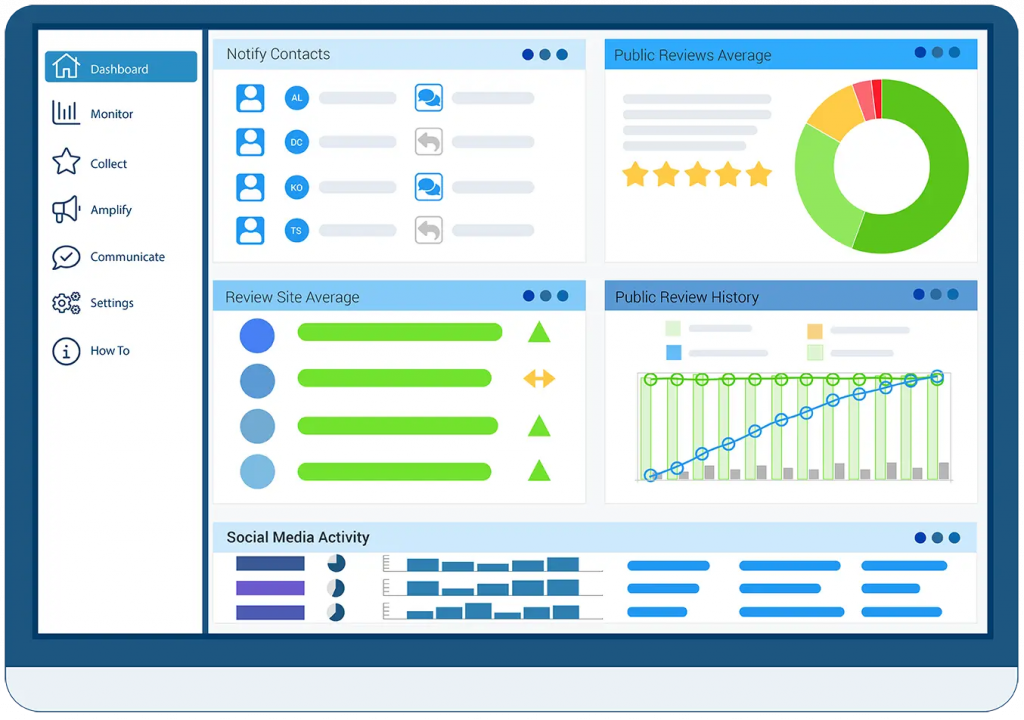
ReviewInc is an all-in-one online reputation management platform powered by AI. It helps small and healthcare businesses collect reviews, manage listings, and engage with patients on Google, Facebook, and more, without juggling multiple apps.
Key Features of ReviewInc
- Automated review requests via SMS/email: With smart timing and templated messaging to drive more responses.
- Centralised dashboard: For monitoring multiple review sites in one view.
- Sentiment analysis and real-time alerts: To flag low-star reviews immediately.
- Listings management: To keep your clinic’s information accurate across directories.
ReviewInc Pros
- Strong automation and alerts: You get notified instantly when reviews are posted, so you can respond fast.
- Simplifies review collection: Automates requests, responses, and multi-platform tracking in one place.
- Reputation monitoring + listings: Includes tools to manage Google My Business and other local listings.
ReviewInc Cons
- Not healthcare-specific: It’s a general reputation tool, so HIPAA compliance may need extra validation.
- Less intuitive interface: Some users report a steeper learning curve, especially when customising dashboards or templates.
ReviewInc Integrations
ReviewInc connects with CRMs and platforms via APIs and CSV upload. Direct integrations include:
- Customer relationship management platforms
- Listing management systems
- Review sites like Google and Facebook
It also supports workflows with NFC/QR codes and contactless review capture.
ReviewInc Pricing
Exact pricing isn’t publicly listed.
ReviewInc Ratings
- Capterra: 4.8 /5
- G2: 4.6 /5
ReviewInc Customer Reviews
“Some of the areas are hard to find on the menu and sometimes the grader report does not catch all the review sites.”
“They should consider integrating with more platforms apart from Facebook and Google.”
Source: Capterra
ReviewInc Support Channels
- Phone
- Live chat
- Resource centre
6. RepuGen
What is RepuGen?
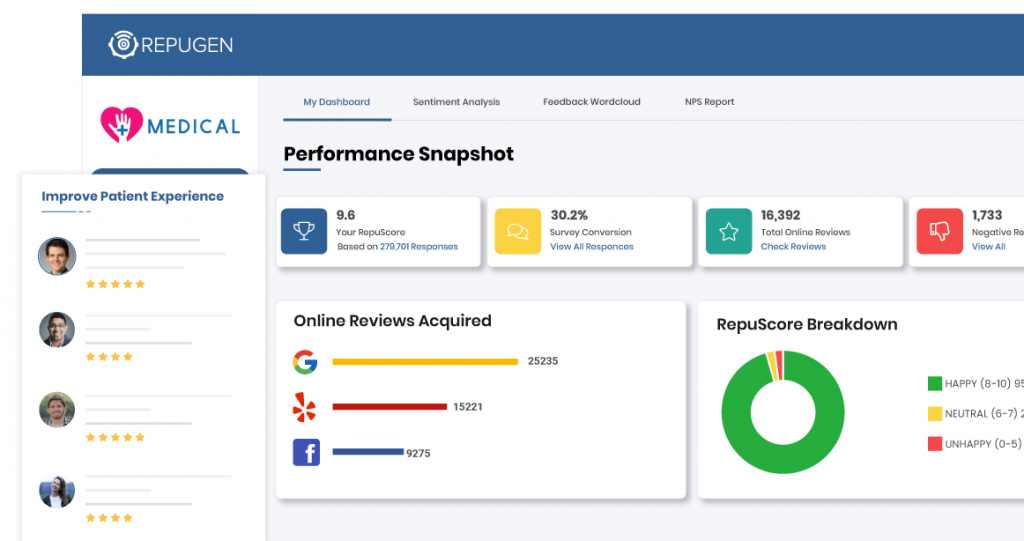
RepuGen is a HIPAA-compliant reputation management system built for healthcare practices. Trusted by clinics and medical groups alike, it automates review collection, flags patient feedback, and helps showcase positive experiences. Tailored specifically for clinics, hospitals, and multi-provider practices.
Key Features of RepuGen
- Automated review requests and service recovery: Workflows to gather positive feedback and resolve issues.
- Real-time alerts and review monitoring: Across Google, Yelp, Healthgrades, and other industry platforms.
- Review display widgets: To showcase praise directly on your clinic website.
- Analytics dashboard to track performance and sentiment trends over time.
RepuGen Pros
- Healthcare-focused compliance and features: Designed for clinics with privacy and workflow in mind.
- Strong feedback resolution tools: Flags unhappy patients early and encourages offline recovery.
RepuGen Cons
- Less flexible for non-medical workflows: Features are tailored to healthcare, so general business use is limited.
- Less extensive third-party integrations: Integrations are more healthcare-based and may not align with broader tech stacks.
RepuGen Integrations
RepuGen integrates with key healthcare platforms and website tools via APIs and embedding widgets. It supports:
- Google review monitoring
- Healthsite reviews sites like Healthgrades
- Embeddable “RepuCount” widgets for websites
RepuGen Pricing
Pricing details are not publicly listed. They offer custom quotes based on practice size and feature needs.
RepuGen Ratings
- Capterra: 4.3/5
- G2: 4.2/5
RepuGen Customer Reviews
“There are still things that don’t work on my account. For example, running reports, the data doesn’t populate unless I choose the date range option of “all time.” I would like to see the aesthetics of the reports updated. I would like a white label option. Navigation is not as intuitive as I would like it to be. I still don’t like that I can’t choose to approve 3.5 ratings for publishing because I think it’s unrealistic only to have scores of 4 and 5.”
Source: Capterra
RepuGen Support Channels
- Email support
- Phone support
- Resource library
- Live demo and onboarding
7. Podium

What is Podium?
Podium is a HIPAA-compliant communication and reputation management platform tailored to healthcare. It helps medical practices manage reviews, two-way messaging, appointment reminders, and payments, all from one central dashboard. Designed with privacy and efficiency in mind, it works well for pediatric clinics seeking a complete engagement solution.
Key Features of Podium
- Automated review requests: Sends SMS and email review requests after appointments.
- Unified messaging inbox: Combines texts, web chat, and missed call texts.
- Listings management: Ensures accurate clinic information across online directories.
- Marketing tools: Helps share reviews on social media and monitor online mentions.
Podium Pros
- Built for healthcare: HIPAA-compliant with features suited for medical practices.
- Boosts visibility: Drives more Google reviews quickly.
- All-in-one suite: Combines messaging, reviews, and reminders in one tool.
Podium Cons
- Higher price point: More expensive than some competitors.
- Learning curve: Takes time to explore all features fully.
Podium Integrations
Integrates with major EHRs like Google, Facebook, and VoIP systems. Also connects with:
- Athenahealth
- eClinicalWorks
- Allscripts.
Podium Pricing
Starts around $350/month for basic plans. Custom pricing for larger practices.
Podium Ratings
- Capterra: 4.3/5
- G2: 4.2/5
Podium Customer Reviews
“Lack of morals and integrity. Non-existent customer service. Shady business practices. Over-simplified platform.”
“Continuous IT tickets that had months with inadequate service. The lack of communication when the system was not working properly but yet still taking our payments. I have multiple documents and IT tickets to support our challenges. This year cost with not the ability to get Google reviews made the experience a failure”
Source: Capterra
Podium Support Channels
- Chat
- Help Center
- Phone
8. Weave

What is Weave?
Weave is an all-in-one communication platform designed for healthcare providers. It handles calls, texting, reviews, payments, and appointment reminders from one interface, making it ideal for busy pediatric clinics.
Key Features of Weave
- Automated review invites: Sends requests after patient visits.
- Two-way texting: Secure messaging with parents and guardians.
- VoIP phone system: Integrates calling with your messaging tools.
- Recall and reminders: Keeps patients updated on upcoming visits.
Weave Pros
- Robust feature set: Covers communication, reviews, and calls.
- Easy to use: User-friendly design for front desk teams.
- Real-time alerts: Notifies staff of new reviews instantly.
Weave Cons
- Interface feedback: Some users find the layout dated.
- Premium pricing: Higher cost compared to basic tools.
Weave Integrations
Works with EHRs and scheduling tools like
- DrChrono
- Dentrix
- Google Calendar
Weave Pricing
Starts around $125/month. The costing will vary by feature set and number of users.
Weave Ratings
- Capterra: 4.3/5
- G2: 4.2/5
Weave Customer Reviews
“There is no direct line to speak to a supervisor. They have Tiers of tech support, have to wait while they reach out to there Tiers to answer questions to resolve a problem. I was on the phone for 90 minutes. Did not resolve the issue. They only give you a 100 forms. They do not tell you that when they are selling the platform. When you are a busy dental office, which I have 40 years experience, it is difficult to run a practice with out Great Tech Support.”
“The customer support is lacking and the fact when you have a problem and there is no manager to talk to is not helpful.”
Source: Capterra
Weave Support Channels
- Phone
- Chat support
- Email help desk
- Training articles and tutorials are available in the support hub
9. Swell
What is Swell?
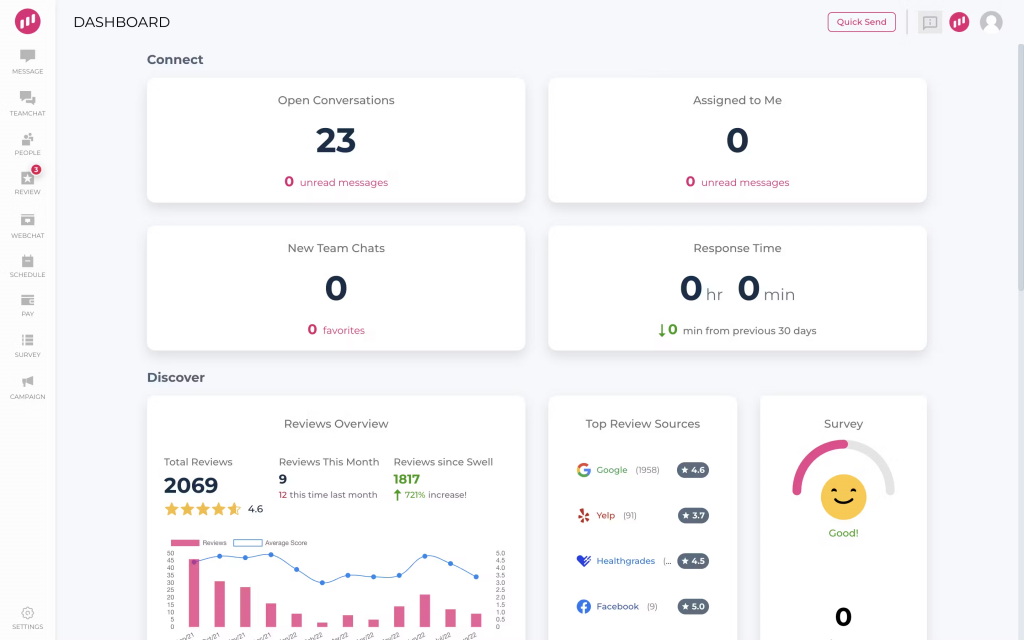
Swell is a reputation management platform designed to help healthcare practices improve their online presence. It automates review collection, ensures patient engagement, and helps clinics boost visibility on platforms like Google and Facebook, all while keeping things HIPAA-compliant.
Key Features of Swell
- Automated review invites: Sends review requests via text or email right after patient visits.
- Multi-platform monitoring: Tracks reviews from Google, Facebook, and Healthgrades in one place.
- AI-powered insights: Analyses review trends and helps you respond effectively.
- Customisable templates: Lets you tailor review messages to match your clinic’s tone and branding.
Swell Pros
- Easy setup: Simple onboarding with minimal training needed.
- Clean UI: Intuitive dashboard that’s easy for teams to navigate.
Swell Cons
- Limited customisation: Some users find template options a bit rigid.
- Fewer integrations: Doesn’t connect with as many EHRs as others in this list.
Swell Integrations
Swell integrates with common practice management software like
- Open Dental
- Dentrix
- Eaglesoft
- Google and Facebook for review syncing
Swell Pricing
The basic plan starts at $19 per month.
Swell Ratings
- Capterra: 4.6/ 5
- G2: 4.6 / 5
Swell Customer Reviews
“Very complacent support who doesn’t take responsibility or show any proactivity. I’ve been struggling with trying to create an account since the past 2 FREAKING months.”
“More documentation on how to solve some more advanced problems would be an improvement.”
Source: Capterra
Swell Support Channels
- Email and ticket support
- Live chat
- Help centre with tutorials and FAQs
10. DoctorConnect
What is DoctorConnect?
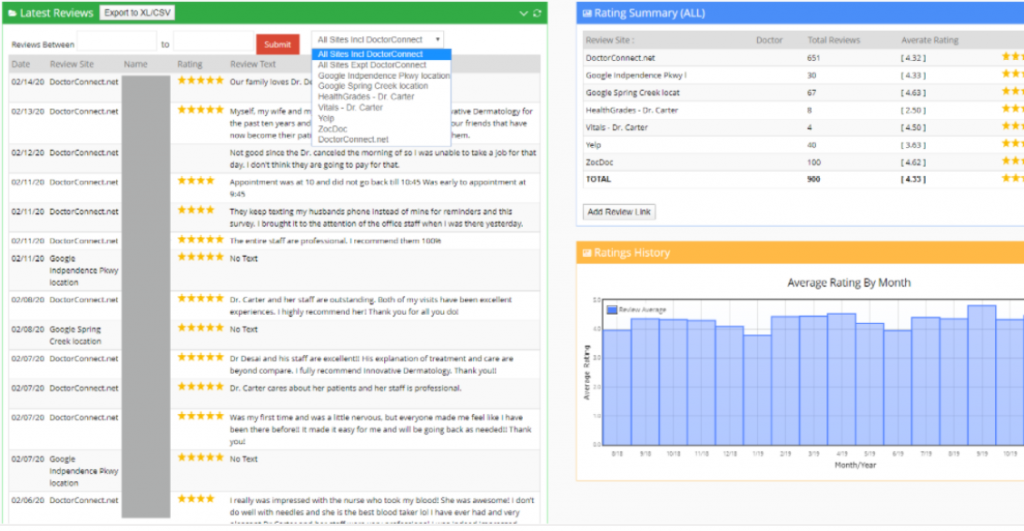
DoctorConnect is a HIPAA-compliant platform offering appointment reminders, review management, patient messaging, and survey tools. It’s designed to help medical practices reduce no-shows and improve patient engagement.
Key Features of DoctorConnect
- Automated reminders and surveys: Sends out appointment and feedback requests.
- Review requests: Integrated into patient communication flows.
- Two-way texting: Secure conversations with patients.
- Centralised dashboard: View schedules, survey responses, and reviews in one place.
DoctorConnect Pros
- Reduces no-shows: Effective reminder system.
- Straightforward UI: Easy to navigate for staff.
- Flexible for all practice sizes: Works for solo or multi-provider clinics.
DoctorConnect Cons
- Dated interface: Design could be more modern.
- Integration hiccups: Some users report syncing delays.
DoctorConnect Integrations
Connects with phone systems and calendars. Also supports syncing with systems like
- Athenahealth
- Open Dental
- Allscripts
- eClinicalWorks
DoctorConnect Pricing
Starts around $210/month. Varies based on provider count and features selected.
DoctorConnect ratings
- Capterra: 4.8/5
- G2: 4.7/5
DoctorConnect customer reviews
“Difficult to integrate with our current software system making more work.”
“Did not integrate into my existing EHR, though the Sales Rep assured me it would. I have had the software for 3 days and never used it. The sales rep refuses to issue a refund. He states I am locked in a 1 year contract.”
Source: Capterra
DoctorConnect support channels
- Email and phone support
- Live chat
- Help center with FAQs
- Onboarding support for new clinics
Why Emitrr Is the Best Reputation & Review Management Software for Pediatric Clinics
If you’re comparing online review services for your pediatric clinic, Emitrr stands out for how well it blends automation, compliance, and parent-friendly features. Here’s why it’s a top pick for practices like yours:
- Built for healthcare clinics: Emitrr is purpose-built for medical use, not repurposed from general business tools. It understands pediatric needs like parental consent and HIPAA safety.
- HIPAA-compliant with BAA: Every message and review request is compliant with patient privacy laws. Emitrr also provides a signed BAA as standard.
- All-in-one platform: From reviews and reminders to missed-call text backs, it combines multiple tools into one clean dashboard, saving time and cost.
- Fast review collection: Parents get a text or email request right after the visit, making it easy to respond and boosting your review volume quickly.
- AI-powered response drafting: Emitrr helps you respond to reviews with smart, editable suggestions, speeding up your workflow without sounding robotic.
- Secure two-way texting: Parents can ask questions, share updates, or reschedule appointments over encrypted text, keeping communication easy and private.
- Missed call text follow-ups: If a parent’s call goes unanswered, Emitrr sends an automatic text to help you reconnect without delay.
- Automated workflows: Review invites, appointment reminders, and follow-ups all run on autopilot, so your team can focus on in-clinic care.
- Customisable messaging: Add your logo, set your tone, and personalise review requests so they match your clinic’s voice and brand.
- Multi-location friendly: Easily manage and track reviews across different branches or providers from one shared dashboard.
- Great value pricing: Emitrr offers flexible plans suited to small or large clinics, often replacing multiple paid tools in one go.
- Dedicated support and setup help: Onboarding is smooth, with a helpful team available on live chat and phone for any issues or training.
- Regular updates and new features: You’ll always be using the latest version. Emitrr rolls out improvements without disrupting your day-to-day.
- Smart insights from feedback: Get real-time data on what parents love or don’t. Use sentiment trends to fine-tune your service.
- Boosts Google search ranking: Frequent, high-quality reviews improve your local SEO, helping more new parents discover your clinic.
FAQs
Ideally, the same day or within a few hours, if possible. That’s when the visit is still fresh in the parents’ minds. A quick text or email usually gets better responses.
Yes, Emitrr is fully HIPAA-compliant. It protects patient data and signs a BAA with your clinic, so you can safely use its texting and email tools.
Absolutely! Platforms like Emitrr let you manage reviews for all your locations in one dashboard, while still tracking them separately.
Yes. It alerts you instantly when a bad review comes in and even suggests a polite response. You can reply fast and show you care.
Yes, big time! Parents trust online reviews as much as personal ones. A strong online presence can boost both digital and real-world referrals.
Conclusion
In pediatric care, your online reputation isn’t just marketing. It’s trust! Choosing the right online review services helps your clinic connect better with parents, respond faster to feedback, and grow with confidence.
If you’re looking for a healthcare-ready platform that’s simple yet powerful, Emitrr is a great place to start. Book a free demo today and give your practice the online voice it deserves!


 4.9 (400+
reviews)
4.9 (400+
reviews)