

Introduction
Efficient scheduling is the backbone of any medical practice. Whether it’s managing patient appointments, allocating provider resources, or reducing no-shows, a robust EHR scheduling system is critical. The eClinicalWorks scheduling module is designed to streamline these processes, improve patient satisfaction, and optimize clinic workflow.
In this article, we’ll explore how scheduling works in eClinicalWorks, including online appointment booking, provider calendars, and best practices for efficient patient scheduling.
Scheduling Fundamentals in eClinicalWorks
What Is the Scheduling Module?
The eClinicalWorks scheduling module is a core feature of the EMR/ EHR software. It allows medical staff to create, view, and manage appointments for providers, rooms, and resources. With an intuitive appointment scheduling software, practices can efficiently manage high volumes of patients, reduce administrative burden, and maintain smooth daily operations.
The system supports multiple appointment types, including new patient visits, follow-ups, and procedure appointments, ensuring that providers and staff can manage their schedules effectively.
Appointment Types and Rules
In eClinicalWorks EMR scheduling, practices can define appointment types with specific durations, rules, and constraints based on provider specialty or preference. For instance:
- New patient appointments: longer durations for detailed intake
- Follow-up visits: shorter durations for routine check-ins
- Procedures or diagnostics: specific rooms, equipment, or staff required
This flexibility ensures accurate scheduling and reduces the chances of conflicts or double bookings.

Step‑by‑Step: Creating an Appointment in eClinicalWorks
Here’s how healthcare staff can create and manage appointments using eClinicalWorks EMR scheduling software.
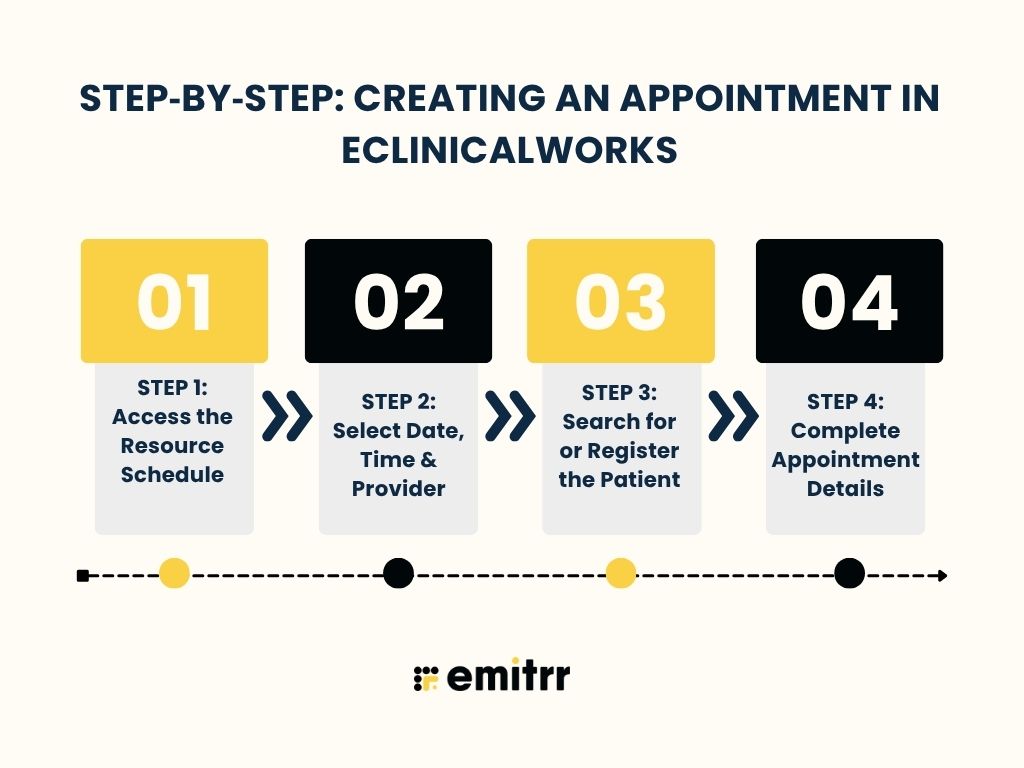
STEP 1: Access the Resource Schedule
To schedule an appointment, staff access the Resource Schedule. This calendar-based interface shows provider availability, room schedules, and resource allocation. Multiple provider calendars can be viewed at once, making it easy to coordinate patient visits.
STEP 2: Select Date, Time & Provider
Once on the Resource Schedule, staff select a suitable date and time slot based on provider availability. Double-clicking a time slot opens the appointment window, ready for patient details and appointment type selection.
STEP 3: Search for or Register the Patient
Staff can search the existing patient database or register a new patient directly within the appointment workflow. The patient scheduling software also allows for collecting demographic and insurance information, ensuring the appointment is properly documented.
STEP 4: Complete Appointment Details
Finally, the staff fills in the appointment type, reason for visit, provider, location, and duration. Once saved, the appointment is confirmed, and the patient is added to the eClinicalWorks scheduling system.
With this workflow, EMR appointment scheduling becomes seamless, reducing errors and improving staff efficiency.
Advanced Scheduling Capabilities in eClinicalWorks
Efficient scheduling is more than just booking appointments; it’s about optimizing resources, reducing administrative workload, and enhancing patient experience. eClinicalWorks offers several advanced scheduling features that make managing a busy clinic seamless and organized.
Resource & Provider Management
The eClinicalWorks scheduling system allows practices to manage not just provider availability but also all the resources required for a patient visit. This includes:
- Provider schedules: Set individual provider availability, block off time for breaks, meetings, or administrative tasks, and ensure appointments fit within realistic schedules.
- Rooms and equipment: Assign rooms, diagnostic tools, or specialized equipment to appointments, ensuring resources are available when needed and reducing workflow conflicts.
- Custom rules and constraints: Configure appointment types with specific requirements, such as procedure length, provider specialization, or room availability, for precise scheduling.
Appointment Window Features
Once an appointment is scheduled, the appointment window in eClinicalWorks provides a range of tools to manage the visit and streamline operations:
- Visit status tracking: Mark appointments as checked-in, in progress, completed, or canceled.
- Referrals and follow-ups: Attach referral information or schedule follow-up visits directly from the appointment window.
- Billing and insurance flags: Add billing codes or note insurance details to simplify downstream administrative processes.
Online & Patient-Driven Scheduling
Today, patients expect flexibility and convenience in managing their appointments. eClinicalWorks addresses this need through online appointment scheduling, giving patients the power to self-book and manage appointments without relying on the front desk.
Healow Open Access
Healow Open Access is eClinicalWorks’ patient-centered online scheduling platform. It allows patients to:
- Book appointments anytime, from anywhere, via web portals or mobile apps.
- Choose their preferred provider, date, and time.
- Receive instant confirmation, eliminating uncertainty and phone calls.
By enabling patient-driven scheduling, practices can reduce phone traffic, optimize provider schedules, and empower patients to take control of their healthcare experience.
Benefits of Online Appointment Scheduling in eClinicalWorks
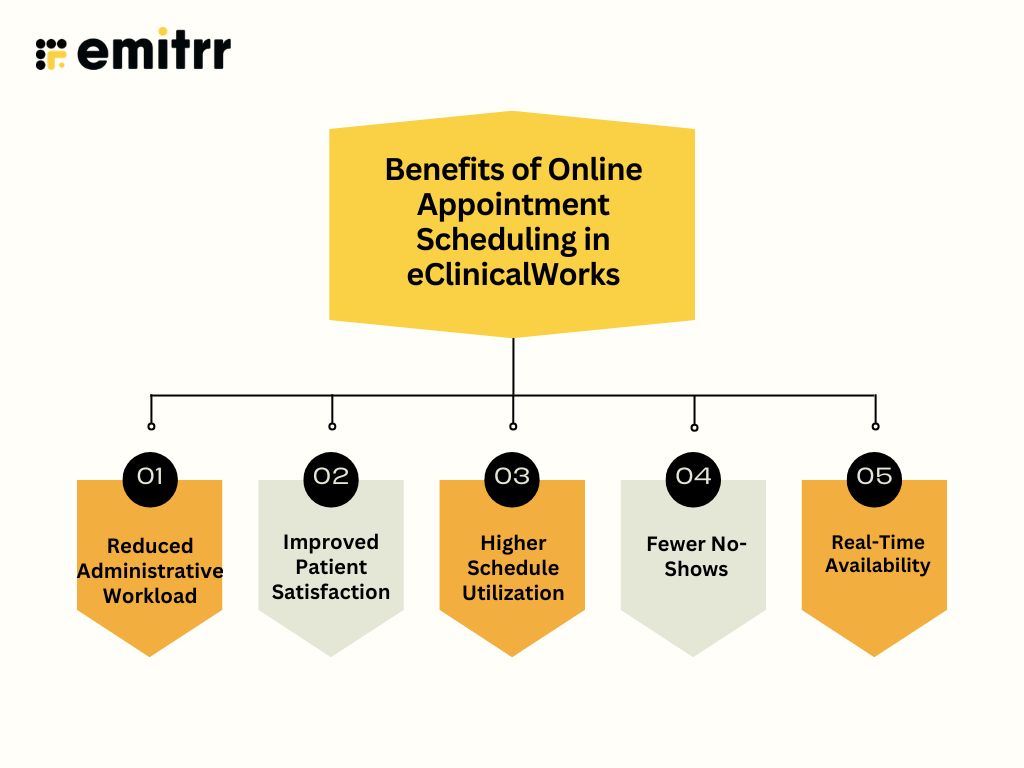
Implementing online appointment scheduling with eClinicalWorks offers significant advantages for both staff and patients. Here’s a detailed look at each benefit:
Reduced Administrative Workload
Front-desk staff spend less time answering phone calls or manually entering appointments. With patients booking themselves online, staff can focus on more critical tasks, such as patient care coordination and follow-ups, improving overall operational efficiency.
Improved Patient Satisfaction
Patients can schedule appointments at their convenience, anytime and anywhere, without waiting on hold. This flexibility enhances the patient experience, fosters engagement, and builds trust in the practice.
Higher Schedule Utilization
Open-access scheduling ensures more appointment slots are filled efficiently. By minimizing gaps in the schedule, providers can maximize productivity, reduce idle time, and serve more patients without increasing overhead.
Fewer No-Shows
Automated reminders via SMS or email help patients remember their appointments, while online rescheduling options make it easy to change appointments if needed. However, reminders alone do not eliminate missed appointments. Automated reminders via SMS or email help patients remember their appointments, while online rescheduling options make it easy to change appointments if needed. Practices that combine eClinicalWorks scheduling with integrated patient texting often see better confirmation rates, fewer scheduling gaps, and improved appointment attendance because patients can engage directly through the communication channel they use most. Many eClinicalWorks practices continue to experience high no-show rates due to factors such as delayed patient outreach, scheduling friction, and limited patient engagement between booking and the actual visit. Addressing these gaps is essential for improving schedule adherence, protecting revenue, and maximizing provider utilization.
Real-Time Availability
Both staff and patients can view provider calendars instantly, reducing the risk of double bookings or scheduling conflicts. Real-time visibility ensures transparency, smoother workflows, and better coordination among care teams. Many practices further improve scheduling accuracy by connecting eClinicalWorks with communication, reminder, and workflow automation tools that keep appointment data synchronized across systems. Learn how eClinicalWorks integrations improve scheduling accuracy and help reduce scheduling errors, missed appointments, and calendar conflicts.
Best Practices for Efficient Scheduling in eClinicalWorks
To get the most out of eClinicalWorks EMR scheduling, practices should follow these best practices:
- Standardize Appointment Types and Durations: Clearly define different appointment types, such as new patient visits, follow-ups, or procedures, with set durations.
- Train Staff on Using the Resource Schedule Effectively: Ensure all staff are proficient in navigating the Resource Schedule and managing provider calendars.
- Enable Online Patient Self-Scheduling via healow: Allow patients to book their own appointments through healow Open Access, giving them flexibility and convenience.
- Send Automated Reminders to Reduce Missed Appointments: Use automated SMS or email reminders for upcoming visits. Reminders help reduce no-shows, improve schedule adherence, and enhance overall patient engagement.
- Monitor Schedule Metrics to Optimize Workflow and Resource Utilization: Regularly review appointment data, such as cancellations, no-shows, and slot utilization.
Enhancing eClinicalWorks Scheduling with Emitrr
While eClinicalWorks provides a robust scheduling system, integrating Emitrr can make appointment management even more efficient and patient-friendly. Emitrr complements eClinicalWorks by bridging the gap between scheduling and patient communication, ensuring that every appointment is confirmed, attended, and tracked with minimal effort from staff.
With Emitrr, practices can:
- Automate appointment reminders directly from the schedule: Once an appointment is booked in eClinicalWorks, Emitrr can automatically send SMS appointment reminders to patients. This reduces no-shows, last-minute cancellations, and manual follow-up calls.
- Enable real-time confirmations and rescheduling: Patients can confirm or request rescheduling via text, and the changes sync back with the eClinicalWorks schedule. This capability helps address a common challenge where eClinicalWorks practices struggle with same-day scheduling due to last-minute cancellations, scheduling bottlenecks, and limited visibility into available appointment slots. Hence, this capability ensures calendars stay up-to-date without requiring extra work from the front desk.
- Centralize notifications for schedule-related updates: Staff can send updates about delays, cancellations, or open slots to patients quickly. Emitrr ensures that these messages are tracked and logged alongside the eClinicalWorks schedule for full visibility.
- Improve patient engagement around appointments: Automated reminders, confirmations, and follow-ups make patients feel informed and supported. The result is higher appointment adherence, better resource utilization, and smoother clinic operations.
Conclusion
Efficient scheduling is key to running a successful medical practice. eClinicalWorks provides comprehensive tools to manage provider calendars, resources, and patient appointments, while features like Healow Open Access empower patients to schedule online.
Adding a solution like Emitrr complements this by automating reminders, enhancing communication, and reducing missed appointments, helping practices operate smoothly and focus on quality care.
Ready to take your patient scheduling and communication to the next level? Explore how Emitrr can seamlessly integrate with eClinicalWorks to keep your clinic efficient and your patients engaged. Book a demo now!!
Frequently Asked Questions
Yes! Using Healow Open Access, patients can book appointments anytime via web or mobile apps, selecting their preferred provider and time.
Emitrr automates appointment reminders, enables 2-way communication, and centralizes notifications, reducing missed visits and administrative tasks.
Absolutely. The Resource Schedule allows staff to view and manage provider availability, rooms, and equipment efficiently.
Combine eClinicalWorks scheduling with automated reminders via Emitrr. Patients get SMS or email notifications, and can easily confirm or reschedule.
Yes. Both Healow Open Access and Emitrr follow strict HIPAA guidelines to protect patient data while providing convenient scheduling and communication tools.


 4.9 (400+
reviews)
4.9 (400+
reviews)