

 4.9 (400+
reviews)
4.9 (400+
reviews)
Define How Your Business Handles Every Interaction and Let Emitrr Run It Every Time
Every practice and business has the same repetitive routing decisions happening dozens of times a day.
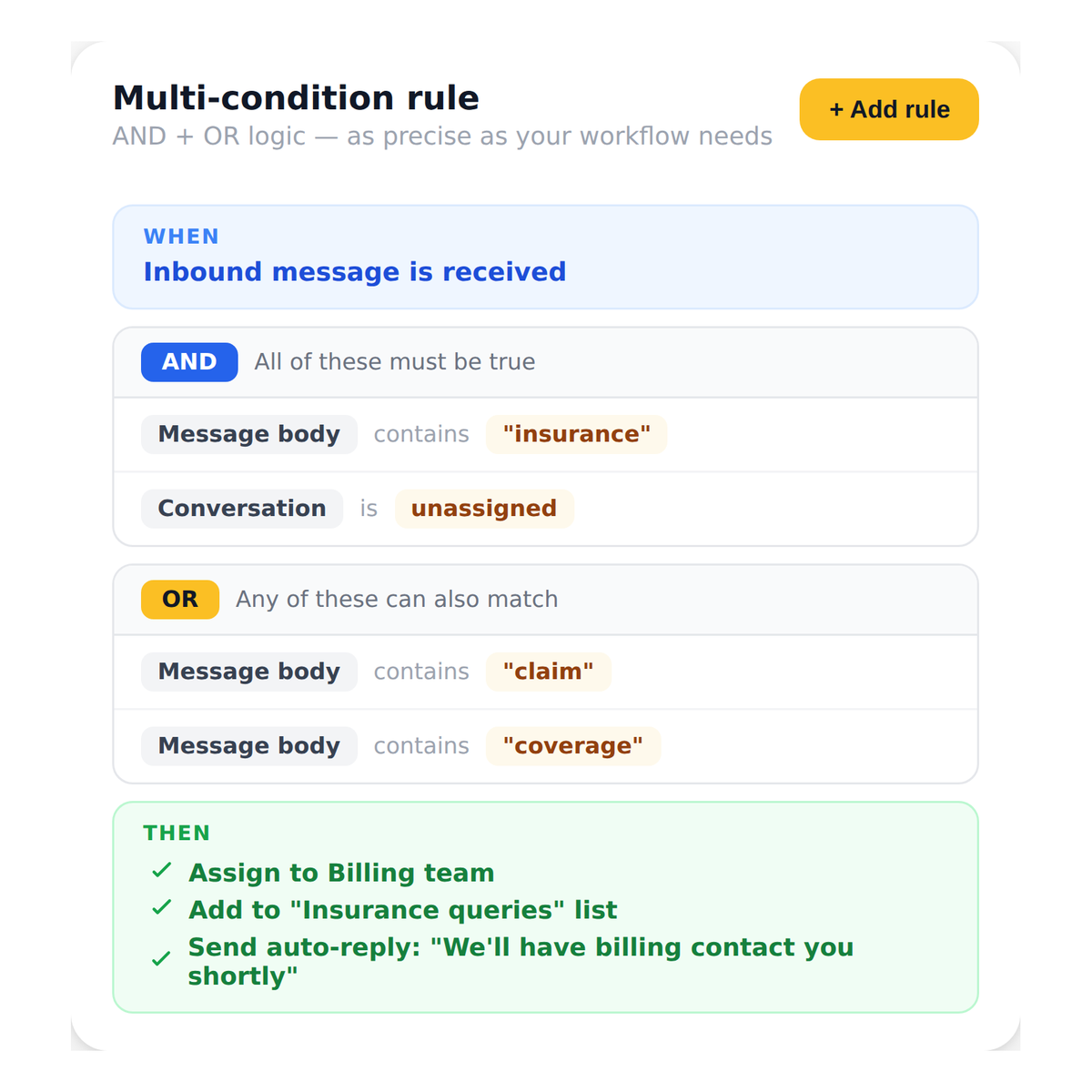
Emitrr’s Rule Engine lets you define those decisions once as simple if-this-then-that logic, and then runs them automatically across every call, text, and AI conversation without staff intervention.
The routing, tagging, assigning, and responding happen in the background, so your team only touches the conversations that actually need them.
See How Emitrr Automates Your Entire Message Routing Logic
Book a demo to see how operations managers and practice administrators can eliminate repetitive routing decisions and build a communication workflow that runs itself.
Why Businesses Use the Emitrr Rule Engine

Replace Repetitive Manual Decisions With Automatic Logic
Every time a staff member reads a message, decides what it means, and forwards it to the right person, that is a task the Emitrr Rule Engine can handle automatically so your team stops doing work the system can do.

Build Workflows That Work Across Every Channel
The Emitrr Rule Engine applies consistent routing logic across inbound texts, calls, AI conversations, and campaign responses so the same rules govern every interaction regardless of how it comes in.

Scale Communication Operations Without Adding Headcount
As message volume grows, manual routing breaks down. The Emitrr Rule Engine means your communication system scales with your business without requiring more staff to manage the inbox.
What You Can Do With Emitrr Rule Engine
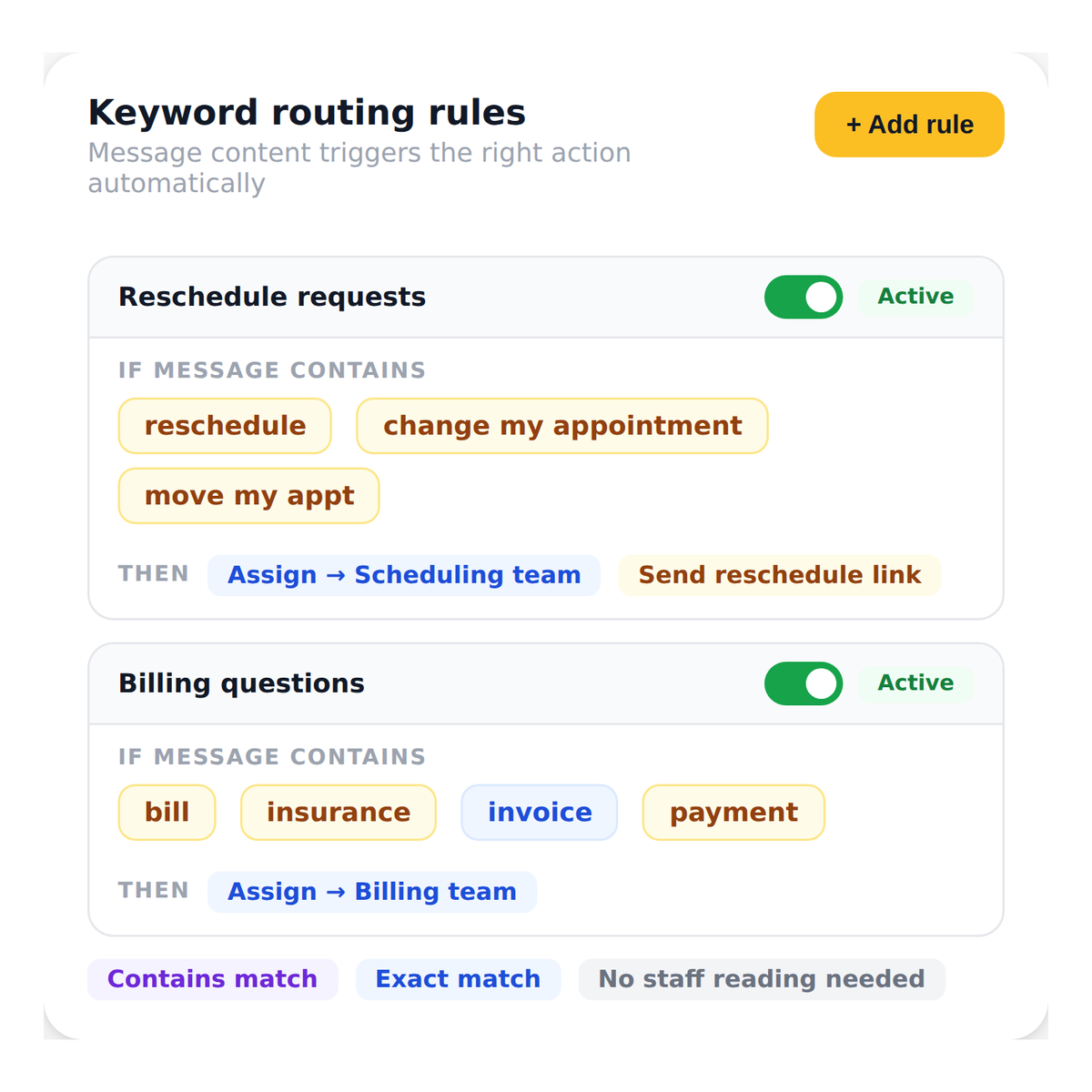
Route Messages Automatically Based on What They Say
Define conditions based on exact or partial message content so when a patient texts “reschedule” or “cancel,” the conversation is automatically assigned to the right team or triggers the right follow-up without anyone reading it first.
Watch How Emitrr Works
Where the Rule Engine Helps Most

Healthcare Practices Managing High Daily Message Volume
When 50 or more inbound messages arrive each day covering scheduling, billing, prescriptions, and general inquiries, manual triage is not sustainable. The Rule Engine classifies and routes each one automatically so staff spend time responding, not sorting.

Front Desks Handling After-Hours Inquiries
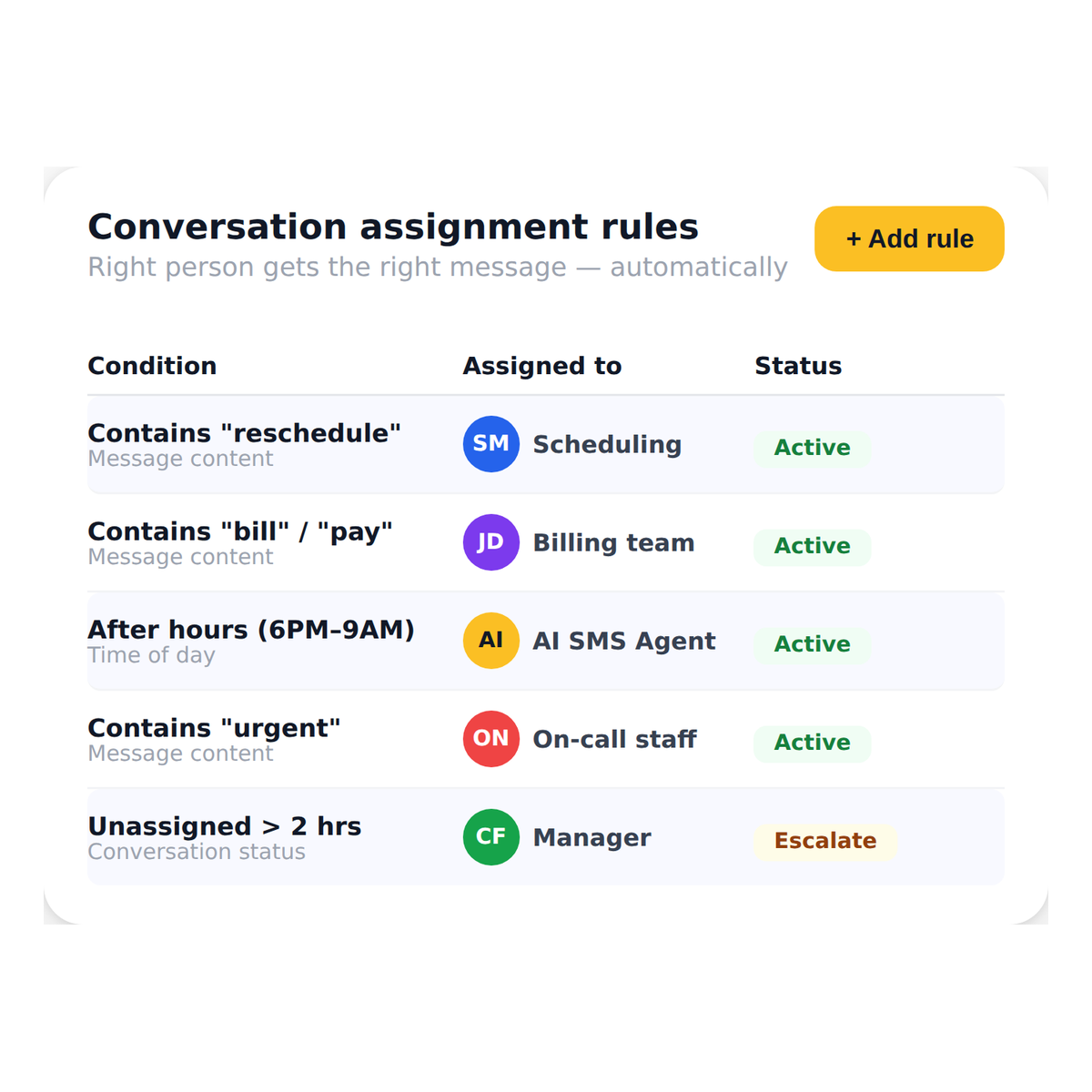
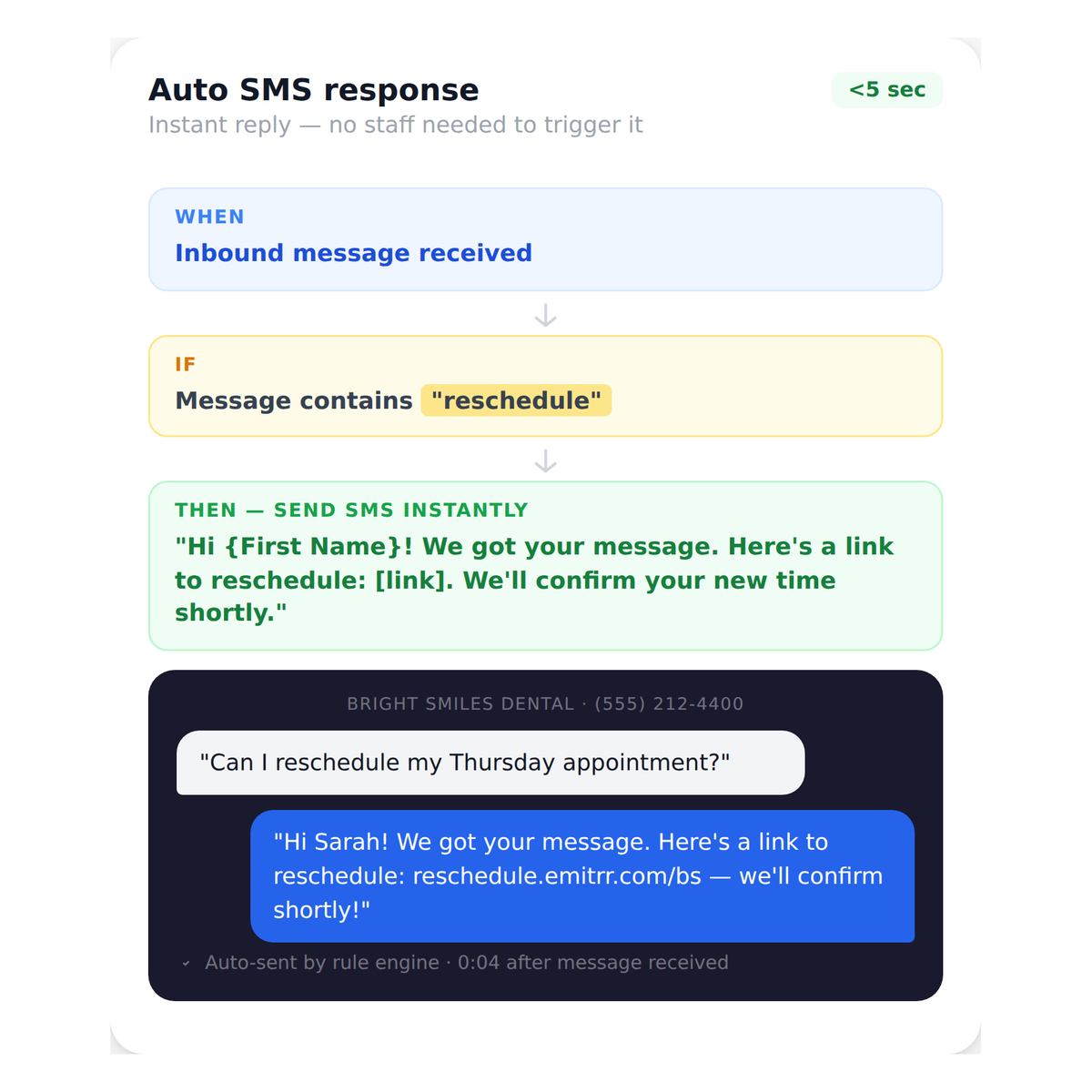
Configure rules that trigger specific responses and assignments when messages arrive outside business hours so patients always receive an acknowledgment and the right team member sees the conversation first thing in the morning.

Staffing Agencies Building Candidate Funnels
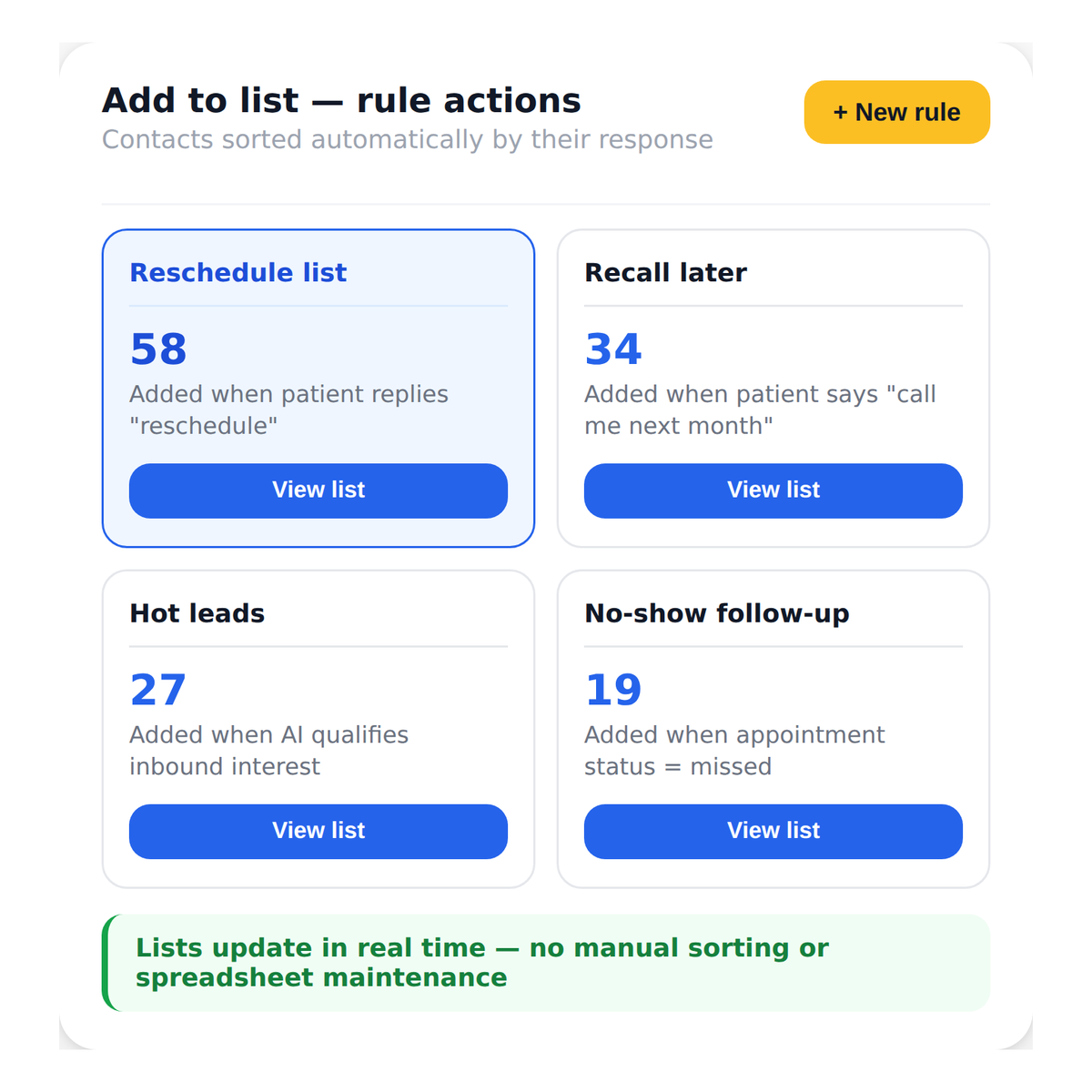
When candidates reply to job posting campaigns, the Rule Engine can add them to a qualified leads list, assign them to a recruiter, and send a confirmation message automatically based on what they replied.

Practices Running SMS Campaigns With Variable Responses
Campaign replies are unpredictable. Some patients confirm, some cancel, some ask questions. The Rule Engine handles each response type differently without staff having to monitor and manually route every reply.

Multi-Location Organizations Routing by Location
Build rules that route inbound messages to the correct location’s team based on the number the message came in on, the sender’s details, or message content so cross-location confusion is eliminated at the inbox level.
Operations Managers Building Scalable Communication Systems
The Rule Engine gives operations teams a no-code layer of automation that works across texting, calling, and AI flows so communication processes are documented, consistent, and repeatable without relying on individual staff judgment.
Frequently Asked Questions
Stop Routing Messages Manually and Start Running on Rules
The Emitrr Rule Engine handles every routing decision automatically so your team opens an inbox that is already sorted, assigned, and ready to action.