

 4.9 (400+
reviews)
4.9 (400+
reviews)
Two-Way Texting & VoIP Calling, Built Into eClinicalWorks
Text, call, and remind eClinicalWorks patients, all synced in real time, no manual entry. Practices using Emitrr cut no-shows by up to 90% and grow Google reviews by up to 800%. Call and text directly from inside eCW, no tab switching.

See exactly how texting, calling, and scheduling sync into eClinicalWorks, before you commit to anything.
Why Connect eClinicalWorks with Emitrr?
Two-Way Syncing, Zero Manual Effort
Patient data, appointments, and calendar updates flow automatically between eCW and Emitrr, keeping your system always up to date.

Reduce No-Shows, Boost Reviews
Emitrr automates confirmations, reminders, and follow-ups, helping clinics cut missed appointments by up to 90% and grow reviews by 800%.

AI-Powered Patient Engagement
Use AI to handle no-show rescheduling, send review requests, and deliver personalized recall campaigns, all through text.

Unified Communication Hub
Replace Vonage, 3CX, or Avaya entirely, call and text patients directly from eCW, with every interaction in one place, from desktop or mobile.
Features You Get With the eClinicalWorks + Emitrr Integration
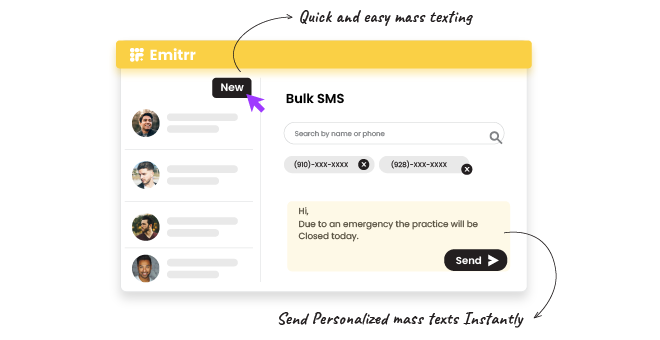
Two-Way SMS and Bulk Messaging

Send and receive 1-to-1 or 1-to-many messages directly from eCW
Assign conversations between teams and manage multiple numbers from one account
Access conversations across devices via Emitrr’s Chrome extension or mobile app
Maintain full message history, opt-in/opt-out status, and HIPAA compliance
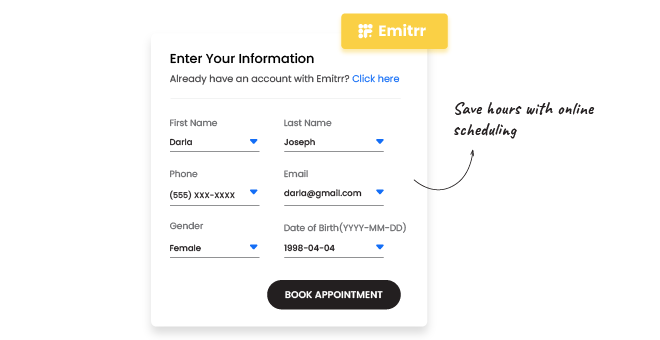
Online Appointment Scheduling
Let patients book directly into your eCW calendar through Emitrr’s online scheduler
Instantly reflect new bookings, updates, or cancellations in both systems
Fill open slots automatically using recall or reactivation campaigns
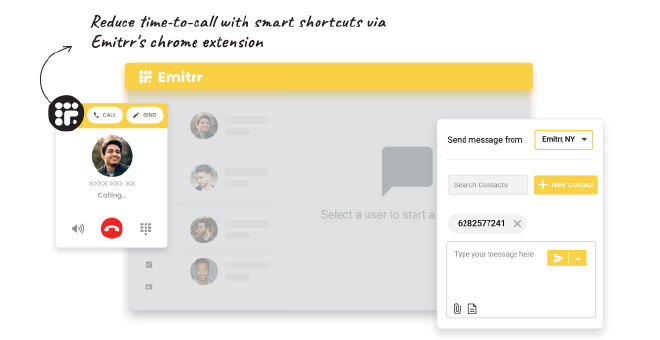
AI-Powered Calling and Chrome Extension
Call patients instantly from their eCW contact profile, no manual dialing
Enable pop-ups with patient information pulled directly from eCW
Convert missed or after-hours calls into active text conversations
Route calls based on new or existing patients for faster follow-ups
Replace your existing phone system, desk phones, browser, and mobile calling included
Send and receive faxes directly from Emitrr, no separate fax line needed
Automated Patient Communication
Send confirmations, multi-stage reminders, and post-visit review requests automatically
Trigger no-show follow-ups and AI-driven rescheduling
Run recall campaigns (3, 6, 12 months) and send birthday or wellness messages effortlessly


Schedule-Based & Bulk Texting
Pull the eCW schedule into Emitrr and text patients filtered by date range, provider, or location
Built for weather closures, provider sick days, and mass rescheduling
Every bulk send lands as an individualized message, with replies routed to your shared inbox
Digital Forms & Patient Intake
Send intake and pre-visit forms by text, fillable on mobile, with e-signature support
Bundle multiple forms into a single intake packet
Completed forms sync back into eCW as chart attachments automatically

Discover the Easiest way to Text Patients Inside eClinicalWorks
Key Use Cases Across Teams
Front Desk Team
Customer Support Team
Practice Owners & Admins
Frequently Asked Questions
Ready to Integrate Emitrr with eClinicalWorks?
Automate calling, scheduling, reminders, and reviews inside eCW, cut no-shows by up to 90% and save staff hours every week. Rated 4.9/5 by 400+ healthcare practices.