
Introduction
Did you know that patient engagement is a critical factor in improving health outcomes? Studies suggest that actively involved patients are more likely to adhere to treatment plans and experience better results. The athenahealth patient portal is a powerful tool designed to put you in control of your health journey, offering secure access to your medical records, appointment scheduling, and communication with your healthcare providers. Understanding how to log in is the first step to leveraging this valuable resource.
athenahealth is a leading cloud-based healthcare technology company. Their software and services are used by thousands of medical practices, clinics, and hospitals across the United States to manage everything from patient appointments and electronic health records (EHR) to billing and patient communication. At its core, athenahealth provides a unified platform, often referred to as athenaOne, that connects providers, patients, and insurance payers. This integration streamlines operations for healthcare providers, allowing them to focus more on patient care. For patients, it means a more connected and convenient healthcare experience.
The athenahealth platform is comprised of several key components:
- athenaClinicals: This is the Electronic Health Record (EHR) system where your medical history, diagnoses, medications, lab results, and clinical notes are stored and managed.
- athenaCollector: This module handles the operational and financial aspects of your care, including appointment scheduling, insurance verification, and medical billing.
- athenaCommunicator: This is the patient-facing component, offering tools like the patient portal, appointment reminders, and secure messaging to enhance communication between you and your care team.
This article will guide you through the process of logging into your athenahealth patient portal, explain its benefits, and offer tips for a smooth experience.
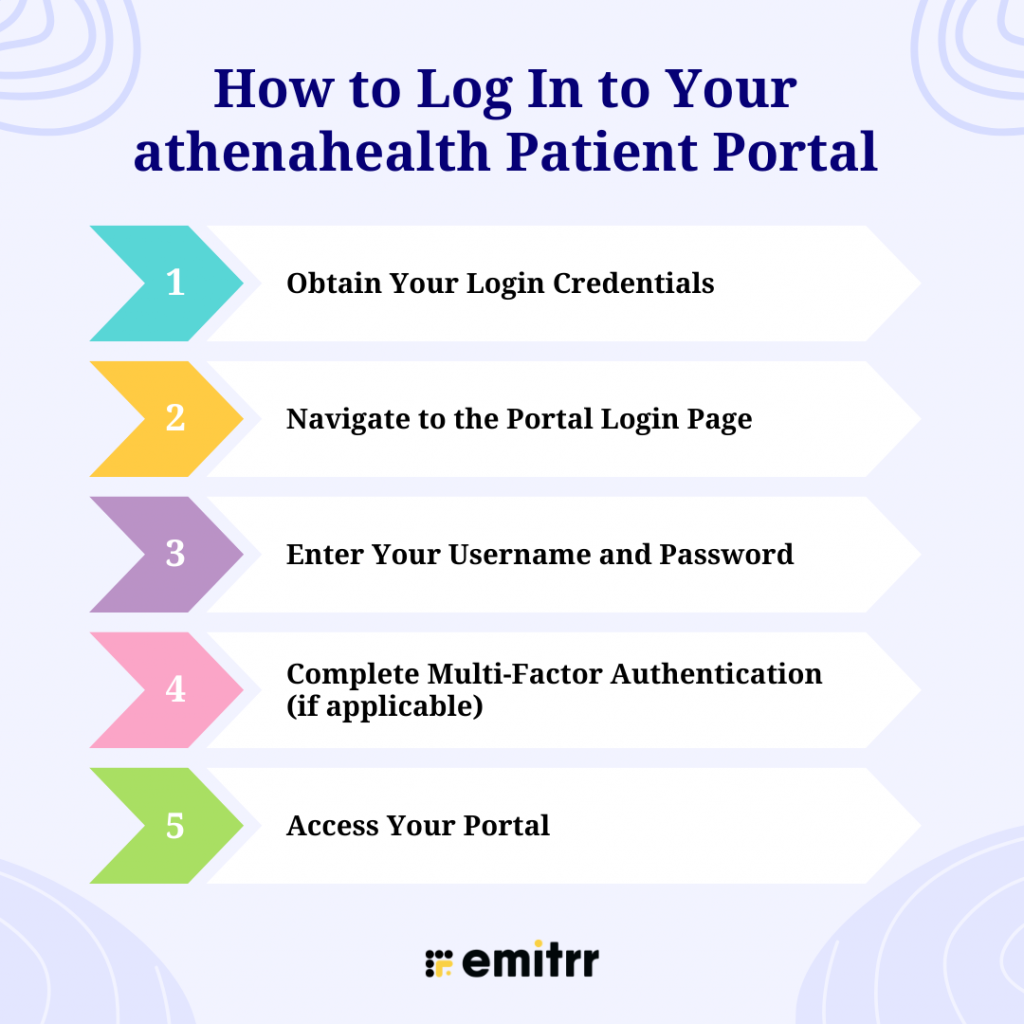
How to Log In to Your athenahealth Patient Portal
- Obtain Your Login Credentials
- Navigate to the Portal Login Page
- Enter Your Username and Password
- Complete Multi-Factor Authentication (if applicable)
- Access Your Portal
Understanding the athenahealth Patient Portal
The athenahealth patient portal, often accessed through a web browser or a dedicated mobile app (like athenaPatient), serves as your personal gateway to your health information. It’s not just a place to view records; it’s an interactive tool designed to foster greater patient involvement in your healthcare.
Key features typically include:
- Access to Medical Records: View your health history, medications, allergies, immunizations, and lab or test results.
- Appointment Management: Schedule new appointments, view upcoming appointments, and sometimes even reschedule or cancel existing ones. This can be a significant time-saver, reducing the need for phone calls, especially for practices that experience high call volume.
- Secure Messaging: Communicate securely with your doctor’s office. You can ask non-urgent medical questions, request prescription refills, or follow up on test results. This secure channel ensures your health information is protected, unlike standard email.
- Bill Payment: View statements, check balances, and make payments online. This feature, often enabled by services like Text To Pay, simplifies managing your healthcare expenses.
- Prescription Refill Requests: Request refills for your medications directly through the portal.
- Access to Forms and Documents: Download or complete necessary patient forms digitally.
The portal is designed to empower patients by providing easy access to information and tools that support active participation in their care. This aligns with the broader healthcare movement towards Strategies To Improve Patient Activation, where patients are encouraged and enabled to take a more proactive role in managing their health and wellness.

How to Log In to Your athenahealth Patient Portal
Logging into the athenahealth patient portal is generally a straightforward process, but it can vary slightly depending on how your healthcare provider has configured their system. Here’s a step-by-step guide:
Step 1: Obtain Your Login Credentials
The first time you access the portal, you will likely need to create an account. Your healthcare provider’s office should provide you with the necessary information. This might include:
- A unique username or patient ID.
- A temporary password.
- Instructions on how to set up your account and create a permanent password.
If you haven’t received this information, contact your doctor’s office directly. They are your primary resource for accessing your specific portal login details.
Step 2: Navigate to the Portal Login Page
There are typically a few ways to find the login page:
- Your Provider’s Website: Most healthcare practices that use athenahealth will have a link to their patient portal on their official website. Look for buttons or links labeled “Patient Portal,” “MyChart” (if your provider uses a branded version), “Patient Login,” or similar.
- Direct Link: Your provider might have given you a direct URL to the patient portal login page.
- athenahealth Website: While less common for direct patient login, you might find general information about athenahealth’s patient engagement tools on their corporate site, which could direct you to your provider’s specific portal.
Step 3: Enter Your Username and Password
Once you are on the correct login page, you will see fields to enter your username and password.
- Username: Enter the username or patient ID you were given or created.
- Password: Enter your current password.
Step 4: Complete Multi-Factor Authentication (if applicable)
For enhanced security, many patient portals utilize multi-factor authentication (MFA). This means that after entering your username and password, you might be asked to provide a second form of verification. Common MFA methods include:
- A code sent to your registered email address.
- A code sent via text message (Reminder Texts are common for appointments, and MFA uses similar technology for security).
- Answering security questions you previously set up.
- Using a mobile authenticator app.
Follow the on-screen prompts to complete this step.
Step 5: Access Your Portal
After successfully entering your credentials and completing any MFA steps, you should be logged into your athenahealth patient portal. You can then begin exploring its features.
Troubleshooting Common Login Issues
Encountering problems when trying to log in is not uncommon. Here are some solutions to frequent issues:
Forgotten Username or Password
- Password Reset: Most portals have a “Forgot Password?” or “Reset Password” link on the login page. Click this link and follow the instructions, which usually involve verifying your identity through email or security questions.
- Username Recovery: If you’ve forgotten your username, look for a “Forgot Username?” link. You may need to provide your email address or other identifying information.
- Contact Support: If you cannot recover your credentials online, contact your healthcare provider’s office directly. They can help reset your password or provide your username.
Account Locked
- Too Many Failed Attempts: Logging in incorrectly multiple times can cause your account to be temporarily locked for security reasons. Wait for the specified lockout period (often 15-30 minutes) and try again.
- Contact Support: If the lockout persists or you’re unsure why it occurred, reach out to your provider’s office.
Technical Glitches
- Browser Issues: Ensure you are using a supported web browser (like Chrome, Firefox, Safari, or Edge) and that it’s up to date. Try clearing your browser’s cache and cookies.
- Internet Connection: A stable internet connection is essential.
- System Outage: In rare cases, the portal itself might be temporarily unavailable due to maintenance or technical issues. Check your provider’s website or social media for any announcements.
Incorrect Information Provided
- Verify Details: Double-check that you are entering your username and password exactly as they were provided or created, paying attention to capitalization and special characters.
If you continue to experience difficulties, the most effective solution is to contact the patient support or IT help desk associated with your healthcare provider’s office. They have the specific knowledge of their athenahealth setup.
Maximizing Your Patient Portal Experience
Once you’ve successfully logged in, take some time to familiarize yourself with the portal’s layout and features. Here are some tips to make the most of it:
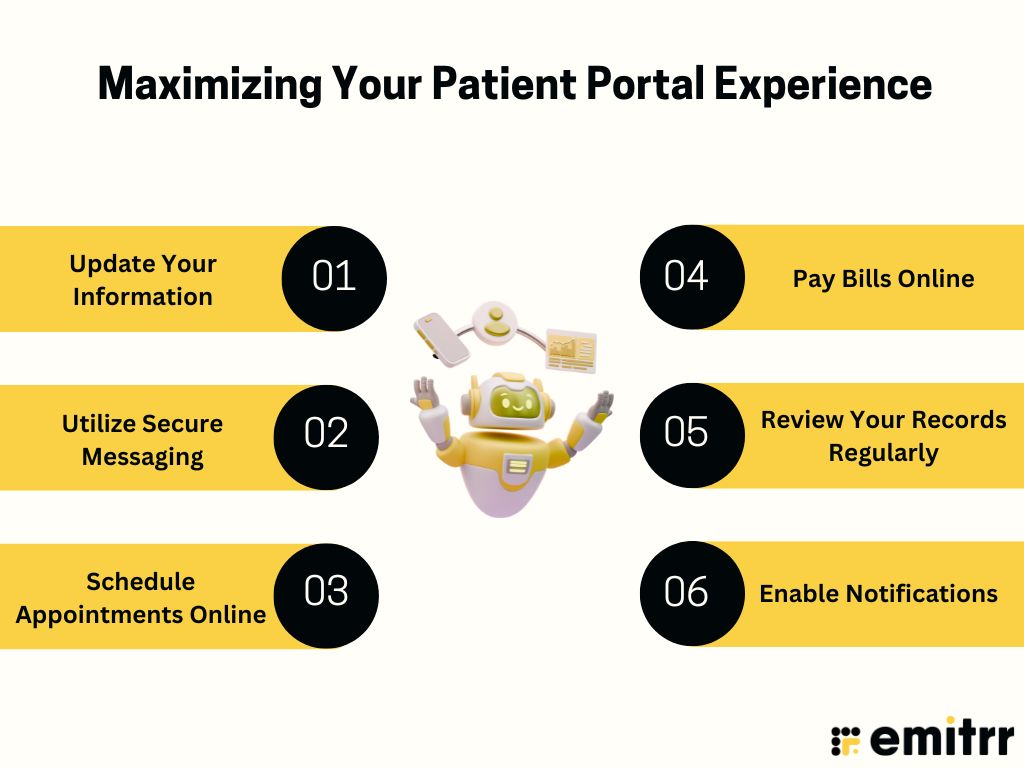
- Update Your Information: Ensure your contact details, insurance information, and medication lists are accurate.
- Utilize Secure Messaging: For non-urgent questions, use the secure messaging feature instead of calling. This helps reduce the burden on phone lines and ensures your queries are documented within your medical record.
- Schedule Appointments Online: If your provider offers self-scheduling, take advantage of it to book appointments at your convenience.
- Pay Bills Online: Settle your medical bills promptly through the portal to avoid late fees and manage your finances efficiently.
- Review Your Records Regularly: Stay informed about your health by periodically checking your test results, visit summaries, and medication history. This can also help you identify any potential errors or omissions.
- Enable Notifications: Opt-in for email or text notifications for appointment reminders and new messages to stay up-to-date.
The Broader Impact of Digital Health Platforms
Platforms like athenahealth are transforming healthcare delivery. By integrating clinical, administrative, and communication functions, they aim to reduce the complexity that often leads to issues like physician burnout. When providers have efficient tools to manage their workload, they can dedicate more time and energy to patient care.
Furthermore, these platforms are crucial for improving efficiency and reducing administrative burdens. For instance, automated appointment reminders and digital intake forms can significantly cut down on the manual work performed by front-desk staff, helping to manage high call volume and freeing up resources. The ability to securely share patient data also enhances care coordination among different providers, leading to better overall patient outcomes. For practices looking to improve their online presence and patient engagement, managing their Google Business Profile Suspension issues and leveraging patient portals are key strategies.
Conclusion
The athenahealth patient portal is a vital tool for modern healthcare management, offering patients unprecedented access and control over their health information. By understanding how to log in and navigate its features, you can become a more informed and engaged participant in your healthcare journey. Remember to contact your healthcare provider’s office if you encounter any issues or need assistance with your login credentials. Embracing digital health tools like the patient portal is a significant step towards a more efficient, convenient, and patient-centered healthcare experience.
Frequently Asked Questions About the athenahealth Patient Portal
You can typically access a range of information, including your medical history, current medications, allergies, immunization records, lab and test results, upcoming appointments, visit summaries, and billing statements. Some portals also allow you to view educational materials provided by your doctor.
Yes, the athenahealth patient portal is designed with security in mind. It uses encryption and secure login procedures, often including multi-factor authentication, to protect your personal health information (PHI) in compliance with HIPAA regulations. Always ensure you are logging in through a secure network and keeping your login credentials confidential.
Many healthcare providers enable appointment scheduling through their athenahealth patient portal. You may be able to book new appointments, view existing ones, and sometimes reschedule or cancel them. Check the portal’s interface or contact your provider’s office for specifics on scheduling capabilities.
If you forget your password or username, look for a “Forgot Password?” or “Forgot Username?” link on the login page. If you continue to have trouble, the best course of action is to contact your healthcare provider’s office directly. They can assist you with resetting your credentials or resolving technical issues related to their specific portal setup.
Yes, secure messaging is a common feature of the athenahealth patient portal. This allows you to send non-urgent questions or requests to your care team. It’s a secure alternative to email and ensures that your communication is documented within your electronic health record.
Yes, athenahealth offers a mobile application, often branded as “athenaPatient,” which allows you to access your portal information conveniently from your smartphone or tablet. You can usually download this app from the Apple App Store or Google Play Store.


 4.9 (400+
reviews)
4.9 (400+
reviews)