

 4.9 (400+
reviews)
4.9 (400+
reviews)
Zenoti EMR X Emitrr Integration
Zenoti manages your bookings, loyalty, and revenue. Emitrr handles the patient communication that fills your schedule, brings clients back on their treatment plan, and builds the online reputation that drives walk-ins and new bookings.
Planning to integrate Emitrr with Zenoti EMR? Review a quick checklist to understand what's required before integration.
Why Connect Zenoti with Emitrr?

Fill Every Slot Before the Day Starts
Automated reminders and waitlist fill messages ensure your aesthetic schedule runs at capacity, without a single manual call from your front desk.

Every Missed Call Becomes a Conversation
Emitrr converts after-hours and overflow calls into text threads automatically. No client inquiry goes cold, even when your team is with a patient.
Bring Treatment-Plan Clients Back Reliably
Automated recall messages re-engage clients mid-series, laser, injectables, facials, before they drop off their plan and reduce your treatment revenue.

Reviews That Match Your Results
Post-visit review requests go out automatically after every appointment. Aesthetic practices have grown their reviews by up to 800% with zero additional staff effort.
Features You Get With the Zenoti + Emitrr Integration
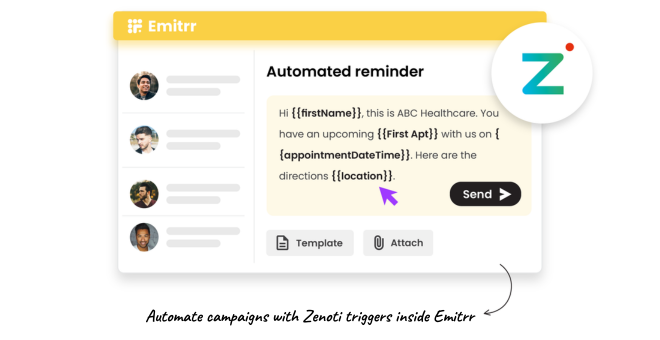
Automated Pre-Treatment Reminders and Confirmations

Send appointment reminders with treatment-specific prep instructions, sun avoidance, medication pauses, fasting requirements, automatically.
Confirmation replies sync back into Zenoti so your team sees live appointment status at a glance.
Customise message content by treatment type, injectables, laser, chemical peels, body contouring.
Reduce prep-related complications and same-day cancellations caused by clients arriving unprepared.
Automated No-Show Recovery and Treatment Recall
Clients who cancel a session in a treatment series get an automatic rescheduling prompt the same day.
Send recall messages at custom intervals to clients overdue for their next injectable, laser, or skin care visit.
Customise recall timing by treatment protocol, 4-week, 6-week, or 3-month follow-up cycles.
Recover lapsed treatment revenue without any manual outreach from your team.
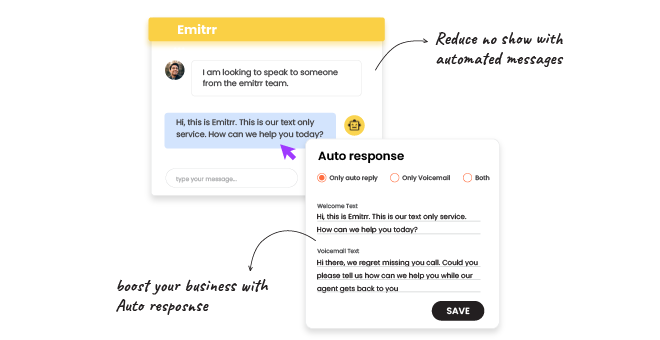
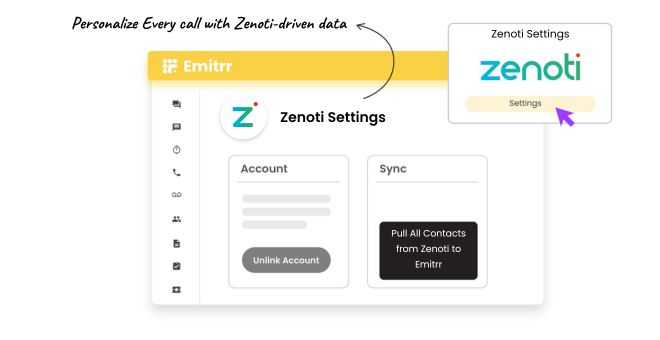
AI-Powered Call Handling for Busy Front Desks
AI answers overflow and after-hours calls, handles booking questions, FAQs, and call-backs without hold time.
Every missed call triggers an instant text to the client so no inquiry is lost.
Clients who call after closing receive an immediate text response, reducing next-day callback queues.
Free your front desk from phone overflow so they focus on in-clinic guests.
Post-Visit Review Request Automation
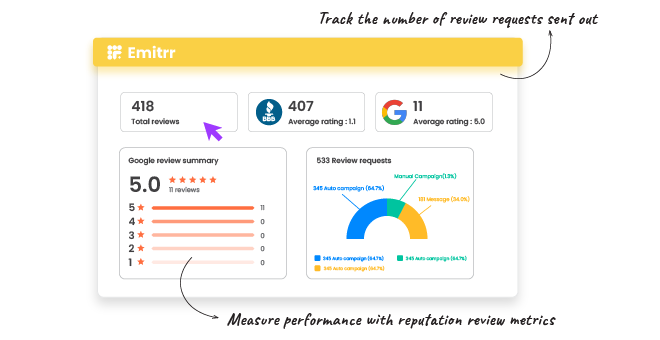
Emitrr sends a review request text automatically after each completed appointment in Zenoti.
Happy clients reach your Google or Yelp page in one tap, increasing review conversion significantly.
Monitor and respond to reviews across all platforms from one dashboard.
Consistent review growth directly impacts new client acquisition in the local aesthetics market.
Key Use Cases
Front Desk / Admin
Clinical / Treatment Staff
Practice Owners & Managers
Ready to Connect Emitrr with Zenoti?
Your aesthetic practice runs on results and reputation. Emitrr makes sure clients come back, calls get answered, and five-star reviews keep coming, without adding a single item to your team's to-do list.
