
Introduction
Are you tired of juggling multiple applications just to keep your communication workflows running smoothly? Do you wish your phone system could work seamlessly with your CRM or scheduling software without constant manual effort?
If you’re using Nextiva, you’ve likely explored its capabilities for business calling, team collaboration, and messaging. But as your operations grow, especially in healthcare settings, the need for these tools to work together with the rest of your systems becomes critical.
That’s where Nextiva integrations come in. They aim to bridge the gap between your communication platform and other tools, helping you streamline operations and improve visibility across interactions.
This blog takes a closer look at what Nextiva integrations actually deliver. We’ll explore how they work, where they add value, and more importantly, where they fall short, particularly when it comes to managing real-world communication workflows. By the end, you’ll have a clearer understanding of how to move beyond basic integrations and create a more efficient, end-to-end communication process.

Popular Nextiva Integrations and What They Connect
Here are the most commonly used integrations and how they fit into healthcare workflows:
CRM Integrations (e.g., Salesforce, HubSpot, Zoho CRM)
- Log incoming and outgoing calls automatically within a contact’s record.
- Display caller ID information from the CRM when a call comes in, helping your team identify the customer.
- Enable click-to-call functionality directly from CRM records, initiating calls through Nextiva.
- Sync contact information between Nextiva and the CRM.
- Trigger workflows or tasks in the CRM based on call activity.
Productivity Suite Integrations (e.g., Microsoft 365, Google Workspace)
Connecting Nextiva with these suites can streamline daily tasks:
- Microsoft 365 (Outlook, Teams): Integrate Nextiva calling within Microsoft Teams, log call activity to Outlook contacts, and manage presence status.
- Google Workspace (Gmail, Calendar): Enable click-to-call from Gmail, log call details, and potentially integrate with Google Calendar for scheduling.
Help Desk and Support Integrations (e.g., Zendesk, Freshdesk)
For businesses focused on customer support, these integrations can be invaluable:
- Automatically create support tickets in your help desk software when a customer calls.
- Display customer information from the help desk system within Nextiva when they call.
- Log call interactions as activities on support tickets.
Productivity and Workflow Tools (e.g., Zapier)
While not a direct integration with a specific app, Zapier acts as a bridge to thousands of other applications. This allows for custom automation workflows between Nextiva and virtually any app that Zapier supports, such as:
- Sending an SMS notification from Nextiva when a new row is added to a Google Sheet.
- Creating a new contact in Nextiva when a new lead is added in a specific marketing platform.
- Receiving a Slack notification when a call is missed in Nextiva.
Where Nextiva Integrations Work Well
Here are some areas where Nextiva integrations shine:
Automated Call Logging
For sales and support teams, the ability to have calls automatically logged in their CRM (like Salesforce or HubSpot) is a significant time-saver. Instead of a sales representative manually noting down every conversation, the Nextiva integration can capture call duration, time, and participants, directly associating them with the customer record. This ensures that customer interaction history is more complete and accurate.
Enhanced Caller Identification
When a call comes into Nextiva, an integration can query your CRM or help desk software in real-time. If the incoming number matches a contact in those systems, the agent can see the caller’s name and relevant details on their screen before answering. This allows for a more personalized and informed greeting, improving the customer experience.
Click-to-Call Functionality
Integrated CRMs and contact management tools often allow users to initiate calls directly from a contact’s record with a simple click. This bypasses the need to manually dial numbers, reducing errors and speeding up outbound calling efforts for sales outreach or follow-ups. This feature is particularly useful for teams that make a high volume of outbound calls.
Streamlined Notifications
Integrations can facilitate the flow of information to your team’s communication channels. For instance, a missed call in Nextiva could trigger an instant notification in Slack or Microsoft Teams, alerting the relevant team member to follow up promptly. This helps prevent missed opportunities and ensures faster response times.
Data Synchronization
Basic data synchronization between Nextiva and other applications can ensure consistency. For example, updating a contact’s phone number in your CRM might, through an integration, update their profile in Nextiva as well, ensuring your communication system has the latest information.
Before investing in Nextiva, take a look at this detailed review.
Watch the video below for a practical overview of Nextiva’s healthcare features:
Limitations of Nextiva Integrations
Here are the critical limitations of Nextiva integrations:
No Automatic Response to Missed Calls
A missed call is a critical moment. While an integration might notify your team in Slack or Teams about the missed call, it doesn’t automatically respond to the caller. The responsibility to call back, manage the inquiry, or handle the patient’s need still falls on your staff. The notification is helpful, but it doesn’t resolve the customer’s immediate need or prevent a potential loss of business.
Manual Follow-ups Still Required
Integrations might log call details, but they rarely automate the next step. If a sales call requires a follow-up email, or a support interaction needs a scheduled check-in, these actions usually still need to be initiated manually by your staff. The integration tells you the call happened, but it doesn’t ensure the necessary action is taken.
Conversations Remain Split
While Nextiva centralizes your communication channels, integrations often don’t unify the conversation threads or the ownership of those conversations. A customer might interact via phone, then text, then email. If these interactions aren’t seamlessly linked and managed within a single, intelligent system, conversations can get lost, duplicated, or fall through the cracks. Your team might still be switching between Nextiva, your CRM, and email to piece together the full customer journey.
Data Sync Without Automatic Action
You might have a robust integration that syncs data beautifully between Nextiva and your CRM. However, if that data sync doesn’t trigger an automated action or workflow, it’s just data moving around. For example, a new lead captured via a form syncs to your CRM, and then to Nextiva, but if no automated welcome message or assignment occurs, the opportunity might languish.
Staff Still Switching Between Tools
Even with integrations, your team might still need to toggle between Nextiva, their CRM, their calendar, and potentially other tools to manage a single customer interaction from start to finish. This constant context-switching is a major drain on productivity and increases the likelihood of errors.
Repetitive Questions Handled Manually
Customers frequently ask the same questions about hours, services, or appointment availability. Integrations don’t typically automate the answering of these repetitive queries. Your team spends valuable time answering questions that could easily be handled by an automated system.
Nextiva Integrations vs. Emitrr: A Workflow Comparison
The fundamental difference between a platform focused solely on integrations and a platform designed for end-to-end workflow automation lies in how they handle the work itself. While Nextiva integrations connect your communication tools to other software, Emitrr focuses on automating the entire communication and task management workflow, ensuring that every interaction leads to a defined, automated action.
Here’s a comparison to illustrate the difference:
| Situation | With Nextiva Integrations | With Emitrr | Why It Matters |
| Missed Call Handling | Missed calls are logged or notified. Staff must review and follow up manually. | Automatically responds via SMS or voice, offering callback, booking, or assistance. | Ensures immediate engagement and reduces lost opportunities. |
| Appointment Reminders | Calendar sync available, but reminders often rely on manual effort or separate tools. | Sends automated reminders with options to confirm, reschedule, or cancel. | Reduces no-shows and minimizes front desk workload. |
| Patient / Customer Inquiries | Calls and messages are handled manually by staff. | AI handles FAQs, gathers details, and routes conversations as needed. | Improves response time and reduces repetitive work. |
| Callback Management | Teams review missed calls later and manually call back. | Automatically creates and manages follow-up tasks or responses. | Eliminates backlog and ensures timely follow-ups. |
| Team Collaboration | Communication is spread across tools with limited ownership tracking. | Unified inbox with clear ownership and conversation history. | Improves coordination and prevents missed communication. |
This table illustrates a key point: integrations connect systems, but Emitrr automates the work. While Nextiva is a powerful communication tool, and its integrations offer some benefits, they don’t fundamentally change the operational reality of manual follow-ups and task management.
Why Choose Emitrr Over Nextiva Integrations for Workflow Automation?
Here’s why Emitrr stands out:
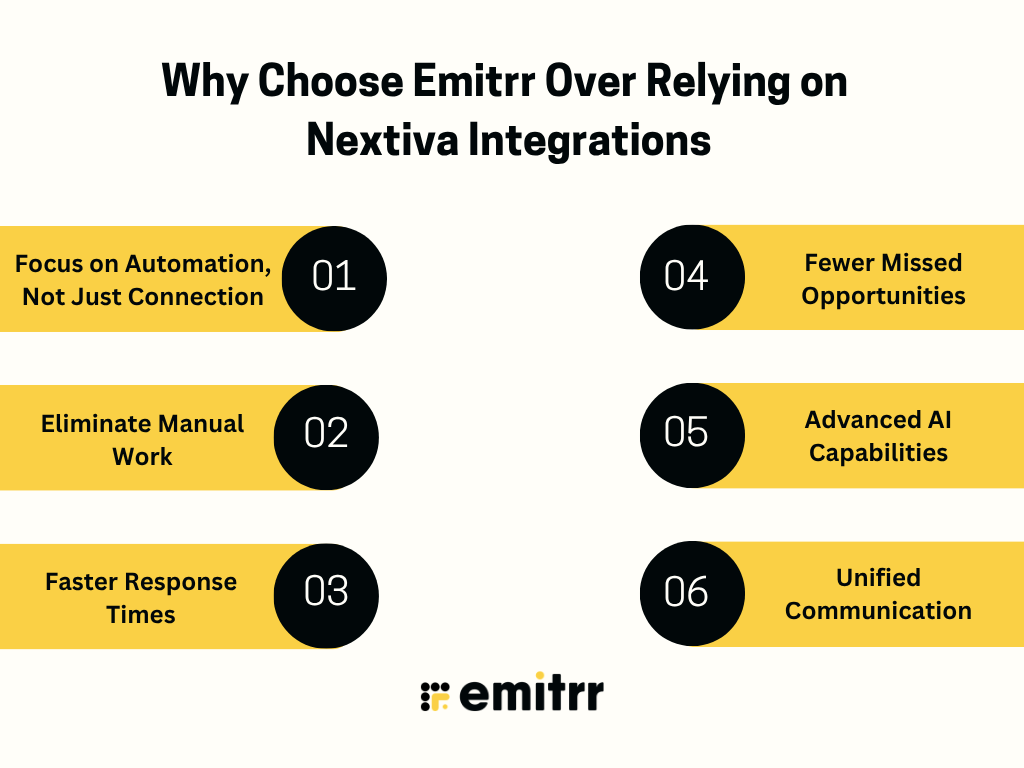
Focus on Automation, Not Just Connection
Emitrr is built from the ground up to automate workflows. It doesn’t just connect your communication channels; it orchestrates the entire process. This means missed calls are automatically handled, inquiries are answered by AI, and follow-ups are systematically generated and tracked.
Eliminate Manual Work
The primary driver for adopting Emitrr is the significant reduction in manual tasks for your team. By automating reminders, responses, data entry, and follow-ups, your staff is freed up to handle more complex, higher-value interactions. This directly addresses the pain point of overwhelming daily workloads.
Faster Response Times
In today’s fast-paced environment, speed is critical. Emitrr ensures that no inquiry goes unanswered and no lead is left waiting. Automated responses and intelligent routing mean your business is always accessible and responsive, 24/7. This leads to a better customer experience and higher conversion rates.
Fewer Missed Opportunities
Every missed call or delayed follow-up is a potential lost customer or revenue. Emitrr’s automated systems ensure that every interaction is captured, actioned, and tracked, minimizing the chances of opportunities slipping through the cracks. This is particularly vital for businesses like dental practices or specialty clinics.
Advanced AI Capabilities
Emitrr leverages AI for intelligent chatbots, voice agents, and automated follow-up prioritization, going far beyond basic integration capabilities. This allows for sophisticated automation that adapts to your specific business needs.
Watch this video to learn more about Emitrr’s AI voice agent:
Consistent Communication
Emitrr ensures a consistent brand voice and service level across all communication channels. Whether it’s an automated SMS response, an AI-powered FAQ handler, or a staff member following up on a generated task, the experience is unified and professional.
Unified Communication and Workflow Management
Emitrr provides a single platform to manage all communication channels and automate associated workflows. This eliminates the need to juggle multiple disparate systems, providing clarity, accountability, and efficiency.
FAQS
Nextiva integrations are used to connect communication tools with CRMs, scheduling systems, and support platforms. This helps teams sync call data, improve visibility, and manage interactions more efficiently.
No, Nextiva primarily focuses on communication and system connectivity. Tasks like follow-ups, reminders, and responses still require manual execution.
Missed calls can trigger notifications or be logged in connected systems. However, responding to those calls still depends on your team.
Emitrr focuses on automating communication workflows, such as follow-ups, missed call responses, and scheduling, rather than just enabling communication channels.
Yes, Nextiva can handle communication infrastructure, while Emitrr can automate workflows and manage what happens after each interaction.
Nextiva works well for managing calls and communication channels. However, practices with high communication volume may need additional automation to handle follow-ups and patient workflows efficiently.
Conclusion
Nextiva integrations are effective for connecting your communication tools and improving visibility across calls, messages, and systems. They help teams stay organized and ensure that information flows smoothly between platforms.
However, they are not designed to manage the execution of communication workflows, such as handling missed calls, automating follow-ups, or coordinating ongoing patient interactions.
Emitrr complements this by automating those next steps, helping teams respond faster, reduce manual workload, and ensure that communication continues seamlessly beyond each interaction. If you’re looking to move beyond basic integrations, you can book a demo with Emitrr to see how it fits your practice.


 4.9 (400+
reviews)
4.9 (400+
reviews)