

 4.9 (400+
reviews)
4.9 (400+
reviews)
Caspio X Emitrr Integration
Caspio powers your custom healthcare apps and data workflows. Emitrr connects to that data to automate patient communication, reminders, form delivery, and missed-call response, so the custom solution you built finally has a communication layer to match.

Planning to integrate Emitrr with Caspio? Review a quick checklist to understand what's required before integration.
Why Connect Caspio with Emitrr?

Put Your Patient Data to Work
Your Caspio app holds scheduling and contact data that currently sits idle between touchpoints. Emitrr turns that data into automated patient outreach, no manual steps needed.

Automate the Gaps in Your Custom Workflow
Custom-built apps rarely include patient communication. Emitrr adds reminders, intake delivery, and call handling to any Caspio workflow without rebuilding your existing setup.
Every Missed Call Gets a Response
Patients who call and get no answer don’t always call back. Emitrr converts every missed call into an instant text conversation, keeping every inquiry active.
One Platform, Every Channel
Texts, voice, forms, and automation, all HIPAA-compliant, all tied to your Caspio data, all managed from one Emitrr dashboard.
Features You Get With the Caspio + Emitrr Integration
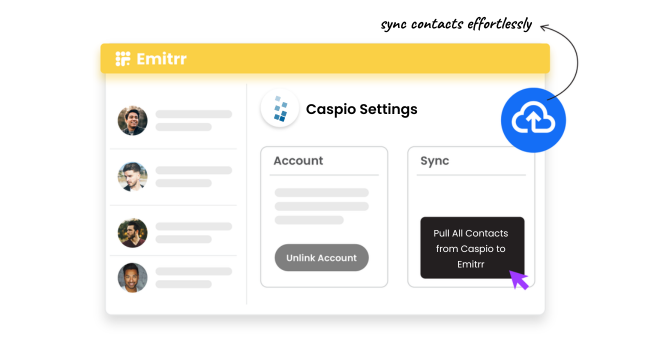
Contact and Appointment Data Sync

Sync patient contact records and scheduling data from your Caspio app into Emitrr automatically.
Keep patient information current, updates in Caspio reflect in Emitrr without manual re-entry.
Use synced data as the trigger for all downstream automation, reminders, forms, and follow-ups.
No duplicate data entry across your operations team.
Automated Appointment Reminders
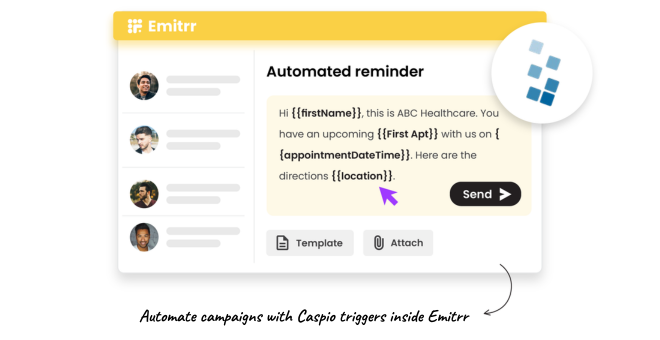
Send reminders based on appointment data pulled directly from your Caspio-built scheduling app.
Customise message content and timing to match your organisation’s specific visit types and workflows.
Patient confirmation responses are tracked in Emitrr and can be written back to Caspio via API.
Scale outreach across high patient volumes without adding staff.

Text-Based Digital Intake and Forms
Send intake form links via text before each appointment, patients complete them on any device.
Build and customise forms that match the data fields your Caspio app already collects.
Completed form responses feed back into your data workflow, no manual transfer.
Chase incomplete forms automatically with a follow-up text before the appointment date.
Missed Call-to-Text Automation
Every missed call, during hours or after, triggers an automatic text response within seconds.
Patients continue the conversation over text, reaching resolution faster than a callback.
Custom routing rules direct specific call types to the right team or department within your organisation.
Reduce the operational cost of inbound call handling without losing any patient interaction.

Key Use Cases
Operations
Clinical Staff
IT and Ops Leaders
Frequently Asked Questions
Ready to Connect Emitrr with Caspio?
You built a custom solution because off-the-shelf didn't fit. Now add a communication layer that matches. Emitrr automates patient outreach from your Caspio data, without rebuilding anything you've already created.
