

Introduction
As the world is becoming more and more aware of mental health issues, the demand for therapists and their services has also grown drastically. This awareness among the people is indeed a positive shift, but along with it comes the increasing pressure for mental health professionals. Handling the growing client base is already at times becomes overwhelming, and the added burden of handling administrative tasks like manual scheduling only compounds the challenge. Here is when modern online therapy scheduling software for therapists comes into the picture, and in this blog, we are going to explore the same, the features that matter how to choose the best one for your practice.
Keep reading as we deep dive into the 10 best options for the same.

What Is An Online Therapy Scheduling Software For Therapists?
Online therapy scheduling software is a kind of digital scheduling software that gives therapists the capability to manage appointments effectively. It not only gives the clients the freedom to schedule appointments at their convenience but also reduces the chaos of manual scheduling.
From solo therapists to group practitioners, every mental health practice can harness the power of online scheduling software, as it also helps in reducing no-shows, along with ensuring that your calendar is always optimized.
What Features Should You Look for In Online Scheduling Software For Therapists?
HIPAA Compliance
Privacy and compliance are non-negotiable when it comes to the healthcare industry. An ideal therapy scheduling software like Emitrr should meet HIPAA standards to ensure that patient health information is protected. Whether you’re sending reminders or storing intake forms, the software should guarantee confidentiality at every step.

Group and individual session booking
There is a new trend amongst therapists where they offer a mix of one-on-one sessions and group therapy hence the software you are opting for sould be easy enough to set up, manage, and differentiate between these session types so that it is smooth enough for you to cater to various client needs without any need to switching to other tools.
Automatic reminders
No shows and late cancellations are one of the biggest problems that therapists face, and the feature of sending automated reminders via SMS or email can reduce them as the clients will remain informed about their upcoming sessions.
Waitlist management
Waitlist management is one of the key features that an ideal online therapy scheduling software should have. When late cancellations happen, most of the time that slot goes to waste, but with a robust scheduling system says no to it as it offes built in waitlist management feature that allows you to easily fil in the slot by sending notification to clients who are in the waitlist maximizing your time as well as income.
Real-Time Calendar Integration
One of the key features of an ideal online scheduling system is that it should be capable of integrating with your existing personal and professional calendars (like Google or Outlook), so you’re never double-booked.
Client self-rescheduling/cancellations
Giving client the freedom to self-schedule, reschedule, and cancel their appointments is something that empowers them and also reduces the time that you spend on administrative tasks, along with maintaining a smooth workflow.
Online Intake, Forms & Insurance Collection
Therapy is something that should feel comfortable to the client, and starting it with a stack of paperwork is not a good idea at all. With the feature of online intake forms, client can share their necessary information. And if you accept insurance, the system should collect and store those details securely, which also speeds up the onboarding process.
Reporting & Analytics
Knowing and keeping track of how your practice is performing is crucial; hence, you need to look for a tool that also offers analytics and reporting features. Insights on bookings, revenue trends, session types, and client attendance help you make data-driven decisions and improve your practice.
Customizable Appointment Types and Availability
Every therapy practice is different, and so are the scheduling needs. Hence, it is necessary that the therapy scheduling software you are opting for should allow you to set up different types of sessions.
Two-Way Communication Tools
Therapy always means two-way communication, and platforms like Emitrr excel when it comes to two-way real-time communication. As therapist need a simple and secure way to stay connected with their client even after the session. The two-way communication feature can be a great option through which you can confirm appointments, share resources, or check in without juggling between different apps.
Conversion of Missed Calls into Texts
Missed call also means missed opportunities, hence missed call to text feature is something therapy appointment software definitely has, as when you miss a call, a follow-up SMS is sent to the client that helps you re-engage potential clients.
Multi-location and Multi-therapist Support
If you are a practice with multiple offices, then it is necessary for your online therapy appointment software to be able to support the complexity of multiple offices in one dashboard. It should be capable of allowing you to choose locations and offices easily.

How Scheduling Software Helps Therapists?
24/7 Booking Access
Mostly, clients these days do not prefer to call during office hours. With online therapy appointment software, they can schedule appointments whenever they want, even outside office hours. This flexibility allows them to schedule appointments at their convenience, along with filling up your schedule even when you are not available.

Fewer No-Shows with Reminders
No shows are the biggest problem for any healthcare provider, and especially for therapy practices. An online therapy appointment software is capable of sending automated appointment reminders via text as well as email to gently nudge clients so they don’t miss their sessions. This not only reduces the last-minute cancellations but also keeps you away from sending manual appointment reminders.
Better Client Experience
Giving clients the capability to schedule, reschedule, or cancel appointments without getting dependent on someone else indeed gives them a more positive experience. It not only shows that you value their time and preferences but also fosters a more professional and client-friendly practice.
Reduced Admin Burden
Manual scheduling involves constant texts, manual reminders, and last-minute changes that can take up a lot of time. Online scheduling software automates the whole process of appointments from scheduling to reminders, so that you do not need to spend time on manual tasks and more on client care.
Improved Practice Organization and Flow
With the features that come with a robust online therapy appointment scheduling software, which include appointments management, reminders, and notes tagging, organized in one place, make your practice run smoothly
Top Online Scheduling Software for Therapists
1. Emitrr

Emitrr is an all-in-one HIPAA-compliant scheduling software. It is built specifically for therapists and offers a secure and robust online scheduling system. This therapy appointment scheduling software offers features such as automatically converting missed calls into text messages, appointment scheduling, appointment reminders, two-way texting, and more that help you stay connected with your client even after your sessions. Let’s have a quick look at the best online scheduling for therapists:
Emitrr Features
- Automated reminders: Send appointment reminders through text or email without lifting a finger. These can be scheduled to go out days or hours before the visit.
- Self-scheduling: Clients can book appointments on their own, anytime, through a mobile-friendly link or embedded calendar. This frees up your front desk and gives pet owners the convenience they expect.
- Web chat to text: When a client starts a conversation through your website, the chat automatically moves to text, so they can keep the conversation going even after they leave your site. Great for capturing leads and answering quick questions.
- Smart calendar syncing: Emitrr keeps your calendar updated in real time. Any changes made, i.e., bookings, cancellations, reschedules, are synced instantly so your team stays on the same page.
- Mobile access: You don’t have to be at the clinic to manage your schedule. Staff can view and update appointments, send messages, or respond to clients right from their phone or tablet.
- Two-way texting: Text with clients directly from the platform. It can be confirming an appointment or answering a follow-up question, or checking in post-visit, communication stays quick and easy.
- Digital forms: Intake, consent, and post-visit forms can be sent and completed online. That means less paperwork at check-in and smoother appointments overall.
- Recurring texts: Set up messages to repeat on a schedule, like monthly health tips, medication reminders, or wellness plan updates. Ideal for keeping clients engaged beyond the appointment.
- Drip campaigns: Automate a series of texts or emails sent over time. Use this to onboard new clients, send post-visit instructions, or remind pet parents of upcoming services.
- Recall automation: Need to remind clients about vaccines, dental cleanings, or rechecks? Emitrr handles that automatically, based on each pet’s care schedule.
- Missed-call-to-text: If someone calls your clinic and no one answers, Emitrr automatically sends a follow-up text. It’s a smart way to capture leads, reschedule appointments, or offer help right away, even during busy hours.
- Waitlist management: Keep a list of clients waiting for earlier openings. If someone cancels, Emitrr can automatically notify people on the waitlist and help fill the spot.
- Analytics dashboard: Track key metrics like response times, booking volume, no-shows, and communication patterns, all from one easy-to-read dashboard.
- File sharing: Send documents, images, or instructions directly to clients via text. Helpful for sharing discharge notes, vaccine records, or post-op care sheets.
- Text-to-pay links: Make it easy to collect payments by sending secure links via text. Ideal for deposits, balances due, or quick payment after a visit.
- Unified communication management: All communication, such as texts, VoIP calls, form submissions, and chat messages, comes into one shared inbox. That way, your team doesn’t have to switch between platforms to stay in touch with clients.
- Multi-location support: If your practice has more than one location, Emitrr lets you manage scheduling and communication across all sites without needing separate accounts or systems.
Emitrr Pros
- All-in-one communication suite: From texting and calling software to web chat and email, all client communication runs through one platform. That means fewer tools to juggle and nothing gets lost between channels.
- Streamlined user experience: Emitrr is easy to navigate, even for teams who aren’t tech-savvy. Booking, messaging, and follow-ups it’s all simple and accessible, with no steep learning curve.
- Seamless integration with key tools: This therapy appointment scheduling software connects smoothly with practice management systems, calendars, form builders, and payment platforms. That makes it easier to plug into your existing workflow without reworking how your clinic operates.
- Cost-effective for growing teams: Emitrr offers a strong feature set at a competitive price point, especially for clinics looking to scale. You get enterprise-level tools without enterprise-level pricing.
- Smart automation for busy teams: Automated reminders, missed-call texts, and drip campaigns help reduce daily admin tasks. These small automations add up to big time savings for front-desk staff.
- No lock-ins: Emitrr doesn’t trap you in long-term contracts. That flexibility gives clinics room to test the platform and make decisions based on performance, not pressure.
Emitrr Cons
- Some advanced features are still being rolled out in phases.
Emitrr Pricing
- Scheduling starts with SMS features at $149/month.
- Custom scheduling package pricing available upon request.
Emitrr Integrations
Emitrr offers 500+ integrations across industries, including dental, real estate, recruiting, and more, with platforms such as:
Emitrr Customer Support Channels
- Live chat: Chat with Emitrr’s live representatives
- Phone: Call Emitrr at +1 (210) 941-4696
- Email: Send email to Emitrr’s support team at support@emitrr.com
- Knowledge base
- FAQs/forum
- SMS
Emitrr Reviews & Ratings
Emitrr has an overall rating of 4.7/5 on g2 and 4.8 on Capterra. Have a look at what Emitrr users are saying:
“Big Emitrr Fan! Dedicated team of professionals; always willing to go above and beyond to help customers. Great product and looking forward to all their updates and improvements they are rolling out.”
“I’ve tried 4 different platforms, Emitrr has worked the best for me. The support staff has been very receptive and efficient discussing my requests and needs.”
Source: Capterra
2. Weave

Weave is another scheduling software for therapists with capabilities of phone calls, texts, and payments. The features that this scheduling system for therapists offers include call analytics, appointment management, and voicemail-to-text. Let’s explore the other functionalities of this therapy appointment scheduling software:
Weave Features
- Two-way text messaging: Text clients directly from your business number for appointment reminders, follow-ups, and quick communication.
- Digital payment collection: Send secure payment links by text or email, allowing clients to pay invoices without needing to call or stop by.
- Appointment reminders & confirmations: Automates reminders for upcoming visits and lets clients confirm or reschedule by text.
Weave Pros
- All-in-one communication hub: This therapy appointment scheduling software combines phones, texting, voicemail, and payments, reducing the number of tools your team needs to manage.
- Easy client messaging: Staff can send and receive texts without switching platforms, making it simple to confirm appointments or answer quick questions.
- Professional, polished interface: This online therapy software has clean design and intuitive dashboard help teams adopt it quickly, even without a steep learning curve.
Weave Cons
- Not built specifically for veterinary workflows: While this therapy appointment scheduling software covers communication well, Weave lacks vet-specific scheduling features like appointment type controls or medical record syncing.
- Higher price point: Compared to other tools, Weave can be expensive, especially for smaller practices not using every feature it offers.
- Limited customization in reminders: Message templates and scheduling rules are more generic, which may limit how much you can tailor them to your clinic’s needs.
- Complex Setup: Initial setup and integration with existing systems can be time-consuming and may require dedicated support.
Weave Pricing
There are 3 pricing plans for this therapy appointment scheduling software :
- Ultimate
- Elite
- Pro
Weave Integrations
- Mindbody
- eClinicalWorks
- athenaOne
- ezyVet and more!
Weave Customer Support Channels
- Email/Help Desk
- FAQs/Forum
- Knowledge Base
- Phone Support
- Chat
Weave Reviews & Rating
Weave customer ratings on g2 is 4.5/5 and on Capterra is 4.8/5. See what customers are saying about this therapy appointment scheduling software :
“Weave has been east to work with, and when we aren’t sure how to accomplish something within the portal they have been eager to help.”
“It has it’s pros and cons. It sometimes is confusing to me, seeing how it sends messages to patients that we rescheduled so I can see how it would be confusing to our elderly patients thanking them for coming in when we rescheduled their appointment.”
Source: Capterra
3. NexHealth
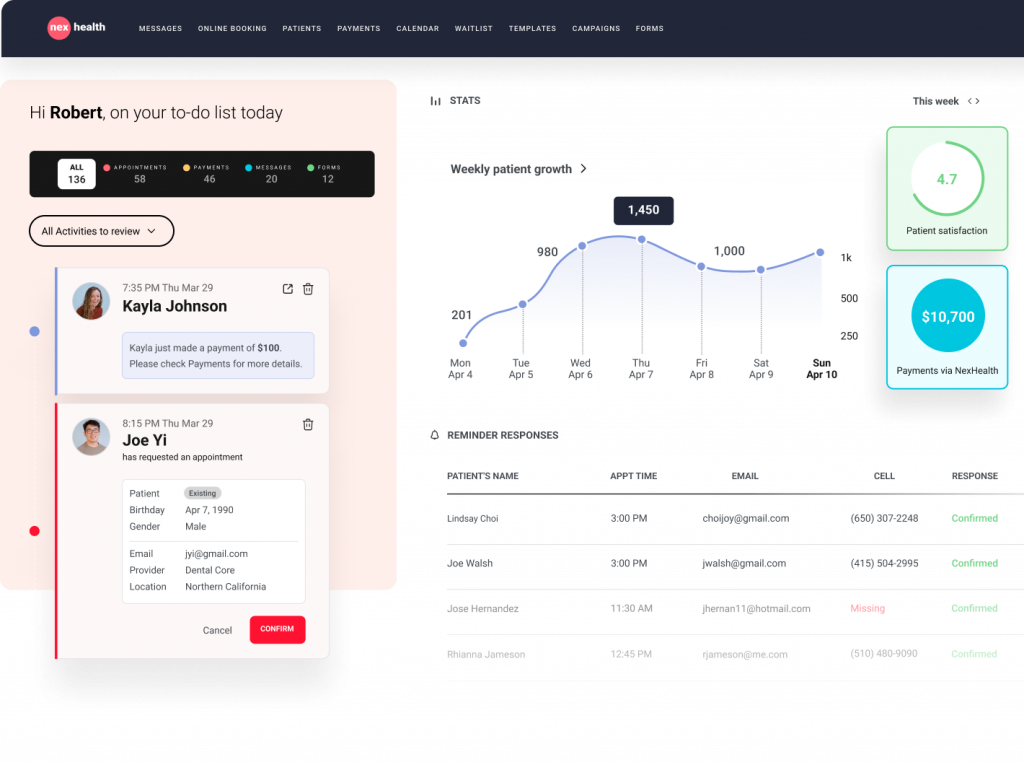
NexHealth is a robust online scheduling software for therapists that seamlessly integrates with EHRs that help manage appointments, along with offering a secure patient texting feature. Clients can also book appointments online and get automated follow-up that gives clients a seamless digital experience. Here is a quick look at this psychologist scheduling software:
NexHealth Features
- Two-way texting: Text back and forth with your patients and cater to their communication needs in a convenient way.
- Access control: Create activity logs for your users and monitor overall activity.
- Reminders: Send customizable reminders for recalls, upcoming appointments, or forms, to reduce no-shows in your outpatient clinic or any other clinic.
- Secure patient texting: Keep conversations confidential and secure to protect patient data and boost patient engagement.
- Online appointment scheduling: This psychologist scheduling software allow patients to schedule their own appointments.
- Reviews: This online therapy software send review requests to patients automatically right after their appointments.
- EHR integration: Streamline your healthcare workflows by integrating NexHealth with your internal tools.
Pros of NexHealth
- Great customization features: This psychologist scheduling software offers plenty of customization features for sending reminders, scheduling appointments, etc.
- Seamless integrations: This psychologist scheduling software app integrates seamlessly with PMS and EHR tools to ensure a smooth workflow.
- Easy to set up: NexHealth software has an intuitive interface, making it very easy for patients to use it without any technical expertise.
Cons of NexHealth
- Laggy app: Users have highlighted that the NexHealth app often lags, making it quite annoying for users to operate.
- Limited support: NexHealth offers customer support for limited hours only, which becomes challenging for users in case of urgent issues.
NexHealth Pricing
You will need to get in touch with NexHealth contact support to get a custom quote.
NexHealth Integrations
- athenahealth
- Cloud9
- Curve Hero (Curve Dental)
- Denticon
- Dentrix
NexHealth Reviews & Ratings
NexHealth has a rating of 4.8/5 on g2 and 4.9/5 on Capterra. Here’s what customers are saying about this psychologist scheduling software:
“They make changes without adequate/any notification. They change workflow and functionality on the fly and expect the office to adapt. They placate, but do not listen to customers. LIMITED support hours. WEST coast centric mentality – east coast starts at 8am, but west coast support starts at 5am so they can fix issues before they impact the day.”
“I love that we are able to communicate in real time to our pateints via text. I love all the inforamtion that is requested at the time of making their appointments.”
Source: Capterra
NexHealth Support Channels
- Phone
- Chat
4. Acuity Scheduling
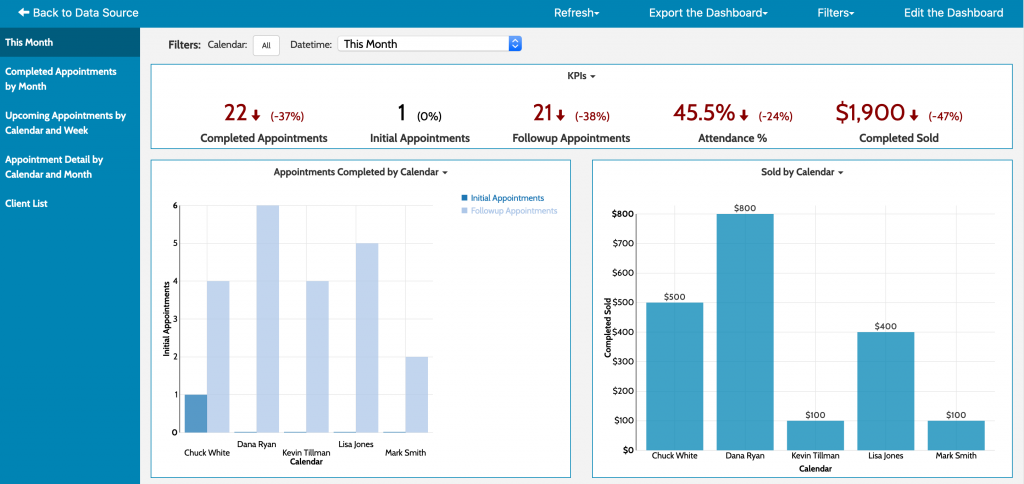
Acuity Scheduling is an online scheduling software for therapists that gives clients the capability to schedule the appointments on their own. This psychologist scheduling software
helps therapists streamline the scheduling process, manage multi-location practice, along with automating client communication, which reduces the administrative burden on therapists. Have a look at this therapist scheduling software in detail:
Acuity Scheduling Features
- Online booking: Clients can book appointments 24/7 using a custom-branded booking page.
- Automated reminders: This online therapy software send email and SMS confirmations and reminders to reduce no-shows.
- Calendar management: Manage multiple staff, locations, and appointment types from one dashboard.
- Custom intake forms: Gather client information before appointments with customizable forms.
- Calendar sync: Integrate with Google, Outlook, and other calendars to prevent double bookings.
- Payment processing: Accept payments, deposits, and invoices online at booking.
- Mobile app: Manage schedules and clients on the go with the Acuity mobile app.
- HIPAA compliance: Protect sensitive data (on select plans)
Pros of Acuity Scheduling
- Easy to use: Easy for clients to book, reschedule, and pay for appointments online, reducing back-and-forth communication.
- Highly customizable: This herapist scheduling software can be customized as per appointment types, forms, and branding.
- Calendar sync is good: Robust calendar sync and multi-location/multi-staff management.
- Useful features: Automated reminders and confirmations help minimize no-shows and keep clients informed
- User-friendly interface: Comes with a user-friendly website and mobile app for managing schedules on the go.
Cons of Acuity Scheduling
- Expensive: Advanced features like SMS reminders and HIPAA compliance are only available on higher-tier plans.
- Overwhelming: Some users find the interface initially overwhelming due to the breadth of features.
- Limited customization: Limited customization of certain automated emails and notifications.
- Limited support options: No phone support; support is primarily via email and online resources.
- Not suitable for small and mid sized practices: May be more feature-rich (and costly) than needed for very simple scheduling needs.
Acuity Scheduling Pricing
This therapist scheduling software offers a free plan with limited features and its paid plans starts at $20 per month.
Acuity Scheduling Integrations
- Google Calendar
- Outlook
- iCloud
- QuickBooks
- FreshBooks
- Mailchimp
- Google Analytics
Acuity Scheduling Reviews & Ratings
Acuity Scheduling is rated 4.8/5 on Capterra, and here’s what users are saying about therapist scheduling software:
“YOU ARE ON YOUR OWN. NO PHONE SUPPORT. Not ideal for larger companies who want to do subscription memberships, it’s very limiting and messy. They only do POS with Square or Stripe which have super high CC processing fees..”
“Acuity Scheduling is very user-friendly and easy to setup. I liked being able to customize my account to my brand colors and logo. The online scheduling and billing features are easy for both clinician and client.”
Acuity Scheduling Support Channels
- Email support.
- 24/7 online help center
- Knowledge base
- AI-powered support and chat for common questions
- No direct phone support
- Community forums and FAQs for user-driven help
5. Mend
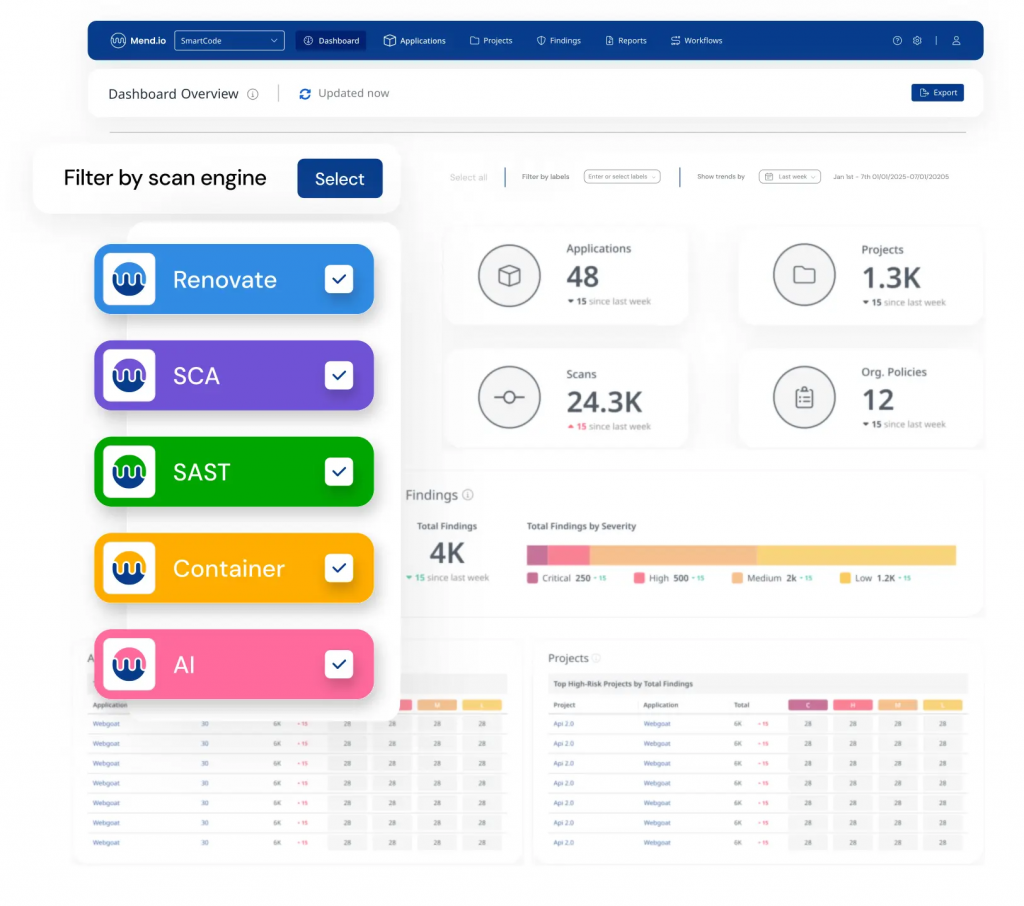
Mend is a patient engagement and online scheduling software for therapists, specifically
those who are mostly involved in virtual sessions. This therapist scheduling software also offers features such as screen-sharing and real-time file uploads that make it indeed a true expansion of your therapy room. Here is a quick overview of this therapist scheduling software:
Mend Features
- Digital intake forms: Offer digital intake forms to patients to reduce patient waiting time.
- Digital patient check-ins: Allow patients to check in digitally and reduce their waiting time.
- Hipaa-Compliant group video conferencing: Offer telehealth option to your patients via HIPAA-compliant group video conferencing.
- Patient self-scheduling: Offer the option to self-schedule appointments for patients.
- Appointment reminders: Send out automated appointment reminders and reduce no-shows.
- Automated payments: Send automated payment links to patients upon providing service, and let them make payment comfortably using multiple options.
Pros of Mend
- SMS and calling features: Mend users appreciate how they can text as well as call patients, in case they do not show up.
- Good customer support: Mend’s customer support team is very professional and helpful. The team is always available to offer quick resolutions.
- Great end-user experience: Users appreciate the sleek app and web design and how easy it is to use the Mend software.
Cons of Mend
- Connectivity issues: Many Mend users have pointed out that they face connectivity problems or communication delays frequently when using this platform.
- High up-front cost: Although Mend has not shared its pricing, many user reviews suggest that this software has a high up-front cost, which may not be suitable for many.
- Slow software: Another big complaint that Mend users have is about how slow this software is, and how frustrating it can get to wait for it to load.
Mend Pricing
Mend has not shared any information related to its pricing; you will have to get in touch with them to know that.
Mend Integrations
This therapist scheduling software seamlessly gets integrates with PMS and EHR systems, including:
- eClinicalworks
- Kipu
- AdvancedMD
- Athenaone
- Allscripts
- Acumen
- And more!
Mend Reviews & Ratings
Mend has an overall customer service rating of 4.6/5 on Capterra and 4.7/5 on g2. Here’s what Mend users are saying about this therapist scheduling software:
“Major healthcare compliance concerns and as an organization, we’ve had to do much of the groundwork to both identify and push to resolve, including educate vendor on why it was a concern. We discovered very serious flaws in patient consent process that indicate Mend does not actually meet multiple federal standards (HIPAA, CMS Regs, and UETA, E-Sign Act) in this area, despite their contract and all business materials clearly stating they do.”
“I also love the messaging feature and ability to call a client if they are not showing up it helps save time finding a chart and calling the client so we can connect as soon as possible.”
Source: Capterra
Mend Support Channels:
- Email/Help Desk
- FAQs/Forum
- Knowledge Base
- Phone Support
- 24/7 (Live rep)
- Chat
6. Klara
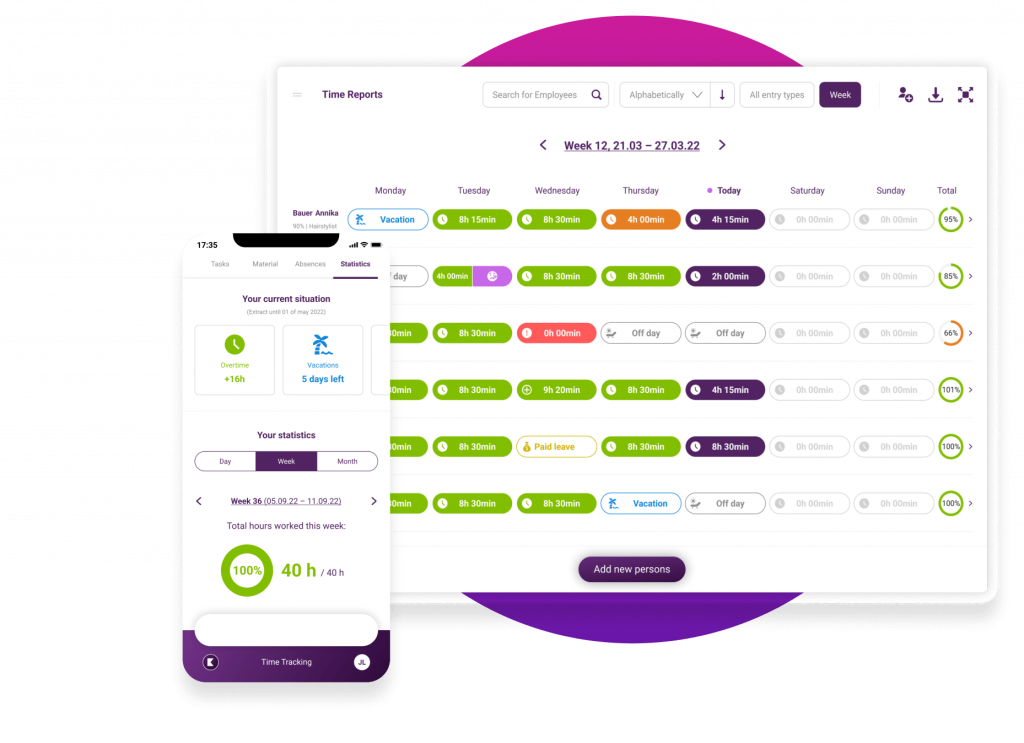
Klara is another patient scheduling software for psychologists that focuses specifically on streamlining communication with clients. This patient scheduling software for psychologists
also offers secure two-way communication with clients, along with supporting appointment scheduling. It is an ideal choice for a group or multi-specialty practice setting. Let’s have a look at this patient scheduling software for psychologists:
Klara Features
- Appointment reminders: Send appointment reminders to patients via SMS with options to confirm, cancel, or reschedule appointments.
- Webchat: Enable the web chat feature and interact with potential patients right on the website.
- EHR integration: Simplify your workflow and keep your records updated by integrating your current EHR system with Klara.
- Broadcast messaging: Update changes in the schedule of healthcare providers and share important information with all your patients scheduled for the day at once with broadcast messaging.
- Two-way texting: This patient scheduling software for psychologists allow your patients to text you back with a two-way texting feature.
- Healthcare automation: Automate routine tasks like appointment reminders, patient messaging, etc., to reduce administrative workload and improve patient interaction.
- Textable numbers: Make your medical phone number textable without changing numbers and start receiving patient SMS.
Pros of Klara
- Telemedicine support: This patient scheduling software for psychologists offers a telemedicine facility with features like a virtual waiting room and video streaming, allowing your patients to connect with you remotely.
- Useful automation capabilities: Klara automates many routine tasks such as answering calls, sending appointment reminders, sending patient forms, etc., and reduces administrative workload.
- Intuitive dashboard: This patient scheduling software for psychologists app has a very intuitive interface and is super easy to use. Klara’s desktop version is also well-designed and can easily be used by all.
- Engagement optimization: With features like two-way texting, secure texting, file sharing, etc., Klara helps healthcare professionals simplify patient communication for better patient engagement.
Cons of Klara
- Poor integration with PMS/EMR/EHR/ systems: This patient scheduling software for psychologists does not integrate with PMS/EMR/EHR/ systems seamlessly, affecting the way healthcare professionals communicate with their patients.
- Many functional issues: Users find many functional issues with the Klara app, such as issues with internal message assignment, issues with labeling conversations, etc, which affect the day-to-day healthcare tasks.
- Unreliable customer support: Klara users often complain about delayed responses from Klara’s customer support team, even for urgent issues. They have also pointed out how the limited support options pose a lot of problems for users.
- Limited team collaboration features: This patient scheduling software for psychologists lacks many team communication features such as conversation tags, conversation assignments, sharing reference notes, tags, etc.
Klara Pricing
This patient scheduling software for psychologists has not revealed any information related to its pricing.
Klara Integrations
This patient scheduling software for psychologists integrates with EHR & PMS software, including:
- Practice Fusion
- NexHealth
- EpicCare EMR
- ModMed
- Nextech
- Athenahealth
- DrChrono
- Oracle Health
Klara Reviews & Ratings
Klara’s customer ratings is 4.3/5 on Capterra & 4.5/5 on G2, and here’s what users are saying about this counseling scheduling software:
“The way the messages are labeled or assigned needs to improve. My suggestion is to bump up the screening of the type of msgs. Improvement is needed in picking up certain filtered words to help categorize the msgs.”
“What I like most about the Klara app is the simplicity of getting around the app. It’s very easy to use and you can speak with your provider with ease, as well as send and receive documents/forms.”
Source: Capterra
Klara Support Channels
- Phone
- Chat
7. Phreesia

Phreesia is a robust platform that goes beyond just scheduling. From managing entire workflow to insurance verification, this counseling scheduling software is indeed highly automated, which helps large practices and cuts down repetitive manual tasks while keeping things secure. Here is a quick look at this counseling scheduling software:
Phreesia Features
- Digital Check-In – This software for mental health therapists allows patients to complete intake forms and check in from their own device before visiting the clinic.
- Insurance Verification – Automatically verifies insurance eligibility in real-time to reduce claim denials.
- Online Scheduling – This software for mental health therapists empowers patients to book, cancel, or reschedule appointments online at their convenience.
- Mobile Intake – This counseling scheduling software enables patients to submit necessary documents and consent forms securely via mobile.
- Payment Collection – This counseling scheduling software facilitates upfront and recurring payments through flexible online payment options.
- Appointment Reminders – Sends automated reminders via text, email, or voice to reduce no-shows.
- Telehealth Integration – Seamlessly supports virtual visits with secure video and appointment links.
Pros of Phreesia
- Streamlined Check-In – This counseling scheduling software reduces front-desk workload and wait times with digital intake.
- Improved Cash Flow – This software for mental health therapists supports faster and more consistent payment collection from patients.
- Enhanced Patient Experience – Offers convenient mobile tools and self-service options for patients.
Time-Saving Automation – Automates reminders, eligibility checks, and data collection to save staff time.
Cons of Phreesia
- High Cost for Small Practices – Pricing can be expensive, especially for solo or small practices.
- Learning Curve – Staff may need time and training to navigate all features effectively.
- Customization Can Be Complex – Setting up workflows and templates might require support or tech expertise.
- Patient Adoption Varies – Some patients may struggle with or avoid digital tools.
- Limited Integration – May not integrate seamlessly with all EHRs or third-party systems.
Phreesia Pricing
You need to contact support for custom pricing of this software for mental health therapists.
Phreesia Integrations
This counseling scheduling software integrates with EHR & PMS software, including:
- Epic
- athenaOne
- eClinicalWorks
- NextGen Enterprise
- AdvancedMD
Phreesia Reviews & Ratings
Phreesia is rated 4.1 on G2 and 4.3 on Capterra, and here’s what customers are saying about this counseling scheduling software:
“Very negative overall, looks like a good idea, looks like it would be worth to put effort on getting it to work, but it fails due to cumbersome implementation. At the end we actually didn’t save any time of the assistants and front desk people and we are paying north of $600/month for nothing but another task to do.”
“Extremely frustrating, time consuming, and expensive. Customer support communication was a complete disaster. Management was helpful but very difficult to get in touch with. Despite the product not working, they are not letting me out of my contract early. I absolutely do not recommend.”
Source: Capterra
Phreesia Support Channels
- Email/Help Desk
- Phone Support
- Chat
8. SimplePractice
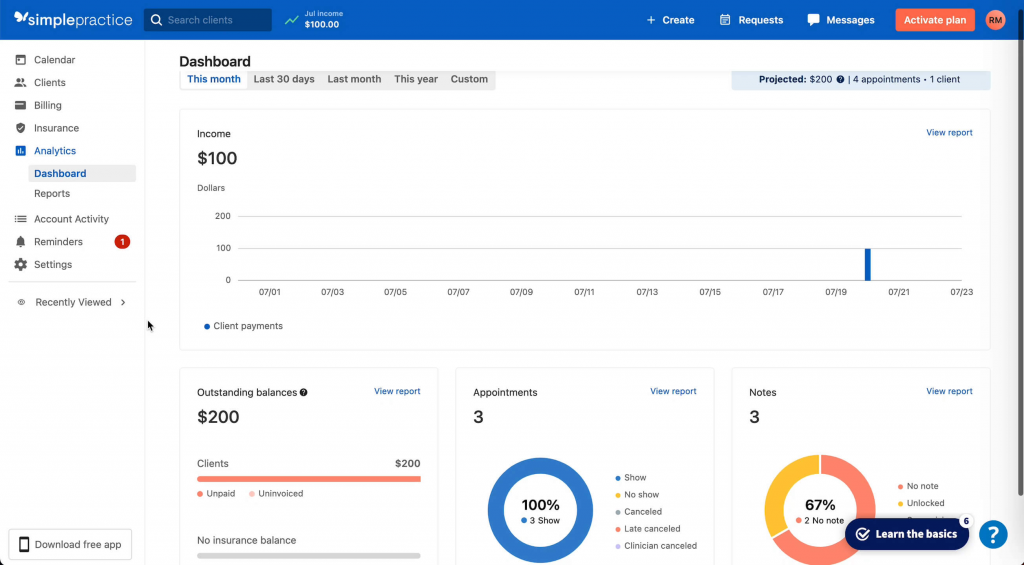
SimplePractice is an all-in-one behavioral health scheduling software, as it combines scheduling, documentation, telehealth, billing, and even a client portal into one platform. This behavioral health scheduling software is not only intuitive but also equipped with features that support solo as well as group practices. Let’s have a look at this online scheduling software for therapists:
Key Features of SimplePractice:
- Online Appointment Booking – Let’s clients schedule sessions at their convenience through a user-friendly online system.
- Client Portal – This behavioral health scheduling software provides clients with secure access to forms, documents, messages, and invoices in one place.
- Appointment Reminders – Sends automatic reminders via text or email to help reduce no-shows.
- Calendar Management – Helps therapists organize their schedule with synced calendars and color-coded views.
- Mobile Access – This behavioral health scheduling software enables therapists to manage appointments, notes, and communication on the go through the mobile app.
Pros of SimplePractice:
- Intuitive User Interface – Easy-to-navigate design that makes daily tasks quick and efficient.
- Good for Solo Providers – Offers features and pricing well-suited for individual practitioners or small practices.
Cons of SimplePractice:
- Not Ideal for Large Teams – Lacks advanced tools and flexibility needed for managing larger group practices.
- Limited Role-Based Access – Offers minimal customization in user permissions, which can restrict team workflows.
Pricing of SimplePractice:
- The pricing for this therapist management software starts at $29 per month for the basic plan.
SimplePractice Integration
- Smartlink Health Solutions
- Datavant
- Teleo
- Blueprint
- ScribeHealth
SimplePractice Ratings and Customer Reviews:
SimplePractice is rated 4.1 on G2 and 4.6 on Capterra, and here’s what customers are saying about this behavioral health scheduling software:
“The Cost and the Features Did not Align”
“I recommend, but if you want to grow, it can get costly”
SimplePractice Support Channels:
- Email/Help Desk
- FAQs/Forum
- Knowledge Base
- Phone Support
- Chat
9. Setmore
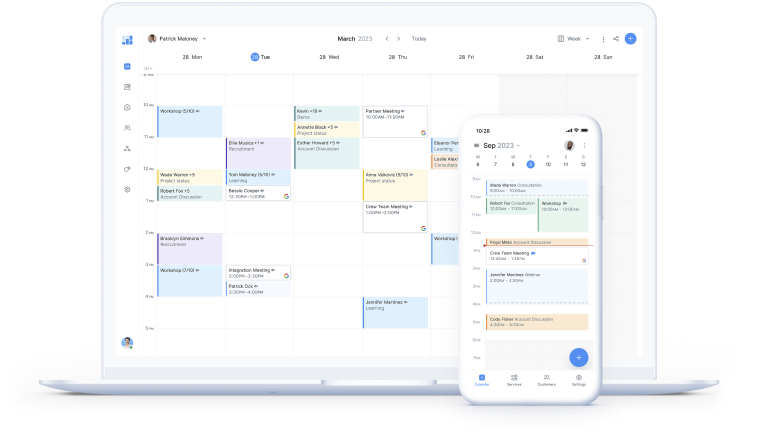
Setmore is an easy-to-use and simple behavioral health scheduling software that works specifically for new as well as budget-conscious therapists. This therapist management software offers features such as online appointment booking, reminders, and integrations with calendars. Let’s have a quick look at this online scheduling software for therapists:
Setmore Features
- One-Click Booking – This mental health scheduling software allows clients to schedule appointments instantly with minimal steps.
- Calendar Management – Keeps your schedule organized with real-time updates and easy access to upcoming appointments.
- Automated Reminders and Notifications – Sends timely alerts to clients and staff to reduce missed appointments.
- Secure Patient Data Handling – Protects sensitive information with robust, HIPAA-compliant data security measures.
- Integration with Various Tools – Connects smoothly with EHRs, billing, and communication platforms for a seamless workflow.
Pros of Setmore
- Affordable Pricing – This mental health scheduling software is budget-friendly plans make it accessible for small businesses and solo professionals.
- Easy Setup and Use – Quick to get started with a user-friendly interface and minimal learning curve.
- Strong Integration Capabilities – Connects well with tools like Zoom, Google Calendar, and payment platforms.
Cons of Setmore
- Limited Advanced Features – This mental health scheduling software lacks some of the more robust tools found in premium scheduling software.
- Basic Reporting Tools – Offers only simple analytics, which may not meet the needs of data-driven practices.
Setmore Pricing
Pricing for this mental health scheduling software starts at $12 per month for limited users and features.
Setmore Integration
- Salesforce
- HubSpot
- Zoho CRM
- Insightly
- Freshsales
- Clio
Setmore Reviews & Ratings
Phreesia is rated 4.5 on G2 and 4.6 on Capterra, and here’s what customers are saying about this mental health scheduling software:
“Actually, it’s great as a basic option, but they need to develop it a bit more for me to be willing to pay for long-term use”
“Affordable, but comes with integration woes”
Source: Capterra
Setmore Support Channels
- Knowledge Base
- FAQs/Forum
- 24/7 (Live rep)
- Email/Help Desk
- Chat
- Phone
10. Tebra
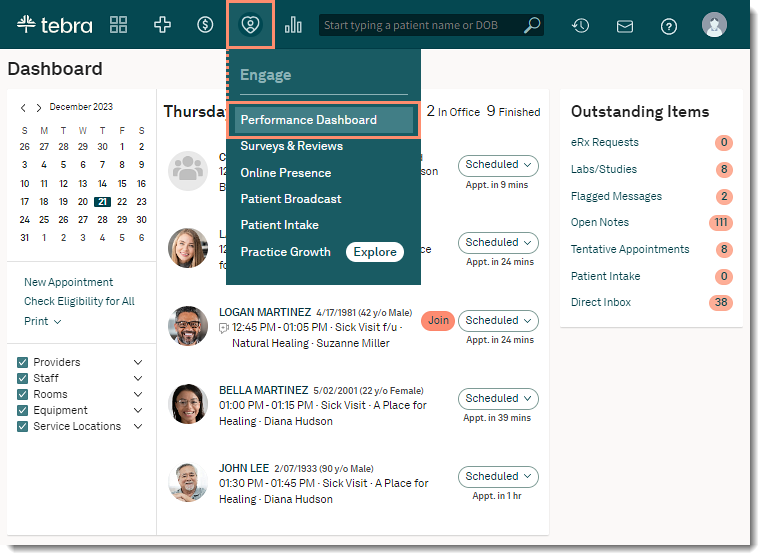
Tebra is another online scheduling software for therapists as well as patient engagement. This physical therapy scheduling software can be an ideal tool for practices that are looking to expand. Not only this it also combines appointment scheduling with marketing tools and reputation management. Here’s a quick look at this physical therapy scheduling software:
Key Features of Tebra:
- Online Scheduling Portal – This physical therapy scheduling software enables patients to easily book appointments anytime through an intuitive web interface.
- Custom Appointment Types – This therapist management software allows clinics to define various appointment categories that meet their unique service offerings.
- Automated Reminders – Sends scheduled notifications via email or SMS to ensure patients remember their upcoming appointments.
- Integration with Kareo EHR – This physical therapy scheduling software
seamlessly connects with Kareo’s Electronic Health Record system to streamline patient data management.
- Reporting Dashboard – Provides a real-time visual display of key metrics and operational insights for informed decision-making.
Pros of Tebra
- Built-in Marketing Tools – This physical therapy scheduling software offers tools for reputation management, SEO, and online visibility to help grow your practice.
- Great for Multi-Specialty Use – Supports a wide range of specialties with customizable workflows and EHR compatibility.
Cons of Tebra
- The Interface Can Feel Cluttered – This therapist management software may appear overwhelming due to the number of features packed into the dashboard.
- Pricing Not Upfront – Costs are not transparently listed, requiring users to contact sales for accurate pricing details.
Tebra Integrations
- Medsender
- DoctorConnect
- QuickSlot Health
Pricing of Tebra
- This therapist management softwareoffers custom pricing based on the specific features required and the size of your team.
Tebra Ratings and Customer Reviews:
Tebra is rated 4.1 on G2 and 3.9 on Capterra, and here’s what customers are saying about this therapist management software:
“POOR. I do not recommend even considering to buy this product.”
“Worst company I have ever worked with in my entire career”
Source: Capterra
Tebra Support Channels
- Email/Help Desk
- Knowledge Base
- Phone Support.
Why is Emitrr the Best Online Scheduling Software for Therapists?
HIPAA-compliant, built for healthcare
Emitrr is an all-in-one therapy software online that is designed with healthcare professionals in mind, particularly therapists. It ensures client information is secure and protected and complies with industry standards such as HIPAA. With this robust platform, therapists can focus on client care knowing that every booking, message, and reminder is handled securely.

Handles missed calls, reminders, and booking flows
Missing client calls is indeed a big issue in therapy practices. Emitrr, the best online scheduling software for therapists, makes sure that no opportunity is missed, even when no one is available. What it does is automatically send a text to keep the conversation going. It not only manages appointments but also handles appointment reminders through texts or emails that help reduce no-shows.
Customizable for solo or group practices
Emitrr suits all kinds of practice, whether you are running a solo practice or managing a team of therapists. You can create different kinds of schedules, set availability, and even manage group sessions, everything from one centralized dashboard.
Seamless SMS scheduling
Emitrr allows your clients to schedule appointments through texts without any hassle of calling or visiting your website. This process makes it very handy for clients to book, reschedule, or cancel appointments in just a few clicks.
Real-time updates and analytics
With Emitrr, you will always be updated with real-time bookings, cancellations, and rescheduling. This online scheduling software for therapists also offers insights on various metrics that help you in understanding how your practice is performing and what improvements it needs to make to offer clients even better experiences.
Easy Integrations
Emitrr goes well with others, hence gets smoothly integrated with EHR, PMS, or any other third-party tool that you are already using. So that you do not have to face any disruption in your workflow. With this online scheduling software for therapists, everything you need is synced in one dashboard without any extra effort.
AI-powered features
Emitrr also uses smart AI features to handle routing tasks such as scheduling responses, automated replies, and identifying patterns in client behavior. Not only this it also reduces the manual workload along with helping you to deliver a more personalized experience to your clients.
FAQs
Yes, any platform that deals with storing or transmitting PHI must be HIPAA compliant, as it ensures the client’s data is safe and protected.
Scheduling software like Emitrr steps in automatically every time you miss a call it sends follow-up texts to ensure that you don’t miss a client or a lead even when you are not available.
Robust scheduling software like Emitrr is capable of sending automated reminders via text and email. This works as a gentle nudge to clients that significantly lowers the missed appointments and last-minute cancellations.
Yes, advanced scheduling software like Emitrr allows you to manage multiple therapists with different locations from a single dashboard. It streamlines the day-to-day operations and also eliminates the need for juggling between multiple systems.
Emitrr is designed to be intuitive and easy to set up. With a short onboarding process, you can start automating your scheduling and communication within a few hours.
Conclusion
By now, it is clear that online scheduling is not just about convenience and scheduling but an essential part of day-to-day work for practices that want to reduce the administrative burden and focus more on client care. It also reduces the no-shows, along with streamlining client communication that facilitates round-the-clock booking, automating reminders, converting missed calls into texts, and supporting both solo and group practices. If you are also a therapist and looking to grow your therapy practice without burning out, then investing in an online scheduling software for therapists like Emitrr is indeed a smart choice. Book a demo today to learn how Emitrr can be the best decision you have ever made for your business.


 4.9 (400+
reviews)
4.9 (400+
reviews)