

Introduction
If you run a chiropractic clinic, you know it’s not just about caring for spines, it’s also about answering nonstop calls, juggling schedules, managing no-shows, and keeping patient info safe.
That’s where VoIP software for chiropractic practices comes into play. It’s like having a super-organised assistant who never takes a day off. You can call, text, send appointment reminders, route calls to the right person, and even read voicemails as texts, all from one place.
Whether you’re a solo manual therapist or part of a growing musculoskeletal therapist or spine care team, VoIP keeps your communication clear and your patients happy. It even connects with your clinic tools like your EMR or PMS, and yes, it’s fully HIPAA-compliant.
This isn’t about fancy tech, it’s about making your day easier and giving your patients a better experience. In this guide, we’ll show you what to look for in a VoIP system and why platforms like Emitrr are a perfect match for chiropractic practices.
In this guide, we’ll understand more about VoIP software service providers for Chiropractic practices and which one is better for your Chiropractic Clinic!

Features To Look For In Chiropractic Practices VoIP Provider
Let’s understand the features of a Chiropractic practice VoIP provider should have:
Patient Privacy and Security
When you’re dealing with sensitive patient info, privacy isn’t optional; it’s a must. Your VoIP software for chiropractic practices should follow HIPAA rules and keep every call, voicemail, and message secure. That way, your patients feel safe talking about their chiropractic care or pain management.
Call Recording and Transcriptions
Ever wish you could go back and double-check a patient call? With call recording and transcriptions, you can. It helps with accuracy during patient assessments, billing, or follow-ups, perfect for your chiropractic answering service or busy manual therapist team.
Automated Appointment Reminders
Patients forget; it happens. But automatic reminders by text or call help cut down no-shows. It also supports self-management and keeps your schedule on track. Plus, you can sneak in helpful wellness tips, too!
Need quick messages to send your patients? Get the template pack.
Access from Any Device
Whether you’re at the front desk, on your phone at lunch, or home early, your VoIP system should work from anywhere. That means your spine specialist, musculoskeletal therapist, or receptionist can stay in the loop anytime, anywhere.
Easy Integration with Clinic Tools
Nobody likes jumping between five apps. Your VoIP system should play nicely with your EHR, calendar, and everything else. It saves time, reduces mistakes, and helps your whole team, from manual therapists to admin, work more smoothly.
Text and Call from One Place
Why use one app to call and another to text? With the right VoIP software for chiropractic practices, you can do both in one spot. Great for sending wellness tips, check-ins, or last-minute updates, especially for your chiropractic answering service.
Voicemail to Email or Text
Don’t waste time dialing into voicemail. Get patient messages delivered straight to your email or as a text. It’s quick, easy, and works great for chiropractic care providers who are always on the move.
Want to know what exactly voicemail is? Then do not forget to watch this YouTube video:
Smart Call Routing
When a patient calls, they shouldn’t have to guess who to talk to. Smart call routing sends them directly to the right person, whether it’s your front desk, billing, or spine specialist. A must-have for any growing chiropractic practice.
Scalable for Growing Clinics
Starting small? Planning to grow? Your VoIP phone system should grow with you, whether you’re adding a second location or expanding to accommodate more manual therapists. No headaches, just easy upgrades.
Responsive Customer Support
You also know that things break. Tech acts up. That’s why you need a VoIP provider that picks up when you call. Reliable support keeps your medical office phone system running smoothly, allowing you to focus on patient care rather than technical issues.

Security & Compliance Requirements for VoIP Software in Chiropractic Clinics
When choosing VoIP software for your chiropractic clinic, it’s not just about smart features, it’s also about protecting your patients. Security and HIPAA compliance are critical when handling sensitive health information. Let’s take a look at the essential standards your VoIP system should meet to keep your patient communication secure and compliant:
Follows HIPAA Rules
Following HIPAA rules should be a serious business. Your VoIP provider needs to follow all the rules to protect patient data. Whether you’re texting patients or using a chiropractic answering service, you need to know everything is compliant and secure.
Encrypts All Data
Encryption = safety. Your calls, messages, and voicemails should be locked down so nobody can snoop. That’s especially important when talking about treatments, pain issues, or sensitive health details.
Controls Who Can Access the System
Only the right people should be able to view patient information. Your system should let you set user roles, so your musculoskeletal therapist doesn’t accidentally access billing or private notes. Keeps things clean and secure.
Keeps Track of System Activity
Every click, call, and message should be logged. That way, you know who did what and when. If anything goes wrong, it’s easy to trace. It’s smart, safe, and required if you want to stay HIPAA-compliant.
Secure Voicemails and Messages
Voicemails and texting messages hold personal information and need to be stored safely. Whether it’s a reminder, a check-in, or a private update from your manual therapist, everything should be protected, just like any other medical record.
Save time thinking what to text—templates are ready for you!
Provides a BAA (Legal Agreement for HIPAA)
No BAA? Big red flag. Your VoIP provider must offer a Business Associate Agreement, which is basically their promise to handle patient information responsibly. It’s not optional, it’s part of being HIPAA-compliant.
Gets Regular Security Updates
Just like your phone, your VoIP system should get regular updates to fix bugs and block threats. This keeps your patient info safe and your chiropractic care clinic protected against data breaches.
Backs Up Data and Has a Recovery Plan
What if the system crashes? You can’t afford to lose voicemails, texts, or patient assessment notes. A good VoIP provider will have automatic backups and a solid plan to get everything restored quickly.
Want to learn how a VoIP system can transform your business communication? Watch this YouTube video to explore all the benefits!
Integrations Required for Chiropractic practices: VoIP Provider
Here’s a list of integrations that are required for chiropractic practices to ensure smooth communication, efficient scheduling, and a well-connected workflow across VoIP systems, patient records, billing, and reminders.
EHR Integrations
- Eclipse Chiropractic EHR
- PracticeQ
- DrChrono
- AdvancedMD Chiropractic EHR
- Cloud-Based Chiropractic EHR Software
- ChiroTouch
Workflow Automation
- Zapier
- HubSpot
Payment Processing
- ChiroCat
- DrChrono Payments
- AdvancedMD Payments
- Square for Healthcare
- Stripe
Patient Forms
- Jotform
Email Marketing
- Chirobasix
- Mailchimp
How a VoIP Provider Helps Chiropractic Practices?
Managing a chiropractic clinic isn’t just about treating back pain; it’s about managing relationships, schedules, and constant communication. That’s where the right VoIP software for chiropractic practices comes in. It makes your life easier and your clinic runs smoother.
Makes Patient Communication Easier
When a patient calls about a sore neck or texts asking about exercises, you want to respond fast. VoIP systems combine texting, calling, and voicemail in one spot, so whether it’s your chiropractic answering service or a direct message from a spine specialist, it’s all easy and organized.
Helps automate the process for appointments
No-shows? Not anymore. Automated appointment reminders help patients stay on track with their chiropractic care plan and promote better self-management support. It also reduces the need for your staff to manually call every patient on the calendar.
Reduces Missed Calls with Call Routing
Let’s face it: when a patient calls, they want help, fast. VoIP systems route calls to the right person automatically. Whether it’s a billing question, a new patient, or a message for a manual therapist, everyone gets to the right place without the hold music headache.
Saves Time with Voicemail to Text
Checking voicemails can be a time-waster. VoIP turns voicemails into texts or emails, so you can read messages on the go, super helpful when your musculoskeletal therapist is busy or out of the room.
Keeps Patient Info Safe and Compliant
VoIP software designed for healthcare ensures every call, message, and file stays HIPAA-compliant. It encrypts data, tracks access, and keeps your clinic on the right side of the law, especially important when sharing treatment updates or patient assessments.
Let’s You Work from Anywhere
Whether you’re in the clinic, working remotely, or attending a wellness event, you can manage calls and texts from your laptop or phone. Great for solo chiropractors, mobile spine specialists, or multi-location clinics.
Connects with Your Clinic Tools
A great VoIP system talks to your EHR, CRM, and calendar. So when someone calls, their chart can pop right up. Whether you’re sharing wellness tips, reviewing pain points, or booking sessions, it’s all seamless and efficient.
Tracks Call History and Recordings
No more, “he said, she said.” Call tracking and call recordings help your team stay aligned. It’s helpful for training, checking past chiropractic answering service interactions, or revisiting a patient’s concerns after their visit.
Improves Team Collaboration
When your front desk, manual therapist, and admin staff all use the same communication platform, things just flow better. Internal chat features, shared notes, and easy message forwarding make teamwork simple, even during busy hours.
Supports Growth as Your Practice Expands
Adding a new location? Hiring another musculoskeletal therapist? Your VoIP system should grow with you, adding users, numbers, or multi-locations without needing a whole new setup. It’s a must-have for long-term success.
How to Choose the Right VoIP Provider for Chiropractic Practices?

So, how do you pick the right VoIP software for chiropractic practices? With so many providers out there, here’s how to spot the one that’s built for your clinic, not just any business.
Check for HIPAA Compliance
First things first, HIPAA compliance is non-negotiable. Your provider must offer full data encryption, secure storage, and a signed BAA (Business Associate Agreement) to legally handle protected health info.
Look for features specific to your needs
VoIP for chiropractors isn’t the same as VoIP for a retail store. Look for things like appointment reminders, voicemail-to-text, call recording, and support for integrated patient communication, features that help with pain management, patient engagement, and even follow-up on wellness tips.
Make Sure It Works with Your Current Tools
Don’t start from scratch. Your VoIP should work well with your EHR, calendar, and other tools you already use. Integration saves your team time, reduces errors, and makes life easier for everyone involved in chiropractic care.
Ask About Call Quality and Uptime
You can’t help your patients if the line is dropping every five minutes. Ask providers about their uptime guarantees and voice quality. Smooth, clear calls are essential when discussing patient assessments or treatment options.
See If It Offers Call and Text Options
Some patients love calls. Others prefer texts. A good VoIP lets you do both, from one place. Use texting for reminders, wellness tips, or pre-appointment instructions, and calling for detailed conversations or new patient intakes.
Test How Easy It Is to Use
If your team needs a 3-day training course just to answer a call, it’s a problem. Choose a provider with an intuitive interface. Your chiropractic answering service, receptionist, or manual therapist should be able to use it without tech stress.
Check If It Grows with Your Practice
A great VoIP system shouldn’t hold you back. Make sure it can scale, add new users, phone numbers, or locations, so whether you’re just starting or opening your third clinic, you’re covered.
Top VoIP Providers for Chiropractic Practices
1. Emitrr : Best VoIP Competitor

Emitrr is an all-in-one VoIP platform built with chiropractic practices in mind. It brings calling, texting, and email together in one simple, HIPAA-compliant tool. Smart AI features help automate appointment reminders, follow-ups, and review requests so your team saves time. Emitrr works with your EMR and tools, and it grows with your practice—no extra hassle. It also converts voicemails to text or email, so you never miss an important message. Whether you’re a solo chiropractor or managing a multi-provider clinic, Emitrr keeps your communication smooth, secure, and stress-free.
Emitrr Features
- IVR/Call tree with forwarding on key press: Emitrr’s IVR (Interactive Voice Response) allows users to set up multiple branches in the call flow so that calls can be directed based on the caller’s input.
- Call routing: The call routing feature routes the caller automatically to the most appropriate person and saves precious business hours.
- Call queue groups: Using the call queue feature, you can send calls to a pre-defined extension or group of team members who are assigned to handle specific queries.
- Extension: Forward calls to an individual’s direct extension to quickly connect with the intended contact. And allow each team member to have their own dedicated extension to customize forwarding preferences as per their availability.
- Ring everyone: Set calls to ring to all available team members simultaneously, ensuring the call gets answered by the first available person.
- Another call tree: Forward calls to an entirely new call tree or IVR, to provide more options or direct callers to specialized teams.
- Setup call groups with multiple extensions/team members: Set up a call queue with multiple team members or extensions, allowing calls to route to a group rather than a single person.
- Call recording settings: Automatically record all outgoing and incoming calls for training, compliance, or quality assurance purposes.
- User-specific working hours: Set specific working hours for each user to ensure calls are only forwarded to them when they are available.
- AI feature: Emitrr is currently building AI features that will come in handy in improving customer communication via calls.
- Toll-free numbers: Allow your customers to call you for free.
- Call pop feature: Access caller information and calling history during a live call to offer a quick resolution.
- Multi-location management: Manage the calling performance of your business across multiple locations.
- Missed call text: Use this to send automated SMS to callers whose calls go unanswered.
- Quick dialer: Offers a dialer button that allows you to dial quickly without changing screen or typing the number.
- Bulk/Mass text messaging: Send 1000s of SMS and achieve a 98% open rate with bulk texting or mass texting.
- Online appointment bookings: Easily schedule messages through your website or by sending a link. Customize each booking by (visit type, insurance details, provider, location).
- Automated text reminder: Send automated reminders via email, text, and voice.
VoIP security features:
- End-to-end encryption: This ensures that all the messages in transit are encrypted so that they cannot be accessed or intercepted by unauthorized parties.
- Access controls: Limit who can access patient data on your portal. Also, create activity logs for each user to monitor overall activity.
- File sharing: Share important documents like health insurance details, lab reports, test reports, etc., through a secure portal that can’t be traced by carriers.
- Data privacy: Emitrr follows important data protection measures to keep sensitive patient information private, including how it is stored and shared.
- Secure text messaging: The secure text messaging feature, when enabled, redirects you to a secure gateway where you can access and share data with your patients safely.
- 2FA: Set two-factor authentication to add an additional layer of security and to keep your patient data safe.
Emitrr Pros
- No downtime: Emitrr is thoroughly tested and offers 99.99% uptime for uninterrupted calling.
- Seamless integrations: Emitrr can seamlessly integrate with over 1000+ CRM, EHR, and PMS tools, among others.
- Superior call quality: This call transfer software comes with HD voice quality to offer a seamless calling experience to your customers.
- User-friendly VoIP features: Emitrr offers a streamlined dashboard that is intuitive and very easy to navigate.
- Easy dashboard setup and training: Setting up Emitrr requires minimal training and setup, ensuring quick onboarding of customers.
- User-friendly: Emitrr has an intuitive dashboard that is very easy to navigate and use.
- Affordable & flexible pricing: Emitrr offers great features at a very affordable price, offering the best value for money.
- Excellent customer service: Emitrr offers excellent customer service and is even rated 5/5 on Capterra for the same.
- HIPAA compliant & secure voip for healthcare: Emitrr is not only HIPAA compliant, but it also complies with BAA and offers advanced security features like limited access to call recordings, user access management, end-to-end encryption, and more.
Emitrr Cons
- More advanced features are being launched.
Emitrr Pricing
Emitrr offers different pricing plans for different capabilities. For VoIP, there are 2 pricing plans – Standard and Professional.
- Standard: $20 per user per month
- Professional: $25 per user per month
Emitrr Integration
Emitrr seamlessly integrates with over 500 EHR/PMS software, including:
- Denticon
- AthenaHealth
- Dolphin
- Drchrono
- Eaglesoft
- Dentrix Enterprise
- Curve Hero
- Dentrix
- Dentrix Ascend
- Kareo
- eClinicalWorks
- OpenDental
- Orthotrac
- Practiceworks
- And more!
Emitrr Reviews & Ratings
Emitrr has a cumulative rating of 4.8 on Capterra and 4.7/5 on g2. Have a look at what Emitrr users are saying:
“You have it all integrated into one platform, the signatures, the amount of characters, you can attached files, send photos. You are able to create and send forms. Unlimited amount of things we can use and take advantage of.”
“Emittr’s on boarding was superior to other texting software companies. We found the platform to be user friendly for clients and internal staff. The live chat feature on website is outstanding.”
Source: Capterra
Emitrr Customer Support Channels
- Phone: Call Emitrr at +1 (210) 941-4696
- SMS
- Live chat: Chat with Emitrr’s live representatives
- Knowledge base
- Email: Send email to Emitrr’s support team at support@emitrr.com
- FAQs/forum
2. Carolina Digital Phone

Carolina Digital Phone is a cloud-based VoIP solution that brings simplicity and reliability to chiropractic clinics. Designed to streamline communication and improve patient interactions, it supports everything from appointment reminders to HIPAA-compliant messaging. Whether you’re a solo chiropractor or part of a larger musculoskeletal care team, Carolina Digital Phone makes it easier to stay connected, reduce missed calls, and keep your practice running smoothly.
Carolina Digital Phone Features
- HIPAA-Compliant Communication: Protects sensitive patient information through encryption and access control.
- Call Routing and Auto Attendant: Automatically directs patient calls to the right provider or department.
- Voicemail to Email: Converts voicemails to email for quick follow-up between patient visits.
- Unlimited Calling: Handle high call volumes without worrying about extra charges.
- Mobile App Access: Stay in touch with patients from your smartphone, ideal for on-the-go spine specialists.
- Call Reporting & Monitoring: Track patient communication trends and staff responsiveness.
- Number Porting: Keep your existing clinic number when switching over.
Carolina Digital Phone Pros
- Easy to Use: Straightforward setup and intuitive interface, perfect for clinics without dedicated IT staff.
- Local Customer Support: U.S.-based, responsive support team for real-time assistance.
- Affordable Plans: Competitive pricing makes it accessible for solo manual therapists and growing chiropractic practices.
- Reliable Call Quality: Crystal-clear audio ensures smooth patient conversations.
Carolina Digital Phone Cons
- Limited Integrations: Fewer direct integrations with chiropractic EMRs or practice management systems.
- No Built-in SMS Marketing: May require third-party tools for bulk messaging or promotional texts.
- Manual Configuration: Some advanced features may need IT help or support to fully set up.
Carolina Digital Phone Pricing
The monthly cost per user can range from $6 to $32, depending on call volume, feature needs, messaging, and whether you want extra services or longer-term pricing. For a precise quote tailored to your clinic, Carolina Digital recommends a 10-minute consultation with one of their voice engineers.
Carolina Digital Phone Integrations
- Microsoft Teams
- Office 365
- G Suite
- Email Clients (Outlook, Gmail)
- Some CRMs (via APIs or third-party connectors)
- Custom API available for EHR or chiropractic systems
Carolina Digital Phone Support Channels
- Phone Support
- Email Support
- Knowledge Base
- Live Remote Assistance
- Dedicated Account Managers
3. Ring RX

RingRX is a HIPAA-compliant VoIP software built for chiropractic practices. It helps clinics manage calls, texts, voicemails, and faxes securely and efficiently. Ideal for spine specialists and manual therapists, RingRX ensures reliable communication, better patient engagement, and easier coordination across your chiropractic care team.
RingRX Features
- HIPAA-Compliant Calling & Texting: All voice and messaging features are encrypted to protect patient data and keep your chiropractic practice compliant.
- Voicemail-to-Email: Voicemails are automatically transcribed and sent to your inbox, so you can review messages between patient assessments.
- Auto Attendant & Smart Routing: Make sure calls reach the right team member—whether it’s your front desk, billing, or you as the spine specialist.
- Fax-to-Email: Easily send and receive patient records and referrals securely, without needing a physical fax machine.
- Mobile App Access: Manage patient calls and texts on the go, perfect for chiropractors who work across locations or make home visits.
- Call Recording & Logging: Keep records of patient conversations to support pain management plans and follow-ups.
RingRX Pros
- Built for Healthcare: Unlike generic VoIP providers, RingRX is designed specifically for medical professionals, including chiropractic care teams.
- HIPAA-Ready Out of the Box: Offers full compliance with encryption, access control, secure messaging, and Business Associate Agreements (BAAs).
- Patient Engagement Support: Features like call routing, voicemail-to-email, and secure texting make patient communication easy and consistent.
- User-Friendly Interface: Simple for your team to use, even if they aren’t tech-savvy.
- No Extra Hardware Needed: Works on desktops, mobile devices, or your current phone system.
RingRX Cons
- Fewer Third-Party Integrations: Compared to more extensive platforms, it may have limited integrations with scheduling or CRM tools.
- Basic UI Design: While functional, the interface may feel dated compared to newer VoIP tools.
- Learning Curve for Admin Tools: Initial setup may require some guidance, especially if you’re new to VoIP systems.
Ring RX Pricing
Ring RX provides 3 pricing plans starting from:
- Lite: Starts from $15 per month
- Grow: Starts from $19 per month
- Clinic: Starts from $25 per month
Ring RX Integrations
- Electronic Medical Records (EMRs) – limited/custom
- Electronic Health Records (EHRs) – limited/custom
- Fax-to-Email Systems
Ring RX Reviews
“Web capability was minimal”
Source: G2
Ring RX Support Channels
- Phone Support
- Email Support
- Help Center
- Onboarding Assistance
4. Podium

Podium is a communication and reputation management tool that helps chiropractic clinics stay connected with patients, manage online reviews, and build a strong digital presence. It brings all your patient conversations into one place, so your front desk team can easily send reminders, collect reviews, and keep your practice running smoothly.
Podium Features
- Text Messaging: Quickly text patients to confirm visits, answer questions, or share wellness tips, making communication faster and more personal.
- Review Requests: After a great adjustment session, send a simple review request to happy patients and grow your clinic’s online reputation.
- Webchat: Let website visitors message your clinic directly, turning curious browsers into new patient leads—messages go straight to your phone.
- Text-to-Pay: Make it easy for patients to pay by sending secure payment links via text—perfect for reducing front-desk delays.
- Patient Feedback: Collect feedback in seconds after appointments to improve your chiropractic care and understand what your patients need.
- SMS Campaigns: Share seasonal promotions, health updates, or pain management tips with your patient list in just a few clicks.
- Appointment Reminders: Cut down on no-shows with automated texts reminding patients of their upcoming sessions.
- Team Messaging: Keep your chiropractic answering service and internal team on the same page with built-in team chat for smooth coordination.
Podium Pros
- Easy to Use: Podium has a clean, user-friendly dashboard that even non-tech-savvy team members can navigate. It’s simple to manage patient conversations without feeling overwhelmed.
- All Messages in One Place: Whether it’s a text, Facebook message, Google chat, or a website inquiry, everything lands in one inbox. This saves time and makes sure no patient message gets missed.
- Helps Build Your Reputation: Automated review requests make it super easy to collect positive reviews from satisfied patients, which can boost your clinic’s credibility and online visibility.
- Quick and Easy Payments: With text-to-pay, patients can pay securely from their phones—great for cutting down on front desk delays and speeding up payments.
- High Engagement with Texts: Patients are much more likely to open and reply to texts than emails, making it a powerful way to stay connected and reduce no-shows.
- Personalized Templates: You can use message templates that are quick to send but still feel personal—perfect for sending consistent communication without losing that human touch.
Podium Cons
- Can Be Pricey: For small or budget-conscious chiropractic clinics, Podium’s pricing may feel steep. Some advanced features might not be cost-effective for every practice.
- Limited Flexibility: A few users find the customization options a bit limited, especially if you want more control over things like workflows, templates, or detailed reports.
- Minor Tech Glitches: While mostly reliable, occasional bugs like delayed alerts or syncing issues may happen, which can be frustrating during a busy clinic day.
- Support Can Be Slow: Although Podium’s support team is helpful, some users have experienced delays in getting help—especially when dealing with more complex problems.
Podium Pricing
Podium pricing plans starts from:
- Basic Plan: Starts at $289 per month, including essential features like messaging, review management, and payments.
- Custom Plans: Tailored pricing for larger businesses or those needing advanced capabilities like marketing campaigns and integrations, with costs depending on specific requirements.
Podium Integrations
Here are the integrations offered by Podium:
- BigCommerce
- AthenaHealth
- AroFlow
- Airtabele
- AdvancedMD
- ADF Leads
- AMS Pro
Podium Customer Support Channels
- Phone Support
- Email Support
- Live Chat
- Help Center (Knowledge Base)
- Customer Support Portal
- Dedicated Account Manage
Podium Reviews And Ratings
Podium Capterra reviews and ratings: Podium has 4.3/5 ratings assessing over 500 reviews from customers reviews and ratings.
“It is extremely expensive for what it is. The personnel also don’t coordinate very well so often you will get a marketing solicitation call and email even though you already use the product.”
“Podium makes it super easy to collect reviews from customers by texting them a link and the customer can choose from multiple sites to post their reviews. I also love that Podium passes along GCLIDs on incoming messages when available. We use a delayed webchat widget to offer users the ability to text with us without seeming too pushy or negatively affecting our site load time. I also like how we can text an invoice and all the customer has to do is click a link to pay. The service is reasonably priced too.”
Source: Capterra
5. Goodcall

If you’re a chiropractor juggling patient calls, missed voicemails, and appointment reminders, Goodcall could be the communication sidekick you didn’t know you needed. Built with small healthcare practices in mind, Goodcall is a VoIP software for chiropractic practices that uses AI-powered voice assistance to manage phone calls, so your front desk isn’t always buried in ringing phones.
Goodcall Features
- AI Receptionist: Answers calls instantly and provides basic info or directs patients—great for after-hours or busy periods.
- Call Routing: Sends calls to the right person or department in your chiropractic clinic, reducing hold time.
- Voicemail Transcription: Automatically turns voicemails into text so you can check messages quickly between patients.
- Appointment Scheduling Support: Integrates with your calendar or booking system to help patients schedule visits seamlessly.
- Real-Time Call Handling: Helps manage multiple calls without overwhelming your team.
- Custom Greetings: Set friendly, professional messages that reflect your chiropractic brand.
Goodcall Pros
- Always Available: Your patients can get help anytime—even outside regular clinic hours.
- Reduces Missed Calls: AI receptionist handles overflow so no patient is left unheard.
- Easy to Set Up: No complicated setup or tech knowledge required.
- Affordable: Budget-friendly for small chiropractic practices with limited front desk staff.
- Time Saver: Helps with self-management support by automating routine patient questions and appointment requests.
Goodcall Cons
- Limited Human Touch: Some patients may prefer speaking with a real person instead of an AI voice.
- Not Ideal for Complex Requests: It handles basic tasks well, but can struggle with more detailed or nuanced patient needs.
- Less Personalization: Compared to some full-featured VoIP software for chiropractic practices, customization may be limited.
Goodcall Pricing
Goodcall provides 3 pricing plans:
- Starter: Starts at $59 per month per agent.
- Growth: Starts at $99 per month per budget.
- Scale: Starts at $199 per month per budget.
Goodcall Integrations
- Google Calendar
- Outlook Calendar
- Zapier
- ChiroTouch (via Zapier)
- Jane App (via Zapier)
- SimplePractice (via Zapier)
- HubSpot
- Zoho CRM
- Slack
Goodcall Reviews
“It was a good experience with goodcall, customers are happy”
Source: G2
Goodcall Support Channels
- Email Support
- Live Chat
- Help Center
- Limited Phone Support
6. Nextiva
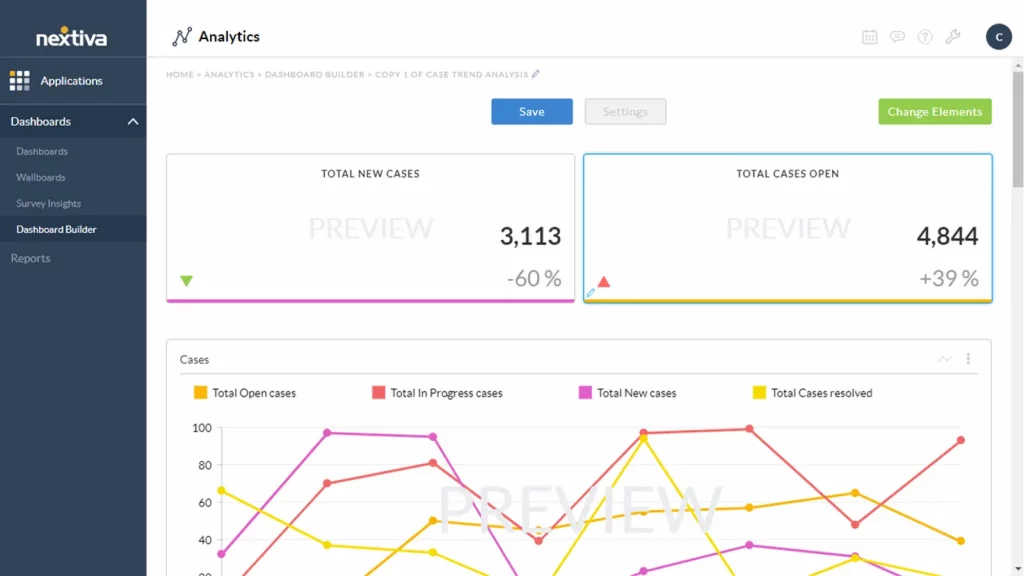
Nextiva helps chiropractors, spine specialists, and musculoskeletal therapists improve communication with patients while also making it easier to monitor reviews and maintain a strong online presence. From texting appointment reminders to tracking patient feedback, it’s built to streamline how your clinic connects and grows.
Nextiva Features
- Texting & Messaging: Send appointment confirmations, follow-up care instructions, or wellness tips directly to your patients via SMS, making communication quick and easy.
- Review Monitoring: Automatically ask for reviews on platforms like Google and Yelp, so you can build your clinic’s online reputation without lifting a finger.
- All-in-One Communication: Bring together calls, texts, emails, and voicemails in one platform to keep all patient interactions organized and efficient.
- CRM Integration: Easily track patient history, preferences, and communication through built-in tools that sync with your existing systems.
- Call Management Tools: Use features like voicemail-to-email, auto attendants, and call forwarding to keep your chiropractic answering service running smoothly—even during busy hours.
- Analytics & Insights: Get reports on communication patterns, patient responses, and review trends so you can improve patient engagement and service.
- Appointment Scheduling: Automate booking reminders via text or email to reduce no-shows and make life easier for both patients and your front desk.
Nextiva Pros
- Unified Communication: Nextiva combines texting, calling, and emailing into one dashboard, helping your team respond faster and stay organized.
- Online Reputation Boost: Collect and manage reviews easily to grow your practice’s visibility and credibility in the community.
- Customizable to Your Needs: Whether you’re a solo manual therapist or a growing team, you can tailor messages, workflows, and tools to match how your clinic runs.
- Reliable Support: Nextiva’s support team is responsive and available across multiple channels when you need help.
Nextiva Cons
- Can Be Pricey: Smaller chiropractic clinics might find the cost a bit steep, especially if they don’t need all the advanced features.
- Takes Time to Learn: With so many tools in one place, there might be a learning curve when getting started.
- Limited Text Automation: Some users wish the automated texting options were more flexible for building smarter follow-up workflows.
- Fewer Review Site Integrations: While Nextiva covers the major platforms like Google and Yelp, it doesn’t offer as many review site options as some other tools.
Nextiva Pricing
- Nextiva offers several pricing plans starting at $18.95 per user/month.
Nextiva Integrations
- Salesforce
- HubSpot
- Zapier
- Google My Business
- Microsoft Teams
- Outlook
- QuickBooks
- Mailchimp
- Zendesk
Nextiva Ratings and Reviews
According to Capterra, Nextiva has 4.6/5 ratings out of 500 customer reviews.
“Overall its been pleasent, the documentation is throrough theyve been quick to help with any issues that aren’t arelady addressed.”
“Nextiva is a stable provider but app could be improved”
Source: Capterra
Nextiva Support Channels
- Phone Support
- Email Support
- Live Chat Support
- Help Center/Knowledge Base
- 24/7 Customer Support
7. OpenPhone

OpenPhone is a cloud-based phone system built for small businesses, remote teams, and growing clinics, like chiropractic practices. It blends calling, texting, and team collaboration into one simple platform. Whether you’re on a desktop, mobile device, or browser, OpenPhone helps you stay connected with patients and staff from anywhere.
OpenPhone Features
- Automated Attendant: A virtual receptionist that automatically answers and directs calls.
- Automatic Call Distribution: Directs incoming calls to the most appropriate agent or department.
- Call Disposition: Allows agents to categorize and log the outcomes of calls for better tracking and follow-up.
- Call Logging: Automatically records details such as the date, time, and duration of calls for future reference.
- Call Monitoring: Enables supervisors to listen in on live calls for quality control or training purposes.
- Call Recording: Records calls for reviewing conversations or ensuring compliance with regulations.
OpenPhone Pros
- Cost-Effective with Robust Features: Offers great value by combining affordability with a strong feature set.
- Seamless Messaging: Ensures smooth and efficient text communication for businesses.
- Effortless Multi-Number Management: Allows users to easily add and oversee multiple phone numbers.
- High-Quality Audio & Intuitive App: Delivers excellent sound quality with a user-friendly iOS experience.
OpenPhone Cons
- Challenging Onboarding & Support: Users may struggle with setup and face difficulties in getting timely assistance.
- Customer Service Issues: Support policies may feel restrictive, especially when cancelling the service.
- Notification Overlaps: Automated messaging can lead to duplicate texts, causing confusion for customers.
- Number Recognition Glitches: Some platforms may not recognize OpenPhone numbers, requiring a personal number for certain tasks.
OpenPhone Pricing
OpenPhone offers different pricing options:
- Starter: $15 Per user/per month
- Business: $ 23 Per user/per month
- Enterprise: Custom Pricing
OpenPhone Integrations
OpenPhone integrates with other business software and apps which include, but are not limited to:
- Hubspot
- Gong
- Google Contacts
- Salesforce
- Slack
OpenPhone Reviews
“If you want a reliable long-term platform, this isn’t the one. They will shut you down in a heartbeat based on speculation. Customer service/retention means nothing to this company at all. I set it up for business use to contact and follow up with my customers however, that only lasted less than 2 days. Don’t be fooled by the price, you pay for what you get. I wouldn’t recommend this platform to my worst enemy…IT ABSOLUTELY SUCKS!!!!”
“Do NOT waste your time or business with OpenPhone – I’ve lost a lot of money“
OpenPhone Customer Support Channels
- Knowledge Base
- Phone Support
- Email Support
8. RingCentral

RingCentral is a leading cloud-based communication platform built to streamline operations in chiropractic clinics. It combines VoIP calling, video conferencing, team messaging, SMS, and contact center tools into one unified system. With its scalable design and robust features, RingCentral supports clinics of all sizes, enabling smooth communication across devices and locations.
RingCentral Features
- VoIP Calling: A dependable cloud-based phone system with call forwarding, intelligent routing, and voicemail-to-email.
- Video Conferencing: Conduct HD video meetings with screen sharing, webinar hosting, and breakout rooms.
- Team Messaging: Engage in real-time chat, share files, manage tasks, and collaborate effortlessly.
- Call Flip & Call Monitoring: Seamlessly switch calls between devices and monitor live calls for training or assistance.
- Business SMS & MMS: Send text and multimedia messages directly through the RingCentral app.
RingCentral Pros
- All-in-One Communication Platform: Combines VoIP, video conferencing, messaging, and contact center solutions in a single system.
- Highly Scalable: Adapts to small businesses and large enterprises with flexible plans and feature sets.
- Seamless Integrations: Connects with 200+ tools, including Salesforce, HubSpot, Microsoft Teams, and Slack.
RingCentral Cons
- Challenging Setup: Businesses without IT support may struggle with initial configuration and customization.
- Limited Niche Integrations: While compatible with major platforms, it may not support specialized or custom software.
- Customer Support Concerns: Despite 24/7 availability, users report long wait times and inconsistent resolution of issues.
- Occasional Call Quality Problems: Some users experience dropped calls or poor audio, especially during peak hours.
- Basic Analytics Capabilities: Reporting tools may lack the depth needed for businesses reliant on advanced insights.
- Mobile App Limitations: While feature-rich, the mobile app is less intuitive and prone to occasional glitches compared to the desktop version.
RingCentral Pricing
RingCentral offers a range of business communication plans, with pricing based on features and the number of users. Here’s a breakdown of the primary plans for RingCentral MVP (Message, Video, Phone):
- Essentials – Starting at $19.99 per user/month (limited to 20 users)
- Standard – Starting at $27.99 per user/month
- Premium – Starting at $34.99 per user/month
- Ultimate – Starting at $49.99 per user/month
RingCentral Integrations
RingCentral offers API and also integrates with 300+ options, including:
- HubSpot
- Zendesk
- And others
RingCentral Reviews
“It could be operator error, but it sometimes does not alert me right away when I miss a call/receive a voicemail on my cell phone.”
“I love how you can forward your calls to another number within the app. I love how ring central has the ability to transcribe your voicemails into text emails.”
Source: Capterra
RingCentral Support Channels
- Knowledge Base
- Chat
- Email/Help Desk
- Phone Support
- 24/7 (Live rep)
- FAQs/Forum
9. Dialpad

Dialpad is a powerful VoIP software for chiropractic practices that combines phone systems, video conferencing, and team messaging in one cloud-based platform. With smart AI features, it gives real-time insights from patient calls and virtual visits, helping you streamline communication and boost clinic productivity.
Dialpad features
- Voice Intelligence: AI-powered real-time transcription and insights help users review calls and extract key details without manual note-taking.
- Unified Communications: Combines voice calls, messaging, and video conferencing in one platform, ensuring seamless communication across channels.
- Voicemail Transcription: Automatically transcribes voicemails, allowing users to quickly read missed messages.
- Call Routing and Queuing: Directs incoming calls to the right team members, reducing wait times and improving customer service.
Dialpad Pros
- User-Friendly Interface: A sleek and modern dashboard makes navigation easy and enhances user efficiency.
- AI Transcription: The AI-powered transcription feature is highly valued, allowing users to transcribe calls and take notes effortlessly.
Dialpad Cons
- Limited Advanced Call Center Features: While it offers essential call center tools, it may lack advanced functionalities like custom agent dashboards and complex queue management.
- Challenging Setup for Large Teams: Configuring Dialpad for larger teams with complex needs can be difficult and may require additional customization, delaying deployment.
- Inconsistent Call Quality: Users may experience occasional call drops or audio issues, especially in areas with poor internet connectivity or during peak usage times.
- Restricted International Calling: Dialpad’s international calling options are more limited compared to some competitors, making it less ideal for global businesses.
- Expensive for Small Businesses: The cost of plans with advanced features may be high for startups and small businesses operating on tight budgets.
Dialpad Pricing
Dialpad offers three pricing options:
- Standard: $15/user/month
- Pro: $25/user/month
- Enterprise: Custom
Dialpad Integrations
Dialpad integrates with a bunch of CRM tools, including:
- Salesforce
- HubSpot
- Zendesk
- Pipedrive
- Zoho
Dialpad Customer Support Channels
- Livechat
- Help Center
- Call
- FAQs
Dialpad Reviews
“I do wish there were more permission settings to add a user (employee) in the field and only allow them to make outgoing or incoming phone calls. Also, I think pricing should be less for a user who is out in the field who only needs limited functions.”
“The Dialpad support team has always been very helpful and responsive. It is really nice to have a reasonably priced phone system that is very simple to use and robust.”
Source: Capterra
10. 8×8

8×8 is a reliable VoIP software for chiropractic practices that brings phone, video, and patient communication tools together in one secure platform. Known for its strong security and smooth performance, it helps chiropractic clinics stay connected with patients and team members, whether at the front desk or across multiple locations.
8×8 Features
- Auto Attendant: Greets callers and directs them to the right provider or department—ideal for busy spine specialists and musculoskeletal therapists.
- Call Center Tools: Helps manage and monitor patient calls, making sure no inquiry goes unanswered, especially during peak hours.
- Call Conferencing: Easily host team discussions or connect with patients and specialists for collaborative care planning.
8×8 Pros
- User-Friendly & Flexible: Easy to set up and manage, offering a smooth and efficient experience.
- Crystal-Clear Call Quality: Ensures reliable, high-quality voice calls for seamless communication.
- Feature-Rich & Reliable: Packed with powerful tools and strong connectivity to enhance business operations.
- Seamless Mobile Integration: Works effortlessly with mobile apps and VoIP handsets for consistent communication.
8×8 Cons
- Billing Issues: Customers have reported ongoing problems with unexpected or repeated charges.
- Unresolved Payment Disputes: Unauthorized charges continued despite attempts to resolve them.
- Ineffective Automated Responses: Email replies failed to provide helpful or relevant solutions.
- Poor Customer Support: Agents often misdiagnosed issues and provided ineffective resolutions.
- Incorrect Issue Diagnosis: Support teams blamed outdated devices instead of addressing real concerns.
- Frustrating Service Experience: Many users found interactions with customer support unhelpful and disappointing.
- Lack of Proper Assistance: Responses often lacked viable solutions, leaving customers without resolution.
8X8 Pricing
- This phone cloud service offers different subscription packages. The basic package starts at $24 per month for limited features.
8X8 Integrations
This phone cloud system offers various integration options include:
- Slack
- Microsoft Teams
- HubSpot CRM
- Freshdesk
- Zendesk Suite
- ServiceNow
- Microsoft Outlook
- Copper
8X8 Reviews
“Horribly unreliable, inconsistent and no one is responding to our emails. The system its self worked okay without the integration but the inaccurate billing is wild to me.”
“Good VOIP phone service, but support has turned to garbage and apps are laggy”
Source: Capterra
8×8 Support Channels
- Support Portal
- Live Chat
- Phone Support
- Community Forum
- Email Support
- Knowledge Base
- Social Media Support
Why Emitrr is the Best VoIP Provider For Chiropractic Practices

If you’re running a chiropractic clinic, you need more than just a phone system; you need a smart, secure, and flexible way to communicate with patients. That’s where Emitrr stands out as the best VoIP software for chiropractic practices. Here’s why chiropractors love it:
Advanced Call Management Features
Emitrr helps you manage patient calls like a pro. With smart call routing, call queues, and voicemail-to-text, you’ll never miss an important message again. Whether it’s your chiropractic answering service or a manual therapist returning a call, every patient gets the attention they deserve.
Designed for chiropractic practices
Emitrr isn’t built for just any business; it’s made for healthcare, including chiropractic care. It understands how spine specialists, musculoskeletal therapists, and front-desk teams work. From patient assessments to self-management support, everything fits your clinic’s workflow perfectly.
Supports Unified Communication
No more juggling between apps. Emitrr brings calls, texts, voicemails, and even reminders into one easy platform. That means your whole team, reception, providers, and support, can stay connected and aligned through integrated patient communication.
AI-Powered VoIP Features
Emitrr uses AI to save you time and improve accuracy. Auto-responses, voicemail transcriptions, and smart reminders help you deliver top-quality patient engagement in chiropractic practices, even on your busiest days.
Seamless CRM, EMR, and PMS Integrations
Emitrr works like magic with your clinic tools, whether it’s your calendar, EHR, or PMS system. So when a patient calls, their chart and appointment history pop up right away, helping chiropractic care teams act fast and smart.
VoIP-Specific Templates (Voicemail Greetings)
Don’t know what to say in your voicemail? No problem. Emitrr gives you ready-to-use VoIP templates, including voicemail greetings and appointment messages tailored to chiropractic practices. It’s professional and stress-free.
Super Affordable
Running a clinic is expensive. Emitrr gives you powerful VoIP features without draining your budget. You get enterprise-level tools at a price small practices can afford, ideal for growing teams and solo manual therapists alike.
User-Friendly
Emitrr is built to be simple. You don’t need an IT degree to use it. From your receptionist to your musculoskeletal therapist, everyone can learn it fast and love it even faster.
Round-the-Clock Customer Support
Whether it’s 2 p.m. or 2 a.m., Emitrr’s support team is ready to help. They understand how medical office phone systems work and solve issues fast, so you never have to stress about a missed patient call or tech hiccup.
Frequently Asked Questions
When selecting VoIP software, prioritize features that enhance both patient communication and clinic efficiency. Look for call routing, voicemail-to-text, appointment reminders, secure texting, and seamless integration with your EHR or scheduling tools. A user-friendly interface and scalability are also key for growing practices.
Yes, many VoIP solutions are specifically designed with healthcare in mind. To ensure HIPAA compliance, choose a provider that offers encrypted communication, role-based access, secure messaging, detailed activity logs, and a signed Business Associate Agreement (BAA).
Yes. Most VoIP systems tailored for medical or chiropractic practices include automated appointment reminders via text or voice calls. These features help reduce no-shows and keep patients informed, improving overall scheduling efficiency.
A quality VoIP provider will offer integrations with popular chiropractic EHR, CRM, and scheduling platforms. This allows for streamlined operations, such as click-to-call from patient records, automated reminders, and centralized communication, all from one dashboard.
Conclusion
At the end of the day, your focus should be on your patients, not chasing voicemails, missing calls, or stressing over reminders. With the right VoIP software for chiropractic practices, you can finally simplify your clinic’s communication, stay connected with patients, and keep everything secure and compliant.
Whether you’re running a solo practice or a growing team of manual therapists, spine specialists, and musculoskeletal therapists, VoIP helps you do more with less while keeping the care personal. Here, Emitrr isn’t just a VoIP tool; it’s a powerful communication solution designed specifically for modern chiropractic practices. With AI smarts, seamless integrations, and full HIPAA compliance, it’s everything you need to stay connected, efficient, and patient-focused. Book a demo today!


 4.9 (400+
reviews)
4.9 (400+
reviews)