
Introduction
If you’re using Mojo Dialer, your focus is likely on improving outreach efficiency, making more calls, connecting with more leads, and keeping your pipeline active.
As your workflow grows, exploring Mojo Dialer integrations becomes a natural next step. By connecting your dialer with CRMs, scheduling tools, and communication platforms, you can reduce manual data entry and keep your systems better aligned.
And to an extent, this works well.
Integrations help ensure that call activity, contact data, and notes are synced across tools, giving your team better visibility into interactions and progress.
However, as teams scale their outreach, a different challenge begins to surface. While your systems are connected, the execution of follow-ups, callbacks, and communication workflows still relies heavily on manual effort.
This happens because Mojo Dialer integrations are primarily designed to support calling workflows, not automate what happens after them.
In this blog, we’ll break down:
- Where Mojo Dialer integrations add value
- Where they fall short in real-world workflows
- And what’s needed to move from connected systems to actual execution

Popular Mojo Dialer Integrations at a Glance
Mojo Dialer is commonly used by teams that rely on high-volume calling, whether for patient outreach, appointment follow-ups, or lead conversion in healthcare practices.
Its integrations are designed to support contact management and outreach efficiency, helping teams keep calling activity aligned with patient or lead data.
Here’s how these integrations typically fit into a healthcare workflow:
CRM and Patient Management Systems
Healthcare teams often connect Mojo Dialer with CRMs like Salesforce, HubSpot, or Zoho to manage patient or lead information.
These integrations help:
- Sync patient or lead contact details
- Log call outcomes and notes automatically
- Provide context before or during outreach calls
This improves visibility for teams handling patient inquiries or follow-ups, but next steps, like booking or nurturing, still require manual effort.
Lead and Patient Intake Sources
Many healthcare practices generate leads through forms, campaigns, or referral systems.
Mojo Dialer integrations help:
- Import new patient inquiries or leads into calling lists
- Keep contact records updated across tools
- Enable faster outreach to high-intent patients
While this supports speed in outreach, the actual conversion process still depends on manual follow-ups.
Scheduling and Appointment Tools
Integrations with tools like Calendly or similar scheduling systems help streamline appointment booking after calls.
This allows teams to:
- Schedule consultations or appointments quickly
- Align calls with provider availability
- Reduce friction during booking conversations
However, reminders, confirmations, and rescheduling workflows are usually handled outside Mojo Dialer.
Email and Patient Communication Tools
Some practices connect Mojo Dialer with email tools to support follow-up communication after calls.
This helps:
- Send appointment details or next steps
- Maintain communication after initial outreach
- Support multi-channel engagement
But since these interactions happen across different tools, communication can become fragmented.
Automation Platforms (Zapier & APIs)
Healthcare teams often use tools like Zapier to connect Mojo Dialer with other systems.
This enables:
- Basic automation like updating records after calls
- Triggering simple actions across tools
- Keeping systems in sync
However, these automations are typically limited to data syncing and simple triggers, not full patient communication workflows.
Where Mojo Dialer Integrations Add Value
Mojo Dialer integrations are most effective when the goal is to improve outreach efficiency and maintain visibility into patient interactions.
Faster Patient Outreach
Teams can quickly move through call lists with synced contact data and click-to-call functionality. This helps reduce delays when following up on patient inquiries or appointment confirmations.
Automatic Call Logging and Documentation
Call outcomes and notes are automatically saved in connected systems. This ensures accurate records and gives teams better context for future patient interactions.
Better Visibility Into Outreach Efforts
Integrations provide a clear view of who has been contacted and what actions were taken. This helps teams stay organized and ensures follow-ups are not overlooked.
Streamlined Patient Intake Follow-Ups
New patient inquiries can be synced directly into calling workflows. This allows teams to act faster and maintain consistency in outreach.
Simplified Scheduling Coordination
Teams can schedule appointments during calls using integrated scheduling tools. This reduces friction and helps convert inquiries into bookings more efficiently.
Reduced Manual Data Entry
Contact details and call activity sync automatically across systems. This minimizes repetitive admin work and saves time for staff.
Limitations of Mojo Dialer Integrations
While Mojo Dialer integrations improve calling efficiency, they don’t address what happens after the call or when a call is missed.
Missed Calls Still Require Manual Follow-Up
Missed calls are typically logged, but no automatic response is triggered. Teams still need to review and call back manually, which can lead to delays and missed opportunities.
No Automated Follow-Up Workflows
After a call, the next steps, like reminders or follow-ups, are not automated. Staff must manually track and execute these actions, adding to their workload.
Limited Support for Multi-Step Patient Journeys
Workflows such as inquiry → follow-up → appointment → reminder are not handled end-to-end. Each step requires separate actions across tools.
No Real-Time Response to Patient Inquiries
If a patient responds later or reaches out again, Mojo Dialer doesn’t manage that interaction. Teams must handle inbound communication outside the system.
Conversations Remain Fragmented
Calls, messages, and follow-ups often exist in different tools. This makes it harder to maintain full context across patient interactions.
Repetitive Tasks Still Depend on Staff
Tasks like answering common questions or sending confirmations remain manual. This increases front desk workload, especially during peak hours.
Data Sync Without Action
While integrations sync call data, they don’t trigger meaningful next steps. The information is available, but execution still depends on your team.
This makes it clear that to truly eliminate manual work and automate the entire communication workflow, platforms like Emitrr come into play. Emitrr focuses on running the workflow end-to-end, rather than just connecting disparate systems. It addresses the operational gaps left by basic integrations.
How Emitrr Solves the Workflow Gap
Emitrr leverages AI and advanced automation to handle communication tasks automatically, ensuring that no opportunity is missed and that your team is freed from repetitive burdens.
Automated Missed Call Handling
When a call is missed, Emitrr can automatically trigger a sequence of actions. This could include sending an immediate SMS to the caller, initiating an automated callback, or even using an AI voice agent to engage the caller and schedule a callback. This ensures that every missed call is addressed promptly, preventing lost leads.
Watch this video to learn more about Emitrr’s AI voice agent:
Intelligent Appointment Management
Emitrr can automate appointment reminders, confirmations, and rescheduling. It uses AI to engage patients or clients in natural conversations via SMS or voice, reducing no-shows and freeing up front-desk staff from constant manual follow-ups. This is incredibly valuable for practices using practice scheduling software that want to minimize administrative overhead.
Unified Communication Inbox
Emitrr consolidates all patient or client communications, SMS, voice, and even emails, into a single, unified inbox. This eliminates the need to switch between multiple tools and ensures clear ownership and tracking of conversations.
AI-Powered Response to Repetitive Questions
Emitrr’s AI agents can handle frequently asked questions (e.g., about office hours, appointment details, services) instantly, 24/7. This frees up human agents to focus on more complex or high-value interactions.
Automated Follow-ups and Nurturing
Beyond initial contact, Emitrr can automate follow-up sequences for various scenarios, such as post-appointment care, overdue payments, or re-engagement campaigns.
Emitrr vs. Basic Integrations: A Workflow Comparison
To see the difference, let’s consider a common scenario: a missed call from a potential client.
| Situation | With Basic Mojo Dialer Integrations (e.g., to CRM) | With Emitrr (End-to-End Workflow Automation) | Why It Matters |
| Missed Call Handling | Call is logged in CRM. A staff member sees the log and manually initiates a callback or SMS. | Emitrr automatically sends an SMS reply within seconds. If no response, it can initiate an AI voice callback to schedule a live agent or provide information. | Captures leads instantly, reduces response time dramatically, and ensures no potential client is lost due to delayed manual follow-up. |
| Appointment Reminders | CRM might have basic reminder features, or manual reminders are sent by staff. | Emitrr sends personalized, conversational reminders via SMS/voice. Handles confirmations, reschedules, and even automatically fills the slot if a cancellation occurs. | Drastically reduces no-shows, minimizes manual workload for front-desk staff, and improves patient/client experience through proactive communication. |
| Patient/Client Inquiries | Staff manually answers common questions via phone or email. | Emitrr’s AI chatbot or voice agent answers FAQs instantly via SMS or voice, collecting necessary information before escalating to a human if needed. | Provides immediate responses 24/7, reduces strain on staff, and ensures consistent information delivery. |
| No-Show Follow-ups | Staff manually follows up with no-show clients after reviewing records. | Emitrr automatically triggers a follow-up sequence (e.g., SMS asking to reschedule, offering alternative times) based on the no-show event. | Re-engages potential lost business, streamlines the rescheduling process, and provides data on reasons for no-shows. |
| Data Entry | Call dispositions and notes sync to CRM. | All communication data, outcomes, and actions are logged in a unified inbox and synced to CRM, providing a complete interaction history. | Ensures comprehensive data capture without manual logging, enabling better analysis and personalized future interactions. |
As you can see, while integrations provide connectivity, Emitrr provides action and automation. It doesn’t just connect systems; it actively manages and executes communication tasks, leading to tangible operational improvements.
Why Choose Emitrr Over Relying on Integrations
When evaluating your communication and outreach strategy, consider the tangible benefits that a comprehensive automation platform like Emitrr offers compared to simply relying on integrations.
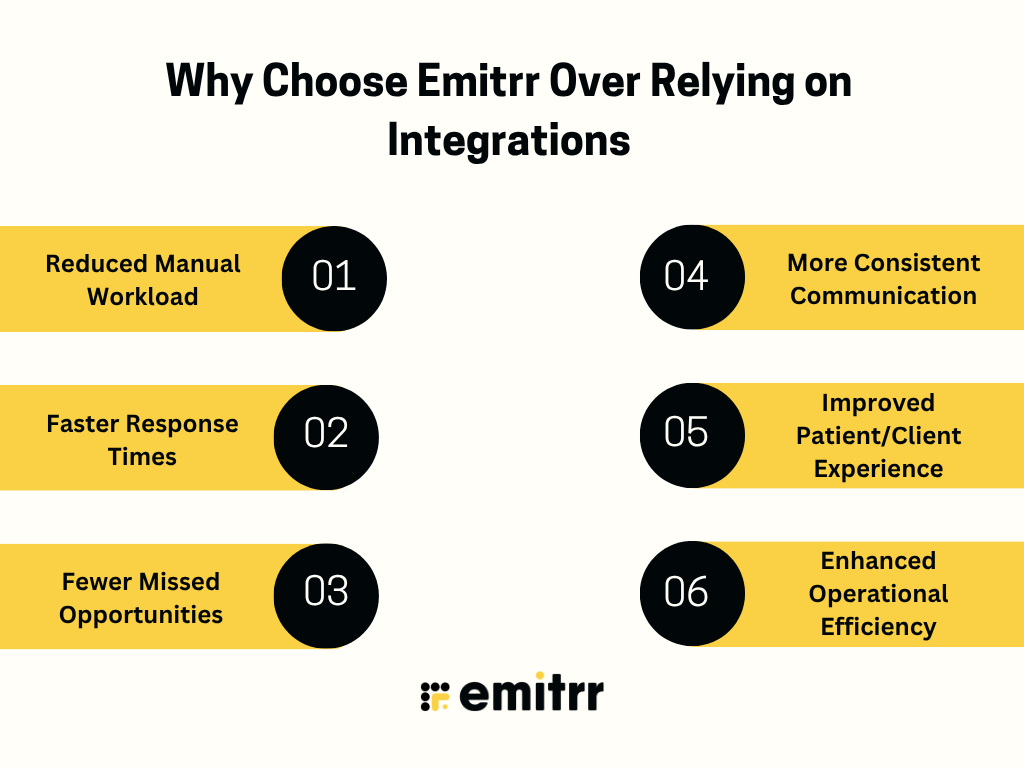
Reduced Manual Workload
Emitrr is designed from the ground up to eliminate repetitive, time-consuming tasks. Automating responses, callbacks, reminders, and follow-ups, it significantly reduces the burden on your staff. This allows your team to focus on higher-value activities like building relationships and closing deals, rather than getting bogged down in administrative tasks.
Faster Response Times
In today’s fast-paced world, speed matters. Emitrr’s automated systems respond to inquiries and missed calls almost instantaneously. This rapid response time is crucial for capturing leads, satisfying customers, and staying ahead of the competition. Waiting for manual follow-ups often means losing opportunities.
Fewer Missed Opportunities
Every missed call or unanswered inquiry is a potential lost client or revenue. Emitrr’s automated workflows ensure that no communication falls through the cracks. By addressing inquiries and callbacks immediately and consistently, it maximizes the chances of converting leads and retaining clients.
More Consistent Communication
Human teams, despite best efforts, can sometimes be inconsistent. Response times can vary, messages might be phrased differently, and follow-ups can be missed. Emitrr ensures a consistent, professional, and timely communication experience for every client or patient, regardless of the time of day or staff availability.
Improved Patient/Client Experience
Faster responses, proactive communication, and readily available information contribute to a significantly better experience for your clients or patients. They feel heard, valued, and well-cared for, which builds trust and loyalty.
Enhanced Operational Efficiency
By automating core communication processes, Emitrr streamlines your entire operation. This leads to fewer bottlenecks, reduced errors, and a more predictable and efficient workflow. This efficiency translates directly into cost savings and improved resource allocation.
FAQS
Mojo Dialer integrations are used to connect calling workflows with CRMs, scheduling tools, and lead sources. This helps teams sync contact data, log call activity, and manage outreach more efficiently.
No, Mojo Dialer primarily focuses on dialing and call management. Follow-ups, reminders, and next steps usually need to be handled manually or through additional tools.
No, missed calls are typically logged but not acted on. Teams must review missed interactions and follow up manually, which can lead to delays.
Emitrr focuses on automating communication workflows like follow-ups, missed call responses, and appointment coordination, rather than just enabling calls.
Dialer integrations improve efficiency but don’t automate execution. Tasks like follow-ups, scheduling, and handling patient inquiries still require manual effort.
Conclusion
Mojo Dialer integrations improve outreach efficiency, help teams manage call activity, sync data, and stay organized during high-volume patient or lead communication. They play an important role in keeping calling workflows structured and aligned with your systems.
However, they are not designed to manage what happens after the call, such as missed-call responses, follow-ups, or ongoing patient-communication workflows. Emitrr complements this by handling those next steps, ensuring that communication continues seamlessly beyond dialing. If you’re looking to move beyond basic integrations, you can book a demo with Emitrr to see how it fits your practice.

 4.9 (400+
reviews)
4.9 (400+
reviews)