
Introduction
OpenPhone alternatives are worth looking at when a small business or practice team starts needing more than a second phone number with basic texting. OpenPhone is a good starter business phone tool with a clean interface and solid per-user pricing, but it doesn’t offer automation workflows, HIPAA compliance for healthcare teams, or a shared inbox that scales well beyond a handful of users. Practices that start seeing 20-plus inbound calls a day and need missed call auto-text, appointment reminders, and EHR integration start to hit OpenPhone’s ceiling. These alternatives grow with you and cover more of the communication stack in one plan.
AI Summary
- OpenPhone is a well-designed starter phone tool but has no HIPAA compliance, no EHR integration, and no automation workflows.
- This blog covers alternatives for teams hitting OpenPhone’s ceiling as daily call and text volume increases.
- Compares OpenPhone’s per-user pricing against alternatives that include more features at similar monthly spend.
- Rates each tool on missed call auto-text, appointment reminders, and shared inbox scalability beyond a few users.
- Emitrr is recommended for growing practices and businesses that need HIPAA compliance and automation OpenPhone cannot provide.
Why Growing Practices Find OpenPhone Too Limited as Daily Call Volume Increases
Limited Integrations
OpenPhone integrations are limited, offering only a small selection with very basic functionality. If you run a business that uses various tools and software, OpenPhone may not be able to serve your integration needs well. It lacks native integrations big time and only works on integrations through a handful of Zapier integrations.
“OpenPhone is difficult to integrate with anything.” (Capterra)
Limited Features
Since OpenPhone plans are priced at the lower end of the VoIP software spectrum, it is only able to offer limited features. Important and basic features such as call recording, call monitoring, call transfer, voice mail, etc, are missing from their features.
Poor Customer Support
OpenPhone customers have gone so far as to say that OpenPhone’s customer support is “non-existent.”
“There is no telephone customer support. You can only have customer support by email which takes 24-48 hours for a reply. After not getting responses to my requests for help, I found out there were no refunds.” (Capterra)
“They show the customer support number but when you call they say “we don’t offer phone live support”. Then I emailed for support and they said “we are on a much-needed break, contact us after Jan 3rd”. And here I have a critical issue where I am not getting calls which are impacting me severely.” (Capterra)
Users on Reddit have shared similar issues. One small business owner reported constant service interruptions, messaging delays, and month-long struggles to port a number because OpenPhone (now Quo) entered incorrect account details. They also mentioned poor communication, unhelpful email support, and the inability to reach anyone by phone, despite it being a phone service.
Long Onboarding Time
OpenPhone users have reported that onboarding and porting numbers can take up to a couple of weeks. This can lead to significant business loss.
“The time to get set up and more the time to get my number ported to a cellular service provider when I needed it. About three weeks to get the number released, two weeks after the requirement for a phone for work was needed. They say they will reply within 48 hours, but is more like 48 to 60 hours…sometime in the second day after my inquiry. No urgency or proficiency in getting the routine administrative process of porting the number to another provider. They would rather you don’t have phone access and let a paying customer leave when their service is no longer required. They promise to get the job done, but it will be a long wait if it happens at all.” (Capterra)
Limited Support Channels
Every business using software knows how important it is to have a team that is available and reachable if they run into problems. An extended wait time to get back to the customer means inevitable damage to business operations. OpenPhone desktop app only offers Email and Knowledge Base as its support channels.
Want to know more about Quo (formerly OpenPhone)? Watch our video review for a quick breakdown:
What Business Phone Features Matter Most Once You Move Past a Starter Plan
Integrated EHR/PMS/CRM
Minimize the number of manual entries; aggregate patient data and call-side data to quickly execute needed actions, an essential capability when evaluating any alternative to OpenPhone.
Unified Channels
Look for a platform that brings VoIP, SMS/MMS text messaging, secure chat, and e-fax into a unified interface, rather than dealing with multiple systems.
Automation & Engagement
Allowing two-way texting, recall, and reminder messaging to help cut down on no-shows and accelerate responses.
Ease of Use
Easy to learn, and a new, intuitive UI that saves time in training and decreases mistakes, preferably better than OpenPhone for ease of use.
Reliability & Uptime
Look for good SLAs (like 99.999%) and redundant systems. Consistent uptime is a key differentiator among OpenPhone competitors, mostly for businesses that rely heavily on uninterrupted communication.
Scalable Pricing
Plans that flex with new hires and post-seasonal needs; see which OpenPhone competitors offer the best price ranges. Many providers also offer an OpenPhone free trial equivalent, making it easier to test features before committing.
Great Support
When high-quality support means effectively solving issues over the phone, through chat, or email, expect consistent support as a standard qualification for any OpenPhone alternative.
Reporting & Analytics
Missed calls, average response time, campaign impact, and other essentials for continuous improvement fighters.
Text and VoIP Capability
Giving businesses a comprehensive communication backbone in one platform, with a combination of powerful texting and VoIP calling features.
As industries race to automate business calling, AI answering services are redefining how healthcare manages patient communication. Learn more in this video –
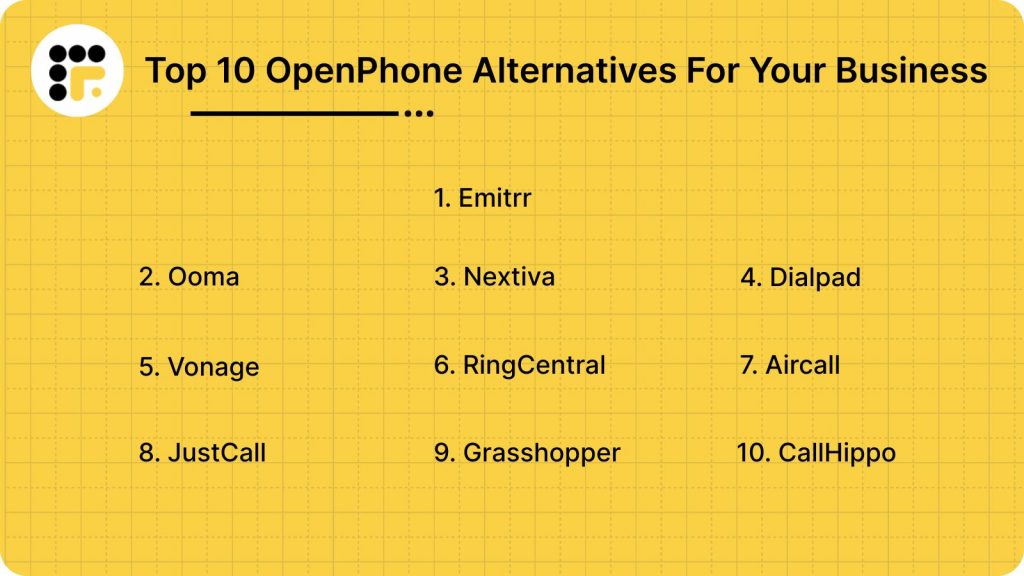
Top 10 OpenPhone Alternatives in 2026
1. Emitrr: Best OpenPhone Replacement
What is Emitrr?
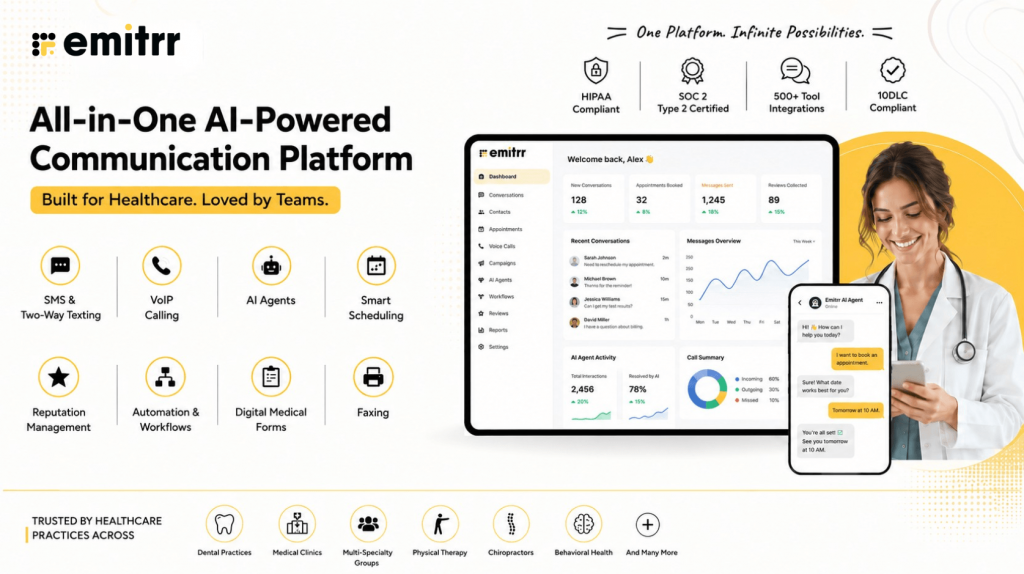
Emitrr is a popular Omnichannel communication platform. It provides communication features for texting, calling, and email, making it one of the best OpenPhone alternatives. The best Openphone competitor offers a range of VoIP features, which, when used along with its texting capabilities, make for an efficient customer engagement tool. Here are some of the VoIP features Emitrr offers:
Emitrr Features
- AI Call Routing: With AI call routing, every call is analyzed to see if it’s from a new or existing patient, and then connected to the right person or department, no manual transfers needed.
- AI Call Handling: AI call handling takes care of routine conversations like FAQs, bookings, or cancellations, and can also be customized to manage more complex calls when required.
- AI Call Forwarding: Instead of sending every call to the same queue, AI call forwarding understands intent and context, prioritizing VIPs or escalating urgent calls instantly.
- AI Call Screening: By filtering out spam and robocalls, AI call screening ensures your team spends time only on genuine callers.
- AI Call Recording: AI call recording automatically saves conversations, flags possible compliance risks, and creates a library you can use for training and quality assurance.
- AI Call Queues: Long hold times shrink with AI call queues, which can resolve simple requests on their own and send automatic messages if someone hangs up mid-way.
- AI SMS Nudges: When wait times build up, AI SMS Nudges give callers the option to switch to text, keeping the conversation going without keeping them on hold.
- Smart Phone Trees: Smart phone trees replace confusing button-press menus with an intelligent system that guides callers smoothly to the right destination.
- AI Summaries & Transcripts: Save time with AI Summaries & Transcripts that turn lengthy conversations into concise notes and accurate call records.
- AI Data Collection: From demographics and insurance details to medical history, AI Data Collection gathers key information before your staff even picks up the phone.
- Dashboards & Reports: Dashboards & Reports give you clear insights into how many calls were answered, missed, or dropped, making it easier to spot and fix issues.
- Missed-Call-to-Text: With Missed-call-to-text, unanswered calls automatically trigger a follow-up SMS so no patient feels ignored.
- Call Pop: Call pop shows caller information instantly on your screen, allowing your team to greet patients personally and work more efficiently.
- EHR/EMR/PMS Integrations: EHR/EMR/PMS Integrations connect your AI phone system to the software you already use, so your workflows remain smooth and uninterrupted.
- Auto Dialer: The Auto Dialer removes the need for manual dialing by letting staff place calls instantly with just one click.
- Custom Extensions: Assign every team member their own unique call extension with personalized call settings tailored to their schedule.
- Define call routing rules for each call queue group: Customize how calls are handled based on group priorities and availability.
- Set up multiple extensions: Assign unique extensions for different employees or teams to streamline communication.
- Define how your VoIP functions during and after hours: Configure distinct call handling settings for business hours and off-hours.
- Call recording settings – Enable or disable automatic recording of calls as per your requirements.
- Set up call forwarding rules for each user/extension: Designate where calls should forward when users are unavailable.
- Add new numbers, teams, or locations easily: Expand your VoIP setup by quickly adding additional numbers, teams, or office locations.
- Access Emitrr’s cloud phone on any desktop or app: Enjoy seamless communication without being tied to a physical phone system.
- Sync with internal team members using extensions with direct dial: Simplify internal communication with direct dialing through extensions.
- Leverage advanced analytics: Analyze metrics like average handling time, missed calls, and response times to enhance performance.
- Engage in one-on-one conversations with users: Communicate individually with customers for personalized interactions.
- Allow customers to book their own appointments: Enable clients to schedule appointments online at their convenience.
- Set up SMS marketing campaigns: Launch targeted SMS marketing campaigns to promote your business.
- Engage in secure text messaging with recipients: Ensure safe and private communication with encrypted messaging.
- Schedule text messages for later: Schedule and send messages at the most effective times for your audience.
- Assign conversations to team members and add notes for context: Delegate customer inquiries with added notes to provide full context.
- Send an automated text message whenever you miss a call: Notify customers instantly with a text when their call isn’t answered.
- Send review requests via text message: Request customer feedback with convenient SMS-based review prompts.
Emitrr Pros
- Excellent call quality: Ensure crystal-clear audio for seamless communication.
- Intuitive platform: Enjoy an easy-to-navigate interface designed for user convenience.
- Advanced texting capabilities: Utilize powerful text messaging features for personalized and efficient communication.
- Excellent support staff: Rely on responsive and knowledgeable customer service for timely assistance.
Emitrr Cons
- More advanced VoIP features are yet to be launched.
Emitrr Pricing
Emitrr offers different pricing plans for different capabilities. For VoIP, there are 2 pricing plans – Standard and Professional.
| Name of the plan | Pricing if paid annually | Pricing if paid monthly |
| Standard | $20 per user per month | $25 per user per month |
| Professional | $25 per user per month | $30 per user per month |
Emitrr Integrations
Emitrr offers 500+ integrations across different industries, such as dental, recruiting, real estate, etc. with tools like:
- MailChimp
- Denticon
- AthenaHealth
- Zapier
- Salesforce
- HubSpot
- HouseCall Pro
- Slack
- And more!
Emitrr Customer Support Channels
- Live chat: Chat with Emitrr’s live representatives
- Phone: Call Emitrr at +1 (210) 941-4696
- Email: Send email to Emitrr’s support team at support@emitrr.com
- Knowledge base
- FAQs/forum
- SMS
Emitrr Ratings
- Capterra – 4.8 / 5
- G2 – 4.7 / 5
Emitrr Reviews
“AWESOME. I would recommend to anyone looking for a messaging platform. Especially love having a text friendly retail number that is the SAME as the number we’ve always had.”
“Great. One of the best communications tools that I have used.”
Source: Capterra
2. Ooma
What is Ooma?
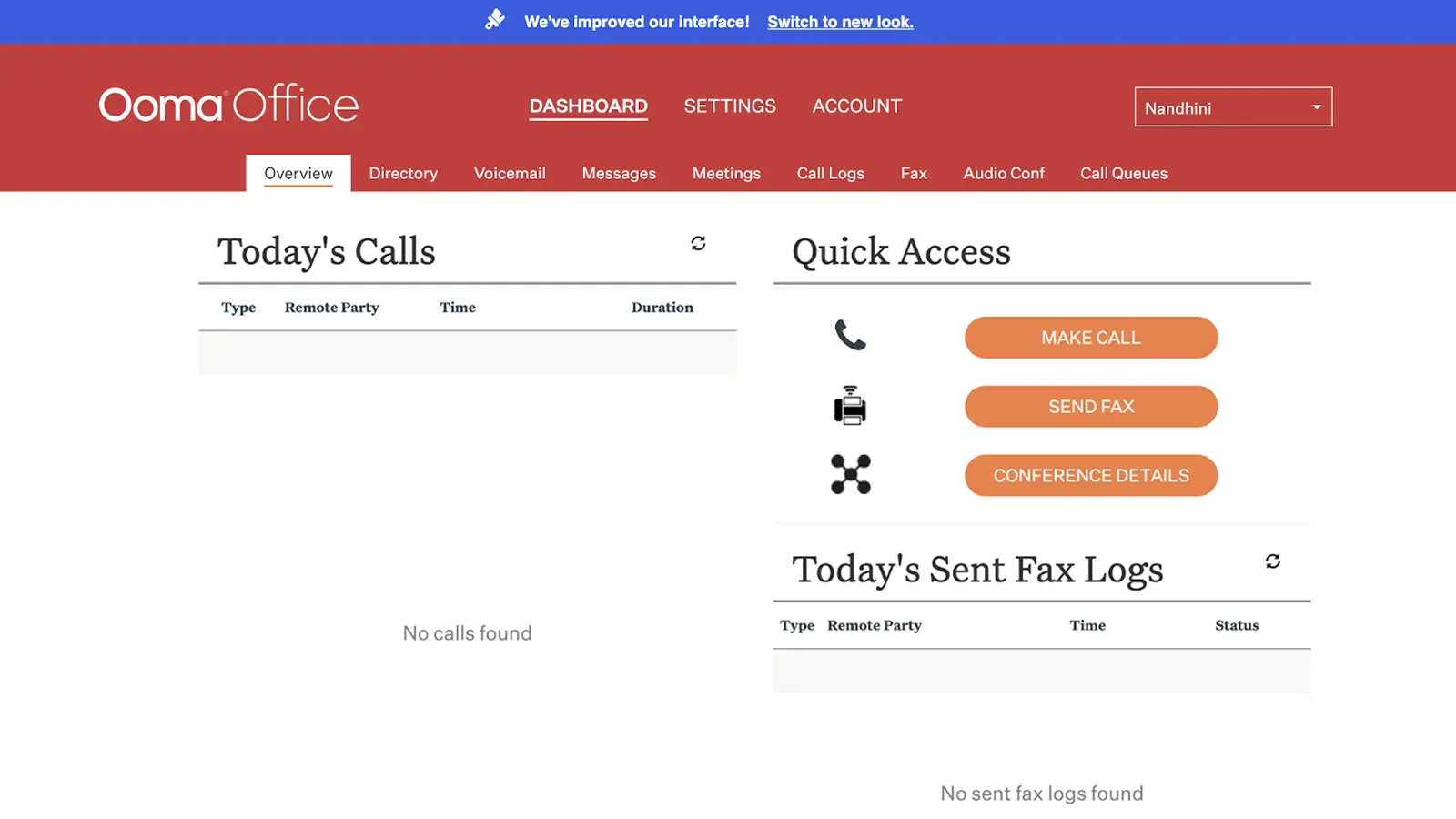
Ooma is a phone, video, and messaging solution used by businesses of various sizes. They mostly offer physical business phone systems as opposed to cloud communication. In this Openphone competitor, Wireless options are a bit limited. Ooma Office Pro is the only plan that offers text and VoIP calling.
Ooma Features
- Call conferencing: Host group calls effortlessly to collaborate with multiple participants in real-time.
- Call routing: Use the call routing feature to direct incoming calls to the appropriate department or individual based on predefined rules.
- Call transfer: Seamlessly transfer calls to another team member or department without disruption.
- Call forwarding: Redirect calls to another number or device to ensure you never miss important calls.
- Voicemail transcription: Convert voicemail messages into text for quick and easy reference.
Ooma Pros
- Outstanding customer service: Ooma support team is praised for being proactive, supportive, and going the extra mile for customer satisfaction.
- Seamless integration and setup: The platform offers easy setup, number porting, and straightforward integration for businesses.
- Efficient virtual receptionist: The virtual receptionist feature simplifies call handling for businesses.
- Advanced messaging features: New SMS and text messaging capabilities add to the communication toolkit.
Ooma Cons
- Texting limited to higher tiers: Access to SMS and texting features is restricted to premium plans, which may not be ideal for all users.
- Poorly designed user interface: The platform’s design could be confusing or cumbersome, making it harder for users to navigate.
- Forced payment for unnecessary features: Users are paying for features like intercom calling and analog fax support that may not be needed, adding unnecessary costs.
- Extra cost for voicemail transcription and softphone: These features, like voicemail transcription and PC/Mac softphone, come at an additional charge, which can be frustrating.
- Login issues: Frequent password resets and login difficulties are causing inconvenience for users.
- Inconsistent call quality and outages: Poor call quality and service outages can disrupt communication and impact reliability.
Ooma Pricing
There are three Ooma pricing options available:
- Essentials: $19.95
- Pro: $25.95
- Pro Plus: $29.95
Ooma Integrations
Some of Ooma’s integrations are as follows:
- Salesforce
- Microsoft
- Zoho
- Freshdesk
- Chrome
- Zendesk
- Hubspot
- Jobber
Ooma Customer Support Channels
- Phone Support
- Email/Help Desk
- 24/7 (Live rep)
- Chat
- FAQs/Forum
Ooma Ratings
- Capterra – 4.5 / 5
- G2 – 4.6 / 5
Ooma Reviews
“Paying bills, adding lines were easy but the product overpromised and underdelivered.”
“Customer Service is the worst I have ever experienced”
Source: Capterra
3. Nextiva
What is Nextiva?
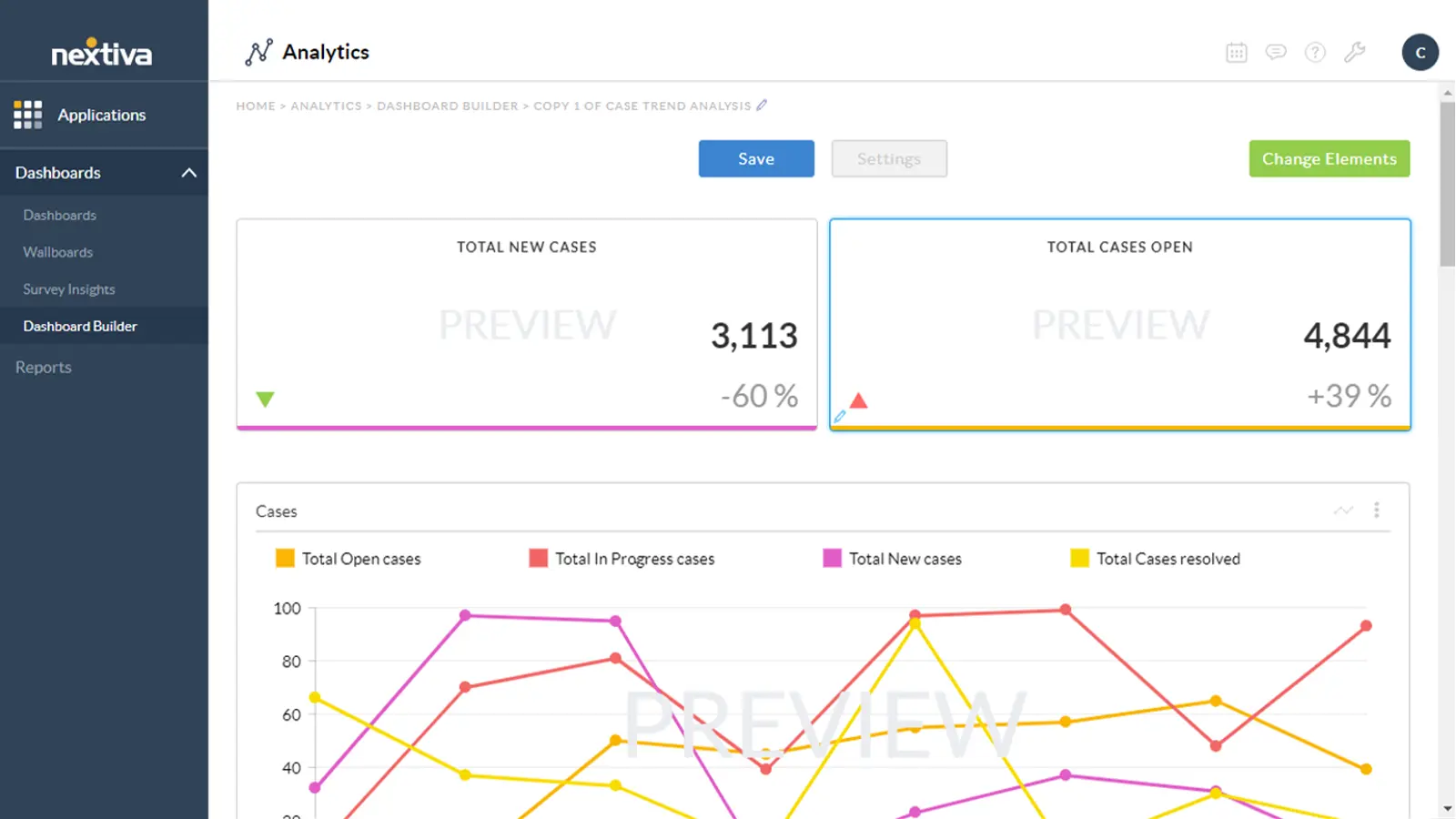
Nextiva is a cloud-based communication software that offers services ranging from VoIP phone systems, video conferencing, and tools for team collaboration to customer relationship management (CRM) solutions. This Openphone competitor is designed to help a business streamline communications, improve customer service, and enhance both internal and external collaboration.
Nextiva Features
- Call Center Management: Overseeing and optimizing the operations of a call center, including staff, workflows, and customer service processes.
- Call Conferencing: Enabling multiple participants to join a single call for group discussions or collaboration.
- Call Queues: Organizing incoming calls into a virtual waiting line, directing them to available agents based on specific rules or priorities.
- Call Recording: Automatically or manually recording calls for quality control, training, or compliance purposes.
- Multi-Channel Communication: Managing customer interactions across various channels like voice, text, email, and social media from a single platform.
- VoIP Connection: A communication system that uses the internet to make voice calls, offering cost-effective and scalable alternatives to traditional phone lines.
- Video Conferencing: Facilitating virtual meetings with video and audio components, enabling face-to-face communication remotely.
Nextiva Pros
- Diverse features: Offers a wide range of functionalities, making it adaptable to various business needs.
- Ease of use: The platform is user-friendly, allowing users to set up and manage their communication systems easily.
Nextiva Cons
- Complex Layout: The platform’s intricate design can be hard to navigate, especially for users unfamiliar with its structure.
- Cumbersome Dashboard: Managing multiple logins for different dashboards can be confusing and hinder operational efficiency.
- Difficult User Interface: Navigating the Nextiva interface can be challenging, making it tough for users to find and use features effectively.
- Lackluster Customer Support: Nextiva’s support team has been criticized for being slow and unresponsive, leaving users feeling frustrated.
- Time-Consuming Setup: The setup process for Nextiva can be lengthy and requires significant effort to ensure the platform is properly configured.
Nextiva Pricing
There are four Nextiva pricing options available:
- Essential – Starting at $23.95 per user/month
- Professional – Starting at $27.95 per user/month
- Enterprise – Starting at $37.95 per user/month
- Ultimate – Starting at $67.95 per user/month
Nextiva Integrations
Nextiva integration options include:
- HubSpot
- Salesforce
- Zoho
- Workbooks
- Act!
- Goldmine
Nextiva Support Channels
- Phone Support
- Email/Help Desk
- FAQs/Forum
Nextiva Ratings
- Capterra: 4.6 / 5
- G2: 4.5 / 5
Nextiva Reviews
“Not a very good one. We have been making it work but are very dissatisfied. It’s just not a fit for us and our practice.”
“The phone system was with a lot of technical problems. Auto attendant not working, CRM not working, SMS not working.”
Source: Capterra
Before choosing Nextiva, take a few minutes to watch our video review and see what stands out:
4. Dialpad
What is Dialpad?
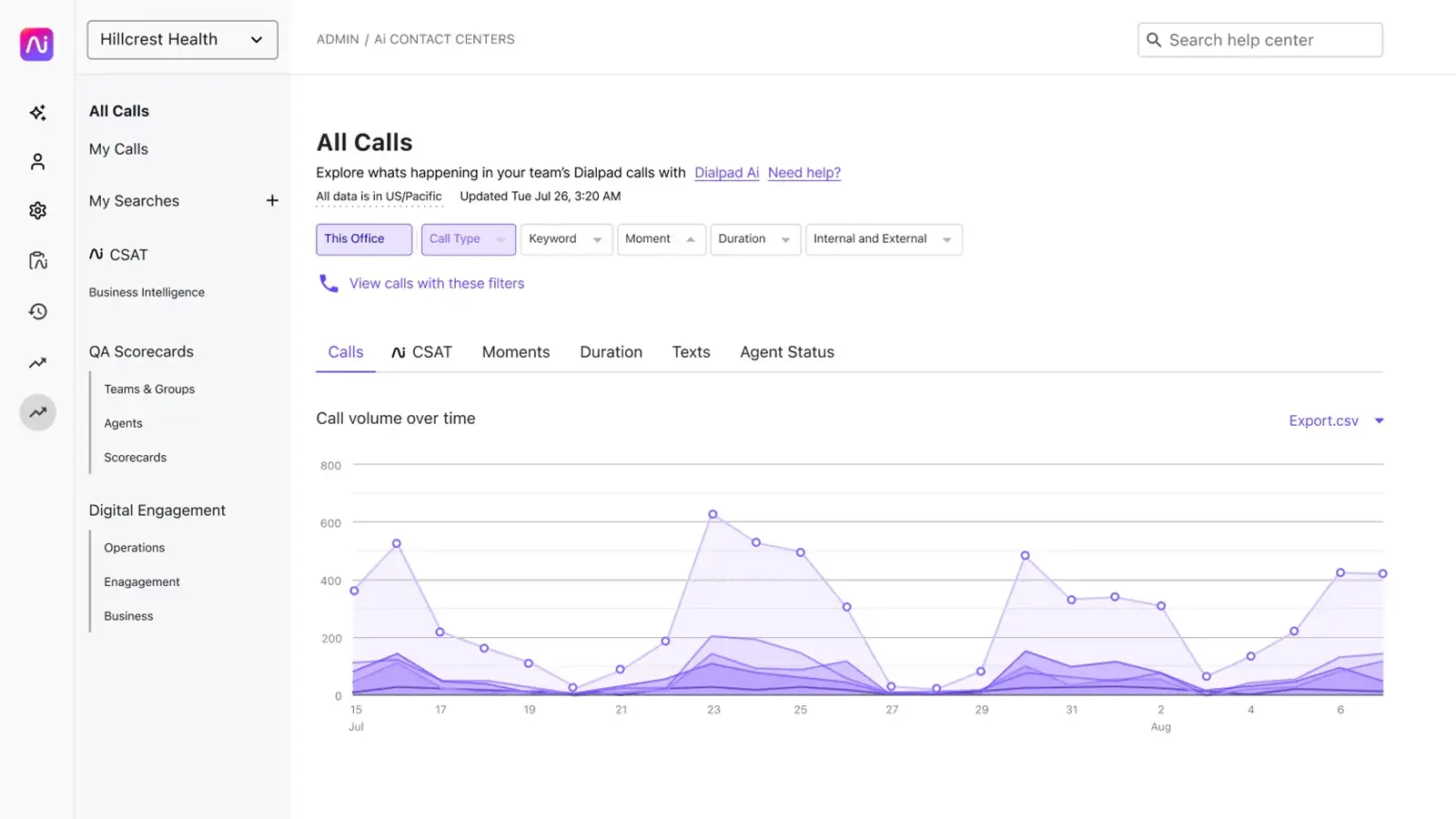
Dialpad is an AI-powered cloud communication platform and business phone system that provides organizations with the latest in VoIP telephony technology to keep teams connected and productive. This Openphone competitor comprises three integrated products: Dialpad Talk for calling, Dialpad Contact Center for contact center management, and Dialpad Sell, which is an automated sales dialer.
Dialpad Features
- Call routing: Direct incoming calls to the right department or individual based on set rules.
- Call monitoring: Observing calls in real-time to ensure quality and provide support when necessary.
- Call conferencing: Allowing multiple participants to join and communicate in a single call for collaborative discussions.
- Call recording: Capturing calls for review, training, or compliance purposes.
- Call center management: Overseeing call center operations, including staff, performance, and workflows.
- Voicemail: A system that allows callers to leave recorded messages when the recipient is unavailable.
- Custom IVR (Interactive Voice Response): Tailoring automated phone systems to guide callers through a menu based on their needs.
Dialpad Pros
- System sound clarity: Offers clear audio quality for both voice and video calls.
- Voice AI feature: Incorporates AI technology to enhance communication, such as transcribing calls and analyzing conversations.
- Ease of Use: User-friendly interface, making it easy for users to set up and navigate the platform.
- Precise transcription: Provides accurate transcriptions of calls for easy reference and documentation.
Dialpad Cons
- Integration issues: Challenges with connecting Dialpad to other software and systems.
- Limited features: Lacks some advanced functionalities available in competing platforms.
- False advertising: The platform’s marketing may not align with the actual features or services provided.
- Cancellation issues: Difficulties or complications when attempting to cancel the service.
- Hidden fees: Unexpected charges or fees not clearly disclosed during the sign-up process.
Dialpad Pricing
There are three Dialpad pricing options available:
- Standard: $15/user/month
- Pro: $25/user/month
- Enterprise: Custom
Dialpad Integrations
Dialpad integrates with various CRM tools, including:
- Salesforce
- HubSpot
- Zendesk
- Pipedrive
- Zoho
- And more!
Dialpad Customer Support Channels
- 24/7 (Live rep)
- Knowledge Base
- Chat
- Email/Help Desk
- Phone Support
- FAQs/Forum
Dialpad Ratings
- Capterra: 4.2/5
- G2: 4.4/5
Dialpad Reviews
“Tactics DO Not Sign UP-Beware Deceptive Sales”
“Overcharged for Months with No Resolution – Terrible Customer Service!”
Source: Capterra
Tired of reading endless Dialpad comparisons? Watch our video to get the key insights in a few minutes:
5. Vonage
What is Vonage?
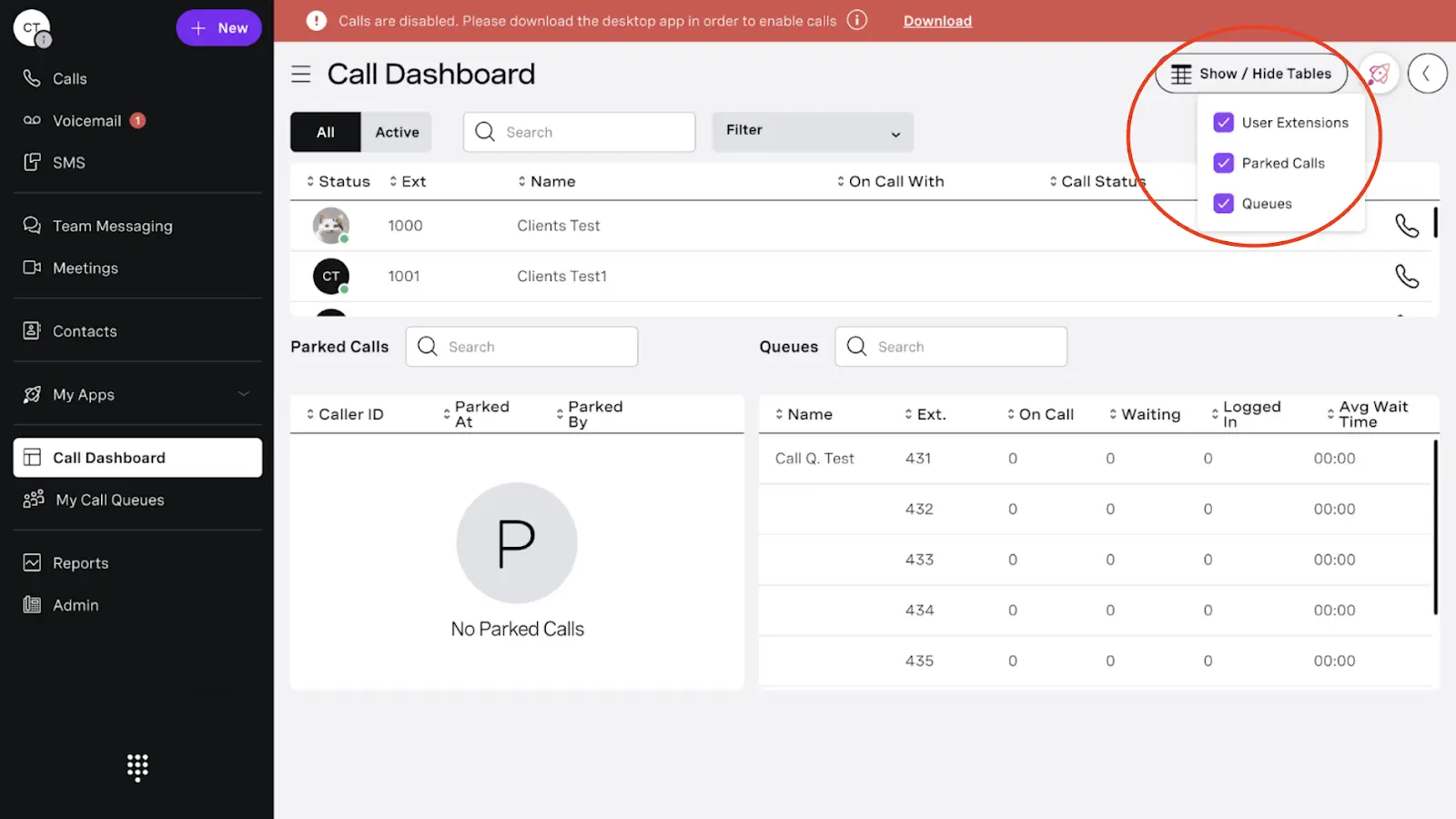
Vonage is a business platform that offers a plug-and-play service that runs on high-speed internet. Vonage Business Communications is a good Openphone alternative for small-, medium-, and enterprise-level businesses that need a scalable, easy-to-use VoIP platform with a wide array of solutions.
Vonage Features
- Call center management: Overseeing the operations of a call center, including team coordination, performance tracking, and workflow optimization.
- Call routing: Direct incoming calls to the appropriate agent, department, or team based on predefined criteria.
- Call recording: Capturing phone calls for review, training, or compliance purposes.
- Call conferencing: Enabling multiple participants to join and communicate on the same call, often used for meetings or collaborative discussions.
- Call transfer: Moving an active call from one agent to another or to a different department without disconnecting the call.
- ACD (Automatic Call Distributor): A system that automatically distributes incoming calls to the most appropriate agent or team based on certain parameters (e.g., skill level, availability).
Vonage Pros
- Easy setup: Quick and straightforward installation process.
- Feature-rich: Offers a wide range of functionalities to meet various business needs.
Vonage Cons
- Bad customer support: Issues with slow or unhelpful customer service.
- Limited integrations: Lacks seamless integration with some third-party tools or platforms.
- The platform is not user-friendly: The interface may be confusing or difficult to navigate for some users.
- Compulsory long-term contracts: Require users to commit to long-term agreements, which can be inconvenient.
- Expensive: The service may be cost-prohibitive compared to alternative solutions.
Vonage Pricing
Vonage pricing offers different options:
- Mobile: $19 per user per month
- Premium: $29 per user per month
- Advance: $39 per user per month
Vonage Integrations
Vonage integrates with various CRM tools, including:
- Salesforce Sales Cloud
- LiveAgent
- Microsoft Outlook
- Google Contacts
- QuickBooks Online Advanced
- Pipeline CRM
- Textline
- TenFold
- And more!
Vonage Customer Support Channels
- Phone Support
- Email/Help Desk
- FAQs/Forum
- 24/7 (Live rep)
Vonage Ratings
- Capterra: 4.0/5
- G2: 4.3/5
Vonage Reviews
“Disappointing SMS Services and Poor Customer Service from Vonage”
“Utterly unreliable and glitchy. Losing customers daily. Entire sales and tech support overseas and apathetic. I’m screaming into the void”
Source: Capterra
Prefer a visual breakdown? Watch our video on Vonage to see what you need to know before making a decision:
6. RingCentral
What is RingCentral?
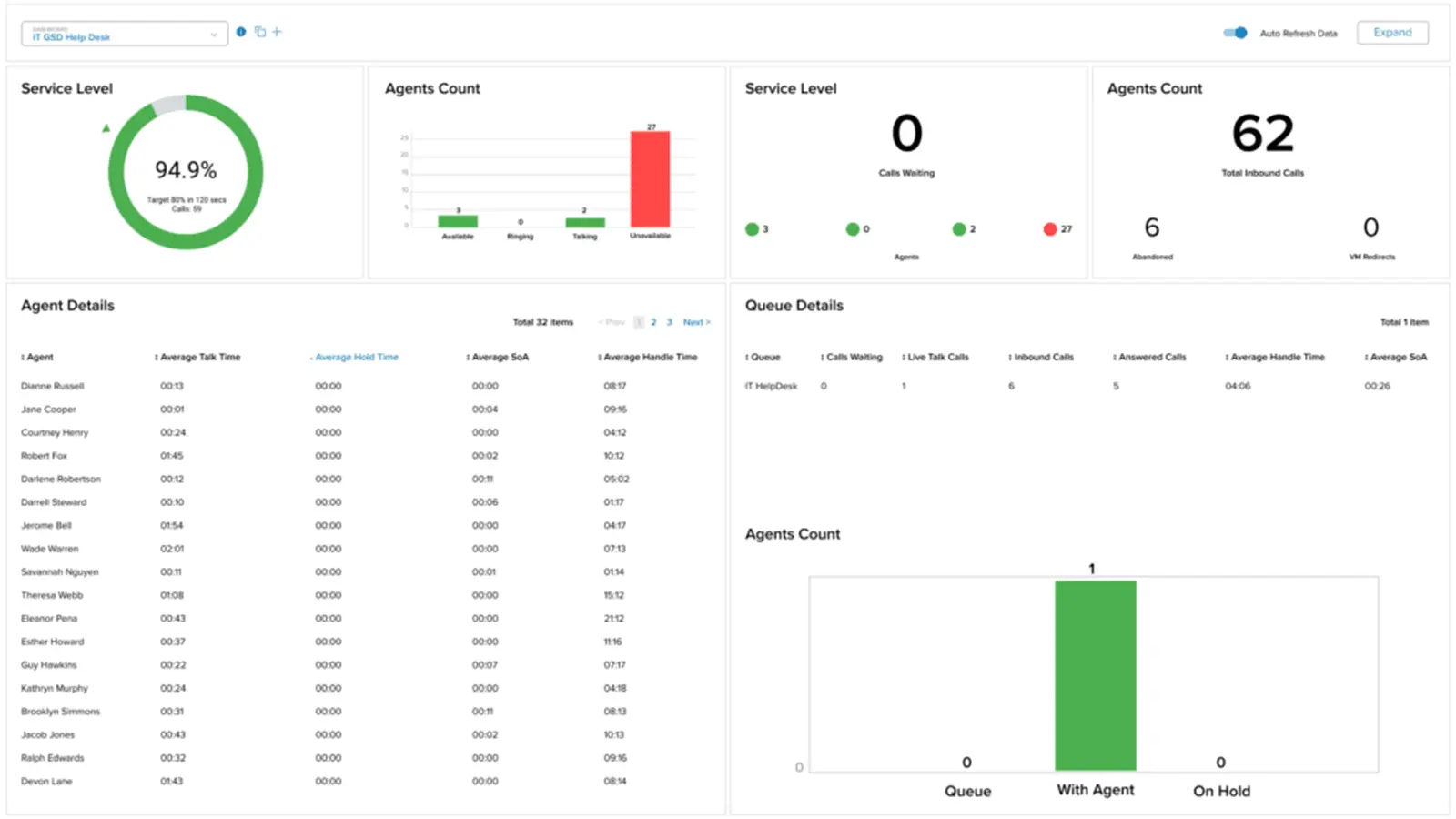
RingCentral is a unified communications platform that enables users to make and receive business calls, voice messages, faxes, and text messages from anywhere. RingEX brings all essential communication channels into one interface for streamlined business operations.
RingCentral Features
- Call Center Management: Oversees and optimizes the day-to-day operations of a call center to ensure efficient service and performance.
- Call Transfer: Allows agents to seamlessly pass a call to another team member or department for further assistance.
- Reporting/Analytics: Provides data-driven insights on call center performance to help identify trends and optimize operations.
- Caller ID: Displays the caller’s information, such as phone number and name, to help agents personalize their responses.
- Call Monitoring: Supervisors listen in on live calls to evaluate agent performance and ensure quality service.
- Call Recording: Automatically records calls for future reference, quality assurance, and compliance purposes.
- IVR/Voice Recognition: Automates call routing by offering menu options or recognizing voice commands for faster service.
- Call Routing: Directs incoming calls to the appropriate team or agent based on predefined criteria for efficient handling.
- Automatic Call Distribution (ACD): Distributes incoming calls to available agents based on factors like availability and expertise to improve call handling.
RingCentral Pros
- Extensive Integrations: Easily integrates with over 200 tools like Salesforce, HubSpot, Microsoft Teams, and Slack to streamline workflows.
- Comprehensive Communication Suite: A unified platform combining VoIP, video conferencing, messaging, and contact center features for efficient communication.
- Security and Compliance: Provides strong encryption, multi-factor authentication, and HIPAA compliance to safeguard sensitive data, particularly in regulated industries.
- Ease of Use: The platform’s intuitive interface and simple setup make it easy for teams of any size to use.
RingCentral Cons
- Integration Limitations: The system may not seamlessly integrate with niche or custom software, limiting its usefulness for businesses with specialized workflows.
- Customer Support Difficulties: Users experience long wait times and inconsistent answers from customer support, hindering quick issue resolution and causing potential disruptions.
- Complex Setup Process: Businesses lacking IT support may find the setup process challenging, with customization taking longer than expected, delaying full implementation.
- Occasional Call Quality Issues: Some users report dropped calls or poor audio, particularly during peak usage, which impacts communication effectiveness.
- Basic Analytics Tools: RingCentral’s analytics may not provide the in-depth reporting required by businesses needing advanced data insights.
- Mobile App Limitations: The RingCentral mobile app is less user-friendly and prone to glitches, especially when compared to the desktop version.
RingCentral Pricing
RingCentral pricing offers a range of business communication plans:
- Essentials: Starting at $19.99 per user/month (limited to 20 users)
- Standard: Starting at $27.99 per user/month
- Premium: Starting at $34.99 per user/month
- Ultimate: Starting at $49.99 per user/month
RingCentral Integrations
Here are the integrations RingCentral offers:
- HubSpot
- Zendesk
- Zoho CRM
- Freshdesk
- Zendesk Suite
- LiveAgents
- Appy Pie
- And others
RingCentral Support Channels
- Knowledge Base
- Chat
- Email/Help Desk
- Phone Support
- 24/7 (Live rep)
- FAQs/Forum
RingCentral Ratings
- Capterra: 4.3 / 5
- G2: 4.0 / 5
RingCentral Reviews
“poor level of knowledge with agents on the phone, difficult to understand phone agents”
“Predatory billing, company failed to provide working phone after 3rd contact by the owner. Close account only to be billed a $25 phone charge for the non working phone. Today 8 days later we have mailed it back and they have charged another $31 for service left open until they feel like processing the returned phone that didn’t work that they couldn’t replace.”
Source: Capterra
Curious about the alternatives to RingCentral? Our video breaks down the top options you should know about:
7. Aircall
What is Aircall?
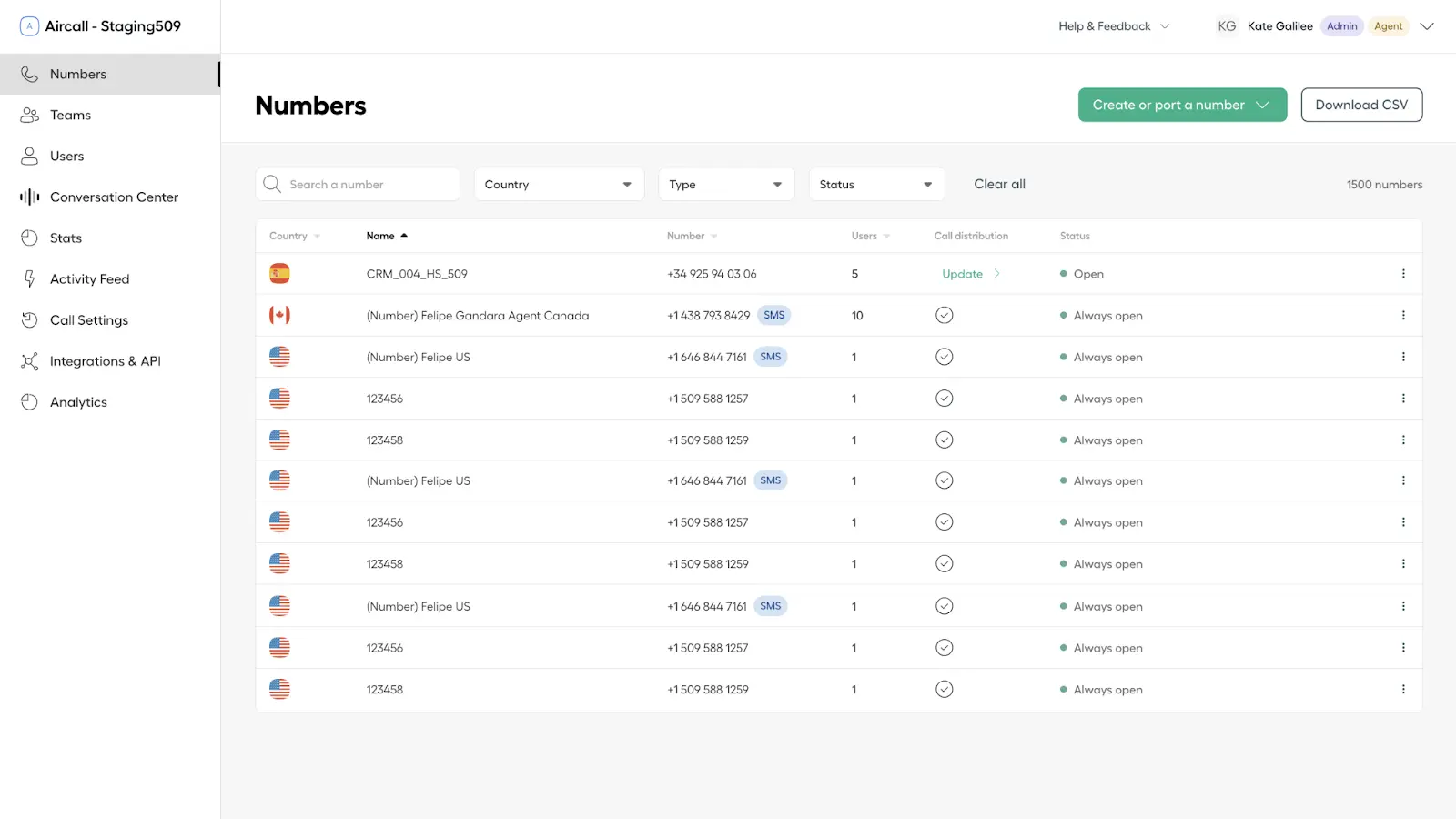
Aircall is a phone and communication platform aimed at enhancing business communication and collaboration. This alternative to Openphone simplifies outbound calling, integrates seamlessly with CRMs, and enables team collaboration through shared call activity logs.
Aircall Features
- Call center management: Overseeing the operations of a call center, including staffing, workflows, and performance monitoring to ensure efficiency.
- Call conferencing: Enabling multiple participants to join and communicate in a single call, ideal for group discussions or team collaboration.
- Call queues: Organizing incoming calls into a waiting line and directing them to available agents based on priority or availability.
- Call recording: Capturing phone calls for later review, quality control, compliance, or training purposes.
- Real-time reporting: Providing live updates and analytics on call metrics, performance, and other key data to enable quick decision-making.
Aircall Pros
- Intuitive Design: Aircall call center software simple and user-friendly interface that makes it easy for users to manage communication seamlessly.
- Robust Customer Support Team: Customers appreciate Aircall’s responsive and knowledgeable customer support team, which provides efficient solutions.
- Organized Call Management: Features like call routing, logging, and queue management help optimize call handling for improved operational efficiency and make Aircall one of the ideal Openphone competitors.
Aircall Cons
- Limited texting features: The platform offers a restricted set of text messaging options, limiting the scope of communication capabilities.
- On the costlier end: The service is priced higher compared to some alternatives, which may not be ideal for budget-conscious users.
- Binding contracts: Users are required to commit to long-term contracts, which may limit flexibility.
- Requires minimum users for each plan: Certain plans come with a minimum user requirement, restricting scalability for smaller teams or businesses.
Aircall Pricing
Aircall pricing offers several plans:
- Essential: Starting at $29 per user/month
- Professional: Starting at $49 per user/month
- Custom (Enterprise): Custom pricing
Aircall Integrations
Aircall offers various integrations, including:
- Slack
- HubSpot
- Shopify
- Salesforce
- Zapier
- Front
- and more!
Aircall Customer Support Channels
- FAQs/Forum
- 24/7 (Live rep)
- Knowledge Base
- Chat
- Email/Help Desk
- Phone Support
Aircall Ratings
- Capterra: 4.3/5
- G2: 4.3/5
Aircall Reviews
“Call quality is really bad, all of my colleagues complain about calls dropping or customers not being able to hear them.”
“Poor call quality, ridiculous pay terms and cancelation policy”
Source: Capterra
8. JustCall
What is JustCall?
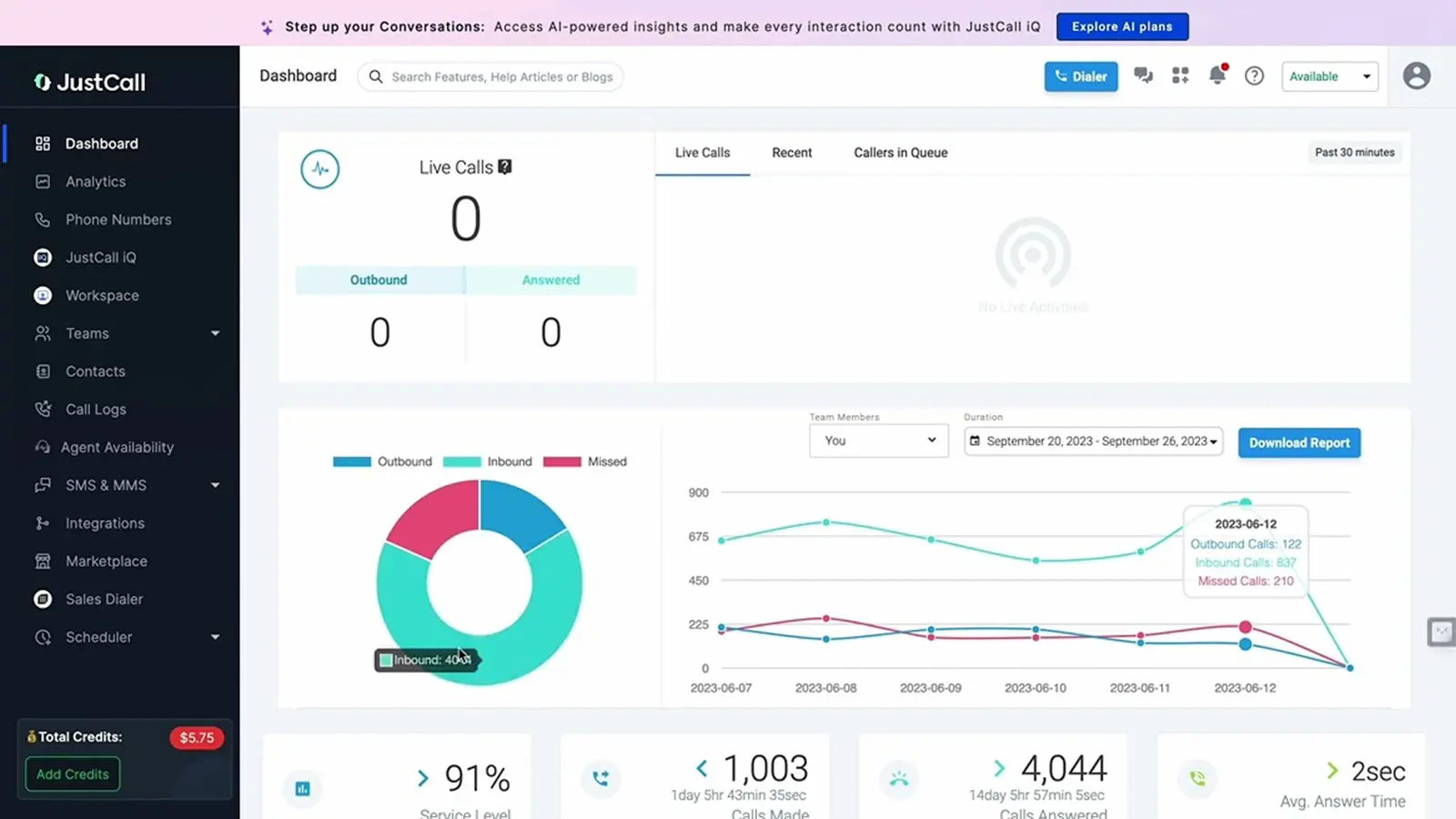
JustCall is another alternative to OpenPhone that offers a powerful AI-driven customer communication platform enabling instant connections through Voice, SMS, and WhatsApp. This Openphone competitor also offers seamless integration with third-party software to offer a seamless experience to its customers in one central location.
JustCall Features
- Call routing: Directs incoming calls to the appropriate agent or department based on predefined rules.
- Call monitoring: Allows real-time observation of calls to ensure quality and assist when needed.
- Call conferencing: Enables multiple participants to join a single call for group discussions or team meetings.
- Call recording: Captures calls for training, review, and compliance purposes.
- Call center management: Manages call center operations, including agent performance and workflow optimization.
- Voicemail transcription: Converts voicemail messages into text for easy review and response.
- IVR/Voice recognition: Provides automated systems for routing calls using voice commands or key presses.
Just Call Pros
- Easy set-up process: The platform is quick to set up, requiring minimal effort from users.
- Ease of use: Intuitive design makes it easy to navigate and operate for users of all technical levels.
- User-friendly interface: A clean and straightforward interface simplifies managing calls and communications.
JustCall Cons
- Issues with the Call transfer feature: Users report problems transferring calls, which can disrupt communication flow.
- Unauthorized charging: Instances of unexpected or unapproved charges have been reported by users.
- Bad call quality: Users experience poor call clarity or dropped calls, affecting communication reliability.
JustCall Pricing
This OpenPhone replacement offers various plans. JustCall pricing plans are as follows:
- Essentials: $19 Per user/per month
- Team: $29 Per user/per month
- Pro: $49 Per user/per month
- Business: On quote
JustCall Integrations
JustCall integrations support various tools:
- HubSpot CRM
- Dropbox Business
- Zoho CRM
- Zapier
- Freshdesk
- Pipedrive
- Zendesk Suite
- ActiveCampaign
JustCall Customer Support Channels
- 24/7 (Live rep)
- Chat
- Knowledge Base
- Email/Help Desk
- FAQs/Forum
JustCall Ratings
- Capterra – 4.2 / 5
- G2 – 4.3 / 5
JustCall Reviews
“Unauthorised charging and short refunds. Locked out of account with credits bought and paid for.”
“Pricing structures no longer align with my business use, customer support has gone downhill”
Source: Capterra
9. Grasshopper
What is Grasshopper?
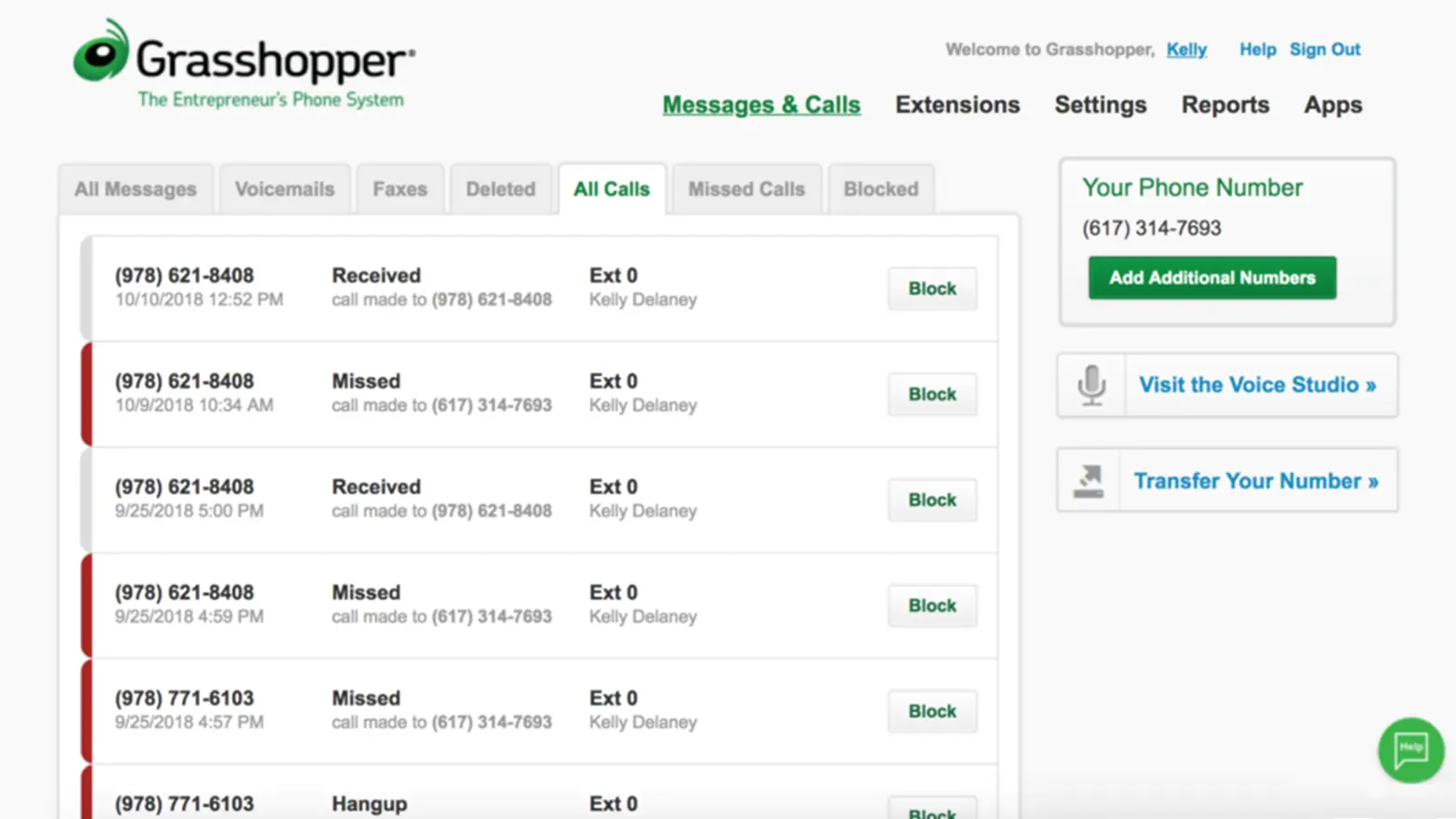
Grasshopper is a virtual phone system for small and medium businesses. This Openphone competitor caters specifically to small businesses, with its pricing also allowing separate lines for personal and business use.
Grasshopper Features
- Call Center Management: Overseeing the operations of a call center, including staffing, performance tracking, and ensuring smooth workflows.
- Call Conferencing: Enabling multiple people to join a single call for group discussions or meetings.
- Call Logging: Recording call details such as time, duration, and participant information for tracking and analysis.
- Call Monitoring: Observe live calls to ensure quality control and provide assistance when needed.
- Call Routing: Direct incoming calls to the appropriate team member or department based on predefined rules or availability.
- IVR (Interactive Voice Response): A system that automatically answers calls and provides options for callers to interact with via voice or keypad input.
Grasshopper Pros
- Ease of use: The platform is simple to navigate, making it easy for users to manage their calls and messages.
- Affordable: Grasshopper offers budget-friendly pricing compared to other communication platforms.
Grasshopper Cons
- Limited features: The platform lacks some advanced features that may be needed by more complex businesses.
- Outdated messaging features: Grasshopper virtual phone system is not as modern or feature-rich as some of its competitors.
- Poor customer service: Customers report unsatisfactory support experiences, with delays and inadequate assistance.
Grasshopper Pricing
- Grasshopper pricing starts at $14
Grasshopper Integrations
This OpenPhone replacement integrates it with various third-party software:
- Zapier
- LiveChat
- Google Voice
- Smith.ai
- Kunversion+
- SkyCiv Structural 3D
- Bitium
- FirePoint
- Ingrid Cloud
Grasshopper Customer Support Channels
- FAQs/Forum
- 24/7 (Live rep)
- Phone Support
- Knowledge Base
- Email/Help Desk
- Chat
Grasshopper Ratings
- Capterra – 4.3 / 5
- G2 – 4.0 / 5
Grasshopper Reviews
“We used this to call our customers and text our customers. If they could get the glitches and kinks worked out, it would be a much better program. It was good to used for days when you have multiple calls per hour as it is hands free and you can just call from your computer. However, it is not one hundred percent reliable. The experience I had makes me not want to use it again, unless they were to fix everything so it functions like it should.”
“Stay away. There are much better products out there.”
Source: Capterra
Looking for a faster way to evaluate Grasshopper? Watch our video review for the highlights:
10. CallHippo
What is CallHippo?
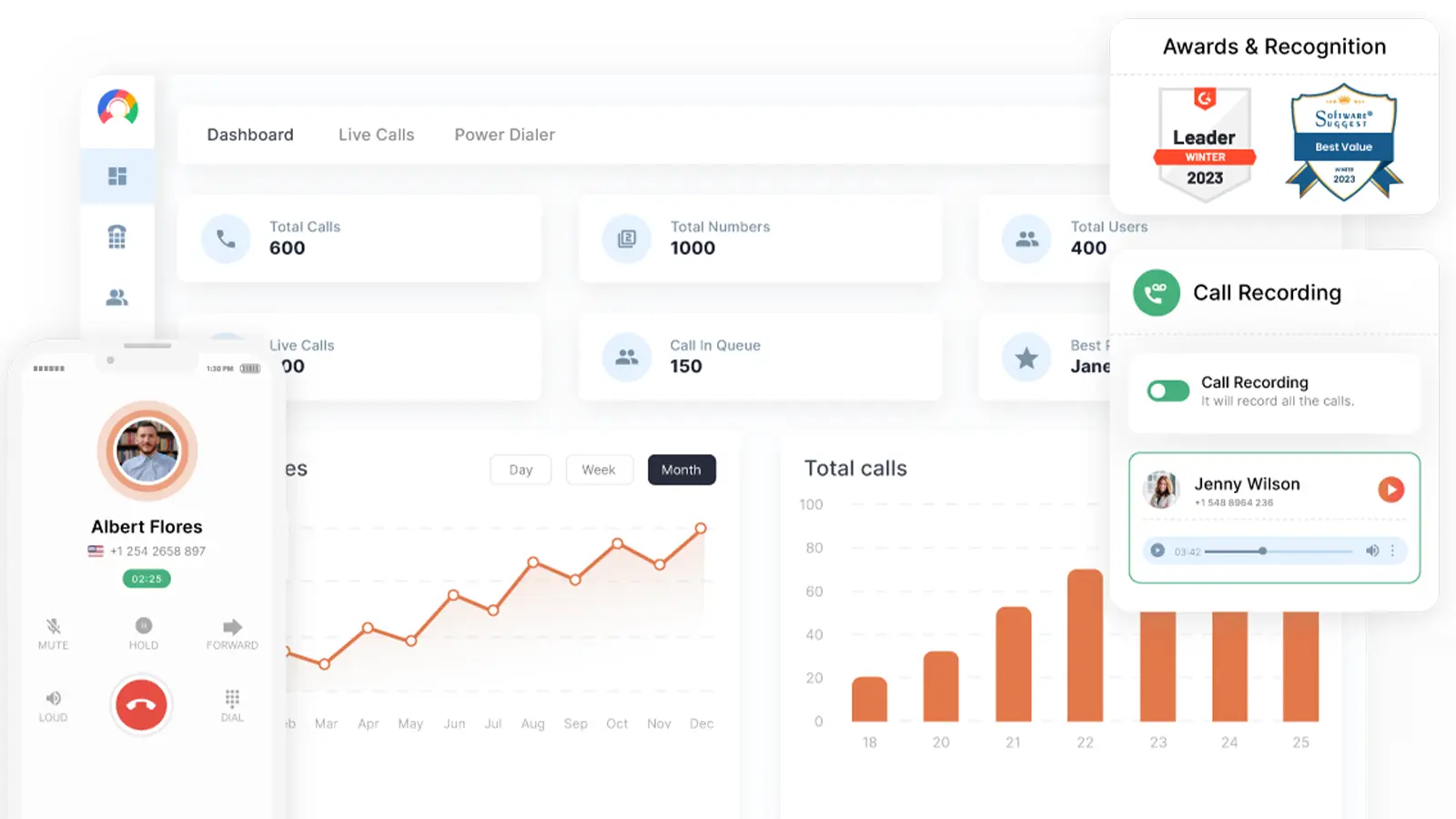
CallHippo is a cloud-based VoIP phone system designed to meet the communication requirements of startups and small businesses. This Openphone competitor is available both as a CallHippo web app and a mobile-based application.
CallHippo Features
- Call Recording: The process of capturing and saving phone conversations for training, compliance, or quality assurance purposes.
- Call Reporting: Generating detailed reports on call data, such as volume, duration, and agent performance, to analyze trends and improve operations.
- Call Routing: Directing incoming calls to the appropriate agent or department based on predefined rules or real-time availability.
- Contact Management: Organizing and maintaining a database of customer or client contact information for easy access and communication.
- IVR/Voice Recognition: An automated system that interacts with callers, allowing them to navigate options via voice or keypad input for routing or information retrieval.
CallHippo Pros
- User-friendly: The platform is intuitive and simple for users to navigate, even without technical expertise.
- Easy setup: Getting started with CallHippo is quick and hassle-free, with minimal configuration required.
CallHippo Cons
- Unfair billing practices: Users have reported issues with unexpected charges or billing discrepancies.
- Bad call quality: Some users experience poor call clarity or frequent disconnections.
- Cancellation issues: Customers face challenges when attempting to cancel services, with delays or complications in the process.
CallHippo Pricing
- Starts at $20 per user per month. Find more info about CallHippo pricing on our blog.
CallHippo Integrations
This OpenPhone replacement integrates with various tools:
- Slack
- Salesforce Sales Cloud
- Zapier
- Freshdesk
- Pipedrive
- Zendesk Suite
- ActiveCampaign
- EngageBay CRM
CallHippo Customer Support Channels
- Knowledge Base
- Chat
- Email/Help Desk
- Phone Support
- FAQs/Forum
- 24/7 (Live rep)
CallHippo Ratings
- Capterra – 4.4 / 5
- G2 – 4.4 / 5
CallHippo Reviews
“Terrible! Easter egg hunt to get any information or support. Nickel and diming for every single option. Once determined that a functionality is not working they have the guts to ask fixing their issues for a $2,000 fee. Terrible.”
“it’s a fraud, they charge us a year in advance and refuse to refund although we don’t use the service for long time !! i emailed customer service few times and they refuse to credit the next year . i have never heard of such thing !!! be careful !!!”
Source: Capterra
How Emitrr Compares to OpenPhone for Practices Needing Automation and HIPAA Support
Advanced Features for Calling and Texting
Emitrr, one of the best OpenPhone alternatives, provides a robust set of features for both calling and texting. Using both of these in tandem helps businesses make for a smooth customer experience. Emitrr offers all the AI VoIP features, like call recording, call routing, call transfer, monitoring, editable IVRs, analytics, and advanced texting features such as group messaging, mass texts, schedule-based texts, automation, sequences, missed calls to texts, and more.
Watch how Emitrr’s AI agent makes texting effortless for your business –
Transparent pricing policy
Emitrr’s pricing structure is transparent and flexible, so every user can experience its top-notch services. Emitrr offers the best features and customized services depending on the client’s business needs. You pay for only what you use; there are no hidden charges, binding contracts, setup fees, or hidden fees involved. Value for money is the biggest reason why users consider Emitrr VoIP for small businesses as one of the best alternatives to Openphone.
Varied Integrations
Emitrr integrations boasts around 1000+ native integrations across different industries such as healthcare, dental, real estate, veterinary, recruitment, and more. Syncing your contacts with your CRM will be a smooth process with Emitrr integrations.
Quality Customer Support
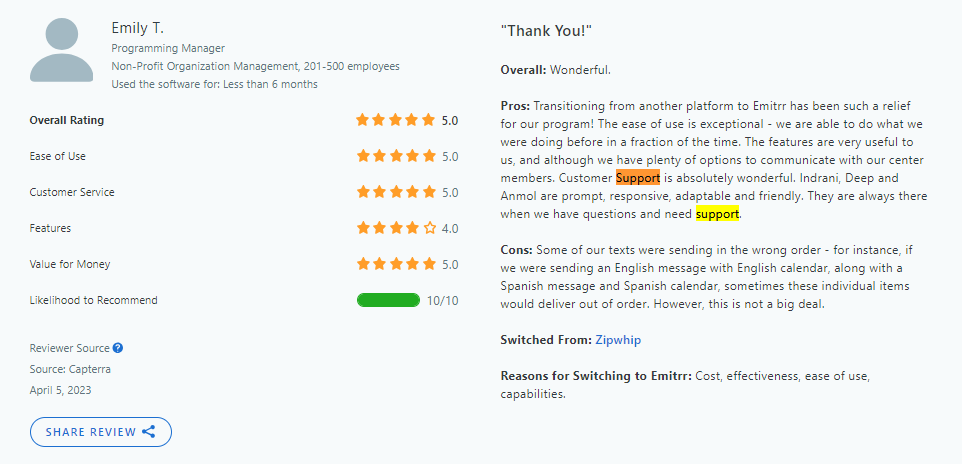
Emitrr boasts the best customer support with a stellar 5/5 rating on popular sites Capterra, GetAPP, and SoftwarAdvice. This reflects the company’s dedication to resolving customer issues promptly, providing personalized assistance, and ensuring a seamless user experience, making it a trusted choice for businesses.
Here is what customers have to say about Emitrr’s support:
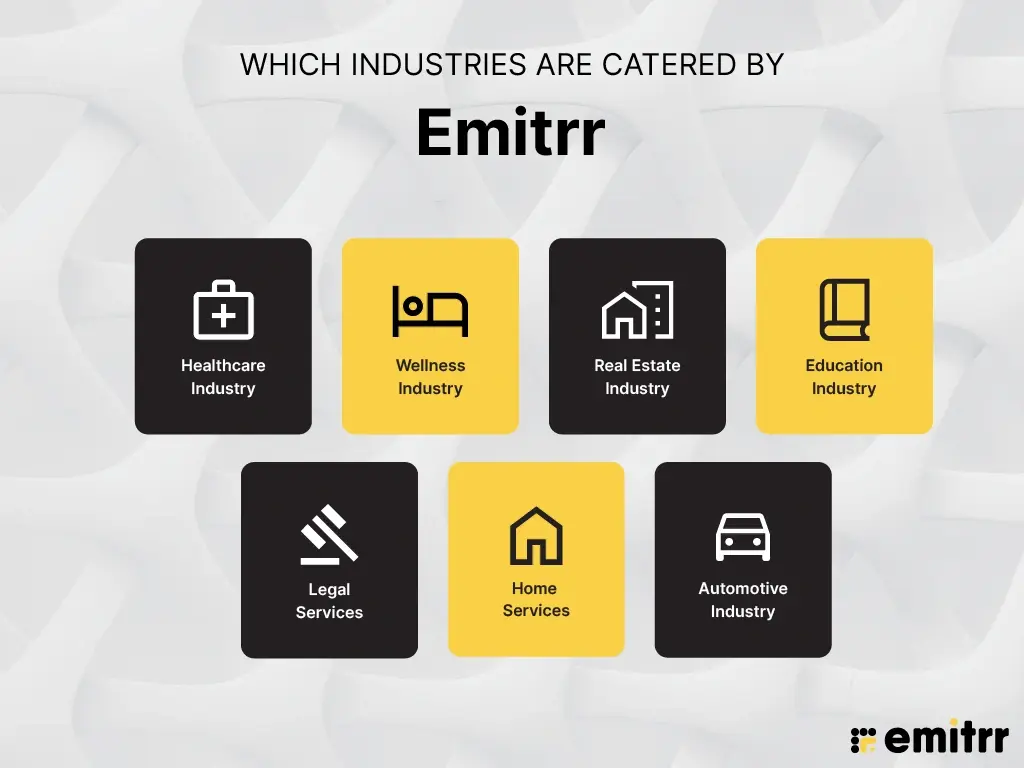
Which Industries Are Catered By Emitrr?
Healthcare Industry
Emitrr excels when it comes to serving the healthcare industry, be it dentists, surgeons, or veterinary practices; it can serve all sectors seamlessly. From appointment scheduling to appointment reminders, it automates the day-to-day workflow, helps in reducing no-shows, and streamlines daily operations. A HIPAA compliant VoIP, which is also text-enabled, can change how the healthcare industry operates.
Wellness Industry
The wellness clinics need diverse features that a single platform can not cater but Emitrr says no to this and offers everything that spas, salons, and fitness centers need. Not only can this wellness industry benefit from features such as appointment scheduling, reminders, post-visit feedback collection, automated membership reminders, and customer engagement.
Real Estate
Real estate business owners looking for apps like Openphone should check out Emitrr’s communication features for real estate to simplify communication with clients and enhance operational efficiency. Property management companies rely on Emitrr to automate tenant communications, coordinate maintenance schedules, and gather feedback to improve property management. Real estate agents can use Emitrr to streamline property viewing schedules, send follow-up reminders, and maintain clear communication with clients, fostering smooth transactions and building lasting relationships.
Education
Effective communication is vital for educational institutions to keep parents, students, and staff informed. Emitrr helps schools and universities with various functions such as announcements of any events or holidays, fee payment reminders, sending urgent updates about emergencies, and more!! The many features that Emitrr offers make it a popular option for users when choosing one of the best alternatives to Openphone.
Legal Services
Law firms need to manage client communications effectively while maintaining confidentiality. Emitrr provides features like appointment management, case updates, feedback collection, and more to help them manage their client communication.
Home Services
Home service providers benefit from Emitrr’s tools to keep operations smooth and clients informed. Through Emitrr, home services can automate appointment scheduling and reminders, inform clients about upcoming or overdue services, and collect feedback after a service is completed.
Automotive Industry
Emitrr transforms customer communication for automotive businesses, ensuring smooth operation. Car dealerships can notify customers about vehicle servicing or inspections, collect feedback to improve service quality, send reminders about upcoming appointments or insurance renewals, send promotional offers for trade-ins or new purchases, and a lot more!!
OpenPhone Alternative FAQs
Emitrr is a way better OpenPhone alternative in terms of the features, pricing, and support it offers.
Emitrr is the best calling service as it also offers advanced texting features along with top-notch calling features.
Yes, many OpenPhone alternatives, like Emitrr, provide enhanced customization options, allowing businesses to tailor their communication tools to fit specific needs.
While looking for an OpenPhone alternative, you can compare features, pricing, support, integrations, scalability, and user reviews of different alternatives to choose the one that aligns best with your business requirements.
Most reputable OpenPhone alternatives like Emitrr prioritize security, offering features like encryption, data compliance, and secure data storage to protect your communication.
Yes, many alternatives like Emitrr are designed to integrate with CRMs, email systems, and other business tools.
Ooma is ideal for small businesses that want a budget-friendly VoIP phone system with essential calling features. On the other hand, OpenPhone is better for startups and growing businesses that require CRM integration, texting, and features like shared numbers.
Both OpenPhone and Aircall are VoIP services; however, they differ in their offerings and the type of businesses they cater to. OpenPhone offers more collaborative features and is ideal for remote teams, sales teams, etc. Whereas Aircall excels in offering analytics and integration options.
For businesses that want stronger automation, AI capabilities, and deeper healthcare-focused workflows, Emitrr is often considered a better option.
OpenPhone is worth it for small teams or startups that need a simple, affordable phone system for calling and texting. It works well for basic communication needs and shared inbox management.
Yes. OpenPhone has rebranded to Quo. While its core product remains similar, the new name reflects an effort to expand its capabilities and reposition the platform with a broader vision.
Conclusion
If you are looking for an OpenPhone alternative that provides you with all-around communication features, transparent pricing, multiple integrations, and the best-in-class customer support, you need not look further than Emitrr. Schedule a demo with Emitrr today to see how we can best fit your business needs


 4.9 (400+
reviews)
4.9 (400+
reviews)