
 4.9 (400+
reviews)
4.9 (400+
reviews)

Introduction
If you’re looking into Hucu AI alternatives, you’re probably trying to find a HIPAA-compliant messaging or communication tool that ticks all the right boxes for your team. Hucu AI can sometimes feel a bit limiting, and there’s always the chance that something out there could be easier to use, fit your workflow better, or give you more value for what you’re paying.
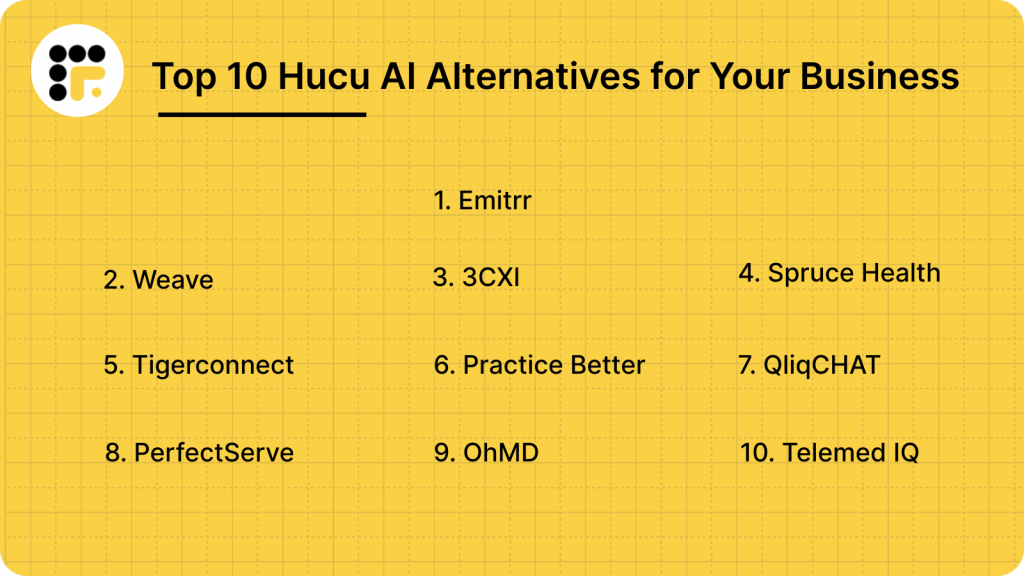
To answer those questions, this blog explores the top 10 alternatives so you can see what else is out there and choose the one that makes the most sense for you.
What is Hucu AI?
Hucu AI is a HIPAA-compliant messaging and collaboration platform created for healthcare teams that need secure and instant communication, eliminating the hassle of constant phone calls or scattered text threads. It’s widely used by hospitals, clinics, senior care centers, and home health agencies to keep staff, providers, and patients connected in real time.
With Hucu AI, care teams can send messages, share files, coordinate patient updates, and communicate with family members from one secure platform. It offers a simple and organized way to replace traditional texting and email, making team coordination faster and safer for healthcare settings.
While Hucu AI is a strong option for secure healthcare communication, you can explore other Hucu AI alternatives that offer more advanced features, automation, and integration options to fit your specific needs.
Hucu AI Features
- HIPAA-Compliant Messaging: Protects all messages and files, keeping every conversation private and secure.
- 1-to-1 and Group Chat: Chat directly with individuals or create group threads for specific patients, departments, or projects.
- Care Coordination Rooms: Dedicated spaces for each patient, allowing nurses, doctors, and caregivers to collaborate efficiently.
- File and Image Sharing: Easily share lab reports, discharge notes, or images securely within chat threads.
- Notifications and Alerts: Get instant updates when team members send messages or share important information.
- User Presence & Status Indicators: Know who’s available, busy, or offline before sending a message.
- Message Pinning & Search: Quickly find critical information or pinned notes from older conversations.
- Mobile & Desktop Apps: Access messages anytime from any device — phone, tablet, or computer.
- Analytics Dashboard: Gain visibility into team communication trends and responsiveness.
- Unlimited Message History: Keep full chat records for reference and compliance.
Hucu AI Pros
- HIPAA-Compliant Messaging: Keeps every conversation and file secure, ensuring patient information remains private and compliant with healthcare regulations.
- Easy Team Coordination: Care teams, providers, and staff can communicate quickly in real time, reducing miscommunication and improving workflow.
- File and Image Sharing: Share lab reports, treatment plans, and documents securely within chats for faster decision-making.
- Group and Individual Chat: Communicate one-on-one or with multiple team members in a single thread, keeping conversations organized.
- Mobile and Desktop Access: Stay connected on the go with apps for smartphones, tablets, and computers, so you never miss a message.
- Improved Patient and Family Communication: Updates can be shared with patients and families directly through the platform, enhancing engagement.
Hucu AI Cons
- Limited Calling or VoIP Features: Focuses mainly on secure messaging, so voice and video options are minimal.
- Basic Automation: Lacks advanced AI-driven workflows and scheduling features available in some competitors.
- Fewer Integrations: Integration options with EHR, PMS, and CRM systems are limited compared to other platforms.
- Customization Restrictions: Reporting, workflows, and file management may not be as flexible for larger organizations with complex needs.
- Learning Curve for New Teams: While simple to use, teams new to HIPAA-compliant messaging may need time to adapt.
- Limited Support Channels: Customer support is mostly available through in-person training, with fewer options for live chat or phone assistance.
Hucu AI Pricing
Hucu AI pricing starts at $24.00 per month for the Basic Plan, which includes secure messaging, care coordination rooms, file sharing, and access through mobile and desktop apps. This flat-rate plan is ideal for small to medium-sized healthcare teams. Pricing may vary for larger organizations or those requiring additional features and advanced configurations.
Hucu AI Integrations
Hucu AI integrates with a few EHR and patient management systems, though its integration options are more limited compared to competitors like Emitrr.
Hucu AI Ratings
- Capterra: 5/5
Hucu AI Reviews
“Communication with staff and the accountability of everyone in a patients channel help with coordination of care.”
“Overall HUCU is a great service and platform for the health field as it is HIPAA compliant.”
Source: Capterra
Hucu AI Customer Support Channels
- Email Support
- Help Center with FAQs and Guides
- In-App Support Chat
- Product Training for Team
Support is responsive, but real-time live chat or phone support availability may vary depending on your plan.

Why Do Businesses Seek an Hucu AI Alternative?
Many healthcare teams start with Hucu AI because it is made to simplify communication and meet HIPAA requirements. But as the team grows or workflows become more complex, certain gaps begin to show. Some find that their current setup slows things down or doesn’t blend well with how they actually work day to day. That’s usually when businesses start looking for an alternative or something that feels easier, connects better with their existing tools, and offers more value overall.
Limited Customization
Every healthcare team has its own way of working. If a platform doesn’t allow you to personalize alerts, chat groups, or workflows, it can start to feel restrictive. Teams often want a tool that adapts to them, not the other way around.
Better Pricing for Similar or More Features
Pricing is a big factor in choosing the right communication platform. Some teams realize they’re paying more than they should for the features they use most. Others discover tools that offer even more capabilities, such as an AI receptionist or secure file sharing, at a similar or lower cost. Over time, that difference in pricing and functionality can make switching worth it.
Need for Stronger Integrations
Many healthcare organizations rely on multiple systems: electronic medical records, appointment scheduling software, billing tools, and more. If Hucu AI doesn’t integrate smoothly with these, it often creates extra manual steps. Businesses start looking for Hucu AI competitor tools that let everything sync automatically, reducing effort and saving time.
Desire for a Simpler User Experience
A communication tool should make life easier, not add confusion. If team members find Hucu AI tricky to navigate or need extra training to get comfortable, adoption becomes a struggle. A simpler, more intuitive interface can make a big difference in how quickly teams get on board and actually use the tool every day.
Need for More Than Basic Messaging
Modern healthcare communication goes beyond simple messaging. Teams often need HIPAA-compliant AI voicemail for secure voice messages, AI-powered assistance to streamline texting, and specialized healthcare texting features tailored to their needs. When Hucu AI doesn’t cover all those bases, exploring alternatives that offer these capabilities makes perfect sense.
What To Look For In A Hucu AI Alternative?
Thinking about moving away from Hucu AI? Checking the key features helps to know exactly what to look for instead of just picking the next best thing. Here are a few things worth paying attention to before you make a switch.
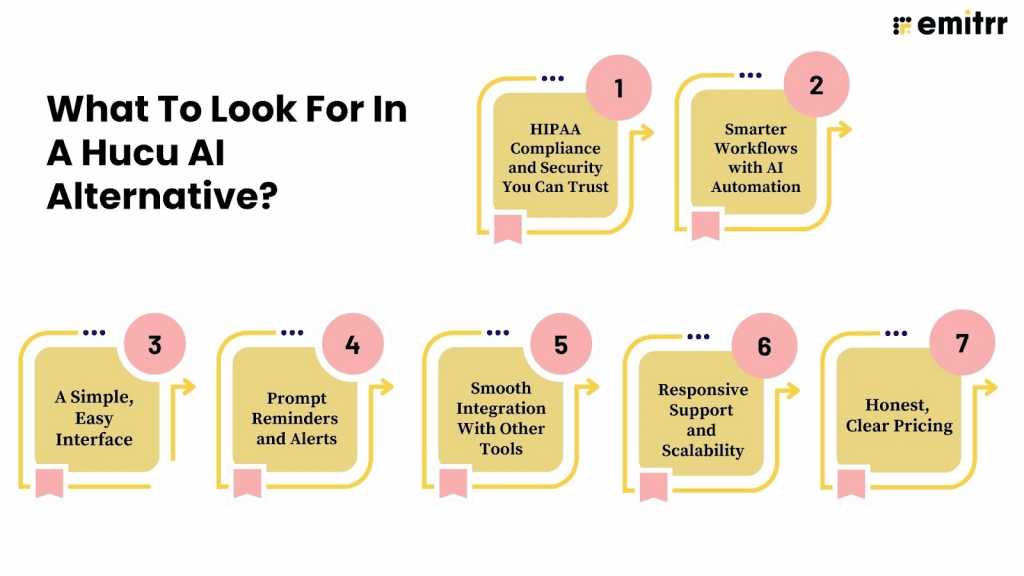
HIPAA Compliance and Security You Can Trust
In healthcare, security isn’t something you can compromise on. Any alternative you choose should fully comply with HIPAA standards and keep conversations, files, and patient details protected. It’s worth checking how they handle encryption and user permissions before committing.
Curious about how HIPAA-compliant texting can help cut down on phone calls? Find out here:
Smarter Workflows with AI Automation
Modern platforms are going beyond simple messaging by adding AI-driven features that make life easier. For example, an AI SMS chatbot can automatically answer common patient questions like clinic hours or appointment preparation instructions. This kind of AI support frees up staff time, reduces errors, and keeps communication flowing smoothly.
A Simple, Easy Interface
No one wants to spend hours figuring out a new platform. The best communication tools are the ones your team can start using right away without training sessions or tech frustration. If it feels intuitive from the start, that’s a good sign.
Prompt Reminders and Alerts
In healthcare, staying on top of appointments, medications, and prescription refills is really important. Look for a platform that can automatically send friendly reminders to patients through chat messages, text, or email. These reminders not only help patients remember their appointments and when to take their medication but can also prompt them to refill prescriptions on time. This leads to fewer no-shows, better medication adherence, and smoother care overall.
Smooth Integration With Other Tools
A good Hucu AI competitor should fit into your existing setup, not force you to change it. Look for something that connects easily with your EMR software, calendar, or scheduling software so your team doesn’t have to jump back and forth between tools.
Responsive Support and Scalability
If an issue comes up, you shouldn’t have to wait days for a response or struggle to find help. Reliable, responsive support can make a huge difference in keeping communication running smoothly. It’s also worth thinking about the bigger picture, like will this platform still meet your needs as your team expands or your communication demands increase? A strong Hucu AI alternative should be flexible enough to grow with you and continue supporting your goals over time.
Honest, Clear Pricing
Nobody likes surprise costs. Before signing up, make sure you understand exactly what’s included in each plan. The best Hucu AI alternative platforms for hospitals are the ones that give you clear pricing upfront and let you pay for what you actually use.
10 Best Hucu AI Alternatives
- Emitrr
- Weave
- 3CX
- Spruce Health
- TigerConnect
- Practice Better
- QliqCHAT by QliqSOFT
- PerfectServe
- OhMD
- Telemed IQ
1. Emitrr: Best Hucu AI Competitor
What is Emitrr?
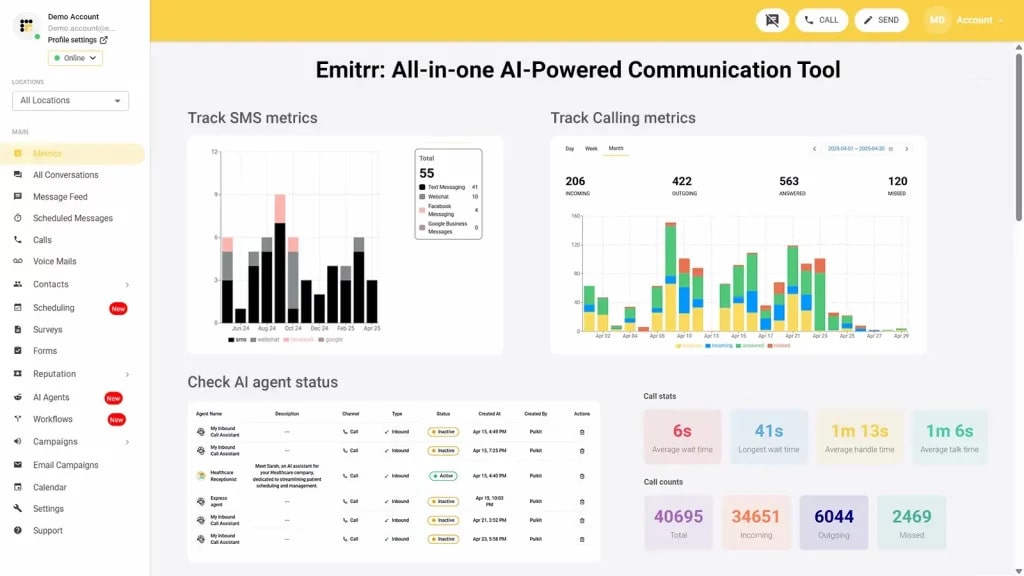
Emitrr is an AI-powered all-in-one platform that helps healthcare practices, dental clinics, and local small businesses communicate more easily with patients and customers. You can manage calls, send automated text messages, and schedule online appointments for healthcare from one simple place without switching between different tools.
If you are exploring the best Hucu AI replacement for clinics, Emitrr is a great option. It helps reduce missed calls and no-show patients, saves your staff hours of repetitive work, and keeps your patients engaged through smart healthcare automation. Emitrr’s HIPAA-compliant AI agent can answer questions, book or reschedule appointments, and follow up after visits so your team can focus on care instead of constant phone calls.
Emitrr brings everything together in one HIPAA-compliant communication platform that is simple, reliable, and cost-effective. As an affordable Hucu AI alternative, it securely stores every conversation and helps your business stay connected with patients at any time of day.
Emitrr Features
- HIPAA-Compliant Platform: Ensures that all patient communication remains private and secure, meeting the strict healthcare privacy standards required by HIPAA compliance.
- End-to-End Encryption: Protects every message, fax, and call through complete end-to-end encryption, ensuring sensitive data remains fully secure from sender to receiver.
- HIPAA-Compliant Digital Forms: Easily send HIPAA-compliant digital forms and surveys for things like patient intake, doctor consent, or feedback. All information is safely stored, so you can collect details without using paper and keep everything private and secure.
- 1-to-1 or Two-Way Texting: Have two-way messaging and real-time conversations with patients or customers over SMS. Every incoming and outgoing message is automatically saved in one place, so you never lose track of the conversation.
- Shared Inbox: Bring all your team’s text messages into one shared SMS inbox. Anyone on your staff can view and reply, making it easy to maintain smooth communication even when multiple people handle the same line.
- Group Texting and Group Chat: Send a single message to multiple recipients at once. Group chat allows everyone in the thread to see and reply, creating clear and transparent communication between teams or patients and providers.
- MMS Texting (Individual & Group): Send images, PDFs, forms, or other documents through MMS group messaging; perfect for sharing appointment details, treatment plans, or educational materials. Works for both one-on-one and group conversations.
- VoIP Texting: Use your existing VoIP number for both calls and texts. This keeps your communication unified and professional under a single business number.
- Toll-Free Texting: Send and receive SMS or MMS messages from your toll-free business number, ideal for high-volume messaging and nationwide communication.
- A2P (Application-to-Person) Texting: Automate essential messages like reminders, confirmations, and updates triggered directly by your system with A2P texting and help your team stay efficient without manual follow-ups.
- Short Code Texting: Send bulk alerts, campaigns, or notifications from a 5- or 6-digit short code. Perfect for healthcare alerts, promotional messages, or appointment reminders.
- 10DLC Texting: Use your registered 10-digit local business number for compliant, reliable 10DLC business texting with better delivery rates and trust.
- Click-to-Text (Chrome Extension): Emitrr Chrome extension helps you start an SMS directly from your CRM or browser tools with one click, no need to switch tabs or apps.
- Voicemail-to-Text: Get voicemails automatically transcribed with voicemail-to-text and delivered as text messages. Read and reply faster, skipping the need to listen to audio messages.
- Secure Cloud Storage: Provides safe and encrypted cloud storage for all your messages, documents, and call records, making them easy to access anytime without worrying about data loss.
- Role-Based Access Controls: Lets you decide who can view, edit, or send messages by setting clear user roles and permissions, keeping sensitive data in the right hands.
- Audit Logs: Offers complete visibility into every action taken, with timestamped audit logs that support compliance and internal reporting.
- Automatic Redaction: Automatically removes or hides sensitive information in stored records to protect patient privacy and ensure HIPAA compliance.
- Bulk SMS Campaigns: Bulk texting for business makes it easy to send broadcast or promotional text messages to large groups of patients or customers in one go.
- Automated Text Sequences: Supports SMS drip campaigns that send scheduled messages over time, such as appointment reminders or service updates, to keep patients engaged.
- Smart Workflow Automations: Uses rule-based triggers to send messages automatically after specific events like missed calls or appointment cancellations, saving staff time.
- Follow-Up and Reminder Texts: Reduces no-shows and missed payments by sending automatic SMS reminders to patients before appointments or due dates.
- AI Scheduling Assistant: Acts as a chat-based AI scheduler that can book, reschedule, or list appointments automatically through text conversations.
- Self-Service Online Booking: Let patients schedule their own appointments through an easy online booking page, reducing manual coordination for staff.
- VoIP Phone System: Enables VoIP cloud-based calling so you can make and receive calls from anywhere without the need for costly hardware setups.
- Caller ID Masking and Voicemail: Displays your business number for every call to maintain professionalism and stores missed calls with voicemail for later review.
- Unlimited Calling: Offers unlimited inbound and outbound domestic calls with high-definition voice quality for clear and reliable communication.
- Hardware Support: Works seamlessly with popular SIP-based desk phones like Cisco, Yealink, and Polycom, allowing teams to keep using their existing devices.
From appointment reminders to customer replies, watch how Emitrr’s AI agent Sarah makes texting easier –
Emitrr Pros
- Help your staff save 100+ hours: Let your front desk save 100+ hours and focus on other important calls/tasks. Emitrr’s AI agent seamlessly manages level one calls, including answering common inquiries, booking, canceling, and rescheduling appointments, among other tasks.
- Reduce high call abandonment rate: Long call queues can lead to an increased call abandonment rate. Emitrr AI not only communicates the expected wait time to the caller but also nudges them to continue the conversation over text.
- Save time with seamless EHR/PMS/CRM integrations: No need to waste time manually trying to find a contact’s details. Emitrr integrates seamlessly with over 500+ EHR/PMS/CRM tools. So if an existing customer/patient calls, a call pop will give you the caller’s details in seconds, helping your team close a call and clear up call queues.
- Respond better with self-evolving AI: Emitrr’s SMS AI agent self-evolves with every conversation it has. Over time, your AI will start drafting better, contextually aware responses.
- Engage patients/customers after hours: No need to spend on hiring extra staff to cover after-hours queries/issues. Emitrr’s AI works 24/7, helping you keep your patients/customers engaged and save costs.
- Route callers to the right person/department: Emitrr’s AI phone agent recognizes if the caller is new or old based on the data available in the system. If the caller is new, it can collect essential information and feed it into the system, and if the caller is old, it can route them to the right person/department.
- Handle multiple calls without adding more extensions: You can let AI handle multiple incoming calls without the need to remember phone numbers or increase expenditure by adding more extensions.
Emitrr Cons
- Some advanced features will roll out soon!
Emitrr Pricing
Emitrr offers three pricing plans to choose from: Standard, Pro, and Enterprise. The cost of each plan also varies based on the volume of messages you plan to send. Below is an overview of what each Emitrr plan includes.
| Number of message credits | Standard Price with 10 DLC | Pro Price with 10 DLC | Enterprise |
| 500 | $45.00 | $64.00 | Contact Sales for a customized quote. |
| 1000 | $64.00 | $94.00 |
Emitrr Integrations
Emitrr connects seamlessly with over 500+ EHR, EMR, PMS, and CRM systems, making it a powerful tool for automating workflows across your entire organization.
Some popular integrations include:
Emitrr Ratings
- Capterra: 4.9/5
Emitrr Reviews
“Exceptional service! The system is user-friendly, and customer support is prompt and efficient. I haven’t encountered any drawbacks so far.”
“You have it all integrated into one platform, the signatures, the amount of characters, you can attached files, send photos. You are able to create and send forms. Unlimited amount of things we can use and take advantage of.”
Source: Capterra
Emitrr Customer Support Channels
- Email: support@emitrr.com
- Phone: +1 (210) 941-4696
- Live chat: Connect with a representative instantly
- FAQs/Forum: Browse frequently asked questions or forums for assistance
- SMS: Text support for quick help
- Knowledge base: Access in-depth guides and tutorials
2. Weave
What is Weave?
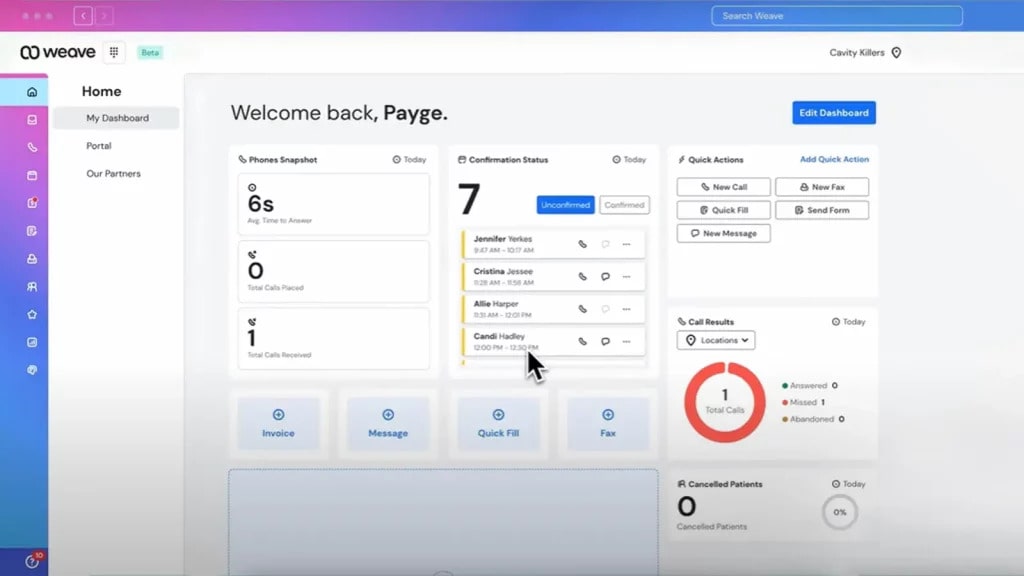
Weave is a unified communication platform that helps healthcare practices and local businesses manage calls, texts, scheduling, and payments. It’s a favorite among dental, medical, and optometry practices that want to build stronger relationships with patients through personalized and automated communication.
If you’re comparing Weave vs Hucu AI, the biggest difference is that Weave goes beyond secure messaging. It combines VoIP calling, texting, appointment reminders, and payment processing into one complete system. This makes it a great choice for practices that want both communication and customer management tools under one dashboard.
Weave Features
- VoIP Phone System: Manage inbound and outbound calls with clear HD quality and flexible call routing options.
- Two-Way Texting: Send and receive text messages directly with patients to confirm appointments, share updates, or follow up after visits.
- Automated Reminders: Reduce no-shows by sending automated SMS reminders and confirmations.
- Missed Call Texts: Automatically send a text if a call goes unanswered, keeping patients engaged even during busy hours.
- Digital Forms: Collect patient information through secure online forms before appointments.
- Online Scheduling: Let patients book or reschedule appointments through a self-service scheduling page.
- Payments and Invoices: Request and collect payments through text, making billing faster and easier for patients.
- Voicemail Transcription: View transcribed voicemail messages right inside the dashboard for quick responses.
- Team Chat: Keep internal team communication organized without relying on external messaging apps.
- Analytics Dashboard: Track call volume, missed calls, and message response times to improve patient engagement.
Weave Pros
- All-in-One Communication Tool: Combines calls, texts, reminders, and payments in one place.
- Great for Patient Engagement: Personalized text and call features make it easier to connect and follow up with patients.
- Automated Workflows: Saves staff time with smart automation for scheduling, follow-ups, and payment reminders.
- Improved Response Rates: Patients are more likely to reply to texts, helping teams close gaps in communication.
- Easy to Use: Intuitive interface that requires little to no training for front desk teams.
Weave Cons
- Pricing Can Be High for Small Practices: Some users find Weave more expensive compared to other communication platforms or Hucu AI competitors.
- Limited Customization: Templates and automation rules are predefined, leaving less flexibility for complex workflows.
- Occasional App Glitches: Mobile app performance may vary, especially during peak usage times.
- Learning Curve for Advanced Features: Some users may need time to explore all available integrations and reporting tools.
- Customer Support Wait Times: Support can be slow to respond during high-demand periods.
Weave Pricing
Weave pricing typically starts at around $249 per month, depending on the size of your practice and selected features.
Weave Integrations
Weave integrates with a wide range of PMS, CRM, and EHR systems to streamline communication.
Popular Integrations:
- Dentrix
- Open Dental
- Eaglesoft
- Curve Dental
- SoftDent
Weave Ratings
- Capterra: 4.3/5
Weave Reviews
“I don’t love that it does not directly attach to the medical record.”
“With Weave, it’s just a nightmare with the customer service and support. And guess what, any settings or setup you want to change, you only have to go through their customer support because whenever you make changes from their web portal, none of it gets actually reflected.”
Source: Capterra
Weave Customer Support Channels
- Email and phone support
- Help center
- Onboarding team for training
3. 3CX

What is 3CX?
3CX is a business communication system that combines phone calls, video conferencing, live chat, and messaging in one platform. It’s popular with small to mid-sized businesses and healthcare practices that want a reliable VoIP solution not need to rely on traditional phone lines.
If you’re comparing 3CX vs Hucu AI, the main difference is that 3CX focuses more on voice, video, and call management, while Hucu AI is primarily a secure messaging platform. 3CX is ideal for teams that want a full-featured phone system with integrated chat, video, and collaboration tools.
3CX Features
- VoIP Phone System: Make and receive calls from anywhere using your computer, mobile device, or desk phone.
- Video Conferencing: Host video meetings with patients, staff, or team members without needing separate software.
- Live Chat Integration: Add a chat widget to your website so visitors can message your team directly.
- SMS and Text Messaging: Send and receive texts through your 3CX number to keep conversations in one place.
- Call Recording: Automatically record calls for quality control, training, or compliance purposes.
- Call Routing & Queues: Direct calls to the right department or staff member and manage busy call volumes efficiently.
- Voicemail to Email: Receive voicemail transcriptions or audio directly in your inbox for easy follow-up.
3CX Pros
- Full VoIP Solution: Combines calling, messaging, and video conferencing in one platform.
- Cost Savings: Eliminates the need for traditional phone lines and reduces call costs.
- Flexible & Remote-Friendly: Staff can work from anywhere using mobile or desktop apps.
- Customizable Call Handling: Advanced call routing, queues, and extensions for better team management.
- CRM Integrations: Helps track customer interactions and streamline workflows.
3CX Cons
- Focus on VoIP, Less on Secure Messaging: Not ideal if your primary need is HIPAA-compliant texting like Hucu AI.
- Setup Can Be Complex: Initial installation and configuration may require technical knowledge.
- Limited Automation: Lacks AI-powered reminders or appointment scheduling compared to platforms like Emitrr.
- Pricing for Add-Ons: Advanced features, video conferencing, or CRM integrations can increase costs.
- Support Limitations: Some users report slower response times for smaller plans.
3CX Pricing
3CX pricing starts at $25–$30 per user per month, depending on the number of users and features selected.
3CX Integrations
3CX integrates with several popular software solutions to improve workflow and customer management.
Popular Integrations:
- Salesforce
- Zoho CRM
- HubSpot CRM
- Microsoft Dynamics 365
- Office 365 / Outlook
3CX Ratings
- Capterra: 4.4/5
3CX Reviews
“I have just started using it but finding it difficult to dial the number as despite adding zero or + before the number, it still says invalid.So, not sure what’s wrong.”
“The licenses which supposed to be free forever, all of a sudden weren’t. Even after that, because everything else worked, I have grudgingly tolerated their changes and price increases until 3CX decided to go after our customers directly. I had none of that. Switched all of my customers to a competitor which allows multi tenant and perpetual license.”
Source: Capterra
3CX Customer Support Channels
- Phone Support
- Email Support
- Community Forums
4. Spruce Health

What is Spruce Health?
Spruce Health is a HIPAA-compliant communication platform that helps healthcare practices securely connect with patients through messaging, video calls, and digital forms. It’s a strong Hucu AI alternative for healthcare practices that want more than just secure messaging, offering appointment reminders, follow-ups, and payment tools all in one place.
Patients can reply to texts, schedule or reschedule appointments, and complete digital forms from any device, while care teams can manage communication efficiently without juggling multiple apps. Spruce Health makes patient engagement simple, secure, and organized.
Spruce Health Features
- Unified Inbox: Combines texts, calls, faxes, and secure messages in one place for easy management.
- Telehealth Messaging & Video Calls: Enables HIPAA-compliant video visits and secure messaging between providers and patients.
- Workflow Automation: Automates alerts, follow-ups, and triage to save staff time and improve response rates.
- Team Collaboration: Allows tagging, assigning, and internal notes so staff can coordinate efficiently on patient conversations.
- Call Management: Includes voicemail transcription, call routing, and the ability to respond to missed calls via text.
- Custom Auto-Responses: Sends automated replies during off-hours or when staff are unavailable.
- Secure File Sharing: Lets users send and receive documents, images, or videos safely within the platform.
- Bulk Messaging: Sends updates or reminders to multiple patients at once for recalls or announcements.
- EHR/EMR Integration: Connects with select systems like Elation and Hint to sync patient data.
- Mobile App Access: Offers full functionality via iOS and Android apps for on-the-go communication.
Spruce Health Pros
- All-in-One Communication Hub: Centralizes calls, texts, faxes, and secure messages, reducing fragmentation.
- Easy to Use: Clean and intuitive interface that staff and patients find simple to navigate.
- HIPAA-Compliant Messaging: Provides safe, encrypted communication that meets healthcare privacy standards.
- Strong Team Coordination: Features like tagging and internal notes improve collaboration within clinics.
- Voicemail to Text Feature: Automatically transcribes voicemails for quick review and response.
Spruce Health Cons
- Limited Integrations: Works with only a few EHRs, restricting seamless data exchange for some practices.
- Number Porting Delays: Users report slow or problematic porting when transferring phone numbers.
- Basic Support Availability: Limited customer support options and delayed response times are noted by reviewers.
- Higher Feature Costs: Some advanced tools require an upgrade to higher-tier plans.
- Occasional App Glitches: Minor issues with notifications or message syncing in mobile versions.
Spruce Health Pricing
Spruce Health pricing starts at $24 per user per month for the Basic Plan, which includes secure messaging, patient communication, and mobile/desktop access.
Spruce Health Integrations
Spruce Health connects with key healthcare and business tools to keep your workflows smooth and your patient data in sync.
Popular Integrations:
- Elation Health
- Hint Health
- Athenahealth
- AdvancedMD
- DrChrono
Spruce Health Ratings
- Capterra: 4.4/5
Spruce Health Reviews
“It was adequate until it became completely inadequate and frankly is just costing us clients, money, and time right now.”
“Almost everything but notably the customer support. Lots of glitches, does not transfer to oncall or vacation messages easily. Not user friendly.”
Source: Capterra
Spruce Health Customer Support Channels
- Email Support
- In-App Chat
- Knowledge Base
- Onboarding Help
5. TigerConnect
What is TigerConnect?
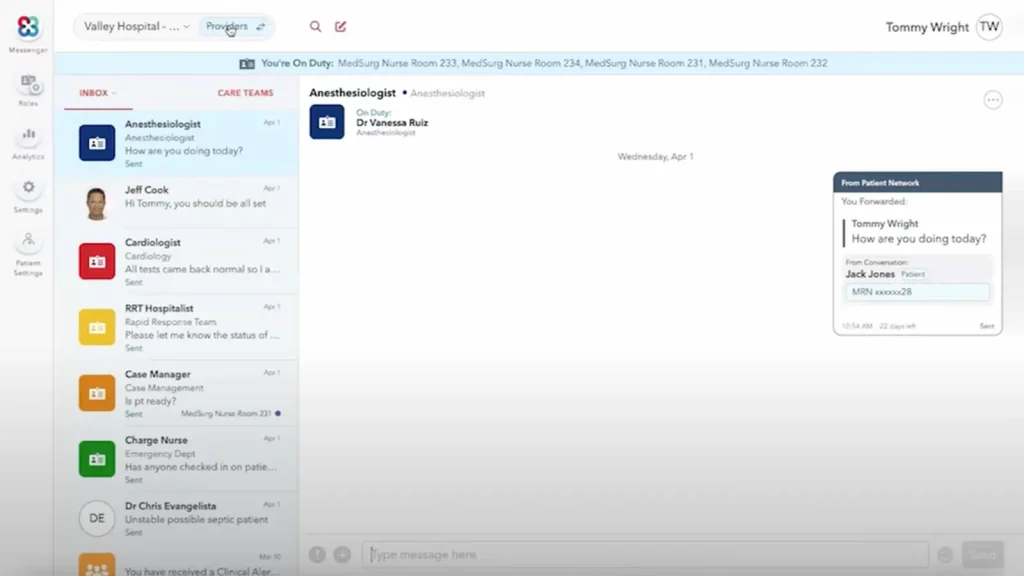
TigerConnect is a secure messaging and care coordination platform for healthcare teams that need to communicate quickly and safely. It allows hospitals, clinics, and care providers to send messages, share files, and coordinate patient care in real time, all while staying fully HIPAA compliant.
If you’re asking, “Is TigerConnect a better Hucu AI alternative?” — it can be a cost-effective choice for practices that want robust messaging and workflow tools while paying for only the features they need.
TigerConnect Features
- Secure Messaging: Send and receive encrypted messages, photos, and files instantly.
- Voice and Video Calling: Communicate with colleagues and patients using integrated VoIP and video tools.
- Team Collaboration: Create group chats for care teams or departments to coordinate seamlessly.
- Automated Alerts: Send critical alerts or updates to specific staff members instantly.
- Shift-Based Messaging: Automatically route messages to the right on-call provider.
TigerConnect Pros
- Built for Healthcare Teams: Designed for hospitals and clinics, not just general business use.
- Extremely Secure: Fully HIPAA-compliant with strong encryption and access control.
- Scalable and Reliable: Handles large volumes of users without lag.
- Improves Coordination: Keeps doctors, nurses, and staff on the same page.
TigerConnect Cons
- Enterprise-Focused Pricing: Can be costly for smaller practices.
- Learning Curve: May take some time for staff to fully explore advanced features.
TigerConnect Pricing
TigerConnect pricing is custom-based depending on the organisation’s size, feature set, and integration requirements.
TigerConnect Integrations
TigerConnect offers powerful integrations across healthcare systems, ensuring your communication aligns perfectly with clinical workflows.
- Epic
- Cerner
- AthenaHealth
- Meditech
- Allscripts
TigerConnect Ratings
- Capterra: 4.6/5
TigerConnect Reviews
“Trying to get out of a TigerConnect contract is almost impossible. I officially canceled my services with them under their required conditions and they still charge me an annual fee. Theres a big reason why all of their “customer service numbers” are designed to not allow you to speak live to a customer rep.”
“Impossible to be removed from system lists, which are occasionally accidentally used to send a message to the incorrect person. Sometimes notification bubbles cannot be removed and the app must either be uninstalled or the user must sign out.”
Source: Capterra
TigerConnect Customer Support Channels
- Live Chat
- Phone
- Resource Center
6. Practice Better

What is Practice Better?
Practice Better is an all-in-one, HIPAA-compliant practice management platform tailored for health and wellness professionals. It’s a comprehensive solution for those seeking a robust alternative to Hucu AI for practices that require more than just secure messaging.
While Hucu AI excels in secure team communication, Practice Better provides a broader suite of features, including telehealth capabilities, billing integration, and client portals. This makes Practice Better a compelling choice for practices looking for an all-encompassing solution to manage client interactions and administrative workflows.
Practice Better Features
- Secure Messaging: HIPAA-compliant one-on-one and group messaging.
- Telehealth: Integrated video consultations without the need for third-party tools.
- Scheduling: Customizable booking links and session reminders.
- Billing & Payments: Integrated invoicing and payment processing.
- Client Portal: Personalized client access for session notes, forms, and communications.
- Program Delivery: Create and manage self-paced or fixed-date programs.
- AI Charting Assistant: Dictate and summarize session notes to reduce charting time.
Practice Better Pros
- Comprehensive Platform: Combines multiple functionalities into one system, reducing the need for multiple subscriptions.
- User-Friendly Interface: Intuitive design that simplifies navigation and usage.
- Customization Options: Tailor templates, forms, and programs to fit specific practice needs.
- Client Engagement Tools: Features like journaling and progress tracking enhance client interaction.
- Mobile Access: Available on both iOS and Android devices for on-the-go management.
Practice Better Cons
- Learning Curve: New users may require time to familiarize themselves with the platform’s extensive features.
- Pricing: Higher-tier plans can be more expensive compared to some competitors.
- Limited Advanced Analytics: May lack in-depth reporting features found in specialized analytics tools.
- Integration Limitations: While it integrates with many tools, some niche applications may not be supported.
Practice Better Pricing
Practice Better offers a tiered pricing structure to accommodate various practice sizes and needs:
- Starter: $25/month
- Professional: $59/month
- Plus: $89/month
- Team: $145/month
Each plan includes a 14-day free trial, allowing practitioners to explore features before committing.
Practice Better Integrations
Practice Better seamlessly integrates with a variety of tools to enhance practice management:
- Google Calendar
- Zapier
- That Clean Life
- Fullscript
- Keragon
Practice Better Ratings
- Capterra: 4.8/5
Practice Better Reviews
“Practice Better has transformed the way I manage my clients and educational programs. Its comprehensive features, overall ease of use, and exceptional support make it an essential tool for any healthcare provider looking to enhance their practice’s efficiency and quality of care. I highly recommend PB to my colleagues and peers in the nutrition and wellness industry.”
“Smooth, supports my work and I totally appreciate that the customer support is so quick and friendly.”
Source: Capterra
Practice Better Customer Support Channels
- AI Chat Support
- Email Support
- Zoom Calls
- Help Center
- Community Forum
7. QliqCHAT by QliqSOFT

What is QliqCHAT by QliqSOFT?
QliqCHAT is a HIPAA-compliant messaging platform that helps healthcare teams stay in touch with patients and colleagues easily and securely. It lets your team send texts, share documents, and coordinate care all in one place, keeping communication simple and organized.
QliqCHAT vs Hucu AI comparison, the key difference is focus is that QliqCHAT puts patient messaging and care coordination first, while Hucu AI leans more toward team collaboration. For practices searching for a solid Hucu AI competitor, QliqCHAT is a practical choice that’s easy to use.
QliqCHAT Features
- Secure Patient Messaging: HIPAA-compliant texting to patients and team members.
- Shared Team Inbox: Centralized communication so multiple staff members can manage messages efficiently.
- File & Image Sharing: Send lab results, forms, and educational materials securely.
- Appointment Reminders & Follow-Ups: Automate patient reminders to reduce no-shows.
- Group Messaging: Communicate with multiple recipients at once while keeping threads organized.
- Telehealth Integration: Secure video visits directly through the platform.
- VoIP & Call Features: Send texts or make calls from the same secure number.
- Audit Trails: Track all communication for compliance and accountability.
QliqCHAT Pros
- HIPAA-Compliant: Keeps all patient communication secure and meets healthcare privacy requirements.
- Easy to Use: Simple interface that teams can adopt quickly.
- Patient-Focused Messaging: Designed to enhance patient engagement and streamline follow-ups.
- Shared Inbox: Ensures continuity when multiple team members handle the same messages.
- Customizable Alerts & Notifications: Helps staff respond faster and stay organized.
QliqCHAT Cons
- Limited Advanced Automation: Fewer AI-driven workflows or drip campaigns compared to competitors like Emitrr.
- Pricing: Can be higher than some alternatives depending on user count and features.
- Integration Limitations: Works with select EHR and PMS systems, but has fewer integrations than broader platforms.
- Learning Curve for New Staff: Some features may take time to master for teams new to HIPAA-compliant messaging.
QliqCHAT Pricing
QliqCHAT pricing varies based on the number of users and features required. Plans typically start around $25–$30 per user per month.
QliqCHAT Integrations
QliqCHAT connects with popular EHR and practice management systems to simplify workflows:
- Epic
- Cerner
- Athenahealth
- Allscripts
- NextGen
QliqCHAT Ratings
- Capterra: 4.2/5
QliqCHAT Reviews
“Qliq still has room to improve. Recently there has been an increase in downtime.”
“Overall Qliq is a great product that is widely used and appreciated by our staff.”
Source: Capterra
QliqCHAT Customer Support Channels
- Live Chat Support
- Email Support
- Knowledge Base
- Help Center
8. PerfectServe

What is PerfectServe?
PerfectServe is a secure communication platform for healthcare teams that helps providers, nurses, and staff connect quickly and efficiently. It focuses on streamlining clinical communication so that care teams can respond faster, coordinate patient care seamlessly, and reduce delays caused by scattered messages or phone calls.
Many healthcare practices ask, “Is PerfectServe better than Hucu AI?” For teams needing robust clinical communication tools, PerfectServe is a solid choice, though it may be less focused on patient-facing messaging compared to Hucu AI.
PerfectServe Features
- Secure Messaging: HIPAA-compliant messaging for both clinical and administrative communication.
- Team Collaboration: Group messaging and shared inboxes for seamless coordination.
- Clinical Workflow Routing: Automatically routes messages to the right provider or department.
- Automated Alerts & Notifications: Ensures urgent messages are seen and addressed quickly.
- On-Call Scheduling: Helps manage on-call staff and routing efficiently.
- Voice & Video Communication: Integrated calling and video conferencing for care teams.
- Audit Trails: Full tracking of all communications for compliance and accountability.
- Integration with EHRs: Syncs with major electronic health records to streamline workflow.
PerfectServe Pros
- Clinical Focus: Streamlines provider-to-provider communication and improves response times.
- HIPAA-Compliant: Keeps all messages, calls, and data secure.
- Workflow Automation: Reduces manual routing and ensures critical messages reach the right person.
- Multi-Channel Communication: Combines text, voice, and video in one platform.
- Integration with EHRs: Improves efficiency by connecting to existing healthcare systems.
PerfectServe Cons
- Less Patient-Facing Messaging: Not as focused on patient texting as Hucu AI or QliqCHAT.
- Complex Setup: Initial configuration can be time-consuming for new teams.
- Pricing: Can be higher than some messaging-focused alternatives depending on features.
- Learning Curve: Staff may need time to get used to advanced workflow and routing features.
PerfectServe Pricing
PerfectServe pricing plans typically start around $25–$35 per user per month for basic messaging and clinical routing.
PerfectServe Integrations
PerfectServe integrates with popular EHRs, practice management systems, and other healthcare software to keep workflows connected:
- Epic
- Cerner
- Meditech
- Allscripts
- Athenahealth
PerfectServe Ratings
- Capterra: 4.0/5
PerfectServe Reviews
“This software has a ton of potential to be a truly assistive solution, but continues to fall short of the mark.”
“This product is something my office and hospital rely on for paging. I truly use it everyday and it helps with communication amongst medical personnel.”
Source: Capterra
PerfectServe Customer Support Channels
- Phone Support
- Email Support
- Knowledge Base
- Onboarding and Training
9. OhMD
What is OhMD?
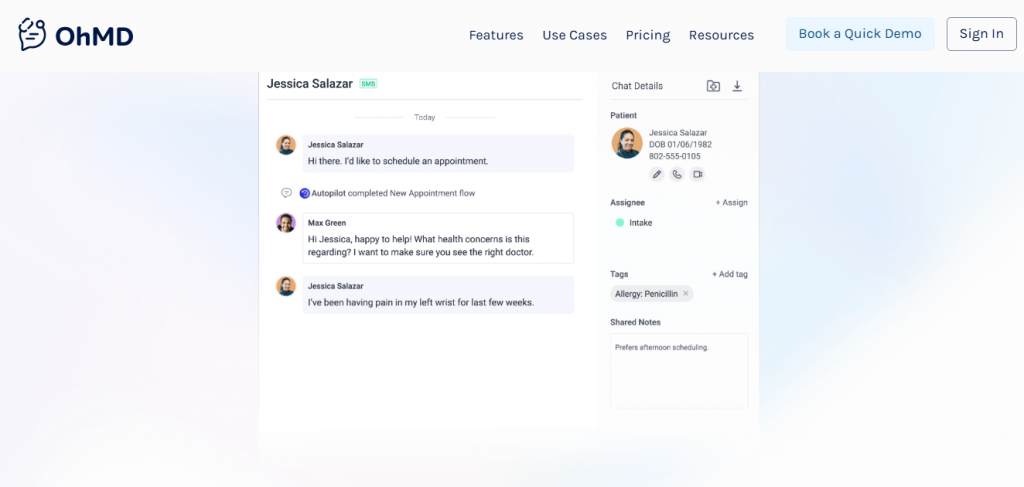
OhMD is a secure texting and communication app for healthcare practices that makes it easy to stay in touch with patients and your team. You can send messages, share documents, and coordinate care all from one place, keeping communication fast, simple, and private.
Should you go for OhMD vs Hucu AI or consider it as a Hucu AI replacement, the main difference is focus: OhMD focuses on direct patient messaging and simple practice communication, while Hucu AI focuses more on team collaboration. OhMD is a solid choice for practices that want a friendly, easy-to-use messaging app to reduce phone calls and help patients stay informed effortlessly.
OhMD Features
- 2-Way Texting: Communicate securely with patients just like regular texting, without needing any extra apps.
- Telehealth Visits: Start video appointments directly from a text message, no downloads required.
- Automated Reminders: Send appointment confirmations and reminders automatically.
- Digital Intake Forms: Collect patient information before visits, saving time at check-in.
- Broadcast Messaging: Notify all patients about office closures, vaccine drives, or other updates in seconds.
OhMD Pros
- Extremely Easy to Use: The interface feels like texting — simple and intuitive.
- No App Needed for Patients: Patients can reply directly to texts without downloading anything.
- Great for Small Practices: Affordable plans that work perfectly for independent clinics.
- Secure and Compliant: Fully HIPAA-compliant, keeping every message protected.
OhMD Cons
- Limited Advanced Features: Doesn’t include as many automation tools as larger platforms.
- Basic Reporting: Analytics are simpler compared to enterprise-level systems.
OhMD Pricing
OhMD pricing plans start at around $7/month. But pricing may vary based on features and staff size.
OhMD Integrations
OhMD connects with a variety of healthcare and office systems, ensuring smooth coordination between communication and records.
- AthenaHealth
- DrChrono
- AdvancedMD
- eClinicalWorks
- ModMed
OhMD Ratings
- Capterra: 4.7/5
OhMD Reviews
“Some users do not like it because it is a separate app. I can’t figure out a way to delete old clients from my records. At times it seems to freeze. I then just sign out and sign back in which fixes it. I was told that I need to upgrade to a newer version, so that may be my problem.”
“OhMd was easy to use and integrated into our EHR system which was very helpful for documentation purposes”
Source: Capterra
OhMD Customer Support Channels
- Email support
- Live chat
- Knowledge base with guides
- Onboarding and training help
10. Telemed IQ

What is Telemed IQ?
Telemed IQ is a HIPAA-compliant communication platform that helps healthcare teams send messages, alerts, and updates quickly and securely. It allows staff to coordinate care, share important information, and respond faster, all in one simple app.
When comparing Telemed IQ vs Hucu AI, Telemed IQ is ideal for practices that want secure team messaging with real-time notifications. It helps reduce missed messages, speeds up care coordination, and ensures critical information reaches the right people without confusion.
Telemed IQ Features
- Secure Messaging: HIPAA-compliant messaging for staff and patients.
- Real-Time Alerts & Notifications: Immediate updates for critical patient or team information.
- Team Coordination: Shared inboxes and group messaging to streamline communication.
- Task Management: Assign and track tasks within the platform to improve workflow.
- Telehealth Integration: Conduct video consultations securely through the platform.
- Document & File Sharing: Share lab results, forms, or care plans safely.
- Audit Trails: Track all messages and actions for compliance and accountability.
- Multi-Platform Access: Available on iOS, Android, and web browsers for flexibility.
Telemed IQ Pros
- HIPAA-Compliant: Ensures all communication and data remain secure.
- Real-Time Notifications: Reduces missed messages and speeds up care coordination.
- Easy to Use: Simple interface that teams can adopt quickly.
- Team Collaboration: Supports group messaging and shared inboxes for better coordination.
- Telehealth Ready: Integrates video visits without needing third-party apps.
Telemed IQ Cons
- Limited Automation: Lacks advanced AI-driven workflows and reminders.
- Integration Restrictions: Works with select EHRs and practice management systems only.
- Learning Curve: Staff may need time to get used to the platform features.
- Pricing Transparency: Exact costs are not always clear online and may require a demo.
Telemed IQ Pricing
Telemed IQ pricing is generally based on the number of users and features required. Basic messaging plans start around $25–$30 per user per month.
Telemed IQ Integrations
Telemed IQ integrates with popular EHRs and healthcare systems to streamline workflows:
- Epic
- Cerner
- Allscripts
- Athenahealth
- NextGen
Telemed IQ Ratings
There are no Telemed IQ ratings available on platforms like G2 and Capterra.
Telemed IQ Reviews
There are no Telemed IQ reviews available on platforms like G2 and Capterra.
Telemed IQ Customer Support Channels
- Email support
- Phone support
- Mobile app support
What Makes Emitrr The Best Hucu AI Alternative?
How Emitrr gets the challenges of healthcare teams and the nonstop pace of patient care is what makes it stand out. It simplifies communication, automates routine tasks, and keeps everything running smoothly so your staff can focus more on patients..
Here’s why Emitrr is the best Hucu AI alternative:
100% HIPAA-Compliant Communication
With Emitrr, you never have to worry about data leaks or privacy issues. Every patient call, text, and message stays safe and private with end-to-end encryption. Many healthcare practices choose Emitrr because it keeps their communication secure and compliant without making things complicated.
Smart AI Automation for Healthcare
Emitrr leverages AI in healthcare automation that truly stands out when it comes to improving day-to-day workflows. From answering patient calls and sending reminders to following up after appointments, it helps your team handle tasks effortlessly. You can easily automate time-consuming processes, reduce manual work, and keep your operations running smoothly.
Affordable and Flexible Plans
Emitrr gives you the freedom to choose a plan that fits your budget and your workflow. There are no hidden costs or long-term contracts. You get real value at every level, making it one of the most cost-effective Hucu AI alternatives for healthcare practices.
All-in-One Communication Platform
Emitrr brings calls, texts, voicemails, and online bookings into one simple platform. Everything is easy to access, so your team can manage conversations while switching between tools. It makes patient communication organized, fast, and stress-free.
Seamless EHR and Practice Tool Integrations
Emitrr works smoothly with over 500 EMR, EHR, and scheduling tools such as Dentrix, DrChrono, and Athenahealth. All your data stays connected and updated automatically, helping your team work faster and avoid manual entry.
Easy to Set Up and Use
Emitrr doesn’t require hours of setup or complicated training. It’s designed to be simple from day one, so your team can get started quickly. Many users say they love how intuitive and straightforward it feels compared to other platforms. There’s no steep learning curve, so switching from Hucu AI feels effortless.
Exceptional Customer Support
Emitrr’s support team is known for being fast, friendly, and truly helpful. If you ever need help, you can reach real people who care about fixing your issue right away. This commitment to support is one of the main reasons users consistently rate Emitrr 5 stars on review sites.
Which Industries Are Catered By Emitrr?
Business across industries rely on Emitrr to streamline communication and simplify daily operations. Below are the industries that Emitrr caters to through AI-powered communication.
Healthcare
Emitrr helps hospitals, clinics, and private practices stay connected with patients and staff. AI for healthcare professionals handles appointment reminders, follow-ups, and patient communication efficiently, saving your team valuable time.
Wellness
Wellness clinics, spas, and fitness centers use Emitrr to engage clients, schedule sessions, and send automated notifications. AI for spa businesses simplifies client management and organizes bookings effortlessly.
Education
Schools, tutoring centers, and training institutes rely on Emitrr to communicate with parents, students, and staff quickly. AI for schools automates alerts, reminders, and class scheduling to improve coordination.
Home Services
From plumbing and cleaning to maintenance, Emitrr manages customer communication with ease. AI for home service business owners handles bookings, confirmations, and follow-ups for smooth operations.
Legal
Law firms and offices use Emitrr to inform clients and manage appointments securely. AI for lawyers manages messages and updates for efficient case handling.
Retail
Retail businesses use Emitrr to connect with customers, confirm orders, and answer queries. AI for retail automates promotions, notifications, and customer updates effectively.
Financial Services
Banks, credit unions, and advisors communicate with clients using Emitrr. AI for financial services sends reminders, alerts, and follow-ups to streamline interactions.
Automotive
Car dealerships, repair shops, and service centers rely on Emitrr for appointments and customer updates. AI for automotive industry schedules notifications, service alerts, and reminders easily.
Insurance
Insurance agencies use Emitrr to reach clients, share policy updates, and arrange calls. AI for insurance agents manages reminders, messages, and client interactions efficiently.
Real Estate
Real estate agents and agencies use Emitrr to manage property inquiries, schedule showings, and follow up with clients. AI for real estate automates notifications, reminders, and client communication to move deals forward smoothly.
FAQs
Emitrr is one of the easiest Hucu AI alternatives for busy healthcare staff. It has a simple design and quick setup, so even those with little tech experience can send secure messages or set patient reminders right away.
Yes, several alternatives, including Emitrr, offer automated reminders via text, chat, or email to help patients remember appointments, medication times, and even prescription refills, reducing missed visits and improving care.
Absolutely. Some platforms offer HIPAA-compliant voicemail or secure voice messaging features, making it easy to send important audio updates or instructions and maintain privacy.
There are affordable options available that balance cost and compliance well. Many platforms, including Emitrr, offer transparent pricing plans tailored for small to mid-sized healthcare teams and maintain strong security standards.
Conclusion
You deserve a communication tool that fits the fast-paced world of healthcare and truly makes your team’s daily work easier. If Hucu AI isn’t quite meeting your needs, there are excellent alternatives ready to help you stay connected, streamline tasks, and improve patient care. Emitrr stands out as one of the best Hucu AI alternatives, offering powerful, HIPAA-compliant features for healthcare teams. Take the time to explore your options and find the solution that best supports your patient-focused mission.
If Emitrr piques your interest, schedule a free demo to discover how it can simplify communication and enhance your team’s efficiency every day.