
 4.9 (400+
reviews)
4.9 (400+
reviews)
Introduction
If you’re exploring Phone.com alternatives, it’s important to first understand what Phone.com offers, where it performs well, and where businesses commonly face challenges. While it is positioned as an affordable VoIP solution for small businesses, growing teams often evaluate alternatives for scalability, reliability, and advanced automation needs.
In this guide, we have compared the ten best Phone.com alternatives so that you can get the best calling system for your business.
AI Summary
- Phone.com is a budget-friendly VoIP solution designed for small businesses with basic calling needs.
- Users often seek alternatives due to limited advanced features, add-on costs, and scalability concerns.
- Businesses looking to upgrade typically want stronger automation, AI capabilities, deeper CRM integrations, and better analytics.
- Several competitors offer more robust call routing, omnichannel messaging, and enterprise-ready functionality.
- Some Phone.com competitors focus on sales teams (power dialers, AI insights), while others specialize in contact centers or unified communications.
- Pricing varies significantly across providers, with advanced AI and automation features often available in higher tiers.
- The best Phone.com alternative depends on whether you prioritize affordability, AI automation, CRM depth, global calling, or enterprise scalability.
- Growing businesses should look for apps like Phone.com that reduces manual work, improves reliability, and scales without excessive add-on costs.
What is Phone.com?
Phone.com is a cloud-based VoIP (Voice over Internet Protocol) phone system designed primarily for small and mid-sized businesses. It provides virtual phone numbers, toll-free numbers, and unified communication tools accessible via desktop and mobile apps.
It aims to replace traditional PBX systems with a more flexible, internet-based calling solution that includes voice, messaging, fax, and video conferencing features under one subscription.
Features of Phone.com
Here are the top Phone.com features:
- Business Phone Numbers: Offers local, toll-free, and vanity numbers for professional branding.
- VoIP Calling: Enables internet-based calling with HD voice quality.
- Auto-Attendant: Greets callers and routes them to the right extension automatically.
- IVR (Interactive Voice Response): Lets callers choose options via keypad or voice prompts.
- Call Forwarding: Redirects incoming calls to mobile, desk phones, or other numbers.
- Call Routing: Routes calls based on time, availability, or predefined rules.
- Call Queuing: Places callers in a queue during high call volumes.
- Voicemail: Provides customizable voicemail boxes for users and departments.
- Voicemail-to-Email: Sends voicemail recordings directly to email inboxes.
- Voicemail Transcription: Converts voicemail messages into readable text.
- SMS & MMS Messaging: Allows business texting from the same phone number.
- Conference Calling: Supports multi-party audio conferencing.
- Video Meetings: Enables basic video conferencing capabilities.
- Call Recording: Records calls for training, compliance, or quality monitoring.
- Call Analytics & Reports: Tracks call logs, durations, and usage insights.
- Mobile & Desktop Apps: Lets users make and receive calls from smartphones or computers.
- Number Porting: Allows businesses to transfer existing numbers to Phone.com.
- Fax (Virtual Fax): Supports sending and receiving faxes digitally.
- CRM Integrations: Connects with selected business tools for workflow syncing.
- Custom Greetings & Hold Music: Personalizes caller experience with branded messages.
- International Calling: Offers global calling options depending on the plan.
- HIPAA-Compliant Plans (Select Tiers): Provides compliance features for healthcare users.
Phone.com Pros
- Affordable pricing: Affordable entry-level pricing compared to many competitors.
- Flexible plans: Multiple plan tiers allow businesses to scale features as needed.
- Mobile app functionality: Strong mobile app enables users to manage calls and texts on the go.
- Video conferencing included: Built-in video meeting capabilities without requiring third-party tools.
- Number options: Offers local, toll-free, and vanity numbers for brand flexibility.
- Easy setup: Simple configuration suitable for small businesses without technical teams.
Phone.com Cons
- Limited advanced features: Lacks some advanced call analytics and AI features offered by Phone.com competitors.
- Add-on costs: Certain features require higher-tier plans or additional fees.
- Customer support concerns: Some users report slow or inconsistent support experiences.
- Basic reporting tools: Reporting and call insights are less robust compared to enterprise VoIP systems.
- Interface usability issues: Some users mention occasional glitches or a dated interface.
Phone.com Pricing
Phone.com offers tiered pricing plans typically structured around:
- Basic plan (limited minutes and features)
- Mid-tier plan (expanded features and usage limits)
- Higher-tier plan (advanced features and higher allowances)
Pricing varies depending on billing cycle (monthly vs annual) and selected features. Advanced tools such as call recording, analytics, or higher usage limits may require upgraded plans.
Phone.com Integrations
Phone.com integrates with select third-party tools, including:
- CRM platforms
- Helpdesk tools
- Microsoft 365
- Google Workspace
- API access (on higher plans)
However, its integration ecosystem is generally more limited compared to larger unified communications providers.
Phone.com Customer Support Channels
Support options include:
- Phone support
- Email support
- Online knowledge base
- Help center documentation
Phone.com Ratings & Reviews
Phone.com is rated 3.5/5 on G2 and 3.6/5 on Capterra. Here’s what users are saying about it:
“Pricing is bit too high for a VoIP service that could potentially be replaced by a very cheap local service on a small company.”
“Phone.com was a simple way to start using a business phone number when we first needed one, with an easy-to-understand interface and setup.”
Source: G2
Why Do Businesses Seek a Phone.com Alternative?
Here are some common reasons why users look for a Phone.com replacement:
Frequent Call Quality & Reliability Issues
Users look for a Phone.com alternative because of inconsistent call quality, dropped calls, delayed notifications, and occasional service disruptions. For businesses that rely heavily on client communication, even minor instability can impact professionalism and customer trust.
Glitches in Desktop & Mobile Apps
Another common reason businesses consider switching from Phone.com is app instability. Users report desktop and mobile apps freezing, crashing, or requiring frequent reinstallation. When teams depend on mobile access for remote work, unreliable app performance becomes a major operational hurdle.
Limited Advanced Features
While Phone.com works well for basic VoIP needs, growing teams often seek apps like Phone.com due to limited advanced functionality. Businesses that require deeper analytics, stronger call routing controls, or more modern AI-driven capabilities may find the platform restrictive.
Feature Restrictions on Lower Plans
Some users seek apps like Phone.com after realizing that certain essential features are gated behind higher-tier plans. As costs increase to unlock advanced tools, businesses begin comparing other platforms that bundle more features at similar pricing.
Customer Support Delays
Users also look for software similar to Phone.com when experiencing slow response times or difficulty resolving technical issues. Since phone systems are mission-critical, businesses expect fast and effective support, especially during outages or configuration problems.
Billing & Account Management Frustrations
Challenges related to billing clarity, account updates, or cancellation processes also motivate businesses to explore other options. Predictable pricing and transparent account management are important for small and mid-sized companies.
Scalability Concerns
As companies grow, communication needs become more complex. Users often seek software similar to Phone.com when they need better scalability, stronger integrations, more reliable infrastructure, and enterprise-grade performance that supports expansion.
What features to look for in Phone.com Alternative?
Before choosing the right Phone.com alternative, it’s important to identify the features that directly address the common gaps businesses experience. The ideal platform should not only resolve reliability and support concerns but also provide stronger automation, scalability, and long-term value.
Advanced AI Capabilities
Modern VoIP platforms should go beyond basic calling by offering AI-driven features such as real-time transcription, automated call summaries, and intelligent routing. Sentiment analysis and voicemail transcription can further enhance productivity and reduce manual follow-ups. These tools help teams save time, improve responsiveness, and streamline communication workflows.
Advanced Call Management & Routing
An ideal alternative should include multi-level IVR, call queues, skill-based routing, and ring groups. Advanced routing ensures calls are directed to the right team members without delays. Custom business hour rules and overflow handling can further optimize customer experience. These features become increasingly important as businesses scale.
Transparent & All-Inclusive Pricing
Businesses should prioritize platforms with clear, straightforward pricing structures. Essential features should not be heavily restricted behind higher-tier plans or surprise add-ons. Transparent billing, easy upgrades, and simple cancellation policies reduce long-term friction. Predictable costs allow companies to budget confidently as they grow.
Deep CRM & Helpdesk Integrations
When replacing Phone.com, see that the replacement integrates seamlessly with CRM systems, helpdesk tools, and productivity platforms. Automatic call logging, SMS syncing, and workflow automation improve operational efficiency. Native integrations reduce manual data entry and ensure better visibility into customer interactions. The goal is to unify communication with business workflows.
Scalable Infrastructure
As businesses expand, their communication system should scale effortlessly. Look for solutions that support easy user additions, multi-location management, and international number provisioning. The platform should accommodate higher call volumes and more complex routing needs over time. Scalability ensures your phone system grows alongside your business.
Advanced Analytics & Reporting
Comprehensive reporting tools help businesses monitor call volume, track agent performance, and identify missed opportunities. Custom dashboards and detailed insights allow teams to optimize workflows and improve service quality. Data-driven visibility is essential for making informed operational decisions and improving overall efficiency.
Strong Customer Support
Reliable customer support is critical for any communication platform. Businesses should look for top Phone.com alternatives that offer fast response times, accessible support channels, and clear escalation processes. Dedicated onboarding and proactive assistance can significantly reduce setup challenges. When issues arise, timely resolution protects business operations.
Business Texting & Automation
Look for two-way SMS capabilities alongside calling features when replacing Phone.com. Automated responses, scheduled messages, templates, and compliance tools can streamline communication. Messaging automation reduces manual follow-ups and enhances customer engagement. In today’s environment, business texting is just as important as voice communication.
Enterprise-Grade Call Reliability
A strong alternative should offer consistent call quality with minimal latency and high uptime guarantees. Look for providers that back their service with a 99.99% uptime SLA and redundant infrastructure. Reliable call routing and stable connections are essential for maintaining professionalism and customer trust. Communication tools should support business continuity, not disrupt it.
Stable & High-Performance Mobile + Desktop Apps
Software similar to Phone.com should provide smooth, glitch-free performance across desktop and mobile devices. Teams need real-time notifications, seamless call transfers between devices, and dependable messaging functionality. Regular updates and optimized app performance are crucial for remote and hybrid work environments. Stability should eliminate the need for frequent troubleshooting.
10 Best Phone.com Alternatives
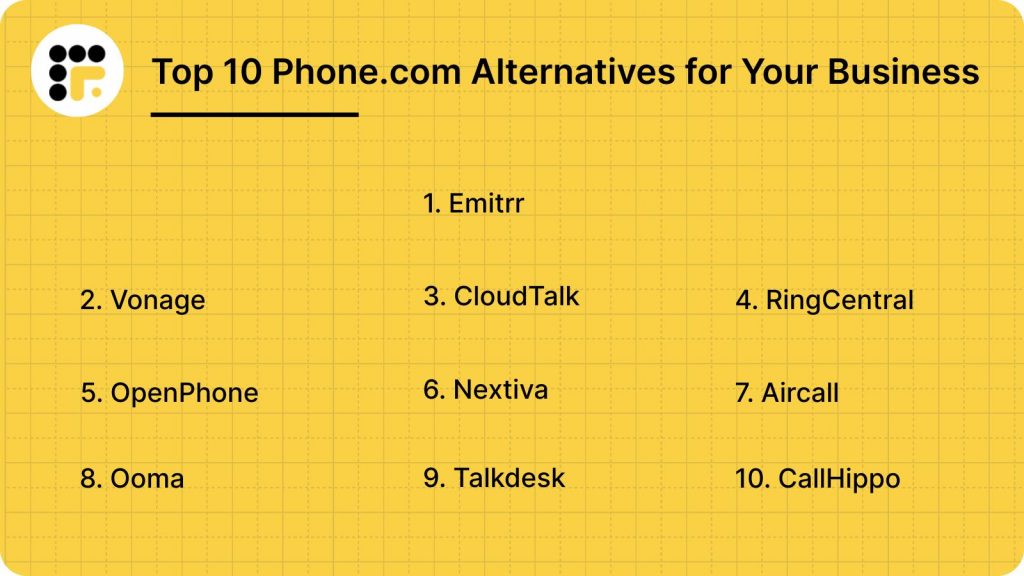
10 Best Phone.com Competitors: Quick Comparison
Take a quick look at the top Phone.com competitors, before we deep dive into each:
| Software | Best For | Key Strength | AI Capabilities | Pricing Positioning | Scalability |
| Emitrr | Healthcare & service businesses | AI-powered VoIP + SMS automation | AI call routing, summaries, missed-call-to-text, automation | Mid-range, value-focused | SMB to mid-sized |
| Vonage | Growing & global businesses | International calling & enterprise features | AI virtual assistant, conversational APIs | Mid to high-tier | SMB to enterprise |
| CloudTalk | Sales & support teams | Advanced call analytics & CRM sync | AI analytics & call insights | Mid-tier | SMB to mid-market |
| RingCentral | Enterprises & large teams | Full UCaaS platform with AI suite | AI Assistant, AI Receptionist | Mid to premium | Mid-size to enterprise |
| OpenPhone | Startups & small teams | Simple shared numbers & texting | Basic automation & integrations | Affordable entry-tier | Small teams |
| Nextiva | Customer experience-focused businesses | Unified CX + VoIP | AI routing & analytics | Mid-tier | SMB to enterprise |
| Aircall | Sales-heavy organizations | CRM-first call workflows | AI call tagging & analytics | Mid-tier | SMB to mid-market |
| Ooma | Budget-conscious small businesses | Affordable VoIP plans | Limited AI features | Budget-friendly | Small to mid-sized |
| Talkdesk | Enterprise contact centers | Advanced CCaaS capabilities | AI-powered automation & CX tools | Premium | Enterprise |
| CallHippo | Remote/global teams | Virtual numbers & outbound sales tools | AI call monitoring | Affordable to mid-tier | SMB |
1. Emitrr: Best Phone.com Competitor
What is Emitrr?
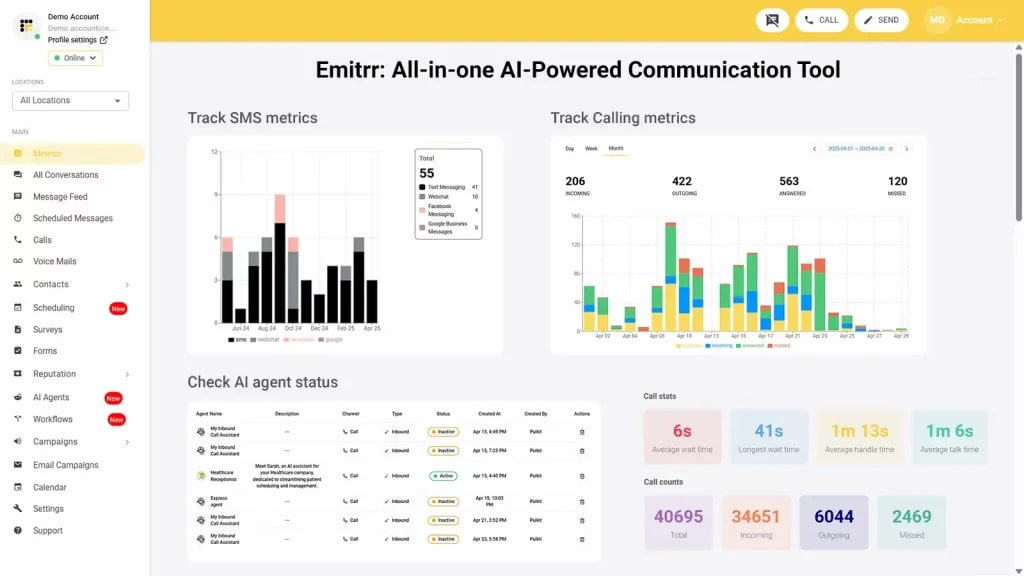
If you’re switching from Phone.com because you need more than just basic calling, Emitrr is built for exactly that next stage of growth. Instead of offering just a VoIP line, it combines AI-powered call handling, advanced routing, business texting automation, and deep CRM/EHR integrations in one unified platform. The focus isn’t just on making calls, it’s on helping businesses capture missed opportunities, automate follow-ups, and eliminate manual communication gaps. For teams that want reliability plus automation, Emitrr feels less like a phone system and more like a communication engine.
Here’s what more Emitrr’s voice AI agent can do:
Key Features Of Emitrr
- IVR/Call Tree with Forwarding on Key Press: Emitrr’s IVR (Interactive Voice Response) and Call Tree features allow users to set up multiple branches in the call flow, so calls are directed based on the caller’s input.
- AI call routing: Let AI call routing analyse whether a call is from a new patient or an old one from the existing patient data, and let it transfer the call directly to the relevant person or department without human interference.
- AI call handling: Let AI handle calls, be it level one calls for answering common queries, or canceling, rescheduling, or booking appointments. Or set actions and let it handle more complex calls, you decide.
- AI call forwarding: Let AI call forwarding help forward incoming calls smartly by analysing the caller’s intent and context. Set it up to forward VIP calls to top agents, or to simply escalate urgent calls to the right person.
- AI call screening: Let AI call screening filter spam or robocalls, identify unknown callers to reduce call disruptions and unnecessary long call queues.
- AI call recording: Use Emitrr’s AI call recording call agent to auto-record calls, to flag compliance breaches, and to train your team better for quality and compliance purposes.
- AI call queue: Let the AI call queue handle common queries, bookings, cancellations, etc., to reduce call queue lines. Set up an auto message if a caller drops mid-way, and keep them engaged.
- AI SMS nudge: Let AI nudge callers standing in virtual queues to continue the conversation over SMS instead.
- Smart phone trees: Build a smartphone tree system that engages the caller seamlessly.
- AI summary and transcripts: Save time that may be wasted in listening to long calls. Use AI summary and transcript features to get a crisp summary of different phone calls.
- AI data and forms collection: Let AI collect patient forms and other information, such as insurance details, patient demographics, patient visit, medical history, and more, beforehand.
- Dashboard and reports: Access the dashboard and reports to analyse how many calls got dropped, the total number of calls received, missed, etc. And take necessary action to fix loopholes.
- Customizable Call Flows: Design detailed call trees to efficiently route callers to the right department or team member, improving customer service.
- Organized Call Groups: Streamline team collaboration by directing incoming calls to groups of employees with shared extensions for faster response times.
- Unique Extensions for Teams: Assign distinct extensions to employees or departments to simplify internal and external communication.
- Business and After-Hours Call Handling: Configure different call routing rules for business hours and after-hours to manage customer expectations effectively.
- Scalable VoIP Capabilities: Easily add new phone numbers, teams, or locations as your business grows without any technical challenges.
- Cloud-Based Access Across Devices: Use Emitrr’s VoIP system on desktops, mobile devices, or tablets for seamless communication from anywhere.
- Team Collaboration with Extensions: Enhance internal communication by enabling direct dialing and extensions for team members.
- Call Recording Options: Record calls automatically or selectively based on compliance needs and business requirements.
- Advanced Performance Metrics: Monitor key call data like response times, missed calls, and average handling times to improve team efficiency.
- Call Queue Groups: Calls can be sent to a pre-defined group of team members (or extensions) who are assigned to handle specific types of inquiries, ensuring callers reach someone in that specialized team.
- Call pop: Use the call pop feature to access caller information and calling history during a live call to offer a quick resolution.
- Ring Everyone: In situations where immediate response is critical, calls can be set to ring all available team members simultaneously, ensuring the first available person picks up the call.
- Missed call text: It works as a missed-call-text back software to send automated SMS to callers whose calls go unanswered.
- Set up Call Groups with Multiple Extensions/Team Members: You can create a call queue with multiple extensions or team members, allowing calls to route to a group rather than a single person, ensuring someone is available to answer during peak hours or when handling high call volumes.
- Call Routing: Direct and incoming calls automatically to the right department or person.
- Multiple Extensions Setup: You can create individual extensions for each user and even customize them for individual availability and forwarding preferences.
- Customize User availability: Customize each user’s availability on a day-by-day basis, allowing flexibility to account for specific schedules, such as part-time shifts, vacations, or other variable working hours. And define specific working hours for each user.
- Call Forwarding: Each extension can have its own call forwarding rules (similar to call queue groups), allowing calls to be forwarded to another extension, number, or voicemail if the user is unavailable or has missed a call.
- Call Recording: Automatically record all incoming and outgoing calls if desired, ensuring there is a record for training, compliance, or quality assurance purposes, or turn off recording based on specific regulations or privacy requirements.
- Set up Business Working Hours: Define standard business hours for your organization to control call routing automatically based on availability.
- Bulk/Mass Text Messaging: Send 1000s of text messages at once and achieve a 98% open rate with bulk texting or mass messaging.
Emitrr Pros
- No Downtime: With Emitrr, you can rest assured knowing that the software is thoroughly tested, providing 99.99% uptime for uninterrupted calling.
- User-Friendly VoIP Features: Emitrr features a streamlined dashboard that is intuitive and extremely easy to navigate.
- Superior Call Quality: Emitrr delivers HD audio quality, ensuring flawless communication with your customers.
- Simple Dashboard Setup and Training: The setup process for Emitrr is quick and straightforward, allowing for fast onboarding with minimal hassle.
- Effortless Integrations: This VoIP phone system easily integrates with your CRM, EHR, or PMS tools.
- Cost-Effective and Flexible Pricing: Emitrr offers a variety of features and greater value than Phone.com with its affordable and adaptable pricing plans.
- Abundant Features: Designed for businesses, this VoIP phone system includes a multitude of features for calling, texting, review management, and more that can be included in your plan.
Emitrr Cons
More VoIP features are coming soon!
Emitrr Pricing
Emitrr offers two VoIP plans, Standard and Professional, to match different levels of business needs. Pricing starts at $20 per user per month when billed annually. Both plans come packed with a myriad of features that help businesses handle calls, automate follow-ups, and streamline customer communication seamlessly.
Take a quick look at Emitrr’s VoIP pricing for each plan:
| Name of the plan | Pricing if paid annually | Pricing if paid monthly |
| Standard | $20 per user per month | $25 per user per month |
| Professional | $30 per user per month | $35 per user per month |
Emitrr Integrations
Emitrr phone system offers integrations with more than 1000 tools across different industries, with tools like:
- Mailchimp
- Salesforce
- Zapier
- HubSpot
- HouseCall Pro
- And more!
Emitrr Reviews
“There are several things I like about Emitrr: 1) they have built a powerful, easy to use web interface. 2) The onboarding of our staff and contacts was excellent 3) Any issues we have had were addressed immediately and professionally by Emitrr staff 4) they are improving the product on an ongoing basis”
“Great product that makes running a small business easier, i own and operate 2 small businesses and having an auto text responder, missed call responses and the voicemail system set up is a game changer for me”
Source: Capterra
Emitrr Support Channels
- Email: Send email to Emitrr’s support team at support@emitrr.com
- Phone: Call Emitrr at +1 (210) 941-4696
- Live chat: Chat with Emitrr’s live representatives
- FAQs/forum
- SMS
- Knowledge base
2. Vonage: Best for Global & Enterprise-Ready Communications
Vonage Overview
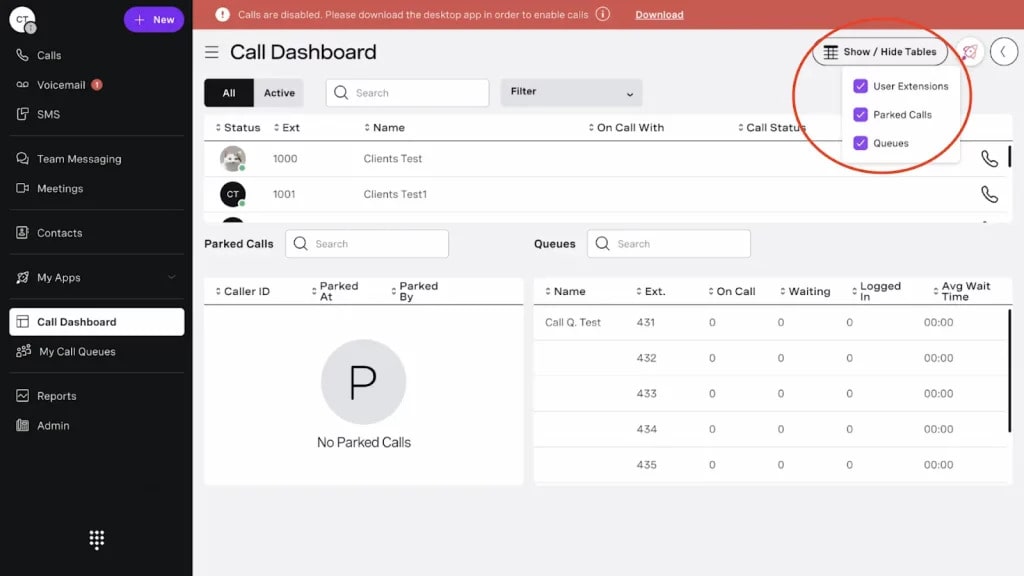
Vonage is a cloud communications provider offering VoIP calling, team messaging, video conferencing, and contact center solutions. It serves small businesses, mid-sized companies, and enterprises looking for a scalable unified communications platform. Compared to Phone.com, Vonage positions itself as a more feature-rich and enterprise-ready solution with stronger global capabilities and deeper customization options.
Vonage Features
- Cloud-based VoIP calling with HD voice quality
- Unlimited domestic calling (plan dependent)
- Auto-attendant and multi-level IVR
- Call forwarding, routing, and ring groups
- Call recording (on higher plans)
- Team messaging and collaboration tools
- Video conferencing
- Mobile and desktop apps
Vonage Pros
- Scalable platform: Designed to support growing teams and enterprise communication needs.
- Strong global calling support: Offers international numbers and worldwide connectivity options.
- Advanced call management: Provides multi-level IVR, routing rules, and call handling tools beyond basic VoIP.
- CRM integrations: Connects with popular CRMs to streamline workflows and improve visibility.
- Contact center capabilities: Offers advanced features for businesses needing sales or support teams.
Vonage Cons
- Higher pricing tiers: Advanced features often require upgrading to more expensive plans.
- Add-on costs: Certain functionalities, such as call recording may not be included in base plans.
- Complex setup for small teams: Can feel overwhelming for businesses needing only basic phone functionality.
- Contract commitments: Some plans may require longer-term agreements, which makes users look for Vonage alternatives.
Vonage Pricing
There are three Vonage pricing options to choose from:
- Mobile: $19.99/user/month.
- Premium: $29.99/user/month.
- Advanced: $39.99/user/month.
Vonage Integrations
- Salesforce
- Microsoft 365
- Google Workspace
- Sack
- And a ariety of APIs are available
Vonage Reviews
“Vonage is a very useful VoIP Application, it has clear voice quality, text messages facility is also very good, it has video calling function also. … if we face any technical issue, their customer support helps us.”
“Very User-friendly product with a good number of features. Easy to integrate and implement with the system. Good customer support and frequently used for daily use.”
Source: G2
Vonage Support Channels
- Phone
- Email/Help Desk
- FAQ/Forum
3. CloudTalk: Best for Remote Sales & Support Teams
CloudTalk Overview
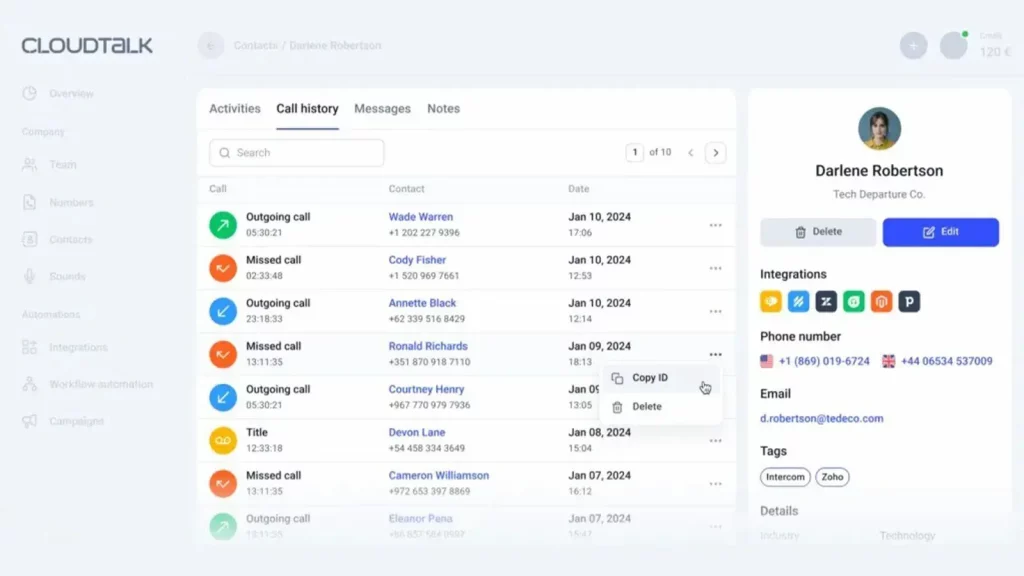
CloudTalk is a cloud-based business calling platform built primarily for sales and customer support teams. It focuses on improving outbound and inbound calling workflows with automation, analytics, and CRM integrations. Compared to Phone.com, CloudTalk positions itself as a more sales-focused and call-center-ready solution with deeper reporting and performance tracking capabilities.
CloudTalk Features
- International and local phone numbers
- Smart call routing and skill-based routing
- IVR and call queues
- Power dialer and smart dialer
- Call recording and call monitoring
- Real-time analytics and reporting dashboard
- Call tagging and notes
- CRM integrations
- Mobile and desktop apps
CloudTalk Pros
- Sales-focused functionality: Built specifically for outbound sales and support teams.
- Advanced analytics: Offers detailed reporting, call tracking, and performance dashboards.
- Strong CRM integrations: Deep integrations with popular CRM platforms for workflow automation.
- International coverage: Provides numbers in multiple countries for global teams.
- Call center tools: Includes power dialers and queue management features beyond basic VoIP.
CloudTalk Cons
- Higher cost for advanced features: More powerful tools are available only on higher plans, making users look for CloudTalk alternatives.
- May be complex for small teams: Designed more for structured sales/support teams than simple business calling.
- Add-ons required: Certain advanced analytics or features may require upgrades.
- Not ideal for very basic phone needs: Businesses seeking simple VoIP may find it feature-heavy.
CloudTalk Pricing
There are four CloudTalk pricing options to choose from:
- Starter: $25/user/month (billed annually)
- Essential: $30/user/month (billed annually)
- Expert: $50/user/month (billed annually)
- Custom: Custom pricing (for enterprises)
CloudTalk Integrations
- Salesforce
- HubSpot
- Pipedrive
- Zendesk
- Freshdesk
- Intercom
- Zapier
- And API access is available
CloudTalk Ratings & Reviews
“CloudTalk is easy to use and integrates seamlessly with our CRM. The analytics features help us track team performance effectively.”
“The call quality is excellent and the dialer features have improved our outbound productivity significantly.”
Source: G2
CloudTalk Support Channels
- Email/Help Desk
- Live Chat
- Knowledge Base
- Phone Support (plan dependent)
4. RingCentral: Best for Large Teams Needing Unified Communications
RingCentral Overview
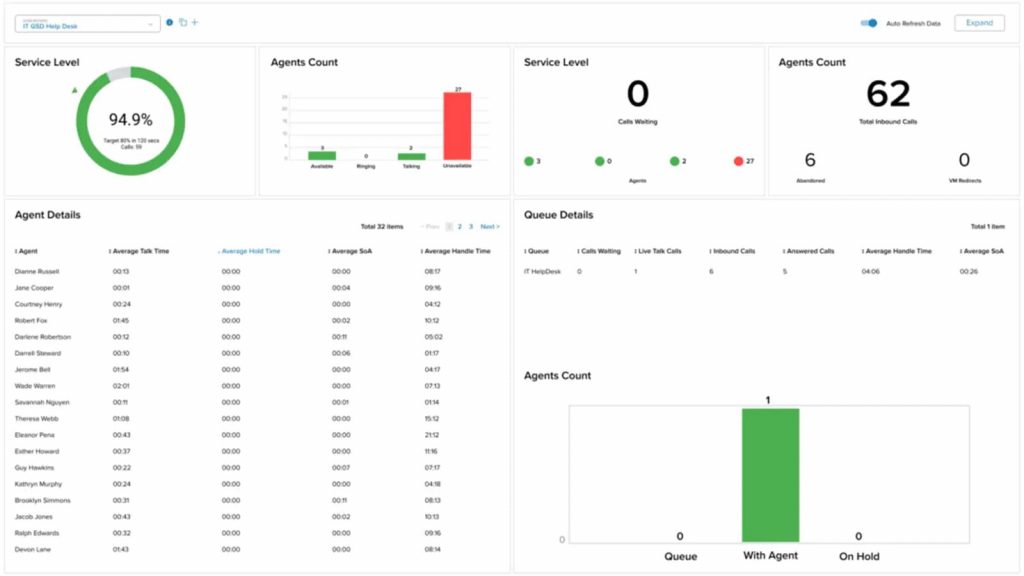
RingCentral is a cloud-based unified communications platform offering business phone systems, messaging, video meetings, and contact center solutions. It serves small businesses, mid-sized companies, and large enterprises that need an all-in-one communication suite.This Phone.com replacement positions itself as a more robust, enterprise-ready solution with broader collaboration features and advanced integrations.
RingCentral Features
- Cloud-based VoIP calling with HD voice
- Unlimited domestic calling (plan dependent)
- Auto-attendant and multi-level IVR
- Call routing, forwarding, and ring groups
- Call recording (plan dependent)
- Team messaging and file sharing
- Video meetings and conferencing
- Mobile and desktop apps
- SMS and MMS business messaging
- Advanced analytics and reporting
RingCentral Pros
- All-in-one communications: Combines phone, video, and messaging in a single platform.
- Enterprise scalability: Designed to support growing and distributed teams.
- Extensive integrations: Connects with major CRMs and productivity tools.
- Strong reliability: Known for high uptime and call quality.
- Advanced admin controls: Detailed user management and reporting features.
RingCentral Cons
- Higher pricing tiers: Advanced features require premium plans.
- Add-on costs: Certain capabilities, such as advanced analytics may cost extra.
- Can be overwhelming: May feel complex for businesses needing only basic VoIP. Common reason why people look for RingCentral alternatives.
- Long-term contracts: Some pricing structures require annual commitments.
RingCentral Pricing
There are three RingCentral pricing options to choose from:
- Core: $20/user/month (billed annually)
- Advanced: $25/user/month (billed annually)
- Ultra: $35/user/month (billed annually)
RingCentral Integrations
- Salesforce
- HubSpot
- Microsoft 365
- Google Workspace
- Zendesk
- Slack
- And developer APIs are available
RingCentral Reviews
“It could be operator error, but it sometimes does not alert me right away when I miss a call/receive a voicemail on my cell phone.”
“I love how you can forward your calls to another number within the app. I love how ring central has the ability to transcribe your voicemails into text emails.”
Source: Capterra
RingCentral Support Channels
- Knowledge Base
- Chat
- Email/Help Desk
- Phone Support
- 24/7 (Live rep)
- FAQs/Forum
5. OpenPhone (Quo): Best for Startups & Small Businesses
OpenPhone Overview
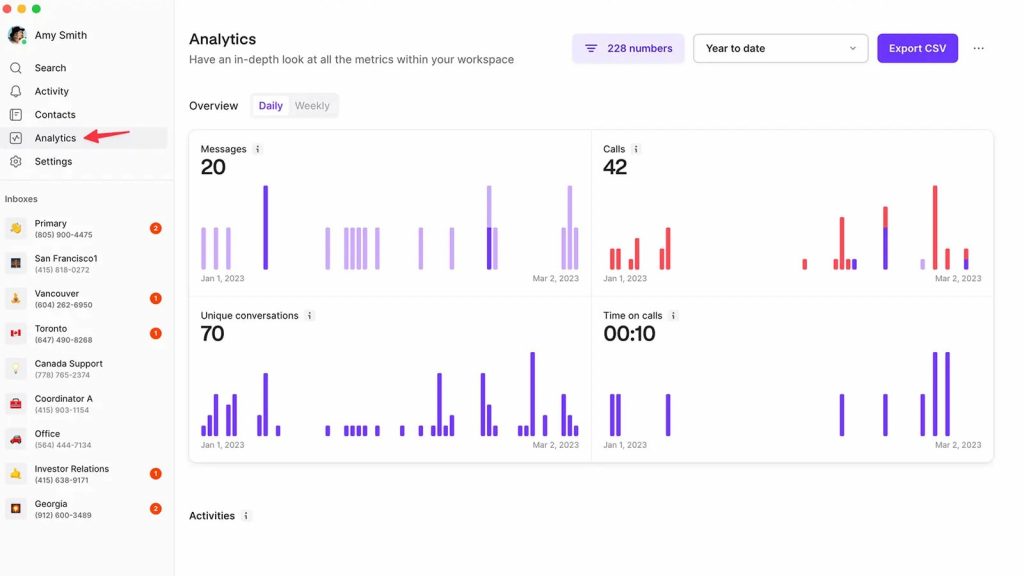
OpenPhone, now rebranded as Quo, is a collaborative business phone system designed primarily for startups and small businesses. It combines calling, texting, and contact management in a shared workspace with built-in AI features. Compared to Phone.com, it focuses more on team collaboration, shared numbers, and AI-powered call handling.
OpenPhone (Quo) Features
- Cloud-based VoIP calling across desktop, mobile, and web
- Unified inbox for calls, texts, voicemails, and recordings
- Shared phone numbers for team collaboration
- AI call summaries and automatic transcripts
- AI call tags and suggested next steps
- Auto-replies, snippets, and scheduled messages
- Call flow builder with phone menus and routing
- Analytics and call insights
- Public API and webhooks for custom workflows
OpenPhone (Quo) Pros
- Strong AI capabilities: Offers call summaries, transcripts, AI tagging, and automated next steps to reduce manual work.
- Team collaboration focus: Shared numbers and internal threads make it easier for teams to manage conversations together.
- Wide automation options: Connects with 7,000+ apps through Zapier and Make, plus API access for custom workflows.
- Transparent pricing structure: Clear monthly and annual plans with included numbers per user.
OpenPhone (Quo) Cons
- Limited live phone support: Some users report difficulty reaching support by phone, especially on lower plans.
- API limitations reported: Users have flagged issues with contact management through the API.
- Account disruption concerns: A few users reported account suspension issues affecting business continuity.
OpenPhone (Quo) Pricing
There are mainly 2 OpenPhone pricing options:
- Starter: $19/user/month (or $15/user/month billed annually)
- Business: $33/user/month (or $23/user/month billed annually)
Each user includes one phone number. Additional numbers cost $5 per number per month. A 7-day free trial is available.
OpenPhone (Quo) Integrations
- HubSpot
- Salesforce
- Slack
- Zapier
- Make
- Gong
- Google Contacts
- Webhooks & Public API
OpenPhone (Quo) Reviews
“Worst onboarding and support experience ever. If you expect to just sign up and immediately get going – forget about it.”
“They would rather you don’t have phone access let a paying customer leave when their service is no longer required.”
Source: Capterra
OpenPhone (Quo) Support Channels
- Live Chat (Business plan)
- Email/Help Center
- Resource Center
6. Nextiva: Best for Businesses Wanting an All-in-One CX Platform
Nextiva Overview
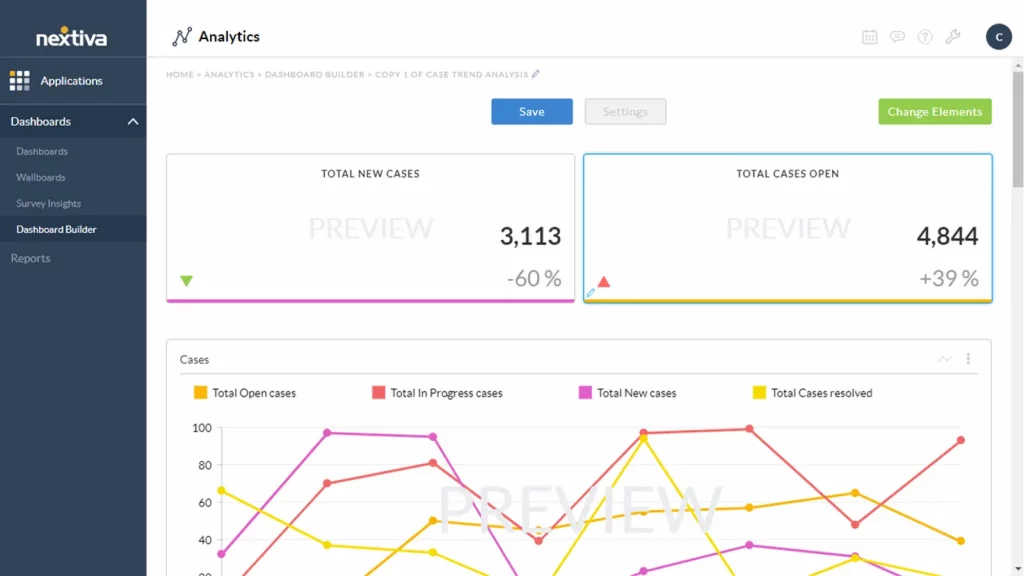
Nextiva is a cloud communications and Unified Customer Experience Management (Unified-CXM) platform that combines business voice, messaging, video, live chat, contact center, and AI-powered automation in one system. It serves small businesses, mid-sized companies, and enterprise contact centers looking for an all-in-one communications and CX solution.
Nextiva Features
- Cloud-based VoIP calling with inbound and outbound voice (U.S. & CA)
- Business SMS and team messaging
- Video meetings and collaboration tools
- Auto-attendant and contact routing
- Inbound sales and service call center capabilities
- AI-powered receptionist (XBert add-on)
- AI-powered live chat and chatbots
- Omnichannel support (voice, chat, SMS, email, social)
- Workflow automation and journey orchestration
Nextiva Pros
- All-in-one CX platform: Combines voice, messaging, chat, and contact center in a single unified system.
- AI and automation capabilities: Built-in AI tools for chat, routing, and workflow orchestration.
- Scalable plans: Offers options for small businesses and enterprise contact centers.
- Strong reliability positioning: Promotes high uptime and secure infrastructure.
- Extensive integrations: Connects with major CRMs, productivity tools, and industry systems.
Nextiva Cons
- Support wait times reported: Some users mention long hold times and delayed responses.
- Service reliability concerns: Reports of voicemail delays, dropped calls, and app lag.
- Contract and cancellation complaints: Users have described difficulties exiting contracts.
- Spam call blocking limitations: Mentioned lack of certain third-party spam-block integrations.
Nextiva Pricing
Here’s an overview of Nextiva pricing plans:
- Essential: Starting at $23.95 per user/month (billed annually, for 20-99 users)
- Professional: Starting at $27.95 per user/month (billed annually, for 20-99 users)
- Enterprise: Starting at $37.95 per user/month (billed annually, for 20-99 users)
- Ultimate: Starting at $67.95 per user/month (for comprehensive needs, with custom features)
Nextiva Integrations
- Salesforce
- HubSpot
- Microsoft Teams
- Zendesk
- Epic, eClinicalWorks, ModMed (EHR integrations)
- Google Workspace
Nextiva Reviews
“Service is spotty, Calls get dropped, Phones disconnect from service, Voice Packets get lost. Forever ongoing contract auto-renewals without notifications to the client.”
“The phone system was with a lot of technical problems. Auto attendant not working, CRM not working, SMS not working.”
Source: Capterra
Nextiva Support Channels
- Phone support
- Email support (reviews@nextiva.com referenced publicly by team)
- Live chat support
- Support center / resources
7. Aircall: Best for Sales & Support Teams
Aircall Overview
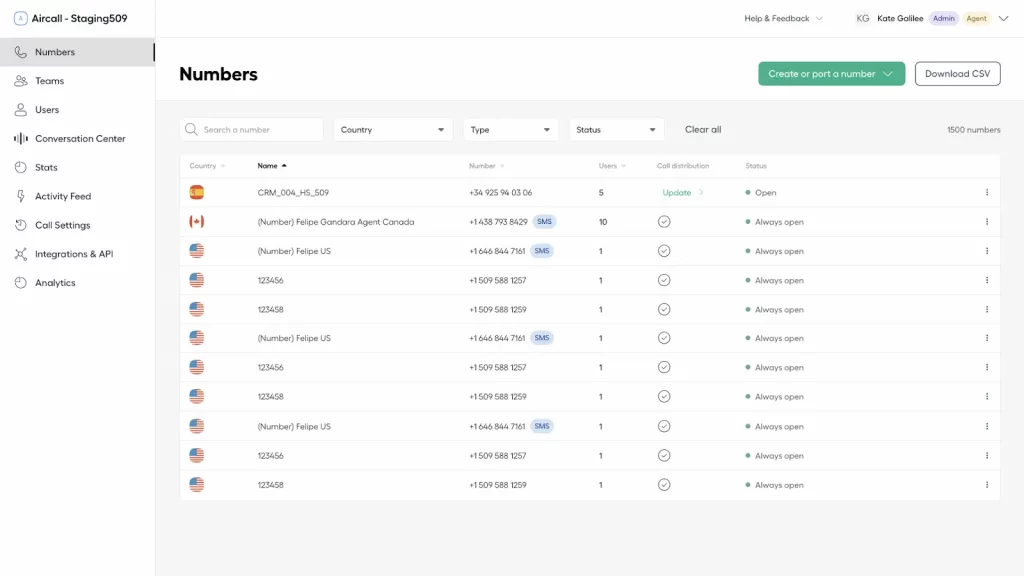
Aircall is a cloud-based business phone and customer communications platform designed primarily for sales and support teams. It combines VoIP calling, SMS, WhatsApp messaging, AI-powered insights, and CRM integrations in a single unified hub. Compared to Phone.com, Aircall positions itself as a customer conversation and intelligence platform with strong CRM depth and automation capabilities.
Aircall Features
- Cloud-based VoIP calling with HD voice
- AI Voice Agent for automated inbound call handling (24/7)
- AI Assist with call summaries, transcriptions, and insights
- Call recording and voicemail
- SMS and WhatsApp messaging from a unified inbox
- Multi-level IVR and call routing
- Shared inbox for team collaboration
- Analytics and performance monitoring
- Mobile and desktop apps
- 100+ integrations (CRM, Helpdesk, eCommerce tools)
Aircall Pros
- Strong CRM integrations: Deep integrations with tools like Salesforce and HubSpot streamline workflows.
- AI-powered productivity: AI Voice Agent and AI Assist automate call handling and post-call tasks.
- Easy setup: Designed for quick number claiming, integrations, and configuration.
- Collaboration-focused: Shared inbox and unified view of calls, texts, and voicemails improve team coordination.
Aircall Cons
- Premium pricing perception: Some users note it “doesn’t come cheap.”
- Integration challenges reported: Users have mentioned sync and ticketing issues with certain integrations.
- Billing complaints: A few users reported dissatisfaction around cancellation and billing experiences.
Aircall Pricing
This Phone.com replacement offers several pricing plans tailored for businesses of different sizes and needs. Here’s an overview of Aircall pricing options:
- Essential: Starting at $29 per user/month (billed annually)
- Professional: Starting at $49 per user/month (billed annually)
- Custom (Enterprise): Custom pricing, based on specific business needs
Aircall Integrations
Salesforce
- HubSpot
- Zendesk
- Intercom
- Shopify
- Microsoft Teams
- 100+ additional integrations via App Marketplace
Aircall Reviews
“Call quality is really bad, all of my colleagues complain about calls dropping or customers not being able to hear them.”
“The interface is pretty simple, it’s very easy to use and organize calls.”
Source: Capterra
Aircall Support Channels
- 24/7 AI Chat Assistant (Help Center)
- Customer Support portal (for admins/supervisors)
- Sales via phone, chat, or email
- Dedicated Customer Success for subscribed accounts
8. Ooma: Best for Small Businesses Needing Affordable VoIP
Ooma Overview
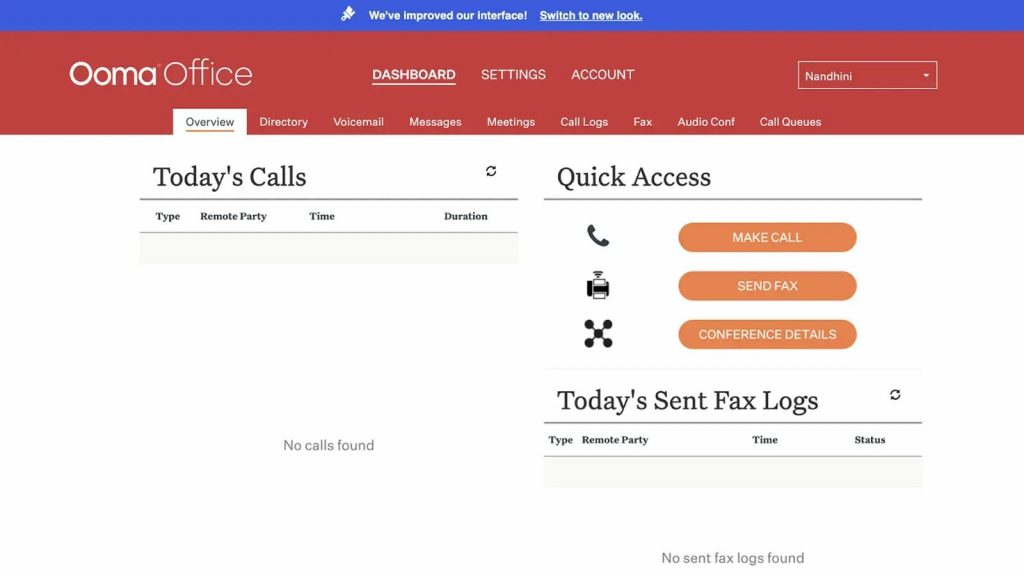
Ooma is a cloud-based business phone system provider offering VoIP calling, virtual receptionist features, and mobile accessibility through its Ooma Office plans. It primarily serves small businesses looking for a simple, budget-friendly alternative to traditional landlines. Compared to Phone.com, Ooma positions itself as an easy-to-use solution with straightforward setup and essential calling features.
Ooma Features
- Cloud-based VoIP calling
- Virtual receptionist (auto-attendant)
- Ring groups and call forwarding
- Call transfer and extension dialing
- Voicemail-to-email
- Mobile and desktop apps
- Call logs and basic reporting
- Video conferencing (on higher plans)
- Call recording (higher tiers)
- CRM integrations (plan dependent)
Ooma Pros
- Affordable entry pricing: Entry-level plans are positioned for small businesses with basic calling needs.
- Easy setup: Designed for quick installation and simple configuration.
- Reliable core features: Covers essential VoIP tools like auto-attendant and call routing.
- Mobile flexibility: Apps allow users to take business calls on the go.
Ooma Cons
- Limited advanced features: Advanced analytics and deeper automation tools require higher tiers.
- Fewer integrations: CRM and third-party integrations are not as extensive as larger Ooma competitors.
- Feature gating: Capabilities like call recording are restricted to higher plans.
- Not enterprise-focused: May not scale as well for large or complex teams.
Ooma Pricing
This Phone.com competitor offers a few different pricing plans for its business phone solutions, catering to small and medium-sized businesses. Here’s a breakdown of the main Ooma pricing plans:
- Ooma Office: $19.95 per user/month
- Ooma Office Pro: $24.95 per user/month
- Ooma Office Pro Plus: $29.95 per user/month
Ooma Integrations
- Salesforce (Pro Plus plan)
- Microsoft 365
- Google Workspace
Ooma Reviews
“Sometimes the call quality is horrible or just flat out unable to connect and it seems they have a lot of outages.”
“I love the customer service the best!!!! They are always on top of their game, and willing to go above and beyond to help you out.”
Source: Capterra
Ooma Support Channels
- Phone support
- Live chat
- Online help center
- Knowledge base
9. Talkdesk: Best for Enterprise Contact Centers
Talkdesk Overview
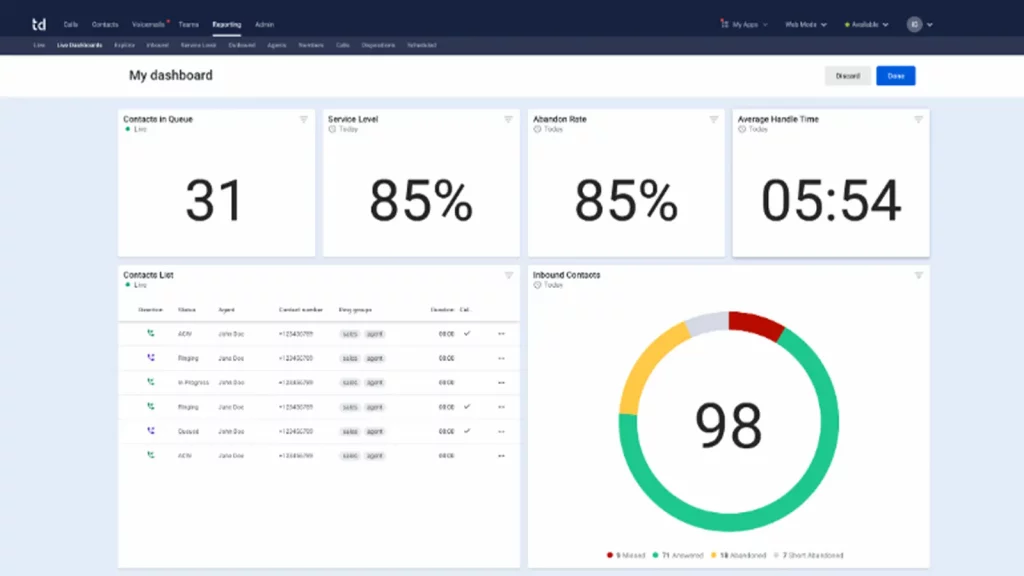
Talkdesk is a cloud-based contact center platform that provides AI-powered customer experience (CX) solutions for mid-sized businesses and enterprises. It focuses on automation, omnichannel engagement, workforce management, and industry-specific solutions through its CX Cloud platform.
Compared to traditional VoIP systems, Talkdesk positions itself as an enterprise-grade contact center solution with advanced AI, analytics, and automation capabilities.
Talkdesk Features
- AI-powered Customer Experience Automation (CXA)
- Omnichannel engagement (voice, email, chat, SMS, social messaging)
- Advanced call routing and IVR
- Speech recognition and voicemail transcription
- Real-time dashboards and reporting
- Workforce management and performance tools
- Screen recording and quality management
- Industry-specific experience clouds (e.g., healthcare, financial services)
Talkdesk Pros
- AI-first platform: Built with automation and AI agents at its core.
- Strong omnichannel support: Handles voice and digital channels in one system.
- Advanced analytics: Offers real-time dashboards and AI-powered insights.
- Industry solutions: Provides tailored clouds for specific industries.
- Scalable for enterprises: Designed for large and distributed contact centers.
Talkdesk Cons
- Higher entry pricing: Starts at a premium compared to basic VoIP tools.
- Add-ons required: Advanced capabilities and customizations may require additional purchases.
- Primarily enterprise-focused: May be too complex for small teams needing simple phone functionality, a common reason why users look for Talkdesk alternatives.
Talkdesk Pricing
Talkdesk has several different plans, usually tailored towards specific needs (i.e., CX Cloud, CX Cloud for Sales). Pricing is also quote-based, but professional plans are usually around $75 per user per month and then increase depending on enterprise solutions.
Talkdesk Integrations
- Salesforce
- Zendesk
- Microsoft Teams
- ServiceNow
- HubSpot
- Microsoft Dynamics 365
- Zoom
- Slack
Talkdesk Reviews
“It is a great platform for inbound and outbound calling and I would definitely recommend it for beginners since it is easy to learn. The platform has good functionality, making it simple to save and edit caller data on the fly.”
“The product is full featured, including full ability to call anywhere … Many customization options including business hours settings … and a call tree builder are also helpful.”
Source: Capterra
Talkdesk Support Channels
- Phone support
- Online support portal
- Knowledge base
- Customer support center
10. CallHippo: Best for Startups & SMBs Focused on Outbound Calling

CallHippo Overview
CallHippo is a cloud-based VoIP and virtual phone system designed for sales and support teams. It offers business calling, SMS, AI-powered insights, and global virtual numbers across multiple countries. CallHippo primarily targets startups, SMBs, and growing teams that need international calling and CRM integrations.
CallHippo Features
- Cloud-based VoIP calling with global virtual numbers
- Power dialer and automatic call distribution
- Call recording and voicemail
- AI-powered call analytics and insights
- SMS and WhatsApp messaging (plan dependent)
- IVR and call routing
- Live call monitoring and call barging
- Mobile and desktop apps
CallHippo Pros
- Global number availability: Offers virtual phone numbers in 50+ countries, supporting international teams.
- Sales-focused tools: Includes power dialer and analytics designed for outbound teams.
- AI capabilities: Provides AI-driven insights and call performance tracking.
- CRM integrations: Connects with major CRMs to streamline workflows.
CallHippo Cons
- Feature limitations on lower tiers: Advanced analytics and AI tools require higher plans.
- Add-on costs: Certain features such as advanced reporting may not be included in base plans.
- Primarily sales-oriented: May not be ideal for businesses needing full-scale contact center depth.
CallHippo Pricing
CallHippo offers four main pricing plans (billed annually):
- Starter: $18 per user/month
- Professional: $30 per user/month
- Ultimate: $42 per user/month
- Enterprise: Custom pricing
CallHippo Integrations
- Salesforce
- HubSpot
- Zoho CRM
- Pipedrive
- Zendesk
- Slack
CallHippo Reviews
“CallHippo is easy to use on my laptop and on my phone. And I’ve never had any issues with the calls I make.”
“Wonderful Experience while using their portal … the support team is way beyond my expectation, they are super fast and supportive … it is very productive and smooth.”
Source: Capterra
CallHippo Customer Support Channels:
- Resources on the website
- Phone support
Why Is Emitrr The Best Phone.com Alternative?
Emitrr, an ideal Phone.com replacement, is a complete communication and engagement software, built specifically for businesses across different industries like home service businesses, healthcare practices, and more. Here are some key functionalities offdiered by Emitrr that make it an ideal choice for businesses:
Hassle-free migration
Emitrr offers a quick and effortless migration in 30 minutes, and you can operate with the same business number that you had in Phone.com. You do not need to switch to a different number.
Centralized dashboard
With Emitrr, you don’t need multiple platforms for managing multiple phone lines or locations. You can manage all your contacts and locations from one single dashboard. There’s no cap on the number of messages, locations, team members, or contacts.
Round-the-clock support
Emitrr offers 24/7 assistance, from resolving issues to answering queries, and even customizing features as per the users’ needs. With us, you can deliver better customer service and enhance customer satisfaction.
Easy data transfer
While migrating, you simply need to export your contacts to an Excel sheet, and the team will take it from there.
Integrations
Emitrr does a great job at automation by integrating with your current software, such as CRM, (Electronic Medical Records), Scheduling Software, and PMS (Practice Management Software).
Diverse Features
Emitrr boasts a range of interesting features such as web visitors to text, missed calls to text, automated follow-ups, and customizable reminders, which many other alternatives do not offer.
Business Texting
Instead of offering just basic SMS, it provides two-way messaging, automated reminders, campaigns, scheduled texts, and centralized inbox management. This is especially valuable for service-based businesses that rely heavily on appointment confirmations, follow-ups, and real-time engagement.
Scalability
Scalability is also built in. As your team expands, Emitrr supports deeper integrations, automation rules, reporting dashboards, and multi-location management, without forcing you to migrate to another platform later.
Automation capabilities
You can keep your schedules full at all times by sending automated email or text reminders, follow-up for rescheduling, and tracking no-shows and fast-fill lists.
Metrics
Keep a track of your missed calls (Missed calls, dispositions, booking requests), texting usage (automated texts, inbound, manual), and reviews (summary, review requests) to make informed decisions based on the data.
Text-enable your landline
With Emitrr, you can text-enable your landline number. This means that with your existing landline number, you can not just make and receive calls but also send and receive SMS. You do not need to have a separate number for text messaging; Emitrr can text-enable your landline number.
Translation
This is a unique and important feature that allows you to communicate with your clients who speak different languages. This feature seamlessly translates outgoing and incoming messages, keeping the language preference of the client in consideration.
Which Industries are catered by Emitrr?
Emitrr’s VoIP system supports businesses across multiple industries, including but not limited to:
Healthcare
Healthcare providers running outpatient clinics, therapy centers, or specialty practices can use Emitrr’s healthcare VoIP system to enhance patient communication. It integrates seamlessly with PMS/EHR software, allowing instant access to patient details during live calls. You can generate call transcripts, record conversations for future reference, park live calls, and streamline daily operations with ease.
Here’s a short video explaining everything you need to know about a HIPAA-compliant phone system:
Home Service Business
Home service businesses can use Emitrr’s VoIP to strengthen communication with both team members and clients. Since these businesses operate on the move, staying tied to a desk phone isn’t practical. From call transfers and conference calls to recording conversations, VoIP enables seamless communication anytime, anywhere.
Real Estate Business
Real estate professionals frequently interact with clients and team members while constantly on the go. With a VoIP phone system built for real estate, they can access unlimited calling and advanced call features to simplify and speed up communication.
Marketing Agencies
Marketing agencies can leverage Emitrr’s VoIP system to track calls, integrate with third-party marketing tools, and improve coordination with clients and internal teams — all while keeping communication costs affordable.
Nonprofits
Nonprofits often work within tight budgets, and traditional landlines or cell phones can increase communication expenses. By adopting VoIP for nonprofits, they can lower costs significantly while maintaining consistent communication with members and stakeholders.
Legal Practices
Law firms can use VoIP systems to stay connected with clients and colleagues while working remotely or traveling. A VoIP solution tailored for legal practices allows call recording, call transfers, conference participation, and efficient communication management.
Retail Stores
For small e-commerce and retail businesses, implementing a retail VoIP system can reduce communication costs and save time when engaging with customers and vendors. It enables more efficient coordination without the overhead of traditional phone systems.
Frequently Asked Questions
Phone.com works well for small teams with basic VoIP needs. However, as businesses scale, they may require stronger automation, advanced analytics, AI-powered call handling, and deeper CRM or EHR integrations. Platforms like Emitrr are often better suited for growing teams that want to automate follow-ups, reduce missed calls, and streamline communication workflows.
Some businesses report limitations around advanced features, add-on costs, scalability, and automation depth. While Phone.com covers core VoIP functionality, it may lack built-in AI summaries, missed-call text automation, or workflow automation that modern service businesses rely on. Alternatives like Emitrr focus more heavily on AI and operational efficiency.
Healthcare practices typically need HIPAA-compliant calling, two-way texting, appointment reminders, and EHR/PMS integrations. While Phone.com provides standard VoIP, Emitrr is often a stronger fit for healthcare because it combines VoIP, AI automation, and patient communication tools in one platform.
Phone.com offers traditional VoIP features such as call routing and voicemail, but it does not focus heavily on AI-driven automation. Businesses looking for AI call summaries, intelligent routing, missed-call-to-text automation, and automated follow-ups may prefer solutions like Emitrr.
When switching, look for AI-powered call handling, two-way messaging, CRM/EHR integrations, advanced analytics, scalability, and transparent pricing. If reducing manual work and improving customer response time is a priority, platforms like Emitrr that combine VoIP and automation can provide stronger long-term value.
Conclusion
Phone.com works for basic VoIP needs, but growing businesses often need more, stronger automation, better integrations, AI capabilities, and tools that reduce missed opportunities.
If you’re looking for a platform that goes beyond calling and actually helps you capture, manage, and automate customer conversations, Emitrr is worth considering. With AI-powered call routing, missed-call-to-text, two-way messaging, and deep integrations, it helps teams save time and drive more revenue from every interaction.
Book a demo with Emitrr to see how smarter VoIP and AI messaging can transform your communication.