
 4.9 (400+
reviews)
4.9 (400+
reviews)
Introduction
SMS marketing software is here to stay! If you are a business owner, you must already be considering these to amp up operations and increase revenue. This article is dedicated to helping you understand the A to Z of SMS marketing and which text marketing software to shortlist for your business needs. First off, let’s try and understand why SMS marketing is needed.
What Is SMS Marketing Software?
An SMS marketing software or platform is essential for businesses aiming to achieve their text marketing goals. SMS marketing platforms facilitate various aspects of text marketing, from sending promotional messages to managing customer interactions effectively.
Modern SMS marketing software goes beyond simple text messaging. It includes advanced conversation management features that enhance team coordination and customer communication. These platforms are versatile and can handle functions such as sending reminders, managing inter-team communication, making announcements, and providing updates or alerts.
To find the ideal text marketing platform, explore our section on Features to look for in an SMS marketing service.

Features To Look For In an SMS Marketing Software
When choosing SMS marketing platforms, focus on features that align with your business goals.
For example, if you run a healthcare practice, one of the goals of your practice would be to improve patient recall.
The marketing goal would thus be to:
a) Make your patients aware of a due check-up
b) Get them to schedule an appointment
So, when considering SMS marketing platforms, you would want to finalize one that will help you realize this goal. Some of the features provided by SMS marketing software that will help you achieve your marketing goals are:
Two-Way Text Messaging
Two-way text messaging is a great way to emphasize that your intent to reach out to customers isn’t just based on hitting the numbers. This opens up arenas for the customers to ask you questions, solve their queries, and ultimately take ownership of their purchase journey through SMS marketing platforms.
Mass Texting or Bulk Messaging
SMS marketing platforms provide a great mass texting or bulk messaging feature. As you can guess by the name itself, it allows for texting multiple contacts at once. It’s one of the most sought-after features in any text marketing platform as it helps save time, reach multiple people at once, and reduce costs as well.
MMS Texting
MMS or multimedia messaging encompasses the act of sending images, videos, etc., to make a conversation more engaging. MMS texting is also a feature provided by SMS marketing platforms. If the user wishes to send media-rich text message marketing solutions to their customers, then MMS texting fits best.
Automation
Automated text messaging is another one of the great features provided by SMS marketing platforms. Automation in texting allows for minimal human intervention. Through automated texting, users can schedule campaigns, enable autoresponders, etc., to name a few.
Integrations
Relevant integrations are necessary to keep the marketing operations running smoothly. An SMS marketing platform must possess the ability to integrate with multiple software to ensure seamless operations.
Personalization
Emails and texts convert better if a dash of personalization is added to the text body. This allows for creating a more personal one-on-one connection with the customer. Text message marketing services allow for adding relevant personal markers, such as first name, appointment date, etc.
Opt-In and Opt-Out Management
When it comes to text marketing platforms, compliance plays a very crucial role. The TCPA compliance mandates that text marketing messages be sent to those customers only who have explicitly given consent to receiving text marketing updates. To create a list of customers who wish to receive text messages, you will need to create sign-up units. Once a customer has signed up, the SMS marketing platform you use must have the feature to establish a workflow.
Keywords help to segment customer lists according to their behaviors and preferences. This would allow you to send more personalized text messages. Hence, the keyword feature is also something that an SMS marketing software should have.
Customers should also have the option to opt out of receiving text messages. This can be accomplished by simply adding an opt-out prompt at the end of the message.
Security And Compliance Requirements Of an SMS Marketing Software
SMS marketing software must adhere to strict security and compliance standards to protect user data, maintain trust, and avoid legal penalties. These requirements ensure that customer information is handled responsibly, communications are transparent, and sensitive data remains secure.
- TCPA Compliance: TCPA compliance requires businesses to obtain explicit user consent before sending SMS messages, include clear opt-out options, and respect time-of-day restrictions to ensure lawful communication practices
- HIPAA Compliance (for healthcare): HIPAA compliant communication mandates the protection of any health-related data, ensuring messages are encrypted and Business Associate Agreements (BAAs) are signed when handling Protected Health Information (PHI).
- Data Privacy (GDPR/CCPA): Collect minimal personal data, allow users to access/delete data, and provide transparent privacy notices.
- Security Controls: Use encryption, access control, and audit logs to safeguard customer information.
- Opt-Out & Recordkeeping: Maintain clear unsubscribe options and store consent records for audit and legal compliance.
Watch this video to know everything about HIPAA-compliant texting:
How To Choose an SMS Marketing Software For Your Business
Choosing a text marketing tool for any business is an extremely personal process. Personal in the sense that each business has different needs, and choosing a text marketing platform for those needs will probably have a different process. However, these are some steps you can follow while choosing a platform that suits your business needs:
Lay down your Goals
Before finalizing a text marketing platform, you need to assess whether it aligns with your goals. List down what you intend to do with the marketing platform, and how frequently you plan to use the platform. Also, analyze whether the text marketing platform can help you achieve your campaign goals.
Check Budget
Another aspect of goal setting is deciding the budgets for your marketing campaigns. Decide the price range you wish to work with and narrow down text marketing platforms according to that information.
Look at Features
Prepare a list of features that you require to meet your text marketing goals. Next, you can compare the features and the pricing each platform offers and select the one that is most relevant to your business.
Assess the Support
As you begin acquainting yourself with your chosen text marketing platform, it is possible to encounter problems in the aforementioned stages. This is where good support is needed. Assess the support that the text marketing software provides to the users.
Assess Ease of Use
Depending on who is going to use the software the most, you will need to assess the ease with which the text marketing platform functions. Aside from this, another thing that should be on your radar in terms of assessment is how much of the platform you can assess without intervention from the support staff.
Top 10 SMS Marketing Software
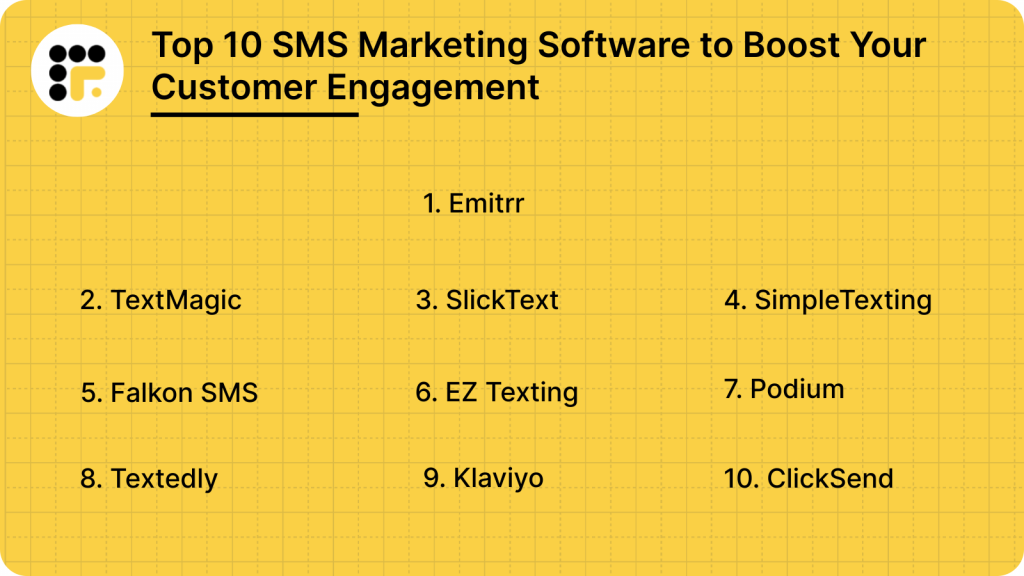
SMS marketing tools make it super easy for businesses to interact with their customers. The top SMS marketing platforms to consider are:
1. Emitrr
What is Emitrr?
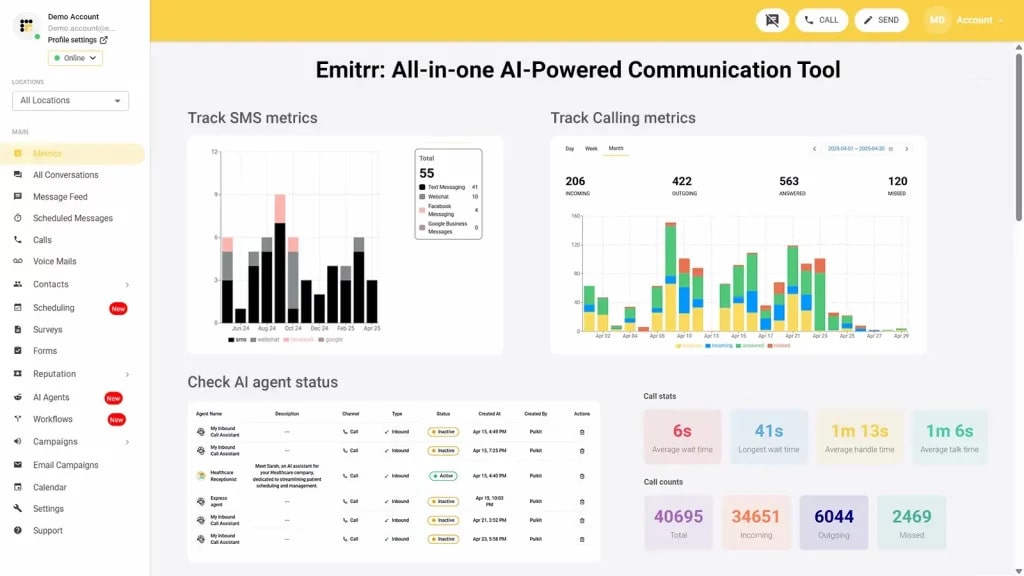
Emitrr is an AI-powered business communication platform built for businesses that can’t afford to miss a message. It combines SMS, VoIP, web chat, voicemail, and review and reputation management into one simple system. Unlike tools focusing only on live chat or one-way updates, Emitrr is built to handle full conversations across every channel customers use.
So, whether it’s confirming an appointment, answering a question, or following up on service, Emitrr ensures no lead gets lost and no customer feels ignored. All of this makes Emitrr the best Freshchat replacement for your business.
Emitrr Features
- Custom AI SMS agent: Create a custom AI SMS agent by setting up the name, image, function, description, and more, or choose from existing templates.
- Automate responses: Respond to texts automatically within seconds, keeping prospects engaged at all times.
- AI-generated replies: No need to type or think what to write, use Emitrr’s AI SMS generator to generate replies, keeping in mind the tone and context of the conversation.
- AI message enhancer: Enhance the tone or quality of your message by using the AI message enhancer feature.
- AI rule engine: Let AI filter messages and route replies from customers to the right person.
- AI-generated SMS campaigns: Type in a prompt and create SMS campaigns using AI within seconds.
- Train AI with knowledge base: Train your AI agent using existing data, knowledge bases, website links, and more.
- Self-evolving AI SMS agent: As it has more conversations and understands more context, this AI gets better and evolves itself.
- Dynamic IVR and Call Tree Setup: With Emitrr, businesses can build detailed call trees and IVR that guide callers through customized paths based on keypresses. Calls can be forwarded to numbers, extensions, call queue groups, or even other call trees. This makes it easy to route customers to the right person without manual intervention.
- Flexible Call Queue Groups: Emitrr allows teams to create call groups based on departments or specialties. Calls can be distributed among available members either simultaneously or sequentially, helping manage heavy call volumes without losing leads.
- Advanced Call Forwarding Options: Forward calls based on your team’s needs, whether that’s all at once, in a sequence, when a call goes unanswered, or after business hours. Emitrr ensures no call gets lost, no matter what.
- Extensions with Custom Rules: Each user or team member can have their own extension with defined availability hours, personalized call forwarding settings, and flexible daily schedules. Perfect for businesses with different shift patterns or remote staff.
- Unified Communication Management: Emitrr combines texting, calling, web chat, voicemail, and contact management under one roof. Teams manage everything from a single dashboard without switching between tools.
- Bulk and Group Text Messaging: Send mass texts to thousands of customers at once or set up group conversations within the same thread. This helps with promotions, appointment reminders, or important updates, all with high open rates.
- Web Chat to SMS Continuation: Start a conversation with a visitor on your website and continue it via SMS after they leave. Emitrr ensures you stay connected even after a potential customer closes the browser.
- Automated Appointment Reminders and Follow-Ups: Emitrr allows businesses to send personalized reminders by text, email, or voice. Customers can confirm, cancel, or reschedule appointments simply by replying to a text, reducing no-shows and saving staff time.
- Real-Time Caller Insights: During a live call, agents can see caller history and important customer details with the Call Pop feature, helping them respond faster and more personally.
- Call Recording and Business Hour Management: Record calls automatically or selectively for quality assurance, training, or compliance. Define business hours to automate call routing during and after office hours without needing constant manual changes.
Emitrr Pros
- Reliable Platform Stability: Count on Emitrr’s 99.99% uptime to keep calls, texts, and chats running without interruption.
- Streamlined User Experience: Emitrr’s dashboard is designed to cut clicks and save time, helping teams handle conversations faster with fewer steps.
- High-Quality Voice Calls: Enjoy HD-quality voice calls that deliver a clear, professional experience on every customer interaction.
- Seamless Integration with Key Tools: Emitrr connects easily with CRM, EHR, and practice management systems, keeping customer records and conversations in sync.
- Cost-Effective for Growing Teams: Transparent pricing plans allow businesses to scale communication without surprise costs or feature lockouts.
- All-In-One Communication Suite: From texting to calling to voicemail drops and review management, everything runs through one unified platform.
- Smart Automation for Busy Teams: Automate appointment reminders, missed call follow-ups, and customer outreach without juggling multiple tools.
- Customizable Workflows and Call Routing: Set up flexible call trees, queue groups, and user-specific schedules to match your business’s real communication needs.
- Text-Enabled Landlines: Emitrr can turn your existing business phone number into a texting number, letting customers text your landline without any extra work.
Emitrr Cons
- Some amazing features are still under development and will be rolled out soon!
Emitrr Pricing
Emitrr offers three pricing plans for its users: Standard, Pro, and Enterprise. These Emitrr pricing plans also depend on the number of messages you wish to send.
Here’s a detailed breakdown of the Emitrr pricing plans:
| Number of message credits | Standard Price with 10 DLC | Pro Price with 10 DLC | Enterprise |
| 500 | $45.00 | $64.00 | Contact Sales for a customized quote. |
| 1000 | $64.00 | $94.00 |
Emitrr keeps things flexible; you only pay based on how many messages you send each month. So, whether you’re a small team or a growing business, you can scale as you need. Larger enterprises with specific requirements can reach out to the sales team for a customized quote.
For businesses in the healthcare sector, there is an additional $200 fee to unlock all the advanced automation tools you might need. And if you want to tap into Emitrr’s AI features, upgrading to the Pro plan is the way to go.
Emitrr Integrations
Emitrr offers 500+ integrations across different industries such as dental, recruiting, real estate, etc., with tools like:
Emitrr Ratings & Reviews
Emitrr has a solid 4.9/5 star rating on Capterra, and here’s what customers are saying about the platform:
“You have it all integrated into one platform, the signatures, the amount of characters, you can attach files, send photos. You are able to create and send forms. Unlimited amount of things we can use and take advantage of.”
“I LOVE Emitrr. The support you get is wonderful, the app is easy to use and they have been incredibly responsive. As a small business, we needed a messaging platform that wouldn’t break the bank and this meets all our needs (and then some) without making us feel overwhelmed.”
(Source: Capterra)
Emitrr Customer Support Channels
- Live chat: Chat with Emitrr’s live representatives
- Phone: Call Emitrr at +1 (210) 941-4696
- Email: Send email to Emitrr’s support team at support@emitrr.com
- Knowledge base
- FAQs/forum
- SMS
2. TextMagic
What is TextMagic?
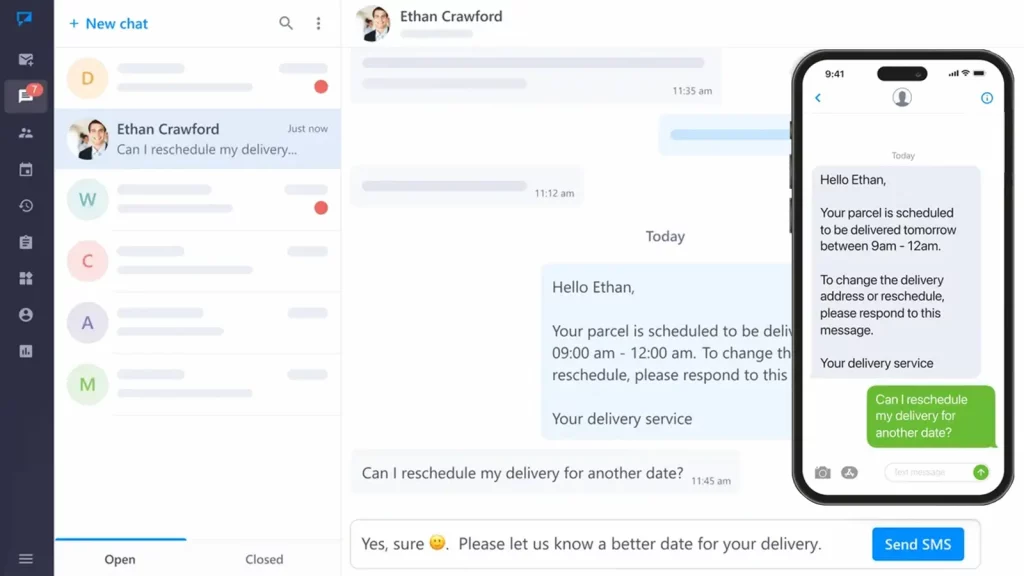
TextMagic is an SMS messaging platform designed for businesses to send bulk text messages, manage customer interactions, and enhance communication. It provides services for marketing campaigns, customer support, appointment reminders, and more. It’s known for its ease of use and efficiency in reaching large audiences.
TextMagic Features
- Bulk Texting: Send mass messages to customers quickly and easily.
- Custom Sender ID: Personalize your sender ID for brand recognition.
- Text-to-Landline: Enable SMS on your existing landline numbers for seamless communication.
- API Access: Integrate SMS messaging into your custom applications and workflows.
- Phone Number Rental: Rent local or toll-free numbers for dedicated communication.
- Scheduled SMS: Plan and schedule messages in advance for optimal delivery timing.
TextMagic Pros
- Easy to Use: User-friendly interface makes it accessible for non-technical users.
- Scalable: Ideal for businesses of all sizes, from small teams to large enterprises.
- Reliable: High deliverability rates with minimal downtime.
- Global Reach: Sends messages worldwide, supporting international business communication.
TextMagic Cons
- Limited Advanced Features: Lacks some advanced features that competitors offer.
- No Mobile App: While the platform is mobile-friendly, it doesn’t have a dedicated mobile app.
- Pricing: This can be relatively expensive, especially for small businesses or high-volume users.
- Limited Support for MMS: Primarily SMS-focused, with fewer options for multimedia messaging.
TextMagic Pricing
TextMagic pricing is based on a pay-as-you-go model, with costs dependent on message volume, destination, and type of service. They offer a range of packages:
- Pay-as-you-go: Charges per message sent.
- Monthly Subscriptions: Prices start at $29.95 per month for 500 credits.
- Enterprise Solutions: Custom pricing for larger, high-volume businesses.
TextMagic Integration
- Salesforce
- Shopify
- Zapier
- Mailchimp
- HubSpot
TextMagic Ratings & Reviews
Textmagic customer rating on Capterra is 4.6/5. Here’s what customers are saying about Textmagic:
“The prices of the sms compared to other services can be a bit high. Additionally I have had problems to reach all operators, apparently it is a problem with the number portability of this country.”
“I have been considerably impressed with the level of customer service I have received from Textmagic. Lastly, I do have to mention, the new interface is wonderful and appears well thought out.”
Source: Capterra
Textmagic Support Channels
- Phone Support
- Email/Help Desk
- Chat
- FAQs/Forum
3. SlickText
What is SlickText?
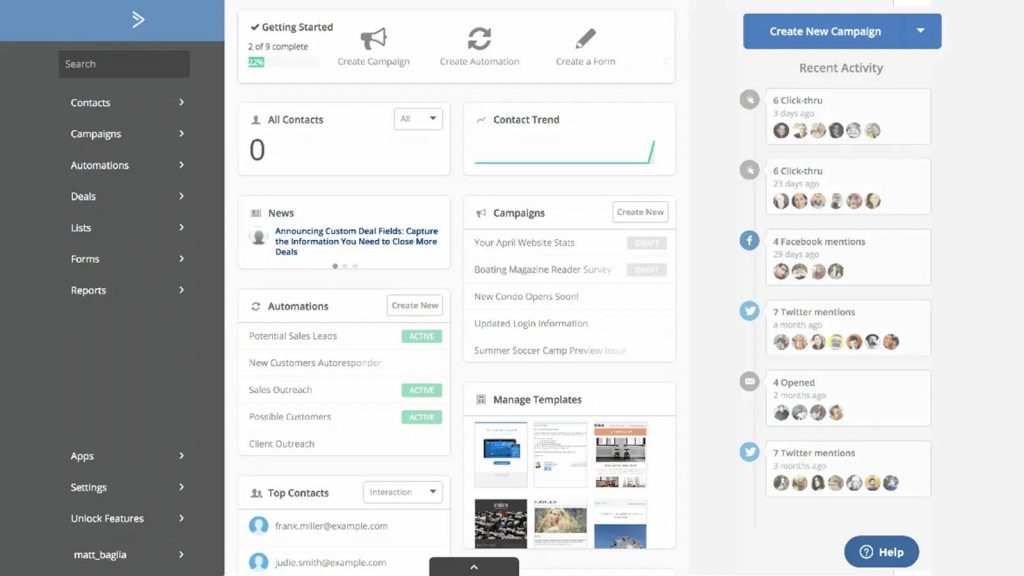
SlickText is a customer communication texting platform that caters to various industries in communication with their customers. Be it ease of use or scalability, it offers an array of features to streamline communication with your audience, such as mass texting service, text blast SMS short codes, business text messaging, SMS automation, and a lot more!! It is noteworthy that it is also equipped with a free plan that supports over 50,000 SMS a month. Let’s have a detailed overview of this software:
SlickText Features
- MMS / Picture messaging: Enhance customer engagement by attaching images to your messages.
- Mass text messaging: Send bulk messages to your entire subscriber list or a targeted segment with options to include links, emojis, and images.
- List segmentation: Organize subscribers into groups using data like location, sign-up date, or custom fields.
- Detailed analytics: Get in-depth reports on SMS performance, including click-through rates, opt-ins, and sales from abandoned carts.
- Automated responses: Set up pre-configured replies to automatically respond to specific keywords or actions.
- Automated scheduling: Schedule SMS messages to be sent at the most optimal times automatically.
SlickText Pros
- Easy to use: Both the SlickText app and web version are user-friendly, featuring an intuitive dashboard.
- Useful automation features: Simplify your SMS marketing with SlickText’s automation tools, including drag-and-drop builders and automated messaging workflows.
- Useful list-building tools: SlickText provides tools like opt-in forms, website popups, QR codes, and opt-in links to efficiently grow and manage your subscriber list.
- Multiple engagement features: It offers features like text-to-join, text-to-win contests, surveys, and mobile coupons to engage and re-engage both new and inactive customers.
SlickText Cons
- No message rollover: A key drawback is the inability to carry unused message credits into the following month.
- Limited integration: SlickText integrates with only limited tools, which can be restrictive for businesses using CRMs or other software that isn’t supported.
- Complex dashboard navigation: The dashboard can be challenging to navigate, with users often finding it difficult to use.
- Lack of reporting and analytics: SlickText does not offer in-depth reporting on open rates, click-through rates, or customer engagement, which are crucial for improving SMS campaigns.
SlickText Pricing
SlickText pricing offers a free plan and eight different kinds of options mentioned below:
- $29/month for 500 texts per month
- $49/month for 1,000 texts per month
- $79/month for 2,000 texts per month
- $139/month for 3,600 texts per month
- $189/month for 5,000 texts per month
- $350/month for 10,000 texts per month
- $750/month for 25,000 texts per month
- $1,250/month for 50,000 texts per month
SlickText Integrations
SlickText offers only 14+ native integrations and the rest through Zapier. The list of native integrations offered by SlickText includes:
- HubSpot
- Slack
- Shopify
- Salesforce
- Zapier
SlickText Ratings & Reviews
SlickText has a customer rating of 4.8/5 on Capterra, and on G2 it is 4.8/5. Here’s what customers are saying about SlickText:
“We sent a cancellation request over a year ago. They didn’t cancel our account and continued to bill us for 12 months. When we called to cancel for the second time they argued with us and refused to hear our complaint. The employee said (direct quote) “I’m not talking to you about this and there’s no management for you to talk to.”
“I think there’s some room for growth in the segmenting/text group experience, but it really wasn’t a make or break at all, and I figured out a solution for my specific use case by reaching out through chat, and it was super easy from there!”
Source: Capterra
SlickText Customer Support Channels
Here are all the SlickText customer support channels that you can find:
- Chat
- Phone
- FAQs
- Knowledge base
4. SimpleTexting
What is SimpleTexting?
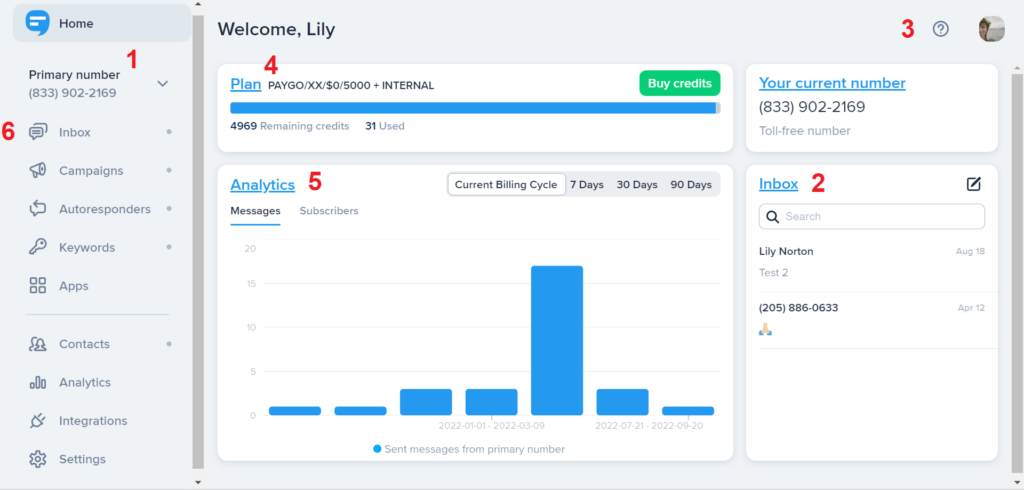
SimpleTexting is a cloud-based SMS marketing and text messaging platform that allows users to engage in two-way conversations, send out bulk SMS, schedule messages, and much more! The platform allows users to send and receive SMS using their 10-digit phone number, a local number, a toll-free number, or even a 6-digit shortcode. Whether you are in sales, HR, marketing, or any other business, SimpleTexting can be used by all.
SimpleTexting Features
Here is a list of SimpleTexting features for you to check:
- Two-way texting: Allows you to do one-on-one conversations with users directly from the platform.
- MMS messaging: Allows you to send multimedia messages that include images, videos, etc.
- Bulk SMS messaging: Lets you send messages to a large number of people at once.
- Scheduled messages: Plan in advance and send out messages to your customers on a predetermined time and date.
- Text-to-Join keywords: Come up with a custom keyword that users can text to a number to subscribe to messages.
- Integrations: Use this to connect with third-party apps and automate your workflow.
SimpleTexting Pros
- A comprehensive suite of features: As we saw above, SimpleTexting offers a wide range of features, including two-way messaging, drip campaigns, automation, MMS, segmentation, and more.
- Seamless integrations: SimpleTexting integrates with over 1000 third-party apps and tools, including Zapier, MailChimp, Salesforce, Shopify, HubSpot, and more.
- Ease of use: SimpleTexting’s interface is quite intuitive and easy to use, making it easy for people at all levels to use.
- Analytics and reporting: Using SimpleTexting’s analytics and reporting feature, get detailed insights and reports on how well your SMS campaigns are performing.
- Customer service: SimpleTexting’s customer service rating is 4.8 on Capterra, and its users highly appreciate the platform for offering quick and effective resolutions.
SimpleTexting Cons
- High SimpleTexting pricing: SimpleTexting’s pricing is a bit high and may not be suitable for small businesses with a tight budget.
- Limited international messaging: SimpleTexting mainly supports texting in the US and Canada, which may not be ideal for scaling or global businesses.
- HIPAA compliance: SimpleTexting is not HIPAA compliant and is not ideal for healthcare professionals.
- Complex billing & renewal process: SimpleTexting’s auto-renewal option for billing can be challenging to understand.
SimpleTexting Pricing
SimpleTexting pricing starts at $39 a month and goes up to $899 a month, depending on your choice of plan.
However, that’s not it. SimpleTexting charges extra for several things as well. Here’s a quick breakdown of the extra cost of SimpleTexting:
- SimpleTexting charges $20 per user per month for each additional teammate.
- It charges $10 per month per number for any additional numbers that you may add.
- It charges $10 to activate a local number.
SimpleTexting Integrations
SimpleTexting integrates with 1000+ third-party CRM/EHR/social media apps and tools including, but not limited to:
- MailChimp
- Salesforce
- Slack
- Hubspot
SimpleTexting Ratings & Reviews
SimpleTexting has over 200 customer reviews and a rating of 4.7/5 on Capterra. On g2, SimpleTexting has more than 600 reviews and a rating of 4.7/5.
Here’s what customers are saying about SimpleTexting:
“SimpleTexting is a great option if you are looking to reach a larger audience than traditional email. The user interface is clear and straightforward and texts are sent reliably.”
“The app is a bit glitchy, and it does get pretty expensive when you have a decent amount of people on your list since you are charged based on sent messages. Eventually I may be priced out if I keep building.”
Source: Capterra
SimpleTexting Customer Support Channels
Here a list of SimpleTexting customer support channels that you can find:
- Phone
- Chat
- FAQs
- Knowledge base
5. Falkon SMS
What is Falkon SMS?
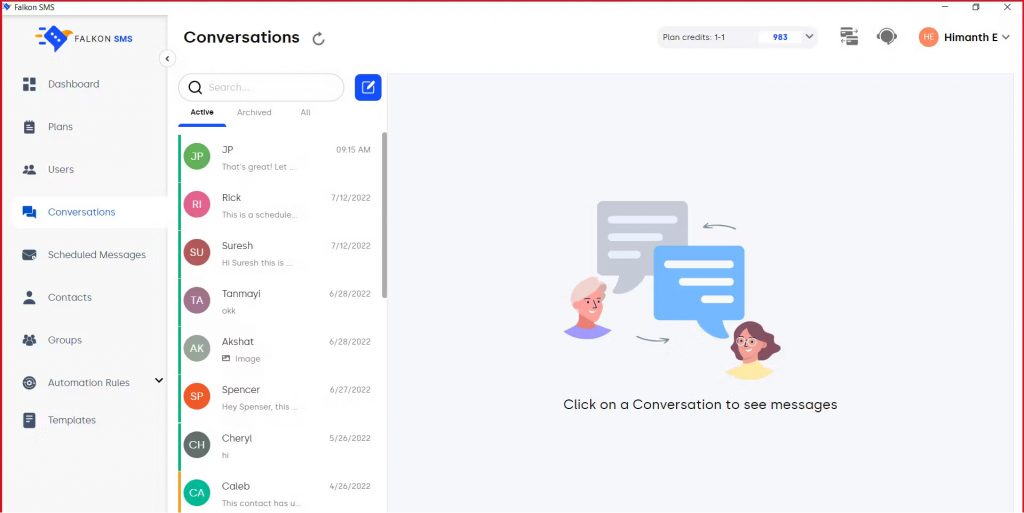
Falkon SMS is a business messaging app designed for bulk SMS marketing, essential one-to-one messaging, and easy workflow. Teams have Falkon SMS to create templates, schedule sends, monitor delivery, and manage SMS messaging at ease, whether using long codes, short codes, or toll-free numbers.
Falkon SMS Features
- Core Functionality: Bulk SMS marketing and high-volume broadcast sending.
- SMS Capabilities: Basic one-to-one messaging and personalized (simple templates straight from contacts) SMS.
- API: Developer API for integrating sending and receiving SMS into applications.
- Web-based Interface: Easy-to-use interface for list management, scheduling campaigns, and getting basic delivery reports.
- Delivery Reports: Text delivery monitoring (sent, delivered, failed) in real-time.
- Short Codes/Long Codes: Both long codes (for local one-to-one messaging) and short codes (for high-speed, high-volume alerts) are available.
Falkon SMS Pros
- Ease of Bulk Sending/Mass Communication: Reliable with speed for ‘super high’ volume blasts.
- Simple, Easy-to-Use Interface: Basic campaign setup provides a quick ramp-up.
- Speed for Delivered Messages: Reliable and proven, Falkon SMS is based on a robust infrastructure built for message throughput.
Falkon SMS Cons
- Limited Automation: More focused on sending than on automated engagement (no automated missed call texts, advanced drip campaigns, or webchat-to-text bots).
- No Advanced Features: Lacks modern tools like AI virtual agents, automated appointment management, and basic call handling (Voicemail Transcription, Call Analytics).
- Not Industry-Specific: No specific needs, like HIPAA compliance (a must for healthcare or financial services industries).
- Reviews/Reputation: Lacks essential integrated tools for reputation management and automated review requests, which are very necessary for modern local businesses.
Falkon SMS Pricing
Publicly available pricing shows tiers that have limits on 1-to-1 texting and limits on group texting (like Essential/Pro), along with a “Basic” option on G2 that has a shared inbox and group texting. Expect monthly fees per number or per user. Expect limits on the number of people you can send a message to in a group. Check vendor pages for current information about the pricing.
Falkon SMS Integrations
Microsoft Teams’ extension, API connectors, and other common marketing/CRM tools, depending on your plan.
Falkon SMS Ratings & Reviews
Falkon SMS customer rating on Capterra is 5/5 and here’s what customers are saying about Falkon SMS:
“Reliable SMS delivery and fast message sending capabilities.”
“Simplicity and ease of use… managing contact lists to create engaging content felt effortless.”
Source: Capterra
Falkon SMS Customer Support Channels
- Email/help center and ticketing
- live chat availability may depend on plan (verify on vendor plan pages)
6. EZ Texting

What is EZ Texting?
EZ Texting is an all-in-one text marketing software for small businesses. The platform offers capabilities centered around SMS marketing campaigns, mostly, and offers standard features that most texting apps offer. EZ Texting has an intuitive interface that allows for easy use and onboarding; however, customers often complain about their misleading and expensive pricing plans. Here is a detailed look at what EZ Texting has to offer:
Ez Texting Features
- Two-way messaging: Engage in two-way conversations with your customers in real-time.
- Contact management: Send targeted messages to customers by segmenting them into groups and lists.
- Custom keywords: Create unlimited SMS keywords for different types of campaigns.
- Mass texting: Create different contact lists and send out SMS to them in bulk, perfect for marketing or announcements.
- AI-Powered SMS compose: Use AI to create messages & templates.
- Analytics and reporting: Get detailed insights, such as click rate, delivery rate, etc., and see how your SMS campaigns are performing.
Ez Texting Pros
- Customer support: Ez Texting has good customer support, and customers usually get timely resolution for their queries.
- Easy setup & onboarding process: Setting up Ez texting and getting started with it is very easy. The quick onboarding process is highly appreciated by customers.
- AI automation: Ez Texting offers AI automation like generative AI and AI-powered message compose that can be helpful in drafting SMS and conversing with your customers.
Ez Texting Cons
- High Ez Texting pricing: Some customers, particularly small businesses find EZ Texting expensive as compared to other similar options.
- Glitchy software: EZ Texting software is quite glitchy. Basic tasks like setting up texting campaigns become needlessly difficult due to these glitches.
- Message delivery issues: EZ Texting users express frustration due to message delivery issues, resulting in important communications being missed by their customers.
Ez Texting Pricing
There are four EZ texting pricing options available:
- Launch: $20/month for up to 500 contacts
- Boost: $60/ month for 500-2,000 contacts
- Scale: $100/month for 2,000-50,000 contacts
- Enterprise: $3000 a month for 50,000+ contacts
Ez Texting Integrations
Ez Texting offers integrations with a wide list of software and tools, including:
- HubSpot
- Zapier
- SquareSpace
- Mailchimp
- Salesforce
- Vortext
- CustomerX
- QuickDesk
- And more..
Ez Texting Reviews and Ratings
Ez Texting customer rating on Capterra is 4.3/5, and on G2 is 4.5/5. Here’s what customers are saying about Ez Texting:
“The ease of use for training less technical people on how to buy keywords is excellent. The API is great to work with as well.“
“The platform is constantly pushing for increasing expenses. And pricing displays are misleading to say the least.“
Source: Capterra
Ez Texting Customer Support Channels
- Chat
- Phone
- Faqs
- Knowledge Base
7. Podium
What is Podium?
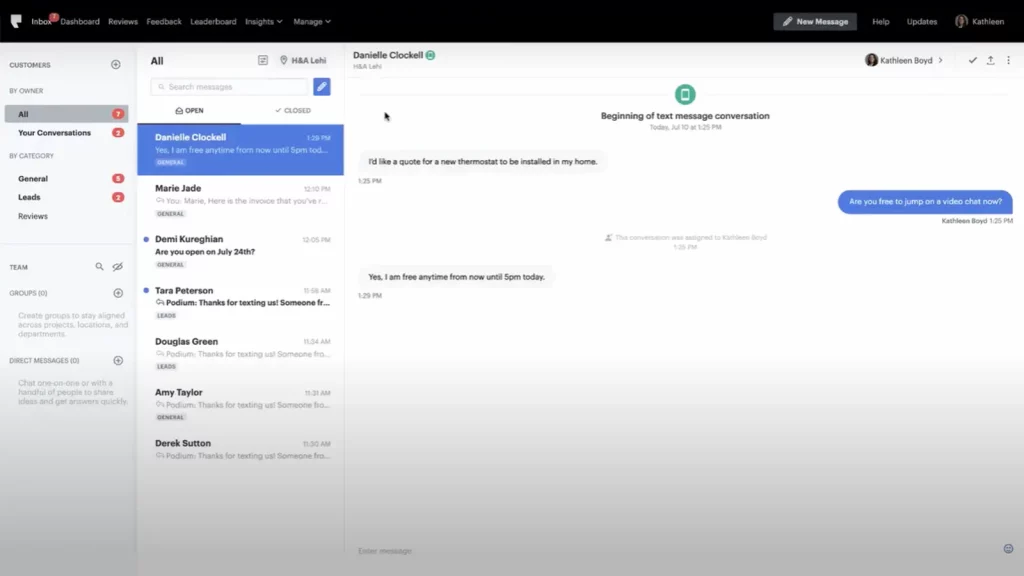
Podium is a tool meant for local businesses that offer customer communication and engagement tools to help businesses build customer relationships via communication channels like SMS and email. The platform also helps businesses collect reviews and build online reputations via SMS. Because of the features and versatility of Podium, it can be used by businesses of different industries.
Podium Features
- SMS Messaging: Use SMS to communicate with your customers or to send out SMS marketing messages.
- Reviews: Podium offers review management and review requests feature via SMS and so that businesses can collect reviews from platforms like Google and Facebook & build their online reputation.
- Phones & Calling: Podium offers a VoIP phone system as well using which businesses can communicate with their customers and team.
- Website Contact Forms: Create custom website contact forms to collect information from users who visit your website.
- Website Chat: Allow users to chat with you on your website.
- Social Messaging: Sync with your social media apps, and reply to the queries received from the Podium app.
- Inbox: Manage all conversations from a unified inbox.
Podium Pros
- Ease of use: Podium has a very intuitive interface that can be easily used by just about anyone without the need of technical expertise.
- Reputation management: Podium users appreciate how they can improve their business reputation using the review & reputation management tools offered by the platform.
- Seamless automation: Users love how using Podium, they can automate necessary tasks and save precious hours that may otherwise be a complete waste.
Podium Cons
- High Podium pricing: Podium’s pricing is a bit on the higher side, and users feel that the software is way more expensive compared to other Podium alternatives.
- Poor Podium customer service: Podium’s customer service is not the best, and many users describe it as “sketchy” and “unhelpful.” Users also complain about delays in issue resolution time.
- Contractual problems: Users often complain about having difficulty in switching to a Podium alternative. Apparently, Podium’s contract is quite tricky and it might keep you bound until the contract ends.
Podium Pricing
As mentioned, the cost of Podium can be too high for small businesses. The platform offers three kinds of pricing options, and here’s what Podium pricing looks like:
- Core: $399 a month
- Pro: $599 a month
- Signature: Custom pricing
Podium Integrations
Podium integrates with over 1000 third-party apps and software, including:
- BigCommerce
- AthenaHealth
- AroFlow
- Airtabele
- AdvancedMD
- ADF Leads
- AMS Pro
Podium Ratings & Reviews
Podium customer rating on Capterra is 4.3/5 and on G2 is 4.6/5. Here’s what customers are saying about Podium:
“It is extremely expensive for what it is. The personnel also don’t coordinate very well so often you will get a marketing solicitation call and email even though you already use the product.”
“The product is easy to use and the UX is top notch. While I wish there was a few more customizable options from team management it is easy to use even for people who aren’t tech savvy”
Source: Capterra
Podium Customer Support Channels
Here’s a list of Podium customer support channels that you can find:
- Chat
- Phone Support
- Email/Help Desk
- Knowledge Base
8. Textedly
What is Textedly?
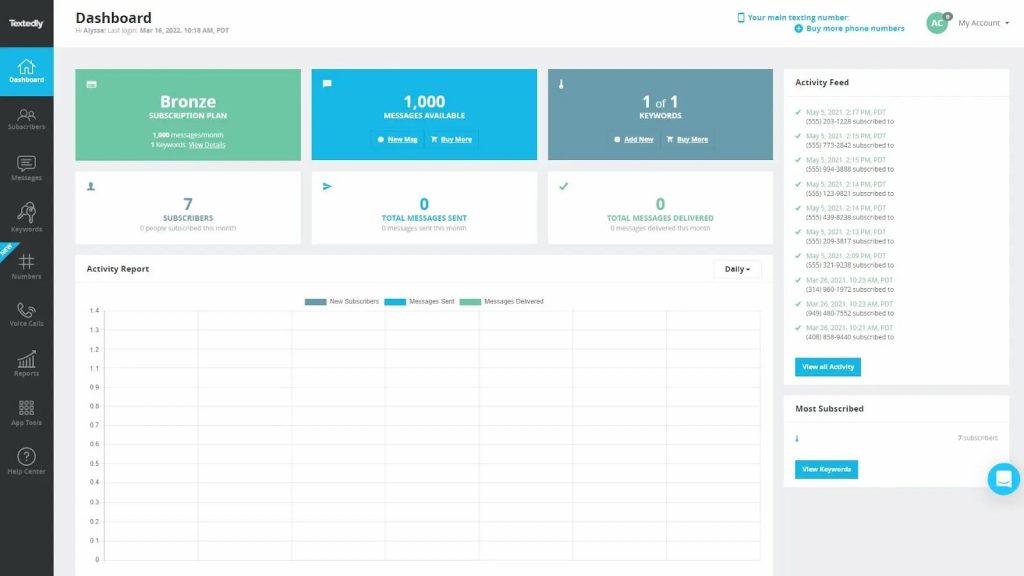
Textedly is an SMS marketing platform that allows you to send anywhere from 10 to 100,000 SMS. The software comes with features such as an opt-in subscriber list, analytics, message scheduling, and more. Textedly also offers multiple pricing options; however, it does not offer the best value for money. Here’s a detailed overview of Textedly:
Textedly Features
- Two-Way SMS: Carry out two-way conversations with your customers.
- Conversation triggers: Add free conversation triggers and converse with your subscribers on autopilot automatically.
- Auto reply texts: Send automated replies to customers as soon as they text you.
- Send a long text message: Send a long text SMS to your customers with over 455 characters.
- Text message data collection: Textedly automatically retrieves and imputes the city, State, and ZIP code for all your subscribers.
- Multiple user support: Add multiple users to your Textedly account.
- Schedule a text: Use a built-in calendar to schedule a single text message or mass group text messages to go out at a future time and date.
Textedly Pros
- Useful texting features: Textedly offers a wide range of useful and unique texting features such as free incoming SMS, long SMS, single send, etc.
- Unlimited contact management: Textedly allows you to manage unlimited contacts in your list.
- Textedly pricing is affordable: Textedly’s pricing is quite affordable, with pricing starting at $26 per month.
- Ease of use: The platform is pretty easy to use and requires little to no technical knowledge.
Textedly Cons
- No dedicated customer support: Textedly does not offer dedicated customer support with all their plans. You are required to purchase a higher plan to access it.
- Not that scalable: Textedly may be ideal for small or mid-sized businesses, but it is not suitable for scaling enterprise businesses.
- No AI features: Textedly lacks AI features for better automation and optimization.
- Limited customization: Although this platform is easy to use, it lacks depth of customization.
Textedly Pricing
Textedly offers a free 14-day trial. Apart from that, there are four Textedly pricing options that you can choose from:
- Basic: $26 per month for 600 messages
- Bronze: $38 per month for 1200 messages
- Plus: $69 per month for 2400 messages
Textedly Integrations
Here’s a list of Textedly integrations:
- Zapier
- Salesforce
- MailChimp
- Zoho
- HubSpot
Textedly Ratings & Reviews
Textedly customer rating on Capterra is 4.5/5 and on G2 is 4.6/5. Here’s what customers are saying about Textedly:
“No mobile apps nor video tutorials and not event one integration. Compared to others the large, monthly cost did not get you nearly what the competitors would give you.”
“Textedly is super easy to set up and start texting. The team are happy to help with any questions you have to help you get started.”
Source: Capterra
Textedly Customer Support Channels
- 24/7 (live rep)
- Chat
- Email/Help desk
- Phone support
9. Klaviyo

What is Klaviyo?
Klaviyo is a popular software, especially in the email marketing sector. The software focuses on increasing business growth through highly personalized SMS and email campaigns. For this, the Klaviyo software offers email, SMS, and automation to develop digital relationships between businesses and their clients. However, note that Klaviyo is more catered to email marketing and delivers minimal results through SMS marketing.
Klaviyo Features
- Two-way SMS: Allows you to do one-on-one conversations with users directly from the platform.
- Toll-free and shortcodes: Use short codes and toll-free numbers to reach out to people at scale and to create a brand image.
- SMS compliance: Klaviyo ensures that your message recipients don’t get text messages during inappropriate hours.
- Predictive text: Klaviyo automatically anticipates and creates text messages by accessing the users’ entire profile and shopping history.
- SMS scheduling: Use the scheduling option to create and schedule messages to be delivered on a future date.
Klaviyo Pros
- Excellent Klaviyo customer support: Klaviyo’s customer service is amazing and is readily available via chat. The customer service agents also possess a great degree of knowledge about the functionality/capabilities of the product.
- Great email marketing tools: Klaviyo is more focused on email marketing and thus offers some of the best email marketing features.
- Strong integration: Klaviyo seamlessly integrates with third-party tools such as Shopify, Mailchimp, HubSpot, etc., and improves marketing automation.
Klaviyo Cons
- Issues with Klaviyo pricing: Klaviyo’s pricing is a bit expensive for the basic SMS features that it offers making Klaviyo alternatives a better option.
- Difficult setup: Kalviyo’s setup is quite difficult and users often complain about the setup process being very slow and problematic.
- Glitchy software: The software’s UI for automation is not intuitive, subscription forms don’t work properly due to outdated codes, and incur many other glitches.
- Limited SMS marketing capabilities: Klaviyo software doesn’t pay much focus to SMS marketing and its features and is rather more focused on email marketing automation.
Klaviyo Pricing
There are three Klaviyo pricing options available:
- Free plan: $0
- Email & SMS plan: Starting at $60 a month
- Email plan: Starting at $45 a month
Klaviyo Integrations
Klaviyo has more than 350 pre-built integrations and a flexible API, including:
- Mindbody
- Shopify
- Meta
- Stripe
- Woo
- Square
- Google ads
- And more..
Klaviyo Ratings & Reviews
Klaviyo customer ratings on Capterra are 4.6/5 on average and 4.6/5 on G2. And here’s what Klaviyo’s customers are saying:
“Klaviyo is easy to use, implement, and set up. The customer service responded quickly, and there are tons of material to check online if you are stuck with a feature. I love the A-test features on popups and emails. Good integration with Shopify.”
“The price is the worst part of it, for sure. And this is something that they would need to reconsider as someone who is starting out cannot use their services from the start.”
Source: Capterra
Klaviyo Support Channels
- Chat
- Phone
10. ClickSend

What is ClickSend?
ClickSend is a popular SMS software that offers communications and messaging tools, including SMS, Email, Fax, Voice, MMS, etc., for businesses to simplify customer communication. The software offers customization through API, 24×7 support, and more. However, laggy software and complex design are its biggest pain points. Have a look at the detailed overview of ClickSend below.
ClickSend Features
- Online SMS: Send SMS anywhere in the world, right from your browser.
- SMS Automation: Add set-and-forget automation for all your recurring messages without any need for coding.
- SMS gateway API: Use ClickSend SMS API to build exactly what you want for the applications you are currently using.
- 2-way SMS conversations: Improve customer experience with two-way text messaging.
- Email to SMS: Convert your emails to SMS from almost any email provider.
- Promotional SMS campaigns: Create quick and easy SMS campaigns to promote your products or services, to give information, etc.
ClickSend Pros
- Customization: Using the ClickSend API, you can build whatever you want for the applications that you are currently using, allowing you to benefit from customization.
- Security & Reliability: ClickSend offers several security capabilities and services, such as encryption in transit with TLS and built-in firewalls to increase privacy and control network access.
- 24×7 global support: ClickSend offers real-time global 24×7 chat support, unlike many ClickSend alternatives.
ClickSend Cons
- Cluttered interface: ClickSend’s interface is quite cluttered, and its product and services drop-down menus don’t function properly and the overall performance of the software is also prolonged.
- Slow ClickSend support: Customers complained that the ClickSend customer support team is very slow with responses and is highly unprofessional.
- Laggy ClickSend app & software: ClickSend users complain that the software has a lot of bugs, causing many functionalities to be inconsistent.
- Issues with ClickSend pricing: The pricing of ClickSend is quite high compared to many other ClickSend alternatives, and the company is not very transparent about its pricing.
ClickSend Pricing
ClickSend pricing starts at $0.0936 per message for message volume under 5K and goes up to $0.0818 per message for message volume over 150k or more. Other than this, ClickSend also charges an extra $133.43 / month for a dedicated number.
ClickSend Integrations
Here’s a look at a few ClickSend integrations:
- Zoho
- Zapier
- Salesforce
- Microsoft Power
- Make
- IFTTT
ClickSend Ratings & Reviews
ClickSend customer rating on Capterra is 3.9/5 and on G2 is 4.1/5. Here’s what customers are saying about ClickSend:
“The product is so slow, sluggish, and horrible, I can’t even explain it. I don’t believe in negative reviews, but I have to warn others.”
“Clicksend is super easy to set up, and it’s so important in our day-to-day communication.”
Source: Capterra
ClickSend Customer Support Channels
- Phone
- Chat
- Knowledge base
Why is Emitrr the best SMS Marketing Platform?
In current times, the text marketing platform has to be all-encompassing. From sending mass texts to creating workflows based on customer actions, everything should be accomplished through text marketing platforms.
Reviews can give us a window into the user experience. Therefore, it is a very good parameter to make a judgment about the best marketing software.
Another important thing, along with user reviews, is the Customer Service provided by the software. A good team of support members will help to ensure that users have the best experience navigating the platform.
One may be able to make a decision based on the features and pricing of the software. Is the pricing complemented well by the features it offers? It certainly is an important question to ask.
Based on the above-mentioned important parameters, you can see that Emitrr is clearly the winner.
All essential texting features are available with Emitrr and the pricing of Emitrr is such that you only pay for the features you use! A 5/5 customer service rating also makes Emitrr stand out from the rest.
Emitrr’s overall rating is the second-highest rating of all the mentioned software and is rated the highest in overall use, customer support, ease of use, and the availability of 10/10 features!
AI Workflows Built for Real Conversations
Most bots follow a script. Emitrr’s AI workflows are different. They’re built to guide a conversation naturally, whether someone is booking an appointment, changing a time slot, or asking for help. The focus isn’t on replacing people. It’s about making your team faster without making customers feel like they’re talking to a machine.
Watch how Emitrr AI agent Sarah makes texting effortless:
Transparent Pricing Without Feature Lock-In
Emitrr keeps things simple: what you see is what you get. No paying extra just to unlock texting. No unexpected charges for adding a second phone line. From day one, you get full access to the platform, without worrying that the “real” version is locked behind another upgrade.
Full-Scale Texting Suite
For teams that run on conversations, not emails, Emitrr’s texting suite is a major step up. Two-way texting, mass updates, automated replies, and reminders are all built in. Customers can reply when it’s convenient for them, and your team can keep the conversation going without missing a beat.
Chrome Extension for Easy Access
Communication doesn’t always happen when you’re sitting in your inbox. Emitrr’s Chrome extension lets you reply to customers while you’re on your website, CRM, or even your calendar. No need to switch screens or dig through apps just to answer a simple question.
Dedicated Human Support on Every Plan
With Emitrr, if you have a question, you get a real person who knows how the platform works and who sticks with you until the problem is solved. It’s a big reason teams stay long after the first year: they know someone has their back when it counts.
Zero-Hassle Migration Setup
Worried about losing data or wasting time during a switch? You don’t have to be. Emitrr’s team handles moving your contacts, setting up your inboxes, and training your staff so there’s no rocky start. It’s a clean transition built for busy teams.
Unified Communications in One Platform
Chat, texting, voicemail, web leads, Emitrr brings it all together. Instead of bouncing between platforms and missing messages, your team can see everything in one clean, organized space. That means faster replies, fewer mistakes, and a better customer experience across the board.
Easy-to-Use Interface
Emitrr doesn’t assume you have a full-time tech expert on staff. The dashboard is easy to understand, even for people who’ve never used a messaging platform before. Most teams are fully comfortable in a matter of hours, not weeks.
Optimized for Appointment-Driven Businesses
Emitrr shines where timing matters. Industries like healthcare, home services, real estate, education, and law firms trust it to handle booking confirmations, appointment changes, reminders, and customer updates without needing three extra tools stitched together.
Seamless Review & Reputation Management
After a service is complete, Emitrr can automatically ask happy customers to leave a review. This is not a pushy follow-up, just a simple, well-timed request that helps build your online reputation steadily over time.
Built-In Compliance for Regulated Industries
Emitrr isn’t just about making communication easier; it’s about doing it the right way. Whether you need HIPAA compliance, TCPA safeguards, or simply strong data security, those protections are already built in. You don’t have to bolt them on after the fact.
FAQs
Set up an SMS marketing campaign by choosing a reliable SMS platform, collecting customer consent, uploading your contact list, crafting your message, and scheduling or automating your sends.
The best SMS marketing app is Emitrr, which offers easy automation, compliance management, and seamless bulk messaging for businesses of all sizes.
Use a bulk SMS service like Emitrr to upload your contact list, create your message, and send it to all recipients at once while tracking delivery and engagement.
Emitrr is one of the best SMS services, known for its reliable delivery, user-friendly interface, and strong compliance with data privacy and communication regulations.
Conclusion
To conclude, text marketing software has become an inescapable part of any business’s marketing operations. Choosing the best text marketing platform for your business is a matter of understanding what your goals are and how you wish to achieve them. Keep in mind your budget, features you require, reviews, and support provided by the platform, and you will be able to finalize your text marketing platform. Book a demo now with us and let Emitrr play a part in your next big goal.