

 4.9 (400+
reviews)
4.9 (400+
reviews)
Stop Doing the Same Tasks Manually, Automate Them Once and Move On
When staff are busy, follow-ups get delayed. Reminders get skipped. Patients fall through the cracks not because nobody cares but because there are only so many hours in a day.
Emitrr’s workflow automation lets you build the logic once and run it automatically, every time, for every patient, across SMS, email, and voice, without anyone on your team having to remember to do it.
The work still gets done. It just does not require a person to do it.
See How Emitrr Automates Your Practice's Workflows
Book a demo to see how your team can eliminate repetitive manual tasks and keep every patient communication running on time without extra staff.
Why Practices and Businesses Choose Emitrr for Workflow Automation

Routine Tasks Run Automatically Without Reminders to Your Team
Once a workflow is set up, it runs on its own every time the trigger fires. Your staff do not need to remember to send a follow-up or check whether a reminder went out. The system handles it and they see the result.

Every Patient Gets the Same Experience Every Time
Manual processes are inconsistent. One staff member follows up, another forgets. Workflows remove the inconsistency. Every patient who books an appointment, misses a call, or fills out a form gets the same response at the same time, every single time.

More Done Without More People
Automating routine communication means your existing team can handle a higher volume of patients and interactions without burning out or missing things. You grow without having to hire someone just to keep up with follow-ups.
What You Can Do With Emitrr's Workflow Automation
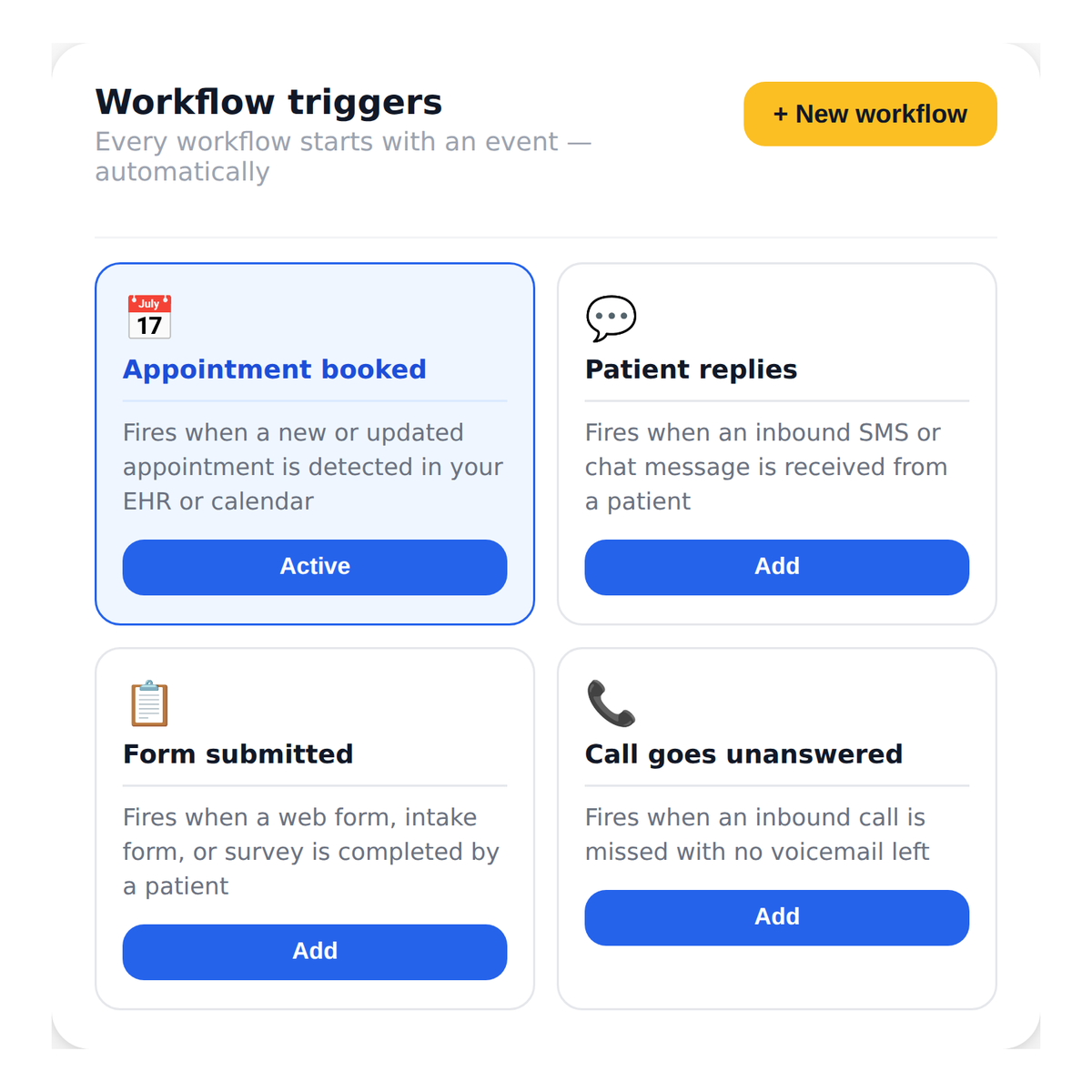
Start a Workflow the Moment Something Happens
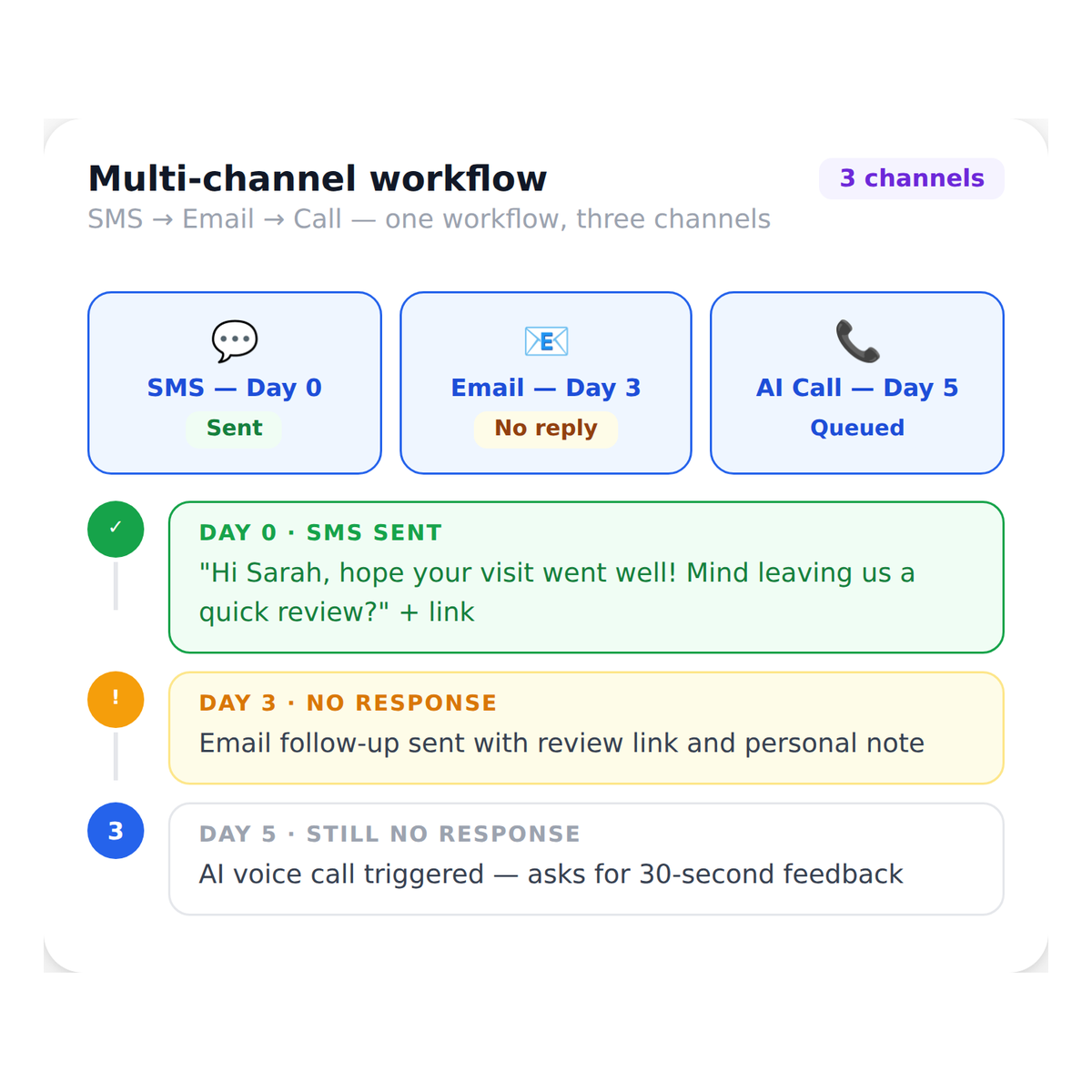
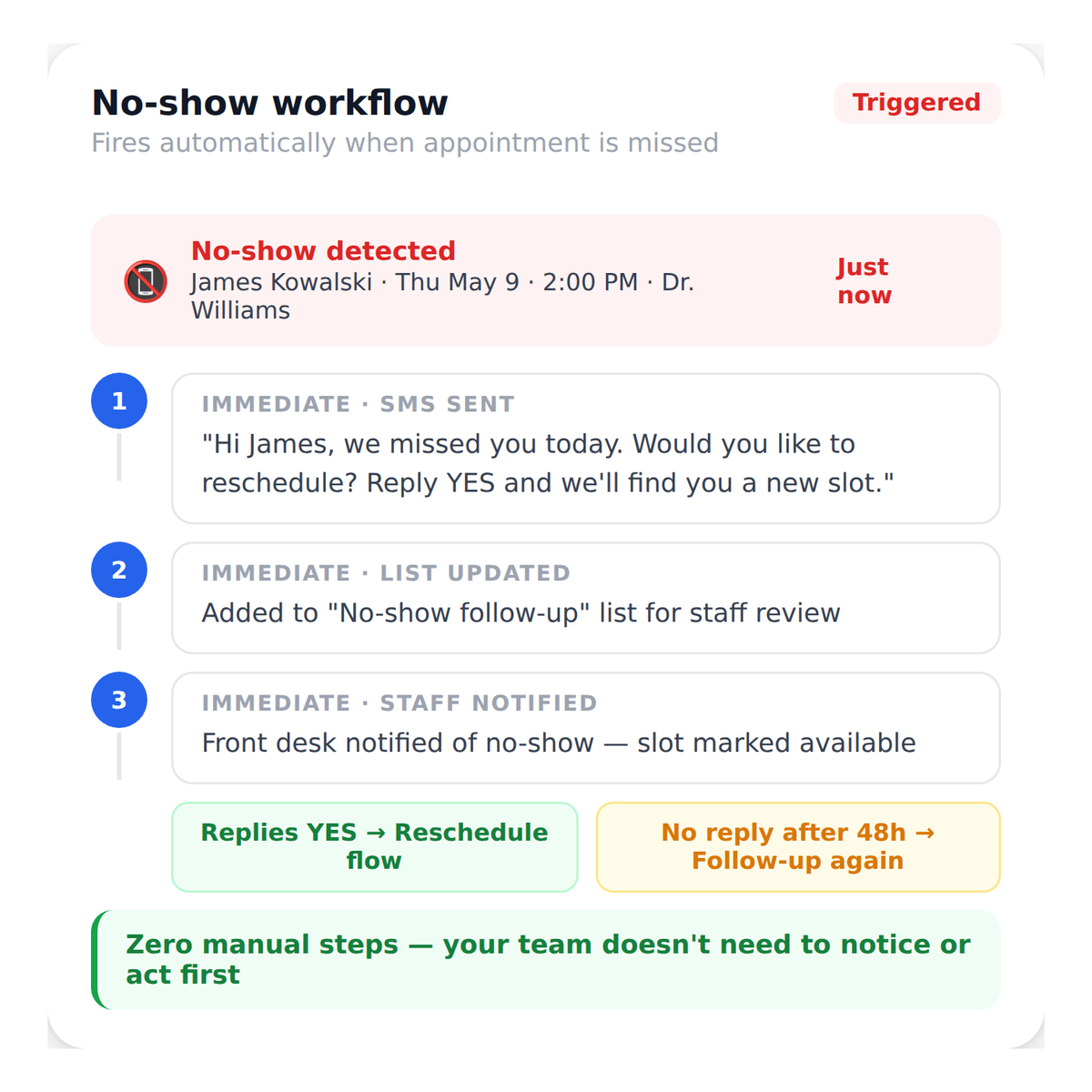
Every workflow starts with a trigger, an event that tells Emitrr to kick off the sequence.
A new appointment is booked. A patient replies to a message. A form gets filled out. A call goes unanswered.
The moment the event happens, the workflow starts running without anyone having to initiate it.
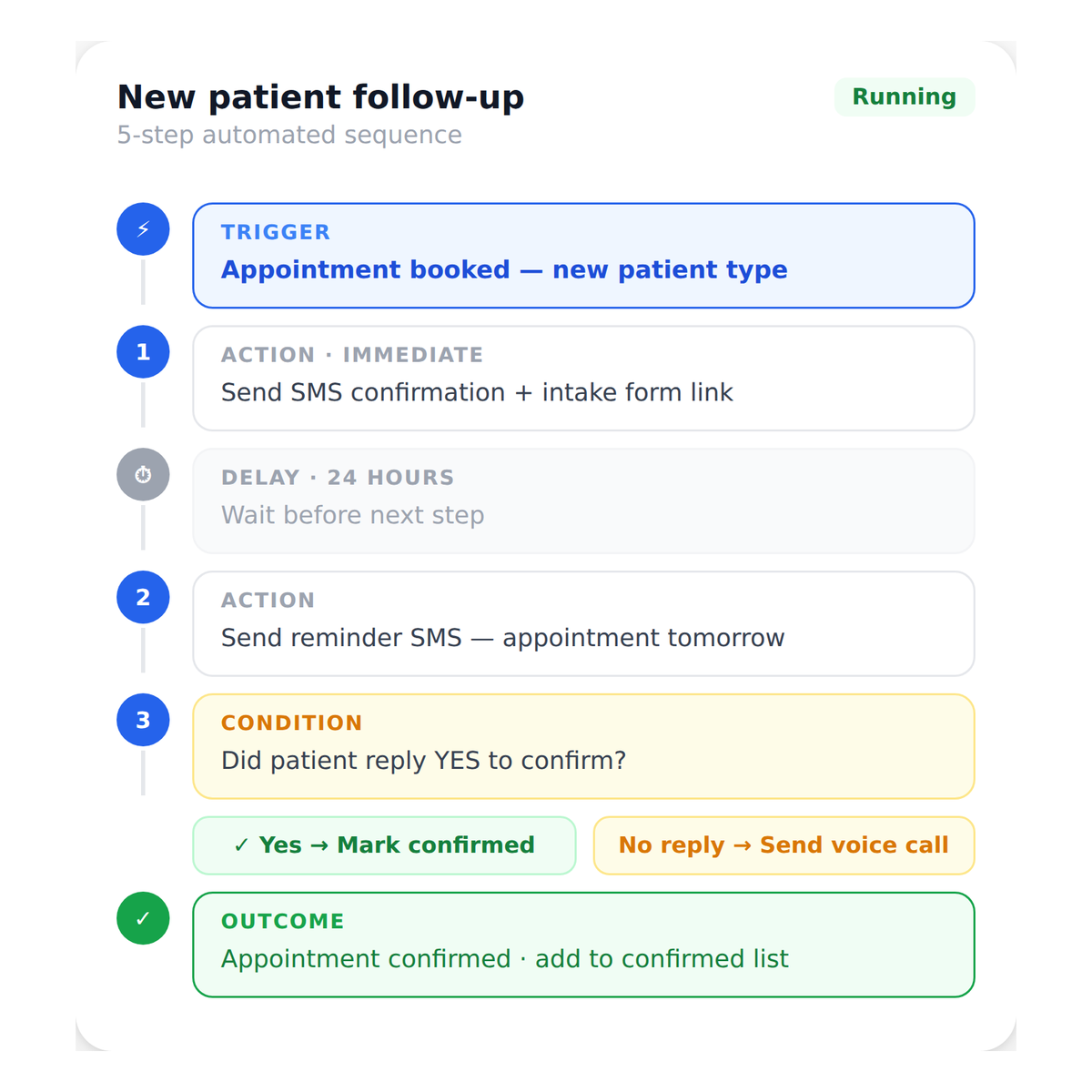
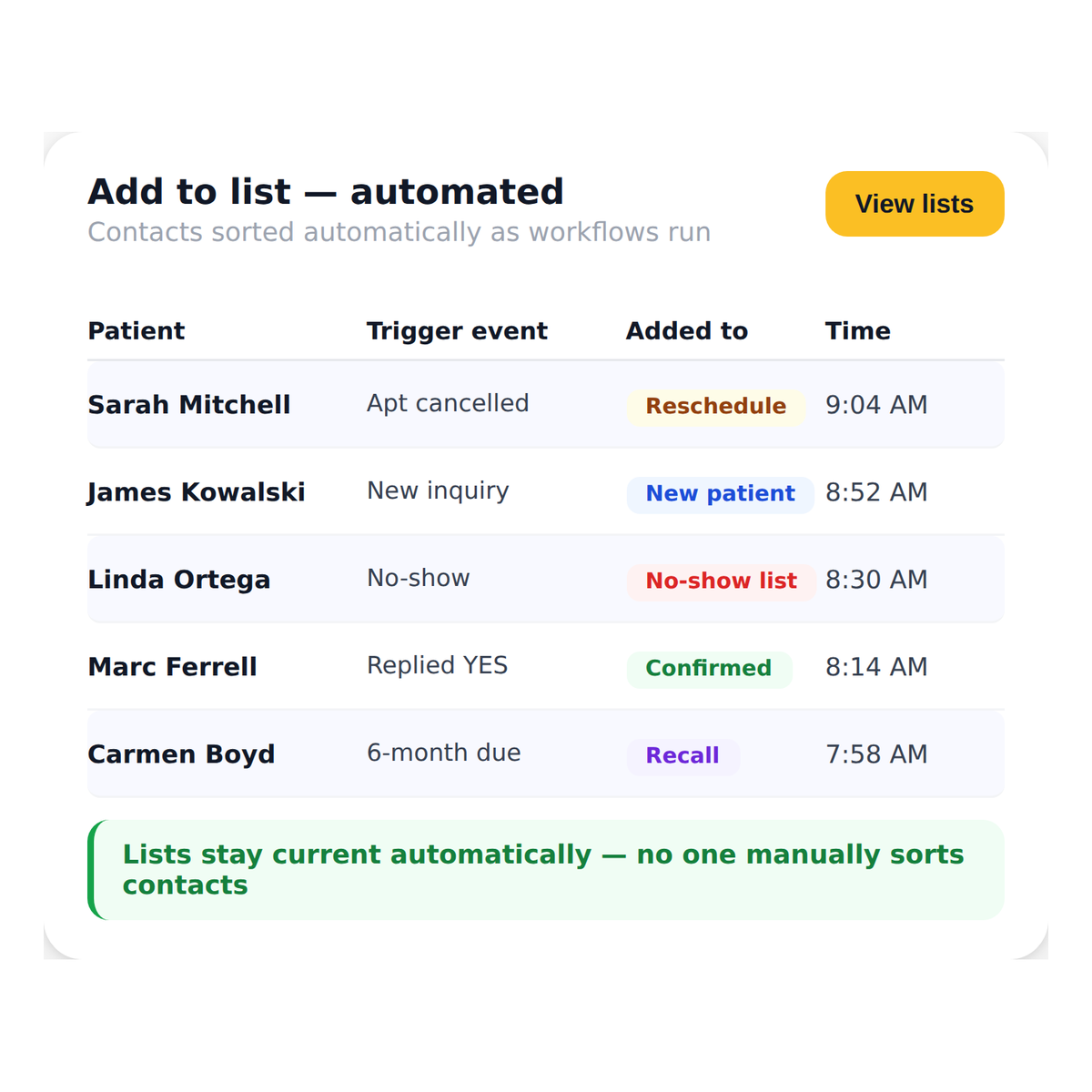
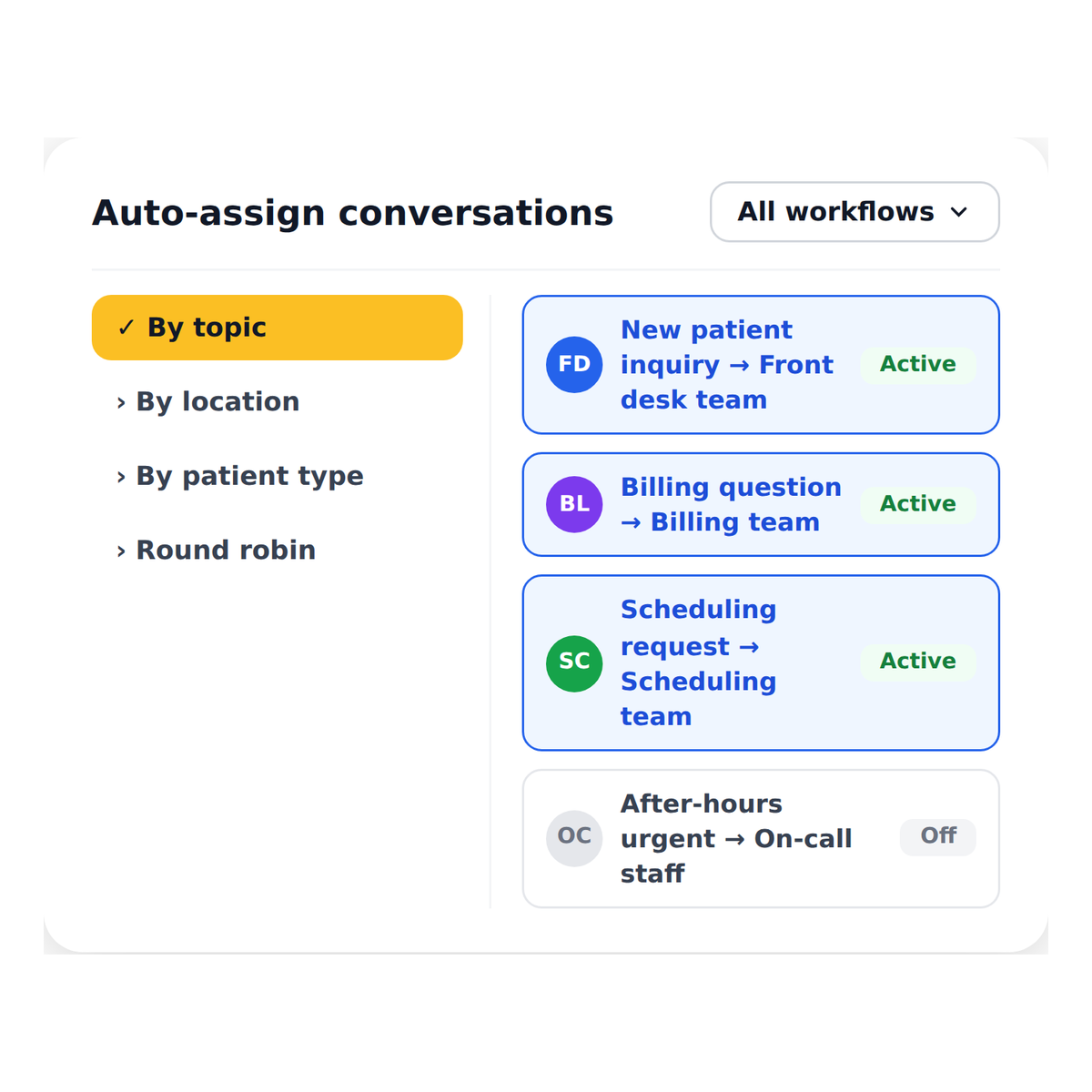
Watch How Emitrr Works
Where Workflow Automation Helps Most

Practices That Struggle With Inconsistent Follow-Ups
Every patient gets the same response every time, regardless of who is working

High-Volume Practices That Cannot Keep Up Manually
Workflows handle the volume so your team focuses on in-person care

Practices Managing New Patient Intake
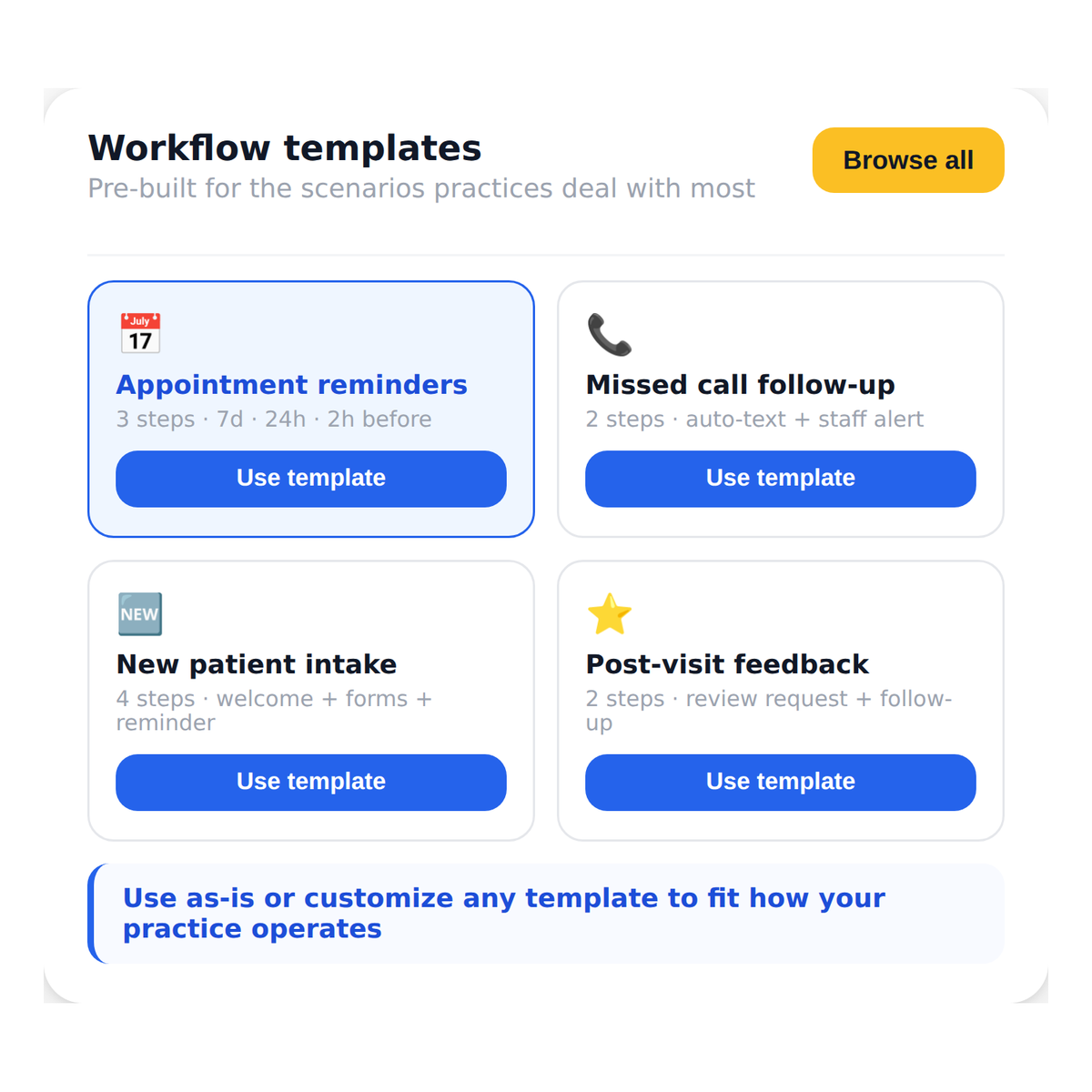
A new inquiry triggers a welcome, intake collection, and team assignment automatically

Multi-Location Groups That Need Consistency Across Sites
The same workflow runs at every location without variation
Businesses Running Outreach or Recall Campaigns
Build the sequence once and let it run across your entire contact list

Staffing and Service Businesses With Repetitive Communication Needs
Any message your team sends repeatedly belongs in a workflow
Frequently Asked Questions
Automate Every Repetitive Task Your Front Desk Dreads
Build your workflows once and let Emitrr handle the follow-through every time.