

 4.9 (400+
reviews)

A Chat Widget That Doesn’t Lose the Conversation When the Browser Closes
Emitrr’s website chat widget starts a two-way conversation with your visitor. When they leave your site, continue by text in the same thread, with the history available to your team.
Voice and SMS, one AI, live on your current number in days.
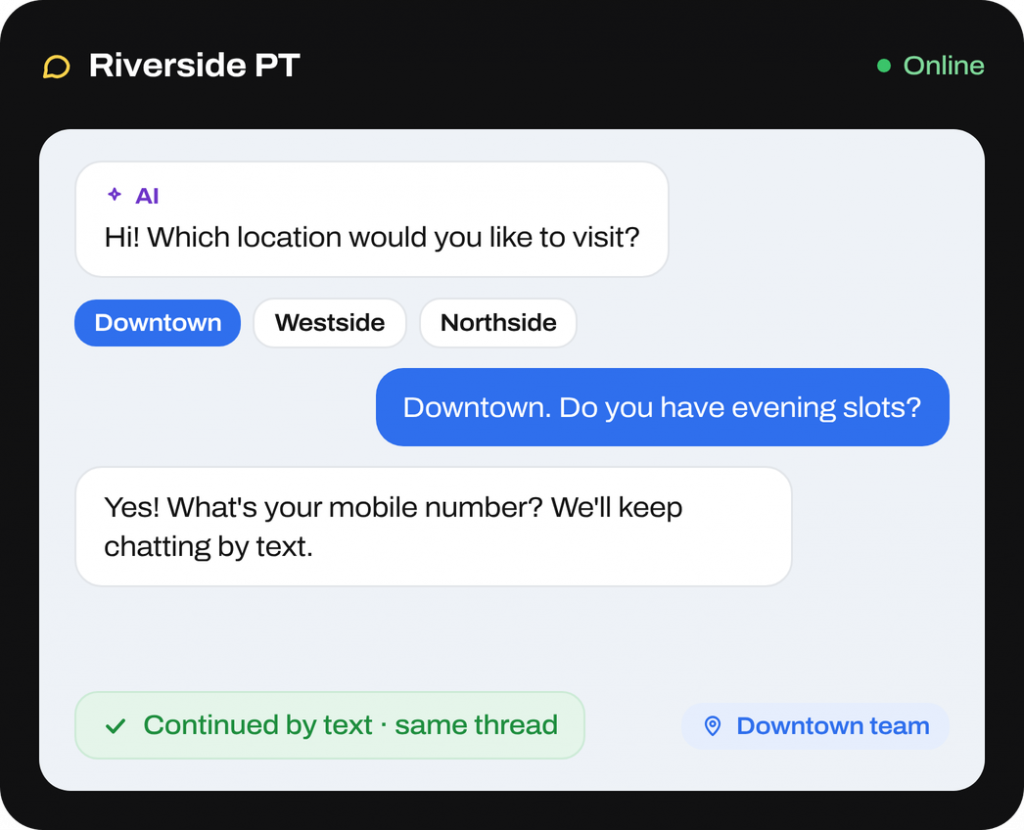
What is Emitrr’s Webchat
Emitrr Webchat is a website chat widget for healthcare practices and service businesses. Start visitor conversations on your site and continue them through two-way SMS in the same thread.
- Chat-to-text handoff: Visitors can reply from their phones after closing the browser, without returning to your site.
- AI or staff replies: AI answers FAQs and collects details. Staff take over when the request needs them.
- Shared history: Keep chat transcripts, forms, and follow-up texts alongside the contact’s calls and messages.
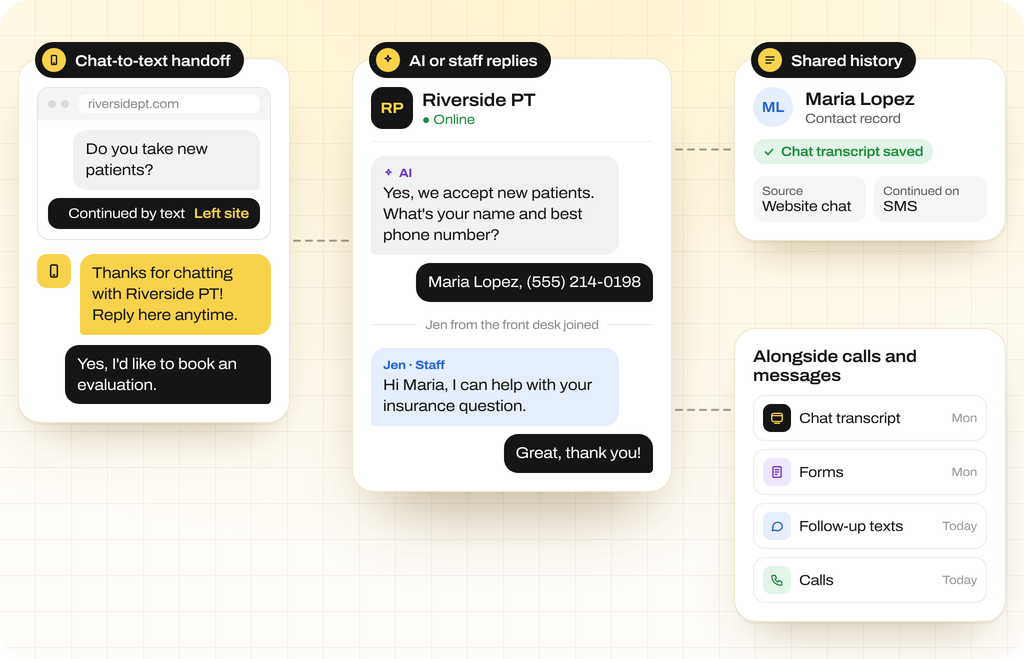
How Does Emitrr’s Webchat Work
Start with a website question and keep the conversation moving, even after the visitor leaves.
A visitor starts a conversation
The visitor opens your website widget. AI or staff answers questions, collects details, and offers forms or booking links when needed.
The conversation moves to text
Through the chat-to-text handoff, visitors can keep replying from their phones after leaving your site. Earlier messages stay in the same thread.
Your team handles the next step
Configured rules assign the conversation to the responsible team. Staff review the history and continue follow-up, or a workflow sends the next message
What Emitrr’s Webchat Can Do
Website chat software should support the next reply as well as the first question. Keep visitor details, routing, and follow-up connected as the conversation continues.
Voice Agent
-
Two-Way Web-to-SMS Handoff
Continue by SMS after a visitor leaves. Keep earlier messages available so staff can follow up with context.
-
Persistent Contact Thread
Store website messages with SMS and voice conversations in the contact record. Review the history in one thread.
-
AI Chat Agent and Lead Qualification
Use chat lead qualification to collect required fields and answer FAQs. Hand requests needing staff attention to a person.
-
Form Delivery and Data Capture
Send chat intake forms or screening questionnaires. Collect defined information and track completion in the conversation.
-
Dynamic Chat Routing
Route by clinic, department, or team. Show different widgets on pages for particular locations or services.
-
Automated Chat Follow-Up
Use lead submissions or other events to start SMS, email, and AI call sequences through chat workflow automation.
-
Translation and Localization
Use multilingual webchat to translate messages and show replies in the visitor’s language.
-
Notifications and Assignment
Use chat conversation assignment to give a reply to a team member and make the next response owner’s role clear.
-
Conversation Tags and Rules
Tag message intent and use rules to assign, escalate, or start follow-up on the request.
-
Reporting and Audit Trail
Keep transcripts, attachments, and timestamps on the contact record for analytics and compliance review.
-
Secure Chat for PHI
Use a one-time passcode (OTP)-protected portal for protected health information (PHI), keeping sensitive data out of device storage.
SMS Agent
What Emitrr’s Webchat Solves For
Website inquiry follow-up often continues after the visitor leaves. Use webchat software to collect the request and give the conversation a next step.
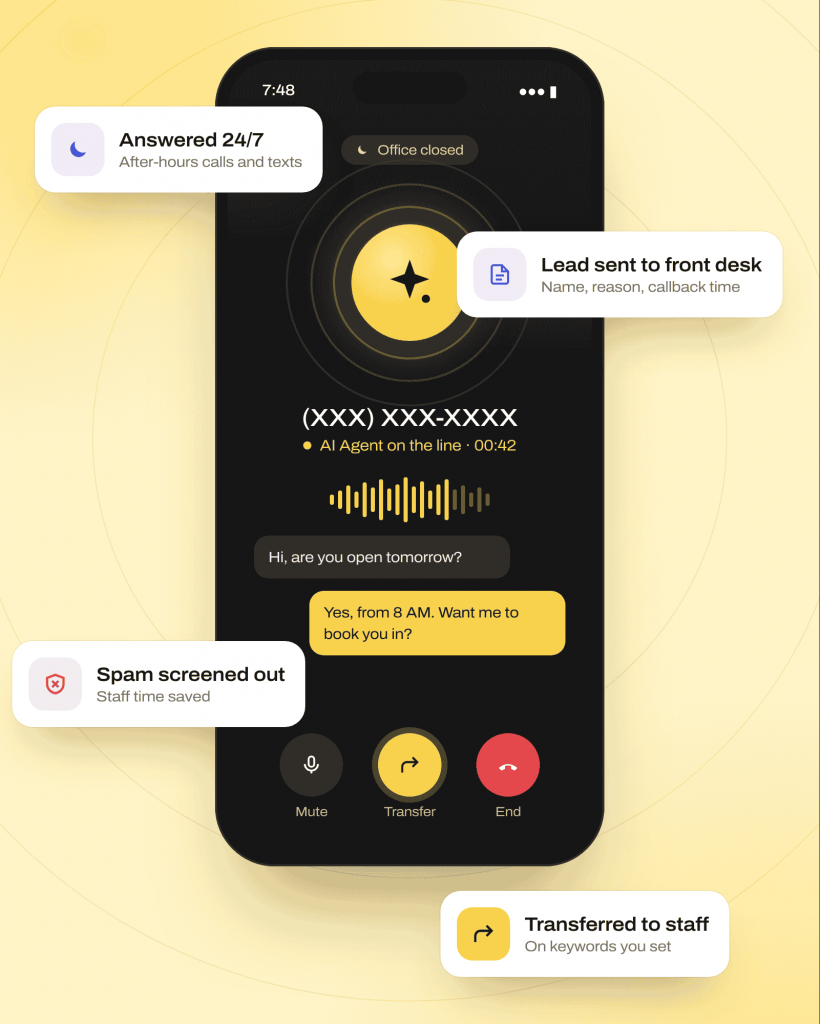
Capturing and Following Up With Inquiries
Keep your business reachable after hours and when your front desk is busy.
Website Lead Capture
Turn chat inquiries and form abandonments into two-way conversations. Collect contact details and continue follow-up after visitors leave your site.
After-Hours Intake and Triage
Use after-hours website chat to answer questions and collect contact details and intent. Give staff the information for next-day follow-up.
Following Up After Missed Calls
Let visitors ask about hours, locations, or an earlier call. Continue by SMS so they can respond later from their phone.
Paid-Ad and Landing-Page Follow-Up
Collect questions from visitors arriving through ads. Continue booking follow-up through chat, SMS, or configured workflows after the initial inquiry.
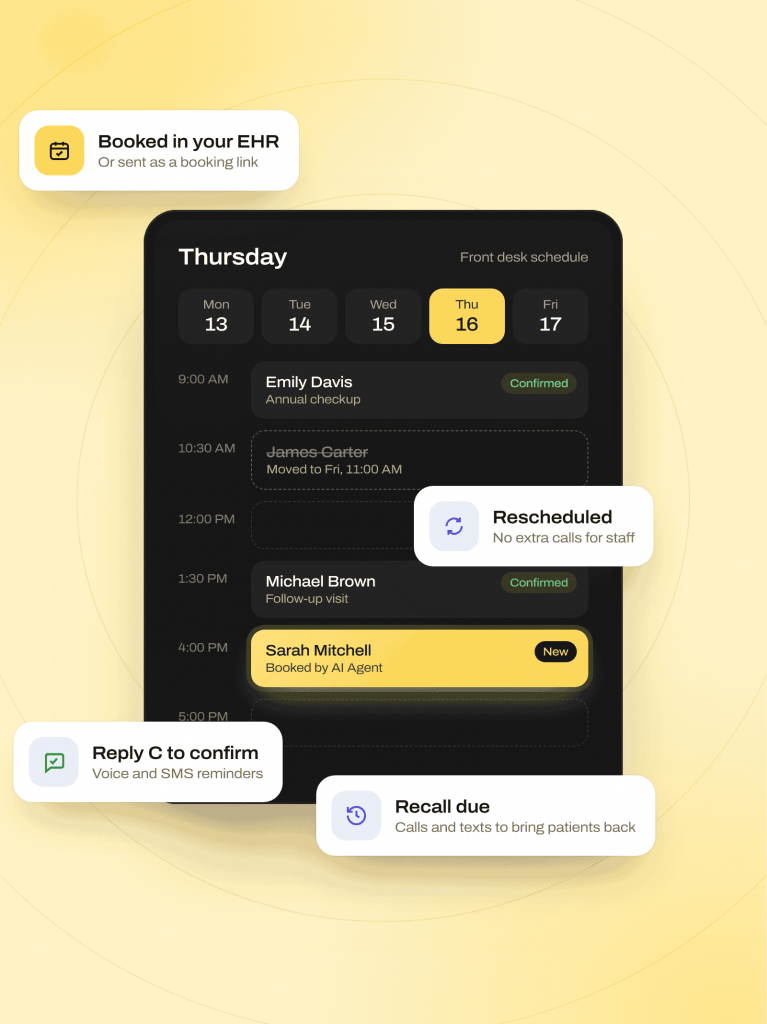
Qualifying Visitors and Moving to Booking
Collect the details your team needs to follow up, send forms, or help visitors book a visit.
Qualification and Scheduling
Use website visitor qualification to collect details before offering a booking link. Chat appointment booking can start a scheduling workflow.
Intake Form Delivery
Send intake or consent forms through chat or SMS. Track completion so staff can identify documents still awaiting a response.
Recruiting Inquiries
Qualify applicants in chat and send screening forms. Move suitable candidates into hiring workflows with their collected information available.
Continuing Website Conversations by Text
Use web-to-SMS handoff to continue after visitors leave. Staff retain the earlier messages, and visitors can reply from their phones.
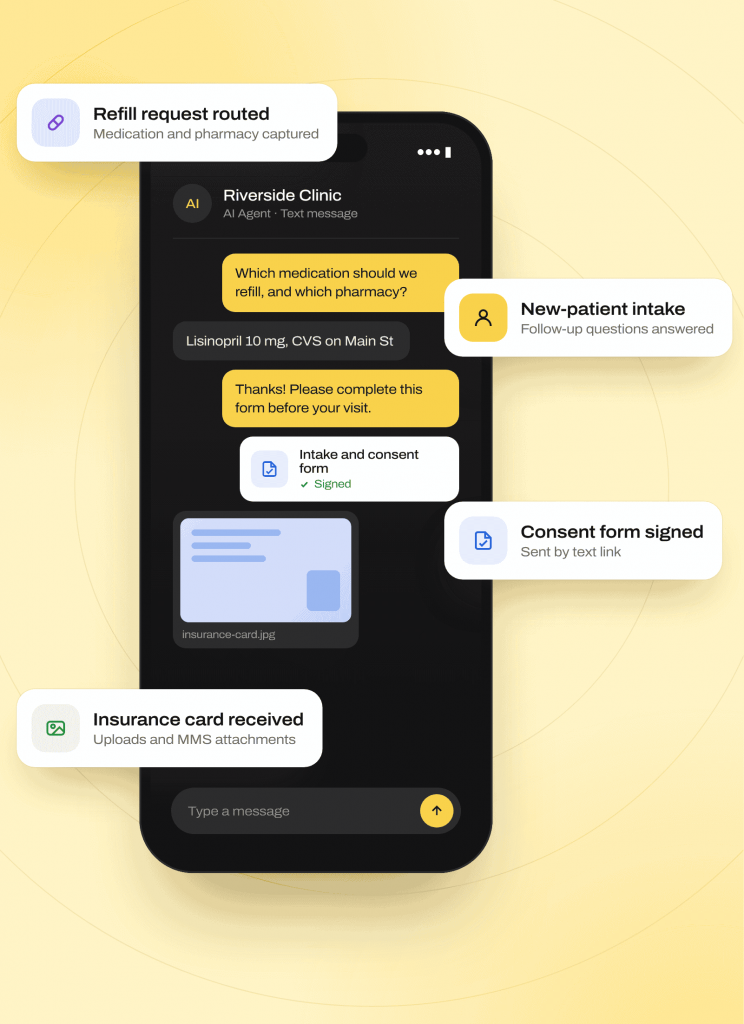
Routing and Supporting Visitor Conversations
Send requests and feedback to the right team, and keep conversations going when visitors need privacy or language support.
Location-Specific Communication
Use multi-location webchat for clinic-specific messages. Route each request to the location or team responsible for follow-up.
Review Requests and Feedback
Invite satisfied visitors to public review sites through chat. Route negative feedback collected in the workflow privately for staff follow-up.
Sensitive Patient Information
Move from the website widget to secure patient chat in the OTP-verified portal for health details and signatures when needed.
Helping Visitors in Other Languages
Use multilingual webchat and two-way website chat translation. Translate messages and display replies in the visitor’s language.
Where Webchat Fits Best
Healthcare webchat fits practices with website inquiries needing follow-up. Customer chat workflows also support booking, intake, and outreach across service businesses.
Industries
Specialities
Dental
As a dental AI receptionist, it handles recall and hygiene visit scheduling, new patient intake
Physical Therapy
New patient booking across multiple locations, rebooking cancellations
Orthopedics
Reducing no-shows through proactive rescheduling calls and texts
Pediatrics
Handling parent calls for scheduling, forms, and general questions
Dermatology
Managing high call volume for cosmetic and medical appointment requests
Urgent Care
Speeding up check-in and triage-style intake questions
Chiropractic
Filling last-minute cancellations automatically
Veterinary
Booking and rebooking pet visits without tying up front-desk staff
Primary Care
Managing high daily call volume across scheduling, refills, and referrals
Chat That Ties Back to the Record
EHR-integrated webchat connects inquiries with supported healthcare workflows. Your team can continue the conversation through the tools and channels it already uses.
How the write-back works
-
01
Supported EHR integrations can log webchat conversations back to the patient chart.
-
02
Webchat events can trigger EHR-connected workflows. Available record updates depend on your integration and configuration.
-
03
Chat history, forms, and follow-up messages remain in the Emitrr contact thread, giving staff context for the next action.
Connected systems





Why Businesses Choose Emitrr Over a Standalone Chat Widget
Compare how a chat widget handles follow-up after visitors leave. Emitrr connects website conversations with your team’s shared inbox, records, and next actions.
| What Matters | Standalone Chat Widgets | Emitrr |
|---|---|---|
| When the visitor leaves | Check how follow-up continues | Two-way SMS continues in the same thread |
| Conversation history | Check connection to other channels | Same inbox as calls, texts, forms, and faxes |
| AI handling | Check channels and handoff support | AI with voice, SMS, and chat handoffs in one workflow |
| PHI handling | Check protected healthcare channels | Built-in OTP-verified secure chat for PHI |
| Healthcare integrations | Check supported records and actions | EHR connections including Spry, athenahealth, and eClinicalWorks |
| Routing | Check team and per-page controls | Location and skill-based routing with per-page widgets |
| Language support | Check translation options | Built-in two-way translation |
| Enterprise options | Check multi-location and partner support | 10DLC, number hosting, partner, and white-label models |
Built for Secure, Compliant Web Conversations
Move sensitive information into protected chat and manage consent when website conversations continue through SMS.
HIPAA
Compliant
SOC 2
Type II
Exchange PHI through a temporary, passcode-protected portal rather than standard website chat.
Secure sessions exchange sensitive health information without leaving PHI on the visitor’s device.
A Business Associate Agreement is available for healthcare organizations using patient webchat workflows.
Use 10DLC registration and number hosting support for conversations that continue through SMS.
Capture consent within chat-initiated SMS workflows.
Process STOP requests automatically when visitors continue the conversation by text.
Retain transcripts, attachments, and timestamps, with TLS 1.2+ in transit and AES-256 encryption at rest.
Emitrr is audited across security, confidentiality, process integrity, availability, and privacy.
Real Results From Businesses Using Emitrr’s Webchat
Josey Medical Clinic relied on time-consuming phone calls to stay in touch with patients, which was costly to maintain across two locations, and their website wasn’t converting visitors into booked appointments. After adding Emitrr’s chat widget alongside automated SMS and appointment reminders, the clinic saw a sharp jump in website conversions and freed up significant staff time previously spent on manual outreach.
Read the full Josey Medical Clinic storyHow Josey Medical Clinic Boosted Website Conversions With Emitrr
Josey Medical Clinic, primary care, urgent care, and wellness services, 2 locations (San Antonio, Texas)
4X
more website conversions
80+
hours of manual work saved
3x
Online reviews
4.9/5
Average rating across 400+ reviews
1,000+
Customers using the Emitrr platform
High volume
Handles simultaneous, high-volume call traffic without added staffing
Fewer routine calls
Automated refill and routine-call handling has cut overall call volume meaningfully for healthcare customers
Simple, Bundled Pricing
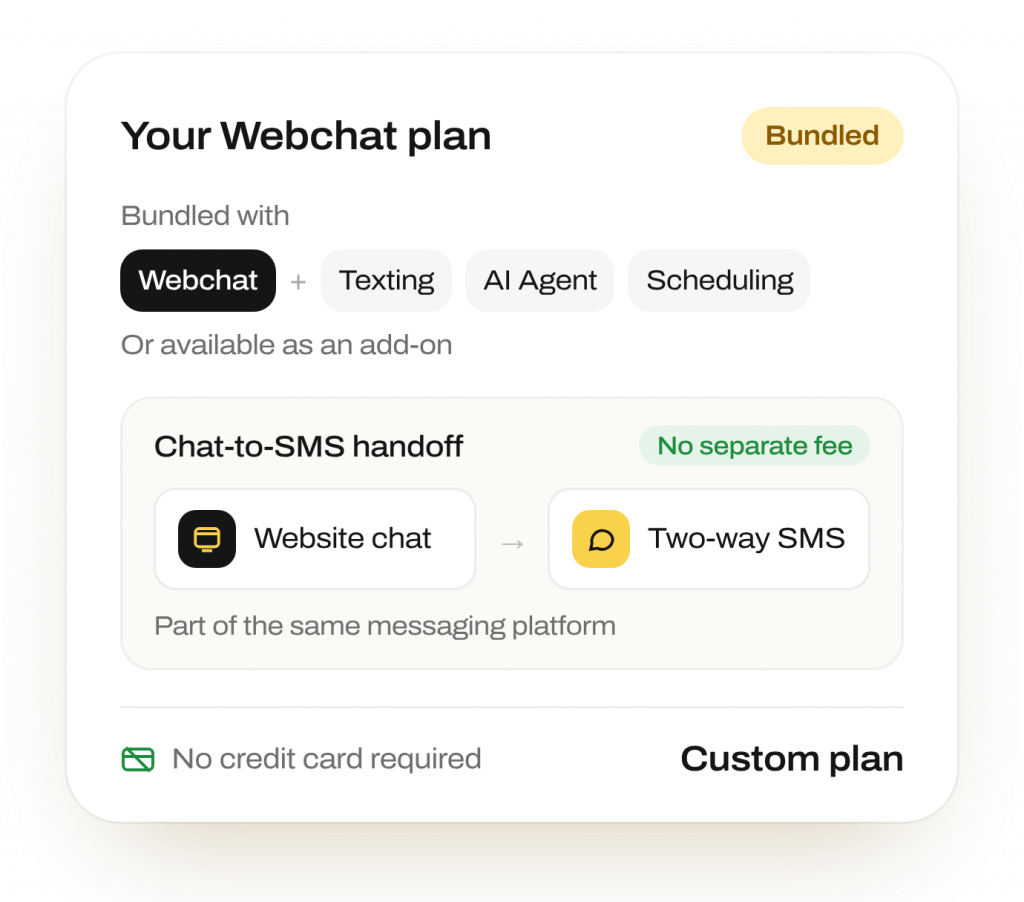
Webchat is bundled with Emitrr’s texting, AI Agent, and scheduling products, or available as an add-on. No separate fee for chat-to-SMS handoff, it’s part of the same messaging platform.
No credit card required to start · Flexible, usage-based pricing across voice and SMS
Frequently Asked Questions
The conversation can continue as two-way SMS in the same thread. Staff retain the chat history, and visitors can reply from their phones without returning to the website.
Yes. Send intake or screening forms through chat or a follow-up text. Completion tracking shows staff whether the visitor has submitted the requested information.
Yes, through the OTP-verified secure portal. Move PHI into that protected session rather than standard chat messages. A BAA is available for healthcare organizations using these workflows.
Yes. Dynamic routing sends requests to the configured clinic, department, or team. Different website pages can show location-specific widgets, messages, and routing.
Yes. Website chat translation automatically translates visitor messages and shows replies in the visitor’s language. Two-way translation supports the configured conversation workflow.
Yes. Emitrr’s website chat widget adds conversations to the contact thread with calls, texts, and forms. Staff can review that history before replying or taking over.
Yes. Chat workflows can invite satisfied visitors to public sites and route negative feedback privately to staff. Emitrr does not publish internal feedback, and visitors can still post independently.
Keep Website Inquiries Moving Toward the Next Step
Continue the conversation by text, with the history your team needs to follow up.