

 4.9 (400+
reviews)
4.9 (400+
reviews)
A VoIP Phone System That Knows Who’s Calling
Emitrr’s VoIP phone system replaces disconnected desk phones and a separate texting tool with one platform: calls, texts, voicemail, and faxes in a single thread, with patient or customer context pulled in automatically.
Use desk phones, softphone, and mobile, all on your existing number.
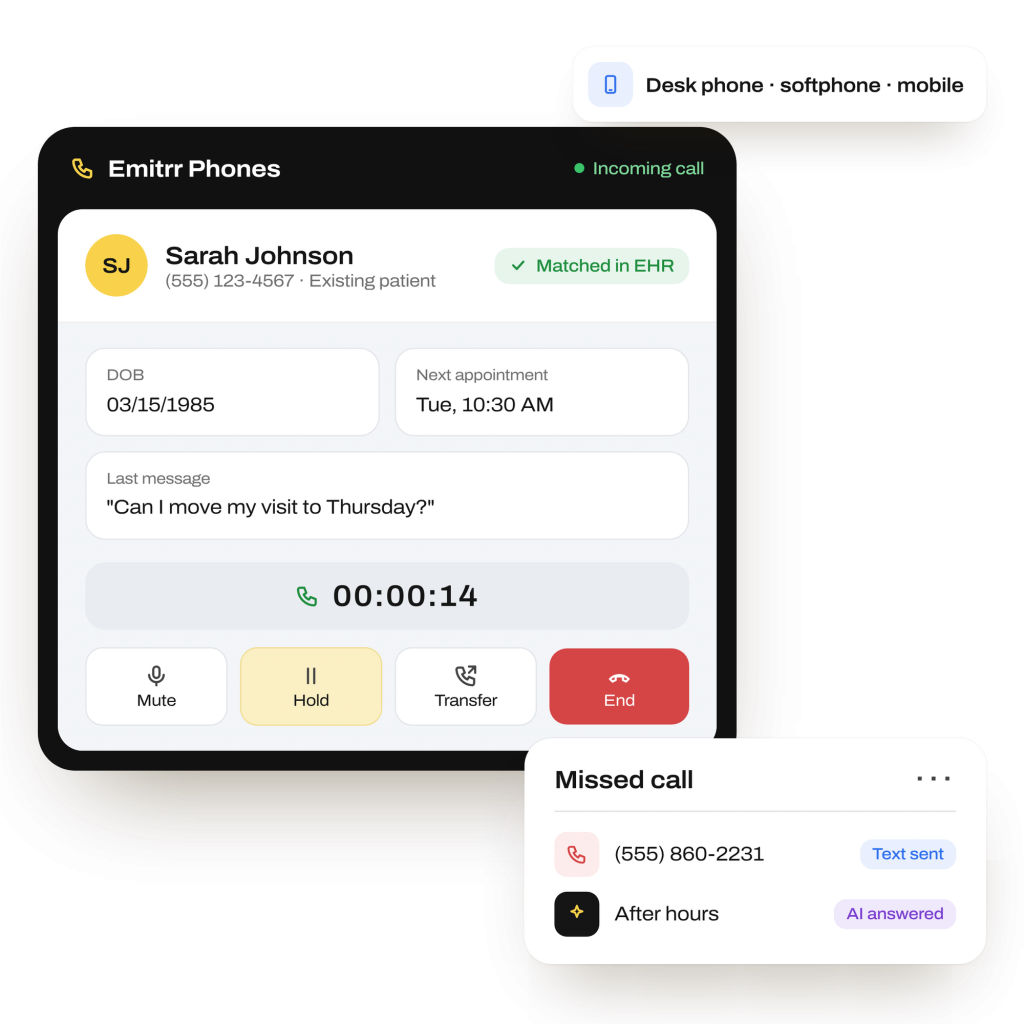
What is Emitrr’s VOIP Phone System
Emitrr’s VoIP phone system is a cloud phone system for healthcare practices and service businesses. It connects calling, texting, voicemail, and faxing with your existing records.
- Multi-device extensions: Ring desk phones, software-based phones, and mobile. Supported SIP phones set up quickly.
- Caller context: View patient details through supported EHR integrations before answering or following up.
- Connected actions: Use AI and missed-call texts for follow-up, with appointment updates where supported.
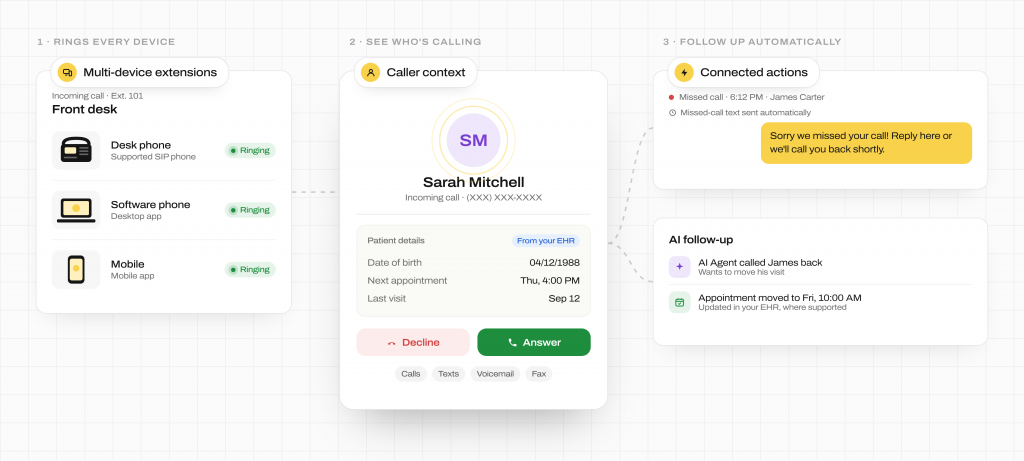
How Does Emitrr’s VoIP Phone System Work
Connect your number, set your call rules, and give staff the context they need to answer and follow up.
Connect your number and devices
Transfer your existing business number. Set up staff extensions on supported desk phones, softphones, or mobile devices.
Choose how calls reach your team
Configure phone menus, call queues, and transfer rules. Set unanswered, after-hours, or overflow calls to reach voicemail or your AI Agent.
Answer with caller context
Supported EHR integrations show patient details before staff answer. Your team can handle the request or transfer the call to a colleague.
What Emitrr’s VoIP Phone System Can Do
Your business phone system should help staff handle the request, not just answer the call. Keep routing, follow-up, and caller details together.
Voice Agent
-
Multi-Device Extensions
Ring each extension on desk phones, softphone, and mobile. Automatic device setup reduces manual configuration.
-
Caller ID and Call Pop
See the patient’s name, birth date, and appointment details before answering through a supported EHR connection.
-
IVR and Auto Attendant
Use an interactive voice response (IVR) menu with recordings and nested options to route callers by department.
-
Call Queues
Ring staff together, in sequence, or in round-robin order. Set unanswered queues to fall back to voicemail or SMS.
-
Call Transfers
Transfer directly or use a warm transfer to speak with the recipient first. Configure call routing and transfer actions.
-
Missed-Call Text Back
Automatically text missed callers so they can reply with their request instead of leaving only a voicemail.
-
Voicemail Transcription
Keep voicemail recordings, automated transcripts, and AI summaries so staff can read the request before responding.
-
Call Recording and Analytics
Record calls on demand or automatically. Review usage and call metrics by user or team
-
Business Texting and Calling
Use one number for calls and two-way SMS, with both channels in the same contact thread.
-
AI Phone Answering
Answer after-hours or overflow calls, collect details, and take supported actions such as creating a case or workflow.
-
Supported EHR Actions
Create appointments and update schedules from calls where the EHR supports direct updates, also called write-back.
-
Fax Integration
Send and receive referral and authorization faxes alongside calls and texts in the same platform.
-
HIPAA Support
A BAA is available. Exchange PHI through a one-time passcode (OTP)-protected chat portal instead of plain SMS.
-
Hardware Compatibility
Use supported Yealink and Polycom SIP phones. Get guidance on buying devices or reusing compatible hardware.
-
Web and Chrome Integration
Click to call or text from your EHR or browser. Website chat leads enter the same phone and SMS workflow.
-
Unified Inbox and Team Tools
Assign conversations, add internal notes and tasks, and use AI tagging to coordinate follow-up in one thread.
-
Multi-Location Number Management
Manage local numbers, shared number pools, and number transfers across your organization.
-
10DLC Registration and SMS Controls
Register texting numbers with carriers. Use message credit estimates and sending controls for carrier requirements.
SMS Agent
What Teams Use Emitrr Phones For
From the first call to the next update, keep the request connected to the staff, records, and follow-up it needs.
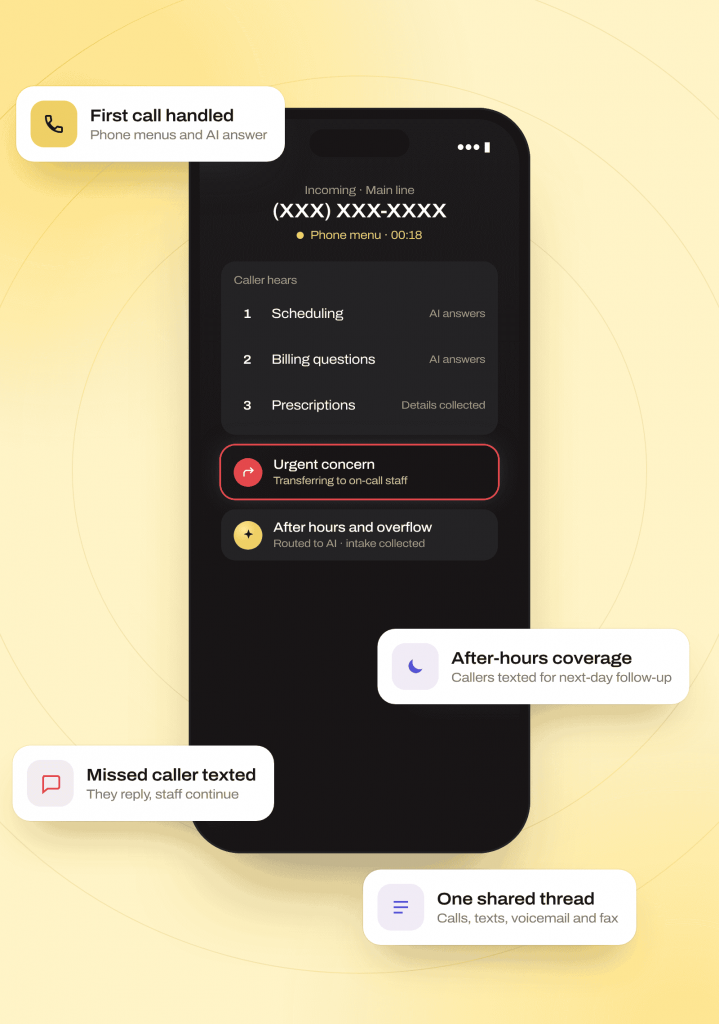
Answering and Recovering Calls
Handling the First Call
Use phone menus and AI to answer routine questions and collect details. Send urgent issues to a person through configured routing.
After-Hours and Overflow Coverage
Route after-hours calls and overflow calls to AI. Collect intake details and text callers for next-day staff follow-up.
Missed-Call Recovery
Text missed callers automatically and let them reply. Staff can continue the conversation with the details needed for the next step.
Sharing Calls and Contact History
Use unified communications across devices for calls, texts, voicemail, and faxes. Distributed staff can share requests and review one contact thread.
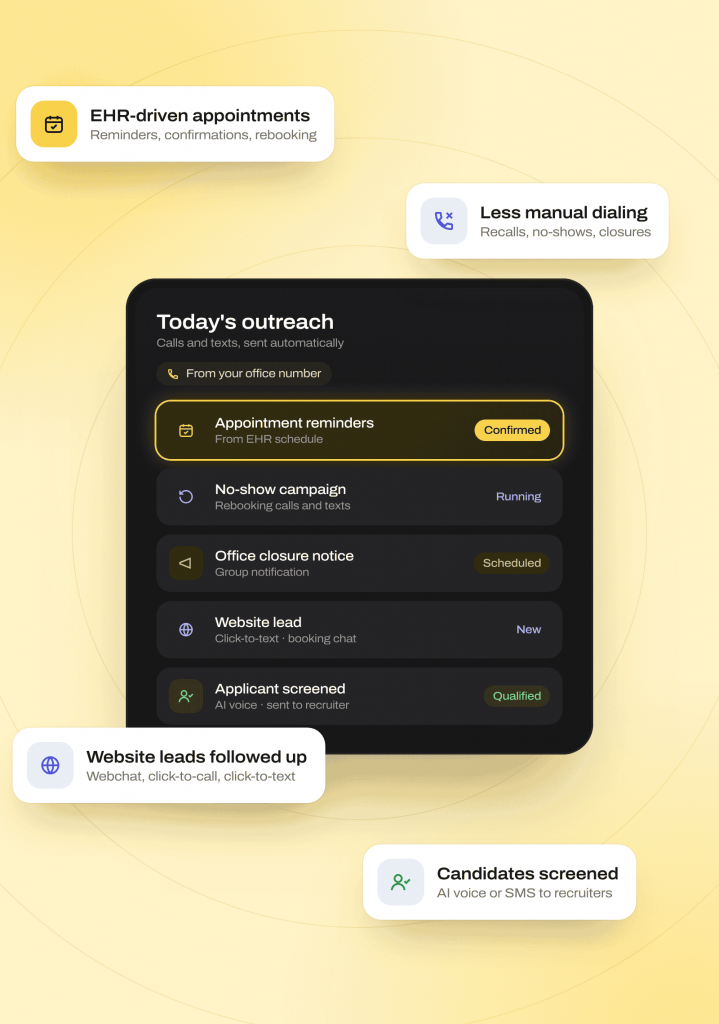
Patient and Lead Follow-Up
EHR-Driven Appointment Workflows
Run reminders, confirmations, rescheduling, and booking from your office number. Connect each task to appointment data and EHR updates where supported.
Reducing Manual Dialing
Automate recalls, no-show campaigns, and scheduled group notifications, including office closures. Share updates without dialing every contact individually.
Following Up With Website Leads
Connect webchat, AI intake, click-to-call, and click-to-text. Continue from a website inquiry to a booking conversation in the same platform.
Candidate and Recruiting Screening
Screen applicants through AI voice or SMS. Route qualified candidates to recruiters with the details collected during the conversation.
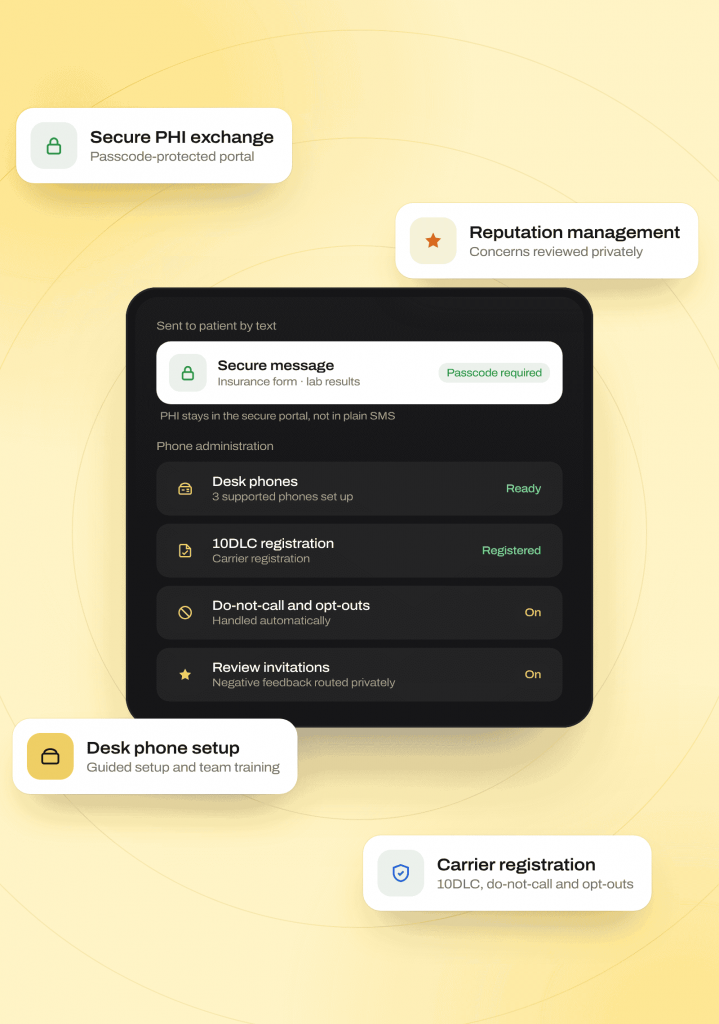
Secure Communication and Phone Administration
Secure PHI Exchange
Send secure chat links for forms and sensitive documents. Keep protected health information (PHI) in the passcode-protected portal rather than plain SMS.
Reputation Management
Automate review invitations and route negative feedback collected through the workflow privately. Staff can review concerns and coordinate follow-up.
Setting Up Desk Phones
Use documented device setup and team training during number transfers. Prepare staff to use supported phones as part of onboarding.
Carrier Registration and Calling Reputation
Manage 10DLC registration, do-not-call handling, and opt-outs. Get support with carrier issues that can affect outbound caller labels.
Who Uses Emitrr’s Phone System
VoIP for healthcare fits teams handling frequent patient calls. Emitrr also supports service businesses managing leads, shifts, and customer follow-up.
Industries
Specialities
Dental
As a dental AI receptionist, it handles recall and hygiene visit scheduling, new patient intake
Physical Therapy
New patient booking across multiple locations, rebooking cancellations
Orthopedics
Reducing no-shows through proactive rescheduling calls and texts
Pediatrics
Handling parent calls for scheduling, forms, and general questions
Dermatology
Managing high call volume for cosmetic and medical appointment requests
Urgent Care
Speeding up check-in and triage-style intake questions
Chiropractic
Filling last-minute cancellations automatically
Veterinary
Booking and rebooking pet visits without tying up front-desk staff
Primary Care
Managing high daily call volume across scheduling, refills, and referrals
Calls That Carry Patient and Customer Context
EHR phone integration gives staff context before they answer. Supported record updates keep appointment follow-up connected to the system your practice uses.
How the write-back works
-
01
Your connected EHR provides patient and appointment details, giving staff context for the call.
-
02
Calls can trigger appointment creation, confirmations, or scheduling updates directly in the EHR where supported.
-
03
Available updates depend on your integration. Staff complete actions that fall outside its supported capabilities.
Connected systems









Why Businesses Choose Emitrr Phones
Evaluate what happens after a caller reaches you. Emitrr connects your phone system to records, automation, and the team’s next action.
| What Matters | Standalone Phone Vendors | Emitrr |
|---|---|---|
| Clinical Integration | Check caller context and supported record updates | EHR caller pop and write-back where supported |
| Communication Channels | Check SMS, voicemail, and fax coverage | Calls, two-way SMS, voicemail transcripts, and faxes in one thread |
| AI Receptionist | Check conversational AI and handoff options | After-hours and overflow AI with information collection and transfers |
| Workflow Automation | Check routing and follow-up tools | Queues, IVR, missed-call texts, reminders, and no-show follow-up |
| Hardware Setup | Check setup requirements and training | Documented Yealink and Polycom provisioning |
| Compliance | Check BAA, secure messaging, and audit options | BAA, OTP-secure chat, recordings, transcripts, and EHR PDFs |
| Number Management | Check carrier registration and porting support | 10DLC, LOA and porting procedures, and vendor contract support |
| Pricing Model | Check tiers and channel billing | Standard and Pro per-user tiers; modular SMS and AI; pilot and MSO options |
| Calling Reputation | Check carrier support | STIR/SHAKEN attestation and carrier issue support |
| Hardware Reuse | Check compatible devices | Supported existing Yealink and Polycom IP phones |
Built for Compliance-Sensitive Calling
Support sensitive patient communication with protected messaging, documented call history, and built-in carrier controls.
HIPAA
Compliant
SOC 2
Type II
Trained for HIPAA-sensitive conversations with compliant scripting logic
Do-not-call lists, STOP requests, and consent capture are managed automatically on voice and SMS
Lowers the risk of spam, spoofed numbers, and misrouted conversations
Every call and text is logged with a transcript, recording (for calls), and AI summary
TLS 1.2+ in transit and AES-256 for stored data
Independently audited on security, confidentiality, process integrity, availability, and privacy
Staff see only the conversations and records their role requires
Redundancy across Availability Zones, with an RTO of four hours and an RPO of one hour or less
Real Results From Businesses Using Emitrr’s Phone System
Zynex Medical received over 10,000 inbound messages a month from patients, pharmacies, and providers, questions on insurance eligibility, missing documents, device troubleshooting, and prescription confirmations, all requiring manual review before the right team could respond. Missed calls compounded the problem, since the team primarily communicated by SMS and lost opportunities when calls went unanswered.
Read the full Zynex Medical storyHow Zynex Medical Saved 32+ Hours a Month on Message Sorting
Zynex Medical, medical technology manufacturer, 5 locations
Emitrr’s automated routing and rule-based handling gave Zynex back significant staff time each month.
32+
hours of staff time saved per month
10,000+
monthly messages automatically sorted and routed
Reduced
lost opportunities from missed calls
4.9/5
average rating across 400+ reviews
1,000+
customers using the Emitrr platform
SOC 2 Type II
audited infrastructure
Compatible Yealink and Polycom
phones supported, so practices may reuse existing hardware.
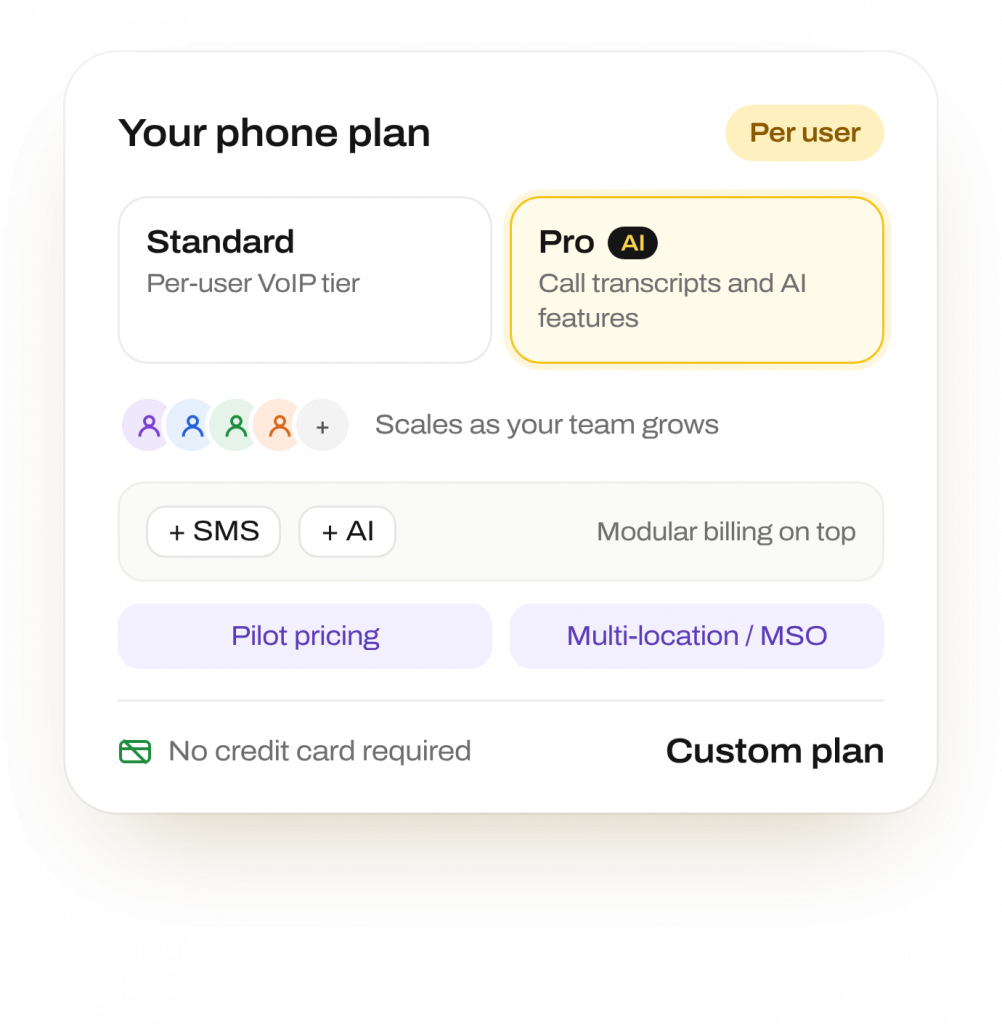
Per-User Pricing That Scales With Your Team
Per-user VoIP tiers, including a standard tier and a Pro tier with call transcripts and AI features. Modular SMS and AI billing on top of your phone plan
Pilot and multi-location/MSO pricing pathways available · No credit card required to start
Frequently Asked Questions
Not necessarily. Emitrr supports compatible Yealink and Polycom SIP phones, so you may reuse existing hardware. Staff can also use a softphone or mobile. Emitrr provides purchase and setup guidance.
Yes. Emitrr supports transferring your existing number. Onboarding includes a Letter of Authorization and number-transfer procedures, with help moving from your current provider.
Yes, through supported EHR or CRM connections. Incoming calls can show the caller’s name, birth date, and appointment details before staff answer.
Calls can route to the AI Agent to collect information and handle supported requests. Staff receive the details needed for follow-up on the next business day.
Yes, where the EHR integration supports write-back. Calls can create or update appointments and other records. Available actions depend on the connected system’s supported capabilities.
Calls and two-way SMS use the same number and contact thread. Texting requires 10DLC registration and has modular billing. Using one number does not mean texts are included in the phone plan’s price.
Yes. A BAA is available for healthcare customers. For PHI that should stay outside plain SMS, Emitrr offers a secure chat portal protected by a one-time passcode.
Yes. Emitrr supports local numbers, shared number pools, and centralized reporting. These controls serve multi-location groups and MSOs within one platform.
Ready to put your calls and texts on autopilot?
See how Emitrr’s AI Agent can work for your business — live on your current number in days.