
 4.9 (400+
reviews)
4.9 (400+
reviews)
Introduction
In 2025, communication is no longer simply behind the scenes; it is a competitive advantage. Reliable calling, texting, secure messaging, and automation are now identifying who responds more quickly, whose records get fewer complaints, and where to find visibility. This is why a large number of clinics and small to medium businesses today are looking for an alternative to RingRx that comes with more flexibility, analytics, and scalability.
RingRx is an established VoIP solution for healthcare, but there are many platforms that get compared against RingRx that offer either deeper integrations, multi-channel engagement, or more scalable pricing. Buyers today want reliable, flexible, and cost-effective solutions without risking compliance.
This blog will highlight the best RingRx alternative options. We will review ten RingRx alternatives covering features, pros/cons, pricing, support, and user feedback so that you can find the best RingRx competitor for 2025.
What is RingRx?
RingRx is a cloud-based communication system for healthcare practices that is HIPAA-compliant. It provides the ability to manage phone calls, messages, and faxes in a simple and organised manner, suitable for everyone. However, if you are looking for more automation or analytics, you may still want to consider a replacement for RingRx.
RingRx Features
- Secure VoIP Calling: Make or answer calls over a HIPAA-secure network to ensure your patient information is safe.
- Voicemail-to-Text & Email: Get instant access to voicemail transcripts, which you can read online or in your email, so you can respond right away.
- E-Fax: Allows digital sending and receiving of faxes from any PC, reducing the cost of buying traditional fax machines.
- Secure Messaging: It includes secure messaging for confidential staff-to-staff messaging, inside your office only.
- Call Flow & IVR: Equips practices with an automated attendant (Interactive Voice Response), allowing them to direct incoming calls according to the office hours, department, or particular patient requirements.
- Mobile App: Comes with a softphone app for smartphones, enabling users to make and receive business calls using their mobile phone as the FirstTel extension.
RingRx Pros:
- Built for Medics: Its native support for HIPAA is a massive plus for doctors’ offices.
- Simple to Get Started: Customers frequently comment on how easy it is to get up and running.
- Customer Support: Recognised for personalised, healthcare-oriented support.
RingRx Cons:
- Not Integrated: Does not integrate well with major EHR (Electronic Health Record)/ EMR (Electronic Medical Record)/ PMS (Practice Management System) systems, and workflow hassles arise.
- Occasional Technical Issues: A few users have experienced occasional problems with voice quality and dropped calls, especially when using the mobile app.
- Rigid Pricing: Its pricing structure may not be as adaptable and easy to scale for practices that need different levels of communication at different times or that have a changing number of users.
- User Interface: The user interface can sometimes feel more outdated and less intuitive than more modern, cloud-native communication tools.
RingRx Pricing:
- Lite: $15/user/month (on-premise)
- Grow: $19/user/month (on-premise)
- Clinic: $25/user/month (on-premise)
- Note: They offer a free trial, but please be aware that the pricing may vary slightly. For a more accurate quote, we recommend contacting the vendor directly.
RingRx Integrations:
Often limited to basic EHR integration, but it often involves custom work.
RingRx Customer Support Channels
- Phone Support
- Live Chat
- Knowledge Base & FAQ
RingRx Rating:
Rating is not easily found from quick search results for an aggregate ranking, but user reviews seem to emphasize its healthcare focus.
RingRx Reviews:
“Simple to configure, HIPAA compliant, but mobile calls will sometimes drop, and PMS integration was challenging.”
“The support team is responsive enough; they handle basic functions reasonably well, but we wish they had texting and better EHR integration.”
Source: G2
Why Do Businesses Seek A RingRx Alternative?
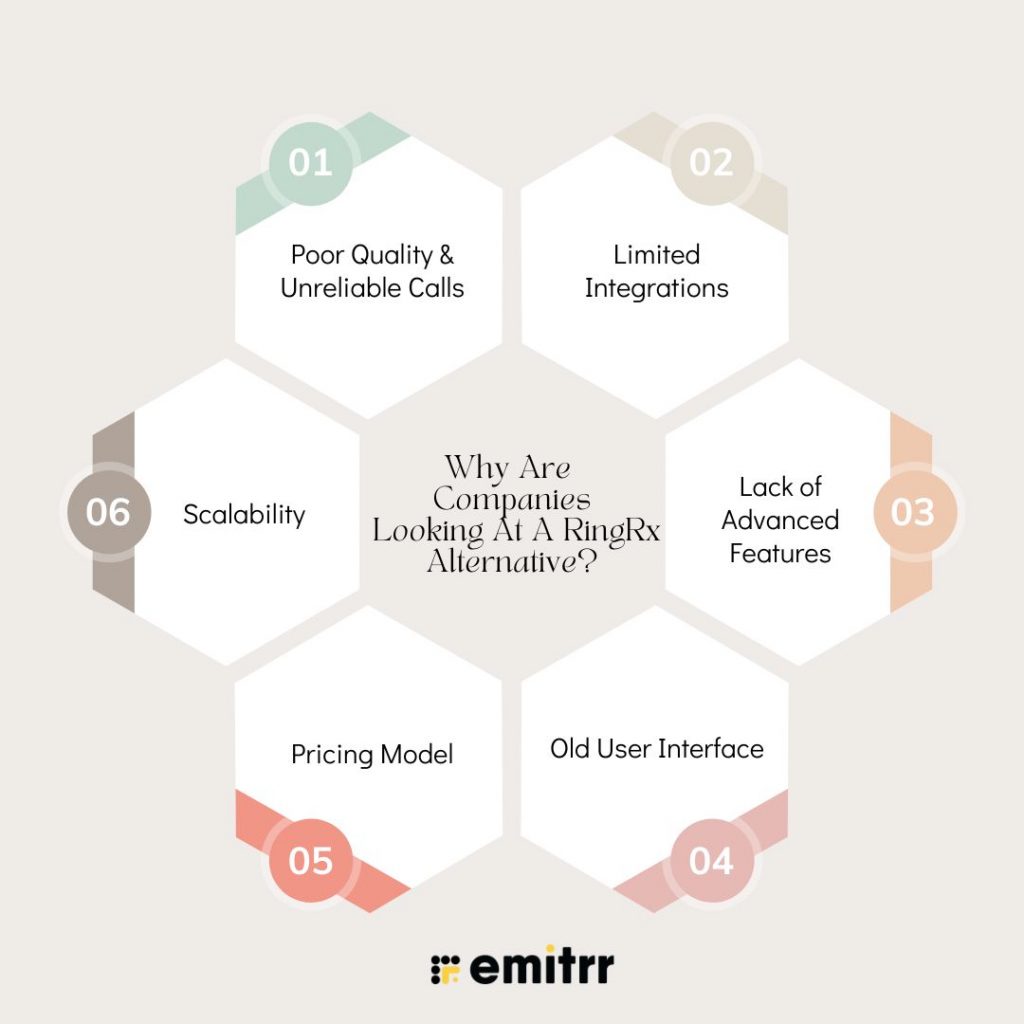
- Poor Quality & Unreliable Calls: For some organizations, lost calls or calls where there is no audio for one or both parties affect patient trust and set those teams off to try a RingRx competitor.
- Limited Integrations: Without native integrations to EHR/CRM/PMS, staff are forced to do manual actions that reduce throughput.
- Lack of Advanced Features: Many teams want automated texting, recall campaigns, and analytics better than RingRx to help reduce no-shows and improve visibility.
- Old User Interface: If the old UI hinders training and day-to-day work, inquiring minds begin to compare alternatives to RingRx with a cleaner, modern UI dashboard.
- Pricing Model: On-Premises pricing or per-seat plans can feel constricting compared to cloud-native products that can grow or retract as needed.
- Scalability: Multi-location and fast-growing practices may desire far more sophisticated routing, reporting, and access to data than just basic telephony.
What to Look for in A RingRx Alternative?
- HIPAA Compliant Security: A complete necessity. Always expect a BAA and end-to-end encryption.
- Integrated EHR/PMS/CRM: Minimize the number of manual entries; aggregate patient data, and call-side data to quickly execute needed actions.
- Unified Channels: Look for a platform that brings VoIP, SMS/MMS text messaging, secure chat, and e-fax into a unified interface, rather than dealing with multiple systems.
- Automation & Engagement: Allowing two-way texting, recall, and reminder messaging to help cut down on no-shows and accelerate responses.
- Ease of Use: Easy to learn, and a new, intuitive UI that saves time in training and decreases mistakes, preferably better than RingRx for ease of use.
- Reliability & Uptime: Look for good SLAs (like 99.999%) and redundant systems.
- Scalable Pricing: Plans that flex with new hires and post-seasonal needs; see which RingRx competitor offers the best price ranges.
- Great Support: When high-quality support means effectively solving issues over the phone, through chat, or email, expect consistent support as a standard qualification for any RingRx alternative.
- Reporting & Analytics: Missed calls, average response time, campaign impact, and other essentials for continuous improvement fighters.
- Text and VoIP Capability: Giving business a comprehensive communication backbone in one platform, with a combination of powerful texting and VoIP calling features.

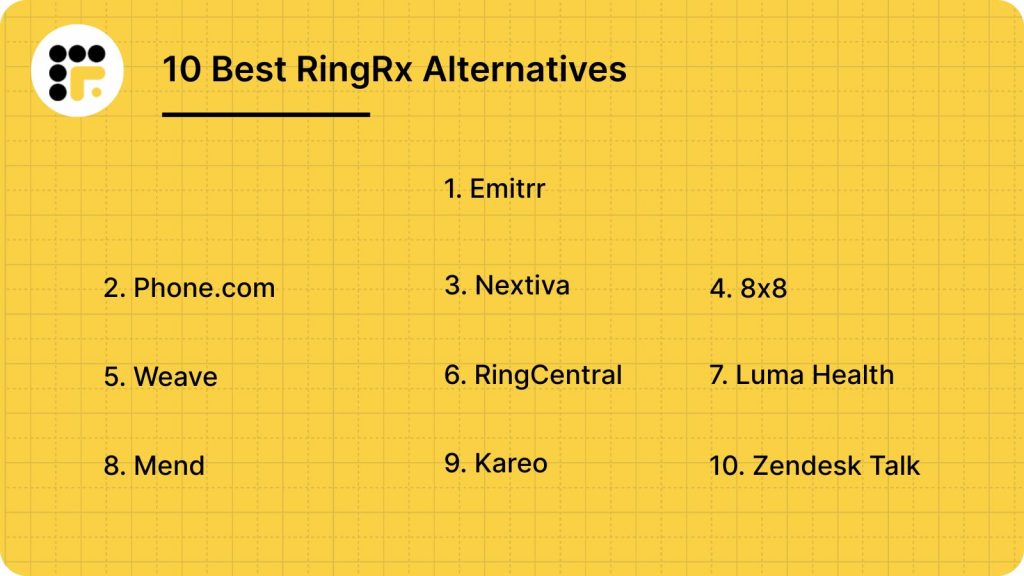
10 Best RingRx Alternatives
1. Emitrr | The Best RingRx Alternative
What is Emitrr?
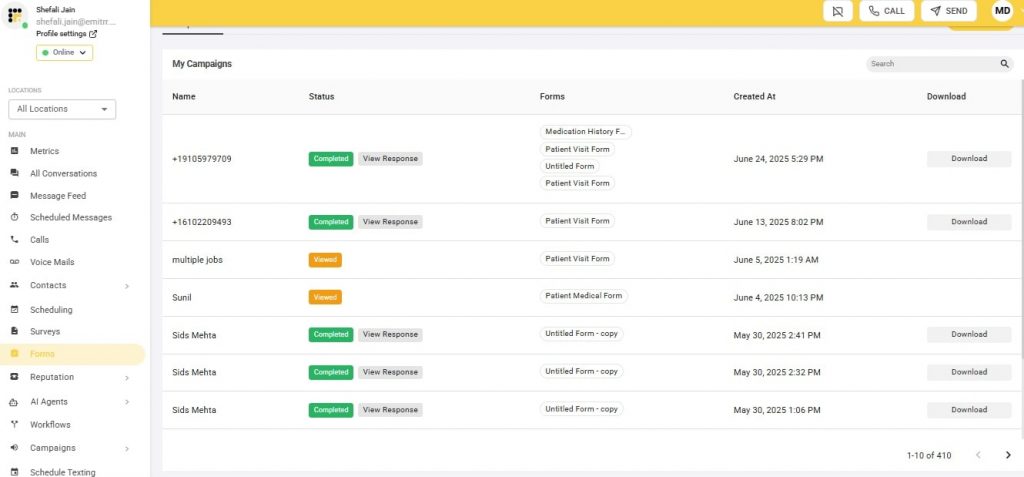
Emitrr, an all-in-one engagement and communications platform that provides telephone, two-way texting, marketing automation, and reputation tools specifically targeted at healthcare and local businesses. If you need texting and automation more robust than basic calling, it’s a solid RingRx replacement. Emitrr is a one-of-a-kind VoIP phone system that caters to all shortcomings of RingRx. It offers a range of integrations for you to boost your workflows, offers real-time, round-the-clock support, encompasses a plethora of capabilities to ensure seamless communication, and does all this without burning a hole in your pocket. Emitrr is not just an alternative to RingRx, but is a lot more than that. It isn’t a one-size-fits-all solution, but is catered to your individual needs and use case. Check out the core features, pros, and cons of Emitrr to make an informed decision.
Emitrr Features:
- Call Control: Call trees, call groups, call forwarding, call recording, and advanced call analytics for performance assessment.
- Text Automation: Texting for missed calls, automatic SMS appointment confirmations, and scheduled texts.
- Patient Engagement: Mass or group text messaging for a marketing campaign, two-way texting for a personal, patient-to-provider, or staff conversation.
- Secure Messaging: Safely discuss client information with secure, HIPAA-compliant communication.
- Scheduling: Patients schedule themselves and send reminders to reduce no-show rates.
Pros of Emitrr:
- Excellent Call Quality: No more fuzzy sound and voices that cut in and out.
- User-Friendly Interface: Staff find the platform easy to pick up; it’s designed clean and easy to use.
- Advanced Texting Options: More robust messaging tools than many competitors.
- Transparency and Reliability with Customer Support: Users value that the support team is usually responsive and helpful, addressing any issue or challenge quickly.
Cons of Emitrr:
- Some advanced VoIP features, like deep integrations with every niche practice management system, are in development.
- The pricing is text-based, which may not fit all business models.
Emitrr Pricing:
Emitrr offers 2 pricing plans for VoIP –
- Standard – $25 per month
- Professional – $35 per month
Emitrr Integrations:
Emitrr has over 500 integrations across various industries, and connects with popular tools like MailChimp, Denticon, AthenaHealth, Zapier, Salesforce, and HubSpot.
Emitrr Customer Supported Channels:
Live chat, Phone, Email, Knowledge base, and SMS.
Emitrr Ratings:
4.8/5
Emitrr Reviews:
“Emitrr has been a terrific asset for our company. It has improved our marketing tremendously, is simple/easy to use, and has the best customer service imaginable—anything I ask for assistance with is replied to quickly and usually resolved within the day or less.”
“The easy-to-use interface and design are very beneficial to our business model. Customer experience/support has always been very helpful and timely. The implementation was easy and a very seamless integration.”
Source: Capterra
2. Phone.com
What is Phone.com?
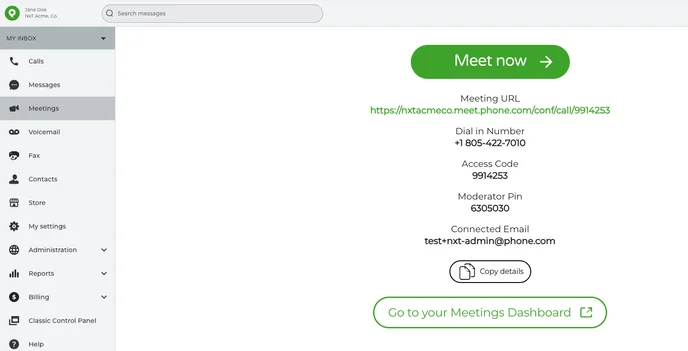
Phone.com is a budget-friendly cloud communications platform for small and midsize businesses. It offers VoIP calling, video conferencing, texting, and a very straightforward admin experience. With HIPAA options on higher tiers, it’s a great option for clinics that are seeking an alternative to the RingRx model, but still as a low-cost, easy-to-scale alternative.
Phone.com Features
- VoIP Calling: Includes all the features like call forwarding, call blocking, call screening, voicemail-to-email, call queues, etc.
- Video Conferencing: HD video conferencing with screen share and conference recording.
- Call Automation: Auto-Attendant (IVR) to route calls, Business Hours rules to handle calls in a customized way.
- Messaging: Business SMS/MMS messaging and group text.
- Mobile & Desktop Apps: Provides softphone apps so users have the same experience on mobile and desktop, and all devices.
Phone.com Pros:
- Low Pricing: Provides one of the cheapest entry-level plans available.
- HIPAA Compliant: Offers a Business Associate Agreement (BAA) for its Plus plan and above, providing accessibility for healthcare.
- Easy to Use: The web dashboard and apps are clean and easy to work with.
- Scalable: Unlimited users and extensions, ideal for expanding teams.
Phone.com Cons:
- Limited integrations, especially with more niche processes for practice management.
- Call recording and analytics features are only offered in higher-priced plans.
- The basic plan is short on minutes.
Phone.com Pricing:
- Basic: $15 per user/month with limited minutes.
- Plus: $19 per user/month with unlimited calling.
- Pro: $29 per user/month with unlimited calling and additional features.
Phone.com Integrations:
- Integrates with popular business tools such as HubSpot, Salesforce, Zoho, and Zapier.
- Phone.com Customer Support Channels:
- 24/7 Phone Support, Email/Help Desk, FAQs/Forum, and Live Chat.
Phone.com Customer Support Channels
Phone.com offers support via Phone, Email and Live chat.
Phone.com Ratings:
4.5/5
Phone.com Reviews:
“Clean agent view with caller details and history is all in one place; much faster and smoother service with scripts, notes, and coding!”
“Really automates routine work, AI suggests and prioritizes tickets to complete faster.”
Source: G2
3. Nextiva
What is Nextiva?
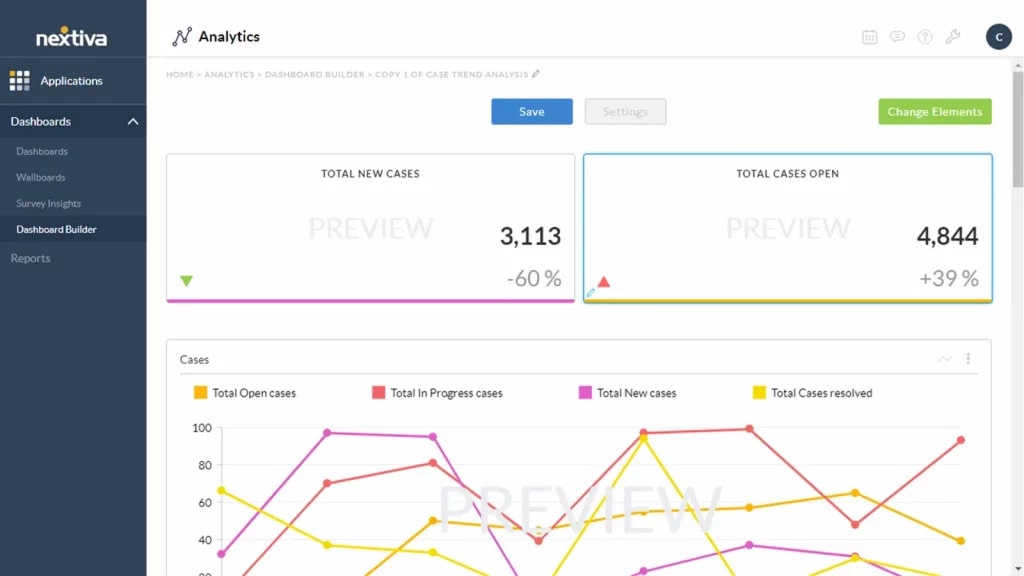
Nextiva is an integrated communications solution that provides voice, video, messaging, and customer experience tools. It works best for users who will be higher call volume customers requiring reliability, analytics, and a path to grow, making it one of the common competitors of RingRx.
Nextiva Features:
- Cloud Phone System: Unlimited domestic calls and faxes, HD audio, and a multi-level auto-attendant.
- Team Collaboration: One-on-one and group messaging, sharing files, and video conferencing.
- Productivity Tools: Call Pop to get immediate customer information on incoming calls, and Call Analytics.
- Customer Experience: A CRM is built in for managing interactions with customers and conducting sentiment analysis.
- Security: Options like multi-factor authentication and encryption to keep your sensitive information secure.
Nextiva Pros:
- Reliable Uptime: Maintains an outstanding reputation for operational reliability.
- Feature-Rich: A powerful solution that offers an all-in-one platform to manage your various methods of communication.
- Outstanding Customer Support: Available for live chat, email, or phone support 24/7.
- Scalable: Plans grow with you, from a few users to a complex business, up to several users.
Nextiva Cons:
- It has higher pricing than some competitors, especially for small companies.
- Some pricier functions (advanced integrations, for example) are only accessible through the higher-tier plans.
- Some users have reported problems with the mobile app.
Nextiva Pricing:
There are 3 pricing plans offered by Nextiva:
- Essential: From $20 per user/month.
- Professional: $30 per user per month.
- Enterprise: From $40 per user/month.
Nextiva Integrations:
Integrates with dozens of business applications such as Salesforce, HubSpot, Zendesk, Microsoft Outlook, and Google Workspace.
Nextiva Customer Support Channels:
24/7 Phone Support, Live Chat, Email, and Knowledge base online.
Nextiva Ratings:
4.6/5
Nextiva Reviews:
“Good for multiclient support; solid cloud customer service and collaboration.”
“Easy to use UI; brings together email, social, and live chat to facilitate quicker case handling.”
Source: G2
4. 8×8
What is 8×8?
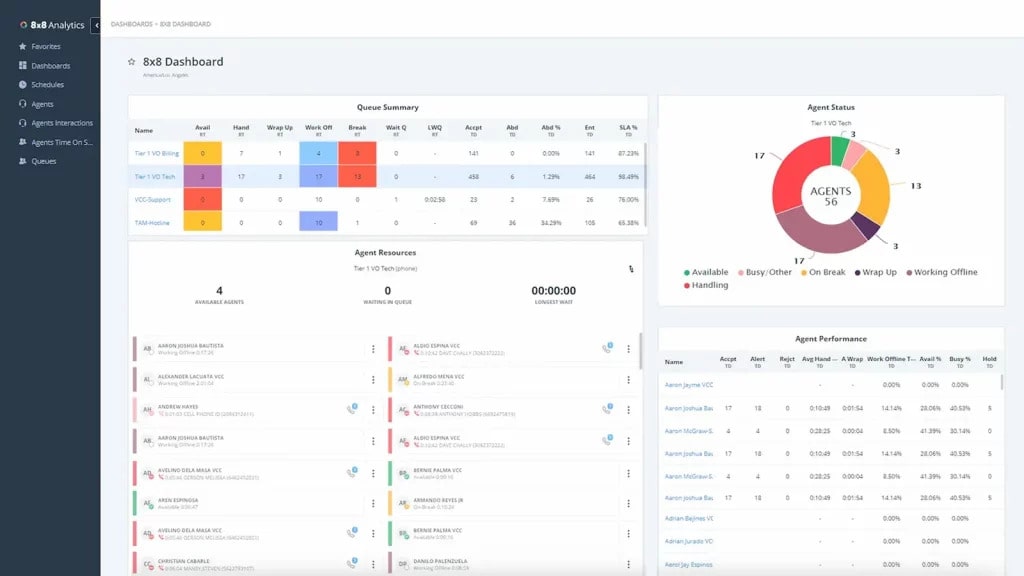
8×8 delivers global-grade UCaaS and CCaaS with unlimited international calling on select plans and a 99.999% uptime SLA. If your business has international logistics or requires a powerful contact center, 8×8 is even better than RingRx when thinking about global scaling.
8×8 Features:
- Unified Communications: VoIP, high-definition video conferencing, team messaging.
- International calling: Unlimited calling to 48 countries, depending on the plan.
- Call Control: Multi-level auto attendant, call queues, call monitoring, whisper, and barge.
- Contact Center: Multichannel support for voice, chat, email, SMS, and social media.
- Analytics: Sophisticated analytics of calling activity and supervisor dashboards.
8×8 Pros:
- Unlimited International Calling: A valuable resource for businesses with international interests.
- Reliability: 99.999% uptime SLA results in less downtime.
- Scalable: A range of plans gives users the ability to select the specific solution that best suits their needs.
- All-in-One: Provides a UCC solution as well as a complete contact center service.
8×8 Cons:
- Online pricing is not always transparent and may involve speaking with a sales rep.
- The user interface might take a little getting used to.
- Some competitors have more third-party integrations.
8×8 Pricing:
8×8 offers three pricing options:
- X2 Plan: From $24 Per User/Month (Billed Annually) with unlimited calling to 14 countries.
- X4 Plan: Adding up to $44 per user/month (billed annually) with unlimited calling to 48 countries.
- Plans for the contact center begin at $85 per user/month.
8×8 Integrations:
Key integrations are Microsoft Teams, Salesforce, Google Workspace, and Zendesk.
8×8 Customer Support Channels:
24/7 Phone, Live Chat, and more.
8×8 Ratings:
4.3/5
8×8 Reviews:
“Powerful UC tools + 24/7 support, great for small teams and global calling.”
“Flexible, cost‐effective plans; advanced call management and video calling so you save money on an international call.”
Source: G2
5. Weave
What is Weave?
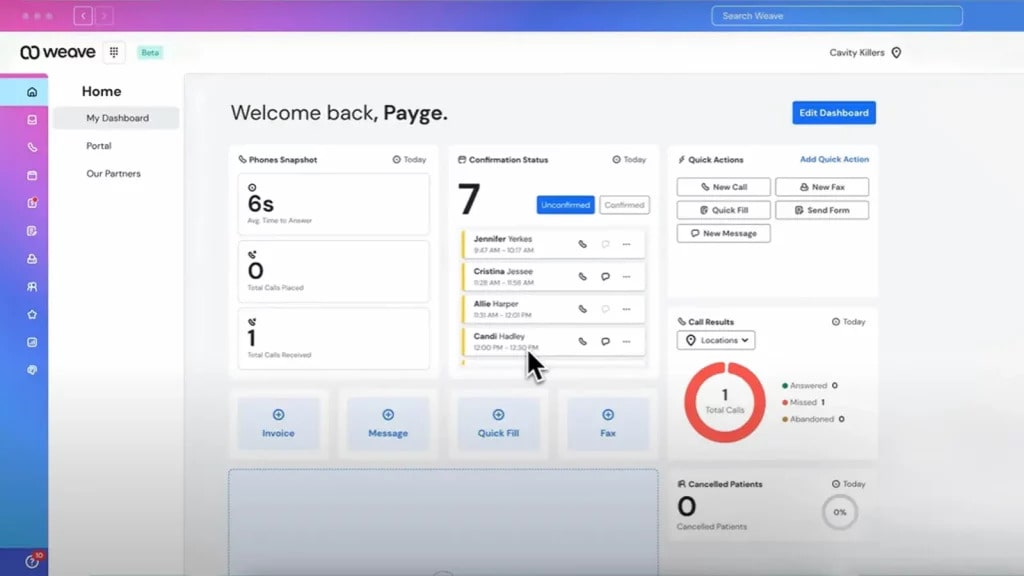
Weave is an inclusive business app development service designed exclusively for small and medium-sized health care offices. Weave is effective in managing patient engagement and office processes through a unique and user-friendly platform that eliminates cumbersome administrative tasks and improves the overall patient experience.
Weave Features:
- Patient Communication: Two-way texting, auto appointment reminders, and email marketing campaigns.
- Phone System: VoIP with caller ID pop-up, call queuing, and team chat.
- Patient Forms: Digital medical forms, patient intake via text messages or email.
- Payment Processing: Contactless payments, text-to-pay, and digital billing.
- Review Management: Real-time alerts and in-app responses to online reviews.
Weave Pros:
- Focused on a Specific Industry: Built specifically for healthcare, from the get-go, with the user base being HIPAA compliant.
- All-in-One Solution: Phone, texting, and payments in one seamless platform.
- Decreases No-Show Rates: Automated reminders have been shown to be highly effective in increasing appointment attendance.
- User Friendly: Simple, intuitive interface, and highly praised ease of use.
Weave Cons:
- It may be more costly than some basic VoIP providers.
- There are a few complaints of poor customer service and incompatibilities with some practice management platforms.
- Doesn’t have some advanced features, such as call monitoring and video conferencing.
Weave Pricing:
There are three Weave pricing options available:
- Essentials: $279 a month, including a limited amount of bulk texts.
- Pro: $349 a month, more texts and features, including recall.
- Elite: Must get a special quote from sales.
Weave Integrations:
Seamless integration with many PMS systems for dental, optometry, and veterinary, like Eaglesoft, Dentrix, OpenDental, and more.
Weave Customer Support Channels:
Phone, Email, and an extensive Online Knowledge base.
Weave Ratings:
4.5/5
Weave Reviews:
“Great service and user-friendly; it makes the patient intake process so much easier and cuts down paperwork.”
“Integration with our PMS is seamless, and scheduling/communication is a breeze.”
Source: Capterra
6. RingCentral
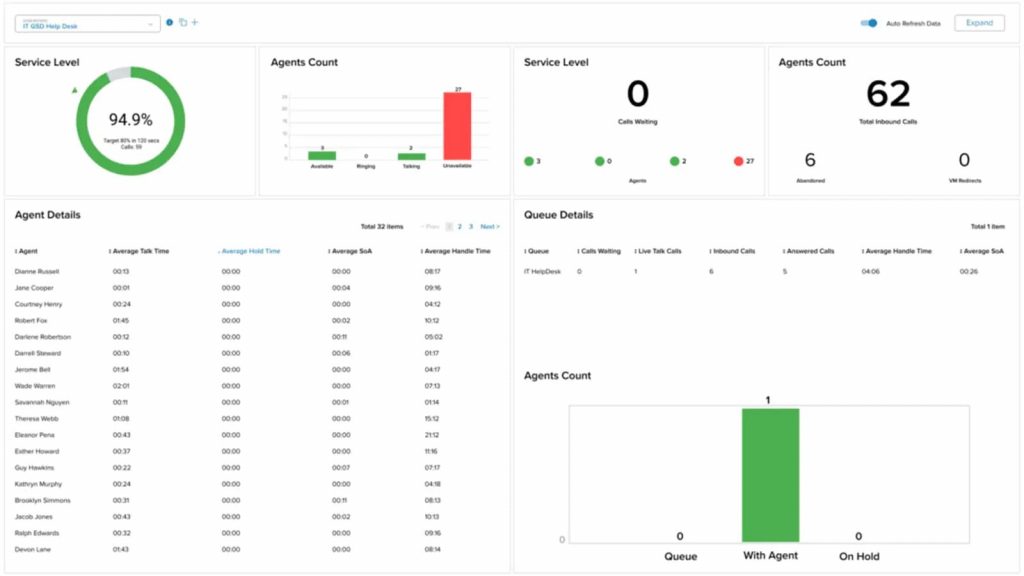
What is RingCentral?
RingCentral is an enterprise-ready UCaaS + CCaaS leader (voice, messaging, video, and contact center) with a 99.999% SLA. If you want a robust stack Similar to RingRx with more features/integrations, then it is a strong candidate.
RingCentral Features:
- Unified Communications (UC): Hosted VoIP, unlimited domestic calling, and online faxing.
- Team Messaging: One-on-one/group chat, file sharing, and task management.
- Video Conferencing: HD video conferencing, screen sharing, plus AI features like live call notes.
- Contact Center: Omnichannel, intelligent call routing, and advanced analytics, etc.
- Reliability: 99.999% uptime guarantee.
RingCentral Pros:
- Rich Feature Set: An extensive feature set from basic VoIP, AI features, and everything in between.
- Extensive Integrations: RingCentral offers 500+ integrations for popular business applications, including many that your practice will likely want to use.
- Very Reliable: RingCentral’s 99.999% uptime SLA means they put an added emphasis on providing the very best services.
- Scaleable: RingCentral plan offerings are designed to allow for support of global teams and allow for a high volume of users.
RingCentral Cons:
- The rich feature set may be overwhelming for small businesses that mostly need a basic set.
- Some of the plans come with limited SMS credits, which may not work for practices that rely on texting.
- AI and other advanced options will likely come with added costs.
RingCentral Pricing:
RingCentral offers three pricing options:
- Core: From $20 per user/month.
- Advanced: From $30 per user/month.
- Ultra: $40 per user per month.
RingCentral Integrations:
Deep integrations with the likes of Microsoft Teams, Salesforce, Google Workspace, Zendesk, and HubSpot.
RingCentral Customer Support Channels:
24/7 Phone Support, Live Chat, or an extensive online Knowledge Base.
RingCentral Ratings:
4.4/5
RingCentral Reviews:
“Rich in features with deep integrations; good for distributed/remote teams.”
“Rock-solid reliability (99.999% SLA); robust, but sometimes the breadth can feel heavy.”
Source: G2
7. Luma Health
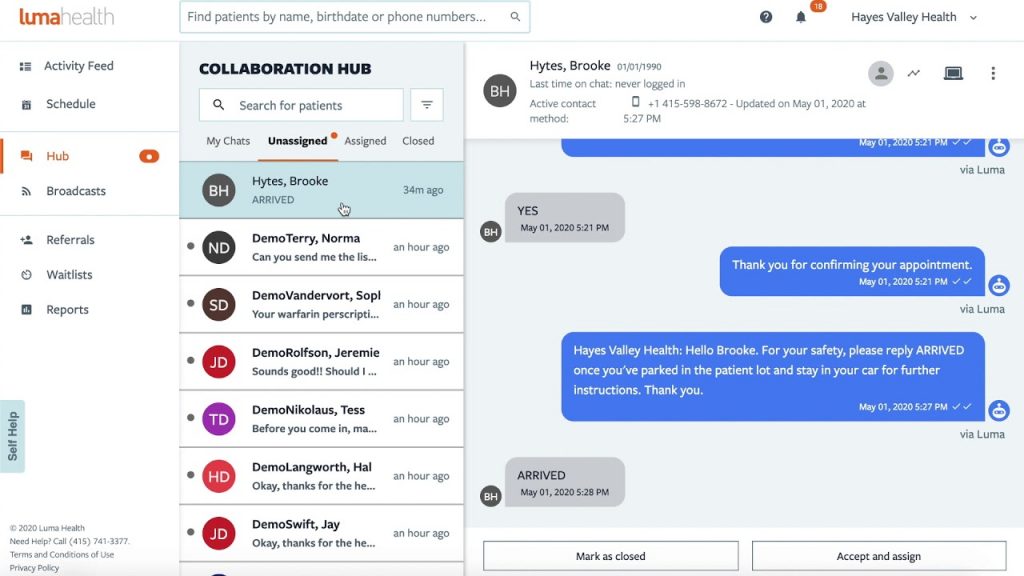
What is Luma Health?
Luma Health manages the patient onboarding process from scheduling, messaging, digital intake, telehealth, and coordination. If clinics want to bring automation better than RingRx to the entire patient journey, Luma Health will become one of the top preferences.
Luma Health Features:
- Patient Scheduling: Self-scheduling, smart waitlists, and reminders are automated.
- Secure Communication: HIPAA-compliant two-way texting, educational tools for patients (links to resources), and chatbots.
- Digital Intake: Automated patient intake forms through text or email.
- Telehealth: Integrated video visits for your virtual appointments.
- Care Coordination: Integrated referral management and automated follow-ups.
Luma Health Pros:
- Patient Centric: Adds value to the patient journey from appointment schedule through follow-up.
- Comprehensive Automation: Luma automates a lot, allowing organizations to reduce no-shows and administrative time.
- EHR Integration: Integrates with a large number of EHR systems.
- Usability: A friendly platform for the staff and the patient.
Luma Health Cons:
- It can be expensive for smaller practices.
- Some users have reported limited capability for customization for specific workflows.
- Some users have referred to technical glitches, a bumpy platform, and/or lags in their processes that exist from the time of patient appointment to the time the patient presents.
Luma Health Pricing:
- Online pricing isn’t clear, and you’ll need to get a quote. Cost: User reviews indicate you may be able to start as low as $250 per month.
- Luma Health Integrations
- Compatible with most common EHR and PM systems such as Epic, NextGen, and Meditech.
Luma Health Customer Support Channels:
There’s an email or a ticketing system for primary support. Telephone help is available for urgent problems.
Luma Health Ratings:
4.6/5
Luma Health Reviews:
“Engaged transformation, reminders cut no-shows in half; patients love secure messaging.”
“Powerful product but lacks customizability for specific workflows.”
Source: G2
8. Mend

What is Mend?
Mend is a front-end engagement and telehealth platform focused on minimizing no-shows and providing frictionless virtual care. If you have workflows trending telehealth-first, Mend is a competitor to RingRx with predictive AI and a complete browser-based visits solution.
Mend Features:
- Telehealth: HIPAA-compliant video conference capability that runs smoothly even with slower connections.
- Patient Engagement: Appointment reminders, patient self-scheduling, and digital forms.
- AI Technology: AI for predicting and preventing no-shows.
- Single Package: Telehealth, digital forms, and patient scheduling are all rolled up in one solution.
- Secure Messaging: Allows secure communication of messages and files to providers and patients.
Mend Pros:
- All-Encompassing Telehealth: Great for practices with a lot of virtual visits.
- Reduces No-Shows: The AI predictions and reminders are extremely effective.
- No Software to Download: Works from any web browser for fast and easy use by patients.
- HIPAA Compliant: Complete and secure platform for sensitive patient data.
Mend Cons:
- Pricing is unclear and requires a conversation with sales.
- Users are reporting glitches with poor internet connections.
- Customer support hours are vague on their website.
Mend Pricing:
- Pricing is not publicly available. And it allegedly needs a quote from a salesperson, too. Initial price points could be as low as about $99/month from some providers.
Mend Integrations:
- Compatible with several EHR and PM systems.
- Mend Customer Support Channels:
- Telephone, Email, Live Chat, and Tutorials.
Mend Customer Support Channels
Mend offers support through Phone, Email, Knowledge base
Mend Ratings:
4.8/5
Mend Reviews:
“Great for outpatient care, simple to schedule, screen-share, and with smart forms.”
“Super accessible telehealth; fantastic live chat support was a game changer, especially during COVID.”
Source: G2
9. Kareo
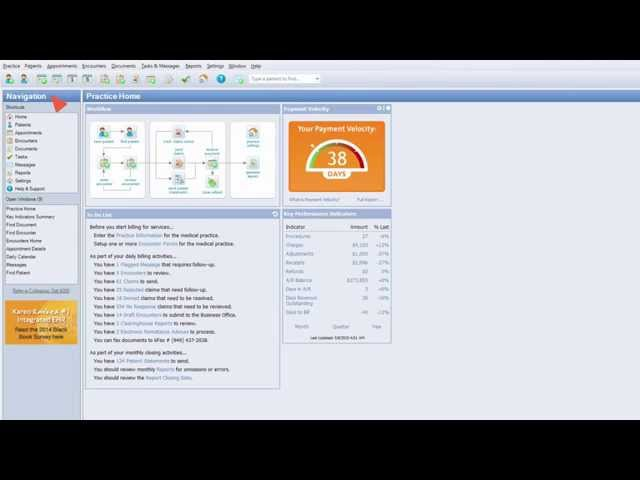
What is Kareo?
Kareo is a complete clinical and business platform. It consists of EHR, practice management, billing, telehealth, and a user-friendly portal. While it is not solely a VoIP tool, it is something some people choose as an alternative to RingRx when they want all of that platform managed by one vendor.
Kareo’s Features:
- Electronic Health Records (EHR): Simple charting, electronic superbills, and patient notes.
- Practice Management: Appointment scheduling, insurance verification, and financial reporting.
- Patient Portal: Secure Messaging for patient-to-provider communications.
- Telehealth: Built-in telemedicine module for virtual visits.
- Medical Billing: Tools to create and submit clean claims quickly for payments.
Kareo’s Pros:
- All-in-one Solution: Covers EHR, managed care, and billing, optimizing vendors, and reducing those that may be needed.
- Designed by Clinicians: Built with physicians in mind and optimized for helping to organize processes in a busy medical practice.
- Good Billing Module: Provides more dynamic features to help improve billing and help create faster payments while having fewer claim rejects.
- Intuitive System: The web-based EHR is easy to navigate and can be accessed by any device.
Kareo’s Cons:
- Pricing is not transparent, and you have to reach out to call sales to see pricing. No help on websites.
- In user reviews, customer support is slow and unhelpful.
- Telemedicine is a separate module on Kareo, which you have to enable.
Kareo Pricing:
- Pricing is not publicly available. It is usually a percentage of net collections (approximately 4%-7%), and there are also other costs.
Kareo Integrations:
Although it has a very full-featured EHR, its most frequent independent additions seem to concatenate with their in-house package rather than from a universal set of external software.
Kareo Customer Support Channels:
Phone, Email, Live Chat, and your very own TP-Link ID support page.
Kareo Ratings:
4.1/5
Kareo Reviews:
“Clinician-built EHR; superbills, telemedicine, and portal very good.”
“Good value, but support response can be slow to read from users.”
Source: Capterra
10. Zendesk Talk

What is Zendesk?
The company brings a cloud-based phone service to a first-class ticketing and service platform. It is also suitable for high-volume service desks or patient contact centers that require complete omnichannel tracking. Similar to RingRx, it is just enterprise-wide.
Zendesk Talk Features:
- Integrated Phone System: Make and receive calls from a single dashboard.
- Multichannel Support: Manages conversations across voice, chat, email, and social media.
- Ticketing System: Automatically turns calls and messages into tickets for tracking and resolution.
- Call Routing: Customizable IVR menus, call queues, and intelligent call routing.
- Analytics: Robust analytics and reporting tools to analyze agent performance and customer satisfaction.
Zendesk Talk Pros:
- Holistic Platform: Combines a phone system with a world-class customer service ticketing solution.
- High Scalability: Built to grow with your organization and support massive call volumes.
- Strong Reporting: Provides powerful insight into communication metrics and agent performance.
- Omnichannel Support: Puts all patient interactions into a single, consolidated view.
Zendesk Talk Cons:
- Not inherently designed for healthcare, so utilizing it in a HIPAA-compliant way would necessitate a custom agreement and setup.
- It can be costly and very feature-rich for small practices.
- It operates on a per-minute pricing model, meaning it may become costly over time.
Zendesk Talk Pricing:
- Suite Team: From $69 per user/month.
- Suite Growth: Begins at $115 per user/month.
- Suite Professional: From $149 per user per month.
Zendesk Talk Integrations:
Connects to 1000s of apps through a rich marketplace and open API.
Zendesk Talk Customer Support Channels:
There are support channels via Phone, Live Chat, Email, and a detailed Help Center.
Zendesk Talk Ratings:
5/5
Zendesk Talk Reviews:
“Unified caller context speeds service.”
“Automation of workflows and use of AI improve accuracy and throughput.”
Source: G2
What Makes Emitrr The Best RingRx Alternative?
Emitrr progresses beyond what basic VoIP and secure messaging can achieve to provide patient and customer engagement at scale with:
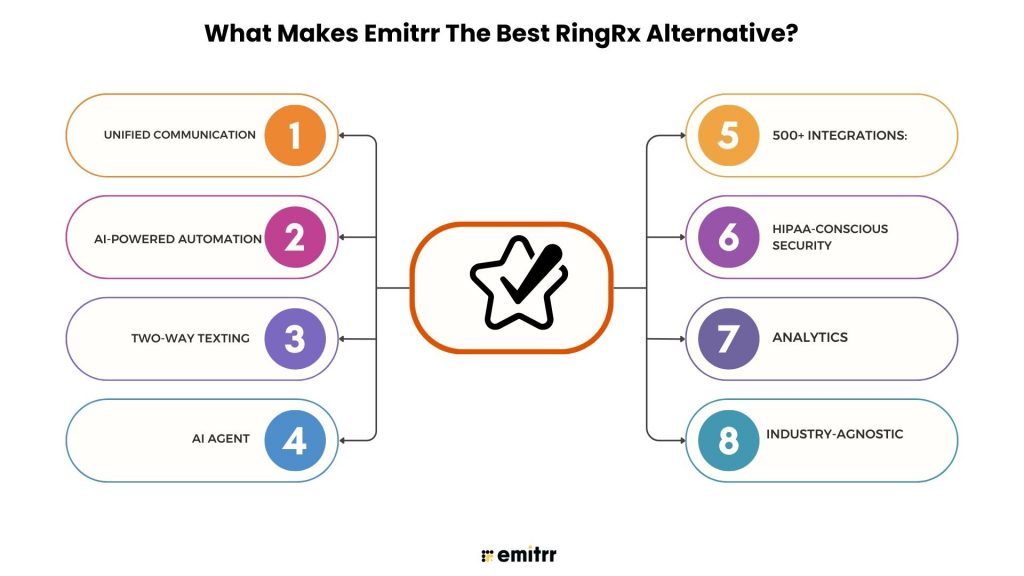
- Unified Communication: Voice, SMS, forms, scheduling, reviews, reminders—one dashboard
- AI-Powered Automation: Missed-call text, appointment reminders, and feedback requests prevent calls from happening and fill appointments.
- Two-Way Texting: 1:1 and bulk messaging for campaigns and care coordination.
- AI Agent: A virtual agent that engages leads, answers FAQs, and automates repetitive communication tasks in real time.
- 500+ Integrations: EHRs, CRMs, and productivity tools are plug & play.
- HIPAA-Conscious Security: Encryption, regulated secure messaging, and BAA availability.
- Analytics: Easily see call quality, message performance, and automation ROI.
- Industry-Agnostic: Not just healthcare; we have clients in dental, real estate, staffing, education, legal, and more.
Which Industries Are Catered to by Emitrr?
- Healthcare & Dental: Emitrr caters to dentists by offering HIPAA-friendly calling, safe texting, reminders, and reviews; fewer no-shows and easier onboarding for front desks.
- Real Estate: Emitrr assists real estate businesses in helping lead follow-up, property alerts on SMS and missed-call texts, and bulk campaigns.
- Legal ServicesLaw: Emitrr caters to legal businesses by offering functionalities like secure two-way test messaging, legally compliant call recording, client scheduling, and secure client updates.
- Staffing & Recruiting: Emitrr helps recruiters in candidate texting, interview reminders, automated follow-ups.
- Education & Training: Class/event alerts, emergency alerts, and two-way communication to families.
- Home Services (HVAC, Plumbing, Cleaning): Confirmation of booking, automated reminder, request for feedback, and status of ETA.
FAQs
Ans: Yes, RingRx is specific to healthcare and HIPAA compliance. Always confirm BAA terms directly.
Ans: The costs can vary quite a bit. Budget VoIP systems can begin in the $15-25/user/month range, while engagement suites cost more but include automation and SMS.
Ans: Unlike most RingRx competitors, they allow for number porting. Check on their timelines and costs.
Ans: Which points of migration need to be considered? Timeframe can be days to weeks, depending on the number of users and the number to migrate, integrations, training, etc.
Ans: The best for small practices to consider are Emitrr, Phone.com, and Weave, which each have easy onboarding and strong messaging capabilities.
Ans: Yes, they will provide secure chat, and most also provide role-based privacy access. Confirm any HIPAA and BAA details with your specific vendor.
Conclusion
RingRx provides a compliant calling foundation for its healthcare teams, but many organizations are seeking automation, multi-channel engagement, and deeper analytics. If you have outgrown the base level service, trying a RingRx alternative may identify more sophisticated tools to improve patient experience, reduce no-shows, and provide leaders with real-time transparency.
For clinics that are seeking more than just a “dial tone,” Emitrr serves as a unique replacement to RingRx to combine modern telephony with powerful texting, reminders, forms, and reviews, with RingRx’s customer support level responsiveness. If your workflows, integrations, and budget are tied together with this list of Alternatives to RingRx, an agnostic list will help you find a fit that is Better than RingRx for your next stage of growth. Ready to explore what Emitrr has in store for you? Book a demo to learn more!