

 4.9 (400+
reviews)
4.9 (400+
reviews)
Every Message Goes to the Right Team Without Anyone Having to Read It First
When your shared inbox is receiving dozens of messages an hour, someone has to read each one manually, figure out what it is about, and decide where it needs to go.
Emitrr’s AI Tags solve this at the source.
When a new message arrives, the AI reads the conversation, identifies the patient’s intent, applies the matching tag, and routes it to the right team automatically before any staff member has to open it.
The inbox organizes itself.
See How Emitrr Eliminates Manual Inbox Triage
Book a demo to see how operations managers can eliminate manual conversation triage and get every message to the right team in real time.
Why Teams Use AI Tags

Eliminate the Bottleneck of Manual Inbox Triage
Stop having staff read every incoming message just to decide where it belongs. AI handles the classification instantly so conversations reach the right person without delay.

Reduce Response Times Across Every Department
When billing questions go directly to billing and scheduling requests go directly to the front desk, response times drop because nobody is waiting for a message to be forwarded.

Build a Self-Organizing Inbox That Scales With You
As message volume grows, manual triage becomes impossible. AI Tags mean your routing system scales with your business without requiring additional admin headcount.
What You Can Do With Emitrr AI Tags
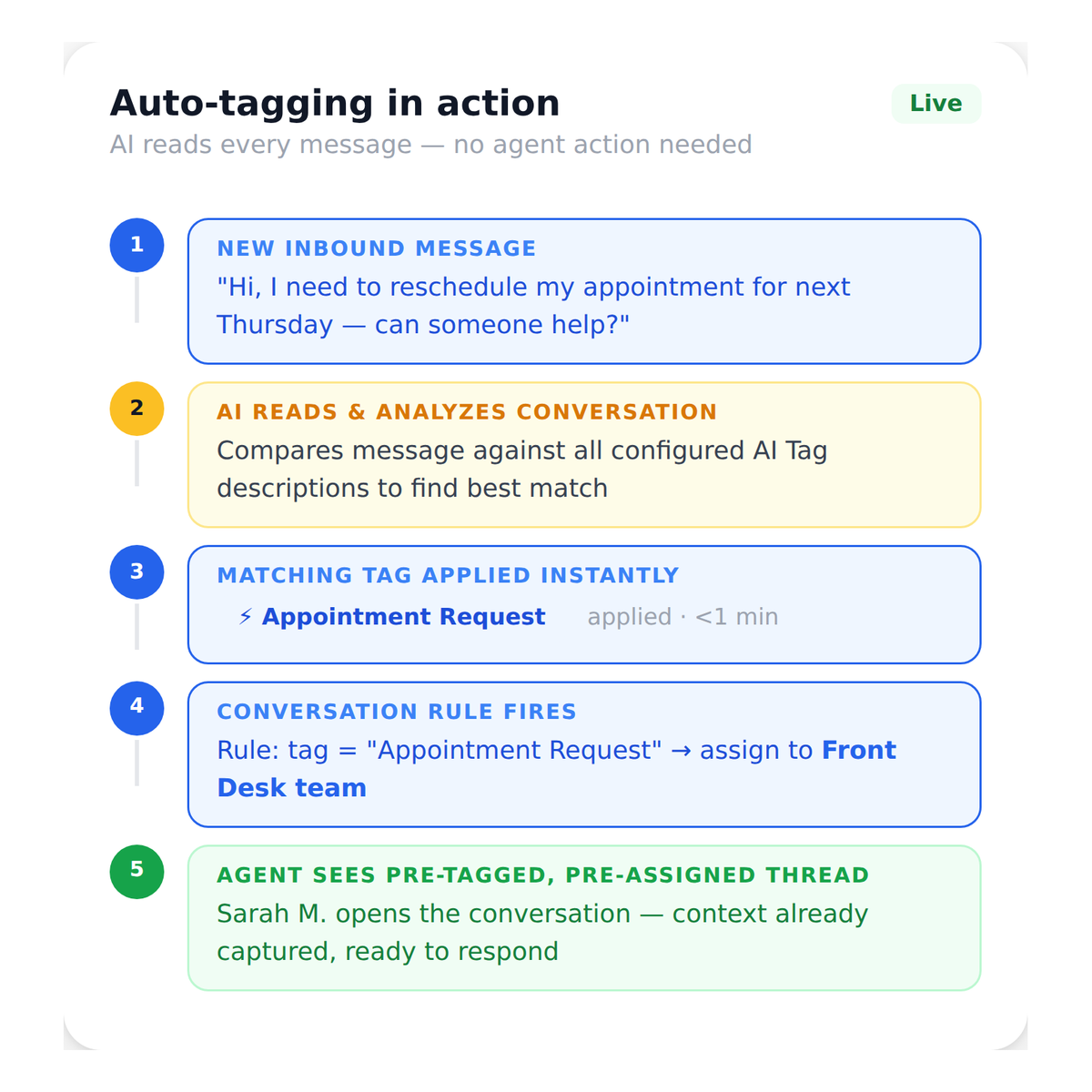
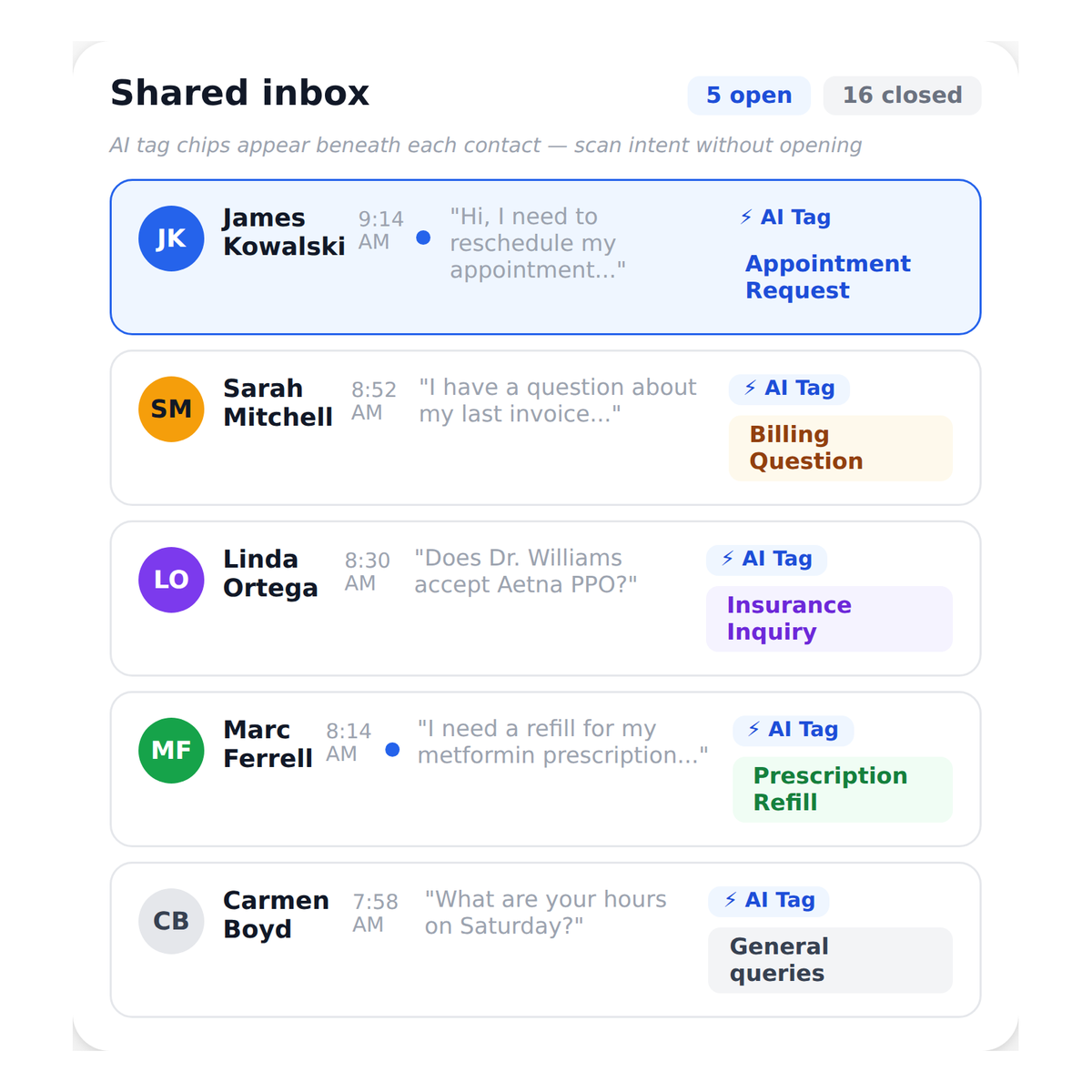
Have Every Incoming Message Tagged by Intent Automatically
When a new message arrives, Emitrr’s AI reads the conversation and applies the tag that best matches the patient’s or customer’s intent with no agent action required.
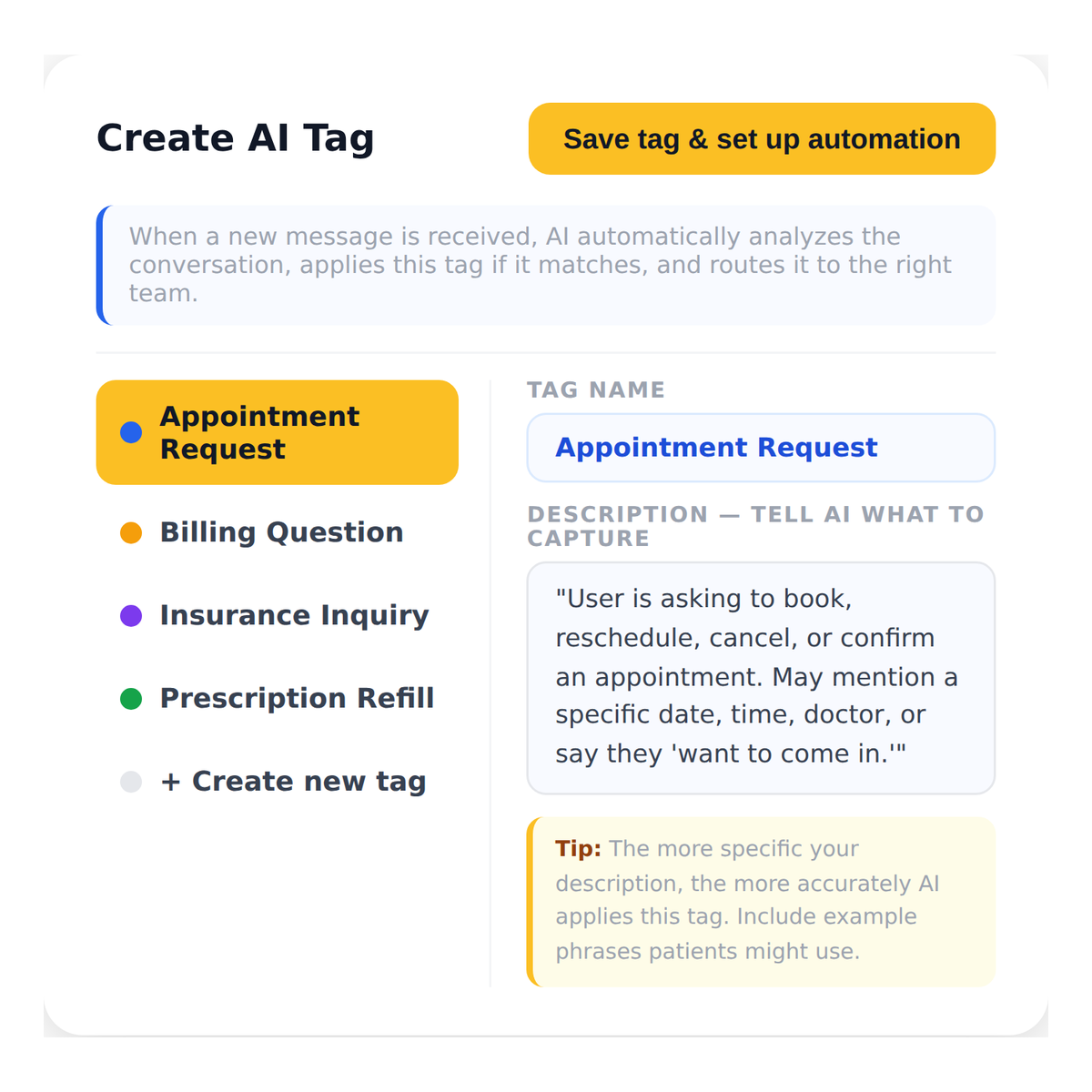
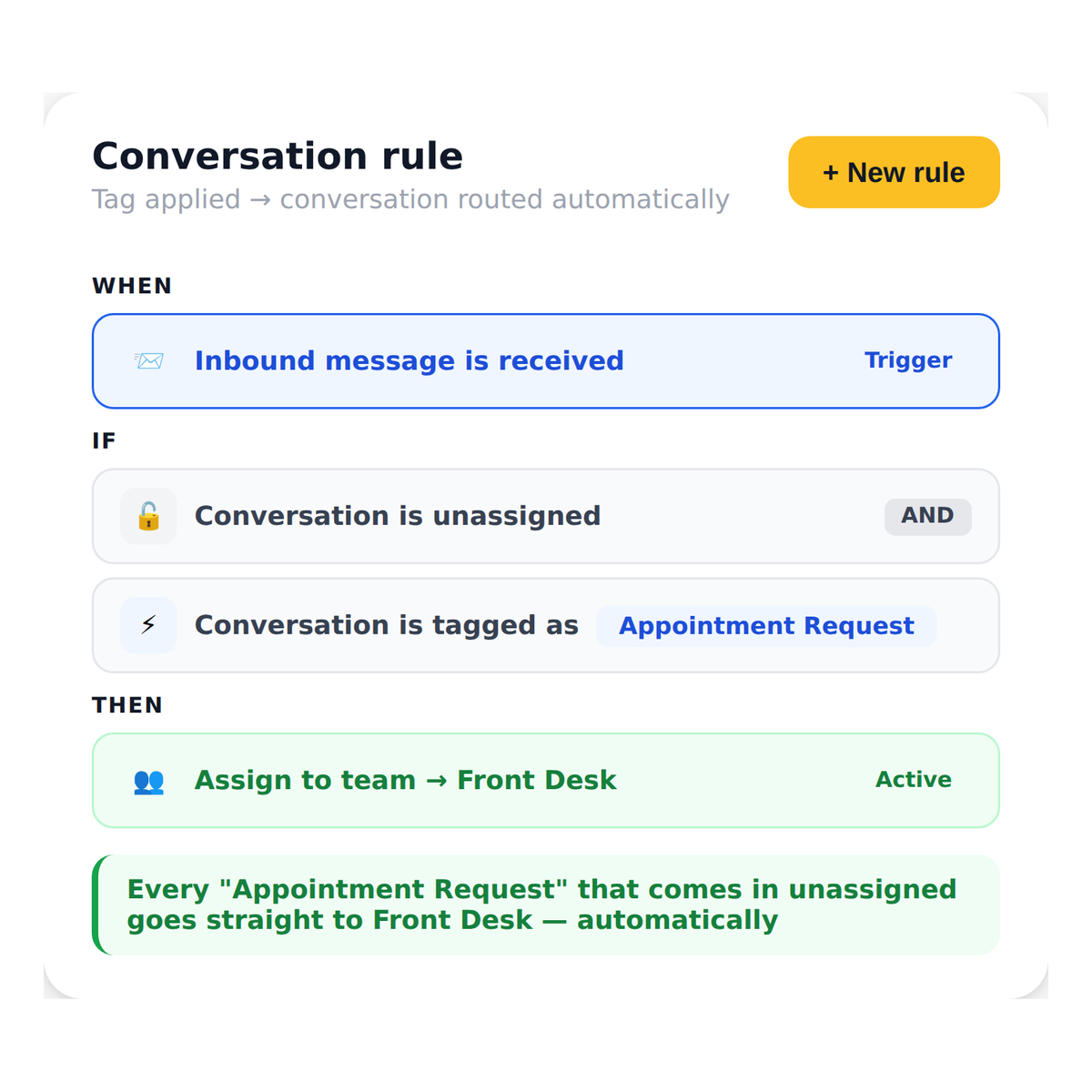
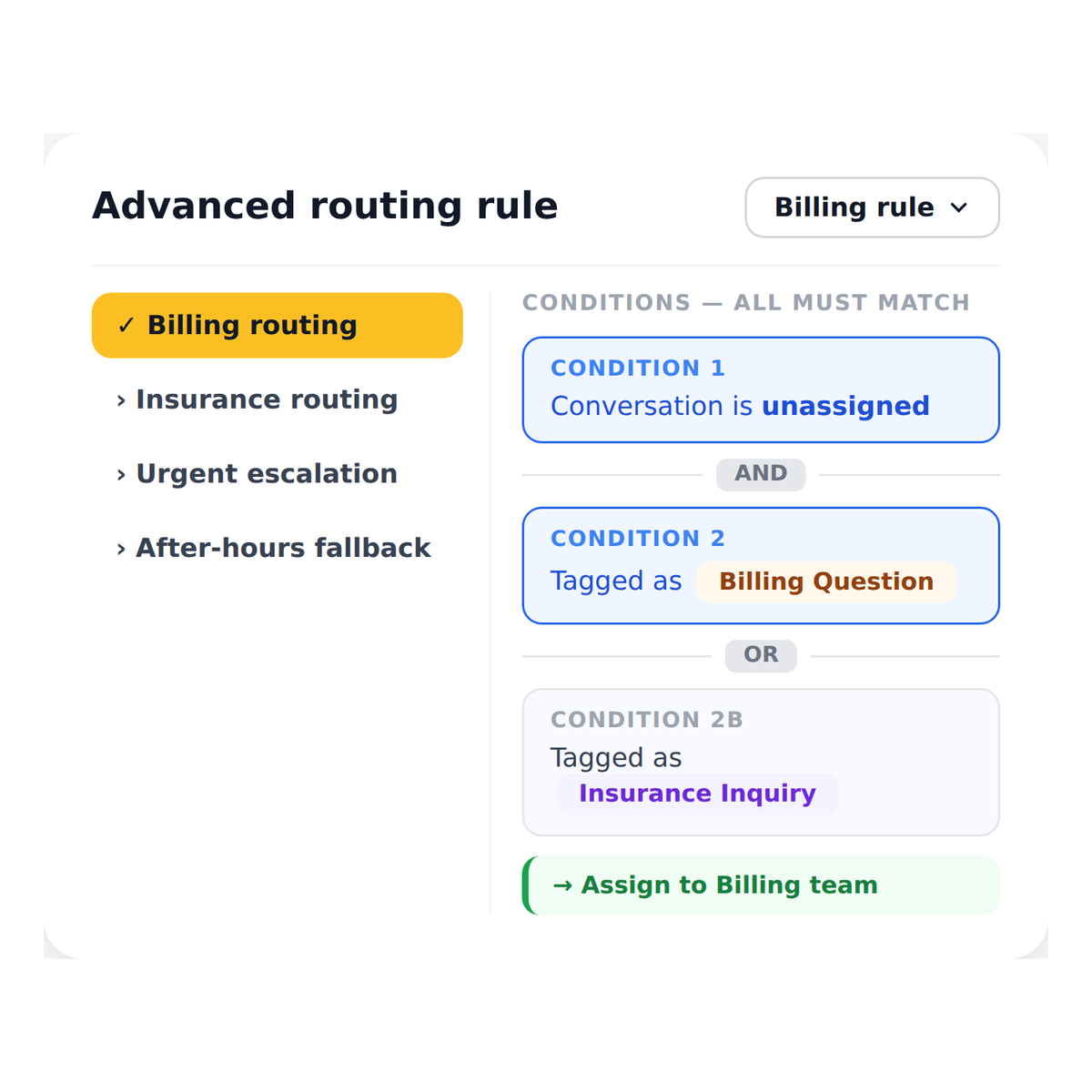
Watch How Emitrr Works
Where AI Tags Help Most

Busy Multi-Department Medical Practices
When billing questions, scheduling requests, prescription refills, and insurance inquiries all land in the same inbox, AI Tags separate them instantly, routing each to the team that handles it without any manual sorting.

Front Desks Managing High Daily Message Volume
Practices receiving 50 to 100 texts per day cannot afford to manually triage every one. AI Tags classify each message on arrival so staff open conversations they are already equipped to handle.

Staffing Agencies With Mixed Inbound Inquiries
Route candidate applications, shift confirmation requests, and client inquiries to separate teams automatically without a coordinator reading every incoming message to determine next steps.

Multi-Location Practices With Shared Communication Lines
When multiple locations share a communication platform, AI Tags ensure that messages are classified and routed to the right location’s team, preventing cross-location confusion.

Home and Field Service Businesses
Separate emergency service requests from routine booking inquiries from billing questions, routing each to the right person the moment it arrives regardless of message volume.

Operations Managers Building Scalable Communication Systems
AI Tags give operations teams a configurable, auditable routing layer that works 24/7 so the inbox stays organized even when message volume spikes unexpectedly.
Frequently Asked Questions
Let AI Sort Your Inbox So Your Team Can Focus on Responding
Emitrr's AI Tags classify every incoming message by intent and route it to the right team automatically so nothing gets lost, delayed, or mishandled.
