

 4.9 (400+
reviews)
4.9 (400+
reviews)
DentalEMR X Emitrr Integration
Stop losing patients to voicemail during root canal procedures. Emitrr connects with DentalEMR so your AI agent, missed-call texts, and recall messages run on your real endodontic schedule, while your front desk stays focused on the patients in your chair.

Planning to integrate Emitrr with DentalEMR? Review a quick checklist to understand what's required before integration.
Why Connect DentalEMR with Emitrr?

Never Miss an Emergency Call
Your team can’t always pick up mid-procedure. Emitrr’s AI agent and missed call-to-text make sure pain calls get a response right away.

Keep Referring Dentists in the Loop
Referring offices can text your practice directly instead of calling or faxing. Conversations land in one shared inbox with your team.

Fill Cancellations Fast
Automated recall and reminder texts cut down on no-shows and help refill last-minute openings.

Build Trust with Local Reviews
Send review requests after the procedures that matter most, like completed root canals, so your online reputation reflects your best outcomes.
Features You Get With the DentalEMR + Emitrr Integration
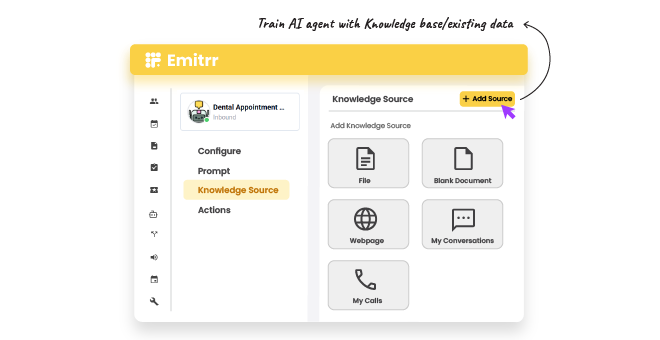
AI Call Handling Built for Pain Triage

AI agent answers calls 24/7 and recognizes urgent pain language
Emergency calls get flagged for immediate callback, not routine booking
AI can schedule routine appointments straight into your DentalEMR calendar
After-hours calls are covered without forwarding to an answering service
Missed Call-to-Text for Busy Clinical Hours
Every missed call during procedures triggers an automatic text reply
Patients can text back to request a callback or share their concern
Referring dentist numbers are recognized and routed to your shared inbox
Front desk sees all missed-call conversations in one place


Automated Recall for Retreatment and Follow-Up
Recall messages go out automatically based on procedure type and date
Retreatment patients get follow-up reminders on a separate schedule
Patients can confirm or reschedule recall appointments by text
Recall activity syncs back to the DentalEMR appointment record
Review Requests Tied to Procedure Type
Review requests send automatically after selected procedures complete
Practice chooses which procedures (e.g., root canals) trigger a request
Patient feedback routes internally before any public review is posted
Review performance tracked in one dashboard

Key Use Cases
Front Desk
Clinical Staff
Practice Managers
Frequently Asked Questions
Ready to Connect Emitrr with DentalEMR?
Give your front desk room to breathe while AI call handling, recall automation, and review requests run in the background, built around your DentalEMR schedule.