

 4.9 (400+
reviews)
4.9 (400+
reviews)
Endovision EHR X Emitrr Integration
Running multiple endodontic locations means juggling separate schedules, inboxes, and recall cycles. Emitrr connects with EndoVision so each site gets its own texting and AI call handling, while leadership sees activity across the whole group.

Planning to integrate Emitrr with Endovision EHR? Review a quick checklist to understand what's required before integration.
Why Connect Endovision EHR with Emitrr?

Keep Every Location Running the Same Way
Each EndoVision location syncs its own contacts and appointments, but texting, intake, and AI call handling work the same across every site.

Route Calls to the Right Office
The AI agent asks for or detects the patient’s preferred location and books directly into that site’s EndoVision schedule.

Recall That Matches Each Specialty
Set different recall timing for endodontic follow-up versus periodontal maintenance, so no patient gets the wrong reminder cycle.

Group-Wide Visibility for Leadership
Practice leadership can view texting and call activity across all locations, while each site manages its own inbox day to day.
Features You Get With the Endovision EHR + Emitrr Integration
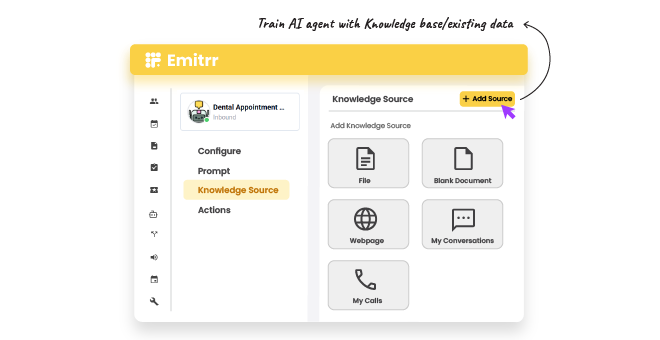
Location-Aware AI Call Handling

AI agent detects or asks for the patient’s preferred location
Calls are booked directly into that location’s EndoVision schedule
After-hours calls are answered consistently across every site
Call logs are tagged by location for easy tracking
Specialty-Based Digital Intake
Intake forms route automatically based on appointment type
Periodontics, oral surgery, and endodontic visits each get separate forms
Consent forms are matched to the specific procedure booked
Completed forms sync back to the patient’s EndoVision record


Per-Specialty Recall Automation
Recall cycles can be set separately by specialty
Periodontal maintenance recall runs on its own schedule
Endodontic follow-up recall runs independently from maintenance recall
Patients confirm or reschedule recall visits by text
Per-Location Texting Inbox
Each location sees only its own patient conversations
Staff at one site can’t view messages from another site by default
Leadership can view activity summaries across all locations
New conversations are assigned to staff within each location’s inbox

Key Use Cases
Admin
Clinical Staff
Practice Managers
Frequently Asked Questions
Ready to Connect Emitrr with Endovision EHR?
Give every location consistent AI call handling, recall automation, and texting, while leadership keeps a clear view across the whole group.