

 4.9 (400+
reviews)
4.9 (400+
reviews)
Revolution EHR X Emitrr Integration
Revolution EHR runs your optometry practice. Emitrr keeps your exam schedule full. Automate annual recall, digitize patient forms, let AI handle routine calls, and collect the reviews that bring in new patients, without any extra work.

Planning to integrate Emitrr with Revolution EHR? Review a quick checklist to understand what's required before integration.
Why Connect Revolution EHR with Emitrr?

Recall Without the Spreadsheets
Emitrr pulls patients due for annual exams from Revolution EHR and sends recall texts automatically. No list management. No outbound calls.

Paperless Before Every Visit
Pre-exam health history and vision intake forms go via SMS. Patients complete them before they arrive. Chair time starts on time.

AI Answers Routine Calls for You
AI handles scheduling, hours, frames availability questions, and FAQs, day and night. Your front desk focuses on walk-in patients.

Reviews That Fill Your Exam Book
Post-exam review prompts go out automatically. Optometry practices have grown reviews by up to 800%.
Features You Get With the Revolution EHR + Emitrr Integration
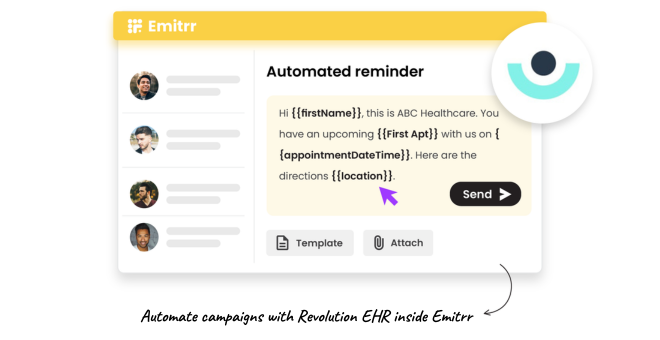
Annual Exam Recall and Lapsed Patient Campaigns

Identify patients due for annual exams from Revolution EHR data.
Send recall messages at 1 month, 2 weeks, and 1 week before the recall date.
Include a direct scheduling link in every recall text.
Track recall response rates and recovered exam revenue monthly.
Pre-Exam Vision History and Intake Forms
Send health intake, vision history, and insurance verification forms via SMS before each visit.
Patients complete them on any device, no clipboard, no printing.
Completed form data syncs back into Revolution EHR.
Reduce the first 10 minutes of every exam that currently goes to paperwork.

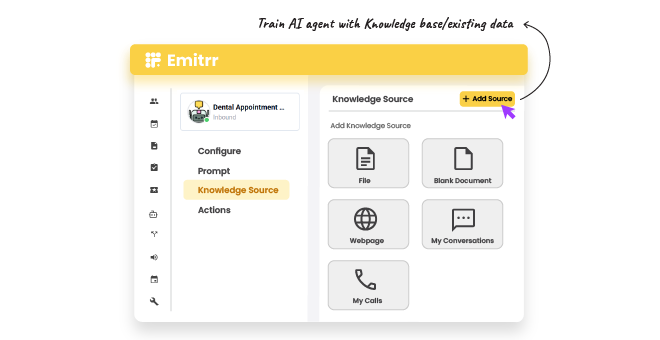
AI Agent for Scheduling and Optical FAQs
AI handles inbound calls around the clock, appointment requests, optical hours, frames questions.
Patients calling after hours get a real response and can schedule without waiting.
Complex calls are routed to the right staff member with a summary.
Free your front desk from the morning scheduling rush without dropping inquiries.
Post-Exam Review Requests
Send a review request automatically after every completed exam.
Direct satisfied patients to Google, Zocdoc, or Healthgrades with one tap.
Internal routing captures dissatisfied patient feedback before it goes public.
Build a review profile that dominates local optometry search results.

Key Use Cases
Front Desk
Clinical Staff
Practice Managers
Frequently Asked Questions
Ready to Connect Emitrr with Revolution EHR?
Fill your exam schedule with automated recall, cut check-in time with digital forms, and let AI handle the calls your front desk cannot get to.