
Introduction
Black Friday is just around the corner, and it is a good time to give customers a reason to shop, book, or come back to your business.
To help you get started, we have put together 75 free Black Friday business message templates for sale announcements, early access, cart reminders, and last-chance offers. You will also find industry-specific messages, starting with healthcare and dental practices, followed by retail, e-commerce, automotive, and other service businesses.
Copy the Black Friday SMS templates you need, add your offer, and make them your own. Then use the tips below to plan, send, and track your campaign.
AI Summary
- Find 75 free Black Friday SMS templates by campaign stage or industry, with healthcare first.
- Dental, optometry, dermatology, med spa, and wellness examples cover different products and services.
- Each message names the business, explains an offer, and gives customers a next step.
- For services, make the booking deadline and the dates customers can use the offer clear.
- Send marketing texts to opted-in contacts, include an opt-out, and test links and codes before launch.
- Black Friday is November 27, 2026. Cyber Monday is November 30, 2026.
Black Friday SMS Templates by Campaign Stage
Like other SMS marketing templates, these Black Friday sale templates work best when the message matches where the customer is in the buying process. A preview gives them time to plan, while a launch message gives them an offer they can use. Choose the stages that fit your campaign rather than sending every message to the same list.
To use a template, replace the brackets with your business name, offer, dates, and link. For [Discount], add a percentage or dollar amount, such as 20% or $25. Include a time zone with any cutoff time. For service offers, make it clear when to book and when the service can take place.
The templates include an opt-out line. If your platform adds it automatically, you only need it once. Check the finished message length too, as your business name, links, and other details can take it beyond one SMS segment.
Anticipation About Black Friday Sales
Build interest before your Black Friday sale starts with a preview of what is coming.
Template 1
[Business Name]: Something BIG is coming! Black Friday deals on [Category] launch [Start Date]. Take a look: [Shop Link]. Reply STOP to unsubscribe.
Template 2
[Business Name]: Get ready! Our Black Friday [Service Package] drops to [Price] on [Start Date]. Preview the package: [Booking Link]. Reply STOP to unsubscribe.
Template 3
[Business Name]: Your Black Friday gift list starts here. Gifts under [Price], with free gift wrapping, launch [Start Date]: [Shop Link]. Reply STOP to unsubscribe.
Grant Early Access
Reward loyal customers or SMS subscribers with early access messages to your Black Friday offers.
Template 4
[Business Name]: VIP Access Unlocked! Shop [Collection] at [Discount] off before everyone else. Early access ends [End Date]: [Shop Link]. Reply STOP to unsubscribe.
Template 5
[Business Name]: Your Black Friday member perk is here: free shipping on [Category], no minimum. Shop through [End Date]: [Shop Link]. Reply STOP to unsubscribe.
Template 6
[Business Name]: Early booking is open just for returning clients! Get our Black Friday [Package] for [Price] until [End Date]: [Booking Link]. Reply STOP to unsubscribe.
Offer a Pre-Sale
Start your Black Friday promotions early with a pre-sale announcements offer.
Template 7
[Business Name]: Black Friday came early! Enjoy [Discount] off [Category] before the rush. Use [Code] through [End Date]: [Shop Link]. Reply STOP to unsubscribe.
Template 8
[Business Name]: Pre-Sale LIVE! Reserve our Black Friday [Package] for [Price] with a [Deposit] deposit. Book by [End Date]. Terms: [Booking Link]. Reply STOP to unsubscribe.
Template 9
[Business Name]: Beat the Black Friday rush. Preorder [Bundle] for [Price] by [End Date] and choose your pickup slot: [Shop Link]. Reply STOP to unsubscribe.
Promote Black Friday Deals
Let customers know your sale is live with a clear offer and a link to shop or book.
Template 10
[Business Name]: It is HERE! [Discount] off [Collection] for Black Friday. Use [Code] by [End Date] at [End Time]: [Shop Link]. Reply STOP to unsubscribe.
Template 11
[Business Name]: Black Friday savings are live! Get [Discount] off [Category] orders over [Minimum Spend]. Use [Code] by [End Date]: [Shop Link]. Reply STOP to unsubscribe.
Template 12
[Business Name]: Black Friday [Service Package] is now [Price]! Book by [Booking Deadline] for a visit during [Service Dates]: [Booking Link]. Reply STOP to unsubscribe.
Bundle Offers and Free Gifts
Give customers more value with a useful bundle, free gift, or delivery offer.
Template 13
[Business Name]: Your Black Friday starter kit: [Main Item] + [Accessory] for [Price]. Save [Savings] versus buying separately. Ends [End Date]: [Shop Link]. Reply STOP to unsubscribe.
Template 14
[Business Name]: A little extra this Black Friday: get a free [Gift] when you buy [Product] by [End Date]. One per qualifying order: [Shop Link]. Reply STOP to unsubscribe.
Template 15
[Business Name]: Black Friday delivery is on us! Free standard shipping on orders over [Minimum Spend] to [Eligible Region]. Ends [End Date]: [Shop Link]. Reply STOP to unsubscribe.
Flash Sale Offers
Promote a short sale or selected appointment dates with a clear start and end time.
Template 16
[Business Name]: Black Friday flash sale! [Discount] off [Category] from [Start Time] to [End Time] on [Sale Date]. Use [Code]: [Shop Link]. Reply STOP to unsubscribe.
Template 17
[Business Name]: Black Friday: save [Discount] on [Service] appointments during [Off Peak Dates]. Book by [Booking Deadline]: [Booking Link]. Reply STOP to unsubscribe.
Offers for Returning Customers
Thank loyal customers or invite past clients back with an offer they can use. For gift-card promotions, explain the paid card and bonus terms separately.
Template 18
[Business Name]: We would love to see you again! Get [Discount] off [Service] this Black Friday. Book by [Booking Deadline], visit by [Redemption Date]: [Booking Link]. Reply STOP to unsubscribe.
Template 19
[Business Name]: A Black Friday thank-you for our members: [Discount] off [Collection] through [End Date]. Sign in and use [Code]: [Shop Link]. Reply STOP to unsubscribe.
Template 20
[Business Name]: Black Friday: buy a [Gift Card Value] gift card and get a separate [Bonus Value] bonus voucher. Buy by [End Date]. Bonus terms: [Shop Link]. Reply STOP to unsubscribe.
Abandoned Cart Reminders
Remind opted-in shoppers about an unfinished purchase. Check that they have not already bought before sending.
Template 21
[Business Name]: Forgot something? Your cart is waiting. Use [Code] for [Discount] off qualifying items before [End Date]: [Cart Link]. Reply STOP to unsubscribe.
Template 22
[Business Name]: Still thinking it over? Reply with your size or product questions. Your Black Friday cart qualifies for [Offer] until [End Date]. Reply STOP to unsubscribe.
Template 23
[Business Name]: Skip delivery on your Black Friday order. Get free pickup at [Location] when you order by [Cutoff Time]: [Cart Link]. Reply STOP to unsubscribe.
Last Chance Reminders
Give customers a final reminder before the offer ends. Exclude people who already used it.
Template 24
[Business Name]: Final Hours! Your Black Friday [Discount] off [Collection] ends [End Date] at [End Time]. Use [Code]: [Shop Link]. Reply STOP to unsubscribe.
Template 25
[Business Name]: Last call for our Black Friday [Package] at [Price]! Book by [Booking Deadline] and visit by [Redemption Date]: [Booking Link]. Reply STOP to unsubscribe.
Template 26
[Business Name]: Last day for our Black Friday [Gift Bundle] at [Price], including [Contents]. Order by [End Time]: [Shop Link]. Reply STOP to unsubscribe.
Black Friday Sale Extensions
Let customers know about a genuine extension and give them the new deadline.
Template 27
[Business Name]: Missed Black Friday? You have another chance! [Discount] off [Collection] is extended through [New End Date]. Use [Code]: [Shop Link]. Reply STOP to unsubscribe.
Template 28
[Business Name]: Black Friday booking is extended! Get [Package] for [Price] when you book by [New Booking Deadline]. Visit by [Redemption Date]: [Booking Link]. Reply STOP to unsubscribe.
Template 29
[Business Name]: Good news! Our Black Friday free shipping offer now ends [New End Date]. For [Eligible Region] orders over [Minimum Spend]: [Shop Link]. Reply STOP to unsubscribe.
Cyber Monday Transition
Black Friday and Cyber Monday campaigns can be ongoing together. Make it clear whether the deal is new or continuing.
Template 30
[Business Name]: Cyber Monday LIVE! Get [Discount] off [Category] online today with [Code]. Ends [End Time]: [Shop Link]. Reply STOP to unsubscribe.
Template 31
[Business Name]: Cyber Monday gifts, sorted. Get [Digital Bundle] for [Price], delivered by email. Offer ends [End Date]: [Shop Link]. Reply STOP to unsubscribe.
Template 32
[Business Name]: Missed Black Friday? Get a [Service] voucher for [Price] this Cyber Monday. Buy by [End Date]. Booking dates and terms: [Booking Link]. Reply STOP to unsubscribe.
Black Friday SMS Templates by Industry
Start with the offer your customer would actually use. A patient shopping for an electric toothbrush needs a different message from a homeowner booking a deep clean.
These business Black Friday message templates begin with healthcare and wellness, followed by retail, e-commerce, and other service businesses. Each section includes offers that fit how customers buy or book in that industry.
Healthcare and Wellness
For healthcare practices, choose products or services your practice already offers and has approved for promotion. The examples below focus on home-care products, nonprescription retail items, and wellness services. Keep discounts on insured treatment, referral rewards, and treatment claims out of a general sale campaign. Here are some healthcare black friday messages that you can use:
Dental Practices
A Black Friday offer can be one part of your dentistry marketing plan. Dental Black Friday messages can highlight home-care products patients already buy, such as electric toothbrushes or replacement brush heads.
Template 33
[Business Name]: Black Friday smile-care kit: [Toothbrush], [Toothpaste], and [Floss] for [Price]. Pick up at the practice. Order by [End Date]: [Shop Link]. Reply STOP to unsubscribe.
Template 34
[Business Name]: Black Friday: save [Discount] on the [Toothbrush Model] electric toothbrush through [End Date]. See what is included and reserve yours: [Shop Link]. Reply STOP to unsubscribe.
Template 35
[Business Name]: Stock up for less this Black Friday: [Pack Count] replacement brush heads for [Price]. Fits [Compatible Models]. Ends [End Date]: [Shop Link]. Reply STOP to unsubscribe.
Optometry Practices
Sunglasses and eyewear accessories give optometry practices a straightforward seasonal offer. These optometry Black Friday offers specify nonprescription products so patients know what the deal covers.
Template 36
[Business Name]: Black Friday: [Discount] off selected nonprescription sunglasses through [End Date]. Shop the marked collection at [Location]: [Shop Link]. Reply STOP to unsubscribe.
Template 37
[Business Name]: Black Friday eyewear kit: [Case], [Cleaning Spray], and [Cloth] for [Price]. Buy at [Location] through [End Date]. Details: [Shop Link]. Reply STOP to unsubscribe.
Dermatology Practices
For dermatology practices that sell skincare, Black Friday can be a chance to bundle products or offer a saving on a multipack. The message should name the products rather than promise a treatment result.
Template 38
[Business Name]: Black Friday skincare set: [Cleanser] and [Moisturizer] for [Price]. See sizes and ingredients before ordering. Ends [End Date]: [Shop Link]. Reply STOP to unsubscribe.
Template 39
[Business Name]: Black Friday: [Pack Count] of [Sunscreen Product] for [Price]. Available at [Location] through [End Date]. View product details: [Shop Link]. Reply STOP to unsubscribe.
Med Spas
Med spa customers may be shopping for themselves or looking for a gift. A named facial or service voucher makes the offer easier to understand than a general discount on everything.
Template 40
[Business Name]: Black Friday: [Duration] nonmedical facial for [Price], including [Included Add On]. Book by [Booking Deadline] for [Service Dates]: [Booking Link]. Reply STOP to unsubscribe.
Template 41
[Business Name]: Gift a [Facial Name] for [Price] this Black Friday. Buy a service voucher by [End Date]. Booking dates and voucher terms: [Shop Link]. Reply STOP to unsubscribe.
Wellness Studios and Massage Businesses
Class packs and introductory memberships let clients try a studio or plan future visits. The value is easier to see when the message includes the class count, session length, or membership period.
Template 42
[Business Name]: Black Friday yoga pack: [Class Count] classes for [Price]. Buy by [End Date], use during [Service Dates]. View class options: [Booking Link]. Reply STOP to unsubscribe.
Template 43
[Business Name]: Black Friday: a [Duration] relaxation massage for [Price] at [Location]. Book by [Booking Deadline], visit during [Service Dates]: [Booking Link]. Reply STOP to unsubscribe.
Template 44
[Business Name]: Black Friday Pilates intro: [Session Count] private sessions for [Price]. New clients only. Buy by [End Date], use by [Redemption Date]: [Booking Link]. Reply STOP to unsubscribe.
Template 45
[Business Name]: Black Friday gym starter: [Membership Period] for [Price]. No automatic renewal. Join by [End Date] and start by [Start Deadline]: [Shop Link]. Reply STOP to unsubscribe.
Template 46
[Business Name]: Black Friday: [Session Count] sauna sessions of [Duration] for [Price]. Buy by [End Date], use during [Service Dates]. Details: [Booking Link]. Reply STOP to unsubscribe.
Electronics
An electronics deal is easier to compare when shoppers can see the model and what comes with it. These electronics Black Friday promotions cover devices, compatible accessories, and bundles with installation.
Template 47
[Business Name]: Black Friday: save [Discount] on [Model] in [Storage Size]. Newest models excluded. Offer ends [End Date]: [Shop Link]. Reply STOP to unsubscribe.
Template 48
[Business Name]: A laptop setup for [Price]: [Laptop Model], [Mouse], and [Laptop Sleeve]. Black Friday bundle ends [End Date]. Specs: [Shop Link]. Reply STOP to unsubscribe.
Template 49
[Business Name]: Black Friday: [Discount] off cases and chargers compatible with [Device Range]. Check your model before ordering. Ends [End Date]: [Shop Link]. Reply STOP to unsubscribe.
Template 50
[Business Name]: Black Friday: [TV Model] plus standard wall mounting for [Price] in [Service Area]. Installation terms: [Shop Link]. Ends [End Date]. Reply STOP to unsubscribe.
Fashion and Apparel
Fashion shoppers may have a winter wardrobe or holiday outfit in mind. A link to the right collection helps them find a size and see the sale price without searching the whole store.
Template 51
[Business Name]: Black Friday: [Discount] off selected coats and knitwear through [End Date]. Find your size: [Shop Link]. Reply STOP to unsubscribe.
Template 52
[Business Name]: Build a Black Friday outfit: choose one [Top] and one [Bottom] from our bundle collection for [Price]. Ends [End Date]: [Shop Link]. Reply STOP to unsubscribe.
Template 53
[Business Name]: Finish your holiday outfit for less. Get [Discount] off selected bags and jewelry with [Code] by [End Date]: [Shop Link]. Reply STOP to unsubscribe.
Template 54
[Business Name]: Black Friday clearance: [Discount] off selected [Season] styles through [End Date]. Final sale, no returns. Shop sizes: [Shop Link]. Reply STOP to unsubscribe.
Retail and Local Stores
With retail SMS marketing, a store-specific offer can be more useful than a general sale announcement. These messages cover in-store redemption, product bundles, delivery, and pickup.
Template 55
[Business Name]: Black Friday at [Location]: [Discount] off [Department] through [End Date]. Show code [Code] at checkout. Store hours and offer details: [Shop Link]. Reply STOP to unsubscribe.
Template 56
[Business Name]: Black Friday essentials: buy [Quantity] eligible [Product] items for [Bundle Price] through [End Date]. Mix and match the range: [Shop Link]. Reply STOP to unsubscribe.
Template 57
[Business Name]: Buying furniture this Black Friday? Get free local delivery on [Eligible Furniture] orders over [Minimum Spend] in [Delivery Area]. Ends [End Date]: [Shop Link]. Reply STOP to unsubscribe.
Template 58
[Business Name]: Black Friday: save [Discount] on [Collection] online and collect free at [Location]. Order by [Cutoff Time] for [Pickup Date] pickup: [Shop Link]. Reply STOP to unsubscribe.
Automotive
Automotive Black Friday offers can help customers plan routine maintenance or a useful upgrade. Clear vehicle eligibility and service details make it easier to decide whether to book.
Template 59
[Business Name]: Black Friday oil change: [Price] for up to [Oil Quantity] of [Oil Type], plus filter. Check vehicle eligibility and fees. Book by [Booking Deadline]: [Booking Link]. Reply STOP to unsubscribe.
Template 60
[Business Name]: Black Friday: save [Discount] on a set of four [Tire Range] tires with installation included. Confirm your tire size and book by [Booking Deadline]: [Booking Link]. Reply STOP to unsubscribe.
Template 61
[Business Name]: Black Friday detailing: wash, interior vacuum, and seat cleaning for [Price] for [Vehicle Class]. Book by [Booking Deadline], visit by [Redemption Date]: [Booking Link]. Reply STOP to unsubscribe.
Template 62
[Business Name]: Black Friday: [Dash Cam Model] with standard installation for [Price] on compatible vehicles. Check fit and book by [Booking Deadline]: [Booking Link]. Reply STOP to unsubscribe.

Home and Cleaning Services
A deep clean or included add-on can be useful before the holidays. These offers let customers book during the sale while choosing a service date that fits their plans.
Template 63
[Business Name]: Black Friday deep clean: [Price] for up to [Bedrooms] bedrooms and [Bathrooms] bathrooms in [Service Area]. Book by [Booking Deadline]: [Booking Link]. Reply STOP to unsubscribe.
Template 64
[Business Name]: Black Friday carpet clean: [Room Count] rooms for [Price], up to [Room Size] each. Stairs extra. Book by [Booking Deadline] for [Service Dates]: [Booking Link]. Reply STOP to unsubscribe.
Template 65
[Business Name]: Black Friday: [Discount] off gutter cleaning for [Eligible Home Type] in [Service Area]. Check dates and book by [Booking Deadline]: [Booking Link]. Reply STOP to unsubscribe.
Template 66
[Business Name]: Book a standard home clean by [Booking Deadline] and get oven cleaning included. Black Friday offer for visits during [Service Dates]: [Booking Link]. Reply STOP to unsubscribe.
Pet Care Services
Pet owners may be planning grooming, daycare, or a trip away. A package with clear dates and pet requirements helps them choose the right service.
Template 67
[Business Name]: Black Friday grooming: bath, brush, and nail trim for [Price] for [Pet Size or Coat Type]. Book by [Booking Deadline]. Choose a date: [Booking Link]. Reply STOP to unsubscribe.
Template 68
[Business Name]: Black Friday daycare pack: [Visit Count] visits for [Price], usable during [Service Dates]. For dogs with completed assessment. Buy by [End Date]: [Shop Link]. Reply STOP to unsubscribe.
Template 69
[Business Name]: Black Friday: [Discount] off our [Session Count] session beginner dog course starting [Start Date]. Check age requirements and enroll by [End Date]: [Booking Link]. Reply STOP to unsubscribe.
Template 70
[Business Name]: Black Friday boarding: [Night Count] nights for [Price] during [Service Dates]. Holiday blackout dates apply. Check dates and buy by [End Date]: [Booking Link]. Reply STOP to unsubscribe.
Courses and Training
For courses and workshops, the subject and access period matter as much as the discount. These offers give learners a clear view of what they can study and when.
Template 71
[Business Name]: Black Friday: [Course Name] is [Price], with [Access Period] access from purchase. View the syllabus and enroll by [End Date]: [Shop Link]. Reply STOP to unsubscribe.
Template 72
[Business Name]: Black Friday workshop offer: [Price] for [Workshop Name] on [Workshop Date], including [Materials]. Enroll by [End Date]: [Booking Link]. Reply STOP to unsubscribe.
Template 73
[Business Name]: Learn [Skill] with our Black Friday bundle: [Course One] and [Course Two] for [Price]. Access lasts [Access Period]. Ends [End Date]: [Shop Link]. Reply STOP to unsubscribe.
Food and Hospitality
A ready-to-collect meal or a giftable experience can save customers time during a busy weekend. Include the package size and available dates so they can plan around the offer.
Template 74
[Business Name]: Black Friday family meal: [Meal Contents] for [Price], serves [People Count]. Order by [Order Deadline] for pickup during [Pickup Window]: [Shop Link]. Reply STOP to unsubscribe.
Template 75
[Business Name]: Black Friday afternoon tea for [People Count]: [Price], including [Inclusions]. Buy by [End Date], reserve during [Service Dates]. Dates and terms: [Booking Link]. Reply STOP to unsubscribe.
How to Choose a Black Friday Offer
Before you choose a Black Friday offer template, check what your customers are likely to buy and what your team can deliver. A useful package can be more appealing than a larger discount on something they do not need.
| Offer | Where it can work | What to make clear |
| Percentage or dollar discount | A product range, course, or service with room in the margin | Eligible items, minimum spend, code, and end date |
| Product bundle | Electronics, skincare, home care, or gifts | Every item included and the savings versus separate purchases |
| Included add-on | Cleaning, detailing, or wellness services | The base package required and the extra work included |
| Free delivery or pickup | Retail stores and e-commerce orders | Minimum spend, delivery area, and collection window |
| Prepaid service package | Classes, grooming, or future service visits | Visit count, booking deadline, use-by date, and cancellation terms |
| Gift card with a separate bonus | Businesses with a clear gifting offer | Terms for the paid card separately from any promotional bonus |
Check the numbers before launching Black Friday discounts and sales. Allow for the cost of the offer, staff time, stock, and delivery. For service packages, make sure you have enough appointments during the redemption window.
Best Practices for Black Friday SMS Marketing
Black Friday SMS marketing works better when the offer, message, and buying experience match. A customer who clicks should find the same price and dates, and anyone who replies should be able to get an answer.
- Make the offer easy to understand
- Send to people who agreed to marketing texts
- Match the message to the customer
- Identify your business and include an opt-out
- Pick a sensible time and frequency
- Use urgency only when the deadline is real
- Send customers to the exact offer
- Check length after adding your details
- Test the message from start to finish
- Have someone ready to answer
- Track sales and bookings alongside clicks
Make the Offer Easy to Understand
Your Black Friday offer message should answer four questions: what do I get, what qualifies, when does it end, and how do I claim it?
For a cleaning package, “three rooms” is useful, but a room-size limit may also matter. For an electronics bundle, list the model and accessories. Put the full terms on the linked page and keep important limits in the text.
If you use “save [Amount],” check the price you are comparing against. If you use “up to,” make sure customers can easily find the products with the advertised saving.
Send to People Who Agreed to Marketing Texts
Having a customer’s number from a booking or order does not mean they signed up for your promotions. Build your text marketing list from people who agreed to receive those messages from your business.
You can invite customers to subscribe through a website form or a properly set up text-to-join campaign. Explain what they are signing up for and keep a record of the signup wording, date, and source. For US automated marketing texts, obtain the required prior express written consent.
For healthcare practices, using patient information for marketing can also require HIPAA authorization, depending on the communication. Keep diagnoses and treatment details out of general promotional copy.
Match the Message to the Customer
Split your audience into useful groups before sending. A local store offer should reach customers near that store. A brush-head discount should reach people with a compatible toothbrush, using information you have permission to use.
For Black Friday text marketing, personalized text messaging goes beyond adding a first name. The offer itself should fit the customer, whether that means a nearby store, the right product, or a service they are interested in.
Choose the next step too. Some customers are ready to buy. Others may need to ask about a product or check appointment dates. Your Black Friday promotion message can invite that conversation.
Identify Your Business and Include an Opt-Out
Start with your business name, even if you have texted the customer before. They may not have saved your number.
Include a simple instruction such as “Reply STOP to unsubscribe.” Test it before the campaign and make sure opted-out contacts are removed from future promotional sends. Check both scheduled messages and automated follow-ups.
If your platform adds an opt-out line, confirm it appears in the final message without being repeated. Do not add a sales offer to an opt-out confirmation.
Pick a Sensible Time and Frequency
A well-timed offer arrives when customers can act on it. When you schedule a text message, use the recipient’s local time and check the state restrictions, provider rules, and quiet hours that apply.
Then think about when customers can act. Send a service offer when the booking page is ready, and staff can handle questions. For e-commerce SMS marketing, check that the code, inventory, and checkout are ready before the launch message goes out.
Plan all your Black Friday marketing messages together. A shopper should not receive a cart reminder, a general sale text, and a last-chance reminder message minutes apart. Pause or exclude overlapping sends and remove customers who already bought or booked.
Use Urgency Only When the Deadline Is Real
“Ends tonight” works only if the sale actually ends tonight. A stock warning needs current inventory data. A VIP offer should give that audience something other customers do not already have.
Decide when your Black Friday messaging stops before scheduling reminders. If you later extend the offer, update the deadline in the message, on the website, and anywhere else the offer appears.
Send Customers to the Exact Offer
Link to the product, sale collection, or booking page mentioned in the text. The price, code, and dates should match.
For an SMS sale campaign, test the page on your phone. Can the customer pick the right location, size, or appointment without searching? Can they see shipping charges or a deposit before paying?
If a package sells out or appointments fill, pause the messages promoting it. Do not keep sending people to an offer they cannot use.
Check Length After Adding Your Details
Replace the placeholders first, then count the message. Links, long business names, and opt-out wording all add length.
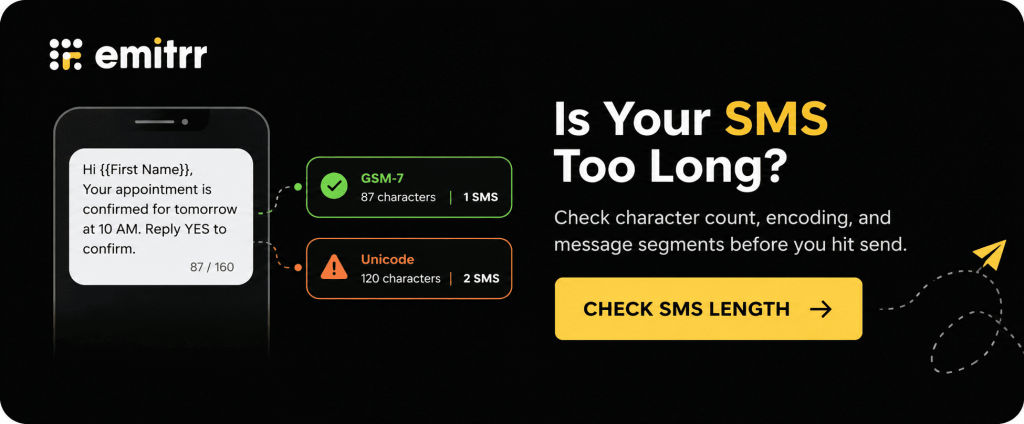
A single standard GSM-7 SMS segment holds up to 160 characters. Unicode characters, including many emojis and smart quotation marks, can reduce that limit to 70. Longer messages use multiple segments, which can affect cost.
The difference between special and non-special characters for SMS matters when you add emojis or copy text with smart quotation marks. Once your business name, offer, and link are in place, check the final SMS length so you know how many segments the message will use. Shorten filler rather than removing details customers need.
Test the Message From Start to Finish
A test send is worth more than another read-through of the copy. Ask someone on your team to open the link on a phone, use the code, and complete a purchase or test booking. They should be able to do it without asking you how the offer works.
Check that no placeholders are left in the message, the code applies at the stated minimum spend, and charges such as shipping or a deposit appear before payment. For services, the booking page should show appointments within the offer window. Test replies and opt-outs as well, so you know where questions go and whether another promotional send is blocked.
For an abandoned cart SMS, also check that the shopper has not completed the purchase and that reminders stop after checkout. That needs reliable cart and purchase data from your e-commerce setup.
Have Someone Ready to Answer
A customer may reply with “Does this include stairs?” or “Can I use this in January?” Give your team the answers before the campaign starts.
Two-way texting gives customers a way to ask before buying or booking. If staff cannot respond straight away, use texting auto reply templates to acknowledge the message and explain when someone will answer. An acknowledgment should not imply that an item is reserved or an appointment is booked.
For a small business, a message inviting questions can be useful. Just make sure someone owns the inbox when the replies arrive.
Track Sales and Bookings Alongside Clicks
To see whether your Black Friday deals with SMS are paying off, track what happens after the message is delivered.
Review delivery failures, clicks where available, replies, purchases or bookings, and opt-outs. Use a campaign-specific link or code to connect the offer to checkout or booking results. Compare revenue with the discount, fulfillment costs, and messaging spend.
For services, track completed visits too. A package sold in November may still need to be delivered in January. Your SMS report and booking or checkout reports answer different parts of the question.
Example Black Friday Text Campaign Schedule
Black Friday is November 27, 2026, and Cyber Monday is November 30.
The text messaging campaigns for Black Friday can start with a preview and end with a Cyber Monday offer. The example below shows how the stages fit together. Your business may only need two or three of them.
| Date | Message | Who receives it |
| November 20 | A preview of the offer and launch date | Opted-in customers interested in that product or service |
| November 24 | Early access, if offered | Qualifying members or returning customers |
| November 27 | Black Friday sale launch | Eligible subscribers who have not already used the offer |
| November 28 | A cart-help message or booking reminder | Eligible nonbuyers who would benefit from the follow-up |
| November 30 | Cyber Monday offer | Customers for whom that online or digital offer is relevant |
A service business may need only a launch message and a reminder before booking closes. An e-commerce business may also use cart recovery, provided its data and consent setup support it.
Plan Black Friday text messaging campaigns alongside your Cyber Monday and other SMS marketing campaigns. Coordinating email and SMS marketing also helps: email can carry longer offer details, while a text gives customers a short reminder and a direct link. Also you can use dedicated Cyber Monday SMS templates for more effective campaign planning.
How to Send Black Friday Messages With Emitrr
Black Friday gets busy quickly once messages go out. Customers ask about prices, booking dates, and what is included, often while your team is already handling calls and walk-ins.
With Emitrr, your team can prepare the campaign in advance and handle the replies in the same platform. If you are comparing SMS marketing software, look at the sending tools and how your staff will manage the conversations that follow.
Once you have chosen your Black Friday SMS template, follow these steps to create, personalize, and send your campaign with Emitrr.
- Open Text Campaigns: Log in to your Emitrr dashboard, go to Campaigns, and select Text Campaigns.
- Create a Campaign: Click Create Campaign to start setting up your Black Friday campaign.
- Name Your Campaign: Enter a campaign name, such as “Black Friday Grooming Offer.” Then select the template option below the message box.
- Choose or Create a Template: Choose an existing template or select Create Template to add one of the Black Friday messages from this blog.
- Add Your Message: Give your template a name and paste the message into the text box. Replace the placeholders with your business name, offer, deadline, and shopping or booking link.
- Personalize the Message: Select Use a Property to add supported customer details, such as a first name. Preview the text to check that the fields display correctly, then click Create to save your template.
- Send Now or Schedule for Later: Select Immediately to send the campaign now or Later to schedule it. Check that the send time is appropriate for your recipients’ time zones.
- Select Your Contacts: Click Next to upload or select your contact list. Include customers who have agreed to receive marketing texts and exclude opted-out contacts. For follow-up campaigns, remove customers who already used the offer. With mass texting, you can send to the selected list without messaging each customer individually.
- Review and Send: Click Next and review your message, audience, and send time. Check the offer details, links, personalization fields, and opt-out wording. Select Confirm and Send to send or schedule your Black Friday sales campaign.
Here’s a quick video guide on using templates on Emitrr:
Frequently Asked Questions
Black Friday SMS templates are ready-to-use text messages for sale announcements, early access, reminders, and related offers. Add your business name, offer, dates, and link before sending. The Black Friday SMS examples and templates on this page are free to copy and adapt for your business.
Name your business, explain one offer, give the main conditions, and tell the customer what to do next. Effective Black Friday text messages make the value clear without relying on “hurry” or “huge savings.” Include a real deadline and a direct shopping, booking, or reply option.
Yes. All 75 Black Friday message templates are free to copy and edit. Replace the placeholders, check your offer details, and test the message before sending. Using these free templates does not include the cost of your texting platform or the messages you send.
Defined packages, useful add-ons, class packs, and future bookings can all work. Choose an offer your team can fulfill profitably. State when customers must book and when they can use it, especially if the service will take place after the Black Friday weekend.
Send the sale announcement when the offer is live and customers can use it. A preview can go earlier, with a reminder before the real deadline. Schedule by recipient time zone and applicable messaging rules, and make sure staff can handle questions after the send.
Send only when you have a useful update for that audience. A launch and a deadline reminder may be enough for a service offer. Remove customers who already converted, avoid overlapping cart and general reminders, and stay within the frequency subscribers were told to expect.
Send promotional texts to customers who agreed to receive that marketing from your business. A number collected for a purchase or appointment does not by itself establish promotional consent. Check your records and exclude opted-out contacts before both the first send and any follow-ups.
Use a business texting platform to select an opted-in audience, add your message, test it, and send or schedule the campaign. Emitrr supports bulk SMS through contact lists and campaigns, with templates, personalization, scheduled sending, reply handling, and delivery and response reporting.
Conclusion
A good Black Friday message gives customers a clear offer and an easy way to act. Use these Black Friday SMS templates to announce your sale, reward loyal customers, and remind interested shoppers before the offer ends. Personalize the details, send to the right audience, and track what turns into purchases or bookings.
Emitrr helps you schedule campaigns, personalize texts, and manage replies in one place. Book a Demo with Emitrr to get your Black Friday campaign ready.

 4.9 (400+
reviews)
4.9 (400+
reviews)