

 4.9 (400+
reviews)

One Inbox Your Whole Team Can Work From, Without Stepping on Each Other
Emitrr’s team messaging merges every call, text, form, and fax into one thread per contact, so nothing gets a duplicate reply, nothing gets missed during a shift handoff, and every conversation has a clear owner.
Voice and SMS, one AI, live on your current number in days.
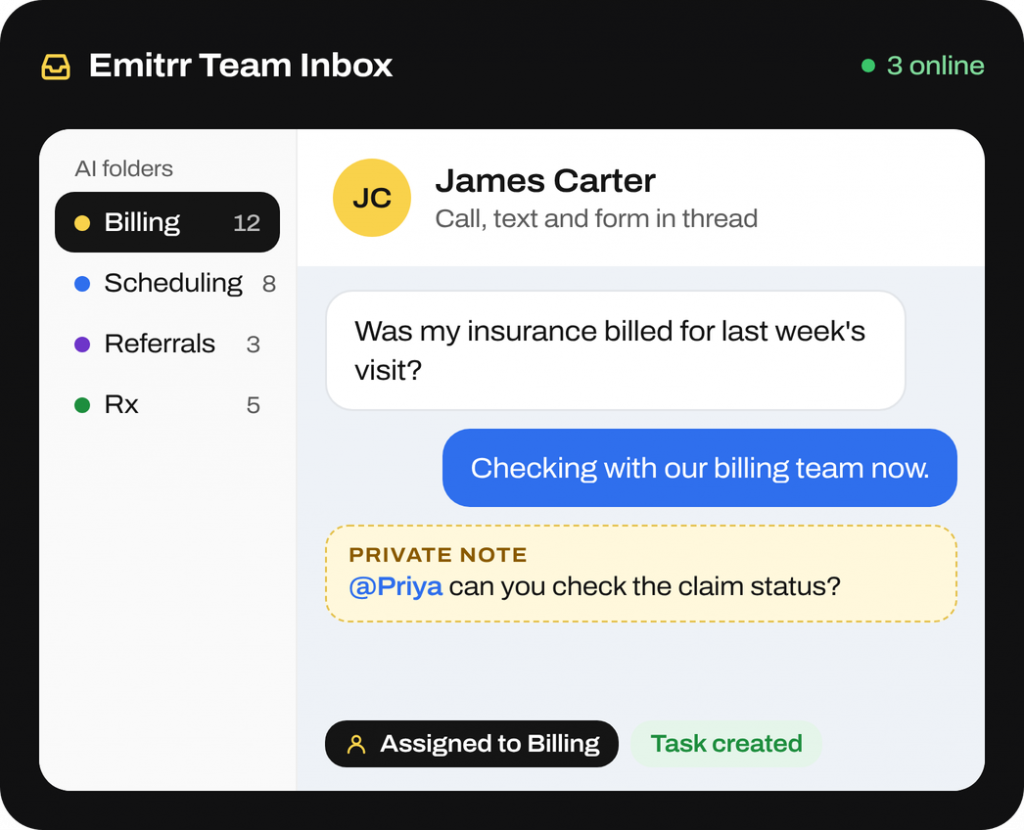
What is Emitrr’s Team Messaging Software
Emitrr’s team messaging software gives healthcare practices and service businesses a shared inbox for patient and customer conversations. Staff coordinate replies and follow-up in one contact timeline.
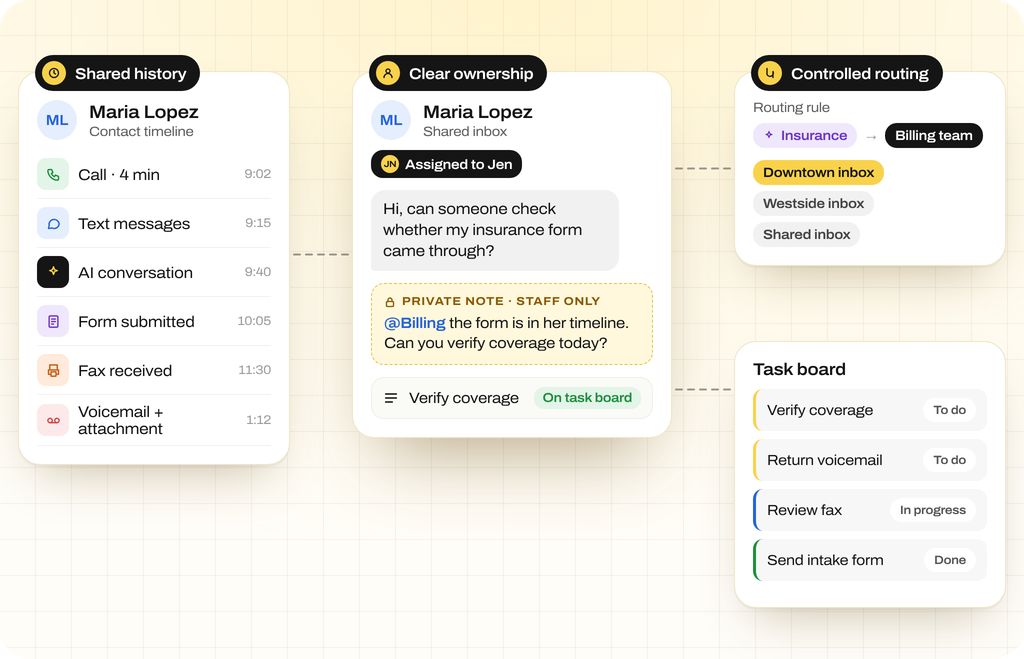
- Shared history: Review calls, texts, AI conversations, forms, faxes, voicemails, and attachments together.
- Clear ownership: Assign a thread, add private notes and @-mentions, and track follow-up on the linked task board.
- Controlled routing: Use AI tags and rules to send requests to teams, with shared or separate location inboxes.
How Does Emitrr’s Team Messaging Work
Bring incoming requests into one inbox, assign responsibility, and keep the next action visible as conversations move between staff.
Bring conversations into one thread
Calls, texts, voicemails, forms, and faxes appear in one timeline per contact. Staff can review earlier communication before replying.
Route requests to the right team
AI identifies message intent and adds tags. Your rules route billing, scheduling, and other requests to the assigned team or folder.
Assign the next action
Assign conversations to staff, add private notes, and use @-mentions to coordinate. Create linked tasks when a request needs further follow-up.
What Emitrr’s Team Messaging Software Can Do
Patient conversation management takes more than shared access. Staff need the history, a clear owner, and a way to pass the next task on.
Voice Agent
-
Shared Inbox per Contact
Use a shared SMS inbox with calls, voicemails, forms, faxes, and attachments. Review the full timeline before replying.
-
Conversation Assignment and Roles
Assign threads to a person or team. Permissions control access, while ownership shows who should follow up.
-
Team and Location Support
Manage multi-location messaging with users assigned by location. Share inboxes or keep them separate.
-
Individual and Group Messaging
Send one-to-one texts or individualized broadcasts with private replies. Use optional group messaging for small participant groups.
-
Templates and Personalization
Reuse message templates with names and appointment details. Personalize routine replies without rewriting them.
-
Campaigns and Workflows
Use SMS workflow automation with email and AI calls, scheduled or event-triggered sequences, branches, and stop-on-reply rules.
-
AI Tags and Automatic Routing
Use AI message tagging to identify requests. Automated message routing sends them to configured teams or folders.
-
Voice and SMS AI Assistants
Let AI collect details, screen contacts, handle after-hours requests, and make outbound calls, with handoff to staff.
-
Internal Collaboration Tools
Add internal notes, @-mentions, and task assignment in the thread. Track next steps on the linked task board.
-
Translation and Media Support
Use two-way translation, picture messaging (MMS), and file attachments. Keep documents beside the conversation.
-
Audit Records and Summaries
Save call recordings, AI transcripts, and summaries to the thread so staff can review earlier interactions.
-
Compliance and Controls
Use opt-out handling, secure chat for PHI, BAA options, and per-location review workflows in the communication platform.
SMS Agent
What Teams Use the Shared Inbox For
Use the patient communication inbox to connect each request with its next action. Staff can pick up the conversation with the history available.
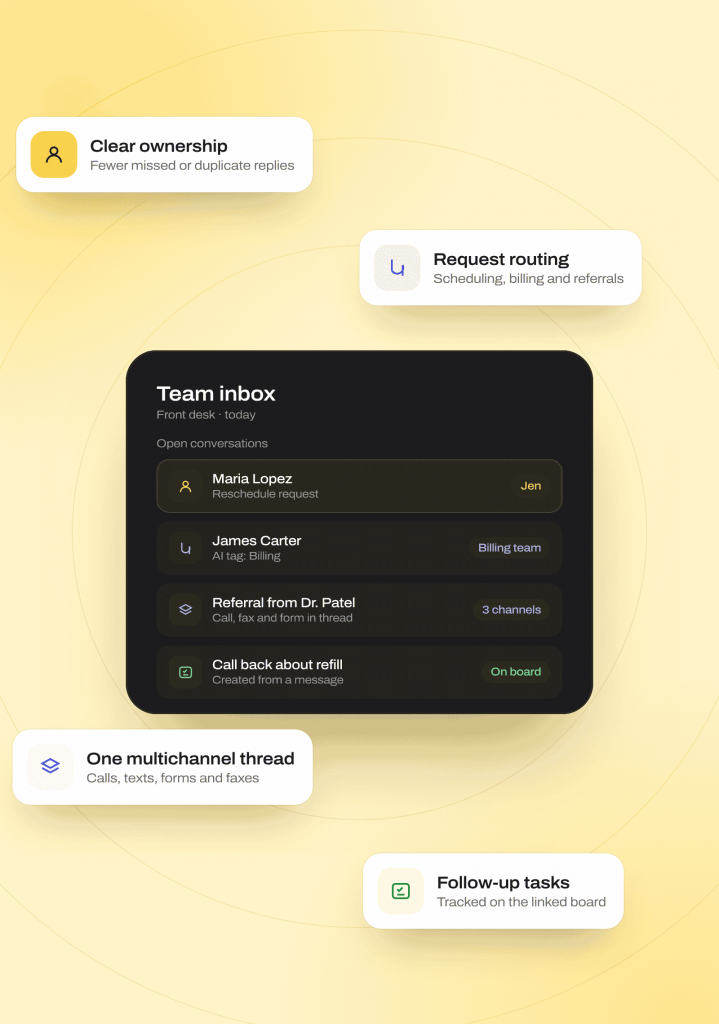
Coordinating Team Replies and Handoffs
Help staff see who owns each request and what needs to happen next, even when shifts change.
Coordinating Replies and Shift Handoffs
Use conversation ownership to show who should respond. Assign requests to a person or team to help avoid missed or duplicate replies.
Routing Incoming Requests
Use AI tags and rules to route scheduling, billing, and referral messages. Staff can focus on the requests assigned to their team.
Reviewing Communication Across Channels
Keep multichannel communication in one thread. Calls, texts, forms, and faxes give staff context before replying or assigning follow-up.
Tracking Follow-Up Tasks
Create tasks from messages and track them on the linked board. Keep the next action beside the patient conversation.
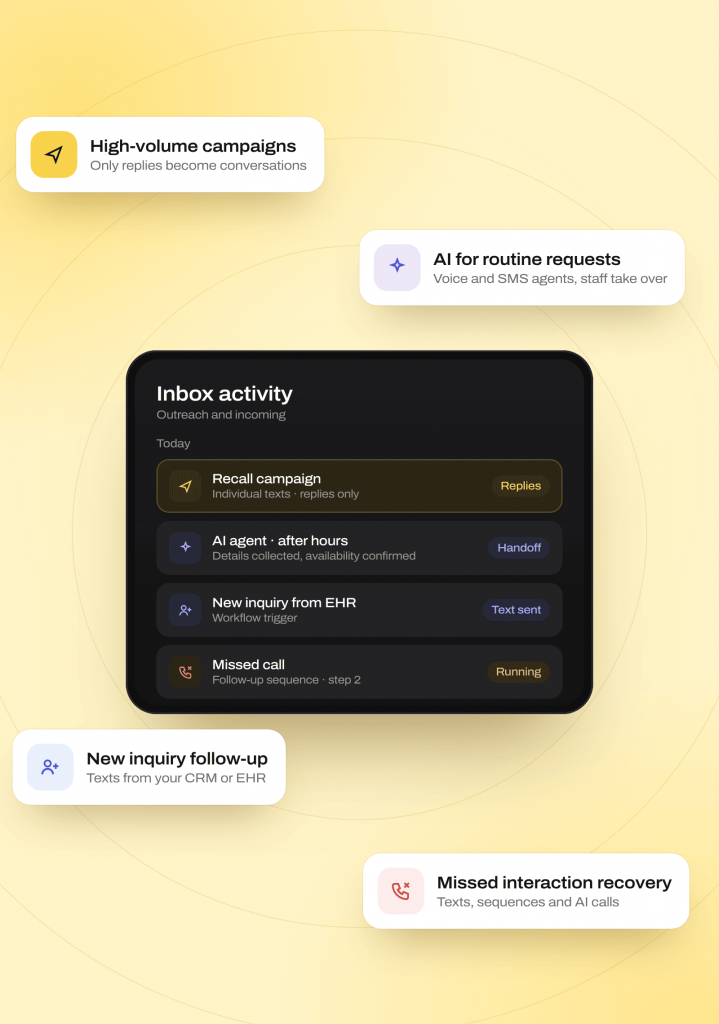
Managing Outreach and Incoming Requests
Follow up with more patients and leads while giving staff a clear view of replies that need their attention.
Handling High-Volume Campaigns
Send individualized texts to thousands of contacts. Only replies become active, assignable conversations, helping keep the inbox focused on responses.
Handling Routine Requests With AI
Let voice and SMS agents collect details, confirm availability, screen leads, and handle after-hours overflow. Staff take over when needed.
Following Up With New Inquiries
Start texts from your CRM or electronic health record (EHR). Dynamic lists and workflow triggers help staff reach new contacts promptly.
Recovering Missed Interactions
Send texts after missed calls, continue follow-up sequences, or make outbound AI calls. Give patients and leads another path toward booking.
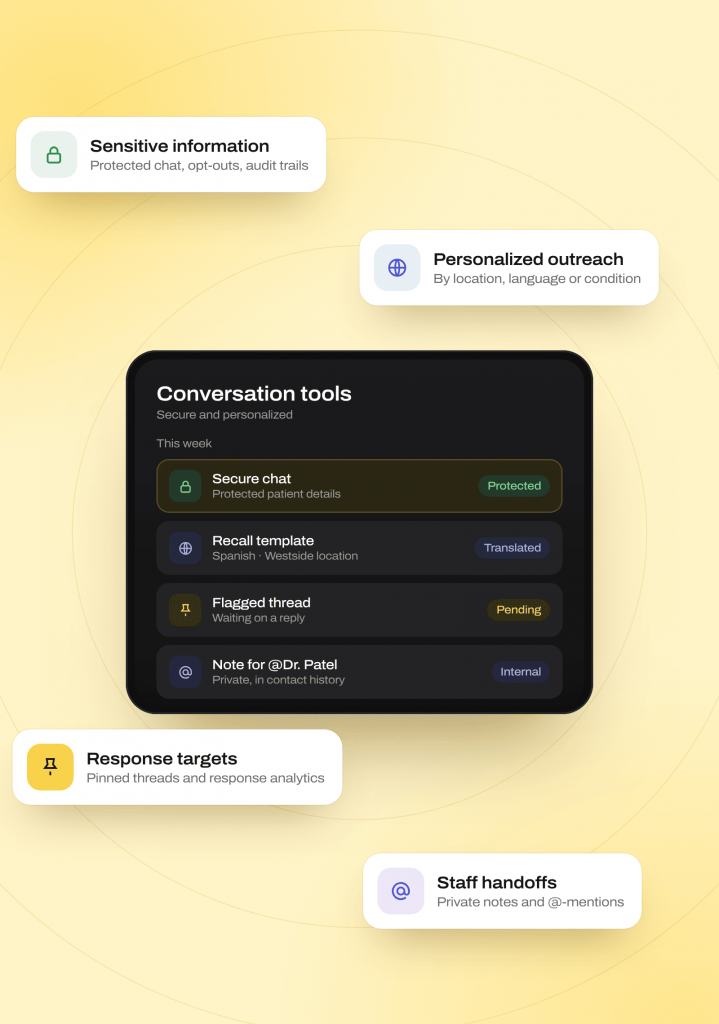
Supporting Secure and Personalized Communication
Give staff the tools to protect patient details, tailor outreach, and keep track of conversations that still need a reply.
Exchanging Sensitive Information
Use protected chat for patient details. Opt-out controls and documented audit trails support regulated communication workflows at higher message volumes.
Personalizing Patient Outreach
Tailor lists and templates by location, language, or patient condition. Use translation for recall campaigns and other multilingual outreach.
Checking Response Targets
Use pinned or flagged threads and response-time analytics to identify pending work and track your team’s service targets.
Sharing Context During Staff Handoffs
Use internal notes and @-mentions to share details privately. Keep the handoff attached to the contact’s conversation history.
Where Team Messaging Fits Best
Healthcare team communication needs clear handoffs across shifts and departments. Emitrr also fits other organizations where several staff share responsibility for customer conversations.
Industries
Healthcare
Own and track reminders, no-show recovery, after-hours triage, and form or consent collection in one inbox
Staffing and recruiting
Send job broadcasts, use AI screening, and route candidate conversations to the responsible recruiter.
Retail and service chains
Coordinate local promotions, scheduling, and review management across locations.
Home care
Centralize caregiver messages, shift broadcasts with private replies, and emergency routing.
Insurance
Coordinate lead qualification, booking, and secure document exchange workflows.
Connect Conversations to Your Existing Tools
Shared inbox software is more useful with the details your team already has. Connect conversations to your records and the tools staff work in.
How the write-back works
-
01
Connected EHR or CRM records provide patient and customer context in the shared inbox.
-
02
Supported workflows can update records directly where your integration allows write-back. Available actions depend on the connected system.
-
03
AI and staff conversations remain together in Emitrr, with notes, tasks, and summaries available for follow-up.
Connected systems






Why Businesses Choose Emitrr Over a Fragmented Communication Stack
Team collaboration tools should keep responsibility visible alongside the request. Compare conversation history, routing, and handoff support across your communication tools.
| What Matters | Fragmented Communication Tools | Emitrr |
|---|---|---|
| Conversation history | Check access across SMS, calls, and fax | One persistent contact thread across channels |
| Ownership | Check assignment and handoff tools | Assign or claim threads, notes, @-mentions, and linked tasks |
| Routing | Check intent and rule-based routing | AI tagging and rule-based assignment |
| Workflow channels | Check supported channels and branches | Branching SMS, email, and outbound AI voice workflows |
| AI agents | Check voice, SMS, and handoff options | Built-in voice and SMS AI with staff handoff |
| Business number | Check two-way office-number support | Two-way business texting from your real office number |
| Campaign inbox impact | Check when recipients become active threads | Active threads open when recipients reply |
| EHR and compliance | Check record updates and protected channels | Write-back where supported, secure chat, and BAA options |
| Outbound cost | Check inbound charges and cost visibility | Free inbound messages; predicted cost before sending |
| Multi-location control | Check organization-wide administration | Master-admin controls, per-location billing, and permissions |
Built for Compliant Team Collaboration
Give staff the access they need while keeping sensitive information protected and follow-up history available for review.
HIPAA
Compliant
SOC 2
Type II
Use protected chat for patient details that should stay outside plain SMS.
A Business Associate Agreement is available for healthcare organizations coordinating patient communication.
Set permissions that determine which conversations each staff member can view.
Use shared or separate location inboxes with central administration overseeing access.
Internal notes and @-mentions stay within the contact thread and are not sent to patients.
Conversations, notes, and tasks are logged for communication and compliance review.
Platform protections include TLS 1.2+ in transit and AES-256 encryption for stored information.
Emitrr is audited across security, confidentiality, process integrity, availability, and privacy.
Real Results From Businesses Using Emitrr’s Team Messaging
Zynex Medical received over 10,000 inbound messages a month from patients, pharmacies, and providers, each one needing to be reviewed and manually sorted into categories like insurance eligibility, missing documentation, device troubleshooting, and prescription confirmations before the right team could respond. That manual triage was consuming hours every week and slowing down outbound communication. Emitrr’s Rule Engine automated the sorting and routing, giving staff significant time back.
Read the Full Zynex Medical StoryHow Emitrr’s AI Rule Engine Saved Zynex Medical 32 Hours a Month in Manual Message Sorting
Zynex Medical, medical technology manufacturer, 5 locations
32+
hours of staff time saved per month
10,000+
monthly messages automatically sorted and routed to the right team
Faster
& more consistent response times across insurance, documentation, and prescription queries
4.9/5
Average rating across 400+ reviews
1,000+
Customers using the Emitrr platform
High volume
Handles simultaneous, high-volume call traffic without added staffing
500+
EHR and CRM integrations across the Emitrr platform
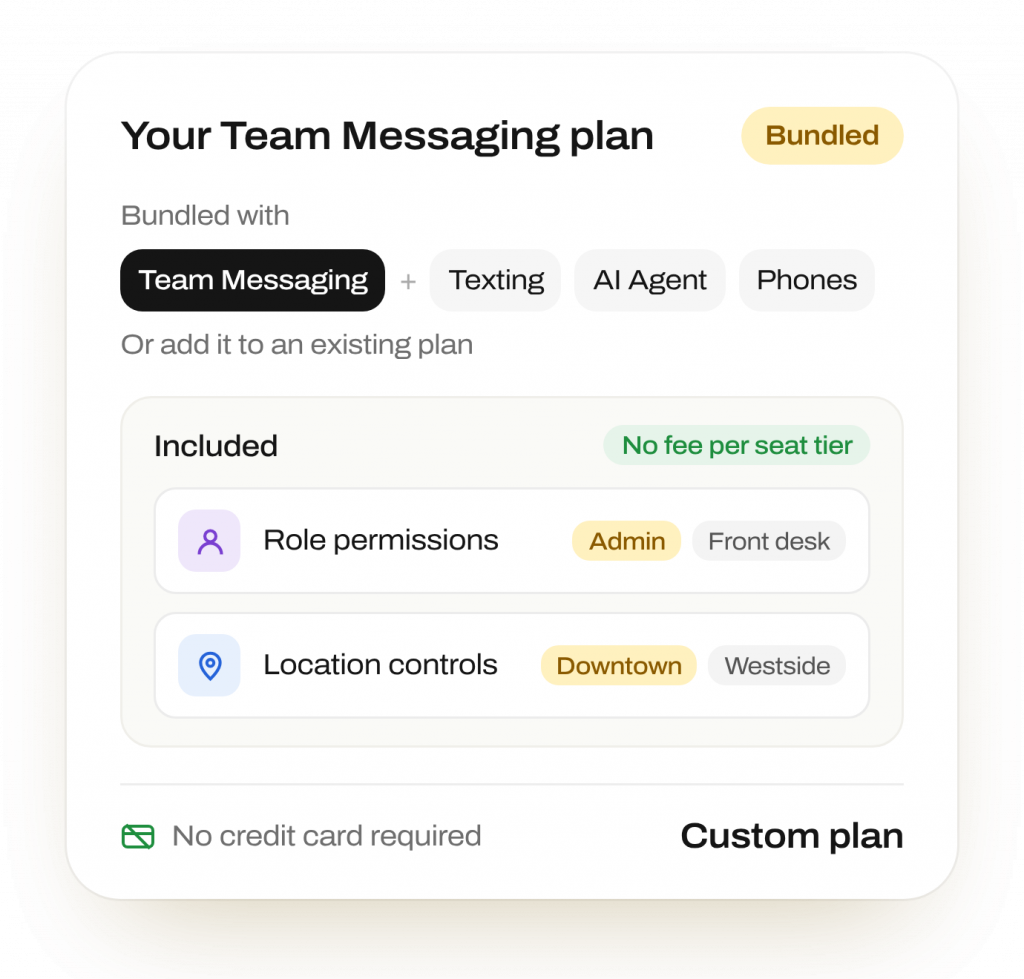
Simple, Role-Based Pricing
Bundle team messaging with texting, AI Agent, and phone products, or add it to an existing plan. Role permissions and multi-location controls included, with no separate fee per seat tier
No credit card required to start · Flexible, usage-based pricing
Frequently Asked Questions
Yes. Emitrr’s team messaging software combines calls, texts, voicemails, forms, and faxes in one contact timeline. Staff can review the history before replying, assigning work, or taking over.
Conversation assignment gives each thread a responsible person or team. Visible ownership helps avoid duplicate responses. Private notes preserve the next step during handoffs.
No. Recipients become active threads when they reply. Your team can assign and respond individually without every outgoing campaign message opening a conversation.
AI identifies message intent and adds tags. Your rules route the conversation to a team or folder. The Rule Engine also supports keyword-based and multi-condition routing.
Yes. Role permissions and location inbox controls determine what staff can see. Use shared or separate inboxes, with central administration overseeing access.
Yes. Private notes and @-mentions stay inside the contact thread and are not sent to patients. Tasks and the linked board track follow-up beside the conversation.
Yes. Secure chat protects details that should stay outside plain SMS. A BAA is available, with role-based access, audit trails, and platform encryption supporting healthcare workflows.
Yes. AI calls and texts appear beside staff conversations. Tags, transcripts, recordings, and summaries keep the history available for review or handoff.
Give Every Conversation a Clear Next Step
Keep replies, handoffs, and follow-up visible to the team responsible for them.